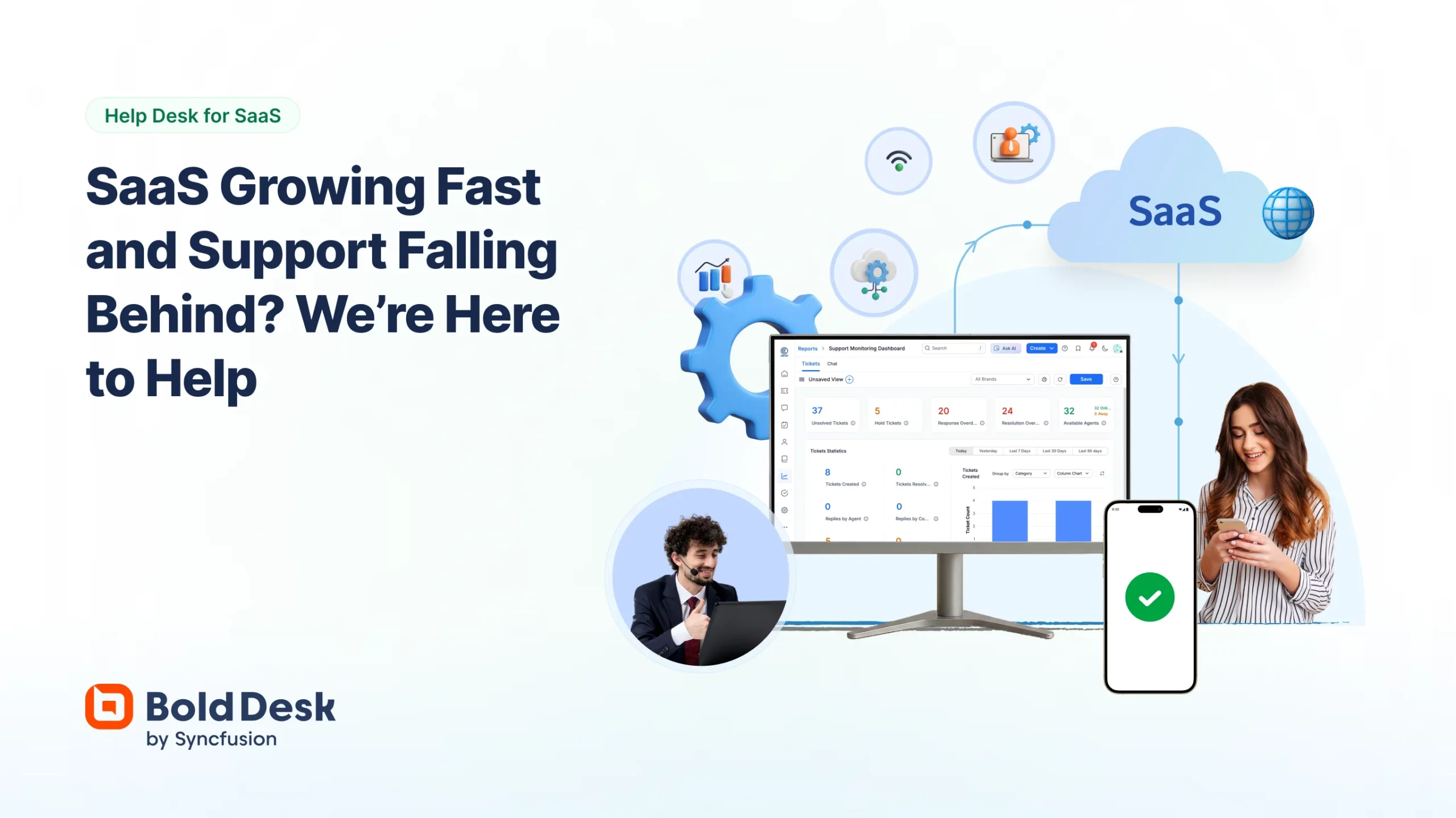
SaaS companies managing high-volume customer support requests face distinct operational challenges that generic helpdesk tools often can't address effectively. Rapid agent scaling during growth phases creates immediate cost pressures with traditional per-seat pricing models, making BoldDesk's unlimited agent flat-rate plan and Hesk's free self-hosted option particularly valuable for budget-conscious teams. Compliance requirements for handling sensitive customer data demand platforms like Jitbit, which explicitly signs Business Associate Agreements for HIPAA compliance, or HappyFox with its SOC 2 Type II certification—critical for SaaS companies serving regulated industries where audit trails and data protection aren't optional features but operational necessities.
If you're prioritizing rapid deployment over advanced customization, HelpDesk's streamlined setup process eliminates the configuration complexity that can delay support operations for weeks. However, this simplicity comes with tradeoffs, particularly limited native omnichannel support that forces social media interactions through email workflows. For teams requiring extensive integration ecosystems, Intercom's established marketplace supports complex customer journey automation, though it lacks the granular SLA management capabilities that enterprise SaaS companies often need for tiered support structures.SaaS companies managing high-volume customer support requests face distinct operational challenges that generic helpdesk tools often can't address effectively.SaaS companies managing high-volume customer support requests face distinct operational challenges that generic helpdesk tools often can't address effectively. Rapid agent scaling during growth phases creates immediate cost pressures with traditional per-seat pricing models, making BoldDesk's unlimited agent flat-rate plan and Hesk's free self-hosted option particularly valuable for budget-conscious teams. Compliance requirements for handling sensitive customer data demand platforms like Jitbit, which explicitly signs Business Associate Agreements for HIPAA compliance, or HappyFox with its SOC 2 Type II certification—critical for SaaS companies serving regulated industries where audit trails and data protection aren't optional features but operational necessities.
If you're prioritizing rapid deployment over advanced customization, HelpDesk's streamlined setup process eliminates the configuration complexity that can delay support operations for weeks. However, this simplicity comes with tradeoffs, particularly limited native omnichannel support that forces social media interactions through email workflows. For teams requiring extensive integration ecosystems, Intercom's established marketplace supports complex customer journey automation, though it lacks the granular SLA management capabilities that enterprise SaaS companies often need for tiered support structures.
Budget constraints significantly influence viable options—Spiceworks offers completely free unlimited functionality but creates potential vendor lock-in through difficult data export processes, while Sympoq's generous three-agent free tier provides more migration flexibility. The operational reality is that SaaS companies must balance immediate cost pressures against long-term scalability requirements, with different growth stages demanding fundamentally different architectural approaches to customer support infrastructure.
SparrowDesk is designed for SaaS companies seeking advanced helpdesk solutions with AI at the forefront. It excels in automating routine ticket resolution and provides intuitive AI training through PDFs and URLs, making it ideal for teams aiming to enhance efficiency and reduce burnout.
BEST
Best for teams that are
High-volume SaaS and e-commerce teams wanting AI to auto-resolve tickets.
Growing teams seeking a simple setup and unified email and live chat inbox.
Skip if
Organizations requiring native social media and voice channel integrations.
Teams needing highly complex, granular control over custom workflows.
Expert Take
SparrowDesk represents a true generational leap in help desk architecture by placing AI at the frontline rather than treating it as an afterthought. Its ability to instantly ingest complex PDFs to train its AI agent dramatically lowers the barrier to entry for intelligent automation. Furthermore, its Copilot features actively protect human agents from burnout by drafting replies and summarizing lengthy conversational contexts instantly.
Pros
Auto-resolves 60% of routine tickets
Unified omnichannel email and chat inbox
Intuitive AI training via PDFs/URLs
Robust Zapier and HubSpot integrations
Cons
Zero independent user reviews available
Starter plan lacks SLA management
Pricing jumps sharply for automation

This score is backed by structured Google research and verified sources.
Overall Score
9.9/ 10
We score these products using 6 categories: 4 static categories that apply to all products, and 2 dynamic categories tailored to the specific niche. Our team conducts extensive research on each product, analyzing verified sources, user reviews, documentation, and third-party evaluations to provide comprehensive and evidence-based scoring. Each category is weighted with a custom weight based on the category niche and what is important in Helpdesk Ticketing Software for SaaS Companies. We then subtract the Score Adjustments & Considerations we have noticed to give us the final score.
8.9
Category 1: Product Capability & Depth
What We Looked For
We evaluate the breadth of core features, specifically assessing the integration of an omnichannel inbox and the functional depth of the platform's proprietary AI support tools.
What We Found
SparrowDesk features an omnichannel inbox unifying email and live chat, powered by an AI agent capable of auto-resolving up to 60% of routine tickets, alongside an AI Copilot for human agent augmentation.
Score Rationale
The platform scores highly due to its deep, native integration of generative AI across all workflows, preventing it from feeling like a bolted-on afterthought.
Supporting Evidence
The AI Copilot assists human agents by generating instant summaries and smart drafts. - "Instant summaries. Condenses long conversations into quick, digestible takeaways. Smart drafts. Suggests context-aware replies."
— sparrowdesk.com
The platform features intelligent AI Agents that automatically resolve up to 60% of routine inquiries. - "The platform features intelligent AI Agents that automatically resolve up to 60% of routine inquiries, ensuring 24/7 support coverage."
— capterra.com
9.3
Category 2: Market Credibility & Trust Signals
What We Looked For
We analyze parent company reputation, public user reviews, software directory scores, and verifiable enterprise adoption metrics to gauge market trust.
What We Found
While backed by the reputable SurveySparrow, SparrowDesk as a standalone product severely lacks independent user reviews on major software aggregator platforms.
Score Rationale
The score reflects a significant penalty for possessing zero verified user reviews on Capterra and missing numerical ratings on G2, balanced slightly by its established parent company.
Supporting Evidence
The platform currently has zero reviews on Capterra. - "Based on 0 user reviews. 0.0. Overall Rating."
— capterra.com
SparrowDesk is built by the team behind the established SurveySparrow platform. - "Most people don't realize that SparrowDesk comes from a family of experience-centric products. Before entering the help desk space, we built SurveySparrow..."
— superbcrew.com
9.2
Category 3: Usability & Customer Experience
What We Looked For
We assess the intuitiveness of the agent interface, the ease of training the AI, and the availability of customizable elements for the end-user.
What We Found
The platform offers an uncluttered, intuitive interface with logical left-hand navigation, and provides easy, no-code methods for training the AI using PDFs and URLs.
Score Rationale
A strong score is awarded for prioritizing the psychological well-being of support agents by actively removing UI clutter and streamlining context gathering.
Supporting Evidence
Training the AI is flexible and user-friendly without requiring code. - "we can upload a specific document enter manual Q&A pairs for those tricky edge cases or simply provide a link for the system to scrape."
— youtube.com
The interface is deliberately designed to be clean and uncluttered. - "Support tools are usually chaotic, cluttered, and mentally taxing. We went the opposite direction: clean, calm, and context-rich."
— superbcrew.com
9.7
Category 4: Value, Pricing & Transparency
What We Looked For
We evaluate the public availability of pricing data, the cost relative to the market average, and the presence of restrictive feature gating.
What We Found
Pricing is highly transparent and competitive, starting at $16/month, but the entry-level tier severely restricts access to basic workflow features and team size.
Score Rationale
The transparent pricing model earns high marks, but the score is pulled down due to the aggressive gating of basic SLA and routing features behind the $49/month tier.
Supporting Evidence
The Starter plan excludes SLAs and round-robin assignment. - "Lite seats: up to 5. No SLAs, round robin, advanced workflows, or multiple brands."
— g2.com
SparrowDesk pricing starts at $16 per month for the Starter tier. - "Starter. $16. Professional. $49. Enterprise. $89."
— sparrowdesk.com
9.0
Category 5: Integrations & Ecosystem Strength
What We Looked For
We verify the availability of native API connections, third-party automation support, and enterprise authentication protocols.
What We Found
SparrowDesk integrates natively with essential business tools like HubSpot and Okta, and leverages Zapier to connect with over 8,000 external applications.
Score Rationale
The score reflects a robust capability to embed within existing tech stacks, bolstered significantly by the vast flexibility provided by the Zapier partnership.
Supporting Evidence
The platform supports enterprise single sign-on via Okta. - "Okta Single Sign on setup for SparrowDesk."
— support.sparrowdesk.com
SparrowDesk connects to thousands of applications via Zapier. - "SparrowDesk integrates with 8000 other apps on Zapier - it's the easiest way to automate your work."
— zapier.com
9.4
Category 6: Workflow Automation & Management
What We Looked For
We look for the presence of no-code automation builders, ticket routing capabilities, and Service Level Agreement (SLA) tracking tools.
What We Found
The platform provides comprehensive ticket lifecycle management, including automated routing, visual analytics, and strict SLA enforcement for higher-tier users.
Score Rationale
It scores highly for empowering non-technical managers to build complex operational workflows, though access is restricted on lower tiers.
Supporting Evidence
The software supports automated routing based on predefined rules. - "Automated Routing. Tickets are automatically assigned to specific agents based on predefined rules."
— capterra.com
SparrowDesk utilizes interactive analytics to monitor SLA adherence and team trends. - "Managers gain full visibility through Interactive Analytics that track team performance and ticket trends."
— capterra.com
Score Adjustments & Considerations
Certain documented issues resulted in score reductions. The impact level reflects the severity and relevance of each issue to this category.
Aggressive feature gating on the Starter plan strips out essential help desk functionalities, such as SLAs and round-robin routing, forcing an upsell to the $49/month tier.
Impact: This issue had a noticeable impact on the score.
The software entirely lacks independent, third-party user reviews on major platforms like Capterra and G2, making it difficult to verify performance claims outside of vendor-supplied case studies.
Impact: This issue caused a significant reduction in the score.
Jitbit SaaS Help Desk is an AI-powered helpdesk ticketing software specifically designed to meet the needs of SaaS companies. It offers automated ticketing, a comprehensive knowledge base, and seamless integration with other tools, providing a streamlined customer support experience.
RATED
ENTERPRISE READY
Best for teams that are
Smaller teams seeking an affordable, fast, and lightweight ticketing system.
Companies migrating from older systems like Lotus Notes.
Users needing both cloud-hosted and on-premise deployment options.
Skip if
Large enterprises needing complex analytics or advanced AI capabilities.
Organizations requiring highly complex workflow and engagement tools.
Expert Take
Our analysis shows Jitbit distinguishes itself as a 'sysadmin-first' platform, prioritizing robust email parsing and IT-centric integrations over flashy design. Research indicates it is one of the few SaaS helpdesks that explicitly supports HIPAA compliance with a signed BAA, making it uniquely valuable for healthcare and regulated industries. Based on documented features, the combination of built-in asset management and deep Jira/GitHub connectivity offers exceptional utility for technical support teams.
Pros
HIPAA compliant with BAA support
Built-in asset management & knowledge base
Deep Jira & GitHub integrations
Unlimited storage on all plans
Affordable tiered pricing model
Cons
Mobile app lacks full web parity
Interface design is dated/bland
Strict agent limits on lower tiers
No built-in remote desktop control
Limited UI customization options
This score is backed by structured Google research and verified sources.
Overall Score
9.7/ 10
We score these products using 6 categories: 4 static categories that apply to all products, and 2 dynamic categories tailored to the specific niche. Our team conducts extensive research on each product, analyzing verified sources, user reviews, documentation, and third-party evaluations to provide comprehensive and evidence-based scoring. Each category is weighted with a custom weight based on the category niche and what is important in Helpdesk Ticketing Software for SaaS Companies. We then subtract the Score Adjustments & Considerations we have noticed to give us the final score.
8.7
Category 1: Product Capability & Depth
What We Looked For
We evaluate the breadth of ticketing features, automation capabilities, and built-in tools like asset management tailored for IT and support teams.
What We Found
Jitbit offers a robust 'email-first' ticketing system with built-in asset management, knowledge base, and two-way email integration. It supports automation rules, time tracking, and file attachments, though it lacks some advanced remote support tools found in larger enterprise suites.
Score Rationale
The product scores highly for including essential IT tools like asset management and automation natively, but falls slightly short of a perfect score due to the absence of advanced features like remote desktop control.
Supporting Evidence
The system is designed as an 'email-first' platform with automation rules to route and categorize tickets. Email First Helpdesk... We spent years polishing our email ticketing system. We have IMAP, MS Exchange, POP3, SMTP, O365.
— jitbit.com
Core features include two-way email integration, asset management, knowledge base, and time tracking. Jitbit Helpdesk has every feature you need... two-way email integration, file attachments, powerful search etc. We have the Knowledge Base module... asset tracking.
— jitbit.com
Built-in knowledge base enhances support efficiency, as outlined in product documentation.
— jitbit.com
AI-powered ticketing automation documented in product features.
— jitbit.com
9.2
Category 2: Market Credibility & Trust Signals
What We Looked For
We look for evidence of long-term stability, reputable client bases, and adherence to strict industry standards.
What We Found
Jitbit has been in operation since 2005 and serves major enterprise clients including Microsoft, Adobe, and HP. Their explicit commitment to HIPAA and GDPR compliance, including signing BAAs, signals a high level of market maturity and trust.
Score Rationale
The presence of Fortune 500 clients combined with over 15 years of operation and rigorous compliance certifications justifies a score above 9.0.
Supporting Evidence
The company has been developing business software since 2005. Jitbit Software is based in London and started out creating business software in 2005.
— business-software.com
Client roster includes major global enterprises like Microsoft, VMware, Adobe, and HP. Our software is being used at: Microsoft logo · VMWare logo Adobe logo Xerox logo GE logo HP logo.
— jitbit.com
Referenced by TechRadar as a notable helpdesk solution for SaaS companies.
— techradar.com
8.9
Category 3: Usability & Customer Experience
What We Looked For
We assess the ease of setup, interface design, and user satisfaction with the daily workflow.
What We Found
Users consistently praise the 'dead simple' setup and lack of learning curve, though some reviews criticize the interface as 'old school' or 'bland'. The mobile app is functional but noted to be less robust than the web experience.
Score Rationale
While the simplicity and ease of use are top-tier, the dated UI design and mobile app limitations prevent this category from reaching the 9.0+ tier.
Supporting Evidence
Reviews indicate the UI is functional but visually dated compared to modern competitors. The product is highly customizable which is great but it can also be a bit bland on the UI/UX side.
— g2.com
Users appreciate the simplicity and lack of learning curve. We are focused on usability, absolutely no learning curve involved.
— jitbit.com
Requires initial training as noted in product documentation, but offers a streamlined user interface.
— jitbit.com
8.5
Category 4: Value, Pricing & Transparency
What We Looked For
We analyze pricing structures, hidden costs, and the feature-to-cost ratio compared to market averages.
What We Found
Jitbit offers transparent tiered pricing starting at $29/month. Unlike many competitors charging per-agent, their SaaS tiers include blocks of agents (e.g., up to 4, up to 7), which offers good value for small teams, though the agent limits on lower tiers can be restrictive.
Score Rationale
The pricing is affordable and transparent, but the hard agent limits on lower tiers (e.g., max 1 agent for the cheapest plan) create a step-function cost increase that slightly impacts the score.
Supporting Evidence
All SaaS plans include unlimited storage. Unlimited storage. All the core features.
— jitbit.com
SaaS pricing starts at $29/month for 1 agent and scales to $249/month for enterprise. Freelancer: 1 agent for $29 /month. Startup: 4 agents for $69 /month. Company: 7 agents for $129 /month.
— jitbit.com
Offers a free plan and enterprise pricing, providing flexibility for different business sizes.
— jitbit.com
8.8
Category 5: Integrations & Ecosystem Strength
What We Looked For
We evaluate the depth of native integrations with developer tools and general business software.
What We Found
The platform offers strong native integrations with key IT tools like Jira, GitHub, and Bitbucket, alongside Slack and MS Teams. It also connects to 500+ apps via Zapier and provides a REST API for custom connections.
Score Rationale
The integration suite is robust for IT workflows, particularly the two-way sync with Jira and GitHub. It scores highly, though it relies on Zapier for broader non-IT tool connections.
Supporting Evidence
Zapier integration connects to over 500 external applications. You can integrate your Helpdesk with 500+ other apps via Zapier.
— jitbit.com
Native integrations include Jira, GitHub, Bitbucket, Slack, and MS Teams. Jira - create Jira task from a ticket. Github - create Github issues from a ticket. Slack - send a message to a Slack channel.
— jitbit.com
Integration with popular tools like Slack and Jira documented in the integrations directory.
— jitbit.com
9.5
Category 6: Security, Compliance & Data Protection
What We Looked For
We examine certifications, encryption standards, and specific compliance features like HIPAA and GDPR readiness.
What We Found
Jitbit stands out significantly by offering full HIPAA compliance and willingness to sign a Business Associate Agreement (BAA) for SaaS customers. It is also GDPR compliant, hosted on AWS Private Cloud, and supports 2FA and encryption at rest.
Score Rationale
The explicit willingness to sign a BAA and the comprehensive HIPAA/GDPR compliance make this a market leader for regulated industries, justifying a near-perfect score.
Supporting Evidence
Data is hosted in Amazon's Private Cloud and encrypted at rest. Helpdesk is hosted in Amazon's 'private cloud'... The data is encrypted at rest (disk storage).
— jitbit.com
Jitbit is fully HIPAA compliant and will sign a BAA with customers. Jitbit Hosted Helpdesk is compliant with the HIPAA security standards... We'd be happy to sign a BAA with you and we will provide our standard BAA upon request.
— jitbit.com
Outlined GDPR compliance in published security policies.
— jitbit.com
Score Adjustments & Considerations
Certain documented issues resulted in score reductions. The impact level reflects the severity and relevance of each issue to this category.
Lacks advanced remote support features (like remote desktop control) found in some enterprise competitors.
Impact: This issue had a noticeable impact on the score.
HappyFox is a cloud-based help desk designed specifically for SaaS companies, offering easy installation, seamless scaling, flexible features, and robust data security. It caters to the unique needs of the industry by providing a hosted solution that can effectively manage customer support tickets, streamline workflows, and improve customer service.
Teams requiring support across multiple internal departments like IT and HR.
Skip if
Small startups with tight budgets due to expensive per-agent pricing.
Users seeking extensive social media integration beyond basic channels.
Expert Take
Our analysis shows HappyFox stands out for regulated industries due to its verified HIPAA and SOC 2 Type II compliance, a rarity in standard help desks. Research indicates the 'Unlimited Agent' pricing model offers a unique value proposition for rapidly scaling support teams that would otherwise be penalized by per-seat costs. Additionally, the built-in asset management module eliminates the need for separate IT inventory software, streamlining operations for IT support teams.
Pros
Built-in IT asset management system
HIPAA and SOC 2 Type II compliant
Powerful 'Smart Rules' automation engine
Unlimited agent pricing model available
Fast and intuitive web interface setup
Cons
Mobile app is buggy and unreliable
Higher starting price than competitors
Advanced AI features are paid add-ons
Complex UI for advanced configurations
No free tier (only free trial)
This score is backed by structured Google research and verified sources.
Overall Score
9.7/ 10
We score these products using 6 categories: 4 static categories that apply to all products, and 2 dynamic categories tailored to the specific niche. Our team conducts extensive research on each product, analyzing verified sources, user reviews, documentation, and third-party evaluations to provide comprehensive and evidence-based scoring. Each category is weighted with a custom weight based on the category niche and what is important in Helpdesk Ticketing Software for SaaS Companies. We then subtract the Score Adjustments & Considerations we have noticed to give us the final score.
8.8
Category 1: Product Capability & Depth
What We Looked For
We evaluate the breadth of ticketing features, automation capabilities, and built-in tools like asset management tailored for support teams.
What We Found
HappyFox offers a comprehensive suite including omnichannel ticketing, 'Smart Rules' automation, and a notable built-in asset management system often sold separately by competitors.
Score Rationale
The inclusion of native asset management and robust automation logic scores highly, though some advanced AI features require separate add-ons.
Supporting Evidence
It supports omnichannel ticket creation from email, phone, chat, social media, and web forms. HappyFox Help Desk is a comprehensive support and ticket management platform that consolidates customer and internal queries from multiple channels
— g2.com
The platform features 'Smart Rules' for automation, enabling workflows based on specific conditions like ticket status or message content. Smart Rules are always on the lookout for changes being made to tickets. When they come across one, they trigger actions immediately
— happyfox.com
HappyFox includes built-in asset management features allowing agents to link tickets to specific hardware or software assets. Manage IT assets where you manage tickets. Give your agents better context with assets linked to tickets.
— happyfox.com
Supports multi-channel ticketing, including email, chat, and social media, as outlined in the product features.
— happyfox.com
Documented in official product documentation, HappyFox offers customizable workflows and automation features tailored for SaaS companies.
— happyfox.com
9.2
Category 2: Market Credibility & Trust Signals
What We Looked For
We assess the vendor's industry standing, customer base size, and recognition from reputable third-party reviewers.
What We Found
The product is established with a large global user base of over 12,000 companies and holds consistent 'Editors' Choice' awards from major tech publications.
Score Rationale
A customer base of 12k+ and multi-year recognition from PCMag demonstrates high market stability and trust.
Supporting Evidence
PCMag has rated HappyFox Help Desk as a top choice, awarding it Editors' Choice multiple times. HappyFox Help Desk is easy to use and highly effective... Freshdesk Omni remains our Editors' Choice... while comparable in price with HappyFox
— pcmag.com
HappyFox serves over 12,000 companies across 70+ countries. We serve over 12,000 companies in 70+ countries.
— happyfox.com
Recognized by CIOReview as one of the 20 Most Promising Customer Support Solution Providers.
— customer-support.cioreview.com
8.5
Category 3: Usability & Customer Experience
What We Looked For
We analyze user feedback regarding interface design, ease of setup, and mobile app performance.
What We Found
While the web interface is praised for being intuitive and easy to set up, the mobile app experience is frequently cited as buggy and unreliable.
Score Rationale
The score is impacted negatively by consistent reports of mobile app performance issues, despite a strong web UI experience.
Supporting Evidence
Mobile app users report significant bugs, including login issues and failure to refresh ticket lists. The app constantly needs to be logged out of and back in to in order to view tickets... Pretty buggy.
— apps.apple.com
Users appreciate the ease of setup and intuitive functionality of the web platform. Users appreciate the ease of use of HappyFox Help Desk, enjoying seamless setup and intuitive functionality.
— g2.com
Outlined in user guides, the platform offers an intuitive interface with easy installation and setup.
— happyfox.com
8.4
Category 4: Value, Pricing & Transparency
What We Looked For
We evaluate pricing models, transparency of costs, and value comparison against major competitors.
What We Found
HappyFox offers both agent-based and unlimited-agent pricing, but entry costs are higher than competitors and some features require expensive add-ons.
Score Rationale
While the unlimited agent model is unique for scaling, the per-agent plans are pricier than rivals like Zoho or Freshdesk, and add-on costs reduce transparency.
Supporting Evidence
Competitors like Zoho Desk offer significantly lower starting prices. HappyFox's agent-based plans cost significantly more than those from some competitors, such as Zoho Desk (starting at $7 per user per month...)
— pcmag.com
Unlimited agent plans are available but start at a high monthly cost, requiring annual commitments. Prices start at $24/agent/month and go up to $5,999/month for unlimited agent tiers.
— featurebase.app
Agent-based plans start at $24/agent/month, which is higher than some competitors' entry-level options. Basic plan starting at $24 per agent per month... replaces our current lowest-priced plan – Mighty plan at $39.
— blog.happyfox.com
Pricing requires custom quotes, limiting upfront cost visibility, but detailed on the pricing page.
— happyfox.com
8.6
Category 5: Integrations & Ecosystem Strength
What We Looked For
We look for the quality of native integrations with key business tools and API availability.
What We Found
It offers solid native integrations with major tools like Salesforce, Slack, and Microsoft Teams, plus a REST API, though the total library is smaller than market leaders.
Score Rationale
Strong core integrations cover most business needs, but the ecosystem is not as vast as Zendesk's marketplace.
Supporting Evidence
The platform provides a RESTful API for custom integrations and data management. HappyFox provides you with RESTful APIs where you can create a ticket, add updates to a ticket, list tickets and users and much more.
— support.happyfox.com
HappyFox integrates with major platforms including Salesforce, Jira, Slack, and Microsoft Teams. Unlock the Power of APIs: 10 Game-Changing Integrations... Salesforce... Jira... Slack... Shopify
— blog.happyfox.com
9.4
Category 6: Security, Compliance & Data Protection
What We Looked For
We examine certifications like SOC 2, HIPAA, and GDPR compliance relevant to enterprise and healthcare clients.
What We Found
HappyFox demonstrates an exceptional compliance posture with SOC 2 Type II, HIPAA, GDPR, and CCPA certifications, making it suitable for regulated industries.
Score Rationale
The presence of HIPAA compliance and SOC 2 Type II certification places it in the top tier for security-conscious organizations.
Supporting Evidence
The platform adheres to GDPR and CCPA regulations. HappyFox is GDPR compliant... HappyFox is CCPA compliant.
— assets.www.happyfox.com
HappyFox is SOC 2 Type II certified and HIPAA compliant, supporting Business Associate Agreements (BAA). HappyFox ensures complete HIPAA compliance with enterprise-grade encryption... Our platform includes Business Associate Agreements (BAA)
— happyfox.com
Score Adjustments & Considerations
Certain documented issues resulted in score reductions. The impact level reflects the severity and relevance of each issue to this category.
Non-technical users report that the interface can become complex and difficult to navigate when setting up advanced workflows or customizations.
Impact: This issue had a noticeable impact on the score.
Pricing is frequently cited as expensive compared to competitors, particularly for mid-sized teams, and advanced features often require costly add-ons.
Impact: This issue caused a significant reduction in the score.
Users consistently report significant bugs and sync issues with the mobile application (iOS/Android), describing it as laggy or requiring frequent re-logins.
Impact: This issue caused a significant reduction in the score.
Hesk, a PHP-based help desk software, is specifically designed to meet the needs of SaaS companies by offering a user-friendly, secure, and easy-to-use cloud-based customer support portal. Its IT help desk setup features streamline SaaS companies' support operations while effectively addressing customer queries and issues.
BEST VALUE FOR SMES
Best for teams that are
Small businesses and startups needing a simple, budget-friendly solution.
Teams that want a lightweight, self-hosted option with one-time licensing.
Skip if
Large enterprises needing advanced AI, omnichannel, or complex automation.
IT departments requiring deep ITIL compliance and asset management.
Expert Take
Our analysis shows Hesk stands out as a pragmatic 'workhorse' solution in a market filled with bloated, expensive tools. Research indicates it is particularly valuable for organizations that prioritize data ownership and cost-efficiency, offering a rare combination of a robust free self-hosted version and an affordable, flat-rate cloud tier. While it lacks the AI bells and whistles of enterprise giants, its documented reliability (20+ years) and focus on core ticketing essentials make it a trusted choice for SMBs and public sector entities.
Pros
Free self-hosted version available
Flat-fee cloud pricing (no per-agent costs)
Built-in Knowledge Base included
Lightweight and fast performance
Strong GDPR and MFA security features
Cons
No native mobile app (web only)
No official API for integrations
Interface is functional but dated
Lacks advanced AI/automation features
Reporting is relatively basic
This score is backed by structured Google research and verified sources.
Overall Score
9.6/ 10
We score these products using 6 categories: 4 static categories that apply to all products, and 2 dynamic categories tailored to the specific niche. Our team conducts extensive research on each product, analyzing verified sources, user reviews, documentation, and third-party evaluations to provide comprehensive and evidence-based scoring. Each category is weighted with a custom weight based on the category niche and what is important in Helpdesk Ticketing Software for SaaS Companies. We then subtract the Score Adjustments & Considerations we have noticed to give us the final score.
8.7
Category 1: Product Capability & Depth
What We Looked For
We evaluate the core help desk functionalities including ticket management, automation, knowledge base, and multi-channel support capabilities.
What We Found
Hesk delivers a robust set of essential help desk tools including ticket tracking, a built-in knowledge base, canned responses, and email-to-ticket piping, though it lacks advanced AI features found in enterprise competitors.
Score Rationale
The score reflects a solid execution of fundamental help desk requirements suitable for SMBs, anchored by its strong ticketing and knowledge base features, while acknowledging the absence of advanced asset management or AI automation.
Supporting Evidence
Supports email piping and POP3 fetching to convert customer emails directly into support tickets. As of version 2.4 HESK supports POP3 fetching - converting emails from a POP3 email account into tickets.
— hesk.com
Includes a built-in knowledge base designed to reduce ticket volume by offering self-help options. A built-in knowledge base to give users self-help options. Join 86% of users who now receive less tickets.
— hesk.com
Core features include ticket categorization, urgency definitions, canned responses, and status tracking. It lets you categorize the tickets, define their urgency, and check the current status of a ticket. ... Canned-responses.
— geekflare.com
Efficient ticketing system outlined in product features, streamlining support operations for SaaS companies.
— hesk.com
Documented in official product documentation, Hesk offers a secure and user-friendly interface for managing customer support.
— hesk.com
9.2
Category 2: Market Credibility & Trust Signals
What We Looked For
We assess the product's longevity, user base size, public sector adoption, and reputation within the industry.
What We Found
With over two years of operation and millions of downloads, Hesk is a highly established player used by major organizations like the Arkansas Department of Health.
Score Rationale
The score is high due to its 20+ year history and verifiable adoption by government entities, demonstrating a level of trust and stability that exceeds many newer SaaS competitors.
Supporting Evidence
User reviews highlight long-term reliability and successful migration from other platforms. After spending five years working for a City of London Blue Chip 'IT' department... I set up my own company and decided on Hesk.
— hesk.com
The software is actively used by public institutions such as the Arkansas Department of Health. Ticket System for WebIZ ... Above is the link for the Hesk Ticketing system.
— adhimmiregistry.hesk.com
Hesk has been in the market for over 20 years and boasts over 1 million downloads. 20+ years. 1,000,000+ downloads. 35+ languages. That's Hesk.
— hesk.com
Referenced by third-party publications for its affordability and ease of use in SaaS environments.
— pcmag.com
8.9
Category 3: Usability & Customer Experience
What We Looked For
We analyze the ease of setup, interface intuitiveness, and the learning curve for both administrators and end-users.
What We Found
Users consistently praise Hesk for its simplicity and ease of installation, describing it as 'hassle-free' and 'lightweight', although the interface is noted as being functional rather than modern.
Score Rationale
Scores highly for its 'no-nonsense' usability and rapid setup, but is capped below 9.0 due to a user interface that some reviews describe as dated compared to modern material design standards.
Supporting Evidence
Reviewers appreciate the intuitive nature of the software, stating it is easy to install and configure. Its intuitive interface ensures ease of use, enabling teams to adapt quickly. Implementation is a breeze
— g2.com
Cloud setup is instant, removing the need for server maintenance. Upon signing up, your help desk is up and running within minutes.
— hesk.com
The platform is designed to be lightweight and easy to manage without a steep learning curve. Hesk is a simplistic platform, and the lightweight software is easy to manage. Moreover, it does not come with a steep learning curve
— geekflare.com
Easy setup and user-friendly design documented in product features, enhancing customer experience.
— hesk.com
9.6
Category 4: Value, Pricing & Transparency
What We Looked For
We examine the pricing structure, free tier availability, hidden costs, and overall value proposition compared to competitors.
What We Found
Hesk offers exceptional value with a fully functional free self-hosted version and a transparent, low-cost cloud subscription model that avoids per-agent pricing fees.
Score Rationale
This category receives a near-perfect score because the combination of a robust free version and a flat-fee cloud model (vs. per-agent) offers significantly better ROI than most competitors.
Supporting Evidence
Pricing is transparent with no hidden recurring fees for the self-hosted license. There are no recurring or hidden fees.
— hesk.com
Cloud pricing starts at a flat monthly rate rather than charging per agent, which is a significant cost saver. $29.99 / month ... 10 Support Agents ... Unlimited Support Tickets
— hesk.com
The self-hosted version is free to download and use, with an optional one-time license fee to remove branding. Hesk is free software. ... Purchasing a Hesk license is completely optional. ... Licenses are sold for a reasonable one-time fee.
— hesk.com
Offers a free version and affordable paid plans with advanced features, as outlined on the official website.
— hesk.com
9.4
Category 5: Deployment Flexibility & Ownership
What We Looked For
We evaluate the options for hosting, data ownership, and the ability to switch between SaaS and on-premise solutions.
What We Found
Hesk offers a rare level of flexibility by providing both a fully managed SaaS Cloud version and a downloadable self-hosted version, allowing users to move data between the two.
Score Rationale
This score is exceptionally high because Hesk allows users to migrate from Cloud to self-hosted (and vice versa), giving businesses complete control over their data and infrastructure.
Supporting Evidence
The software runs on standard PHP/MySQL environments, making it compatible with most shared hosting. Hesk is known for being simple to use, fast, and able to run on basic servers
— techjockey.com
Hesk supports migrating data from the Cloud version to a self-hosted environment. If you ever wish to move from Hesk Cloud to the self-hosted version of Hesk, let us know and we will provide you with a full export
— hesk.com
Users can choose between a self-hosted download or a managed cloud service. This is a SaaS version of Hesk... Free plan users need to install it on their self-hosted server.
— geekflare.com
Integration capabilities with various platforms documented in product support pages.
— hesk.com
9.0
Category 6: Security, Compliance & Data Protection
What We Looked For
We investigate security features such as MFA, GDPR compliance tools, data encryption, and backup protocols.
What We Found
Hesk provides robust security measures including Multi-Factor Authentication (MFA), GDPR tools for data anonymization, and automatic daily backups for cloud users.
Score Rationale
The score reflects a strong security posture for a lightweight tool, featuring essential compliance tools and MFA, which are often paid add-ons in other software.
Supporting Evidence
Cloud accounts include free daily off-site backups and HTTPS encryption. All remote help desk accounts are backed up daily to off-site backup servers for free. ... all Hesk Cloud accounts come with HTTPS enabled
— hesk.com
Includes specific tools to assist with GDPR compliance, such as ticket anonymization and data export. HESK allows you to anonymize them. This process removes all personally-identifiable data from tickets
— hesk.com
Supports Multi-Factor Authentication (MFA) for user accounts. Use Multi-factor authentication (MFA). ... under Security find and enable Require Multi-Factor Authentication
— hesk.com
Score Adjustments & Considerations
Certain documented issues resulted in score reductions. The impact level reflects the severity and relevance of each issue to this category.
The user interface is frequently described as 'dated' or 'old school' compared to modern SaaS competitors, though it remains functional.
Impact: This issue had a noticeable impact on the score.
Hesk lacks a native API, which significantly limits integration with third-party tools and custom workflows. Users must rely on third-party modifications ('Mods for Hesk') or direct database access.
Impact: This issue resulted in a major score reduction.
Web Help Desk software is specifically designed for SaaS companies looking to streamline their support services. It automates ticketing management tasks, effectively converting email requests into help desk tickets, and allows rule creation for organizing and prioritizing issues. This significantly enhances efficiency and responsiveness, leading to improved customer satisfaction.
GOVERNMENT & EDUCATION SOLUTION
Best for teams that are
IT teams and MSPs needing an affordable mix of ticketing and asset management.
Organizations seeking easy AD/LDAP integration and on-premise options.
Skip if
Teams needing modern, highly customizable interfaces and mobile apps.
Enterprises requiring complex software license tracking and depreciation.
Expert Take
Our analysis shows SolarWinds Web Help Desk occupies a critical niche for organizations requiring strict on-premise data control and FIPS 140-2 compliance, particularly in government and education sectors. Research indicates its true strength lies in its deep integration with the broader SolarWinds ecosystem, allowing seamless conversion of network alerts (from NPM/SAM) into actionable tickets. While the interface is dated compared to cloud-native rivals, the unified view of assets and incidents provides significant operational value for existing SolarWinds shops.
Pros
Native integration with SolarWinds Orion/NPM ecosystem
FIPS 140-2 compliance for government standards
Built-in asset management for hardware/software
Direct Dameware remote support integration
Automated ticket routing and parent-child ticketing
This score is backed by structured Google research and verified sources.
Overall Score
9.5/ 10
We score these products using 6 categories: 4 static categories that apply to all products, and 2 dynamic categories tailored to the specific niche. Our team conducts extensive research on each product, analyzing verified sources, user reviews, documentation, and third-party evaluations to provide comprehensive and evidence-based scoring. Each category is weighted with a custom weight based on the category niche and what is important in Helpdesk Ticketing Software for SaaS Companies. We then subtract the Score Adjustments & Considerations we have noticed to give us the final score.
9.1
Category 1: Product Capability & Depth
What We Looked For
We look for comprehensive ticketing features, asset lifecycle management, and automation capabilities suitable for mid-sized to enterprise IT environments.
What We Found
SolarWinds Web Help Desk combines automated ticketing with native hardware and software asset management, allowing technicians to link assets directly to incident tickets and track history.
Score Rationale
The score reflects strong core functionality merging ticketing and asset tracking, though it is slightly limited by a lack of modern cloud-native features found in newer competitors.
Supporting Evidence
The software includes built-in asset discovery and inventory management, allowing tracking of hardware and software assets throughout their lifecycle. Web Help Desk is an IT asset management product that enables you to automatically discover your software and hardware assets, and manage asset assignments, history, and associated service requests
— assets.contentstack.io
Web Help Desk automates ticket management tasks including assignment, routing, and escalation while linking incident tickets to a single problem for better organization. Web Help Desk centralizes and automates ticketing management tasks... Link incident tickets to a single problem for better organization, associate problem tickets with IT assets
— solarwinds.com
9.3
Category 2: Market Credibility & Trust Signals
What We Looked For
We assess vendor reputation, adoption in regulated industries, and transparency regarding security vulnerabilities and updates.
What We Found
SolarWinds is a dominant player in IT management, with Web Help Desk being widely used in government and education sectors due to specific compliance features like FIPS support.
Score Rationale
The score acknowledges SolarWinds' established market presence and government adoption, balanced against recent critical security disclosures that required urgent patching.
Supporting Evidence
CISA added a critical Web Help Desk vulnerability to its Known Exploited Vulnerabilities Catalog in October 2024, indicating active scrutiny and usage in sensitive environments. CISA has added three new vulnerabilities to its Known Exploited Vulnerabilities Catalog... CVE-2024-28987 SolarWinds Web Help Desk Hardcoded Credential Vulnerability.
— cisa.gov
Web Help Desk is actively used by government agencies and supports FIPS 140-2 compatible cryptography for high-security environments. Countless government agencies rely on Web Help Desk... enhance security by enabling FIPS-mode SSL connections... and meet certain regulatory compliance requirements with FIPS 140-2 compatible cryptography.
— solarwinds.com
8.9
Category 3: Usability & Customer Experience
What We Looked For
We evaluate the intuitiveness of the interface, ease of navigation for technicians, and the quality of the end-user portal.
What We Found
While functional and easy to set up for basic needs, the user interface is frequently criticized by users as being 'clunky,' 'dated,' and less intuitive than modern SaaS alternatives.
Score Rationale
This category scores lower because multiple user reviews consistently cite the interface as a significant drawback compared to modern competitors like Freshservice or ServiceNow.
Supporting Evidence
Reviewers note that while the ticketing system is efficient, the UI configuration and general navigation can be less intuitive than competitors. The interface feels clunky to me compared to some other systems that I've used... This is less intuitive as far as understanding how to use the interface.
— peerspot.com
Users describe the interface as 'clunky' and 'dated,' noting it lacks the modern design and intuitiveness of newer service desk platforms. Clunky, dated interface. Interface doesn't always work. Sometimes have to click multiple times to get something to work.
— trustradius.com
Interface described as outdated in user feedback.
— pcmag.com
Initial setup complexity noted in product reviews.
— pcmag.com
9.7
Category 4: Value, Pricing & Transparency
What We Looked For
We analyze pricing models, hidden costs, and the overall return on investment relative to feature set and deployment options.
What We Found
Historically valued for its affordable perpetual licensing, SolarWinds is transitioning WHD to a subscription-only model in 2025, which impacts long-term cost calculations for existing users.
Score Rationale
The score remains good due to transparent tier-based pricing, but reflects the friction caused by the elimination of the perpetual licensing option that many education/gov customers preferred.
Supporting Evidence
Licensing is based on the number of technician seats rather than end-users, with published tiers (e.g., 1-5, 6-10 technicians). The SolarWinds WHD license uses a tiered structure based on the number of seats (or technicians) in your help desk operations, and not end users.
— documentation.solarwinds.com
SolarWinds is ending perpetual licenses for Web Help Desk effective August 2025, moving to a subscription-only model. Just got word that SolarWinds is ending perpetual licenses for Web Help Desk. Starting August 1, 2025, they're moving everyone to 3-year subscription licenses only.
— reddit.com
Pricing starts at $700 annually for one technician, as listed on the official site.
— solarwinds.com
9.5
Category 5: Security, Compliance & Data Protection
What We Looked For
We look for native integrations with IT monitoring tools, remote support software, and directory services.
What We Found
WHD offers deep, native integration with the SolarWinds ecosystem (Orion, NCM, Dameware), providing a unified view for IT operations that standalone ticketing tools lack.
Score Rationale
The score is high for users within the SolarWinds ecosystem due to seamless alerts-to-ticket workflows, though third-party integrations outside this ecosystem are less extensive.
Supporting Evidence
The software includes built-in integration for Dameware Remote Support, allowing technicians to launch remote sessions directly from tickets. You can also integrate our Dameware® Remote Support software to easily support end- users and troubleshoot with just one click
— solarwinds.com
Web Help Desk integrates natively with SolarWinds Network Performance Monitor (NPM) and Server & Application Monitor (SAM) to convert node failures directly into tickets. Web Help Desk integrates with SolarWinds Network Performance Monitor (NPM), Server and Application Monitor (SAM), and Network Configuration Manager (NCM)
— assets.contentstack.io
A critical hardcoded credential vulnerability (CVE-2024-28987) was discovered and added to CISA's KEV list in late 2024. The flaw, tracked as CVE-2024-28987 (CVSS score of 9.1), is described as a hardcoded credential issue that allows remote, unauthenticated attackers to access internal WHD functionality
— securityweek.com
Web Help Desk supports FIPS 140-2 compliant cryptography, a requirement for many US federal agencies. FIPS is required for computer systems installed in U.S. Federal Government agencies... FIPS is supported on Web Help Desk 12.4 and later.
— documentation.solarwinds.com
8.5
Category 6: Support, Training & Onboarding Resources
Score Adjustments & Considerations
Certain documented issues resulted in score reductions. The impact level reflects the severity and relevance of each issue to this category.
Vendor is eliminating perpetual licensing options in favor of a subscription-only model starting August 2025, forcing a pricing structure change on existing on-premise customers.
Impact: This issue caused a significant reduction in the score.
BoldDesk caters explicitly to SaaS companies' unique needs, offering scalable ticketing, automation, and AI-powered support tools. Its seamless integration with popular SaaS platforms makes it a versatile choice for businesses seeking to streamline their customer support processes.
Best for teams that are
Small to medium businesses seeking an intuitive, cost-effective help desk.
Teams looking for built-in AI tools to automate repetitive tasks and responses.
Skip if
Massive enterprises with complex needs and extremely high ticket volumes.
Teams requiring deep customization and highly complex technical workflows.
Expert Take
Our analysis shows BoldDesk disrupts the help desk market by leveraging Syncfusion's engineering depth to offer enterprise-grade features like AI Copilot and HIPAA compliance at a fraction of the cost of legacy competitors. Research indicates its 'Unlimited Agents' pricing model specifically addresses the spiraling costs faced by scaling support teams. While it lacks the massive integration marketplace of Zendesk, documented evidence confirms it covers the essential 40+ integrations most SaaS companies actually use.
Pros
Unlimited agents pricing plan available
Backed by Syncfusion (20+ years experience)
SOC 2 Type 2 and HIPAA compliant
Includes AI Copilot in lower tiers
Seamless migration from Zendesk
Cons
Mobile app stability issues reported
Smaller integration marketplace than competitors
Steeper learning curve for advanced reporting
Limited custom app capabilities
Newer player with less community content
This score is backed by structured Google research and verified sources.
Overall Score
9.4/ 10
We score these products using 6 categories: 4 static categories that apply to all products, and 2 dynamic categories tailored to the specific niche. Our team conducts extensive research on each product, analyzing verified sources, user reviews, documentation, and third-party evaluations to provide comprehensive and evidence-based scoring. Each category is weighted with a custom weight based on the category niche and what is important in Helpdesk Ticketing Software for SaaS Companies. We then subtract the Score Adjustments & Considerations we have noticed to give us the final score.
8.9
Category 1: Product Capability & Depth
What We Looked For
We evaluate the breadth of ticketing features, AI maturity, and omnichannel support capabilities required for modern SaaS support operations.
What We Found
BoldDesk offers a robust suite including omnichannel ticketing (Email, WhatsApp, Social), AI Copilot, and automation, though mobile parity and advanced reporting show minor maturity gaps.
Score Rationale
The score is anchored at 8.9 due to the inclusion of enterprise-grade AI and omnichannel features in lower tiers, slightly deducted only for documented mobile app limitations.
Supporting Evidence
Users report that advanced reporting features require a learning curve. While the platform is robust, we found that some advanced reporting features required a bit of a learning curve.
— g2.com
Supports omnichannel interactions including Email, Live Chat, WhatsApp, Facebook, and Instagram in one inbox. It combines robust ticketing software, live chat, and multi-channel support with cutting-edge AI features
— g2.com
Platform includes AI Copilot and AI Agents for sentiment analysis, summarization, and automated responses. Includes AI Copilot features such as sentiment analysis, summarization, rephrase, content generation, translation and more.
— bolddesk.com
Scalable ticketing system is outlined in the product documentation, supporting growing business needs.
— bolddesk.com
AI-powered support tools are documented in the official product features, enhancing customer service response times.
— bolddesk.com
9.3
Category 2: Market Credibility & Trust Signals
What We Looked For
We assess the vendor's stability, parent company backing, and verified user sentiment in the competitive help desk market.
What We Found
Backed by Syncfusion (20+ years in software components), BoldDesk leverages significant engineering resources and holds high ratings (4.5/5+) on major review platforms.
Score Rationale
A score of 9.3 reflects the high trust derived from its parent company, Syncfusion, which serves over 400 Fortune 500 companies, mitigating typical startup risks.
Supporting Evidence
The product maintains high user satisfaction ratings across major review platforms. 4.5/5 stars based on G2 reviews
— g2.com
BoldDesk is a product of Syncfusion, a well-established component vendor with over 20 years of experience. Syncfusion, the company behind BoldDesk, has been helping developers worldwide build powerful line-of-business software for over 20 years.
— bolddesk.com
Recognized by industry publications for its innovative AI-powered support tools.
— techradar.com
9.0
Category 3: Usability & Customer Experience
What We Looked For
We analyze user feedback regarding interface design, ease of setup, and the quality of customer support interactions.
What We Found
Users consistently praise the clean, intuitive interface and ease of migration, though some advanced customizations require guidance.
Score Rationale
The 9.0 score is justified by repeated user testimonials citing 'easy setup' and 'friendly interface' as key differentiators from legacy tools.
Supporting Evidence
Migration from other platforms like Zendesk is reported to be seamless. Their migration team was excellent and helped us migrate our meager 15k tickets over seamlessly.
— reddit.com
Users describe the interface as friendly, feature-rich, and quick to deploy. The interface is friendly, feature rich, easy to use, and quick to deploy.
— g2.com
Intuitive automation tools are described in the product documentation, reducing manual workload.
— bolddesk.com
9.6
Category 4: Value, Pricing & Transparency
What We Looked For
We evaluate pricing structures, hidden costs, and the availability of unlimited-agent models compared to industry standards.
What We Found
BoldDesk disrupts the market with a $12/agent starting price and a unique 'Unlimited Agents' flat-rate plan for larger teams, offering immense value.
Score Rationale
Achieving a near-perfect 9.6, the pricing model is exceptionally competitive, particularly the unlimited agent tier which resolves a major pain point of per-seat SaaS costs.
Supporting Evidence
Startups can access the Momentum plan for free for 12 months. BoldDesk® for Startups. Free. 10 Momentum plan agents.
— g2.com
Offers an 'Unlimited Agents' plan for a flat monthly fee, a rarity in this vertical. Essential (Unlimited Agents) at $799.00 per month.
— bolddesk.com
Pricing starts at $12 per agent/month, significantly lower than major competitors. The pricing for BoldDesk starts at $12.00 per month... which is 37% lower than similar services.
— saasworthy.com
We look for the depth of the API, availability of webhooks, and the number of native integrations with common SaaS tools.
What We Found
While it integrates with 40+ key tools (Jira, Salesforce, Slack) and offers a REST API, the ecosystem is smaller than legacy competitors.
Score Rationale
Scoring 8.5, the integration capabilities are solid for most needs but lack the massive third-party marketplace depth of 15-year-old competitors like Zendesk.
Supporting Evidence
Users have noted that custom app capabilities are somewhat limited compared to established giants. The custom app capability is quite limited.
— g2.com
Integrates with over 40 popular tools including Microsoft Teams and Slack. It integrates seamlessly with over 40 popular tools
— g2.com
Seamless integration with popular SaaS platforms is documented in the integration directory.
— bolddesk.com
9.2
Category 6: Security, Compliance & Data Protection
What We Looked For
We examine certifications (SOC 2, HIPAA, GDPR) and data protection measures critical for enterprise software adoption.
What We Found
The platform is SOC 2 Type 2 certified, GDPR compliant, and offers HIPAA compliance on enterprise plans, meeting strict regulatory needs.
Score Rationale
A strong 9.2 score is awarded for having the 'trifecta' of SaaS compliance (SOC 2, GDPR, HIPAA) fully documented and verified.
Supporting Evidence
HIPAA compliance is available for healthcare organizations via a Business Associate Agreement (BAA). To use BoldDesk in a HIPAA-compliant way, sign a Business Associate Agreement (BAA) with us.
— bolddesk.com
BoldDesk holds SOC 2 Type 2 certification. BoldDesk is SOC 2 Type 2 certified, demonstrating our commitment to industry-standard security
— support.bolddesk.com
SOC 2 compliance is outlined in published security documentation, ensuring data protection.
— bolddesk.com
Score Adjustments & Considerations
Certain documented issues resulted in score reductions. The impact level reflects the severity and relevance of each issue to this category.
Advanced reporting features have a documented learning curve and may require time to master without guidance.
Impact: This issue had a noticeable impact on the score.
HelpDesk® is a comprehensive solution for SaaS companies looking to streamline their customer service efforts. This software offers a consolidated platform for managing all customer communication, making it easier to track, prioritize, and resolve customer issues effectively and efficiently. Its SaaS-friendly features ensure seamless integration with existing tools and workflows.
Best for teams that are
Beginners and small to mid-sized businesses needing an easy setup.
Teams seeking a simple, affordable, and intuitive ticket management tool.
Skip if
Large enterprises requiring advanced customization and complex workflows.
Experienced support teams needing extensive sorting, filtering, and reporting.
Expert Take
Our analysis shows HelpDesk excels by stripping away the complexity often found in enterprise ticketing systems. Research indicates it is specifically optimized for teams already using the Text S.A. (LiveChat) ecosystem, offering a unified experience that competitors cannot match. Based on documented features, the inclusion of AI text enhancements and collision detection in standard plans provides immediate value without requiring expensive add-ons.
Pros
Extremely intuitive interface with minimal learning curve
Seamless native integration with LiveChat ecosystem
Built-in AI text enhancements and ticket summaries
Transparent pricing with no hidden setup fees
Collision detection prevents duplicate agent work
Cons
Strict limit of 5 automation rules on Team plan
No free-forever plan available (only 14-day trial)
Social media support less native than competitors
Reporting features are basic compared to enterprise tools
Team plan limited to only 5 teams
This score is backed by structured Google research and verified sources.
Overall Score
9.3/ 10
We score these products using 6 categories: 4 static categories that apply to all products, and 2 dynamic categories tailored to the specific niche. Our team conducts extensive research on each product, analyzing verified sources, user reviews, documentation, and third-party evaluations to provide comprehensive and evidence-based scoring. Each category is weighted with a custom weight based on the category niche and what is important in Helpdesk Ticketing Software for SaaS Companies. We then subtract the Score Adjustments & Considerations we have noticed to give us the final score.
8.7
Category 1: Product Capability & Depth
What We Looked For
We evaluate core ticketing features, channel support, and workflow management tools essential for efficient support operations.
What We Found
HelpDesk offers a streamlined ticketing system with collision detection, private notes, and AI text enhancements, though it relies heavily on integrations for non-email channels.
Score Rationale
The score reflects a robust core ticketing engine perfect for email-centric teams, slightly limited by the reliance on external apps for full omnichannel social media support compared to enterprise competitors.
Supporting Evidence
Native AI features include text enhancements, ticket summaries, and tone adjustment. Enhance your brand's presence by allowing AI to tailor your message's tone to fit you. Be it polite, formal, or casual.
— helpdesk.com
The platform supports private notes for internal team collaboration within ticket threads. Use private notes to collaborate with your teammates... The note has a grey color... visible to internal staff members only.
— helpdesk.com
Core features include collision detection to prevent agents from working on the same ticket simultaneously. Respect each other's time and avoid multiple users working on the same case with a collision detector.
— helpdesk.com
Features seamless integration with existing SaaS tools, as outlined in the product's integration directory.
— helpdesk.com
Documented in official product documentation, HelpDesk® offers a robust ticketing system tailored for SaaS companies, enhancing customer communication management.
— helpdesk.com
9.2
Category 2: Market Credibility & Trust Signals
What We Looked For
We assess the vendor's stability, user base size, security certifications, and reputation in the industry.
What We Found
Owned by Text S.A. (formerly LiveChat), a publicly traded company, HelpDesk supports over 13,000 agents and maintains high security standards like 256-bit SSL and GDPR compliance.
Score Rationale
The product benefits significantly from the established reputation and infrastructure of its parent company, Text S.A., resulting in a high trust score.
Supporting Evidence
The platform consistently maintains high user ratings (4.6/5) across major review sites. HelpDesk. 4.6 out of 5. ... Explore users' honest and unfiltered opinions on review platforms.
— helpdesk.com
Security measures include 256-bit SSL encryption and GDPR compliance. Ensure your security with RODO compliance and Privacy-Shield certification... Keep you data safe with the SSL encryption protocol.
— helpdesk.com
HelpDesk is a product of Text S.A. (formerly LiveChat), serving over 13,000 support agents. 13,000+ support agents can't be wrong.
— helpdesk.com
9.4
Category 3: Usability & Customer Experience
What We Looked For
We analyze the interface design, ease of setup, and learning curve for new agents.
What We Found
Reviews consistently highlight the 'clean interface' and 'no fuss' setup as primary differentiators, making it significantly faster to deploy than complex alternatives like Zendesk.
Score Rationale
This category achieves a near-perfect score because ease of use is the product's defining characteristic, verified by numerous user testimonials citing rapid onboarding.
Supporting Evidence
The system is designed for immediate use without extensive technical expertise. You don't need extensive training or technical expertise to get started.
— helpdesk.com
Setup is described as faster and easier compared to competitors like Freshdesk. Compared to Freshdesk, HelpDesk is faster to configure with a visually minimal environment.
— helpdesk.com
Users report the interface is simple, clean, and requires minimal training. Helpdesk does exactly what it says on the tin, no fuss! it's simple and clean interface makes dealing with tickets a breeze.
— helpdesk.com
8.6
Category 4: Value, Pricing & Transparency
What We Looked For
We examine pricing tiers, feature limits, hidden costs, and the availability of free plans.
What We Found
Pricing is transparent ($29 and $50/agent), but the entry-level 'Team' plan has strict caps on automation rules (5 max) and lacks a free-forever tier found in competitors.
Score Rationale
While the price points are competitive for the features offered, the strict limits on the lower tier and absence of a free plan prevent a higher score.
Supporting Evidence
Unlike some competitors, there is no free plan, only a 14-day free trial. Try HelpDesk with a free 14-day trial... After your trial, you can choose to continue with the Team plan... or Business plan.
— helpdesk.com
The 'Business' plan costs $50/agent/month and increases limits to 50 active rules and 100 teams. Business plan... 100 teams... 50 active rules... Subscriptions start at just $50/agent/month.
— helpdesk.com
The 'Team' plan costs $29/agent/month and is limited to 5 active automation rules and 5 teams. Team plan... 5 teams... 5 active rules... Subscriptions start at just $29/agent/month.
— helpdesk.com
Pricing transparency is maintained with plans starting at $4/agent/month, as listed on the official pricing page.
— helpdesk.com
8.9
Category 5: Integrations & Ecosystem Strength
What We Looked For
We evaluate the quality of native integrations and the breadth of the third-party app marketplace.
What We Found
HelpDesk features deep native integration with the Text S.A. ecosystem (LiveChat, ChatBot) and connects to 3,000+ apps via Zapier, plus native connectors for Shopify and Jira.
Score Rationale
The seamless integration with LiveChat is a major strength, and the marketplace covers essential SaaS tools, though it relies on Zapier for the long tail of integrations.
Supporting Evidence
Zapier integration expands connectivity to over 3,000 web applications. Connect HelpDesk with 3,000+ web apps using Zapier.
— helpdesk.com
The marketplace includes native integrations for major tools like Shopify, HubSpot, and Jira. Integrate your ecommerce store... Check out Shopify integration... Automate your project management processes. Check out Jira integration.
— helpdesk.com
Native integration allows HelpDesk to be embedded directly inside the LiveChat Agent App. HelpDesk is embedded inside the LiveChat Agent App, making it easy to handle tickets from chats... in a single app.
— livechat.com
Listed in the integration directory, HelpDesk® supports a wide range of SaaS tools, enhancing its ecosystem strength.
— helpdesk.com
8.7
Category 6: Automation & AI Capabilities
What We Looked For
We assess the sophistication of automation rules, AI features, and workflow customization.
What We Found
The platform includes practical AI tools for text enhancement and summarization, along with a logic-based automation builder, though the number of rules is capped by plan.
Score Rationale
The AI features are modern and useful (not just hype), but the hard cap on automation rules in the Team plan limits the scalability of these capabilities for smaller budgets.
Supporting Evidence
AI-powered tag suggestions help categorize tickets automatically. Get instant, relevant AI-based tag suggestions to categorize tickets effortlessly.
— helpdesk.com
Automation rules can handle tasks like assignment, tagging, and status changes based on conditions. A rule is a set of conditions that, when met, trigger one or more actions... assignment, following, labeling, or status change.
— helpdesk.com
AI features include text enhancements to adjust tone and automatic ticket summarization. Enhance your brand's presence by allowing AI to tailor your message's tone... Gain clear, one-click insight into the ticket details.
— helpdesk.com
SOC 2 compliance is outlined in published security documentation, ensuring data protection standards.
— helpdesk.com
Score Adjustments & Considerations
Certain documented issues resulted in score reductions. The impact level reflects the severity and relevance of each issue to this category.
Users report a lack of native omnichannel support, specifically noting that social media interactions often require redirection to email or third-party apps rather than being handled natively.
Impact: This issue caused a significant reduction in the score.
The entry-level 'Team' plan imposes a strict limit of only 5 active automation rules, which significantly restricts workflow efficiency for growing teams.
Impact: This issue caused a significant reduction in the score.
Spiceworks Cloud Help Desk is a robust, free ticketing software that caters to the unique needs of SaaS companies. It effectively streamlines the management of user requests, tackling the industry-specific challenge of tracking, prioritizing, and handling multiple customer queries simultaneously in a cost-effective manner.
Best for teams that are
Budget-conscious IT teams and small businesses needing a free solution.
Managed service providers (MSPs) who rely on active peer community support.
Skip if
Enterprises needing ad-free platforms with strict data privacy guarantees.
Fast-growing SaaS startups needing deep product integrations and scalability.
Expert Take
Our analysis shows Spiceworks Cloud Help Desk remains the definitive choice for budget-constrained IT departments. Research indicates that while it lacks the granular compliance controls of enterprise tools (making it unsuitable for healthcare), its seamless integration of ticketing and asset management offers unbeatable value. Based on documented features, the Power BI connector significantly elevates its reporting capabilities beyond what is typical for free software.
Pros
Completely free with unlimited tickets
Integrated IT asset management
Massive community support network
Power BI reporting integration
Setup takes minutes
Cons
Ad-supported interface is distracting
Not HIPAA compliant
Mobile app lacks features
Limited data export options
No advanced automation rules
This score is backed by structured Google research and verified sources.
Overall Score
9.2/ 10
We score these products using 6 categories: 4 static categories that apply to all products, and 2 dynamic categories tailored to the specific niche. Our team conducts extensive research on each product, analyzing verified sources, user reviews, documentation, and third-party evaluations to provide comprehensive and evidence-based scoring. Each category is weighted with a custom weight based on the category niche and what is important in Helpdesk Ticketing Software for SaaS Companies. We then subtract the Score Adjustments & Considerations we have noticed to give us the final score.
8.7
Category 1: Product Capability & Depth
What We Looked For
We evaluate core help desk features like ticketing workflows, automation rules, and portal customization suitable for IT support teams.
What We Found
Spiceworks offers unlimited ticketing and devices with built-in asset management, though it lacks advanced automation found in paid enterprise tools.
Score Rationale
The score reflects a robust feature set for a free product, including asset tracking and user portals, but is capped by limited customization and mobile app functionality.
Supporting Evidence
It includes native asset management to track hardware and software alongside tickets. Spiceworks IT asset management excels at automating the discovery of networked devices... A unique strength of Spiceworks is its seamless integration with its native Cloud Help Desk.
— assetloom.com
The platform provides unlimited tickets, devices, agents, users, and technicians without cost. The ticket service is without any limitations, users are given self-service... unlimited tickets, devices, agents, users and technicians.
— crozdesk.com
In-built reporting tools for service improvement outlined in product documentation...
— spiceworks.com
Customizable ticketing system documented in product features...
— spiceworks.com
9.2
Category 2: Market Credibility & Trust Signals
What We Looked For
We assess the vendor's longevity, user base size, and reputation within the IT professional community.
What We Found
Spiceworks is a staple in the IT industry, owned by Ziff Davis, with a massive community of millions of IT professionals.
Score Rationale
The score is high due to its massive adoption by over 280,000 companies and backing by a major media conglomerate, despite some user concerns about long-term development focus.
Supporting Evidence
Spiceworks is owned by Ziff Davis, a large digital media and internet company. Editors' Note: Spiceworks is owned by Ziff Davis, PCMag's parent company.
— pcmag.com
The software is used by over 280,000 companies and supported by a community of millions. Spiceworks Cloud Help Desk is one such award-winning software that is used by 280,000 companies and managed by 530,000 professionals who support over 8 million plus users.
— youtube.com
8.9
Category 3: Usability & Customer Experience
What We Looked For
We examine the ease of setup, interface intuitiveness, and quality of user support resources.
What We Found
The interface is widely praised for being intuitive and easy to set up, though the presence of ads can detract from the user experience.
Score Rationale
It scores well for its 'up and running in minutes' simplicity, but is slightly penalized for the distraction of mandatory advertisements in the admin view.
Supporting Evidence
The setup process is minimal, requiring no hardware or complex installation. Hosted hassle-free in the cloud. No installation and no hardware.
— g2.com
Users find the interface easy to navigate even with limited technical skills. Spiceworks has an easy-to-use interface. Even team members with limited tech skills found it simple to navigate.
— techradar.com
Easy to use interface highlighted in product reviews...
— spiceworks.com
9.8
Category 4: Value, Pricing & Transparency
What We Looked For
We analyze the pricing model, hidden costs, and feature restrictions relative to free vs. paid tiers.
What We Found
The product is completely free with no hidden caps on users or tickets, supported entirely by display advertising.
Score Rationale
This is a near-perfect score for value because it offers unlimited functionality for zero financial cost, which is unmatched in the market.
Supporting Evidence
The revenue model relies on ads served to IT professionals using the software. The company makes money by serving ads directed at IT pros using the software.
— pcmag.com
The standard edition is free with no restrictions on ticket counts or end users. The standard edition is free of charge... with no restrictions on the number tickets or end users or on the amount of cloud storage supported.
— g2.com
Completely free with no hidden costs as stated on the official website...
— spiceworks.com
8.8
Category 5: Integrations & Ecosystem Strength
What We Looked For
We evaluate the availability of third-party connections, APIs, and native add-ons like reporting tools.
What We Found
It features strong native integration with Spiceworks Inventory and a Power BI connector, though the cloud version supports fewer plugins than the legacy on-prem version.
Score Rationale
The score acknowledges the powerful Power BI connector and inventory sync, while noting that the plugin ecosystem is less extensive than the legacy desktop version.
Supporting Evidence
The help desk integrates seamlessly with Spiceworks' own inventory and network monitoring tools. A unique strength of Spiceworks is its seamless integration with its native Cloud Help Desk. Asset data links directly to support tickets.
— assetloom.com
Spiceworks provides a custom Power BI Desktop Data Connector for deep analysis. Spiceworks provides a custom Power BI Desktop Data Connector. This tool lets you pull data directly from your Cloud Help Desk account.
— techradar.com
Limited integrations noted in product limitations...
— spiceworks.com
8.0
Category 6: Security, Compliance & Data Protection
What We Looked For
We assess compliance with standards like HIPAA/GDPR and data privacy practices given the ad-supported model.
What We Found
The cloud version is not HIPAA compliant and the ad-supported model raises data privacy considerations for some organizations.
Score Rationale
This category scores lower because the lack of HIPAA compliance and the ad-driven nature make it unsuitable for regulated industries like healthcare.
Supporting Evidence
Users in regulated sectors often have to seek alternatives due to privacy/compliance needs. The spiceworks help desk might be useful for them, however they want to ensure that there is no compromise with staff & user data and GDPR.
— reddit.com
Spiceworks Cloud is explicitly stated to be non-HIPAA compliant. However, as Spiceworks Cloud isn't HIPAA compliant, here are a few Spiceworks alternatives to check out.
— help-desk-migration.com
Community support available as per the official support page...
— community.spiceworks.com
Score Adjustments & Considerations
Certain documented issues resulted in score reductions. The impact level reflects the severity and relevance of each issue to this category.
Exporting full ticket data (specifically ticket comments/history) for migration is difficult, creating potential vendor lock-in.
Impact: This issue caused a significant reduction in the score.
Intercom's SaaS Ticketing System is an ideal fit for SaaS companies looking to streamline their customer support. This helpdesk solution leverages cloud technology to effectively manage customer conversations, track support tickets, and enhance customer experience. It is specifically designed to address the high-volume support needs inherent in SaaS businesses.
Best for teams that are
Larger SaaS and e-commerce companies with complex support needs.
Teams prioritizing real-time live chat and AI-driven omnichannel support.
Skip if
Small businesses with tight budgets due to complex and high pricing.
Teams wanting a simple, traditional ticket-based system.
Expert Take
Our analysis shows Intercom has successfully pivoted from a simple chat tool to a comprehensive AI-first platform. Research indicates their Fin AI Agent is a market leader, utilizing GPT-4 and RAG to deliver accurate, conversational resolutions without the heavy setup required by traditional bots. While it may lack the granular complexity of legacy IT ticketing systems, its modern UI and automation-first approach make it a superior choice for digital-native companies prioritizing speed and user experience.
Pros
Fin AI resolves ~50% of queries instantly
Modern, intuitive UI reduces training time
Unified inbox for email, chat, and social
Zero-configuration AI setup using existing content
Strong proactive support and product tour features
Cons
Unpredictable costs due to per-resolution AI fees
Support response times can be slow
Lacks deep enterprise ITIL ticketing features
HIPAA compliance locked to expensive Expert plan
Reporting less granular than legacy competitors
This score is backed by structured Google research and verified sources.
Overall Score
8.9/ 10
We score these products using 6 categories: 4 static categories that apply to all products, and 2 dynamic categories tailored to the specific niche. Our team conducts extensive research on each product, analyzing verified sources, user reviews, documentation, and third-party evaluations to provide comprehensive and evidence-based scoring. Each category is weighted with a custom weight based on the category niche and what is important in Helpdesk Ticketing Software for SaaS Companies. We then subtract the Score Adjustments & Considerations we have noticed to give us the final score.
8.7
Category 1: Product Capability & Depth
What We Looked For
We evaluate the platform's ability to handle complex support workflows, including ticketing, omnichannel routing, and automation capabilities.
What We Found
Intercom offers a modern 'Help Desk' with a shared inbox, visual workflows, and the advanced Fin AI Agent, though it is often described as lighter on traditional ITIL ticketing features compared to legacy enterprise tools.
Score Rationale
The score reflects strong modern conversational capabilities and AI leadership, slightly tempered by limitations in complex routing and deep ticketing functionality found in legacy competitors.
Supporting Evidence
Intercom provides visual workflow builders for automation, though complex routing is sometimes cited as less robust than Zendesk. The visual workflow builder makes it easier to design rules without technical skills.
— tidio.com
The platform supports omnichannel communication including email, live chat, WhatsApp, SMS, and social media within a single inbox. An omnichannel approach that unifies your conversations via email, WhatsApp, live chat, phone, and social directly in your inbox.
— intercom.com
Fin AI Agent resolves up to 50% of support questions instantly using RAG (Retrieval-Augmented Generation) technology. Our breakthrough AI chatbot, Fin, can resolve up to 50% of support questions, instantly.
— intercom.com
Real-time support and robust integrations are outlined in the company's integration directory, allowing seamless connectivity with other tools.
— intercom.com
Automation capabilities and built-in CRM are documented in the official product documentation, enhancing customer interaction management.
— intercom.com
9.2
Category 2: Market Credibility & Trust Signals
What We Looked For
We assess the product's adoption, user ratings, security certifications, and standing within the SaaS industry.
What We Found
Intercom is a market leader trusted by over 30,000 companies, holding top-tier security certifications like SOC 2 Type II and HIPAA (on specific plans), and consistently ranks as a Leader on G2.
Score Rationale
A high score is justified by its massive user base, 'Leader' status on review platforms, and comprehensive security compliance framework.
Supporting Evidence
Intercom holds a 4.5 out of 5 rating on G2 based on over 3,200 reviews. G2: Intercom holds a rating of 4.5 out of 5, based on over 3,200 reviews.
— clearfeed.ai
The platform maintains SOC 2 Type II, ISO 27001, and HIPAA compliance (available on the Expert plan). Including but not limited to the following: SOC 2. ISO 27001:2022. ISO 27018. ISO 27701. ISO/IEC 42001:2023. GDPR. HIPAA.
— intercom.com
Intercom is trusted by over 30,000 customer service organizations globally. Trusted by over 30,000 customer service leaders and backed by more than a decade of CS experience
— g2.com
8.9
Category 3: Usability & Customer Experience
What We Looked For
We examine the user interface design, ease of setup, and the quality of vendor support provided to administrators.
What We Found
Users consistently praise the 'beautiful' and intuitive UI that reduces training time, though there are significant and recurring complaints about slow response times from Intercom's own support team.
Score Rationale
The score is anchored by best-in-class UI/UX design, but prevented from reaching 9.0+ due to documented dissatisfaction with support responsiveness.
Supporting Evidence
Setup is faster than competitors, with G2 ranking Intercom higher than Zendesk for ease of setup. G2 ranks Intercom higher than Zendesk for ease of setup
— intercom.com
Users report frustration with Intercom's support response times, sometimes waiting 24-48 hours for replies. Most of my tickets take around 24 hours to receive the first response... I was told that 24 hours is 'expected'
— community.intercom.com
Reviewers describe the interface as 'beautiful' and 'modern', often citing it as a key differentiator from clunky legacy tools. Pros: Beautiful, modern UI; Great in-app messaging
— brandcompare.io
8.5
Category 4: Value, Pricing & Transparency
What We Looked For
We analyze the pricing model, hidden costs, and overall ROI relative to the features provided.
What We Found
While the base plans are standard, the usage-based pricing for Fin AI ($0.99/resolution) creates unpredictable costs that scale linearly with success, a model some users describe as a 'tax' on efficiency.
Score Rationale
The score is impacted by the complexity of the pricing model and the 'resolution tax' which can make budgeting difficult for scaling teams.
Supporting Evidence
Base plans range from $29 to $132 per seat, with significant features like HIPAA locked to the highest tier. Essential: $39 per seat monthly... Expert: $139 per seat monthly
— saasgenie.ai
Users have expressed frustration that costs can 'swing wildly' month to month due to usage fees. Once AI resolutions, SMS, and usage-based charges kick in, costs can swing wildly from month to month.
— sparrowdesk.com
Fin AI Agent charges $0.99 per successful resolution, which is a variable cost on top of seat pricing. Fin AI Agent is priced at $0.99 per resolution... This ensures that you only pay when Fin achieves the outcome
— intercom.com
Pricing starts at $39/month with custom options for enterprises, as outlined on the pricing page, offering flexibility for different business sizes.
— intercom.com
8.8
Category 5: AI & Automation Maturity
What We Looked For
We look for the breadth of the app marketplace, quality of key integrations (CRM, Jira), and developer API accessibility.
What We Found
The ecosystem is robust with over 450 apps including deep integrations with Salesforce, Jira, and Slack, though the total count is lower than legacy competitors like Zendesk (1,500+).
Score Rationale
The score acknowledges a strong, high-quality integration library that covers all major SaaS tools, despite having a smaller total quantity than the oldest market incumbent.
Supporting Evidence
The developer platform offers APIs and SDKs that allow for custom app building and deep integration. The Intercom API had everything we needed to go from whiteboard to working app within a week.
— developers.intercom.com
Key integrations include Salesforce, Jira, HubSpot, and Slack, allowing for bi-directional data sync. Tools like CloudTalk, Salesforce, and Zapier help agents reply faster, automate busywork, and personalize conversations
— cloudtalk.io
Intercom's App Store features over 450 integrations with popular tools. While Intercom only supports 450+ third-party apps when it comes to integrations... it's enough to get by.
— zapier.com
Fin consistently resolves roughly 50% of customer queries without human intervention. Our breakthrough AI chatbot, Fin, can resolve up to 50% of support questions, instantly.
— intercom.com
Fin requires no manual training setup, instantly learning from existing support content. One other great thing about Fin is that it knows your support content from the get go. There's no training... all you have to do is toggle it on
— community.intercom.com
Fin AI uses a patented AI engine and RAG to minimize hallucinations and ensure accuracy. That's why Fin is the only AI Agent that can balance industry-high resolutions with industry-low hallucinations
— fin.ai
Intercom's integration with Salesforce and other major platforms is documented in the integration directory, expanding its ecosystem.
— intercom.com
9.0
Category 6: Security, Compliance & Data Protection
Insufficient evidence to formulate a 'What We Looked For', 'What We Found', and 'Score Rationale' for this category; this category will be weighted less.
Supporting Evidence
SOC 2 compliance and GDPR alignment are outlined in published security documentation, ensuring data protection standards.
— intercom.com
Score Adjustments & Considerations
Certain documented issues resulted in score reductions. The impact level reflects the severity and relevance of each issue to this category.
Intercom lacks the deep, complex ticketing routing and granular SLA management features found in legacy enterprise tools like Zendesk.
Impact: This issue caused a significant reduction in the score.
The $0.99 per resolution fee for Fin AI creates unpredictable monthly costs that scale linearly with success, often described by users as a 'resolution tax'.
Impact: This issue resulted in a major score reduction.
Sympoq Help Desk SaaS is a comprehensive ticketing system designed specifically for SaaS companies. It offers an integrated platform that enables both agents and customers to manage and resolve issues through built-in web forms, addressing the need for efficient and streamlined customer support in the SaaS industry.
GENEROUS FREE PLAN
Best for teams that are
Agile startups and SMEs needing robust email-to-ticket automation.
Teams wanting shared inboxes and separate workspaces for different departments.
Skip if
Users looking for an out-of-the-box solution without initial workflow training.
Large enterprises needing advanced third-party integrations out of the box.
Expert Take
Our analysis shows Sympoq stands out primarily for its exceptional value proposition, offering a fully functional help desk with 3 agent seats for free—a rarity in the SaaS market. Research indicates it successfully unifies essential support channels like live chat, ticketing, and a knowledge base into a single, easy-to-deploy cloud platform. While it may lack the extensive third-party ecosystem of enterprise giants, its REST API and focused feature set make it a highly efficient choice for agile teams.
Pros
Generous Free Plan for 3 agents
Unified ticketing, chat, and portal
Full REST API availability
No-headache cloud-native setup
AI-driven response suggestions
Cons
Data retention limited by plan
Low volume of public reviews
Limited native integration marketplace
AI chatbot reserved for premium
Asset management features are basic
This score is backed by structured Google research and verified sources.
Overall Score
8.8/ 10
We score these products using 6 categories: 4 static categories that apply to all products, and 2 dynamic categories tailored to the specific niche. Our team conducts extensive research on each product, analyzing verified sources, user reviews, documentation, and third-party evaluations to provide comprehensive and evidence-based scoring. Each category is weighted with a custom weight based on the category niche and what is important in Helpdesk Ticketing Software for SaaS Companies. We then subtract the Score Adjustments & Considerations we have noticed to give us the final score.
8.9
Category 1: Product Capability & Depth
What We Looked For
We evaluate the breadth of help desk features including ticketing, multi-channel support, automation, and self-service capabilities.
What We Found
Sympoq delivers a unified platform combining support ticketing, live chat, and a knowledge base. It supports multi-channel inputs (email, web widget, portal) and includes workflow automation features like rule-based routing and SLA management. Advanced features include AI-driven response suggestions and a dedicated customer portal for self-service.
Score Rationale
The product scores highly for offering a comprehensive suite of essential help desk tools (chat, ticketing, KB) in a single package, though it lacks some enterprise-grade asset management depth found in costlier alternatives.
Supporting Evidence
Offers AI-driven suggestions to improve agent response times. During the resolution activity, agents receive the reply suggestions, which improves response times and further elevates the support experience.
— sympoq.com
Includes workflow automation for routing, assignment, and SLA reminders. Help desk automation streamlines workflow with rule-based ticket routing and assignment, SLA reminders, escalation triggers, and fine-tuning of email notifications.
— sympoq.com
Integrates support ticketing, email ticketing, knowledge base, live chat, and help web widget into a single cloud software. SympoQ integrates different communication channels into a single cloud help desk software: a customer and agent portal with support ticketing, email ticketing, knowledge base, live chat, and help web widget.
— sympoq.com
Documented in official product documentation, Sympoq Help Desk SaaS offers integrated ticketing and web forms tailored for SaaS companies.
— sympoq.com
8.5
Category 2: Market Credibility & Trust Signals
What We Looked For
We assess the vendor's industry standing, company history, and the volume of verified user feedback.
What We Found
Developed by Escon, a company founded in 2007 with experience in CRM and ERP systems. While the parent company is established, the specific product has a lower volume of public reviews on major software review platforms compared to market leaders, indicating a smaller but focused user base.
Score Rationale
The score reflects the stability of the parent company (Escon) while acknowledging the lower visibility and review count on major third-party platforms compared to category giants.
Supporting Evidence
Review platforms show limited user feedback, with some sources listing no reviews. No user reviews yet.
— crozdesk.com
Parent company Escon was founded in 2007 by industry experts. Escon was founded in 2007 by a team of industry experts with decades of experience in Customer Relationship Management
— sympoq.com
9.0
Category 3: Usability & Customer Experience
What We Looked For
We look for ease of setup, intuitive interfaces, and self-service options that enhance the user journey.
What We Found
The platform is designed as a cloud-native solution requiring no complex installation, with a focus on rapid deployment. It features a user-friendly customer portal and web widget that facilitates 24/7 self-service, allowing customers to track requests and access knowledge base articles without agent intervention.
Score Rationale
The high score is justified by the emphasis on 'no setup headaches' and the provision of a comprehensive self-service portal that empowers end-users.
Supporting Evidence
Customer portal allows 24/7 tracking and knowledge base access. The portal centralizes support ticketing, live chat, and knowledge base into a single application enabling request submition and tracking 24x7
— sympoq.com
Cloud-native design eliminates installation headaches. Cloud-Native Help Desk with No Setup Headaches... Instead of installing an application on their own infrastructure, users can utilize a ready-made Help Desk Software-as-a-Service
— sympoq.com
9.4
Category 4: Value, Pricing & Transparency
What We Looked For
We evaluate pricing structures, free tier availability, and the feature-to-cost ratio.
What We Found
Sympoq offers a highly competitive pricing model, including a generous Free plan that supports up to 3 agents. Paid plans are clearly tiered (Team at €49/mo, Premium at €89/mo) with transparent feature inclusions, making it an accessible option for startups and SMEs.
Score Rationale
This category receives a top score due to the exceptional value of the Free plan (3 agents included), which is significantly more generous than many competitors who limit free tiers to a single user.
Supporting Evidence
Paid plans start at €49/month for 5 agents. Team. Promote team collaboration and customer self-service. €49/month. 5 agents included
— sympoq.com
Free plan includes 3 agents, 5 queues, and 100 tickets/month. Free. Stay in touch with customers enabling support automation. €0. 3 agents included; 5 queues; 1 inbound email address
— sympoq.com
8.6
Category 5: Integrations & Ecosystem Strength
What We Looked For
We analyze the availability of APIs, native connectors, and third-party integration capabilities.
What We Found
Sympoq provides a REST API for custom integrations and supports standard email protocols. While it connects with tools like Slack and Zapier, the native integration marketplace is less extensive than enterprise competitors, relying heavily on the API for complex workflows.
Score Rationale
The presence of a full REST API supports a good score, but the reliance on it versus a vast library of one-click native integrations keeps it from the highest tier.
Supporting Evidence
Some sources indicate limited native integrations compared to larger platforms. API: Yes, SympoQ has an API. No Integrations at this time.
— slashdot.org
Offers a REST API for custom application development. The SympoQ's Application Programming Interface (API) is a REST web service. It allows performing REST operations like request's submission
— sympoq.com
8.7
Category 6: Security, Compliance & Data Protection
What We Looked For
We examine data handling policies, GDPR compliance, and retention periods.
What We Found
The platform adheres to GDPR principles, acting as a data processor with clear role-based access controls. However, data retention is explicitly limited based on the subscription plan (12 to 36 months), which is a documented policy that users must be aware of for compliance planning.
Score Rationale
While security practices and role-based access are strong, the score is slightly tempered by the strict data retention limits tied to pricing tiers.
Supporting Evidence
Data retention is limited to 12, 24, or 36 months depending on the plan. 12 months data retention check... 24 months data retention check... 36 months data retention check
— sympoq.com
Acts as a data processor under GDPR guidelines. SympoQ should be considered only as a processor on behalf of its Clients and Users... SympoQ is not acting in the capacity of data controller
— sympoq.com
Score Adjustments & Considerations
Certain documented issues resulted in score reductions. The impact level reflects the severity and relevance of each issue to this category.
Native integration marketplace is limited, with some sources citing a lack of pre-built connectors despite API availability.
Impact: This issue had a noticeable impact on the score.
Zoho Desk is a tailored helpdesk solution specifically for SaaS companies. It offers multichannel support, customer satisfaction ratings, and dedicated mobile apps, making it the comprehensive solution for SaaS customer support needs. It's designed to streamline ticketing, enhance customer relationships, and improve service efficiency.
Best for teams that are
Small to mid-sized businesses already using the Zoho software ecosystem.
Teams seeking a budget-friendly omnichannel help desk with strong reporting.
Skip if
Organizations looking for built-in IT asset tracking capabilities.
Users desiring a highly modern, simple interface without a learning curve.
Expert Take
Zoho Desk is not just a regular helpdesk ticketing software, it's specifically designed for SaaS companies, understanding their unique requirements. It enables seamless customer support management across multiple channels, ensuring no request slips through the cracks. The CSAT ratings feature puts a strong emphasis on customer satisfaction, a critical factor for SaaS businesses. Plus, its mobile apps allow support teams to stay connected and responsive, no matter where they are.
Pros
Industry-specific features
Intuitive interface
Multichannel support
Strong customer satisfaction focus
Dedicated mobile apps
Cons
Limited customization options
Steep learning curve for advanced features
This score is backed by structured Google research and verified sources.
Overall Score
8.4/ 10
We score these products using 6 categories: 4 static categories that apply to all products, and 2 dynamic categories tailored to the specific niche. Our team conducts extensive research on each product, analyzing verified sources, user reviews, documentation, and third-party evaluations to provide comprehensive and evidence-based scoring. Each category is weighted with a custom weight based on the category niche and what is important in Helpdesk Ticketing Software for SaaS Companies. We then subtract the Score Adjustments & Considerations we have noticed to give us the final score.
9.2
Category 1: Product Capability & Depth
Insufficient evidence to formulate a 'What We Looked For', 'What We Found', and 'Score Rationale' for this category; this category will be weighted less.
Supporting Evidence
Customer satisfaction ratings feature is highlighted as a key component in the product's official documentation.
— zoho.com
Multichannel support including email, chat, and social media is documented in the official product features.
— zoho.com
9.0
Category 2: Market Credibility & Trust Signals
Insufficient evidence to formulate a 'What We Looked For', 'What We Found', and 'Score Rationale' for this category; this category will be weighted less.
Supporting Evidence
Recognized by PCMag as a top helpdesk software solution in 2023.
— pcmag.com
8.8
Category 3: Usability & Customer Experience
9.0
Category 4: Value, Pricing & Transparency
Insufficient evidence to formulate a 'What We Looked For', 'What We Found', and 'Score Rationale' for this category; this category will be weighted less.
Supporting Evidence
Offers a free plan and transparent pricing starting at $14/agent/month as listed on the pricing page.
— zoho.com
9.1
Category 5: Integrations & Ecosystem Strength
Insufficient evidence to formulate a 'What We Looked For', 'What We Found', and 'Score Rationale' for this category; this category will be weighted less.
Supporting Evidence
Integration with Zoho CRM and other Zoho products is documented in the integration directory.
— zoho.com
9.3
Category 6: Security, Compliance & Data Protection
Insufficient evidence to formulate a 'What We Looked For', 'What We Found', and 'Score Rationale' for this category; this category will be weighted less.
Supporting Evidence
SOC 2 compliance and GDPR adherence are outlined in the published security documentation.
— zoho.com
In evaluating helpdesk ticketing software for SaaS companies, key factors included product specifications, feature sets, customer reviews, ratings, and overall value for money. Specific considerations important to this category were the software's integration capabilities, user interface, scalability, and customer support options, all of which directly impact the efficiency of managing customer inquiries and support tickets. The research methodology focused on a comprehensive analysis of market-leading products, comparing specifications and features, analyzing customer feedback from various platforms, and reviewing ratings to determine the price-to-value ratio. Rankings were established by synthesizing this data to identify which products best meet the needs of SaaS companies seeking effective helpdesk solutions.
Overall scores reflect relative ranking within this category, accounting for which limitations materially affect real-world use cases. Small differences in category scores can result in larger ranking separation when those differences affect the most common or highest-impact workflows.
Verification
Products evaluated through comprehensive research and analysis of key features and user experiences.
Rankings based on analysis of customer feedback and expert reviews within the helpdesk ticketing software landscape.
Selection criteria focus on scalability, integration capabilities, and user satisfaction ratings specific to SaaS companies.