1. Home
  2. Project Management & Productivity
  3. Resource & Capacity Planning Software
  4. Resource & Capacity Planning Software for SaaS Companies

Ranking · Resource & Capacity Planning Software

Best Resource & Capacity Planning Software for SaaS Companies

10 products scored on six criteria. Runn leads at 9.1 and the field is tight, with 0.4 points between first and last, so read the catches before you pick. Every product opens to the evidence behind its number.

10 products scored6 criteria92 sources citedUpdated Jul 7, 2026
1 Runnrunn.io

Free plan available, real-time visibility for SaaS teams

Read the reviewVisit ↗
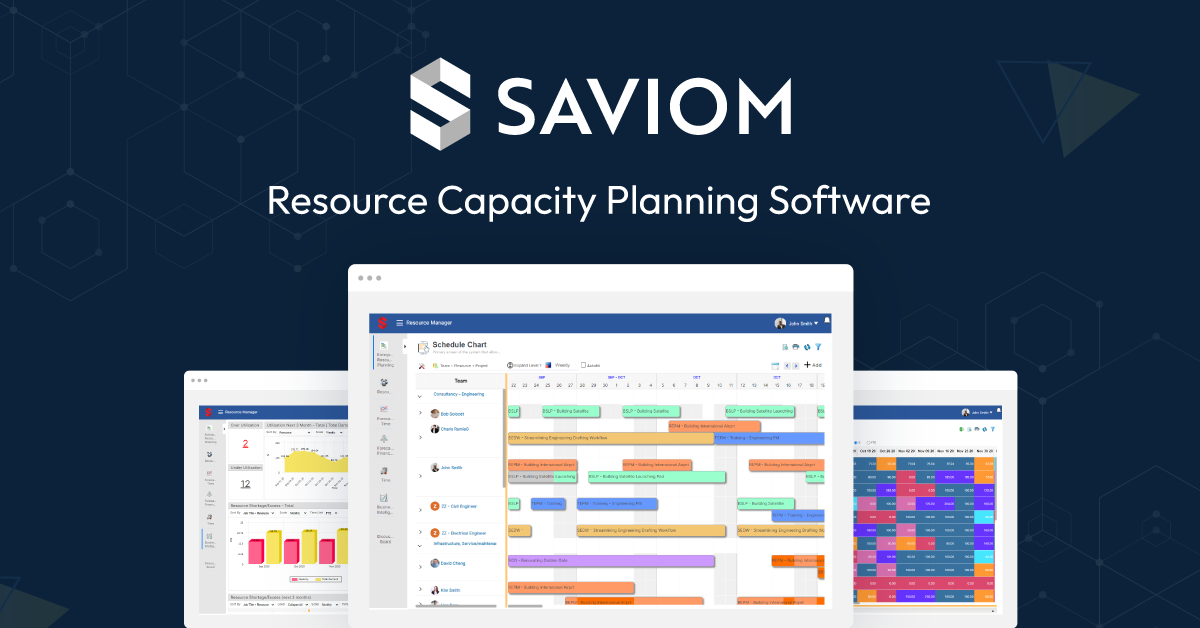
2 Saviomsaviom.com

Saviom plans resources for Fortune 500s, hides pricing

Read the reviewVisit ↗
3 Teamdeckteamdeck.io

Teamdeck skips a free plan, enterprise pricing only

Read the reviewVisit ↗
10Products
8.7 to 9.1Score spread
2Free plan or tier
01

The ranking

Order follows the score. Six little boxes show each product's criterion scores: green or red is above or below the category average, grey means too few products share that criterion to compare. The full review sits right under each one.

Nothing matches that filter here. Tap All to see every product.

1

Runn

runn.io · Runn: Real-Time Resource Planning · scored Dec 2025

Free plan available, real-time visibility for SaaS teams

Best forIT services and consulting firms needing high-level capacity planning

Free tier From $10 per user/mo free planproject managementresource planning
Top score

Real-time resource and capacity planning tool built for SaaS companies balancing project and internal demand.

Standout factOffers a free plan alongside paid plans starting at $10 per user monthlyrunn.io
Biggest catchThe free plan has limited features and there is no offline mode.runn.io
9.1/10Overall score
$10/user/moStarting paid pricerunn.io
9.2/10Usability score

Free vs paid

Free plan

$0
  • Limited resource planning features

Paid from $10/user/mo

  • Full forecasting tools
  • Integrations with Jira, Slack

Source: runn.io

Runs on

🌐Web
iOS
🤖Android
💻Windows
💻Mac
API

Source: runn.io

Upside

  • Real-time resource visibility
  • Intuitive interface
  • Free plan available

Catch

  • Limited features on free plan
  • No offline mode
  • Can take time to fully implement
Pick it ifIT services and consulting firms needing high-level capacity planning
Skip it ifTeams wanting detailed task-level micro-management or a fully offline app
PricingFree plan available, paid plans from $10/user/mo

Editor's takeRunn ranks first among 10 resource and capacity planning tools for SaaS companies with a 9.1 overall score. It combines real-time resource visibility with forecasting built for SaaS workflows, and integrates with tools like Jira and Slack. The free plan is limited, and there is no offline mode for field use.

Does Runn have a free plan?

Yes. A free plan is available, with paid plans starting at $10 per user monthly, according to Runn's pricing page.

Does Runn work offline?

No. It has no offline mode, per its own feature matrix.
The evidence: 6 criteria
9.3
Product Capability & Depthrunn.iorunn.io
9.0
Market Credibility & Trust Signalstechcrunch.com
9.2
Usability & Customer Experiencerunn.io
8.9
Value, Pricing & Transparencyrunn.io
9.1
Integrations & Ecosystem Strengthrunn.io
8.8
Support, Training & Onboarding Resourcesrunn.io
2

Saviom

saviom.com · Saviom Resource Capacity Planning · scored Dec 2025

Saviom plans resources for Fortune 500s, hides pricing

Best forLarge enterprises and PMOs with complex matrix structures needing detailed forecasting.

Quote only enterprisecustom pricingresource forecasting
−0.1 vs #1

Resource capacity planning software with real-time forecasting and customizable dashboards for enterprises.

Standout factUsed by Fortune 500 companies for complex resource operationssaviom.com
Biggest catchPricing is not public and requires a custom quote.saviom.com
Fortune 500 companiesTarget customerssaviom.com
Not publishedPricing

Company size fit

SoloSmallMidEnterprise

Built for large enterprises and PMOs with complex matrix structures

Before you request a demo

  • Large enterprise or PMO with matrix teams
  • Need real-time forecasting dashboards
  • Comfortable with a learning curve

Upside

  • Real-time resource planning and forecasting
  • Customizable dashboards for resource management
  • Trusted by Fortune 500 companies

Catch

  • Pricing not transparent, quote required
  • Complicated for beginners
  • Overkill for small businesses
Pick it ifLarge enterprises and PMOs with complex matrix structures needing detailed forecasting.
Skip it ifSmall businesses or startups wanting a lightweight, modern interface.
PricingCustom quote, no public pricing

Editor's takeSaviom targets large enterprises and PMOs juggling complex matrix structures with real-time capacity planning and forecasting. Fortune 500 adoption backs its claim to handle large-scale, complex resourcing. Pricing stays behind a quote request, and the depth of the tool can be a lot for smaller teams to learn.

Is Saviom good for small businesses?

Not typically. It is built for large enterprises and PMOs with complex matrix structures, and small teams may find it complicated or excessive.

What does Saviom cost?

Pricing is not published. Saviom requires a custom quote based on company size and requirements.

The evidence: 6 criteria
9.3
Product Capability & Depthsaviom.comsaviom.com
9.0
Market Credibility & Trust Signalssaviom.comtechrepublic.com
8.8
Usability & Customer Experiencesaviom.com
8.5
Value, Pricing & Transparencysaviom.com
8.9
Integrations & Ecosystem Strengthsaviom.com
9.1
Scalability & Performancesaviom.com
3

Teamdeck

teamdeck.io · Teamdeck: Team Management Solution · scored Dec 2025

Teamdeck skips a free plan, enterprise pricing only

Best forSoftware houses and tech teams needing custom reporting.

Quote only resource planningtime trackingcustom reporting
−0.1 vs #1

Resource and capacity planning platform with scheduling, time tracking and custom reporting.

Standout factTeamdeck combines resource scheduling, time tracking and leave management with custom reporting.teamdeck.io
Biggest catchTeamdeck has no free version and requires a custom quote for pricing.teamdeck.io
9.3/10Product Capability scoreteamdeck.io
NoFree plan availableteamdeck.io

Company size fit

SoloSmallMidEnterprise

Best suited for tech teams and software houses needing custom reporting

The thing people get wrong

Teamdeck offers a free tier like most competitors

Teamdeck has no free version and requires a custom quote for pricing

Source: teamdeck.io

Upside

  • Comprehensive resource management features
  • Custom reporting capabilities
  • Combined time and leave tracking

Catch

  • Can be complex for beginners
  • No free version available
  • Limited integration with some PM tools
Pick it ifSoftware houses and tech teams needing custom reporting.
Skip it ifOrganizations needing complex project dependencies or Gantt charts.
PricingCustom quote only, no free version

Editor's takeTeamdeck bundles resource scheduling, time tracking and leave management into one platform. That depth can overwhelm beginners, and the platform skips a free tier entirely. Pricing stays behind a custom quote, so teams need to talk to sales first.

Does Teamdeck offer a free plan?

No. Teamdeck uses enterprise pricing only, requiring a custom quote rather than published self-serve tiers.

What does Teamdeck include?

Resource scheduling, time tracking, availability and leave management, plus custom reporting for analyzing resource utilization across a team.

The evidence: 6 criteria
9.3
Product Capability & Depthteamdeck.ioteamdeck.io
9.0
Market Credibility & Trust Signalssoftwareadvice.com
8.8
Usability & Customer Experienceteamdeck.io
8.7
Value, Pricing & Transparencyteamdeck.io
8.9
Integrations & Ecosystem Strengthteamdeck.io
9.1
Security, Compliance & Data Protectionteamdeck.io
4

Craft.io

craft.io · Craft.io Capacity Planning Tool · scored Dec 2025

Craft.io charges $20/user extra for capacity planning

Best forProduct management teams aligning capacity with roadmap strategy

From $79 per user/mo ISO 27001SOC 2 Type 2no free plan
−0.2 vs #1

Resource planning tool for product teams with multi-dimensional views and non-destructive what-if scenario testing.

Standout factCapacity Planning is a paid add-on costing an extra $20 per editor per month on the Pro plancraft.io
Biggest catchPerformance lags when handling large datasets.g2.com
$79/editor/moPro plancraft.io
$20/editor/moCapacity Planning add-oncraft.io
SAP, Cisco, Kimberly-ClarkNotable clientsg2.com

Starting price

$79/editor/moPro plan; Capacity Planning add-on is $20/editor/mo extra

In their words

“Capacity Planning is an add-on for the Pro plan. The cost for add-ons in the Pro plan is $20 per add-on/editor/month”

craft.io

Upside

  • Multi-dimensional team and skill planning
  • Non-destructive what-if simulations
  • ISO 27001 and SOC 2 Type 2 certified

Catch

  • Capacity Planning costs extra
  • Performance lags on large datasets
  • Integration setup can be complex
Pick it ifProduct management teams aligning capacity with roadmap strategy
Skip it ifService agencies tracking billable hours or general project management outside product
PricingPro plan from $79/editor/month, plus $20/editor/month for Capacity Planning

Editor's takeCraft.io lets managers drill into team and skill-level capacity, then test staffing changes with non-destructive what-if scenarios before committing. It syncs two-way with Jira and Azure DevOps and holds ISO 27001 and SOC 2 Type 2 certification. Capacity Planning itself is a paid add-on, costing an extra $20 per editor a month on the Pro plan.

Is Capacity Planning included in Craft.io's Pro plan?

No. It is a paid add-on costing an extra $20 per editor per month on top of the $79 Pro plan.

Is Craft.io secure for enterprise use?

Yes. It holds ISO 27001 and SOC 2 Type 2 certification and hosts on Google Cloud Platform.

The evidence: 6 criteria, 3 penalties (−0.11 points)
9.2
Product Capability & DepthLooked for: We evaluate the tool's ability to forecast resources, manage team bandwidth, and simulate planning scenarios without affecting live data.Craft.io offers "multi-dimensional" capacity planning that allows drilling down into specific teams or squads and includes powerful "what-if" scenario simulations to test resource changes safely.craft.iocraft.iocraft.io
9.0
Market Credibility & Trust SignalsLooked for: We look for evidence of enterprise adoption, third-party validation, and established trust within the product management industry.The platform is trusted by major global enterprises and maintains high-level security certifications, signaling strong market maturity and reliability.g2.comcraft.do
8.7
Usability & Customer ExperienceLooked for: We assess user interface design, ease of onboarding, and system performance based on verified user feedback.Users consistently praise the clean, intuitive interface and easy onboarding, though some report performance lags when processing large datasets.craft.iog2.comg2.com
8.5
Value, Pricing & TransparencyLooked for: We examine pricing clarity, tier structures, and whether key features like capacity planning are included in base costs.Pricing is transparent with clear tiers, but the Capacity Planning tool is a paid add-on for the Pro plan, increasing the effective cost for mid-market users.craft.iocraft.iocraft.io
8.9
Integrations & Ecosystem StrengthLooked for: We evaluate the depth of connections with development tools, communication platforms, and the availability of an API.The tool supports deep 2-way synchronization with major dev tools like Jira and Azure DevOps, plus integrations with Slack, Teams, and Salesforce.craft.iohelp.craft.iocraft.io
9.5
Security, Compliance & Data ProtectionLooked for: We verify the presence of industry-standard security certifications, data encryption, and compliance with regulations like GDPR.Craft.io demonstrates top-tier security with ISO 27001 and SOC 2 Type 2 certifications, along with hosting on Google Cloud Platform.craft.iocraft.io

Score adjustments−0.11 points in total

−0.05Users have reported performance issues where the application becomes slow when handling large amounts of data.g2.com · severity 45/100
−0.04Some users report difficulties with integration setup, requiring workarounds or manual effort to align tools optimally.g2.com · severity 35/100
−0.02Capacity Planning is not included in the standard Pro plan and requires an additional paid add-on, increasing the total cost of ownership.craft.io · severity 30/100
5

Float

float.com · Float Resource Management Software · scored Dec 2025

Float updates schedules live, but skips time zones

Best forCreative agencies and studios wanting visual, drag-and-drop scheduling.

From $6 per user/mo SOC 2GDPRfree trial
−0.3 vs #1

A visual resource planning tool with real-time scheduling, SOC 2 certification, and transparent per-user pricing.

Standout factFloat has helped over 4,000 teams, including BuzzFeed, Hulu, and Deloitte, plan their projects.marketplace.atlassian.com
Biggest catchFloat does not support individual time zones, so allocations display the same time for everyone regardless of location.support.float.com
4,000+Teams servedmarketplace.atlassian.com
$6/user/moStarting pricethedigitalprojectmanager.com

Compliance

✓ SOC 2 Type 2✓ GDPR? ISO 27001

Source: float.com

Plans

Starter$6/user/mo

Source: thedigitalprojectmanager.com

Upside

  • Real-time drag-and-drop scheduling
  • SOC 2 Type 2 and GDPR compliant
  • Transparent pricing from $6/user

Catch

  • No individual time zone support
  • Reporting can feel limited
  • No native multi-currency budgets
Pick it ifCreative agencies and studios wanting visual, drag-and-drop scheduling.
Skip it ifLarge enterprises needing granular permissions or offline access.
PricingFrom $6/user/mo (Starter), Pro at $10/user/mo

Editor's takeFloat shows team availability and lets managers drag and drop assignments in real time. It holds SOC 2 Type 2 certification and encrypts data with AES-256, a higher security bar than many scheduling tools. It has no individual time zone support, so every allocation shows the same time for everyone.

What does Float cost?

Plans start at $6 per user per month for Starter and go up to $10 per user per month for Pro, with a 14-day free trial and no free plan.

Does Float support different time zones for remote teams?

No. Float displays allocations at the same specific time for every team member, regardless of their individual time zone, which can create confusion for distributed teams.

The evidence: 6 criteria, 3 penalties (−0.21 points)
9.2
Product Capability & Depthfloat.comfloat.com
9.3
Market Credibility & Trust SignalsLooked for: We look for evidence of widespread adoption, high-profile customer logos, and established industry presence.Float is a market leader used by over 4,500 teams globally, including major brands like BuzzFeed, Hulu, and Deloitte, with strong user ratings across review platforms.techcrunch.commarketplace.atlassian.comresourceguruapp.com
8.8
Usability & Customer ExperienceLooked for: We assess the interface design, ease of onboarding, and quality of customer support resources.Users consistently praise the sleek, intuitive UI and visual schedule, though some note a learning curve for advanced features and a lack of 24/7 support.float.comg2.comapps.apple.com
9.0
Value, Pricing & TransparencyLooked for: We check for clear, public pricing tiers and competitive value for the features offered.Float offers transparent, public pricing starting at $6/user/month, with a clear distinction between Starter and Pro plans, plus a 30-day free trial.float.comthedigitalprojectmanager.comfloat.com
8.7
Security, Compliance & Data ProtectionLooked for: We look for native connections to popular project management tools and API availability.The platform integrates natively with key tools like Jira, Asana, Trello, and Slack, and offers an API for custom connections.float.comfloat.comfloat.com
8.9
Support, Training & Onboarding Resources

Score adjustments−0.21 points in total

−0.08Float does not support individual time zones for team members; allocations display at the same specific time for everyone regardless of their location.support.float.com · severity 60/100
−0.07Reporting capabilities are described by some users as limited or requiring workarounds compared to competitors, with less flexibility in customization.supervisible.com · severity 50/100
−0.06The platform lacks native multi-currency support for project budgets, which can be a limitation for international teams.g2.com · severity 45/100
6

Mosaic

mosaicapp.com · Mosaic: Resource Management Software · scored Dec 2025

Mosaic's AI builds project teams in minutes, not weeks

Best forTeams wanting AI-driven workload forecasting and staffing automation

From $10 per user/mo SOC 2AI featuresresource planning
−0.3 vs #1

AI-powered resource management platform forecasting workload, headcount, and capacity for SaaS and AEC teams.

Standout factMosaic's AI assembles project teams based on skills and availability in minutes instead of days or weeks.mosaicapp.com
Biggest catchThe interface can feel sluggish when handling larger projects or heavy data loads.softwarefinder.com
No. 454Inc. 5000 rank (2025)mosaicapp.com
$9.99/user/moStarting pricecrozdesk.com

Standout number

454rank on the 2025 Inc. 5000 list

Source: mosaicapp.com

Starting price

$9.99/user/moProfessional plan starting price

Upside

  • AI-powered staffing and workload forecasting
  • Visual, intuitive interface
  • SOC 2 Type II compliant

Catch

  • Performance lags with large projects
  • Reporting lacks deep customization
  • Limited third-party integrations vs rivals
Pick it ifTeams wanting AI-driven workload forecasting and staffing automation
Skip it ifSmall teams with very simple resourcing needs
PricingFrom about $9.99/user/month

Editor's takeMosaic's AI suggests project teams based on skill and availability, cutting staffing decisions from days down to minutes, and it forecasts headcount and workload to flag burnout risk before it happens. It ranked No. 454 on the 2025 Inc. 5000 list and holds SOC 2 Type II compliance, with pricing starting around $9.99 per user a month. Users report the interface can feel sluggish on larger projects, and some want a wider range of third-party integrations.

How does Mosaic use AI for resource planning?

It suggests project teams based on skills and availability, and forecasts headcount and workload demand to help prevent burnout.

How much does Mosaic cost?

The Professional plan starts around $9.99 per user a month, according to third-party pricing data.

The evidence: 6 criteria, 3 penalties (−0.16 points)
9.2
Product Capability & Depthmosaicapp.commosaicapp.com
8.9
Market Credibility & Trust Signals
8.8
Usability & Customer ExperienceLooked for: We assess the user interface design, ease of adoption, and responsiveness of customer support.Users praise the visual, intuitive interface and responsive support, though some experience performance sluggishness with heavy data loads.pcmag.comsoftwarefinder.comyoutube.com
9.1
Value, Pricing & TransparencyLooked for: We evaluate pricing transparency, entry-level affordability, and the value provided relative to cost.Mosaic offers transparent, competitive pricing starting at $9.99/user/month, making it accessible to smaller teams while scaling for enterprises.mosaicapp.comcrozdesk.comsoftwarefinder.com
8.7
Integrations & Ecosystem StrengthLooked for: We examine the availability and quality of connections with ERP, CRM, and financial software critical for this niche.Mosaic integrates with key industry tools like Deltek, QuickBooks, and Salesforce, but some users report a desire for a broader range of third-party connections.mosaicapp.comsupport.mosaicapp.comthedigitalprojectmanager.com
9.2
AI & Forecasting CapabilitiesLooked for: We evaluate the depth of AI implementation in workload forecasting, staffing recommendations, and demand planning.Mosaic distinguishes itself with robust AI features that automate team assembly, forecast hiring needs, and predict workload bottlenecks.mosaicapp.commosaicapp.commosaicapp.com

Score adjustments−0.16 points in total

−0.07Users report limitations in reporting flexibility, specifically regarding chronological milestone sorting and custom project ordering.softwarefinder.com · severity 50/100
−0.05The application can experience performance sluggishness when handling large projects or heavy data loads.softwarefinder.com · severity 45/100
−0.04Some users find the range of third-party integrations limited compared to competitors.thedigitalprojectmanager.com · severity 40/100
7

Operating

operating.app · Operating: Resource Management SaaS · scored Dec 2025

Operating publishes pricing, undercuts NetSuite by up to 70%

Best forConsulting firms and professional services teams using HubSpot.

From $13 per person/mo transparent pricingHubSpot integrationburnup forecasting
−0.3 vs #1

Resource planning and PSA platform for consulting firms, unifying capacity forecasting and invoicing.

Standout factOperating is reported to run 30-70% cheaper than enterprise PSAs like NetSuite or Certinia.operating.app
Biggest catchSOC 2 certification is still in progress, with an estimated completion of February 2026.operating.app
$13/person/moStarting priceoperating.app
4.6/5G2 ratingoperating.app
30-70% cheaperCost vs enterprise PSAsoperating.app

Plans

Plan & Track$18/person/mo
Full Suite$22/person/mo

Source: operating.app

In their words

“SOC 2 certification in progress (estimated completion February 2026)”

operating.app

Upside

  • Fully public per-seat pricing
  • Predictive budget burnup charts
  • Native HubSpot and Pipedrive sync

Catch

  • SOC 2 still in progress
  • No native task management
  • HubSpot metadata mapping limited
Pick it ifConsulting firms and professional services teams using HubSpot.
Skip it ifNon-service businesses not using a CRM-centric workflow.
PricingFrom $13/user/mo, three published tiers

Editor's takeOperating publishes exact pricing across three tiers, a rarity against PSA rivals that hide costs behind a sales call. Its burnup charts blend planned allocations with actual timesheets to flag budget overruns before they happen. HubSpot deals sync in as tentative projects for early capacity planning, though SOC 2 certification is still pending completion.

How much does Operating cost?

Pricing is public: Planning starts at $13 per person a month, Plan & Track at $18, and the Full Suite at $22, all billed per person monthly.

Does Operating hold SOC 2 certification?

Not yet. SOC 2 certification is in progress, with an estimated completion date of February 2026, according to the vendor.

The evidence: 6 criteria, 3 penalties (−0.13 points)
8.8
Product Capability & DepthLooked for: We evaluate the breadth of resource management features, including staffing, time tracking, and project planning capabilities specific to professional services.Operating delivers a specialized suite for consulting firms, featuring skills-based staffing, capacity planning, and native invoicing, though it intentionally excludes task management.operating.appoperating.appoperating.app
8.9
Market Credibility & Trust SignalsLooked for: We assess the product's reputation, user base, security certifications, and public reviews from verified users in the professional services industry.The platform is trusted by notable firms like Solita and Sievo and holds high ratings on major review platforms, though its SOC 2 certification is currently in progress.operating.appoperating.appoperating.app
9.3
Usability & Customer ExperienceLooked for: We analyze user feedback regarding interface design, ease of adoption, and the quality of customer support for operations and staffing teams.Users consistently praise the clean, modern interface and 'lightning-fast' support, highlighting a significant usability advantage over legacy PSA tools.operating.appoperating.appoperating.app
9.4
Value, Pricing & TransparencyLooked for: We examine pricing structures, transparency of costs, and the availability of free trials or flexible terms compared to industry standards.Operating offers fully transparent, tiered pricing starting at $13/user/month with a free trial, a rarity in a market dominated by 'quote-only' enterprise vendors.operating.appoperating.appoperating.app
8.6
Integrations & Ecosystem StrengthLooked for: We evaluate the depth and quality of connections with CRMs, HRIS, and financial tools essential for a unified professional services workflow.Strong native integrations exist for HubSpot, Pipedrive, and HiBob, though specific limitations in mapping custom deal metadata currently exist.operating.appsupport.operating.appsupport.operating.app
9.1
Forecasting & Financial VisibilityLooked for: We look for advanced analytics features such as utilization forecasting, project burnup charts, and margin analysis tailored to consulting firms.Operating excels with predictive burnup charts and real-time margin forecasting that combines planned allocations with actual timesheet data.operating.appoperating.appsupport.operating.app

Score adjustments−0.13 points in total

−0.05The HubSpot integration currently lacks the ability to map deal metadata (custom fields) to Operating sites, groups, or tags, which is a documented backlog item.support.operating.app · severity 45/100
−0.04SOC 2 certification is currently 'in progress' with an estimated completion of February 2026, meaning the vendor does not yet hold the final certification.operating.app · severity 40/100
−0.04The platform does not offer native task management features, requiring users to integrate with separate tools like Jira or Trello for task-level detail.operating.app · severity 30/100
8

Teamwork

teamwork.com · Teamwork for Busy Teams · scored Dec 2025

Teamwork adds unlimited free client seats other tools charge for

Best forClient-facing agencies needing project management plus billing and time tracking.

Free tier From $10 per user/mo free planSOC 2ISO 27001
−0.3 vs #1

Project management platform built for agencies, with time tracking, billing, and free client access.

Standout factTeamwork.com is trusted by over 20,000 companies worldwide.teamwork.com
Biggest catchThe mobile app is frequently cited for lag and missing features versus desktop.g2.com
20,000+Companies using Teamworkteamwork.com
$10/user/moStarting priceteamwork.com
3Deliver plan minimum usersthedigitalprojectmanager.com

Free vs paid

Free plan

$0
  • Limited features
  • Unlimited client users

Paid from $10/user/mo

  • Deliver: 3-user minimum
  • Grow: 5-user minimum
  • Unlimited retainer management

Source: teamwork.com

Adoption

20,000+companies using Teamwork.com

Source: teamwork.com

Upside

  • Unlimited free client users included
  • Built-in time tracking and invoicing
  • SOC 2 Type 2 and ISO 27001

Catch

  • Mobile app has performance issues
  • Minimum 3-5 user seat requirement
  • Steep learning curve for beginners
Pick it ifClient-facing agencies needing project management plus billing and time tracking.
Skip it ifEnterprise manufacturing or construction firms outside agency work.
PricingFrom $10/user/month; Deliver plan needs 3 users, Grow needs 5.

Editor's takeTeamwork.com is built around agency economics, not generic task lists. Client users cost nothing extra, and profitability tracking sits next to the project board instead of in a separate finance tool. New teams should budget time to learn the feature set, and expect the mobile app to lag behind desktop.

Does Teamwork.com charge for client access?

No. Clients can be added to projects for free with customizable permissions, a core feature for agencies that need to share progress without extra subscription costs.

What is the minimum team size to buy Teamwork.com?

Paid plans require minimums: 3 users for the Deliver plan, 5 users for Grow. Very small teams pay for seats they may not need.

The evidence: 6 criteria, 3 penalties (−0.16 points)
9.0
Product Capability & DepthLooked for: We evaluate the breadth of project management features, specifically looking for tools that support complex workflows, resource allocation, and time tracking.Teamwork.com offers a comprehensive suite including Gantt charts, Kanban boards, built-in time tracking, and resource workload management specifically designed for client work.teamwork.comteamwork.comkdnuggets.com
9.3
Market Credibility & Trust SignalsLooked for: We assess the vendor's industry standing, customer base size, and third-party validations to ensure long-term reliability.The company serves over 20,000 customers globally and holds major industry certifications, establishing it as a trusted player in the project management space.techradar.comteamwork.comg2.com
8.4
Usability & Customer ExperienceLooked for: We examine the ease of adoption, interface intuitiveness, and quality of user support across web and mobile platforms.While the web interface is generally praised, users report a steep learning curve due to feature density and significant performance issues with the mobile application.teamwork.comteamwork.comg2.com
8.7
Value, Pricing & TransparencyLooked for: We evaluate the pricing structure, hidden costs, and feature inclusion at various tier levels relative to competitors.Pricing is competitive for agencies given the inclusion of unlimited free client users, though minimum seat requirements (3-5 users) for paid plans may deter very small teams.teamwork.comthedigitalprojectmanager.comsupport.teamwork.com
9.5
Client Management & Agency FeaturesLooked for: We look for specialized features that facilitate client interaction, billing, and multi-project management for service providers.Teamwork.com excels here with unlimited free client users, intake forms, profitability tracking, and retainer management built directly into the core product.teamwork.comteamwork.comforbes.com
9.4
Security, Compliance & Data ProtectionLooked for: We verify the presence of enterprise-grade security standards, compliance certifications, and data residency options.The platform maintains robust security standards including SOC 2 Type 2 and ISO 27001 certifications, with data hosting options in the US and EU.teamwork.comteamwork.comteamwork.com

Score adjustments−0.16 points in total

−0.07The mobile application is frequently cited for performance issues, lag, and missing features compared to the desktop version.g2.com · severity 65/100
−0.04Paid plans enforce a minimum user count (3 users for Deliver, 5 users for Grow), which forces smaller teams to pay for unused seats.thedigitalprojectmanager.com · severity 50/100
−0.05Users report a steep learning curve due to the density of features and settings, which can be overwhelming for new teams.kdnuggets.com · severity 45/100
9

Kantata

kantata.com · Kantata Resource Planning · scored Dec 2025

Kantata requires a 50-seat minimum, locking out small teams

Best forLarge professional services organizations needing Salesforce-native resource planning.

Quote only Salesforce-nativeSOC 2NetSuite integration
−0.4 vs #1

Enterprise resource planning with a Salesforce-native option and deep financial forecasting.

Standout factMinimum purchase is 50 seats, running $35K to $66K a year.springmanconsulting.com
Biggest catchImplementation often takes weeks or months due to platform depth.runn.io
50Minimum seats requiredspringmanconsulting.com
$35K-$66KEstimated annual cost, 50 seatsspringmanconsulting.com
#1 PSA solutionG2 EMEA Grid rankkantata.com

Company size fit

SoloSmallMidEnterprise

50-seat minimum locks out solo, small, and most mid-sized teams

What it costs as you grow

$35,00050 seats/year
$66,00050 seats/year (high end)

Source: springmanconsulting.com

Upside

  • Salesforce-native option (Kantata SX)
  • Deep financial forecasting and margin analysis
  • Strong ERP integrations, NetSuite, QuickBooks

Catch

  • Minimum purchase of 50 seats
  • No public pricing, quote-based only
  • Steep learning curve for new users
Pick it ifLarge professional services organizations needing Salesforce-native resource planning.
Skip it ifSmall agencies wanting a simple, plug-and-play scheduling tool.
PricingCustom quote only, 50-seat minimum around $35K-$66K/year.

Editor's takeKantata offers a Salesforce-native version, Kantata SX, alongside its standalone platform, giving enterprises with mature Salesforce stacks a rare direct integration path. Deep connectors to NetSuite, QuickBooks, and Sage Intacct support financial forecasting. The tradeoff is scale, since a 50-seat minimum puts annual costs at $35,000 to $66,000 before any customization, and implementation commonly takes weeks or months.

What is Kantata's minimum seat requirement?

Kantata requires a minimum purchase of 50 seats. Estimated annual license costs for 50 users range from about $35,000 to $66,000, which puts it out of reach for small businesses.

Does Kantata integrate with Salesforce?

Yes. Kantata SX is built natively on the Salesforce platform for deep integration with Sales Cloud, designed for mature, multi-entity enterprises already running Salesforce.

The evidence: 6 criteria, 3 penalties (−0.16 points)
9.3
Product Capability & Depthkantata.comkantata.com
9.0
Market Credibility & Trust Signals
8.7
Usability & Customer ExperienceLooked for: We examine user feedback regarding the interface design, ease of implementation, and the learning curve for new users.While powerful, the platform has a documented steep learning curve and complex implementation process, with some users reporting UI lag when handling very large datasets.runn.ioprojectmanagers.netg2.com
8.2
Value, Pricing & TransparencyLooked for: We analyze pricing visibility, entry-level costs, and contract terms to determine accessibility and value.Kantata does not publish public pricing and enforces a minimum purchase of 50 seats, making it inaccessible for small businesses and expensive for mid-sized firms.kantata.comspringmanconsulting.comthedigitalprojectmanager.com
9.0
Security, Compliance & Data ProtectionLooked for: We evaluate the breadth of native integrations with CRM, ERP, and productivity tools, specifically looking for Salesforce and financial system connectivity.Kantata offers a Salesforce-native version (Kantata SX) and robust pre-built connectors for NetSuite, QuickBooks, Slack, and Jira, facilitating seamless data flow.kantata.comkantata.comkantata.com
9.0
Support, Training & Onboarding Resources

Score adjustments−0.16 points in total

−0.05High barrier to entry with a minimum requirement of 50 seats, effectively excluding small businesses.springmanconsulting.com · severity 75/100
−0.06Documented performance issues and UI lag when processing large datasets or generating complex reports.projectmanagers.net · severity 60/100
−0.05Steep learning curve and complex implementation process that can take weeks or months.runn.io · severity 50/100
10

Resource Guru

resourceguruapp.com · scored Dec 2025

Resource Guru undercuts Float at $4.16 a seat

Best forSmall to mid-sized teams scheduling people and physical resources together

From $4 per user/mo clash managementfree trialequipment scheduling
−0.4 vs #1

Drag-and-drop scheduling tool with clash management for people, equipment and rooms, used by 60,000-plus people.

Standout factEntry pricing starts at $4.16 per person per month, below Float's $7 starting priceresourceguruapp.com
Biggest catchThere is no dedicated mobile app. Users rely on a browser shortcut on their phone's home screen.resourceguruapp.com
4.6/5 (423 reviews)G2 ratingg2.com
60,000+ in 100+ countriesUsersresourceguruapp.com
$4.16/user/moStarting priceresourceguruapp.com

Resource Guru vs Float

Starting price per user

Source: resourceguruapp.com

In their words

“Trusted by thousands of organizations around the world, including NASA, BBC, Publicis, Accenture and L'Oreal.”

youtube.com

Upside

  • Clash management prevents double-booking
  • Schedules people, equipment and rooms
  • Priced below Float, from $4.16

Catch

  • No native mobile app
  • Slack, Asana need Zapier
  • Phone support on top plan only
Pick it ifSmall to mid-sized teams scheduling people and physical resources together
Skip it ifLarge enterprises needing complex project financials or Jira-depth integration
PricingFrom $4.16/user/month, 30-day free trial, no free plan

Editor's takeResource Guru's clash management catches overallocation before it happens, a feature reviewers single out over spreadsheet-based scheduling. Its own vendor comparison shows pricing starting at $4.16 per person, undercutting Float's $7 starting price, though there is no dedicated mobile app.

How much does Resource Guru cost?

Plans start at $4.16 per person per month for the entry-level Grasshopper tier. The top Master plan, which adds SSO, costs $10 per user per month.

Does Resource Guru have a mobile app?

No native app. Users save a browser shortcut to their phone's home screen instead of installing a dedicated iOS or Android app.

The evidence: 6 criteria, 3 penalties (−0.17 points)
8.7
Product Capability & DepthLooked for: We evaluate the software's ability to handle complex scheduling, capacity planning, and resource allocation without requiring external workarounds.Resource Guru excels at visual scheduling and clash management but lacks deep project management features like task dependencies or native Gantt charts found in heavier tools.resourceguruapp.comresourceguruapp.compeoplemanagingpeople.com
9.4
Market Credibility & Trust SignalsLooked for: We look for evidence of widespread adoption, high user satisfaction ratings on third-party platforms, and usage by reputable enterprise clients.The product is trusted by major global brands like NASA and L'Oreal and maintains high ratings (4.6/5+) across major review platforms with over 60,000 users.youtube.comg2.comresourceguruapp.com
9.1
Usability & Customer ExperienceLooked for: We assess the ease of onboarding, intuitiveness of the interface, and quality of customer support resources.Users consistently praise the 'blissfully simple' drag-and-drop interface and ease of use, though the lack of a dedicated mobile app is a notable friction point.resourceguruapp.compeoplemanagingpeople.comhelp.resourceguruapp.com
9.0
Value, Pricing & TransparencyLooked for: We evaluate pricing competitiveness, transparency of costs, and feature inclusion at different tier levels.Pricing is highly competitive starting at ~$4.16/user, with transparent terms and a fully functional 30-day free trial.resourceguruapp.comresourceguruapp.comthedigitalprojectmanager.com
8.2
Integrations & Ecosystem StrengthLooked for: We examine the breadth of native integrations versus reliance on third-party connectors like Zapier.While it offers an API and native calendar syncs, it relies heavily on Zapier for major tools like Slack and Asana, which may incur extra costs for users.resourceguruapp.comresourceguruapp.comresourceguruapp.com
8.8
Security, Compliance & Data ProtectionLooked for: We check for certifications (ISO 27001, SOC 2), GDPR compliance, and enterprise security features like SSO.The platform is GDPR compliant and hosted on ISO 27001-certified Google Cloud infrastructure, though it does not advertise its own independent SOC 2 report.resourceguruapp.comresourceguruapp.comresourceguruapp.com

Score adjustments−0.17 points in total

−0.06No dedicated mobile app for iOS or Android; users must rely on mobile browser shortcuts.resourceguruapp.com · severity 60/100
−0.05Major integrations (Slack, Asana, Monday.com) are not native and require a separate Zapier account/subscription.resourceguruapp.com · severity 50/100
−0.06Users report limitations in reporting customization and export options for complex project needs.g2.com · severity 45/100
02

Side by side

10 features across 10 products. Green is yes, red is no, grey is not published.

FeatureRunnSaviomTeamdeckCraft.ioFloatMosaicOperatingTeamworkKantataResource Guru
Has Mobile App Web-only Web-only Web-only Web-only Web-only Web-only Web-only Web-only Web-only
Has Free Plan
Has Free Trial Contact for trial Contact for trial Contact for trial Contact for trial Contact for trial
Integrates With Zapier
Has Public API Enterprise API only Enterprise API only Enterprise API only Enterprise API only Enterprise API only
Live Chat Support
SOC 2 or ISO Certified
Popular Integrations Jira, Slack, Google Calendar Custom integrations only Custom integrations only Custom integrations only Google Calendar, Slack, Asana Asana, Slack, Google Workspace Custom integrations only Slack, Google Workspace, Microsoft 365 Custom integrations only Google Calendar, Slack, Zapier
Supports SSO
Starting Price $10 per user/mo Contact for pricing Contact for pricing $79 per user/mo $6 per user/mo $10 per user/mo $13 per person/mo $10 per user/mo Contact for pricing $4 per user/mo
03

How we chose

Four fixed criteria for every product, plus two chosen for Resource & Capacity Planning Software for SaaS Companies, weighted and reduced by documented penalties.

Full methodology
Criteria set for this categoryProduct Capability & Depth, Market Credibility & Trust Signals, Usability & Customer Experience, Value, Pricing & Transparency, Integrations & Ecosystem Strength, Security, Compliance & Data Protection
Evidence, then a scoreDocumentation, pricing pages, security pages and third-party reviews. Each criterion records what was found and links its sources.
Penalties, then a rankDocumented problems pull the score down with their evidence attached. Rank follows the score. Sponsored rows, where present, are labelled.
iVendors cannot buy a position. Every score rests on published evidence, documented problems pull it down, and a 9.1 here is not a 9.1 in another category.
Albert Richer
Albert RicherFounder · Memphis, TN

Sets the criteria and reviews the evidence before a ranking publishes. Email him if something here looks wrong.

04

Questions people ask

Does Runn have a free plan?

Yes. A free plan is available, with paid plans starting at $10 per user monthly, according to Runn's pricing page.

Does Runn work offline?

No. It has no offline mode, per its own feature matrix.

Is Saviom good for small businesses?

Not typically. It is built for large enterprises and PMOs with complex matrix structures, and small teams may find it complicated or excessive.

What does Saviom cost?

Pricing is not published. Saviom requires a custom quote based on company size and requirements.

Does Teamdeck offer a free plan?

No. Teamdeck uses enterprise pricing only, requiring a custom quote rather than published self-serve tiers.

What does Teamdeck include?

Resource scheduling, time tracking, availability and leave management, plus custom reporting for analyzing resource utilization across a team.

Is Capacity Planning included in Craft.io's Pro plan?

No. It is a paid add-on costing an extra $20 per editor per month on top of the $79 Pro plan.

Is Craft.io secure for enterprise use?

Yes. It holds ISO 27001 and SOC 2 Type 2 certification and hosts on Google Cloud Platform.

How is the best Resource & Capacity Planning Software for SaaS Companies decided?

Every product is scored on six criteria for this category, with cited evidence and documented penalties. Rank follows the overall score. Vendors cannot pay for a position.

How often is this ranking updated?

Products are re-scored when pricing, features or evidence change. This ranking was last updated July 7, 2026.

05

More in Resource & Capacity Planning Software

3 related rankings.

All of Resource & Capacity Planning
Research

Only 16% of software companies consistently exceed the Rule of 40 benchmark

May 6, 2026

Project Management & Productivity Tools and Transcription & Meeting Notes Tools

May 27, 2026

Workers conduct up to 8 separate searches to find a single correct document

May 18, 2026