

Field Service & Operations Software
This guide covers the major subcategories of field service and operations software — from FSM platforms and job scheduling tools to route optimization, mobile workforce management, equipment maintenance, and work order ticketing. Each product is scored across 6 weighted categories with cited evidence. Use the decision grid below to find the right subcategory for your operational model, then explore the top-rated products and detailed scoring breakdowns.
Updated May 2026
How big is your team?
What's your budget situation?
What's your team's technical comfort level?
What's the ONE thing this tool must do well?
Top 10 Field Service & Operations Products
These are the highest-scoring products across all 9 subcategories below — surfaced from hundreds of evaluated tools spanning FSM platforms, job scheduling, route optimization, mobile workforce management, equipment maintenance, and work order ticketing. Each product earned its place by scoring highest within its subcategory on our 6-category evaluation framework. Click any score badge to see the full breakdown.

Best for teams that are
- Small to mid-sized businesses wanting affordable, simple scheduling and dispatch.
- Teams that require seamless two-way integration with QuickBooks for accounting.
- Operations transitioning from paper to basic digital work order management.
Skip if
- Large enterprises requiring complex ERP, predictive maintenance, or advanced AI.
- Commercial operations needing robust asset lifecycle management and rollups.
- Teams looking for extensive marketing automation or complex native VoIP systems.
Pros
- + Native two-way QuickBooks integration
- + Intuitive drag-and-drop scheduling calendar
- + Robust mobile app with offline mode
- + Transparent pricing with a 14-day free trial
Cons
- – Limited CRM and inventory integrations
- – Occasional slow software performance
- – Inconsistent customer support experiences
Scoring Breakdown: Field Promax
Certain documented issues resulted in score reductions. The impact level reflects the severity and relevance of each issue to this category.
-
Limited third-party software integrations outside of the core QuickBooks ecosystem.Impact: This issue had a noticeable impact on the score.Source: medium.com
-
Inconsistent customer support quality, leaving some users without reliable assistance for advanced features.Impact: This issue caused a significant reduction in the score.Source: selecthub.com
-
User reviews indicate occasional slow system performance and intermittent software lag.Impact: This issue had a noticeable impact on the score.Source: selecthub.com
Best for teams that are
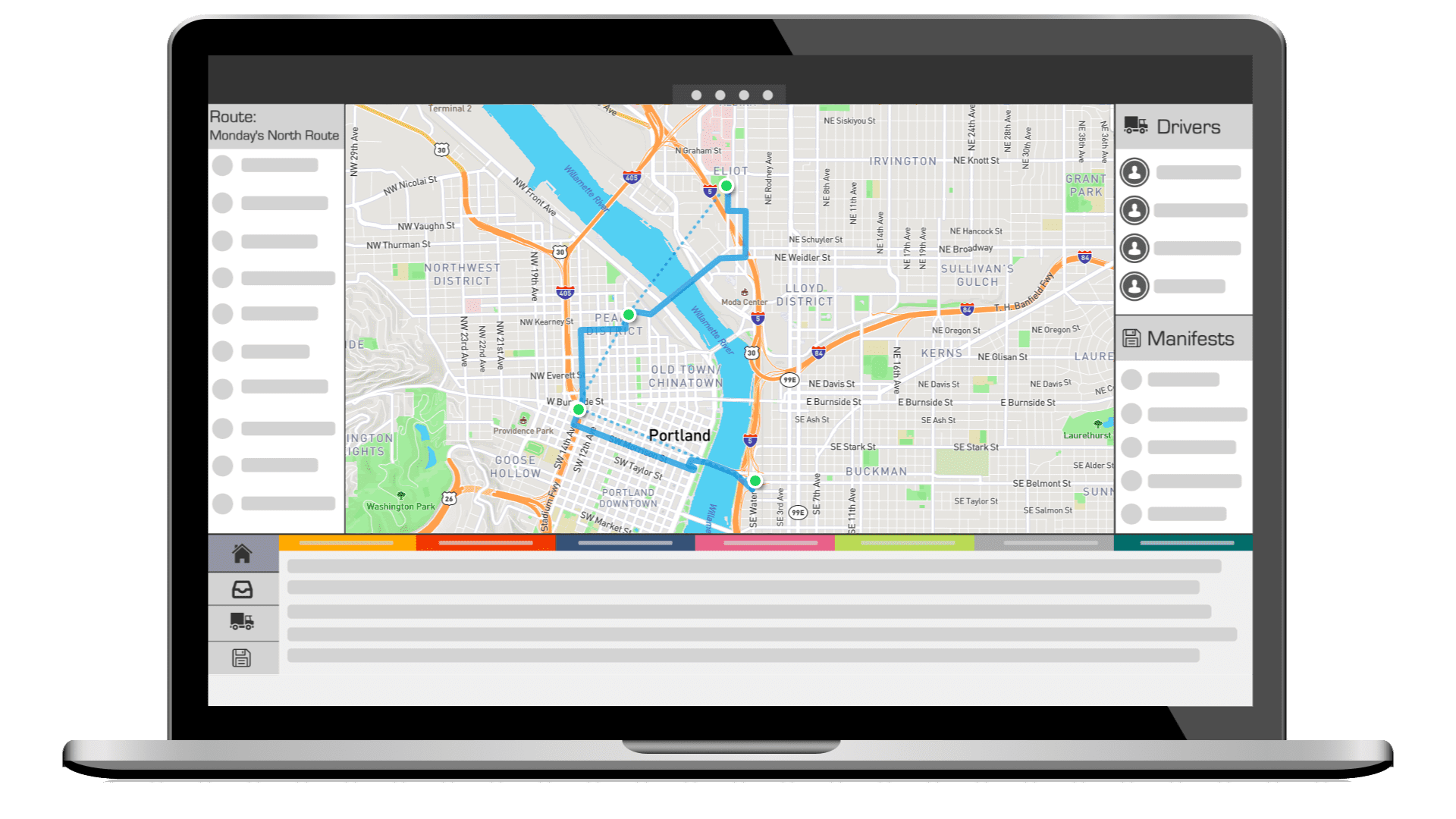
- Enterprises requiring complex multi-stop routing and dispatch.
- Operations needing live tracking, ETA alerts, and ERP integrations.
- Businesses prioritizing operational efficiency and high visibility.
Skip if
- Small businesses with simple, daily routing needs.
- Companies with strict budgets, as some add-ons incur extra costs.
- Businesses wanting flexible manual route customization on the fly.
Pros
- + Access to third-party fleets (DoorDash/Uber)
- + Automated returns policy enforcement
- + Deep integration with Epicor & CDK
- + Real-time driver tracking & visibility
- + Responsive US-based customer support
Cons
- – Driver app causes high battery drain
- – Implementation fees start at $1,000
- – Desktop interface creates tab clutter
- – Steep learning curve for new users
- – Custom pricing required for enterprise
Scoring Breakdown: Elite EXTRA Multi-Stop Route Planner
Certain documented issues resulted in score reductions. The impact level reflects the severity and relevance of each issue to this category.
-
Users report that the desktop interface can become cluttered, opening multiple browser tabs during standard workflows.Impact: This issue had a noticeable impact on the score.Source: softwarefinder.com
-
Implementation fees are mandatory and significant, ranging from $1,000 to over $10,000 depending on business size.Impact: This issue caused a significant reduction in the score.Source: itqlick.com
-
The driver mobile application is reported to cause significant battery drain due to constant background GPS usage.Impact: This issue resulted in a major score reduction.Source: apps.apple.com

Best for teams that are
- Multi-site manufacturing teams needing ERP integration
- Users of Rockwell Automation hardware or PLCs
- Operations requiring AI-driven maintenance insights
Skip if
- Small businesses with simple maintenance workflows
- Teams needing native video RCA tools
Pros
- + AI-driven predictive maintenance tools
- + Backed by Rockwell Automation
- + Transparent pricing with Free tier
- + SOC 2 Type 2 & ISO 27001 certified
- + Strong ERP integration ecosystem
Cons
- – Mobile sync issues offline
- – Slow performance with large datasets
- – Complex custom reporting setup
- – Advanced features locked in Enterprise
- – Clunky navigation for custom fields
Scoring Breakdown: Fiix Work Order Management Software
Certain documented issues resulted in score reductions. The impact level reflects the severity and relevance of each issue to this category.
-
Advanced reporting customization is complex and has a steep learning curve, often requiring knowledge of Looker syntax.Impact: This issue had a noticeable impact on the score.Source: g2.com
-
The system reportedly becomes slow when loading very large datasets or lists of assets/work orders.Impact: This issue caused a significant reduction in the score.Source: g2.com
-
Users report mobile app synchronization issues when internet connection is weak, leading to potential data accessibility problems in the field.Impact: This issue caused a significant reduction in the score.Source: g2.com

Best for teams that are
- Commercial HVAC, fire protection, and mechanical contractors
- Companies prioritizing asset service history and customer engagement
Skip if
- Residential-only service providers like home plumbing or cleaning
- Small businesses seeking low-cost or free software solutions
Pros
- + Office users are free of charge
- + Service Link provides rich media reports
- + Strong accounting integrations (Sage, QuickBooks)
- + Smart Scan AI for asset capture
- + Specialized for fire and mechanical trades
Cons
- – Mobile app sync issues reported
- – No public pricing listed
- – Reporting customization can be limited
- – Not ideal for residential/small service
Scoring Breakdown: ServiceTrade Field Service Software
Certain documented issues resulted in score reductions. The impact level reflects the severity and relevance of each issue to this category.
-
Some users note limitations in built-in reporting customization, finding it difficult to extract specific managerial data without external tools.Impact: This issue caused a significant reduction in the score.Source: g2.com
-
Pricing is not publicly available on the official website, requiring potential customers to contact the vendor for a quote.Impact: This issue had a noticeable impact on the score.Source: connecteam.com
-
Users have reported technical issues with the mobile app, specifically regarding photo/video uploads failing and data syncing problems.Impact: This issue caused a significant reduction in the score.Source: play.google.com

Best for teams that are
- Maintenance teams prioritizing a mobile-first experience for technicians in the field
- Schools needing a user-friendly interface that requires minimal training to adopt
Skip if
- Large institutions requiring complex, enterprise-grade custom reporting on a budget
- Organizations sensitive to per-user pricing models that scale up costs quickly
Pros
- + Mobile-first design optimized for field technicians
- + Intuitive interface requires minimal training
- + SOC 2 Type 2 security compliance
- + Offline mode for connectivity-challenged areas
- + GPS-based automation for work orders
Cons
- – Offline mode locked behind higher tiers
- – Reporting customization can be complex
- – Per-user pricing expensive at scale
- – Notification reliability issues reported
- – Limited features in entry-level plan
Scoring Breakdown: UpKeep Maintenance Management
Certain documented issues resulted in score reductions. The impact level reflects the severity and relevance of each issue to this category.
-
Users have reported frustration with notification problems, including irrelevant alerts and a lack of auto-refresh.Impact: This issue had a noticeable impact on the score.Source: g2.com
-
Some users find building and customizing reports to be challenging and less intuitive than other parts of the system.Impact: This issue had a noticeable impact on the score.Source: g2.com
-
Users report that pricing can become expensive as the number of users increases, and essential features like offline mode are locked behind higher-cost tiers.Impact: This issue caused a significant reduction in the score.Source: g2.com

Best for teams that are
- Asset-intensive companies needing IoT sensor integration
- Teams prioritizing a mobile-first experience for technicians
- Multi-site organizations needing centralized asset operations
Skip if
- Small businesses with very tight budgets due to higher costs
- Users with poor internet connectivity facing performance issues
- Teams wanting a one-time purchase rather than SaaS subscription
Pros
- + Mobile-first design for deskless workers
- + Native IoT sensor integration (Edge)
- + Transparent per-user pricing tiers
- + SOC 2 Type 2 security compliance
- + SAP and Oracle ERP integrations
Cons
- – Costs scale quickly with team size
- – Bulk export limitations for work orders
- – Occasional performance slowdowns reported
- – Advanced features require higher tiers
- – Initial setup can be complex
Scoring Breakdown: UpKeep Preventive Maintenance
Certain documented issues resulted in score reductions. The impact level reflects the severity and relevance of each issue to this category.
-
Users have noted limitations in exporting large numbers of work orders individually, as the system combines them into a single file.Impact: This issue had a noticeable impact on the score.Source: g2.com
-
Some users experience slow performance during peak usage hours, which can hinder workflow efficiency.Impact: This issue caused a significant reduction in the score.Source: g2.com
-
Users report that pricing can become expensive and resource-intensive as the number of users increases.Impact: This issue caused a significant reduction in the score.Source: g2.com

Best for teams that are
- Large enterprises needing scalable, complex asset management
- Healthcare or industries requiring deep compliance and audit trails
- Organizations needing robust document management and scalability
Skip if
- Small businesses with limited budget and implementation time
- Teams needing a lightweight tool with zero training requirements
- Users seeking a simple, pay-as-you-go monthly tool
Pros
- + Comprehensive suite for entire asset lifecycle
- + Strong compliance with SOC 2 & FDA
- + Transparent pricing for enterprise software
- + Robust ERP and IoT integrations
- + Trusted by 10,000+ global customers
Cons
- – Support response times can be slow
- – Complex customization for reporting
- – Implementation delays for on-premise versions
- – Steep learning curve for advanced features
- – On-premise updates may lag cloud
Scoring Breakdown: Accruent
Certain documented issues resulted in score reductions. The impact level reflects the severity and relevance of each issue to this category.
-
Some users have experienced implementation delays, particularly with on-premise versions of the software.Impact: This issue had a noticeable impact on the score.Source: g2.com
-
Customizing reports is described by users as complex and tricky, requiring significant effort or expertise.Impact: This issue had a noticeable impact on the score.Source: g2.com
-
Users have reported slower support response times following the company's acquisition, with some noting delays of days for tickets.Impact: This issue caused a significant reduction in the score.Source: trustradius.com

Best for teams that are
- Commercial real estate managers (office, retail) needing billable work orders
- Teams managing complex vendor certificates of insurance (COI) and compliance
Skip if
- Residential property managers or single-family rental portfolios
- Small businesses wanting a simple, low-cost maintenance ticketing system
Pros
- + Backed by JLL's $300M acquisition
- + SOC 2 Type 2 certified security
- + Specialized refrigerant & billables tracking
- + Offline mobile functionality for engineers
- + Manages over 4 billion sq ft
Cons
- – Mobile app syncing & crash issues
- – No public pricing or free trial
- – Complex navigation for some actions
- – Labor entry editing limitations
- – Implementation can be resource intensive
Scoring Breakdown: Building Engines Work Order Management
Certain documented issues resulted in score reductions. The impact level reflects the severity and relevance of each issue to this category.
-
Some users report confusion with the interface navigation, citing inconsistent locations for action buttons (checkboxes vs. dots vs. tabs).Impact: This issue had a noticeable impact on the score.Source: g2.com
-
The vendor does not publish pricing publicly and does not offer a free trial, requiring a sales engagement for all cost information.Impact: This issue caused a significant reduction in the score.Source: doorloop.com
-
Users consistently report technical issues with the mobile app, including syncing failures where data does not update to the server and app crashes.Impact: This issue resulted in a major score reduction.Source: play.google.com

Best for teams that are
- Growing service teams needing highly customizable workflows and status tags
- Businesses requiring native inventory tracking across multiple locations
- Mixed residential and commercial shops needing flexible pricing structures
Skip if
- Large enterprises requiring complex ERP integrations or SAP connections
- Technicians working primarily in areas with poor cellular coverage (offline limits)
- Solo users on a tight budget who don't need advanced customization
Pros
- + Advanced multi-hub inventory management
- + Serialized inventory tracking supported
- + Exceptional customer support ratings (9.6/10)
- + Comprehensive all-in-one FSM platform
- + User-friendly interface for office staff
Cons
- – Offline mode reported as unreliable
- – Pricing is not publicly transparent
- – Reporting lacks deep customization
- – Mobile interface can feel cramped
- – QuickBooks Desktop sync issues reported
Scoring Breakdown: FieldPulse FSM Software
Certain documented issues resulted in score reductions. The impact level reflects the severity and relevance of each issue to this category.
-
Reporting capabilities are described as having limited customization options, restricting the ability to adapt reports to specific industry needs or branding.Impact: This issue had a noticeable impact on the score.Source: research.com
-
The vendor does not publicly disclose pricing on their website, requiring a sales interaction to obtain costs, which reduces transparency compared to competitors with public pricing.Impact: This issue caused a significant reduction in the score.Source: myquoteiq.com
-
Multiple verified reviews and third-party analyses report that the offline mode is unreliable, with users experiencing lockouts or data sync issues when cellular service is lost.Impact: This issue resulted in a major score reduction.Source: fieldcamp.ai

Best for teams that are
- Fleets prioritizing hardware-integrated telematics, driver safety, and vehicle health.
- Operations needing predictive maintenance and fuel-efficient AI routing models.
Skip if
- Small operations needing basic route planning without vehicle hardware installation.
- Couriers looking primarily for deep last-mile customer communication features.
Pros
- + FedRAMP Authorized & FIPS 140-3 validated
- + Marketplace with 250+ integrations
- + Economic-based route optimization
- + Scalable to 5M+ vehicles
- + Granular open API access
Cons
- – Pricing hidden behind resellers
- – Mobile app has low ratings
- – Steep learning curve for UI
- – Support quality varies by reseller
- – Advanced routing is an add-on
Scoring Breakdown: Geotab Fleet Dispatch Software
Certain documented issues resulted in score reductions. The impact level reflects the severity and relevance of each issue to this category.
-
Users report a steep learning curve and 'clunky' interface compared to more modern, user-friendly competitors like Samsara.Impact: This issue had a noticeable impact on the score.Source: trustradius.com
-
Geotab utilizes a reseller-only sales model, which results in a lack of transparent public pricing and variable customer support experiences depending on the reseller chosen.Impact: This issue caused a significant reduction in the score.Source: tech.co
-
The Geotab Drive mobile app has consistently low user ratings (approx. 2.0-2.2 stars) on app stores due to battery drain, sync delays, and UI glitches.Impact: This issue resulted in a major score reduction.Source: apps.apple.com
How We Evaluate Field Service & Operations Software
Every product in our rankings is scored across six evaluation categories using a combination of AI-driven research and expert analysis. Each category is scored 0–10 and weighted equally to produce the overall score. Each product’s full scoring breakdown is shown alongside its listing above.
Compare Products
See how the top products stack up against each other across key dimensions.
Loading comparison data…
What Is Field Service & Operations Software?
Field Service & Operations Software is the digital backbone for organizations that dispatch technicians, manage mobile workforces, and maintain distributed assets. At its core, this technology solves the fundamental logistical challenge of getting the right person, with the right skills and the right parts, to the right location at the right time to resolve an issue effectively. While often conflated with basic scheduling tools, enterprise-grade field service management (FSM) systems differ significantly in their ability to orchestrate complex dependencies between inventory, service level agreements (SLAs), workforce capacity, and customer communication.
Who uses this software? The user base spans industries maintaining critical infrastructure—from utility grids and telecommunications networks to medical devices in hospitals and HVAC systems in residential homes. It matters because the efficiency of these operations directly impacts capital expenditure and revenue retention. In an era where product commoditization is rampant, the quality of service delivery has become a primary differentiator. Organizations leveraging sophisticated operations software do not merely fix broken equipment; they maximize asset uptime, reduce carbon footprints through optimized routing, and transform service centers from cost generators into profit centers through predictive maintenance and upsell opportunities.[1]
History of Field Service & Operations Software
The evolution of this category mirrors the broader digital transformation of the enterprise, yet it retains a distinct trajectory driven by the unique constraints of mobile work. In the 1980s and early 1990s, field service was dominated by manual processes—paper work orders, magnetic dispatch boards, and radio communication. The “software” of this era was largely on-premise mainframe systems designed for inventory control rather than service execution. These legacy systems viewed the technician as a cost line item rather than a dynamic resource.
The late 1990s and early 2000s marked the first major technology shift with the advent of specialized, on-premise scheduling engines. These tools introduced algorithms capable of handling complex constraints, such as technician skills and geographic zones. However, they remained disconnected from the field; technicians still relied on printed schedules and carbon-copy forms. Data entry happened days after the work was completed, leading to perpetual lags in inventory visibility and billing cycles.[2]
The true inflection point occurred with the convergence of cloud computing and mobile technology around 2010. The proliferation of ruggedized tablets and smartphones allowed software vendors to extend the “edge” of the enterprise directly to the job site. This era saw the rise of Software-as-a-Service (SaaS) models that democratized access to powerful dispatching tools, previously affordable only to massive utilities or telecom giants. Key milestones included the shift from reactive “break-fix” models to proactive service level management, driven by the integration of IoT (Internet of Things) sensors that could trigger work orders automatically.[3]
Today, the evolution of buyer behavior has shifted again. Modern buyers are less focused on basic feature checklists—scheduling and ticketing are now table stakes—and more concerned with “outcomes-based service.” The market is consolidating around platforms that offer predictive intelligence, seamless customer portals, and AI-driven automation. Acquisitions in the space have largely been driven by major ERP and CRM players seeking to own the “last mile” of customer experience, validating field service as a critical pillar of the modern enterprise technology stack.[4]
What to Look For
Evaluating Field Service & Operations Software requires a rigorous assessment of how well the platform handles complexity and disconnection. The most critical evaluation criterion is the robustness of the mobile offline capability. Field technicians frequently operate in basements, server rooms, or remote rural areas with zero connectivity. A “red flag” warning sign is a mobile app that requires a constant internet connection to function or simply “caches” data insecurely. True enterprise-grade mobile tools allow for full data manipulation—creating work orders, capturing signatures, accessing asset history—while offline, with sophisticated conflict resolution logic upon syncing.[5]
Another critical factor is the depth of the scheduling engine. Buyers should scrutinize whether the optimization is rule-based (linear) or AI-driven (dynamic). Can the system automatically re-optimize the entire day’s schedule for 500 technicians if three call in sick and two emergency jobs come in at 8:00 AM? Warning signs include systems that rely heavily on manual “drag-and-drop” dispatching for fleets larger than ten vehicles; this approach is unscalable and mathematically inefficient.[1]
Key questions to ask vendors include:
- “How does your system handle ‘drip feed’ dispatching versus batch scheduling?”
- “Can you demonstrate the specific workflow for a technician swapping a serialized part in an inventory-constrained environment?”
- “What is the specific data latency between a technician completing a job and the invoice being ready for approval?”
- “Does your platform support ‘crew management’ where assets (like trucks) and people have different calendars?”
Industry-Specific Use Cases
HVAC, Plumbing, and Electrical
For residential trade services, the software must prioritize customer experience and sales enablement over purely logistical optimization. In these industries, the technician is often the primary salesperson. Consequently, software requirements lean heavily toward “good, better, best” mobile quoting capabilities that allow technicians to present tiered options to homeowners on a tablet. Seasonal demand management is also critical; the system must handle massive spikes in call volume during heat waves or freezes without crashing. Evaluation priorities should focus on marketing integration—how well does the software track lead sources from digital ads to final revenue? A unique consideration is the handling of flat-rate price books versus time-and-materials billing, as residential trades overwhelmingly favor flat-rate models to simplify consumer interactions.[6]
Telecommunications
The telecommunications sector demands software capable of managing high-volume, short-duration jobs and complex dependencies between “outside plant” infrastructure and “inside plant” customer premises equipment. A unique requirement here is the integration with GIS (Geographic Information Systems) to visualize fiber or copper networks overlaying the service territory. Scheduling engines must account for “appointment windows” that are strictly regulated by consumer protection laws in many jurisdictions. Furthermore, the software must support a blended workforce, seamlessly dispatching and paying third-party contractors alongside full-time employees. The critical evaluation metric is the ability to manage “multi-stage” work orders—where a cable burial crew must complete their work before the installation technician can arrive.[7]
Utilities
For water, gas, and electric utilities, the non-negotiable priority is safety and regulatory compliance. Software in this vertical must support NERC CIP (North American Electric Reliability Corporation Critical Infrastructure Protection) standards and FedRAMP compliance where applicable. Deep integration with SCADA (Supervisory Control and Data Acquisition) systems is often required to trigger work orders automatically based on grid anomalies. Unlike residential services, utilities require “long-cycle” work management for construction projects that span months, alongside “short-cycle” outage restoration. A unique consideration is the “storm mode” capability—the ability of the software to strip away non-essential validation rules during a mass outage event to maximize restoration speed.[8]
Medical Equipment
This sector is defined by strict audit trails and FDA 21 CFR Part 11 compliance. The software serves not just as a dispatch tool but as a legal record of asset maintenance. Technicians servicing MRI machines or centrifuges must have access to valid calibration certificates and digital service manuals on their devices to ensure patient safety. Inventory management is paramount; the system must track serialized parts with “trunk stock” visibility to prevent technicians from arriving at a hospital without the specific, high-value component required. Evaluation should focus on the “installed base” management—can the system track the complete parent-child hierarchy of a complex medical device and its history?[9]
Property Management
Operations software in property management differs by focusing on location-centric rather than customer-centric workflows. A single address (an apartment complex) may have hundreds of sub-locations (units) and thousands of assets (appliances). The tool must facilitate coordination between tenants, property managers, and vendors. Unique capabilities include “make-ready” checklists for turning over units between leases and tenant portals that allow residents to upload photos of maintenance issues directly. Unlike other sectors where the technician goes to a new site every job, property management software often manages resident technicians who stay on-site, changing the logic of travel time optimization.[10]
Subcategory Overview
Equipment & Asset Maintenance Software
This software is designed to manage the complete lifecycle of physical assets, monitoring health, depreciation, and maintenance history. The primary use case is for asset-intensive organizations—like manufacturing plants or mining operations—where equipment uptime is the singular metric of success. Buyers should prioritize dedicated Equipment & Asset Maintenance Software over general FSM when the work is performed on fixed assets within a facility (inside the four walls) rather than distributed across a geographic territory.
Customer Portals for Field Service
These are self-service web or mobile interfaces that allow end-customers to book jobs, track technician arrival, and pay invoices without calling a support line. Their primary use case is deflecting low-value administrative calls and enhancing the customer experience through transparency. A buyer should prioritize a standalone Customer Portal for Field Service if their existing legacy FSM / ERP system has powerful backend logic but lacks a modern, consumer-facing front end to meet rising customer expectations.
Field Service Quoting & Invoicing Tools
This subcategory focuses on the financial “bookends” of the service lifecycle—generating complex estimates in the field and capturing payment immediately upon completion. The primary use case is for sales-led service organizations (like HVAC replacement sales) or commercial contractors with complex billing terms (e.g., AIA billing). Buyers should look at dedicated Field Service Quoting & Invoicing Tools when their technicians are losing revenue due to slow quote turnaround or when days sales outstanding (DSO) is increasing due to invoicing lags.
Work Order & Ticketing Management Platforms
These tools streamline the creation, assignment, and tracking of service requests, acting as a central repository for all work to be done. The primary use case is for internal support teams (like IT field support or facilities helpdesks) where simple request routing is needed without complex travel optimization. Prioritize dedicated Work Order & Ticketing Management Platforms when the organization needs a lightweight, easy-to-adopt system to replace email/spreadsheets and does not require heavy inventory or route optimization features.
Inspection & Compliance Checklist Tools
Specialized for data collection, these tools enable the creation of dynamic, logic-based forms to ensure regulatory adherence in the field. The primary use case is for safety inspectors, environmental auditors, or insurance adjusters. A buyer should prioritize dedicated Inspection & Compliance Checklist Tools over general FSM when the “product” being delivered is data or a report (e.g., a safety audit) rather than a physical repair, requiring deep conditional logic in forms that general tools often lack.
First-Time Fix Rate: The Metric That Drives Everything
The First-Time Fix Rate (FTFR) is widely regarded as the “king” of field service metrics because it serves as a compound indicator of efficiency, profitability, and customer satisfaction. FTFR measures the percentage of time a technician resolves the customer’s issue on the very first visit, without needing a return trip for parts, skills, or additional time. Industry data suggests that the average FTFR hovers around 75%, meaning one in four service calls requires a secondary visit. This failure is expensive; research indicates that a dispatch that requires a follow-up visit can cost an organization upwards of $200–$500 in unrecoverable labor and vehicle expenses, not to mention the intangible cost of customer erosion.[13]
Improving FTFR is not merely about hiring better technicians; it is an information problem. Low fix rates are often symptoms of poor triage (diagnosing the wrong problem), poor inventory visibility (not having the part), or poor scheduling (sending a technician without the right skills). Modern FSM software combats this by using AI to “pre-diagnose” issues based on historical asset data and ensuring that the scheduling engine checks for part availability before confirming an appointment. According to the Service Council, best-in-class organizations achieving FTFRs above 80% almost universally leverage integrated mobile tools that give technicians access to full service history and knowledge bases on site.[14]
Mobile Workforce Productivity: Offline Capability & Device Management
In the field, connectivity is a luxury, not a guarantee. True workforce productivity hinges on “offline-first” architecture. A common misconception is that 5G or widespread cellular coverage has rendered offline capabilities obsolete. In reality, technicians constantly work in RF-shielded environments—hospital radiology wings, subterranean utility vaults, or elevator shafts—where signals cannot penetrate. If the software “spins” or locks up without a signal, the technician stops working, and data integrity is compromised. Productivity statistics show that mobile tools can increase wrench time by reducing administrative overhead; however, 45% of technicians still report frustration with the speed and responsiveness of their mobile apps.[15]
Beyond connectivity, device management strategies are shifting. The “Bring Your Own Device” (BYOD) trend is waning in heavy industry due to security and durability concerns, replaced by corporate-issued ruggedized tablets that can survive drops and dust. The software interface must be “thumb-friendly” and designed for varied lighting conditions. High-performing mobile solutions now incorporate voice-to-text dictation for notes, recognizing that typing on a glass screen while wearing safety gloves is impractical. The goal is to minimize the friction between the physical work and the digital record.
Route Optimization Economics: Fuel, Time, and Satisfaction
Route optimization is the mathematical engine of profitability in field operations. It is not simply about finding the shortest distance between two points (which consumer GPS does); it is about solving the “Traveling Salesperson Problem” with dozens of complex variables: traffic patterns, technician start locations, SLA windows, vehicle capacity, and lunch breaks. The economic impact is staggering. Research indicates that advanced route optimization can reduce fuel costs by 10–15% and cut CO2 emissions significantly, aligning operational efficiency with corporate sustainability goals.[16]
However, the hidden value of routing lies in workforce capacity. By tightening the travel “slack” in a schedule, optimization software can often unlock the capacity for one additional job per technician per day. For a company with 50 technicians, that is 50 extra billable hours daily without hiring a single new employee. This “found capacity” directly boosts top-line revenue. Moreover, dynamic routing improves customer satisfaction by narrowing arrival windows. Instead of the dreaded “8 AM to 12 PM” window, optimized systems can confidently offer 2-hour or even 1-hour precision, reducing customer waiting anxiety.[17]
Preventive vs. Reactive Maintenance: The Shift to Predictive
The industry is undergoing a seismic shift from reactive “break-fix” models (fixing it when it smokes) to preventive (calendar-based) and now predictive (condition-based) maintenance. Reactive maintenance is the most expensive operational model, costing 3–4 times more than planned work due to overtime labor, expedited parts shipping, and unplanned downtime. Preventive maintenance (PM) mitigates this but introduces waste—servicing a machine that doesn’t yet need it. The holy grail is predictive maintenance, driven by IoT data streams.[18]
Predictive maintenance uses algorithms to analyze variables like vibration, temperature, and cycle counts to trigger a work order only when failure is imminent. Statistics from the U.S. Department of Energy suggest that predictive maintenance can yield cost savings of 8–12% over preventive maintenance and up to 40% over reactive maintenance. For field service software, this means the platform must be capable of ingesting high-volume telemetry data and executing logic: “If Asset A temperature > 100°C for 10 minutes, create Priority 1 Work Order.” This transition turns service providers from “repairmen” into strategic partners who guarantee uptime.[19]
Customer Communication: The “Uberization” of Service
Consumer expectations for field service have been irrevocably altered by the on-demand economy. Customers now demand the “Uber experience”: real-time visibility of the technician’s location, photo identification of who is arriving, and SMS updates throughout the service lifecycle. The days of the “black hole” service window are over. Modern operations software automates this communication loop, sending “On My Way” triggers when a technician crosses a geofence. This is not just a nicety; it reduces “No Access” events—where the customer isn’t home—which are a massive drain on productivity.[20]
Furthermore, self-service is becoming the preferred channel. Data shows that over 60% of customers prefer digital self-service for simple tasks like booking or cancelling an appointment over speaking to a human agent. FSM platforms now include white-labeled customer portals that allow clients to view service history, approve quotes, and pay invoices online. This shifts the administrative burden from the back office to the customer, simultaneously lowering costs and increasing satisfaction.[21]
Technician Enablement: Knowledge, Parts, and Training
As the “Silver Tsunami” of baby boomer retirements hits the skilled trades, field service organizations are losing tribal knowledge at an alarming rate. Approximately 46% of field technicians in North America are over 50 years old. Operations software is the primary vessel for capturing this knowledge and transferring it to a younger, less experienced workforce. Technician enablement features include mobile access to “exploded view” diagrams, video libraries, and AI-driven troubleshooting assistants that suggest fixes based on symptom codes.[22]
Augmented Reality (AR) is playing a growing role here. Through “remote expert” features, a junior technician on site can stream video to a senior engineer in the office, who can annotate the screen to guide the repair. This capability significantly boosts First-Time Fix Rates for complex equipment. Additionally, enablement allows for better parts visibility. Technicians can check the inventory of their own truck, nearby trucks, and regional warehouses instantly, preventing the “I have to order that” delay that kills customer trust.[6]
Emerging Trends and Contrarian Take
Emerging Trends 2025–2026
The immediate future of Field Service & Operations Software is dominated by AI Agents and the Blended Workforce. We are moving beyond simple scheduling algorithms to autonomous AI agents that can negotiate appointment times with customers via natural language SMS and autonomously re-route technicians based on live traffic and job progress without dispatcher intervention. Furthermore, the “Gig Economy” model is infiltrating enterprise service; software is adapting to manage “blended workforces” of W-2 employees and 1099 contractors in a single pane of glass, dynamically exposing jobs to freelancers based on certification and rating.[23]
Contrarian Take: When You DON’T Need Field Service Software
Despite the hype, not every organization needs a dedicated, expensive FSM platform. If your business consists of fewer than five technicians, operates in a tight geographic cluster (no routing complexity), and performs simple, identical tasks (no asset complexity), the overhead of a complex FSM system may outweigh the benefits. In these “micro-fleet” scenarios, a combination of a basic calendar tool, a generic accounting app, and direct messaging often provides greater agility and lower cost. The “contrarian” truth is that software cannot fix a broken process; if your dispatch logic is flawed or your inventory discipline is non-existent, automating it with high-end software will only make you incompetent faster.[24]
Common Mistakes
Feature overbuying combined with under-implementation: Buyers often select a system based on “edge case” features—like complex project management modules—that only 5% of their staff will use, while ignoring the usability of the mobile app that 100% of technicians touch daily. If the technicians reject the mobile experience because it is clunky or slow, the data entering the system becomes garbage, rendering the expensive analytics dashboards useless.[25]
Ignoring Change Management: Implementing FSM software is a behavioral change project, not an IT project. It forces technicians to be accountable for their time and inventory in ways they may resist. Failing to involve field leaders in the selection process typically leads to a “rejection of the organ” where the field team creates workarounds (paper notes, side texts) that bypass the system entirely.[26]
Questions to Ask in a Demo
- “Can you put the mobile device in airplane mode right now and show me exactly what the technician can and cannot do?”
- “Show me the process for a technician to handle a ‘surprise’ task that wasn’t on the original work order. How many clicks does it take?”
- “Does the scheduling engine optimize for travel distance, technician skill cost, or SLA priority? Can we weight these factors differently?”
- “How does the system handle serialized inventory returns? Show me the RMA (Return Merchandise Authorization) workflow.”
- “What is your average uptime for the past 12 months, and is that uptime financially guaranteed in the SLA?”
- “Can I see the customer notification workflow? Is it customizable by job type?”
Before Signing the Contract
Before committing, execute a Data Portability Stress Test. Ensure that you have a contractually guaranteed method to export your data—customer lists, asset history, and service records—in a usable, non-proprietary format (like SQL or CSV) upon termination. Many vendors make checking in easy but checking out impossible. This is your “Exit Strategy” insurance.[27]
Negotiation Points should focus on “true-up” clauses. Field service businesses fluctuate; avoid contracts that lock you into a peak license count year-round. Ask for a “seasonal license” model if your business is cyclical (e.g., HVAC). Finally, identify the “implementation partners.” Is the vendor doing the setup, or are they handing you off to a third-party consultant? Third-party implementations often lead to scope creep and finger-pointing; ensuring the vendor has “skin in the game” for a successful go-live is a critical deal-breaker.[28]
Closing
Field Service & Operations Software is the lever that moves a service business from chaos to control. Making the right choice requires looking past the glossy marketing of “AI-powered everything” to the gritty reality of what works in a van, on a rainy day, with no cell signal. If you have questions about specific platforms or need a sounding board for your evaluation strategy, reach out.
Email: albert@whatarethebest.com
How to Choose the Right Subcategory
Not every business dispatches the same way. Use this grid to find the subcategory that matches your operational model, then drill into the detailed rankings.
| If You Are… | Start With | Also Consider |
|---|---|---|
| Residential HVAC / plumbing / electrical company | Field Service Management (FSM) Platforms | Job Scheduling & Dispatching Software |
| Asset-heavy facility (manufacturing, mining, utilities) | Equipment & Asset Maintenance Software | Work Order & Ticketing Management Platforms |
| Delivery fleet or multi-stop route logistics | Route Planning & Optimization Software | Mobile Workforce & Field Team Management Tools |
| Large distributed field team needing GPS & time tracking | Mobile Workforce & Field Team Management Tools | Job Scheduling & Dispatching Software |
| IT helpdesk or facilities maintenance team | Work Order & Ticketing Management Platforms | Equipment & Asset Maintenance Software |
| High-volume dispatching with SLA constraints | Job Scheduling & Dispatching Software | Field Service Management (FSM) Platforms |
| Partner / affiliate channel needing referral tracking | Affiliate & Referral Management Platforms | Sales Training & Coaching Platforms |
9 Subcategories








Field Service by Industry Use Case
HVAC, Plumbing & Electrical
The technician is the salesperson. Needs mobile quoting with tiered options, flat-rate price books, seasonal demand management, and marketing integration to track lead sources from digital ads to final revenue. The mobile experience is make-or-break.
Telecommunications
High-volume, short-duration jobs with multi-stage work orders and blended workforces (employees plus contractors). Requires GIS integration, regulated appointment windows, and the ability to manage dependencies where one crew must finish before the next can begin.
Utilities (Water, Gas, Electric)
Safety and regulatory compliance are non-negotiable. Must support NERC CIP standards, SCADA integration for automatic work order triggers, long-cycle construction projects alongside short-cycle outage restoration, and “storm mode” for mass events.
Medical Equipment
Strict audit trails and FDA 21 CFR Part 11 compliance. Technicians need mobile access to calibration certificates and digital service manuals. Must track serialized parts with trunk stock visibility and manage installed base parent-child hierarchies.
Property Management
Location-centric workflows where a single address has hundreds of sub-locations and thousands of assets. Needs make-ready checklists for unit turnover, tenant self-service portals, and coordination between residents, managers, and third-party vendors.
Related Articles
41% of the maintenance workforce becomes eligible for retirement by 2028
U.S. higher education faces a $112 billion maintenance backlog costing $140 per square foot
ServiceTitan loses money on professional services in 2024 despite $685M revenue
80% of technicians named paperwork as their least favorite job requirement
Last-mile delivery costs now consume 53% of total transportation costs, up from 41%
AI use in sales training programs increased 164% year-over-year