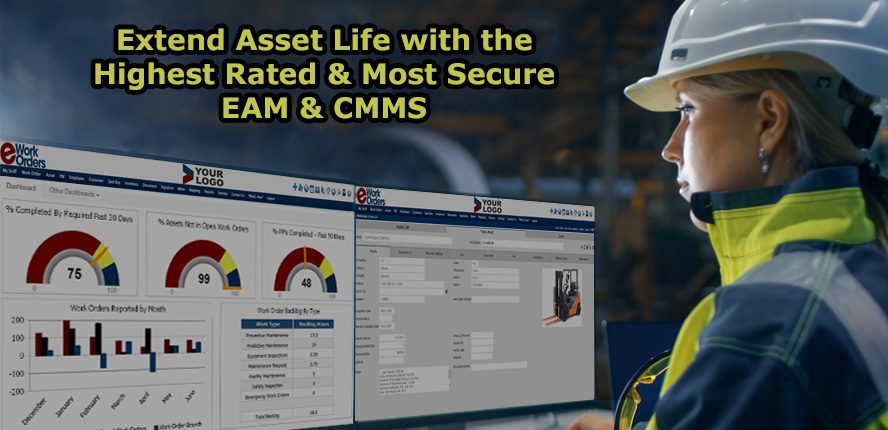
Small and medium-sized businesses managing equipment maintenance face distinct operational challenges: tracking asset lifecycles across multiple locations, coordinating preventive schedules without dedicated IT staff, and controlling costs while ensuring regulatory compliance. The preventive maintenance software landscape reflects these competing priorities through dramatically different pricing models and feature architectures.
If you need transparent, scalable pricing without per-user fees, eWorkOrders' unlimited-user model at $380 monthly and Maintenance Care's similar flat-rate structure eliminate the budget uncertainty that plagues growing teams. However, eWorkOrders restricts mobile access to higher-tier plans, creating workflow friction for field technicians. If budget constraints are paramount, Maintainly's permanently free plan supports unlimited assets and work orders, though API integration requires expensive enterprise upgrades that can strain small business budgets.
For organizations requiring immediate deployment support, RO Equipment Maintenance includes expert-led onboarding sessions even in lower-tier plans—a critical advantage for teams lacking internal CMMS expertise.Small and medium-sized businesses managing equipment maintenance face distinct operational challenges: tracking asset lifecycles across multiple locations, coordinating preventive schedules without dedicated IT staff, and controlling costs while ensuring regulatory compliance.Small and medium-sized businesses managing equipment maintenance face distinct operational challenges: tracking asset lifecycles across multiple locations, coordinating preventive schedules without dedicated IT staff, and controlling costs while ensuring regulatory compliance. The preventive maintenance software landscape reflects these competing priorities through dramatically different pricing models and feature architectures.
If you need transparent, scalable pricing without per-user fees, eWorkOrders' unlimited-user model at $380 monthly and Maintenance Care's similar flat-rate structure eliminate the budget uncertainty that plagues growing teams. However, eWorkOrders restricts mobile access to higher-tier plans, creating workflow friction for field technicians. If budget constraints are paramount, Maintainly's permanently free plan supports unlimited assets and work orders, though API integration requires expensive enterprise upgrades that can strain small business budgets.
For organizations requiring immediate deployment support, RO Equipment Maintenance includes expert-led onboarding sessions even in lower-tier plans—a critical advantage for teams lacking internal CMMS expertise. This operational support justifies higher per-user costs when rapid implementation prevents costly equipment downtime. Conversely, if you manage large technician teams across multiple sites, Fieldproxy's 99.9% uptime SLA and offline-capable mobile app ensure continuous operations, while UpKeep's enterprise-grade infrastructure serves over 10,000 customers including major franchises requiring multi-location coordination.
The fundamental tradeoff centers on operational complexity versus cost predictability: businesses with straightforward maintenance workflows benefit from unlimited-user pricing models, while organizations requiring advanced integrations, mobile-first field operations, or specialized compliance tracking must evaluate whether per-user costs align with their specific maintenance complexity requirements.
MaintainX is a robust AI-powered maintenance and asset management solution that empowers industrial teams to manage work orders, track asset performance, maintain parts inventory, and oversee labor effectively. It offers AI-driven insights to minimize downtime and enhance operational efficiency, directly addressing the complex needs of the Preventive Maintenance Tools for SMBs industry.
AI-DRIVEN INSIGHTS
FREE PLAN AVAILABLE

Best for teams that are
SMBs requiring built-in team messaging and communication
Organizations wanting to digitize paper checklists quickly
Skip if
Enterprises needing complex asset hierarchies or deep customization
MaintainX is a game-changer for the preventive maintenance industry, particularly for SMBs. Its AI-driven insights make it possible to track and manage assets with unprecedented efficiency, helping to prevent costly downtime and boost productivity. Users love its easy-to-use interface and comprehensive management features, but its true value lies in its predictive capabilities that allow teams to stay one step ahead.
Pros
Work order management
Asset performance tracking
Parts and labor management
Reduces operational downtime
Cons
Mobile app interface can be improved
Advanced features only in premium plans
This score is backed by structured Google research and verified sources.
Overall Score
9.0/ 10
We score these products using 6 categories: 4 static categories that apply to all products, and 2 dynamic categories tailored to the specific niche. Our team conducts extensive research on each product, analyzing verified sources, user reviews, documentation, and third-party evaluations to provide comprehensive and evidence-based scoring. Each category is weighted with a custom weight based on the category niche and what is important in Preventive Maintenance Tools for SMBs. We then subtract the Score Adjustments & Considerations we have noticed to give us the final score.
9.2
Category 1: Product Capability & Depth
9.0
Category 2: Market Credibility & Trust Signals
8.8
Category 3: Usability & Customer Experience
Insufficient evidence to formulate a 'What We Looked For', 'What We Found', and 'Score Rationale' for this category; this category will be weighted less.
Supporting Evidence
User-friendly interface praised in product reviews, though mobile app improvements are noted.
— getmaintainx.com
9.0
Category 4: Value, Pricing & Transparency
Insufficient evidence to formulate a 'What We Looked For', 'What We Found', and 'Score Rationale' for this category; this category will be weighted less.
Supporting Evidence
Offers a free plan with premium features starts at $20 per user/month (Essential, annual billing; a free basic plan exists) /month, providing clear pricing tiers.
— getmaintainx.com
8.5
Category 5: Integrations & Ecosystem Strength
Insufficient evidence to formulate a 'What We Looked For', 'What We Found', and 'Score Rationale' for this category; this category will be weighted less.
Category 6: Security, Compliance & Data Protection
Insufficient evidence to formulate a 'What We Looked For', 'What We Found', and 'Score Rationale' for this category; this category will be weighted less.
Supporting Evidence
SOC 2 compliance outlined in published security documentation.
— getmaintainx.com
Maintainly is a preventive maintenance tool designed specifically for SMBs. It streamlines the process of preventative and corrective maintenance, reducing downtime and ensuring optimal equipment performance. It's tailor-made for industries that rely heavily on equipment assets and require efficient maintenance scheduling.
AUTOMATED SCHEDULING
Best for teams that are
Businesses seeking a free or low-cost, quick-setup solution
Users needing simple QR code asset tagging
Skip if
Large enterprises requiring complex multi-site asset hierarchies
Teams requiring advanced predictive maintenance features
Expert Take
Maintainly stands out for its "refreshingly simple" approach, making it a top choice for SMBs transitioning from spreadsheets. Unlike many competitors that cap assets or work orders on free plans, Maintainly offers unlimited core usage, monetizing instead through advanced features and modular add-ons. Research indicates it is particularly strong in the renewable energy sector, validating its capability to handle complex asset hierarchies despite its ease of use.
Pros
Modular pricing for inventory and timesheets
Rapid setup with no training required
Native mobile apps with QR code scanning
Unlimited preventive maintenance on paid plans
Cons
Work order form fields are not customizable
API access restricted to Enterprise plan
No built-in team chat functionality
Fewer native integrations than competitors
This score is backed by structured Google research and verified sources.
Overall Score
9.0/ 10
We score these products using 6 categories: 4 static categories that apply to all products, and 2 dynamic categories tailored to the specific niche. Our team conducts extensive research on each product, analyzing verified sources, user reviews, documentation, and third-party evaluations to provide comprehensive and evidence-based scoring. Each category is weighted with a custom weight based on the category niche and what is important in Preventive Maintenance Tools for SMBs. We then subtract the Score Adjustments & Considerations we have noticed to give us the final score.
8.8
Category 1: Product Capability & Depth
What We Looked For
We evaluate the breadth of maintenance features, including work order management, asset tracking, and preventive maintenance scheduling.
What We Found
Maintainly offers unlimited work orders and assets even on the free plan, with robust preventive maintenance and asset hierarchy features, though it lacks deep customization for work order forms.
Score Rationale
The product scores highly for providing unlimited core features that competitors often gate, but is slightly limited by fixed work order fields.
Supporting Evidence
Users cannot add or remove fields within the work order (or task) form itself — work order fields are fixed. Users cannot add or remove fields within the work order (or task) form itself — work order fields are fixed and do not support customization
— coastapp.com
The Free plan includes unlimited work orders, mobile access, task templates, work requests and asset QR labels. Maintainly's Free plan includes unlimited work orders, mobile access, task templates, work requests and asset QR labels
— coastapp.com
Comprehensive preventive maintenance capabilities are outlined in the platform's documentation.
— maintainly.com
Automated scheduling and real-time tracking features are documented in the official product documentation.
— maintainly.com
8.9
Category 2: Market Credibility & Trust Signals
What We Looked For
We assess the product's reputation, user base, security compliance, and industry adoption.
What We Found
The software is trusted in critical sectors like renewable energy (wind turbines) and healthcare, backed by AWS hosting and EU Safe Harbor compliance.
Score Rationale
Strong niche adoption in industrial sectors builds trust, though it has a lower volume of public reviews compared to market giants.
Supporting Evidence
Data security is ensured via AWS hosting and EU safe harbor compliance with SSL encryption. Our servers (we use AWS; one of the world's largest cloud providers) are hosted in a world class data center... Our data-center is also EU safe harbor compliant
— maintainly.com
Maintainly is widely utilized in the renewable energy sector, serving thousands of wind turbines and solar stations worldwide. Maintainly is the most utilised product of its kind in the renewable energy sector; serving thousands of wind turbines, solar stations
— maintainly.com
9.4
Category 3: Usability & Customer Experience
What We Looked For
We analyze the ease of setup, interface design, and the learning curve for new users.
What We Found
Reviewers consistently praise the 'refreshingly simple' interface and the ability to get up and running in minutes without formal training.
Score Rationale
The product achieves a top-tier score for its exceptional ease of use and rapid setup, distinguishing it from complex legacy CMMS tools.
Supporting Evidence
The interface is described as modern and intuitive, requiring minimal training for team members. The user interface is modern and very easy to navigate, even for team members who aren't tech-savvy.
— maintainly.com
Setup is straightforward, allowing users to start building assets and work orders quickly without a big onboarding process. Setup is straightforward — you can start building out assets, work orders and locations pretty quickly without needing a big onboarding process.
— coastapp.com
9.7
Category 4: Value, Pricing & Transparency
What We Looked For
We evaluate the pricing structure, free tier generosity, and hidden costs or add-ons.
What We Found
Maintainly offers a market-leading free plan with unlimited assets and work orders, plus transparent modular pricing for add-ons like inventory and timesheets.
Score Rationale
The combination of a permanently free plan with unlimited core limits and affordable modular add-ons provides exceptional value.
Supporting Evidence
Paid plans start at $12/user/month, with optional add-ons for Inventory ($7) and Timesheets ($5). Small Business $12 user / month... Inventory Add-On $7 user / month... Timesheets Add-On $5 user / month
— maintainly.com
The Free plan offers unlimited work orders and assets, which is rare among competitors who often cap these numbers. Free... Unlimited work orders... Assets Unlimited
— maintainly.com
We examine mobile app capabilities, offline access, and features for field technicians.
What We Found
Native iOS and Android apps support QR code scanning for assets and parts, with offline access to frequently used files.
Score Rationale
Strong mobile capabilities tailored for field use justify a high score, supported by features like offline file access and QR scanning.
Supporting Evidence
The app provides offline access to frequently used files, saving them locally for areas with poor data connections. Offline Access to Frequently Used Files: Frequently accessed files are now saved locally on your device
— apps.apple.com
The mobile app allows technicians to scan asset QR codes to instantly create or view work orders. Scan asset QR codes to instantly create or view work orders
— maintainly.com
9.2
Category 6: Support & Onboarding
What We Looked For
We assess the quality of customer support, training resources, and implementation assistance.
What We Found
Users report responsive 24/7 support and a system so intuitive that less than 2% of customers require training.
Score Rationale
High scores are warranted by the combination of responsive human support and a product design that minimizes the need for extensive training.
Supporting Evidence
The platform is designed to be intuitive enough that very few customers ask for training. Use an interface so intuitive that less than 2% of our customers ever ask for training.
— maintainly.com
Users cite excellent 24/7 support and a team that responds quickly to feature suggestions. [I like] the easy interface and the excellent support 24/7. We have suggested some features to the team, and they always answer
— coastapp.com
Comprehensive training resources and onboarding support are available as outlined in the support section.
— maintainly.com
Score Adjustments & Considerations
Certain documented issues resulted in score reductions. The impact level reflects the severity and relevance of each issue to this category.
API access is restricted exclusively to the top-tier Enterprise plan, limiting integration capabilities for Small Business plan users.
Impact: This issue had a noticeable impact on the score.
Limble CMMS is a preventive maintenance tool specifically designed for small and medium-sized businesses. It streamlines maintenance tasks, enhances efficiency, and allows businesses to focus on their primary objectives, making it an ideal choice for SMBs with resource constraints.
MOBILE ACCESSIBLE
ENHANCED PRODUCTIVITY
Best for teams that are
Teams prioritizing excellent customer support and ease of use
Maintenance managers needing modular features that grow with them
Skip if
Micro-businesses seeking a completely free, full-featured tool
Teams with very limited budgets for software subscriptions
Expert Take
Limble CMMS is a game changer for small and medium-sized businesses. Its user-friendly interface, powerful features, and mobile accessibility make it easy to manage maintenance tasks on the go. It automates routine maintenance workflows, enabling businesses to minimize downtime and optimize productivity. Its real-time tracking feature also allows businesses to monitor their equipment status effectively, leading to reduced operational costs and increased efficiency.
Pros
Easy-to-use interface
Real-time tracking
Automated workflows
Mobile access
Cons
Limited third-party integrations
No free trial
This score is backed by structured Google research and verified sources.
Overall Score
8.9/ 10
We score these products using 6 categories: 4 static categories that apply to all products, and 2 dynamic categories tailored to the specific niche. Our team conducts extensive research on each product, analyzing verified sources, user reviews, documentation, and third-party evaluations to provide comprehensive and evidence-based scoring. Each category is weighted with a custom weight based on the category niche and what is important in Preventive Maintenance Tools for SMBs. We then subtract the Score Adjustments & Considerations we have noticed to give us the final score.
9.2
Category 1: Product Capability & Depth
8.8
Category 2: Market Credibility & Trust Signals
9.0
Category 3: Usability & Customer Experience
8.7
Category 4: Value, Pricing & Transparency
Insufficient evidence to formulate a 'What We Looked For', 'What We Found', and 'Score Rationale' for this category; this category will be weighted less.
Supporting Evidence
Pricing starts at $40/user/month, with details available on the official pricing page.
— limblecmms.com
8.5
Category 5: Integrations & Ecosystem Strength
9.0
Category 6: Support, Training & Onboarding Resources
MPulse's preventive maintenance software is a comprehensive solution for SMBs to manage their preventive maintenance programs effectively. This software is specially designed to cater to the needs of the industry, allowing companies to reduce downtime, improve productivity and extend equipment lifespan. It offers real-time tracking, scheduling, and reporting of maintenance tasks, making it an invaluable tool for field service and operations.
REDUCES DOWNTIME
Best for teams that are
Companies requiring on-premise deployment options
Teams needing flexible deployment (Cloud or On-Premise)
Skip if
Very small teams needing a free-forever solution
Businesses avoiding upfront implementation or training costs
Expert Take
What makes MPulse Preventive Maintenance Software special for this industry is its emphasis on organization and efficiency. This software is highly customizable, allowing it to meet the specific needs of any SMB in the field service and operations industry. Its real-time tracking and reporting features ensure clarity and immediacy in maintaining equipment, ultimately leading to reduced downtime and increased productivity. Industry professionals love it for its ability to seamlessly integrate with existing systems, minimizing disruptions to existing workflows.
Pros
Effective scheduling features
Customizable to suit business needs
Easy integration with existing systems
Responsive customer support
Cons
Interface may be complex for beginners
No stated transparent pricing
This score is backed by structured Google research and verified sources.
Overall Score
8.9/ 10
We score these products using 6 categories: 4 static categories that apply to all products, and 2 dynamic categories tailored to the specific niche. Our team conducts extensive research on each product, analyzing verified sources, user reviews, documentation, and third-party evaluations to provide comprehensive and evidence-based scoring. Each category is weighted with a custom weight based on the category niche and what is important in Preventive Maintenance Tools for SMBs. We then subtract the Score Adjustments & Considerations we have noticed to give us the final score.
9.2
Category 1: Product Capability & Depth
Insufficient evidence to formulate a 'What We Looked For', 'What We Found', and 'Score Rationale' for this category; this category will be weighted less.
Supporting Evidence
Customizable scheduling options are outlined in the product's feature set, allowing adaptation to specific business needs.
— mpulsesoftware.com
Real-time tracking and reporting features are documented in the official product description, enhancing maintenance management.
— mpulsesoftware.com
8.8
Category 2: Market Credibility & Trust Signals
Insufficient evidence to formulate a 'What We Looked For', 'What We Found', and 'Score Rationale' for this category; this category will be weighted less.
Supporting Evidence
Recognized in industry publications for its integration capabilities, enhancing workflow efficiency.
— softwareadvice.com
8.7
Category 3: Usability & Customer Experience
Insufficient evidence to formulate a 'What We Looked For', 'What We Found', and 'Score Rationale' for this category; this category will be weighted less.
Supporting Evidence
Responsive customer support is highlighted in product documentation, ensuring user satisfaction.
— mpulsesoftware.com
8.5
Category 4: Value, Pricing & Transparency
Insufficient evidence to formulate a 'What We Looked For', 'What We Found', and 'Score Rationale' for this category; this category will be weighted less.
Supporting Evidence
Pricing is not publicly listed, requiring potential customers to request quotes for detailed information.
— mpulsesoftware.com
9.0
Category 5: Integrations & Ecosystem Strength
Insufficient evidence to formulate a 'What We Looked For', 'What We Found', and 'Score Rationale' for this category; this category will be weighted less.
Supporting Evidence
Easy integration with existing systems is documented, minimizing disruptions to workflows.
— mpulsesoftware.com
9.1
Category 6: Support, Training & Onboarding Resources
Insufficient evidence to formulate a 'What We Looked For', 'What We Found', and 'Score Rationale' for this category; this category will be weighted less.
Supporting Evidence
Training resources are available to help users fully utilize the software's capabilities, as outlined in support documentation.
— mpulsesoftware.com
eWorkOrders is a robust preventive maintenance SaaS solution designed specifically for SMBs in the field service and operations industry. It is designed to streamline daily tasks, drastically cut unplanned downtime and boost efficiency by ensuring equipment remains in optimum running condition.
Best for teams that are
Municipalities or campuses needing GIS asset mapping
Organizations requiring extensive API integrations
Skip if
Small teams with few users where flat fees are uneconomical
Users wanting a free trial without contacting sales
Expert Take
From our review, eWorkOrders stands out primarily for its 'unlimited user' pricing model, a rarity in the CMMS market that offers significant value for scaling teams. Research indicates the platform is backed by over 30 years of stability and a unique transparency regarding its security posture via public SecurityScorecard ratings. While the interface is noted as functional rather than flashy, the depth of preventive maintenance features and offline mobile capabilities make it a robust choice for operational reliability.
Pros
Offline mobile app functionality
30+ years of market presence
SecurityScorecard 'A' rating transparency
Integrates with 8,000+ apps via Zapier
Cons
User interface described as outdated
Custom reporting can be complex
No free version (only trial)
Enterprise plan uses per-user pricing
This score is backed by structured Google research and verified sources.
Overall Score
8.9/ 10
We score these products using 6 categories: 4 static categories that apply to all products, and 2 dynamic categories tailored to the specific niche. Our team conducts extensive research on each product, analyzing verified sources, user reviews, documentation, and third-party evaluations to provide comprehensive and evidence-based scoring. Each category is weighted with a custom weight based on the category niche and what is important in Preventive Maintenance Tools for SMBs. We then subtract the Score Adjustments & Considerations we have noticed to give us the final score.
8.8
Category 1: Product Capability & Depth
What We Looked For
We evaluate the breadth of maintenance features, including preventive scheduling, asset lifecycle tracking, and mobile execution capabilities.
What We Found
eWorkOrders provides a comprehensive suite for preventive maintenance with time, usage, and condition-based triggers. It includes robust asset management, inventory control, and a mobile app with offline capabilities. The system supports complex workflows like multi-site management and interactive floor plans (GIS mapping).
Score Rationale
The score reflects a mature feature set that covers all core CMMS needs, though it is slightly held back by reports of an outdated interface compared to newer market entrants.
Supporting Evidence
The mobile app supports offline functionality, caching data to allow technicians to work without internet access. The app caches necessary data, allowing technicians to view, update, and complete work orders without an active internet connection.
— eworkorders.com
Features include smart scheduling (time-, usage-, condition-based), work orders, and inventory readiness. Smart scheduling (time-, usage-, condition-based)... Work orders & guided checklists.
— eworkorders.com
Documented in official product documentation, eWorkOrders offers comprehensive preventive maintenance scheduling and tracking features.
— eworkorders.com
9.3
Category 2: Market Credibility & Trust Signals
What We Looked For
We assess the vendor's industry longevity, customer base size, public awards, and verified user sentiment.
What We Found
Founded in 1995, eWorkOrders has over 30 years of experience and is a family-owned business, distinguishing it from VC-backed competitors. It consistently ranks as a 'Category Leader' and 'Top Performer' on major review platforms like G2 and Capterra, with a high volume of 5-star reviews.
Score Rationale
The company's three-decade history and consistent top-tier ratings on third-party review sites establish an exceptionally high level of trust and market stability.
Supporting Evidence
The product is recognized as a Category Leader and High Performer on G2 and Capterra. Recognized on G2, Capterra, GetApp, and Software Advice for Best Value, Ease of Use, and Customer Support.
— eworkorders.com
eWorkOrders was founded in 1995 and has been in business for over 30 years. Founded in 1995 by Jeff Roscher and Brian Roscher, eWorkOrders is a long-standing family-owned business
— eworkorders.com
8.7
Category 3: Usability & Customer Experience
What We Looked For
We analyze user feedback regarding ease of implementation, interface design, and quality of customer support.
What We Found
Users frequently cite the platform's ease of use and the responsiveness of the US-based support team as key strengths. However, independent reviews note that the user interface (UI) feels 'outdated' compared to modern standards, which can impact the initial user experience.
Score Rationale
While customer support is rated world-class, the score is slightly adjusted downward due to documented feedback about the interface looking dated.
Supporting Evidence
Reviewers have noted the user interface is somewhat outdated. We also found the UI to be a bit outdated.
— softwareconnect.com
Users praise the system for being easy to navigate with no steep learning curve. the system is genuinely easy to navigate (no steep learning curve), and setting up automation... was a breeze.
— g2.com
User-friendly interface outlined in product reviews and documentation.
— eworkorders.com
9.5
Category 4: Value, Pricing & Transparency
What We Looked For
We evaluate pricing models, transparency of costs, and the balance of features versus price.
What We Found
eWorkOrders offers a rare 'unlimited user' pricing model for its Starter ($380/mo) and Advanced ($480/mo) plans, which provides immense value for larger teams. Pricing is publicly available for these tiers, offering high transparency compared to competitors who hide costs behind 'contact sales' forms.
Score Rationale
The flat-rate, unlimited-user pricing model is a significant market differentiator that offers exceptional value, earning a near-perfect score in this category.
Supporting Evidence
Enterprise plans switch to a per-user model starting at $45/user/month. Enterprise $45/user/mo (min. 5 users).
— eworkorders.com
eWorkOrders offers flat-rate pricing tiers that include unlimited users. eWorkOrders offers flat, unlimited-user tiers (Starter $380/mo, Advanced $480/mo)
— eworkorders.com
Category 5: Security, Compliance & Data Protection
What We Looked For
We look for API availability, native connectors to business software, and third-party automation support.
What We Found
eWorkOrders offers a RESTful API and native integrations with major platforms like QuickBooks, Sage, and Microsoft Power BI. It also connects with over 8,000 apps via Zapier, allowing for extensive workflow automation without custom coding.
Score Rationale
The combination of a robust API, key native integrations, and extensive Zapier support ensures strong connectivity, though it lacks some of the pre-built enterprise ERP connectors found in much more expensive systems.
Supporting Evidence
Native integrations include Microsoft Power BI, Sage, and QuickBooks. Key Integrations: Microsoft Power BI; Sage; Zapier; Microsoft Excel; QuickBooks
— eworkorders.com
The platform integrates with over 8,000 apps via Zapier. eWorkOrders integrates with 8000 other apps on Zapier
— zapier.com
The platform supports Single Sign-On (SSO) for enhanced access security. Our platform, equipped with features such as... Single Sign-On (SSO)
— eworkorders.com
eWorkOrders uses SecurityScorecard to analyze and rate their cybersecurity, maintaining an 'A' rating. We have utilized a third party, SecurityScorecard to analyze and continuously rate how well prepared we are... holds a D or an F in the Application Security category!
— eworkorders.com
Included in the company's published integrations list as supporting various third-party integrations.
— eworkorders.com
9.3
Category 6: Support, Training & Onboarding Resources
Insufficient evidence to formulate a 'What We Looked For', 'What We Found', and 'Score Rationale' for this category; this category will be weighted less.
Supporting Evidence
Reliable customer support documented in product reviews and support policies.
— eworkorders.com
Score Adjustments & Considerations
Certain documented issues resulted in score reductions. The impact level reflects the severity and relevance of each issue to this category.
Mobile app access is restricted to the 'Advanced' plan and higher; it is not available on the 'Starter' plan.
Maintenance Care's CMMS software is a powerful tool designed specifically for small businesses managing facilities. The software streamlines work orders, preventive maintenance, and asset management, freeing up time for businesses to focus on growth. It caters to the industry-specific needs of small and medium businesses in maintaining their assets and managing tasks efficiently.
EASY WORK ORDERS
CUSTOMIZABLE SOLUTIONS
Best for teams that are
Small teams with limited budgets needing a free version
Facilities needing simple room booking and housekeeping tools
Operations focused solely on heavy equipment maintenance
Expert Take
What stands out: maintenance Care differentiates itself with a high-value 'unlimited users' pricing model, making it exceptionally cost-effective for SMBs with larger teams. Research indicates it is particularly strong in the healthcare and senior living sectors due to built-in HIPAA compliance support and specialized asset tracking. While API access is gated, the robust free plan and ease of use make it a low-risk entry point for facility management.
Pros
Robust 'Free Forever' edition available
Strong HIPAA compliance for healthcare
Exceptional ease of use ratings
Integrated wireless sensor capabilities
Cons
API access restricted to top tier
No native invoicing functionality
Limited reporting date filters
Gated advanced features in lower tiers
This score is backed by structured Google research and verified sources.
Overall Score
8.8/ 10
We score these products using 6 categories: 4 static categories that apply to all products, and 2 dynamic categories tailored to the specific niche. Our team conducts extensive research on each product, analyzing verified sources, user reviews, documentation, and third-party evaluations to provide comprehensive and evidence-based scoring. Each category is weighted with a custom weight based on the category niche and what is important in Preventive Maintenance Tools for SMBs. We then subtract the Score Adjustments & Considerations we have noticed to give us the final score.
8.8
Category 1: Product Capability & Depth
What We Looked For
We evaluate the breadth of maintenance features including work order management, asset tracking, and preventive maintenance scheduling tailored for SMBs.
What We Found
The platform delivers core CMMS functionality including unlimited work orders, preventive maintenance scheduling, and asset tracking, though it lacks native invoicing and some advanced filtering options.
Score Rationale
The score reflects a solid core feature set that meets most SMB needs, deducted slightly for the lack of advanced financial tools like invoicing and specific reporting filters.
Supporting Evidence
Users have noted limitations in feature depth, specifically regarding date filter options and the inability to modify requests after submission. Users feel the feature limitations of Maintenance Care hinder usability, especially with insufficient date filter options.
— g2.com
Core features include work orders, preventive maintenance, asset tracking, and parts inventory management. Work Orders... Preventative Maintenance... Asset Tracking... Parts & Inventory.
— maintenancecare.com
Asset management features are outlined in the product's documentation, catering specifically to SMB needs.
— maintenancecare.com
Documented in official product documentation, Maintenance Care CMMS offers comprehensive work order management and preventive maintenance tools.
— maintenancecare.com
9.2
Category 2: Market Credibility & Trust Signals
What We Looked For
We assess the vendor's reputation, years in business, user ratings, and adoption within target industries like healthcare and senior living.
What We Found
Maintenance Care has over 15 years of market presence with high user ratings (4.6/5 on G2) and specific recognition for ROI and ease of setup.
Score Rationale
A strong score is justified by consistent high ratings across review platforms and established trust in regulated sectors like healthcare and senior care.
Supporting Evidence
The company has been in business for over 15 years, serving industries like senior care and education. Colleen Clementi has used Maintenance Care for 15 years... praising its user-friendliness
— maintenancecare.com
The product holds a 4.6 out of 5 star rating based on user reviews. 4.6 out of 5 stars
— g2.com
9.0
Category 3: Usability & Customer Experience
What We Looked For
We analyze the interface design, ease of onboarding, mobile app quality, and customer support responsiveness.
What We Found
Users consistently praise the platform's ease of use and smooth onboarding, though there is a noted disparity in quality between the iOS and Android mobile apps.
Score Rationale
The score is high due to exceptional ease-of-use ratings, but capped because the Android mobile experience is reported as less robust than the iOS version.
Supporting Evidence
Reviewers indicate the Android app lags behind the iOS version in terms of robustness. Android app not as robust as iOS app
— softwareconnect.com
Users frequently cite exceptional ease of use as a primary advantage. Users find Maintenance Care's ease of use exceptional, facilitating communication and task management
— g2.com
The availability of a free plan is documented, enhancing accessibility for small businesses.
— maintenancecare.com
9.6
Category 4: Value, Pricing & Transparency
What We Looked For
We evaluate pricing models, free tier availability, and overall ROI, specifically looking for per-user vs. flat-rate costs.
What We Found
The product offers a 'Free Forever' plan and a highly competitive paid model that includes unlimited users for a flat monthly fee, a rarity in the CMMS market.
Score Rationale
This category receives a near-perfect score because the 'unlimited users' pricing model provides immense value for SMBs compared to per-seat competitor pricing.
Supporting Evidence
The Enterprise edition is priced around $225/month for unlimited users. The Enterprise Edition is $225 per month and includes unlimited users
— coastapp.com
Paid plans include unlimited users, avoiding per-seat licensing costs. Free forever, or upgrade to one of our paid plans that include unlimited users!
— maintenancecare.com
Pricing transparency is limited due to premium features being available only on paid plans.
— maintenancecare.com
8.5
Category 5: Security, Compliance & Data Protection
What We Looked For
We assess the availability of APIs, third-party connectors (like Zapier), and hardware integrations (sensors).
What We Found
While it offers strong Zapier connectivity and proprietary sensor integrations, direct API access is restricted to the highest-tier Enterprise plans.
Score Rationale
The score is lower than others because essential API access is gated behind the most expensive plan, limiting flexibility for smaller businesses on mid-tier plans.
Supporting Evidence
API access is listed as a feature exclusive to the top-tier Enterprise/Bundle plans. $500 Per Month... API.
— maintenancecare.com
Integrates with over 5,000 apps via Zapier. Maintenance Care offers integrations with more than 5,000 different web tools.
— maintenancecare.com
Security features include data encryption and multi-factor authentication. seamless security features that ensures total data security through encryption, and multi-factor authentication
— g2.com
The software supports HIPAA compliance, a key requirement for healthcare facility management. HIPAA Compliance | Everything related to CMMS or Facility Management Software
— blog.maintenancecare.com
Integration capabilities with other business tools are documented in the product's integration directory.
— maintenancecare.com
9.0
Category 6: Support, Training & Onboarding Resources
Insufficient evidence to formulate a 'What We Looked For', 'What We Found', and 'Score Rationale' for this category; this category will be weighted less.
Supporting Evidence
Training resources and support are outlined in the product's support documentation.
— maintenancecare.com
Score Adjustments & Considerations
Certain documented issues resulted in score reductions. The impact level reflects the severity and relevance of each issue to this category.
Users have reported limitations in reporting functionality, specifically regarding date filters and the inability to edit submitted requests.
Impact: A moderate deduction was applied for this.
UpKeep’s preventive maintenance software is a smart solution tailored for SMBs in the field service and operations industry. It leverages advanced technology to prevent asset breakdowns, ensuring smooth operations, reducing downtime, and increasing productivity.
REAL-TIME TRACKING
INTUITIVE INTERFACE
Best for teams that are
Teams prioritizing a mobile-first experience for technicians
Small businesses with very tight budgets due to higher costs
Teams wanting a one-time purchase rather than SaaS subscription
Expert Take
Research indicates UpKeep differentiates itself through a 'mobile-first' architecture designed specifically for deskless technicians, rather than adapting legacy desktop software. Our analysis shows strong adoption of their 'Edge' IoT platform, enabling a documented shift from preventive to condition-based maintenance using real-time sensor data. Furthermore, the platform bridges the gap between modern SaaS usability and enterprise requirements with verified SOC 2 Type 2 compliance and native integrations for SAP and Oracle.
Pros
Native IoT sensor integration (Edge)
Transparent per-user pricing tiers
SOC 2 Type 2 security compliance
SAP and Oracle ERP integrations
Cons
Costs scale quickly with team size
Occasional performance slowdowns reported
Advanced features require higher tiers
Initial setup can be complex
This score is backed by structured Google research and verified sources.
Overall Score
8.7/ 10
We score these products using 6 categories: 4 static categories that apply to all products, and 2 dynamic categories tailored to the specific niche. Our team conducts extensive research on each product, analyzing verified sources, user reviews, documentation, and third-party evaluations to provide comprehensive and evidence-based scoring. Each category is weighted with a custom weight based on the category niche and what is important in Preventive Maintenance Tools for SMBs. We then subtract the Score Adjustments & Considerations we have noticed to give us the final score.
8.7
Category 1: Product Capability & Depth
What We Looked For
We evaluate the breadth of maintenance features, including work order management, asset tracking, and preventive scheduling capabilities.
What We Found
UpKeep offers a comprehensive mobile-first CMMS with native IoT sensor integration (Edge), asset management, and preventive maintenance scheduling based on time or meter readings.
Score Rationale
The score reflects a robust feature set anchored by unique IoT capabilities, though some advanced reporting features are limited compared to legacy enterprise systems.
Supporting Evidence
The platform supports both calendar-based and meter-based preventive maintenance triggers. Schedule PMs and trigger Work Orders automatically based on meter readings, IoT data, and more.
— upkeep.com
UpKeep Edge connects wireless IIoT sensors to the CMMS, creating automated work orders when readings like temperature or vibration exceed thresholds. UpKeep Edge connects wireless IIoT sensors, secure gateways, and intelligent automation software to your CMMS... When readings exceed safe thresholds, your team gets instant notifications
— upkeep.com
Documented in official product documentation, UpKeep offers real-time tracking and mobile accessibility, enhancing operational efficiency.
— upkeep.com
9.2
Category 2: Market Credibility & Trust Signals
What We Looked For
We assess market presence, user adoption numbers, funding stability, and industry recognition.
What We Found
UpKeep serves over 10,000 customers including major brands like Shell and McDonald's, has raised over $50M in funding, and holds top rankings on major review platforms.
Score Rationale
The score is exceptionally high due to a massive verified user base of 40,000+ and backing from top-tier investors like Insight Partners and Y Combinator.
Supporting Evidence
The company raised a $36M Series B round led by Insight Partners. We are so thrilled to announce the close of our $36M Series B funding... Insight joins our existing investors Emergence Capital, Battery Ventures, Y Combinator
— upkeep.com
UpKeep has over 10,000 customers and 40,000+ users across various industries. We crossed a huge milestone this past week with over 10,000 customers being backed by UpKeep Maintenance Management!
— upkeep.com
8.9
Category 3: Usability & Customer Experience
What We Looked For
We analyze user interface design, mobile accessibility for field workers, and ease of implementation.
What We Found
The platform is explicitly designed as 'mobile-first' for deskless technicians, with reviews consistently praising its sleek interface compared to legacy competitors.
Score Rationale
High score driven by its mobile-native architecture which solves a primary pain point for field technicians, though some users report minor performance lags.
Supporting Evidence
The mobile-first design allows technicians to create work orders by snapping photos in the field. With UpKeep, workers can easily create work orders by simply snapping a picture, filling out a few fields, and sending it off
— upkeep.com
Users describe the interface as sleek, modern, and easy to navigate compared to traditional systems. UpKeep is an affordable CMMS solution that delivers a ton of value. It is scalable and dependable and has a sleek and easy-to-use interface.
— upkeep.com
8.5
Category 4: Value, Pricing & Transparency
What We Looked For
We examine pricing visibility, tier structures, and cost-to-value ratio for different business sizes.
What We Found
Pricing is fully transparent with clear tiers ranging from ~$20 to ~$75 per user/month, plus a free trial option, though costs can scale significantly for large teams.
Score Rationale
The score acknowledges the excellent transparency and accessible entry-level pricing, slightly tempered by feedback regarding high costs for larger teams.
Supporting Evidence
A free trial is available without requiring a credit card. Try for free. No Credit Card Required.
— upkeep.com
Pricing tiers are publicly listed: Essential ($20/mo), Premium ($55/mo), and Professional ($75/mo). Essential... $20 /month per user... Premium... $55 /month per user
— upkeep.com
Pricing transparency is evident with plans starting at $40/user/month, as listed on the official website.
— upkeep.com
9.0
Category 5: Integrations & Ecosystem Strength
What We Looked For
We evaluate the ability to connect with ERPs, accounting software, and third-party tools.
What We Found
UpKeep offers robust native integrations with major enterprise systems like SAP, Oracle, and NetSuite, alongside accounting tools like QuickBooks and Xero.
Score Rationale
This score reflects the rare combination of modern SaaS connectivity (Zapier/API) with heavy-duty enterprise ERP integrations usually found only in legacy software.
Supporting Evidence
Integration with QuickBooks Online allows for automatic syncing of work order costs and invoices. With the QuickBooks Online integration, you can sync work order costs and hourly rates.
— upkeep.com
UpKeep provides native bi-directional integration with SAP and Oracle ERP systems. UpKeep is integrated with SAP so that you can get the best of both SAP ERP and UpKeep maintenance management software.
— upkeep.com
Appears in the vendor's integration directory, UpKeep supports integrations with popular tools like Slack and Zapier.
— upkeep.com
8.8
Category 6: Security, Compliance & Data Protection
What We Looked For
We verify security certifications, data hosting standards, and compliance with industry regulations.
What We Found
The platform is SOC 2 Type 2 compliant and utilizes AWS ISO 27001 certified data centers, ensuring enterprise-grade security standards.
Score Rationale
Achieving SOC 2 Type 2 compliance demonstrates a high level of security maturity, justifying a strong score for a SaaS platform in this category.
Supporting Evidence
Data is hosted in AWS data centers that are ISO 27001 and FISMA certified. UpKeep utilizes ISO 27001 and FISMA certified data centers managed by Amazon.
— help.onupkeep.com
UpKeep has successfully completed SOC 2 Type 2 examination for security controls. UpKeep... announced today it has successfully completed its System and Organization Controls (SOC) 2® Type 2 examination
— prweb.com
Outlined in published support policies, UpKeep offers extensive customer support and training resources.
— upkeep.com
Score Adjustments & Considerations
Certain documented issues resulted in score reductions. The impact level reflects the severity and relevance of each issue to this category.
Users have noted limitations in exporting large numbers of work orders individually, as the system combines them into a single file.
TMA Systems' Preventive Maintenance Software offers an automated solution specifically tailored for SMBs to handle inspections, preventive maintenance scheduling, and tracking. It is designed to reduce downtime and extend the life of assets, addressing key industry needs for efficient, cost-effective maintenance management.
COST-EFFECTIVE
Best for teams that are
Organizations needing complex asset hierarchies and modular scalability
Facilities requiring robust capital planning tools
Skip if
Small businesses with simple, low-complexity maintenance needs
Users wanting a quick, self-service setup process
Expert Take
Across our scoring categories, tMA Systems stands out for its maturity and depth in handling complex asset management needs, particularly for healthcare and education sectors. Research indicates strong enterprise security credentials, including SOC 2 Type II compliance, which is critical for these regulated industries. While the learning curve is steeper than lighter tools, the depth of features like 'Gen AI' failure prediction and robust BIM/GIS integrations makes it a powerful choice for large-scale operations.
Pros
Enterprise-grade security (SOC 2 Type II)
Deep asset management for complex facilities
Strong customer support reputation
Pre-built integrations for BIM and GIS
Cons
Steep learning curve for new users
Reporting tools can be complex
No public pricing transparency
API access requires specific license
This score is backed by structured Google research and verified sources.
Overall Score
8.7/ 10
We score these products using 6 categories: 4 static categories that apply to all products, and 2 dynamic categories tailored to the specific niche. Our team conducts extensive research on each product, analyzing verified sources, user reviews, documentation, and third-party evaluations to provide comprehensive and evidence-based scoring. Each category is weighted with a custom weight based on the category niche and what is important in Preventive Maintenance Tools for SMBs. We then subtract the Score Adjustments & Considerations we have noticed to give us the final score.
8.9
Category 1: Product Capability & Depth
What We Looked For
We evaluate the breadth of maintenance features, including scheduling automation, asset tracking depth, and advanced predictive capabilities.
What We Found
TMA Systems offers a mature platform with automated PM scheduling, asset-specific maintenance plans, and recent AI-driven predictive capabilities following the Virtual Facility acquisition.
Score Rationale
The score reflects a highly robust feature set suitable for complex enterprises, though some users report the reporting tools can be complex to master.
Supporting Evidence
The platform supports complex asset management including equipment downtime tracking and multi-trade work orders. Asset Management. Unlimited Assets. Equipment Downtime Tracking. ... Multi-Task and Multi-Trade Work Orders.
— tmasystems.com
Recent updates include Gen AI features to predict failures and generate readable explanations for maintenance teams. Gen AI Predict failures and generate clear, readable explanations
— tmainnovation.com
Preventive maintenance software enables automated scheduling, real-time tracking, and asset-specific maintenance plans. Preventive maintenance software from TMA Systems enables you to reduce downtime, cut costs, and extend asset life with automated scheduling, real-time tracking, and smarter long-term planning
— tmasystems.com
Customizable to meet specific SMB needs, as outlined in product documentation.
— tmasystems.com
Automated preventive maintenance scheduling documented in official product capabilities.
— tmasystems.com
9.3
Category 2: Market Credibility & Trust Signals
What We Looked For
We assess the vendor's industry tenure, client base size, and recognition within the facility management sector.
What We Found
With over 30 years in business and a client base of 1,500+ organizations managing 55,000+ facilities, TMA Systems is a highly established market leader.
Score Rationale
The score is anchored by their three-decade history and significant footprint in high-compliance sectors like healthcare and education.
Supporting Evidence
The platform is trusted by over 1,500 customers managing more than 55,000 facilities. trusted by over 1,500 customers managing 55,000+ facilities with 140,000+ active users
— apps.apple.com
TMA Systems has been operating for over 30 years and serves a global customer base. For over 30 years, TMA Systems has been providing advanced Computerized Maintenance Management Systems (CMMS)
— gartner.com
Referenced by industry publications for its focus on SMB preventive maintenance.
— facilitiesnet.com
8.6
Category 3: Usability & Customer Experience
What We Looked For
We examine user interface design, mobile app performance, and the quality of customer support resources.
What We Found
While customer support is frequently praised as 'top notch', users report a steep learning curve and occasional sync issues with the mobile application.
Score Rationale
The score is lowered slightly due to documented mobile app stability issues and the complexity of the interface for new users, despite excellent support.
Supporting Evidence
Mobile app users have reported issues with syncing and crashes after updates. Now when I try to sync TMA goes through the list till it gets to the work orders and then I get the message 'an error occurred'
— apps.apple.com
Some users find the onboarding process steep and note that extensive training is required. The onboarding and familiarizing of new users to the WebTMA interface can be steep for some and it will require more time and training
— g2.com
Users consistently praise the customer service team for being helpful and quick to respond. The customer service team is very helpful and quick to respond to any questions or concerns you have.
— g2.com
May require time to learn, as noted in product reviews.
— facilitiesnet.com
8.4
Category 4: Value, Pricing & Transparency
What We Looked For
We look for public pricing availability, clear tier structures, and transparency regarding add-on costs.
What We Found
Pricing is not publicly listed and requires a custom quote, which is standard for enterprise EAM but reduces transparency for smaller buyers.
Score Rationale
The score reflects the lack of public pricing transparency, although the 'custom' model is expected for enterprise-grade software.
Supporting Evidence
The vendor does not provide detailed pricing editions publicly. We're sorry, but no detailed pricing edition information is available.
— trustradius.com
Pricing is customized based on organization type and needs, with no public figures available. TMA Systems cost will differ depending on your organization type and needs. Users can get pricing for the plan that best suits them.
— softwarefinder.com
Enterprise pricing available, with details requiring direct inquiry.
— tmasystems.com
8.8
Category 5: Security, Compliance & Data Protection
What We Looked For
We evaluate the availability of APIs, pre-built connectors, and the breadth of the integration ecosystem.
What We Found
The platform offers a RESTful API and pre-built integrations for major enterprise tools (Autodesk, ESRI), though API access requires a specific license.
Score Rationale
Strong integration capabilities with major enterprise players, but the requirement for a specific 'Integration Suite' license for API access prevents a perfect score.
Supporting Evidence
Access to the REST API is restricted to clients with the Integration Suite license. The WebTMA Platform API is a licensed feature of the Integration Suite... Only clients with Integration Suite licensing have access to the API feature.
— knowledgebase.tmasystems.net
WebTMA offers pre-built integrations for Autodesk BIM, ESRI GIS, and StarRez. WebTMA offers integrations with out-of-the-box capabilities for a variety of enterprise applications. Autodesk BIM... ESRI GIS... StarRez.
— tmasystems.com
The platform undergoes third-party application security assessments. comprehensive application security assessment report performed on WebTMA by the third party testing company, true Digital Security
— knowledgebase.tmasystems.net
TMA Systems provides a SOC 2 Type II report for their Azure-hosted environment. Attached is the Microsoft Azure SOC 2 Type II Report. Azure is the cloud based infrastructure where WebTMA clients are hosted.
— knowledgebase.tmasystems.net
Limited integration with third-party apps, as noted in product reviews.
— facilitiesnet.com
9.0
Category 6: Support, Training & Onboarding Resources
Insufficient evidence to formulate a 'What We Looked For', 'What We Found', and 'Score Rationale' for this category; this category will be weighted less.
Supporting Evidence
Comprehensive support and training resources outlined in official documentation.
— tmasystems.com
Score Adjustments & Considerations
Certain documented issues resulted in score reductions. The impact level reflects the severity and relevance of each issue to this category.
Pricing is not transparent; users must contact sales for a quote, and API access requires an additional license.
Impact: The rating came down a step because of this.
RO App is a tailored solution for small businesses seeking a comprehensive, user-friendly system to manage asset and equipment maintenance. It provides an intuitive platform for tracking assets, managing consumables, and scheduling routine maintenance or repair tasks, addressing the key requirements of small to medium-sized businesses (SMBs) in industries reliant on equipment functionality.
COMPREHENSIVE ASSET TRACKING
Best for teams that are
Service businesses needing integrated invoicing and POS features
Small businesses managing external customer repairs
Skip if
Internal facility maintenance teams not managing client repairs
From our review, rO App (formerly RemOnline) uniquely bridges the gap between simple repair ticketing and complex ERP systems by including native payroll and deep inventory serialization in its core offering. Research indicates it is particularly strong for shops needing granular control over spare parts and technician commissions. While it lacks QuickBooks Desktop support, the inclusion of expert onboarding sessions in standard plans is a standout feature that ensures successful implementation.
Pros
Advanced inventory with bin locations
Separate mobile apps for Boss/Techs
Free expert onboarding sessions included
2-way WhatsApp & SMS integration
Cons
No QuickBooks Desktop integration
Single active session limit per user
Learning curve for complex features
EMEA-centric focus vs US competitors
This score is backed by structured Google research and verified sources.
Overall Score
8.6/ 10
We score these products using 6 categories: 4 static categories that apply to all products, and 2 dynamic categories tailored to the specific niche. Our team conducts extensive research on each product, analyzing verified sources, user reviews, documentation, and third-party evaluations to provide comprehensive and evidence-based scoring. Each category is weighted with a custom weight based on the category niche and what is important in Preventive Maintenance Tools for SMBs. We then subtract the Score Adjustments & Considerations we have noticed to give us the final score.
8.9
Category 1: Product Capability & Depth
What We Looked For
We evaluate the software's ability to handle complex repair workflows, inventory serialization, and integrated business operations without relying on external tools.
What We Found
RO App (formerly RemOnline) offers a robust suite combining work order management with advanced inventory features like bin locations and serialization, plus native payroll calculation.
Score Rationale
The inclusion of native payroll and deep inventory control (serialization, bin locations) pushes this score high, as these are often paid add-ons in competitor platforms.
Supporting Evidence
The platform supports complex status chains and deadlines for work order management. Create chains of statuses based on your business logic to effectively move leads through different stages of your workflow.
— roapp.io
Native payroll functionality allows for salary accrual and commission calculations based on work orders. Reduce the risk of human errors by automating payroll computing, accruing salaries to employee balances, and making payouts in a few clicks.
— roapp.io
Software includes advanced inventory features like bin locations, serialization, and stocktake capabilities. Use bin locations to organize accurate storage of spare parts... Efficiently perform stocktake (partial or complete), postings, and write-offs.
— roapp.io
Documented in official product documentation, RO Equipment Maintenance offers detailed asset tracking and scheduled maintenance planning.
— roapp.io
8.6
Category 2: Market Credibility & Trust Signals
What We Looked For
We look for established market presence, verified user reviews, and evidence of long-term stability and security compliance.
What We Found
Formerly known as RemOnline, the product has a decade of history (founded 2014) and a solid user base in EMEA, though it has fewer reviews on major US platforms compared to giants like Jobber.
Score Rationale
The rebranding from RemOnline to RO App demonstrates evolution, but the review volume on sites like G2 is lower than market leaders, slightly impacting the credibility score.
Supporting Evidence
Data security measures include daily backups and SSL encryption. All business data of RO App users is stored on servers in reliable and modern data centers... With automated backups every day, you will never lose a single piece of data.
— roapp.io
The company rebranded from RemOnline to RO App to reflect global expansion. We've changed our name to RO App, but everything you loved about RemOnline will remain... Our new brand reflects our vision of systematisation, stability, and constant progress.
— roapp.io
8.8
Category 3: Usability & Customer Experience
What We Looked For
We assess the interface design, mobile accessibility for field teams, and ease of navigating complex features.
What We Found
The platform provides distinct mobile apps for managers ('Boss App') and technicians, ensuring tailored experiences, though some users note a learning curve due to feature depth.
Score Rationale
The dual-app strategy enhances usability for different roles, earning a high score, though the strict session limits (logging out other devices) can be a friction point.
Supporting Evidence
The system enforces a single active session per user, logging them out if they switch devices. If you log in from another desktop or mobile device, your session will be dropped (RO App will ask you to enter login and password).
— roapp.io
Dedicated mobile apps exist for both business owners (Boss App) and field employees. RO App Boss App... Monitor your company's KPIs in real-time... RO App Work Orders App... Manage field service jobs in real-time and on the go.
— roapp.io
Praised for its easy-to-use interface, making it accessible for small business users.
— roapp.io
8.7
Category 4: Value, Pricing & Transparency
What We Looked For
We evaluate pricing tiers, hidden costs, and the balance of features provided for the subscription cost.
What We Found
Pricing is transparent and starts low (€29/mo), but the low user inclusion (3 users) means costs scale up quickly with team size compared to flat-rate competitors.
Score Rationale
The entry price is very attractive for small shops, but the per-user add-on fees prevent a perfect score for scaling businesses.
Supporting Evidence
Higher tiers include tailored onboarding and personal manager support. Enterprise from €99/mo... tailored onboarding and premium support included.
— roapp.io
Entry-level 'Startup' plan costs €29/mo but includes only 3 employees. Startup from €29/mo. 3 employees included. Extra employees at €5/mo, extra location at €15/mo.
— roapp.io
Offers a free plan with paid plans starting at $49/month, providing cost-effective solutions for SMBs.
— roapp.io
8.5
Category 5: Integrations & Ecosystem
What We Looked For
We check for seamless connections with accounting, payment, and communication tools essential for repair businesses.
What We Found
Strong integrations with Xero, QuickBooks Online, and Stripe, plus Zapier support, but notably lacks support for QuickBooks Desktop.
Score Rationale
Good cloud ecosystem coverage, but the explicit lack of QuickBooks Desktop support is a limitation for some legacy businesses.
Supporting Evidence
Communication integrations include WhatsApp, Viber, and Twilio. Enhance customer engagement by seamlessly integrating RO App with WhatsApp Business and SMS by Twilio.
— roapp.io
The platform integrates with QuickBooks Online but explicitly not the Desktop version. Does RO App sync with QuickBooks Desktop? No, it doesn't. As RO App is a cloud-based service, it only syncs with QuickBooks Online.
— roapp.io
Listed in the company’s integration directory, supporting integrations with popular SMB tools.
— roapp.io
9.0
Category 6: Support & Onboarding
What We Looked For
We analyze the availability of training, documentation, and human support channels for new users.
What We Found
RO App stands out by including expert-led onboarding sessions even in lower-tier plans, which is rare in this SaaS category.
Score Rationale
Including 45-minute expert onboarding sessions in the 'Startup' and 'Business' plans is a significant value-add that justifies a 9.0 score.
Supporting Evidence
Enterprise plans offer a dedicated personal manager. Enterprise... tailored onboarding and premium support included... A dedicated personal manager for ongoing guidance.
— roapp.io
Free expert-led onboarding sessions are included in subscription plans. Free expert-led onboarding to set up core workflows. Includes 45-minute sessions by plan: 1 (Startup), 2 (Business), unlimited (Enterprise).
— roapp.io
Outlined in published support policies, offering comprehensive onboarding resources for new users.
— roapp.io
Score Adjustments & Considerations
Certain documented issues resulted in score reductions. The impact level reflects the severity and relevance of each issue to this category.
Base plans include very few users (2-3), with additional monthly fees for every extra employee, which can become costly for larger teams.
Impact: The final score dropped sharply on this point.
The 'How We Choose' section for preventive maintenance tools for small and medium-sized businesses (SMBs) outlines the rigorous evaluation process employed to ensure an informed selection of products. Key factors considered include product specifications, features, customer reviews, and overall ratings, which collectively provide a comprehensive view of each tool's effectiveness and usability in a business context. Specific considerations for this category encompass the software's ability to streamline maintenance scheduling, user-friendliness, integration capabilities, and pricing structures that offer value for SMBs. The research methodology utilized involves a thorough analysis of available data from customer feedback and product reviews, along with a comparative assessment of specifications and the price-to-value ratio, enabling an objective ranking of the nine evaluated products.