1. Home
  2. Field Service & Operations
  3. Work Order & Ticketing Management Platforms

Category · Field Service & Operations Software

Work Order & Ticketing Management Platforms

Work Order & Ticketing Management Platforms are essential for businesses seeking to streamline their field service operations and improve workflow efficiency. Designed for professional buyers in industries such as maintenance, facilities management, and customer support, these platforms facilitate the creation, assignment, and tracking of work orders and service tickets.

6 rankings55 products scored6 criteria eachUpdated Aug 1, 2026
01

Top picks across Work Order & Ticketing Management Platforms

The highest scorer from each vendor across all 6 rankings. Six little boxes show each one against its ranking average, and the full review sits under each card.

1

eMaint

emaint.com · eMaint Work Order Software #1 of 8 in Work Order Automation for Multi-Site Operations

eMaint links Fluke sensors, interface feels dated

Best forReliability engineers using Fluke sensors who need multi-site asset management

From $69 per user/mo CMMSFluke sensorsFDA 21 CFR Part 11
Top of its ranking

CMMS from Fluke Corporation with offline mobile work orders and predictive maintenance triggers.

Standout facteMaint serves more than 150,000 users across 116 countries. emaint.com
Biggest catchThe Work Request Portal is excluded from the base Team plan and often costs extra. worktrek.com
150,000+Users worldwideemaint.com
116Countries servedemaint.com
$69/user/moTeam plan priceemaint.com

Standout number

150,000+users across 116 countries

Source: emaint.com

Before you sign up

  • Already use Fluke sensors or hardware
  • Need FDA 21 CFR Part 11 compliance
  • Budget extra for the Work Request Portal

Upside

  • Deep integration with Fluke sensors
  • Offline mobile work orders
  • FDA 21 CFR Part 11 ready

Catch

  • Interface described as dated
  • Work Request Portal costs extra
  • Steep learning curve reported
Pick it ifReliability engineers using Fluke sensors who need multi-site asset management
Skip it ifSmall businesses wanting a simple, modern mobile-first interface
PricingFrom $69/user/month (Team), $85/user/month (Professional)

Editor's takeeMaint connects directly to Fluke vibration and condition sensors, triggering work orders before equipment fails. It serves more than 150,000 users across 116 countries and holds ISO 27001 certification. Users describe the interface as dated, and the Work Request Portal is often excluded from the base Team plan.

Does eMaint work offline?

Yes. Technicians can complete work orders offline, and the app syncs data automatically once a connection is restored.

Is the Work Request Portal included in eMaint's base plan?

Usually not. It is often limited to the Enterprise plan or costs extra to add to the Professional tier.

The evidence: 6 criteria, 2 penalties
9.1
Product Capability & DepthLooked for: We evaluate the breadth of maintenance features, including work order management, preventive scheduling, and offline mobile capabilities.eMaint offers a comprehensive enterprise-grade platform featuring predictive maintenance triggers, offline mobile functionality, and multi-site asset hierarchy management.emaint.comemaint.comemaint.com
9.4
Market Credibility & Trust SignalsLooked for: We assess the vendor's industry standing, user base size, and backing by established parent companies.Backed by the Fluke Corporation, eMaint serves over 150,000 users globally and holds ISO 27001 certification, signaling immense stability.emaint.comemaint.com
8.6
Usability & Customer ExperienceLooked for: We analyze user feedback regarding interface design, ease of adoption, and the quality of customer support.While support is highly rated, users frequently cite a steep learning curve and a 'dated' interface as significant hurdles to adoption.emaint.comfacilio.comg2.com
8.4
Value, Pricing & TransparencyLooked for: We review public pricing availability and the inclusion of essential features in base tiers.Pricing is transparent ($69-$85/user), but key features like the Work Request Portal often require higher tiers or add-on fees.emaint.comemaint.comworktrek.com
9.3
Integrations & Ecosystem StrengthLooked for: We examine the ability to connect with ERPs, hardware sensors, and third-party enterprise applications.eMaint excels here, offering deep integrations with Fluke sensors for condition monitoring and major ERPs like SAP and Oracle.emaint.comemaint.com
9.4
Security, Compliance & Data ProtectionLooked for: We check for regulatory compliance features specific to industries like life sciences and manufacturing.The software includes robust features for FDA 21 CFR Part 11 compliance, including digital signatures and unalterable audit trails.emaint.comemaint.comemaint.com

Score adjustments−0.10 points in total

−0.06Users consistently report the interface feels 'dated' and 'cluttered,' leading to a steeper learning curve compared to modern competitors.facilio.com · severity 60/100
−0.04Essential features like the Work Request Portal and Interactive Image Mapping are often excluded from lower-tier plans or require additional fees.worktrek.com · severity 55/100
2

FlowPath

getflowpath.com · FlowPath Facility Management #1 of 9 in Work Order Platforms for Schools and Campuses

FlowPath charges flat, unlimited users, but skips native mobile

Best forHigher education and K-12 teams wanting automated, unlimited seat work orders

From $399 per month unlimited usersAI featuresfree trial
Top of its ranking

Facility management platform for schools with unlimited user pricing and AI predictive maintenance.

Standout factFlowPath charges a flat rate per tier that includes unlimited users and assets. getflowpath.com
Biggest catchThe platform has no native mobile app, relying on a web based interface instead. intercom.help
$399/monthCore plan pricegetflowpath.com
95%Customer renewal rategetflowpath.com
~2 weeksOnboarding timeintercom.help

Plans

Core$399/mo

unlimited users

Source: getflowpath.com

The thing people get wrong

FlowPath has a native mobile app like most CMMS tools

It runs as a web based app optimized for mobile browsers, with no app to download

Source: intercom.help

Upside

  • Unlimited users on every plan
  • Flat, published pricing
  • AI assistant for predictive maintenance

Catch

  • No native mobile app
  • Dashboard can load slowly
  • Newer brand vs legacy rivals
Pick it ifHigher education and K-12 teams wanting automated, unlimited seat work orders
Skip it ifTeams needing a native mobile app or offline field access
PricingCore plan from $399/month, Pro from $999/month, unlimited users

Editor's takeFlowPath breaks from typical CMMS pricing by charging a flat rate per tier. That rate covers unlimited users, assets and inventory, starting at $399 a month. The tradeoff is mobile access, since the platform runs in a browser with no native app to download.

Does FlowPath have unlimited users?

Yes. Each pricing tier is a flat platform rate that includes unlimited users, assets and inventory, per FlowPath's own pricing page. Core starts at $399 a month and Pro at $999.

Does FlowPath have a mobile app?

Not a native one. FlowPath is a web based application optimized for mobile browsers, so there is no app to download, according to FlowPath's help documentation.

The evidence: 5 criteria, 3 penalties
8.9
Product Capability & DepthLooked for: We evaluate the breadth of facility management features, including work order automation, asset lifecycle tracking, and predictive maintenance capabilities.FlowPath offers a comprehensive suite including work order management, preventive maintenance (PM), asset tracking, and a unique AI Assistant for predictive insights.getflowpath.comgetflowpath.comgetflowpath.com
9.2
Market Credibility & Trust SignalsLooked for: We look for verified user reviews, reputable customer case studies, and industry recognition to gauge market standing.FlowPath holds high ratings across major review platforms and serves recognizable enterprise and educational clients like YMCA and University of West Georgia.facilitiesnet.comgetflowpath.comgetflowpath.com
9.4
Usability & Customer ExperienceLooked for: We assess the interface design, ease of navigation, and mobile accessibility for field technicians.Users consistently praise the platform's intuitive interface and ease of use, noting it requires minimal training compared to legacy systems.getflowpath.comg2.comintercom.help
9.6
Value, Pricing & TransparencyLooked for: We analyze pricing structures, transparency of costs, and the value proposition relative to feature access and user limits.FlowPath offers fully transparent pricing with a unique 'unlimited users' model that provides exceptional value for large teams.getflowpath.comgetflowpath.comgetflowpath.com
8.8
Support, Training & Onboarding ResourcesLooked for: We examine the platform's ability to connect with third-party tools like ERPs, vendor management, and communication software.The platform supports key integrations with industry-standard tools such as Procore, NetSuite, and Slack, enhancing its utility in complex environments.getflowpath.comgetflowpath.comintercom.help

Score adjustments−0.14 points in total

−0.05The platform lacks a native mobile application, relying instead on a web-based interface (PWA), which some users cite as a drawback for offline field work.softwarefinder.com · severity 50/100
−0.06Users have reported that the custom dashboard view can experience slow loading times and data delays.softwarefinder.com · severity 45/100
−0.03Some users find the navigation and tab organization occasionally confusing.getapp.com · severity 30/100
3

Breezeway

breezeway.io · Breezeway Property Care Platform #1 of 10 in Work Order Systems for Property Managers

From $19.99/property, but the Android app runs glitchy.

Best forShort-term rental managers needing detailed turnover coordination and safety checks.

From $20 per property/mo VRMA certifiedshort-term rentalPMS integrations
Top of its ranking

Property care platform automating cleaning, inspections, and maintenance for short-term rental managers.

Standout factBreezeway powers operations across more than 270,000 properties in 90 countries. breezeway.io
Biggest catchAndroid users report the app glitches and doesn't respond, calling it slow and clunky. play.google.com
270,000+Properties poweredbreezeway.io
$19.99/property/moStarting pricebreezeway.io
40+PMS integrationsbreezeway.io

Starting price

$19.99/property/moFor portfolios of 4 units or fewer

Connects to

GuestyHostawayStreamlineAirbnbVRBO40+ total

Source: breezeway.io

Upside

  • Automated scheduling from PMS data
  • VRMA-endorsed safety certification
  • Integrates with 40+ PMS providers

Catch

  • Android app can be glitchy
  • Onboarding can be complex
  • Messaging costs extra
Pick it ifShort-term rental managers needing detailed turnover coordination and safety checks.
Skip it ifLong-term residential or commercial managers without frequent turnovers.
PricingFrom $19.99/property/month for 4 units or fewer

Editor's takeBreezeway's biggest edge is safety: it's the only platform in the category offering VRMA-endorsed certification and built-in inspection checklists for items like smoke detectors and pool safety. Pulling reservation data from over 40 PMS providers, it automates cleaning and maintenance schedules that generic work order tools can't match. The rough edge is the Android mobile app, which field staff describe as glitchy and unresponsive.

How much does Breezeway cost?

For hosts managing 4 or fewer units, pricing starts at $19.99 per property per month, according to Breezeway's own pricing page. Larger portfolios require a custom quote.

Does Breezeway have safety certification programs?

Yes. Breezeway offers a Short-Term Rental Safety Course endorsed by the Vacation Rental Management Association (VRMA), plus specific inspection checklists for items like smoke detectors and pool safety.

The evidence: 5 criteria, 2 penalties
9.4
Product Capability & DepthLooked for: We evaluate the breadth of operational features like task automation, scheduling logic, and asset management specific to property care.Breezeway offers deep functionality for complex turnover operations, including automated task scheduling based on reservation data, customizable checklists with photo requirements, and asset management for preventative maintenance.g2.comyoutube.com
9.3
Market Credibility & Trust SignalsLooked for: We look for user adoption numbers, industry partnerships, and leadership pedigree in the vacation rental space.The platform is used by over 270,000 properties in 90+ countries and was founded by the former founder of FlipKey, establishing significant industry authority.breezeway.iogetapp.com
8.6
Usability & Customer ExperienceLooked for: We assess the ease of use for both desktop administrators and field staff using mobile apps.While the desktop interface is praised for detailed control, the mobile app (critical for field staff) has received reports of glitches and lag, particularly on Android devices.breezeway.iog2.complay.google.com
8.7
Value, Pricing & TransparencyLooked for: We check for clear pricing structures and demonstrated return on investment for property managers.Pricing is transparent for smaller hosts (starting at ~$20/property), and case studies demonstrate significant labor savings (e.g., 60 hours/month) and revenue boosts.breezeway.iobreezeway.iobreezeway.io
9.1
Safety, Compliance & Quality AssuranceLooked for: We look for the ability to sync seamlessly with Property Management Systems (PMS) and IoT devices.The platform integrates with over 40 leading PMS providers (Guesty, Hostaway, etc.) and IoT hardware, ensuring reservation data flows automatically into task schedules.breezeway.iovacationpropertymaids.combreezeway.io

Score adjustments−0.11 points in total

−0.06Users consistently report stability issues with the mobile app, including lagging and crashing, particularly on Android devices.play.google.com · severity 55/100
−0.05Some customers have cited delayed response times from the support team as a drawback.g2.com · severity 45/100
4

Follett Work Orders

facilities.follettsoftware.com #1 of 10 in Work Order Tools for Facilities and Buildings

Follett syncs Chromebooks automatically, but hides its pricing

Best forK-12 school districts needing unified facilities and device tracking

Quote only K-12quote based pricingmobile access
Top of its ranking

K-12 facilities platform syncing work orders with Google Admin and Jamf Pro devices.

Standout factFollett Software is trusted by 65% of school districts across the US. facilities.follettsoftware.com
Biggest catchPricing is not publicly available and requires a custom quote for every district. g2.com
65%US district adoptionfacilities.follettsoftware.com
50%+Claimed labor reductionfacilities.follettsoftware.com

Standout number

65%of US school districts trust Follett Software

Source: facilities.follettsoftware.com

The thing people get wrong

Follett Work Orders only tracks physical maintenance assets

It also syncs Chromebooks and iPads automatically via Google Admin and Jamf Pro

Source: facilities.follettsoftware.com

Upside

  • Syncs Chromebooks via Google Admin
  • Automated preventative maintenance scheduling
  • Trusted by 65% of US districts

Catch

  • Pricing not publicly available
  • Steep initial learning curve
  • Custom forms can be confusing
Pick it ifK-12 school districts needing unified facilities and device tracking
Skip it ifCommercial businesses or industrial operations outside K-12 education
PricingContact for pricing, quote based on district size

Editor's takeFollett Work Orders syncs Chromebooks and iPads automatically through Google Admin and Jamf Pro. That turns a maintenance tool into a district wide IT asset tracker too. Follett claims work order labor drops 50% or more, though pricing needs a custom quote.

How much does Follett Work Orders cost?

Pricing is not listed publicly. Costs depend on the specific district's needs and require a custom quote, according to Follett's own G2 pricing page.

Does Follett Work Orders track Chromebooks?

Yes. It integrates with Google Admin Console to automatically sync Chromebooks as tracked assets, and with Jamf Pro for Apple devices, per Follett's own integrations page.

The evidence: 6 criteria, 3 penalties
9.1
Product Capability & DepthLooked for: We evaluate the breadth of maintenance management features, including work order routing, preventative maintenance automation, and mobile capabilities tailored for K-12 operations.Follett Work Orders provides a comprehensive suite for K-12 districts, featuring automated preventative maintenance, custom approval routing by facility or problem type, and mobile access for technicians.facilities.follettsoftware.comfacilities.follettsoftware.comg2.com
9.6
Market Credibility & Trust SignalsLooked for: We assess the vendor's market presence, history of acquisitions, and adoption rates within the target industry to gauge long-term reliability.Follett is a dominant force in the K-12 market, trusted by 65% of U.S. school districts, and solidified its facilities offering by acquiring MasterLibrary (the original developer of this software) in 2024.follettlearning.comfacilities.follettsoftware.comprnewswire.com
8.6
Usability & Customer ExperienceLooked for: We analyze user feedback regarding interface design, ease of adoption, and the learning curve for non-technical staff.While many users praise the interface as user-friendly, a subset of reviews highlights a steep initial learning curve and confusion regarding custom form submissions.facilities.follettsoftware.comg2.comg2.com
8.7
Value, Pricing & TransparencyLooked for: We look for public pricing transparency, clear ROI indicators, and flexible licensing models suitable for public sector budgets.Pricing is not publicly listed and requires a quote, which is standard for K-12 enterprise software, but the product demonstrates high value through documented labor savings of up to 50%.facilities.follettsoftware.comfacilities.follettsoftware.comg2.com
9.3
Integrations & Ecosystem StrengthLooked for: We examine the software's ability to connect with critical K-12 infrastructure like SIS, MDM, and SSO providers.The platform offers robust integrations specifically for schools, including Google Admin Console and Jamf Pro for device syncing, as well as ClassLink for Single Sign-On.follettlearning.comfacilities.follettsoftware.comfacilities.follettsoftware.com
9.1
Asset & Inventory ManagementLooked for: We evaluate the depth of asset tracking capabilities, particularly for high-volume items like school devices and maintenance inventory.It features advanced asset management that includes QR code generation, digital storage for warranty documents, and automated alerts for low inventory levels.follettlearning.comfacilities.follettsoftware.comfacilities.follettsoftware.com

Score adjustments−0.12 points in total

−0.05Users have reported a steep learning curve and complexity during the initial adoption phase.g2.com · severity 50/100
−0.04Some users find custom form submissions confusing, which can lead to the generation of unnecessary or incorrect work orders.g2.com · severity 40/100
−0.03Pricing is not publicly available and requires a custom quote, creating a barrier for quick budget estimation.g2.com · severity 35/100
5

Fiix

fiixsoftware.com · Fiix Work Order Management Software #2 of 8 in Work Order Automation for Multi-Site Operations

Fiix, owned by Rockwell, runs 6 million work orders yearly

Best forMulti-site manufacturing teams needing ERP integration and AI insight.

Free tier free planSOC 2ISO 27001
#2 in its ranking

A Rockwell Automation-backed CMMS with AI predictive maintenance and a permanent free tier.

Standout factFiix processes more than 6 million work orders annually across 2 million+ managed assets. betakit.com
Biggest catchThe mobile app struggles to sync when internet connection is weak. g2.com
6M+Work orders processed yearlybetakit.com
2M+Assets managedbetakit.com
$45/user/moBasic plan pricefiixsoftware.com

Standout number

6M+work orders processed annually

Source: betakit.com

Plans

Basic$45/user/mo
Professional$75/user/mo

Source: fiixsoftware.com

Upside

  • AI-driven Foresight predictive maintenance
  • Backed by Rockwell Automation
  • Free tier that never expires

Catch

  • Mobile sync issues on weak signal
  • Slow with very large datasets
  • Advanced reporting needs Looker-style setup
Pick it ifMulti-site manufacturing teams needing ERP integration and AI insight.
Skip it ifSmall businesses with simple, single-site maintenance workflows.
PricingFree plan available, Basic $45/user/mo, Professional $75/user/mo

Editor's takeFiix pairs standard CMMS work order management with 'Foresight,' an AI engine that predicts parts needs and flags likely breakdowns. Rockwell Automation's 2020 acquisition backs its stability, and the platform now processes over 6 million work orders a year across 2 million-plus assets. A free tier never expires, but field technicians report mobile sync problems in low-connectivity areas.

Does Fiix have a free plan?

Yes, a free version never expires, covering basic work order and asset management for small teams.

Who owns Fiix?

Rockwell Automation acquired Fiix in 2020, folding it into its Software & Control segment.

The evidence: 6 criteria, 3 penalties
9.1
Product Capability & DepthLooked for: We evaluate core CMMS features like work order management, asset tracking, preventive maintenance, and advanced AI capabilities.Fiix offers comprehensive work order management enhanced by 'Fiix Foresight' AI, which analyzes data to predict parts usage and flag anomalies. It includes Asset Risk Predictor tools, inventory management, and a mobile app for field technicians.fiixsoftware.comfiixsoftware.comfiixsoftware.com
9.4
Market Credibility & Trust SignalsLooked for: We assess the vendor's stability, ownership, customer base size, and industry reputation.Acquired by industrial giant Rockwell Automation in 2020, Fiix manages over 2 million assets and generates 6 million work orders annually. It serves major enterprise clients and maintains high-level certifications.rockwellautomation.combetakit.com
8.6
Usability & Customer ExperienceLooked for: We analyze user feedback regarding interface design, ease of use, mobile app performance, and customer support responsiveness.While the desktop interface is praised for organization, users report significant issues with mobile app synchronization in low-connectivity areas and system slowness with large datasets.fiixsoftware.comg2.comg2.com
9.0
Value, Pricing & TransparencyLooked for: We review pricing models, the availability of free tiers, and the transparency of costs for different business sizes.Fiix offers a transparent pricing model with a robust Free tier, a Basic plan at $45/user/mo, and a Professional plan at $75/user/mo. Enterprise pricing is custom.fiixsoftware.comfiixsoftware.comfiixsoftware.com
8.9
Integrations & Ecosystem StrengthLooked for: We evaluate the ability to connect with ERPs, IoT devices, and other enterprise software via APIs or pre-built connectors.The 'Fiix Integration Hub' offers connectors for NetSuite, SAP, and QuickBooks. It supports an open API for custom integrations and connects with Rockwell Automation hardware.fiixsoftware.comfiixsoftware.comfiixsoftware.com
9.5
Security, Compliance & Data ProtectionLooked for: We examine security certifications, encryption standards, and compliance with regulations like SOC 2 and ISO.Fiix maintains top-tier security standards including SOC 2 Type 2, ISO 27001, and ISO 27017 certifications. It uses AWS hosting with biometric access controls and conducts annual penetration testing.fiixsoftware.comfiixsoftware.comfiixsoftware.com

Score adjustments−0.17 points in total

−0.06Users report mobile app synchronization issues when internet connection is weak, leading to potential data accessibility problems in the field.g2.com · severity 60/100
−0.05The system reportedly becomes slow when loading very large datasets or lists of assets/work orders.g2.com · severity 50/100
−0.06Advanced reporting customization is complex and has a steep learning curve, often requiring knowledge of Looker syntax.g2.com · severity 45/100
6

ServiceChannel

servicechannel.com · ServiceChannel Facilities Management #1 of 8 in Work Order Platforms for HVAC and Repair Teams

ServiceChannel's 70,000-contractor network cost Fortive $1.2 billion.

Best forMulti-location facility and procurement teams sourcing maintenance across many sites.

Quote only SOC 2enterpriseno free plan
Top of its ranking

Enterprise facilities management platform pairing work order automation with a 70,000+ contractor marketplace.

Standout factFortive acquired ServiceChannel for approximately $1.2 billion in 2021. investors.fortive.com
Biggest catchService providers pay a 1.5% invoice fee, capped at $4, plus a 5% commission on new customers. servicechannel.atlassian.net
70,000+Vetted contractor networkinvestors.fortive.com
$1.2BAcquisition priceinvestors.fortive.com
330,000+Locations servedgetapp.com

Standout number

70,000+vetted service providers in network

Source: investors.fortive.com

True monthly cost

Provider fees per invoice

Standard invoice fee1.5% (capped at $4)
New customer commission5%
TotalCharged to service providers

ServiceChannel provider terms

Upside

  • 70,000+ vetted providers
  • Real-time budget forecasting
  • Automated compliance verification

Catch

  • Mobile app hard for some techs
  • Provider transaction fees apply
  • Desktop interface feels outdated
Pick it ifMulti-location facility and procurement teams sourcing maintenance across many sites.
Skip it ifIndependent HVAC contractors or single-location businesses without external contractor networks.
PricingCustom quote for operators, providers pay 1.5% per invoice

Editor's takeServiceChannel fits multi-site operators who need to source and manage outside contractors at scale. The 70,000-provider marketplace and Fortive backing give it enterprise-grade credibility. Field technicians and service providers should expect an aging interface and invoice fees built into the business model.

Who owns ServiceChannel?

Fortive Corporation acquired ServiceChannel for approximately $1.2 billion in 2021, adding it to a portfolio serving multi-site facility operators.

Does ServiceChannel charge service providers fees?

Yes. Providers pay a 1.5% fee on approved invoices, capped at $4, plus a 5% commission on new customers acquired through the platform.

The evidence: 6 criteria, 3 penalties
9.3
Product Capability & DepthLooked for: We evaluate the breadth of facilities management features, including work order automation, asset lifecycle tracking, and preventive maintenance capabilities.ServiceChannel provides a comprehensive platform combining work order management with a massive contractor marketplace, recently adding advanced tools for asset validation and budget tracking.servicechannel.comservicechannel.comservicechannel.com
9.6
Market Credibility & Trust SignalsLooked for: We assess the vendor's market standing, financial stability, user base size, and corporate backing.ServiceChannel is a dominant market leader, acquired by Fortive for $1.2 billion, and serves over 500 global enterprise brands across 330,000 locations.facilitiesnet.cominvestors.fortive.comgetapp.com
8.3
Usability & Customer ExperienceLooked for: We examine user interface design, mobile app functionality for field technicians, and customer support responsiveness.While powerful, the platform faces criticism for an outdated desktop interface and a mobile app that some technicians find difficult to navigate due to small text and complex workflows.servicechannel.comcoastapp.comcoastapp.com
8.5
Value, Pricing & TransparencyLooked for: We analyze pricing models, hidden costs, and the transparency of fees for both operators and service providers.Pricing is quote-based for enterprises, but the platform explicitly charges service providers transaction fees (1.5% per invoice) and commissions for new business.servicechannel.comservicechannel.atlassian.netservicechannel.com
9.5
Contractor Ecosystem & SourcingLooked for: We evaluate the size, quality, and management tools of the integrated service provider network.ServiceChannel offers an industry-leading marketplace with over 70,000 vetted contractors, complete with compliance management and performance scoring.investors.fortive.comservicechannel.com
9.0
Analytics & Strategic InsightsLooked for: We look for advanced reporting, budget tracking, and data-driven decision support tools.The platform features robust analytics including a 'Budget Insights' tool for real-time spend tracking and 'Asset Validation' for accurate TCO data.businesswire.comservicechannel.com

Score adjustments−0.15 points in total

−0.06Field technicians report the mobile app interface has small text and complex navigation, making it difficult for older or less tech-savvy workers to use effectively.coastapp.com · severity 60/100
−0.04Service providers are charged a mandatory 'Software Usage Fee' of 1.5% per invoice (capped at $4), which is a cost passed down to the vendor network.servicechannel.atlassian.net · severity 50/100
−0.05Users have criticized the desktop user interface for feeling outdated and cumbersome compared to modern SaaS standards.coastapp.com · severity 45/100
7

Brightly

brightlysoftware.com · Brightly Facility Management Software #2 of 9 in Work Order Platforms for Schools and Campuses

Siemens paid $1.575 billion for Brightly's facility software.

Best forLarge K-12 districts and universities needing asset tracking and capital planning.

Quote only SOC 2ISO 27001enterprise
#2 in its ranking

Asset management platform for schools and campuses, backed by Siemens' $1.575B acquisition.

Standout factOver 12,000 operations leaders use Brightly to manage more than 49 million assets. g2.com
Biggest catchUsers report the system loading slowly or freezing, especially with reports. softwarefinder.com
$1.575BSiemens acquisition pricebrightlysoftware.com
12,000+Operations leaders using Brightlyg2.com
49M+Assets managedg2.com

Standout number

$1.575BSiemens acquisition price

Source: brightlysoftware.com

By the numbers

12,000+operations leaders using Brightly
49M+assets managed
386M+work orders processed

Source: g2.com

Upside

  • Backed by Siemens' $1.575B acquisition
  • SOC 2 Type 2 and ISO 27001
  • Offline-capable mobile app for technicians

Catch

  • System freezes or loads slowly
  • Pricing hidden, quote-only
  • Steep learning curve for beginners
Pick it ifLarge K-12 districts and universities needing asset tracking and capital planning.
Skip it ifSmall schools with tight budgets or wanting a short learning curve.
PricingContact for pricing, quote-only with implementation fees

Editor's takeBrightly Asset Essentials pairs day-to-day work orders with GIS-based capital planning and IoT-driven predictive maintenance, backed by Siemens after a $1.575 billion acquisition. Over 12,000 operations leaders already manage more than 49 million assets on the platform, and support is described by users as legendary. The tradeoffs are real: pricing needs a custom quote with added implementation fees, and reviewers report the system freezing or loading slowly, particularly when pulling reports.

Who owns Brightly Software?

Siemens Smart Infrastructure acquired Brightly Software for $1.575 billion, giving the facility management platform the backing of a major industrial technology company.

Does Brightly have performance issues?

Some users report the system loading slowly or freezing, particularly when generating reports, alongside a steep learning curve for new users despite strong customer support.

The evidence: 6 criteria, 3 penalties
9.0
Product Capability & DepthLooked for: We evaluate the breadth of maintenance features, from basic work orders to advanced predictive modeling and capital planning tools.Brightly Asset Essentials offers a comprehensive suite including work order management, preventive maintenance (PM), predictive maintenance (PdM) with IoT sensors, inventory control, and GIS-based capital planning tools.brightlysoftware.combrightlysoftware.comg2.com
9.8
Market Credibility & Trust SignalsLooked for: We assess the vendor's stability, market share, and backing by major industry players to ensure long-term reliability.Acquired by Siemens for $1.575 billion, Brightly serves over 12,000 clients and manages 49 million assets, establishing it as a dominant market leader.facilitiesnet.combrightlysoftware.comg2.com
8.6
Usability & Customer ExperienceLooked for: We analyze user feedback regarding ease of use, interface speed, and the quality of customer support.While customer support is frequently cited as 'legendary' and 'top-notch', users report significant issues with system slowness, freezing, and a steep learning curve.brightlysoftware.comcoastapp.comsoftwarefinder.com
8.2
Value, Pricing & TransparencyLooked for: We evaluate pricing transparency, perceived value, and the presence of hidden costs or implementation fees.Pricing is not public and requires a quote; users describe it as expensive ($$$$$ rating) with additional costs for implementation and training.brightlysoftware.comcoastapp.combrightlysoftware.com
8.9
Integrations & Ecosystem StrengthLooked for: We look for open APIs, pre-built connectors, and the ability to integrate with IoT and other enterprise systems.The platform offers open APIs and deep integration with the Siemens ecosystem and other Brightly products, though some users note limits with third-party ERPs.brightlysoftware.comg2.combrightlysoftware.com
9.5
Security, Compliance & Data ProtectionLooked for: We examine the product's adherence to industry security standards, certifications, and data privacy regulations.Brightly maintains a robust trust center with SOC 2 Type 2, ISO 27001:2022, ISO 9001, and TX-RAMP certifications, ensuring enterprise-grade security.brightlysoftware.comtrust.brightlysoftware.combrightlysoftware.com

Score adjustments−0.16 points in total

−0.06Users frequently report system slowness, freezing, and timeout issues, particularly when loading reports or navigating the interface.softwarefinder.com · severity 60/100
−0.07Users cite limited customization options for workflows and dashboards as a frustration, noting it can be difficult to tailor to unique needs.g2.com · severity 50/100
−0.03Pricing is opaque (quote-only) and users report high costs relative to competitors, including separate fees for implementation and training.coastapp.com · severity 45/100
8

UpKeep

upkeep.com · UpKeep Maintenance Management #3 of 9 in Work Order Platforms for Schools and Campuses

UpKeep is mobile-first, but offline mode needs a higher tier

Best forMaintenance teams wanting a mobile-first tool with minimal training.

From $40 per user/mo mobile-firstSOC 2offline mode
#3 in its ranking

UpKeep is a mobile-first maintenance management platform for schools and field technicians.

Standout factUpKeep is trusted by over 4,000 businesses including Unilever and PepsiCo. upkeep.com
Biggest catchOffline mode is only available on the Professional plan and above. upkeep.com
4,000+Businesses trusting UpKeepupkeep.com
$40/user/moStarting pricetrustradius.com
$75/user/moProfessional tier pricetrustradius.com

Adoption

4,000+businesses trusting UpKeep

Source: upkeep.com

Plans

Starter$40/user/mo

no offline mode

Business Plus$120/user/mo

Source: trustradius.com

Upside

  • Mobile-first design for technicians
  • SOC 2 Type 2 compliant
  • GPS-based work order automation

Catch

  • Offline mode needs a higher tier
  • Per-user pricing costly at scale
  • Reporting customization can be complex
Pick it ifMaintenance teams wanting a mobile-first tool with minimal training.
Skip it ifLarge institutions needing complex, budget-friendly custom reporting.
PricingFrom $40/user/mo, offline mode needs Professional tier ($75/user/mo)

Editor's takeUpKeep builds for technicians in the field first, not as a desktop app ported to mobile. It backs that with SOC 2 Type 2 certification and a client roster that includes Unilever and PepsiCo. The catch is cost, since offline mode sits behind the Professional tier at $75 per user a month.

Does UpKeep work offline?

Yes, but only on higher tiers. Offline mode is available starting on the Professional plan. Schools on the entry tier need to upgrade for full field use.

Is UpKeep secure enough for institutional data?

Yes. UpKeep completed a SOC 2 Type 2 examination and hosts data on AWS with encryption.

The evidence: 6 criteria, 3 penalties
8.9
Product Capability & DepthLooked for: Comprehensive maintenance management features including work order automation, asset tracking, and preventive maintenance scheduling tailored for educational facilities.UpKeep provides a robust suite of features including automated work order management, asset lifecycle tracking, and inventory control, specifically designed to support facility management in schools and universities.upkeep.comupkeep.comgetapp.com
9.2
Market Credibility & Trust SignalsLooked for: Evidence of industry adoption, third-party certifications, and trust from established educational or enterprise institutions.UpKeep demonstrates high market credibility with SOC 2 Type 2 compliance and a client roster including major global enterprises like Unilever and PepsiCo.softwareadvice.comprweb.comupkeep.com
9.1
Usability & Customer ExperienceLooked for: An intuitive interface that requires minimal training, particularly for mobile-first field technicians in a campus environment.The platform is widely praised for its 'mobile-first' design and ease of use, allowing technicians to adopt the software quickly with minimal training.upkeep.comg2.comg2.com
8.4
Value, Pricing & TransparencyLooked for: Clear, accessible pricing structures that offer good value for schools and maintenance teams of various sizes.UpKeep offers transparent tiered pricing starting at $20/user/month, but advanced features like offline mode are locked behind higher tiers, and costs can scale significantly for larger teams.upkeep.comtrustradius.comupkeep.com
9.4
Mobile-First Accessibility & Offline ModeLooked for: Robust mobile capabilities including offline functionality and GPS features essential for maintenance staff covering large campuses.UpKeep offers a market-leading mobile app with offline sync, GPS-based automation for work orders, and camera integration for documentation.upkeep.comupkeep.comhelp.onupkeep.com
9.0
Security, Compliance & Data ProtectionLooked for: Adherence to strict data security standards such as SOC 2, ensuring the safety of institutional data.UpKeep maintains a strong security posture with SOC 2 Type 2 attestation, AWS hosting, and encryption for data in transit and at rest.trust.upkeep.comhelp.onupkeep.com

Score adjustments−0.14 points in total

−0.04Users report that pricing can become expensive as the number of users increases, and essential features like offline mode are locked behind higher-cost tiers.g2.com · severity 60/100
−0.06Some users find building and customizing reports to be challenging and less intuitive than other parts of the system.g2.com · severity 45/100
−0.04Users have reported frustration with notification problems, including irrelevant alerts and a lack of auto-refresh.g2.com · severity 40/100
9

Property Meld

propertymeld.com · Property Meld Maintenance Software #2 of 10 in Work Order Systems for Property Managers

Property Meld schedules 85% of repairs within 4 minutes

Best forResidential property managers with 100+ units automating maintenance.

From $160 per month AppFolio integrationBuildium integrationannual contract
#2 in its ranking

Maintenance coordination software that syncs bi-directionally with AppFolio, Buildium, and Rent Manager.

Standout fact85% of maintenance requests get scheduled in under 4 minutes. propertymeld.com
Biggest catchPlans require an annual contract with a $160 monthly minimum. softwarefinder.com
85%Requests scheduled under 4 minutespropertymeld.com
$160Monthly minimum feesoftwarefinder.com
8 secClaimed support response timepropertymeld.com

Standout number

85%of requests scheduled under 4 minutes

Source: propertymeld.com

Connects to

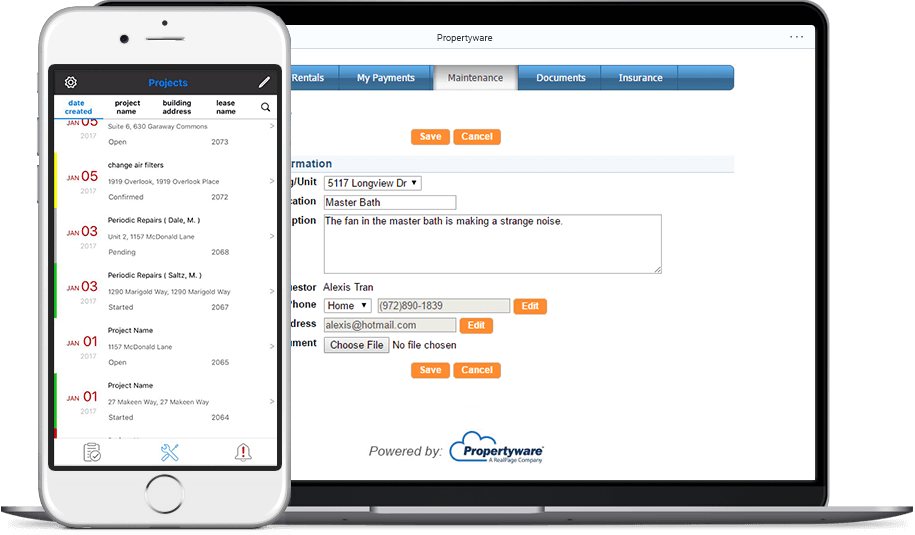
AppFolioBuildiumRent ManagerPropertyware

Source: propertymeld.com

Upside

  • 85% of requests scheduled in under 4 minutes
  • Bi-directional sync with AppFolio and Buildium
  • Claims 8-second support response time

Catch

  • $160 monthly minimum fee
  • Requires a year-long contract
  • Learning curve for admin features
Pick it ifResidential property managers with 100+ units automating maintenance.
Skip it ifSmall landlords under 100 units, or those wanting an all-in-one PMS.
PricingFrom $1.60/unit/mo, $160 monthly minimum.

Editor's takeProperty Meld schedules 85% of maintenance requests in under 4 minutes. It syncs bi-directionally with AppFolio, Buildium, and Rent Manager to avoid double data entry. The company claims an 8-second support response time, though plans require a $160 monthly minimum and an annual contract.

How much does Property Meld cost?

Pricing starts at $1.60 per unit a month with a $160 monthly minimum, based on annual contracts, according to third-party pricing data.

Does Property Meld integrate with AppFolio?

Yes. A bi-directional API syncs properties, units, owners, vendors, and residents between AppFolio and Property Meld, per the company's blog.

The evidence: 4 criteria, 3 penalties
8.9
Usability & Customer ExperienceLooked for: We analyze user interface design, ease of adoption for non-technical users (tenants/vendors), and support responsiveness.Users report the system is easy to use for tenants and vendors, with the company claiming an 8-second support response time, though some admins note a learning curve.propertymeld.compropertymeld.comg2.com
8.5
Value, Pricing & TransparencyLooked for: We examine pricing structures, minimum fees, contract terms, and the clarity of cost relative to features provided.Pricing is transparent at $1.60 per unit/month, but a $160 monthly minimum and annual contract requirements may be restrictive for smaller portfolios.propertymeld.comsoftwarefinder.comg2.com
9.4
Integrations & Ecosystem StrengthLooked for: We look for the depth and quality of connections with property management accounting systems and third-party vendor networks.Property Meld offers deep, bi-directional integrations with major platforms like AppFolio, Buildium, and Rent Manager, syncing work orders, invoices, and resident data in real-time.propertymeld.compropertymeld.compropertymeld.com
9.1
Automation & Workflow EfficiencyLooked for: We assess the platform's ability to automate manual tasks like scheduling, follow-ups, and troubleshooting to improve operational speed.The platform demonstrates strong efficiency metrics, including a claimed 4-minute average scheduling time and significant reductions in coordination time.propertymeld.comsourceforge.net

Score adjustments−0.14 points in total

−0.04Users report rigid annual contracts with no easy cancellation option, which can be a barrier for some businesses.g2.com · severity 60/100
−0.06Some users note limitations in the integration, such as accounting categories not syncing perfectly for vendor invoices in certain PMS setups.softwarefinder.com · severity 55/100
−0.04New users and some existing clients report a learning curve or dissatisfaction with recent user interface updates.g2.com · severity 35/100
10

Maintenance Care

maintenancecare.com · Maintenance Care Work Order #3 of 10 in Work Order Tools for Facilities and Buildings

Maintenance Care gives unlimited users, but free plan is thin

Best forSenior living and healthcare facilities needing HIPAA-compliant CMMS.

Free tier From $100 per month free planHIPAAunlimited users
#3 in its ranking

Maintenance Care is a HIPAA-compliant CMMS with unlimited users on every paid plan.

Standout factPaid plans include unlimited users, work orders, and assets at a flat rate. blog.maintenancecare.com
Biggest catchThe free plan is capped at just 2 users and 5 assets. maintenancecare.com
4.6/5G2 ratingg2.com
$100-$125/moWork Order Edition pricesoftwareconnect.com

Free vs paid

Free plan

$0
  • 2 users
  • 5 assets
  • 3 preventive maintenance tasks

Work Order Edition

$100-$125/mo
  • Unlimited users
  • Unlimited assets
  • Unlimited work orders

Source: maintenancecare.com

Compliance

✓ HIPAA? SOC 2

Source: blog.maintenancecare.com

Upside

  • Unlimited users on paid plans
  • Smart duplicate work order checker
  • HIPAA compliant for healthcare use

Catch

  • Free plan limited to 5 assets
  • Poor search functionality reported
  • Android app trails the iOS app
Pick it ifSenior living and healthcare facilities needing HIPAA-compliant CMMS.
Skip it ifHeavy industrial manufacturing needing complex asset reliability tools.
PricingFree plan available, Work Order Edition from $100-$125/mo

Editor's takeMaintenance Care drops the per-seat pricing common in CMMS tools, with unlimited users on every paid plan. Its Smart Duplicate Checker flags repeat work requests before they clutter the queue. The free plan is thin though, capped at just 2 users and 5 assets.

Does Maintenance Care have a free plan?

Yes, but it is limited to 2 users, 5 assets, and 3 preventive maintenance tasks. Paid plans start around $100 to $125 a month with unlimited users.

Is Maintenance Care good for healthcare facilities?

Yes. It supports HIPAA compliance and includes automatic logout after 30 minutes of inactivity.

The evidence: 6 criteria, 3 penalties
8.7
Product Capability & DepthLooked for: We evaluate the breadth of maintenance features, including work order management, asset tracking, and automation capabilities available across different plan tiers.The platform offers robust work order management with a unique 'Smart Duplicate Checker' and mobile capabilities, though the free tier is strictly limited to 5 assets and 3 preventive maintenance tasks.maintenancecare.commaintenancecare.commaintenancecare.com
9.2
Market Credibility & Trust SignalsLooked for: We assess the vendor's industry standing, history, and reputation, particularly within their target verticals like healthcare and senior care.Founded in 2003, the company has established a strong niche presence in senior care and healthcare, backed by high user ratings and specific industry-focused features.maintenancecare.comg2.com
8.9
Usability & Customer ExperienceLooked for: We look for intuitive design, ease of onboarding, and the quality of the user interface across both desktop and mobile devices.Users consistently praise the intuitive interface and smooth onboarding process, though some report that the Android app is less robust than the iOS version.maintenancecare.comg2.comsoftwareconnect.com
9.5
Value, Pricing & TransparencyLooked for: We analyze the pricing model, specifically looking for hidden costs versus value provided, and how it compares to per-user industry standards.The 'Unlimited Users' pricing model on paid plans is a significant market differentiator, offering exceptional value for larger teams compared to per-seat competitors.maintenancecare.comblog.maintenancecare.comsoftwareconnect.com
9.1
Security, Compliance & Data ProtectionLooked for: We examine security features and compliance certifications, particularly those relevant to the vendor's target industries like healthcare.The platform supports HIPAA compliance, essential for its healthcare client base, and includes security features like automatic logout for idle sessions.maintenancecare.comblog.maintenancecare.comsoftwareconnect.com
9.3
Scalability & Team CollaborationLooked for: We assess the platform's ability to grow with an organization, focusing on user limits, data capacity, and collaborative features.The unlimited user model inherently supports massive scalability and team collaboration, allowing entire organizations to access the system without cost barriers.blog.maintenancecare.commaintenancecare.com

Score adjustments−0.19 points in total

−0.06Users report poor search capabilities, specifically noting difficulty in searching for individual equipment or filtering ticket views effectively.softwareconnect.com · severity 60/100
−0.06There is a documented limitation where users (specifically requestors) cannot edit work orders after submission, leading to frustration and duplicate entries.g2.com · severity 55/100
−0.07The Android mobile application is described as less robust compared to the iOS version, creating a disparity in user experience across devices.softwareconnect.com · severity 50/100
02

Every ranking in Work Order & Ticketing Management Platforms

Each card shows the top three. The eye opens a quick look. Open a ranking for every product, the evidence and the comparison table.

1 eMainteMaint links Fluke sensors, interface feels dated 9.0/10
Visit ↗
2 FiixFiix, owned by Rockwell, runs 6 million work orders yearly 8.9/10
Visit ↗
3 FacilioFacilio unifies 25,000+ buildings, hides its price 8.8/10
Visit ↗
See all 8 ranked
1 ServiceChannelServiceChannel's 70,000-contractor network cost Fortive $1.2 billion. 8.9/10
Visit ↗
2 FIELDBOSSFIELDBOSS runs on Dynamics 365, setup costs $50k+ 8.8/10
Visit ↗
3 JobberJobber skips HVAC load calculations, wins on simplicity 8.8/10
Visit ↗
See all 8 ranked
1 FlowPathFlowPath charges flat, unlimited users, but skips native mobile 9.0/10
Visit ↗
2 BrightlySiemens paid $1.575 billion for Brightly's facility software. 8.9/10
Visit ↗
3 UpKeepUpKeep is mobile-first, but offline mode needs a higher tier 8.9/10
Visit ↗
See all 9 ranked
1 BreezewayFrom $19.99/property, but the Android app runs glitchy. 9.0/10
Visit ↗
2 Property MeldProperty Meld schedules 85% of repairs within 4 minutes 8.9/10
Visit ↗
3 UpKeepUpKeep ranks #1 mobile CMMS, but gates API behind quote 8.9/10
Visit ↗
See all 10 ranked
1 Follett Work OrdersFollett syncs Chromebooks automatically, but hides its pricing 9.0/10
Visit ↗
2 FiixFiix's free tier never expires, but the UI feels dated 8.9/10
Visit ↗
3 Maintenance CareMaintenance Care gives unlimited users, but free plan is thin 8.9/10
Visit ↗
See all 10 ranked
1 FieldpointFieldpoint syncs NetSuite orders straight from finished work orders. 8.8/10
Visit ↗
2 Maintenance CareMaintenance Care charges flat, not per user, unlimited seats 8.8/10
Visit ↗
3 SweptSwept translates cleaning instructions into 100+ languages 8.8/10
Visit ↗
See all 10 ranked
03

About Work Order & Ticketing Management Platforms

What the category is, how it developed, and what to look for. Two minutes, or the long read.

Work Order & Ticketing Management Platforms cover the software used to manage the operational lifecycle of service requests, maintenance tasks, and incident resolution. This category encompasses the end-to-end workflow of identifying a need (a broken machine, a tenant complaint, a scheduled inspection), assigning the work to internal teams or external vendors, tracking execution, and verifying resolution. It acts as the central nervous system for field operations, facilities management, and IT service delivery.

Read the full category guide

WHAT IS WORK ORDER & TICKETING MANAGEMENT PLATFORMS?

This category sits distinctly between CRM (Customer Relationship Management) and ERP (Enterprise Resource Planning). While CRM focuses on the acquisition and sales pipeline side of the customer relationship [1], and ERP focuses on back-office financials, inventory, and supply chain [2], Work Order & Ticketing Management Platforms occupy the "execution layer" in between. They handle the messy, physical reality of fulfilling promises made by sales and funded by finance.

The category includes both general-purpose platforms—often used by IT and professional services for digital ticketing—and vertical-specific tools designed for physical industries like manufacturing, healthcare, and property management. These platforms are used by facility managers, maintenance technicians, dispatchers, and help desk agents to ensure that critical assets remain operational and service level agreements (SLAs) are met. Without this software, organizations rely on fragmented spreadsheets and email chains, leading to lost requests, compliance violations, and increased downtime.

HISTORY: FROM HELPDESK TO INTELLIGENT OPERATIONS

The lineage of Work Order & Ticketing Management Platforms begins in the 1990s, emerging from the "help desk" revolution. Prior to this era, maintenance and service requests were largely paper-based or managed via mainframe terminal entries that were inaccessible to the average worker. The 1990s introduced the concept of the "ticket"—a digital record of an issue—popularized by early IT service management tools. These early systems were revolutionary because they standardized the intake process, moving organizations away from sticky notes and phone calls [3].

However, a significant gap existed. These early tools were designed for IT assets (servers, desktops), not physical assets (HVAC units, assembly lines, fleet vehicles). ERP systems attempted to fill this void with plant maintenance modules, but they were often rigid, finance-centric, and hostile to end-users [4]. This gap birthed the specialized Computerized Maintenance Management System (CMMS) and Field Service Management (FSM) markets in the late 1990s and early 2000s. Vendors began to differentiate based on the asset type: vertical SaaS emerged for healthcare (biomedical engineering), real estate (property management), and manufacturing (industrial reliability).

The shift from on-premise installation to cloud-based SaaS in the 2010s was the next major inflection point. This transition was not merely a deployment detail; it fundamentally changed who used the software. On-premise solutions were trapped in the back office; cloud solutions pushed the software onto mobile devices in the hands of technicians [5]. This mobile revolution enabled real-time data capture—photos of repairs, GPS timestamps, and digital signatures—which transformed the buyer's expectation from "give me a database of records" to "give me real-time visibility into my workforce."

Today, the market is shaped by massive consolidation. Private equity and large enterprise software conglomerates have aggressively acquired standalone work order platforms to build comprehensive "operational clouds." Buyers now face a landscape where they must choose between massive, integrated suites that promise to do everything (but often lack depth in niche workflows) and specialized best-of-breed tools that require integration. The current frontier is defined by the demand for actionable intelligence—buyers no longer just want to track what broke; they demand to know why it broke and when it will break again [6].

WHAT TO LOOK FOR

When evaluating Work Order & Ticketing Management Platforms, the most critical criterion is workflow configurability versus complexity. A platform must be rigid enough to enforce standard operating procedures (SOPs) but flexible enough to accommodate the reality of field operations. Look for "no-code" workflow builders that allow you to modify approval routes or mandatory data fields without hiring a developer. If a vendor requires a statement of work (SOW) to change a drop-down menu, that is a significant red flag.

Mobile capability is another non-negotiable factor. "Mobile-friendly" is not enough; the solution requires a native mobile app with robust offline functionality. Technicians often work in basements, server rooms, or remote sites with poor connectivity. Test the mobile app in airplane mode during your evaluation. If the app cannot cache complex asset history, floor plans, and manuals for offline access, it will fail in the field.

Pay close attention to asset hierarchy flexibility. Can the system handle parent-child relationships in a way that matches your reality? For example, can it nest a specific pump (child) within a cooling tower (parent) within a specific building (grandparent) on a campus (great-grandparent)? Rigid hierarchies force teams to use messy workarounds that corrupt data integrity. Ask specifically to see how the system handles moving a "child" asset to a different "parent" location—a common scenario that breaks many inferior platforms.

Warning signs include vendors who charge per "admin" but offer unlimited "requester" licenses without defining the limits of a requester. Often, these "free" requester roles are so limited (e.g., cannot see ticket status, cannot add comments) that they force you to upgrade practically everyone to a paid seat. Another red flag is a lack of an open API. If the vendor charges for API access or has a closed ecosystem, you will eventually hit a wall when trying to integrate with your ERP or financial systems.

Key questions to ask vendors:

  • "Can you demonstrate the workflow for a technician in a dead zone (no internet) accessing a manual and closing a work order?"
  • "How does your licensing model distinguish between an internal employee and a third-party contractor?"
  • "Show me the process for modifying a preventive maintenance schedule for 500 assets simultaneously—does it require 500 clicks or 5?"

INDUSTRY-SPECIFIC USE CASES

Retail & E-commerce

For Retail and E-commerce, the primary driver for work order platforms is brand consistency and contractor management. Unlike a manufacturing plant with on-site staff, retailers rely heavily on a dispersed network of third-party service providers (plumbers, electricians, HVAC techs). The software acts as a "dispatch command center," automating the assignment of work based on geography and trade. A critical feature here is the Not-To-Exceed (NTE) limit automation. Retailers must control costs by setting automated spending caps (e.g., $500 for a clogged drain) that vendors cannot exceed without digital approval [7]. Without this, "vendor leakage"—where contractors consistently overbill small amounts—can drain millions from the operational budget. Evaluation priorities should focus on vendor portals that allow contractors to upload invoices and "before/after" photos directly, reducing administrative overhead.

Healthcare

In Healthcare, the stakes for work order management are patient safety and regulatory compliance. Hospitals manage two distinct asset classes: Facilities (boilers, elevators) and Biomedical/Clinical Engineering (MRI machines, infusion pumps). The critical requirement is compliance with The Joint Commission (TJC) standards [8]. The platform must maintain an audit-proof "cradle-to-grave" history of every asset, documenting that preventive maintenance (PM) was performed exactly according to manufacturer specifications. Unique considerations include Alternative Equipment Maintenance (AEM) program support, which allows hospitals to deviate from manufacturer schedules if they have data to prove safety [9]. A generic ticketing tool that allows a technician to simply click "done" without entering measurement values (e.g., electrical safety test results) is a liability risk in this sector.

Financial Services

Financial Services institutions use these platforms to manage a highly distributed network of branches and ATMs. The focus is on security and uptime. When an ATM goes down or a branch's front door lock fails, it is an immediate revenue and reputation loss. Work order systems here must integrate with alarm and monitoring systems to auto-dispatch tickets. Security is paramount; the software often houses sensitive data about vault combinations, security camera layouts, and alarm codes. Therefore, SOC 2 Type II compliance and granular role-based access control (RBAC) are not optional [10]. Additionally, compliance with regulations like the Gramm-Leach-Bliley Act (GLBA) requires strict vendor vetting and tracking, meaning the platform must serve as a repository for vendor insurance certificates and background check verifications.

Manufacturing

Manufacturing buyers prioritize asset reliability and downtime reduction. Here, the software is often referred to as a CMMS (Computerized Maintenance Management System). The unique workflow is preventive and predictive maintenance. Manufacturers need tools that can ingest data from PLC (Programmable Logic Controller) systems—for example, automatically generating a work order when a machine's vibration sensor exceeds a threshold [11]. Integration with Overall Equipment Effectiveness (OEE) metrics is critical to link maintenance activity to production output [12]. A simple "break/fix" ticketing system is insufficient; the platform must support complex inventory management for spare parts, ensuring that a $10 bearing is available to fix a million-dollar line. Evaluation should focus on the depth of the "Bill of Materials" (BOM) feature for assets.

Professional Services

For Professional Services firms (MSPs, marketing agencies, consultants), the "asset" is the employee's time. Work order platforms in this sector function as Professional Services Automation (PSA) tools. The critical metric is billable utilization—tracking exactly how much time was spent on a ticket to invoice the client correctly [13]. Unlike manufacturing, where a ticket fixes a machine, here a ticket solves a client problem and triggers a billing event. Unique considerations include tight integration with accounting software (QuickBooks, Xero) and Service Level Agreement (SLA) "countdown timers" that prioritize tickets based on client contracts. Buyers should look for platforms that seamlessly convert a "ticket" into an "invoice line item" without manual data re-entry.

SUBCATEGORY OVERVIEW

Work Order Tools for Facilities and Buildings

This subcategory is specialized for the "built environment"—offices, hospitals, and industrial plants where the building itself is the primary asset. Unlike generic ticketing systems, these tools are deeply integrated with space management and building information. They differentiate by handling the physical location as a data layer—linking a work order not just to a "printer" but to "Room 302, North Wing, HVAC Zone 4." One workflow that only these tools handle well is the preventive maintenance of complex building systems, such as cascading work orders for a chiller plant that trigger sub-tasks for connected air handlers. A generic tool treats a broken light and a chiller failure as the same "ticket," whereas these platforms understand the asset criticality and location context. The pain point driving buyers here is the inability of general tools to handle floor plan visualizations and asset lifecycles (depreciation, warranty tracking) for building infrastructure. For a deeper dive into these specialized solutions, refer to our guide on Work Order Tools for Facilities and Buildings.

Work Order Platforms for Schools and Campuses

Schools and universities face unique challenges regarding student safety and funding cycles. These platforms differ from generic tools by integrating event scheduling (e.g., setting up the gym for a basketball game) with maintenance workflows. A critical workflow unique to this niche is the lockdown or emergency response procedure, where a work order system must instantly communicate with security systems to secure facilities. Buyers are driven to this niche by the need for strict background check compliance for vendors entering school grounds, which general platforms often fail to track. Additionally, these tools often include modules for capital planning to help districts justify bond measures for facility upgrades. To explore solutions built for educational environments, see our analysis of Work Order Platforms for Schools and Campuses.

Work Order Systems for Property Managers

This niche serves residential and commercial landlords where the "customer" is a tenant. The key differentiator is the tenant portal and the legal complexity of entering an occupied space. Unlike internal IT ticketing, these systems must handle permission-to-enter legalities and lease-specific responsibilities (e.g., is the tenant or landlord responsible for the HVAC?). A workflow unique to this category is the "make-ready" or turnover process—a sequenced checklist of tasks (paint, clean, inspect, re-key) that must happen rapidly between tenants to minimize vacancy loss [14]. General tools lack this lease-aware automation. The primary pain point driving buyers here is the need for resident communication—texting updates to tenants and collecting satisfaction surveys to ensure lease renewals. For tools that master the tenant lifecycle, visit Work Order Systems for Property Managers.

Work Order Tools for Janitorial and Cleaning Services

Janitorial software focuses on labor validation and proof of service rather than asset repair. The distinct feature here is the use of NFC tags or GPS geofencing to prove a cleaner was physically present in a specific room for a specific duration. A workflow unique to this niche is the supply inventory calculation based on square footage and cleaning frequency (e.g., estimating toilet paper usage per restroom). Buyers leave generic platforms for these tools because of the "phantom billing" pain point—clients claiming work wasn't done. These tools provide indisputable digital proof (photos, timestamps, location pings) that the contract was fulfilled. To find software that solves these specific labor tracking challenges, check out Work Order Tools for Janitorial and Cleaning Services.

Work Order Automation for Multi-Site Operations

This category is for businesses with hundreds or thousands of locations (retail chains, bank branches) that rely on distributed vendor networks. The software differs by acting as a marketplace or dispatch network rather than just an internal tool. The unique workflow is the automated dispatch to third-party contractors based on trade, geography, and performance rating, combined with automated invoice auditing against "Not-To-Exceed" (NTE) limits. General tools assume you have internal staff to do the work; these platforms assume you are outsourcing it. The driving pain point is vendor leakage—overpaying thousands of small invoices because manual review is impossible. These systems automate the financial auditing of every work order. For platforms designed for distributed operational scale, read our review of Work Order Automation for Multi-Site Operations.

DEEP DIVE: INTEGRATION & API ECOSYSTEM

The "silo effect" is the silent killer of work order management efficiency. A standalone ticketing platform often becomes a data graveyard if it does not exchange information with the broader enterprise ecosystem. According to research by UpKeep, 70% of CMMS implementations fail, often due to a lack of integration that leads to data isolation and user abandonment [15]. A robust API ecosystem is not a luxury; it is the bridge between operational activity and financial reality.

Gartner highlights that the integration of field service management (FSM) with ERP systems is a primary differentiator for market leaders [16]. The most critical integration point is typically between the Work Order platform and the ERP (like SAP, Oracle, or NetSuite). This connection ensures that when a spare part is consumed on a work order, the inventory levels in the ERP are decremented in real-time, triggering re-order workflows. Without this, stockouts occur, leading to prolonged asset downtime.

Real-World Scenario: Consider a mid-sized professional services firm with 50 employees using a ticketing tool for client support and a separate Quickbooks instance for invoicing. Without integration, account managers must manually export billable hours from the ticketing system and import them into Quickbooks at month-end. This manual process is prone to error; let's say a technician logs 4 hours of emergency support on a Saturday. If the manual transfer misses the "overtime" flag, the client is under-billed. Conversely, if 4 hours are billed but the technician notes "non-billable research," the client is over-billed, damaging the relationship. A well-designed integration automatically maps "Ticket Type: Emergency" to "Service Item: Overtime Rate" in the invoicing software, eliminating revenue leakage and disputes.

DEEP DIVE: SECURITY & COMPLIANCE

Work Order platforms are increasingly becoming targets for cyber threats because they contain sensitive operational data: floor plans, security codes, server locations, and employee personal identifiable information (PII). In the financial services sector, for example, compliance with regulations like the Gramm-Leach-Bliley Act (GLBA) requires institutions to ensure the security and confidentiality of customer records, extending to the physical security of data centers managed via these platforms [10].

Forrester emphasizes that "security and compliance shape designs and should be built into templates from the start," particularly for cloud migrations [5]. Buyers must verify SOC 2 Type II certification, which proves that the vendor's security controls have been audited over time, not just at a single point. Data residency is another critical factor; for European operations, GDPR compliance requires that data be stored on servers within the EU.

Real-World Scenario: Imagine a regional bank using a facilities management platform to manage vendor access. The platform stores the "temporary access codes" for the server rooms of 20 branches. If this platform lacks Multi-Factor Authentication (MFA) and is breached, attackers gain physical access codes to the bank's most sensitive infrastructure. A proper compliance framework within the software would enforce that access codes are ephemeral (disappearing after 4 hours), visible only to the specific vendor assigned to the ticket, and that every "view" of the code is logged in an immutable audit trail. Failure to have these controls could result in massive fines and a complete loss of trust.

DEEP DIVE: PRICING MODELS & TCO

Pricing in this category is notoriously opaque and varies significantly by subcategory. The three most common models are Per-User, Per-Asset, and Per-Location. Understanding the Total Cost of Ownership (TCO) requires looking beyond the monthly subscription fee to implementation, training, and "hidden" operational costs. Research by MaintainX and other industry players indicates that cloud-based CMMS solutions can reduce implementation costs by 40-50% compared to on-premise legacy systems, shifting CapEx to OpEx [17].

Per-User pricing is standard for SaaS, typically ranging from $30 to $150 per user/month [18]. However, buyers must clarify the definition of a "user." Does a tenant submitting a complaint count? Does a contractor viewing one work order count? Per-Asset models are common in industrial settings, where the cost scales with the complexity of the facility. Per-Location is favored in retail and property management.

Real-World Scenario: A 25-person maintenance team is evaluating two vendors. Vendor A charges $45/user/month. Vendor B charges $200/month per site (unlimited users). Vendor A TCO: 25 users * $45 * 12 months = $13,500/year. Vendor B TCO: 1 site * $200 * 12 months = $2,400/year. On the surface, Vendor B is cheaper. However, Vendor B charges $2,000 for "onboarding" and $500 for "API access," while Vendor A includes these. Furthermore, if the team grows to 30 people, Vendor A's cost rises linearly. If the business opens a second location, Vendor B's cost doubles instantly. For a single-site operation with a large team, the per-site model (Vendor B) is often better. For a multi-site operation with lean teams (e.g., 1 tech covering 5 stores), the per-user model (Vendor A) is often superior.

DEEP DIVE: IMPLEMENTATION & CHANGE MANAGEMENT

The statistic is stark: up to 80% of CMMS implementations fail to deliver their expected ROI, largely due to poor user adoption and lack of cultural change management [19]. The software is rarely the problem; the problem is usually a disconnect between the "office process" and the "field reality."

McKinsey notes that digital interventions in infrastructure often fail without addressing the "change management" aspect, specifically data quality and access [20]. Successful implementation requires a "pilot first" approach, testing the mobile workflow with the most vocal, skeptical technicians before rolling it out company-wide.

Real-World Scenario: A manufacturing plant implements a new Work Order system. The management team configures the system to require 15 mandatory fields (Asset ID, Failure Code, Cost Center, etc.) to close a ticket, aiming for "perfect data." In practice, a technician fixing a jammed conveyor belt at 2 AM with greasy hands cannot type into 15 fields on a small phone screen. The result? The technician enters "N/A" or "." in every field just to close the ticket. The data is garbage, and the ROI is zero. A successful implementation would start with only 3 mandatory fields, ensuring ease of use, and gradually introduce more complexity as the culture adapts.

DEEP DIVE: VENDOR EVALUATION CRITERIA

Selecting a vendor is about more than a feature checklist; it is about assessing the vendor's long-term viability and support structure. IDC advises that buyers look for "relationship building, configurability, mobility, and location intelligence" as key differentiators in the SaaS CMMS market [21].

A critical evaluation metric is Time to Value (TTV). How long from contract signing to the first ticket being closed? Legacy systems can take 6-12 months; modern SaaS should take 4-8 weeks. Another vital criterion is Support Response SLAs. Does the vendor guarantee a response within 1 hour for critical system outages?

Real-World Scenario: A logistics company evaluates two vendors. Vendor X has every feature imaginable but relies on a third-party partner network for implementation. Vendor Y has fewer features but offers a dedicated "Customer Success Manager" (CSM) and in-house implementation. during the pilot, the logistics company discovers their asset naming convention is incompatible with the software. Vendor X directs them to a generic help article. Vendor Y's CSM gets on a Zoom call, identifies the issue, and scripts a bulk-rename utility to fix it overnight. Vendor Y wins because their support structure reduces the risk of project failure, even if their feature list is shorter.

EMERGING TRENDS AND CONTRARIAN TAKE

Looking toward 2025-2026, the dominant trend is the rise of AI Agents over Dashboards. We are moving past "predictive analytics" (graphs showing likely failures) to "prescriptive agents" that autonomously draft the work order, order the part, and schedule the technician without human intervention. Verdantix reports that Generative AI is already being deployed to automatically correct inaccurate failure modes in work orders and interact with users via conversational interfaces [22].

Contrarian Take: Predictive Maintenance is wildly overhyped for 90% of assets. While industry marketing screams that "run-to-failure" is dead, the reality is that for the vast majority of non-critical assets (e.g., a bathroom exhaust fan, a breakroom coffee maker, or even secondary packaging lines), the cost of installing sensors and training AI models far exceeds the cost of just fixing it when it breaks. A reader who has evaluated 10 vendors will likely nod at this: most businesses would get significantly more ROI from simply mastering basic preventive maintenance (changing filters on time) than spending millions on "digital twins" they don't have the staff to manage.

COMMON MISTAKES

The "Data Dump" Trap: The most common buying mistake is insisting on migrating 10 years of historical data into the new system. Most of that old data is messy, poorly categorized, and irrelevant. Importing it "pollutes" the new clean system immediately [23]. It is almost always better to archive old data and start fresh with a clean baseline.

Overbuying for the Admin: Buying committees often prioritize the needs of the HQ executives (analytics, dashboards, reporting) over the needs of the field technician (speed, offline access, few clicks). If the software is hateful to use for the person with the wrench, the data will never enter the system, and the executive dashboards will be empty.

Ignoring the "Passive User": Many organizations fail to account for the "passive user"—the employee who just needs to report a broken chair. If the system requires a login and 10 clicks for them to report an issue, they will just send an email or walk over to the facility manager's desk. The barrier to entry for creating a request must be near zero (e.g., scanning a QR code on the wall).

QUESTIONS TO ASK IN A DEMO

  • "Show me exactly how many clicks it takes for a field tech to close a work order and upload a photo. Do not just describe it—do it live."
  • "How does your system handle an asset that moves between locations? Does the history travel with the asset or stay with the location?"
  • "Can I configure different 'mandatory fields' for different ticket types? (e.g., a safety incident requires more data than a lightbulb change)."

04

Research

Original reporting on this corner of the market.

All research

U.S. higher education faces a $112 billion maintenance backlog costing $140 per square foot

Apr 17, 2026

41% of the maintenance workforce becomes eligible for retirement by 2028

May 10, 2026

ServiceTitan loses money on professional services in 2024 despite $685M revenue

Apr 8, 2026
05

Questions people ask

Which Work Order & Ticketing Management Platforms is best?

eMaint holds the highest score in the category at 9.0, in Work Order Automation for Multi-Site Operations. The right pick depends on the ranking that matches your use case, so start with the ranking list above.

Why are there 6 separate rankings?

Buyers in Work Order & Ticketing Management Platforms have different jobs, so each ranking is scoped to one of them and weights the six criteria for that job. The same product can hold different ranks in different rankings.

How are the scores produced?

Documentation, pricing pages, security pages and third-party reviews are reviewed against six criteria. Each criterion records what was found and links its sources. Penalties pull the score down and are shown with their evidence. Rank follows the score. Full methodology.

06

More in Field Service & Operations

The whole group