What Is CRM Software?
CRM Software sits distinctively between Marketing Automation Platforms (which feed leads into the CRM) and ERP systems (which handle post-sale fulfillment, finance, and inventory). While Marketing Automation focuses on aggregate audience engagement and ERP focuses on back-office resource planning, CRM focuses on the one-to-one management of sales opportunities and relationship lifecycles. The category includes both general-purpose platforms adaptable to any B2B or B2C sales model and highly specialized vertical solutions designed for regulatory-heavy industries like healthcare, finance, and insurance.
For modern enterprises, CRM is no longer just a digital Rolodex; it is the operational engine of revenue. It provides the analytics required to forecast earnings, the workflow automation needed to scale sales teams, and the historical context necessary to prevent customer churn. From small businesses needing to organize contacts to multinational corporations orchestrating complex deal cycles, CRM Software is the non-negotiable infrastructure of commercial growth.
History of CRM Software
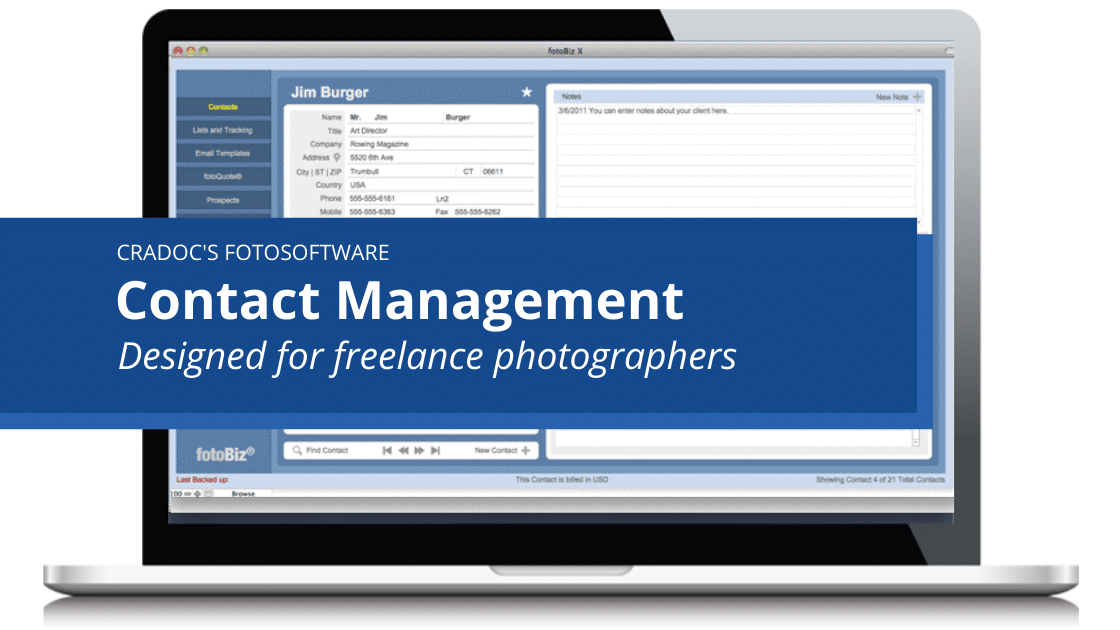
The evolution of CRM Software from the 1990s to the present is a narrative of shifting power, from the vendor to the buyer, and from the database to the intelligent agent. In the early 1990s, the landscape was dominated by Contact Management Software and Sales Force Automation (SFA) tools. These early on-premise solutions filled a critical gap: businesses had moved beyond physical filing systems but lacked a unified digital method to track sales activities. The primary value proposition was organizational memory, ensuring that if a salesperson left, their client data didn't leave with them.
The late 1990s marked the first seismic shift with the emergence of the "Software as a Service" (SaaS) model. A pioneering vendor launched the first fully cloud-based CRM in 1999, challenging the assumption that serious enterprise software required expensive on-premise servers and lengthy installation periods. This democratization of technology allowed mid-market companies to access tools previously reserved for the Fortune 500, sparking a "Cloud Wars" era that would define the next two decades.
The 2000s and 2010s were characterized by massive market consolidation. Large ERP incumbents, realizing they were losing the front-office battle, aggressively acquired niche CRM providers to bolster their portfolios. This period saw the integration of marketing and service modules into the sales core, expanding CRM from a sales tool into a "Customer Experience" suite. However, this expansion often resulted in "feature bloat," leading to a counter-movement of vertical-specific SaaS solutions. These niche players attacked the generalist platforms by offering pre-configured workflows for specific industries, such as construction or healthcare, arguing that a generic tool required too much customization to be viable.
Today, the market has shifted again, moving from "systems of record" to "systems of intelligence." Buyers no longer pay just for data storage; they pay for predictive insights. The expectation has evolved from "tell me what happened" to "tell me what to do next," driven by the integration of artificial intelligence and machine learning that can analyze vast datasets to score leads, recommend next actions, and forecast revenue with unprecedented accuracy.
What to Look For
Evaluating CRM software requires a disciplined approach to filter through aggressive marketing and feature bloat. The most critical evaluation criteria is workflow alignment. A platform may have thousands of features, but if it requires your team to click five times to log a call when your current process takes two, adoption will fail. Buyers must map their specific sales motion, whether it is high-velocity transactional sales or long-cycle consultative selling, against the tool's interface. Look for "clicks-to-completion" metrics for common tasks during demos.
Data portability and API openness are equally vital. A CRM is useless if it creates a data silo. You must verify the robustness of the API. Does it support bi-directional sync with your email client, calendar, and marketing tools in real-time? Beware of "native integrations" that are actually shallow links; ask to see exactly which data fields map over and how conflict resolution is handled when data differs between systems.
Red flags often appear in the contract and support terms. Be wary of vendors that obscure their data storage limits. Many "per user" pricing models have low caps on file storage or record counts, triggering expensive overage fees once you scale. Another major warning sign is a lack of sandbox environments in lower-tier plans. Testing configuration changes in a live environment is a recipe for data disaster; a reputable vendor should provide a safe testing space.
Key questions to ask vendors should pierce the veil of their sales pitch. Ask, "What is the ratio of active users to purchased licenses across your client base?" This reveals true adoption rates. Ask, "Can you show me the process for exporting all my data, including relational links, if I decide to leave?" If the answer involves a paid service request or a CSV dump that breaks data relationships, you are looking at a vendor that relies on lock-in rather than value.
Industry-Specific Use Cases
Retail & E-commerce
In the retail and e-commerce sector, CRM Software functions less as a sales pipeline and more as a unified customer data platform (CDP) and loyalty engine. The primary need here is omnichannel identity resolution, the ability to recognize that the customer browsing on a mobile app is the same person who bought a product in-store last week. Retailers evaluate CRMs based on their ability to ingest high-volume transactional data from Point of Sale (POS) systems and e-commerce platforms in real-time. Unlike B2B sales, where the focus is on managing a long deal cycle with a human buyer, retail CRM focuses on recency, frequency, and monetary (RFM) analysis to trigger automated marketing journeys.
A critical evaluation priority is the system's ability to handle loyalty program management and "clienteling", giving in-store associates access to a customer's online purchase history to make personalized recommendations. Unique considerations include scalability for millions of consumer records (B2C scale) and strict compliance with consumer privacy laws like GDPR and CCPA, as retail data often contains highly sensitive personal identifiers.
Healthcare
For healthcare organizations, CRM Software is the backbone of patient engagement and referral management. The workflow here is distinct: it is not about "closing deals" but about managing the patient journey from initial inquiry to care delivery and post-treatment follow-up. A generic sales pipeline is often ill-suited for this; instead, healthcare buyers look for "Referral Management" capabilities that track incoming patients from different provider networks. The absolute non-negotiable requirement is HIPAA compliance (in the US) and similar data privacy standards globally. The CRM must sign a Business Associate Agreement (BAA) and offer enterprise-grade encryption for Protected Health Information (PHI).
Evaluation priorities focus on integration with Electronic Health Records (EHR) systems. A CRM that cannot read/write to the EHR creates dangerous data gaps. Furthermore, healthcare CRMs often need "household" management features to track family relationships, as care decisions are often made by guardians or family units rather than individuals.
Financial Services
Financial services, including wealth management, banking, and insurance, utilize CRM for relationship intelligence and householding. In wealth management, for example, the "deal" is never truly closed; the relationship is perpetual. Therefore, the CRM must handle complex data structures that link individuals to households, trusts, and business entities. This "many-to-many" relationship mapping is a specific pain point that generic tools often fail to handle gracefully. Financial CRM users prioritize features that surface "share of wallet" insights and life-event triggers (e.g., a client selling a business or having a child).
Compliance is paramount. Financial services CRMs must support WORM (Write Once, Read Many) compliant storage for audit trails to satisfy SEC or FINRA regulations. Unique considerations include "tear sheets" generation, one-page summaries of client assets and interactions for advisor meetings, and secure document exchange portals that integrate directly with the CRM record.
Manufacturing
In manufacturing, CRM usage shifts toward forecasting accuracy and supply chain visibility. Manufacturers often sell through a two-tier distribution model (selling to distributors who then sell to end-users). Consequently, their CRM needs to track not just direct sales, but "sell-through" data from partners. A generic CRM that only sees direct customers will miss 80% of the market picture. Manufacturing buyers prioritize Partner Relationship Management (PRM) portals where distributors can register deals and update inventory forecasts.
Another specific need is the integration with Configure, Price, Quote (CPQ) tools. Manufacturing products are complex and customizable; the CRM must be able to handle complex quoting workflows that reference live inventory and pricing data from the ERP. Evaluation criteria heavily weigh the system's ability to forecast demand based on pipeline probability, as this directly informs production schedules and raw material procurement.
Professional Services
For law firms, consultancies, and agencies, the CRM is the engine of project-based selling and expert utilization. The "product" is the firm's people and expertise. Therefore, Professional Services CRMs must bridge the gap between the sales pipeline and resource management. When a deal is marked "Closed-Won," it should trigger a project workflow, alerting practice leads to staff the engagement. Evaluation priorities include conflict-of-interest checking (critical for legal and accounting firms) and integration with time-tracking and billing software.
A unique consideration is the concept of "relationship scoring." In professional services, who knows whom is often more valuable than the data itself. Firms look for CRMs that can passively scrape email traffic to map the strength of relationships between partners and prospects, ensuring that business development efforts leverage the firm's strongest existing connections rather than cold outreach.
Emerging Trends and Contrarian Take
Emerging Trends 2025-2026: The next frontier for CRM is the transition to Agentic AI. We are moving beyond "Generative AI" that writes emails to autonomous agents that execute multi-step workflows. By 2026, CRM agents will autonomously research leads, update records based on email context, and even initiate routine outreach without human prompts. Another major shift is Hyper-Specialization via Industry Clouds. The "one-size-fits-all" behemoths are rapidly decomposing their monoliths into industry-specific clouds (e.g., "Manufacturing Cloud," "Non-Profit Cloud") to combat the rise of vertical SaaS competitors.
Contrarian Take: The CRM as a "System of Record" is dying; the future belongs to "Systems of Action."
Most organizations treat their CRM as a glorified database, a passive repository where sales reps go to die (administratively speaking). The industry is obsessed with "360-degree views" and "data lakes," but the counterintuitive truth is that more data often leads to less selling. The mid-market is massively overserved by complex platforms that demand endless data entry. The most successful sales teams of 2026 will likely use "headless" CRM technology, systems that exist entirely in the background, harvesting data from email, voice, and chat, while the rep never actually logs into a "CRM" interface. If your CRM requires your best earners to spend 20% of their week on data entry, you are paying a "productivity tax" that no software feature can offset.
Common Mistakes
Over-Customization Syndrome: Buyers often try to bend the software to replicate their exact legacy processes, rather than adapting their processes to the software's best practices. This leads to "Frankenstein" systems that cannot be upgraded because custom code breaks with every vendor release.
Ignoring the End-User: Buying committees often consist of executives and IT leaders, with zero input from the sales reps who will use the tool daily. If the interface is clunky or mobile access is poor, reps will revolt. Adoption is a bottom-up phenomenon, not a top-down mandate.
Dirty Data Migration: Companies frequently underestimate the effort required to clean data before importing it. Migrating thousands of duplicate contacts, invalid emails, and unformatted phone numbers into a new system immediately erodes trust. Users will ignore the new CRM if they see "junk" data on day one.
Questions to Ask in a Demo
- "Can you show me the exact workflow for a rep to log a meeting and update a deal stage from their phone?" (If they switch to the desktop view or hesitate, the mobile app is likely weak.)
- "Show me how to export all of my data, including activity logs and notes, in a readable format." (Tests data ownership and lock-in.)
- "What features shown today are native, and which require third-party add-ons or premium tiers?" (Clarifies hidden costs.)
- "How does the system handle duplicate detection during mass imports?" (Tests data hygiene capabilities.)
- "Can you demonstrate a live integration with [Your Email Provider] right now?" (Verifies the most critical integration isn't just slideware.)
Before Signing the Contract
Final Decision Checklist: Ensure you have a clearly defined "Implementation Success Manager" from the vendor. Verify that the Service Level Agreement (SLA) guarantees at least 99.9% uptime with financial penalties for breaches. Confirm that your data resides in a jurisdiction compliant with your local laws (data residency).
Negotiation Points: Never accept the list price on multi-year contracts. Push for a "price protection cap" that limits how much the vendor can increase renewal fees (e.g., "renewal increases capped at 3% or CPI"). Ask for the "Sandbox" environment to be included for free. Negotiate the "true-up" period, ensure you aren't charged instantly for adding a temporary user during a busy season.
Deal-Breakers: Lack of an API access in the base tier is a non-starter. Proprietary data formats that make leaving difficult are unacceptable. If the vendor refuses to sign a Data Processing Agreement (DPA) for GDPR/CCPA compliance, walk away immediately.
Closing
Selecting the right CRM software is one of the most consequential infrastructure decisions a business can make. It requires balancing current needs with future scalability, and navigating a minefield of hidden costs and feature bloat. If you need guidance navigating these choices or have specific questions about your unique use case, please reach out.
Email: albert@whatarethebest.com

 A
A