Client Onboarding & Implementation Software

Updated July 28, 2026

These are the specialized categories within Client Onboarding & Implementation Software. Looking for something broader? See all CRM & Sales Software categories.

Not sure which one is right for you?

Answer 4 quick questions and we'll match you with your best options

Find Your Best Match

How big is your team?

Just me
2 - 10
11 - 50
51 - 200
201 - 1,000
1,000+

What's your budget situation?

Free or open-source only
Free to start, pay later
Best value for money
Price isn't the main factor

What's your team's technical comfort level?

We want it to just work
We can handle some setup
We have developers who'll customize it

What's the ONE thing this tool must do well?

Step 1 of 4
AccuLynx Roofing CRM

AccuLynx is a comprehensive CRM solution specifically tailored for roofing businesses. It integrates sales, CRM, and project management tools into one platform, ensuring streamlined operations and improved productivity. This directly addresses the industry's need for a centralized system for managing customer relationships, sales, and projects.

Best for Client Onboarding Software for Roofing Companies

Expert Take

AccuLynx Roofing CRM is a specialized solution designed for the roofing industry, offering comprehensive CRM and project management features. Its industry-specific approach and integration capabilities make it a top choice for roofing businesses, despite some limitations in pricing transparency and customization.

Pros

  • Direct ordering with ABC, SRS, & Beacon
  • Seamless aerial measurement integrations
  • Free U.S.-based customer support
  • Scalable for large multi-location teams

Cons

  • Expensive per-user monthly pricing
  • Extra fees for texting and SmartDocs
  • Steep learning curve for new users
  • Mobile app sync history issues

Best for teams that are

  • Established residential roofers wanting a comprehensive all-in-one suite
  • Growing companies needing deep reporting and business analytics

Skip if

  • Startups or small shops with limited software budgets
  • Tech-savvy teams needing open APIs for custom external integrations

Best for teams that are

  • Established residential roofers wanting a comprehensive all-in-one suite
  • Growing companies needing deep reporting and business analytics

Skip if

  • Startups or small shops with limited software budgets
  • Tech-savvy teams needing open APIs for custom external integrations

Pros

  • Direct ordering with ABC, SRS, & Beacon
  • End-to-end all-in-one roofing management
  • Seamless aerial measurement integrations
  • Free U.S.-based customer support
  • Scalable for large multi-location teams

Cons

  • Expensive per-user monthly pricing
  • Extra fees for texting and SmartDocs
  • No free trial or public pricing
  • Steep learning curve for new users
  • Mobile app sync history issues

Expert Take

AccuLynx Roofing CRM is a specialized solution designed for the roofing industry, offering comprehensive CRM and project management features. Its industry-specific approach and integration capabilities make it a top choice for roofing businesses, despite some limitations in pricing transparency and customization.

Allvue Alternative Investment Software

Allvue Systems offers a robust software solution tailored specifically for private equity firms and other alternative investment entities. It simplifies complex processes like fund administration, portfolio management, and client onboarding, addressing the unique needs of this industry. The platform is fully integrated and features advanced analytics, making it an essential tool for decision-making and strategy development.

Best for Client Onboarding Software for Private Equity Firms

Expert Take

Allvue Alternative Investment Software is a specialized solution for private equity firms, offering comprehensive features for fund administration and client onboarding. Its advanced analytics and integration capabilities enhance decision-making. The product is well-regarded in its niche, though its complexity and custom pricing may limit accessibility for some users.

Pros

  • Built on Microsoft Dynamics and Azure ecosystem
  • SOC 1 and SOC 2 Type I & II certified
  • Automated complex waterfall and carry calculations
  • Manages over $2.5 trillion in assets

Cons

  • High cost barrier for smaller firms
  • Opaque pricing requires custom quotes
  • Can be complex for simple use cases
  • Perceived as 'heavy' compared to lightweight tools

Best for teams that are

  • Organizations deeply integrated with the Microsoft ecosystem
  • Large firms managing complex multi-asset strategies like CLOs

Skip if

  • Small firms seeking a lightweight, standalone onboarding tool
  • Users who prefer non-Microsoft technology stacks

Best for teams that are

  • Organizations deeply integrated with the Microsoft ecosystem
  • Large firms managing complex multi-asset strategies like CLOs

Skip if

  • Small firms seeking a lightweight, standalone onboarding tool
  • Users who prefer non-Microsoft technology stacks

Pros

  • Unified private credit and private equity capabilities
  • Built on Microsoft Dynamics and Azure ecosystem
  • SOC 1 and SOC 2 Type I & II certified
  • Automated complex waterfall and carry calculations
  • Manages over $2.5 trillion in assets

Cons

  • High cost barrier for smaller firms
  • Long implementation timelines (6-12 months)
  • Opaque pricing requires custom quotes
  • Can be complex for simple use cases
  • Perceived as 'heavy' compared to lightweight tools

Expert Take

Allvue Alternative Investment Software is a specialized solution for private equity firms, offering comprehensive features for fund administration and client onboarding. Its advanced analytics and integration capabilities enhance decision-making. The product is well-regarded in its niche, though its complexity and custom pricing may limit accessibility for some users.

Passthrough | Automate fund workflows from start to finish

A SaaS solution for Client Onboarding Software for Private Equity Firms

Best for Client Onboarding Software for Private Equity Firms

Expert Take

Passthrough excels as a comprehensive solution for client onboarding in private equity firms, offering feature-rich capabilities and scalability. Its market credibility is supported by third-party recognitions, although the pricing model requires direct inquiry. Overall, it stands out as a premium product in its niche.

Pros

  • 96% investor satisfaction rate
  • SOC 2 Type II certified
  • Managed 31 CFR compliance service
  • Integrates with Salesforce and Allvue

Cons

  • Managed KYC limited to US
  • Niche focus on private funds
  • Requires demo for full access

Best for teams that are

  • Firms prioritizing speed of closing and LP convenience
  • Emerging managers to large firms needing standalone sub-doc automation

Skip if

  • Firms seeking full portfolio management or accounting software
  • Users looking for a comprehensive CRM beyond onboarding

Best for teams that are

  • Firms prioritizing speed of closing and LP convenience
  • Emerging managers to large firms needing standalone sub-doc automation

Skip if

  • Firms seeking full portfolio management or accounting software
  • Users looking for a comprehensive CRM beyond onboarding

Pros

  • 80%+ document accuracy on first submission
  • 96% investor satisfaction rate
  • SOC 2 Type II certified
  • Managed 31 CFR compliance service
  • Integrates with Salesforce and Allvue

Cons

  • Managed KYC limited to US
  • No public pricing available
  • Niche focus on private funds
  • Requires demo for full access

Expert Take

Passthrough excels as a comprehensive solution for client onboarding in private equity firms, offering feature-rich capabilities and scalability. Its market credibility is supported by third-party recognitions, although the pricing model requires direct inquiry. Overall, it stands out as a premium product in its niche.

SuiteDash Client Portal

SuiteDash Client Portal is a SaaS solution specifically designed for Insurance Agents & Agencies. It provides an intuitive interface where insurance clients can view and manage their policies, fostering transparency and efficient communication. This addresses the need for streamlined client engagement and management in the insurance industry.

Best for Client Onboarding Software for Insurance Agents

Expert Take

SuiteDash Client Portal excels in providing a comprehensive solution tailored for insurance agents, combining CRM, project management, and secure file sharing. While it offers strong customization and white-label options, its limited third-party integrations and setup complexity are notable tradeoffs. Overall, it stands out as a premium choice for client onboarding in the insurance sector.

Pros

  • Full white-labeling including mobile app
  • HIPAA and GDPR compliant security
  • All-in-one CRM, LMS, and Project Management
  • Lifetime pricing options available

Cons

  • Steep learning curve for new users
  • Interface can feel dated to some
  • Calendar functionality needs improvement
  • No native 24/7 live chat support

Best for teams that are

  • Consultants needing an all-in-one business tool
  • Tech-savvy owners willing to configure their own setup

Skip if

  • Users needing pre-built insurance carrier integrations
  • Teams wanting an instant, zero-setup solution

Best for teams that are

  • Consultants needing an all-in-one business tool
  • Tech-savvy owners willing to configure their own setup

Skip if

  • Users needing pre-built insurance carrier integrations
  • Teams wanting an instant, zero-setup solution

Pros

  • Unlimited users, staff, and contacts
  • Full white-labeling including mobile app
  • HIPAA and GDPR compliant security
  • All-in-one CRM, LMS, and Project Management
  • Lifetime pricing options available

Cons

  • Steep learning curve for new users
  • Setup requires significant time investment
  • Interface can feel dated to some
  • Calendar functionality needs improvement
  • No native 24/7 live chat support

Expert Take

SuiteDash Client Portal excels in providing a comprehensive solution tailored for insurance agents, combining CRM, project management, and secure file sharing. While it offers strong customization and white-label options, its limited third-party integrations and setup complexity are notable tradeoffs. Overall, it stands out as a premium choice for client onboarding in the insurance sector.

Invessed Onboarding Software

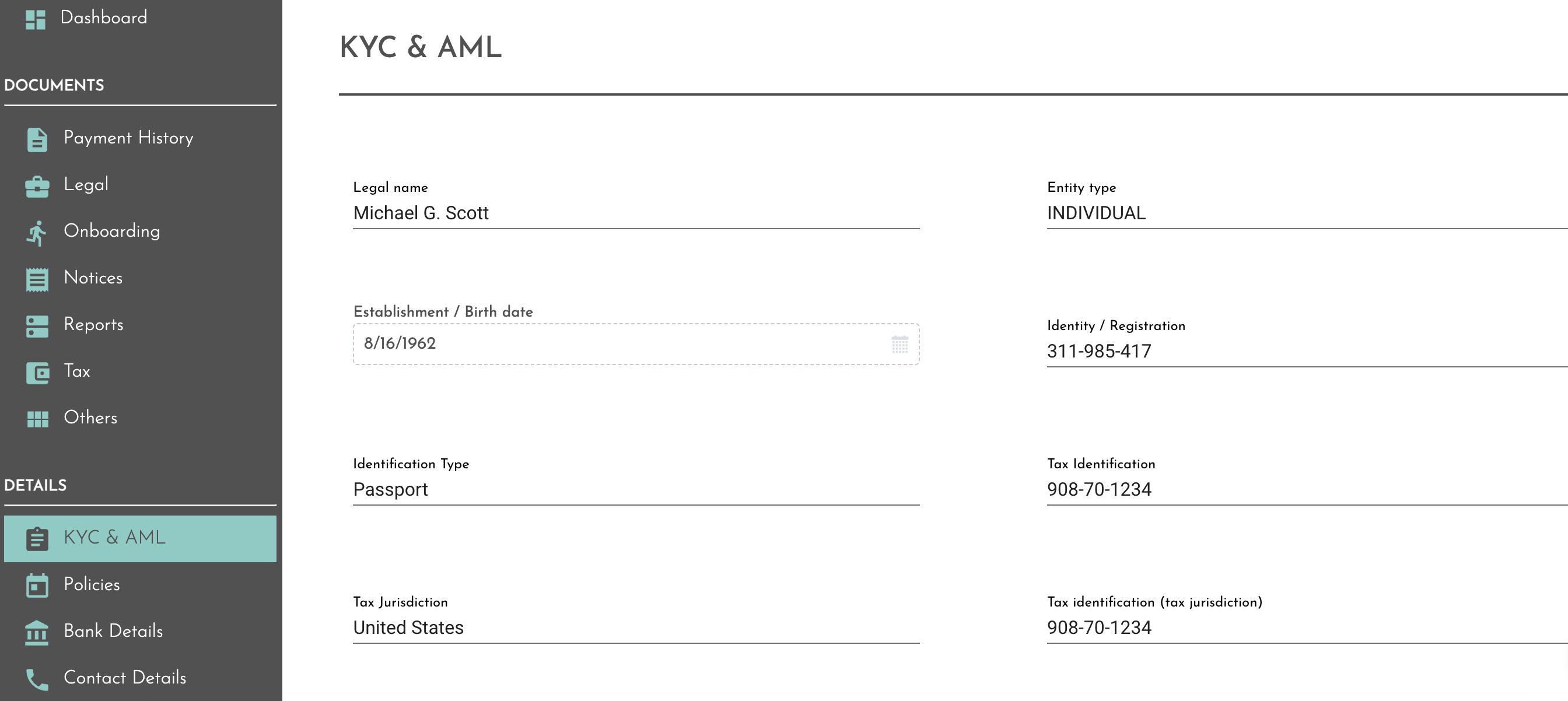
Invessed streamlines the client onboarding and lifecycle management process specifically for mortgage brokers. It offers secure messaging and document libraries, making it easier to track and manage client documentation, reducing the risk of errors, and speeding up the onboarding process.

Best for Client Onboarding Software for Mortgage Brokers

Expert Take

Invessed Onboarding Software is tailored specifically for mortgage brokers, offering secure messaging and document management features that streamline client onboarding. It is recognized for its industry-specific capabilities, although pricing transparency is limited due to a contact-for-pricing model.

Pros

  • ISO 27001 certified security
  • 200+ API integrations available
  • Automated KYC/AML workflows
  • Wealth-specific CRM connectors

Cons

  • Native mobile app gated
  • 24h support SLA on mid-tier
  • Base fees require quote
  • Implementation services extra

Best for teams that are

  • Wealth management firms that also handle lending and mortgages for high-net-worth clients
  • Firms prioritizing a high-touch digital experience for affluent investors

Skip if

  • Pure-play mortgage brokers who do not manage investment portfolios
  • Users looking for a transactional document collection tool rather than a lifecycle portal

Best for teams that are

  • Wealth management firms that also handle lending and mortgages for high-net-worth clients
  • Firms prioritizing a high-touch digital experience for affluent investors

Skip if

  • Pure-play mortgage brokers who do not manage investment portfolios
  • Users looking for a transactional document collection tool rather than a lifecycle portal

Pros

  • ISO 27001 certified security
  • Transparent per-client pricing
  • 200+ API integrations available
  • Automated KYC/AML workflows
  • Wealth-specific CRM connectors

Cons

  • Native mobile app gated
  • 24h support SLA on mid-tier
  • Limited public user reviews
  • Base fees require quote
  • Implementation services extra

Expert Take

Invessed Onboarding Software is tailored specifically for mortgage brokers, offering secure messaging and document management features that streamline client onboarding. It is recognized for its industry-specific capabilities, although pricing transparency is limited due to a contact-for-pricing model.

Motion.io Lending Team Software

Motion.io is a specialized client portal and onboarding software specifically designed for lending teams. It simplifies the borrower onboarding process by managing documents, tasks, and communication in one portal, addressing the need for a streamlined, efficient process in the lending industry.

Best for Client Onboarding Software for Loan Officers

Expert Take

Motion.io Lending Team Software excels in providing a specialized solution for the lending industry, focusing on borrower onboarding. Its industry-specific features and streamlined processes make it a top choice for loan officers. While it offers significant value, the enterprise pricing model may limit its appeal to smaller businesses.

Pros

  • Loginless 'Magic Link' client access
  • Automated document collection & reminders
  • Built-in electronic signatures
  • Unlimited clients and projects

Cons

  • Per-user pricing scales poorly
  • Relies on Zapier for LOS integration
  • Rebranding to LaunchBay may confuse
  • Time tracking gated to high tier

Best for teams that are

  • Lending teams needing a simple, login-free portal for non-technical borrowers
  • Agencies or teams requiring a white-label portal to manage client tasks

Skip if

  • Large enterprises needing deep, native core banking integrations
  • Lenders requiring built-in credit underwriting or risk modeling engines

Best for teams that are

  • Lending teams needing a simple, login-free portal for non-technical borrowers
  • Agencies or teams requiring a white-label portal to manage client tasks

Skip if

  • Large enterprises needing deep, native core banking integrations
  • Lenders requiring built-in credit underwriting or risk modeling engines

Pros

  • Loginless 'Magic Link' client access
  • SOC 2 Type II compliant security
  • Automated document collection & reminders
  • Built-in electronic signatures
  • Unlimited clients and projects

Cons

  • Per-user pricing scales poorly
  • Relies on Zapier for LOS integration
  • White-labeling requires higher tier
  • Rebranding to LaunchBay may confuse
  • Time tracking gated to high tier

Expert Take

Motion.io Lending Team Software excels in providing a specialized solution for the lending industry, focusing on borrower onboarding. Its industry-specific features and streamlined processes make it a top choice for loan officers. While it offers significant value, the enterprise pricing model may limit its appeal to smaller businesses.

AdvisorEngine Digital Onboarding

AdvisorEngine Digital Onboarding is a powerful SaaS solution specifically designed for financial advisors. It streamlines the onboarding process with options for both client-led and advisor-led steps, allowing for accounts to be opened and funded within minutes, which is vital in the fast-paced financial industry.

Best for Client Onboarding Software for Financial Advisors

Expert Take

AdvisorEngine Digital Onboarding excels in streamlining the client onboarding process for financial advisors, offering both client-led and advisor-led options. Its market credibility is supported by its focus on the financial industry, although it may require some training for optimal use.

Pros

  • Deep multi-custodian integration (Schwab, Pershing)
  • Backed by Franklin Templeton
  • Paperless digital signature workflows
  • Integrated risk profiling and proposals

Cons

  • Interface described as outdated by users
  • Pricing perceived as high for some
  • Infrequent feature updates reported by users
  • Limited customization in some workflows

Best for teams that are

  • Advisory firms seeking an all-in-one platform combining CRM, portfolio management, and onboarding
  • Firms looking for a unified client portal for document sharing and account updates

Skip if

  • Advisors who are happy with their current CRM and just want a standalone onboarding tool
  • Firms looking for the absolute cutting-edge UI, as some users report the interface feels outdated

Best for teams that are

  • Advisory firms seeking an all-in-one platform combining CRM, portfolio management, and onboarding
  • Firms looking for a unified client portal for document sharing and account updates

Skip if

  • Advisors who are happy with their current CRM and just want a standalone onboarding tool
  • Firms looking for the absolute cutting-edge UI, as some users report the interface feels outdated

Pros

  • Deep multi-custodian integration (Schwab, Pershing)
  • Reduces NIGO errors via smart automation
  • Backed by Franklin Templeton
  • Paperless digital signature workflows
  • Integrated risk profiling and proposals

Cons

  • Interface described as outdated by users
  • Pricing perceived as high for some
  • Steep learning curve for full features
  • Infrequent feature updates reported by users
  • Limited customization in some workflows

Expert Take

AdvisorEngine Digital Onboarding excels in streamlining the client onboarding process for financial advisors, offering both client-led and advisor-led options. Its market credibility is supported by its focus on the financial industry, although it may require some training for optimal use.

Copilot - Professional Service Stores

Copilot is a Shopify-style storefront designed specifically for professional service providers such as marketing agencies, law firms, and consultants. It facilitates seamless client onboarding, making it ideal for Shopify sellers looking for a streamlined, automated way to manage their clients.

Best for Client Onboarding Software for Shopify Sellers

Expert Take

Copilot excels in providing a streamlined client onboarding experience tailored for Shopify sellers in professional services. It offers strong integration capabilities and a competitive pricing model, making it a valuable tool for businesses looking to enhance client management. However, some limitations in customization and setup complexity slightly impact its overall usability.

Pros

  • Productizes services with eCommerce-style checkout
  • SOC 2 Type II and HIPAA compliant
  • Capped ACH transaction fees ($10 max)
  • Modern, polished client portal UI

Cons

  • Limited portal interface customization
  • Lacks advanced project management tools
  • Reliance on embeds for some integrations
  • No native mobile app (PWA only)

Best for teams that are

  • Professional service firms (agencies, accountants) selling productized services
  • Consultants needing to manage subscriptions and client intake forms

Skip if

  • Traditional e-commerce stores selling physical inventory and shipping goods
  • Retailers needing inventory management for physical products

Best for teams that are

  • Professional service firms (agencies, accountants) selling productized services
  • Consultants needing to manage subscriptions and client intake forms

Skip if

  • Traditional e-commerce stores selling physical inventory and shipping goods
  • Retailers needing inventory management for physical products

Pros

  • Productizes services with eCommerce-style checkout
  • Automated onboarding workflows post-purchase
  • SOC 2 Type II and HIPAA compliant
  • Capped ACH transaction fees ($10 max)
  • Modern, polished client portal UI

Cons

  • Limited portal interface customization
  • Lacks advanced project management tools
  • Significant price jump to Professional tier
  • Reliance on embeds for some integrations
  • No native mobile app (PWA only)

Expert Take

Copilot excels in providing a streamlined client onboarding experience tailored for Shopify sellers in professional services. It offers strong integration capabilities and a competitive pricing model, making it a valuable tool for businesses looking to enhance client management. However, some limitations in customization and setup complexity slightly impact its overall usability.

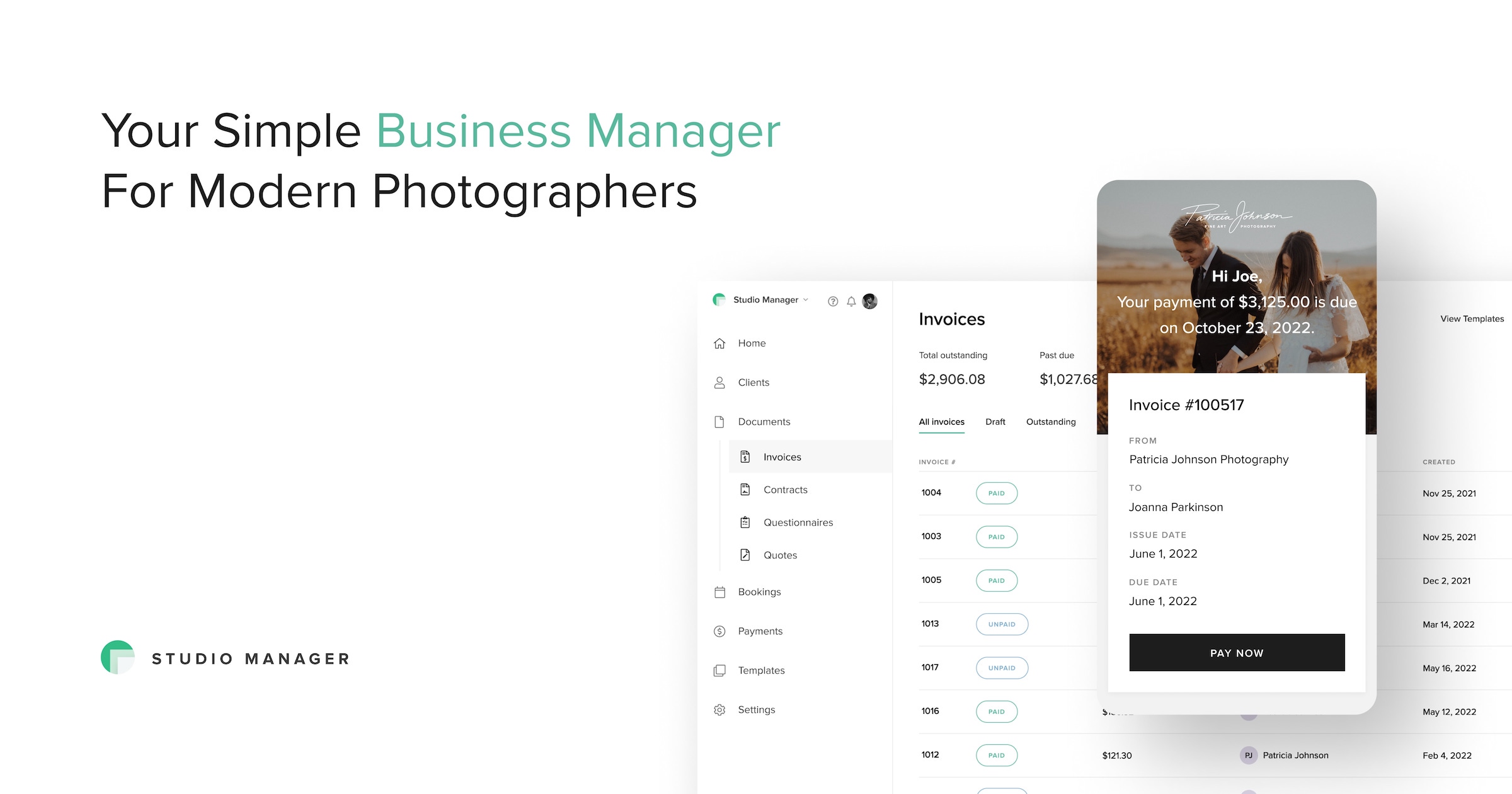
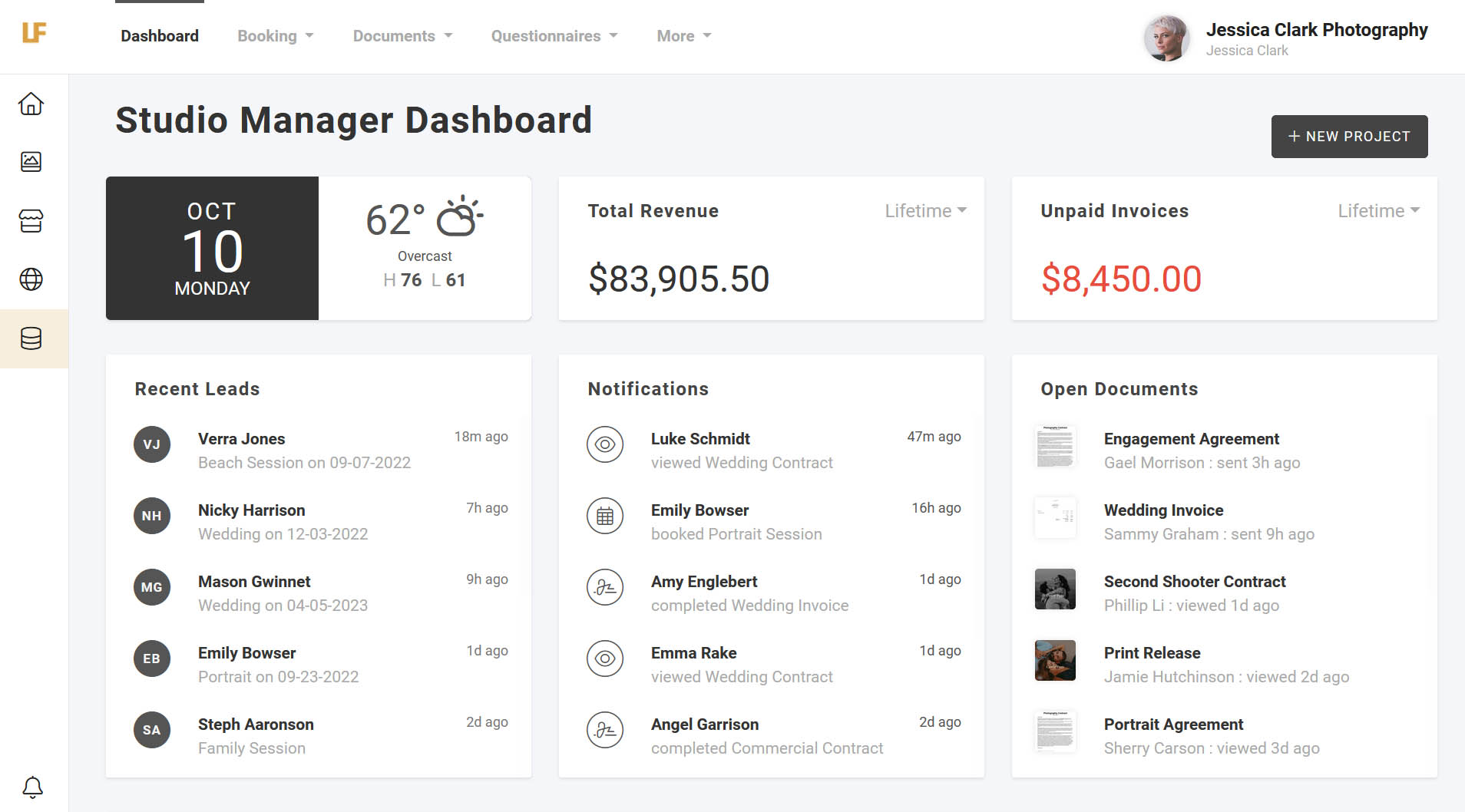
Pixieset Studio Manager

Pixieset Studio Manager is an all-in-one CRM specifically tailored to the needs of photographers. It helps manage bookings, process payments, and grow photographers' businesses by providing streamlined client communication and onboarding features. It is specially designed to alleviate common pain points in the photography industry.

Best for Client Onboarding Software for Photographers

Expert Take

Pixieset Studio Manager excels as a CRM tailored for photographers, offering essential features like booking management and client onboarding. Its integration capabilities and mobile access enhance usability, although customization and email marketing tools are limited. The product's focus on the photography niche solidifies its position as a top choice in its category.

Pros

  • Tap to Pay on mobile for in-person sales
  • Seamless integration with Pixieset Client Galleries
  • Extremely intuitive and clean user interface
  • All-in-one suite for website, gallery, and CRM

Cons

  • Lacks advanced 'if-this-then-that' workflow automation
  • No unified client portal for client login
  • Store commission fees apply on the free plan

Best for teams that are

  • Photographers who already use Pixieset for client galleries and websites
  • Beginners or low-volume photographers looking for a free starter plan

Skip if

  • Studios requiring complex, multi-step automated workflows
  • Users who need a comprehensive client portal for file management

Best for teams that are

  • Photographers who already use Pixieset for client galleries and websites
  • Beginners or low-volume photographers looking for a free starter plan

Skip if

  • Studios requiring complex, multi-step automated workflows
  • Users who need a comprehensive client portal for file management

Pros

  • Tap to Pay on mobile for in-person sales
  • Generous free plan with unlimited invoices
  • Seamless integration with Pixieset Client Galleries
  • Extremely intuitive and clean user interface
  • All-in-one suite for website, gallery, and CRM

Cons

  • Lacks advanced 'if-this-then-that' workflow automation
  • No unified client portal for client login
  • Limited third-party integrations outside Pixieset ecosystem
  • Store commission fees apply on the free plan

Expert Take

Pixieset Studio Manager excels as a CRM tailored for photographers, offering essential features like booking management and client onboarding. Its integration capabilities and mobile access enhance usability, although customization and email marketing tools are limited. The product's focus on the photography niche solidifies its position as a top choice in its category.

AgentSync: Insurance Compliance Tool

AgentSync is a powerful SaaS solution purpose-built for insurance companies. This tool helps insurers streamline their distribution process, automate producer management, and ensure compliance, all while reducing operating costs. It is designed to specifically address the unique challenges faced by insurance professionals in client onboarding and compliance management.

Best for Client Onboarding Software for Insurance Agents

Expert Take

AgentSync excels in providing industry-specific solutions for insurance compliance and client onboarding. Its capabilities in automating compliance management and streamlining producer management are well-documented. Despite the lack of transparent pricing, the product's specialized features and scalability make it a top choice in its niche.

Pros

  • Built natively on Salesforce platform
  • SOC 2 Type II security certified
  • Bulk onboarding for 5,000+ producers
  • Automated compliance scorecards and alerts

Cons

  • Pricing not publicly available
  • Salesforce interface has learning curve
  • Occasional sync delays reported
  • Complex setup for small teams

Best for teams that are

  • Operations teams needing real-time NIPR syncing
  • Fast-growing agencies scaling their producer networks

Skip if

  • Solopreneurs or small teams without compliance needs
  • Users needing a policy management system

Best for teams that are

  • Operations teams needing real-time NIPR syncing
  • Fast-growing agencies scaling their producer networks

Skip if

  • Solopreneurs or small teams without compliance needs
  • Users needing a policy management system

Pros

  • Real-time daily NIPR data synchronization
  • Built natively on Salesforce platform
  • SOC 2 Type II security certified
  • Bulk onboarding for 5,000+ producers
  • Automated compliance scorecards and alerts

Cons

  • Pricing not publicly available
  • High average cost (~$100k/year)
  • Salesforce interface has learning curve
  • Occasional sync delays reported
  • Complex setup for small teams

Expert Take

AgentSync excels in providing industry-specific solutions for insurance compliance and client onboarding. Its capabilities in automating compliance management and streamlining producer management are well-documented. Despite the lack of transparent pricing, the product's specialized features and scalability make it a top choice in its niche.

Loading comparison data…

How We Rank Products

Our Evaluation Process

Our Evaluation Process

When evaluating client onboarding platforms, we assess workflow automation, task assignment, document management, and visibility for both internal teams and clients. We review integrations with CRM, project management, billing, and support systems to ensure smooth transitions. Reporting on onboarding progress, bottlenecks, and time-to-value is also key. At the Level 3 summary, we highlight tools that perform best across Level 4 categories—such as B2B onboarding, agency onboarding, and SaaS implementation—to surface the top solutions for scaling onboarding processes.

Verification

Categories reflect standard customer onboarding and implementation lifecycle workflows. Our taxonomy aligns with how revenue and success teams evaluate onboarding platforms. Level 3 recommendations derive from more detailed Level 4 analyses across onboarding complexity levels.

Verification

  • Products evaluated through comprehensive research and analysis of user satisfaction and feature effectiveness.
  • Rankings based on in-depth analysis of client onboarding processes and integration capabilities.
  • Selection criteria focus on user feedback, expert reviews, and industry benchmarks for onboarding efficiency.

Score Breakdown

0.0 / 10

About Client Onboarding & Implementation Software

What Is Client Onboarding & Implementation Software?

Client Onboarding & Implementation Software is a specialized category of business technology designed to orchestrate, automate, and monitor the critical transition phase between a "closed deal" and a fully operational, value-generating client relationship. This category covers software used to manage the initial setup, configuration, data migration, and training required to bring a new customer online. It sits directly between the Customer Relationship Management (CRM) system—which tracks the sales pipeline and acquisition—and the Customer Success (CS) or Enterprise Resource Planning (ERP) platforms—which manage long-term retention, renewals, and operational execution. It includes both general-purpose project management platforms optimized for external collaboration and vertical-specific tools built for highly regulated or complex industries like financial services, healthcare, and construction.

Unlike generic project management tools that are primarily inward-facing, Client Onboarding & Implementation Software is distinct in its dual-facing architecture. It provides an internal view for implementation teams to manage tasks, resources, and timelines, while simultaneously offering an external client portal or interface that guides the new customer through their responsibilities—document submission, approval sign-offs, and training modules—without exposing them to internal complexities. The core problem this software solves is the "post-signature void," where momentum often stalls due to miscommunication, manual data entry errors, and lack of visibility into project status. By structuring this chaotic phase, the software aims to minimize Time to Value (TTV)—the duration between purchase and the realization of expected benefits—which is a leading indicator of long-term retention and customer lifetime value.

This software is utilized by a wide spectrum of organizations, from high-growth SaaS companies and digital marketing agencies to heavy manufacturing firms and financial institutions. For smaller, niche buyers, it serves as a mechanism to professionalize the client experience and reduce administrative overhead. For enterprise teams, it functions as a governance layer, ensuring compliance, standardization across global implementation teams, and integration with complex tech stacks. It matters because the onboarding phase is the most vulnerable point in the customer lifecycle; industry data consistently suggests that a significant percentage of customer churn is rooted in poor onboarding experiences. By digitizing and streamlining this process, organizations not only secure the revenue they have just closed but also set the stage for upsell opportunities and advocacy.

History of the Category

The evolution of Client Onboarding & Implementation Software is a narrative of the market moving from generic, disjointed tools to specialized, purpose-built platforms. In the 1990s and early 2000s, "onboarding" was not a distinct software category. As the Enterprise Resource Planning (ERP) and Customer Relationship Management (CRM) markets matured with giants like SAP and Salesforce defining the back-office and front-office respectively, the implementation phase was largely managed through a combination of spreadsheet checklists, on-premise project management software, and endless email chains. This era was characterized by the "throw it over the wall" mentality, where sales teams would close a deal and hand it off to a services team with little context or structured data transfer.

The rise of the subscription economy and Vertical SaaS in the late 2000s and early 2010s fundamentally shifted buyer expectations. As businesses moved from on-premise software with multi-year implementation cycles to cloud-based solutions, the tolerance for long, opaque deployment periods evaporated. Customers expected rapid value realization. This created a functional gap that generic project management tools could not fill. While tools like Microsoft Project or early Jira versions excelled at engineering workflows, they lacked the client-facing transparency required for collaborative implementation. This gap birthed the first wave of customer onboarding solutions, which were often glorified checklists or simple client portals designed to replace email attachments.

By the mid-2010s, a wave of market consolidation and the maturing of Customer Success as a discipline accelerated the category's development. Acquisitions played a role, but more importantly, the integration of API economies allowed these tools to stop acting as isolated islands. They began to pull data directly from CRMs and push project milestones into financial systems for billing triggers. The narrative shifted from "give me a database to track tasks" to "give me actionable intelligence on my implementation bottlenecks." Today, the market has bifurcated into broad, horizontal platforms that service any B2B onboarding need, and highly specialized vertical tools—particularly in fintech and healthcare—where regulatory compliance (KYC, HIPAA) drives the feature set. The modern buyer now demands a platform that not only manages the workflow but uses predictive analytics to identify at-risk projects before they stall, reflecting a sophisticated market that views onboarding as a revenue driver rather than a cost center.

What to Look For

When evaluating Client Onboarding & Implementation Software, the primary objective is to find a solution that balances internal rigor with external simplicity. The most critical evaluation criterion is bi-directional transparency. The platform must allow your internal team to see detailed resource allocation, dependency chains, and technical nuances, while presenting the client with a simplified, digestible view of their responsibilities. Look for "magic link" access or passwordless entry for clients; friction at the login screen is the first step toward onboarding abandonment. Furthermore, assess the templating capabilities. A robust tool should allow you to create dynamic playbooks that adjust automatically based on the product sold or the customer segment, rather than requiring a manual rebuild of the project plan for every new deal.

Another vital factor is the granularity of analytics. You are not just looking for "tasks completed" metrics. World-class platforms track "Time to Value" (TTV), "Time in Stage," and "Stall Points." You need to know if your projects consistently drag during the data migration phase or the legal review phase. Ask vendors specifically how their reporting engine helps you identify these bottlenecks. Additionally, scrutinize the automation engine. Can the system automatically nudge a client who is three days late on a document upload without your project manager sending an email? Can it trigger the next internal task immediately upon a client's approval? These "zero-touch" interactions are essential for scaling your operations without linear headcount growth.

Be wary of red flags such as a lack of native integrations with your existing CRM. If the vendor suggests a "flat file upload" as the primary way to get deal data into their system, walk away. This creates data silos and increases administrative burden. Another warning sign is a platform that feels like a rigid engineering tool reskinned for clients. If the user interface requires a training manual for your client to understand, it will fail. Adoption is the biggest hurdle in external onboarding; complexity is the enemy.

Key questions to ask vendors include:

  • "How does your licensing model handle external users? Will I be charged for every client I invite to the platform?" (Ideally, external client seats should be free and unlimited).
  • "Can I segment visibility so that clients only see tasks relevant to them, or will they see our internal 'sausage making'?"
  • "Show me exactly what the 'handover' looks like from our Sales CRM to your platform. Is it a manual button push or an automated trigger?"
  • "Does your platform support 'parallel processing' workflows, where multiple teams (e.g., legal, technical, training) can work simultaneously, or is it strictly linear?"

Industry-Specific Use Cases

Retail & E-commerce

In the retail and e-commerce sectors, Client Onboarding & Implementation Software acts as the backbone for vendor management and marketplace scaling. Unlike B2B service firms that onboard a few dozen high-value clients, large retailers and e-commerce marketplaces often onboard hundreds or thousands of suppliers simultaneously. The primary pain point here is catalog ingestion and standardization. Onboarding software in this space must excel at collecting diverse data sets—SKUs, product imagery, pricing tiers, and inventory levels—and validating them against strict internal standards before they reach the storefront. Evaluation priority should be placed on robust forms automation and bulk data processing capabilities. A critical consideration is the software's ability to handle multi-party workflows involving merchandising, legal, and logistics teams to ensure a vendor is compliant with shipping protocols and EDI (Electronic Data Interchange) standards. E-commerce platforms specifically use these tools to reduce the "time to live" for new sellers, directly impacting Gross Merchandise Value (GMV). A delay in onboarding a seasonal vendor can mean missing a holiday window entirely, making speed and automated validation logic paramount.

Healthcare

Healthcare organizations utilize Client Onboarding & Implementation Software with a heavy emphasis on credentialing, compliance, and clinical data integration. Whether it is a hospital system onboarding a new specialized clinic or a health-tech vendor implementing software for a provider network, the stakes involve Protected Health Information (PHI) and patient safety. The unique need here is strict adherence to regulatory frameworks like HIPAA in the US or GDPR in Europe. Evaluation priorities must focus on security certifications (SOC2 Type II, ISO 27001) and the ability to maintain a tamper-proof audit trail of every document viewed and approved. Unlike retail, speed is often secondary to accuracy and risk mitigation. Unique considerations include the ability to integrate with Electronic Health Record (EHR) systems to ensure data flows correctly during implementation. Healthcare onboarding often requires "wet signatures" or highly secure e-signatures for Business Associate Agreements (BAAs), so seamless integration with enterprise-grade e-signature platforms is a non-negotiable requirement. The workflow often involves distinct phases for legal review, technical IT security review, and clinical training, requiring a platform that can manage complex, parallel approval gates.

Financial Services

For Financial Services, onboarding is synonymous with risk management. Banks, wealth management firms, and fintechs use this software to navigate the labyrinth of Know Your Customer (KYC) and Anti-Money Laundering (AML) regulations [1]. The specific need is to collect sensitive documentation—passports, tax returns, corporate formation documents—securely and efficiently. A major evaluation priority is the reduction of NIGO (Not In Good Order) rates, which refers to paperwork submitted with errors or missing information [2]. The software must have intelligent forms that validate data at the point of entry to prevent the "ping-pong" of rejections between the back office and the client. Unique considerations include the need for identity verification integrations and the ability to handle complex entity structures (e.g., trusts, LLCs). Financial institutions also require "dynamic" onboarding paths; a low-risk retail client should have a frictionless, automated path, while a high-net-worth institutional client triggers a "high-touch" workflow with enhanced due diligence steps. The software serves as the orchestration layer that triggers these background checks and aggregates the results for a compliance officer's final approval.

Manufacturing

In the manufacturing sector, onboarding software is often deployed to manage complex supply chain integration and distributor setup. The onboarding process here is not just digital; it often bridges the physical and digital worlds. For example, onboarding a new supplier might involve digital contract signing alongside physical sample inspections and facility audits. Specific needs revolve around ERP integration; the onboarding tool must push verified supplier data into systems like SAP or Oracle to enable purchasing. Evaluation priorities include project management features that can handle long timelines (often months) and dependencies that are external to the firm, such as shipping logistics or raw material certification. A unique consideration is the "multi-tier" nature of manufacturing onboarding, where a primary contractor must also onboard their subcontractors. The software provides visibility into this extended network, ensuring that quality standards and insurance requirements are met at every level of the supply chain. Manufacturers use these tools to minimize supply chain disruption risk by ensuring every partner is fully vetted and operationally ready before the first order is placed [3].

Professional Services

Professional Services firms—agencies, consultancies, and legal firms—use onboarding software to manage client expectations and scope alignment. The "product" is time and expertise, making the initial handover critical to project profitability. The specific need is to move quickly from the sales promise to a defined Statement of Work (SOW) execution. Evaluation priorities focus on client collaboration features; the ability for clients to comment on deliverables, approve milestones, and upload assets in a central repository is essential to prevent "scope creep." Unlike highly regulated industries, the unique consideration here is the "high-touch" client experience. The software is often white-labeled to look like a proprietary portal, reinforcing the firm's brand authority. It must handle the collection of brand assets, access credentials to client systems, and the scheduling of kickoff workshops. Professional services firms evaluate these tools based on their ability to automate administrative busywork (like chasing clients for logos or login details), thereby freeing up high-billable consultants to focus on strategic work rather than project administration [4].

Subcategory Overview

Client Onboarding Software for Venture Capital Firms Venture Capital firms operate in a high-stakes, high-velocity environment where the onboarding "client" is actually a Limited Partner (LP) committing capital to a fund. This niche requires software that specifically handles the complexity of subscription agreements and capital calls. Unlike generic onboarding tools which focus on project tasks, software in this category excels at digitizing the "sub doc" process—transforming 100-page PDF legal booklets into smart, digital workflows that guide investors through tax forms and regulatory disclosures. A workflow that ONLY this specialized tool handles well is the automated validation of "accredited investor" status and the mapping of complex entity structures (e.g., a Family Trust investing via an LLC) directly into the fund's back-office administration system. The specific pain point driving buyers here is the manual reconciliation of paper subscription documents, which is error-prone and delays fund closing. General project management tools cannot handle the legal rigidity or the specific data fields required for fund administration. For a deeper analysis of the tools shaping this space, refer to our guide to Client Onboarding Software for Venture Capital Firms.

Client Onboarding Software for Private Equity Firms Similar to VC but often with greater complexity and regulatory burden, Private Equity firms utilize onboarding software to manage the lifecycle of institutional investors. The differentiator here is the depth of compliance and tax automation required, specifically around K-1 tax form distribution and anti-money laundering (AML) checks across global jurisdictions. One workflow that only specialized PE tools handle effectively is the parallel processing of multi-jurisdictional compliance—simultaneously running checks for a Cayman-domiciled fund and a Delaware feeder fund for the same investor. The pain point driving buyers away from generic tools is the sheer volume and sensitivity of the data; PE firms cannot risk using a standard project tool for handling sensitive financial disclosures that require audit trails compliant with SEC or other regulatory bodies. These platforms often serve as a secure "investor portal" that persists for the life of the fund, not just the initial setup. To explore the leading solutions in this sector, see Client Onboarding Software for Private Equity Firms.

Client Onboarding Software for Financial Advisors Financial Advisors (RIAs) and wealth managers face a unique challenge: the "Great Wealth Transfer" and the expectation of a digital-first experience from younger clients. This software niche is distinct from generic tools because it integrates deep custodial data feeds and risk profiling workflows. A workflow unique to this category is the ACAT (Automated Customer Account Transfer) process, where the software automates the movement of assets from an old brokerage to the new advisor, tracking the transfer status in real-time. Generic tools cannot interface with custodians like Schwab or Fidelity to track these asset movements. The specific pain point is "NIGO" (Not In Good Order) paperwork rates; advisors lose countless hours re-sending forms because a client missed a signature or checked the wrong box. Specialized software uses "smart forms" logic to prevent submission errors before they happen. For detailed comparisons of these advisor-centric tools, visit Client Onboarding Software for Financial Advisors.

Client Onboarding Software for Loan Officers In the mortgage and lending industry, speed is currency. This subcategory focuses intensely on the borrower experience and the collection of stipulations (stips) required for underwriting. Unlike broad onboarding tools, these platforms connect directly with Loan Origination Systems (LOS) and credit bureaus. A workflow exclusive to this niche is the automated retrieval of bank statements and tax transcripts directly from financial institutions, bypassing the need for the client to download and upload PDF statements manually. The driving pain point is "loan file fragmentation"—the chaos of having income documents in email, credit reports in a portal, and application data in the LOS. Specialized software centralizes this into a single "loan file" view that updates in real-time as the borrower completes tasks on their mobile device. To see which platforms are best for accelerating loan closings, check out Client Onboarding Software for Loan Officers.

Client Onboarding Software for Roofing Companies This is a highly specialized vertical where "onboarding" translates to moving a homeowner from a signed estimate to a scheduled production job. What makes this genuinely different is the integration of field data and insurance contingency workflows. A workflow unique to this niche is the management of the "insurance claim supplement" process, where the software helps the contractor document additional damage found during the job to get approval from the homeowner's insurance carrier. Generic tools fail here because they lack the specific fields for roof measurements, material orders (shingle colors, underlayment types), and the contingency contracts required in storm restoration. The pain point driving roofers to this niche is the disconnect between the sales team (often door-knocking) and the production office; specialized tools bridge this by allowing field reps to upload photos and signed contracts that instantly trigger material orders and crew scheduling. For a breakdown of the top tools in this trade, read Client Onboarding Software for Roofing Companies.

Integration & API Ecosystem

In the modern software stack, Client Onboarding & Implementation Software cannot exist as an island. Its utility is directly proportional to its connectivity. According to the MuleSoft Connectivity Benchmark Report, the average enterprise now uses nearly 1,000 distinct applications, yet only 29% of them are integrated [5]. This statistic highlights the massive fragmentation challenge that onboarding software must address. A robust API ecosystem is not a "nice-to-have"; it is the circulatory system of the implementation process. Buyers must evaluate the depth of bi-directional sync capabilities—specifically, whether the onboarding tool can read deal details from a CRM (like Salesforce or HubSpot) to auto-create projects, and write project status updates back to the CRM so account executives remain informed without leaving their system of record.

Gartner's VP of Research notes that integration challenges are a primary cause of project failure, stating that "organizations that fail to prioritize integration miss out on cost-savings, growth, and efficiency opportunities." [5]. This expert insight underscores that the value of onboarding software is often capped by its ability to talk to other systems. An "open API" is the standard, but the existence of pre-built, native connectors to popular tools (Jira, Slack, Zendesk, Netsuite) is a superior indicator of a mature platform. Native integrations often handle edge cases—like error handling when a sync fails—better than custom-built API connections maintained by your internal IT team.

Scenario: Consider a 50-person professional services firm that attempts to connect their onboarding tool to their invoicing (QuickBooks) and project management (Asana) systems using a cheap, "zapier-style" middleware rather than a native integration. In this scenario, a project manager marks a phase as "complete" in the onboarding tool. Ideally, this should trigger an invoice in QuickBooks. However, because the integration is poorly designed and lacks error handling, the trigger fails due to a mismatched client email address. The finance team is never notified. Three weeks later, the client complains about a late invoice, and the firm realizes they have delayed their own cash flow by nearly a month. A robust, native integration would have flagged the data mismatch immediately, preventing the revenue delay.

Security & Compliance

As onboarding software acts as the repository for sensitive initial data—including contracts, financial details, and strategic goals—it is a prime target for security breaches. The IBM Cost of a Data Breach Report 2023 reveals that the global average cost of a data breach reached an all-time high of $4.45 million [6]. This staggering figure illustrates that security is not just an IT concern but a fundamental business risk. When evaluating vendors, looking for SOC 2 Type II compliance is the baseline, not the gold standard. Buyers must investigate data residency options (critical for GDPR compliance in Europe) and granular permission settings. The ability to restrict access to specific fields (e.g., hiding a social security number from a project manager who doesn't need it) is a hallmark of enterprise-grade security.

According to a recent study by Gartner, organizations that have effective compliance programs experience 50% fewer security incidents compared to those with weak or no compliance measures in place [7]. This highlights that the software itself must enforce compliance—for example, by automatically expiring links to sensitive documents after a set period or requiring multi-factor authentication (MFA) for all external client users. Compliance is not just about keeping bad actors out; it's about ensuring that the good actors (your employees and clients) don't accidentally expose data through negligence.

Scenario: Imagine a mid-sized healthcare tech vendor onboarding a hospital client. The project manager, trying to be helpful, downloads a spreadsheet of patient data from the secure onboarding portal and emails it to a colleague for formatting. This action constitutes a HIPAA violation. A secure onboarding platform with proper compliance controls would prevent this by disabling the "export" function for users with specific roles, or by automatically encrypting any file that leaves the system. Without these guardrails, the vendor faces massive fines and reputational ruin, transforming a simple operational task into a catastrophic liability.

Pricing Models & TCO

The pricing landscape for Client Onboarding Software is shifting from rigid per-seat models to more flexible, value-based structures. Per-seat pricing, while predictable, can penalize growth and collaboration. As noted in industry analysis, per-seat models inherently limit the democratization of software, often causing organizations to restrict access to key personnel to save costs [8]. This creates "shadow stakeholders" who are involved in the project but cannot see the software, leading to communication gaps. Modern vendors are increasingly offering "per active project" or "per onboarding" pricing, which aligns the cost with the value being delivered (revenue generation) rather than the headcount.

Vendr's SaaS Trends Report highlights that 73% of SaaS providers raised prices by an average of 12% between 2022 and 2023 [9]. This inflationary pressure makes Total Cost of Ownership (TCO) calculations vital. TCO is not just the license fee; it includes implementation fees, training costs, and the "hidden" cost of premium support or API call overages. Buyers must ask for a clear breakdown of "expansion costs"—how much does the price jump if you double your volume of onboarded clients next year?

Scenario: Let's calculate the TCO for a hypothetical 25-person implementation team. * **Per-Seat Model**: $50/user/month. 25 users = $1,250/month. Annual Cost = $15,000. * **Usage-Based Model**: $200 per active project. The team handles 10 concurrent projects. Monthly cost = $2,000. Annual Cost = $24,000. At first glance, the per-seat model looks cheaper. However, the 25-person team actually interacts with 50 different freelancers and subject matter experts who log in occasionally. If the per-seat model requires paying for those 50 sporadic users, the cost balloons to $45,000/year. Conversely, if the usage model allows unlimited users per project, it becomes the far more economical choice as the team scales its collaboration without scaling its costs. The "cheaper" sticker price often masks the true operational cost of restricted collaboration.

Implementation & Change Management

Implementing software designed to improve implementation is ironically one of the most difficult change management challenges a firm can face. McKinsey research famously indicates that 70% of large-scale digital transformations fail to meet their goals, largely due to employee resistance and lack of management support [10]. The failure usually isn't technical; it's cultural. Implementation teams often view a new tracking tool as "big brother" surveillance rather than a productivity aid. Successful deployment requires a "what's in it for me" (WIIFM) narrative, demonstrating how the tool automates the tasks they hate—like chasing clients for emails—rather than just adding data entry work.

Forrester emphasizes that "organizations that approach onboarding as a strategic process ensure that they're aligned with the customer on their definition of success," noting that effective change management connects tool adoption to business outcomes like reduced churn [11]. Leaders must involve the implementation team in the selection process early on. If the people doing the work don't buy into the tool, they will find ways to work around it, rendering the software a hollow shell of empty data.

Scenario: A SaaS company purchases a high-end onboarding platform but fails to invest in training, assuming the "intuitive UI" is enough. They mandate that all projects must be tracked in the new system starting Monday. The implementation managers, feeling unheard and overwhelmed, do the bare minimum data entry to satisfy management while continuing to run their real projects in their personal spreadsheets. Six months later, management runs a report and sees "zero stall points" despite massive customer churn. The data in the system is a fiction because the culture of adoption was never established. The implementation failed not because the software was broken, but because the change management was ignored.

Vendor Evaluation Criteria

Selecting a vendor is a bet on a partnership, no

Quick one question survey

Thanks for your input!
Your response has been recorded.