Workforce Scheduling & Shift Management Tools

Updated July 17, 2026

These are the specialized categories within Workforce Scheduling & Shift Management Tools. Looking for something broader? See all HR & People Management Software categories.

Not sure which one is right for you?

Answer 4 quick questions and we'll match you with your best options

Find Your Best Match

How big is your team?

Just me
2 - 10
11 - 50
51 - 200
201 - 1,000
1,000+

What's your budget situation?

Free or open-source only
Free to start, pay later
Best value for money
Price isn't the main factor

What's your team's technical comfort level?

We want it to just work
We can handle some setup
We have developers who'll customize it

What's the ONE thing this tool must do well?

Step 1 of 4
NiCE CXone Call Center Software

NiCE CXone is a comprehensive workforce planning software specifically designed for call centers. It offers the flexibility, scalability, and robustness of a cloud solution to assist in efficient workforce planning and overall business management. The software is equipped with industry-specific features that cater to the unique needs of call center operations.

Best for Workforce Scheduling Tools for Call Centers & Support Teams

Expert Take

NiCE CXone excels as a workforce scheduling tool for call centers, offering robust cloud-based solutions tailored to industry needs. It is recognized for its scalability and comprehensive features, making it a top choice for call center operations. While it may require training, its capabilities justify its premium positioning.

Pros

  • Unified CCaaS, WFM, and Analytics
  • 30+ native digital channels
  • Advanced Enlighten AI Copilot
  • 11-time Gartner Magic Quadrant Leader

Cons

  • Studio interface can be laggy
  • Steep learning curve for scripting
  • Occasional voice latency reported
  • Complex custom reporting configuration

Best for teams that are

  • Organizations consolidating AI, routing, and scheduling into one native ecosystem
  • Highly regulated industries demanding stringent compliance and FedRAMP adherence

Skip if

  • Small businesses and budget-conscious buyers needing only lightweight scheduling
  • Organizations reluctant to undergo complex, enterprise-level digital transformations

Best for teams that are

  • Organizations consolidating AI, routing, and scheduling into one native ecosystem
  • Highly regulated industries demanding stringent compliance and FedRAMP adherence

Skip if

  • Small businesses and budget-conscious buyers needing only lightweight scheduling
  • Organizations reluctant to undergo complex, enterprise-level digital transformations

Pros

  • FedRAMP Moderate Authorized security
  • Unified CCaaS, WFM, and Analytics
  • 30+ native digital channels
  • Advanced Enlighten AI Copilot
  • 11-time Gartner Magic Quadrant Leader

Cons

  • Studio interface can be laggy
  • Advanced AI costs extra
  • Steep learning curve for scripting
  • Occasional voice latency reported
  • Complex custom reporting configuration

Expert Take

NiCE CXone excels as a workforce scheduling tool for call centers, offering robust cloud-based solutions tailored to industry needs. It is recognized for its scalability and comprehensive features, making it a top choice for call center operations. While it may require training, its capabilities justify its premium positioning.

Workday Workforce Scheduling

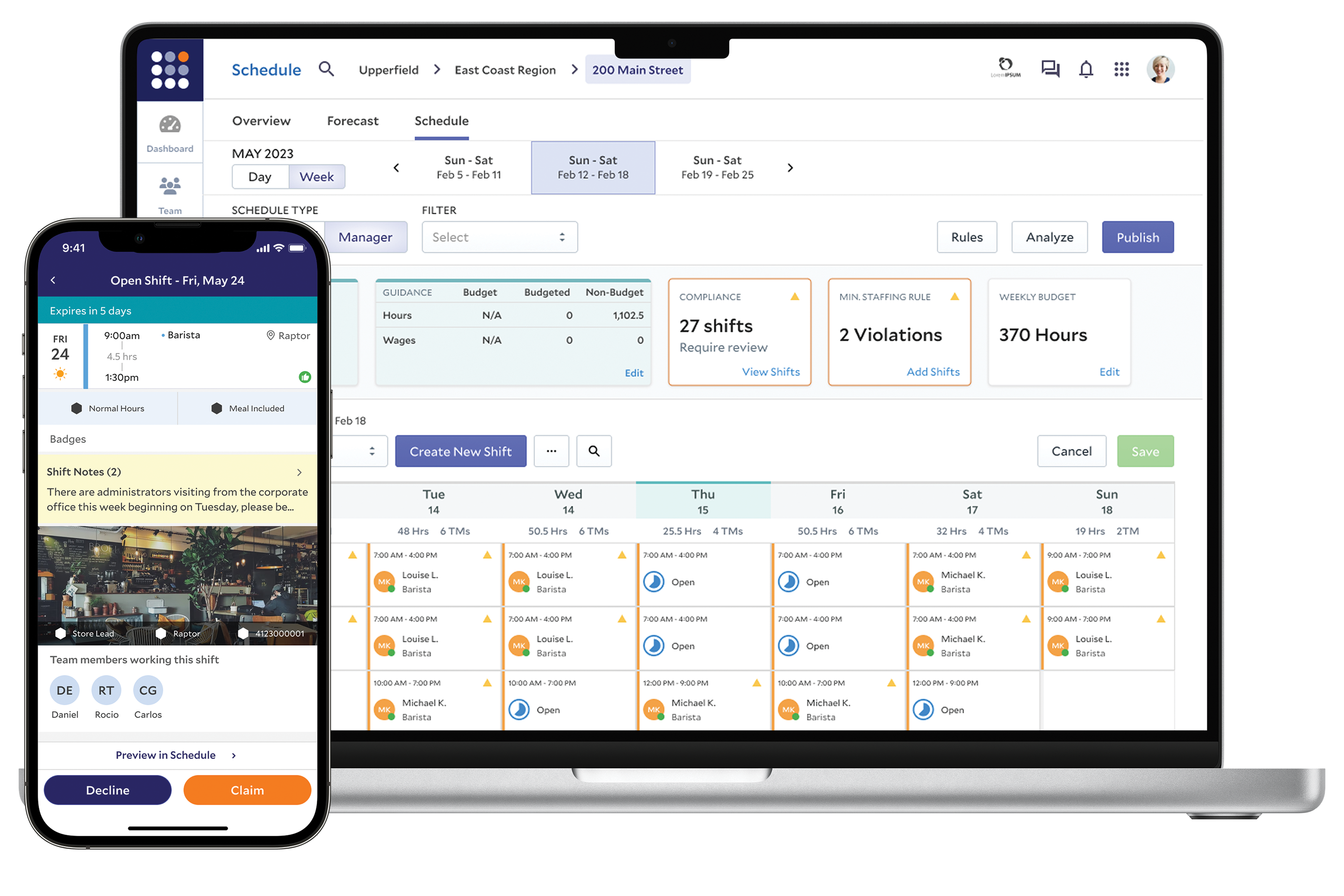
Workday Workforce Scheduling is a cutting-edge solution specifically designed for recruitment agencies. It optimizes labor costs and prevents over- and under-scheduling by matching worker availability, skills, and preferences with open shifts. This software is key for recruitment agencies seeking to streamline their shift scheduling process and efficiently manage their workforce.

Best for Shift Scheduling & Workforce Management for Recruitment Agencies

Expert Take

Workday Workforce Scheduling is recognized for its advanced capabilities in optimizing shift scheduling for recruitment agencies. Its integration with worker availability and skills ensures efficient workforce management. The product's market credibility is supported by Workday's established reputation and third-party validations.

Pros

  • AI-driven demand forecasting
  • Real-time labor cost visibility
  • Automated compliance checks
  • Mobile shift swapping

Cons

  • Opaque pricing structure
  • Steep learning curve
  • High implementation costs
  • Complex custom reporting

Best for teams that are

  • Large global enterprises already using Workday HCM
  • Complex workforces needing AI-driven skills and availability matching

Skip if

  • Small to medium-sized businesses due to high cost and complexity
  • Companies looking for a quick-to-implement standalone tool

Best for teams that are

  • Large global enterprises already using Workday HCM
  • Complex workforces needing AI-driven skills and availability matching

Skip if

  • Small to medium-sized businesses due to high cost and complexity
  • Companies looking for a quick-to-implement standalone tool

Pros

  • AI-driven demand forecasting
  • Unified HCM and payroll data
  • Real-time labor cost visibility
  • Automated compliance checks
  • Mobile shift swapping

Cons

  • Opaque pricing structure
  • Steep learning curve
  • Mobile app performance lag
  • High implementation costs
  • Complex custom reporting

Expert Take

Workday Workforce Scheduling is recognized for its advanced capabilities in optimizing shift scheduling for recruitment agencies. Its integration with worker availability and skills ensures efficient workforce management. The product's market credibility is supported by Workday's established reputation and third-party validations.

3
9.1 / 10
Homebase Scheduling

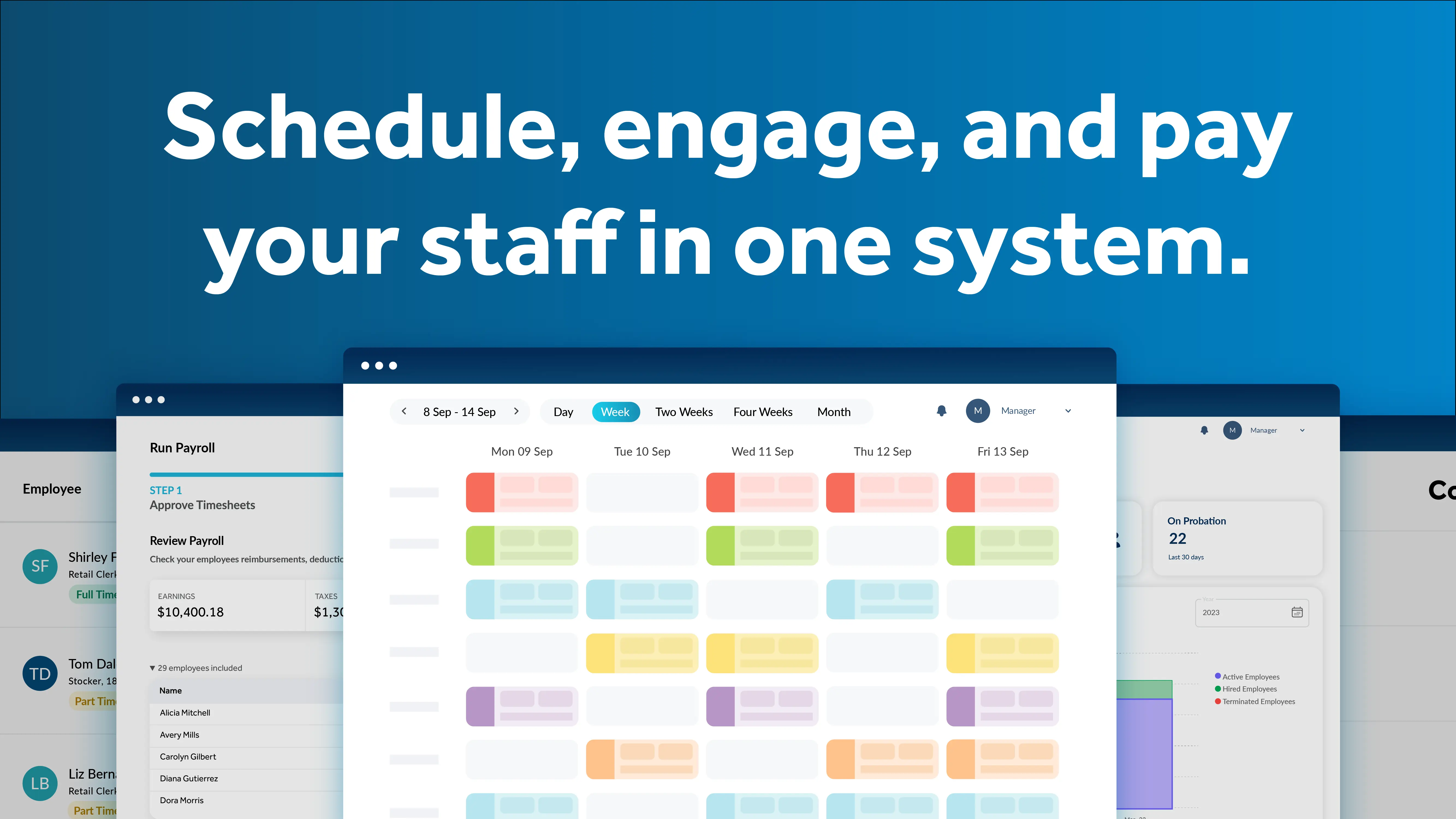
Homebase Scheduling is an all-in-one workforce management tool designed for hourly teams in call centers and support environments. It offers seamless integration with popular POS systems, geofenced time tracking, and built-in team messaging, streamlining operations for small businesses.

Best for Workforce Scheduling Tools for Call Centers & Support Teams

Expert Take

Homebase stands out as an exceptionally well-rounded workforce management tool tailored specifically for hourly teams. We love its intuitive scheduling interface that effortlessly integrates with top point-of-sale systems like Toast and Square. By combining team messaging, geofenced time tracking, and shift management into one cohesive mobile experience, it empowers small business owners to ditch spreadsheets and saves managers valuable administrative hours every week.

Pros

  • Seamless POS and payroll integrations
  • Geofenced tracking prevents time theft
  • Built-in team messaging functionality

Cons

  • Pricing scales poorly for multi-locations
  • Costly add-ons for task management

Best for teams that are

  • Owners needing a unified platform for hiring, onboarding, scheduling, and payroll
  • Budget-conscious small businesses wanting a robust free tier for basic time tracking

Skip if

  • Enterprise-level BPO call centers requiring predictive volume forecasting
  • Support operations that require omnichannel ticketing integration or skill routing

Best for teams that are

  • Owners needing a unified platform for hiring, onboarding, scheduling, and payroll
  • Budget-conscious small businesses wanting a robust free tier for basic time tracking

Skip if

  • Enterprise-level BPO call centers requiring predictive volume forecasting
  • Support operations that require omnichannel ticketing integration or skill routing

Pros

  • Strong free plan for small teams
  • Seamless POS and payroll integrations
  • Geofenced tracking prevents time theft
  • Built-in team messaging functionality

Cons

  • Pricing scales poorly for multi-locations
  • Payroll support has reported issues
  • Costly add-ons for task management

Expert Take

Homebase stands out as an exceptionally well-rounded workforce management tool tailored specifically for hourly teams. We love its intuitive scheduling interface that effortlessly integrates with top point-of-sale systems like Toast and Square. By combining team messaging, geofenced time tracking, and shift management into one cohesive mobile experience, it empowers small business owners to ditch spreadsheets and saves managers valuable administrative hours every week.

ADP Global Workforce Management Suite

ADP Global Workforce Management Suite is a unified solution specifically designed for unionized workforces. Its advanced shift management features enable accurate workforce scheduling, ensuring compliance with complex union rules and regulations, thus improving overall workforce efficiency.

Best for Shift Management Platforms for Unionized Workforces

Expert Take

ADP Global Workforce Management Suite is recognized for its advanced capabilities in managing unionized workforces, offering robust compliance and integration features. Its market credibility is supported by ADP's established reputation, although implementation complexity and pricing transparency are noted tradeoffs.

Pros

  • Automated global compliance for 140+ countries
  • Native integration with ADP HCM platforms
  • Advanced fatigue management and smart scheduling
  • Mobile-first design for deskless workers

Cons

  • Interface described as clunky and dated
  • Pricing is opaque and quote-based
  • Implementation can be costly and complex
  • Support response times can be slow

Best for teams that are

  • Organizations wanting a single unified system for all workforce data
  • Companies needing to automate complex pay rules and global compliance

Skip if

  • Small businesses better served by simpler tools like ADP Run
  • Organizations wanting a standalone best-of-breed scheduling tool

Best for teams that are

  • Organizations wanting a single unified system for all workforce data
  • Companies needing to automate complex pay rules and global compliance

Skip if

  • Small businesses better served by simpler tools like ADP Run
  • Organizations wanting a standalone best-of-breed scheduling tool

Pros

  • Unrivaled configurability for complex union rules
  • Automated global compliance for 140+ countries
  • Native integration with ADP HCM platforms
  • Advanced fatigue management and smart scheduling
  • Mobile-first design for deskless workers

Cons

  • Interface described as clunky and dated
  • Steep learning curve for administrators
  • Pricing is opaque and quote-based
  • Implementation can be costly and complex
  • Support response times can be slow

Expert Take

ADP Global Workforce Management Suite is recognized for its advanced capabilities in managing unionized workforces, offering robust compliance and integration features. Its market credibility is supported by ADP's established reputation, although implementation complexity and pricing transparency are noted tradeoffs.

Inform Workforce Management Software

Inform is a powerful workforce management solution designed for recruitment agencies. Its robust shift planning and scheduling capabilities help HR teams easily assign employees to tasks, shifts, and projects, optimizing staff utilization. It provides a streamlined, automated process that reduces errors and increases efficiency, crucial for the fast-paced nature of recruitment agencies.

Best for Shift Scheduling & Workforce Management for Recruitment Agencies

Expert Take

Inform Workforce Management Software excels in providing tailored solutions for recruitment agencies, with strong capabilities in shift scheduling and staff utilization. While it lacks transparent pricing, its industry-specific features and automation make it a top choice for its target market.

Pros

  • Proprietary 'Deductive Intelligence' enables flexible rule adaptation
  • Hybrid AI optimizes real-time operational decisions
  • StaffConnect app improves frontline employee engagement
  • Proven scalability with clients like Lufthansa and KLM

Cons

  • No public pricing transparency available
  • Steep learning curve for backend planners
  • Mobile app has reported login/bug issues
  • Primarily targeted at large enterprise operations

Best for teams that are

  • Heavy industries like aviation, logistics, ports, and manufacturing
  • Enterprises needing deep integration with SAP systems

Skip if

  • Standard retail, hospitality, or office environments
  • Small businesses seeking a plug-and-play SaaS solution

Best for teams that are

  • Heavy industries like aviation, logistics, ports, and manufacturing
  • Enterprises needing deep integration with SAP systems

Skip if

  • Standard retail, hospitality, or office environments
  • Small businesses seeking a plug-and-play SaaS solution

Pros

  • Proprietary 'Deductive Intelligence' enables flexible rule adaptation
  • Dominant market share in aviation ground handling
  • Hybrid AI optimizes real-time operational decisions
  • StaffConnect app improves frontline employee engagement
  • Proven scalability with clients like Lufthansa and KLM

Cons

  • No public pricing transparency available
  • Steep learning curve for backend planners
  • Implementation requires precise rule definition
  • Mobile app has reported login/bug issues
  • Primarily targeted at large enterprise operations

Expert Take

Inform Workforce Management Software excels in providing tailored solutions for recruitment agencies, with strong capabilities in shift scheduling and staff utilization. While it lacks transparent pricing, its industry-specific features and automation make it a top choice for its target market.

StaffReady Healthcare Workforce Management

StaffReady is specifically designed for the medical and laboratory communities, offering solutions for scheduling, competency assessment, and document control. With its industry-targeted features, it streamlines administrative tasks, ensuring efficient workforce deployment and compliance with healthcare-specific regulations.

Best for Workforce Scheduling Tools for Healthcare & Clinics

Expert Take

StaffReady excels in providing healthcare-specific workforce management solutions, with strong capabilities in scheduling, competency assessment, and document control. The product is well-regarded for its compliance support and industry-targeted features, making it a top choice for healthcare settings.

Pros

  • Automated rules-based scheduling engine
  • Documented ROI of 11,000+ hours saved
  • Specialized for laboratory and pharmacy workflows
  • Centralized document control and audit trails

Cons

  • Mobile app rated poorly by users
  • No free trial available
  • Customization can be difficult
  • Pricing requires custom quote

Best for teams that are

  • Medical laboratories and pharmacies requiring competency tracking
  • Managers needing to automate document control and skills assessments

Skip if

  • General clinics or non-technical staff needing simple scheduling
  • Teams requiring a robust mobile app for on-the-go management

Best for teams that are

  • Medical laboratories and pharmacies requiring competency tracking
  • Managers needing to automate document control and skills assessments

Skip if

  • General clinics or non-technical staff needing simple scheduling
  • Teams requiring a robust mobile app for on-the-go management

Pros

  • Automated rules-based scheduling engine
  • Integrated CLIA and CAP compliance tracking
  • Documented ROI of 11,000+ hours saved
  • Specialized for laboratory and pharmacy workflows
  • Centralized document control and audit trails

Cons

  • Mobile app rated poorly by users
  • No free trial available
  • Complex payroll integration reported by users
  • Customization can be difficult
  • Pricing requires custom quote

Expert Take

StaffReady excels in providing healthcare-specific workforce management solutions, with strong capabilities in scheduling, competency assessment, and document control. The product is well-regarded for its compliance support and industry-targeted features, making it a top choice for healthcare settings.

Workforce.com Management Software

Workforce.com offers a comprehensive solution for field and home service industries, streamlining tasks like demand forecasting, labor guiding, attendance tracking, HR management, and payroll processing. The platform's user-friendly interface and robust feature suite are designed to meet the unique scheduling needs of diverse field-service businesses.

Best for Workforce Scheduling Tools for Field Service & Home Services

Expert Take

Workforce.com excels in providing a comprehensive suite of tools tailored for field and home service industries. Its robust scheduling, HR, and payroll capabilities are well-documented, and it has received recognition for its user-friendly design. However, the lack of pricing transparency is a minor drawback.

Pros

  • Comprehensive all-in-one platform for scheduling, HR, and payroll
  • Strong security with SOC 2 Type 2 and ISO 27001 certifications
  • Extensive integrations with major POS and Payroll systems
  • Advanced labor forecasting using real-time sales data

Cons

  • Pricing is not publicly available and requires a quote
  • Mobile app stability issues reported by some users
  • Advanced features may require higher-tier bundles

Best for teams that are

  • Shift-based industries like retail and hospitality
  • Businesses needing advanced labor forecasting

Skip if

  • Field service teams needing job dispatching
  • Contractors requiring invoicing or work orders

Best for teams that are

  • Shift-based industries like retail and hospitality
  • Businesses needing advanced labor forecasting

Skip if

  • Field service teams needing job dispatching
  • Contractors requiring invoicing or work orders

Pros

  • Comprehensive all-in-one platform for scheduling, HR, and payroll
  • Documented 455% ROI in Forrester Economic Impact study
  • Strong security with SOC 2 Type 2 and ISO 27001 certifications
  • Extensive integrations with major POS and Payroll systems
  • Advanced labor forecasting using real-time sales data

Cons

  • Pricing is not publicly available and requires a quote
  • Mobile app stability issues reported by some users
  • Implementation may require dedicated specialist support
  • Advanced features may require higher-tier bundles

Expert Take

Workforce.com excels in providing a comprehensive suite of tools tailored for field and home service industries. Its robust scheduling, HR, and payroll capabilities are well-documented, and it has received recognition for its user-friendly design. However, the lack of pricing transparency is a minor drawback.

Assembled Call Center Scheduling

Assembled's Call Center Scheduling software is designed to offer modern workforce management specifically for customer support teams. It's tailored to help teams manage call center scheduling effectively and provide data on important support metrics, addressing the unique needs of call center operations.

Best for Workforce Scheduling Tools for Call Centers & Support Teams

Expert Take

Assembled Call Center Scheduling excels in providing tailored workforce management solutions for customer support teams. Its integration capabilities and focus on support metrics make it a valuable tool for call centers. However, the lack of transparent pricing and limited customization options slightly impact its overall score.

Pros

  • Fast implementation (weeks vs months)
  • SOC 2 Type II & HIPAA compliant
  • Unified BPO and internal staffing
  • Intuitive, modern user interface

Cons

  • Limited custom reporting options
  • Enterprise pricing requires quote
  • Granular permission limitations
  • Support hours may lag for APAC

Best for teams that are

  • Contact centers needing highly accurate omnichannel forecasting and AI schedules
  • Support operations integrating WFM directly with modern ticketing and QA platforms

Skip if

  • Traditional brick-and-mortar retail and restaurant businesses
  • Small businesses seeking a basic time-tracking and punch-clock application

Best for teams that are

  • Contact centers needing highly accurate omnichannel forecasting and AI schedules
  • Support operations integrating WFM directly with modern ticketing and QA platforms

Skip if

  • Traditional brick-and-mortar retail and restaurant businesses
  • Small businesses seeking a basic time-tracking and punch-clock application

Pros

  • 90% forecast accuracy claims
  • Fast implementation (weeks vs months)
  • SOC 2 Type II & HIPAA compliant
  • Unified BPO and internal staffing
  • Intuitive, modern user interface

Cons

  • Limited custom reporting options
  • Occasional platform performance lag
  • Enterprise pricing requires quote
  • Granular permission limitations
  • Support hours may lag for APAC

Expert Take

Assembled Call Center Scheduling excels in providing tailored workforce management solutions for customer support teams. Its integration capabilities and focus on support metrics make it a valuable tool for call centers. However, the lack of transparent pricing and limited customization options slightly impact its overall score.

9
8.9 / 10
Legion WFM

Legion WFM is a robust workforce management system that caters specifically to SaaS companies. It leverages artificial intelligence to forecast demands, schedule shifts, and track time, thus optimizing labor efficiency and enhancing employee experience.

Best for Shift Scheduling & Workforce Management for SaaS Companies

Expert Take

Legion WFM excels in providing AI-driven workforce management solutions tailored for SaaS companies. Its capabilities in demand forecasting and shift scheduling are well-documented, making it a top choice in its category. While pricing transparency is limited due to custom quotes, its market credibility is supported by reputable third-party sources.

Pros

  • Proven 13x ROI (Forrester study)
  • High-rated mobile app (4.9 stars)
  • DoD-level security compliance (IL-6)
  • Automated scheduling in under 10 seconds

Cons

  • No transparent public pricing
  • Limited reporting customization options
  • Holiday clock-in/out friction reported
  • Learning curve for advanced modules

Best for teams that are

  • Enterprises seeking AI-driven automation to optimize costs
  • Organizations wanting to improve hourly employee engagement

Skip if

  • Small businesses with predictable, static schedules
  • Organizations that do not need advanced demand forecasting

Best for teams that are

  • Enterprises seeking AI-driven automation to optimize costs
  • Organizations wanting to improve hourly employee engagement

Skip if

  • Small businesses with predictable, static schedules
  • Organizations that do not need advanced demand forecasting

Pros

  • 98% accurate AI demand forecasting
  • Proven 13x ROI (Forrester study)
  • High-rated mobile app (4.9 stars)
  • DoD-level security compliance (IL-6)
  • Automated scheduling in under 10 seconds

Cons

  • No transparent public pricing
  • Complex initial setup and configuration
  • Limited reporting customization options
  • Holiday clock-in/out friction reported
  • Learning curve for advanced modules

Expert Take

Legion WFM excels in providing AI-driven workforce management solutions tailored for SaaS companies. Its capabilities in demand forecasting and shift scheduling are well-documented, making it a top choice in its category. While pricing transparency is limited due to custom quotes, its market credibility is supported by reputable third-party sources.

Shiftboard Union Compliance

Shiftboard Union Compliance is a comprehensive scheduling solution designed specifically for unionized workplaces. Its robust features ensure compliance throughout the scheduling lifecycle, addressing the unique needs and regulations of unionized industries.

Best for Shift Management Platforms for Unionized Workforces

Expert Take

Shiftboard Union Compliance excels in providing specialized scheduling solutions for unionized workplaces, ensuring compliance with union rules and regulations. Its robust features, such as automated scheduling and real-time updates, make it a standout product in its niche. The product is well-regarded for its advanced reporting capabilities, which enhance transparency and trust.

Pros

  • Advanced union rule configuration (seniority, equalization)
  • Specialized fatigue management (API RP 755)
  • Real-time grievance tracking and alerts
  • Deep integration with UKG Pro Workforce

Cons

  • User interface described as outdated and clunky
  • No drag-and-drop scheduling functionality
  • Complex implementation for enterprise features
  • Enterprise pricing requires custom quote

Best for teams that are

  • Organizations requiring strict seniority-based scheduling and audit trails
  • Enterprises needing to mitigate grievance risks through automated compliance

Skip if

  • Small businesses with simple, static scheduling needs
  • Organizations without complex labor regulations or union constraints

Best for teams that are

  • Organizations requiring strict seniority-based scheduling and audit trails
  • Enterprises needing to mitigate grievance risks through automated compliance

Skip if

  • Small businesses with simple, static scheduling needs
  • Organizations without complex labor regulations or union constraints

Pros

  • Money-back compliance guarantee for rule enforcement
  • Advanced union rule configuration (seniority, equalization)
  • Specialized fatigue management (API RP 755)
  • Real-time grievance tracking and alerts
  • Deep integration with UKG Pro Workforce

Cons

  • User interface described as outdated and clunky
  • Mobile app stability issues (freezing, logouts)
  • No drag-and-drop scheduling functionality
  • Complex implementation for enterprise features
  • Enterprise pricing requires custom quote

Expert Take

Shiftboard Union Compliance excels in providing specialized scheduling solutions for unionized workplaces, ensuring compliance with union rules and regulations. Its robust features, such as automated scheduling and real-time updates, make it a standout product in its niche. The product is well-regarded for its advanced reporting capabilities, which enhance transparency and trust.

Loading comparison data…

How We Rank Products

Our Evaluation Process

Products in the Workforce Scheduling & Shift Management Tools category are evaluated based on documented features like automation capabilities, ease of integration with existing systems, and scalability. Pricing transparency is another key consideration, providing clarity on subscription models and potential additional costs. Compatibility with third-party applications is assessed to ensure seamless workflow integration. Additionally, third-party customer feedback is considered to gauge user satisfaction and real-world application efficacy.

Verification

  • Products evaluated through comprehensive research and analysis of workforce scheduling capabilities.
  • Rankings based on analysis of specifications, customer feedback, and expert reviews in shift management solutions.
  • Selection criteria focus on usability, integration features, and scalability for workforce scheduling tools.

Score Breakdown

0.0 / 10

About Workforce Scheduling & Shift Management Tools

What Is Workforce Scheduling & Shift Management Tools?

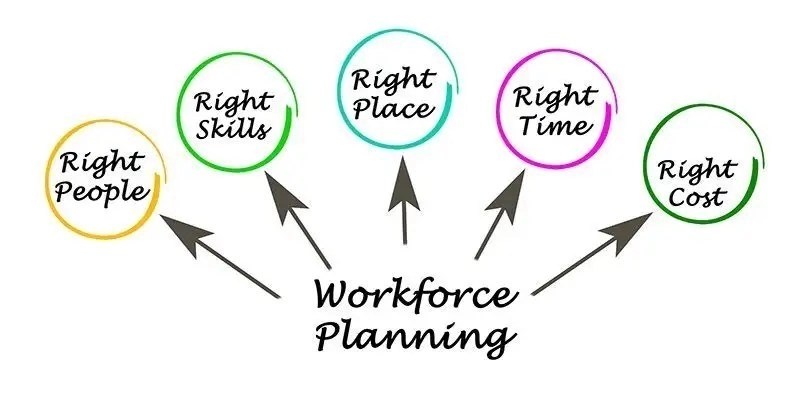
Workforce Scheduling & Shift Management Tools cover the software used to plan, distribute, and optimize employee work hours across an organization’s operational timeline. This category handles the complex logistics of assigning the right people to the right shifts based on availability, skills, labor laws, and demand forecasts. It tracks time and attendance, manages leave requests, ensures compliance with union or regulatory rules, and provides real-time communication channels for shift swaps and updates. It sits between Human Capital Management (HCM) (which focuses on the broader employee lifecycle and records) and Payroll (which processes the financial output of hours worked). It includes both general-purpose platforms suitable for standard business hours and vertical-specific tools built for complex 24/7 environments like healthcare, manufacturing, and emergency services.

For decades, this function was trapped in the "back office," viewed merely as a logistical necessity to ensure coverage. Today, it is a strategic lever for operational efficiency and employee experience. The users of these tools have shifted from solely payroll administrators to frontline managers, operations directors, and the employees themselves via mobile apps. The core problem it solves is the friction between dynamic business demand and static human availability. By digitizing this friction, organizations reduce labor costs (often the largest line item in the P&L) and mitigate compliance risks associated with increasingly fragmented labor laws.

History of Workforce Scheduling Software

The evolution of workforce scheduling mirrors the broader trajectory of enterprise software, but with a distinct lag due to the complexity of modeling human time against shifting operational constraints. In the 1990s, workforce management (WFM) existed primarily as a module within massive on-premises ERP systems or as standalone, server-based applications installed locally. These systems were essentially digital punch cards—databases designed to record what happened rather than optimize what should happen. They were rigid, required heavy IT intervention to modify, and offered zero visibility to the actual workers.

The early 2000s saw the rise of the "best-of-breed" era. As internet connectivity improved, organizations realized that the scheduling modules within their monolithic ERPs (like those from early SAP or Oracle implementations) lacked the nuance to handle complex shift patterns or union rules. This created a gap that specialized vendors filled with solutions focused purely on time and attendance. However, these were still largely on-premise solutions, creating data silos where scheduling data rarely synced perfectly with payroll or HR records.

The pivotal shift occurred around 2010 with the explosion of cloud computing and the ubiquity of smartphones. The "Cloud 1.0" wave democratized access, allowing mid-market companies to access WFM tools previously reserved for the Fortune 500. More importantly, the smartphone revolutionized the category by bringing the employee into the loop. For the first time, a nurse or retail associate could trade a shift or check their schedule without physically walking to a breakroom bulletin board. This era also saw significant market consolidation, as major HCM suites began acquiring cloud-native WFM startups to prevent customer churn, acknowledging that scheduling was the most frequent touchpoint an employee had with HR software.

By the 2020s, buyer expectations shifted from "automation" to "intelligence." The modern era is defined by the integration of algorithmic forecasting and machine learning. Today's tools do not just digitize a roster; they ingest historical sales data, foot traffic patterns, and even weather forecasts to predict labor needs. As noted by [1], we are now entering an era where AI agents can autonomously negotiate shift swaps and optimize coverage without human manager intervention, marking the transition from passive data entry to active workforce orchestration.

What to Look For

Evaluating workforce scheduling tools requires peering past the user interface to the underlying logic engine. A pretty dashboard cannot compensate for a rules engine that fails to account for a specific overtime law or union constraint. The most critical evaluation criterion is configurability vs. customization. A robust tool allows you to configure complex rules (e.g., "California meal break penalties" or "union seniority bumping") via a user interface, whereas a rigid tool requires vendor intervention or custom code to change a rule.

Red flags often appear in the details of the constraints engine. Be wary of vendors who say "we can handle that with a workaround" when asked about specific compliance needs like predictive scheduling laws or split-shift premiums. Another warning sign is a lack of real-time synchronization. If the schedule takes 15 minutes to update after a shift swap, you are exposed to "ghost shifts" where two employees believe they are working the same slot, or worse, no one shows up.

Buyers should ask vendors the following key questions to expose weaknesses:

  • "How does your system handle retro-active pay adjustments if a schedule change is approved after the payroll period closes?"
  • "Can your forecasting engine ingest data from our specific Point of Sale (POS) or Electronic Health Record (EHR) system, and what is the data latency?"
  • "Show me the exact workflow for a 'clopening' (close-open) violation—does the system block it, warn the manager, or just flag it for payroll penalties?"
  • "Does your mobile app support offline mode for field workers who may lose connectivity?"

Industry-Specific Use Cases

Retail & E-commerce

For retail and e-commerce, the primary driver is demand-based elasticity. Retailers must align labor hours precisely with foot traffic and online order fulfillment peaks to protect thin margins. The rise of "Fair Workweek" and predictive scheduling laws in jurisdictions like Oregon, New York City, and Seattle has fundamentally changed software requirements. Retailers now need tools that not only forecast labor demand but also enforce compliance by flagging schedule changes made with insufficient notice, which trigger penalty payments. As noted in recent legal analysis, fines for violations can be severe, with cities like Seattle imposing millions in penalties for non-compliance [2]. Evaluation priorities here include robust mobile apps for shift swapping (to give employees flexibility) and tight integration with POS systems to feed real-time sales data into labor forecasts.

Healthcare

Healthcare scheduling is driven by patient acuity and credential management. Unlike retail, where headcount is the metric, healthcare requires the right mix of skills (e.g., specific certifications for ICU vs. general ward). Tools must support "acuity-based staffing," where nurse-to-patient ratios are adjusted dynamically based on the severity of patient conditions, not just patient count. Research indicates that acuity-based systems can significantly reduce nurse burnout and improve patient outcomes [3]. Unique considerations include Magnet status reporting requirements and the ability to manage float pools across multiple facilities to minimize overtime and reliance on expensive agency staff. A critical red flag in healthcare WFM is the inability to track license expirations or block a schedule assignment if a nurse's certification has lapsed.

Financial Services

In financial services, specifically retail banking and call centers, the focus is on security and auditability. Scheduling tools must ensure that there is always at least one key holder or compliance officer on site. Furthermore, global financial institutions often operate on a "follow-the-sun" model for support and trading desks. The software must handle complex timezone conversions and ensure seamless handoffs between regional teams. Compliance is paramount; regulators may require audit trails showing exactly who was working when a specific transaction occurred. Therefore, single sign-on (SSO), data encryption, and role-based access controls are non-negotiable evaluation priorities [4].

Manufacturing

Manufacturing scheduling is dominated by union constraints and fatigue management. Facilities often operate 24/7 with complex shift patterns (e.g., DuPont or Continental shifts). The software must be capable of automating "shift bidding" based on seniority—a rigid requirement in many Collective Bargaining Agreements (CBAs). Failure to respect seniority in offering overtime can result in costly grievances and arbitration. Safety is another unique consideration; advanced tools now track hours worked to flag fatigue risks, preventing an employee from being scheduled for a safety-sensitive role if they have not had sufficient rest. Compliance with the Fair Labor Standards Act (FLSA) regarding breaks and overtime calculations is a baseline requirement [5].

Professional Services

For professional services firms (consultancies, agencies, IT services), scheduling is synonymous with resource management. The goal is to maximize "billable utilization." Unlike shift-based industries, the unit of time here is often days or weeks allocated to a client project. Tools must visualize capacity across the firm to prevent bench time (employees without work) or burnout (overutilization). Integration with Project Management and CRM systems is essential to forecast future resource needs based on the sales pipeline. A unique consideration is "skills matching," where the software suggests the best consultant for a project based on their expertise, location, and cost rate to protect project margins [6].

Subcategory Overview

Shift Management Platforms for Unionized Workforces This niche serves organizations bound by Collective Bargaining Agreements (CBAs), such as manufacturing plants, public sector agencies, and logistics firms. What makes this genuinely different is the grievance avoidance engine. Unlike generic tools that optimize for cost or coverage, these platforms optimize for strict adherence to complex rulesets regarding seniority, overtime equalization, and shift bidding. A workflow ONLY this tool handles well is seniority-based shift bidding, where open shifts must be offered to employees in a specific order based on tenure, with audit trails proving the offer was made and declined before moving to the next person. The pain point driving buyers here is the high cost of arbitration and penalties associated with union grievances; a single grievance can cost thousands in legal fees and back pay. For a deeper look, see our guide to Shift Management Platforms for Unionized Workforces.

Workforce Scheduling Tools for Retail & Multi-Location Stores This subcategory is designed for chains with high employee turnover and fluid labor pools. The differentiator is the inter-store transfer capability. Generic tools struggle to allow a manager at Store A to borrow an employee from Store B without breaking payroll cost centers or overtime calculations. These tools handle "employee loaning" seamlessly, ensuring the cost is allocated to the correct location's budget while maintaining a single employee profile. The specific pain point driving adoption is predictive scheduling compliance. Retailers in jurisdictions with "Fair Workweek" laws face massive fines if they cannot provide audit-ready proof of when schedules were posted and changed. To explore these solutions, visit Workforce Scheduling Tools for Retail & Multi-Location Stores.

Workforce Scheduling Tools for Healthcare & Clinics These tools differ by focusing on credential-based scheduling rather than just availability. A hospital cannot simply schedule "a nurse"; they must schedule a "pediatric ICU-certified nurse with active ACLS credentials." Only these specialized tools can automatically block a shift assignment if a credential will expire before the shift date. The unique workflow is acuity-based staffing, which ingests patient census data to calculate required nursing hours dynamically. The driving pain point is patient safety risks and liability; assigning an unqualified staff member is not just an inefficiency, it is a legal hazard. Learn more about Workforce Scheduling Tools for Healthcare & Clinics.

Workforce Scheduling Tools for Restaurants & Food Service The differentiator here is the integration of tip pooling and split shifts. Generic schedulers often fail to handle the complexity of an employee working a lunch shift as a server (tipped minimum wage) and a dinner shift as a host (standard minimum wage) on the same day. These tools automate the calculation of "blended overtime" rates required by the FLSA for employees working at different pay rates. The specific pain point is labor cost percentage control. Restaurant margins are razor-thin, and managers need real-time alerts if a schedule will push labor costs above a target percentage of projected daily sales. Read our analysis of Workforce Scheduling Tools for Restaurants & Food Service.

Shift Scheduling & Workforce Management for SaaS Companies While SaaS companies don't have "shifts" in the retail sense, their support and engineering teams run on on-call rotations and follow-the-sun schedules. This niche focuses on escalation policies—if the primary engineer doesn't acknowledge an alert in 5 minutes, page the secondary. A workflow unique to this category is the incident response integration, linking scheduling directly to monitoring tools like Datadog or PagerDuty. The pain point is SLA breaches. If a customer ticket sits unanswered because the on-call schedule was unclear, the SaaS company risks financial penalties and churn. For details, see Shift Scheduling & Workforce Management for SaaS Companies.

Integration & API Ecosystem

In the modern tech stack, a workforce management tool that stands alone is a liability. The value of these tools is multiplied by their ability to "read" from operational systems and "write" to financial systems. Industry analysts at Gartner emphasize that "consolidated integrations" reduce the effort to maintain data flow between WFM and payroll, which is critical for accuracy [7]. The gold standard is a robust, documented REST API that allows for bi-directional sync.

Consider a practical scenario: A mid-sized manufacturing firm with 300 employees uses a separate ERP for production planning and a payroll provider for compensation. If the scheduling tool has a poor API, the production manager might schedule a "rush" shift to meet a quota visible in the ERP, but the scheduling tool doesn't know these employees are already in overtime. The integration break results in a massive labor cost overrun that isn't caught until payroll runs two weeks later. A well-designed integration would pull production targets from the ERP to suggest optimal shifts and push approved hours directly to payroll, flagging the overtime variance in real-time.

Security & Compliance

Security in workforce management extends beyond passwords to the physical identity of the worker. A major area of concern is biometric data privacy, particularly with the rise of fingerprint and facial recognition time clocks. In jurisdictions like Illinois, the Biometric Information Privacy Act (BIPA) has led to class-action settlements totaling hundreds of millions of dollars against employers who mishandled biometric data [8]. Buyers must ensure vendors comply with SOC 2 Type II standards and offer mechanisms to delete biometric data upon employee termination.

Additionally, data breaches involving employee PII (Personally Identifiable Information) are a growing threat. A report by IBM found that nearly 60% of data breaches are carried out by insiders or involve compromised employee credentials [9]. For a financial services firm, a breach in the scheduling system could reveal sensitive information about when security guards are on patrol or when key compliance officers are on leave. A secure platform must offer granular role-based access control (RBAC), ensuring a shift supervisor can only see their team's schedule, not the home addresses or pay rates of the entire organization.

Pricing Models & TCO

Pricing in this category is notoriously opaque, often hiding costs in implementation and "module" fees. The most common model is Per Employee Per Month (PEPM), which typically ranges from $2 to $15 for mid-market tools, scaling up significantly for enterprise suites. However, Total Cost of Ownership (TCO) calculations must include implementation fees, which can run 20-50% of the annual license cost, and premium support fees. Research suggests that hidden costs often arise from "overage" fees when seasonal hiring spikes push a company into a higher tier [10].

Let's walk through a TCO scenario for a retail chain with 500 employees. They select a vendor quoting $5 PEPM. The annual software cost appears to be $30,000. However, the vendor charges a $10,000 "setup and configuration" fee. Furthermore, the retailer hires 150 seasonal workers for the holidays. The contract forces them to pay for the peak headcount of 650 for the entire quarter, adding $2,250. Then, they realize the "advanced forecasting" module needed to comply with local laws is an extra $2 PEPM. The actual first-year cost balloons from $30,000 to over $55,000—nearly double the estimate. Buyers must negotiate "seasonal true-ups" to avoid paying year-round for temporary headcount.

Implementation & Change Management

The failure rate of complex software implementations, such as ERP and WFM systems, remains alarmingly high. Gartner reports that nearly 75% of ERP-style implementations fail to meet their original objectives [11]. In workforce management, failure usually stems from "process mismatch"—trying to force a software to match a broken manual process rather than adapting the process to best practices.

Consider a healthcare network implementing a new nurse scheduling platform. The software is technically sound, but the implementation fails because the nursing directors were not consulted on the configuration of "float pool" rules. When the system goes live, it assigns ICU nurses to general wards without accounting for their specialized pay differential. The nurses refuse to use the mobile app, reverting to paper notes. The system contains empty data, rendering it useless for payroll. A successful implementation requires a "pilot phase" where one department tests the rules engine against real-world chaos before a full rollout.

Vendor Evaluation Criteria

When selecting a vendor, buyers must move beyond feature checklists to assess "vendor viability" and "partnership fit." Forrester’s Total Economic Impact (TEI) studies highlight that the return on investment (ROI) from these tools comes largely from administrative time savings and reduced overtime leakage [12]. A key criterion is the vendor’s customer support model: Do they offer a dedicated Customer Success Manager (CSM) for your size, or just a ticketing system?

In practice, a buyer should test the vendor's support before signing. Submit a complex technical question about API limits during the trial period and measure the response time and quality. Furthermore, evaluate the vendor's roadmap. Are they investing in "agentic AI" and predictive compliance, or are they just maintaining legacy code? A vendor who cannot articulate their strategy for handling emerging labor regulations is a risky long-term partner.

Emerging Trends and Contrarian Take

Emerging Trends 2025-2026: The immediate future of workforce management is dominated by Agentic AI. Unlike passive chatbots, these AI agents will proactively manage schedules. Imagine an agent that notices a sudden spike in customer support tickets, checks the "on-call" roster, identifies that the primary engineer is currently in a meeting, and automatically negotiates a 30-minute coverage swap with a secondary engineer via Slack, updating the master schedule without human intervention. McKinsey predicts that by 2025, agentic AI will be capable of planning and executing such complex workflows autonomously [1].

Contrarian Take: The concept of "Workforce Management" as a standalone software category is dying. The mid-market is currently overserved by fragmented point solutions that create more data silos than they solve. The reality is that for 90% of businesses, WFM is a feature, not a platform. We are witnessing a rapid consolidation where payroll providers (like ADP or Paylocity) and HCM suites (like Workday) are acquiring or building scheduling capabilities that are "good enough" for most. The standalone WFM vendor will likely cease to exist outside of hyper-complex verticals (like unionized manufacturing or acute healthcare). If you are a standard retail or service business paying for a separate WFM tool in 2026, you are likely overpaying for integration headaches that a unified HCM platform could solve natively.

Common Mistakes

The most expensive mistake buyers make is overbuying complexity. A 50-person café chain does not need an AI-driven, biometric-enabled, union-compliant enterprise suite. They pay for features they never configure, resulting in a clunky interface that confuses staff. Conversely, enterprise buyers often mistake interface beauty for operational depth. They buy a tool with a sleek mobile app that demos well but lacks the backend logic to handle "split shift premiums" or "spread of hours" pay, leading to massive class-action liability later.

Another critical error is ignoring the employee experience. Implementing a tool that optimizes purely for business cost (e.g., "clopening" employees to save money) leads to burnout and turnover. Research shows that lack of schedule flexibility is a top driver of attrition [13]. A tool that makes it harder for an employee to swap a shift is a tool that will drive your best talent to a competitor.

Questions to Ask in a Demo

  • "Can you demonstrate a live 'clopening' violation? I want to see exactly what the manager sees and what the system blocks."
  • "Show me the audit trail for a schedule change made 2 hours before a shift. Does it capture who made the change and when the employee acknowledged it?"
  • "How does your forecasting engine handle outliers, like a one-off sporting event near our store? Can we manually override the algorithm without breaking future learning?"
  • "If our internet goes down, can the time clock store punches locally and sync later? What is the storage limit?"
  • "Do you charge for 'inactive' users who are in the system for historical record-keeping but not currently scheduled?"

Before Signing the Contract

Before you sign, conduct a pilot test with your least tech-savvy manager. If they cannot build a schedule in the system without assistance, the rollout will fail. Negotiate the SLA (Service Level Agreement) for support response times; "24/7 support" often means a chatbot, so ensure you have defined access to human engineers for critical payroll-blocking bugs. Finally, check the data exit clause. If you leave this vendor in three years, in what format will they give you your five years of compliance data? Ensure it is a usable, standard format (like CSV or SQL dump), not a proprietary lock-in format.

Closing

Workforce scheduling is no longer just about filling slots; it is about balancing the mathematical reality of labor costs with the human reality of your workforce. The right tool acts as a bridge between these two forces. If you have questions about which tool fits your specific vertical or compliance environment, please reach out to me directly.

Email: albert@whatarethebest.com

Quick one question survey

Thanks for your input!
Your response has been recorded.