1. Home
  2. HR & People Management
  3. Workforce Scheduling & Shift Management Tools
  4. Workforce Scheduling Tools for Field Service & Home Services

Ranking · Workforce Scheduling & Shift Management Tools

Best Workforce Scheduling Tools for Field Service & Home Services

10 products scored on six criteria. Salesforce Field Service leads at 9.0 and the field is tight, with 0.4 points between first and last, so read the catches before you pick. Every product opens to the evidence behind its number.

10 products scored6 criteria131 sources citedUpdated Jul 12, 2026
1 Salesforce Field Servicesalesforce.com

Salesforce Field Service scores high, pricing stays opaque

Read the reviewVisit ↗
2 Skeduloskedulo.com

Skedulo targets enterprise scheduling, but pricing stays private

Read the reviewVisit ↗
3 Workforce.comworkforce.com

Workforce.com customers saw a 455% ROI, Forrester found

Read the reviewVisit ↗
10Products
8.6 to 9.0Score spread
1Free plan or tier
01

The ranking

Order follows the score. Six little boxes show each product's criterion scores: green or red is above or below the category average, grey means too few products share that criterion to compare. The full review sits right under each one.

Nothing matches that filter here. Tap All to see every product.

1

Salesforce Field Service

salesforce.com · Salesforce Field Service Management · scored Dec 2025

Salesforce Field Service scores high, pricing stays opaque

Best forLarge enterprises already on Salesforce needing deep scheduling and dispatch tools.

Quote only SOC 2SSOmobile app
Top score

AI-driven scheduling and dispatch platform for field service teams already using Salesforce CRM.

Standout factSalesforce is named a Leader in the Gartner Magic Quadrant for CRM.gartner.com
Biggest catchPricing is not published and requires contacting Salesforce sales for a custom quote.salesforce.com
9.3/10Product capability score
1 of 10Category rank
9.0/10Overall score

Company size fit

SoloSmallMidEnterprise

Sweet spot: large field service teams already on Salesforce CRM

Compliance

✓ SOC 2

Source: compliance.salesforce.com

Upside

  • AI-driven scheduling and dispatch
  • Real-time tracking and visibility
  • Integrated mobile app for field agents

Catch

  • Pricing requires a custom quote
  • Complex setup and interface
  • May require additional training
Pick it ifLarge enterprises already on Salesforce needing deep scheduling and dispatch tools.
Skip it ifSmall businesses on tight budgets wanting a simple, out-of-the-box tool.
PricingContact for pricing, enterprise quotes only.

Editor's takeSalesforce Field Service Management builds AI-driven scheduling and dispatch directly into the Salesforce platform. Gartner recognizes Salesforce as a leader in CRM, reinforcing its credibility for enterprise buyers. Setup is complex, and pricing is not published, so costs need a custom quote from sales.

How much does Salesforce Field Service Management cost?

Pricing is not published on the website. Buyers must contact Salesforce sales for a custom enterprise quote based on user count and modules needed.

Does Salesforce Field Service Management work outside the Salesforce platform?

It is built as part of the Salesforce CRM environment, so it works best for organizations already using Salesforce. It connects through the AppExchange integration directory.

The evidence: 6 criteria
9.3
Product Capability & Depthsalesforce.comsalesforce.com
9.2
Market Credibility & Trust Signalsgartner.com
8.8
Usability & Customer Experiencesalesforce.com
8.5
Value, Pricing & Transparencysalesforce.com
9.0
Integrations & Ecosystem Strengthappexchange.salesforce.com
9.0
Security, Compliance & Data Protectioncompliance.salesforce.com
2

Skedulo

skedulo.com · Skedulo Home Services Scheduling · scored Dec 2025

Skedulo targets enterprise scheduling, but pricing stays private

Best forEnterprises needing complex capacity management and deep Salesforce integration

Quote only SOC 2enterpriseSalesforce integration
−0.1 vs #1

A mobile-first field service scheduling tool for home services and residential contractors.

Standout factSkedulo is built for teams requiring deep Salesforce integration alongside its mobile-first scheduling tools.skedulo.com
Biggest catchPricing is not public and requires a custom quote, and setup is described as complex.skedulo.com
9.2/10Product depth scoreskedulo.com

Before you request a quote

  • Need deep Salesforce integration
  • Small team with simple scheduling needs
  • Have technical resources for setup

Company size fit

SoloSmallMidEnterprise

Built for complex capacity management and Salesforce-heavy organizations

Upside

  • Mobile-first scheduling and job creation
  • Real-time updates for field workers
  • Integrates with Salesforce, Google Calendar

Catch

  • Pricing not published, needs a quote
  • Setup can be complex
  • Requires an internet connection
Pick it ifEnterprises needing complex capacity management and deep Salesforce integration
Skip it ifSmall businesses with simple scheduling needs or limited technical resources
PricingCustom quote; enterprise pricing model

Editor's takeSkedulo focuses on mobile-first scheduling, letting managers create jobs and match the right field worker on the go. It targets larger, Salesforce-heavy organizations more than small home services shops, per its own audience guidance. Pricing is not published, so budgeting requires a direct conversation with sales.

Does Skedulo work offline?

Available evidence indicates Skedulo requires an internet connection, so field crews need connectivity to receive real-time job updates.

How much does Skedulo cost?

Skedulo does not publish pricing. It uses a custom quote model, and its own materials point to enterprise-level positioning rather than a fixed starting price.

The evidence: 6 criteria
9.2
Product Capability & Depthskedulo.comskedulo.com
8.8
Market Credibility & Trust Signalsforbes.com
9.0
Usability & Customer Experienceskedulo.com
8.5
Value, Pricing & Transparencyskedulo.com
9.0
Integrations & Ecosystem Strengthskedulo.com
8.9
Support, Training & Onboarding Resourcessupport.skedulo.com
3

Workforce.com

workforce.com · Workforce.com Management Software · scored Dec 2025

Workforce.com customers saw a 455% ROI, Forrester found

Best forShift-based industries like retail and hospitality needing labor forecasting.

Quote only quote-based pricingSOC 2ISO 27001
−0.1 vs #1

All-in-one scheduling, HR, and payroll platform built for hourly teams.

Standout factA Forrester Total Economic Impact study found customers achieved a 455% ROI.workforce.com
Biggest catchSome frontline employees report the mobile app crashes during clock-in and clock-out.play.google.com
455%Forrester ROI findingworkforce.com
10,000+Businesses servedworkforce.com
2012Foundeden.wikipedia.org

Standout number

455%ROI found in independent Forrester study

Source: workforce.com

Compliance

✓ SOC 2 Type 2✓ ISO 27001

Source: help.workforce.com

Upside

  • Verified 455% ROI from Forrester
  • SOC 2 and ISO 27001 certified
  • Syncs POS sales data for forecasting

Catch

  • Mobile app crash reports
  • Pricing not publicly listed
  • Optimized for hourly, not salaried staff
Pick it ifShift-based industries like retail and hospitality needing labor forecasting.
Skip it ifField service teams needing job dispatching or work orders.
PricingContact for pricing, modules sold individually or bundled

Editor's takeWorkforce.com syncs POS sales data directly into labor forecasting for smarter shift staffing. An independent Forrester Total Economic Impact study found customers achieved a 455% return on investment. The mobile experience needs work though, with some frontline employees reporting the clock-in app crashes during daily use.

What ROI does Workforce.com deliver?

An independent Forrester Total Economic Impact study found customers achieved a 455% ROI, though pricing itself is not published and requires a quote.

Does Workforce.com's mobile app have issues?

Some users report the mobile clock-in app crashes or fails to load, according to Google Play Store reviews, though desktop usability is rated highly.

The evidence: 6 criteria, 2 penalties (−0.10 points)
9.0
Product Capability & DepthLooked for: We evaluate the breadth of workforce management features, including scheduling, time tracking, and labor forecasting capabilities tailored for hourly teams.Workforce.com offers a comprehensive 'All-in-One' platform combining scheduling, time and attendance, HRIS, and payroll specifically for shift-based workforces. Key capabilities include AI-driven labor forecasting, biometric and GPS-verified time clocks, and automated compliance tools for managing overtime and break laws.workforce.comworkforce.comworkforce.com
9.2
Market Credibility & Trust SignalsLooked for: We assess the vendor's industry standing, customer base, and third-party validation through awards or economic impact studies.Workforce.com (formerly Tanda) serves over 10,000 businesses globally, including major brands like Domino's. The company commissioned a Forrester Total Economic Impact™ study demonstrating a 455% ROI for customers, and holds accolades from Capterra and Software Advice.workforce.comworkforce.comen.wikipedia.org
8.7
Usability & Customer ExperienceLooked for: We analyze user feedback regarding interface design, ease of implementation, and mobile app performance for frontline staff.Users generally praise the desktop interface and implementation support, citing ease of use for managers. However, the mobile app has received mixed feedback, with some frontline employees reporting crashes and glitches during clock-in/out processes.workforce.comg2.complay.google.com
8.2
Value, Pricing & TransparencyLooked for: We examine pricing structures, public availability of costs, and contract flexibility relative to market standards.Workforce.com operates on a per-user licensing model but does not publicly disclose specific pricing tiers. Prospective customers must contact the sales team for a quote, which reduces transparency compared to competitors with published rates.workforce.comworkforce.comworkforce.com
9.1
Integrations & Ecosystem StrengthLooked for: We evaluate the depth of third-party integrations with payroll, POS, and HRIS systems essential for business operations.Workforce.com offers a vast library of native integrations with major Payroll providers (ADP, Gusto, UKG), POS systems (Square, Toast, Clover), and HRIS platforms. The ability to sync sales data for labor forecasting is a standout feature.workforce.comworkforce.comworkforce.com
9.5
Security, Compliance & Data ProtectionLooked for: We verify security certifications, data hosting standards, and compliance features relevant to workforce management.The platform maintains robust security standards, including SOC 2 Type 2 and ISO 27001 certifications. It utilizes AWS hosting with strict firewalls and operates a bug bounty program, ensuring high-level data protection for enterprise clients.workforce.comhelp.workforce.comworkforcesoftware.com

Score adjustments−0.10 points in total

−0.06Multiple user reviews on app stores indicate stability issues with the mobile application, including crashes and login failures.play.google.com · severity 60/100
−0.04The vendor does not publish pricing on their website, requiring potential customers to contact sales for a quote, which limits transparency.workforce.com · severity 50/100
4

FieldPulse

fieldpulse.com · FieldPulse Field Service Management · scored Dec 2025

FieldPulse tops G2 for support, offline mode locks users out

Best forGrowing plumbing and HVAC service teams needing affordable FSM

From $89 per month Reece integrationtop-rated supportfield service
−0.2 vs #1

Field service management platform with live Reece pricebook access and top-rated support.

Standout factRaised $21 million in Series B funding led by Fulcrum Equity Partnersfieldpulse.com
Biggest catchOffline mode is unreliable, with users reporting being locked out when cell service is lost.fieldcamp.ai
$21MSeries B fundingfieldpulse.com
9.6/10G2 support ratingfieldcamp.ai
~$89/moEstimated starting pricefieldcamp.ai

Standout number

9.6/10customer support rating across review sites

Source: fieldcamp.ai

In their words

“FieldPulse has secured the coveted position as the #1 Field Service Management (FSM) and #1 HVAC software across all categories in the latest G2 Spring 2024 Reports.”

fieldpulse.com

Upside

  • Ranked #1 for support quality on G2
  • Live Reece pricebook integration
  • Low learning curve for new techs

Catch

  • Offline mode can lock users out
  • Pricing not publicly listed
  • QuickBooks Desktop sync can be buggy
Pick it ifGrowing plumbing and HVAC service teams needing affordable FSM
Skip it ifLarge enterprises needing complex asset tracking or built-in payroll
PricingFrom ~$89/mo (unofficial estimate), custom quote required

Editor's takeFieldPulse ranked #1 in Field Service Management and HVAC categories in G2's Spring 2024 reports, with support rated 9.6 out of 10, well above most competitors. Its Reece maX integration pulls live pricebook data and inventory directly into job files for plumbing dealers, following a $21 million Series B round. Offline reliability is the weak spot: multiple verified reviews describe users getting locked out of the app when cell service drops, and pricing stays hidden behind a sales call, with third-party estimates putting it around $89 a month plus per-user fees.

Does FieldPulse work offline?

Not reliably, according to reviews. Multiple verified users report the offline mode locking them out of the app or losing access to data when cell service drops.

How much does FieldPulse cost?

Pricing is not published and requires a sales quote. Third-party estimates put it around $89 per month plus roughly $30 per additional user, according to a third-party review site.

The evidence: 6 criteria, 3 penalties (−0.19 points)
9.2
Product Capability & Depthfieldpulse.com
8.9
Market Credibility & Trust Signals
9.1
Usability & Customer ExperienceLooked for: We assess ease of use, interface design, and the quality of the user experience for both office staff and field technicians.The platform is widely praised for its intuitive interface and low learning curve, allowing new technicians to become productive quickly.fieldpulse.comfieldpulse.comfieldcamp.ai
8.0
Value, Pricing & TransparencyLooked for: We evaluate pricing structures, transparency of costs, and the availability of free trials or entry-level plans.FieldPulse uses a custom quote model and does not publish pricing publicly, which reduces transparency compared to competitors.fieldpulse.comfieldcamp.aifieldcamp.ai
8.7
Integrations & Ecosystem StrengthLooked for: We examine the quality and depth of integrations with accounting, payments, and industry-specific tools.Strong niche integrations with Reece and CompanyCam are highlights, but QuickBooks Desktop sync has documented reliability issues.fieldpulse.comsourceforge.netfieldcamp.ai
9.7
Support, Training & Onboarding ResourcesLooked for: We evaluate the availability, quality, and responsiveness of customer support and training materials.Customer support is consistently cited as the product's strongest feature, with high ratings for responsiveness and dedicated account representatives.fieldpulse.comyoutube.comfieldcamp.ai

Score adjustments−0.19 points in total

−0.09Multiple verified reviews report that the offline mode is unreliable, with users getting locked out of the app or unable to access data when cell service is lost.fieldcamp.ai · severity 65/100
−0.06The QuickBooks Desktop sync relies on a web connector that users report is prone to failure, requiring manual intervention and causing duplicate entries.fieldcamp.ai · severity 60/100
−0.04Pricing is not publicly listed and requires a sales call/custom quote, which is a transparency barrier compared to competitors with published pricing.fieldcamp.ai · severity 50/100
5

Jobber

getjobber.com · Jobber Service Management · scored Dec 2025

Jobber's mobile app can't work offline without a connection

Best forSmall home service businesses wanting an easy, mobile-first tool.

From $39 per month Mobile appQuickBooks integration14-day trial
−0.2 vs #1

Field service platform for home service pros with scheduling, invoicing and route optimization built in.

Standout factUsed by more than 200,000 home service professionals in 60+ countriesprnewswire.com
Biggest catchThe mobile app does not work offline for most functions, a dealbreaker in low-signal areas.connecteam.com
200,000+Home service pros using Jobberprnewswire.com
$100MSeries D fundinggeneralatlantic.com
1,500+Zapier app connectionshelp.getjobber.com

Standout number

200,000+home service professionals using Jobber

Source: prnewswire.com

The thing people get wrong

Jobber's mobile app works fully offline like the desktop version

Most information and actions require an internet connection in the mobile app

Source: connecteam.com

Upside

  • 200,000+ home service pros use Jobber
  • $100M Series D funding, backed by General Atlantic
  • Route optimization cuts drive time automatically

Catch

  • Mobile app mostly unusable offline
  • Marketing automation costs $79/mo extra
  • Extra users cost $29/user/month
Pick it ifSmall home service businesses wanting an easy, mobile-first tool.
Skip it ifLarge enterprises with complex inventory or custom reporting needs.
PricingFrom $39/mo (individual), team plans up to $599/mo

Editor's takeJobber serves more than 200,000 home service professionals across 60 countries, backed by $100 million in Series D funding led by General Atlantic. Route optimization and a self-service client hub simplify day to day operations. The mobile app cannot access most data offline, which reviewers call a dealbreaker in areas with poor cell service.

Does Jobber's app work without internet?

Not fully. Users cannot access most information offline, though recent updates allow creating and saving text notes locally until reconnected, according to Connecteam's review.

How much does Jobber cost for a team?

Individual plans run $39 to $199 a month, and team plans range from $169 to $599 a month, with extra users costing $29 each, per GetOneCrew's pricing breakdown.

The evidence: 6 criteria, 3 penalties (−0.17 points)
8.9
Product Capability & DepthLooked for: We evaluate the breadth of field service features including scheduling, dispatching, invoicing, and client management capabilities.Jobber provides a comprehensive suite for home service businesses, featuring drag-and-drop scheduling, route optimization, one-click quoting, and a client hub for self-service payments.getjobber.comsoftwareconnect.comgetjobber.com
9.3
Market Credibility & Trust SignalsLooked for: We assess the vendor's market presence, funding stability, user base size, and industry recognition.Jobber is a market leader with over 200,000 users, $100M in Series D funding led by General Atlantic, and recognition as an Inc. Power Partner.generalatlantic.comprnewswire.comprnewswire.com
9.0
Usability & Customer ExperienceLooked for: We analyze user feedback regarding ease of use, interface design, and the quality of customer support.Users consistently praise the platform's intuitive interface and ease of adoption for non-technical field staff, supported by responsive customer service.help.getjobber.comg2.comtrustpilot.com
8.4
Value, Pricing & TransparencyLooked for: We evaluate pricing structures, hidden fees, and the balance of features versus cost for different business sizes.Pricing is transparently listed, ranging from $39 to $599/month, but costs scale steeply for teams and some key features like marketing automation require paid add-ons.getjobber.comgetonecrew.comyoutube.com
8.8
Mobile Functionality & Field OperationsLooked for: We assess the quality and breadth of third-party integrations, including accounting, payments, and marketing tools.Jobber offers strong native integrations with QuickBooks Online, Thumbtack, and Stripe, plus a Zapier connection for broader automation.getjobber.comgetapp.comconnecteam.com
9.1
Support, Training & Onboarding Resources

Score adjustments−0.17 points in total

−0.07Significant limitations in offline mode prevent users from accessing most data or performing key actions without an internet connection.connecteam.com · severity 65/100
−0.04Costs increase significantly for growing teams due to per-user fees and separate charges for add-ons like the Marketing Suite.myquoteiq.com · severity 55/100
−0.06The mobile app lacks advanced reporting tools available on the desktop version, limiting field insights.softwarereviews.com · severity 45/100
6

When I Work

wheniwork.com · When I Work Field Service · scored Dec 2025

Costs as little as $2.50/user, but lacks route optimization

Best forSmall teams needing simple shift scheduling and time tracking.

Free tier From $3 per user/mo free plantransparent pricingADP integration
−0.2 vs #1

Mobile-first workforce scheduling platform for small field teams with ADP and Gusto payroll integration.

Standout factMore than 200,000 workplaces and over one million people in 50-plus countries use When I Work.wheniwork.com
Biggest catchThe platform lacks advanced field service features like route optimization, inventory management and detailed job tracking.business.com
200,000+Workplaces using the platformwheniwork.com
$2.50/user/moStarting pricewheniwork.com

Plans

Multi-location$5.00/user/mo

Source: wheniwork.com

Standout number

200,000+workplaces using When I Work

Source: wheniwork.com

Upside

  • Extremely affordable pricing ($2.50-$5/user)
  • Strong ADP and Gusto integrations
  • Intuitive, modern user interface

Catch

  • Lacks advanced routing features
  • No inventory management tools
  • No phone support available
Pick it ifSmall teams needing simple shift scheduling and time tracking.
Skip it ifContractors needing complex job management or GPS route tracking.
Pricing$2.50/user/mo (single location), $5.00/user/mo (multi-location)

Editor's takeWhen I Work keeps pricing simple and public, from $2.50 to $5 per user, well below dedicated FSM suites. Its 'Job Sites' feature assigns crews to locations, and integrations with ADP, Gusto and QuickBooks simplify payroll. It skips route optimization and inventory management though, and support runs through chat and tickets only.

How much does When I Work cost?

Standard pricing is $2.50 per user monthly for single locations and $5 per user for multiple locations, according to the company's pricing page.

Does When I Work handle complex field service jobs?

Not really. It functions more as lightweight shift scheduling than a full field service suite, lacking route optimization, inventory tools and deep work order tracking, per Business.com's review.

The evidence: 6 criteria, 3 penalties (−0.18 points)
8.7
Product Capability & DepthLooked for: We evaluate the breadth of field service features, including scheduling, dispatching, work order management, and mobile workforce tools.When I Work excels at shift-based scheduling and time tracking with a "Job Sites" feature for location assignment, but functions more as a lightweight workforce manager than a full-featured Field Service Management (FSM) suite.wheniwork.comwheniwork.comwheniwork.com
9.2
Market Credibility & Trust SignalsLooked for: We assess the vendor's market presence, user base size, years in operation, and reputation among industry peers.The company is a highly established player in the workforce management space, serving over 200,000 workplaces globally with a strong reputation for reliability in the SMB sector.wheniwork.comworkyard.com
8.9
Usability & Customer ExperienceLooked for: We analyze the ease of use, mobile app performance, interface design, and quality of customer support channels.Users consistently praise the intuitive, modern interface and ease of adoption, though some report mobile app sync glitches and frustration with the lack of phone-based customer support.workyard.comhelp.wheniwork.com
9.4
Value, Pricing & TransparencyLooked for: We evaluate pricing structures, transparency, free trial availability, and overall cost-to-value ratio for the target market.Pricing is exceptionally transparent and competitive, ranging from $2.50 to $5.00 per user, making it significantly more affordable than comprehensive field service suites.wheniwork.comwheniwork.compcmag.com
8.8
Security, Compliance & Data ProtectionLooked for: We look for the quality and breadth of integrations with payroll, POS, and other essential business software.It offers robust integrations with major payroll providers like ADP, Gusto, and QuickBooks, though it lacks the extensive field-service specific ecosystem (e.g., fleet tracking, inventory) of dedicated FSM tools.wheniwork.comcoralogix.comhelp.wheniwork.com
8.8
Support, Training & Onboarding Resources

Score adjustments−0.18 points in total

−0.06Users frequently report technical issues with the mobile app, including freezing and syncing lags during clock-in/out.timeero.com · severity 60/100
−0.07The platform lacks advanced field service features such as route optimization, inventory management, and detailed job tracking.business.com · severity 55/100
−0.05Customer support is limited to chat and email tickets, with no phone support available for urgent issues.help.wheniwork.com · severity 45/100
7

Dataforma

dataforma.com · Dataforma Field Service Management · scored Dec 2025

Dataforma Has Served 11,000 Roofing Field Technicians

Best forCommercial roofing and construction contractors needing warranty tracking and GPS crew monitoring.

From $50 per user per month field service managementroofing softwareconstruction
−0.3 vs #1

Dataforma is a roofing and construction field service platform with GPS tracking, warranty history, and a documented learning curve.

Standout factDataforma has helped more than 11,000 field technicians across the United States and Canada since launching in 2003.g2.com
Biggest catch78% of users who discussed usability said the system requires a steep learning curve and multiple training sessions.selecthub.com
11,000+Field technicians servedg2.com
86%User recommendation rateselecthub.com

Six criteria vs category average

Product Capability & Depth
9.1
Market Credibility & Trust Signals
9.3
Usability & Customer Experience
8.2
Value, Pricing & Transparency
8.6
Integrations & Ecosystem Strength
8.9
Security, Compliance & Data Protection
9.4

Dark tick = category average

Fit

Pick it if you are

  • Companies managing large commercial assets
  • Businesses needing project and document management
  • Commercial roofing and construction contractors

Skip it if you are

  • Small businesses needing quick, simple setup
  • Users wanting a modern, intuitive mobile interface
  • Residential-only service businesses

Upside

  • Built specifically for roofing workflows
  • Mobile app with real-time GPS tracking
  • 24/7 customer support desk

Catch

  • Steep learning curve for new users
  • Interface called clunky by reviewers
  • No warning for duplicate data entries
Pick it ifCommercial roofing and construction contractors needing warranty tracking and GPS crew monitoring.
Skip it ifSmall residential-only businesses wanting a quick, simple setup with no training.
PricingPer-user pricing starts around $50 a month for one user and drops to $40 a month at 100 users.

Editor's takeDataforma targets commercial roofing and construction contractors with features generalist field service tools skip, like warranty tracking and GPS crew monitoring built to match stand-alone systems. Its two-decade track record and 86% recommendation rate point to a stable, trusted niche product. New users should budget time for training given the documented learning curve.

How much does Dataforma cost?

Pricing is per user and scales with team size, starting around $50 a month for one user and dropping to about $40 a month per user once a team reaches 100 users.

Is Dataforma easy to learn?

Reviewers report a steep learning curve. About 78% of users who commented on usability said the system needs multiple training sessions before it feels manageable.

The evidence: 6 criteria, 3 penalties (−0.20 points)
9.1
Product Capability & DepthLooked for: We evaluate the breadth of field service features, specifically looking for specialized tools tailored to roofing and construction workflows.Dataforma provides a comprehensive cloud-based suite including work order management, GPS tracking, and warranty management specifically designed for roofing contractors. The platform features a mobile app for field technicians to document work, upload photos, and track labor in real-time, alongside a robust CRM for managing client history and service dispatch.dataforma.comdataforma.comyoutube.com
9.3
Market Credibility & Trust SignalsLooked for: We assess the vendor's industry tenure, user base size, and reputation among verified customers in the construction sector.Founded in 2003, Dataforma has established itself as a veteran player in the construction tech space, supporting over 11,000 field technicians. It holds a strong reputation with an 86% user recommendation rate, reinforcing its status as a trusted solution for commercial roofing and construction businesses.g2.combusiness-software.comselecthub.com
8.2
Usability & Customer ExperienceLooked for: We examine user feedback regarding ease of use, interface design, and the quality of customer support and training.While customer support is frequently praised for being responsive and available 24/7, the software faces criticism for a 'steep learning curve' and a 'clunky' user interface. Users often require multiple training sessions to become proficient, which impacts the initial onboarding experience despite the eventual utility.dataforma.comselecthub.comselecthub.com
8.6
Value, Pricing & TransparencyLooked for: We analyze the pricing model, cost transparency, and perceived value relative to features for small and large businesses.Dataforma operates on a transparent per-user subscription model, starting around $69.99 per month. While this provides clarity, it is frequently noted as expensive for small businesses compared to competitors. The value proposition is strongest for mid-to-large contractors who can leverage the full suite of specialized features.dataforma.comgetapp.comitqlick.com
8.9
Integrations & Ecosystem StrengthLooked for: We investigate the availability of APIs and native integrations with critical business tools like accounting and CRM software.The platform offers a RESTful API and native integrations with industry standards like QuickBooks Online, CompanyCam, and FollowUp CRM. These integrations facilitate seamless data flow for accounting and photo documentation, although some advanced integration capabilities may be restricted to higher-tier plans.dataforma.comdataforma.comcompanycam.com
9.4
Security, Compliance & Data ProtectionLooked for: We review the security measures in place, including encryption, backup protocols, and access controls to protect sensitive data.Dataforma employs robust security protocols including 128-bit data encryption, hourly backups, and 24/7 system monitoring. The platform emphasizes 'fortress-like' protection against disasters and controlled user access, ensuring high standards of data safety for commercial contractors.dataforma.comdataforma.comdataforma.com

Score adjustments−0.20 points in total

−0.08Users consistently report a steep learning curve and describe the user interface as 'clunky' or requiring significant training to master.selecthub.com · severity 75/100
−0.08The system lacks automatic notifications when duplicate data is entered, which can lead to data redundancy issues.selecthub.com · severity 60/100
−0.04Pricing is frequently cited as a barrier for small businesses, with per-user costs and add-ons considered expensive compared to alternatives.selecthub.com · severity 50/100
8

Workever

workever.com · Workever Field Service Software · scored Dec 2025

Workever's stock levels won't sync to Xero.

Best forSmall to medium trade businesses like plumbers needing simple job management.

From $29 per user/mo mobile appfree trialno free plan
−0.3 vs #1

Field service management app with full offline mode and transparent per-user pricing.

Standout factHolds a 91% user satisfaction rating based on 45 reviews.selecthub.com
Biggest catchStock (tracked inventory) does not sync between Workever and Xero, despite the invoice sync working.help.workever.com
91%User satisfaction ratingselecthub.com
£29/user/moBase plan priceworkever.com
£39/user/moUltimate plan priceworkever.com

Standout number

91%user satisfaction rating from 45 reviews

Source: selecthub.com

Plans

Ultimate£39/user/mo

Adds forms, stock, assets

Source: workever.com

Upside

  • Fully offline mobile app
  • Transparent per-user pricing
  • Bi-directional Xero and QuickBooks sync

Catch

  • Stock doesn't sync to Xero
  • Advanced forms locked to Ultimate tier
  • No free plan, trial only
Pick it ifSmall to medium trade businesses like plumbers needing simple job management.
Skip it ifLarge enterprises or businesses needing advanced inventory management.
PricingFrom £29/user/mo (Base) to £39/user/mo (Ultimate)

Editor's takeWorkever's mobile app keeps working with zero signal, capturing photos, notes, and signatures offline, then syncing automatically once reconnected, a real advantage for field crews in poor-coverage areas. Its per-user pricing model, GBP29 for Base and GBP39 for Ultimate, undercuts the rigid user-bucket pricing some rivals like Jobber use. One integration gap stands out: while contacts and invoices sync bidirectionally with Xero, tracked inventory does not, so product-heavy businesses still manage stock separately.

Does Workever work without internet?

Yes, the mobile app functions fully offline, letting field workers capture photos, notes, and signatures, then automatically syncs everything once the connection returns.

Does Workever's Xero integration sync inventory?

No. Contacts, invoices, tax rates, and payments sync bidirectionally with Xero, but tracked stock/inventory does not sync between the two systems.

The evidence: 6 criteria, 3 penalties (−0.17 points)
8.8
Product Capability & DepthLooked for: We evaluate the breadth of field service features, including scheduling, dispatching, job management, and asset tracking capabilities.Workever offers a comprehensive suite including drag-and-drop scheduling, real-time job tracking, and asset management, though advanced features like the form builder and stock management are reserved for the higher 'Ultimate' tier.workever.comworkever.comworkever.com
9.0
Market Credibility & Trust SignalsLooked for: We assess user satisfaction ratings, verified testimonials, and the company's established presence in the field service industry.The platform holds a 91% user satisfaction rating with strong testimonials from established companies like Spalls Nationwide, although it has a smaller review volume compared to market giants.selecthub.comworkever.com
8.9
Usability & Customer ExperienceLooked for: We analyze the ease of use for both office admins and field workers, focusing on interface design and mobile app performance.Users consistently praise the software for being 'easy to use' and 'intuitive', particularly the mobile app's offline capabilities, though some users report minor interface glitches.workever.comworkever.comworkever.com
9.3
Value, Pricing & TransparencyLooked for: We examine pricing structures, transparency of costs, contract terms, and value relative to feature access.Workever offers highly transparent per-user pricing (£29/£39) with no hidden contracts, which is often cited as more cost-effective than competitors' bucket pricing models.workever.comworkever.comworkever.com
8.6
Integrations & Ecosystem StrengthLooked for: We evaluate the depth and quality of integrations with accounting software, payment gateways, and third-party tools.The platform offers robust bi-directional syncing with Xero and QuickBooks for contacts and invoices, but has a documented limitation where inventory/stock does not sync to Xero.help.workever.comworkever.com
9.1
Mobile Workforce ManagementLooked for: We assess features specifically designed for field workers, such as offline access, GPS tracking, and mobile forms.Workever excels with a mobile app that supports full offline functionality, GPS tracking, digital signatures, and photo capture, ensuring field operations continue without internet.workever.comworkever.comworkever.com

Score adjustments−0.17 points in total

−0.06The Xero integration has a documented limitation where stock (tracked inventory) does not sync between Workever and Xero, requiring manual management of inventory across systems.help.workever.com · severity 60/100
−0.05User reviews note occasional technical glitches, such as the schedule not updating immediately without a page reload and issues with mobile clock-in/out functions.g2.com · severity 50/100
−0.06Key features such as the Form Builder, Stock Management, and Asset Management are locked behind the higher-priced 'Ultimate' plan, limiting functionality for 'Base' plan users.workever.com · severity 45/100
9

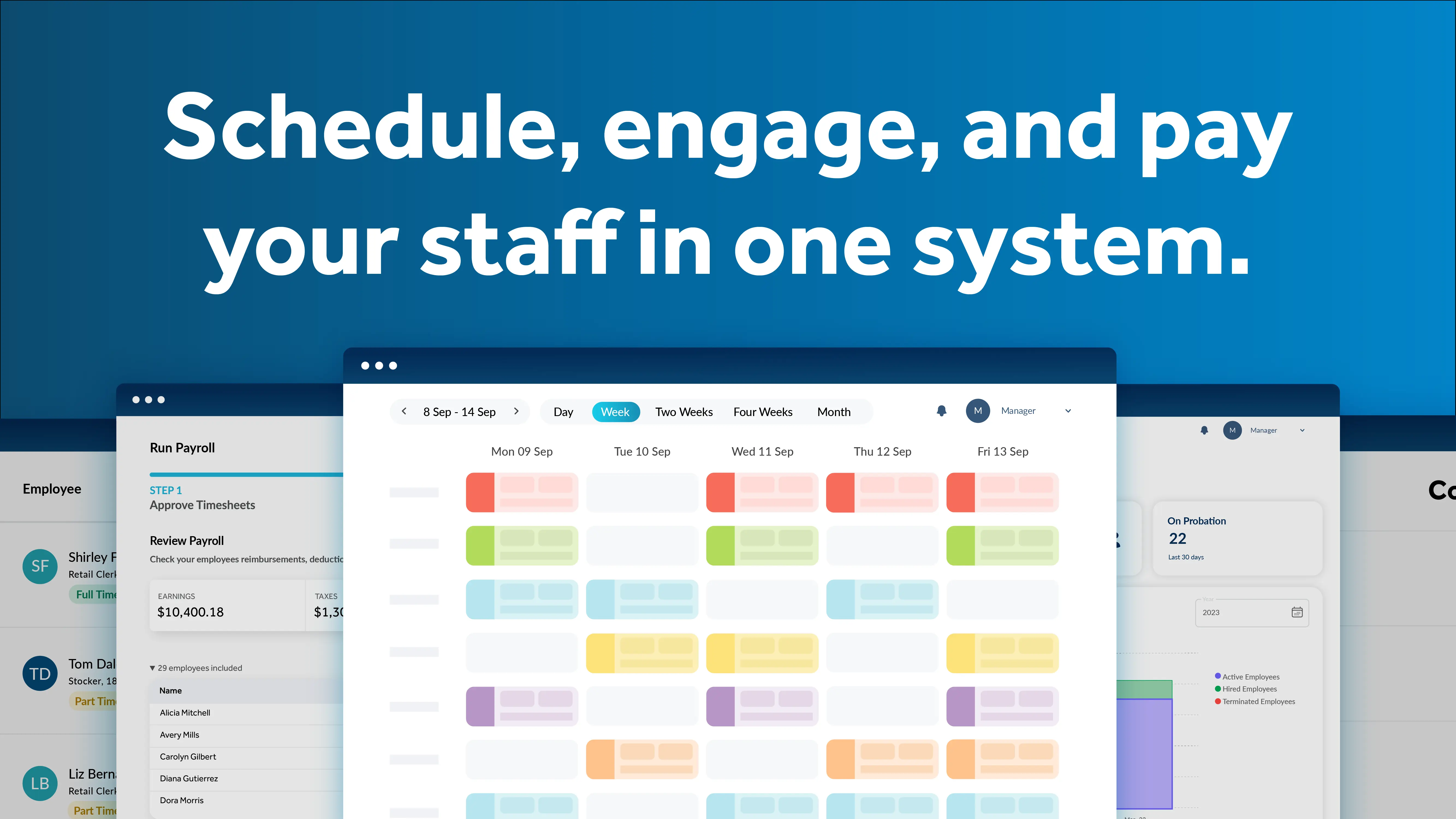
Workiz

workiz.com · Workiz FSM Software · scored Dec 2025

Workiz answers calls with AI, but locks users into annual contracts

Best forLocksmith, junk removal, and carpet cleaning professionals

From $65 per month AI featuresfree trialnot HIPAA compliant
−0.3 vs #1

Field service management platform for home services with AI call answering and drag-and-drop scheduling.

Standout factWorkiz is trusted by over 120,000 service professionalsg2.com
Biggest catchWorkiz explicitly states it is not a HIPAA Business Associate and will not sign a BAA.workiz.com
120,000+Service pros using Workizg2.com
4.6/5G2 ratingconnecteam.com
5,000+Zapier app connectionsworkiz.com

Standout number

120,000+service professionals trusting Workiz

Source: g2.com

Plans

Starter$65/mo

Entry tier

Professional$299/mo

Top tier

Source: saasworthy.com

Upside

  • AI-powered call answering (Genius)
  • 5,000+ apps via Zapier
  • 4.6/5 rating on G2

Catch

  • Not HIPAA compliant
  • Annual contracts hard to cancel
  • Extra users cost $46/mo
Pick it ifLocksmith, junk removal, and carpet cleaning professionals
Skip it ifLarge enterprises with complex asset management needs
PricingStarter $65/mo, Team $169/mo, Pro $299/mo

Editor's takeWorkiz's Genius Answering feature uses AI to pick up missed calls and book or reschedule jobs automatically, a real differentiator for busy home service dispatchers. QuickBooks sync and Zapier's 5,000-plus app connections cover most of the accounting and marketing stack. BBB complaints consistently cite difficulty cancelling annual contracts, and the platform explicitly states it will not sign a HIPAA BAA, ruling it out for medical-adjacent field services.

Is Workiz HIPAA compliant?

No. Workiz's terms state it is not acting as a Business Associate under HIPAA and will not sign a Business Associate Agreement.

How much do extra users cost on Workiz?

Additional users cost about $46 per month on the Standard tier, which can add up quickly for growing teams beyond the plan's included seats.

The evidence: 6 criteria, 3 penalties (−0.18 points)
8.7
Product Capability & DepthLooked for: We evaluate the breadth of field service management features, including scheduling, dispatching, CRM, and mobile functionality.Workiz offers a comprehensive suite including drag-and-drop scheduling, invoicing, inventory management, and AI-driven communication tools, though some users report limitations in offline mobile capabilities and reporting depth.workiz.comworkiz.comworkiz.com
9.2
Market Credibility & Trust SignalsLooked for: We assess market presence, user adoption, review sentiment across major platforms, and company reputation.Workiz maintains high ratings on major review platforms like G2 and Capterra and serves over 120,000 professionals, although there is a notable volume of BBB complaints regarding contract terms.g2.comconnecteam.combbb.org
8.9
Usability & Customer ExperienceLooked for: We look for ease of use, interface design, mobile app performance, and quality of customer support.Users consistently praise the intuitive interface and ease of setup, though some report lag in the mobile app and mixed experiences with customer support responsiveness.workiz.comg2.comg2.com
8.5
Value, Pricing & TransparencyLooked for: We evaluate pricing structures, hidden costs, contract terms, and overall value for money compared to competitors.While base pricing is competitive, the cost per additional user is high, and strict annual contract terms with difficult cancellation processes are a significant friction point.saasworthy.comconnecteam.comg2.com
9.0
Integrations & Ecosystem StrengthLooked for: We examine the availability and quality of third-party integrations, API access, and partnerships relevant to field service.Workiz boasts a strong ecosystem with native integrations for QuickBooks, Sunbit, and Thumbtack, plus connection to 5,000+ apps via Zapier.workiz.comworkiz.comworkiz.com
8.8
Security, Compliance & Data ProtectionLooked for: We review security features like 2FA, data encryption, and compliance with industry standards such as HIPAA.The platform supports Two-Factor Authentication (2FA) and role-based permissions but explicitly states it is not HIPAA compliant and will not sign a BAA.roofr.comroofr.comroofr.com

Score adjustments−0.18 points in total

−0.05Multiple user reports and BBB complaints cite difficulty cancelling annual contracts, unexpected auto-renewals, and a lack of transparency regarding long-term commitments.bbb.org · severity 75/100
−0.09Users report that the 'offline mode' is limited or non-functional for critical tasks despite marketing claims, which hinders field work in areas with poor connectivity.bbb.org · severity 65/100
−0.04Plan limits are low (2-5 users), and the cost for additional users is high (approx. $46/month), which can significantly increase total cost of ownership for growing teams.connecteam.com · severity 55/100
10

mHelpDesk

mhelpdesk.com · mHelpDesk Field Service · scored Dec 2025

mHelpDesk's Android app rates 1.9 stars, offline mode wins

Best forService businesses relying on QuickBooks Desktop for accounting

From $169 per month QuickBooks Desktopoffline modefield service
−0.4 vs #1

Field service platform with deep QuickBooks Desktop sync and reliable offline mode for technicians.

Standout factThe Android app holds just a 1.9 rating from over 500 user reviews.workyard.com
Biggest catchThe Android app suffers frequent crashes and sync issues, per user reviews.connecteam.com
12,000+Customers servedapps.apple.com
1.9/5 (500+ reviews)Android app ratingworkyard.com

What reviewers say

Capterra
4.3/5 · n/a
Google Play
1.9/5 · 500+

Source: workyard.com

Starting price

$169/mostarting price, not published on site

Upside

  • Deep QuickBooks Desktop sync
  • Offline mode syncs when reconnected
  • Live phone support available

Catch

  • Android app rated 1.9 stars
  • Pricing starts around $169/mo
  • Interface feels dated
Pick it ifService businesses relying on QuickBooks Desktop for accounting
Skip it ifUsers wanting a modern interface or reliable Android app
PricingStarts around $169/month, not published on the main site

Editor's takemHelpDesk supports two-way sync with QuickBooks Desktop, a feature many newer field service tools dropped. Its offline mode lets technicians keep working without signal and syncs once connection returns. The Android app is the weak point, holding just a 1.9 rating from more than 500 reviews, and pricing starts around $169 a month without being published on the site.

How much does mHelpDesk cost?

Pricing is not published on the main site. Third-party research puts the starting cost around $169 a month, higher than many entry-level field service tools.

Does mHelpDesk work offline?

Yes. Technicians can keep updating job information without a connection, and the app automatically syncs data once connectivity returns.

The evidence: 6 criteria, 3 penalties (−0.18 points)
8.9
Product Capability & DepthLooked for: We evaluate the breadth of field service features, including scheduling, dispatching, invoicing, and CRM capabilities tailored for service-based businesses.mHelpDesk offers a comprehensive suite covering the entire job lifecycle, from lead management and quoting to scheduling, dispatching, and invoicing, with specific support for recurring jobs and inventory tracking.mhelpdesk.commhelpdesk.commhelpdesk.com
9.2
Market Credibility & Trust SignalsLooked for: We assess the vendor's industry tenure, user base size, and reputation among field service professionals.Founded in 2007, mHelpDesk is a veteran in the space with over 12,000 customers and generally positive ratings on major review platforms like Capterra (4.3/5).apps.apple.comconnecteam.com
8.3
Usability & Customer ExperienceLooked for: We analyze user interface design, ease of navigation, and the quality of customer support resources.While customer support is praised for availability, the user interface is frequently described as 'old-school,' and the mobile app has suffered from significant stability issues and low ratings.connecteam.comworkyard.com
8.5
Value, Pricing & TransparencyLooked for: We examine pricing structures, transparency of costs, and value for money relative to feature set.Pricing is not transparently listed on the main site, and third-party sources indicate a high starting price point (~$169/mo) compared to entry-level competitors.mhelpdesk.comselecthub.comworkyard.com
9.1
Integrations & Ecosystem StrengthLooked for: We evaluate the software's ability to connect with accounting, payment, and other critical business tools.mHelpDesk distinguishes itself with robust two-way syncing for both QuickBooks Desktop and Online, a rare feature that is critical for many established service businesses.mhelpdesk.commhelpdesk.com
8.8
Mobile Field OperationsLooked for: We assess the mobile app's offline capabilities, GPS tracking, and field data collection features.The mobile app includes essential offline capabilities that automatically sync when connectivity returns, along with GPS tracking and on-site estimating tools.mhelpdesk.commhelpdesk.com

Score adjustments−0.18 points in total

−0.09The Android mobile app suffers from poor user ratings due to reported crashes and stability issues.connecteam.com · severity 80/100
−0.04Pricing is not transparently published on the vendor website and the starting cost is significantly higher than entry-level competitors.workyard.com · severity 60/100
−0.05The user interface is frequently described as 'old-school' or dated compared to modern SaaS standards.connecteam.com · severity 45/100
02

Side by side

10 features across 9 products. Green is yes, red is no, grey is not published.

FeatureSalesforce Field ServiceSkeduloWorkforce.comJobberWhen I WorkDataformaWorkeverWorkizmHelpDesk
Has Mobile App
Has Free Plan
Has Free Trial Contact for trial Contact for trial Contact for trial Contact for trial Contact for trial
Integrates With Zapier
Has Public API
Live Chat Support Email/Ticket only Email/Ticket only
SOC 2 or ISO Certified
Popular Integrations Slack, Salesforce, Google Workspace, Microsoft 365 Salesforce, Google Calendar, Microsoft 365 ADP, Xero, QuickBooks QuickBooks, Stripe, Mailchimp Slack, Google Calendar, QuickBooks Custom integrations only Google Calendar, Xero, QuickBooks QuickBooks, Google Calendar, Stripe QuickBooks, Google Calendar, Stripe
Supports SSO
Starting Price Contact for pricing Contact for pricing Contact for pricing $39 per month $3 per user/mo $50 per user per month $29 per user/mo $65 per month $169 per month
03

How we chose

Four fixed criteria for every product, plus two chosen for Workforce Scheduling Tools for Field Service & Home Services, weighted and reduced by documented penalties.

Full methodology
Criteria set for this categoryProduct Capability & Depth, Market Credibility & Trust Signals, Usability & Customer Experience, Value, Pricing & Transparency, Integrations & Ecosystem Strength, Security, Compliance & Data Protection
Evidence, then a scoreDocumentation, pricing pages, security pages and third-party reviews. Each criterion records what was found and links its sources.
Penalties, then a rankDocumented problems pull the score down with their evidence attached. Rank follows the score. Sponsored rows, where present, are labelled.
iVendors cannot buy a position. Every score rests on published evidence, documented problems pull it down, and a 9.1 here is not a 9.1 in another category.
Albert Richer
Albert RicherFounder · Memphis, TN

Sets the criteria and reviews the evidence before a ranking publishes. Email him if something here looks wrong.

04

Questions people ask

How much does Salesforce Field Service Management cost?

Pricing is not published on the website. Buyers must contact Salesforce sales for a custom enterprise quote based on user count and modules needed.

Does Salesforce Field Service Management work outside the Salesforce platform?

It is built as part of the Salesforce CRM environment, so it works best for organizations already using Salesforce. It connects through the AppExchange integration directory.

Does Skedulo work offline?

Available evidence indicates Skedulo requires an internet connection, so field crews need connectivity to receive real-time job updates.

How much does Skedulo cost?

Skedulo does not publish pricing. It uses a custom quote model, and its own materials point to enterprise-level positioning rather than a fixed starting price.

What ROI does Workforce.com deliver?

An independent Forrester Total Economic Impact study found customers achieved a 455% ROI, though pricing itself is not published and requires a quote.

Does Workforce.com's mobile app have issues?

Some users report the mobile clock-in app crashes or fails to load, according to Google Play Store reviews, though desktop usability is rated highly.

Does FieldPulse work offline?

Not reliably, according to reviews. Multiple verified users report the offline mode locking them out of the app or losing access to data when cell service drops.

How much does FieldPulse cost?

Pricing is not published and requires a sales quote. Third-party estimates put it around $89 per month plus roughly $30 per additional user, according to a third-party review site.

How is the best Workforce Scheduling Tools for Field Service & Home Services decided?

Every product is scored on six criteria for this category, with cited evidence and documented penalties. Rank follows the overall score. Vendors cannot pay for a position.

How often is this ranking updated?

Products are re-scored when pricing, features or evidence change. This ranking was last updated July 12, 2026.

05

More in Workforce Scheduling & Shift Management Tools

11 related rankings.

All of Workforce Scheduling & Shift Management
Research

78% of AI power users actively seek outside employment opportunities

May 23, 2026

80% of global organizations will deploy digital adoption platforms by 2027 to fight skills shortages

May 1, 2026

Supervisor engagement plummeted 51% more responsibilities than they can manage

Apr 19, 2026