Time & Attendance Tracking Software

Updated July 21, 2026

These are the specialized categories within Time & Attendance Tracking Software. Looking for something broader? See all HR & People Management Software categories.

Not sure which one is right for you?

Answer 4 quick questions and we'll match you with your best options

Find Your Best Match

How big is your team?

Just me
2 - 10
11 - 50
51 - 200
201 - 1,000
1,000+

What's your budget situation?

Free or open-source only
Free to start, pay later
Best value for money
Price isn't the main factor

What's your team's technical comfort level?

We want it to just work
We can handle some setup
We have developers who'll customize it

What's the ONE thing this tool must do well?

Step 1 of 4
WorkForce Software: Workforce Management

WorkForce Software provides a comprehensive cloud-based solution that meets the complexities of managing global workforce's time, attendance, and scheduling. Designed specifically for large, global enterprises, it excels in handling multiple time zones, languages, and employment regulations, delivering a unified view of your workforce for better decision-making.

Best for Enterprise Time & Attendance Platforms for Global Workforces

Expert Take

WorkForce Software excels in managing complex, global workforce requirements with its robust features and compliance support. Its strengths in handling multiple time zones and languages make it a top choice for multinational enterprises. Despite a complex initial setup, its comprehensive capabilities justify its premium positioning.

Pros

  • Acquired by ADP (Oct 2024)
  • Strategic SAP & Workday partner
  • Deep functionality for deskless workers
  • Configurable for union rules

Cons

  • Complex user interface
  • Long implementation timelines
  • Mobile app bugs reported
  • Opaque enterprise pricing

Best for teams that are

  • Large enterprises with complex union or pay rules
  • Global companies needing SAP or Oracle integrations

Skip if

  • Small to mid-sized businesses with under 500 employees
  • Companies with simple, standard 9-5 office schedules

Best for teams that are

  • Large enterprises with complex union or pay rules
  • Global companies needing SAP or Oracle integrations

Skip if

  • Small to mid-sized businesses with under 500 employees
  • Companies with simple, standard 9-5 office schedules

Pros

  • Acquired by ADP (Oct 2024)
  • Handles complex global compliance
  • Strategic SAP & Workday partner
  • Deep functionality for deskless workers
  • Configurable for union rules

Cons

  • Complex user interface
  • Long implementation timelines
  • Reporting requires technical skill
  • Mobile app bugs reported
  • Opaque enterprise pricing

Expert Take

WorkForce Software excels in managing complex, global workforce requirements with its robust features and compliance support. Its strengths in handling multiple time zones and languages make it a top choice for multinational enterprises. Despite a complex initial setup, its comprehensive capabilities justify its premium positioning.

2
9.1 / 10
Homebase Time Clock

Homebase Time Clock is perfect for small businesses managing hourly teams, simplifying timesheet management with GPS geofencing and photo capture. It efficiently handles scheduling, time tracking, and team communication, offering essential tools to prevent time theft and ensure compliance.

Best for Time & Attendance Software with PTO & Leave Management

Expert Take

Homebase transforms messy manual timesheets into a streamlined, automated workflow tailored specifically for hourly teams. We love how it cleverly utilizes GPS geofencing and photo capture to prevent buddy punching without relying on invasive biometric scanning. Its all-in-one approach to scheduling, time tracking, and team messaging makes it an indispensable operational hub for small businesses.

Pros

  • Free basic plan for up to 10 employees
  • Seamless POS and accounting integrations
  • Automates overtime and break compliance

Cons

  • Mobile app can experience slow performance
  • Payroll add-on becomes expensive as teams grow

Best for teams that are

  • Single-location restaurants and retail shops with 1-20 hourly workers.
  • Shift-based operations needing photo verification, GPS, and tip distribution.

Skip if

  • Companies with salaried employees, 1099 contractors, or multi-state payroll.
  • Organizations needing complex benefits administration or garnishment processing.

Best for teams that are

  • Single-location restaurants and retail shops with 1-20 hourly workers.
  • Shift-based operations needing photo verification, GPS, and tip distribution.

Skip if

  • Companies with salaried employees, 1099 contractors, or multi-state payroll.
  • Organizations needing complex benefits administration or garnishment processing.

Pros

  • Free basic plan for up to 10 employees
  • GPS and photo verification prevents time theft
  • Seamless POS and accounting integrations
  • Automates overtime and break compliance

Cons

  • Mobile app can experience slow performance
  • Payroll add-on becomes expensive as teams grow
  • Per-location pricing scales poorly

Expert Take

Homebase transforms messy manual timesheets into a streamlined, automated workflow tailored specifically for hourly teams. We love how it cleverly utilizes GPS geofencing and photo capture to prevent buddy punching without relying on invasive biometric scanning. Its all-in-one approach to scheduling, time tracking, and team messaging makes it an indispensable operational hub for small businesses.

Time Tracking (Zeiterfassung)

Ideal for construction and job sites, absence.io simplifies time tracking and absence management with seamless integrations and ISO-certified data security, ensuring compliance for businesses.

Best for Time & Attendance Software for Construction & Job Sites

Expert Take

absence.io stands out by offering a streamlined, non-intrusive approach to absence management and time tracking. We love how effortlessly it integrates into existing workflows through native Slack, Microsoft 365, and Google connections. Furthermore, their commitment to data privacy, evidenced by ISO-certified servers hosted strictly in Germany, makes it a highly trustworthy choice for compliance-conscious businesses.

Pros

  • Intuitive and minimalistic user interface
  • Flexible time tracking via web, app, or terminal
  • ISO-certified servers located exclusively in Germany

Cons

  • Mobile app user interface needs modernization
  • Complex setup for diverse part-time working models

Best for teams that are

  • Small to medium businesses managing HR leave and PTO requests.
  • Startups seeking an easy-to-use digital personnel file system.

Skip if

  • Construction crews needing rugged job site hardware.
  • Companies requiring GPS geofencing or biometric verification.

Best for teams that are

  • Small to medium businesses managing HR leave and PTO requests.
  • Startups seeking an easy-to-use digital personnel file system.

Skip if

  • Construction crews needing rugged job site hardware.
  • Companies requiring GPS geofencing or biometric verification.

Pros

  • Intuitive and minimalistic user interface
  • Seamless Slack, Microsoft, and Google integrations
  • Flexible time tracking via web, app, or terminal
  • ISO-certified servers located exclusively in Germany

Cons

  • Mobile app user interface needs modernization
  • Complex setup for diverse part-time working models

Expert Take

absence.io stands out by offering a streamlined, non-intrusive approach to absence management and time tracking. We love how effortlessly it integrates into existing workflows through native Slack, Microsoft 365, and Google connections. Furthermore, their commitment to data privacy, evidenced by ISO-certified servers hosted strictly in Germany, makes it a highly trustworthy choice for compliance-conscious businesses.

Pacific Timesheet for Manufacturing

Pacific Timesheet for Manufacturing is a SaaS solution specifically tailored for the manufacturing and production industry. It addresses the unique needs of this sector by providing comprehensive time and attendance tracking, labor cost management, and productivity enhancement tools, while also ensuring compliance with labor laws.

Best for Time & Attendance Software for Manufacturing & Production Lines

Expert Take

Pacific Timesheet for Manufacturing excels in addressing the specific needs of the manufacturing sector with its comprehensive time and attendance tracking features. It is recognized for its industry-specific capabilities, compliance tools, and flexible configuration, making it a top choice for manufacturing and production lines.

Pros

  • Specialized absence points tracking
  • Integrates with 250+ systems
  • Biometric time clock support
  • Used by Komatsu and Boeing

Cons

  • Interface feels outdated
  • Mobile app can be laggy
  • Enterprise pricing is opaque
  • Steep learning curve for admins

Best for teams that are

  • Enterprise manufacturers with complex union or government contract rules
  • Companies requiring extensive payroll integrations and custom pay rules

Skip if

  • Small teams wanting a modern, plug-and-play UI
  • Users needing a simple, low-learning-curve mobile app

Best for teams that are

  • Enterprise manufacturers with complex union or government contract rules
  • Companies requiring extensive payroll integrations and custom pay rules

Skip if

  • Small teams wanting a modern, plug-and-play UI
  • Users needing a simple, low-learning-curve mobile app

Pros

  • Specialized absence points tracking
  • DCAA compliant audit trails
  • Integrates with 250+ systems
  • Biometric time clock support
  • Used by Komatsu and Boeing

Cons

  • Interface feels outdated
  • Mobile app can be laggy
  • Complex initial setup
  • Enterprise pricing is opaque
  • Steep learning curve for admins

Expert Take

Pacific Timesheet for Manufacturing excels in addressing the specific needs of the manufacturing sector with its comprehensive time and attendance tracking features. It is recognized for its industry-specific capabilities, compliance tools, and flexible configuration, making it a top choice for manufacturing and production lines.

ADP Timekeeping Plus Scheduling

ADP Timekeeping Plus Scheduling is an ideal solution for compliance-heavy industries. Its robust features help accurately track employee hours, control labor costs, and improve compliance with labor laws. Its cloud-based nature makes it easily accessible, ensuring seamless operation and productivity.

Best for Time & Attendance Software for Compliance-Heavy Industries

Expert Take

ADP Timekeeping Plus Scheduling excels in providing comprehensive time tracking and scheduling solutions tailored for compliance-heavy industries. Its robust compliance features and cloud-based accessibility make it a strong contender in its category. While the interface could be more user-friendly, its overall capabilities and industry-specific focus justify its premium positioning.

Pros

  • Seamless 'punch-to-paycheck' integration with ADP payroll
  • Collaborative scheduling allows easy shift swapping
  • Enterprise-grade security with SOC and ISO certifications
  • Automated compliance tools for overtime and breaks

Cons

  • Pricing is opaque and requires custom quotes
  • Mobile app suffers from login and sync issues
  • Can be expensive for small businesses vs peers
  • Advanced features may require higher tier plans

Best for teams that are

  • Small businesses with fewer than 50 employees
  • Companies needing a simple, unified payroll and time dashboard

Skip if

  • Mid-to-large enterprises (better suited for ADP Workforce Now)
  • Businesses not using ADP for payroll

Best for teams that are

  • Small businesses with fewer than 50 employees
  • Companies needing a simple, unified payroll and time dashboard

Skip if

  • Mid-to-large enterprises (better suited for ADP Workforce Now)
  • Businesses not using ADP for payroll

Pros

  • Seamless 'punch-to-paycheck' integration with ADP payroll
  • Biometric and geo-fencing features prevent time theft
  • Collaborative scheduling allows easy shift swapping
  • Enterprise-grade security with SOC and ISO certifications
  • Automated compliance tools for overtime and breaks

Cons

  • Pricing is opaque and requires custom quotes
  • Mobile app suffers from login and sync issues
  • Customer support quality varies significantly
  • Can be expensive for small businesses vs peers
  • Advanced features may require higher tier plans

Expert Take

ADP Timekeeping Plus Scheduling excels in providing comprehensive time tracking and scheduling solutions tailored for compliance-heavy industries. Its robust compliance features and cloud-based accessibility make it a strong contender in its category. While the interface could be more user-friendly, its overall capabilities and industry-specific focus justify its premium positioning.

Clockify™ Time Tracking Software

Clockify™ is the perfect solution for professionals in the construction and job site industry that need to track precise work hours across multiple projects. Its simplicity and robust functionality make it easy to manage time and attendance, reducing errors and increasing efficiency.

Best for Time & Attendance Software for Construction & Job Sites

Expert Take

Clockify™ excels in the construction and job site industry with its robust time tracking capabilities and integration options. It offers a versatile solution with unlimited users across plans, making it highly suitable for complex project environments. While lacking offline mode and advanced features in the free version, its overall functionality and integration strength position it as a top choice.

Pros

  • Free plan includes unlimited users and projects
  • Integrates with over 80 popular software tools
  • Intuitive and clean web interface
  • Data region selection available for compliance

Cons

  • Mobile app suffers from sync issues and bugs
  • Strict no-refund policy on subscriptions
  • Invoicing not available in free tier
  • GPS tracking requires Pro plan upgrade

Best for teams that are

  • Freelancers and agencies needing billable hours tracking.
  • Consultants requiring simple timesheets and invoicing tools.

Skip if

  • Construction crews needing rugged job site hardware.
  • Contractors managing complex field safety compliance and access.

Best for teams that are

  • Freelancers and agencies needing billable hours tracking.
  • Consultants requiring simple timesheets and invoicing tools.

Skip if

  • Construction crews needing rugged job site hardware.
  • Contractors managing complex field safety compliance and access.

Pros

  • Free plan includes unlimited users and projects
  • SOC 2 Type II and ISO 27001 certified
  • Integrates with over 80 popular software tools
  • Intuitive and clean web interface
  • Data region selection available for compliance

Cons

  • Mobile app suffers from sync issues and bugs
  • Strict no-refund policy on subscriptions
  • Advanced reporting locked behind paid plans
  • Invoicing not available in free tier
  • GPS tracking requires Pro plan upgrade

Expert Take

Clockify™ excels in the construction and job site industry with its robust time tracking capabilities and integration options. It offers a versatile solution with unlimited users across plans, making it highly suitable for complex project environments. While lacking offline mode and advanced features in the free version, its overall functionality and integration strength position it as a top choice.

EcoTime Healthcare Time & Attendance

EcoTime’s Time and Attendance Software for Healthcare is a robust solution designed to manage complex time tracking needs of healthcare institutions. It provides real-time attendance tracking, advanced clock-in and clock-out solutions, and absence management, ensuring that healthcare professionals can focus more on patient care and less on administrative tasks.

Best for Time & Attendance Software for Healthcare & Clinics

Expert Take

EcoTime Healthcare Time & Attendance excels in providing industry-specific solutions for healthcare institutions, with strong capabilities in real-time tracking and absence management. While pricing transparency is limited, the product's depth in addressing healthcare-specific needs and its integration capabilities justify its premium positioning.

Pros

  • Dedicated US-based support teams
  • Retroactive timesheet adjustment audit trails
  • Specialized FMLA compliance module
  • Seamless payroll integration (ADP/PeopleSoft)

Cons

  • Interface described as clunky/dated
  • Reporting lacks drag-and-drop customization
  • Annual billing only (no monthly)
  • Pricing not publicly disclosed

Best for teams that are

  • Large healthcare systems with complex union pay rules and shift differentials
  • Multi-site organizations requiring centralized time management for 24/7 operations

Skip if

  • Small clinics with simple, standard 9-5 staffing requirements
  • Organizations seeking a simple, out-of-the-box mobile app experience

Best for teams that are

  • Large healthcare systems with complex union pay rules and shift differentials
  • Multi-site organizations requiring centralized time management for 24/7 operations

Skip if

  • Small clinics with simple, standard 9-5 staffing requirements
  • Organizations seeking a simple, out-of-the-box mobile app experience

Pros

  • Automates complex union & shift rules
  • Dedicated US-based support teams
  • Retroactive timesheet adjustment audit trails
  • Specialized FMLA compliance module
  • Seamless payroll integration (ADP/PeopleSoft)

Cons

  • Interface described as clunky/dated
  • Steep learning curve for new users
  • Reporting lacks drag-and-drop customization
  • Annual billing only (no monthly)
  • Pricing not publicly disclosed

Expert Take

EcoTime Healthcare Time & Attendance excels in providing industry-specific solutions for healthcare institutions, with strong capabilities in real-time tracking and absence management. While pricing transparency is limited, the product's depth in addressing healthcare-specific needs and its integration capabilities justify its premium positioning.

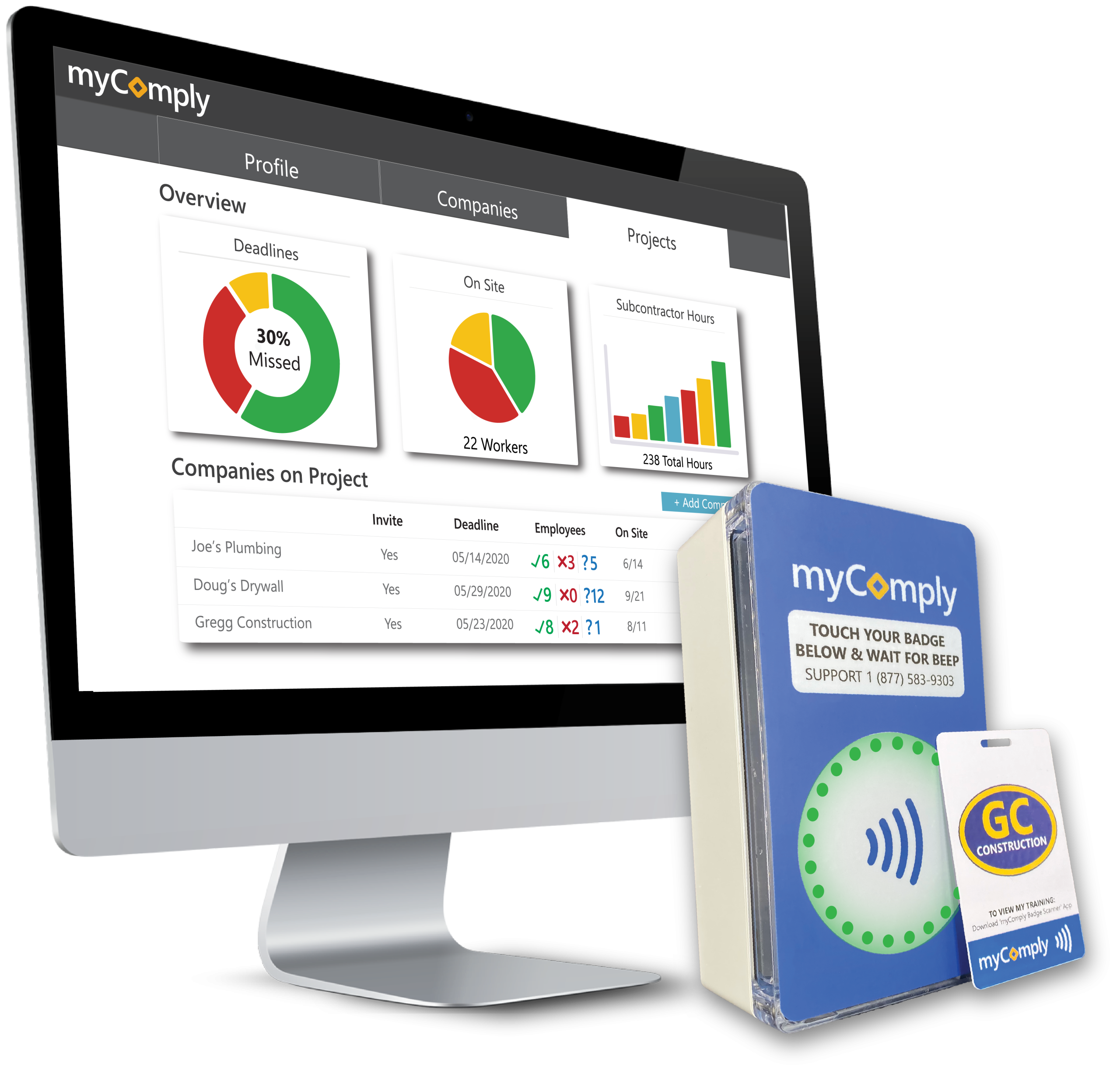
myComply Time & Attendance

myComply's Time & Attendance system is specifically designed for the unique demands of construction sites. Its adaptability allows it to meet varied project requirements, providing real-time, reliable data on workers' time and attendance. This ensures project timelines are adhered to and labor costs are accurately tracked.

Best for Time & Attendance Software for Construction & Job Sites

Expert Take

myComply Time & Attendance excels in providing a specialized solution for construction site management, offering real-time tracking and adaptability to dynamic project requirements. Its industry-specific focus and reliable data tracking make it a valuable tool, though pricing transparency and customization options could be improved.

Pros

  • NYC DOB official partner
  • SOC 2 compliant security
  • Automated LL 196 reporting
  • Real-time certification verification

Cons

  • Interface described as rudimentary
  • Setup may require professional help
  • Mobile app has limited reviews
  • Hardware installation required

Best for teams that are

  • Contractors navigating strict safety ordinances like NYC LL196.
  • General contractors wanting automated certification verification.

Skip if

  • Small residential contractors with simple time tracking needs.
  • Industries outside of construction, mining, or energy.

Best for teams that are

  • Contractors navigating strict safety ordinances like NYC LL196.
  • General contractors wanting automated certification verification.

Skip if

  • Small residential contractors with simple time tracking needs.
  • Industries outside of construction, mining, or energy.

Pros

  • NYC DOB official partner
  • Integrated Smart Brick hardware
  • SOC 2 compliant security
  • Automated LL 196 reporting
  • Real-time certification verification

Cons

  • Interface described as rudimentary
  • Setup may require professional help
  • Custom pricing for Projects Pro
  • Mobile app has limited reviews
  • Hardware installation required

Expert Take

myComply Time & Attendance excels in providing a specialized solution for construction site management, offering real-time tracking and adaptability to dynamic project requirements. Its industry-specific focus and reliable data tracking make it a valuable tool, though pricing transparency and customization options could be improved.

Papaya Time & Attendance

Designed specifically for global workforces, Papaya's Time & Attendance solution eradicates the need for manual time tracking, reducing the risk of errors and promoting accuracy. It streamlines the HR process, making it easier for industry professionals to manage their employees' work hours across multiple locations and time zones.

Best for Enterprise Time & Attendance Platforms for Global Workforces

Expert Take

Papaya Time & Attendance is a robust solution designed for global enterprises, offering accurate time tracking and compliance features. Its automation capabilities and scalability make it suitable for managing complex workforce needs across multiple regions. While custom pricing may limit transparency, the product's strengths in global workforce management justify its premium positioning.

Pros

  • Unified global payroll and time tracking
  • Mobile app for employee self-service
  • Partnership with J.P. Morgan for payments
  • Supports 160+ countries globally

Cons

  • EOR services are expensive ($599/mo)
  • No 24/7 phone support helpline
  • Syncing issues with some HR tools
  • Relies on partners for local entities

Best for teams that are

  • Global companies managing payroll across multiple countries
  • Finance teams wanting unified global payroll data

Skip if

  • Domestic-only businesses with no international presence
  • Companies needing advanced shift scheduling features

Best for teams that are

  • Global companies managing payroll across multiple countries
  • Finance teams wanting unified global payroll data

Skip if

  • Domestic-only businesses with no international presence
  • Companies needing advanced shift scheduling features

Pros

  • Unified global payroll and time tracking
  • CSA STAR and SOC 1/2 certified
  • Mobile app for employee self-service
  • Partnership with J.P. Morgan for payments
  • Supports 160+ countries globally

Cons

  • EOR services are expensive ($599/mo)
  • No 24/7 phone support helpline
  • Reports of hidden fees for add-ons
  • Syncing issues with some HR tools
  • Relies on partners for local entities

Expert Take

Papaya Time & Attendance is a robust solution designed for global enterprises, offering accurate time tracking and compliance features. Its automation capabilities and scalability make it suitable for managing complex workforce needs across multiple regions. While custom pricing may limit transparency, the product's strengths in global workforce management justify its premium positioning.

TalentHR Time & Attendance

TalentHR offers an intuitive and flexible solution for HR professionals in managing time and attendance. The software effectively addresses the need for accurate time tracking and efficient PTO management, which are significant industry requirements. The integration of leave management and time tracking in one view simplifies the process and reduces administrative work.

Best for Time & Attendance Software with PTO & Leave Management

Expert Take

TalentHR Time & Attendance is recognized for its seamless integration of time tracking and PTO management, offering a comprehensive solution for HR professionals. Its flexibility and real-time monitoring capabilities enhance productivity, while its pricing transparency and ease of use make it accessible to a wide range of businesses.

Pros

  • Free plan for up to 10 users
  • Seamless native integration with TalentLMS
  • Extremely intuitive 'no training needed' interface
  • Transparent pricing starting at $2/user

Cons

  • No native payroll processing engine
  • Lacks advanced shift swapping features
  • Fewer native integrations than enterprise rivals
  • Not suitable for complex enterprise needs

Best for teams that are

  • Startups and expanding small businesses looking for an all-in-one HRIS platform.
  • Small teams of up to 10 users who want to utilize the free core HR tier.

Skip if

  • Large enterprises requiring deep, complex project-based time tracking features.

Best for teams that are

  • Startups and expanding small businesses looking for an all-in-one HRIS platform.
  • Small teams of up to 10 users who want to utilize the free core HR tier.

Skip if

  • Large enterprises requiring deep, complex project-based time tracking features.

Pros

  • Free plan for up to 10 users
  • Built-in anonymous whistleblowing tool (Safe Voice)
  • Seamless native integration with TalentLMS
  • Extremely intuitive 'no training needed' interface
  • Transparent pricing starting at $2/user

Cons

  • No native payroll processing engine
  • Lacks advanced shift swapping features
  • Reporting customization can be limited
  • Fewer native integrations than enterprise rivals
  • Not suitable for complex enterprise needs

Expert Take

TalentHR Time & Attendance is recognized for its seamless integration of time tracking and PTO management, offering a comprehensive solution for HR professionals. Its flexibility and real-time monitoring capabilities enhance productivity, while its pricing transparency and ease of use make it accessible to a wide range of businesses.

Loading comparison data…

How We Rank Products

Our Evaluation Process

Time & Attendance Tracking Software is evaluated based on features like integration capabilities with existing systems and compliance with labor regulations. Pricing transparency is considered to assess cost-effectiveness for different business sizes. Compatibility with mobile devices and biometric systems is also reviewed. Third-party customer feedback provides insights into real-world usability and satisfaction.

Verification

  • Products evaluated through comprehensive research and analysis of time tracking features and user experiences.
  • Rankings based on analysis of specifications, customer feedback, and expert reviews in the time and attendance tracking category.
  • Selection criteria focus on key factors such as integration capabilities, user interface, and reporting functionalities.

Score Breakdown

0.0 / 10

About Time & Attendance Tracking Software

WHAT IS TIME & ATTENDANCE TRACKING SOFTWARE?

This category covers software used to capture, validate, and process employee working hours and leave data for the purpose of accurate payroll calculation and labor law compliance. Unlike simple "time clocks" of the past, modern Time & Attendance Tracking Software manages the complex rules engine that sits between raw punch data and a paycheck: calculating overtime, applying shift differentials, enforcing break compliance, managing accruals, and distinguishing between billable and non-billable time. It sits between HRIS (which holds core employee demographic data) and Payroll (which executes the final funds transfer), acting as the operational translation layer that converts "presence" into "pay."

The category is narrower than broader Workforce Management (WFM) suites—which also include forecasting, advanced scheduling, and task management—but significantly deeper than basic timekeeping features found in project management tools. It includes both general-purpose cloud platforms designed for office environments and highly specialized, vertical-specific tools built for complex regulatory environments like unionized manufacturing, healthcare, and field construction. These systems serve as the single source of truth for labor activity, protecting organizations from wage theft litigation while ensuring employees are paid accurately for every minute worked.

The core problem this software solves is the "translation error" between human activity and financial compensation. Without it, organizations rely on manual estimation or disconnected spreadsheets, leading to "time theft," payroll leakage, and significant regulatory liability. It is used primarily by HR and Operations leaders to enforce labor policy automatically, removing the burden of manual calculation from frontline managers.

HISTORY: FROM PUNCH CARDS TO ALGORITHMIC COMPLIANCE

While mechanical time clocks date back to the late 19th century, the modern software category of Time & Attendance began to take shape in the 1990s as a response to the rigid limitations of mainframe ERP systems. In the early 90s, "time and attendance" was often a module bolted onto a massive on-premise ERP or a physical hardware system that printed data onto proprietary cards. These systems were essentially digital databases for clock punches—they could record when someone arrived, but they lacked the intelligence to interpret what that arrival meant for payroll without manual intervention.

The late 1990s and early 2000s saw the rise of "best-of-breed" solutions. As labor laws (such as the FMLA and various state-level overtime mandates) became more complex, generalist ERPs could not keep up with the nuanced calculations required for unionized or shift-based workforces. This created a gap that specialized software vendors filled, focusing entirely on the "rules engine"—the software's ability to automatically apply complex logic like California meal break penalties or union-mandated double-time.

The most significant shift occurred with the transition from on-premise servers to the cloud (SaaS) around 2010. This moved the point of data capture from a wall-mounted clock to the employee's pocket. Mobile connectivity allowed Time & Attendance software to expand into field services and logistics, tracking not just time but location via GPS. This era also saw massive market consolidation, where large payroll providers acquired standalone time tracking vendors to control the data flow from punch to paycheck, attempting to create "unified" human capital management suites.

Today, buyer expectations have evolved from "give me a digital timesheet" to "give me actionable intelligence." Modern systems are expected to predict overtime before it happens, flag "flight risk" employees based on attendance patterns, and automate compliance with shifting labor regulations. The focus has moved from simple data collection to risk mitigation and operational optimization.

WHAT TO LOOK FOR

Evaluating Time & Attendance Tracking Software requires moving beyond basic feature checklists ("does it have a mobile app?") to assessing the robustness of the rules engine. The critical differentiator is rarely how the time is collected, but rather how the system handles exceptions. A robust system must be able to configure "if/then" logic without custom coding. For example, can the system automatically trigger a different pay code if an employee works a split shift across two different cost centers on a Sunday? If the vendor answers "we can build that for you," that is a red flag. True enterprise-grade software handles this via configuration, not customization.

Buyers should scrutinize the system's "auditability." In the event of a wage-and-hour lawsuit, you need more than just the final timesheet; you need the metadata of every modification. Who changed the punch? When? Was the employee notified? Warning signs include systems that allow managers to edit timesheets without generating a permanent, unalterable log entry, or systems that overwrite original punch data rather than storing it alongside the corrected entry.

Another critical area is "offline resilience." Cloud-based systems are excellent until the internet goes down. Ask vendors specifically: "How does the hardware or mobile app behave during a prolonged outage?" Inferior systems will simply stop accepting punches, causing chaos at shift change. Superior systems store data locally with high-grade encryption and sync intelligently once connectivity is restored, flagging any anomalies that occurred during the blackout.

Finally, verify the "biometric data policy." With the rise of biometric privacy laws (like BIPA in Illinois), the software must support biometric template hashing—converting a fingerprint or face scan into a mathematical string that cannot be reverse-engineered into an image—and provide automated tools for consent management and data destruction. If a vendor treats biometric data simply as "images stored in the cloud," they are exposing you to massive legal liability.

INDUSTRY-SPECIFIC USE CASES

Retail & E-commerce

In retail environments, the primary challenge is not just tracking time, but managing high-velocity volatility. Retailers face high turnover and frequent schedule changes that trigger "predictive scheduling" or "fair workweek" laws in many jurisdictions. These laws penalize employers for last-minute schedule changes. Therefore, Time & Attendance software for retail must have tight integration with scheduling modules to alert managers before they make a change that incurs a penalty. It also needs to support seamless "shift swapping" where the time tracking logic automatically transfers the hours—and the associated overtime calculations—to the covering employee without manager intervention.

Healthcare

Healthcare systems operate under the most complex pay rules of any industry. Nurses often work across different departments (cost centers) in a single week, or even a single shift, triggering different pay rates ("shift differentials"). A nurse might earn a base rate, plus a weekend differential, plus a "charge nurse" premium, plus a hazard pay bonus—all simultaneously. Generic software fails here. Healthcare-specific Time & Attendance tools must handle "stacked pay codes" and integrate with clinical credentialing systems to ensure that the person clocking in is actually licensed to perform the scheduled role, blocking the punch if a certification has expired.

Financial Services

For financial institutions, the priority is security and audit trails rather than complex shift patterns. These organizations often require "zero-trust" time tracking where the software must verify identity with extreme rigor to prevent unauthorized access to sensitive trading floors or banking systems. Time & Attendance in this sector often acts as a gatekeeper; the "clock in" triggers access to physical doors or cybersecurity login credentials. The software must produce immutable audit logs that satisfy Sarbanes-Oxley (SOX) and other regulatory frameworks, proving exactly who was in the building and when.

Manufacturing

Manufacturing buyers need software that bridges the gap between "attendance" (being at work) and "job costing" (what work was done). In this sector, employees often clock into specific production orders or machines. The software must track "piece rate" calculations or complex union rules regarding breaks and overtime distribution. A critical unique need is the "gapping" analysis—identifying the difference between the time an employee is paid for (gate-to-gate) vs. the time they are productive on the line. Specialized tools here often integrate directly with IoT sensors on shop floor machinery to validate human input against machine runtime.

Professional Services

In law firms, consultancies, and agencies, time tracking is the revenue engine. The focus shifts from "compliance" to "billability." Unlike other sectors where minimizing overtime is the goal, here the goal is capturing every billable minute. The software must differentiate clearly between "utilized" time (billable to a client) and "administrative" time. Evaluation priorities include deep integration with project management and invoicing billing systems. A unique consideration is the user interface friction; highly paid professionals will not use a clunky "punch clock" interface. They require "passive" tracking tools that run in the background of their workstations, suggesting time entries based on calendar appointments and document activity.

SUBCATEGORY OVERVIEW

Time & Attendance Software for Construction & Job Sites

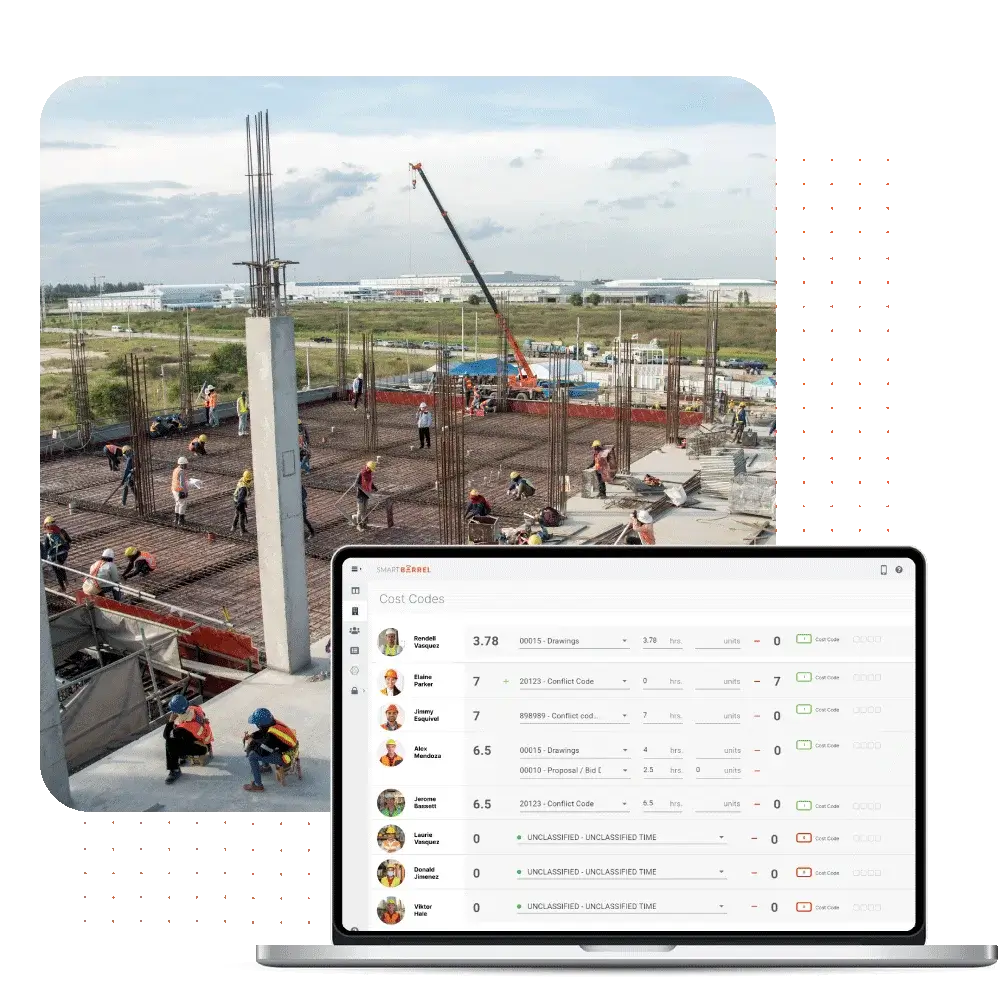
This niche is fundamentally defined by the "distributed and disconnected" nature of the workforce. Unlike an office or factory, the "workplace" in construction moves constantly and often lacks reliable internet infrastructure. What makes this category genuinely different is the requirement for robust "offline mode" capabilities and geofencing validation that works without battery drain. General tools fail here because they assume a constant connection; specialized construction tools cache data locally on ruggedized devices and sync only when a signal is verified.

A workflow that only Time & Attendance Software for Construction & Job Sites handles well is the "crew punch." In this scenario, a foreman clocks in an entire team of 20 workers at once from a single tablet, assigning them to a specific cost code (e.g., "Framing - Building B") and then transferring them collectively to a different code ("Drywall - Building B") mid-shift. Generic tools force individual clock-ins, which wastes massive amounts of productive time. The specific pain point driving buyers here is "ghost employees"—workers being clocked in by buddies when they aren't actually on the remote site—which specialized tools solve via facial verification at the point of the crew punch.

Enterprise Time & Attendance Platforms for Global Workforces

The defining characteristic of this subcategory is the ability to handle "multi-jurisdictional compliance" simultaneously. A general tool might handle US overtime rules perfectly but fail when asked to calculate French "RTT" days or Brazilian electronic timekeeping mandates (Portaria 671). Enterprise platforms are architected with a global rules library that localizes compliance automatically based on the employee's assigned region.

A workflow unique to Enterprise Time & Attendance Platforms for Global Workforces is the "global labor view" rollout. This involves standardizing pay rules across 30+ countries while maintaining local legal adherence, allowing a HQ in London to view real-time labor costs in Tokyo, New York, and Berlin on a single dashboard, normalized to a single currency. Buyers are driven to this niche by the pain of "fragmented data"—having to collate spreadsheets from 15 different local payroll vendors to get a simple headcount report.

Time & Attendance Software for Manufacturing & Production Lines

This software distinguishes itself by treating time as a production input rather than just a payroll output. It is integrated deeply with ERP and Manufacturing Execution Systems (MES). The nuance here is "shop floor data collection." Generic tools simply record that John was at work for 8 hours. Specialized manufacturing tools record that John spent 2 hours on Machine A, 4 hours on Machine B, and 2 hours on maintenance, reconciling his labor cost against the profitability of the specific widgets produced.

One workflow that Time & Attendance Software for Manufacturing & Production Lines excels at is "piece-rate calculation with minimum wage floor." If a worker is paid per unit produced but their production falls below the legal minimum hourly wage, the software must instantly calculate the "make-up pay" to ensure compliance. General tools cannot handle this dual-logic calculation. The driving pain point is "job costing inaccuracy"—manufacturers realizing they are losing money on products because they cannot accurately attribute labor costs to specific production runs.

Time & Attendance Software for Compliance-Heavy Industries

This subcategory serves industries where the cost of non-compliance is existential, such as unionized transportation, healthcare, or government contracting. The differentiator is the "rules engine configurability" and the depth of the audit trail. These tools are built to codify Collective Bargaining Agreements (CBAs) that may have existed for 50 years and contain bizarre, compounded pay rules that defy standard logic.

A workflow specific to Time & Attendance Software for Compliance-Heavy Industries is "grievance avoidance." The software proactively alerts managers if assigning a specific overtime shift to Employee A would violate a seniority clause in the union contract, thereby preventing a costly grievance filing. Buyers flock here due to the pain of "litigation risk"—the fear of class-action lawsuits arising from systematic miscalculation of complex overtime or break rules.

Time & Attendance Software for Field Service Teams

The focus here is on "route-based" time tracking. Unlike construction (which is site-based), field service involves technicians moving between 5-10 locations a day. This software blends time tracking with logistics, using GPS breadcrumbing not just for verification, but to calculate "drive time" vs. "wrench time."

A specific workflow handled by Time & Attendance Software for Field Service Teams is the automatic deduction of commute time. If a technician drives the company van home, the software must differentiate between the "commute" (unpaid) and the travel to the first job site (paid), often based on dynamic distance thresholds. General tools struggle to automate this "first trip of the day" logic. The driving pain point is "leakage in billable hours"—service companies losing revenue because technicians under-report travel time or over-report breaks between jobs.

Integration & API Ecosystem

The single most critical failure point in Time & Attendance deployments is not the time clock itself, but the bridge to payroll. In a modern stack, T&A software is the "operational lung" that breathes in schedule data and breathes out payroll files. Gartner notes that "consolidated integrations" are a primary driver for efficiency, as a global system requires less effort to maintain than fragmented local connections [1]. The ecosystem has matured from flat-file exports (CSV) to real-time, bi-directional APIs. However, "real-time" is often a marketing term; buyers must verify if the API supports validation logic, not just data transfer.

Consider a scenario involving a mid-sized professional services firm of 50 people. They use a CRM for client management and a separate payroll provider. They implement a new Time & Attendance tool to track billable hours. A poorly designed integration might sync employee names from the HR system but fail to sync "Project Codes" from the CRM in real-time. The result? Consultants cannot log time to new projects until an admin manually updates the T&A system—a delay that causes billable hours to be lost or miscategorized to "General Admin."

When integrations break, the cost is high. Research indicates that organizations with disconnected systems suffer from higher error rates. Specifically, Ernst & Young found that the average cost of a single payroll error is approximately $291 [2]. If your integration fails to capture overtime correctly for just 10 employees in a pay period, the administrative cleanup cost alone—not including the wage liability—can exceed $3,000 instantly. A robust API ecosystem prevents this by validating data before it hits the payroll run.

Security & Compliance

Security in Time & Attendance has moved beyond password protection to become a matter of biometric privacy and sovereign data residency. The rise of laws like the Illinois Biometric Information Privacy Act (BIPA) has turned simple fingerprint clocks into liability landmines. BIPA allows for "liquidated damages" of $1,000 per negligent violation and $5,000 per reckless violation. This is not theoretical; in recent years, companies have faced massive settlements, such as the $3.3 million settlement by UKG regarding biometric data handling [3].

Compliance also extends to data minimization principles found in GDPR. A "compliant" system must not only encrypt data but also enforce retention policies automatically—deleting biometric templates immediately when an employee is terminated. Forrester emphasizes that organizations are now prioritizing data privacy and security as critical drivers in enterprise software selection [4].

In practice, consider a multi-state logistics company operating in Illinois, Texas, and New York. They use facial recognition time clocks. If their software stores raw photos of faces rather than encrypted, hashed templates, and fails to obtain written consent from a new driver in Chicago before they clock in, the company has committed a BIPA violation the moment that driver punches in. A secure system would physically block the clock-in attempt until the digital consent form is signed and verified, protecting the company from a class-action lawsuit that accumulates penalty dollars with every single shift.

Pricing Models & TCO

Pricing in this category is shifting. The traditional model is Per Employee Per Month (PEPM), which typically ranges from $3 to $10 for core timekeeping, with add-ons for scheduling or advanced analytics. However, a newer trend is usage-based pricing, which is gaining traction in enterprise software. While PEPM offers predictability, it can be inefficient for businesses with high seasonality. Usage-based models charge based on active users or "punches," aligning cost with actual utility.

According to recent market analysis, 46% of SaaS businesses had adopted some form of usage-based pricing by 2022, a trend expected to grow as companies seek better alignment between price and value [5]. Buyers must be wary of Total Cost of Ownership (TCO) traps, particularly regarding hardware. A vendor might offer a low software fee but mandate proprietary time clocks that cost $2,000 each and require a separate maintenance contract.

Let’s calculate the TCO for a hypothetical 25-person construction team. Option A (PEPM): $8/user/month = $200/month. Annual software cost: $2,400. Option B (Usage): $0.50 per clocked shift. If employees work 20 days/month = $10/user/month = $250/month. At first glance, PEPM looks cheaper. However, if the construction team is seasonal and only works 6 months of the year, Option A costs $2,400 (you pay for the seats regardless of activity) while Option B drops to $1,500. A savvy buyer must model these scenarios based on their workforce's actual volatility, not just the sticker price.

Implementation & Change Management

Implementation failure in Time & Attendance is rarely technical; it is cultural. The introduction of new tracking software is often perceived by employees as "surveillance" rather than "support." Gartner highlights that organizations are increasingly leveraging WFM applications to improve employee experience (EX), not just efficiency, through features like flexible scheduling and sentiment capture [6]. Ignoring this EX component is a recipe for rejection.

The cost of poor implementation is quantifiable. The American Payroll Association (APA) notes that payroll errors—often caused by poor data entry or adoption of time systems—can affect employee retention. In fact, just two payroll errors can cause 49% of employees to start looking for a new job [7]. If the new system is confusing or buggy, employees will revert to manual workarounds, destroying data integrity.

Consider a scenario where a manufacturing plant replaces paper cards with a mobile app. The management assumes this is an "upgrade." However, they fail to account for the fact that the factory floor has poor Wi-Fi and workers are prohibited from having phones on the line for safety reasons. The result is a bottleneck at the breakroom door where 50 workers try to clock out on a single shared tablet. This friction causes workers to miss punches or clock out late, triggering overtime payments that shouldn't exist. A successful implementation would have identified this physical constraint during the "change management" phase and installed wired, ruggedized kiosks instead.

Vendor Evaluation Criteria

When evaluating vendors, "stability" and "support" often outweigh "features." The market is crowded, and consolidation is rampant. You want a vendor that owns their rules engine, not one that is white-labeling a third-party calculator. Forrester’s research indicates that late adopters in enterprise software are finally moving to SaaS, shrinking the on-premise market share to just 25% of new purchases [4]. This means you should prioritize vendors with a mature, "cloud-native" architecture rather than "lift-and-shift" legacy providers.

A critical metric to ask for is the "first-call resolution rate" for support tickets during payroll critical days (usually Mondays or Tuesdays). If a vendor cannot guarantee rapid support when you are trying to close payroll, they are useless. The "shiny object" syndrome is a risk here.

Imagine a buyer evaluating two vendors: Vendor A has a beautiful, modern interface but outsources their support to a generalist call center. Vendor B looks slightly dated but has a dedicated "payroll compliance" support team. In a real-world scenario, when a new union contract rule is implemented incorrectly on a Tuesday before payday, Vendor A's chat bot cannot help you. Vendor B's support engineer understands the concept of "retroactive overtime adjustment" and walks you through the fix. Vendor B is the superior choice for mission-critical operations, despite the aesthetic lag.

EMERGING TRENDS AND CONTRARIAN TAKE

Looking toward 2025-2026, the dominant trend is the "Invisible Time Clock." We are moving away from the active "punch" toward passive data collection using the digital exhaust of work. AI-enabled skills management and automated scheduling are becoming core capabilities, with Gartner predicting that by 2030, AI-driven skills matching will be a daily tool for deploying hourly workers [1]. This means the software will infer attendance from badge swipes, computer log-ins, and GPS location without the employee ever needing to "clock in."

Contrarian Take: The obsession with "precision" in time tracking is often a financial error. Many businesses spend thousands of dollars implementing draconian rounding rules and biometric controls to save pennies, while completely missing the massive ROI of fatigue management. A reader who has evaluated 10 vendors might realize: The real ROI isn't in catching the employee who steals 5 minutes; it's in stopping the exhausted employee from working the 5 minutes that leads to a safety accident or a quality defect. Most T&A systems are designed as "policing" tools, but their highest value is actually as "risk mitigation" tools. If you are buying software solely to verify attendance, you are overpaying for a commodity. The only justifiable premium is for software that uses time data to prevent future operational failure.

COMMON MISTAKES

Overbuying for the "Happy Path": Buyers often fall in love with sleek dashboards that show perfect data. They fail to test the "unhappy path." What happens when an employee forgets to clock out on Friday and tries to clock in on Monday? Does the system block them? Does it create a 60-hour shift? Failing to test exception handling is the number one buying mistake. If the system makes fixing an error harder than making the error, your data quality will collapse.

Ignoring the Hardware Ecosystem: Many buyers treat the software and hardware as separate decisions. They buy a top-tier cloud platform and pair it with cheap, generic tablets. In high-traffic environments, consumer-grade tablets fail. They have battery swelling issues, Wi-Fi antennas that can't penetrate concrete walls, and touchscreens that don't work with gloved hands. The hardware is the user interface for your frontline staff; if it fails, the software is irrelevant.

Underestimating Change Management: As noted by analyst research, resistance to new technology is a primary failure mode. Companies frequently roll out a new system with a simple email announcement. Without training, employees view the new "GPS-enabled" app as a spying tool. This leads to morale issues and even sabotage. A successful rollout requires "selling" the benefit to the employee—for example, faster expense reimbursement or visibility into accrued PTO—rather than just the benefit to the company.

QUESTIONS TO ASK IN A DEMO

  • "Show me exactly how a manager corrects a missed punch from last week. Count the clicks." (If it takes more than 3 clicks, your managers will hate it.)
  • "What happens to the mobile app when the phone loses signal? Please demonstrate the offline mode right now by turning off the wifi." (Verify if the data caches locally.)
  • "How does your system handle a mid-pay-period retroactive pay rate change?" (This is a torture test for the rules engine; many systems require manual recalculation.)
  • "Can you show me the audit log for a timesheet change? Does it show who made the change and the original value?" (Essential for legal compliance.)
  • "How do you handle 'split shifts' that cross over midnight into a new pay period or holiday?" (Critical for 24/7 operations.)

BEFORE SIGNING THE CONTRACT

Before committing, execute a final "decision checklist." First, validate the implementation timeline. Vendors often promise 6 weeks; reality is often 12. Tie payment milestones to "go-live," not "contract signature." Second, scrutinize the data export fees. Some vendors charge exorbitant fees to give you your own historical data back if you decide to leave. Ensure the contract creates a clear, free path for data portability.

Negotiation Point: Focus on "User Definitions." Are you paying for "active" users or "eligible" users? If you have seasonal staff who are in the system but not working for 3 months, you should not be paying PEPM fees for them. Negotiate a "dormant user" rate or a pricing model based on active timesheets only.

Deal-Breaker: Lack of compliance indemnification. If the software's rules engine miscalculates overtime despite being configured correctly, who pays the fine? If the vendor refuses to offer any indemnification for their own calculation errors, walk away. You are paying them to be the expert calculator; they must stand behind their math.

CLOSING

Selecting the right Time & Attendance Tracking Software is not just an administrative task; it is an operational strategy that safeguards your business against liability and inefficiency. If you have questions about specific vendors or need help modeling your TCO, feel free to reach out.

Email: albert@whatarethebest.com

Quick one question survey

Thanks for your input!
Your response has been recorded.