1. Home
  2. HR & People Management
  3. LMS & Employee Training Platforms

Category · HR & People Management Software

LMS & Employee Training Platforms

Learning Management Systems (LMS) are essential tools for organizations seeking to manage and enhance their training and development programs. Designed for business and professional buyers, these SaaS platforms facilitate the creation, delivery, and tracking of educational content.

3 rankings32 products scored6 criteria eachUpdated Sep 9, 2026
01

Top picks across LMS & Employee Training Platforms

The highest scorer from each vendor across all 3 rankings. Six little boxes show each one against its ranking average, and the full review sits under each card.

1

365 Data Science

365datascience.com · 365 Data Science for Business #1 of 13 in Learning Management Systems (LMS) for Contractors

365 Data Science business plans need at least 2 users.

Best forCompanies upskilling teams in Python, SQL, and analytics

From $29 per user/mo freemiumgamified learningtalent pool
Top of its ranking

A corporate data science training platform with over 2,800 lessons and a free graduate hiring pool.

Standout factBusiness plan costs $29.00 per user a month, minimum 2 users trustradius.com
Biggest catchThe curriculum's foundational pace may be too slow for highly experienced programmers. trustradius.com
2,800+video lessons365datascience.com
$29/user/moBusiness plan pricetrustradius.com

Starting price

$29/user/moBusiness plan, 2-user minimum, billed annually

Standout number

2,800+video lessons in the curriculum

Source: 365datascience.com

Upside

  • 2,800+ lessons in Python, SQL
  • Free access to graduate talent pool
  • License rotation between employees

Catch

  • 2-user minimum for business plan
  • Too slow for advanced programmers
  • No live instructor-led classes
Pick it ifCompanies upskilling teams in Python, SQL, and analytics
Skip it ifSingle individuals, since business accounts require two users minimum
PricingBusiness plan from $29/user/mo, 2-user minimum, billed annually

Editor's takeThe subscription rotation feature is the standout here. Businesses can archive one employee's license and hand it to another at no extra cost, unusual among corporate training platforms. Business clients also get free access to a talent pool of certified graduates, turning the LMS into a recruiting channel too. The curriculum's foundational pace, though, means highly experienced programmers may find it too slow.

How much does the 365 Data Science Business plan cost?

The Business plan is priced around $29.00 per user a month, billed annually, with a minimum of 2 users required, according to a third-party pricing comparison.

Can businesses recruit through 365 Data Science?

Yes. Business clients get access to a global talent pool of certified graduates and can browse resumes and contact candidates directly with no recruiting fees, according to the platform's own business page.

The evidence: 6 criteria, 1 penalty
9.2
Product Capability & DepthLooked for: We evaluate the breadth of the curriculum, available tools, and features specifically designed for team learning and management.The platform provides team access to over 2,800 video lessons covering Python, R, SQL, Power BI, and Tableau. It includes real-world projects and comprehensive administration tools for managers to assign tasks and monitor team progress.365datascience.com365datascience.com
9.3
Market Credibility & Trust SignalsLooked for: We look for verifiable third-party reviews, formal accreditations, and adoption by major enterprises.The platform boasts exceptional user ratings, including a 4.9/5 on Trustpilot and 4.5/5 on G2. It is highly accredited by six organizations, including ADaSci and the National Registry of CPE Sponsors, and is utilized by employees at major global corporations.365datascience.com365datascience.com
9.7
Usability & Customer ExperienceLooked for: We assess the platform's ease of use, user engagement mechanics, and the quality of customer support provided to learners.365 Data Science uses a heavily gamified environment featuring XP systems, leaderboards, and collectible cards to drive engagement. It is praised for highly responsive, personalized customer support with instructors actively participating in Q&A forums.365datascience.com365datascience.com
9.4
Value, Pricing & TransparencyLooked for: We examine the cost-effectiveness, available discounts, and transparent billing features suitable for business budgets.The Business plan is priced around $29.00 per user per month (billed annually, minimum 2 users). Value is significantly boosted by a 'subscription rotation' feature that lets companies archive a user and pass the license to another employee at no extra cost.trustradius.com365datascience.com
9.0
Corporate Administration & Learning ManagementLooked for: We evaluate the tools provided to managers for tracking progress, assigning coursework, and ensuring training ROI.The platform equips managers with deep reporting capabilities to monitor engagement and progress. Administrators can directly assign specific tasks with priority levels and deadlines, and receive dedicated support from a client success manager.365datascience.com365datascience.com
9.1
Certification & Talent Acquisition BenefitsLooked for: We assess the tangible outcomes of the training, such as recognized credentials and direct hiring benefits for the business.Employees earn globally recognized, CPE-accredited certificates. Uniquely, business clients also gain direct access to a talent pool of certified 365 Data Science graduates, allowing them to browse resumes and recruit without agency fees.365datascience.com365datascience.com

Score adjustments−0.06 points in total

−0.06The foundational nature of the curriculum means that highly experienced programmers may find the learning pace too slow.trustradius.com · severity 45/100
2

GoTo Training

goto.com #1 of 10 in Learning Management Systems (LMS) for Staffing Agencies

GoTo Training glitches on login about 25% of the time.

Best forTrainers and agencies selling and scaling paid courses

From $109 per organizer/mo LMS integrationno free planmonetization tools
Top of its ranking

A virtual classroom platform with breakout rooms, automated certificates, and built-in PayPal course payments.

Standout factLogin glitches inconsistently start meetings about 25% of the time, per one reviewer g2.com
Biggest catchUsers report the platform cannot effectively share or play video files during live sessions. capterra.com
700,000+annual trainings hostedgoto.com
3 million+annual attendeesgoto.com

Standout number

700,000+annual trainings hosted

Source: goto.com

Plans

Plus$314/organizer/mo

200 attendees

Source: goto.com

Upside

  • Built-in PayPal course payments
  • Automated completion certificates
  • Docebo and Cornerstone LMS links

Catch

  • Login glitches reported by users
  • Cannot share video files live
  • High cost for low attendee caps
Pick it ifTrainers and agencies selling and scaling paid courses
Skip it ifAnyone needing to share video-heavy content during live sessions
PricingFrom $109/mo for 25 attendees, up to $314/mo for 200

Editor's takeRevStream is the differentiator. It lets trainers charge for courses and manage registrant payments through PayPal without a separate payment gateway. LMS integrations with Docebo, Cornerstone, and Cirqlive let instructors launch sessions directly from their existing learning platform. Reliability is the weak spot. One reviewer reported login glitches that inconsistently started meetings about 25% of the time.

Can trainers charge for courses directly in GoTo Training?

Yes. RevStream integrates PayPal so trainers can charge for courses and manage registrant payments without a separate payment gateway, according to GoTo's own features page.

What does GoTo Training cost?

Pricing starts around $109 per organizer a month for 25 attendees, billed annually, scaling to about $314 a month for 200 attendees, according to GoTo's pricing page.

The evidence: 6 criteria, 2 penalties
9.3
Product Capability & DepthLooked for: Comprehensive virtual training tools including engagement features, breakout rooms, and session recording capabilities.The platform provides a robust suite of training tools including breakout rooms, interactive polls, drawing tools, and cloud recording management.goto.com
9.5
Market Credibility & Trust SignalsLooked for: Proven reliability, widespread adoption, and positive aggregate reviews from verified corporate trainers.GoTo Training is a highly trusted platform that hosts over 700,000 annual trainings with more than 3 million attendees.goto.com
9.2
Usability & Customer ExperienceLooked for: Intuitive interfaces, reliable meeting access, and seamless pre-class preparation for both instructors and attendees.While generally praised for ease of use, multiple users report disruptive login glitches, inconsistent meeting starts, and unresponsive customer service.g2.com
9.0
Value, Pricing & TransparencyLooked for: Clear, transparent pricing tiers that offer competitive attendee limits relative to the monthly cost.Pricing is transparently listed online, starting at $109/month for up to 25 attendees and scaling up to $314/month for 200 attendees.goto.com
9.4
Integrations & Ecosystem StrengthLooked for: Deep integration capabilities with prominent Learning Management Systems (LMS) and CRM marketing tools.Offers seamless connections with leading LMS platforms like Docebo and Cornerstone, plus extensive automation through Zapier and Automator.goto.com
9.6
Monetization & Administration ToolsLooked for: Features enabling trainers to accept payments, manage custom registrations, and automate attendee certifications.The platform includes a RevStream integration for PayPal payments, custom registration form builders, and automated certificates of completion.goto.com

Score adjustments−0.17 points in total

−0.08Multiple users report frustrating bugs where the software inconsistently starts meetings and experiences login glitches up to 25% of the time.g2.com · severity 70/100
−0.09Users note a significant inability to effectively play or share media files (audio/video) during live training sessions, forcing them to use alternative platforms for video-heavy courses.capterra.com · severity 65/100
3

HowNow

gethownow.com · How Now #2 of 13 in Learning Management Systems (LMS) for Contractors

HowNow learns in Slack, struggles with content discovery

Best forModern teams wanting learning integrated directly into Slack or Microsoft Teams.

From $60 per user/year learning in Slacktransparent pricingISO 27001
#2 in its ranking

AI learning platform embedding skills content directly into Slack, Teams and the browser.

Standout factTrusted by over 10,000 teams, including the UK Government and Trainline capterra.com
Biggest catchContent discoverability and democratized learning are described as extremely weak. capterra.com
10,000+Teams using HowNowcapterra.com
£60/user/yearEssentials pricinggethownow.com

Plans

Pro£80/user/year

Personalized learning for every role

Source: gethownow.com

In their words

“HowNow is very weak when it comes to democratized learning, discoverability and content management are extremely lacking.”

capterra.com

Upside

  • Learning embedded directly in Slack and Teams
  • 10,000-plus curated resources via HowNow+
  • ISO 27001 and GDPR compliant

Catch

  • Weak content discoverability
  • Limited advanced assessment options
  • Little UI customization for onboarding
Pick it ifModern teams wanting learning integrated directly into Slack or Microsoft Teams.
Skip it ifOrganizations wanting a traditional, compliance-only tick-box LMS with deep reporting.
PricingEssentials from £60/user/year, Pro £80/user/year

Editor's takeHowNow embeds learning content directly into Slack, Microsoft Teams and a Chrome extension, aiming to remove context-switching from employee training. The HowNow+ add-on bundles over 10,000 resources from more than 40 providers into one subscription, and pricing stays transparent at £60 per user per year for Essentials. The tradeoff shows up in discoverability, which users describe as extremely weak for democratized, top-down learning management.

Does HowNow work inside Slack?

Yes. It embeds directly in Slack, Microsoft Teams, HR systems like BambooHR, and a Chrome extension, surfacing content without leaving the workflow.

How much does HowNow cost?

The Essentials plan starts at £60 per user per year, with Pro at £80 per user per year, according to HowNow's published pricing page.

The evidence: 6 criteria
8.7
Product Capability & DepthLooked for: Comprehensive features that support both traditional compliance training and modern, self-directed upskilling.HowNow blends LXP and LMS capabilities, offering AI-driven skills mapping, SCORM compliance, and robust course authoring. However, users frequently note limitations regarding advanced assessment options and complex reporting functionalities.softwareadvice.comg2.com
9.3
Market Credibility & Trust SignalsLooked for: Strong adoption by enterprise teams, verifiable security certifications, and high ratings on trusted review platforms.The platform is trusted by over 10,000 teams, including the UK Government and Trainline. It features enterprise-grade security (ISO 27001, Cyber Essentials, GDPR) and holds a 4.5/5 rating on major review sites like G2 and Capterra.capterra.comgethownow.com
8.5
Usability & Customer ExperienceLooked for: An intuitive interface, seamless onboarding process, and responsive, high-quality customer support.Users consistently praise the modern, intuitive UI and highly responsive customer service. Conversely, multiple critical reviewers cite significant weaknesses in content discoverability, democratized learning workflows, and UI customization for tailored learning paths.g2.comcapterra.com
9.1
Value, Pricing & TransparencyLooked for: Clear, publicly available pricing tiers with demonstrable return on investment and no hidden fees.HowNow offers highly transparent pricing starting at £60/user/year, complete with a public ROI calculator that estimates retention, onboarding, and productivity savings based on standard enterprise benchmarks.gethownow.comgethownow.com
9.4
Integrations & Workflow AlignmentLooked for: Deep integrations with daily productivity tools, HRIS systems, and web browsers to enable learning without context switching.Delivers exceptional workflow integration via a native Chrome extension and seamless connections with Slack, MS Teams, Salesforce, and leading HR systems like BambooHR and Personio.elearningindustry.comchromewebstore.google.com
9.2
Content Ecosystem & CurationLooked for: A vast, high-quality repository of built-in learning resources that eliminates the need for third-party content procurement.The HowNow+ add-on provides over 10,000 curated resources from 40+ expert providers (like Skillsoft and MindTools), seamlessly mapped to user skills within a single subscription.gethownow.comgethownow.com
4

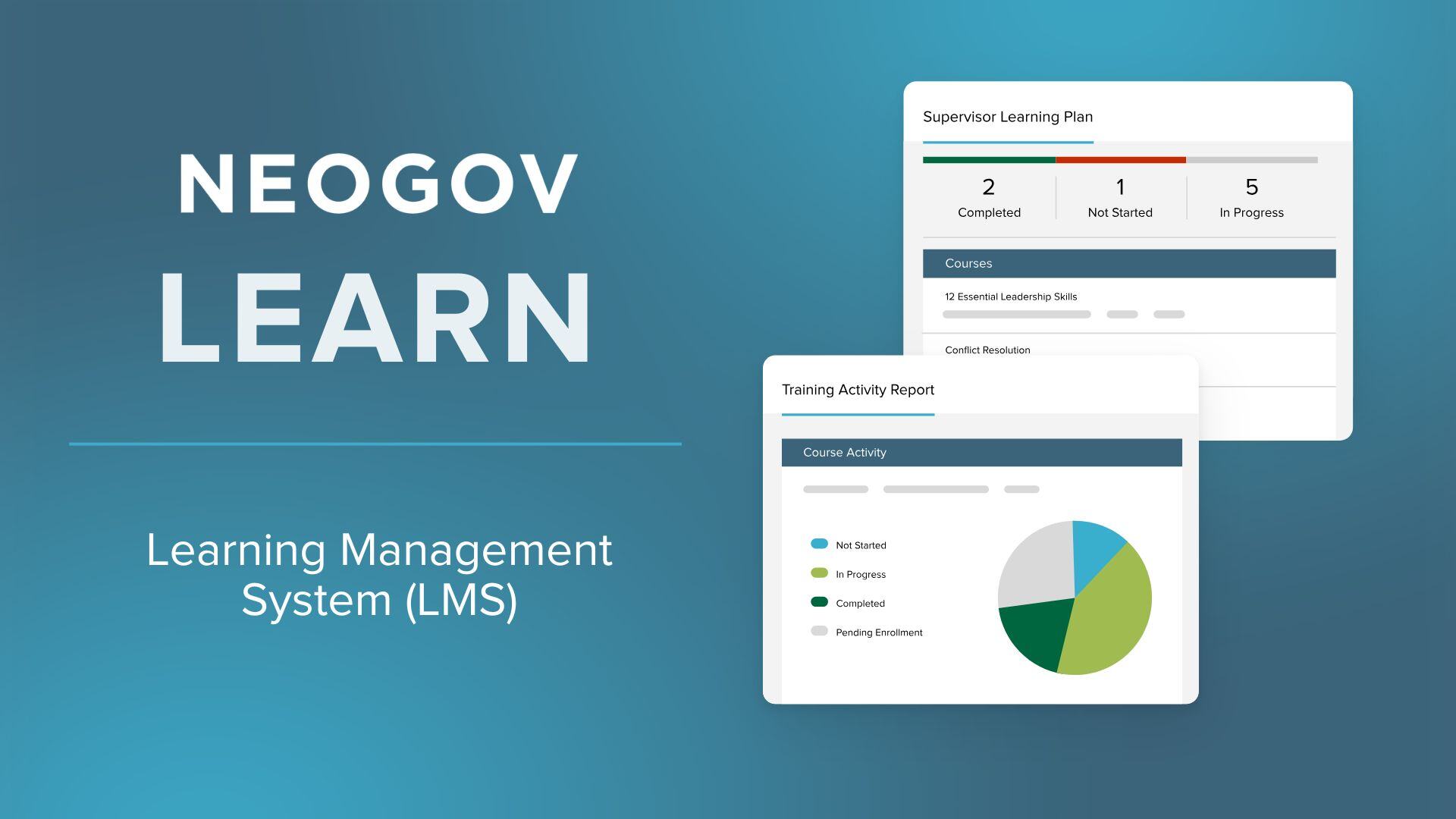
NEOGOV Learn

neogov.com #2 of 9 in Learning Management Systems (LMS) for Recruitment Agencies

NEOGOV Learn is FedRAMP authorized, reporting shows its age

Best forState and local governments needing FedRAMP-authorized compliance training content

Quote only FedRAMPpublic sectorCJIS certified
#2 in its ranking

A FedRAMP-authorized LMS for public sector HR teams, with 1,500+ government-specific training courses.

Standout factNEOGOV Learn's library includes over 1,500 pre-built public sector courses. neogov.com
Biggest catchReporting features are described as outdated and needing an update. trustradius.com
1,500+Course library sizeneogov.com
13,000+Organizations serveden.wikipedia.org
$5,000-$20,000Implementation cost rangeitqlick.com

Standout number

1,500+public sector training courses

Source: neogov.com

Compliance

✓ FedRAMP Moderate✓ SOC 2 Type II✓ CJIS? ISO 27001

Source: neogov.com

Upside

  • FedRAMP and StateRAMP authorized security
  • 1,500+ public sector-specific courses
  • Automated certification and license tracking

Catch

  • Reporting features described as outdated
  • Customization can be rigid for admins
  • No transparent public pricing
Pick it ifState and local governments needing FedRAMP-authorized compliance training content
Skip it ifPrivate sector corporations or teams needing heavy platform customization
PricingCustom quote, implementation runs $5,000 to $20,000

Editor's takeNEOGOV Learn is purpose-built for government HR, with over 1,500 pre-built courses covering areas like law enforcement and public works that generalist LMS platforms don't offer. FedRAMP Moderate Authorization, SOC 2 Type II, and CJIS certification make it one of the more secure LMS options for public sector buyers. The platform powers over 13,000 government and education organizations, though reviewers say reporting tools feel outdated and implementation can run $5,000 to $20,000 on top of the base subscription.

Is NEOGOV Learn FedRAMP authorized?

Yes. NEOGOV Learn holds FedRAMP Moderate Authorization, listed on the FedRAMP Marketplace, along with SOC 2 Type II, NIST 800-53 Moderate, and CJIS certifications. Data is encrypted in transit and at rest using FIPS compliant encryption.

How much does NEOGOV Learn cost to implement?

Pricing is customized per agency and not published publicly. Third-party estimates put implementation costs for NEOGOV software between $5,000 and $20,000, depending on organization size, in addition to the ongoing subscription fee.

The evidence: 6 criteria, 3 penalties
8.9
Product Capability & DepthLooked for: We evaluate the breadth of learning management features, specifically course libraries and compliance tracking tailored for public sector needs.NEOGOV Learn offers a robust LMS with over 1,500 pre-built public sector courses, SCORM support, and automated certification tracking, though some users find customization options rigid.neogov.comneogov.comneogov.com
9.8
Market Credibility & Trust SignalsLooked for: We assess the vendor's market presence, adoption rates in the target industry, and third-party validations or awards.NEOGOV is a dominant player in the public sector with over 13,000 agency customers and holds prestigious certifications like FedRAMP authorization.govtech.comen.wikipedia.orgneogov.com
8.6
Usability & Customer ExperienceLooked for: We analyze user feedback regarding ease of use, interface design, and the quality of support and training resources.While the interface is generally considered user-friendly for employees, administrators report a steep learning curve and difficulties with customization and reporting.neogov.comtrustradius.comtrustradius.com
8.4
Value, Pricing & TransparencyLooked for: We examine pricing structures, transparency of costs, and perceived return on investment based on user reviews.Pricing is customized and not publicly listed, with some users noting high costs for additional modules and implementation fees.neogov.cominfo.neogov.comgetapp.com
9.9
Security, Compliance & Data ProtectionLooked for: We evaluate the product's adherence to strict government security standards, data encryption, and compliance certifications.NEOGOV Learn meets the highest security standards, including FedRAMP, StateRAMP, SOC 2 Type II, and CJIS compliance, making it exceptionally secure.neogov.comneogov.comneogov.com
9.5
Public Sector SpecializationLooked for: We look for features, content, and workflows specifically designed for government agencies, unions, and civil service requirements.The platform is purpose-built for the public sector, featuring content for law enforcement and public works, and workflows that handle union rules and civil service compliance.neogov.comneogov.comprweb.com

Score adjustments−0.16 points in total

−0.06Users report that the reporting features are outdated and lack flexibility, making it difficult to extract necessary data without manual work.trustradius.com · severity 60/100
−0.07Administrators find customization options to be tricky and limited, restricting their ability to tailor the platform to specific agency workflows.softwarefinder.com · severity 50/100
−0.03Users report high costs for additional modules and components, indicating that the base price may not cover all necessary functionality.getapp.com · severity 45/100
5

Moodle

moodle.com · Moodle Online LMS #3 of 10 in Learning Management Systems (LMS) for Staffing Agencies

Moodle beats rivals on plugins, loses on interface polish

Best forHigher education and organizations needing open-source customization and data control.

Free tier From $120 per year open sourcefree planplugin library
#3 in its ranking

Open-source LMS with a huge plugin library, built for institutions that need deep customization and control.

Standout factThe Moodle Plugins Directory hosts over 2,300 plugins. moodle.com
Biggest catchMoodleCloud's standard SaaS plans block installation of custom plugins or themes. moodlecloud.com
2,300+Plugins availablemoodle.com
500M+Global userslms.eskilled.com.au
$120-$1,770MoodleCloud annual price rangewooclap.com

Standout number

2,300+plugins in directory

Source: moodle.com

Learning curve

AfternoonWeeks

Outdated interface, steep learning curve for admins

Upside

  • Free, open-source core software
  • 2,300+ plugins available
  • Used by 500 million+ learners

Catch

  • Interface feels outdated, cluttered
  • MoodleCloud blocks custom plugins
  • Steep learning curve to administer
Pick it ifHigher education and organizations needing open-source customization and data control.
Skip it ifTeams wanting zero-setup SaaS without technical hosting resources.
PricingMoodleCloud from about $120/year; self-hosted core is free.

Editor's takeMoodle's plugin library is the largest in the LMS category, with over 2,300 add-ons covering nearly any use case. That flexibility has a cost. Reviewers consistently describe the interface as dated, and admins face a steep learning curve. Institutions that need deep customization tend to accept that tradeoff, while teams wanting an out-of-box SaaS product may want to look elsewhere.

Is Moodle free?

The core software is free and open-source. MoodleCloud hosting adds annual fees from about $120 to $1,770 depending on user count, and Moodle Workplace requires a custom quote through certified partners.

Can I install any plugin on Moodle?

Only on self-hosted installs. MoodleCloud's standard plans block custom plugin and theme installation, which limits the flexibility that makes self-hosted Moodle popular.

The evidence: 6 criteria, 3 penalties
9.4
Product Capability & DepthLooked for: We evaluate the breadth of learning management features, including course creation, assessment tools, and enterprise-grade functionality.Moodle offers an exhaustive suite of tools for course management, grading, and competency frameworks, with Moodle Workplace adding advanced multi-tenancy and organizational hierarchies.moodle.commoodle.commoodle.com
9.6
Market Credibility & Trust SignalsLooked for: We assess market share, user adoption, industry reputation, and third-party certifications.Moodle is a dominant market leader with over 500 million users globally and holds Certified B Corporation status, signaling high ethical standards.bcorporation.netlms.eskilled.com.au
8.2
Usability & Customer ExperienceLooked for: We analyze user interface design, ease of navigation, and the learning curve for administrators and learners.While functional, the interface is frequently criticized for being outdated, cluttered, and having a steep learning curve compared to modern competitors.moodle.comelearningindustry.comelearningindustry.com
9.0
Value, Pricing & TransparencyLooked for: We examine pricing models, transparency of costs, and the value proposition relative to features.The core software is free and open-source; MoodleCloud offers transparent tiered pricing, though enterprise hosting via partners requires custom quotes.moodle.comwooclap.commoodle.com
9.7
Integrations & Ecosystem StrengthLooked for: We evaluate the availability of plugins, APIs, and the breadth of the third-party developer ecosystem.Moodle boasts an unmatched ecosystem with over 2,300 plugins, allowing for virtually unlimited extensibility and integration with external systems.moodle.commoodle.com
9.2
Security, Compliance & Data ProtectionLooked for: We assess GDPR compliance, security certifications, and data privacy controls.Moodle follows a 'security by design' approach with robust GDPR compliance tools, and major hosting partners maintain ISO 27001 certifications.moodle.comwideservices.gr

Score adjustments−0.22 points in total

−0.09MoodleCloud's standard SaaS plans strictly prohibit the installation of custom plugins or themes, significantly limiting the platform's flexibility compared to self-hosted versions.moodlecloud.com · severity 70/100
−0.06The user interface is frequently criticized by educators and students for being outdated, cluttered, and difficult to navigate, often requiring multiple steps for basic tasks.reddit.com · severity 60/100
−0.07Users have reported significant performance issues with enrollment logic at scale, where importing large numbers of users can take hours and impact system responsiveness.reddit.com · severity 50/100
6

Redstone LMS

redstonegci.com · Redstone LMS for Government Contractors #3 of 13 in Learning Management Systems (LMS) for Contractors

Redstone LMS is built by 150 years of DCAA experience

Best forCompanies doing business with the US Government needing compliance training

Quote only government complianceFAR and DFARSturnkey training
#3 in its ranking

Compliance training platform built by former DCAA auditors for government contractors.

Standout factContent is built by a firm with over 150 years of combined DCAA experience. redstonegci.com
Biggest catchCPE credits are not offered for the standard HR and CPSR course packages. redstonegci.com
150+ yearsCombined DCAA experienceredstonegci.com
7 modulesHR course modulesredstonegci.com
11 modulesCPSR course modulesredstonegci.com

Standout number

150+years combined DCAA auditing experience behind the content

Source: redstonegci.com

What the course packages cover

  • HR package: 7 modules on timekeeping, floorchecks, ethics
  • CPSR package: 11 modules on purchasing system reviews
  • CPE credit for these self-paced packages

Upside

  • Built by former DCAA auditors
  • Maps directly to FAR and DFARS clauses
  • Turnkey subscription model

Catch

  • No public pricing listed
  • No CPE credit for LMS packages
  • Limited technical feature disclosure
Pick it ifCompanies doing business with the US Government needing compliance training
Skip it ifIndividuals who specifically need CPE credits for certifications
PricingSubscription-based, pricing requires contacting the vendor

Editor's takeRedstone LMS leans on content, not software features, built by a firm with over 150 years of combined DCAA experience. Its HR and CPSR course packages map directly to regulations like FAR 52.203-13 and DFARS 252.244-7001, which matters most during an audit. CPE credits are not offered for these self-paced packages, and pricing is not public, so buyers need to request a quote.

Who built Redstone LMS?

Redstone Government Consultants, a firm with over 150 years of combined DCAA auditing experience, according to the company's own materials. That background shapes the course content.

Do Redstone LMS courses offer CPE credits?

No, not for the standard HR and CPSR course packages. Redstone is a registered NASBA sponsor, but CPE is explicitly excluded from these self-paced modules.

The evidence: 6 criteria, 3 penalties
9.0
Product Capability & DepthLooked for: Comprehensive training modules covering essential government compliance areas like FAR, DFARS, and business system requirements.Redstone offers specialized course packages for Human Resources (7 modules) and Contractor Purchasing System Reviews (11 modules), covering critical topics like Timekeeping, DCAA Floorchecks, and TINA.redstonegci.comredstonegci.comredstonegci.com
9.4
Market Credibility & Trust SignalsLooked for: Evidence of industry expertise, certifications, and a track record of authority in the government contracting space.The content is developed by a firm with over 150 years of combined DCAA experience, and the company is a registered NASBA sponsor for CPE credits.redstonegci.comredstonegci.com
8.8
Usability & Customer ExperienceLooked for: Ease of access, deployment models, and user support structures suitable for government contractors.The system is marketed as a 'turnkey' subscription-based solution designed for ease of use and employee awareness, minimizing administrative burden.redstonegci.comredstonegci.com
8.2
Value, Pricing & TransparencyLooked for: Clear, publicly available pricing structures and transparent terms for subscriptions.While described as 'affordable' and 'subscription-based,' specific pricing tiers or costs are not publicly listed and require consultation.redstonegci.comredstonegci.com
9.6
Regulatory Compliance & Content AccuracyLooked for: Content that is strictly aligned with current federal regulations (FAR/DFARS) and audit expectations.Courses are explicitly mapped to regulatory clauses like FAR 52.203-13 and DFARS 252.244-7001, with materials updated by subject matter experts.redstonegci.comredstonegci.com
8.7
Training Certification & Audit ReadinessLooked for: Provisions for continuing education credits (CPE) and documentation to support audit trails.While the firm is NASBA certified, the self-paced LMS course packages explicitly state that CPE credits are not offered for those specific modules.redstonegci.comredstonegci.com

Score adjustments−0.15 points in total

−0.04Pricing is not publicly available; users must contact the vendor, which reduces transparency.redstonegci.com · severity 60/100
−0.06CPE credits are explicitly not offered for the standard LMS course packages (HR and CPSR), limiting value for certified professionals.redstonegci.com · severity 55/100
−0.05The platform is content-centric with limited public documentation on technical LMS features like API integrations or SCORM compliance.redstonegci.com · severity 40/100
02

Every ranking in LMS & Employee Training Platforms

Each card shows the top three. The eye opens a quick look. Open a ranking for every product, the evidence and the comparison table.

1 365 Data Science365 Data Science business plans need at least 2 users. 9.2/10
Visit ↗
2 HowNowHowNow learns in Slack, struggles with content discovery 9.0/10
Visit ↗
3 Redstone LMSRedstone LMS is built by 150 years of DCAA experience 8.9/10
Visit ↗
See all 13 ranked
1 GoTo TrainingGoTo Training hosts 3 million attendees yearly, feels dated. 9.0/10
Visit ↗
2 NEOGOV LearnNEOGOV Learn is FedRAMP authorized, reporting shows its age 9.0/10
Visit ↗
3 365 Data Science30-day refund policy, but no in-browser coding IDE 8.9/10
Visit ↗
See all 9 ranked
1 GoTo TrainingGoTo Training glitches on login about 25% of the time. 9.2/10
Visit ↗
2 365 Data Science365 Data Science lets firms recruit graduates for free 9.0/10
Visit ↗
3 MoodleMoodle beats rivals on plugins, loses on interface polish 9.0/10
Visit ↗
See all 10 ranked
03

About LMS & Employee Training Platforms

What the category is, how it developed, and what to look for. Two minutes, or the long read.

This category covers software used to administer, document, track, report on, and deliver educational courses, training programs, and learning and development (L&D) content across an employee's tenure. Its primary operational lifecycle involves the ingestion of learning standards (like SCORM or xAPI), the management of learner enrollment paths, the delivery of asynchronous or synchronous content, and the analytical reporting of competency gaps and compliance adherence. It sits between HRIS/HCM (which manages the employee record and payroll) and Performance Management Software (which evaluates the output of the employee's skills). It includes both general-purpose enterprise platforms designed for corporate compliance and upskilling, as well as vertical-specific tools built for highly regulated industries like healthcare, aviation, and financial services.

Read the full category guide

What Are LMS & Employee Training Platforms?

At its core, the Learning Management System (LMS) solves the problem of knowledge distribution and verification at scale. While a manager can teach a subordinate a skill one-on-one, an organization cannot rely on ad-hoc transmission of critical knowledge regarding safety, compliance, or proprietary processes. The LMS provides the infrastructure to ensure that 1,000 employees receive the exact same training standard and that the organization has irrefutable proof of that knowledge transfer.

The user base has expanded significantly beyond the traditional Learning & Development (L&D) department. Today, compliance officers use these platforms to mitigate legal liability; sales leaders use them to shorten ramp time for new account executives; and operations directors use them to ensure standardized safety protocols on factory floors. It matters because, in a knowledge economy, the speed at which an organization can upskill its workforce is a direct competitive advantage, while the failure to document compliance is a direct existential risk.

History of the Category

The modern LMS market did not emerge from a desire to "educate" in the academic sense, but from a corporate necessity to standardize training efficiency and reduce the cost of instructor-led sessions. While computer-assisted instruction existed earlier, the category effectively crystallized in the late 1990s with the rise of the internet and the standardization of e-learning protocols.

In the late 1990s and early 2000s, the primary driver was the separation of content from the platform. The introduction of SCORM (Shareable Content Object Reference Model) in 2000 was the watershed moment. Before SCORM, digital courses were hard-coded into specific proprietary systems. SCORM allowed content created in one tool to play in any compliant LMS. This interoperability created the first massive wave of adoption, as organizations could finally buy "off-the-shelf" compliance libraries (e.g., sexual harassment training, workplace safety) and deploy them instantly [1]. At this stage, the LMS was essentially a glorified database—a "system of record" designed to track who clicked "next" and who passed a quiz.

The mid-2000s to 2010s saw the shift from on-premise installations to the Cloud (SaaS). Early market leaders who built heavy, server-based implementations were disrupted by agile, cloud-native vendors. This transition lowered the Total Cost of Ownership (TCO) and allowed mid-market companies to access enterprise-grade training tools. During this period, the "Talent Management Suite" concept rose, where vendors acquired standalone LMS tools to bundle them with performance and recruiting software. This consolidation wave often resulted in clunky integrations where the LMS felt like a bolted-on afterthought to the HR suite [2].

By 2015, a new gap emerged. Employees accustomed to consumer experiences like YouTube and Netflix found traditional LMS interfaces archaic and rigid. This dissatisfaction birthed the "Learning Experience Platform" (LXP) narrative—tools focused on user engagement, social learning, and content curation rather than just compliance tracking. However, rather than replacing the LMS, the market has largely consolidated these features. Today, the distinction is blurring; modern platforms must be both a rigid system of record for compliance (the "LMS" legacy) and an engaging system of intelligence for skills development (the "LXP" influence). Buyer expectations have shifted permanently from "give me a database to store records" to "give me actionable intelligence on my workforce's capability gaps" [3].

What to Look For

When evaluating LMS and Employee Training Platforms, buyers must look beyond the glossy interface of the learner dashboard and scrutinize the administrative backend. The most critical evaluation criterion is administrative efficiency. A platform that delights learners but requires ten clicks for an administrator to assign a course will ultimately fail because the L&D team will not have the bandwidth to maintain it. Look for "set-it-and-forget-it" automation rules—dynamic groups that automatically assign onboarding paths based on metadata from your HRIS (e.g., "If Role = Sales AND Location = UK, assign UK Sales Onboarding").

Another critical factor is the granularity of reporting. Basic completion rates are insufficient for modern organizations. You need a platform that can visualize data trends: Is the engineering team completing security training faster than the sales team? Which specific question in the compliance exam is causing a 40% failure rate? The ability to schedule these reports to automatically land in department heads' inboxes is a non-negotiable feature for enterprise scalability.

Red flags and warning signs often appear in the integration capabilities. If a vendor claims to have an "open API" but cannot provide documentation or charges a premium for standard connectors (like Salesforce or Slack), proceed with extreme caution. A closed ecosystem is a dying ecosystem. Furthermore, be wary of vendors who focus entirely on their "AI" roadmap during the demo but cannot demonstrate basic functionality like handling re-certification cycles (e.g., ensuring an employee retakes a safety course exactly 365 days after the last completion).

Key questions to ask vendors include:

  • "How does your system handle version control for compliance content—if I update a policy today, what happens to the users who are halfway through the old version?"
  • "Can you demonstrate the exact workflow for a manager to assign external training (like a conference) to their direct reports?"
  • "What is your 'active user' definition for billing? Is it a login, a course launch, or just a registered account?"
  • "Show me how the system manages multi-tenancy if I need to train external partners or customers in a separate but linked environment."

Industry-Specific Use Cases

Retail & E-commerce

In the retail sector, the LMS is primarily an operational efficiency tool designed to handle massive turnover and seasonal scaling. The specific need here is speed-to-productivity. Retailers often hire thousands of temporary staff for peak seasons (Q4), and these employees need to be proficient in Point of Sale (POS) systems and loss prevention protocols within days, not weeks. A study by McKinsey noted that frontline retail workers are 1.2 times more likely to leave their jobs than the average US employee, making rapid, automated onboarding crucial [4].

Evaluation priorities for retail must focus on mobile-first capability and offline access. Floor staff rarely have access to desktop computers; they learn on tablets in the breakroom or on their own devices (BYOD). The LMS must support "bite-sized" or microlearning modules that can be consumed in 3-5 minute bursts during slow store hours. Unique considerations include the ability to push price-change or promotion updates instantly to thousands of locations and track read-receipts to ensure store managers are aligned with corporate merchandising strategies.

Healthcare

Healthcare organizations utilize LMS platforms as a critical shield against liability and patient safety risks. The specific need is competency-based compliance. Unlike other sectors where "watching a video" might suffice, healthcare requires proof that a nurse or technician has mastered a specific clinical skill. This often involves "blended learning," where the LMS tracks online theory completion and then triggers a checklist for a physical observer to verify the skill in a clinical setting.

Evaluation priorities differ sharply here: audit trails are paramount. The system must produce immutable records of who was trained, on what version of a policy, and at what specific timestamp, to satisfy bodies like The Joint Commission or OSHA. Unique considerations include integration with Electronic Health Records (EHR) systems and the ability to manage complex continuing education (CME/CEU) credits, where the LMS must calculate disparate credit types for doctors versus nurses within the same course [5].

Financial Services

For financial services, the LMS is the backbone of regulatory adherence in a highly scrutinized environment. The specific need is regulatory agility. Regulations (such as MiFID II, GDPR, or SEC compliance) change frequently, and firms must demonstrate that their workforce has been re-trained by a specific deadline. A key pain point is the "attestation" workflow, where an employee must not only complete training but digitally sign a legally binding document confirming they understand a policy.

Evaluation priorities focus heavily on data security and information barriers. Financial institutions often have "Chinese wall" requirements where certain departments cannot see the training data or content of others. The LMS must support robust role-based access controls (RBAC). A unique consideration is the requirement for "continuing professional development" (CPD) tracking, where the system must log hours of external learning (e.g., seminars) alongside internal e-learning to maintain professional licenses [6].

Manufacturing

Manufacturing relies on the LMS to maintain physical safety and standardize complex operational procedures. The specific need is standardization of technical processes (e.g., Lockout/Tagout procedures). Training failure here results in physical injury or expensive production downtime. The audience often includes unionized workforces where training hours must be meticulously tracked against contract requirements.

Evaluation priorities include kiosk mode and bandwidth optimization. Manufacturing floors often have poor Wi-Fi and shared computer terminals. The LMS must function flawlessly on low-bandwidth connections and allow multiple users to log in and out of a shared terminal quickly. A unique consideration is the management of certifications with hard expiration dates (e.g., forklift certification). The system must trigger automated alerts to supervisors weeks before a certification lapses to prevent an employee from being legally barred from working their shift [7].

Professional Services

In professional services (law, consulting, accounting), the product is the expertise of the people. The LMS functions as a knowledge monetization engine. The specific need is creating T-shaped professionals who have deep expertise but broad context. Unlike other industries where training is a cost center, here, training increases the "billable rate" of the consultant. Faster upskilling means a junior associate can be billed out as a senior associate sooner.

Evaluation priorities shift toward knowledge sharing and collaborative learning. These firms value tools that allow subject matter experts to quickly author content (e.g., a Partner recording a quick video on a new tax law) and share it. A unique consideration is the high cost of non-billable time. If a system is clunky, high-earning consultants will simply not use it. The User Experience (UX) must be consumer-grade to compete with the billable work demanding their attention [8].

Subcategory Overview

While the core technology of an LMS remains consistent, specific niches require specialized workflows that general-purpose platforms simply cannot support without expensive customization. Understanding these distinctions prevents buyers from purchasing a "Swiss Army Knife" when they need a scalpel.

Recruitment Agency LMS This niche serves a dual audience: the internal recruiters who need sales and compliance training, and the candidates who are being pre-screened or upskilled to become placeable. What makes this genuinely different is the candidate-facing workflow. Generic LMS platforms assume every user is an employee with a corporate email address and a long-term tenure. In recruitment, the "learner" might be a candidate who interacts with the agency for only two weeks. A workflow that only this specialized tool handles well is the "pre-hire assessment to placement" pipeline. The system can assign a skills test (e.g., Java coding assessment) to a candidate, and upon passing, automatically tag their profile in the agency's CRM as "Qualified," triggering a notification to the recruiter to book an interview. The specific pain point driving buyers to Learning Management Systems (LMS) for Recruitment Agencies is the need to monetize training—agencies often want to upsell training packages to candidates or use free training as a lead magnet, which requires external-facing e-commerce and marketing features rarely found in internal corporate tools.

Staffing Agency LMS Staffing agencies face a unique liability challenge: they are the legal employer of a workforce that sits on someone else's site. This creates a "compliance gap." What makes this niche different is the requirement for multi-client partitioning. A staffing agency might have 500 workers at a hospital and 500 at a warehouse. The LMS must ensure the hospital workers see HIPAA training while the warehouse workers see Forklift Safety, without any cross-pollination. A workflow unique to this tool is the "deployment-contingent access." The LMS integrates with the staffing scheduling software so that a worker cannot be scheduled for a shift until the LMS confirms they have completed the specific site-induction safety module required by that specific client. The pain point driving buyers to Learning Management Systems (LMS) for Staffing Agencies is the speed of onboarding; generic tools take too long to provision accounts, whereas staffing-specific tools often support bulk-SMS registration to get 50 temporary workers compliant in an hour.

Contractor LMS Contractor LMS platforms focus on the "extended enterprise"—individuals who are not employees but require access to company IP or physical sites. The differentiator here is credential portability. In industries like construction or energy, a contractor might work for three different companies in a month. They need a "safety passport" that travels with them. A workflow that only this tool handles well is the self-service credential verification via QR code. A site foreman can scan a contractor's badge, and the LMS instantly validates on a mobile device whether that contractor's safety training is current, without the contractor needing to log in. The specific pain point driving buyers to Learning Management Systems (LMS) for Contractors is data security. General LMS platforms often require adding users to the corporate Active Directory, creating a massive security risk. Contractor-specific LMSs keep external users completely ring-fenced from internal employee data.

Deep Dive: Integration & API Ecosystem

The days of the LMS acting as a standalone island are over. Today, the effectiveness of a training platform is measured by its invisibility—how well it sits in the background and exchanges data with other business systems. According to a 2024 Gartner report on HR technology, 70% of digital transformation projects fail or face delays due to integration complexities and poor planning [9]. The ecosystem must facilitate a bi-directional flow: user data flowing in from the HRIS, and performance data flowing out to BI tools or CRMs.

Example Scenario: Consider a 200-person professional services firm using Salesforce for client management and BambooHR for employee records. They purchase an LMS that claims "seamless integration" but relies on daily batch CSV uploads rather than a real-time API. The break point: A consultant is fired on Tuesday morning for a compliance violation. In a real-time integrated system, the BambooHR status change would instantly trigger the LMS to revoke access. In the batch-upload system, the consultant retains access to the LMS for another 24 hours. During this window, they download proprietary training methodologies and client lists stored in the "Social Learning" module. The integration failure here isn't just an inconvenience; it's a security breach. Buyers must demand "real-time webhooks" for user provisioning and de-provisioning, not just scheduled syncs.

Deep Dive: Security & Compliance

LMS platforms are increasingly becoming targets for cyberattacks because they house sensitive data: employee home addresses, social security numbers (in some payroll integrations), and proprietary intellectual property. The cost of failure is astronomical; IBM’s Cost of a Data Breach Report indicates the average cost of a data breach reached $4.4 million globally [10]. Beyond external hacks, the system must ensure internal compliance with regulations like GDPR, CCPA, and SOC2.

Example Scenario: A healthcare provider uses an LMS to train staff on patient privacy. They hire a third-party vendor to create custom content. The vendor requests "Admin" access to upload the course. Without granular role-based access control (RBAC), the vendor is granted full "Super Admin" rights. The break point: The vendor's account is compromised. Because the LMS lacked a "Content Uploader" role (which permits uploading files but restricts viewing user data), the attacker uses the Super Admin privileges to export the entire user database, including the PII of doctors and nurses. A robust LMS security architecture must support the principle of least privilege, allowing you to define roles that can only see what they absolutely need to see, and enforce Multi-Factor Authentication (MFA) on all admin accounts.

Deep Dive: Pricing Models & TCO

LMS pricing is notoriously opaque, often filled with hidden implementation fees and accelerators. Understanding the Total Cost of Ownership (TCO) requires looking past the "per-user" sticker price. Common models include Pay-Per-Learner (paying for every employee in the database), Pay-Per-Active-User (paying only for those who log in during a cycle), and Perpetual License (rare, but exists in self-hosted open-source options). According to EdisonOS analysis, Pay-Per-Learner models often lead to overpaying for inactive users, whereas Pay-Per-Active-User models (ranging from $2-$5/user/month) offer efficiency for fluctuating workforces but can spike unpredictably [11].

Example Scenario: A seasonal retail business with 50 full-time staff and 200 holiday temp workers evaluates two vendors. Vendor A offers $4/user/month (Registered User model). Vendor B offers $6/active-user/month. The TCO Calculation: With Vendor A, the retailer pays for 250 seats year-round (250 * $4 * 12 = $12,000), even though the temps are only there for 3 months. With Vendor B, they pay for 50 users for 9 months (50 * $6 * 9 = $2,700) and 250 users for 3 months (250 * $6 * 3 = $4,500). Total: $7,200. Despite Vendor B having a higher "unit price," the TCO is 40% lower because the model aligns with the usage reality. Buyers must calculate TCO based on their peak vs. average utilization, not just headcount.

Deep Dive: Implementation & Change Management

Implementation is where the ROI of an LMS is either realized or destroyed. It is not merely a technical installation; it is a cultural migration. Industry data suggests that over 50% of LMS rollouts face delays or adoption issues in their first year due to complexity and poor change management [12]. The primary failure mode is "lifting and shifting" broken manual processes into the new digital tool.

Example Scenario: A manufacturing firm implements a new high-tech LMS to replace paper sign-in sheets for safety training. The L&D team sets it up perfectly but fails to involve the floor supervisors in the change process. On launch day, the workers are told to "log in," but the LMS requires an email address. 40% of the floor workers don't have corporate email addresses. The break point: Productivity halts as workers cannot enter the factory floor without the safety certification. Supervisors revert to paper sheets to keep the line moving. The LMS data becomes incomplete immediately, and trust in the system evaporates. A successful implementation requires a "pilot phase" with actual end-users to identify these friction points (e.g., setting up Single Sign-On via employee ID badges instead of email) before the full rollout.

Deep Dive: Vendor Evaluation Criteria

Evaluating a vendor requires moving beyond the "happy path" demo. Vendors will always show the system working perfectly with dummy data. The expert buyer must force the vendor into "edge cases." Forrester analysts highlight that organizations often are on their second or third LMS implementation because they initially prioritized features over usability and vendor partnership viability [2].

Example Scenario: A company needs an LMS to handle multi-language training for a global expansion. In the demo, the vendor shows a beautifully translated Spanish interface. The buyer is impressed. The reality check: The buyer should ask, "Show me how an admin updates a specific paragraph in the German version of the compliance policy without breaking the English version's completion tracking." In many systems, this is a nightmare workflow that requires creating two separate courses, splintering the reporting data. The "edge case" reveals that while the learner interface is localized, the admin interface is not, doubling the administrative workload. Effective evaluation requires testing the maintenance workflows, not just the consumption workflows.

Emerging Trends and Contrarian Take

Emerging Trends 2025-2026 The most significant shift is the move toward "Learning in the Flow of Work," a concept championed by analysts like Josh Bersin and supported by data showing that employees have less than 24 minutes a week for formal learning. We will see the LMS becoming "headless"—existing as a backend engine that pushes content directly into Slack, Microsoft Teams, or Salesforce [13]. Additionally, AI Agents will replace static search bars. Instead of searching for "Excel Pivot Table Course," a user will ask an LMS bot, "How do I group dates in a pivot table?" and the AI will serve the specific 2-minute video clip from within a 60-minute course (video indexing).

Contrarian Take The "Content Library" is a liability, not an asset. For years, vendors have competed on who has the largest library—"We have 50,000 courses!" This is a trap. In 2025, a massive generic library is dead weight. It creates "choice paralysis" for learners and makes search functionality useless. The contrarian insight is that curation beats creation. Organizations would get higher ROI from an LMS that integrates seamlessly with YouTube and filters out 99% of the noise, rather than buying a bloated library where 90% of the content is outdated or irrelevant to the specific company culture. The future winners will be platforms that aggressively restrict content to highly relevant, context-specific micro-learning, rather than those offering an "all-you-can-eat" buffet of mediocrity.

Common Mistakes

Buying for the "Power Admin" instead of the "Casual Learner" L&D professionals often fall in love with complex feature sets—intricate grading rubrics, complex gamification engines, and granular permission trees. They forget that the end-user (the employee) wants to get in, learn the skill, and get out. If the interface requires a tutorial to navigate, adoption will fail. Always prioritize the "Time to Content" metric: how many seconds does it take for a user to find and launch the training they need?

Ignoring the "Data Cleanliness" Requirement Many companies sign an LMS contract assuming the software will fix their reporting issues. They fail to realize their underlying HR data is messy (e.g., inconsistent job titles like "Snr Mgr" vs "Senior Manager"). The LMS relies on this metadata to assign training rules. If the data is dirty, the automation breaks. A common mistake is not performing a data hygiene audit before starting the implementation.

Over-Customization of the Interface Organizations often spend months and thousands of dollars customizing the LMS to look exactly like their intranet. This creates "technical debt." When the vendor releases a major update or a new cool feature, the highly customized environment often breaks or cannot support the upgrade. It is smarter to stick to the vendor's standard configuration to ensure you always have access to the latest security patches and features without expensive rework.

Questions to Ask in a Demo

  • "Can you show me the exact error message a user sees when a SCORM package fails to load, and where that error is logged for the admin?" (Tests troubleshooting depth)
  • "If I have to update a compliance video next year, will the system force users who completed the old version to retake the new one, or can I choose?" (Tests version control flexibility)
  • "Show me how to batch-enroll 500 users into a curriculum without using a CSV upload." (Tests automation maturity)
  • "What is your API rate limit? If we trigger a sync for 10,000 users at 9 AM, will it throttle our other systems?" (Tests technical scalability)
  • "Can I see the roadmap for the next 12 months, and which of those features are contractually guaranteed vs. aspirational?" (Tests vendor honesty)

Before Signing the Contract

The "Data Exit" Clause The most dangerous time in a software relationship is the end. Ensure the contract explicitly states how you get your data back if you leave. You need the raw data (SQL dumps), not just PDF certificates. If you migrate to a new LMS in 5 years, you will need the historic completion records in a machine-readable format to import them. If the vendor charges a "professional services fee" for this, negotiate it now.

Service Level Agreement (SLA) Specifics Don't accept "standard support." Define what "Critical Severity" means. If the system goes down on the day of a mandatory compliance deadline, a "24-hour response time" is unacceptable. Negotiate for < 4 hour response times for system-wide outages, and ensure there are financial penalties (service credits) if the vendor fails to meet uptime guarantees.

Sandbox Access Never sign without guaranteed access to a "Sandbox" or "Staging" environment that mirrors your production site. You need a safe place to test new courses, integrations, and updates before pushing them live to your workforce. Some vendors charge extra for this; it should be a deal-breaker if it's not included.

Closing

Selecting the right LMS & Employee Training Platform is not just about features; it's about finding a partner that understands the specific regulatory, operational, and cultural nuance of your industry. Whether you are a nimble staffing agency needing rapid deployment or a global bank needing ironclad security, the perfect tool exists—if you know how to look beneath the surface. For deeper guidance on navigating this complex landscape or for a personalized consultation on your specific requirements, please reach out to me directly at albert@whatarethebest.com.


04

Research

Original reporting on this corner of the market.

All research

Unilever's factories saw 41% productivity gains after switching to skills-based talent development

Feb 26, 2026

78% of AI power users actively seek outside employment opportunities

May 23, 2026

80% of global organizations will deploy digital adoption platforms by 2027 to fight skills shortages

May 1, 2026
05

Questions people ask

Which LMS & Employee Training Platforms is best?

365 Data Science holds the highest score in the category at 9.2, in Learning Management Systems (LMS) for Contractors. The right pick depends on the ranking that matches your use case, so start with the ranking list above.

Why are there 3 separate rankings?

Buyers in LMS & Employee Training Platforms have different jobs, so each ranking is scoped to one of them and weights the six criteria for that job. The same product can hold different ranks in different rankings.

How are the scores produced?

Documentation, pricing pages, security pages and third-party reviews are reviewed against six criteria. Each criterion records what was found and links its sources. Penalties pull the score down and are shown with their evidence. Rank follows the score. Full methodology.

06

More in HR & People Management

The whole group