

HR & People Management Software
This guide covers the major subcategories of HR and people management software — from applicant tracking and employee onboarding to performance management, payroll, compliance, and workforce scheduling. Each product is scored across 6 weighted categories with cited evidence. Use the decision grid below to find the right subcategory for your organization, then explore the top-rated products and detailed scoring breakdowns.
Updated May 2026
How big is your team?
What's your budget situation?
What's your team's technical comfort level?
What's the ONE thing this tool must do well?
Top 10 HR & People Management Products
These are the highest-scoring products across all 14 subcategories below — surfaced from hundreds of evaluated tools spanning applicant tracking, employee onboarding, HR management, payroll, performance management, workforce scheduling, and compliance. Each product earned its place by scoring highest within its subcategory on our 6-category evaluation framework. Click any score badge to see the full breakdown.

Best for teams that are
- Skilled nursing facilities and home health agencies with high turnover rates
- Organizations needing an all-in-one solution for recruiting, credentialing, and onboarding
- Healthcare providers requiring automated license verification and background checks
Skip if
- Non-healthcare companies, as the platform is specifically designed for healthcare workflows
- Organizations seeking a standalone onboarding tool without applicant tracking features
- Small practices that do not require high-volume hiring tools
Pros
- + Automated license verification & alerts
- + Exclusive PointClickCare & UKG integrations
- + Mobile-friendly digital onboarding packets
- + Six consecutive years on Inc. 5000
- + Documented reduction in agency spend
Cons
- – System performance lags with high volume
- – Limited candidate filtering capabilities
- – Pricing is not publicly available
- – Occasional in-app messaging glitches
- – Support response times vary occasionally
Scoring Breakdown: Apploi Healthcare Onboarding
Certain documented issues resulted in score reductions. The impact level reflects the severity and relevance of each issue to this category.
-
Some users have experienced inconsistent functionality with the in-app messaging system.Impact: This issue had a noticeable impact on the score.Source: selecthub.com
-
Reviews indicate limitations in the ability to efficiently filter and sort through unqualified candidates.Impact: This issue had a noticeable impact on the score.Source: selecthub.com
-
Users have reported slow system performance, particularly when processing high volumes of applications.Impact: This issue caused a significant reduction in the score.Source: selecthub.com
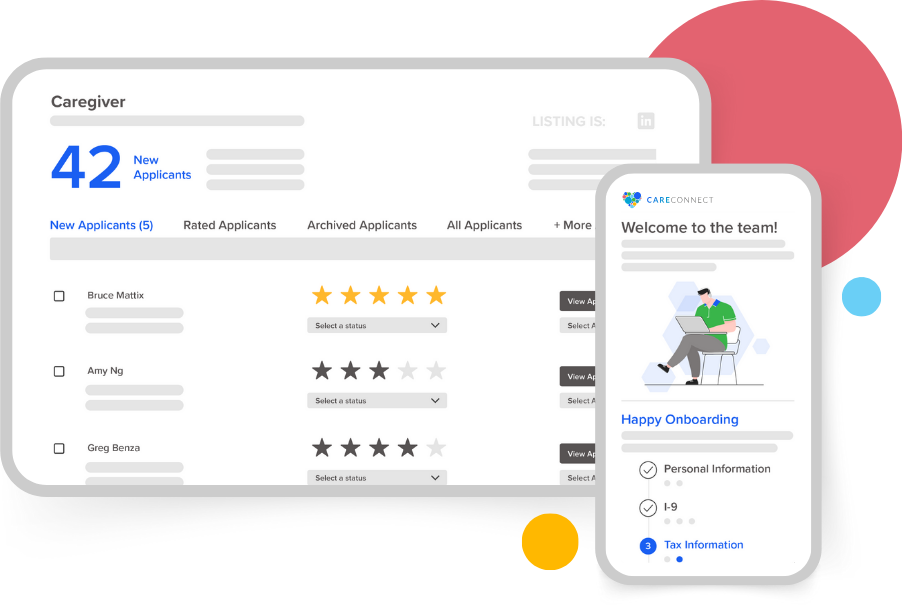
Best for teams that are
- Home care agencies needing AI-driven shift matching and scheduling
- Agencies requiring integrated occupational health and compliance screening
- Providers wanting a mobile-first caregiver onboarding experience
Skip if
- General corporate recruiters outside the home care industry
- Large hospital systems requiring a full-suite enterprise HRIS
- Agencies not needing shift-based scheduling or mobile workforce tools
Pros
- + Free 'Silver' ATS tier available
- + AI-driven predictive shift matching
- + Integrated occupational health scheduling
- + Seamless HHAeXchange & AlayaCare sync
- + Specialized for home care workflows
Cons
- – Mobile app reported as buggy
- – Training modules may freeze
- – Support difficult to reach for caregivers
- – Advanced analytics require paid upgrade
- – App UI criticized in reviews
Scoring Breakdown: CareConnect Home Health Care Hire
Certain documented issues resulted in score reductions. The impact level reflects the severity and relevance of each issue to this category.
-
Some users report inability to contact supervisors or input availability effectively through the app, contradicting advertised features.Impact: This issue caused a significant reduction in the score.Source: play.google.com
-
Multiple user reviews indicate the mobile app suffers from bugs, freezing during training modules, and login errors.Impact: This issue caused a significant reduction in the score.Source: play.google.com
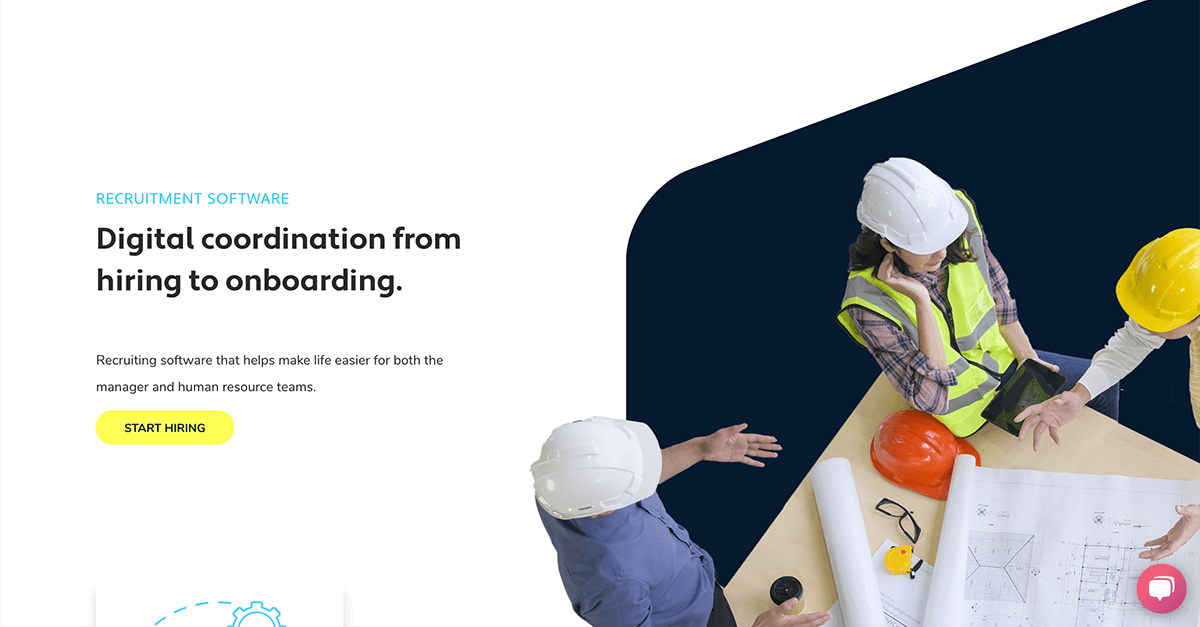
Best for teams that are
- Large frontline workforces requiring strict safety and compliance training
- Organizations prioritizing a mobile app for deskless employee engagement
- Companies needing to bridge the gap between non-desk workers and digital HR
Skip if
- Companies seeking a full HRIS with native payroll and benefits administration
- Small, office-based teams that do not require safety compliance tracking
- Organizations looking for a dedicated applicant tracking system (ATS)
Pros
- + Mobile-first design for deskless workers
- + Offline functionality for remote access
- + No corporate email required for employees
- + SOC 2 Type II certified security
- + Integrated LMS and onboarding workflows
Cons
- – Reporting features can be slow/limited
- – Steep learning curve for administrators
- – Backend interface described as clunky
- – Search function struggles with accents
- – Pricing is not publicly transparent
Scoring Breakdown: iTacit Manufacturing Onboarding
Certain documented issues resulted in score reductions. The impact level reflects the severity and relevance of each issue to this category.
-
Administrators have described the backend interface as 'clunky' and noted a learning curve for setting up modules.Impact: This issue caused a significant reduction in the score.Source: softwarefinder.com
-
The search functionality has a documented usability flaw where names with accents must be typed exactly to be found.Impact: This issue had a noticeable impact on the score.Source: softwarefinder.com
-
Users report limitations with the reporting functionality, specifically regarding the efficiency of pulling large reports and customization options.Impact: This issue caused a significant reduction in the score.Source: softwarefinder.com

Best for teams that are
- Small, single-location businesses like restaurants and retail shops.
- Teams needing to hire, schedule, and communicate with hourly workers.
- Small businesses looking for a free or low-cost basic hiring platform.
Skip if
- Growing businesses with multiple locations due to per-location pricing.
- Companies needing advanced tools like PTO management on basic plans.
- White-collar offices needing complex, customized recruiting workflows.
Pros
- + Free basic tier includes built-in hiring and applicant tracking features
- + AI Hiring Assistant automates candidate screening and interview scheduling
- + Self-onboarding efficiently handles all federal and state legal paperwork
- + Seamless integrations with top POS systems and job boards
Cons
- – Per-location pricing model becomes expensive as the business expands
- – Core HR features and PTO management require higher-tier plans
- – Built-in payroll processing requires an additional monthly base fee
Scoring Breakdown: Homebase Hiring & Onboarding
Certain documented issues resulted in score reductions. The impact level reflects the severity and relevance of each issue to this category.
-
The mobile application requires additional steps for setup and verification, creating minor friction that can slow down the employee onboarding experience.Impact: This issue had a noticeable impact on the score.Source: ontheclock.com
-
Feature restrictions across pricing tiers and additional add-on costs for payroll and compliance tools can quickly inflate monthly budgets for growing teams.Impact: This issue caused a significant reduction in the score.Source: ontheclock.com

Best for teams that are
- Large enterprises wanting AI-driven 24/7 employee support
- Organizations looking to automate HR helpdesk and routine queries
Skip if
- Small businesses with limited budgets or simple needs
- Companies with unstructured or poor quality internal data
Pros
- + Guaranteed 70% self-service resolution ratio
- + Proprietary WorkLM trained on enterprise data
- + 1000+ integrations including Workday and SAP
- + FedRAMP Moderate and SOC 2 certified
- + Seamless Slack and Microsoft Teams integration
Cons
- – No public pricing available
- – Setup can be complex for non-technical users
- – Requires training for advanced workflow configuration
- – Employee-based licensing may not suit all
- – Occasional AI limitations reported by users
Scoring Breakdown: Leena AI Onboarding Solution
Certain documented issues resulted in score reductions. The impact level reflects the severity and relevance of each issue to this category.
-
Some users have reported minor software bugs and limitations in AI functions, indicating it is not yet 100% error-free.Impact: This issue had a noticeable impact on the score.Source: g2.com
-
Reviewers note that the platform can be overwhelming for first-time users and setting up complex workflows may require training.Impact: This issue had a noticeable impact on the score.Source: g2.com
-
Users report a lack of pricing transparency, with no costs listed publicly and plans that are unclear without contacting sales.Impact: This issue caused a significant reduction in the score.Source: g2.com

Best for teams that are
- Small businesses with fewer than 50 employees.
- Farms, dental offices, and healthcare practices.
Skip if
- Large enterprises needing robust HR analytics.
- Users who require a dedicated mobile app.
Pros
- + Transparent pricing with no hidden fees
- + Unlimited monthly payroll runs included
- + Free data migration and setup
- + Multi-state payroll at no extra cost
- + Highly-rated customer support team
Cons
- – No native time-tracking capabilities
- – Lacks a dedicated employer mobile app
- – Buggy and poorly-rated employee app
- – Fewer integrations than top competitors
Scoring Breakdown: OnPay HR
Certain documented issues resulted in score reductions. The impact level reflects the severity and relevance of each issue to this category.
-
There is no native mobile app available for employers to run payroll, forcing reliance on mobile web browsers [cite: 13].Impact: This issue had a noticeable impact on the score.Source: me.pcmag.com
-
OnPay lacks built-in time tracking, requiring users to rely on third-party integrations like Deputy or QuickBooks Time, which can add complexity and cost [cite: 2].Impact: This issue had a noticeable impact on the score.Source: business.com
-
The employee mobile application suffers from extremely poor user ratings (1.6/5 on iOS) due to incomplete features like the inability to download W-2s and general unreliability [cite: 5].Impact: This issue caused a significant reduction in the score.Source: apps.apple.com
Best for teams that are
- Companies doing business with the US Government needing compliance training.
- Contractors dealing with Cost Accounting Standards (CAS) for the first time.
- Export compliance professionals seeking onboarding and annual training.
Skip if
- Individuals who specifically require CPE credits for professional certifications.
- Non-government contractors avoiding CAS or DCAA compliance training.
Pros
- + Created by former DCAA auditors
- + Covers specific FAR/DFARS clauses
- + Turnkey subscription model
- + Specialized CPSR and HR tracks
- + Mitigates non-compliance risk
Cons
- – No public pricing listed
- – No CPE for LMS packages
- – Limited technical feature disclosure
- – Niche focus limits general use
- – Requires separate consultation for setup
Scoring Breakdown: Redstone LMS for Government Contractors
Certain documented issues resulted in score reductions. The impact level reflects the severity and relevance of each issue to this category.
-
The platform is content-centric with limited public documentation on technical LMS features like API integrations or SCORM compliance.Impact: This issue had a noticeable impact on the score.Source: redstonegci.com
-
CPE credits are explicitly not offered for the standard LMS course packages (HR and CPSR), limiting value for certified professionals.Impact: This issue caused a significant reduction in the score.Source: redstonegci.com
-
Pricing is not publicly available; users must contact the vendor, which reduces transparency.Impact: This issue caused a significant reduction in the score.Source: redstonegci.com

Best for teams that are
- Startups and SMEs seeking flat-rate pricing and IP protection
- Companies prioritizing owned-entity infrastructure for compliance
- Teams wanting a self-service platform for global hiring
Skip if
- Enterprises requiring coverage in countries where Remote lacks entities
- Companies needing extensive HRIS features beyond payroll and EOR
Pros
- + Owned-entity model ensures compliance control
- + Transparent flat-fee pricing ($50/mo payroll)
- + Strong IP protection with IP Guard
- + Modern, intuitive self-service interface
- + SOC 2 Type 2 & ISO 27001 certified
Cons
- – Support response times can be slow
- – Exchange rates not updated daily
- – EOR pricing ($599) higher than peers
- – Coverage limited to ~100 countries
- – Integrations list smaller than legacy players
Scoring Breakdown: Global Payroll by Remote
Certain documented issues resulted in score reductions. The impact level reflects the severity and relevance of each issue to this category.
-
While covering 100+ countries, Remote's geographic reach is slightly more limited than aggregator competitors who claim coverage in 150+ regions.Impact: This issue had a noticeable impact on the score.Source: outsail.co
-
Exchange rates for international payments are not updated daily, which can lead to discrepancies between expected and actual payment amounts.Impact: This issue had a noticeable impact on the score.Source: g2.com
-
Users have reported that customer support can be slow or impersonal compared to competitors, with some tickets taking days to resolve.Impact: This issue caused a significant reduction in the score.Source: reddit.com

Best for teams that are
- Companies seeking high response rates through mobile-first, conversational interfaces.
- Businesses prioritizing engaging user experiences over technical infrastructure control.
Skip if
- Highly regulated industries requiring strict data residency and self-hosting.
- Companies requiring highly customizable chart exports and deep reporting features.
Pros
- + Conversational UI increases response rates up to 40%
- + AI-generated personal development plans
- + Pre-built 360 assessment competency templates
- + Strong security and compliance certifications
Cons
- – Pricing scales poorly for small businesses
- – Finicky native HRIS integrations
- – Limited chart customization options
- – No self-hosting option available
Scoring Breakdown: 360 Assessments
Certain documented issues resulted in score reductions. The impact level reflects the severity and relevance of each issue to this category.
-
Pricing tiers for the 360 assessment module are perceived as expensive and complex for smaller businesses under 100 employees.Impact: This issue caused a significant reduction in the score.Source: g2.com
-
Users reported finicky integrations and minor syncing issues with certain HR systems that required extra troubleshooting.Impact: This issue had a noticeable impact on the score.Source: g2.com

Best for teams that are
- Staffing and experiential agencies managing on-demand/contingent rosters
- Businesses needing built-in contractor invoicing and client portals
- Event caterers requiring real-time staff booking and confirmation
Skip if
- Traditional businesses with fixed, full-time employee schedules
- Companies needing deep integration with traditional payroll for permanent staff
- Organizations that do not manage a gig or temporary workforce
Pros
- + Pricing based on managers, not staff count
- + Dedicated mobile apps for staff and managers
- + Automated contractor invoicing and payroll prep
- + White-labeled client portal for agencies
- + Real-time geolocation and presence tracking
Cons
- – Key features (Payroll, Portal) are paid add-ons
- – Low volume of third-party reviews
- – Limited native integrations (relies on exports)
- – Chat functionality lacks granular group options
- – Base plans exclude advanced compensation rules
Scoring Breakdown: Workstaff Staff Management
Certain documented issues resulted in score reductions. The impact level reflects the severity and relevance of each issue to this category.
-
Users have noted limitations in communication features, specifically requesting more granular group chat options for specific contracts.Impact: This issue had a noticeable impact on the score.Source: g2.com
-
The product has a low volume of public reviews (under 10 on major platforms like G2 and GetApp), making long-term reliability harder to verify compared to market leaders.Impact: This issue had a noticeable impact on the score.Source: g2.com
-
Significant features such as Payroll, Client Portal, and Field Reports are gated as paid add-ons rather than included in the base plans.Impact: This issue caused a significant reduction in the score.Source: help.workstaff.app
How We Evaluate HR & People Management Software
Every product in our rankings is scored across six evaluation categories using a combination of AI-driven research and expert analysis. Each category is scored 0–10 and weighted equally to produce the overall score. Each product’s full scoring breakdown is shown alongside its listing above.
Compare Products
See how the top products stack up against each other across key dimensions.
Loading comparison data…
What Is HR & People Management Software?
HR and People Management Software is the digital operating system for an organization’s workforce. At its core, it solves the fundamental problem of managing the employee lifecycle—from recruitment and onboarding to performance, compensation, and offboarding—at scale. While early iterations focused strictly on administrative efficiency and risk mitigation, modern platforms have evolved into strategic engines that drive organizational performance, culture, and agility. It transforms disjointed spreadsheets and paper files into a unified “system of record” that ensures data accuracy, compliance, and accessibility.
Who uses it? While the primary administrators are Human Resources professionals, the user base has expanded to include the entire organization. Executives rely on it for workforce analytics and headcount planning; managers use it to approve time-off, conduct performance reviews, and monitor team sentiment; and employees engage with it daily for self-service tasks like benefits enrollment, pay stub access, and peer recognition. In a decentralized or hybrid work environment, this software serves as the digital headquarters, providing the connectivity and consistency required to manage a distributed workforce effectively.[1]
It matters because the complexity of managing human capital has outpaced manual methods. Regulatory requirements vary by jurisdiction, employee expectations for consumer-grade technology are at an all-time high, and the need for data-driven decision-making is critical. Organizations that fail to implement robust people management systems often face compliance penalties, higher turnover rates due to poor employee experience, and an inability to forecast talent needs accurately.[2]
History of HR & People Management Software
The evolution of this category mirrors the broader history of enterprise computing, shifting from backend record-keeping to frontend employee engagement. Understanding this trajectory is essential for buyers to distinguish between legacy architectures and true modern innovation.
The Mainframe and Compliance Era (1970s–1980s)
The category emerged as simple payroll automation. Organizations needed to calculate wages and taxes accurately to avoid legal trouble. These early systems were “green screen” mainframes, hosted on-premises, and accessible only to a few technical specialists. The primary focus was purely transactional: cutting checks and storing basic demographic data. It was during this period that the concept of a Human Resource Information System (HRIS) began to take shape as a distinct software category.[3]
The Client-Server and ERP Wave (1990s–2000s)
As enterprise resource planning (ERP) systems gained dominance, HR became a module within the larger finance and operations stack. Major ERP vendors integrated HR functions, allowing for better data flow between payroll and general ledgers. However, these systems were notoriously clunky, expensive to implement, and focused entirely on the needs of the administrator rather than the employee. This era also saw the rise of “strategic HR,” moving beyond personnel management to talent management, which drove demand for more sophisticated features like recruiting and learning management.[4]
The Cloud and SaaS Revolution (2010s)
The market shifted dramatically with the arrival of cloud-native vendors. These providers introduced the Software-as-a-Service (SaaS) model, which lowered upfront costs and allowed for faster updates. More importantly, they revolutionized the user interface. For the first time, usability became a competitive differentiator. “Best-of-breed” point solutions emerged, tackling specific pain points like applicant tracking or performance management better than the all-in-one ERP suites could. This fragmented the market but forced legacy providers to modernize.[5]
The Employee Experience Era (2020s–Present)
Today, the focus has shifted from “Human Capital Management” (HCM) to “Employee Experience” (EX). The software is no longer just a database; it is a platform for engagement, wellness, and productivity. The modern buyer looks for systems that integrate seamlessly into the flow of work (e.g., via Slack or Microsoft Teams) and leverages AI to provide personalized career pathing and predictive retention insights. The boundary between HR software and productivity tools is blurring, creating a new category of “People Operations” platforms designed to serve the human, not just the resource.[6]
What to Look For
Evaluating HR software requires peeling back the marketing layers to examine the underlying architecture and philosophy of the platform. A glossy interface can hide a rigid, outdated backend. Experts evaluate systems based on the following critical criteria.
Core Architecture and Scalability
Is the system a true single-database application, or is it a “Frankenstein” suite assembled through acquisitions? Unified codebases ensure that data flows instantly between modules (e.g., a new hire in the ATS automatically populates payroll). Disconnected systems often require manual synchronization or buggy connectors, leading to data integrity issues. Buyers must ask how the system handles multi-entity structures and global expansion if growth is on the horizon.[7]
Configurability vs. Customization
Modern best-practice favors configurability—the ability to change fields, workflows, and rules via the settings menu without writing new code. Customization, which involves altering the source code, is a red flag in SaaS; it breaks during updates and creates technical debt. Look for robust “no-code” workflow engines that allow HR administrators to build their own approval chains and automation rules without IT intervention.[8]
User Experience (UX) and Adoption
Adoption is the single biggest failure point for HR technology. If employees find the system difficult to use, they will bypass it, leading to “shadow HR” processes. Evaluate the mobile experience specifically—not just for viewing pay stubs, but for complex tasks like performance journaling or benefits enrollment. A high-quality mobile app is often a proxy for the vendor’s overall commitment to modern engineering standards.[9]
Integration Ecosystem
No HR system can be an island. The “API-first” philosophy is essential. You should ask to see their API documentation. Is it open? Is it well-documented? Pre-built integrations with your existing tech stack (identity management, communication tools, learning platforms) are valuable, but the ability to build custom connections via an open API is critical for future-proofing your investment.[9]
Data Security and Compliance
Beyond standard ISO certifications, interrogate the vendor on their data residency capabilities (crucial for GDPR compliance) and their role-based access control (RBAC) granularity. Can you restrict visibility down to the specific field level? How does the vendor handle sub-processor data privacy? In an era of increasing cyber threats targeting employee PII, security architecture is non-negotiable.[7]
Red Flags and Warning Signs
Red Flag: Beware of vendors that refuse to let you test the “sandbox” environment before signing. A reliance on slide decks over live demos often indicates vaporware. Additionally, pay attention to the implementation support model. If the vendor outsources implementation entirely to third-party partners without providing direct oversight, you risk a disjointed go-live experience where the software configuration does not match your sales promises.[10]
Industry-Specific Use Cases
Healthcare
The healthcare sector faces unique pressures regarding credentialing, labor cost management, and 24/7 staffing. HR software in this space must prioritize license and certification tracking. Platforms must automatically flag expiring credentials (e.g., RN licenses, CPR certifications) to prevent compliance breaches that could lead to shutdowns or lawsuits.[11] Shift complexity is another critical factor; software must handle complex rotation schedules, on-call differentials, and split shifts while integrating with acuity-based staffing models to ensure patient-to-nurse ratios are met.[12] Furthermore, disparate systems often plague hospitals; a unified platform that connects clinical scheduling with payroll is essential to prevent “pay leakage” and ensuring accurate overtime calculations.[13]
Retail/Hospitality
For retail and hospitality, the primary challenges are high turnover and managing a seasonal, hourly workforce. The evaluation priority here is speed and mobility. Onboarding must be frictionless and mobile-first, allowing deskless workers to complete I-9s and policy acknowledgments on their smartphones before their first shift.[14] Workforce management features like shift swapping, automated scheduling based on demand forecasting, and geofenced time-tracking are critical to controlling labor costs, which are often the largest operating expense.[15] Given the high churn rate—often exceeding 60%—the system must make offboarding just as efficient as onboarding to ensure security and asset recovery.[16]
Technology
Tech companies compete for scarce, highly skilled talent and often operate with distributed, international teams. Their HR software needs are defined by flexibility and equity management. Compensation modules must handle complex equity vesting schedules (RSUs, options) and support total rewards statements that visualize the full value of the package.[17] Because tech workers are often remote or hybrid, the platform must serve as a cultural hub, offering robust performance management tools that support continuous feedback and OKR (Objectives and Key Results) tracking rather than traditional annual reviews. Employer of Record (EOR) integration is also frequently required to hire talent compliantly across borders.[18]
Manufacturing
Manufacturing environments are characterized by strict safety regulations, unionized workforces, and rigid attendance policies. HR software here acts as a compliance shield. It must support incident reporting (OSHA tracking) and track safety training completion rigorously.[19] Union management is a distinct requirement; systems must be capable of configuring complex pay rules based on Collective Bargaining Agreements (CBAs), including seniority-based overtime and grievance tracking workflows.[20] Time and attendance modules must be robust enough to handle physical time clocks on the shop floor and integrate deeply with payroll to handle shift differentials and complex overtime calculations automatically.[21]
Professional Services
In professional services (consulting, law, accounting), people are the product. The focus is on utilization and skills development. HR software must integrate with resource management tools to track billable hours and match employees to projects based on their skills and availability.[22] Career pathing is a major retention tool; employees need visibility into competency models and what is required to reach the next level (e.g., from Associate to Partner). Performance management in this sector often requires 360-degree feedback loops that incorporate client feedback and project-based evaluations, rather than just manager-led reviews.[23]
Subcategory Overview
Recruiting & Talent Acquisition Platforms
These platforms manage the sourcing, attracting, and hiring of candidates. Unlike a simple module within an HR suite, specialized Recruiting & Talent Acquisition Platforms include Candidate Relationship Management (CRM) features to nurture passive talent pools, AI-driven parsing to rank resumes, and recruitment marketing tools. Buyers should prioritize this subcategory when high-volume hiring or finding niche, hard-to-source talent is a primary business constraint that a generalist HRIS cannot support effectively.[24]
HR Compliance & Policy Management Tools
This subcategory focuses on the creation, distribution, and tracking of employee handbooks, policies, and legal acknowledgments. While general HR software stores documents, specialized HR Compliance & Policy Management Tools automatically update policies based on changing federal, state, and local labor laws. Organizations operating in multiple jurisdictions with frequently changing regulations should prioritize these tools to mitigate the risk of costly lawsuits and fines associated with outdated policy enforcement.[25]
Workforce Scheduling & Shift Management Tools
Retail, healthcare, and hospitality businesses with large hourly workforces should prioritize dedicated Workforce Scheduling & Shift Management Tools over general HR software to prevent overstaffing, reduce overtime costs, and comply with “fair workweek” scheduling laws. These tools go beyond simple calendar assignments by using algorithms to optimize schedules against labor budgets, predicted foot traffic, and employee availability preferences.[26]
Employee Onboarding Software
Dedicated Employee Onboarding Software focuses on the “pre-boarding” and new hire experience, ensuring productivity from day one. Unlike the transactional data entry of a core HRIS, these tools orchestrate the social and cultural integration of a new hire, managing IT provisioning, swag delivery, and buddy system pairing. Buyers should prioritize this subcategory when rapid scaling requires a structured, uniform introduction to company culture that reduces early-stage attrition.[27]
HR Management & HCM Software
This is the core “system of record” that centralizes employee data, payroll, and benefits administration. A comprehensive HR Management & HCM Software suite is the priority for mid-sized to enterprise organizations that need a single source of truth to eliminate data silos, ensure data accuracy across the organization, and provide unified reporting for executive decision-making.[1]
The Employee Experience Revolution
The paradigm of HR software has shifted fundamentally from “managing resources” to “enabling humans.” Historically, HR systems were designed for HR professionals—optimized for data entry, reporting, and compliance. The user interface was an afterthought. Today, the Employee Experience (EX) is the primary design principle. This shift is driven by the realization that engagement drives performance. Gartner reports that employees who feel their organization delivers on their wellness and experience needs are significantly more likely to stay, yet 73% of HR leaders report that employees are suffering from “change fatigue.”[28]
Modern “People Platforms” now mimic consumer technology. They offer “nudgetech”—timely, personalized prompts that guide employees through moments that matter, such as onboarding, promotions, or life events. Instead of logging into a clunky portal to find a policy, an employee might ask an AI chatbot integrated into Slack. The goal is to reduce friction. Research indicates that organizations focusing on EX see higher engagement (+63%) and retention (+25%).[29] By treating employees as internal customers, software becomes a tool for culture building rather than just administration.
Data-Driven HR
HR has traditionally been described as “soft,” relying on intuition and anecdotal evidence. The current era of People Analytics has hardened HR into a quantitative discipline. Modern platforms do not just store data; they interpret it. Organizations are moving from descriptive analytics (what happened?) to predictive analytics (what will happen?). For example, flight-risk models can now analyze variables like time since last promotion, commute distance, and engagement survey scores to flag high-performing employees at risk of leaving before they even start looking for a new job.
Deloitte’s 2025 Global Human Capital Trends report highlights that while 72% of organizations recognize the need for balancing agility with stability through data, only 39% are effectively doing so.[30] The barrier is often data quality. Fragmented systems produce “dirty data,” making reliable insights impossible. A unified HR platform solves this by creating a single source of truth. This allows leadership to answer critical questions: “Are we paying equitably across gender and race?” “Which skills are we missing to meet our 3-year strategic goals?” “What is the true ROI of our learning and development spend?”
Compliance Complexity
The regulatory landscape for employers is becoming a minefield of overlapping and often contradictory mandates. Organizations must navigate federal laws, state-specific regulations (like California’s privacy laws or New York’s pay transparency mandates), and international requirements (GDPR in Europe). The cost of failure is astronomical. In 2024, the EEOC recovered nearly $700 million from employers for discrimination violations alone.[31]
HR software is the first line of defense against this complexity. Modern platforms include “compliance engines” that automatically update based on the employee’s location. For a remote worker in Colorado, the system ensures the offer letter includes the required compensation disclosure. For an hourly worker in Oregon, it ensures schedule changes trigger the correct premium pay under fair workweek laws. Automation removes the human error inherent in manual tracking. Furthermore, data privacy regulations like the GDPR and various US state laws require organizations to strictly control who sees what data. Role-Based Access Control (RBAC) in modern software ensures that sensitive data is siloed and auditable, protecting the organization from both fines and reputational damage.[25]
The Performance Management Debate
The traditional annual performance review is widely considered a failure. Statistics show that 95% of managers are dissatisfied with their organization’s performance management system, and 80% of employees prefer immediate feedback over annual summaries.[32] The annual review is often biased, recency-focused, and too delayed to correct behavior or reinforce success. The industry has shifted decisively toward Continuous Performance Management (CPM).
CPM software facilitates frequent, lightweight check-ins between managers and employees. It shifts the focus from “judging” past performance to “coaching” future performance. Features include real-time feedback loops, weekly check-in templates, and goal-setting tools (like OKRs) that are updated dynamically. Gallup found that employees are 3.6 times more likely to be motivated when they receive daily feedback versus annual reviews.[33] However, the transition isn’t about abandoning the annual review entirely but evolving it. Many organizations now use the annual review merely as a summary of the continuous conversations that happened throughout the year, eliminating surprises and focusing on career growth rather than just adjudication.
Total Compensation Strategy
Compensation has evolved beyond just “salary and bonus.” The modern concept of Total Rewards includes equity, health benefits, wellness perks, flexibility, and learning stipends. HR software must now visualize this entire package to the employee. This is crucial for retention; employees often underestimate their total compensation package by up to 40% when they only look at their net pay. Platforms that provide a “Total Rewards Statement” help employees understand the full investment the company is making in them.
Furthermore, equity compensation is becoming a standard expectation, especially in the technology sector. Managing vesting schedules, exercise windows, and tax implications requires specialized capabilities within the HR or compensation software stack. With the rise of pay transparency laws in 2025, software also plays a critical role in equity analysis—automatically flagging pay gaps across gender or ethnicity within comparable roles, allowing HR to remediate disparities before they become legal liabilities or PR crises.[17]
Remote and Hybrid Work Implications
The stabilization of remote and hybrid work has forced a technological overhaul. Robert Half research indicates that as of 2025, 24% of new job postings are hybrid and 11% are fully remote, with 55% of job seekers ranking hybrid as their top choice.[34] This requires HR software that is “location agnostic” but “location aware.” It must handle the tax implications of an employee moving from Texas to California without manual intervention.
Beyond logistics, hybrid work creates a culture and proximity bias challenge. HR software is stepping in to bridge the gap. “Listening tools” and sentiment analysis help leadership gauge the pulse of a remote workforce that they cannot see. Performance management tools ensure that output is measured rather than hours in a seat. However, challenges remain: 60% of employees report a lack of hands-on training, and remote workers often feel disconnected. The next generation of HR tools focuses on “virtual watercoolers” and digital mentorship matching to ensure that remote does not mean isolated.[35]
Emerging Trends and Contrarian Take
Emerging Trends 2025–2026: The immediate future of HR software is dominated by Agentic AI. Unlike generative AI that writes emails, agentic AI performs tasks autonomously across systems. For example, an AI agent could notice an employee has hit a burnout threshold based on hours worked, proactively suggest time off, draft the request for the manager, and reschedule the employee’s meetings once approved.[36] Another trend is the Skills-Based Organization. Platforms are moving away from job titles to “skills ontologies,” matching internal talent to projects based on capabilities rather than hierarchy, a necessity as the expertise gap widens due to retiring baby boomers.[35]
Contrarian Take: When You DON’T Need HR Software
Despite the industry hype, not every problem needs software. Small businesses with fewer than 50 employees often over-purchase technology. For these companies, the administrative burden of configuring and maintaining a complex HRIS can outweigh the benefits. In many cases, a Professional Employer Organization (PEO) is a superior alternative. A PEO is a service, not just software. It creates a co-employment relationship where the PEO handles payroll, compliance, and benefits negotiation, allowing the business owner to focus solely on growth. If your “HR Department” is the CEO doing payroll on Sunday nights, you don’t need an HRIS; you need a PEO to offload the liability entirely. Moving to software too early forces process maturity that a startup may not be ready for.[37]
Common Mistakes
Overbuying Features (The “Shelfware” Problem): Buyers often get dazzled by advanced features like AI-driven sentiment analysis or predictive succession planning during the demo, only to realize their organization lacks the data maturity to use them. These expensive modules end up as “shelfware”—paid for but never used. Start with the core needs and scale up.
Ignoring Data Migration: The most common cause of implementation delay is dirty data. Organizations assume the vendor will “clean up” their data during the transfer. They won’t. Migrating bad data into a new system just helps you make bad decisions faster. Data cleansing must happen before implementation begins.[38]
Underestimating Change Management: Implementing HR software is a behavioral change, not just a technical one. If you roll out a new performance management tool without training managers on how to give continuous feedback, the tool will fail. Success depends on communication and training, not just software configuration.[39]
Questions to Ask in a Demo
- “Don’t ask:” “Can the system do X?” (The answer is always “Yes” or “It’s on the roadmap.”)
- “Show me exactly how an employee would do X on their mobile phone right now.”
- “Can you show me the backend configuration screen for this workflow? I want to see how much effort it takes to change a rule.”
- “How do you handle data extraction if we decide to leave your platform in three years? Show me the export tools.”
- “What features shown today are extra-cost add-ons versus included in the base price?”
- “Can I speak to a customer in my industry with a similar employee headcount who implemented your system six months ago?”
Before Signing the Contract
The Final Decision Checklist: Ensure you have verified the “must-haves” vs. “nice-to-haves.” Confirm that the integration with your payroll/ERP is native or pre-built, not a custom job that costs extra. Check the implementation timeline and resource requirements—do you have the internal staff to dedicate to this project?
Negotiation Points: Vendors are often flexible on implementation fees and contract length. Push for a price lock on renewals (e.g., “price caps at 3% increase per year”). Demand a “sandbox” environment be included in the contract for testing updates. Negotiate the Service Level Agreement (SLA) for support response times, not just uptime.
Deal-Breakers: If the vendor cannot provide clear answers on data residency (where your data is physically stored), walk away. If they are evasive about their API documentation or charge exorbitant fees for data access, it is a sign of a closed ecosystem that will hurt you long-term.
Closing
Selecting the right HR & People Management Software is one of the most high-stakes infrastructure decisions a company can make. It impacts every single employee and serves as the backbone of your culture and compliance. Done right, it becomes a strategic advantage that attracts and retains talent. Done wrong, it becomes an expensive administrative burden.
References & Sources
- SAP — What is HRMS? Overview of HR management systems and their role as the digital operating system for workforce management.
- TechFunnel — HR management software definition, features, and benefits. Why robust people management systems are critical.
- HR Web Software — HRIS evaluation 1990–2025. The birth of Human Resource Information Systems as a distinct category.
- Scientific & Academic Publishing — The evolution of HR management systems during the ERP era and the rise of strategic HR.
- HRZone — The evolution of human resource management systems. Cloud-native vendors and the SaaS revolution.
- NexusHR — Evolution of HR. The shift from HCM to Employee Experience and People Operations platforms.
- People Managing People — HR software requirements. Core architecture, scalability, and data security evaluation criteria.
- Cezanne HR — The ultimate software selection checklist. Configurability vs. customization in SaaS HR platforms.
- Septeo — How to choose an HRIS: 12 criteria. UX, adoption, and integration ecosystem evaluation.
- OutSail — Evaluating HR systems: avoiding overcommitment and overselling. Red flags in vendor demos and implementation.
- Tollanis — Top 10 challenges in healthcare credentialing. License and certification tracking requirements.
- Paycom — HR software solves healthcare challenges. Shift complexity and acuity-based staffing models.
- Billing Paradise — Modernized HR policies to overcome credentialing challenges. Unified clinical scheduling and payroll.
- The Retail Bulletin — HR software for retail. Mobile-first onboarding for deskless workers.
- YoSuite — Best HR software for retail businesses. Shift swapping, demand forecasting, and geofenced time-tracking.
- Hubstaff — Employee turnover statistics. High churn rates in retail and the importance of efficient offboarding.
- Meridian Compensation Partners — Equity compensation in the tech sector. Managing RSUs, options, and pay transparency.
- SHRM — HR tech takes center stage addressing work challenges. EOR integration for international hiring.
- Targeted HR — Five essential HR compliance areas for manufacturing. OSHA tracking and safety training.
- OutSail — HRIS for manufacturing companies. Union management and CBA-based pay rules.
- HROne — Top HR software features for manufacturing companies. Time clocks, shift differentials, and overtime.
- Market Data Forecast — Europe talent management software market. Resource management and billable hours tracking.
- CBIZ — People-first culture: how HR becomes a competitive advantage. 360-degree feedback in professional services.
- iCIMS — Talent acquisition vs. recruitment. CRM features, AI resume parsing, and recruitment marketing.
- OpenText — What is HR compliance? Policy management, handbook distribution, and legal acknowledgment tracking.
- Zendesk — Workforce scheduling. Algorithm-driven schedule optimization against labor budgets.
- Veremark — A guide to employee onboarding software. Pre-boarding, IT provisioning, and cultural integration.
- TRG International — Gartner 5 key priorities for HR leaders. Employee Experience as the primary design principle.
- Talkspirit — Top HR trends in 2025 according to Gartner. Nudgetech, consumer-grade UX, and engagement metrics.
- Deloitte via GFoundry — 2025 Global Human Capital Trends. People analytics and data-driven HR transformation.
- Lipp Law Firm — Employment law trends: EEOC FY 2024 annual report. $700M recovered for discrimination violations.
- ThriveSparrow — Performance management statistics. 95% manager dissatisfaction with annual reviews.
- PerformYard — Continuous vs. annual feedback benefits. Gallup data on daily feedback and motivation.
- Robert Half — Remote work statistics and trends. 24% hybrid, 11% fully remote job postings in 2025.
- Personnel Today — Gartner’s nine HR predictions for 2025. Virtual watercoolers, mentorship matching, and skills-based organizations.
- McKinsey — Superagency in the workplace. Agentic AI performing autonomous HR tasks across systems.
- OutSail — PEO vs. HRIS: which solution is right for your business? When software is not the answer.
- factoHR — HRIS implementation mistakes and solutions. Data migration and dirty data challenges.
- HelixTahr — Common HRMS mistakes companies make. Change management as a behavioral, not technical, challenge.
How to Choose the Right Subcategory
Not every organization needs the same HR stack. Use this grid to find the subcategory that matches your workforce complexity, then drill into the detailed rankings.
| If You Are… | Start With | Also Consider |
|---|---|---|
| High-volume or specialized recruiting needs | Talent Acquisition & Recruiting Platforms | Applicant Tracking Systems (ATS) |
| New hire experience & day-one productivity | Employee Onboarding Software | Onboarding & Employee Orientation Platforms |
| Centralized employee data & benefits administration | HR Management & HCM Software | HRIS (Human Resources Information Systems) |
| Payroll, taxes & benefits for multi-state or global teams | Payroll & Benefits Administration Software | HR Management & HCM Software |
| Hourly workforce scheduling & labor cost control | Workforce Scheduling & Shift Management Tools | Time & Attendance Tracking Software |
| Continuous feedback & goal tracking (OKRs) | Performance Management Software | Employee Engagement & Pulse Survey Platforms |
| Multi-jurisdiction compliance & policy enforcement | HR Compliance & Policy Management Tools | HRIS (Human Resources Information Systems) |
| Employee upskilling & mandatory training compliance | LMS & Employee Training Platforms | Performance Management Software |
| Culture, retention & recognition programs | Employee Recognition & Rewards Platforms | Employee Engagement & Pulse Survey Platforms |
14 Subcategories














HR Software by Industry Use Case
Healthcare
License and certification tracking is non-negotiable — platforms must auto-flag expiring RN licenses and CPR certifications. Shift complexity requires rotation scheduling, on-call differentials, and acuity-based staffing. A unified platform connecting clinical scheduling with payroll prevents pay leakage and ensures accurate overtime calculations.
Retail & Hospitality
High turnover and seasonal, hourly workforces demand frictionless mobile-first onboarding, shift swapping, automated scheduling based on demand forecasting, and geofenced time-tracking. Offboarding must be as efficient as onboarding to ensure security and asset recovery with churn rates often exceeding 60%.
Technology
Distributed, international teams require flexible compensation modules that handle equity vesting schedules (RSUs, options) and total rewards statements. The platform must serve as a cultural hub with continuous feedback, OKR tracking, and Employer of Record (EOR) integration for cross-border hiring.
Manufacturing
Strict safety regulations, unionized workforces, and rigid attendance policies require OSHA incident reporting, safety training tracking, and CBA-based pay rules including seniority overtime and grievance workflows. Physical time clocks must integrate deeply with payroll for shift differentials.
Professional Services
People are the product. HR software must integrate with resource management to track billable hours and match employees to projects by skills and availability. Career pathing with competency models and 360-degree feedback incorporating client evaluations are essential for retention.
Related Articles
78% of AI power users actively seek outside employment opportunities
80% of global organizations will deploy digital adoption platforms by 2027 to fight skills shortages
Supervisor engagement plummeted 51% more responsibilities than they can manage
81% of supervisors report their workload increased following artificial intelligence deployments
83% of software purchasers experience regret following their deployment phase
Unfilled roles cost businesses $500 per day in lost productivity
The US entered the top ten most complex countries for payroll for the first time in 2025
Unilever's factories saw 41% productivity gains after switching to skills-based talent development
60% of job seekers abandon applications due to lengthy or complex processes