
Payroll & Benefits Administration Software
These are the specialized categories within Payroll & Benefits Administration Software. Looking for something broader? See all HR & People Management Software categories.

How big is your team?
What's your budget situation?
What's your team's technical comfort level?
What's the ONE thing this tool must do well?

OnPay HR is an ideal solution for small to mid-sized businesses seeking transparent and affordable payroll management. It offers comprehensive features including multi-state payroll, automated tax filings, and free white-glove data migration, eliminating hidden fees for a seamless administrative experience.
Best for Payroll and Benefits Platforms for Salaried Knowledge Workers
Expert Take
OnPay offers a rare combination of comprehensive payroll features and transparent, affordable pricing [cite: 2]. Its inclusion of multi-state payroll, automated tax filings, and free white-glove data migration makes it a standout choice for small to mid-sized businesses [cite: 6, 11]. The platform's commitment to avoiding hidden fees while delivering expert support ensures a stress-free administrative experience [cite: 8].
Pros
- Transparent pricing with no hidden fees
- Unlimited monthly payroll runs included
- Free data migration and setup
- Multi-state payroll at no extra cost
- Highly-rated customer support team
Cons
- No native time-tracking capabilities
- Lacks a dedicated employer mobile app
- Buggy and poorly-rated employee app
- Fewer integrations than top competitors
Best for teams that are
- Small businesses with fewer than 50 employees.
- Farms, dental offices, and healthcare practices.
Skip if
- Large enterprises needing robust HR analytics.
- Users who require a dedicated mobile app.
Best for teams that are
- Small businesses with fewer than 50 employees.
- Farms, dental offices, and healthcare practices.
Skip if
- Large enterprises needing robust HR analytics.
- Users who require a dedicated mobile app.
Pros
- Transparent pricing with no hidden fees
- Unlimited monthly payroll runs included
- Free data migration and setup
- Multi-state payroll at no extra cost
- Highly-rated customer support team
Cons
- No native time-tracking capabilities
- Lacks a dedicated employer mobile app
- Buggy and poorly-rated employee app
- Fewer integrations than top competitors
Expert Take
OnPay offers a rare combination of comprehensive payroll features and transparent, affordable pricing [cite: 2]. Its inclusion of multi-state payroll, automated tax filings, and free white-glove data migration makes it a standout choice for small to mid-sized businesses [cite: 6, 11]. The platform's commitment to avoiding hidden fees while delivering expert support ensures a stress-free administrative experience [cite: 8].

Global Payroll by Remote simplifies multi-country payroll for global teams. It consolidates complex processes, ensuring tax, payments, and compliance are handled efficiently and accurately. This solution is specifically designed for industries with international operations and remote teams, addressing their unique needs for comprehensive, automated payroll services.
Best for Payroll and Benefits Platforms for Global and Multi-Country Teams
Expert Take
Global Payroll by Remote excels in simplifying multi-country payroll processes with a focus on compliance, automation, and multi-currency support. Its strong market credibility is supported by third-party recognitions and certifications, making it a top choice for global teams. While pricing complexity is a consideration, the product's comprehensive capabilities justify its premium positioning.
Pros
- Owned-entity model ensures compliance control
- Transparent flat-fee pricing ($50/mo payroll)
- Strong IP protection with IP Guard
- Modern, intuitive self-service interface
- SOC 2 Type 2 & ISO 27001 certified
Cons
- Support response times can be slow
- Exchange rates not updated daily
- EOR pricing ($599) higher than peers
- Coverage limited to ~100 countries
- Integrations list smaller than legacy players
Best for teams that are
- Startups and SMEs seeking flat-rate pricing and IP protection
- Companies prioritizing owned-entity infrastructure for compliance
- Teams wanting a self-service platform for global hiring
Skip if
- Enterprises requiring coverage in countries where Remote lacks entities
- Companies needing extensive HRIS features beyond payroll and EOR
Best for teams that are
- Startups and SMEs seeking flat-rate pricing and IP protection
- Companies prioritizing owned-entity infrastructure for compliance
- Teams wanting a self-service platform for global hiring
Skip if
- Enterprises requiring coverage in countries where Remote lacks entities
- Companies needing extensive HRIS features beyond payroll and EOR
Pros
- Owned-entity model ensures compliance control
- Transparent flat-fee pricing ($50/mo payroll)
- Strong IP protection with IP Guard
- Modern, intuitive self-service interface
- SOC 2 Type 2 & ISO 27001 certified
Cons
- Support response times can be slow
- Exchange rates not updated daily
- EOR pricing ($599) higher than peers
- Coverage limited to ~100 countries
- Integrations list smaller than legacy players
Expert Take
Global Payroll by Remote excels in simplifying multi-country payroll processes with a focus on compliance, automation, and multi-currency support. Its strong market credibility is supported by third-party recognitions and certifications, making it a top choice for global teams. While pricing complexity is a consideration, the product's comprehensive capabilities justify its premium positioning.
GNSA Payroll & HR for Healthcare
Best for Payroll and Benefits Platforms for Healthcare Organizations

GNSA provides a specialized payroll and HR management software solution tailored to the unique needs of healthcare practices. With its robust features, it simplifies payroll processes, HR tasks, and benefits administration for healthcare organizations in Oregon and across the U.S.
Best for Payroll and Benefits Platforms for Healthcare Organizations
Expert Take
GNSA Payroll & HR for Healthcare is tailored specifically for the healthcare industry, offering robust payroll and HR management capabilities. It is recognized for its healthcare-focused features and reliable U.S.-based customer support, making it a strong choice for healthcare organizations. However, its pricing transparency is limited, and it may not be suitable for smaller practices or international use.
Pros
- Powered by robust UKG (Kronos) technology
- Includes provider compliance tracking features
- Dedicated support team (no call centers)
- Specialized medical staff scheduling tools
- 20% discount for OMGMA members
Cons
- Accruals module is a paid add-on
- Pricing is not publicly available
- Mobile app requires complex admin setup
- Primary 'preferred' status is regional (Oregon)
- Heavy reliance on third-party (UKG) platform
Best for teams that are
- Healthcare organizations located in the Pacific Northwest or Oregon
- Companies valuing high-touch, personalized customer service over DIY
- Medical practices needing specific support for local tax and labor laws
Skip if
- Companies seeking a purely proprietary software platform (uses UKG backend)
- Organizations outside the US requiring global payroll processing
- Businesses wanting a low-cost, self-service only model
Best for teams that are
- Healthcare organizations located in the Pacific Northwest or Oregon
- Companies valuing high-touch, personalized customer service over DIY
- Medical practices needing specific support for local tax and labor laws
Skip if
- Companies seeking a purely proprietary software platform (uses UKG backend)
- Organizations outside the US requiring global payroll processing
- Businesses wanting a low-cost, self-service only model
Pros
- Powered by robust UKG (Kronos) technology
- Includes provider compliance tracking features
- Dedicated support team (no call centers)
- Specialized medical staff scheduling tools
- 20% discount for OMGMA members
Cons
- Accruals module is a paid add-on
- Pricing is not publicly available
- Mobile app requires complex admin setup
- Primary 'preferred' status is regional (Oregon)
- Heavy reliance on third-party (UKG) platform
Expert Take
GNSA Payroll & HR for Healthcare is tailored specifically for the healthcare industry, offering robust payroll and HR management capabilities. It is recognized for its healthcare-focused features and reliable U.S.-based customer support, making it a strong choice for healthcare organizations. However, its pricing transparency is limited, and it may not be suitable for smaller practices or international use.

Homebase Time Clock is a comprehensive time tracking and workforce management tool ideal for hourly teams. It offers seamless POS and payroll integration, robust anti-theft features, and excellent value with its location-based pricing, making it perfect for small to medium businesses aiming to streamline scheduling and compliance.
Best for Payroll and Benefits Platforms for Hourly and Shift Workers
Expert Take
Homebase provides a highly accessible, feature-rich time tracking and workforce management solution tailored specifically for hourly teams. Its seamless integration with major POS and payroll systems, combined with robust anti-theft tools like photo verification, makes it indispensable for small to medium businesses. The location-based pricing model and generous free tier offer exceptional value for single-location shops, empowering owners to manage schedules and compliance effortlessly.
Pros
- Generous free plan for small teams
- Extensive POS and payroll integrations
- Robust photo verification anti-theft tools
- Location-based flat subscription pricing
Cons
- Geofencing lacks custom radius boundaries
- Payroll add-on becomes expensive quickly
- Occasional mobile app performance glitches
Best for teams that are
- Small, single-location shift-based businesses.
- Retail and hospitality teams prioritizing easy shift swapping.
- New businesses looking for a free basic scheduling tier.
Skip if
- Multi-location businesses where per-location costs scale quickly.
- Teams needing deep reporting or advanced GPS flexibility.
Best for teams that are
- Small, single-location shift-based businesses.
- Retail and hospitality teams prioritizing easy shift swapping.
- New businesses looking for a free basic scheduling tier.
Skip if
- Multi-location businesses where per-location costs scale quickly.
- Teams needing deep reporting or advanced GPS flexibility.
Pros
- Generous free plan for small teams
- Extensive POS and payroll integrations
- Robust photo verification anti-theft tools
- Location-based flat subscription pricing
Cons
- Geofencing lacks custom radius boundaries
- Payroll add-on becomes expensive quickly
- Occasional mobile app performance glitches
Expert Take
Homebase provides a highly accessible, feature-rich time tracking and workforce management solution tailored specifically for hourly teams. Its seamless integration with major POS and payroll systems, combined with robust anti-theft tools like photo verification, makes it indispensable for small to medium businesses. The location-based pricing model and generous free tier offer exceptional value for single-location shops, empowering owners to manage schedules and compliance effortlessly.

Homebase Payroll streamlines payroll and benefits management for small businesses with hourly workers by integrating time tracking, tip pooling, and scheduling. Ideal for restaurants and retail, it offers real-time labor cost tracking through deep POS integrations.
Best for Payroll and Benefits Platforms for Salaried Knowledge Workers
Expert Take
Homebase Payroll truly understands the unique challenges of managing an hourly workforce. By seamlessly linking time tracking, tip pooling, and scheduling directly to the payroll process, it virtually eliminates manual data entry for small businesses. We love how its deep integrations with top POS systems allow business owners to track labor costs against sales in real time, making it an indispensable tool for restaurants and retail shops.
Pros
- Seamless timesheet-to-payroll automation
- Transparent pricing with unlimited pay runs
- Excellent POS system integrations
- Built-in compliance alerts for breaks
Cons
- Customer support is frequently unresponsive
- Costs multiply quickly for multi-locations
- Payroll processing is desktop-only
Best for teams that are
- Small, single-location restaurants and retail shops.
- Businesses managing mostly hourly workers.
Skip if
- Companies paying 1099 contractors.
- Businesses with salaried employees and complex needs.
Best for teams that are
- Small, single-location restaurants and retail shops.
- Businesses managing mostly hourly workers.
Skip if
- Companies paying 1099 contractors.
- Businesses with salaried employees and complex needs.
Pros
- Seamless timesheet-to-payroll automation
- Transparent pricing with unlimited pay runs
- Excellent POS system integrations
- Built-in compliance alerts for breaks
Cons
- Customer support is frequently unresponsive
- Costs multiply quickly for multi-locations
- Payroll processing is desktop-only
Expert Take
Homebase Payroll truly understands the unique challenges of managing an hourly workforce. By seamlessly linking time tracking, tip pooling, and scheduling directly to the payroll process, it virtually eliminates manual data entry for small businesses. We love how its deep integrations with top POS systems allow business owners to track labor costs against sales in real time, making it an indispensable tool for restaurants and retail shops.
WEX Employee Benefits is a SaaS solution specifically designed to streamline benefits management in healthcare organizations. It offers comprehensive benefits administration including HSAs, FSAs, COBRA, and other reimbursement accounts, catering to the complex needs of the healthcare industry.
Best for Payroll and Benefits Platforms for Healthcare Organizations
Expert Take
WEX Employee Benefits excels in providing tailored solutions for healthcare organizations, with comprehensive benefits administration and COBRA compliance support. Its integration capabilities and industry-specific focus make it a strong contender in its category, though pricing transparency could be improved.
Pros
- Unified platform for HSA/FSA/COBRA
- 2,400+ integrations with UKG
- HITRUST and SOC 2 certified
- Access to 8,500+ mutual funds
- AI-powered claims processing
Cons
- Slow support response times
- Strict FSA receipt substantiation
- Mobile app login/loading lag
- Opaque enterprise pricing
- Potential fund forfeiture risks
Best for teams that are
- Large enterprises needing standalone, complex benefits administration (HSA/FSA)
- Companies looking to outsource COBRA and direct billing administration
- Organizations needing a specialized benefits platform to integrate with payroll
Skip if
- Organizations seeking a full-service payroll processing solution
- Employees easily frustrated by strict claims substantiation processes
- Small businesses needing an all-in-one HR and payroll suite
Best for teams that are
- Large enterprises needing standalone, complex benefits administration (HSA/FSA)
- Companies looking to outsource COBRA and direct billing administration
- Organizations needing a specialized benefits platform to integrate with payroll
Skip if
- Organizations seeking a full-service payroll processing solution
- Employees easily frustrated by strict claims substantiation processes
- Small businesses needing an all-in-one HR and payroll suite
Pros
- Unified platform for HSA/FSA/COBRA
- 2,400+ integrations with UKG
- HITRUST and SOC 2 certified
- Access to 8,500+ mutual funds
- AI-powered claims processing
Cons
- Slow support response times
- Strict FSA receipt substantiation
- Mobile app login/loading lag
- Opaque enterprise pricing
- Potential fund forfeiture risks
Expert Take
WEX Employee Benefits excels in providing tailored solutions for healthcare organizations, with comprehensive benefits administration and COBRA compliance support. Its integration capabilities and industry-specific focus make it a strong contender in its category, though pricing transparency could be improved.
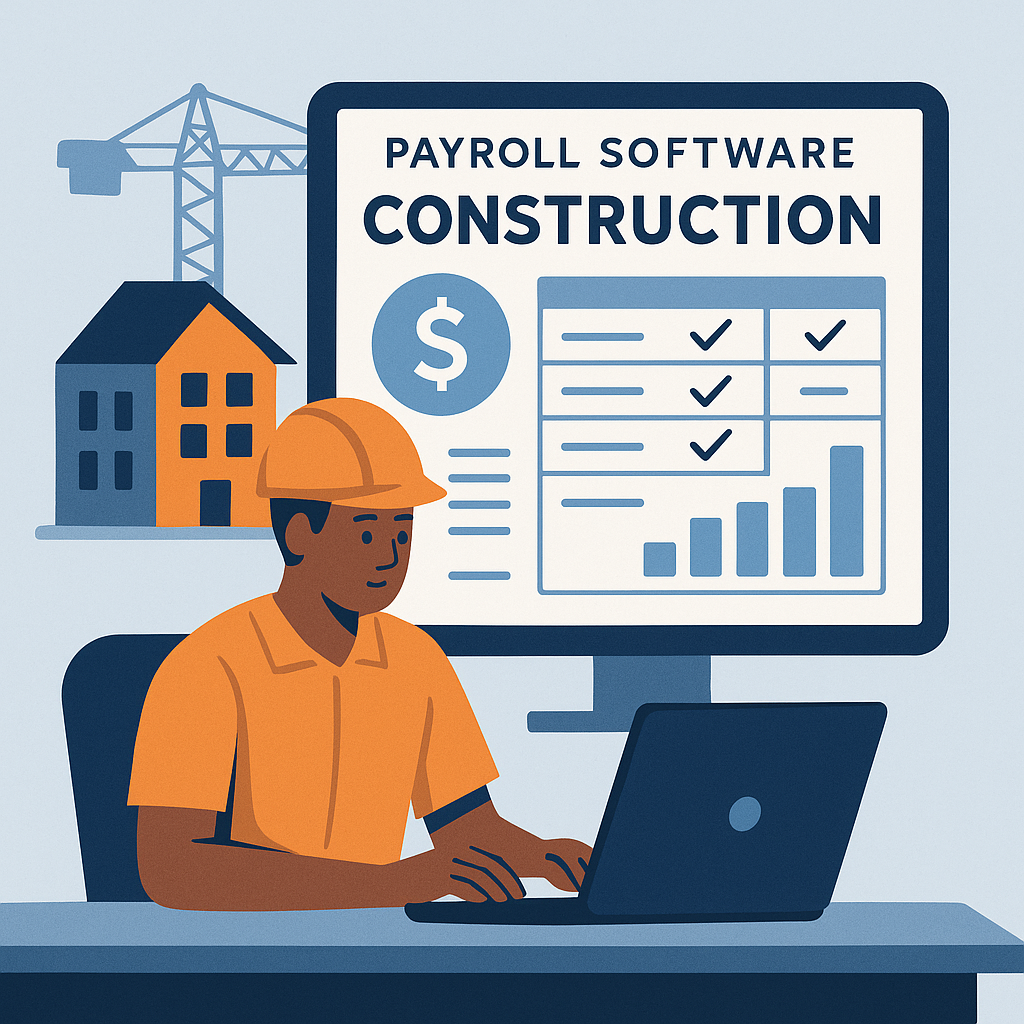
hh2 Payroll Software is a specialized solution for self-performing construction companies. It streamlines payroll management with features optimized for job costing, labor accuracy, and compliance. Its specific focus on the construction industry ensures it addresses the unique complexities and regulatory needs of this field.
Best for Payroll and Benefits Platforms for Construction and Field Work
Expert Take
hh2 Payroll Software excels in addressing the unique payroll needs of the construction industry, offering specialized features for job costing and compliance. Its market credibility is supported by its focus on construction-specific challenges. While pricing transparency is limited, the software's depth and usability make it a strong choice for construction companies.
Pros
- Deep Sage & Procore integrations
- Handles complex union payroll rules
- Automates certified payroll reporting
- Offline mobile time entry
- Customizable approval workflows
Cons
- Reports of unresponsive support
- Occasional sync/technical glitches
- Complex implementation process
- Pricing scales with usage
- Interface described as glitchy
Best for teams that are
- Construction companies using Sage or Foundation ERP systems
- Businesses needing advanced time entry and coding for field crews
- Firms wanting to streamline data flow between field and back-office ERPs
Skip if
- Companies looking for a standalone full-service payroll processor
- Small businesses without a compatible ERP system (e.g., Sage, Foundation)
- Firms needing a simple payroll tool without complex integration needs
Best for teams that are
- Construction companies using Sage or Foundation ERP systems
- Businesses needing advanced time entry and coding for field crews
- Firms wanting to streamline data flow between field and back-office ERPs
Skip if
- Companies looking for a standalone full-service payroll processor
- Small businesses without a compatible ERP system (e.g., Sage, Foundation)
- Firms needing a simple payroll tool without complex integration needs
Pros
- Deep Sage & Procore integrations
- Handles complex union payroll rules
- Automates certified payroll reporting
- Offline mobile time entry
- Customizable approval workflows
Cons
- Reports of unresponsive support
- Occasional sync/technical glitches
- Complex implementation process
- Pricing scales with usage
- Interface described as glitchy
Expert Take
hh2 Payroll Software excels in addressing the unique payroll needs of the construction industry, offering specialized features for job costing and compliance. Its market credibility is supported by its focus on construction-specific challenges. While pricing transparency is limited, the software's depth and usability make it a strong choice for construction companies.
Warp | Payroll & Compliance
Best for Payroll and Benefits Platforms for Global and Multi-Country Teams

Warp is a highly automated SaaS solution that caters specifically to startups and fast-growing companies, addressing their unique HR, payroll, benefits, and compliance needs. The AI-native platform simplifies complex global and multi-country payroll and compliance processes, making it an ideal choice for companies with international teams.
Best for Payroll and Benefits Platforms for Global and Multi-Country Teams
Expert Take
Warp excels as a premium solution for global payroll and compliance, offering robust automation and AI-driven capabilities tailored for startups and fast-growing companies. Its market credibility is reinforced by third-party recognitions, and it provides a comprehensive user experience despite limited pricing transparency.
Pros
- Automates state tax registrations completely
- Onboards new employees in minutes
- Pays contractors in 150+ countries
- Modern, intuitive 'Stripe-like' interface
- Backed by Y Combinator and top investors
Cons
- Relies on third-party infrastructure (Check/Middesk)
- Limited native HRIS features vs competitors
- Support relies heavily on chat/email
- Not suitable for complex enterprise needs
- Younger platform with less maturity
Best for teams that are
- US-based startups wanting automated state tax compliance
- Founders managing US employees and global contractors together
- Tech-forward companies wanting a hands-off payroll experience
Skip if
- Companies needing to hire full-time employees (EOR) outside the US
- Mid-market or enterprise companies with complex HR requirements
Best for teams that are
- US-based startups wanting automated state tax compliance
- Founders managing US employees and global contractors together
- Tech-forward companies wanting a hands-off payroll experience
Skip if
- Companies needing to hire full-time employees (EOR) outside the US
- Mid-market or enterprise companies with complex HR requirements
Pros
- Automates state tax registrations completely
- Onboards new employees in minutes
- Pays contractors in 150+ countries
- Modern, intuitive 'Stripe-like' interface
- Backed by Y Combinator and top investors
Cons
- Relies on third-party infrastructure (Check/Middesk)
- Limited native HRIS features vs competitors
- Support relies heavily on chat/email
- Not suitable for complex enterprise needs
- Younger platform with less maturity
Expert Take
Warp excels as a premium solution for global payroll and compliance, offering robust automation and AI-driven capabilities tailored for startups and fast-growing companies. Its market credibility is reinforced by third-party recognitions, and it provides a comprehensive user experience despite limited pricing transparency.
OnPay's Multi-State Payroll software is a comprehensive solution for businesses of all sizes needing to manage payroll across multiple states. It addresses the complex and unique needs of multi-state employers by offering automated tax management, accommodating all 50 states, and charging no extra fees for multi-state tax management.
Best for Payroll and Benefits Platforms for Multi-State Employers
Expert Take
OnPay Multi-State Payroll excels in providing comprehensive payroll solutions for businesses operating across multiple states. Its automated tax management and support for all 50 states are significant strengths. The product's transparent pricing and ease of use further solidify its position as a top choice in its category.
Pros
- Unlimited monthly pay runs included
- Multi-state payroll at no extra cost
- Automated tax filing in all 50 states
- Transparent pricing with no hidden fees
- Free account setup and data migration
Cons
- No dedicated employer mobile app
- Fewer integrations than major competitors
- No native time-tracking module
- Support response times can vary
Best for teams that are
- US businesses under 50 employees wanting simple payroll [cite: 8, 9].
- Price-sensitive teams seeking a transparent, flat-rate plan [cite: 8, 10].
Skip if
- Businesses needing built-in time tracking [cite: 8, 9].
- Companies looking to manage international workers [cite: 8, 9].
Best for teams that are
- US businesses under 50 employees wanting simple payroll [cite: 8, 9].
- Price-sensitive teams seeking a transparent, flat-rate plan [cite: 8, 10].
Skip if
- Businesses needing built-in time tracking [cite: 8, 9].
- Companies looking to manage international workers [cite: 8, 9].
Pros
- Unlimited monthly pay runs included
- Multi-state payroll at no extra cost
- Automated tax filing in all 50 states
- Transparent pricing with no hidden fees
- Free account setup and data migration
Cons
- No dedicated employer mobile app
- Fewer integrations than major competitors
- No native time-tracking module
- Support response times can vary
Expert Take
OnPay Multi-State Payroll excels in providing comprehensive payroll solutions for businesses operating across multiple states. Its automated tax management and support for all 50 states are significant strengths. The product's transparent pricing and ease of use further solidify its position as a top choice in its category.
OnPay offers an intuitive, comprehensive solution for small businesses managing hourly and shift workers' payroll. Its software simplifies payday, compliance, and tax management, ensuring accurate and timely payments, reducing administrative burden and improving operational efficiency.
Best for Payroll and Benefits Platforms for Hourly and Shift Workers
Expert Take
OnPay Hourly Payroll Software is a strong contender in the payroll and benefits platforms for hourly and shift workers category. It offers comprehensive payroll management with a focus on compliance and tax management, supported by transparent pricing. The product is well-regarded for its ease of use and customer support, making it a valuable tool for small businesses.
Pros
- Unlimited monthly pay runs included
- Automated tax filings in 50 states
- Free setup and data migration
- Built-in HR tools and offer letters
- Transparent single-tier pricing model
Cons
- No native time tracking feature
- No dedicated employer mobile app
- Fewer integrations than larger rivals
- Fee for mailing physical W-2 forms
- Support not available on weekends
Best for teams that are
- Small to mid-sized businesses needing affordable, flat-rate payroll.
- Companies running frequent or unlimited payrolls for hourly workers.
Skip if
- Large enterprises needing highly customizable tier plans.
- Employers who require a dedicated native mobile app.
Best for teams that are
- Small to mid-sized businesses needing affordable, flat-rate payroll.
- Companies running frequent or unlimited payrolls for hourly workers.
Skip if
- Large enterprises needing highly customizable tier plans.
- Employers who require a dedicated native mobile app.
Pros
- Unlimited monthly pay runs included
- Automated tax filings in 50 states
- Free setup and data migration
- Built-in HR tools and offer letters
- Transparent single-tier pricing model
Cons
- No native time tracking feature
- No dedicated employer mobile app
- Fewer integrations than larger rivals
- Fee for mailing physical W-2 forms
- Support not available on weekends
Expert Take
OnPay Hourly Payroll Software is a strong contender in the payroll and benefits platforms for hourly and shift workers category. It offers comprehensive payroll management with a focus on compliance and tax management, supported by transparent pricing. The product is well-regarded for its ease of use and customer support, making it a valuable tool for small businesses.
Explore Categories
-
 Payroll and Benefits Platforms for Construction and Field Work
-
 Payroll and Benefits Platforms for Global and Multi-Country Teams
-
 Payroll and Benefits Platforms for Healthcare Organizations
-
 Payroll and Benefits Platforms for Hourly and Shift Workers
-
 Payroll and Benefits Platforms for Multi-State Employers
-
 Payroll and Benefits Platforms for Nonprofits and Associations
-
 Payroll and Benefits Platforms for Salaried Knowledge Workers
Loading comparison data…
Payroll and Benefits Platforms for Construction and Field Work
Payroll and Benefits Platforms for Global and Multi-Country Teams
Payroll and Benefits Platforms for Healthcare Organizations
Payroll and Benefits Platforms for Hourly and Shift Workers
Payroll and Benefits Platforms for Multi-State Employers
Payroll and Benefits Platforms for Nonprofits and Associations
Payroll and Benefits Platforms for Salaried Knowledge Workers