Patch Management & Software Update Tools

Updated June 14, 2026

These are the specialized categories within Patch Management & Software Update Tools. Looking for something broader? See all Cybersecurity, Privacy & Compliance Software categories.

Not sure which one is right for you?

Answer 4 quick questions and we'll match you with your best options

Find Your Best Match

How big is your team?

Just me
2 - 10
11 - 50
51 - 200
201 - 1,000
1,000+

What's your budget situation?

Free or open-source only
Free to start, pay later
Best value for money
Price isn't the main factor

What's your team's technical comfort level?

We want it to just work
We can handle some setup
We have developers who'll customize it

What's the ONE thing this tool must do well?

Step 1 of 4
Absolute Resilience Security

Absolute Resilience for Security is an ideal solution for Private Equity firms that require robust patch management and software update tools. It proactively assesses patch health for known operating system and software vulnerabilities, ensuring the security and integrity of sensitive financial data.

Best for Patch Management & Software Update Tools for Private Equity Firms

Expert Take

Absolute Resilience Security is a specialized solution for Private Equity firms, offering robust patch management and proactive vulnerability assessments. It is recognized for its industry-specific capabilities and security focus, though pricing transparency is limited. The product's strong market credibility and usability make it a top choice in its category.

Pros

  • Self-healing of critical security apps
  • Remote data wipe and device freeze
  • FedRAMP Moderate Authorized
  • Automated OS recovery (Rehydrate)

Cons

  • Reporting delay for new devices
  • Occasional false positive device freezes
  • Console can be laggy for some

Best for teams that are

  • Teams needing 'undeletable' firmware-embedded agents for strict compliance
  • Enterprises requiring self-healing security controls and visibility

Skip if

  • Companies with primarily fixed, on-premise server infrastructure
  • Organizations that do not require device persistence or theft recovery

Best for teams that are

  • Teams needing 'undeletable' firmware-embedded agents for strict compliance
  • Enterprises requiring self-healing security controls and visibility

Skip if

  • Companies with primarily fixed, on-premise server infrastructure
  • Organizations that do not require device persistence or theft recovery

Pros

  • Firmware-embedded persistence (undeletable agent)
  • Self-healing of critical security apps
  • Remote data wipe and device freeze
  • FedRAMP Moderate Authorized
  • Automated OS recovery (Rehydrate)

Cons

  • Reporting delay for new devices
  • Pricing not public on vendor site
  • Occasional false positive device freezes
  • Console can be laggy for some

Expert Take

Absolute Resilience Security is a specialized solution for Private Equity firms, offering robust patch management and proactive vulnerability assessments. It is recognized for its industry-specific capabilities and security focus, though pricing transparency is limited. The product's strong market credibility and usability make it a top choice in its category.

Action1: Patch Management

Action1 is an all-in-one cloud-based patch management and vulnerability remediation tool specifically designed for SaaS companies. It offers an easy way to discover, prioritize, and fix vulnerabilities, which helps to prevent security breaches and ransomware attacks that can cripple SaaS operations.

Best for Patch Management & Software Update Tools for SaaS Companies

Expert Take

Action1 excels as a cloud-based patch management tool tailored for SaaS companies, offering comprehensive vulnerability assessment and automated patching. Its cloud-based architecture and continuous scanning capabilities make it a strong choice for distributed environments, despite limited customization options.

Pros

  • P2P distribution saves network bandwidth
  • SOC 2 Type II & ISO 27001 certified
  • Cloud-native setup in under 5 minutes
  • Supports Windows, macOS, and Linux

Cons

  • Reporting lacks executive summary visuals
  • Potential conflicts with Intune update rings
  • Paid tier starts at ~$4/endpoint/month
  • No built-in ticketing system

Best for teams that are

  • Small to mid-sized businesses benefiting from the free 200-endpoint tier.
  • Distributed teams needing VPN-free, cloud-native patch management.

Skip if

  • Buyers seeking transparent public pricing for deployments over 200 devices.
  • Organizations needing on-premises, air-gapped network patching solutions.

Best for teams that are

  • Small to mid-sized businesses benefiting from the free 200-endpoint tier.
  • Distributed teams needing VPN-free, cloud-native patch management.

Skip if

  • Buyers seeking transparent public pricing for deployments over 200 devices.
  • Organizations needing on-premises, air-gapped network patching solutions.

Pros

  • First 100 endpoints free forever
  • P2P distribution saves network bandwidth
  • SOC 2 Type II & ISO 27001 certified
  • Cloud-native setup in under 5 minutes
  • Supports Windows, macOS, and Linux

Cons

  • Reporting lacks executive summary visuals
  • Limited remote control for macOS
  • Potential conflicts with Intune update rings
  • Paid tier starts at ~$4/endpoint/month
  • No built-in ticketing system

Expert Take

Action1 excels as a cloud-based patch management tool tailored for SaaS companies, offering comprehensive vulnerability assessment and automated patching. Its cloud-based architecture and continuous scanning capabilities make it a strong choice for distributed environments, despite limited customization options.

Automox Endpoint Security

Automox is a cloud-based, cross-platform automated solution designed to streamline patch management, configuration, and control across Windows, macOS, and Linux endpoints. It is specifically suited for SaaS companies, providing a single platform that integrates with existing IT infrastructure, reducing vulnerabilities and ensuring software is always up-to-date and compliant.

Best for Patch Management & Software Update Tools for SaaS Companies

Expert Take

Automox Endpoint Security excels in providing a comprehensive patch management solution tailored for SaaS companies. Its cross-platform capabilities and integration with existing IT infrastructure enhance its usability and effectiveness. While pricing transparency is limited, the product's robust security features and market credibility justify its premium positioning.

Pros

  • Cloud-native cross-platform patching (Win/Mac/Linux)
  • SSO and MFA included in all plans
  • Extensive library of pre-built automation Worklets
  • CSA STAR and SOC 2 Type III certified

Cons

  • No built-in automatic patch rollback
  • Device grouping mechanism can be cumbersome
  • Limited native integrations (e.g. Jira/Teams)
  • Occasional agent stability issues reported

Best for teams that are

  • Distributed organizations needing cloud-native, multi-OS patch management.
  • IT teams wanting automated, policy-driven patching with custom scripts.

Skip if

  • Highly secure, air-gapped networks without internet connectivity.
  • Organizations requiring strict on-premises deployment and management.

Best for teams that are

  • Distributed organizations needing cloud-native, multi-OS patch management.
  • IT teams wanting automated, policy-driven patching with custom scripts.

Skip if

  • Highly secure, air-gapped networks without internet connectivity.
  • Organizations requiring strict on-premises deployment and management.

Pros

  • Transparent pricing starting at $1/endpoint
  • Cloud-native cross-platform patching (Win/Mac/Linux)
  • SSO and MFA included in all plans
  • Extensive library of pre-built automation Worklets
  • CSA STAR and SOC 2 Type III certified

Cons

  • No built-in automatic patch rollback
  • Reporting lacks depth and customization
  • Device grouping mechanism can be cumbersome
  • Limited native integrations (e.g. Jira/Teams)
  • Occasional agent stability issues reported

Expert Take

Automox Endpoint Security excels in providing a comprehensive patch management solution tailored for SaaS companies. Its cross-platform capabilities and integration with existing IT infrastructure enhance its usability and effectiveness. While pricing transparency is limited, the product's robust security features and market credibility justify its premium positioning.

Avast Business Patch Management

Avast Business Patch Management empowers SaaS companies with advanced patch automation, supporting Windows, macOS, and Linux. It features a Master Agent for efficient bandwidth use and covers over 1,000 third-party apps, making it ideal for growing enterprises.

Best for Patch Management & Software Update Tools for SaaS Companies

Expert Take

Avast Business Patch Management combines the robust endpoint security expertise of Avast with the industry-leading patch automation technology of Ivanti. We love its Master Agent feature, which intelligently conserves bandwidth by downloading patches locally before network distribution. Its transparent per-device pricing and expansive support for Windows, macOS, Linux, and over 1,000 third-party apps make it a highly accessible, enterprise-grade solution for growing businesses.

Pros

  • Master agent optimizes network bandwidth
  • Transparent per-device pricing model
  • Covers 1,000+ third-party applications

Cons

  • Lack of live progress indicators
  • Users report intrusive forced reboots

Best for teams that are

  • Small to mid-sized businesses already using Avast Business Antivirus.
  • IT teams needing a simple cloud console for Windows endpoint patching.

Skip if

  • Organizations using competing endpoint protection or antivirus solutions.
  • Environments requiring robust patch management for Mac or Linux devices.

Best for teams that are

  • Small to mid-sized businesses already using Avast Business Antivirus.
  • IT teams needing a simple cloud console for Windows endpoint patching.

Skip if

  • Organizations using competing endpoint protection or antivirus solutions.
  • Environments requiring robust patch management for Mac or Linux devices.

Pros

  • Supports Windows, macOS, and Linux
  • Master agent optimizes network bandwidth
  • Transparent per-device pricing model
  • Covers 1,000+ third-party applications

Cons

  • Lack of live progress indicators
  • Tightly integrated with Avast AV
  • Users report intrusive forced reboots

Expert Take

Avast Business Patch Management combines the robust endpoint security expertise of Avast with the industry-leading patch automation technology of Ivanti. We love its Master Agent feature, which intelligently conserves bandwidth by downloading patches locally before network distribution. Its transparent per-device pricing and expansive support for Windows, macOS, Linux, and over 1,000 third-party apps make it a highly accessible, enterprise-grade solution for growing businesses.

5
9.0 / 10
Patch My PC

Patch My PC addresses the critical needs of IT professionals in the SaaS industry by automating the packaging, testing, and deployment of thousands of third-party updates. This allows for efficient management of updates and patches, reducing the complexity and time consumption typically associated with these tasks.

Best for Patch Management & Software Update Tools for SaaS Companies

Expert Take

Patch My PC excels in automating patch management for SaaS companies, offering extensive application support and integration capabilities. Its market credibility is bolstered by third-party validation, and it provides a comprehensive user experience with detailed reporting. While it requires technical expertise, its value proposition remains strong for its target audience.

Pros

  • Massive catalog (3,000+ apps)
  • Transparent public pricing
  • ISO 27001 & SOC 2 certified
  • Unlimited support included

Cons

  • High minimum annual spend
  • Advanced reporting costs extra
  • macOS update limitations
  • No standalone patching agent

Best for teams that are

  • Enterprises already using Microsoft Intune or SCCM for endpoint management.
  • IT teams needing to automate third-party application updates seamlessly.

Skip if

  • Organizations wanting a standalone patch tool without Microsoft infrastructure.
  • IT environments that do not use Windows or Microsoft management tools.

Best for teams that are

  • Enterprises already using Microsoft Intune or SCCM for endpoint management.
  • IT teams needing to automate third-party application updates seamlessly.

Skip if

  • Organizations wanting a standalone patch tool without Microsoft infrastructure.
  • IT environments that do not use Windows or Microsoft management tools.

Pros

  • Native Intune & ConfigMgr integration
  • Massive catalog (3,000+ apps)
  • Transparent public pricing
  • ISO 27001 & SOC 2 certified
  • Unlimited support included

Cons

  • High minimum annual spend
  • Requires Microsoft infrastructure
  • Advanced reporting costs extra
  • macOS update limitations
  • No standalone patching agent

Expert Take

Patch My PC excels in automating patch management for SaaS companies, offering extensive application support and integration capabilities. Its market credibility is bolstered by third-party validation, and it provides a comprehensive user experience with detailed reporting. While it requires technical expertise, its value proposition remains strong for its target audience.

NinjaOne Patch Management

NinjaOne's Autonomous Patch Management Software is uniquely tailored to meet the needs of contractors in the IT industry. It improves productivity by automating updates, securing endpoints, and optimizing IT efficiency across organizations. Its autonomous nature minimizes manual intervention, reducing the risk of human error while ensuring timely software updates.

Best for Patch Management & Software Update Tools for Contractors

Expert Take

NinjaOne Patch Management excels in automating software updates, crucial for IT contractors managing multiple endpoints. It is recognized for its comprehensive endpoint security and efficiency. Despite its custom pricing model, the product's robust capabilities and industry relevance position it as a leading solution in patch management.

Pros

  • No VPN required for remote patching
  • Patches 135+ third-party applications
  • Unified Windows, macOS, Linux console
  • High customer support satisfaction (98%)

Cons

  • Inconsistent macOS patching reliability
  • No public pricing list available
  • Annual contract often required
  • Limited granular control for some apps

Best for teams that are

  • MSPs managing multi-tenant client endpoints at scale.
  • Mid-sized IT teams needing unified RMM and patching.

Skip if

  • Organizations requiring highly customized dashboards.
  • Teams wanting transparent, upfront public pricing.

Best for teams that are

  • MSPs managing multi-tenant client endpoints at scale.
  • Mid-sized IT teams needing unified RMM and patching.

Skip if

  • Organizations requiring highly customized dashboards.
  • Teams wanting transparent, upfront public pricing.

Pros

  • FedRAMP Moderate Authorized security
  • No VPN required for remote patching
  • Patches 135+ third-party applications
  • Unified Windows, macOS, Linux console
  • High customer support satisfaction (98%)

Cons

  • Inconsistent macOS patching reliability
  • Reporting can show false positives
  • No public pricing list available
  • Annual contract often required
  • Limited granular control for some apps

Expert Take

NinjaOne Patch Management excels in automating software updates, crucial for IT contractors managing multiple endpoints. It is recognized for its comprehensive endpoint security and efficiency. Despite its custom pricing model, the product's robust capabilities and industry relevance position it as a leading solution in patch management.

PDQ Patch Management

PDQ is an industry-leading patch management software specifically designed for IT teams and contractors. It enables automated updates, reduces risk, and saves valuable time by eliminating the need for manual updating. Its key strength lies in the perfect blend of power and simplicity, making it an ideal solution for the complex IT needs of contractors.

Best for Patch Management & Software Update Tools for Contractors

Expert Take

PDQ Patch Management is recognized for its effective automation capabilities and simplicity, making it a preferred choice for IT professionals and contractors. Its market credibility is supported by industry recognition and a strong feature set that addresses the specific needs of its users.

Pros

  • Transparent pricing with no hidden fees
  • Agent-based architecture ideal for remote workforce
  • Integrated vulnerability scanning and remediation
  • Highly active community and educational resources

Cons

  • No support for Linux operating systems
  • Reporting less robust than enterprise RMMs
  • Remote desktop features are relatively basic
  • Minimum 100-device purchase for Connect

Best for teams that are

  • Sysadmins managing local or remote Windows environments.
  • Businesses wanting simple, fast automated deployments.

Skip if

  • Organizations needing robust native macOS or Linux tools.
  • Teams requiring deep built-in vulnerability scanning.

Best for teams that are

  • Sysadmins managing local or remote Windows environments.
  • Businesses wanting simple, fast automated deployments.

Skip if

  • Organizations needing robust native macOS or Linux tools.
  • Teams requiring deep built-in vulnerability scanning.

Pros

  • Library of 200+ pre-built third-party packages
  • Transparent pricing with no hidden fees
  • Agent-based architecture ideal for remote workforce
  • Integrated vulnerability scanning and remediation
  • Highly active community and educational resources

Cons

  • No support for Linux operating systems
  • Connect lacks full parity with on-prem Deploy
  • Reporting less robust than enterprise RMMs
  • Remote desktop features are relatively basic
  • Minimum 100-device purchase for Connect

Expert Take

PDQ Patch Management is recognized for its effective automation capabilities and simplicity, making it a preferred choice for IT professionals and contractors. Its market credibility is supported by industry recognition and a strong feature set that addresses the specific needs of its users.

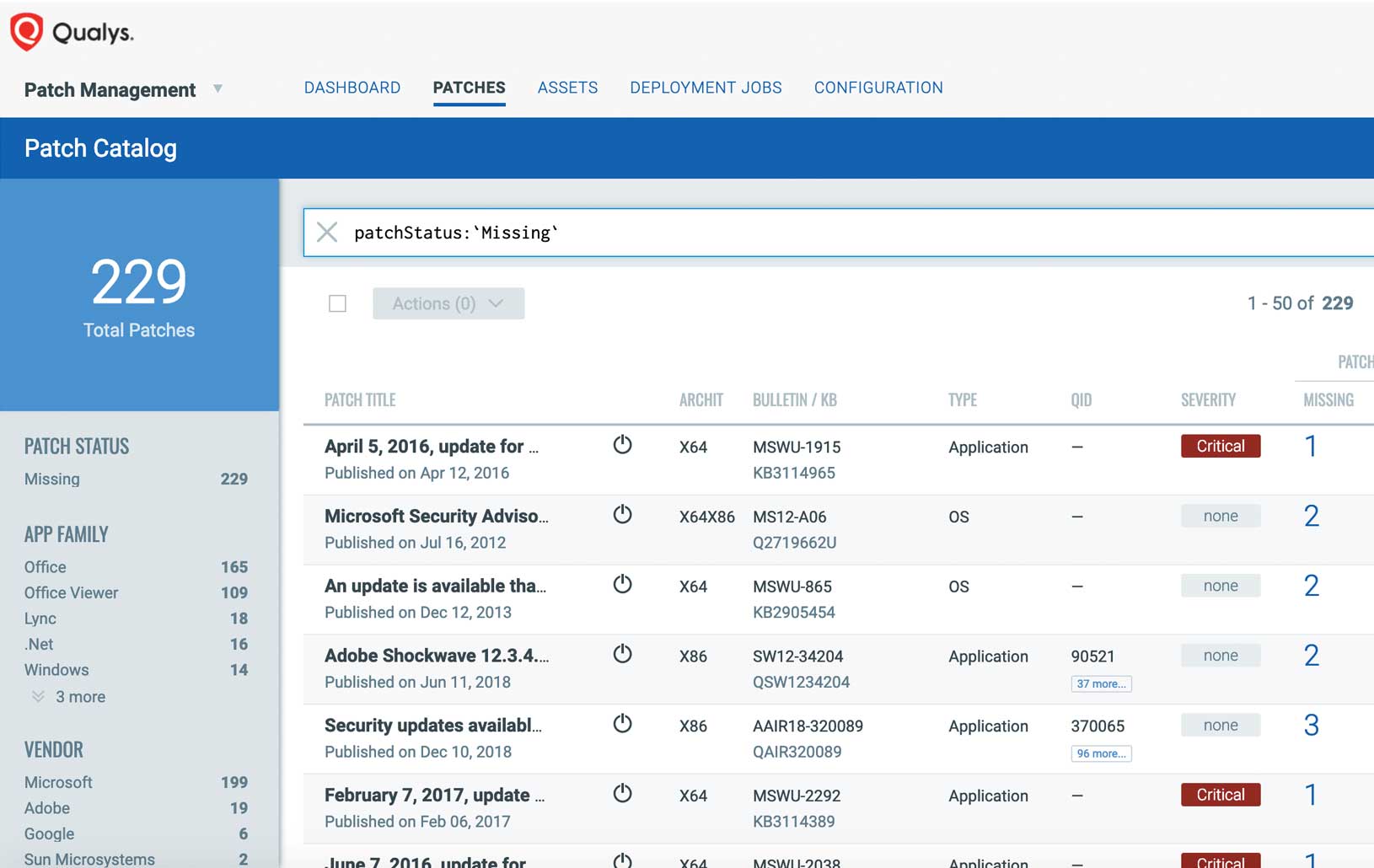
Qualys Patch Management

Qualys Patch Management is specifically designed for recruitment agencies that handle large volumes of sensitive data. The software provides timely vulnerability remediation and reduces risk by prioritizing and deploying patches across systems. The cloud-based solution allows remote patching, which is especially beneficial for agencies with distributed teams.

Best for Patch Management & Software Update Tools for Recruitment Agencies

Expert Take

Qualys Patch Management excels in providing a comprehensive patch management solution tailored for recruitment agencies. Its cloud-based architecture and ability to prioritize vulnerabilities make it particularly effective for distributed teams handling sensitive data. While it requires technical expertise, its robust capabilities and industry recognition justify its premium positioning.

Pros

  • Automated vulnerability-to-patch correlation
  • Single agent for VMDR and patching
  • Broad third-party application support
  • Unified dashboard for all OSs

Cons

  • No built-in driver update support
  • Premium pricing with no transparency
  • Reporting can be complex to configure
  • Lacks rollback capabilities

Best for teams that are

  • Security teams wanting to automate patching based on vulnerability asset tags.
  • Organizations needing a single cloud-based platform for scanning and remediation.

Skip if

  • Small businesses, as the pricing is considered high compared to alternatives.
  • Massive environments where patch deployment speed is critical, as it can be slow.

Best for teams that are

  • Security teams wanting to automate patching based on vulnerability asset tags.
  • Organizations needing a single cloud-based platform for scanning and remediation.

Skip if

  • Small businesses, as the pricing is considered high compared to alternatives.
  • Massive environments where patch deployment speed is critical, as it can be slow.

Pros

  • FedRAMP High Authorized security status
  • Automated vulnerability-to-patch correlation
  • Single agent for VMDR and patching
  • Broad third-party application support
  • Unified dashboard for all OSs

Cons

  • No built-in driver update support
  • Agent can cause high CPU usage
  • Premium pricing with no transparency
  • Reporting can be complex to configure
  • Lacks rollback capabilities

Expert Take

Qualys Patch Management excels in providing a comprehensive patch management solution tailored for recruitment agencies. Its cloud-based architecture and ability to prioritize vulnerabilities make it particularly effective for distributed teams handling sensitive data. While it requires technical expertise, its robust capabilities and industry recognition justify its premium positioning.

Tenable Patch Management

Tenable Patch Management is a standout solution for staffing agencies, combining autonomous patching with leading vulnerability intelligence for a safer, more secure IT environment. It prioritizes patches based on their importance and urgency, thereby reducing the mean time to remediate (MTTR), a crucial feature for an industry that relies heavily on secure and efficient software solutions.

Best for Patch Management & Software Update Tools for Staffing Agencies

Expert Take

Tenable Patch Management excels in providing autonomous patching and leading vulnerability intelligence tailored for staffing agencies, ensuring efficient and secure IT environments. Its capability to prioritize patches based on urgency and importance is crucial for reducing MTTR, making it a top choice in its category.

Pros

  • Peer-to-peer distribution saves network bandwidth
  • Unified view for Security and IT teams
  • Supports Windows, Linux, and macOS patching
  • Customizable rollback and pause controls

Cons

  • Premium pricing model for full feature set
  • Support response times vary by region
  • Requires add-on to core vulnerability platform
  • Steep learning curve for advanced features

Best for teams that are

  • Security teams bridging the scan-to-remediation gap
  • Enterprises prioritizing risk-based patching

Skip if

  • Small IT shops needing general endpoint management
  • Organizations wanting a standalone IT management tool

Best for teams that are

  • Security teams bridging the scan-to-remediation gap
  • Enterprises prioritizing risk-based patching

Skip if

  • Small IT shops needing general endpoint management
  • Organizations wanting a standalone IT management tool

Pros

  • Automated correlation of VPR risk scores to patches
  • Peer-to-peer distribution saves network bandwidth
  • Unified view for Security and IT teams
  • Supports Windows, Linux, and macOS patching
  • Customizable rollback and pause controls

Cons

  • Premium pricing model for full feature set
  • Report customization can be complex
  • Support response times vary by region
  • Requires add-on to core vulnerability platform
  • Steep learning curve for advanced features

Expert Take

Tenable Patch Management excels in providing autonomous patching and leading vulnerability intelligence tailored for staffing agencies, ensuring efficient and secure IT environments. Its capability to prioritize patches based on urgency and importance is crucial for reducing MTTR, making it a top choice in its category.

ThreatLocker Patch Management

ThreatLocker Patch Management is a vital tool for staffing agencies, which often handle sensitive personal and professional information. It constantly scans devices for outdated applications, ensuring that all software is up-to-date and secure, thereby reducing the risk of data breaches and maintaining the trust of clients and candidates.

Best for Patch Management & Software Update Tools for Staffing Agencies

Expert Take

ThreatLocker Patch Management is a premium solution for staffing agencies, offering continuous scanning and automated patching to ensure software security. It integrates easily and provides 24/7 support, making it a reliable choice for maintaining data integrity and client trust. Despite requiring technical knowledge, its industry-specific features and strong market credibility justify its high ranking.

Pros

  • Patches portable apps RMMs miss
  • Prevents supply chain attacks via testing
  • Granular scheduling and delay policies
  • Near-instant support response times

Cons

  • High administrative maintenance overhead
  • Potential conflicts with RMM patching
  • Steep learning curve for policies
  • Pricing requires custom quotes

Best for teams that are

  • Organizations prioritizing strict application control
  • Teams wanting to block unapproved software updates

Skip if

  • Teams wanting simple, hands-off automatic updates
  • Organizations without a dedicated security admin

Best for teams that are

  • Organizations prioritizing strict application control
  • Teams wanting to block unapproved software updates

Skip if

  • Teams wanting simple, hands-off automatic updates
  • Organizations without a dedicated security admin

Pros

  • Manual 'Cyber Hero' verification of patches
  • Patches portable apps RMMs miss
  • Prevents supply chain attacks via testing
  • Granular scheduling and delay policies
  • Near-instant support response times

Cons

  • High administrative maintenance overhead
  • Not a 'set and forget' solution
  • Potential conflicts with RMM patching
  • Steep learning curve for policies
  • Pricing requires custom quotes

Expert Take

ThreatLocker Patch Management is a premium solution for staffing agencies, offering continuous scanning and automated patching to ensure software security. It integrates easily and provides 24/7 support, making it a reliable choice for maintaining data integrity and client trust. Despite requiring technical knowledge, its industry-specific features and strong market credibility justify its high ranking.

Loading comparison data…

How We Rank Products

Our Evaluation Process

Products in the Patch Management & Software Update Tools category are evaluated based on their feature set, including automation capabilities, compatibility with multiple systems, and ease of integration. Pricing transparency is assessed to ensure competitive value. Integration with existing IT ecosystems and support for compliance standards are crucial factors. Additionally, third-party customer feedback provides insights into user satisfaction and real-world performance, contributing to an informed comparison.

Verification

  • Products evaluated through comprehensive research and analysis of patch management features and capabilities.
  • Selection criteria focus on industry standards, user feedback, and software update efficiency.
  • Comparison methodology analyzes customer reviews and expert insights to determine top-performing solutions.

Score Breakdown

0.0 / 10

About Patch Management & Software Update Tools

What Is Patch Management & Software Update Tools?

Patch Management & Software Update Tools cover the centralized identification, acquisition, testing, prioritization, and deployment of code changes to operating systems, applications, and embedded firmware across an organization's digital estate. This category encompasses the full lifecycle of vulnerability remediation and feature maintenance: from scanning endpoints to detect missing updates, to staging deployments in test environments, to validating successful installation and reporting on compliance. Ideally, these tools serve as the operational arm of a vulnerability management program, translating abstract risk data into concrete remediation actions.

This software category sits squarely between Vulnerability Assessment (which identifies flaws but rarely fixes them) and Unified Endpoint Management (UEM) (which manages broader device configurations and policies). While UEM platforms often include patching capabilities, dedicated Patch Management tools distinguish themselves through deeper third-party application support, more granular scheduling controls, and specialized workflows for server-grade infrastructure. The category includes both general-purpose platforms designed for mixed IT environments (Windows, macOS, Linux) and vertical-specific tools tailored for specialized assets like industrial control systems (ICS) or medical devices. It is the critical "last mile" of cybersecurity; without it, intelligence on vulnerabilities remains unactionable.

Who uses these tools? While historically the domain of IT Operations (ITOps) teams focused on system stability, the user base has expanded to include Security Operations (SecOps) teams driven by compliance mandates and the weaponization of zero-day vulnerabilities. Organizations use these tools not merely to "fix bugs" but to reduce their attack surface measurably. By automating the deployment of critical security updates, businesses protect intellectual property, customer data, and operational uptime against ransomware and espionage. In an era where the window between vulnerability disclosure and active exploitation has shrunk to mere days, these tools matter because manual patching is mathematically impossible at enterprise scale.

History of Patch Management

The discipline of patch management as we recognize it today emerged in the mid-1990s, driven by the explosion of client-server architectures and the increasing ubiquity of the Windows operating system. Before this era, updating mainframes or isolated Unix terminals was a rare, highly manual event performed by specialists. The turning point was the commercialization of the internet and the subsequent rise of network-aware malware. As worms began to exploit operating system vulnerabilities at scale, administrators needed a way to push code fixes to hundreds of machines without physically visiting each desk with a floppy disk.

The late 1990s and early 2000s saw the first wave of consolidation and the birth of "suite" based management. Microsoft’s release of Systems Management Server (SMS), the precursor to System Center Configuration Manager (SCCM), signaled that patching was becoming a core IT infrastructure requirement. This era was defined by "LAN-based" thinking: devices were assumed to be on the corporate network, behind a firewall, and always accessible. Patching was a heavy, bandwidth-intensive process that often brought networks to a crawl. The focus was entirely on the Operating System; third-party applications (like Adobe Flash or Java) were largely ignored, creating a massive blind spot that attackers soon exploited.

By the 2010s, two major shifts forced the market to evolve: the dissolution of the network perimeter and the rise of Vertical SaaS. As employees moved to laptops and began working from coffee shops and home offices, on-premise management servers could no longer reach them. This gap created the "Cloud-Native" patch management category—agile, SaaS-delivered tools that could patch any device with an internet connection, regardless of VPN status. Simultaneously, the market saw a consolidation wave where large security conglomerates acquired standalone patching vendors to bolster their endpoint protection suites. This was the era where "Patch Management" began to merge with "Vulnerability Management," shifting the buyer's expectation from "install everything" to "install what matters most."

Today, we are in the "Intelligence Era" of patch management. The "spray and pray" approach of the early 2000s—pushing every update to every machine—is operationally unsustainable and dangerous. Modern tools are expected to ingest threat intelligence, prioritize patches based on active exploitation metrics (like CISA’s Known Exploited Vulnerabilities catalog), and automate complex testing rings. The market has shifted from offering simple databases of updates to providing actionable intelligence engines that balance security risk against operational stability.

What to Look For

Evaluating patch management software requires looking beyond the basic ability to install a Windows update. The market is saturated with tools that claim automation, but true enterprise-grade capability lies in the nuances of exception handling, architecture, and breadth of support. Buyers must prioritize architectural fit. A tool designed for a LAN-bound office environment will fail catastrophically in a remote-first distributed workforce. Look for cloud-native architecture that does not require a VPN to manage endpoints; agents should be lightweight, resilient to network interruptions, and capable of caching updates locally to save bandwidth.

Third-party application support is a critical differentiator. While almost every tool handles OS updates (Windows, macOS, Linux) competently, the vast majority of vulnerabilities originate in third-party software (browsers, PDF readers, conferencing tools). A robust solution must have a dedicated, vendor-maintained repository of third-party patches that are pre-tested and packaged. Ask specifically about the "Zero-Day" turnaround time: how many hours after Adobe or Chrome releases a critical fix does it appear in the vendor’s catalog? A delay of 48 hours can be the difference between safety and compromise.

Red flags in this category often appear during the proof-of-concept phase. Be wary of vendors who gloss over their rollback capabilities. Patches break things. A tool that pushes an update efficiently but offers no automated mechanism to uninstall it when it causes a Blue Screen of Death (BSOD) is a liability. Another warning sign is a lack of granular scheduling. If a tool cannot differentiate between "servers" and "workstations" or lacks the ability to set "maintenance windows" based on complex logic (e.g., "only patch if no user is logged in"), it will disrupt business operations.

Key questions to ask vendors include: "Does your agent require a reboot to install itself?", "How do you handle 'superseded' patches to avoid unnecessary downloads?", and "Can your reporting engine prove to an auditor exactly when a specific CVE was remediated on a specific asset?" The ability to cross-reference a patch status with a CVE ID is essential for compliance with standards like PCI DSS and HIPAA.

Industry-Specific Use Cases

Retail & E-commerce

In the retail sector, patch management is inextricably linked to Payment Card Industry Data Security Standard (PCI DSS) compliance. Retailers manage a unique fleet of "kiosk-style" devices—Point of Sale (POS) terminals—that often run embedded or stripped-down versions of operating systems. Unlike a standard laptop, a POS terminal cannot simply reboot in the middle of the day. Retail buyers need tools that support embedded OS patching and offer extreme precision in scheduling maintenance windows (e.g., 2:00 AM to 4:00 AM local time for each store location). Furthermore, distributed retail environments often suffer from low-bandwidth connectivity at edge locations. A patch management tool for retail must support peer-to-peer distribution, where one POS device downloads the patch and shares it with others on the local LAN, preventing the store's internet connection from being saturated.

Healthcare

Healthcare organizations face the dual challenge of protecting patient data (HIPAA) and ensuring patient safety. The "Internet of Medical Things" (IoMT) introduces devices like MRI machines and infusion pumps that run legacy software which cannot be patched without vendor certification. For healthcare, a patch tool must offer robust asset exclusions and "virtual patching" capabilities (often via integration with network security tools) to protect unpatchable legacy assets. Additionally, uptime is a matter of life and death; an accidental reboot of a nursing station PC during a shift is unacceptable. Evaluation priorities here focus on granular suppression capabilities—ensuring that specific patches can be blacklisted permanently for specific device groups due to vendor incompatibility.

Financial Services

For banks, asset managers, and insurance firms, the primary driver is regulatory scrutiny (GLBA, SOX, NYDFS). These organizations require an audit trail that is immutable and exhaustive. It is not enough to patch; the system must log who approved the patch, when it was tested, when it was deployed, and the hash of the file installed. Financial services also deal with high-frequency trading platforms and core banking systems where latency and stability are paramount. They prioritize tools with sophisticated testing rings (Dev, Test, UAT, Prod) that enforce a strict promotion logic, ensuring no code touches production without passing through rigorous gates. Integration with Change Management databases (CMDB) is non-negotiable here.

Manufacturing

Manufacturing environments are characterized by the convergence of IT (Information Technology) and OT (Operational Technology). The shop floor runs on SCADA systems, PLCs, and Human-Machine Interfaces (HMIs) that are notoriously fragile. A standard Windows update can disrupt the timing of a robotic arm, causing physical damage or production halts. Consequently, manufacturing buyers look for tools that support "agentless" scanning for OT environments or specialized agents that operate in "passive mode." The ability to patch "air-gapped" networks—systems physically disconnected from the internet—is a unique requirement. This often involves "sneakernet" workflows where patches are downloaded to a secure USB or intermediary server and physically moved to the secure zone, a workflow the software must facilitate and track.

Professional Services

Law firms, consultancies, and architectural firms manage high-value client data on a fleet of mobile devices that rarely touch a corporate office. The perimeter is the user. The priority here is user experience (UX) and non-intrusiveness. Fee-earners billing hundreds of dollars an hour cannot be interrupted by a forced reboot. Tools for this sector must offer "user-deferred" scheduling, allowing the professional to snooze updates until a convenient time, while strictly enforcing a deadline (e.g., "defer up to 3 times, then force install"). Additionally, because these devices travel to hostile networks (client sites, airports), the patch agent must maintain a secure, encrypted tunnel to the management console to ensure updates are delivered securely without a VPN.

Subcategory Overview

Patch Management & Software Update Tools for Recruitment Agencies

Recruitment agencies handle massive volumes of Personally Identifiable Information (PII)—resumes, passport details, and contact info—often stored on recruiters' personal devices or laptops used in coffee shops. This niche differs from generic tools because it must heavily prioritize remote endpoint compliance without being overly draconian on user experience, as recruiters are revenue-generating staff who need constant uptime. A workflow unique to this group is the "rapid onboarding/offboarding" cycle; recruiters often bring their own devices (BYOD). Specialized tools here excel at "containerized" patching, where they can update corporate apps (like the ATS or CRM) without touching the user’s personal OS settings, or ensuring a device meets minimum patch levels before being allowed to access the candidate database. The specific pain point driving buyers here is the risk of a data breach originating from a recruiter’s unpatched laptop leading to GDPR fines, which generic tools often fail to mitigate without heavy-handed VPNs. For more details, see our guide to Patch Management & Software Update Tools for Recruitment Agencies.

Patch Management & Software Update Tools for SaaS Companies

SaaS companies are both software consumers and producers. Their patch management needs are bifurcated: securing employee laptops (corporate IT) and securing the production servers hosting their product (DevSecOps). This niche is genuinely different because it requires deep integration with CI/CD pipelines. A workflow only these tools handle well is "immutable infrastructure" patching—where instead of patching a live server, the tool triggers a rebuild of the server image with the latest updates and redeploys it. The pain point here is "drift"—generic tools that try to patch live production servers often cause configuration drift that breaks the application. Specialized tools for SaaS align patching with deployment cycles, ensuring SOC2 compliance without slowing down velocity. Learn more in our guide to Patch Management & Software Update Tools for SaaS Companies.

Patch Management & Software Update Tools for Private Equity Firms

Private Equity (PE) firms have a unique "portfolio" risk model. They need to oversee the security posture of multiple, distinct operating companies, each with its own IT stack. This niche requires multi-tenant architecture that allows the PE firm's CISO to see a high-level "risk score" dashboard across all portfolio companies without needing admin access to individual servers. A workflow specific to this niche is "M&A Due Diligence Scanning"—quickly deploying a non-intrusive agent to a target company’s network to assess their "technical debt" regarding unpatched vulnerabilities before an acquisition is finalized. The pain point driving this is "inherited risk"—buying a company that is riddled with dormant vulnerabilities. Generic tools lack the multi-tenant segregation required for this legal structure. Explore this further in our guide to Patch Management & Software Update Tools for Private Equity Firms.

Patch Management & Software Update Tools for Contractors

Managing contractors presents a hostile environment challenge: you do not own the device, but you own the risk of the data accessing it. This category differs from generic patching by focusing on Device Posture Assessment (DPA) rather than full management. A specialized workflow here is "quarantine-based access": the tool scans the contractor's machine upon login. If the Chrome browser is unpatched, it doesn't just nag—it actively blocks access to the corporate web portal until the update is applied. The specific pain point is the legal inability to install a permanent, "always-on" surveillance agent on a third-party contractor's personal machine. Tools in this niche use "dissolvable" or "on-demand" agents that run once and vanish. Read more in our guide to Patch Management & Software Update Tools for Contractors.

Patch Management & Software Update Tools for Staffing Agencies

Staffing agencies manage a transient workforce that may be placed at client sites using client hardware, or working remotely. The distinction here is billing-integrated compliance. In some high-compliance sectors, staffing agencies must prove that the temporary worker's device was secure during the hours they billed work. A specialized workflow is generating "Compliance Certificates" attached to invoices, proving to the client that the worker's endpoint was patched and secure during the billable period. The pain point is client audits; generic tools don't map patch status to "billable hours" or specific worker assignments. This niche focuses on reporting agility to satisfy diverse client security questionnaires. See details in our guide to Patch Management & Software Update Tools for Staffing Agencies.

Integration & API Ecosystem

In modern IT environments, a patch management tool cannot operate as an island. It must function as the "hands" of a broader security organism, receiving instructions from Vulnerability Scanners and reporting status to IT Service Management (ITSM) systems. A named statistic from Gartner highlights that by 2026, over 60% of organizations will consider "integration capabilities" as a top-three criterion for security tool selection [1]. The most critical integration is with the ITSM platform (e.g., ServiceNow, Jira). Without a robust, bi-directional API, the friction between "Security" (who finds the bug) and "IT Ops" (who fixes the bug) becomes paralyzed.

Expert Insight: A Forrester analyst recently noted that "The 'swivel-chair' interface—where an admin reads a vulnerability report on one screen and manually types a patch job into another—is the single largest contributor to Mean Time to Remediation (MTTR) lag." [2].

Scenario: Consider a 50-person professional services firm. They use a vulnerability scanner that identifies a critical flaw in Adobe Acrobat on Monday. Without integration, the IT manager receives a PDF report on Tuesday. They manually log into their patch console on Wednesday, search for the endpoints, and schedule a deployment. In a well-integrated ecosystem, the scanner detects the CVE, automatically triggers an API call to the patch tool to create a "Remediation Job," and opens a ticket in the ITSM system for approval. When the IT manager approves the ticket, the patch tool executes the job and automatically closes the ticket upon success. If this integration is poorly designed (e.g., one-way only), the ticket remains open forever, creating "ticket fatigue" and compliance audit failures.

Security & Compliance

Security is the "why" of patch management. The shift from "patch everything" to "Risk-Based Patch Management" (RBPM) is the dominant trend. According to the Verizon 2024 Data Breach Investigations Report (DBIR), the exploitation of known vulnerabilities surged by 180% year-over-year, making it one of the top entry vectors for ransomware [3]. Compliance frameworks like GDPR, HIPAA, and PCI DSS no longer accept "we tried" as an excuse; they demand proof of timely remediation.

Expert Insight: As noted in the Gartner Market Guide for Patch Management, "Organizations that employ a risk-based approach to patch management will experience 80% fewer compromises than those who attempt to patch everything indiscriminately." [4].

Scenario: A healthcare provider with 500 laptops faces "Patch Tuesday," where Microsoft releases 50 updates. A traditional tool treats them all equally. A security-focused tool, however, ingests threat intelligence indicating that only two of those 50 updates are being actively exploited in the wild by ransomware groups. The tool automatically prioritizes these two for immediate deployment (within 24 hours), while scheduling the remaining 48 for the standard weekend maintenance window. Without this intelligence, the IT team might spend days testing low-risk patches while the high-risk vulnerability leaves the door open to an attack.

Pricing Models & TCO

Pricing in this category typically falls into two buckets: Per-Device (Agent) or Per-User. There is also a distinction between "Perpetual" (legacy on-prem) and "Subscription" (SaaS). IDC research indicates that while SaaS models appear cheaper upfront, the "add-on" costs for third-party catalogs and server modules can increase TCO by up to 40% over three years [5].

Expert Insight: An industry pricing analyst from G2 observes, "Buyers often overlook the 'infrastructure tax' of on-premise solutions—the cost of maintaining the servers, databases, and VPNs required to run the patching tool itself often exceeds the licensing cost." [6].

Scenario: Let’s calculate the TCO for a 25-person team with 2 servers and 30 workstations (some users have two devices). Option A (Per-User SaaS): $5/user/month. Cost = 25 users * $5 * 12 months = $1,500/year. This usually covers all devices per user. Option B (Per-Device SaaS): $2/device/month. Cost = 32 devices (30 workstations + 2 servers) * $2 * 12 months = $768/year. At first glance, Option B is cheaper. However, Option B might charge an extra $20/month per server (common in this market), adding $480/year. If Option B requires you to spin up a cloud gateway for remote devices (costing $50/month in Azure credits), the gap closes. Furthermore, if the team grows to 50 devices but stays at 25 users, the Per-User model becomes significantly more predictable and valuable.

Implementation & Change Management

Implementation is where most patch management projects fail—not due to software bugs, but due to process failure. A "Big Bang" rollout (deploying to everyone at once) is a recipe for disaster. The gold standard is the Ring Deployment Strategy. Forrester studies on Total Economic Impact (TEI) of automation tools show that organizations using phased deployments reduce "patch-induced downtime" by 75% [7].

Expert Insight: "The technology of installing a patch is solved," says a Principal Consultant at a major MSP. "The unsolved problem is the political capital required to force a reboot on the CEO's laptop. Successful implementation is 90% communication and 10% technology." [8].

Scenario: A mid-sized architecture firm implements a new patch tool. They configure it to "force reboot" at 3 AM. However, architects leave their CAD rendering jobs running overnight—jobs that take 48 hours to complete. The first night the tool runs, it kills weeks of work. A proper implementation would involve: 1. Discovery: Identifying high-risk "don't touch" assets (like rendering stations). 2. Pilot Ring (IT Team): Deploy patches to IT staff first. 3. Early Adopters (Friendly Users): Deploy to 10% of staff who are tolerant of issues. 4. General Availability: Deploy to the rest. 5. Exclusion Logic: Configuring the tool to detect "high CPU load" (indicating a render job) and suppressing the reboot automatically.

Vendor Evaluation Criteria

When selecting a vendor, verify their "Content Level Agreement" (CLA). This is different from an SLA (Service Level Agreement). An SLA guarantees uptime; a CLA guarantees how quickly they package a new patch after the software vendor releases it. A Ponemon Institute survey found that 57% of data breaches are attributed to vulnerabilities for which a patch was available but not applied [9]. If your tool takes 5 days to "package" a Chrome update, you are exposed for 5 days.

Expert Insight: A Gartner analyst warns, "Do not assume 'support for Linux' means 'parity with Windows.' Many vendors treat Linux and macOS as second-class citizens, offering only reporting features without the granular remediation controls available for Windows." [10].

Scenario: A buyer asks a vendor, "Do you support macOS?" The vendor says "Yes." The buyer signs. Later, they realize the tool can install macOS updates but cannot suppress the "Upgrade to new macOS Sequoia" notification, leading to users upgrading their OS before the corporate security tools are compatible. The evaluation criteria must delve into specific "management" capabilities (e.g., blocking major OS upgrades vs. installing minor security patches) rather than just "support."

Emerging Trends and Contrarian Take

Emerging Trends (2025-2026): The immediate future of patch management is Autonomous Remediation driven by AI. We are moving beyond "automated" (where you set a schedule) to "autonomous" (where the system decides the schedule). AI agents will predict the likelihood of a patch causing a crash by analyzing telemetry from millions of global endpoints before deploying it to your specific environment. Another key trend is the consolidation of Application Security Posture Management (ASPM) with patching—shifting the focus from "infrastructure" to "code libraries" used in proprietary apps.

Contrarian Take: Standalone Patch Management is a dying category. Within 5 years, paying for a dedicated patch tool will be considered as archaic as paying for a separate "spam filter" appliance. The market is consolidating so rapidly into Unified Endpoint Management (UEM) and Endpoint Detection & Response (EDR) platforms that "patching" will simply be a feature toggle within your security suite, not a product you buy. Businesses buying standalone, "best-of-breed" patch tools today are investing in technical debt; the smart money is on platforms where patching is an integrated, native capability of the security agent already installed on the device.

Common Mistakes

One of the most pervasive mistakes is "Dashboard Delusion." Administrators see "100% Patched" on their dashboard and assume they are secure. However, a dashboard only reports on what it sees. If the patch agent has crashed on 20% of your devices, those devices stop reporting status and disappear from the dashboard metrics. You have 100% compliance on 80% of your fleet, and 0% visibility on the rest. Always cross-reference your patch tool’s inventory count with your Active Directory or EDR inventory count.

Another critical error is ignoring "End-of-Life" (EOL) software. Patch tools cannot patch software that the vendor no longer supports. Many teams set up their tool to "auto-patch" but fail to configure alerts for EOL software. They believe they are secure because the tool reports "No missing patches," but in reality, no patches exist because the software is obsolete. A robust process must include reports on EOL software removal, not just patching.

Questions to Ask in a Demo

  • "Can you show me the workflow for a failed patch? If an update breaks a machine, what is the exact sequence of clicks to roll it back across 100 devices?"
  • "Does your 'Third-Party Patching' cover the actual update mechanism, or do you just trigger the application's own auto-updater?" (The latter is unreliable and lazy).
  • "Show me your 'Content Level Agreement' (CLA). How many hours after a 'Critical' Adobe vulnerability is released do you guarantee it will be available in your console?"
  • "How does your agent communicate if the device is off the VPN? Does it require a cloud gateway, and is that included in the base price?"
  • "Demonstrate how your tool handles a 'superseded' patch chain. If a machine has been offline for 6 months, will it try to install 6 months of updates sequentially, or does it intelligently jump to the latest cumulative rollup?"

Before Signing the Contract

Before committing, demand a "Proof of Concept" (POC) on non-standard hardware. Do not just test on a clean, new VM. Test on the oldest, messiest laptop in your fleet—the one with low disk space and corrupted registry keys. This is where patch agents fail. Verify the exit clause: if you leave this vendor, can you export your historic patch compliance data in a format that satisfies an auditor? Finally, scrutinize the support tiering. Patching issues are often emergencies (e.g., a bad patch bricking computers). Ensure your contract guarantees 24/7 support with a defined response time for "Severity 1" issues, so you aren't left debugging a failed deployment alone on a Friday night.

Closing

Effective patch management is the single most effective "hygiene" habit a digital organization can adopt. It is unglamorous work, but it creates the bedrock upon which all other security initiatives rest. If you need help navigating the complex vendor landscape or validating your evaluation criteria, I invite you to reach out.

Email: albert@whatarethebest.com

Quick one question survey

Thanks for your input!
Your response has been recorded.