IT Helpdesk & Ticketing Systems

Updated July 15, 2026

These are the specialized categories within IT Helpdesk & Ticketing Systems. Looking for something broader? See all Cybersecurity, Privacy & Compliance Software categories.

Not sure which one is right for you?

Answer 4 quick questions and we'll match you with your best options

Find Your Best Match

How big is your team?

Just me
2 - 10
11 - 50
51 - 200
201 - 1,000
1,000+

What's your budget situation?

Free or open-source only
Free to start, pay later
Best value for money
Price isn't the main factor

What's your team's technical comfort level?

We want it to just work
We can handle some setup
We have developers who'll customize it

What's the ONE thing this tool must do well?

Step 1 of 4
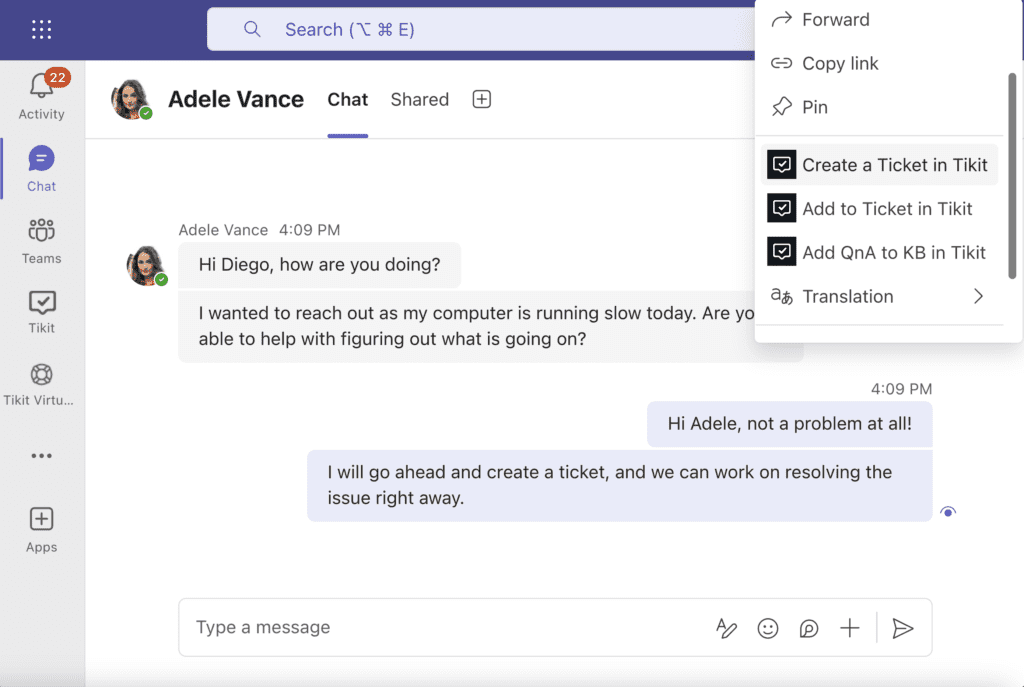
Tikit | Microsoft Teams Ticketing System

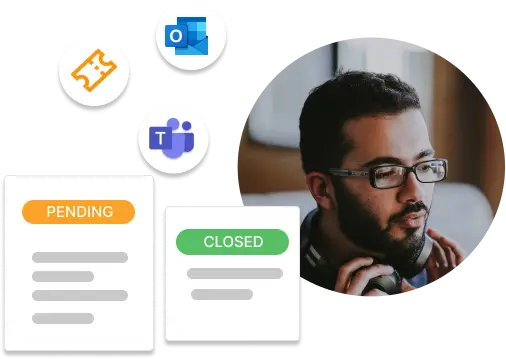
Tikit is a powerful service desk specifically designed for recruitment agencies. Its Microsoft Teams integration allows IT teams to manage tickets effectively within a familiar environment, enhancing response time and efficiency. The ITIL-aligned tool provides a streamlined, user-friendly experience for both agents and end users, making it an excellent solution for managing IT-related inquiries and issues in recruitment agencies.

Best for Service Desk & Ticketing for IT Teams for Recruitment Agencies

Expert Take

Tikit excels in providing a specialized ticketing solution for recruitment agencies, leveraging Microsoft Teams integration to enhance collaboration and efficiency. Its ITIL alignment supports best practices in IT service management, making it a top choice for this niche. However, the lack of transparent pricing and a free trial are notable limitations.

Pros

  • Native Microsoft Teams integration
  • AI-powered ticket deflection (OpenAI)
  • SOC 2 Type 2 certified
  • Deep Intune & Power Automate integration

Cons

  • No Group Mailbox support
  • Chatbot uses structured cards
  • Full ITSM features in top tier
  • Requires Microsoft 365 environment

Best for teams that are

  • IT teams heavily invested in the Microsoft 365/Teams ecosystem.
  • Admins seeking AI deflection to reduce ticket volume via knowledge base.

Skip if

  • Companies not using Microsoft Teams as their primary hub.
  • Enterprises needing complex, non-Microsoft specific workflows.

Best for teams that are

  • IT teams heavily invested in the Microsoft 365/Teams ecosystem.
  • Admins seeking AI deflection to reduce ticket volume via knowledge base.

Skip if

  • Companies not using Microsoft Teams as their primary hub.
  • Enterprises needing complex, non-Microsoft specific workflows.

Pros

  • Native Microsoft Teams integration
  • Unlimited end users included
  • AI-powered ticket deflection (OpenAI)
  • SOC 2 Type 2 certified
  • Deep Intune & Power Automate integration

Cons

  • No Group Mailbox support
  • Chatbot uses structured cards
  • Advanced reporting requires Power BI
  • Full ITSM features in top tier
  • Requires Microsoft 365 environment

Expert Take

Tikit excels in providing a specialized ticketing solution for recruitment agencies, leveraging Microsoft Teams integration to enhance collaboration and efficiency. Its ITIL alignment supports best practices in IT service management, making it a top choice for this niche. However, the lack of transparent pricing and a free trial are notable limitations.

Parallels Mac Management for Microsoft SCCM

Parallels Mac Management for Microsoft SCCM empowers IT teams by seamlessly integrating macOS and iOS management within Microsoft-centric environments, eliminating the need for separate systems. Ideal for IT teams in SaaS companies, it offers features like FileVault 2 enforcement and zero-touch deployment for secure, compliant device management.

Best for Service Desk & Ticketing for IT Teams for SaaS Companies

Expert Take

Parallels Mac Management for Microsoft SCCM stands out by brilliantly bridging the gap between Apple hardware and Microsoft-centric IT environments. It eliminates the need for a redundant, standalone Mac management system by extending native SCCM capabilities directly to macOS and iOS endpoints. With features like Apple DEP integration, FileVault 2 enforcement, and zero-touch deployment, it empowers IT teams to use their existing infrastructure to maintain a unified, secure, and fully compliant

Pros

  • Native SCCM integration
  • Enforces FileVault encryption
  • No Mac PKI required
  • Zero-touch deployment capability

Cons

  • Per-device pricing model
  • Occasional slow loading

Best for teams that are

  • Organizations with Windows-dominant environments managed by Microsoft SCCM.
  • Teams requiring automated Apple Device Enrollment Program (DEP) integration.

Skip if

  • Any organization seeking currently supported software, as it reached End of Life in 2022.
  • IT departments that do not already utilize Microsoft SCCM for device management.

Best for teams that are

  • Organizations with Windows-dominant environments managed by Microsoft SCCM.
  • Teams requiring automated Apple Device Enrollment Program (DEP) integration.

Skip if

  • Any organization seeking currently supported software, as it reached End of Life in 2022.
  • IT departments that do not already utilize Microsoft SCCM for device management.

Pros

  • Native SCCM integration
  • Apple DEP & VPP support
  • Enforces FileVault encryption
  • No Mac PKI required
  • Zero-touch deployment capability

Cons

  • Per-device pricing model
  • Occasional slow loading
  • Requires Windows infrastructure

Expert Take

Parallels Mac Management for Microsoft SCCM stands out by brilliantly bridging the gap between Apple hardware and Microsoft-centric IT environments. It eliminates the need for a redundant, standalone Mac management system by extending native SCCM capabilities directly to macOS and iOS endpoints. With features like Apple DEP integration, FileVault 2 enforcement, and zero-touch deployment, it empowers IT teams to use their existing infrastructure to maintain a unified, secure, and fully compliant

Desk365: AI Helpdesk Software

Desk365 is an AI-powered helpdesk solution designed specifically for IT teams and staffing agencies of all sizes. It is built to simplify and automate customer support tasks with integrated ticketing, knowledge base, and advanced AI capabilities, catering to the industry's need for efficient and streamlined operations.

Best for Service Desk & Ticketing for IT Teams for Staffing Agencies

Expert Take

Desk365 excels as a specialized AI helpdesk solution for IT teams and staffing agencies, offering robust automation and integration capabilities. Its market credibility is supported by industry-specific features and a competitive pricing model. While initial setup is required, its comprehensive functionality justifies its premium positioning.

Pros

  • Native Microsoft Teams integration
  • Affordable pricing with free tier
  • AI-powered ticket summarization
  • Easy setup and administration

Cons

  • Limited UI customization options
  • Basic reporting capabilities
  • Mobile app functionality limited
  • No native Monday.com integration

Best for teams that are

  • Organizations heavily invested in the Microsoft Teams ecosystem
  • Teams wanting a conversational ticketing interface within Teams

Skip if

  • Businesses that do not use Microsoft Teams as their primary communication hub
  • Large enterprises needing complex, non-Microsoft ecosystem integrations

Best for teams that are

  • Organizations heavily invested in the Microsoft Teams ecosystem
  • Teams wanting a conversational ticketing interface within Teams

Skip if

  • Businesses that do not use Microsoft Teams as their primary communication hub
  • Large enterprises needing complex, non-Microsoft ecosystem integrations

Pros

  • Native Microsoft Teams integration
  • SOC 2 Type 2 & HIPAA compliant
  • Affordable pricing with free tier
  • AI-powered ticket summarization
  • Easy setup and administration

Cons

  • Limited UI customization options
  • Basic reporting capabilities
  • Fewer native 3rd-party integrations
  • Mobile app functionality limited
  • No native Monday.com integration

Expert Take

Desk365 excels as a specialized AI helpdesk solution for IT teams and staffing agencies, offering robust automation and integration capabilities. Its market credibility is supported by industry-specific features and a competitive pricing model. While initial setup is required, its comprehensive functionality justifies its premium positioning.

Microsoft Teams Ticketing System

This SaaS solution is designed specifically for IT Teams and contractors. It provides an intuitive and easy-to-use platform for managing service desk incidents and helpdesk requests directly within Microsoft Teams. It is certified by Microsoft 365 and offers full access to its features, making it an ideal tool for IT professionals working with Microsoft ecosystems.

Best for Service Desk & Ticketing for IT Teams for Contractors

Expert Take

The Microsoft Teams Ticketing System excels in providing a seamless integration with Microsoft Teams, enhancing productivity for IT teams. Its certification by Microsoft 365 underscores its reliability and compliance. However, the lack of transparent pricing information and its limitation to the Microsoft ecosystem are noted tradeoffs.

Pros

  • Unlimited agents with usage-based pricing
  • Native Microsoft Teams integration
  • Multi-department support (unlimited instances)
  • Free forever plan for low volumes

Cons

  • Fewer external integrations than competitors
  • Advanced reporting requires Power BI
  • Relies heavily on Microsoft ecosystem
  • Less brand recognition than Zendesk/Jira

Best for teams that are

  • SMBs seeking a budget-friendly solution integrated directly into their chat platform
  • Companies wanting to eliminate external support portals for employees

Skip if

  • Organizations that do not use Microsoft Teams as their primary communication hub
  • Large enterprises needing unlimited ticket scalability without quota restrictions

Best for teams that are

  • SMBs seeking a budget-friendly solution integrated directly into their chat platform
  • Companies wanting to eliminate external support portals for employees

Skip if

  • Organizations that do not use Microsoft Teams as their primary communication hub
  • Large enterprises needing unlimited ticket scalability without quota restrictions

Pros

  • Microsoft 365 Certified security status
  • Unlimited agents with usage-based pricing
  • Native Microsoft Teams integration
  • Multi-department support (unlimited instances)
  • Free forever plan for low volumes

Cons

  • Fewer external integrations than competitors
  • UI can be confusing for beginners
  • Advanced reporting requires Power BI
  • Relies heavily on Microsoft ecosystem
  • Less brand recognition than Zendesk/Jira

Expert Take

The Microsoft Teams Ticketing System excels in providing a seamless integration with Microsoft Teams, enhancing productivity for IT teams. Its certification by Microsoft 365 underscores its reliability and compliance. However, the lack of transparent pricing information and its limitation to the Microsoft ecosystem are noted tradeoffs.

BoldDesk SaaS Help Desk

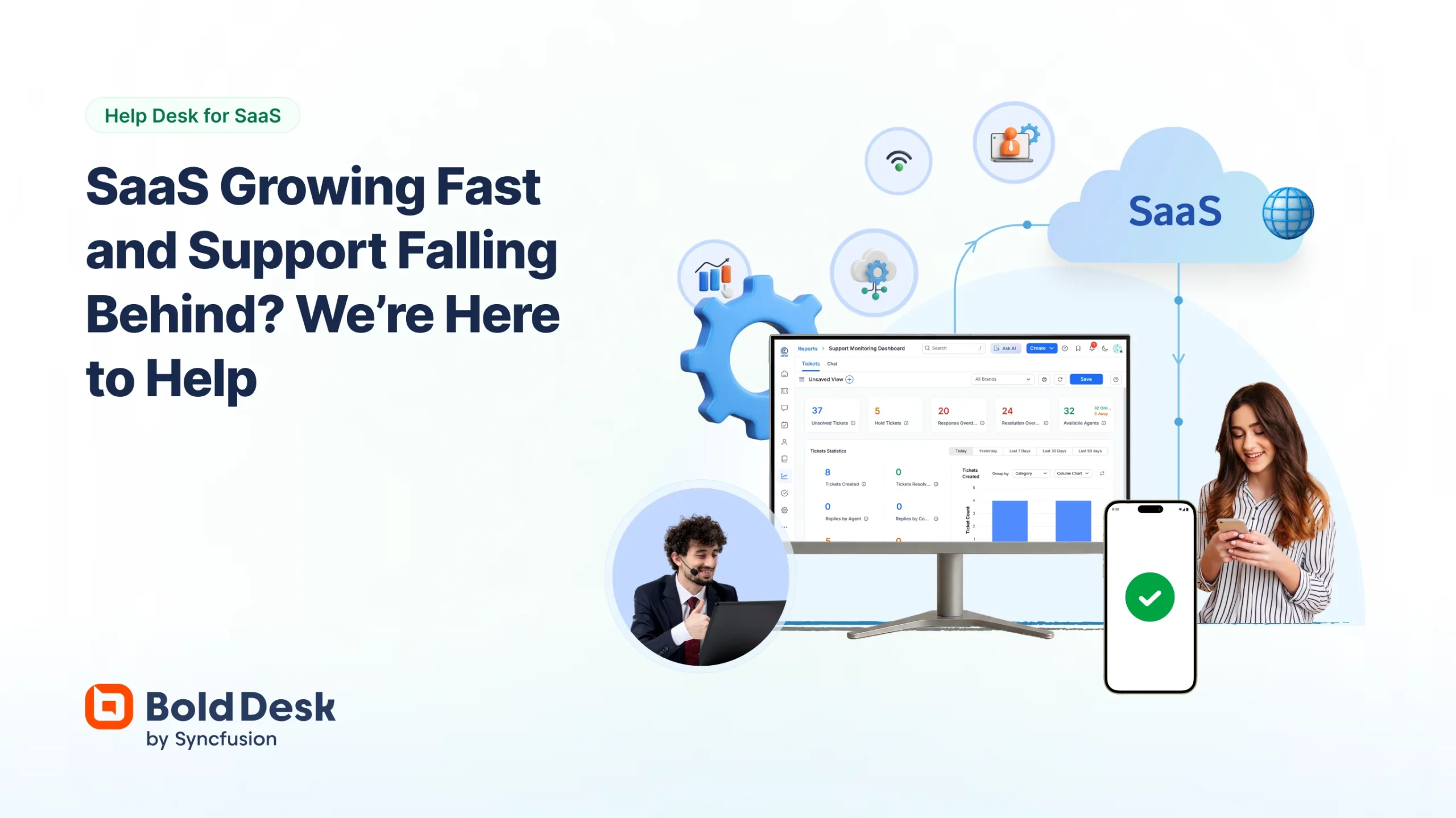
BoldDesk is a cloud-based SaaS help desk software designed specifically for SaaS companies. It offers scalable ticketing, automation, and AI-powered support tools to streamline customer support services. Its seamless integration with popular SaaS platforms addresses the unique needs for continuous support and maintenance in the SaaS industry.

Best for Service Desk & Ticketing for IT Teams for SaaS Companies

Expert Take

BoldDesk SaaS Help Desk is a premium product tailored for SaaS companies, offering robust ticketing and AI-powered support tools. Its integration capabilities and scalability make it a strong contender in its category. While pricing may be a consideration for smaller businesses, its features justify its positioning as a best-of-the-best product.

Pros

  • Backed by Syncfusion (20+ years exp)
  • HIPAA & SOC 2 Type 2 Compliant
  • Omnichannel support (WhatsApp, FB, etc.)
  • Competitive pricing starting at $12/agent

Cons

  • Mobile app lacks full desktop parity
  • AI features require paid add-ons
  • Steep learning curve for advanced setup
  • Fewer native integrations than Zendesk

Best for teams that are

  • Startups, SMBs, and enterprise teams needing unified omnichannel customer support.
  • Customer service teams desiring AI-powered self-service and automated ticket routing.

Skip if

  • Organizations seeking open-source help desk solutions for developer customization.
  • Companies relying heavily on legacy on-premise deployments without cloud integration.

Best for teams that are

  • Startups, SMBs, and enterprise teams needing unified omnichannel customer support.
  • Customer service teams desiring AI-powered self-service and automated ticket routing.

Skip if

  • Organizations seeking open-source help desk solutions for developer customization.
  • Companies relying heavily on legacy on-premise deployments without cloud integration.

Pros

  • Backed by Syncfusion (20+ years exp)
  • Generous free plan for Startups
  • HIPAA & SOC 2 Type 2 Compliant
  • Omnichannel support (WhatsApp, FB, etc.)
  • Competitive pricing starting at $12/agent

Cons

  • Mobile app lacks full desktop parity
  • AI features require paid add-ons
  • Reporting customization can be limited
  • Steep learning curve for advanced setup
  • Fewer native integrations than Zendesk

Expert Take

BoldDesk SaaS Help Desk is a premium product tailored for SaaS companies, offering robust ticketing and AI-powered support tools. Its integration capabilities and scalability make it a strong contender in its category. While pricing may be a consideration for smaller businesses, its features justify its positioning as a best-of-the-best product.

Deskpro IT Ticketing System

Deskpro is a dynamic IT ticketing system designed for internal support, specifically catering to the demands of staffing agencies. It provides an automated support process that enhances productivity and efficiency of IT teams, ensuring seamless handling of requests and issues.

Best for Service Desk & Ticketing for IT Teams for Staffing Agencies

Expert Take

Deskpro IT Ticketing System excels in providing a comprehensive solution for staffing agencies, offering automated processes and a user-friendly interface. Despite a learning curve and limited integrations, its customization and 24/7 support make it a top choice in its category.

Pros

  • Rare on-premise and private cloud options
  • Transparent pricing for all tiers
  • Omnichannel support including voice and social
  • Deep integrations with Jira and Salesforce

Cons

  • Search function reported as unreliable
  • Performance can be slow after updates
  • Mobile app limitations mentioned in reviews
  • Complex setup for advanced features

Best for teams that are

  • Organizations with strict data privacy, compliance, or on-premise hosting needs
  • Teams requiring a highly customizable platform with complex workflows

Skip if

  • Small teams wanting a plug-and-play cloud solution with zero maintenance
  • Users prioritizing a simple, lightweight mobile app experience

Best for teams that are

  • Organizations with strict data privacy, compliance, or on-premise hosting needs
  • Teams requiring a highly customizable platform with complex workflows

Skip if

  • Small teams wanting a plug-and-play cloud solution with zero maintenance
  • Users prioritizing a simple, lightweight mobile app experience

Pros

  • Rare on-premise and private cloud options
  • HIPAA, SOC 2, and ISO 27001 certified
  • Transparent pricing for all tiers
  • Omnichannel support including voice and social
  • Deep integrations with Jira and Salesforce

Cons

  • Search function reported as unreliable
  • Performance can be slow after updates
  • Steep learning curve for small teams
  • Mobile app limitations mentioned in reviews
  • Complex setup for advanced features

Expert Take

Deskpro IT Ticketing System excels in providing a comprehensive solution for staffing agencies, offering automated processes and a user-friendly interface. Despite a learning curve and limited integrations, its customization and 24/7 support make it a top choice in its category.

Microsoft Teams Ticketing System

As a certified Microsoft Teams add-on, this ticketing system is specifically designed for incident and service request management. It integrates seamlessly with existing Microsoft Teams workflows, making it ideal for SaaS companies that rely heavily on Teams for communication and collaboration.

Best for Service Desk & Ticketing for IT Teams for SaaS Companies

Expert Take

The Microsoft Teams Ticketing System is a specialized solution for SaaS companies, offering seamless integration with Microsoft Teams for efficient incident and service request management. Its certification by Microsoft enhances its credibility, though the lack of direct pricing information and potential feature limitations are noted.

Pros

  • Unlimited users/agents pricing model
  • Native Microsoft Teams integration
  • Data residency options (EU/APAC/US)
  • Built-in Power BI integration

Cons

  • Monthly ticket quotas on plans
  • Scattered messages in Teams interface
  • Lacks built-in asset management
  • Dependent on Microsoft ecosystem

Best for teams that are

  • Organizations in regulated industries needing HIPAA or local sovereignty compliance.
  • Users seeking native ticketing with single sign-on within the MS Teams ecosystem.

Skip if

  • Organizations located in regions mismatched with their subscribed software version.
  • Companies seeking a standalone ticketing platform operating outside of Microsoft Teams.

Best for teams that are

  • Organizations in regulated industries needing HIPAA or local sovereignty compliance.
  • Users seeking native ticketing with single sign-on within the MS Teams ecosystem.

Skip if

  • Organizations located in regions mismatched with their subscribed software version.
  • Companies seeking a standalone ticketing platform operating outside of Microsoft Teams.

Pros

  • Unlimited users/agents pricing model
  • Microsoft 365 Certified security
  • Native Microsoft Teams integration
  • Data residency options (EU/APAC/US)
  • Built-in Power BI integration

Cons

  • Monthly ticket quotas on plans
  • Scattered messages in Teams interface
  • Low public review volume
  • Lacks built-in asset management
  • Dependent on Microsoft ecosystem

Expert Take

The Microsoft Teams Ticketing System is a specialized solution for SaaS companies, offering seamless integration with Microsoft Teams for efficient incident and service request management. Its certification by Microsoft enhances its credibility, though the lack of direct pricing information and potential feature limitations are noted.

Web Help Desk IT Ticketing

Web Help Desk is a robust IT ticketing software designed specifically for Staffing Agencies. Its automatic email-to-ticket conversion feature and highly customizable rule creation enables staffing agencies to streamline their IT ticketing process, improving efficiency and enhancing the overall IT support experience.

Best for Service Desk & Ticketing for IT Teams for Staffing Agencies

Expert Take

Web Help Desk IT Ticketing is tailored for staffing agencies, offering features like automated ticket management and customizable rules that enhance efficiency. Despite limited third-party integrations, its strong capabilities in email integration and SLA management make it a top choice for its niche.

Pros

  • FIPS 140-2 compliant for regulated industries
  • Built-in hardware and software asset discovery
  • On-premises deployment ensures data sovereignty
  • Automated ticket routing and rule-based escalation

Cons

  • Interface described as dated and clunky
  • Recent critical security vulnerabilities (CVE-2024-28987)
  • Lacks modern AI features of SaaS rivals
  • Mobile app functionality is limited

Best for teams that are

  • IT teams needing an affordable on-premise solution with asset management
  • Organizations with budget constraints requiring basic ITSM features

Skip if

  • Teams expecting a modern, intuitive, or cloud-native user interface
  • Organizations needing advanced AI automation or rapid feature updates

Best for teams that are

  • IT teams needing an affordable on-premise solution with asset management
  • Organizations with budget constraints requiring basic ITSM features

Skip if

  • Teams expecting a modern, intuitive, or cloud-native user interface
  • Organizations needing advanced AI automation or rapid feature updates

Pros

  • FIPS 140-2 compliant for regulated industries
  • Native integration with SolarWinds Orion Platform
  • Built-in hardware and software asset discovery
  • On-premises deployment ensures data sovereignty
  • Automated ticket routing and rule-based escalation

Cons

  • Interface described as dated and clunky
  • Recent critical security vulnerabilities (CVE-2024-28987)
  • Perpetual licensing model ending in 2025
  • Lacks modern AI features of SaaS rivals
  • Mobile app functionality is limited

Expert Take

Web Help Desk IT Ticketing is tailored for staffing agencies, offering features like automated ticket management and customizable rules that enhance efficiency. Despite limited third-party integrations, its strong capabilities in email integration and SLA management make it a top choice for its niche.

BOSSDesk ITSM: Cloud-Based Ticketing

Specifically designed for IT teams for contractors, BOSSDesk ITSM provides a robust ticketing system that delivers beyond traditional IT support services. Its cloud-based nature ensures easy accessibility while maintaining high-level security, addressing the unique needs of IT professionals in the contracting industry.

Best for Service Desk & Ticketing for IT Teams for Contractors

Expert Take

BOSSDesk ITSM is a specialized service desk solution tailored for IT teams in the contracting industry. It offers a robust cloud-based ticketing system with advanced support services and high-level security, making it a strong contender in its niche. The product's market credibility is supported by its industry-specific design and security features.

Pros

  • SOC 2 Type II & TX-RAMP certified
  • Integrated Asset Management with low cost
  • User-friendly interface with mobile apps
  • US-based responsive customer support

Cons

  • No dedicated Project Management module
  • Lacks MSSP multi-tenant mode
  • Fewer native integrations than enterprise giants
  • Advanced features require higher tier plans

Best for teams that are

  • IT teams requiring an all-in-one ITSM and Asset Management solution
  • Organizations needing a single platform for both IT and Facilities/Maintenance requests

Skip if

  • Micro-businesses needing a free or very low-cost basic ticketing tool
  • Creative agencies needing project management features over IT service management

Best for teams that are

  • IT teams requiring an all-in-one ITSM and Asset Management solution
  • Organizations needing a single platform for both IT and Facilities/Maintenance requests

Skip if

  • Micro-businesses needing a free or very low-cost basic ticketing tool
  • Creative agencies needing project management features over IT service management

Pros

  • Transparent pricing starting at $29/user
  • SOC 2 Type II & TX-RAMP certified
  • Integrated Asset Management with low cost
  • User-friendly interface with mobile apps
  • US-based responsive customer support

Cons

  • No dedicated Project Management module
  • Reporting export options can be limited
  • Lacks MSSP multi-tenant mode
  • Fewer native integrations than enterprise giants
  • Advanced features require higher tier plans

Expert Take

BOSSDesk ITSM is a specialized service desk solution tailored for IT teams in the contracting industry. It offers a robust cloud-based ticketing system with advanced support services and high-level security, making it a strong contender in its niche. The product's market credibility is supported by its industry-specific design and security features.

ConnectWise Service Desk

ConnectWise Service Desk is a SaaS solution designed specifically for IT teams and contractors, enhancing technician performance and client satisfaction. It provides automated ticket creation, routing, and triage, reducing technician workload while ensuring efficient issue resolution.

Best for Service Desk & Ticketing for IT Teams for Contractors

Expert Take

ConnectWise Service Desk excels in providing a comprehensive solution for IT teams and contractors, with strong automation capabilities and industry-specific features. Its market credibility is supported by third-party recognition, and it offers a robust ecosystem of integrations. While pricing transparency is limited, the product's overall value and usability remain high.

Pros

  • Massive third-party integration ecosystem
  • Granular SLA and dispatch management
  • Scalable for large enterprise MSPs
  • Strong security and compliance features

Cons

  • Steep learning curve for new users
  • High implementation and training costs
  • Opaque and premium pricing model
  • Slow support response times

Best for teams that are

  • IT firms needing integrated Professional Services Automation (PSA) and billing
  • Teams requiring deep integration with Remote Monitoring and Management (RMM) tools

Skip if

  • Internal corporate IT teams (non-MSPs) who do not bill for services
  • B2C customer support teams handling retail or consumer queries

Best for teams that are

  • IT firms needing integrated Professional Services Automation (PSA) and billing
  • Teams requiring deep integration with Remote Monitoring and Management (RMM) tools

Skip if

  • Internal corporate IT teams (non-MSPs) who do not bill for services
  • B2C customer support teams handling retail or consumer queries

Pros

  • Industry-standard automation and workflows
  • Massive third-party integration ecosystem
  • Granular SLA and dispatch management
  • Scalable for large enterprise MSPs
  • Strong security and compliance features

Cons

  • Steep learning curve for new users
  • Outdated and complex user interface
  • High implementation and training costs
  • Opaque and premium pricing model
  • Slow support response times

Expert Take

ConnectWise Service Desk excels in providing a comprehensive solution for IT teams and contractors, with strong automation capabilities and industry-specific features. Its market credibility is supported by third-party recognition, and it offers a robust ecosystem of integrations. While pricing transparency is limited, the product's overall value and usability remain high.

Loading comparison data…

How We Rank Products

Our Evaluation Process

Products in the Service Desk & Ticketing for IT Teams category are evaluated based on documented features like automation capabilities, scalability, and integration options. Pricing transparency is assessed to ensure clarity on costs, while compatibility with existing IT systems is also crucial. Third-party customer feedback is considered to gauge user satisfaction and support effectiveness.

Verification

  • Products evaluated through comprehensive research and analysis of industry standards in service desk and ticketing solutions.
  • Rankings based on analysis of user reviews, expert ratings, and feature specifications specific to IT team needs.
  • Selection criteria focus on scalability, usability, and integration capabilities within existing IT infrastructures.

Score Breakdown

0.0 / 10

About IT Helpdesk & Ticketing Systems

What Is IT Helpdesk & Ticketing Systems?

This category covers software used to centralize, manage, and resolve technical support requests and service incidents across their full operational lifecycle: capturing user issues, routing them to appropriate technicians, tracking resolution progress, managing service level agreements (SLAs), and maintaining a knowledge base for self-service. It sits between basic shared inboxes (which lack workflow automation and accountability) and broader Enterprise Service Management (ESM) platforms (which extend these workflows to HR, Facilities, and Legal). It includes both general-purpose ticketing platforms and vertical-specific tools built for high-compliance industries like healthcare, financial services, and managed service providers.

At its core, this software solves the problem of unstructured chaos in technical support. Without a dedicated system, requests are lost in emails, status updates are manual, and there is no data to identify recurring problems. For modern enterprises, these systems are not merely "complaint boxes" but the central nervous system of IT operations, ensuring that the technology workforce remains productive and secure. The users range from internal employees seeking password resets to external customers reporting software bugs, making the system critical for both employee retention and customer satisfaction.

History: From Call Logging to Intelligent Orchestration

The evolution of IT Helpdesk systems is a narrative of moving from passive record-keeping to proactive service orchestration. In the early 1990s, the landscape was dominated by "call tracking" software. These were essentially glorified spreadsheets or local databases designed to log that a phone call occurred. The primary gap they filled was simple record retention—replacing physical logbooks—but they offered little in the way of workflow or automation. The focus was entirely on the IT technician's need to prove work was done, rather than the end-user's experience.

The late 1990s and early 2000s saw a pivotal shift driven by the adoption of the IT Infrastructure Library (ITIL) framework [1]. This standardized best practices for "Incident Management" and "Problem Management," pushing buyers to demand software that could enforce these processes. This era birthed the "Service Desk"—a broader concept than the "Help Desk"—which aimed to restore service rather than just fix breaks. However, these on-premise behemoths were notoriously expensive, clunky, and required months of implementation.

The rise of the cloud in the mid-2000s and early 2010s democratized access. Vertical SaaS solutions began to emerge, challenging the on-premise incumbents by offering subscription-based models that required zero infrastructure. This triggered a massive wave of market consolidation. Large legacy hardware and software conglomerates acquired nimble cloud-native startups to modernize their portfolios [2]. This consolidation wave was driven by a desire to own the entire "IT management" stack, from the service desk to asset management and endpoint security.

By 2020, the buyer's expectation had shifted again. The demand was no longer just for a database of tickets, but for "actionable intelligence." The integration of Artificial Intelligence and Machine Learning began to automate categorization and routing, moving the industry toward "AIOps." Today, the market is bifurcating into massive, all-encompassing platforms for the enterprise and specialized, nimble tools for specific verticals, driven by the realization that a generic tool cannot support every unique workflow [3].

What to Look For

Evaluating IT Helpdesk systems requires peering past the marketing gloss of "AI-powered" features to the foundational workflows that dictate daily efficiency. The critical evaluation criteria should center on workflow configurability rather than just feature lists. A robust system allows you to map complex approval hierarchies—such as requiring a manager's approval for a hardware request over $1,000 but auto-approving a password reset—without requiring custom code.

Red flags in this category are often subtle. Beware of vendors that charge heavily for "implementation services" for a tool that claims to be "out of the box." This often signals that the software is rigid and requires backend engineering to fit standard processes. Another warning sign is a lack of granular Role-Based Access Control (RBAC). If a system forces you to give a junior technician the same administrative privileges as a senior engineer just to view a specific ticket type, it is a security liability waiting to happen.

When interviewing vendors, ask specific, stress-testing questions. Do not ask, "Do you have reporting?" Instead, ask: "Can I build a report that shows me the 'First Contact Resolution' rate by specific technician for the last quarter, excluding tickets that were reopened?" Ask about their API rate limits. Many "integrations" break under load because the vendor throttles data transfer, leaving you with out-of-sync systems during peak hours. Finally, inquire about their database isolation architecture—specifically, whether your data is logically separated from other tenants in a way that satisfies your compliance auditors.

Industry-Specific Use Cases

Retail & E-commerce

In the retail sector, the IT helpdesk is the frontline defense against revenue loss during high-traffic periods. The specific need here is Point of Sale (POS) support and rapid seasonal scaling. Unlike an office environment where a printer failure is an annoyance, a POS failure in a retail store causes immediate financial damage and customer churn [4]. Evaluation priorities must focus on mobile accessibility; field technicians need to access tickets from tablets while standing on a shop floor, not just from a back-office desktop.

Unique considerations for retail include the ability to handle "burst" capacity. Retailers often hire thousands of temporary staff for holiday seasons. The helpdesk system must support rapid, low-friction onboarding and offboarding of these users without requiring complex licensing negotiations for short-term access [5]. Furthermore, omnichannel support is critical; store managers should be able to report issues via SMS or a dedicated mobile app rather than navigating a complex web portal.

Healthcare

Healthcare IT support is defined by the critical urgency of clinical workflows and strict regulatory compliance. The helpdesk here supports not just laptops, but connected medical devices and Electronic Health Records (EHR) access. A delay in resetting a physician's password can literally delay patient care [6]. Therefore, HIPAA compliance is the non-negotiable baseline. The system must maintain an immutable audit trail of exactly who viewed a ticket, especially if that ticket contains Protected Health Information (PHI).

Evaluation must prioritize identity management integration. With clinicians moving between workstations and rooms, integrating with tap-and-go badge authentication systems for rapid login support is a unique workflow that generalist tools often miss. Additionally, "clinical priority" routing is essential; a ticket from an ER workstation must trigger different alarms than a ticket from the administrative billing department [7].

Financial Services

For financial institutions, the helpdesk is a component of the risk management framework. The focus is on regulatory audit trails and supporting high-frequency trading environments where latency is money. Systems must comply with regulations like SEC Rule 17a-4, requiring that records of electronic communications (including ticket comments) be preserved in a non-rewriteable format [8]. A key evaluation priority is the ability to enforce "Chinese Walls" or information barriers within the support team itself, ensuring that support staff for the trading floor cannot access data from the investment banking division.

Unique considerations include change management rigor. In finance, a software patch deployed during market hours can be catastrophic. The helpdesk system must have deep integrations with change approval boards (CAB) and automated release orchestration tools to ensure no ticket results in an unapproved environment change [9].

Manufacturing

Manufacturing IT introduces the challenge of IT/OT convergence—supporting both Information Technology (office computers) and Operational Technology (factory floor machinery). The helpdesk must often ingest alerts from IoT sensors on assembly lines, converting a "temperature warning" from a machine directly into a maintenance ticket [10]. Evaluation priorities include ruggedized interfaces; technicians on a factory floor wearing gloves need large-button interfaces or voice-to-text capabilities.

A unique consideration is predictive maintenance workflows. Unlike standard IT where a user reports a break, manufacturing systems often need to generate tickets based on utilization thresholds (e.g., "Machine X has run 10,000 cycles, schedule maintenance"). The system must support assets that are not "users" but "machines," requiring a flexible asset database structure [11].

Professional Services

In law firms, consultancies, and agencies, time is inventory. The IT helpdesk must align with billable hours tracking. If a consultant's laptop is down for four hours, that is a direct revenue loss that must be tracked. Evaluation priorities include tight integration with Professional Services Automation (PSA) tools, allowing support time to be potentially billed back to clients if the support request is client-specific [12].

Client data segregation is paramount. Support agents often need access to client data to resolve issues. The system must ensure that an agent working on a conflict-of-interest case does not inadvertently see data from a competing client. This requires granular permission sets that go beyond standard "admin" and "user" roles [13].

Subcategory Overview

Service Desk & Ticketing for IT Teams for Contractors Managing external contractors requires a fundamentally different security posture than managing internal employees. The core differentiator for this niche is identity lifecycle isolation. General helpdesk tools often assume that every user is a trusted employee in the Active Directory. However, tools built for contractors excel at "least privilege" access workflows, ensuring contractors can submit tickets and receive support without ever touching the internal network map. A workflow only this specialized tool handles well is the automated time-bound access request, where a contractor is granted support credentials that automatically expire when their project contract end date is reached. The pain point driving buyers here is the security risk of "orphaned accounts"—contractors who leave but retain system access because the generalist helpdesk didn't trigger an offboarding workflow. For a deeper analysis, read our guide to Service Desk & Ticketing for IT Teams for Contractors.

Service Desk & Ticketing for IT Teams for Recruitment Agencies Recruitment agencies face an incredibly high velocity of user turnover—recruiters join, leave, and move desks constantly. This niche distinguishes itself through high-volume onboarding automation. While generic tools treat onboarding as a simple checklist, specialized tools for this sector often integrate directly with Applicant Tracking Systems (ATS) to provision licenses for job boards and LinkedIn Recruiter automatically. A workflow unique to this niche is the commission-based asset provisioning, where a recruiter's hardware budget (e.g., getting a better laptop) is tied to their placement performance data, requiring the helpdesk to read data from the CRM. The driving pain point is "productivity lag"—every hour a new recruiter waits for access to their candidate database is lost revenue. Explore more in our guide to Service Desk & Ticketing for IT Teams for Recruitment Agencies.

Service Desk & Ticketing for IT Teams for SaaS Companies For SaaS companies, the line between "customer support" and "technical engineering" is blurred. This niche is genuinely different because it emphasizes incident-to-bug linking. Generic helpdesks treat tickets as isolated events, but specialized tools here treat a support ticket as a potential signal of a product defect. The workflow that only these tools handle well is the seamless bi-directional sync between the customer support ticket and the engineering backlog (e.g., Jira or GitHub issues), where a developer closing a bug automatically notifies every customer who reported it. The specific pain point is the "black hole" of product feedback, where customer bug reports vanish into the engineering void without ever updating the support team. Learn more in our guide to Service Desk & Ticketing for IT Teams for SaaS Companies.

Service Desk & Ticketing for IT Teams for Staffing Agencies Staffing agencies are unique in that they are the "employer of record" for thousands of temporary workers deployed to other companies' sites. This creates a massive remote asset management challenge. This niche differs by focusing on logistics-heavy workflows—shipping laptops to temporary workers and retrieving them upon contract termination. A unique workflow is the multi-tenant support portal, where the staffing agency can offer a branded support experience for *their* client's workforce while managing it centrally. The pain point driving buyers here is "asset shrinkage"—losing expensive hardware because the helpdesk system couldn't track which temporary worker at which client site held the device. Read detailed insights in our guide to Service Desk & Ticketing for IT Teams for Staffing Agencies.

Integration & API Ecosystem

In the modern enterprise, an IT helpdesk that stands alone is an obstacle, not an asset. The strength of an integration ecosystem is defined by its ability to trigger actions, not just view data. A report by Forrester notes that organizations with integrated service management platforms see a 275% Return on Investment (ROI) over three years due to efficiency gains [14]. However, integration is often where implementations fail.

Consider a practical scenario: A 50-person professional services firm connects their helpdesk to their invoicing software and project management tool. The goal is simple—when a technician logs time on a "Client X" ticket, it should appear on the client's invoice. In a poorly designed integration, the API might sync data only once every 24 hours. The result? The finance team sends an invoice at 4:00 PM, missing the three hours of critical support work done that morning. The client receives an inaccurate bill, disputes it, and payment is delayed. A robust API ecosystem would support webhooks—real-time triggers that push data instantly when an event occurs, ensuring the invoice is accurate to the second.

Security & Compliance

The helpdesk is a prime target for attackers because it is the "master key" to the organization. Social engineering attacks targeting help desks are rising, famously demonstrated by the 2023 MGM Resorts breach, where attackers impersonated an employee to trick the helpdesk into resetting Multi-Factor Authentication (MFA) [15]. This incident underscores that security is not just about encryption; it is about verification workflows.

For a real buyer, this means evaluating features like "challenge-response" integration. Imagine a remote employee loses their phone and cannot generate an MFA token. They call the helpdesk. A secure system shouldn't just rely on the agent asking "What's your mother's maiden name?"—static data that is easily stolen. Instead, the system should integrate with HR records to ask dynamic questions or send a verification push to a manager's device for approval. Gartner analysts highlight that by 2025, 60% of organizations will use cybersecurity risk as a primary determinant in conducting third-party transactions and business engagements [16]. If your helpdesk cannot enforce these rigorous identity checks, it is the weakest link in your security chain.

Pricing Models & TCO

Pricing in this category is notoriously opaque, often hiding the true Total Cost of Ownership (TCO) behind attractive "per agent" sticker prices. A common trap is the "add-on" model. Forrester research indicates that ongoing professional services and management labor can cost nearly $737,000 over three years for a mid-to-large organization, significantly outweighing the initial license costs [14].

Let's walk through a TCO calculation for a hypothetical 25-person IT team supporting 500 employees. Option A (Per-Agent Model): $80/agent/month. Base cost: $80 * 25 * 12 = $24,000/year. Hidden costs: The vendor charges $5,000 for "asset management" capability, $2 per user for a "self-service portal" (500 users * $2 * 12 = $12,000), and $3,000 for SSO integration. Total Year 1 Cost: $44,000. Option B (Per-Asset/User Model): Charges based on the 500 employees supported, regardless of how many technicians you have. Cost: $5/employee/month = $30,000/year. All features included. In this scenario, Option B is cheaper and incentivizes hiring more support staff without penalty. Buyers must model these specific scenarios, including projected growth, to avoid a pricing explosion in Year 2.

Implementation & Change Management

The failure rate for complex software implementations like ERPs can be as high as 70%, and ITSM tools face similar risks when change management is ignored [17]. The technology usually works; the people processes fail. A Gartner report emphasizes that "culture hack" strategies are often more critical than the tool itself for successful adoption.

Consider a mid-sized logistics company migrating from email to a formal ticketing system. The IT director configures the tool perfectly but fails to train the non-technical warehouse staff. On launch day, warehouse workers, frustrated by the new complex form they must fill out on a tablet to report a broken scanner, simply stop reporting issues or bypass the system by calling their "buddy" in IT. The system contains no data, and management deems the implementation a failure. A successful implementation includes a "Shift Left" strategy for adoption: involving end-users in the design phase to ensure the ticket submission forms are simple, intuitive, and actually faster than sending an email.

Vendor Evaluation Criteria

Beyond the feature checklist, vendor stability and support ecosystem are paramount. You are not just buying code; you are buying a partnership. Research from IDC highlights that market consolidation is aggressive, with large players continuously acquiring niche vendors [18]. A critical evaluation criterion is the vendor's roadmap transparency.

Ask for a concrete example: "Show me a feature released in the last 12 months that was directly driven by customer feedback." If they cannot produce one, their development may be stagnant or purely sales-driven. Furthermore, evaluate their ecosystem of partners. If you need a consultant to help you configure a complex workflow in two years, is there a marketplace of certified experts you can hire, or are you solely dependent on the vendor's expensive professional services team? A vibrant partner ecosystem is often the best indicator of a platform's longevity and adaptability.

Emerging Trends and Contrarian Take

Emerging Trends 2025-2026: The immediate future is dominated by Agentic AI. Unlike the passive chatbots of the past that could only answer FAQs, Agentic AI can autonomously execute complex workflows—like provisioning a new laptop, ordering it from the vendor, creating the user account, and scheduling the delivery courier—without human intervention [19]. We are also seeing a massive convergence of IT and HR service delivery, where "Employee Experience" platforms are replacing distinct IT helpdesks.

Contrarian Take: "Shift Left" is failing the mid-market. For years, the industry dogma has been to "shift left"—move resolution closer to the user via self-service and automation to reduce costs. However, the contrarian reality is that for many organizations, this has merely shifted the frustration to the user without solving the problem. Poorly implemented self-service portals often take longer for a user to navigate than a quick phone call, leading to shadow IT and lower productivity. As noted in critiques of the "Shift Left" movement in security and development, overloading end-users or developers with tasks outside their core competency creates a false sense of efficiency while actually degrading organizational velocity [20]. The future isn't just about deflection; it's about "White Glove" automation that feels like a service, not a chore.

Common Mistakes

Over-customization is the silent killer of helpdesk deployments. Buyers often try to bend the new tool to match their old, inefficient processes perfectly. This creates a "Frankenstein" system that breaks with every software update and is impossible to support. Instead of customizing the tool to fit the process, successful teams often adjust their process to fit the tool's best practices. Another critical mistake is ignoring the Knowledge Base (KB). Implementing a chatbot or self-service portal without a populated, up-to-date KB is useless. Users will hit a dead end immediately and lose trust in the system forever. Finally, neglecting "marketing" the new tool to internal users leads to low adoption. If users don't know why the new system benefits them (e.g., "you'll get your password reset in 2 minutes instead of 2 hours"), they will resist using it.

Questions to Ask in a Demo

  • "Can you show me the exact number of clicks it takes for an end-user to report a critical outage from a mobile device?" (Tests user experience reality).
  • "Demonstrate how I would roll back a change to a workflow configuration that caused an error." (Tests manageability and safety nets).
  • "Show me your API documentation and a live example of a webhook firing." (Tests integration capabilities beyond the sales pitch).
  • "How does your licensing model handle seasonal staff or interns who only need access for 3 months?" (Exposes hidden cost inflexibility).
  • "What is your average ticket handling time for your own support team when I have an issue?" (Tests their own operational efficiency).

Before Signing the Contract

Final Decision Checklist: Ensure you have defined your "Must Haves" vs. "Nice to Haves." Verify that the vendor has successfully migrated a customer of your size and industry before—ask for that reference call. Check the Data Portability clause. If you leave this vendor in three years, in what format will you get your ticket history? A CSV dump is often insufficient for compliance; you may need JSON exports with all attachments and metadata intact.

Negotiation Points: Negotiate the "Sandbox" environment. Vendors often charge extra for a test environment, but it is critical for safe change management. Demand it be included. Also, negotiate the renewal cap. Ensure your contract states that prices cannot increase by more than a fixed percentage (e.g., 3-5%) at renewal, protecting you from sudden price hikes once you are locked in. Finally, clarify the definition of "Support." Does "24/7 Support" mean a human on the phone, or just access to a web portal? Get this in writing to avoid critical outages with no one to call.

Closing

Selecting the right IT Helpdesk & Ticketing System is a pivotal infrastructure decision that impacts every employee in your organization. It requires balancing technical requirements with user experience and future-proofing for AI-driven workflows. If you have specific questions about your unique use case or need guidance on navigating the complex vendor landscape, I invite you to reach out.

Email: albert@whatarethebest.com

Quick one question survey

Thanks for your input!
Your response has been recorded.