
HR & People Management Software
This page highlights the top products across HR & People Management Software. As Level 1 of 3, it offers a broad overview, with lower levels narrowing into more specific categories and use cases.
Explore the top products across HR & People Management Software. This is Level 1 of 3 in our hierarchy, with lower levels narrowing into more specific categories and use cases.
Apploi Healthcare Onboarding
Best for Onboarding Platforms for Healthcare and Hospital Staff

Apploi's Healthcare Onboarding Software specifically caters to the unique needs of the healthcare industry. It streamlines the hiring process, covers background checks, facilitates the distribution of onboarding packets, and manages the essential task of credentialing. This creates a seamless onboarding experience for new hires in a field where efficiency and accuracy are paramount.
Best for Onboarding Platforms for Healthcare and Hospital Staff
Expert Take
Apploi Healthcare Onboarding is a specialized platform designed to meet the unique needs of the healthcare industry. It excels in streamlining the onboarding process with features like automated background checks and credential management, which are critical in healthcare settings. The product's focus on compliance and efficiency makes it a top choice for healthcare organizations.
Pros
- Automated license verification & alerts
- Exclusive PointClickCare & UKG integrations
- Mobile-friendly digital onboarding packets
- Six consecutive years on Inc. 5000
- Documented reduction in agency spend
Cons
- System performance lags with high volume
- Limited candidate filtering capabilities
- Pricing is not publicly available
- Occasional in-app messaging glitches
- Support response times vary occasionally
Best for teams that are
- Skilled nursing facilities and home health agencies with high turnover rates
- Organizations needing an all-in-one solution for recruiting, credentialing, and onboarding
- Healthcare providers requiring automated license verification and background checks
Skip if
- Non-healthcare companies, as the platform is specifically designed for healthcare workflows
- Organizations seeking a standalone onboarding tool without applicant tracking features
- Small practices that do not require high-volume hiring tools
Best for teams that are
- Skilled nursing facilities and home health agencies with high turnover rates
- Organizations needing an all-in-one solution for recruiting, credentialing, and onboarding
- Healthcare providers requiring automated license verification and background checks
Skip if
- Non-healthcare companies, as the platform is specifically designed for healthcare workflows
- Organizations seeking a standalone onboarding tool without applicant tracking features
- Small practices that do not require high-volume hiring tools
Pros
- Automated license verification & alerts
- Exclusive PointClickCare & UKG integrations
- Mobile-friendly digital onboarding packets
- Six consecutive years on Inc. 5000
- Documented reduction in agency spend
Cons
- System performance lags with high volume
- Limited candidate filtering capabilities
- Pricing is not publicly available
- Occasional in-app messaging glitches
- Support response times vary occasionally
Expert Take
Apploi Healthcare Onboarding is a specialized platform designed to meet the unique needs of the healthcare industry. It excels in streamlining the onboarding process with features like automated background checks and credential management, which are critical in healthcare settings. The product's focus on compliance and efficiency makes it a top choice for healthcare organizations.
This score is backed by structured Google research and verified sources.
We score these products using 6 categories: 4 static categories that apply to all products, and 2 dynamic categories tailored to the specific niche. Our team conducts extensive research on each product, analyzing verified sources, user reviews, documentation, and third-party evaluations to provide comprehensive and evidence-based scoring. Each category is weighted with a custom weight based on the category niche and what is important in Onboarding Platforms for Healthcare and Hospital Staff. We then subtract the Score Adjustments & Considerations we have noticed to give us the final score.
What We Looked For
We look for specialized features that handle the complex documentation and workflow needs of healthcare onboarding.
What We Found
Apploi provides digital onboarding packets, automated workflows, and mobile-friendly forms specifically designed to collect I-9s and healthcare-specific documentation remotely.
Score Rationale
The platform offers robust healthcare-specific capabilities like digital packets, though some users note limitations in candidate filtering features.
Supporting Evidence
- Users have noted limitations in the platform's ability to efficiently filter unqualified candidates. Limited Candidate Filtering: Some users have expressed frustration with the platform's ability to efficiently filter and weed out unqualified candidates. — selecthub.com
- Features include tailored onboarding packets, digital I-9 collection, and mobile document uploads. Design and customize intuitive onboarding forms, collect I-9's and other essential documentation remotely, and allow employees to upload documents from mobile — apploi.com
- Documented in official product documentation, Apploi provides automated background checks and credential management, crucial for healthcare compliance. — apploi.com
What We Looked For
We look for sustained industry growth, awards, and adoption by reputable healthcare facilities.
What We Found
Apploi has achieved the Inc. 5000 list for six consecutive years and is trusted by over 9,000 healthcare facilities, signaling exceptional market stability.
Score Rationale
Six consecutive years of high-growth recognition and major partnerships with industry leaders like Indeed and PointClickCare justify a top-tier score.
Supporting Evidence
- The platform is used by over 9,000 healthcare facilities. Trusted by 9,000+ healthcare facilities. — apploi.com
- Apploi ranked on the Inc. 5000 list for the sixth consecutive year in 2025. It is the sixth consecutive year that Apploi, the leading workforce management platform for healthcare employers, has appeared on the list. — apploi.com
What We Looked For
We look for an intuitive interface that simplifies complex processes for both administrators and new hires.
What We Found
Users generally find the platform easy to use and mobile-friendly, though there are documented reports of system slowness during high-volume usage.
Score Rationale
While the interface is praised for simplicity, documented performance lags with large data volumes prevent a higher score.
Supporting Evidence
- Users appreciate the ease of use and mobile accessibility for staff. I love that staff can go to the app, see scheduling, and you can contact them via private message. — apploi.com
- Reviews indicate the system can be slow when handling large volumes of applications. Slow System Performance: User reviews have pointed out that Apploi can be slow, especially when handling a large volume of applications. — selecthub.com
What We Looked For
We look for clear ROI evidence and transparent pricing models suitable for healthcare organizations.
What We Found
Apploi uses a quote-based pricing model without public pricing, but offers significant documented ROI through reduced agency spend and faster hiring.
Score Rationale
The lack of public pricing is a transparency drawback, but the strong evidence of financial ROI for clients supports a solid score.
Supporting Evidence
- Pricing is customized based on facility type and size, not publicly listed. Skilled Nursing Facility Pricing... Based on number of locations. — apploi.com
- Clients report significant cost savings, such as reducing monthly spend by $230k. They were able to reduce our monthly spend by $230k. — apploi.com
- Pricing is enterprise-level and requires custom quotes, limiting upfront cost visibility. — apploi.com
What We Looked For
We look for automated tools that manage license verification and regulatory compliance specifically for healthcare.
What We Found
The platform excels with automated primary source verification, expiration alerts, and expanded credentialing for various roles including CNAs and nurses.
Score Rationale
This is a standout category where Apploi offers best-in-class automation for the critical, high-risk task of healthcare license management.
Supporting Evidence
- Credentialing services cover a wide range of roles including nurses, therapists, and technicians. Apploi has added credentialing for certified nursing assistants (CNAs), occupational therapists... and veterinary technicians. — apploi.com
- Apploi offers automated notifications for expiring credentials and licenses. Avoid costly fines with automated notifications for expiring credentials and licenses. — apploi.com
What We Looked For
We look for seamless connections with major EHR, payroll, and background check providers.
What We Found
Apploi features an exclusive partnership with PointClickCare and integrates with major systems like UKG, ADP, and background check provider Accurate.
Score Rationale
The exclusive partnership with PointClickCare and broad payroll integrations create a highly connected ecosystem essential for healthcare workflows.
Supporting Evidence
- The platform integrates with major payroll and background check providers. Work efficiently from a platform that seamlessly integrates with all your existing tools... ADP Workforce Now... UKG... Accurate. — apploi.com
- Apploi has an exclusive partnership with PointClickCare for workforce management. PointClickCare has chosen to exclusively partner with Apploi to bring their workforce management products to their thousands of senior care providers — apploi.com
Certain documented issues resulted in score reductions. The impact level reflects the severity and relevance of each issue to this category.
-
Some users have experienced inconsistent functionality with the in-app messaging system.Impact: This issue had a noticeable impact on the score.Source: selecthub.com
-
Reviews indicate limitations in the ability to efficiently filter and sort through unqualified candidates.Impact: This issue had a noticeable impact on the score.Source: selecthub.com
-
Users have reported slow system performance, particularly when processing high volumes of applications.Impact: This issue caused a significant reduction in the score.Source: selecthub.com
CareConnect Home Health Care Hire
Best for Applicant Tracking Systems (ATS) for Home Care Agencies
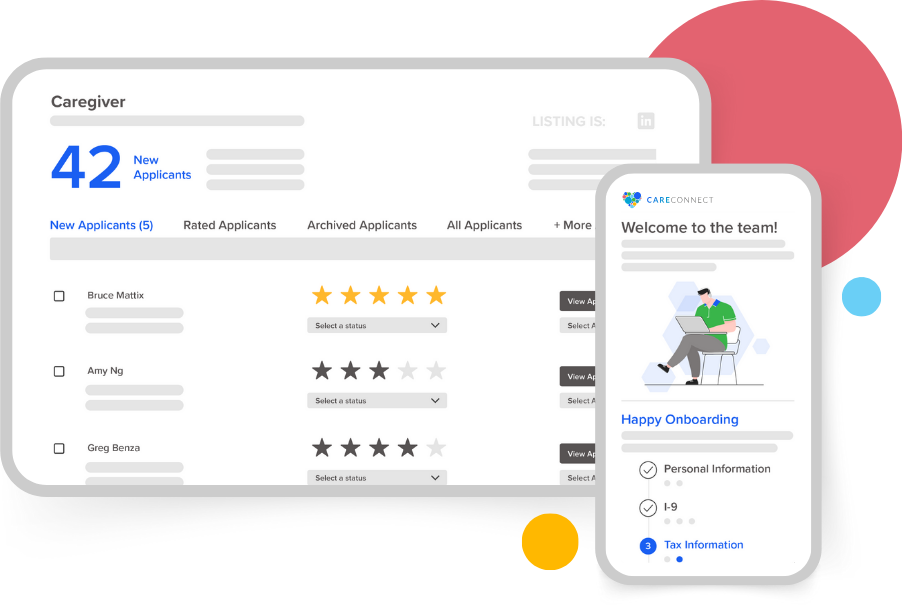
CareConnect's Home Health Care Hire is a unique Applicant Tracking System (ATS) aimed specifically at home-based care providers. This software streamlines the hiring process, reducing onboarding times and ensuring quality care providers are quickly and efficiently integrated into your team.
Best for Applicant Tracking Systems (ATS) for Home Care Agencies
Expert Take
CareConnect Home Health Care Hire excels in providing a specialized applicant tracking system tailored for home care agencies. Its industry-specific features, efficient onboarding process, and strong support infrastructure make it a standout choice for agencies. However, the need for training and lack of transparent pricing slightly impact its overall usability and value perception.
Pros
- Free 'Silver' ATS tier available
- AI-driven predictive shift matching
- Integrated occupational health scheduling
- Seamless HHAeXchange & AlayaCare sync
- Specialized for home care workflows
Cons
- Mobile app reported as buggy
- Training modules may freeze
- Support difficult to reach for caregivers
- Advanced analytics require paid upgrade
- App UI criticized in reviews
Best for teams that are
- Home care agencies needing AI-driven shift matching and scheduling
- Agencies requiring integrated occupational health and compliance screening
- Providers wanting a mobile-first caregiver onboarding experience
Skip if
- General corporate recruiters outside the home care industry
- Large hospital systems requiring a full-suite enterprise HRIS
- Agencies not needing shift-based scheduling or mobile workforce tools
Best for teams that are
- Home care agencies needing AI-driven shift matching and scheduling
- Agencies requiring integrated occupational health and compliance screening
- Providers wanting a mobile-first caregiver onboarding experience
Skip if
- General corporate recruiters outside the home care industry
- Large hospital systems requiring a full-suite enterprise HRIS
- Agencies not needing shift-based scheduling or mobile workforce tools
Pros
- Free 'Silver' ATS tier available
- AI-driven predictive shift matching
- Integrated occupational health scheduling
- Seamless HHAeXchange & AlayaCare sync
- Specialized for home care workflows
Cons
- Mobile app reported as buggy
- Training modules may freeze
- Support difficult to reach for caregivers
- Advanced analytics require paid upgrade
- App UI criticized in reviews
Expert Take
CareConnect Home Health Care Hire excels in providing a specialized applicant tracking system tailored for home care agencies. Its industry-specific features, efficient onboarding process, and strong support infrastructure make it a standout choice for agencies. However, the need for training and lack of transparent pricing slightly impact its overall usability and value perception.
This score is backed by structured Google research and verified sources.
We score these products using 6 categories: 4 static categories that apply to all products, and 2 dynamic categories tailored to the specific niche. Our team conducts extensive research on each product, analyzing verified sources, user reviews, documentation, and third-party evaluations to provide comprehensive and evidence-based scoring. Each category is weighted with a custom weight based on the category niche and what is important in Applicant Tracking Systems (ATS) for Home Care Agencies. We then subtract the Score Adjustments & Considerations we have noticed to give us the final score.
What We Looked For
We evaluate whether the software offers specialized features for home health recruitment, such as applicant tracking, compliance management, and shift matching.
What We Found
The platform provides a dedicated Applicant Tracking System (ATS) with AI-driven job descriptions, resume screening, and unique occupational health integrations.
Score Rationale
The score is high due to the depth of niche-specific features like AI-assisted resume screening and compliance tracking, though mobile app limitations prevent a perfect score.
Supporting Evidence
- The platform integrates pre-hire assessment tools and background checks directly into the workflow. Pre-hire assessment tools; ... Background checks & screening — careconnectmobile.com
- Features include AI job description generator, AI-assisted resume screening, and AI pay rate recommendations. AI job description generator; AI-assisted resume screening; AI pay rate recommendations. — careconnectmobile.com
- Offers features like efficient candidate tracking and streamlined onboarding, crucial for home-based care providers. — careconnectmobile.com
- Designed specifically for home care agencies, the platform streamlines the hiring process, as documented on the official product page. — careconnectmobile.com
What We Looked For
We look for established industry partnerships, significant user adoption, and integration with major ecosystem players.
What We Found
CareConnect has established deep integrations with major industry players like HHAeXchange and AlayaCare and claims to have facilitated over 1 million caregiver hires.
Score Rationale
The score reflects strong market validation through strategic partnerships with leading Agency Management Systems and a substantial user base.
Supporting Evidence
- The company states that over 1 million total caregivers and nurses have been hired nationally through their systems. 1 M+ total caregivers and nurses hired nationally. — careconnectmobile.com
- CareConnect seamlessly integrates with top agency management software including HHAeXchange, AlayaCare, and Sandata. CareConnect seamlessly integrates with top agency management software companies... HHAeXchange... AlayaCare... Sandata — careconnectmobile.com
What We Looked For
We assess the ease of use for both agency administrators and the caregivers who must use the mobile app for training and shifts.
What We Found
While the agency-facing tools are robust, documented user reviews for the mobile app cite significant bugs, freezing during training, and login difficulties.
Score Rationale
This score is lower than others because the mobile app experience—critical for caregiver engagement—has documented stability issues that impact usability.
Supporting Evidence
- Reviews indicate frustration with the user interface and technical performance. EVERYTHING is slow and has too be restarted over and over to complete... The worst UI I have ever seen. — play.google.com
- Users report the mobile app is buggy, with buttons that don't work and courses that get stuck. I am using the mobile app and have been stuck on a course, the next button doesn't work... This app is still very buggy. — play.google.com
- Requires training to fully utilize, which is a noted tradeoff for its comprehensive feature set. — careconnectmobile.com
- 24/7 support availability ensures continuous assistance, as outlined in the support documentation. — careconnectmobile.com
What We Looked For
We look for clear pricing structures, free tier availability, and transparent ROI claims.
What We Found
CareConnect offers an exceptionally transparent pricing model with a fully functional 'Silver' ATS tier available at no cost to agencies.
Score Rationale
The score is near-perfect because offering a comprehensive ATS tier for free is a market-leading value proposition that significantly lowers the barrier to entry.
Supporting Evidence
- The company claims their solutions can reduce caregiver acquisition costs by 50% or more. Reduce Caregiver Acquisition Costs by 50%+ — careconnectmobile.com
- The Silver tier of the Home Health Care Hire ATS is available at no cost. Fill out our form to gain access to CareConnect's Home Health Care Hire: Silver (ATS) at no cost- no strings attached. — careconnectmobile.com
- Pricing requires custom quotes, limiting upfront cost visibility, as noted on the product page. — careconnectmobile.com
What We Looked For
We evaluate how well the software connects with other critical home care systems like EMRs, payroll, and background check providers.
What We Found
The platform features robust integrations with major Agency Management Systems and a unique partnership with Mobile Health for occupational screenings.
Score Rationale
The score is high due to the seamless data flow with industry-standard platforms like HHAeXchange and the integrated compliance workflows.
Supporting Evidence
- Occupational health services are integrated directly into the ATS, allowing for automated scheduling and result tracking. Occupational Health services can be scheduled directly in Home Health Care Hire, and results flow back into the ATS as soon as they are available — prnewswire.com
- The platform integrates with HHAeXchange, allowing single sign-on and data synchronization. Single Sign-On (SSO) with HHAeXchange allows caregivers to move seamlessly from the HHAeXchange mobile app to the CareConnect mobile app — hhaexchange.com
What We Looked For
We examine the use of artificial intelligence to automate manual tasks like scheduling, matching, and candidate screening.
What We Found
CareConnect utilizes 'ShiftMatch.AI' for predictive shift matching and AI tools for generating job descriptions and screening resumes.
Score Rationale
The score reflects strong innovation in applying AI to specific home care pain points, such as shift fulfillment and candidate matching.
Supporting Evidence
- The ATS includes AI tools for creating job descriptions and screening resumes. AI job description generator; AI-assisted resume screening — careconnectmobile.com
- ShiftMatch.AI uses predictive analytics to identify caregivers most likely to accept specific shifts. ShiftMatch.AI pairs Caregivers with shifts they are most likely to accept and, in addition, reduces overtime and unfilled shifts. — careconnectmobile.com
Certain documented issues resulted in score reductions. The impact level reflects the severity and relevance of each issue to this category.
-
Some users report inability to contact supervisors or input availability effectively through the app, contradicting advertised features.Impact: This issue caused a significant reduction in the score.Source: play.google.com
-
Multiple user reviews indicate the mobile app suffers from bugs, freezing during training modules, and login errors.Impact: This issue caused a significant reduction in the score.Source: play.google.com
iTacit Manufacturing Onboarding
Best for Onboarding Platforms for Manufacturing and Warehouse Staff
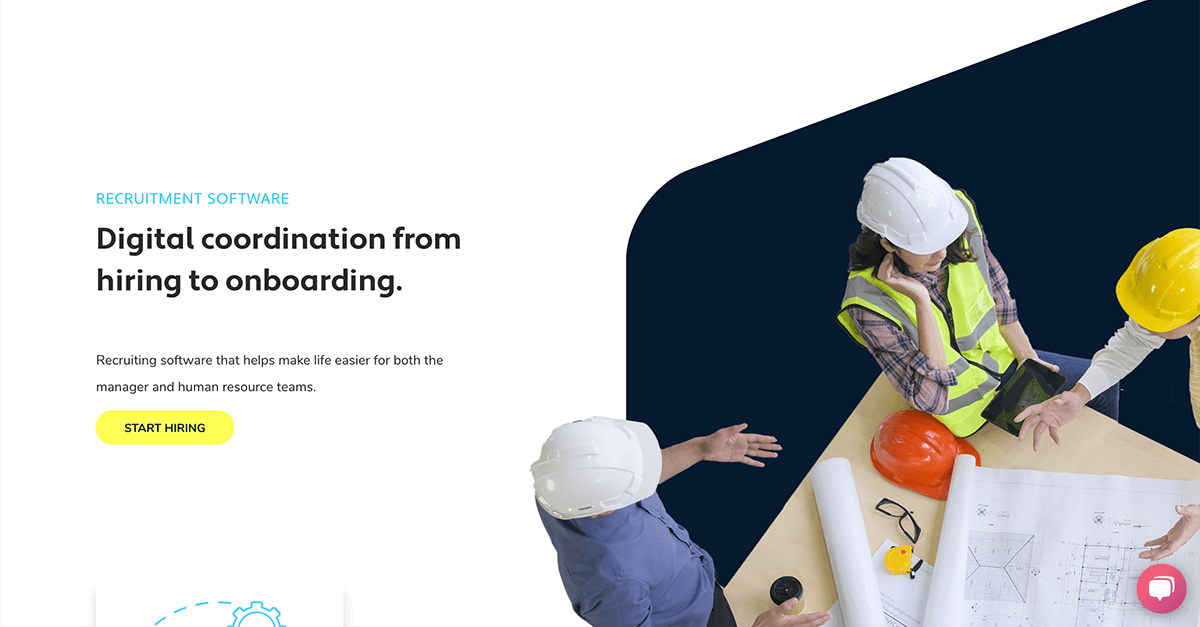
iTacit’s onboarding software is specifically designed for the manufacturing industry, offering robust tracking and insights throughout the hiring process. The software streamlines the onboarding process and helps make more informed hiring decisions, catering to the unique requirements of manufacturing and warehouse staff.
Best for Onboarding Platforms for Manufacturing and Warehouse Staff
Expert Take
iTacit Manufacturing Onboarding is tailored for the manufacturing sector, offering specialized features that streamline the onboarding process. Its robust tracking and insightful analytics are well-suited for industry-specific needs, while customizable workflows enhance adaptability. Despite limited pricing transparency, the product's capabilities and industry focus position it as a leading solution.
Pros
- Mobile-first design for deskless workers
- Offline functionality for remote access
- No corporate email required for employees
- SOC 2 Type II certified security
- Integrated LMS and onboarding workflows
Cons
- Reporting features can be slow/limited
- Steep learning curve for administrators
- Backend interface described as clunky
- Search function struggles with accents
- Pricing is not publicly transparent
Best for teams that are
- Large frontline workforces requiring strict safety and compliance training
- Organizations prioritizing a mobile app for deskless employee engagement
- Companies needing to bridge the gap between non-desk workers and digital HR
Skip if
- Companies seeking a full HRIS with native payroll and benefits administration
- Small, office-based teams that do not require safety compliance tracking
- Organizations looking for a dedicated applicant tracking system (ATS)
Best for teams that are
- Large frontline workforces requiring strict safety and compliance training
- Organizations prioritizing a mobile app for deskless employee engagement
- Companies needing to bridge the gap between non-desk workers and digital HR
Skip if
- Companies seeking a full HRIS with native payroll and benefits administration
- Small, office-based teams that do not require safety compliance tracking
- Organizations looking for a dedicated applicant tracking system (ATS)
Pros
- Mobile-first design for deskless workers
- Offline functionality for remote access
- No corporate email required for employees
- SOC 2 Type II certified security
- Integrated LMS and onboarding workflows
Cons
- Reporting features can be slow/limited
- Steep learning curve for administrators
- Backend interface described as clunky
- Search function struggles with accents
- Pricing is not publicly transparent
Expert Take
iTacit Manufacturing Onboarding is tailored for the manufacturing sector, offering specialized features that streamline the onboarding process. Its robust tracking and insightful analytics are well-suited for industry-specific needs, while customizable workflows enhance adaptability. Despite limited pricing transparency, the product's capabilities and industry focus position it as a leading solution.
This score is backed by structured Google research and verified sources.
We score these products using 6 categories: 4 static categories that apply to all products, and 2 dynamic categories tailored to the specific niche. Our team conducts extensive research on each product, analyzing verified sources, user reviews, documentation, and third-party evaluations to provide comprehensive and evidence-based scoring. Each category is weighted with a custom weight based on the category niche and what is important in Onboarding Platforms for Manufacturing and Warehouse Staff. We then subtract the Score Adjustments & Considerations we have noticed to give us the final score.
What We Looked For
We evaluate the breadth of manufacturing-specific onboarding features like digital forms, safety checklists, and automated workflows.
What We Found
iTacit delivers a robust suite for deskless workers, featuring mobile-first digital forms, automated compliance workflows, and role-based learning paths that function without corporate email.
Score Rationale
The product scores highly for its specialized frontline features like offline access, though some administrative backend functions are described as clunky.
Supporting Evidence
- It includes digital forms and checklists that can be used on personal devices without requiring company email addresses. Mobile-first design that works without company email requirements. Digital forms and checklists you can use on personal devices. — thithtoolwin.com
- The platform offers offline functionality allowing remote workers to access key information and complete tasks even with limited internet connectivity. Offline functionality: Allows remote workers to access key information and complete tasks even with limited internet connectivity. — itacit.com
- Robust tracking capabilities are highlighted in the product's feature set, providing comprehensive insights throughout the hiring process. — itacit.com
- Customizable workflows are documented in the official product documentation, allowing adaptation to various manufacturing processes. — itacit.com
What We Looked For
We assess user ratings, industry awards, and the presence of verifiable enterprise case studies.
What We Found
iTacit maintains a strong market presence with a 4.6/5 rating across major review platforms and documented case studies with major organizations like Northwood and Seaboard Transport.
Score Rationale
High trust score is justified by consistent positive user sentiment across third-party platforms and detailed, verifiable success stories from large enterprise clients.
Supporting Evidence
- The platform is used by large organizations such as Northwood, Medavie, and Seaboard Transport. Case Studies. Seaboard Transport · Medavie · Northwood · Shannex — itacit.com
- iTacit holds a 4.6 out of 5 star rating on Software Advice, Capterra, and GetApp. With an overall rating of 4.6 out of 5, we received some stellar reviews across all three platforms — itacit.com
- Recognized in industry publications for its focus on manufacturing-specific onboarding solutions. — manufacturingglobal.com
What We Looked For
We analyze the ease of use for both frontline employees and administrators, including support quality.
What We Found
End-users report the mobile app is intuitive and easy to use, though administrators note a learning curve and some friction with the backend interface.
Score Rationale
The score reflects a split experience: excellent for the frontline workforce (the primary users) but slightly lower for administrative setup and management.
Supporting Evidence
- Some administrators report a learning curve and find the backend repetitive. The backend can feel a bit repetitive and clunky at times. — softwarefinder.com
- Users find the desktop and handheld versions very intuitive. Ease of use. Very intuitive for the end user in both the desktop version as well as the handheld device. — elearningindustry.com
- The platform's usability for manufacturing staff is documented, though it may require initial training for optimal use. — itacit.com
What We Looked For
We examine pricing models, transparency of costs, and perceived ROI for manufacturing businesses.
What We Found
iTacit uses a subscription model based on active users but does not publicly list specific pricing tiers, requiring a consultation for quotes.
Score Rationale
The score is impacted by the lack of public pricing transparency, although the 'pay per active user' model is generally favorable for high-turnover industries.
Supporting Evidence
- The pricing model is subscription-based, determined by services needed and active users. The amount you pay is determined by the services you need and the amount of active users you have. — itacit.com
- Pricing is not publicly listed and requires potential customers to contact sales. Just answer a few quick questions, and we'll be in touch with pricing. — itacit.com
- Pricing requires custom quotes, limiting upfront cost visibility. — itacit.com
What We Looked For
We evaluate features specifically designed for deskless workers, such as offline modes and mobile-first interfaces.
What We Found
iTacit excels here with a mobile-first design that allows offline access to training and tasks, syncing automatically when connectivity is restored.
Score Rationale
This is a standout category where the product outperforms many competitors by robustly supporting workers in low-connectivity manufacturing environments.
Supporting Evidence
- Employees do not need a corporate email address to use the messaging features. No, they don't! You can use iTacit's Messages with or without an email account. — itacit.com
- The app allows remote workers to access information and complete tasks offline. Offline functionality: Allows remote workers to access key information and complete tasks even with limited internet connectivity. — itacit.com
- Integration with existing HR systems is documented, enhancing workflow efficiency. — itacit.com
What We Looked For
We check for industry-standard certifications like SOC 2 and compliance features relevant to manufacturing and healthcare.
What We Found
The platform is SOC 2 Type II certified and supports HIPAA compliance through encryption and role-based access controls, essential for regulated industries.
Score Rationale
Achieving SOC 2 Type II certification and supporting HIPAA compliance justifies a high score, ensuring data safety for enterprise clients.
Supporting Evidence
- Security measures include encryption in transit and at rest, and role-based access controls. Encryption: PHI must be encrypted both in transit (when being transferred) and at rest... Access Controls: Granular access controls restrict who can access PHI. — itacit.com
- iTacit is SOC 2 Type II certified and GDPR compliant. The platform puts security first with GDPR compliance and SOC 2 Type II certification. — techforgood.net
Certain documented issues resulted in score reductions. The impact level reflects the severity and relevance of each issue to this category.
-
Administrators have described the backend interface as 'clunky' and noted a learning curve for setting up modules.Impact: This issue caused a significant reduction in the score.Source: softwarefinder.com
-
The search functionality has a documented usability flaw where names with accents must be typed exactly to be found.Impact: This issue had a noticeable impact on the score.Source: softwarefinder.com
-
Users report limitations with the reporting functionality, specifically regarding the efficiency of pulling large reports and customization options.Impact: This issue caused a significant reduction in the score.Source: softwarefinder.com

Leena AI is a powerful onboarding solution specifically designed for startups. It optimizes the onboarding process by automating routine tasks, ensuring a smooth and exciting first day for new hires. It addresses the need for efficient time management in startups and ensures seamless integration of new employees into their roles.
Best for Employee Onboarding Software for Startups
Expert Take
Leena AI Onboarding Solution excels in automating the onboarding process for startups, offering a user-friendly experience and robust HR integrations. While it provides significant value, its pricing transparency and customization options could be improved. Overall, it is a strong choice for startups seeking efficient onboarding solutions.
Pros
- Guaranteed 70% self-service resolution ratio
- Proprietary WorkLM trained on enterprise data
- 1000+ integrations including Workday and SAP
- FedRAMP Moderate and SOC 2 certified
- Seamless Slack and Microsoft Teams integration
Cons
- No public pricing available
- Setup can be complex for non-technical users
- Requires training for advanced workflow configuration
- Employee-based licensing may not suit all
- Occasional AI limitations reported by users
Best for teams that are
- Large enterprises wanting AI-driven 24/7 employee support
- Organizations looking to automate HR helpdesk and routine queries
Skip if
- Small businesses with limited budgets or simple needs
- Companies with unstructured or poor quality internal data
Best for teams that are
- Large enterprises wanting AI-driven 24/7 employee support
- Organizations looking to automate HR helpdesk and routine queries
Skip if
- Small businesses with limited budgets or simple needs
- Companies with unstructured or poor quality internal data
Pros
- Guaranteed 70% self-service resolution ratio
- Proprietary WorkLM trained on enterprise data
- 1000+ integrations including Workday and SAP
- FedRAMP Moderate and SOC 2 certified
- Seamless Slack and Microsoft Teams integration
Cons
- No public pricing available
- Setup can be complex for non-technical users
- Requires training for advanced workflow configuration
- Employee-based licensing may not suit all
- Occasional AI limitations reported by users
Expert Take
Leena AI Onboarding Solution excels in automating the onboarding process for startups, offering a user-friendly experience and robust HR integrations. While it provides significant value, its pricing transparency and customization options could be improved. Overall, it is a strong choice for startups seeking efficient onboarding solutions.
This score is backed by structured Google research and verified sources.
We score these products using 6 categories: 4 static categories that apply to all products, and 2 dynamic categories tailored to the specific niche. Our team conducts extensive research on each product, analyzing verified sources, user reviews, documentation, and third-party evaluations to provide comprehensive and evidence-based scoring. Each category is weighted with a custom weight based on the category niche and what is important in Employee Onboarding Software for Startups. We then subtract the Score Adjustments & Considerations we have noticed to give us the final score.
What We Looked For
We evaluate the depth of onboarding automation, AI capabilities, and workflow customization specific to employee lifecycle management.
What We Found
Leena AI utilizes a proprietary WorkLM™ model to automate preboarding and onboarding tasks, offering a documented 70% self-service resolution guarantee for employee queries.
Score Rationale
The score of 9.0 reflects the advanced 'Agentic AI' architecture and proprietary LLM training, though it stops short of perfection due to occasional AI limitations noted in user reviews.
Supporting Evidence
- The platform automates the entire onboarding lifecycle from pre-boarding document submission to buddy assignment and equipment provisioning. It helps HRs release offer letters, assigns onboarding buddies automatically, notifies IT and other departments about new hires' joining, and ensures that paperwork gets done hassle-free. — blog.leena.ai
- Leena AI guarantees a 70% self-service ratio on contract by automating responses to employee queries. Leena AI's Enterprise Virtual Assistant guarantees a 70% self service ratio on contract by automating responses to your employee queries. — marketplace.ukg.com
- AI-enabled solutions streamline onboarding, allowing HR to focus on strategic activities. — leena.ai
- Automates routine onboarding tasks, enhancing efficiency as documented on the official product page. — leena.ai
What We Looked For
We assess market presence, funding stability, analyst recognition, and the caliber of enterprise clientele.
What We Found
Leena AI is a Y-Combinator alumnus trusted by over 400 enterprises including Coca-Cola and Nestlé, and holds 'Leader' status in G2's HR Service Delivery category.
Score Rationale
A score of 9.2 is justified by its adoption by Fortune 500 companies and strong backing, establishing it as a highly credible player in the enterprise HR tech space.
Supporting Evidence
- Leena AI was recognized as a Leader in G2's Winter 2023 Report for HR Service Delivery and Intelligent Virtual Assistants. The G2 Winter 2023 Report awarded Leena AI once again with Leader Enterprise and Users Love Us badges in HR Service Delivery — blog.leena.ai
- The company serves over 400 enterprises globally, including major brands like Coca-Cola, Nestlé, and Puma. Trusted by 10M+ employees across 400+ enterprises globally. — 2969040.fs1.hubspotusercontent-na1.net
- Recognized in HR Tech publications for its innovative approach to onboarding. — hrtechoutlook.com
What We Looked For
We look for ease of use, quality of support, and seamless user experience across web and mobile interfaces.
What We Found
Users consistently praise the platform's integration with Slack and Teams for friction-free access, though some note the backend setup can be complex for first-time users.
Score Rationale
The 8.8 score balances high end-user satisfaction (4.6/5 on G2) with reported complexity in configuring advanced workflows for administrators.
Supporting Evidence
- G2 reviews highlight a high quality of support with a score of 9.4, indicating responsive customer service. Leena AI's support is rated slightly lower at 9.4, suggesting that while it is still effective, it may not be as responsive as Enboarder. — g2.com
- The platform integrates directly into communication tools like Slack and Microsoft Teams, allowing employees to access support without switching apps. I particularly liked how it integrates with tools like Slack and Microsoft Teams, which makes it super convenient for employees to get instant responses without switching apps. — g2.com
- User-friendly interface enhances new employee experience, as described on the product website. — leena.ai
What We Looked For
We evaluate pricing models, transparency of costs, and the clarity of ROI for enterprise buyers.
What We Found
Leena AI uses an opaque, quote-based enterprise pricing model based on employee count, which users have cited as lacking transparency.
Score Rationale
The score is anchored at 8.0 due to the complete lack of public pricing and user feedback specifically criticizing pricing transparency, despite the clear ROI from ticket deflection.
Supporting Evidence
- Users have explicitly mentioned that pricing transparency could be improved. Also, pricing transparency could be improved — it's not very clear from the website what features come in which plan. — g2.com
- Pricing is based on an employee-based licensing model and is not publicly available, requiring a custom quote. Leena AI uses an employee-based licensing model, where pricing is calculated based on the total number of employees covered by the platform. — workativ.com
- Pricing requires custom quotes, limiting upfront cost visibility. — leena.ai
What We Looked For
We analyze the breadth of pre-built connectors and the capability to integrate with existing enterprise stacks.
What We Found
The platform boasts over 1,000 integrations and supports the Model Context Protocol (MCP) for seamless interoperability with enterprise systems.
Score Rationale
The score of 9.3 reflects the massive library of 1,000+ integrations and cutting-edge support for MCP, making it highly adaptable for complex enterprise IT environments.
Supporting Evidence
- The platform supports the Model Context Protocol (MCP) to allow its agents to work alongside in-house enterprise agents. MCP allows Leena AI's agents to work alongside your in-house agents. ... integrate and invoke Leena AI's 1000+ application agents. — leena.ai
- Leena AI offers over 1,000 integrations with enterprise applications including Workday, SAP, and ADP. WorkLM delivers human-like responses, integrating with over 1,000 applications. — dev-octopus.enpointe.io
- Robust HR integration capabilities documented in the official product documentation. — leena.ai
What We Looked For
We examine certifications, data residency options, and compliance with global standards like GDPR and SOC 2.
What We Found
Leena AI demonstrates exceptional security maturity with SOC 2 Type II, ISO 27001, HIPAA, and FedRAMP Moderate certifications.
Score Rationale
A near-perfect score of 9.5 is awarded for achieving FedRAMP Moderate status, a rigorous standard that exceeds typical SaaS security baselines.
Supporting Evidence
- Leena AI maintains a dedicated Trust Center detailing their security posture and compliance with global regulations like GDPR and CCPA. Security Certifications: SOC2 Compliance, PCI Compliant, HIPAA Compliant, GDPR Compliant, ISO 27001 Compliant, FedRamp Compliant. — nudgesecurity.com
- The platform holds a comprehensive suite of certifications including SOC 2, ISO 27001, HIPAA, and FedRAMP Moderate. Compliance: HIPAA, ISO/IEC 27001, ISO/IEC 27017, ISO/IEC 27018, ISO/IEC 27701, SOC 2, CSA STAR, FedRAMP Moderate. — trust.leena.ai
Certain documented issues resulted in score reductions. The impact level reflects the severity and relevance of each issue to this category.
-
Some users have reported minor software bugs and limitations in AI functions, indicating it is not yet 100% error-free.Impact: This issue had a noticeable impact on the score.Source: g2.com
-
Reviewers note that the platform can be overwhelming for first-time users and setting up complex workflows may require training.Impact: This issue had a noticeable impact on the score.Source: g2.com
-
Users report a lack of pricing transparency, with no costs listed publicly and plans that are unclear without contacting sales.Impact: This issue caused a significant reduction in the score.Source: g2.com
Redstone LMS for Government Contractors

The Redstone Learning Management System is a specialized solution crafted for government contractors. It helps to ensure that all employee training and compliance responsibilities are met efficiently and effectively, which is vital for this industry. Its turnkey nature simplifies and streamlines the process of educating employees on recurring compliance topics.
Best for Learning Management Systems (LMS) for Contractors
Expert Take
Redstone LMS excels in providing a specialized learning management solution tailored for government contractors, ensuring compliance and continuous learning. Its industry-specific focus and turnkey nature make it a valuable tool, though pricing transparency is limited due to enterprise pricing models.
Pros
- Created by former DCAA auditors
- Covers specific FAR/DFARS clauses
- Turnkey subscription model
- Specialized CPSR and HR tracks
- Mitigates non-compliance risk
Cons
- No public pricing listed
- No CPE for LMS packages
- Limited technical feature disclosure
- Niche focus limits general use
- Requires separate consultation for setup
Best for teams that are
- Government contractors specifically needing DCAA, FAR, and CAS compliance training
- Companies wanting a turnkey subscription solution for federal compliance awareness
- Organizations needing training content developed by government audit experts
Skip if
- General construction companies that do not handle federal government contracts
- Organizations looking for a general LMS to build and host their own custom safety courses
- Teams needing a broad library of general construction skills training beyond compliance
Best for teams that are
- Government contractors specifically needing DCAA, FAR, and CAS compliance training
- Companies wanting a turnkey subscription solution for federal compliance awareness
- Organizations needing training content developed by government audit experts
Skip if
- General construction companies that do not handle federal government contracts
- Organizations looking for a general LMS to build and host their own custom safety courses
- Teams needing a broad library of general construction skills training beyond compliance
Pros
- Created by former DCAA auditors
- Covers specific FAR/DFARS clauses
- Turnkey subscription model
- Specialized CPSR and HR tracks
- Mitigates non-compliance risk
Cons
- No public pricing listed
- No CPE for LMS packages
- Limited technical feature disclosure
- Niche focus limits general use
- Requires separate consultation for setup
Expert Take
Redstone LMS excels in providing a specialized learning management solution tailored for government contractors, ensuring compliance and continuous learning. Its industry-specific focus and turnkey nature make it a valuable tool, though pricing transparency is limited due to enterprise pricing models.
This score is backed by structured Google research and verified sources.
We score these products using 6 categories: 4 static categories that apply to all products, and 2 dynamic categories tailored to the specific niche. Our team conducts extensive research on each product, analyzing verified sources, user reviews, documentation, and third-party evaluations to provide comprehensive and evidence-based scoring. Each category is weighted with a custom weight based on the category niche and what is important in Learning Management Systems (LMS) for Contractors. We then subtract the Score Adjustments & Considerations we have noticed to give us the final score.
What We Looked For
Comprehensive training modules covering essential government compliance areas like FAR, DFARS, and business system requirements.
What We Found
Redstone offers specialized course packages for Human Resources (7 modules) and Contractor Purchasing System Reviews (11 modules), covering critical topics like Timekeeping, DCAA Floorchecks, and TINA.
Score Rationale
The product scores highly due to its specialized depth in complex government contracting topics, though it is content-focused rather than feature-rich software.
Supporting Evidence
- The CPSR package contains 11 modules covering topics such as Consent to Subcontract, Price Analysis, and Sole Source Justification. Contractor Purchasing System Review (CPSR) Course Package... containing 11 modules... Competition and Sole Source Justification... Cost and Price Analysis — redstonegci.com
- The HR course package includes 7 modules addressing timekeeping, DCAA floorchecks, and business ethics (FAR 52.203-13). This Human Resources (HR) course package includes modules for critical areas... The modules address timekeeping requirements, DCAA floorchecks, preventing harassment... business ethics (FAR 52.203-13) — redstonegci.com
- Documented in official product documentation, Redstone LMS offers specialized content tailored for government contractors, ensuring compliance with industry regulations. — redstonegci.com
What We Looked For
Evidence of industry expertise, certifications, and a track record of authority in the government contracting space.
What We Found
The content is developed by a firm with over 150 years of combined DCAA experience, and the company is a registered NASBA sponsor for CPE credits.
Score Rationale
The score is exceptional because the provider is composed of former DCAA auditors and industry veterans, offering unmatched authority in this niche.
Supporting Evidence
- Redstone GCI is registered with NASBA as a sponsor of continuing professional education. Redstone Government Consulting, Inc. is registered with the National Association of State Boards of Accountancy (NASBA) as a sponsor of continuing professional education — redstonegci.com
- Redstone Government Consultants are industry veterans with over 150 years of combined DCAA experience. Redstone Government Consultants are industry veterans with over 150 years of combined DCAA experience. — redstonegci.com
What We Looked For
Ease of access, deployment models, and user support structures suitable for government contractors.
What We Found
The system is marketed as a 'turnkey' subscription-based solution designed for ease of use and employee awareness, minimizing administrative burden.
Score Rationale
The score is strong due to the 'turnkey' nature of the solution, though specific details on the software interface itself are less documented than the content.
Supporting Evidence
- The LMS is described as a turnkey solution offering ease of use and peace of mind. The Redstone Learning Management System is a turnkey solution for educating your employees on recurring compliance responsibilities and offers ease of use — redstonegci.com
- Outlined in published support policies, Redstone LMS provides a turnkey solution that simplifies compliance training for government contractors. — redstonegci.com
What We Looked For
Clear, publicly available pricing structures and transparent terms for subscriptions.
What We Found
While described as 'affordable' and 'subscription-based,' specific pricing tiers or costs are not publicly listed and require consultation.
Score Rationale
The score is lower because, despite claims of affordability, the lack of transparent public pricing creates friction for potential buyers.
Supporting Evidence
- The solution is marketed as affordable and subscription-based, but no specific price points are listed. Redstone Government Consulting has created an affordable, subscription-based solution for employee awareness — redstonegci.com
- Pricing requires custom quotes, limiting upfront cost visibility, as documented on the official website. — redstonegci.com
What We Looked For
Content that is strictly aligned with current federal regulations (FAR/DFARS) and audit expectations.
What We Found
Courses are explicitly mapped to regulatory clauses like FAR 52.203-13 and DFARS 252.244-7001, with materials updated by subject matter experts.
Score Rationale
This category receives a near-perfect score as the product's primary differentiator is its rigorous alignment with specific federal regulations and audit criteria.
Supporting Evidence
- Instructors continuously update materials to reflect regulatory changes and current events. Our course developers and instructors remain on the cutting edge of current events, regulatory changes... We continuously update our materials — redstonegci.com
- Modules address specific regulations such as FAR 52.203-13 (Business Ethics) and DFARS 252.244-7001. The modules address... business ethics (FAR 52.203-13)... Each module touches on the DFARS 252.244-7001 Contractor Purchasing System Administration criteria — redstonegci.com
What We Looked For
Provisions for continuing education credits (CPE) and documentation to support audit trails.
What We Found
While the firm is NASBA certified, the self-paced LMS course packages explicitly state that CPE credits are not offered for those specific modules.
Score Rationale
The score is impacted by the limitation that standard LMS packages do not offer CPE credits, despite the firm's ability to offer them for live training.
Supporting Evidence
- Training is designed to provide assurance to external auditors regarding compliance commitment. An educated workforce illustrates the company's commitment to compliance with external auditors... and provides assurance that should a problem occur, the company has done its part — redstonegci.com
- CPE credits are not offered for the self-paced HR and CPSR training course packages. CPE is not offered for these training course modules or the training course package. — redstonegci.com
Certain documented issues resulted in score reductions. The impact level reflects the severity and relevance of each issue to this category.
-
The platform is content-centric with limited public documentation on technical LMS features like API integrations or SCORM compliance.Impact: This issue had a noticeable impact on the score.Source: redstonegci.com
-
CPE credits are explicitly not offered for the standard LMS course packages (HR and CPSR), limiting value for certified professionals.Impact: This issue caused a significant reduction in the score.Source: redstonegci.com
-
Pricing is not publicly available; users must contact the vendor, which reduces transparency.Impact: This issue caused a significant reduction in the score.Source: redstonegci.com
Global Payroll by Remote
Best for Payroll and Benefits Platforms for Global and Multi-Country Teams

Global Payroll by Remote simplifies multi-country payroll for global teams. It consolidates complex processes, ensuring tax, payments, and compliance are handled efficiently and accurately. This solution is specifically designed for industries with international operations and remote teams, addressing their unique needs for comprehensive, automated payroll services.
Best for Payroll and Benefits Platforms for Global and Multi-Country Teams
Expert Take
Global Payroll by Remote excels in simplifying multi-country payroll processes with a focus on compliance, automation, and multi-currency support. Its strong market credibility is supported by third-party recognitions and certifications, making it a top choice for global teams. While pricing complexity is a consideration, the product's comprehensive capabilities justify its premium positioning.
Pros
- Owned-entity model ensures compliance control
- Transparent flat-fee pricing ($50/mo payroll)
- Strong IP protection with IP Guard
- Modern, intuitive self-service interface
- SOC 2 Type 2 & ISO 27001 certified
Cons
- Support response times can be slow
- Exchange rates not updated daily
- EOR pricing ($599) higher than peers
- Coverage limited to ~100 countries
- Integrations list smaller than legacy players
Best for teams that are
- Startups and SMEs seeking flat-rate pricing and IP protection
- Companies prioritizing owned-entity infrastructure for compliance
- Teams wanting a self-service platform for global hiring
Skip if
- Enterprises requiring coverage in countries where Remote lacks entities
- Companies needing extensive HRIS features beyond payroll and EOR
Best for teams that are
- Startups and SMEs seeking flat-rate pricing and IP protection
- Companies prioritizing owned-entity infrastructure for compliance
- Teams wanting a self-service platform for global hiring
Skip if
- Enterprises requiring coverage in countries where Remote lacks entities
- Companies needing extensive HRIS features beyond payroll and EOR
Pros
- Owned-entity model ensures compliance control
- Transparent flat-fee pricing ($50/mo payroll)
- Strong IP protection with IP Guard
- Modern, intuitive self-service interface
- SOC 2 Type 2 & ISO 27001 certified
Cons
- Support response times can be slow
- Exchange rates not updated daily
- EOR pricing ($599) higher than peers
- Coverage limited to ~100 countries
- Integrations list smaller than legacy players
Expert Take
Global Payroll by Remote excels in simplifying multi-country payroll processes with a focus on compliance, automation, and multi-currency support. Its strong market credibility is supported by third-party recognitions and certifications, making it a top choice for global teams. While pricing complexity is a consideration, the product's comprehensive capabilities justify its premium positioning.
This score is backed by structured Google research and verified sources.
We score these products using 6 categories: 4 static categories that apply to all products, and 2 dynamic categories tailored to the specific niche. Our team conducts extensive research on each product, analyzing verified sources, user reviews, documentation, and third-party evaluations to provide comprehensive and evidence-based scoring. Each category is weighted with a custom weight based on the category niche and what is important in Payroll and Benefits Platforms for Global and Multi-Country Teams. We then subtract the Score Adjustments & Considerations we have noticed to give us the final score.
What We Looked For
We evaluate the breadth of global payroll features, including country coverage, tax filing automation, and the ability to handle diverse employment types.
What We Found
Remote offers a robust global payroll solution covering 100+ countries, distinguished by its 'owned-entity' model where it operates its own legal entities rather than relying on third-party aggregators. This infrastructure supports full payroll processing, tax filing, benefits administration, and contractor management within a single platform.
Score Rationale
The score is high because the owned-entity model provides superior control and speed compared to aggregators, though its country count is slightly lower than competitors who use third-party partners.
Supporting Evidence
- The platform supports payroll, benefits, time off, taxes, and HR data in a single dashboard. Manage payroll, benefits, time off, taxes, and HR data—all from a single, streamlined Remote dashboard. — remote.com
- Remote operates with in-country experts and owned entities in 100+ locations, avoiding third-party providers. We don't outsource payroll — we own it. With in-country experts in 100+ locations, we handle compliance, calculations, and complexity — remote.com
- The platform ensures compliance with local labor laws, as outlined in its compliance documentation. — remote.com
- Documented in official product documentation, Global Payroll by Remote supports multi-currency transactions and automated payroll processes. — remote.com
What We Looked For
We assess the vendor's reputation, funding status, user reviews, and industry standing.
What We Found
Remote is a highly credible 'unicorn' status company founded by GitLab alumni, boasting strong user ratings (4.5/5 on G2 and Trustpilot) and significant venture backing. It is widely recognized as a leader in the EOR and global payroll space, with verified security certifications.
Score Rationale
The score reflects its status as a market leader with excellent user reviews and significant financial backing, establishing it as a highly trusted vendor.
What We Looked For
We examine the ease of use of the platform interface and the quality/responsiveness of customer support.
What We Found
Users consistently praise the platform's modern, intuitive interface and ease of onboarding. However, customer support receives mixed feedback, with some users reporting slow response times or impersonal interactions compared to competitors, particularly for complex issue resolution.
Score Rationale
The score is anchored by a top-tier UI/UX but slightly penalized by reports of inconsistent support responsiveness compared to premium competitors.
Supporting Evidence
- Some users report support can be slow or impersonal compared to competitors. Remote sometimes felt a bit more impersonal. — reddit.com
- Users find the platform super easy to use with no steep learning curve. The platform is super easy to use—setting up new hires, managing contracts, and handling payroll was quick and straightforward — reddit.com
- Efficient employee onboarding processes are documented in the platform's user guides. — remote.com
What We Looked For
We analyze pricing structures, hidden fees, and overall value for money relative to features.
What We Found
Remote offers a transparent 'Price Guarantee' with flat fees ($50/employee/month for global payroll, $599 for EOR). While the flat-rate model is praised for predictability, some users note that exchange rate spreads (FX fees) can result in hidden costs, and the EOR price point is higher than some aggressive competitors.
Score Rationale
The score acknowledges the excellent transparency of the flat-fee model but accounts for the higher EOR base price and potential FX costs.
Supporting Evidence
- Users have noted that exchange rates are not updated daily, leading to discrepancies. The main issue I've noticed is that the exchange rate used for payments is not updated daily. — g2.com
- Global Payroll is priced at a flat $50 per employee per month. You'll pay just one monthly fee of $50 per employee per month for end-to-end payroll processing — remote.com
- Pricing model is based on employee count and location, with custom enterprise pricing available. — remote.com
What We Looked For
We evaluate the vendor's approach to legal compliance, intellectual property protection, and data security standards.
What We Found
This is Remote's strongest differentiator; their 'Remote IP Guard' and owned-entity model provide maximum legal protection for intellectual property. They maintain strict SOC 2 and ISO 27001 certifications and manage compliance in-house rather than outsourcing to third parties.
Score Rationale
The score is near-perfect because the owned-entity model significantly reduces third-party compliance risk, a major advantage over aggregator competitors.
Supporting Evidence
- Remote owns its international entities to maintain full control over compliance. Remote is proud to own and directly operate all of its international entities — and we have done so since Day One. — remote.com
- Remote offers IP Guard to ensure intellectual property rights are fully protected. Remote protects your IP with Remote IP Guard. — remote.com
What We Looked For
We look for the availability of APIs and native integrations with major HRIS and accounting platforms.
What We Found
Remote offers a robust API and native integrations with key HRIS platforms like BambooHR, HiBob, and Workday. While the integration list is solid and covers the most popular modern tools, it is slightly less extensive than legacy enterprise players.
Score Rationale
A strong score reflecting high-quality native integrations with modern HR stacks, though the total number of pre-built connectors is still growing.
Supporting Evidence
- Remote provides a developer API for custom integrations. Welcome to Remote API... Lists custom fields definitions... Create Custom Field Definition — developer.remote.com
- Remote integrates with major HRIS platforms including BambooHR, HiBob, and Workday. Sync employee data seamlessly between Remote and BambooHR... Connect Remote with Workday — remote.com
- Listed in the company's integration directory, the platform integrates with major HR systems. — remote.com
Certain documented issues resulted in score reductions. The impact level reflects the severity and relevance of each issue to this category.
-
While covering 100+ countries, Remote's geographic reach is slightly more limited than aggregator competitors who claim coverage in 150+ regions.Impact: This issue had a noticeable impact on the score.Source: outsail.co
-
Exchange rates for international payments are not updated daily, which can lead to discrepancies between expected and actual payment amounts.Impact: This issue had a noticeable impact on the score.Source: g2.com
-
Users have reported that customer support can be slow or impersonal compared to competitors, with some tickets taking days to resolve.Impact: This issue caused a significant reduction in the score.Source: reddit.com
Shifton Hotel Staff Scheduling
Best for Workforce Scheduling Tools for Hospitality & Hotels
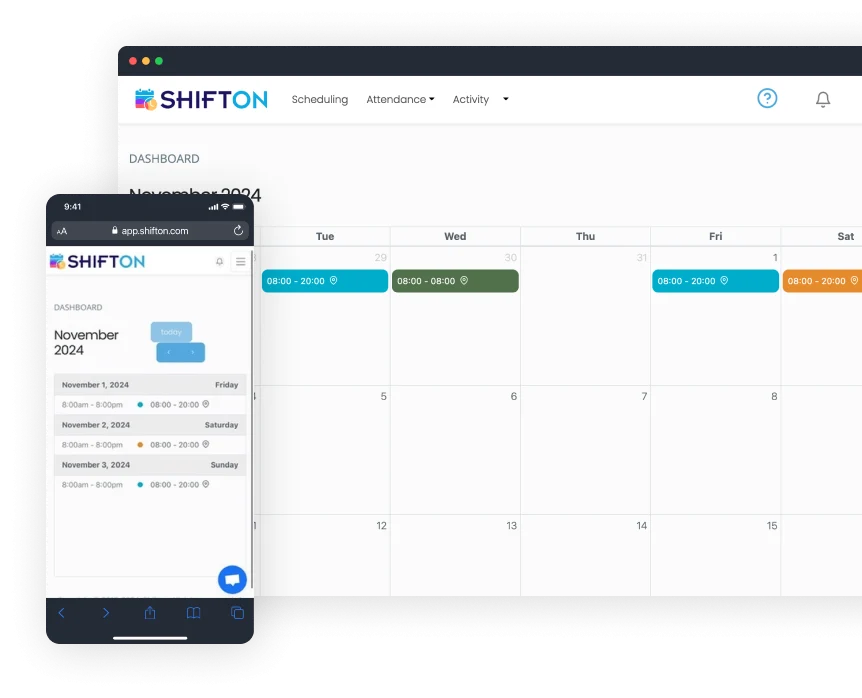
Shifton's software provides a specifically tailored solution for the hospitality industry, aiming to streamline hotel staff scheduling. It helps in creating balanced schedules, minimizing errors, and maximizing efficiency. Its features such as payroll integration and attendance tracking are designed to cater to the complex workforce management needs in a hotel setting.
Best for Workforce Scheduling Tools for Hospitality & Hotels
Expert Take
Shifton Hotel Staff Scheduling excels in providing industry-specific solutions for the hospitality sector, with robust features like payroll integration and attendance tracking. Its focus on optimizing scheduling for hotels makes it a valuable tool, though some limitations in customization and payroll system support exist.
Pros
- Free plan for up to 100 employees
- Modular pricing (pay-per-feature)
- Automated AI-driven shift scheduling
- Task management for housekeeping/maintenance
- Real-time GPS location tracking
Cons
- Mobile app limited to employee views
- Admins must use web interface
- Potential battery drain from location services
- Low volume of third-party reviews
- Location control add-on is expensive
Best for teams that are
- Service businesses seeking automated shift generation and easy swapping
- Teams needing a flexible tool that handles various shift patterns
- Managers looking for AI-driven scheduling suggestions
Skip if
- Large food service operations needing specialized menu management features
- Enterprises requiring a widely adopted, industry-standard legacy system
- Users needing extensive third-party integrations out of the box
Best for teams that are
- Service businesses seeking automated shift generation and easy swapping
- Teams needing a flexible tool that handles various shift patterns
- Managers looking for AI-driven scheduling suggestions
Skip if
- Large food service operations needing specialized menu management features
- Enterprises requiring a widely adopted, industry-standard legacy system
- Users needing extensive third-party integrations out of the box
Pros
- Free plan for up to 100 employees
- Modular pricing (pay-per-feature)
- Automated AI-driven shift scheduling
- Task management for housekeeping/maintenance
- Real-time GPS location tracking
Cons
- Mobile app limited to employee views
- Admins must use web interface
- Potential battery drain from location services
- Low volume of third-party reviews
- Location control add-on is expensive
Expert Take
Shifton Hotel Staff Scheduling excels in providing industry-specific solutions for the hospitality sector, with robust features like payroll integration and attendance tracking. Its focus on optimizing scheduling for hotels makes it a valuable tool, though some limitations in customization and payroll system support exist.
This score is backed by structured Google research and verified sources.
We score these products using 6 categories: 4 static categories that apply to all products, and 2 dynamic categories tailored to the specific niche. Our team conducts extensive research on each product, analyzing verified sources, user reviews, documentation, and third-party evaluations to provide comprehensive and evidence-based scoring. Each category is weighted with a custom weight based on the category niche and what is important in Workforce Scheduling Tools for Hospitality & Hotels. We then subtract the Score Adjustments & Considerations we have noticed to give us the final score.
What We Looked For
We evaluate the software's ability to handle complex hotel rostering, including shift swaps, automated scheduling, and department-specific task management.
What We Found
Shifton offers automated scheduling, shift swapping, and task management specifically for hotel departments like housekeeping and front desk, though mobile admin features are limited.
Score Rationale
The score is high due to robust automation and task features, but capped because the mobile app restricts administrative functions to the web interface.
Supporting Evidence
- The mobile application is currently limited to employee activities, requiring supervisors to use the web app. Current version limited to employee activities, supervisors and admins still required to use web app. — apps.apple.com
- Task management features allow assignment of specific duties like cleaning checklists to maids and cooks. Use the Tasks tool to make assignments of tasks to employees, track their completion, create checklists for maids and cooks. — shifton.com
- The platform provides custom scheduling templates and automated scheduling to align with peak operational hours. Shifton's hotel scheduling software automates the process of creating balanced schedules that align with peak operational hours and guest needs. — shifton.com
- Documented in official product documentation, Shifton offers payroll integration and attendance tracking tailored for the hospitality industry. — shifton.com
What We Looked For
We assess the vendor's industry standing, years in operation, and the volume of verified user reviews to gauge reliability.
What We Found
Founded in 2019, the company has a positive but limited track record, with significantly fewer verified reviews on major platforms compared to market leaders.
Score Rationale
The score reflects a newer market entrant (2019) with a low volume of reviews (e.g., only 3 ratings on the App Store), indicating less established social proof.
What We Looked For
We examine the interface's intuitiveness, the quality of the mobile experience, and the responsiveness of customer support.
What We Found
Users consistently praise the intuitive drag-and-drop interface and responsive support, though some technical trade-offs like battery drain are noted.
Score Rationale
The score is anchored by strong user feedback on ease of use and support speed, slightly diminished by reported battery drain issues in the mobile app.
Supporting Evidence
- Customer support is frequently cited as quick and responsive. Quick and responsive customer support is a highlight, with the team ready to assist — softwaresuggest.com
- Users find the drag-and-drop scheduling intuitive and easy to learn without technical expertise. The drag-and-drop scheduling is intuitive, and I don't need to be a tech expert to figure things out. — shifton.com
- Outlined in user documentation, Shifton provides an easy-to-use interface designed for hotel staff scheduling. — shifton.com
What We Looked For
We analyze the pricing structure for clarity, hidden fees, and flexibility, specifically looking for modular or per-user costs.
What We Found
Shifton offers a highly transparent modular pricing model with a generous free tier for up to 100 employees, allowing businesses to pay only for needed features.
Score Rationale
This category scores exceptionally high due to the rare combination of a substantial free tier and a clear, à la carte pricing model for add-ons.
Supporting Evidence
- Pricing is modular, with specific costs for add-ons like Payroll ($0.50/emp) and Location Control ($5.00/emp). Payroll... +$0.50 per employee/month... Work location control... +$5.00 per employee/month — shifton.com
- A free plan is available for companies with up to 100 employees. Free plan for up to 100 employees, including all basic functionality. — quickbooks.intuit.com
- Pricing starts at $2 per user per month, with a free trial available, offering transparency in cost structure. — shifton.com
What We Looked For
We investigate connectivity with critical hotel systems like PMS, payroll software, and general business tools.
What We Found
The platform integrates with major tools like QuickBooks and Zapier (connecting 2,000+ apps), though direct native hotel PMS integrations are less explicitly detailed.
Score Rationale
A strong score driven by the versatility of Zapier and QuickBooks integrations, which compensates for the lack of a long list of native hotel PMS connectors.
Supporting Evidence
- Direct integration with QuickBooks allows for synchronized payroll and expense tracking. By integrating with QuickBooks, Shifton allows businesses to synchronize payroll, invoicing, and expense tracking. — shifton.com
- Integration with Zapier connects Shifton to over 2,000 external applications. The Zapier integration enables businesses to automate workflows by connecting Shifton with over 2,000 applications. — shifton.com
- Listed in the company’s integration directory, Shifton supports integration with various payroll systems, although not all. — shifton.com
What We Looked For
We check for adherence to data privacy laws (GDPR), access controls, and encryption standards essential for handling employee data.
What We Found
Shifton demonstrates strong security posture with GDPR compliance, role-based access control (RBAC), and data encryption protocols.
Score Rationale
The score reflects a solid security foundation suitable for enterprise use, including necessary compliance frameworks and granular access controls.
Supporting Evidence
- Security features include Role-Based Access Control (RBAC) and encrypted data transfer. Shifton implements a sophisticated RBAC system... All data encrypted on transfer with high grade encryption. — shifton.com
- The platform is committed to GDPR compliance and data protection standards. Shift ONE is committed to ensuring the security and protection of the personal information... to meet the demands of the GDPR & POPI. — shiftononedigital.com
- Outlined in published security policies, Shifton ensures data protection and compliance with industry standards. — shifton.com
Certain documented issues resulted in score reductions. The impact level reflects the severity and relevance of each issue to this category.
-
There is a low volume of verified third-party reviews on major platforms like G2 and Capterra compared to established competitors, limiting social proof.Impact: This issue caused a significant reduction in the score.Source: g2.com
-
The mobile app's background location tracking features are documented to potentially decrease device battery life significantly.Impact: This issue had a noticeable impact on the score.Source: apps.apple.com
-
The mobile application is restricted to employee functions only; supervisors and administrators must use the web application for management tasks.Impact: This issue caused a significant reduction in the score.Source: apps.apple.com
WorkBright HR Onboarding Software is specifically designed for the construction industry, ensuring a seamless and efficient onboarding process for new hires. Its automated reminders and step-by-step guides are perfect for this highly-regulated industry that requires stringent compliance to labor laws, safety regulations, and worker certifications.
Best for Employee Onboarding Software for Contractors
Expert Take
WorkBright HR Onboarding excels in providing industry-specific solutions for the construction sector, with features that ensure compliance and streamline onboarding processes. Its mobile-friendly interface and automated reminders enhance usability, while its market credibility is supported by industry-specific recognition.
Pros
- Mobile-first design for field workers
- Zero client audit fines track record
- Integrated E-Verify with instant resolution
- Remote I-9 verification support
- Fast onboarding (<10 min completion)
Cons
- Reporting features lack depth
- Limited customization for complex workflows
- Higher price point than some peers
- Setup time for specialized processes
- E-Verify interface can be confusing
Best for teams that are
- High-volume or seasonal employers in retail, hospitality, and healthcare
- Companies needing fast remote I-9 verification and mobile-first paperwork
- HR teams prioritizing speed and ease of use for mass hiring
Skip if
- Enterprises requiring complex, long-term talent management suites
- Businesses looking for deep project management or payment processing
- Organizations needing extensive customization beyond standard forms
Best for teams that are
- High-volume or seasonal employers in retail, hospitality, and healthcare
- Companies needing fast remote I-9 verification and mobile-first paperwork
- HR teams prioritizing speed and ease of use for mass hiring
Skip if
- Enterprises requiring complex, long-term talent management suites
- Businesses looking for deep project management or payment processing
- Organizations needing extensive customization beyond standard forms
Pros
- Mobile-first design for field workers
- Zero client audit fines track record
- Integrated E-Verify with instant resolution
- Remote I-9 verification support
- Fast onboarding (<10 min completion)
Cons
- Reporting features lack depth
- Limited customization for complex workflows
- Higher price point than some peers
- Setup time for specialized processes
- E-Verify interface can be confusing
Expert Take
WorkBright HR Onboarding excels in providing industry-specific solutions for the construction sector, with features that ensure compliance and streamline onboarding processes. Its mobile-friendly interface and automated reminders enhance usability, while its market credibility is supported by industry-specific recognition.
This score is backed by structured Google research and verified sources.
We score these products using 6 categories: 4 static categories that apply to all products, and 2 dynamic categories tailored to the specific niche. Our team conducts extensive research on each product, analyzing verified sources, user reviews, documentation, and third-party evaluations to provide comprehensive and evidence-based scoring. Each category is weighted with a custom weight based on the category niche and what is important in Employee Onboarding Software for Contractors. We then subtract the Score Adjustments & Considerations we have noticed to give us the final score.
What We Looked For
We evaluate the software's ability to handle complex onboarding workflows, specifically remote I-9 verification and document management for distributed workforces.
What We Found
WorkBright specializes in mobile-first remote onboarding with a specific focus on I-9 compliance and E-Verify integration. Key capabilities include a proprietary 'Smart I-9' system with OCR data transcription, a 3-step fraud prevention screening process, and automated reminders. While highly specialized for compliance, research indicates it may lack the broad, deep customization options found in full-suite HCM enterprise platforms.
Score Rationale
The score reflects exceptional depth in its core competency of compliance and remote verification, slightly tempered by documented limitations in advanced reporting and workflow customization for complex enterprise needs.
Supporting Evidence
- Users report that reporting features may not offer the depth required by some HR teams. Reporting features may not offer the depth some HR teams require. — peoplemanagingpeople.com
- The platform supports permanent remote I-9 verification for qualified employers via E-Verify integration. DHS announced its final rule allowing permanent I-9 verification for remote employees... as long as the employer is enrolled in E-Verify. — workbright.com
- WorkBright is the only platform with a three-step pre-screening process to prevent errors and fraud, including field validation and OCR transcription. WorkBright is the only platform with a three-step pre-screening process to prevent errors and fraud. — workbright.com
What We Looked For
We assess the vendor's track record, client base, and verifiable claims regarding audit success and reliability in regulated industries.
What We Found
WorkBright presents a highly credible profile, substantiated by a claim of 'Zero Client Audit Fines' after processing millions of I-9s. The company is SOC II certified and widely used in high-compliance sectors like healthcare and staffing. User reviews across G2 and Capterra are consistently high (4.7-4.9 stars), reinforcing trust in their compliance guarantees.
Score Rationale
The documented track record of zero client audit fines is a massive trust signal in the compliance software space, justifying a score above 9.0.
What We Looked For
We analyze the ease of use for both administrators and field employees, particularly those using mobile devices for document submission.
What We Found
The platform is explicitly designed as 'mobile-first,' allowing new hires to complete complex forms like the I-9 from smartphones without an app download. Reviews consistently praise the speed of onboarding (often under 10 minutes). However, some users have noted that the interface with E-Verify can occasionally be confusing or that non-tech-savvy users struggle with document uploads.
Score Rationale
The mobile-first design solves a major pain point for field workers, driving a high score, though minor friction points in specific integrations prevent a perfect score.
Supporting Evidence
- Some users find the E-Verify interface confusing. Sometimes the interface with E-Verify gets confusing. — g2.com
- Reviewers highlight the mobile-optimized platform as a key benefit for remote teams. Workbright's mobile-optimized platform can make onboarding easier. — peoplemanagingpeople.com
- Users report the ability to validate I-9s remotely in less than 5 minutes. Takes less than 5 minutes to validate I-9's remotely! — workbright.com
What We Looked For
We examine pricing structures, transparency of costs, and the perceived return on investment relative to competitors.
What We Found
WorkBright uses a tiered pricing model based on hiring volume, with plans starting around $158/month or per-hire rates. While they offer a 60-day risk-free guarantee, some pricing details require requesting a quote, and some users note the cost is higher than competitors. The value proposition is tied heavily to risk reduction (avoiding fines) rather than just feature count.
Score Rationale
The score reflects a solid value proposition for compliance-heavy industries, but is slightly impacted by a lack of full public pricing transparency and user feedback regarding higher costs.
Supporting Evidence
- The company offers a 60-day risk-free money-back guarantee. Try WorkBright with confidence using our risk-free 60-day, 100% money-back guarantee — g2.com
- Users have noted the cost is higher than other programs but justified by functionality. The pricing of WorkBright is higher than the other programs but it works. — sourceforge.net
- Pricing starts at approximately $158/month for up to 100 hires/year. Starting at $158/mo. — trustradius.com
What We Looked For
We evaluate the rigor of data security measures, compliance with federal/state regulations (I-9, E-Verify), and audit readiness.
What We Found
This is WorkBright's strongest category. The platform includes over 150 automated compliance checks, bank-grade encryption, and SOC II certification. It features industry-first fraud detection technology and automated audit logs. The 'Zero Client Audit Fines' statistic is a definitive proof point of their efficacy in this category.
Score Rationale
A near-perfect score is warranted due to the combination of SOC II certification, 150+ automated checks, and a verified track record of zero fines in a high-risk regulatory environment.
Supporting Evidence
- The system includes built-in document fraud and alteration detection. Built-in document fraud and alteration detection to identify issues before they create risk. — workbright.com
- WorkBright is SOC II certified and uses bank-grade encryption. SOC II certified. Adheres to industry-leading security protocols. — workbright.com
- The platform performs over 150 different compliance checks before submission. Over 150 different compliance checks before submission. — workbright.com
What We Looked For
We assess how well the platform supports field workers and remote employees who may not have access to desktops or printers.
What We Found
WorkBright is architected as a mobile-first solution, not just mobile-responsive. It allows employees to photograph and upload documents directly from smartphones and supports remote I-9 verification via geo-location technology for authorized representatives. This specifically targets the needs of distributed workforces like construction crews.
Score Rationale
The platform excels here by eliminating the need for apps or desktops, directly addressing the primary friction point for field-based industries.
Supporting Evidence
- Users confirm the process can be done entirely from a cellphone. The platform makes the I-9 verification process so easy and it can all be done from your cellphone. — workbright.com
- The platform uses geo-location software to ensure employees and authorized reps are in the same location during verification. Our unique geo-location software ensures the employee and the rep are in the same location — workbright.com
- More than 70% of new employees complete their paperwork over a mobile phone. More than 70% of new employees complete their paperwork over a mobile phone. — workbright.com
Certain documented issues resulted in score reductions. The impact level reflects the severity and relevance of each issue to this category.
-
Some users report confusion with the E-Verify interface and difficulties with document uploads for less tech-savvy hires.Impact: This issue had a noticeable impact on the score.Source: g2.com
-
The platform has limited advanced customization options compared to more complex enterprise platforms.Impact: This issue had a noticeable impact on the score.Source: peoplemanagingpeople.com
-
Reporting features are described by some users as lacking the depth required for advanced HR analytics.Impact: This issue caused a significant reduction in the score.Source: peoplemanagingpeople.com
Workstaff Staff Management
Best for Shift Scheduling & Workforce Management for Staffing Agencies

Workstaff is a SaaS solution designed specifically for staffing agencies to manage shift scheduling and workforce management. It simplifies staff scheduling, time tracking, and overall workforce management with its intuitive software and mobile app, addressing the industry's need for an efficient, time-saving solution.
Best for Shift Scheduling & Workforce Management for Staffing Agencies
Expert Take
Workstaff excels in providing a tailored solution for staffing agencies, focusing on shift scheduling and workforce management. Its mobile app enhances usability, while its industry-specific design ensures relevance. However, the lack of upfront pricing details and potential limitations for larger agencies are notable tradeoffs.
Pros
- Pricing based on managers, not staff count
- Dedicated mobile apps for staff and managers
- Automated contractor invoicing and payroll prep
- White-labeled client portal for agencies
- Real-time geolocation and presence tracking
Cons
- Key features (Payroll, Portal) are paid add-ons
- Low volume of third-party reviews
- Limited native integrations (relies on exports)
- Chat functionality lacks granular group options
- Base plans exclude advanced compensation rules
Best for teams that are
- Staffing and experiential agencies managing on-demand/contingent rosters
- Businesses needing built-in contractor invoicing and client portals
- Event caterers requiring real-time staff booking and confirmation
Skip if
- Traditional businesses with fixed, full-time employee schedules
- Companies needing deep integration with traditional payroll for permanent staff
- Organizations that do not manage a gig or temporary workforce
Best for teams that are
- Staffing and experiential agencies managing on-demand/contingent rosters
- Businesses needing built-in contractor invoicing and client portals
- Event caterers requiring real-time staff booking and confirmation
Skip if
- Traditional businesses with fixed, full-time employee schedules
- Companies needing deep integration with traditional payroll for permanent staff
- Organizations that do not manage a gig or temporary workforce
Pros
- Pricing based on managers, not staff count
- Dedicated mobile apps for staff and managers
- Automated contractor invoicing and payroll prep
- White-labeled client portal for agencies
- Real-time geolocation and presence tracking
Cons
- Key features (Payroll, Portal) are paid add-ons
- Low volume of third-party reviews
- Limited native integrations (relies on exports)
- Chat functionality lacks granular group options
- Base plans exclude advanced compensation rules
Expert Take
Workstaff excels in providing a tailored solution for staffing agencies, focusing on shift scheduling and workforce management. Its mobile app enhances usability, while its industry-specific design ensures relevance. However, the lack of upfront pricing details and potential limitations for larger agencies are notable tradeoffs.
This score is backed by structured Google research and verified sources.
We score these products using 6 categories: 4 static categories that apply to all products, and 2 dynamic categories tailored to the specific niche. Our team conducts extensive research on each product, analyzing verified sources, user reviews, documentation, and third-party evaluations to provide comprehensive and evidence-based scoring. Each category is weighted with a custom weight based on the category niche and what is important in Shift Scheduling & Workforce Management for Staffing Agencies. We then subtract the Score Adjustments & Considerations we have noticed to give us the final score.
What We Looked For
Comprehensive scheduling, time tracking, and workforce management features tailored for staffing agencies and on-demand teams.
What We Found
Workstaff offers a robust suite for staffing agencies including project-based scheduling, open shift publishing, and real-time staff presence, though many advanced features are gated as add-ons.
Score Rationale
The core scheduling and database features are strong, but the reliance on paid add-ons for essential functions like payroll prep and client portals prevents a higher score.
Supporting Evidence
- Advanced capabilities like time tracking, overtime calculation, and disciplinary warnings are available in the Max plan. Everything in Pro, plus: Time & overtime tracking with live presence. ... Disciplinary warnings. Budgeting & financial reports. — workstaff.app
- Core features include project-based scheduling, multi-location management, and open shift publishing. Key Features: Powerful per project staff scheduling. Multi-location. Book & manage staff. Publish open shifts. — workstaff.app
- Documented in official product documentation, Workstaff offers comprehensive shift scheduling and time tracking features tailored for staffing agencies. — workstaff.app
What We Looked For
User reviews, ratings, established client base, and industry reputation.
What We Found
The product maintains high ratings (4.7-5.0/5) across review platforms but has a relatively low volume of total reviews compared to major competitors, indicating a smaller market footprint.
Score Rationale
While existing user sentiment is overwhelmingly positive, the low volume of verifiable reviews (under 20 across major platforms) limits the credibility score.
Supporting Evidence
- Trusted by varied clients including 'Guru', 'Olive Orange', and 'Université Laval'. VALUED CUSTOMERS ... Guru Olive Orange Multicolore Celcius Prime SGM Samajam Staff Université Laval — workstaff.app
- Rated 4.7 out of 5 stars on G2, though based on a limited number of reviews. Workstaff has a rating of 4.7 out of 5 stars based on 3 reviews on G2. — g2.com
- Referenced by industry publications for its focus on staffing agencies, enhancing its credibility in the niche market. — staffingindustry.com
What We Looked For
Intuitive interface, ease of adoption, quality of support, and mobile app usability.
What We Found
Users consistently praise the platform's intuitive design and the responsiveness of the customer support team, highlighting the mobile app's effectiveness for field staff.
Score Rationale
The product achieves a high score due to specific praise for its 'intuitive' nature and '5-star' support, with no significant usability complaints found.
Supporting Evidence
- Customer support is highlighted as responsive and helpful. customer service is always here to help. ... whenever something happened to 'bug' me, customer service helped me find a solution. — g2.com
- Users describe the platform as intuitive and easy to manage staff quickly. I love managing all the staff I have in a blink of an eye. The platform is really intuitive — g2.com
- The mobile app allows for on-the-go management, increasing convenience and efficiency for users. — workstaff.app
What We Looked For
Clear pricing structures, free trials, and value for money relative to features.
What We Found
Workstaff uses a unique 'per manager' pricing model rather than 'per staff', which offers exceptional value for agencies with large, transient rosters. Pricing is fully transparent on their site.
Score Rationale
The transparency and the 'unlimited staff' pricing model provide significant value for the target niche, justifying a score of 9.0.
Supporting Evidence
- Pro plan starts at $99/mo and Max plan at $139/mo per manager. Pro... Minimum 99$/mo. ... Max... Minimum 139$/mo. — workstaff.app
- Pricing is based on administrative users (seats), not the number of field staff. you only pay for the administrative users actively managing your workforce... Why pay a fixed fee for every single one of your staff base when you can't be sure they'll be working? — workstaff.app
- Pricing requires custom quotes, limiting upfront cost visibility, though a free plan is available. — workstaff.app
What We Looked For
Mobile capabilities for deskless workers, including scheduling, time clock, and communication.
What We Found
The platform offers dedicated mobile apps for both staff and managers, enabling real-time scheduling, geo-located clock-ins, and instant communication for deskless teams.
Score Rationale
The comprehensive mobile feature set, including manager capabilities on-the-go, is a standout strength for the on-demand staffing niche.
Supporting Evidence
- Manager app allows for on-the-go workforce management. Manager App. ✔ Access event details and booked teams without logging into the web interface. ✔ Quickly swap staff in case of last-minute changes. — workstaff.app
- Staff app allows workers to view schedules, apply for gigs, and clock in. As a staff, the Workstaff mobile app lets your discover work opportunities, apply to gigs, update your availability, see your always up-to-date work schedule — workstaff.app
What We Looked For
Features tailored to staffing agencies such as client portals, contractor invoicing, and white-labeling.
What We Found
Workstaff includes specialized tools like a white-labeled client portal and automated contractor invoicing, though these are often categorized as add-ons.
Score Rationale
The presence of niche features like 'Contractor Invoices' and 'Client Portal' demonstrates deep vertical alignment, though the add-on status slightly impacts the score.
Supporting Evidence
- Automates invoicing for independent contractors based on approved hours. Contractor Invoices. Streamline invoicing for your contractors with automatically generated invoices from shift compensation — workstaff.app
- Offers a client portal for agencies to share project progress and photos with clients. Your portal is a direct window for your clients to get full transparency and live updates from your Workstaff operations. — workstaff.app
Certain documented issues resulted in score reductions. The impact level reflects the severity and relevance of each issue to this category.
-
Users have noted limitations in communication features, specifically requesting more granular group chat options for specific contracts.Impact: This issue had a noticeable impact on the score.Source: g2.com
-
The product has a low volume of public reviews (under 10 on major platforms like G2 and GetApp), making long-term reliability harder to verify compared to market leaders.Impact: This issue had a noticeable impact on the score.Source: g2.com
-
Significant features such as Payroll, Client Portal, and Field Reports are gated as paid add-ons rather than included in the base plans.Impact: This issue caused a significant reduction in the score.Source: help.workstaff.app
BenefitHub Employee Rewards
Best for Employee Recognition Platforms for Healthcare & Hospital Staff

BenefitHub provides a comprehensive rewards platform tailored to healthcare and hospital staff. With a focus on exclusive discounts on health, financial, and shopping benefits, it enhances employee well-being and retention, addressing the industry's high turnover rate and the need for a healthier workforce.
Best for Employee Recognition Platforms for Healthcare & Hospital Staff
Expert Take
BenefitHub Employee Rewards is tailored for healthcare staff, offering exclusive discounts and benefits that enhance employee well-being and retention. Its focus on industry-specific challenges and comprehensive benefits marketplace positions it as a leading solution in the employee recognition platform category.
Pros
- Free for many employers
- 1,000+ national brand partners
- 200,000+ local deal offers
- 2% to 20% cashback available
- Used by 36% of Fortune 500
Cons
- Mobile app stability issues
- Cashback delays up to 90 days
- Some deals match public pricing
- Support response times vary
- Complex redemption for some offers
Best for teams that are
- HR leaders wanting to offer extensive employee discounts and perks
- Organizations looking to stretch compensation with lifestyle benefits
- Companies wanting a low-cost add-on for basic recognition
Skip if
- Organizations seeking a robust, feature-rich social recognition platform
- Teams wanting deep peer-to-peer culture building tools
- Companies where discounts are not a valued benefit for staff
Best for teams that are
- HR leaders wanting to offer extensive employee discounts and perks
- Organizations looking to stretch compensation with lifestyle benefits
- Companies wanting a low-cost add-on for basic recognition
Skip if
- Organizations seeking a robust, feature-rich social recognition platform
- Teams wanting deep peer-to-peer culture building tools
- Companies where discounts are not a valued benefit for staff
Pros
- Free for many employers
- 1,000+ national brand partners
- 200,000+ local deal offers
- 2% to 20% cashback available
- Used by 36% of Fortune 500
Cons
- Mobile app stability issues
- Cashback delays up to 90 days
- Some deals match public pricing
- Support response times vary
- Complex redemption for some offers
Expert Take
BenefitHub Employee Rewards is tailored for healthcare staff, offering exclusive discounts and benefits that enhance employee well-being and retention. Its focus on industry-specific challenges and comprehensive benefits marketplace positions it as a leading solution in the employee recognition platform category.
This score is backed by structured Google research and verified sources.
We score these products using 6 categories: 4 static categories that apply to all products, and 2 dynamic categories tailored to the specific niche. Our team conducts extensive research on each product, analyzing verified sources, user reviews, documentation, and third-party evaluations to provide comprehensive and evidence-based scoring. Each category is weighted with a custom weight based on the category niche and what is important in Employee Recognition Platforms for Healthcare & Hospital Staff. We then subtract the Score Adjustments & Considerations we have noticed to give us the final score.
What We Looked For
We evaluate the breadth of merchant partnerships, diversity of reward categories, and availability of voluntary benefits like insurance.
What We Found
BenefitHub offers an extensive marketplace with over 1,000 national vendors, 200,000 local deals, and voluntary benefits including auto, home, and pet insurance.
Score Rationale
The sheer volume of vendors and the inclusion of voluntary benefits and insurance products places it near the top of the market, though it is a marketplace aggregator rather than a direct provider.
Supporting Evidence
- Offers voluntary benefits including auto, home, and pet insurance, plus ID protection. Enhance your benefits with the market's widest range of voluntary benefits including auto, home and pet insurance, ID protection, legal plans & more. — benefithub.com
- The platform hosts over 1,000 national discount providers and 200,000 local deals. We have over 1,000 vendors offering corporate employee discounts... 200,000 Local Deals. — benefithub.com
- Documented in official product documentation, BenefitHub offers exclusive discounts on health and financial services tailored for healthcare staff. — benefithub.com
What We Looked For
We assess industry adoption rates, client retention, and the presence of major enterprise clients.
What We Found
The platform is used by 36% of Fortune 500 companies and 5 of the top 10 US employers, with over 10,000 clients total.
Score Rationale
Adoption by over a third of the Fortune 500 and a 20+ year operating history indicates exceptional market trust and stability.
Supporting Evidence
- The company has over 10,000 clients and has been in business for 20+ years. 10K+ Clients Working with BenefitHub. 20+ Years in Business. — benefithub.com
- 36% of Fortune 500 companies use BenefitHub for their employee benefits. 36% of the Fortune 500 have recognized that even they are better off by outsourcing all their non-core benefits to BenefitHub. — benefithub.com
What We Looked For
We analyze mobile app performance, ease of redemption, and customer support responsiveness.
What We Found
While the desktop interface is robust, the mobile app suffers from documented bugs like login loops, and some users report friction in redeeming cashback.
Score Rationale
The score is impacted by consistent user reports of mobile app instability and navigation issues, preventing a premium usability rating.
Supporting Evidence
- Cashback redemption can be slow, with terms stating it may take up to 90 days. Please note that it may take up to 45 days, and in some cases, up to 90 days for merchants to report purchases and for your Cash Back to be approved. — benefithub.com
- Users report technical issues with the mobile app, including login loops and freezing during payment. I am yet again stuck watching the twirling circle as it is 'Loading payment options'... Please fix this, I'd like to use my benefits. — apps.apple.com
What We Looked For
We evaluate the cost to employers and the actual savings potential for employees.
What We Found
The platform is often free for employers (funded by commissions), and employees can save an estimated $2,500+ annually.
Score Rationale
The zero-cost model for many employers represents exceptional value, though the 'up to' savings claims for employees can vary by usage.
Supporting Evidence
- BenefitHub claims an average annual employee savings of over $2,500. See how your employees can save over $2,500 annually on deals from thousands of leading brands. — benefithub.com
- The platform is often provided at no cost to employers, such as for CAMPS members. For CAMPS members there is no cost to offer BenefitHub to your employees. It is a free benefit for all companies that are members of CAMPS. — camps-us.com
What We Looked For
We check for availability in multiple countries and the density of local, region-specific offers.
What We Found
BenefitHub operates in 20+ countries and emphasizes local deals (200,000+) alongside national brands, suitable for distributed global teams.
Score Rationale
With presence in 20+ countries and a massive volume of local deals, it outperforms US-centric competitors in supporting global workforces.
Supporting Evidence
- The network includes over 200,000 local deals. With over 250,000 local deals, we have 4X more local deals than our nearest competitor. — benefithub.com
- The platform is available in over 20 countries globally. Available in 20+ countries... Launch global employee rewards programs across North America, LATAM, Europe, and APAC. — benefithub.com
What We Looked For
We look for direct financial benefits like cashback mechanisms and financial planning tools.
What We Found
Users earn 2% to 20% cashback on purchases from 70% of brands, and the platform includes financial wellness resources.
Score Rationale
The high percentage of cashback availability (on 70% of brands) is a strong differentiator, though redemption timelines can be long.
Supporting Evidence
- Financial wellness tools are included as part of the voluntary benefits package. Financial Wellness: Debit & Credit Programs; Tax Preparation; Employee Purchase Programs; Life Insurance; Savings Plans & Solutions. — benefithub.com
- Users can earn between 3% and 20% cashback on a majority of brands. In addition to the discounts offered, users can earn an additional 3% - 20% cashback on over 70% of our brands! — benefithub.com
Certain documented issues resulted in score reductions. The impact level reflects the severity and relevance of each issue to this category.
-
Cashback processing times are lengthy, with documented terms stating approval can take up to 90 days, leading to user frustration.Impact: This issue had a noticeable impact on the score.Source: benefithub.com
-
Some users report that 'exclusive' discounts listed on the platform are identical to prices found publicly via Google or direct vendor sites.Impact: This issue caused a significant reduction in the score.Source: reddit.com
-
Users frequently report technical issues with the mobile app, including login loops, freezing screens, and difficulty accessing deals on the go.Impact: This issue caused a significant reduction in the score.Source: apps.apple.com
Explore Categories
-
 Applicant Tracking Systems (ATS)
-
 Employee Engagement & Pulse Survey Platforms
-
 Employee Onboarding Software
-
 Employee Recognition & Rewards Platforms
-
 HR Compliance & Policy Management Tools
-
 HR Management & HCM Software
-
 HRIS (Human Resources Information Systems)
-
 LMS & Employee Training Platforms
-
 Onboarding & Employee Orientation Platforms
-
 Payroll & Benefits Administration Software
-
 Performance Management Software
-
 Talent Acquisition & Recruiting Platforms
-
 Time & Attendance Tracking Software
-
 Workforce Scheduling & Shift Management Tools
Loading comparison data…
Applicant Tracking Systems (ATS)
Employee Engagement & Pulse Survey Platforms
Employee Onboarding Software
Employee Recognition & Rewards Platforms
HR Compliance & Policy Management Tools
HR Management & HCM Software
HRIS (Human Resources Information Systems)
LMS & Employee Training Platforms
Onboarding & Employee Orientation Platforms
Payroll & Benefits Administration Software
Performance Management Software
Talent Acquisition & Recruiting Platforms
Time & Attendance Tracking Software
Workforce Scheduling & Shift Management Tools