What Is Employee Onboarding Software?
Employee Onboarding Software is a specialized category of HR technology designed to orchestrate the transition of a candidate into a productive, integrated employee. It bridges the critical operational gap between the Applicant Tracking System (ATS), which manages recruitment, and the Human Resources Information System (HRIS), which handles long-term employee record-keeping and payroll. While adjacent categories focus on acquisition or administration, onboarding software focuses specifically on the "ramp-up" phase—typically defined as the period from offer acceptance (pre-boarding) through the first 90 to 180 days of employment.
Functionally, this category covers three distinct layers of the new hire lifecycle: provisioning and compliance (IT setup, tax forms, background checks, and legal documentation), cultural assimilation (introductions, buddy programs, and mission alignment), and functional enablement (role-specific training, goal setting, and knowledge transfer). Unlike general-purpose HR tools that treat onboarding as a simple checklist of "to-dos," dedicated onboarding platforms employ logic-based workflows to trigger actions across multiple departments—ensuring that IT ships the laptop, facilities issues the security badge, and payroll processes the direct deposit information simultaneously rather than sequentially.
This software includes both broad, horizontal platforms suitable for corporate office environments and highly specialized vertical solutions designed for complex regulatory environments like healthcare or high-volume sectors like retail. It is used primarily by HR operations teams to reduce administrative burden, but its value proposition has shifted significantly toward hiring managers and department heads who rely on it to accelerate "time-to-productivity"—a critical metric measuring how quickly a new hire begins contributing value to the organization.
History of the Category
The evolution of Employee Onboarding Software mirrors the broader shift in enterprise technology from "systems of record" to "systems of engagement." In the 1990s and early 2000s, onboarding was not a software category but a paper-based administrative burden. If digital tools were used, they were clunky, on-premise modules within massive Enterprise Resource Planning (ERP) systems. These early tools were exclusively designed for the HR administrator, serving as glorified data entry portals where compliance forms were digitized but the human experience remained largely manual and disjointed.
The gap that created the modern category emerged in the late 2000s and early 2010s with the rise of the "War for Talent." As companies realized that the candidate experience shouldn't end the moment an offer is signed, a disconnect became apparent. The sleek, user-friendly interfaces of cloud-based Applicant Tracking Systems (ATS) gave way to archaic, confusing HRIS portals on day one, causing "shift shock" for new hires. This friction created a market for vertical SaaS solutions dedicated solely to the onboarding experience—tools that prioritized user interface (UI) and engagement over mere data storage.
By the mid-2010s, the market saw a wave of consolidation as larger Human Capital Management (HCM) suites began acquiring these standalone onboarding niche players to round out their "hire-to-retire" offerings. However, the complexity of the modern workforce—driven by the gig economy, remote work, and stringent compliance demands—has kept the standalone category vibrant. Today, the expectation has evolved from "give me a database to store I-9s" to "give me actionable intelligence on new hire retention." Buyers now demand platforms that use automation not just for efficiency, but to deliver personalized, "moment-that-matters" experiences that reinforce company culture before the employee even logs in on day one.
What to Look For
When evaluating Employee Onboarding Software, buyers must look beyond the standard "digital signature" features and focus on workflow orchestration capabilities. A robust platform should act as a command center, triggering parallel workflows across disparate departments (IT, Facilities, Security, Finance) without requiring manual HR intervention. Look for logic-based automation: the system should automatically adjust the onboarding pathway based on variables such as location, role type (FTE vs. contractor), and department. For example, a sales hire in California requires different tax forms, commission agreements, and software provisioning than a developer in Berlin. The ability to handle this branching logic without breaking is a critical differentiator.
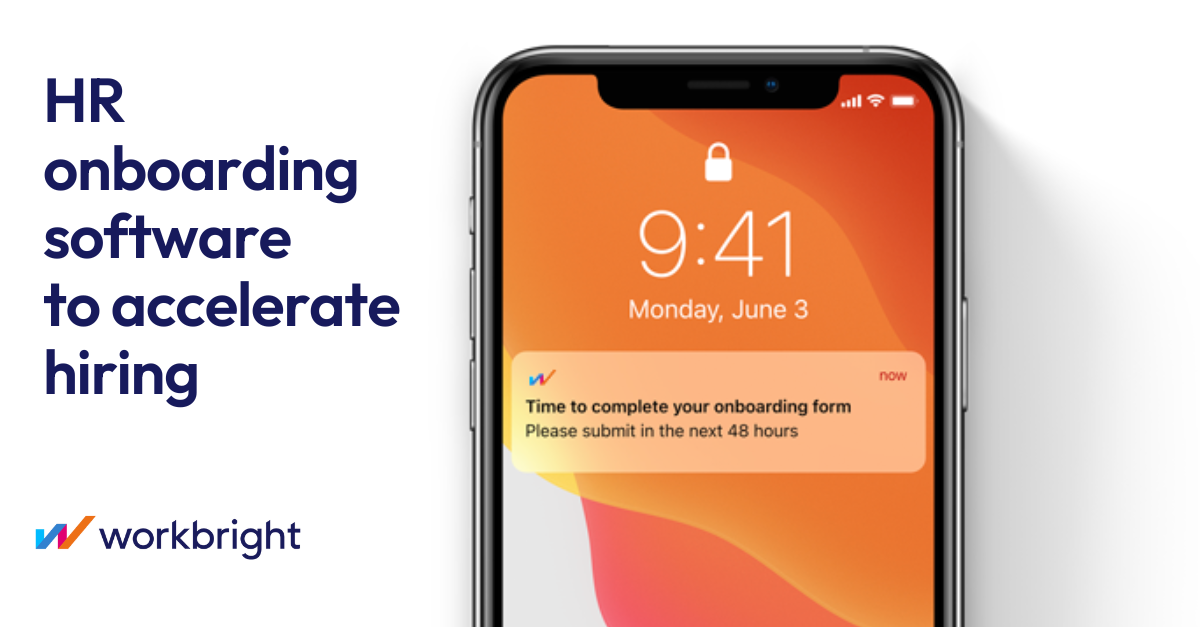
Another crucial evaluation criterion is the pre-boarding experience. Top-tier solutions enable new hires to complete administrative drudgery—benefits enrollment, bio-data entry, and equipment selection—via a mobile-optimized portal before their start date. This ensures day one is focused on social integration and training rather than paperwork. Scrutinize the mobile experience; if the vendor’s mobile interface is a "lite" version with limited functionality, it will fail to engage digital-native or deskless workers.
Red flags during evaluation include a lack of native integrations with your existing tech stack. If a vendor promises "easy CSV exports" instead of a robust, bi-directional API connection to your payroll or identity management system, walk away. This creates data silos and increases the risk of human error. Additionally, be wary of vendors who cannot demonstrate how their system handles "re-boarding" (internal mobility) or offboarding. The employee lifecycle is circular, not linear; a tool that only handles the entry point will eventually become a technological dead end.
Key questions to ask vendors include:
- "How does your system handle 'cross-boarding' for internal transfers, and does it trigger revocation of old access privileges automatically?"
- "Can we configure distinct workflows for different employee types (e.g., seasonal, executive, contingent) without paying for custom professional services?"
- "Show me the specific audit trail for a compliance document. If an I-9 is audited, how quickly can I retrieve the metadata regarding who signed it, when, and from what IP address?"
Industry-Specific Use Cases
Retail & E-commerce
In the retail and e-commerce sector, the primary onboarding challenge is volume and velocity. Retailers often hire hundreds or thousands of seasonal staff in short bursts, requiring software that can process background checks, tax forms, and shift scheduling availability in near real-time. High turnover rates in this industry mean that the "time-to-productivity" window is extremely short; a store associate might only stay for six months, so they must be productive within days. Consequently, retailers prioritize mobile-first platforms that allow applicants to complete onboarding on their smartphones without needing an email address or corporate laptop.
Evaluation priorities here focus on automated compliance at scale. The software must automatically flag mismatched I-9 documents or incomplete W-4s before a shift can be assigned, as manual review is impossible at seasonal volumes. Additionally, integration with Workforce Management (WFM) and scheduling tools is non-negotiable. A unique consideration for this industry is "blackout period" management—software that can automatically block time-off requests during onboarding for peak seasons is a highly valued feature.
Healthcare
Healthcare onboarding is dominated by credentialing and privileging. Unlike corporate roles where a resume and a background check suffice, healthcare providers require rigorous verification of medical licenses, DEA registrations, and malpractice history before they can touch a patient. Employee onboarding software in this space must integrate directly with primary source verification databases (such as state medical boards) to automate these checks. The cost of a "bad hire" here isn't just lost productivity; it is patient safety and massive legal liability.
Specific needs include automated expiry tracking. The system must trigger alerts months before a certification expires, not just during the initial hire. Furthermore, "privileging" workflows—determining exactly which procedures a doctor is authorized to perform based on their credentials—must be digitized and accessible to hospital administrators. Generic onboarding tools often fail here because they lack the data fields and logic to handle complex clinical hierarchies and multi-facility practice rights.
Financial Services
For financial services, the overriding priority is regulatory compliance and ethical screening. Onboarding software must support stringent background checks that go beyond criminal history to include credit checks and regulatory sanctions lists (e.g., OFAC). In the United States, managing FINRA requirements, such as the filing of Form U4, is a critical workflow. The software must provide an immutable audit trail of every document viewed and signed, as firms are subject to surprise audits by bodies like the SEC or FCA.
A unique consideration is the monitoring of outside business activities and personal trading accounts during the onboarding phase. Specialized tools in this sector often include modules for new hires to disclose conflicts of interest immediately. Security is paramount; data residency (where the data is physically stored) and encryption standards are often the first hurdles in any procurement process. Evaluation committees will prioritize "bank-grade" security certifications (SOC 2 Type II, ISO 27001) over user interface aesthetics.
Manufacturing
Manufacturing environments require onboarding software that bridges the physical safety gap. The focus is heavily weighted toward safety training and certification management (OSHA in the US). Before a new hire steps onto the factory floor, they must often complete mandatory safety modules (e.g., Lockout/Tagout procedures, PPE handling). Onboarding tools here often function as a lightweight Learning Management System (LMS) that gates physical access; for instance, a badge might not activate until the safety video is marked as complete.
A critical challenge is the digital divide. Many manufacturing employees are "deskless" and may not be tech-savvy. The software must offer kiosk modes or extremely simplified tablet interfaces that allow workers to sign policies and view diagrams without navigating complex menus. Evaluation priorities include offline capabilities—allowing onboarding to continue even in facility dead zones—and robust inventory management for issuing physical assets like uniforms, tools, and safety gear.
Professional Services
In law firms, consultancies, and agencies, employees are the product. Therefore, onboarding is focused on knowledge transfer and billable utilization. The goal is to minimize the "non-billable" ramp time. Software in this vertical often emphasizes deep integration with project management and time-tracking tools ensuring that a new consultant is assigned to the correct billing codes and client projects from day one. Mentorship and "buddy systems" are formalized within the software to accelerate cultural integration and methodology training.
Unique considerations include client-specific onboarding. A consultant might need to be onboarded not just to their firm, but also to the client's specific compliance and security protocols. Advanced tools allow for "multi-tenant" onboarding workflows where a single employee can satisfy the distinct onboarding requirements of multiple client engagements simultaneously. Evaluation focuses on the sophistication of the "people analytics" dashboards, which track how quickly new cohorts are reaching target utilization rates.
Subcategory Overview
Employee Onboarding Software for Staffing Agencies
This subcategory is defined by high-velocity, low-friction placement. Unlike corporate onboarding, which focuses on long-term retention, employee onboarding software for staffing agencies is built to process high volumes of temporary workers who may work for multiple clients. The critical differentiator is the ability to manage client-specific compliance packages. A generic tool cannot easily handle a scenario where Candidate A needs a 5-panel drug screen for Client X but a 10-panel screen for Client Y. These tools automate the deployment of the correct "packet" based on the assignment, not just the role. The specific pain point driving buyers here is "placement speed"—every hour spent on manual onboarding paperwork is an hour the agency isn't billing the client.
Employee Onboarding Software for Contractors
Managing an independent workforce requires a fundamentally different legal framework than managing employees. Employee onboarding software for contractors specializes in risk mitigation regarding worker classification. A unique workflow this tool handles well is the automated collection and validation of tax forms (like W-9s or W-8BENs) and the signing of IP assignment agreements without triggering "co-employment" risks. General onboarding tools often assume an employer-employee relationship, utilizing language and processes that can create legal liability. Buyers flock to this niche to avoid the compliance minefield of misclassification, ensuring that contractors are onboarded as business entities rather than subordinates.
Employee Onboarding Software for Private Equity Firms
In the high-stakes world of Private Equity, onboarding is often synonymous with "value creation" and executive alignment. Employee onboarding software for private equity firms is designed to deploy standardized "playbooks" across a portfolio of companies. Unlike a standard tool used by one HR team, these platforms allow a PE firm to inject best-practice onboarding workflows into a newly acquired company to rapidly professionalize its operations. A specific workflow handled here is the M&A integration cadence—rapidly assessing and onboarding the leadership team of a portfolio company to align them with the firm's reporting standards and strategic thesis. The driving pain point is the need for speed and consistency in implementing operational improvements across disparate portfolio companies.
Employee Onboarding Software for Startups
Speed, agility, and equity management define this niche. Employee onboarding software for startups often consolidates multiple HR functions—lightweight ATS, onboarding, and core HR—into a single, affordable suite. A workflow unique to this group is the seamless integration of stock option grants into the onboarding flow. While enterprise tools separate equity management, startup-focused tools often weave the signing of option agreements directly into the offer letter and onboarding packet. Buyers choose this niche because enterprise tools are too heavy, expensive, and rigid for a company that might double its headcount in six months and needs to pivot its org structure weekly.
Employee Onboarding Software for Recruitment Agencies
While staffing agencies employ the workers they place, recruitment agencies (headhunters) often hand the candidate off. However, employee onboarding software for recruitment agencies focuses on the "pre-start" experience to prevent "ghosting" or counter-offers. The differentiator here is candidate experience protection. These tools allow recruiters to maintain a branded, high-touch engagement layer—sending welcome kits, drip-feeding information about the new employer, and scheduling check-ins—even after the placement fee is secured. The specific pain point is "drop-off": the candidate accepting an offer but failing to show up on day one, which forces the agency to refund their commission. General tools don't cater to this third-party intermediary workflow.
Integration & API Ecosystem
The true power of modern onboarding software lies in its ability to act as a data conduit rather than a data destination. In a mature tech stack, the onboarding tool sits centrally, pulling candidate data from the Applicant Tracking System (ATS) and pushing enriched employee data to the HRIS, Payroll, and Identity Access Management (IAM) systems. According to the Deloitte 2024 Human Capital Trends report, organizations with integrated HR ecosystems are 2.2 times more likely to outperform their peers in financial performance [1]. This statistic underscores that integration is a performance driver, not just an IT convenience.
Consider a practical scenario: A 50-person professional services firm uses a standalone ATS for hiring and a separate accounting tool for payroll. Without a robust API integration in their onboarding software, the HR manager must manually re-key the new hire's bank details and tax elections from the onboarding forms into the payroll system. If a single digit in the bank account number is transposed during this manual entry, the new employee misses their first paycheck. This creates immediate dissatisfaction and mistrust. A well-designed integration automatically validates this data and pushes it to the payroll system, triggering a "success" flag only when the data is accepted. Expert buyers should look for pre-built connectors (not just "open APIs") to major platforms like ADP, Microsoft Azure Active Directory, and Slack, which significantly reduce implementation risk.
Security & Compliance
Onboarding is the phase where an organization collects the most sensitive Personally Identifiable Information (PII) it will ever hold: Social Security numbers, bank account details, home addresses, and passport scans. The security stakes are incredibly high. The IBM Cost of a Data Breach Report 2024 notes that the average cost of a data breach involving employee records has risen to $4.88 million globally [2]. Furthermore, human error—often during manual data handling processes like onboarding—remains a leading cause of these breaches.
Real-world buyers must scrutinize SOC 2 Type II reports and ISO 27001 certifications, but they must also look for feature-level compliance tools. For example, a financial services firm operating in multiple jurisdictions needs a system that supports dynamic data residency. If they hire a remote worker in Germany, that employee’s data must stay on EU servers to comply with GDPR, even if the HQ is in New York. A generic onboarding tool might store all data in a single US-based cloud instance, instantly putting the firm in violation of data sovereignty laws. Experts demand "field-level encryption" and "role-based access control" (RBAC) to ensure that an IT manager provisioning a laptop can see the employee's shipping address but is blinded to their salary and bank details.
Pricing Models & TCO
Pricing in this category typically falls into two models: Per Employee Per Month (PEPM) and Per Hire. Understanding the Total Cost of Ownership (TCO) requires mapping these models to your hiring velocity. For a stable mid-sized company with low turnover, PEPM is predictable; however, for high-growth or seasonal businesses, it can be a trap. Gartner analysts note that "hidden costs in HR software contracts often account for 20-30% of the total annual spend," usually stemming from implementation fees, premium support, and additional admin seat licenses [3].
Let's walk through a TCO calculation for a hypothetical 25-person startup planning to hire 10 people this year.
Model A (PEPM): $8 per user/month.
Calculation: 25 employees x $8 x 12 months = $2,400. Plus the 10 new hires (averaging 6 months tenure in year 1) = roughly $480. Total software cost: ~$2,880.
Model B (Per Hire): $250 per onboarded candidate.
Calculation: 10 hires x $250 = $2,500.
On the surface, the Per Hire model looks cheaper. However, if that startup suddenly needs to hire 50 contractors for a short-term project, Model B’s cost skyrockets to $15,000 ($250 x 60 hires), while Model A might only increase marginally if contractors aren't billed as full users. Buyers must model their "worst-case" hiring surge to understand the true financial risk.
Implementation & Change Management
Implementation is where most software projects fail. The average timeline for deploying an enterprise-grade onboarding solution is 3 to 6 months, according to G2 market data, while lighter SMB tools can go live in weeks [4]. The primary bottleneck is rarely the software itself, but the internal "process mapping" required before configuration. You cannot automate a process you haven't defined.
Consider a 500-person manufacturing company deploying a new tool. The HR team configures the software to send welcome emails on Day 1. However, the plant managers (who actually greet the new hires) ignore the software because they weren't consulted on the workflow. The new hires receive a digital welcome but wander the factory floor looking for their supervisor. This is a change management failure. Successful implementation requires a "pilot cohort" approach: rolling the software out to one department first, gathering feedback, and refining the workflows. Expert buyers allocate at least 30% of their implementation budget to training managers—not just HR admins—on how to use the system, ensuring adoption at the field level.
Vendor Evaluation Criteria
Beyond features, buyers must evaluate the vendor's ecosystem viability and support structure. A vendor might have a perfect feature set, but if their roadmap is stagnant or they lack a thriving partner marketplace, you will eventually outgrow them. Forrester research highlights that "vendor viability and partnership ecosystems" are now top-three decision factors for HR tech buyers, signaling a shift away from pure feature-based decision making [5].
A critical test during evaluation is the "Support stress test." Ask the vendor for their average response time for a "Level 1" severity issue (e.g., system down) versus a "Level 3" issue (e.g., "how do I change this form?"). Many vendors outsource Level 1 support, leading to frustrating scripts rather than solutions. Demand to speak with a current customer of similar size and ask specifically about their experience during the weeks after implementation was marked "complete." This is when the "hyper-care" period ends and the reality of the vendor’s service model becomes apparent.
Emerging Trends and Contrarian Take
Looking toward 2025-2026, the dominant trend is the rise of Agentic AI in onboarding. We are moving past simple chatbots that answer FAQs to autonomous AI agents that actively provision resources. Imagine an AI agent that detects a new hire’s role is "Senior Developer," automatically generates a ticket for a high-spec laptop, schedules intro meetings with the CTO, and provisions access to GitHub repositories—all without human intervention. IDC predicts that by 2026, 50% of Global 2000 companies will use AI-enabled provisioning to reduce onboarding time by half [6].
Contrarian Take: The "Employee Onboarding" category is effectively dying as a standalone purchase for the mid-market. It is rapidly consolidating into the "Employee Experience" (EX) platform. Buying a standalone onboarding tool in 2025 is often a strategic error for companies under 1,000 employees. The friction of maintaining a separate integration for a process that lasts only 90 days is too high. Smart buyers are realizing that onboarding is just "Employee Lifecycle Management, Chapter 1," and are opting for unified platforms where onboarding, performance, and engagement are a single continuous data stream, even if the individual onboarding features are slightly less robust than a niche point solution.
Common Mistakes
The most frequent mistake buyers make is over-automating the human connection. In a zeal to be efficient, companies automate the "welcome" email, the "buddy" assignment, and the "check-in" survey. The result is a sterile, robotic experience where the new hire feels processed rather than welcomed. Automation should handle the administrative tasks (forms, provisioning) to free up humans for the relational tasks (coffee, lunch, mentoring). If your new hire receives 50 automated emails in week one but hasn't had a genuine conversation with their manager, the software has failed.
Another critical error is ignoring the "Pre-boarding" window. Many organizations wait until Day 1 to grant access to the system. This wastes the period of highest enthusiasm (between offer acceptance and start date). Failing to engage during this window increases "ghosting" rates. Successful implementations open the portal 1-2 weeks early, allowing new hires to knock out paperwork and absorb culture content at their leisure, reducing Day 1 anxiety.
Questions to Ask in a Demo
Don't let the sales engineer stick to the "happy path" demo script. Ask these questions to reveal the system's true limitations:
- "Show me the error log." Ask to see what happens when an integration fails. Does the system alert an admin, or does the data just disappear into the ether?
- "Can I configure a workflow that triggers based on a custom field?" For example, if we add a field for 'T-Shirt Size,' can that trigger a task for the Office Manager to order swag? This tests the flexibility of the rules engine.
- "What does the mobile view look like for a user with poor connectivity?" Critical for industries like retail or manufacturing. Does the page timeout, or does it cache data?
- "How do you handle 're-boarding'?" Ask them to demonstrate the workflow for an employee who leaves and returns 6 months later. Does the system duplicate their record, or intelligently reactivate the old ID?
- "Is there an API rate limit?" If you are a high-volume hiring organization, you need to know if the system will throttle your data transfer during peak hiring seasons.
Before Signing the Contract
Before executing the agreement, perform a final "decision checklist." First, verify data ownership and exit protocols. If you leave this vendor in three years, in what format will you get your data back? Ensure the contract specifies a structured SQL dump or CSV export within a guaranteed timeframe, free of charge. Many vendors charge exorbitant "professional service fees" to return your own data upon termination.
Second, negotiate implementation "out" clauses. Stipulate that if the integration with your core HRIS cannot be successfully validated within 60 days, you have the right to cancel the contract with a full refund. This protects you from the common "vaporware" promise where sales reps claim an integration exists that is actually still on the roadmap.
Finally, check for true-up clauses. If you are on a user-based model, ensure you aren't automatically billed for overages at a premium rate. Negotiate a buffer (e.g., 10% overage allowed) or an annual true-up where you settle the difference based on average usage, rather than monthly penalty rates.
Closing
Selecting the right Employee Onboarding Software is about more than digitizing forms; it's about engineering the first chapter of your employee's journey. Done right, it accelerates productivity and cements retention. Done wrong, it accelerates turnover. If you need a sounding board for your evaluation or want to sanity-check your shortlist, feel free to reach out.
Email: albert@whatarethebest.com