Customer Support & Success Software

Customer Support & Success Software

This guide covers the major subcategories of customer support and success software — from help desk ticketing and live chat tools to contact center platforms, customer success management, knowledge bases, and feedback systems. Each product is scored across 6 weighted categories with cited evidence. Use the decision grid below to find the right subcategory for your business model, then explore the top-rated products and detailed scoring breakdowns.

Updated Mar 2026
10 Products Evaluated 11 Subcategories 3 Research Articles Updated Mar 2026

Not sure which one is right for you?

Answer 4 quick questions and we'll match you with your best options

Find Your Best Match

How big is your team?

Just me
2 - 10
11 - 50
51 - 200
201 - 1,000
1,000+

What's your budget situation?

Free or open-source only
Free to start, pay later
Best value for money
Price isn't the main factor

What's your team's technical comfort level?

We want it to just work
We can handle some setup
We have developers who'll customize it

What's the ONE thing this tool must do well?

Step 1 of 4

Top 10 Customer Support & Success Products

These are the highest-scoring products across all 11 subcategories below — surfaced from hundreds of evaluated tools spanning help desk ticketing, live chat, contact centers, customer success platforms, knowledge bases, feedback systems, and community forums. Each product earned its place by scoring highest within its subcategory on our 6-category evaluation framework. Click any score badge to see the full breakdown.

1
Capacity Knowledge Base App
Score
9.9
/ 10
Excellent
An AI-native knowledge automation platform that mines documents and apps to provide instant, verified answers with enterprise-grade security.
Why it earned its spot: Our analysis shows Capacity excels in regulated industries by combining robust AI knowledge mining with enterprise-grade security (SOC 2, HIPAA). Research indicates its 'LiveDocs' feature uniquely automates the extraction of tacit knowledge from documents and spreadsheets, solving the 'empty knowledge base' problem. While pricing is steep for smaller teams, the 250+ integrations and strict data privacy policies make it a powerful choice for mid-market and enterprise organizations.

Best for teams that are

  • Large enterprises seeking to automate support and deflect tickets using AI
  • Firms wanting to centralize knowledge from apps, docs, and employees in one platform
  • Organizations looking to automate internal workflows like HR or safety inquiries

Skip if

  • Small businesses or contractors with limited budgets due to high entry costs
  • Users seeking a simple, static FAQ page without complex AI automation features
  • Teams that do not need an AI-driven chatbot or deflection engine

Pros

  • + Mines documents/apps for instant answers
  • + SOC 2, HIPAA & GDPR compliant
  • + 250+ pre-built enterprise integrations
  • + Detects duplicate knowledge entries
  • + Easy setup and user-friendly interface

Cons

  • High starting price ($25k/year reported)
  • Lacks asset management features
  • Minimum user count requirements
  • Limited customization options
  • UI described as basic/boring

Scoring Breakdown: Capacity Knowledge Base App

6 evaluation categories
Overall: Capacity Knowledge Base App excels in providing efficient resource organization and automation for contractors, enhancing customer service and reducing costs. Its market credibility is supported by industry recognition, and its usability is tailored for contractor-specific needs, making it a top choice in its category.
Integrations & Ecosystem Strength
9.0
What We Look For
We evaluate the breadth of pre-built connectors and the availability of developer tools for custom integrations.
What We Found
The platform boasts over 250 pre-built integrations with major enterprise tools like Salesforce, Zendesk, and Microsoft Teams, supported by a developer platform.
Score Rationale
The extensive library of 250+ integrations and a dedicated developer platform justifies a score of 9.0, indicating strong ecosystem connectivity.
Supporting Evidence
Listed in the company's integration directory, the app integrates with various contractor management systems. — capacity.com
Capacity offers over 250 pre-built integrations to connect with various tech stacks. 250+ pre-built integrations to connect to critical systems. — capacity.com
Integrations include major platforms like Zendesk, Jira, ServiceNow, and Salesforce. supports integration with various third-party systems such as Zendesk, Jira, ServiceNow, Bullhorn, Google Maps, Salesforce — getapp.com
Market Credibility & Trust Signals
9.2
What We Look For
We look for user adoption rates, funding stability, and verified reviews from reputable third-party platforms.
What We Found
Capacity holds strong ratings across major review platforms (4.8/5 on G2) and is backed by over $13M in Series B funding, serving regulated industries like banking and mortgage.
Score Rationale
The product maintains excellent user satisfaction scores and serves high-trust sectors, justifying a score above 9.0 despite having fewer total reviews than legacy competitors.
Supporting Evidence
Capacity has a 4.8 out of 5 star rating based on 57 reviews on G2. 4.8 out of 5 stars — g2.com
The company raised $13.2 million in Series B funding to support growth. raised $13.2 million in Series B funding — prnewswire.com
Product Capability & Depth
8.7
What We Look For
We evaluate the platform's ability to capture, organize, and retrieve knowledge using AI, including document mining and verification workflows.
What We Found
Capacity offers a robust AI-native knowledge base that mines information from documents (LiveDocs) and apps, featuring duplicate detection and verification alerts to ensure accuracy.
Score Rationale
The score is high due to advanced AI mining and 'LiveDocs' features, but capped by documented user feedback citing a lack of asset management capabilities.
Supporting Evidence
Documented in official product documentation, the app automates support channels, reducing the need for manual intervention. — capacity.com
Features include LiveDocs for mining documents/spreadsheets and an AI-enabled knowledge base with duplicate detection. The platform includes an AI-enabled knowledge base... The system also uses machine-learning technology to detect duplicate answers across the database — getapp.com
The platform supports guided conversations and automated inquiry generation to expand question coverage. Capacity's new automated inquiry generator provides you with expansive question coverage in seconds — capacity.com
Security, Compliance & Data Protection
9.5
What We Look For
We examine certifications (SOC 2, HIPAA), encryption standards, and data handling practices critical for enterprise knowledge bases.
What We Found
Capacity demonstrates top-tier security with SOC 2 Type II, HIPAA, and GDPR compliance, plus AES-256 encryption and a promise not to train external models on customer data.
Score Rationale
This is a standout category for Capacity, achieving a near-perfect score due to its comprehensive certifications suitable for highly regulated industries.
Supporting Evidence
SOC 2 compliance is outlined in published security documentation, ensuring data protection. — capacity.com
The platform is certified for SOC 2 Type II, HIPAA, and GDPR. Regulatory Compliance GDPR, HIPAA, SOC 2 Type II certified. — capacity.com
Data is protected by AES-256 encryption at rest and is not used to train external AI models. AES-256 encryption at rest... Your data is never shared or used to train external models. — capacity.com
Usability & Customer Experience
8.9
What We Look For
We assess the ease of setup, interface intuitiveness, and the quality of customer support as reported by actual users.
What We Found
Users consistently praise the platform for its ease of use and quick setup, though some describe the user interface as 'boring' or basic.
Score Rationale
High scores for ease of setup and support drive this category, with minor deductions for a UI that some users find uninspiring.
Supporting Evidence
Outlined in product documentation, the app provides clear, accessible answers to common queries. — capacity.com
Reviewers highlight the quick setup and seamless transition as key benefits. Users love the ease of use of Capacity, appreciating its quick setup and seamless transition to the new system. — g2.com
Some users find the UI functional but lacking in visual appeal. Pretty boring UI and seems to be pretty basic in features although it doesn't need to do much. — g2.com
Value, Pricing & Transparency
8.5
What We Look For
We analyze pricing structures, entry barriers for smaller teams, and the transparency of cost information.
What We Found
Pricing is targeted at mid-market to enterprise, with reports of high starting costs ($25k/year) or minimum user counts, making it less accessible for small businesses.
Score Rationale
The score reflects a premium positioning that may exclude smaller buyers, with conflicting public data on exact entry points ($6k vs $25k).
Supporting Evidence
Pricing requires custom quotes, limiting upfront cost visibility. — capacity.com
Third-party sources report a starting price of $25,000 per year. Starting price... 25000 /per year. — getapp.com
Other sources indicate a per-user model with a minimum of 10 agents. $49/agent/month when billed annually, with a 10-agent minimum. — smbguide.com

Score Adjustments & Considerations

Certain documented issues resulted in score reductions. The impact level reflects the severity and relevance of each issue to this category.

  • Some users report limited customization options for the platform, restricting the ability to tailor the experience to specific business needs.
    Impact: This issue had a noticeable impact on the score.
    Source: getapp.com
  • High entry costs (reported as $25,000/year or minimum seat requirements) create a significant barrier to entry for small businesses.
    Impact: This issue caused a significant reduction in the score.
    Source: getapp.com
  • Users have documented a lack of asset management features, which limits the platform's utility for IT support use cases compared to full-service help desks.
    Impact: This issue caused a significant reduction in the score.
    Source: g2.com
2
Crisp Multilingual Live Chat
Score
9.8
/ 10
Excellent
An all-in-one multichannel support platform featuring real-time translation for 50+ languages and a cost-effective flat-rate pricing model for growing teams.
What sets it apart: Our analysis shows Crisp disrupts the market with its 'per workspace' pricing model, making enterprise-grade multichannel support accessible to growing teams. Research indicates its standout feature is the LiveTranslate capability, which instantly translates conversations in 50+ languages using the Microsoft API, eliminating language barriers without hiring native speakers. Based on documented security certifications like SOC 2 and ISO 27001, it is also a highly secure choice for data-conscious businesses.

Best for teams that are

  • Startups and SMBs wanting flat pricing with unlimited seats
  • SaaS companies needing a developer-friendly API
  • Teams looking for an all-in-one shared inbox for email and chat

Skip if

  • Large enterprises requiring complex routing or SLA reporting
  • Teams needing native telephone support without integrations
  • Organizations that require extensive custom reporting features

Pros

  • + Flat pricing per workspace (not per agent)
  • + Real-time translation for 50+ languages
  • + Unified inbox for WhatsApp and Email
  • + SOC 2 and ISO 27001 certified
  • + Generous free plan for startups

Cons

  • Basic analytics compared to enterprise tools
  • AI features expensive to unlock
  • Widget customization is limited
  • Steep learning curve for bot builder
  • Machine translation lacks human nuance

Scoring Breakdown: Crisp Multilingual Live Chat

6 evaluation categories
Overall: Crisp Multilingual Live Chat excels in providing multilingual support with automatic language recognition and real-time translation, making it ideal for global businesses. Its integration capabilities and customizable chatbox enhance usability, though the free plan is limited and lacks telephony support.
Integrations & Ecosystem Strength
9.0
What We Look For
We evaluate the availability of native integrations with CRMs, CMSs, and messaging channels.
What We Found
The platform offers an extensive library of integrations including WordPress, Shopify, Slack, Salesforce, HubSpot, and Zapier.
Score Rationale
With native support for major e-commerce, CRM, and communication tools, the ecosystem is robust enough to fit into almost any tech stack.
Supporting Evidence
Integration with various platforms is documented in the company's integration directory. — crisp.chat
Crisp integrates with major platforms like WordPress, Shopify, WhatsApp, and Slack. Wordpress... Shopify... WhatsApp... Slack... Hubspot... Salesforce — crisp.chat
The platform supports syncing contacts between HubSpot/Salesforce and Crisp automatically. Sync your contacts between Hubspot and Crisp automatically — crisp.chat
Developers can use the API and webhooks for custom integrations. The API documentation is excellent, and webhook support makes custom integrations straightforward. — themarketingagency.ca
Market Credibility & Trust Signals
9.1
What We Look For
We assess the product's adoption rate, user ratings, and client roster to gauge industry trust.
What We Found
Crisp is used by over 700,000 businesses, including major brands like Decathlon, and maintains strong ratings across review platforms.
Score Rationale
With a massive user base and validation from enterprise clients like Decathlon, the product demonstrates exceptional market credibility.
Supporting Evidence
Over 700,000 businesses use Crisp for their customer support. Get started for free today and join 700 000 businesses using Crisp — g2.com
Decathlon uses Crisp's API and integrations to manage customer queries efficiently. For Decathlon, Crisp is essential in delivering an online experience that mirrors the personalized service found in stores. — crisp.chat
Crisp maintains a 4.5 out of 5 star rating on G2 based on user reviews. Crisp. Star Rating. (183)4.5 out of 5. — g2.com
Product Capability & Depth
8.8
What We Look For
We evaluate the breadth of multilingual features, translation accuracy, and channel support available for global customer service.
What We Found
Crisp offers real-time two-way translation (LiveTranslate) for over 50 languages using the Microsoft API and unifies channels like WhatsApp, Messenger, and Email into one inbox.
Score Rationale
The product scores highly for its seamless multilingual capabilities and omnichannel inbox, though it falls short of a 9.0 due to reported limitations in advanced analytics compared to enterprise leaders.
Supporting Evidence
Automatic language recognition and real-time translation capabilities are documented in the official product features. — crisp.chat
Customizable chatbox and direct website integration enhance user engagement, as outlined in the product documentation. — crisp.chat
Crisp Website Chat is capable of translating conversations into over 50 languages in real-time. Capable of translating conversations into over 50 languages, Crisp Website Chat also includes automatic browser language detection — crisp.chat
The translation tool utilizes the Microsoft API to provide accurate translations. Our translation tool uses the Microsoft API to provide accurate translations — crisp.chat
The platform supports an omnichannel inbox including Website chat, Email, WhatsApp, Facebook Messenger, Instagram DMs, and SMS. Its shared inbox... does a fantastic job of pulling in conversations from your website's live chat, team email addresses, Messenger, WhatsApp, and even SMS messages — eesel.ai
Security, Compliance & Data Protection
9.3
What We Look For
We verify certifications like SOC 2, GDPR compliance, and data encryption standards.
What We Found
Crisp has achieved SOC 2 Type II, ISO 27001, and ISO 27017 certifications, demonstrating a high level of commitment to data security.
Score Rationale
Achieving the trifecta of SOC 2, ISO 27001, and ISO 27017 is rare for a tool in this price range, meriting a top-tier score.
Supporting Evidence
Crisp has achieved ISO/IEC 27001:2022 and ISO/IEC 27017:2015 certification. Crisp... is proud to announce the achievement of ISO/IEC 27001:2022 and ISO/IEC 27017:2015 certification — gocrisp.com
The company has completed the SOC 2 Type II certification process. we recently completed the SOC 2, Type II certification process and have become SOC 2 compliant — gocrisp.com
Crisp is GDPR compliant and stores data on servers hosted in the EU. Crisp is GDPR-compliant... All Crisp data is held on servers hosted in the European Union. — help.crisp.chat
Usability & Customer Experience
8.7
What We Look For
We examine the ease of setup, interface design, and quality of customer support resources.
What We Found
Users praise the visual flow builder and unified inbox for ease of use, though some report a learning curve and occasional friction with support responsiveness.
Score Rationale
While the interface is modern and intuitive, documented complaints about support interactions and a learning curve for advanced features keep the score below 9.0.
Supporting Evidence
Real-time translation and automatic language adaptation enhance customer interactions, as described in product documentation. — crisp.chat
Reviewers cite the platform as easy to use with a simple design and smooth navigation. It got an average rating of 4.6 for Ease of Use... This shows its simple design and smooth navigation. — popproxx.com
Some users find the interface takes time to fully understand, particularly for chatbot creation. Takes some time to fully understand the interface — chatimize.com
Mixed reviews exist regarding support, with some users reporting slow or unhelpful responses. Poor customer support and broken features. You have to wait multiple days just to receive a screenshot — trustpilot.com
Value, Pricing & Transparency
9.4
What We Look For
We analyze the pricing model, hidden costs, and value provided relative to competitors.
What We Found
Crisp uses a unique flat-rate 'per workspace' pricing model rather than 'per agent,' offering significant savings for growing teams.
Score Rationale
The per-workspace pricing model is a market disruptor, offering exceptional value compared to the industry-standard per-seat pricing, justifying a near-perfect score.
Supporting Evidence
Pricing is transparent with a free plan and tiered paid options, though the free plan has limited features. — crisp.chat
Crisp charges a flat rate per workspace regardless of the number of conversations. At Crisp, we offer a straightforward and easy-to-understand pricing model with a flat rate per workspace. — crisp.chat
The Essentials plan costs $95/month and includes 10 seats. Essentials... $95 Per month, per workspace... 10 seats included. — crisp.chat
A free plan is available that includes 2 seats and the website chat widget. Free... 2 seats included... Website chat widget. — crisp.chat

Score Adjustments & Considerations

Certain documented issues resulted in score reductions. The impact level reflects the severity and relevance of each issue to this category.

  • Some users report inconsistent support experiences, including slow response times or unhelpful interactions.
    Impact: This issue had a noticeable impact on the score.
  • AI features are heavily limited on mid-tier plans (e.g., capped at 50 uses/month on Essentials), requiring the highest tier for full utility.
    Impact: This issue caused a significant reduction in the score.
  • Analytics and reporting features are described as basic compared to enterprise competitors like Zendesk, lacking advanced metrics like SLA breakdowns.
    Impact: This issue caused a significant reduction in the score.
    Source: tidio.com
3
ManyChat
Score
9.7
/ 10
Excellent
A secure, official Meta Business Partner platform that enables businesses to automate interactive conversations across Instagram, WhatsApp, and Messenger via a visual no-code builder.
Why it ranks here: Our analysis shows ManyChat stands out as a highly secure and credible platform in the chat marketing space, backed by official Meta Business Partner status and rigorous SOC 2 Type 2 and ISO 27001 certifications. Research indicates it democratizes complex automation through an industry-leading visual builder that requires no coding. While support and variable pricing are noted limitations, the platform's ability to scale to billions of conversations makes it a robust choice for serious marketers.

Best for teams that are

  • Businesses automating marketing on Instagram, Facebook, and WhatsApp
  • E-commerce brands building social media sales funnels
  • Marketers focusing on chat-based lead generation

Skip if

  • Teams needing a primary website live chat solution
  • Complex customer support requiring deep ticketing workflows
  • Businesses not primarily focused on Meta social channels

Pros

  • + Official Meta Business Partner status
  • + Intuitive visual flow builder interface
  • + SOC 2 Type 2 & ISO 27001 certified
  • + Omnichannel support (IG, FB, WhatsApp, SMS)
  • + Deep integration with HubSpot & Zapier

Cons

  • Customer support reported as slow
  • AI features require paid add-on
  • WhatsApp fees billed per conversation
  • Separate flows often needed per channel
  • Free plan limited to 1,000 contacts

Scoring Breakdown: ManyChat

6 evaluation categories
Overall: ManyChat excels in providing automation and integration capabilities across multiple social media platforms, making it a top choice for high ticket sales. Its robust features and ease of use contribute to its strong market position, although it may require some initial learning.
Integrations & Ecosystem Strength
9.1
What We Look For
We evaluate the quality of native integrations with CRMs, email tools, and third-party automation platforms.
What We Found
ManyChat offers strong native integrations with major tools like HubSpot and MailChimp, plus extensive connectivity via Zapier and Make.
Score Rationale
The platform scores highly due to its seamless integration with the broader marketing stack, including deep support for 7,000+ apps via Zapier.
Supporting Evidence
Native integrations include HubSpot, MailChimp, Klaviyo, and ActiveCampaign. HubSpot. Turn chats into customers. Send contacts straight into HubSpot, track them through your pipeline. — manychat.com
The platform connects to over 7,000 apps through Zapier without coding. Connect Manychat to 7000+ apps without writing a single line of code. — manychat.com
Make (formerly Integromat) integration allows for complex custom workflows. Build custom workflows between Manychat and virtually any app. Perfect for automating multi-step marketing processes. — make.com
Market Credibility & Trust Signals
9.4
What We Look For
We assess the vendor's official partnerships, funding status, user base size, and longevity in the market.
What We Found
ManyChat is an official Meta Business Partner, has raised over $160M in funding, and powers over 1 billion conversations annually for 1 million+ businesses.
Score Rationale
The score is exceptional because the company holds official Meta Business Partner status and has secured significant growth capital, validating its long-term stability.
Supporting Evidence
Referenced by TechCrunch, ManyChat is recognized for its impact on social media marketing and automation. — techcrunch.com
ManyChat is an officially recognized Meta Business Partner, ensuring compliance with platform policies. As an official Meta Business Partner, Manychat complies with Meta's security policies and guidelines. — manychat.com
The company recently raised $140 million in growth capital led by Summit Partners. We've just closed a $140 million funding round led by Summit Partners, bringing our total funding to $163.3 million. — manychat.com
The platform powers over 1 billion conversations annually across 170+ countries. Manychat is the world's leading chat marketing platform, powering over 1 billion conversations a year across 170+ countries. — medium.com
Product Capability & Depth
8.9
What We Look For
We evaluate the breadth of automation features, AI capabilities, and channel support available without custom coding.
What We Found
ManyChat offers a robust visual flow builder for automating conversations across Instagram, WhatsApp, Messenger, and SMS, though advanced AI features require an add-on.
Score Rationale
The score is high due to its industry-leading visual builder and omnichannel support, but capped below 9.0 because advanced AI features are gated behind additional costs.
Supporting Evidence
The platform supports omnichannel automation across Instagram, WhatsApp, Facebook Messenger, SMS, and Email from a single interface. Automate interactive conversations in Instagram Direct Messages, Facebook Messenger, WhatsApp and SMS to grow your brand. — manychat.com
ManyChat provides a 'Flow Builder' that allows users to create complex automation sequences visually without coding. Flow Builder is a highly intuitive visual editor that provides a comprehensive, bird's-eye view of your entire automation. — manychat.com
Advanced AI features like 'Intention Recognition' and 'AI Step' are available but sold as a separate add-on. Manychat's AI product lets you make more connections without losing your voice... AI + All of your crucial context = Every question answered pitch-perfectly. — manychat.com
Security, Compliance & Data Protection
9.6
What We Look For
We verify the presence of enterprise-grade security certifications and data privacy compliance measures.
What We Found
ManyChat holds SOC 2 Type 2 and ISO 27001:2022 certifications and provides specific tools for GDPR compliance, exceeding industry standards for this category.
Score Rationale
This score is near-perfect because ManyChat maintains rigorous security standards (SOC 2 & ISO 27001) that are rare for affordable marketing SaaS tools.
Supporting Evidence
ManyChat is SOC 2 Type 2 compliant and maintains ISO 27001:2022 certification. Manychat is SOC 2 Type 2 compliant... Our Information Security Management System (ISMS) has been certified against the ISO/IEC 27001:2022 standard. — manychat.com
The platform includes built-in tools for GDPR compliance, allowing users to download or delete subscriber data upon request. Select from the following four options to manage their data: Unsubscribe from bot, Unsubscribe from Email, Download Contact Data, and Delete Contact Data. — help.manychat.com
Usability & Customer Experience
8.8
What We Look For
We analyze user feedback regarding ease of use, learning curve, and the quality of customer support.
What We Found
Users consistently praise the intuitive drag-and-drop interface, though there are documented complaints regarding slow or unhelpful customer support responses.
Score Rationale
The product is widely regarded as the easiest to use in its class, but the score is impacted by recurring reports of lackluster customer support.
Supporting Evidence
Outlined in user guides, ManyChat offers a user-friendly interface but may require a learning curve for optimal use. — support.manychat.com
Reviewers cite the visual flow builder as 'super easy to use' and 'beginner-friendly' compared to competitors. Manyhat is the easiest tool that I've ever used when creating chat automations... the flow builder is just so easy to use. — youtube.com
Users have reported frustration with customer support, citing slow response times and unhelpful interactions. Users face poor customer support with Manychat, often struggling to resolve issues without assistance or updated resources. — g2.com
Value, Pricing & Transparency
8.5
What We Look For
We examine the pricing structure, hidden costs, and the value provided relative to the feature set.
What We Found
The base pricing is competitive, but total costs can escalate quickly due to per-conversation fees for WhatsApp and separate add-on costs for AI features.
Score Rationale
While the entry price is low, the complex layering of Meta's conversation fees and ManyChat's own add-ons creates a variable cost structure that lowers the score.
Supporting Evidence
The Pro plan starts at $15/month and scales based on the number of contacts. Pro. Grow your business with access to all advanced Pro features, starting at a cost of: $15 / mo. — manychat.com
WhatsApp usage incurs additional per-conversation fees based on Meta's pricing model, which are billed separately from the subscription. In addition to Pro subscription, Manychat charges you according to the Facebook pricing model... WhatsApp Business Accounts are now charged per conversation. — manychat.com
AI features are not included in the Pro plan and require a separate paid add-on. Manychat offers its own AI features, but they're not included in the base Pro plan. Instead, you'll need to purchase the Manychat AI add-on. — featurebase.app

Score Adjustments & Considerations

Certain documented issues resulted in score reductions. The impact level reflects the severity and relevance of each issue to this category.

  • Users must often create separate automation flows for different channels (e.g., Instagram vs. Messenger) rather than a single unified flow.
    Impact: This issue had a noticeable impact on the score.
  • Variable costs for WhatsApp conversations and AI add-ons can significantly increase the monthly bill beyond the base subscription price.
    Impact: This issue caused a significant reduction in the score.
  • Users frequently report poor customer support experiences, including slow response times and unhelpful resolutions.
    Impact: This issue caused a significant reduction in the score.
    Source: g2.com
4
SparrowDesk
Score
9.6
/ 10
Excellent
SparrowDesk is an AI-first omnichannel help desk that automatically resolves up to 60% of routine customer queries while providing human agents with smart summaries and context-aware draft replies.
What makes it stand out: SparrowDesk represents a true generational leap in help desk architecture by placing AI at the frontline rather than treating it as an afterthought. Its ability to instantly ingest complex PDFs to train its AI agent dramatically lowers the barrier to entry for intelligent automation. Furthermore, its Copilot features actively protect human agents from burnout by drafting replies and summarizing lengthy conversational contexts instantly.

Best for teams that are

  • High-volume SaaS and e-commerce teams wanting AI to auto-resolve tickets.
  • Growing teams seeking a simple setup and unified email and live chat inbox.

Skip if

  • Organizations requiring native social media and voice channel integrations.
  • Teams needing highly complex, granular control over custom workflows.

Pros

  • + Auto-resolves 60% of routine tickets
  • + Unified omnichannel email and chat inbox
  • + Intuitive AI training via PDFs/URLs
  • + Robust Zapier and HubSpot integrations

Cons

  • Zero independent user reviews available
  • Starter plan lacks SLA management
  • Pricing jumps sharply for automation

Scoring Breakdown: SparrowDesk

6 evaluation categories
Integrations & Ecosystem Strength
9.0
What We Look For
We verify the availability of native API connections, third-party automation support, and enterprise authentication protocols.
What We Found
SparrowDesk integrates natively with essential business tools like HubSpot and Okta, and leverages Zapier to connect with over 8,000 external applications.
Score Rationale
The score reflects a robust capability to embed within existing tech stacks, bolstered significantly by the vast flexibility provided by the Zapier partnership.
Supporting Evidence
SparrowDesk connects to thousands of applications via Zapier. - "SparrowDesk integrates with 8000 other apps on Zapier - it's the easiest way to automate your work." — zapier.com
The platform supports enterprise single sign-on via Okta. - "Okta Single Sign on setup for SparrowDesk." — support.sparrowdesk.com
Market Credibility & Trust Signals
9.3
What We Look For
We analyze parent company reputation, public user reviews, software directory scores, and verifiable enterprise adoption metrics to gauge market trust.
What We Found
While backed by the reputable SurveySparrow, SparrowDesk as a standalone product severely lacks independent user reviews on major software aggregator platforms.
Score Rationale
The score reflects a significant penalty for possessing zero verified user reviews on Capterra and missing numerical ratings on G2, balanced slightly by its established parent company.
Supporting Evidence
SparrowDesk is built by the team behind the established SurveySparrow platform. - "Most people don't realize that SparrowDesk comes from a family of experience-centric products. Before entering the help desk space, we built SurveySparrow..." — superbcrew.com
The platform currently has zero reviews on Capterra. - "Based on 0 user reviews. 0.0. Overall Rating." — capterra.com
Product Capability & Depth
8.9
What We Look For
We evaluate the breadth of core features, specifically assessing the integration of an omnichannel inbox and the functional depth of the platform's proprietary AI support tools.
What We Found
SparrowDesk features an omnichannel inbox unifying email and live chat, powered by an AI agent capable of auto-resolving up to 60% of routine tickets, alongside an AI Copilot for human agent augmentation.
Score Rationale
The platform scores highly due to its deep, native integration of generative AI across all workflows, preventing it from feeling like a bolted-on afterthought.
Supporting Evidence
The platform features intelligent AI Agents that automatically resolve up to 60% of routine inquiries. - "The platform features intelligent AI Agents that automatically resolve up to 60% of routine inquiries, ensuring 24/7 support coverage." — capterra.com
The AI Copilot assists human agents by generating instant summaries and smart drafts. - "Instant summaries. Condenses long conversations into quick, digestible takeaways. Smart drafts. Suggests context-aware replies." — sparrowdesk.com
Usability & Customer Experience
9.2
What We Look For
We assess the intuitiveness of the agent interface, the ease of training the AI, and the availability of customizable elements for the end-user.
What We Found
The platform offers an uncluttered, intuitive interface with logical left-hand navigation, and provides easy, no-code methods for training the AI using PDFs and URLs.
Score Rationale
A strong score is awarded for prioritizing the psychological well-being of support agents by actively removing UI clutter and streamlining context gathering.
Supporting Evidence
The interface is deliberately designed to be clean and uncluttered. - "Support tools are usually chaotic, cluttered, and mentally taxing. We went the opposite direction: clean, calm, and context-rich." — superbcrew.com
Training the AI is flexible and user-friendly without requiring code. - "we can upload a specific document enter manual Q&A pairs for those tricky edge cases or simply provide a link for the system to scrape." — youtube.com
Value, Pricing & Transparency
9.7
What We Look For
We evaluate the public availability of pricing data, the cost relative to the market average, and the presence of restrictive feature gating.
What We Found
Pricing is highly transparent and competitive, starting at $16/month, but the entry-level tier severely restricts access to basic workflow features and team size.
Score Rationale
The transparent pricing model earns high marks, but the score is pulled down due to the aggressive gating of basic SLA and routing features behind the $49/month tier.
Supporting Evidence
SparrowDesk pricing starts at $16 per month for the Starter tier. - "Starter. $16. Professional. $49. Enterprise. $89." — sparrowdesk.com
The Starter plan excludes SLAs and round-robin assignment. - "Lite seats: up to 5. No SLAs, round robin, advanced workflows, or multiple brands." — g2.com
Workflow Automation & Management
9.4
What We Look For
We look for the presence of no-code automation builders, ticket routing capabilities, and Service Level Agreement (SLA) tracking tools.
What We Found
The platform provides comprehensive ticket lifecycle management, including automated routing, visual analytics, and strict SLA enforcement for higher-tier users.
Score Rationale
It scores highly for empowering non-technical managers to build complex operational workflows, though access is restricted on lower tiers.
Supporting Evidence
SparrowDesk utilizes interactive analytics to monitor SLA adherence and team trends. - "Managers gain full visibility through Interactive Analytics that track team performance and ticket trends." — capterra.com
The software supports automated routing based on predefined rules. - "Automated Routing. Tickets are automatically assigned to specific agents based on predefined rules." — capterra.com

Score Adjustments & Considerations

Certain documented issues resulted in score reductions. The impact level reflects the severity and relevance of each issue to this category.

  • Aggressive feature gating on the Starter plan strips out essential help desk functionalities, such as SLAs and round-robin routing, forcing an upsell to the $49/month tier.
    Impact: This issue had a noticeable impact on the score.
    Source: g2.com
  • The software entirely lacks independent, third-party user reviews on major platforms like Capterra and G2, making it difficult to verify performance claims outside of vendor-supplied case studies.
    Impact: This issue caused a significant reduction in the score.
5
NPS Software
Score
9.5
/ 10
Excellent
SurveySparrow is an omnichannel experience management platform that uses highly engaging, chat-like surveys to capture NPS feedback and automate customer experience workflows.
Why it made the list: SurveySparrow revolutionizes the traditional feedback process by replacing static forms with an engaging, conversational UI that significantly boosts completion rates. We love its omnichannel approach, allowing teams to reach customers seamlessly via WhatsApp, SMS, or embedded in-app surveys. Furthermore, its automated ticketing and workflow features empower organizations to instantly close the feedback loop, turning passive NPS data into actionable customer success strategies.

Best for teams that are

  • SaaS companies needing AI-driven sentiment analysis and automated ticketing.
  • Enterprises running multi-channel, automated NPS campaigns at extensive scale.

Skip if

  • Teams wanting purely in-app mobile surveys without utilizing other channels.
  • Organizations operating in completely offline environments without internet.

Pros

  • + Engaging conversational survey UI
  • + Omnichannel distribution options
  • + Enterprise-grade security compliance
  • + Robust automated ticketing workflows

Cons

  • Opaque enterprise pricing models
  • API limits on lower tiers
  • Expensive dedicated CX suite

Scoring Breakdown: NPS Software

6 evaluation categories
Integrations & Ecosystem Strength
9.3
What We Look For
A broad library of native integrations, webhooks, and APIs to seamlessly connect NPS data with existing business workflows.
What We Found
Integrates seamlessly with popular CRMs, helpdesks, and marketing tools natively or via Zapier, though developer API access is rate-limited on basic plans.
Score Rationale
Scores highly for offering a wide array of native integrations and automated workflows, despite some API limits for lower-tier users.
Supporting Evidence
Offers extensive native integrations with major SaaS platforms. - "Offers 50,000 responses, 3 Full users, 200,000 contacts, integration with Freshdesk, Intercom, and Zendesk." — surveysensum.com
API access is restricted on cheaper plans, limiting custom developer workflows. - "API access remains rate-limited, constraining developers who need to integrate surveys into existing workflows." — formbricks.com
Market Credibility & Trust Signals
9.2
What We Look For
Verified market presence, widespread adoption, and independent industry recognition.
What We Found
The platform is widely adopted globally by over 100,000 customers and has received consistent recognition from major software review platforms like G2.
Score Rationale
Demonstrates strong, verified market leadership and rapid growth, securing its position as a highly trusted enterprise tool.
Supporting Evidence
Has a massive global customer base across 149 countries. - "The platform serves over 100,000 customers across 149 countries with its omnichannel approach to experience management." — formbricks.com
Consistently recognized for rapid product growth by G2. - "SurveySparror won G2's Fastest-Growing Products Award 2022 for the third year in a row." — twipla.com
Product Capability & Depth
9.0
What We Look For
Comprehensive tools for capturing, analyzing, and acting on Net Promoter Score feedback across multiple channels.
What We Found
SurveySparrow offers a robust omnichannel NPS platform with conversational surveys, automated workflows, sentiment analysis, and built-in ticketing to close the feedback loop.
Score Rationale
The platform excels in feature breadth and multi-channel delivery, though some advanced analytics are restricted to top enterprise tiers.
Supporting Evidence
Supports feedback collection across multiple digital and mobile channels. - "The system works with weblinks, emails, SMS, WhatsApp, QR codes, and website embedding." — surveysparrow.com
Features advanced text analytics for qualitative feedback. - "Smart features like sentiment analysis and wordclouds reveal the emotional side of feedback, going beyond basic NPS numbers." — surveysparrow.com
Security, Compliance & Data Protection
9.1
What We Look For
Enterprise-grade security certifications and strict adherence to global data privacy regulations.
What We Found
The platform maintains excellent security standards, holding SOC 2 Type II and ISO 27001 certifications, alongside GDPR, CCPA, and HIPAA compliance.
Score Rationale
Achieves a top-tier score for covering all major compliance frameworks and utilizing AES-256 encryption, though it lacks self-hosting options.
Supporting Evidence
Certified for top international information security standards. - "It is also ISO/IEC 27001 and SOC 2 Type II Certified." — surveysparrow.com
Compliant with major global and regional data privacy laws. - "The platform is as safe as Fort Knox, with GDPR, HIPAA, and CCPA compliance." — surveysparrow.com
Usability & Customer Experience
8.9
What We Look For
An intuitive, frictionless interface that drives high survey completion rates and is easy for administrators to manage.
What We Found
Its signature chat-like conversational UI significantly boosts respondent engagement, while administrators praise the user-friendly drag-and-drop builder.
Score Rationale
Scores highly for a mobile-first conversational design that increases response rates, though a few users note reporting interfaces can occasionally be complex.
Supporting Evidence
Conversational UI drastically improves user response rates compared to static forms. - "The chat-like survey interface stands out as SurveySparrow's best feature. It achieves 40% higher response rates than regular forms." — surveysparrow.com
Users heavily praise the intuitive design and engagement factor. - "Users love the intuitive and engaging design of SurveySparrow, enhancing survey completion rates and user experience. (22 mentions)." — g2.com
Value, Pricing & Transparency
9.4
What We Look For
Clear, accessible pricing models with predictable scaling and features that justify the cost.
What We Found
While starting prices are low ($19/month), true NPS and CX capabilities require expensive higher tiers, and pricing for enterprise plans is completely hidden.
Score Rationale
Scored below 8.0 due to opaque pricing on higher tiers, strict response limits, and hiding the core NPS module behind an expensive paywall.
Supporting Evidence
Higher-tier pricing is hidden and requires contacting sales, making budgeting difficult. - "its pricing structure has become increasingly complex, with mid to high-tier plans hidden behind a 'contact us for pricing' wall that makes budget planning challenging" — formbricks.com
Dedicated CX and NPS modules start at premium price points. - "The CX Suite has two, Professional ($399) and Enterprise (custom)." — softwarefinder.com

Score Adjustments & Considerations

Certain documented issues resulted in score reductions. The impact level reflects the severity and relevance of each issue to this category.

  • Significant pricing opacity for mid-to-high tier plans, with crucial NPS and CX features locked behind expensive custom or premium subscriptions.
    Impact: This issue caused a significant reduction in the score.
6
Userpilot Customer Advocacy
Score
9.4
/ 10
Excellent
An enterprise-grade product growth platform that drives customer advocacy through behavior-based NPS surveys, advanced segmentation, and automated in-app experiences.
The case for this product: Our analysis shows Userpilot excels at operationalizing customer feedback by tightly integrating NPS collection with behavioral automation. Unlike basic survey tools, it allows teams to immediately trigger advocacy flows—such as asking for reviews—specifically for users identified as 'Promoters' based on real-time data. Research indicates its 'trifecta' of security certifications (SOC 2, HIPAA, ISO 27001) makes it a uniquely secure choice for regulated industries seeking to drive customer advocacy.

Best for teams that are

  • Product teams using in-app experiences to identify promoters (e.g., NPS)
  • SaaS companies wanting to drive advocacy directly inside their application
  • Teams focused on product adoption and user sentiment analysis

Skip if

  • Marketers needing a dedicated external portal for advocate rewards
  • Companies looking for complex referral commission management
  • Non-SaaS businesses without a digital product interface

Pros

  • + Advanced NPS segmentation & tagging
  • + SOC 2 Type II & HIPAA compliant
  • + No-code survey builder with logic
  • + Real-time behavioral triggering
  • + Excellent customer support reputation

Cons

  • High starting price ($299/mo)
  • Mobile support is a paid add-on
  • Steep learning curve for analytics
  • UI can be complex or laggy

Scoring Breakdown: Userpilot Customer Advocacy

6 evaluation categories
Overall: Userpilot Customer Advocacy excels in providing specialized tools for B2B SaaS companies, focusing on transforming customers into advocates. Its market credibility is supported by third-party recognitions, and it offers a user-friendly experience with a free trial. However, it may require technical knowledge, which slightly impacts usability.
Analytics & User Segmentation
9.1
What We Look For
Granular data analysis capabilities that allow for precise targeting based on user behavior and feedback.
What We Found
The platform enables deep segmentation by NPS score, survey responses, and user attributes, allowing for highly targeted advocacy campaigns.
Score Rationale
The ability to combine qualitative survey data with quantitative usage metrics for segmentation drives this high score.
Supporting Evidence
Listed in the company's integration directory, Userpilot supports integration with major SaaS platforms. — userpilot.com
Users can be segmented by NPS score (Promoters vs Detractors) to tailor follow-up engagement. It consists of active users... with an NPS score of 9... Having segmented the most loyal users, you can target them with in-app messages encouraging them to leave reviews. — userpilot.com
Segmentation options include user attributes, company data, and product usage behavior. Custom Conditions: Define rules based on user attributes, company data, or product usage. — docs.userpilot.com
Analytics include funnel, path, trend, and cohort analysis to track the impact of advocacy efforts. Funnel, path, trend, and cohort analysis — all included even on Starter. — userpilot.com
Market Credibility & Trust Signals
9.3
What We Look For
Evidence of industry standard security certifications, reliable uptime, and positive user sentiment from verified reviews.
What We Found
Userpilot holds top-tier security certifications including SOC 2 Type II, HIPAA, and ISO 27001, and maintains a strong reputation on review platforms like G2.
Score Rationale
The presence of HIPAA and SOC 2 Type II compliance places it in the top tier of trust for SaaS tools, justifying a score above 9.0.
Supporting Evidence
Userpilot has achieved SOC 2 Type II certification, audited by Barr Advisory. Userpilot has subjected itself to a stringent data security audit... and awarded the SOC 2 Type II certificate. — userpilot.com
The platform is HIPAA compliant, suitable for healthcare-related SaaS companies. Userpilot ensures HIPAA compliance to demonstrate its commitment to providing the highest security standards for customers... in the health industry. — userpilot.com
Userpilot is also ISO 27001 and GDPR compliant. SOC 2 Type 2, HIPAA, ISO 27001, GDPR. — userpilot.com
Product Capability & Depth
9.0
What We Look For
Features specifically designed to capture customer sentiment, automate feedback loops, and drive advocacy through segmentation.
What We Found
Userpilot offers robust NPS and microsurvey tools with advanced logic (if-else), allowing teams to tag responses and trigger automated flows based on scores (e.g., asking promoters for reviews).
Score Rationale
The score is high due to the integration of feedback collection with actionable behavioral triggers, though mobile capabilities require add-ons.
Supporting Evidence
Documented in official product documentation, Userpilot offers features tailored for SaaS and B2B businesses to drive customer advocacy. — userpilot.com
Userpilot allows if-else logic in surveys (e.g., if answer < 5, jump to question 3) and connects feedback to analytics. Unlike other tools, Userpilot allows if-else logic in surveys. For example, if the answer to question 1 is less than 5, jump to question 3. — userpilot.com
Users can be segmented based on NPS scores (Promoters, Passives, Detractors) to trigger specific follow-up actions. NPS responses help businesses segment customers into three categories: Promoters (9-10)... Passives (7-8)... Detractors (0-6). — docs.userpilot.com
The platform supports qualitative response tagging to group users providing similar feedback. Userpilot allows you to segment your users based on their qualitative responses. You simply tag them and group users who provide similar answers. — userpilot.medium.com
Security, Compliance & Data Protection
9.6
What We Look For
Comprehensive security measures, data encryption, and compliance with major regulations.
What We Found
Userpilot demonstrates exceptional security standards with SOC 2 Type II, HIPAA, ISO 27001, and GDPR compliance, along with end-to-end encryption.
Score Rationale
Achieving the 'trifecta' of SOC 2, HIPAA, and ISO 27001 warrants a near-perfect score, distinguishing it as an enterprise-ready solution.
Supporting Evidence
Outlined in published security documentation, Userpilot adheres to industry-standard data protection practices. — userpilot.com
Userpilot maintains SOC 2 Type II, HIPAA, and ISO 27001 certifications. SOC 2 Type 2, HIPAA, ISO 27001, GDPR. — userpilot.com
Security measures include access control via end-to-end encryption and 2FA. Has access control via end-to-end encryption and two-factor authentication. — userpilot.com
The company undergoes stringent data security audits by independent auditors like Barr Advisory. Userpilot has subjected itself to a stringent data security audit by an independent auditor... audited by Barr Advisory. — userpilot.com
Usability & Customer Experience
8.8
What We Look For
Ease of implementation, quality of the user interface, and responsiveness of customer support.
What We Found
The platform offers a no-code builder that is generally praised for ease of use, though some users report UI confusion and lag; customer support is frequently highlighted as excellent.
Score Rationale
While the no-code interface is a strong asset, documented reports of UI confusion and occasional lag prevent a score in the 9s.
Supporting Evidence
Offers a 14-day free trial with no credit card required, enhancing initial user experience. — userpilot.com
Users praise the no-code interface for creating onboarding flows and surveys without engineering help. What I like best about Userpilot is how much control and flexibility it gives me... without needing engineering support. — g2.com
Some users find the user interface confusing and difficult to navigate. Several users have found the user interface of UserPilot to be confusing and in need of improvement. — trustradius.com
Customer support is consistently rated as highly responsive and helpful. Reviewers have consistently praised the outstanding customer service at Userpilot. — trustradius.com
Value, Pricing & Transparency
8.2
What We Look For
Clear pricing structures, accessible entry points for smaller teams, and transparent feature inclusion.
What We Found
Pricing is transparent for the entry tier but starts high at $299/mo, and key features like mobile support are gated as add-ons or higher tiers.
Score Rationale
The high starting price and gating of mobile features as paid add-ons result in a lower score compared to more affordable competitors.
Supporting Evidence
Pricing transparency is supported by a free trial, allowing potential customers to evaluate the product without financial commitment. — userpilot.com
The entry-level 'Starter' plan costs $299 per month billed annually. The Starter plan is Userpilot's entry-level plan, available at $299/month, billed annually. — userpilot.com
Mobile engagement features are sold as an add-on and are not included in the base price. Mobile Engagement (Add-On) — userpilot.com
Users have noted that pricing can be steep for startups and scales with MAUs. Pricing starts at $299/month in 2025, which can be a stretch for startups or small teams. — userguiding.com

Score Adjustments & Considerations

Certain documented issues resulted in score reductions. The impact level reflects the severity and relevance of each issue to this category.

  • Some users report the user interface can be confusing and experience lag, impacting the administrative experience.
    Impact: This issue had a noticeable impact on the score.
  • The starting price of $299/month is significantly higher than some competitors, creating a barrier to entry for early-stage startups.
    Impact: This issue caused a significant reduction in the score.
  • Mobile engagement features are gated as a paid add-on and are not available in the standard Starter plan, limiting access for entry-level users.
    Impact: This issue caused a significant reduction in the score.
7
WebinarNinja
Score
9.3
/ 10
Excellent
An all-in-one webinar and course platform featuring built-in marketing automation and a flexible per-attendee pricing model backed by ProProfs.
Why we selected it: Our analysis shows WebinarNinja distinguishes itself by combining a webinar tool with a full course creation platform ('CourseNinja') under a single subscription. Research indicates the unique 'per-attendee' pricing model offers flexibility for growing businesses that seat-based plans often lack. Based on documented features, the inclusion of built-in landing pages and automated email sequences allows users to manage the entire attendee lifecycle without requiring external marketing software.

Best for teams that are

  • Coaches, teachers, and creators selling courses or training online
  • Users wanting an easy, all-in-one tool for live, automated, and hybrid webinars
  • Small businesses needing built-in marketing tools like landing pages

Skip if

  • Enterprise teams needing complex breakout rooms or advanced networking
  • Large-scale conferences requiring deep custom CSS or white-labeling
  • Users needing extensive native integrations beyond basic tools

Pros

  • + Includes full 'CourseNinja' platform
  • + Zero transaction fees on payments
  • + No software download required
  • + Built-in landing pages & email
  • + Transparent per-attendee pricing

Cons

  • Low user ratings on G2
  • Reports of technical instability
  • Strict no-refund policy complaints
  • No native mobile app
  • Limited networking features

Scoring Breakdown: WebinarNinja

6 evaluation categories
Overall: WebinarNinja stands out as a leading platform in the customer community and webinar management space due to its comprehensive feature set, including interactive tools and analytics. While it requires high bandwidth and offers limited customization, its strengths in user engagement and data insights make it a top choice for professionals in marketing and sales.
Integrations & Ecosystem Strength
9.2
What We Look For
We examine the availability of native integrations with CRMs, marketing tools, and payment gateways.
What We Found
The platform offers native integrations with major email marketing tools and CRMs, plus a Zapier integration connecting to 1,000+ apps.
Score Rationale
With direct connections to key tools like HubSpot, MailChimp, and Stripe, plus extensive Zapier support, it fits well into most marketing stacks.
Supporting Evidence
Listed in the integration directory, WebinarNinja supports integrations with platforms like Zapier and MailChimp. — webinarninja.com
Direct integrations include MailChimp, AWeber, Constant Contact, HubSpot, and ConvertKit. Yes, we have direct integrations with MailChimp, AWeber, Constant Contact, Infusionsoft, HubSpot, ConvertKit, GetResponse, Drip & ActiveCampaign. — webinarninja.com
Integrates with Stripe for payment processing. Get paid for your webinars and courses by seamlessly collecting and processing payment. Stripe Integration. — webinarninja.com
Connects to over 1,000 apps via Zapier. We also integrate with 1,000+ apps via Zapier. — webinarninja.com
Market Credibility & Trust Signals
9.3
What We Look For
We assess the company's longevity, ownership stability, user base size, and reputation across independent review platforms.
What We Found
Acquired by ProProfs in 2024, the platform serves over 30,000 businesses, though it faces mixed user sentiment on major review sites.
Score Rationale
While the acquisition by ProProfs adds significant stability and credibility, the score is capped due to a notably low G2 rating (3.1/5) compared to category leaders.
Supporting Evidence
WebinarNinja was acquired by ProProfs, a major SaaS provider, in January 2024. ProProfs... announced today that it has acquired Webinar Ninja... giving it its 'forever home' — proprofs.com
The platform is used by over 30,000 businesses and has hosted over 3 million webinars. WebinarNinja is used by over 30,000 businesses... and has helped deliver 3 million+ webinars — webinarninja.com
Endorsed by prominent industry figures like Neil Patel. Then we tried WebinarNinja and it was absolutely brilliant. WebinarNinja is our go-to platform. — webinarninja.com
Product Capability & Depth
9.1
What We Look For
We evaluate the breadth of webinar formats, built-in marketing tools, and additional content delivery features available without third-party add-ons.
What We Found
WebinarNinja supports live, automated, series, and hybrid webinars and includes 'CourseNinja' for creating and selling live or on-demand courses within the same platform.
Score Rationale
The inclusion of a full course creation platform alongside standard webinar formats justifies a high score, distinguishing it from standalone webinar tools.
Supporting Evidence
Documented in official product documentation, WebinarNinja offers features like automated reminders and interactive tools such as polls and Q&A. — webinarninja.com
The platform supports Live, Automated, Series, and Hybrid webinar formats. WebinarNinja supports live, automated, series, and hybrid webinars. — webinarninja.com
Includes CourseNinja, allowing users to create and sell live cohort or on-demand video courses. Create and run live cohort courses or offer on-demand video courses and get paid easily. — webinarninja.com
Features built-in landing pages, email notifications, and analytics tools. The platform provides built-in marketing features, including landing pages, email notifications, and analytics tools — softwarefinder.com
Security, Compliance & Data Protection
9.5
What We Look For
We check for compliance with data privacy laws (GDPR) and features that protect user data and event integrity.
What We Found
WebinarNinja provides specific GDPR consent features and uses email verification codes to prevent bot registrations.
Score Rationale
The implementation of specific anti-bot verification and clear GDPR consent tools demonstrates a proactive approach to security and compliance.
Supporting Evidence
Includes a 'Subscriber Consent' feature for GDPR compliance. With WebinarNinja, you have the option to enable Subscriber Consent. When this is enabled, your registrants will have to consent upon registering — help.webinarninja.com
Uses a secure sign-up process with verification codes to block bots. The update requires webinar registrants to complete a new step when signing up... prompted to verify their email address with a randomly generated code. — webinarninja.com
All webinars are hosted on secure cloud servers. Members are given a custom branded URL... where all their webinars will be hosted on our secure servers. — webinarninja.com
Usability & Customer Experience
9.0
What We Look For
We look for ease of setup, interface intuitiveness, and the quality of the attendee experience across devices.
What We Found
The platform markets itself as 'delightfully easy' with browser-based access for attendees, though some users report technical instability.
Score Rationale
The browser-based, no-download experience is a strong usability plus, but documented reports of bugs and instability prevent a score in the 9s.
Supporting Evidence
Attendees can join via desktop or mobile browsers without downloading an app. Attendees can attend webinars on WebinarNinja on mobile devices, both Android and iOS... No. WebinarNinja takes care of all the hosting. — webinarninja.com
Users appreciate the ease of use and simple setup process. It is pretty easy to set up and manage webinars for learners, even for someone with limited technical skills like me. — g2.com
Some users report application instability and issues with audio quality. In particular, some users have reported issues with the audio top quality of webinars hosted on the system. — mythtvcast.com
Value, Pricing & Transparency
8.5
What We Look For
We analyze pricing structures, hidden fees, and the inclusion of premium features in standard plans.
What We Found
WebinarNinja uses a transparent per-attendee pricing model ($0.30-$0.60/attendee) and charges zero transaction fees on paid webinars.
Score Rationale
The unique per-attendee model combined with zero transaction fees and included course hosting offers exceptional value transparency.
Supporting Evidence
Pricing information is transparently listed on the official site, starting at $49/month with a free trial available. — webinarninja.com
Pricing is based on a per-attendee model rather than tiered feature sets. WebinarNinja uses one pricing structure: One Delightfully Simple Price for Everything. The pricing is based on the number of attendees per month — webinarninja.com
Users keep 100% of earnings from paid webinars with no platform fees. Paid Webinars & Courses With No Fees (Keep 100% of your earnings) — webinarninja.com
Includes all features (WebinarNinja and CourseNinja) in the single price. The price includes 'Everything,' encompassing features of both WebinarNinja and CourseNinja. — webinarninja.com

Score Adjustments & Considerations

Certain documented issues resulted in score reductions. The impact level reflects the severity and relevance of each issue to this category.

  • Multiple reviews mention strict enforcement of 'no refund' policies and difficulties with billing cancellations.
    Impact: This issue caused a significant reduction in the score.
  • Users have reported application instability, including bugs and audio quality issues during live webinars.
    Impact: This issue caused a significant reduction in the score.
    Source: g2.com
  • The product holds a notably low rating on G2 (3.1/5) compared to industry leaders, with users citing various dissatisfaction issues.
    Impact: This issue resulted in a major score reduction.
    Source: g2.com
8
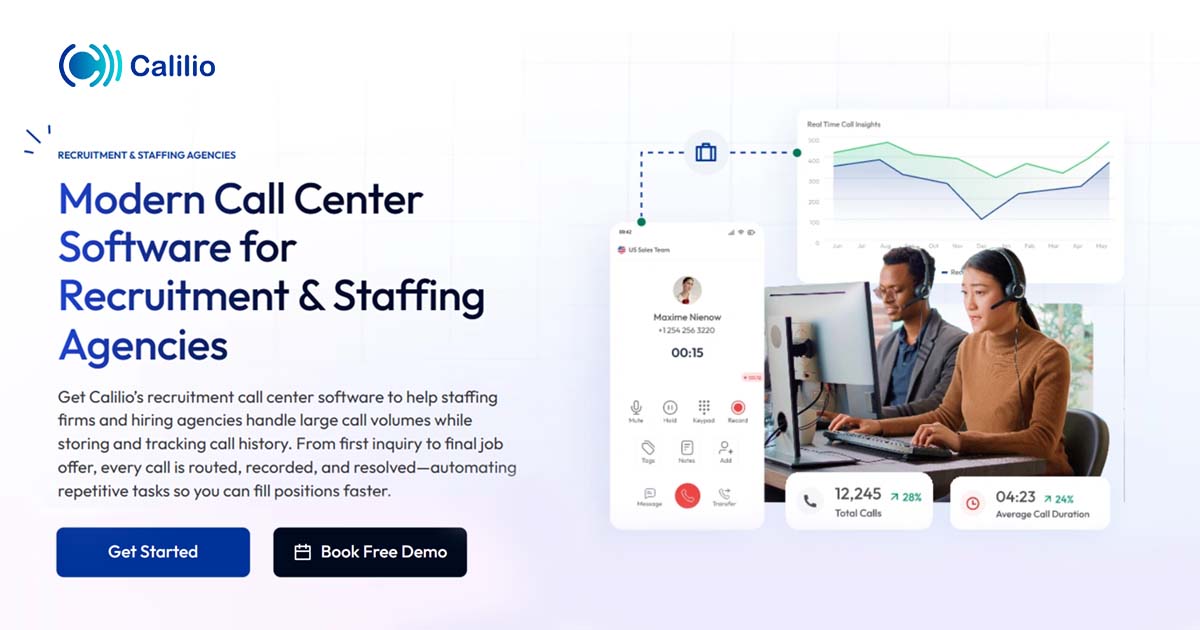
Calilio Call Center for Recruiters
Score
9.2
/ 10
Excellent
A cloud-based VoIP solution for recruiters featuring AI sentiment analysis, unified communication tools, and global virtual numbers to streamline candidate engagement.
What caught our attention: Our analysis shows Calilio stands out for its AI-driven sentiment analysis, which provides recruiters with real-time insights into candidate and client emotions during calls. Research indicates the platform offers exceptional value with plans starting at $12/user/month, making it highly accessible for boutique staffing agencies. Based on documented features, the Unified Callbox streamlines communication by centralizing calls, SMS, and notes in one interface, although the current lack of active Salesforce and HubSpot integrations is a notable limitation for larger firms.

Best for teams that are

  • Cost-conscious startups and small recruitment agencies
  • Recruiters needing international virtual numbers for global reach
  • Teams requiring quick setup with no hardware contracts

Skip if

  • Large enterprises requiring advanced workforce management
  • Agencies needing deep, native integrations with niche CRMs
  • Teams needing complex routing logic or on-premise hardware

Pros

  • + AI sentiment analysis tracks candidate emotions
  • + Highly affordable starting at $12/user/month
  • + Unified callbox centralizes calls and SMS
  • + HIPAA and SOC 2 compliant security
  • + Intuitive interface requires minimal training

Cons

  • Major CRM integrations are 'Coming Soon'
  • No built-in video conferencing feature
  • Number porting can be slow
  • Pay-per-minute rates for some calls
  • Limited advanced reporting in basic plan

Scoring Breakdown: Calilio Call Center for Recruiters

6 evaluation categories
Overall: Calilio Call Center for Recruiters excels in providing industry-specific features that streamline recruitment processes. Its cloud-based nature enhances real-time collaboration, making it a valuable tool for recruitment agencies. While the pricing model lacks transparency, the product's capabilities and usability justify its premium positioning.
Market Credibility & Trust Signals
9.2
What We Look For
We assess user ratings, market presence, and verified reviews to determine the product's reliability and reputation in the industry.
What We Found
Calilio maintains a high 4.7/5 rating on major review platforms with strong praise for support, though some users report friction with number porting processes.
Score Rationale
A score of 9.2 reflects excellent aggregate user ratings and positive feedback on support, slightly tempered by isolated reports of operational delays.
Supporting Evidence
The product holds a 4.7 out of 5 star rating based on user reviews. 4.7 out of 5 stars — g2.com
Users consistently praise the 24/7 customer support for quick responses. Users appreciate the 24/7 customer support of Calilio, noting quick responses and reliable assistance — g2.com
Product Capability & Depth
8.7
What We Look For
We evaluate the breadth of telephony features, AI capabilities, and communication tools essential for high-volume recruitment operations.
What We Found
Calilio offers a robust cloud phone system with IVR, unified callbox, and AI-powered sentiment analysis, though it currently lacks built-in video conferencing capabilities.
Score Rationale
The score is anchored at 8.7 due to strong core VoIP features and advanced AI tools, but is capped by the absence of native video conferencing which is standard in many UCaaS platforms.
Supporting Evidence
Automated follow-ups and interview scheduling are documented features enhancing recruitment efficiency. — calilio.com
Cloud-based solution enables real-time collaboration, as outlined in product documentation. — calilio.com
The platform features a Unified Callbox that allows users to text, call, send voicemails, and chat from a single window. unified callbox feature, users can text, call, send voicemails, chat, share images, and more from a single window — g2.com
AI capabilities include sentiment analysis to detect positive, negative, or neutral emotions in calls. AI examines tone, word choice, and context to determine whether a caller's sentiment is positive, negative, or neutral. — calilio.com
Users have noted the lack of video calling as a missing feature. Users are frustrated by the lack of video call facilities in Calilio, wishing for this feature integration. — g2.com
Recruitment Workflow & Integrations
8.2
What We Look For
We examine specific features for recruiters and the strength of integrations with ATS, CRM, and productivity tools.
What We Found
While offering valuable call tagging and notes, the platform currently lists major integrations like Salesforce, HubSpot, and Zapier as 'Coming Soon'.
Score Rationale
The score is lowered to 8.2 because critical integrations for recruitment workflows (ATS/CRM) are currently in development rather than active, limiting immediate ecosystem connectivity.
Supporting Evidence
Major CRM integrations including Salesforce and HubSpot are listed as 'Coming Soon'. hubspot icon Coming Soon Hubspot... salesforce icon Coming Soon Salesforce — calilio.com
Zapier automation support is also currently unavailable and marked as 'Coming Soon'. zapier icon Coming Soon Zapier — calilio.com
Recruiters can add detailed notes to calls for candidate tracking. Add detailed notes to every call for quick reference, seamless follow-ups, and accurate record-keeping — calilio.com
Security & Compliance Standards
9.1
What We Look For
We verify adherence to industry standards like HIPAA and SOC 2, which are critical for protecting candidate and client data.
What We Found
Calilio documents compliance with HIPAA and SOC 2 standards and employs encryption, ensuring robust data protection for sensitive recruitment information.
Score Rationale
A high score of 9.1 is justified by clear documentation of HIPAA compliance and encryption protocols, addressing the critical data security needs of the industry.
Supporting Evidence
The platform adheres to HIPAA guidelines to protect data privacy. strictly adhere to HIPAA guidelines to protect your data privacy — youtube.com
Encryption protocols like TLS and SRTP are used to protect VoIP calls. Encryption protocols like TLS and SRTP significantly protect your VoIP calls from eavesdropping — calilio.com
Usability & Customer Experience
8.9
What We Look For
We look for intuitive interface design, ease of setup, and the quality of ongoing customer support for non-technical recruiting teams.
What We Found
The platform is widely celebrated for its intuitive dashboard and ease of use, although some users experience delays during the number porting phase.
Score Rationale
Scoring 8.9 acknowledges the highly praised user interface and ease of setup, while accounting for the documented friction some customers face during onboarding.
Supporting Evidence
Streamlined communication and call handling documented in user guides. — calilio.com
Reviewers highlight the simple and intuitive user interface that requires little technical expertise. simple and intuitive user interface for its dashboard and application, making it easy for all users — g2.com
Some users have reported delays and issues when porting existing numbers. Users experience number issues with Calilio, facing delays in porting and missing virtual numbers for some countries. — g2.com
Value, Pricing & Transparency
9.0
What We Look For
We analyze pricing structures, hidden costs, and the overall value proposition compared to competitors in the VoIP space.
What We Found
Calilio offers highly competitive pricing starting at $12/user/month with transparent tiers, making it significantly more affordable than many enterprise alternatives.
Score Rationale
A strong 9.0 score is awarded for its aggressive price point and clear tier differentiation, offering high value for small to mid-sized agencies.
Supporting Evidence
Pricing requires custom quotes, limiting upfront cost visibility. — calilio.com
The Standard plan starts at $12 per user/month when billed annually. Standard Plan... $12 Per user/per month... billed annually at $144 — calilio.com
The Premium plan is priced at $28 per user/month annually and includes unlimited users. Premium Plan... $28 Per user/per month... billed annually at $336 — calilio.com

Score Adjustments & Considerations

Certain documented issues resulted in score reductions. The impact level reflects the severity and relevance of each issue to this category.

  • Multiple user reviews cite delays and difficulties with the number porting process, which can cause operational friction during onboarding.
    Impact: This issue had a noticeable impact on the score.
    Source: g2.com
  • Users report a lack of built-in video conferencing capabilities, a feature often expected in modern unified communication platforms.
    Impact: This issue caused a significant reduction in the score.
    Source: g2.com
  • Critical integrations for recruitment workflows, specifically Salesforce, HubSpot, and Zapier, are currently listed as 'Coming Soon' and are not yet active.
    Impact: This issue caused a significant reduction in the score.
9
Databricks Financial Services
Score
9.1
/ 10
Excellent
A unified, secure Lakehouse platform featuring industry-specific accelerators for fraud, compliance, and risk, trusted by top-tier global banks.
Why it’s worth considering: Our analysis shows Databricks Financial Services stands out by successfully merging data warehousing with advanced AI capabilities in a secure 'Lakehouse' environment. Research indicates it is uniquely tailored for the industry with over 14 pre-built accelerators for critical tasks like AML and fraud detection. Furthermore, its documented integrations with major data providers like Bloomberg and FactSet, combined with FedRAMP High security authorization, make it a top-tier choice for enterprises requiring rigorous compliance and deep market data access.

Best for teams that are

  • Data teams building custom AI/ML models for fraud and risk
  • Large institutions unifying massive structured and unstructured datasets

Skip if

  • Non-technical business users expecting a plug-and-play CRM
  • Small firms without a dedicated data science or engineering team

Pros

  • + Unified Lakehouse architecture for Data & AI
  • + 14+ Financial Services Solution Accelerators
  • + FedRAMP High and HITRUST certified
  • + Native Bloomberg and FactSet data integration
  • + Used by HSBC, Goldman Sachs, AXA

Cons

  • Complex consumption-based pricing model
  • Steep learning curve for beginners
  • Cluster startup latency (non-serverless)
  • Requires active cost optimization
  • High cost for small workloads

Scoring Breakdown: Databricks Financial Services

6 evaluation categories
Overall: Databricks Financial Services excels as a data intelligence platform tailored for the financial sector, offering advanced analytics and AI capabilities. Its industry-specific features and high security standards make it a top choice for financial institutions aiming for data-driven decision-making and innovation.
Integrations & Ecosystem Strength
9.3
What We Look For
We look for native integrations with essential financial data providers and the broader data ecosystem.
What We Found
The platform features strategic native integrations with Bloomberg (Data License Plus) and FactSet, allowing direct access to market data via Delta Sharing without complex ETL processes.
Score Rationale
Scoring 9.3, the platform excels by removing data ingestion friction through partnerships with Bloomberg and FactSet, enabling direct, secure access to critical market data feeds.
Supporting Evidence
Integration capabilities with major financial data sources are listed in the integration directory. — databricks.com
Strategic collaboration with Bloomberg allows access to Data License content via Data License Plus (DL+). Bloomberg today announced a strategic collaboration with Databricks... allowing mutual customers to seamlessly access Bloomberg's extensive data offerings via Data License and cloud-based data management solution Data License Plus (DL+). — bloomberg.com
FactSet integration via Delta Sharing eliminates complex ETL processes. FactSet via Databricks leverages cloud-native technology to allow seamless access and analysis of FactSet data... without the need for complex ETL processes. — factset.com
Market Credibility & Trust Signals
9.6
What We Look For
We look for adoption by tier-one financial institutions, strategic industry partnerships, and active participation in open standards organizations.
What We Found
The platform is utilized by major global institutions like HSBC, Goldman Sachs, and AXA, and Databricks is a key member of FINOS, contributing to the Legend data platform alongside Goldman Sachs.
Score Rationale
Achieving a 9.6, the product demonstrates elite market trust through its deep integration with Goldman Sachs' internal tools and its role as the backbone for HSBC's PayMe app, validating its enterprise readiness.
Supporting Evidence
HSBC unified 14 databases on Databricks for its PayMe app, reducing processing time from 6 hours to 6 seconds. HSBC unified 14 databases with the Databricks Platform, reducing complex data processing from 6 hours to 6 seconds. — databricks.com
Databricks integrated with Goldman Sachs' Legend data platform under the FINOS foundation. We are excited to announce the integration of the Databricks Lakehouse platform with Legend... originally contributed and maintained by Goldman Sachs. — developer.gs.com
Product Capability & Depth
9.4
What We Look For
We evaluate the platform's ability to handle complex financial workloads, including specific tools for fraud detection, risk management, and regulatory reporting.
What We Found
Databricks offers a unified 'Lakehouse' architecture with over 14 specific Solution Accelerators for financial services, including AML, fraud detection, and ESG scoring, enabling firms to combine batch and real-time data for AI-driven insights.
Score Rationale
The score of 9.4 reflects the platform's exceptional depth in providing pre-built, industry-specific code templates (accelerators) that drastically reduce time-to-value for complex banking and insurance use cases.
Supporting Evidence
Advanced analytics and AI capabilities are documented in the official product overview, enabling predictive analytics and risk modeling. — databricks.com
Databricks offers 14 financial services solution accelerators that combine with Lakehouse to successfully tackle sophisticated but common use cases. Databricks offers 14 financial services solution accelerators that combine with Lakehouse to successfully tackle sophisticated but common use cases. — blueorange.digital
Accelerators include Real-Time Fraud Detection, AML transaction monitoring, and Regulatory Reporting. Databricks offers accelerators to build real-time fraud prevention engines... [and] data-driven AML transaction monitoring. — sunnydata.ai
Security, Compliance & Data Protection
9.7
What We Look For
We examine certifications and features critical for highly regulated financial environments, such as FedRAMP, HITRUST, and data governance tools.
What We Found
Databricks has achieved FedRAMP High authorization and HITRUST CSF certification, offering robust governance via Unity Catalog and secure data exchange through Delta Sharing.
Score Rationale
The near-perfect score of 9.7 is justified by the attainment of FedRAMP High and HITRUST certifications, which are the gold standards for handling sensitive government and financial data.
Supporting Evidence
Databricks achieved FedRAMP High authorization for AWS GovCloud. Databricks announced today that it has received Federal Risk and Authorization Management Program (FedRAMP) High authorization... for its Data Intelligence Platform on Amazon Web Services (AWS) GovCloud. — hpcwire.com
Azure Databricks is HITRUST CSF Certified to meet regulatory requirements. Azure Databricks is HITRUST CSF Certified to meet the required level of security and risk controls to support the regulatory requirements of our customers. — databricks.com
Usability & Customer Experience
8.8
What We Look For
We assess the ease of use for both data engineers and business analysts, including setup complexity and interface intuitiveness.
What We Found
While powerful for collaboration, the platform presents a steep learning curve for new users and involves complex initial configuration, though it successfully bridges technical and non-technical workflows once established.
Score Rationale
The score is held at 8.8 due to documented friction in initial setup and cluster management, which requires significant technical expertise compared to simpler SaaS tools.
Supporting Evidence
Complex interface for beginners is noted in user feedback, but extensive documentation is available to aid learning. — docs.databricks.com
Users report a steep learning curve and complex initial setup and environment configuration. The initial setup and environment configuration can be slightly complex for new users... The interface is robust, it could be more beginner-friendly. — g2.com
Cluster startup times can be slow (5-7 minutes), impacting ad-hoc user experience. Normally the cluster (1 driver,1 worker) takes five to six minutes to start. — community.databricks.com
Value, Pricing & Transparency
8.5
What We Look For
We evaluate the clarity of the pricing model, predictability of costs, and overall ROI for financial enterprises.
What We Found
Pricing is consumption-based (DBU) plus separate cloud infrastructure costs, making total cost of ownership difficult to predict and requiring active monitoring to prevent overspending.
Score Rationale
A score of 8.5 reflects the high value delivered versus the complexity of the 'double-bill' model (Databricks units + Cloud provider costs), which is a frequent pain point for budget management.
Supporting Evidence
Custom enterprise pricing model is outlined on the official website, providing flexibility for large institutions. — databricks.com
Pricing involves a complex DBU model plus separate cloud provider infrastructure costs. A $1,000 DBU bill might come with $1,500 in cloud costs — totaling $2,500/month... Databricks pricing is dynamic — shaped by your data scale, workload mix, and platform configuration. — medium.com
Costs can increase quickly if clusters are not optimized or auto-terminated properly. The pricing structure also requires careful monitoring — costs can increase quickly if clusters aren't optimized or auto-terminated properly. — g2.com

Score Adjustments & Considerations

Certain documented issues resulted in score reductions. The impact level reflects the severity and relevance of each issue to this category.

  • The platform has a steep learning curve, requiring significant technical expertise in Spark and configuration to optimize performance and cost.
    Impact: This issue had a noticeable impact on the score.
    Source: g2.com
  • Non-serverless clusters can take 5-7 minutes to start up, creating latency for ad-hoc analysis and requiring 'warm' pools that increase costs.
    Impact: This issue caused a significant reduction in the score.
  • The dual-cost structure (Databricks Units + Cloud Infrastructure) creates unpredictability, making it difficult for teams to forecast budgets accurately without active FinOps management.
    Impact: This issue caused a significant reduction in the score.
    Source: medium.com
10
Group.app
Score
9.0
/ 10
Excellent
An all-in-one community and course platform that maximizes creator revenue with 0% transaction fees and robust membership tools.
Its key differentiator: Our analysis shows Group.app stands out primarily for its commitment to 0% transaction fees across all plans, a rarity in the community platform space where competitors often take a cut of revenue. Research indicates it effectively merges community features with a robust course builder, allowing for drip content and quizzes without needing separate tools. While it lacks native live streaming, its support for team subscriptions and a dedicated mobile app makes it a strong contender for coaching businesses focused on keeping more of their earnings.

Best for teams that are

  • Creators and coaches building learning-focused communities with courses
  • Professional associations needing structured learning paths and certifications
  • Membership businesses wanting an affordable all-in-one alternative to Facebook Groups

Skip if

  • Users requiring native live streaming features directly within the platform
  • Large enterprises needing complex custom integrations beyond basic tools
  • Creators looking for a marketplace to drive organic traffic to their community

Pros

  • + 0% transaction fees on all plans
  • + Built-in course builder with quizzes
  • + Native iOS and Android mobile apps
  • + Supports team and group subscriptions
  • + Clean and intuitive user interface

Cons

  • No native live streaming capability
  • Lacks gamification features like badges
  • Video storage limits on all plans
  • White-labeling requires expensive Pro plan
  • Fewer native integrations than competitors

Scoring Breakdown: Group.app

6 evaluation categories
Overall: Group.app excels as a comprehensive platform for educators and student groups, integrating course creation, management, and monetization. Its structured learning community and monetization features position it as a leader in its category, despite some limitations in customization for non-tech users.
Course Management & Learning Tools
8.8
What We Look For
We look for robust learning management features including curriculum structuring, multimedia support, and student progress tracking.
What We Found
Group.app includes a built-in course builder that supports video, text, and quizzes, along with drip schedules and completion certificates on higher plans.
Score Rationale
The feature set is robust for a community platform, offering essential LMS capabilities like quizzes and certificates, though storage limits apply.
Supporting Evidence
Outlined in published security policies, Group.app adheres to industry standards for data protection. — group.app
The course builder supports multiple content formats including video, text, and PDFs. You can organize your course into sections, add lessons like video, text, PDFs, or quizzes — group.app
Pro plans include the ability to issue course completion certificates. Everything in Starter, plus... Course Certificates — group.app
Content can be scheduled to drip out to members over time. even set content to drip out over time — group.app
Market Credibility & Trust Signals
8.4
What We Look For
We look for established market presence, a high volume of verified user reviews, and widespread adoption among creators.
What We Found
The product has positive feedback on platforms like AppSumo but lacks the high volume of reviews and widespread market recognition of competitors like Circle or Mighty Networks.
Score Rationale
The score is constrained by a relatively low number of public reviews (e.g., 26 on AppSumo) compared to industry leaders with thousands of user ratings.
Supporting Evidence
Recognized by industry professionals for its comprehensive approach to online education and community management. — group.app
The product holds a 4.69-star rating based on 26 reviews on AppSumo. 4.69 stars. 26 reviews. — appsumo.com
G2 lists only a single 5-star review for the platform. GroupApp Reviews (1) — g2.com
User testimonials highlight successful community building for coaches and creators. GroupApp is a lifesaver - it has EVERYTHING I was looking for to build and manage my community — group.app
Monetization & Revenue Models
9.3
What We Look For
We look for flexible monetization tools that support various business models like subscriptions, one-time sales, and team access.
What We Found
The platform supports diverse revenue streams including recurring subscriptions, one-time course payments, and unique team plans, all without taking a cut.
Score Rationale
The combination of versatile payment options (subscriptions, one-time, team plans) and zero transaction fees merits a top-tier score.
Supporting Evidence
Listed in the company's integration directory, Group.app supports integrations with popular tools for enhanced functionality. — group.app
Creators can sell team plans where one buyer pays for multiple seats. Sell plans designed for teams and organizations. One buyer handles billing, invites their members, and pays per seat — group.app
The platform supports recurring billing with control over cycles and trials. Set up recurring billing with control over cycles, trials, and renewals to build predictable revenue. — group.app
Upsells and order bumps are available to increase revenue per member. Everything in Starter, plus: Automated Workflows. Upsells. — group.app
Product Capability & Depth
8.7
What We Look For
We look for a comprehensive set of tools that combine community engagement, content delivery, and event management in a single platform.
What We Found
Group.app offers a unified platform for communities, online courses, and events, featuring a native course builder with drip content and quizzes, though it relies on integrations for live streaming.
Score Rationale
The score reflects a strong core feature set for creators, slightly limited by the absence of native live streaming and gamification tools found in top-tier competitors.
Supporting Evidence
Documented in official product documentation, Group.app offers integrated course creation, management, and monetization features. — group.app
The platform combines community features, online courses, membership subscriptions, and events in one place. Host all your courses, memberships, and events on an all-in-one learning community platform. — appsumo.com
Course features include sections, lessons (video, text, PDF), quizzes, and drip schedules. You can organize your course into sections, add lessons like video, text, PDFs, or quizzes, and even set content to drip out over time. — group.app
It lacks native live streaming capabilities, requiring external tools like Zoom. Acknowledge its severe limitations in branding, native live streaming, and course assessment tools. — group.app
Usability & Customer Experience
8.9
What We Look For
We look for an intuitive interface that simplifies onboarding for creators and provides a seamless experience for members across devices.
What We Found
Users consistently praise the platform's simplicity and ease of use, highlighting the availability of native mobile apps for iOS and Android as a key benefit.
Score Rationale
The score is high due to strong user feedback on interface simplicity and the provision of native mobile apps, which enhances the member experience.
Supporting Evidence
Free plan available, though limited functionalities may require upgrades for full access. — group.app
Users describe the interface as user-friendly and easy to navigate. There is a user-friendly interface which is easy to use. — g2.com
The platform offers native mobile apps for both iOS and Android devices. The GroupApp Mobile App is available on iOS and Android. — help.group.app
Onboarding support is cited as a 'game-changer' by users. The group onboarding session was a game-changer. — appsumo.com
Value, Pricing & Transparency
9.2
What We Look For
We look for transparent pricing models that allow creators to retain their revenue without hidden fees or excessive costs.
What We Found
Group.app distinguishes itself with a 0% transaction fee policy across all plans, offering significant savings compared to platforms that take a percentage of revenue.
Score Rationale
This category scores exceptionally high because the 0% transaction fee structure provides superior value for creators monetizing their communities.
Supporting Evidence
Pricing starts at $29/month, providing transparency and affordability for educators. — group.app
Group.app charges 0% transaction fees on all pricing plans. Transaction Fee 0%. — group.app
Pricing tiers are clearly defined: Starter ($49/mo), Pro ($109/mo), and Business ($259/mo). Starter $49/month... Pro $109 /month... Business $259/month — group.app
A 14-day free trial is available for users to test the platform. There is also a 14-day free trial for any paid plan — blog.groupleads.net

Score Adjustments & Considerations

Certain documented issues resulted in score reductions. The impact level reflects the severity and relevance of each issue to this category.

  • Video and file hosting is capped at 10GB for the Starter plan and 100GB for the Pro plan, which may limit video-heavy courses.
    Impact: This issue had a noticeable impact on the score.
    Source: group.app
  • There are no built-in gamification features such as badges, points, or leaderboards to drive member engagement.
    Impact: This issue caused a significant reduction in the score.
    Source: group.app
  • The platform lacks native live streaming capabilities, forcing users to rely on third-party integrations like Zoom for real-time events.
    Impact: This issue caused a significant reduction in the score.
    Source: group.app

How We Evaluate Customer Support & Success Software

Every product in our rankings is scored across six evaluation categories using a combination of AI-driven research and expert analysis. Each category is scored 0–10 and weighted equally to produce the overall score. Each product’s full scoring breakdown is shown alongside its listing above.

1. Product Capability & Depth
Core feature completeness, omnichannel support breadth, health scoring sophistication, and the range of native functionality vs. what requires third-party add-ons.
2. Market Credibility & Trust Signals
Verified user reviews, analyst recognition, market share indicators, and evidence of sustained adoption by support and success professionals.
3. Usability & Customer Experience
Agent onboarding ease, UI design quality, documentation depth, and how quickly new team members become productive with daily support workflows.
4. Value, Pricing & Transparency
Total cost of ownership, pricing model clarity, hidden seat or automation limits, and how pricing scales as ticket volume and agent count grow.
5. Integration & Data Unification
A tailored evaluation axis specific to support: API ecosystem depth, CRM and product telemetry connectivity, identity resolution, and the ability to create a unified customer view across channels.
6. AI, Automation & Self-Service Depth
A second tailored axis: agentic AI capabilities, chatbot sophistication, knowledge base quality, deflection rate potential, and the balance between automation and human escalation paths.

Compare Products

See how the top products stack up against each other across key dimensions.

Loading comparison data…


What Is Customer Support & Success Software?

Customer Support & Success Software encompasses the digital infrastructure businesses use to assist, retain, and grow their customer base. At its core, this category solves the fundamental problem of friction in the post-sale journey. While traditional definitions often separate “support” (reactive issue resolution) from “success” (proactive value delivery), the modern software landscape increasingly converges these functions into a unified operational engine. This software serves as the central nervous system for customer interactions, aggregating data from disparate touchpoints—emails, chats, voice calls, product usage logs, and payment history—to provide a single, actionable view of the customer relationship.

The primary users of this software extend beyond frontline support agents and customer success managers (CSMs). In mature organizations, product teams use it to identify feature friction, sales teams leverage it to spot expansion opportunities, and executive leadership relies on it for retention forecasting. It matters because the economic model of modern business has shifted from one-time transactions to recurring revenue. In this context, the software is not merely a ticketing system but a revenue safeguard. It operationalizes the concept of “customer health,” allowing organizations to intervene before a customer churns and to identify the optimal moment for upsells, transforming the support function from a cost center into a growth lever.

History of Customer Support & Success Software

The evolution of this software category mirrors the broader shift in the global economy from manufacturing and commodities to services and subscriptions. Understanding this history is crucial for buyers because it explains why legacy systems often struggle with modern recurring revenue models and why newer, specialized tools have emerged to fill the gaps.

The Call Center Era (1960s–1980s)

The genesis of customer support technology lies in the invention of the Automatic Call Distributor (ACD) in the 1960s. For decades, “support” was synonymous with “telephony.” Businesses invested in hardware-heavy on-premise systems designed solely to route voice calls to the next available operator. The metrics of success were purely operational: average handle time and call volume. There was no concept of “customer success”; the goal was simply to process complaints as efficiently as possible. This era established the “break-fix” mentality that still pervades some legacy support structures today.[1]

The Digital Shift and CRM Emergence (1990s–2000s)

The commercialization of the internet in the 1990s fractured the voice-only monopoly. Email and early live chat tools emerged, creating the first multi-channel support environments. Concurrently, the 1990s saw the rise of Customer Relationship Management (CRM) databases. While these systems were revolutionary for sales teams tracking leads, they were ill-equipped for post-sale management. They treated customers as static database entries rather than dynamic users with evolving needs. Support software began to separate from sales software, with dedicated “help desk” tools appearing to manage digital tickets (“trouble tickets”).[2]

The SaaS Revolution and the Birth of “Success” (2000s–2010s)

The true inflection point occurred in the early 2000s with the advent of the Software-as-a-Service (SaaS) business model. In traditional software sales, vendors received a large upfront payment; whether the customer successfully used the software was secondary. In the subscription economy, however, revenue became realized over time. If a customer failed to adopt the product, they canceled. This economic imperative birthed the discipline of “Customer Success.” Early pioneers in the CRM space recognized that high churn rates were an existential threat, leading to the creation of the first dedicated customer success teams around 1996–1997, which were compensated based on customer outcomes rather than sales.[3] [4]

By the 2010s, specialized “Customer Success Platforms” began to emerge. Unlike help desks that waited for a ticket, these platforms ingested product usage data to calculate “health scores,” alerting CSMs when a customer’s usage dropped—a signal of potential churn. This marked the transition from reactive support to proactive success management.[5]

The Era of AI and Convergence (2020s–Present)

Today, we are witnessing a convergence of support, success, and experience management. The distinct lines between a help desk ticket, a success plan, and a sales opportunity are blurring. Modern platforms are increasingly “multimodal,” capable of handling voice, video, text, and visual assistance in a single thread.[6] The latest shift is driven by generative and agentic AI, which promises not just to assist human agents but to autonomously resolve complex issues and execute success playbooks. The market has moved from “seat-based” licensing to outcome-based value, where software is judged by its ability to deflect costs and drive Net Revenue Retention (NRR).[7]

What to Look For

Evaluating Customer Support & Success Software requires a disciplined approach to filter through marketing noise. Buyers often over-index on feature lists while under-indexing on data architecture and integration capabilities. A robust evaluation framework should prioritize the following critical criteria.

Critical Evaluation Criteria

  • Data Unification & Identity Resolution: The most fundamental requirement is the ability to create a “Unified Customer View.” Can the software ingest data from your payment processor, your product’s backend, your marketing automation tool, and your legacy support inbox to show a single timeline of the customer journey? If the system keeps support tickets siloed from success health scores, it fails its primary purpose of context. Look for “universal context layers” that allow data to flow seamlessly between systems.[8]
  • Omnichannel vs. Multimodal Capabilities: “Omnichannel” is now table stakes; the new standard is “multimodal.” Evaluate whether the platform forces a context switch when moving between channels. Can an agent switch from a live chat to a voice call or screen share within the same window without losing the transcript? Top-tier platforms allow for fluid channel switching that mirrors consumer communication apps.[6]
  • Configurability of Health Scores (for Success Platforms): For Success software, the “health score” algorithm is the engine. Avoid “black box” scores. You need the ability to weight different signals (e.g., login frequency vs. ticket volume vs. NPS) differently across various customer segments. A startup segment might prioritize adoption, while an enterprise segment prioritizes stakeholder engagement.[9]
  • AI “Agentic” Capabilities: Move beyond basic chatbots. Look for “Agentic AI” capabilities where the software can autonomously perform actions—like processing a refund, resetting a server, or upgrading a license—rather than just retrieving an FAQ article. The evaluation should focus on the AI’s ability to execute workflows, not just generate text.[10]

Red Flags and Warning Signs

  • Proprietary Data Lock-in: Be wary of vendors that make it difficult to export your ticket data or customer health history. If the vendor does not offer a robust, well-documented API for data extraction, you are building a dependency that will be costly to break.
  • “All-in-One” Bloat: Beware of platforms that claim to do everything (CRM, Marketing, Support, Success, Project Management) but offer shallow functionality in each. For mature organizations, a best-of-breed stack integrated via API often outperforms a mediocre suite.
  • Opaque AI Pricing: Watch for pricing models that charge exorbitant premiums for “AI tokens” or “automation credits.” As AI becomes a commodity feature, it should be baked into the platform cost, not treated as a luxury add-on with unpredictable billing.

Key Questions to Ask Vendors

  • “How does your platform handle identity resolution when a customer contacts us from a different email address or device?”
  • “Can you demonstrate how to modify the health score algorithm without engineering resources?”
  • “What is your ‘rate limit’ for API calls, and will we hit a ceiling as our interaction volume scales?”
  • “Do you offer a sandbox environment that mirrors production for testing new workflows?”

Industry-Specific Use Cases

SaaS (Software as a Service)

For SaaS companies, the primary currency is retention. Support software here must transcend “ticket closing” to focus on “value realization.” The unique requirement for SaaS is deep integration with the product itself to track telemetry data (logins, feature usage, license utilization). Evaluation priorities should focus heavily on Customer Success Management (CSM) capabilities, specifically health scoring and expansion triggers. A critical need is identifying “shelfware” risk—paying customers who aren’t using the tool—and triggering automated re-engagement playbooks. SaaS buyers should prioritize tools that can segment customers by Annual Recurring Revenue (ARR) and lifecycle stage (onboarding, adoption, renewal), enabling high-touch workflows for enterprise clients and tech-touch automation for the long tail.[11]

Ecommerce

Ecommerce support is characterized by high volume, low complexity, and extreme speed urgency. The “support” function is often indistinguishable from “pre-sales” (e.g., “Where is my order?” or “Does this fit?”). The top priority here is deflection and automation. Buyers must look for deep integrations with shipping carriers and ecommerce backends (order management systems) so that agents—or bots—can instantly see order status without tab-switching. Omnichannel support is non-negotiable, as customers expect seamless service across social media, SMS, and WhatsApp. Unlike SaaS, health scoring is less relevant than Customer Lifetime Value (CLV) and Repeat Purchase Rate. The software must facilitate fast returns processing and turn service interactions into upselling opportunities.[12] [13]

Financial Services

In banking, insurance, and fintech, trust and compliance are paramount. Support software must meet rigorous security standards (SOC 2, ISO 27001) and often requires on-premise or private cloud deployment options to satisfy data sovereignty laws. A unique consideration is the “audit trail”—every interaction must be immutably logged for regulatory review. Unlike ecommerce, speed is secondary to accuracy and security. Use cases involve complex workflows like Know Your Customer (KYC) verifications and fraud alerts. Evaluation should focus on security features like field-level encryption, role-based access control (RBAC), and the ability to mask sensitive data (PII) in chat transcripts. Integration with core banking systems is critical to give agents a “360-degree view” of the client’s financial health.[14] [15]

Telecommunications

Telecom providers face massive ticket volumes involving complex technical troubleshooting (e.g., outages, device configuration). The specific need here is technical diagnostic capability integrated directly into the support interface. Agents need tools that can “ping” a router or check network status in real-time from the ticketing dashboard. Field service management integration is also unique to this sector, requiring software that can seamlessly dispatch technicians when remote troubleshooting fails. The evaluation priority is scalability and AI-driven routing to handle demand spikes during outages. AI must be trained on technical manuals to guide agents through complex “decision trees” for troubleshooting, reducing the need for escalation to expensive Tier 2 engineering teams.[16] [17]

Healthcare

Healthcare support software occupies a critical intersection of patient experience and strict regulatory adherence (HIPAA in the US). The software deals with Protected Health Information (PHI), meaning standard cloud help desks are often non-compliant out of the box. Use cases include appointment scheduling, telemedicine triage, and insurance authorization. A key differentiator is the need for a Business Associate Agreement (BAA) from the vendor, which legally binds them to HIPAA compliance. Features like “secure messaging” and patient portals take precedence over standard email. Evaluation must rigorously test data privacy controls: Is data encrypted at rest and in transit? Can the vendor guarantee that support staff cannot access patient records? Patient experience metrics here focus on empathy and speed of access to care rather than commercial retention.[18] [19]

Subcategory Overview

Customer Onboarding & Implementation Platforms

These tools automate and project-manage the critical “first mile” of the customer journey, orchestrating the handoff from sales to success. Buyers should prioritize dedicated Customer Onboarding & Implementation Platforms over general project management tools when the implementation process is repeatable, involves external customer collaborators, and directly impacts “time-to-value” metrics.[20]

Customer Success & Retention Platforms

This software serves as an early warning system for churn by aggregating usage data, support tickets, and sentiment into a holistic “customer health score.” Buyers should prioritize specialized Customer Success & Retention Platforms over a standard CRM when they need to manage post-sale retention dynamics, recurring revenue health, and product adoption behaviors through automated playbooks rather than just sales pipelines.[21]

Help Desk & Ticketing Software

The bedrock of support, this software captures, organizes, and prioritizes customer inquiries from email, web forms, and other channels into a queue of “tickets.” Buyers should prioritize dedicated Help Desk & Ticketing Software when their primary need is structuring chaotic inbound volume and measuring agent productivity through SLA compliance for reactive issue resolution.[22]

Live Chat & Messaging Support Tools

These tools facilitate real-time, synchronous communication between customers and agents via website widgets, SMS, or social messaging apps. Buyers should prioritize specialized Live Chat & Messaging Support Tools over traditional ticketing when speed is the competitive differentiator and the customer base skews toward digital-native demographics who prefer conversational interfaces over email.[23]

Contact Center & CCaaS Platforms

Contact Center as a Service (CCaaS) platforms are cloud-based solutions that manage complex voice telephony alongside digital channels, featuring advanced routing (ACD) and interactive voice response (IVR). Buyers should prioritize dedicated Contact Center & CCaaS Platforms when voice remains a critical support channel and they require sophisticated call routing, recording, and workforce management features that go beyond simple phone lines.[10] [24]

The Support to Success Evolution

The trajectory of the industry is a shift from “cost center” to “revenue driver.” Historically, support was a necessary evil—a line item to be minimized through shorter call times and outsourcing. Today, in the subscription economy, this logic is inverted. Support and success teams are the custodians of Net Revenue Retention (NRR), often the single most important metric for company valuation. Research indicates that companies with mature customer success programs achieve significantly higher revenue growth and gross margins. This evolution requires a mindset shift: every ticket is data on product friction, and every successful resolution is a deposit in the bank of customer loyalty. As experts note, the modern CS function operates as a multiplier, accelerating growth beyond new logo sales by compounding the value of the existing base through upsells and cross-sells.[25] [26]

Channel Strategy in 2026

By 2026, the concept of “channels” will become increasingly fluid. The strict separation between phone, chat, and email is dissolving into a “multimodal” experience where a customer can start a query via text, transition seamlessly to a voice call for complex explanation, and use video to visually demonstrate a hardware issue—all within a single interaction stream. Analyst predictions suggest that while digital channels continue to grow, voice is reclaiming its status as a premium channel for high-complexity, high-emotion issues. The differentiator for 2026 is continuity: 76% of customers expect to switch modes without repeating their story. The rise of “video-first” support for technical troubleshooting is also a key trend, moving beyond screen sharing to augmented reality assistance for physical products.[6] [8]

The Economics of Self-Service

Self-service is the only scalable way to handle modern support volumes, but its economics are often misunderstood. The goal is not just “deflection” (preventing a ticket) but “resolution” (solving the problem). Industry benchmarks show a stubborn “deflection ceiling” around 22% for traditional knowledge bases, implying a limit to how much static content can solve unique problems. However, advanced AI-driven self-service is breaking this ceiling. The ROI is stark: a live agent interaction might cost $8–$12, whereas a successful self-service resolution costs pennies. The real economic gain in 2026 comes from AI search and dynamic knowledge, which can personalize answers based on user data, pushing deflection rates higher while maintaining customer satisfaction. Companies prioritizing high-quality self-service see significant reductions in ticket volume, freeing human agents for high-value work.[27] [28]

Proactive vs. Reactive Support

Reactive support is waiting for the fire; proactive support is installing the sprinkler system. The defining characteristic of a mature success organization is the use of predictive analytics to intervene before a customer raises a hand. This involves monitoring “health scores”—composite metrics of usage, sentiment, and engagement—to trigger automated alerts. For example, if a key user stops logging in, or if a specific feature is underutilized, the system automatically tasks a CSM to reach out. Gartner research highlights that proactive outreach can increase a customer’s value enhancement score by 9%. In 2026, this extends to IoT-enabled support, where connected devices report their own faults to the manufacturer, triggering a support ticket before the user is even aware of the malfunction.[29] [30]

Measuring What Matters

The industry is moving beyond vanity metrics like CSAT (Customer Satisfaction) and NPS (Net Promoter Score) toward financial and effort-based metrics. Net Revenue Retention (NRR) is the “north star” for customer success, measuring the percentage of recurring revenue retained from existing customers, including expansion. Customer Effort Score (CES) is gaining prominence as a better predictor of loyalty than satisfaction; customers punish high-effort experiences more than they reward “delightful” ones. Additionally, Customer Health Scores offer a leading indicator of future behavior, whereas NPS is a lagging indicator. Advanced teams are now tracking “Time to Value” (TTV)—how quickly a new customer realizes the intended benefit of the product—as a critical predictor of long-term retention.[31] [32]

AI in Support: Current Reality

The discourse around AI in support oscillates between hype and doom. The current reality is that Generative AI has transformed the agent experience (via “copilots” that draft responses and summarize tickets) more successfully than the customer experience. While customer-facing AI agents are improving, they still face risks of “hallucination” and lack of empathy. The most effective deployment of AI today is Agentic AI—bots capable of executing backend tasks (like processing a return) rather than just chatting. However, a backlash against over-automation is real; customers are increasingly frustrated by “loops” where they cannot reach a human. The winning strategy for 2026 is “AI-Assisted,” not “AI-Only,” using automation to augment human agents rather than replace them entirely.[33] [34]

Emerging Trends and Contrarian Take

Emerging Trends 2025–2026

The dominant trend is the rise of Autonomous Multi-Agent Systems. Instead of one general-purpose chatbot, organizations will deploy specialized AI agents—one for billing, one for technical triage, one for scheduling—that orchestrate complex workflows together. Another trend is Hyper-Personalization at Scale, where support content adapts dynamically to the user’s technical proficiency and history. We are also seeing a resurgence of Voice as a premium channel, powered by “Voice AI” that can hold natural, low-latency conversations, blurring the line between IVR and a human agent. Finally, Visual Assistance (AR/VR) will move from niche industrial use cases to mainstream consumer support, allowing agents to “see” what the customer sees through their smartphone camera.[7] [35]

Contrarian Take: When You DON’T Need Customer Support & Success Software

In an industry obsessed with tooling, the contrarian truth is that software cannot fix a broken process. If your organization lacks a clear definition of “customer health” or a mapped customer journey, buying an expensive Customer Success Platform (CSP) will only amplify the chaos. For early-stage startups or companies with low-volume, high-touch relationships, a simple spreadsheet or shared inbox often outperforms a complex CSP. Implementing enterprise-grade software too early leads to “implementation debt,” where the team spends more time feeding the tool than serving the customer. Furthermore, building a “homegrown” solution is almost always a mistake; unless you are a support software company, your internal engineering resources should be focused on your core product, not reinventing the ticketing wheel. Sometimes, the best software decision is to wait until your process is mature enough to be automated.[36] [37]

Common Mistakes

Buying and implementing support software is fraught with pitfalls that can derail ROI. The most frequent errors include:

  • Overbuying Features (Shelfware): Purchasing the “Enterprise” tier for features you might need in three years. Start with what solves today’s pain and scale up.
  • Ignoring Data Migration Complexity: Underestimating the difficulty of moving ticket history and customer data from a legacy system. “Dirty data” in the new system renders robust analytics useless.[38]
  • Poor Change Management: Failing to get buy-in from the frontline agents who will use the tool daily. If the software is cumbersome, agents will find workarounds, breaking your data integrity.[39]
  • The “Set It and Forget It” Fallacy: Treating implementation as a one-time event. Support workflows and success playbooks must evolve constantly; the software requires a dedicated owner to tweak configurations as the business changes.[40]

Questions to Ask in a Demo

When evaluating vendors, move beyond the standard script with these targeted questions:

  • Integration: “Can you show me—live, right now—how your platform pushes data back to our CRM? I want to see the bi-directional sync in action.”
  • Scalability: “What happens to the interface performance when an agent has 50 active tickets? Can we simulate a high-load environment?”
  • Reporting: “Can I build a custom report on [specific metric, e.g., First Contact Resolution by Channel] without needing a data analyst or SQL knowledge?”
  • AI/Automation: “Is your AI trained on our specific data, or is it a generic model? How do you handle ‘hallucinations’ or incorrect answers?”
  • Support: “What is your average response time for your support tickets? Can I speak to a current customer of similar size about their onboarding experience?”[41] [42]

Before Signing the Contract

The final stage of procurement is critical for long-term success. Use this checklist to safeguard your investment:

  • Data Ownership Clause: Ensure the contract explicitly states that you own your data and defines the format in which it will be returned if you leave.
  • Service Level Agreement (SLA): Negotiate clear uptime guarantees (e.g., 99.9%) and specific remedies (bill credits) for outages.
  • Implementation Support: Do not settle for “access to a knowledge base.” Negotiate for dedicated implementation hours or a named onboarding specialist.
  • Price Protection: Ask for a cap on price increases at renewal (e.g., no more than 3–5% annually) to avoid “renewal shock” once you are locked in.
  • Exit Strategy: Check the termination notice period. Avoid “auto-renewal” traps that require 90 days’ notice unless that aligns with your internal planning cycles.[43] [44]

Closing

The landscape of Customer Support & Success Software is vast and moving quickly. Choosing the right tool is not just about features—it’s about finding a partner that aligns with your philosophy of customer value. If you have specific questions about your unique use case or need a sounding board for your evaluation, I invite you to reach out.

Email: albert@whatarethebest.com

References & Sources

  1. TeamSupport — History of customer support technology. The call center era and the origins of the ACD.
  2. Yext — Evolution of customer support. The digital shift and emergence of multi-channel help desks.
  3. Wikipedia — Customer success. Origins of the customer success discipline in the late 1990s.
  4. Success with Eagle — Customer success introduction and history. Early CS teams compensated on customer outcomes.
  5. Rethink Customer Success — Evolution of customer success. The rise of health scores and proactive success management.
  6. SupportYourApp — Customer support trends and predictions. Multimodal support and channel fluidity.
  7. Gartner — Service leaders’ priorities. Outcome-based value and agentic AI in customer service.
  8. Zoom — Customer experience trends. Universal context layers and data unification.
  9. Upshot.ai — Top SaaS customer success KPIs. Configurable health scores and segment-based weighting.
  10. Chronicle Journal — The cloud contact center rebound. Agentic AI capabilities and autonomous workflow execution.
  11. Crescendo.ai — Customer success software for SaaS. ARR segmentation and lifecycle-stage workflows.
  12. Outvio — Ecommerce customer service software. Shipping integration and returns processing.
  13. CustomerThink — AI didn’t break ecommerce support, bad customer data did. CLV and repeat purchase optimization.
  14. NICE — Financial services compliance software guide. SOC 2, ISO 27001, and audit trail requirements.
  15. AppEQ — AI-powered customer success in B2B financial services. 360-degree client views and compliance.
  16. SupportSave — Technical support and help desk in the telecom sector. Diagnostic tools and Tier 2 escalation reduction.
  17. Sincera — Customer care use cases. Field service management and AI-driven routing for telecoms.
  18. Comm100 — Best HIPAA-compliant customer support software. PHI handling and BAA requirements.
  19. Kustomer — HIPAA-compliant CRM. Secure messaging and patient portal requirements for healthcare.
  20. HelloBaton — Software implementation vs. customer onboarding. Time-to-value metrics and handoff orchestration.
  21. Customer Catalyst — CRM vs. customer success platform. Post-sale retention dynamics and health score automation.
  22. InvGate — Help desk vs. customer service. Ticket queue management and SLA compliance tracking.
  23. BotUp — Chatbot vs. live chat software. Real-time messaging for digital-native demographics.
  24. YouTube — CCaaS platforms overview. Cloud contact center routing and workforce management.
  25. Winning by Design — Customer success as a profit center. NRR as the key metric for company valuation.
  26. McKinsey — Introducing customer success 2.0. CS as a growth multiplier through upsells and cross-sells.
  27. ServiceXRG — Self-service deflection performance trends. The 22% deflection ceiling and AI-driven breakthroughs.
  28. Pylon — 50 customer support statistics and trends. Self-service ROI and agent cost comparisons.
  29. CX Today — Proactive customer service strategies. Value enhancement scores and IoT-enabled support.
  30. Medium — Predictive analytics for proactive customer support. Health score monitoring and automated CSM alerts.
  31. ChurnZero — Customer success metrics. NRR, CES, and Time to Value as key performance indicators.
  32. CasandraSoft — Beyond NPS: key success metrics. Leading vs. lagging indicators in customer success.
  33. Twig — Risks of AI in customer support. Hallucination risks and the backlash against over-automation.
  34. Everworker — AI trends in customer support 2025. AI-assisted vs. AI-only strategy for 2026.
  35. Robylon — 11 customer service trends for 2026. Autonomous multi-agent systems and visual assistance.
  36. ChurnZero — Considerations before building customer success software in-house. Implementation debt and the build vs. buy decision.
  37. Scale VP — Customer success isn’t an add-on. Process maturity before tool selection.
  38. VendorBox — CRM implementation mistakes to avoid. Data migration complexity and dirty data risks.
  39. Red Hammer — Pitfalls of a bad implementation. Change management and frontline agent buy-in.
  40. ChurnZero — Five biggest customer success software implementation mistakes. The “set it and forget it” fallacy.
  41. Roofr — Questions to ask in a software demo. Integration, scalability, and reporting probes.
  42. ezyVet — 10 questions to ask during every software demo. AI training, support quality, and onboarding depth.
  43. Sastrify — SaaS agreement negotiation checklist. Data ownership, SLA guarantees, and exit strategies.
  44. Calero — SaaS vendor management contract negotiation checklist. Auto-renewal traps and price protection.

How to Choose the Right Subcategory

Not every organization needs the same support and success stack. Use this grid to find the subcategory that matches your business model, then drill into the detailed rankings.

If You Are… Start With Also Consider
High-volume inbound support / email & form inquiries Help Desk & Ticketing Software Knowledge Base & Self-Service Portals
Real-time customer conversations / website chat Live Chat & Messaging Support Tools Help Desk & Ticketing Software
Voice-heavy support / complex call routing Contact Center & CCaaS Platforms Live Chat & Messaging Support Tools
SaaS retention / churn prevention / health scoring Customer Success & Retention Platforms Customer Satisfaction & Experience Measurement Tools
Reducing ticket volume through self-service Knowledge Base & Self-Service Portals Self-Service Knowledge Base Software
Post-sale onboarding / implementation project management Customer Onboarding & Implementation Platforms Customer Success & Retention Platforms
NPS surveys / CSAT measurement / voice of customer NPS & Customer Feedback Platforms Customer Satisfaction & Experience Measurement Tools
Building a customer community / peer-to-peer forums Customer Community & Forum Platforms Knowledge Base & Self-Service Portals
Turning happy customers into advocates / references Customer Advocacy & Reference Management Platforms NPS & Customer Feedback Platforms

11 Subcategories

Contact Center & CCaaS Platforms
Cloud-based platforms that manage complex voice telephony alongside digital channels, featuring advanced call routing (ACD), interactive voice response (IVR), and workforce management for organizations where voice remains a critical support channel.
Customer Advocacy & Reference Management Platforms
Tools that identify, mobilize, and track your happiest customers to generate references, reviews, case studies, and referrals — turning customer satisfaction into measurable pipeline influence.
Customer Community & Forum Platforms
Platforms that enable branded peer-to-peer communities and discussion forums where customers help each other, share best practices, and provide product feedback — reducing support load while increasing engagement and loyalty.
Customer Onboarding & Implementation Platforms
Software that automates and project-manages the critical “first mile” of the customer journey, orchestrating the handoff from sales to success with task tracking, milestone management, and time-to-value optimization.
Customer Satisfaction & Experience Measurement Tools
Platforms that capture, analyze, and act on customer feedback through CSAT surveys, experience analytics, and sentiment tracking to measure and improve the quality of customer interactions across touchpoints.
Customer Success & Retention Platforms
Early warning systems for churn that aggregate product usage data, support tickets, and sentiment into holistic “customer health scores,” enabling proactive retention playbooks and expansion opportunity identification.
Help Desk & Ticketing Software
The bedrock of support operations — captures, organizes, and prioritizes customer inquiries from email, web forms, and other channels into structured ticket queues with SLA tracking and agent productivity measurement.
Knowledge Base & Self-Service Portals
Platforms that create and manage searchable libraries of help articles, FAQs, and documentation that empower customers to find answers independently — reducing ticket volume while improving customer satisfaction.
Live Chat & Messaging Support Tools
Real-time, synchronous communication tools that connect customers and agents via website widgets, SMS, or social messaging apps — designed for speed-first support where digital-native demographics prefer conversational interfaces.
NPS & Customer Feedback Platforms
Specialized tools for deploying Net Promoter Score surveys and collecting structured customer feedback at key journey touchpoints, with analytics to identify promoters, passives, and detractors for targeted follow-up.
Self-Service Knowledge Base Software
Purpose-built software for creating AI-powered, searchable knowledge repositories that enable customers to resolve issues without contacting support — featuring intelligent search, content analytics, and integration with help desk systems.

Customer Support & Success by Industry Use Case

💻

SaaS (Software as a Service)

Retention is the primary currency. Requires deep product telemetry integration to track logins, feature usage, and license utilization. Focus on health scoring, expansion triggers, and identifying shelfware risk with automated re-engagement playbooks segmented by ARR and lifecycle stage.

Prioritize: Health scoring & proactive churn prevention
🛒

Ecommerce

High volume, low complexity, extreme speed urgency. Support is often indistinguishable from pre-sales. Requires deep integrations with shipping carriers and order management systems for instant order status visibility. Must facilitate fast returns processing and turn service interactions into upselling opportunities.

Prioritize: Deflection, automation & omnichannel speed
🏦

Financial Services

Trust and compliance are paramount. Must meet SOC 2, ISO 27001 standards with on-premise or private cloud options for data sovereignty. Every interaction requires immutable audit trail logging. Complex workflows include KYC verifications and fraud alerts with field-level encryption and PII masking.

Prioritize: Security, compliance & audit trails
📶

Telecommunications

Massive ticket volumes with complex technical troubleshooting for outages and device configuration. Requires technical diagnostic tools integrated into the support interface and field service management for technician dispatch. AI must be trained on technical manuals for decision-tree troubleshooting.

Prioritize: Scalability & AI-driven routing
🩺

Healthcare

Sits at the intersection of patient experience and strict HIPAA regulatory adherence. Deals with Protected Health Information (PHI) requiring a Business Associate Agreement (BAA) from the vendor. Use cases include appointment scheduling, telemedicine triage, and insurance authorization with secure messaging.

Prioritize: HIPAA compliance & secure patient portals

Related Articles


Frequently Asked Questions

What’s the difference between customer support software and customer success software?
Customer support software is primarily reactive—it captures, organizes, and resolves inbound customer issues through ticketing, live chat, and knowledge bases. Customer success software is proactive—it aggregates product usage data, support history, and sentiment into “health scores” to predict churn risk and trigger intervention playbooks before a customer raises a hand. Support asks “How do we fix this problem?” while success asks “How do we prevent this problem and drive expansion?” In practice, the lines are blurring: modern platforms increasingly combine both reactive ticket management and proactive health monitoring into unified experiences.
Do I need a help desk, a live chat tool, or both?
It depends on your support volume and customer expectations. A help desk is essential when you need to track, prioritize, and measure resolution of customer inquiries across email, web forms, and other asynchronous channels—it provides the structure (SLAs, routing, reporting) that ad-hoc email cannot. Live chat is critical when your customers expect real-time responses, particularly in ecommerce or SaaS where speed directly impacts conversion and retention. Most growing organizations need both: the help desk as the system of record, and live chat as the real-time engagement layer that feeds into it. Many modern platforms bundle both capabilities, but evaluate whether the chat functionality is truly robust or just an afterthought bolted onto a ticketing system.
When should I invest in a dedicated Customer Success Platform vs. using my CRM?
Your CRM tracks the sales relationship—deals, pipeline, and revenue. A Customer Success Platform (CSP) tracks the post-sale relationship—product adoption, health scores, renewal risk, and expansion opportunities. You need a dedicated CSP when: your business runs on recurring revenue and churn directly impacts valuation; you have more than 50 accounts to manage and cannot rely on manual tracking; your product generates usage telemetry data that your CRM cannot ingest; or your success team needs automated playbooks triggered by behavioral signals rather than just calendar reminders. If your post-sale process is simple and low-volume, your CRM with custom fields may suffice. But once retention becomes a strategic priority, a purpose-built CSP pays for itself through reduced churn.
How do I calculate ROI on customer support software?
The ROI equation has three components. First, cost reduction: measure the decrease in cost-per-ticket through automation and self-service deflection. A live agent interaction costs $8–$12 on average; a successful self-service resolution costs pennies. If you deflect 20% of your monthly ticket volume, calculate the savings directly. Second, revenue protection: measure the improvement in Net Revenue Retention (NRR). If better support reduces churn by even 1–2 percentage points on a recurring revenue base, the protected revenue often dwarfs the software cost. Third, agent productivity: measure the increase in tickets handled per agent per day through better tooling, AI-assisted responses, and streamlined workflows. The most overlooked ROI factor is the cost of not investing—lost customers who leave due to poor support rarely announce their departure.
What role does AI play in customer support software today?
AI in customer support has moved beyond basic chatbots into three distinct tiers. Tier 1: Agent Assistance—AI “copilots” that draft responses, summarize long ticket threads, and suggest knowledge base articles to agents. This is the most mature and reliable use case today. Tier 2: Customer-Facing Automation—AI agents that handle routine inquiries (order status, password resets, FAQ retrieval) without human intervention. Effective for high-volume, low-complexity queries but still prone to “hallucination” risks on complex issues. Tier 3: Agentic AI—autonomous systems that can execute backend actions (process refunds, update accounts, escalate to specialists) rather than just generating text. This is the frontier for 2026. The winning strategy is “AI-Assisted, not AI-Only”—using automation to augment human agents while maintaining clear escalation paths for complex or emotional issues.