
Live Chat & Messaging Support Tools
These are the specialized categories within Live Chat & Messaging Support Tools. Looking for something broader? See all Customer Support & Success Software categories.
Quincy Healthcare Chatbot Solution
Quincy's Healthcare Chatbot Solution is a powerful tool designed specifically for the healthcare industry. It automates patient outreach, reduces no-shows, and improves outcomes and patient engagement. It fills a critical gap in patient care by providing a 24/7 patient support system, thereby increasing efficiency and patient satisfaction.
Best for Chatbots for Healthcare and Patient Support
Expert Take
Quincy Healthcare Chatbot Solution is tailored for the healthcare industry, offering automation and 24/7 support to enhance patient engagement and reduce no-shows. While pricing transparency is limited, its industry-specific features and patient support capabilities position it as a top-tier solution.
Pros
- App-less patient experience (no download required)
- Unique 'Cloud Pass-Thru' security architecture
- Supports translation for 250+ languages
- No-code tools for custom chatbot workflows
- Free professional plan for small teams
Cons
- Performance dependent on cellular data coverage
- SMS character limits for initial outreach
- Staff app required for internal communication
- Enterprise pricing requires sales contact
- Limited multimedia in native SMS
Best for teams that are
- Healthcare organizations managing Remote Patient Monitoring (RPM) and chronic care programs
- Hospitals needing automated post-discharge follow-up to reduce readmissions
- Providers wanting 'deviceless' monitoring via SMS and chat without requiring app downloads
Skip if
- Small practices needing only a simple FAQ bot without complex care management features
- Organizations looking for an internal administrative assistant or AI scribe
- Users seeking a standalone mental health therapy bot
Best for teams that are
- Healthcare organizations managing Remote Patient Monitoring (RPM) and chronic care programs
- Hospitals needing automated post-discharge follow-up to reduce readmissions
- Providers wanting 'deviceless' monitoring via SMS and chat without requiring app downloads
Skip if
- Small practices needing only a simple FAQ bot without complex care management features
- Organizations looking for an internal administrative assistant or AI scribe
- Users seeking a standalone mental health therapy bot
Pros
- App-less patient experience (no download required)
- Unique 'Cloud Pass-Thru' security architecture
- Supports translation for 250+ languages
- No-code tools for custom chatbot workflows
- Free professional plan for small teams
Cons
- Performance dependent on cellular data coverage
- SMS character limits for initial outreach
- Staff app required for internal communication
- Enterprise pricing requires sales contact
- Limited multimedia in native SMS
Expert Take
Quincy Healthcare Chatbot Solution is tailored for the healthcare industry, offering automation and 24/7 support to enhance patient engagement and reduce no-shows. While pricing transparency is limited, its industry-specific features and patient support capabilities position it as a top-tier solution.

Chatfuel is a leading marketing and sales platform for eCommerce specifically designed to maximize revenue. It allows businesses to create AI chatbots for platforms like WhatsApp, Instagram, Facebook, and websites, providing 24/7 automated customer engagement.
Best for Chatbots for WhatsApp and Messaging Channels
Expert Take
Chatfuel AI Sales Agents excels in providing AI-driven chatbots for eCommerce, with strong multi-platform support and automated engagement capabilities. The product is well-regarded for its usability and integration with popular messaging platforms, making it a top choice for businesses looking to enhance customer interaction and sales processes.
Pros
- Autonomous 'Fuely AI' agent
- Native Shopify abandoned cart recovery
- Official Meta Business Partner
- No-code visual flow builder
- Built-in ChatGPT integration
Cons
- No cross-channel flow duplication
- Manual multilingual flow setup
- Per-conversation fees on WhatsApp
- Logic trees can get messy
- Separate plans for different channels
Best for teams that are
- Beauty, aesthetics, and service businesses automating bookings
- SMBs wanting pre-built AI sales agents for Instagram/WhatsApp
- Non-technical owners needing a quick setup for lead qualification
Skip if
- Enterprises needing complex, multi-department support routing
- Developers requiring full control over the bot's infrastructure
Best for teams that are
- Beauty, aesthetics, and service businesses automating bookings
- SMBs wanting pre-built AI sales agents for Instagram/WhatsApp
- Non-technical owners needing a quick setup for lead qualification
Skip if
- Enterprises needing complex, multi-department support routing
- Developers requiring full control over the bot's infrastructure
Pros
- Autonomous 'Fuely AI' agent
- Native Shopify abandoned cart recovery
- Official Meta Business Partner
- No-code visual flow builder
- Built-in ChatGPT integration
Cons
- No cross-channel flow duplication
- Manual multilingual flow setup
- Per-conversation fees on WhatsApp
- Logic trees can get messy
- Separate plans for different channels
Expert Take
Chatfuel AI Sales Agents excels in providing AI-driven chatbots for eCommerce, with strong multi-platform support and automated engagement capabilities. The product is well-regarded for its usability and integration with popular messaging platforms, making it a top choice for businesses looking to enhance customer interaction and sales processes.
Voiceflow AI Bot Builder
Best for Conversational Support Platforms with No Code Bot Builders

Voiceflow is a highly relevant platform for product teams in the technology industry, especially for those looking to leverage AI without the need for complex coding. Its speed, control, and observability features efficiently address the unique needs of the industry such as quick turnaround times, customization, and real-time tracking.
Best for Conversational Support Platforms with No Code Bot Builders
Expert Take
Our analysis shows Voiceflow effectively bridges the gap between design and development, allowing teams to build complex, logic-driven AI agents without heavy coding. Research indicates its 'Knowledge Base' feature significantly simplifies RAG implementation, while its robust security certifications (SOC 2, HIPAA) make it a viable choice for enterprise deployment. It stands out for its collaborative environment, though teams should be mindful of potential voice latency and credit consumption.
Pros
- Intuitive drag-and-drop visual builder
- Enterprise-grade security (SOC 2, HIPAA)
- Real-time team collaboration features
- Flexible API and JavaScript extensibility
- Native Knowledge Base for RAG
Cons
- Voice latency due to external dependencies
- Usage-based credit pricing can be unpredictable
- Basic built-in analytics dashboard
- Interface lag on very large projects
- Complex setup for live agent handoff
Best for teams that are
- Product teams and designers prototyping complex conversation flows
- Developers needing a collaborative environment for advanced logic
- Enterprise teams requiring sophisticated NLU and API flexibility
Skip if
- Small business owners wanting a simple 'plug-and-play' FAQ bot
- Non-technical users intimidated by developer-centric interfaces
- Teams needing a ready-to-go live chat suite without external integration
Best for teams that are
- Product teams and designers prototyping complex conversation flows
- Developers needing a collaborative environment for advanced logic
- Enterprise teams requiring sophisticated NLU and API flexibility
Skip if
- Small business owners wanting a simple 'plug-and-play' FAQ bot
- Non-technical users intimidated by developer-centric interfaces
- Teams needing a ready-to-go live chat suite without external integration
Pros
- Intuitive drag-and-drop visual builder
- Enterprise-grade security (SOC 2, HIPAA)
- Real-time team collaboration features
- Flexible API and JavaScript extensibility
- Native Knowledge Base for RAG
Cons
- Voice latency due to external dependencies
- Usage-based credit pricing can be unpredictable
- Basic built-in analytics dashboard
- Interface lag on very large projects
- Complex setup for live agent handoff
Expert Take
Our analysis shows Voiceflow effectively bridges the gap between design and development, allowing teams to build complex, logic-driven AI agents without heavy coding. Research indicates its 'Knowledge Base' feature significantly simplifies RAG implementation, while its robust security certifications (SOC 2, HIPAA) make it a viable choice for enterprise deployment. It stands out for its collaborative environment, though teams should be mindful of potential voice latency and credit consumption.
BastionGPT is an AI-powered SaaS solution tailor-made for the healthcare industry, ensuring HIPAA compliance and patient privacy. It leverages state-of-the-art AI models to offer accurate and efficient patient support, thereby streamlining healthcare professionals' workflow.
Best for Chatbots for Healthcare and Patient Support
Expert Take
BastionGPT is a specialized AI chatbot designed for the healthcare sector, emphasizing HIPAA compliance and patient privacy. Its advanced AI capabilities and natural language processing make it a valuable tool for healthcare professionals, though its enterprise pricing and setup complexity may limit accessibility.
Pros
- HIPAA compliant with BAA included
- Access to GPT-4, Claude, and Gemini
- Extremely affordable starting at $20/mo
- Zero data retention for model training
- Large 150k word context window
Cons
- No direct bi-directional EHR sync
- Strictly limited to healthcare topics
- Requires manual copy-paste workflow
- No white-labeling for small plans
- Newer entrant than Nuance DAX
Best for teams that are
- Healthcare providers needing a HIPAA-compliant alternative to ChatGPT for internal use
- Clinicians seeking AI assistance for medical coding, documentation, and note drafting
- Administrators requiring a secure AI to summarize meeting notes or analyze non-patient data
Skip if
- Organizations looking for a patient-facing chatbot for their website
- Patients seeking direct medical advice or symptom checking
- Users wanting a free tool without strict enterprise-grade data privacy protections
Best for teams that are
- Healthcare providers needing a HIPAA-compliant alternative to ChatGPT for internal use
- Clinicians seeking AI assistance for medical coding, documentation, and note drafting
- Administrators requiring a secure AI to summarize meeting notes or analyze non-patient data
Skip if
- Organizations looking for a patient-facing chatbot for their website
- Patients seeking direct medical advice or symptom checking
- Users wanting a free tool without strict enterprise-grade data privacy protections
Pros
- HIPAA compliant with BAA included
- Access to GPT-4, Claude, and Gemini
- Extremely affordable starting at $20/mo
- Zero data retention for model training
- Large 150k word context window
Cons
- No direct bi-directional EHR sync
- Strictly limited to healthcare topics
- Requires manual copy-paste workflow
- No white-labeling for small plans
- Newer entrant than Nuance DAX
Expert Take
BastionGPT is a specialized AI chatbot designed for the healthcare sector, emphasizing HIPAA compliance and patient privacy. Its advanced AI capabilities and natural language processing make it a valuable tool for healthcare professionals, though its enterprise pricing and setup complexity may limit accessibility.
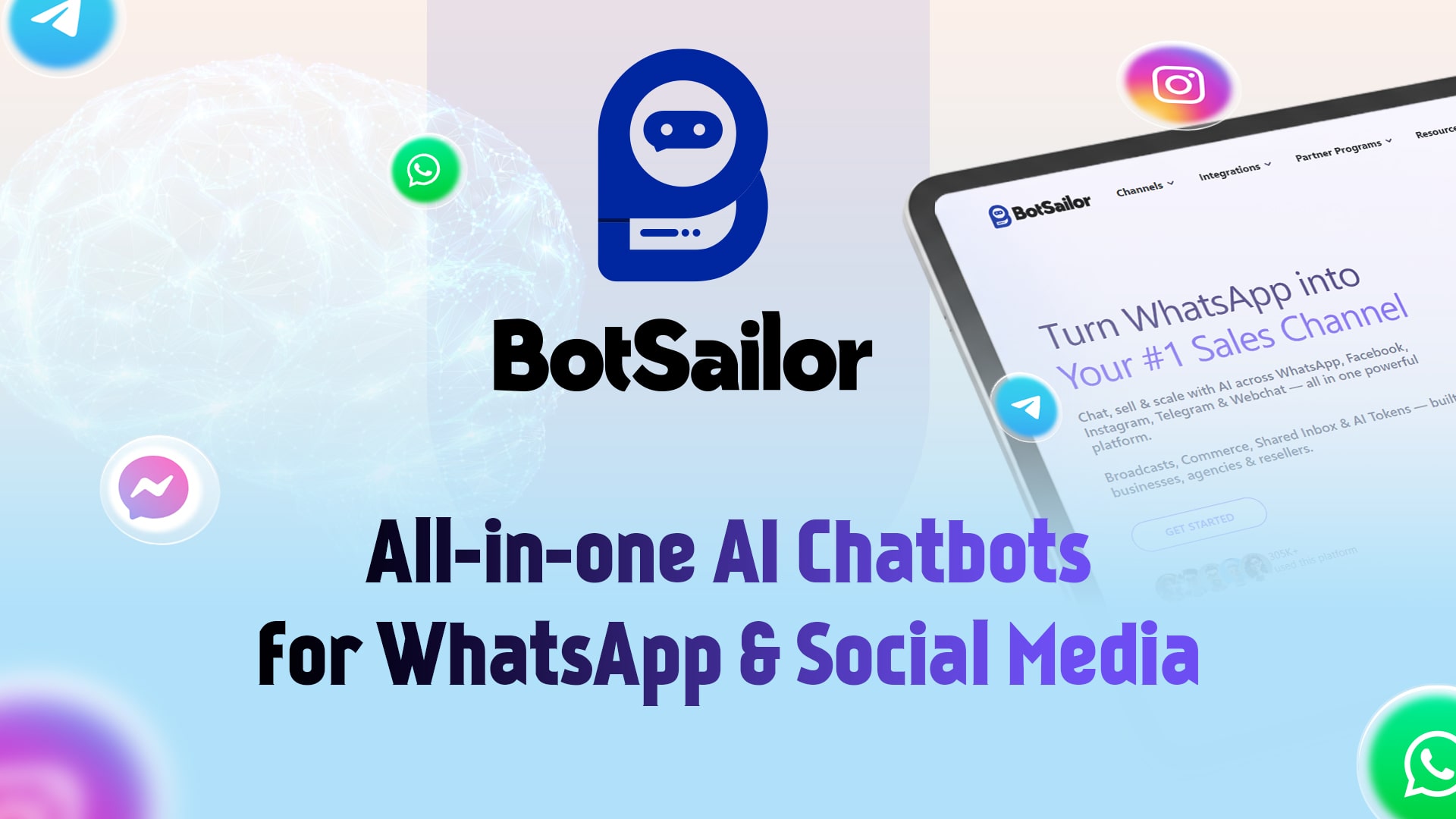
BotSailor, a powerful AI chatbot solution designed specifically for the communication needs of businesses in today's social media-centric world. It handles messaging across four major channels: Messenger, Telegram, WhatsApp, and Instagram, providing seamless customer service and engagement.
Best for Chatbots for WhatsApp and Messaging Channels
Expert Take
BotSailor excels in providing multichannel AI chatbot solutions for social media platforms, enhancing customer engagement and support. Its free plan and ease of use make it accessible for businesses of all sizes. However, customization limitations and platform dependency are notable tradeoffs.
Pros
- Visual drag-and-drop flow builder
- Extremely affordable starting pricing
- Comprehensive white-label reseller program
- Unlimited bot building on premium
- Native WooCommerce and Shopify support
Cons
- No native iOS/Android mobile app
- Limited native integrations (requires webhooks)
- Steep learning curve for webhooks
- Mixed reviews on support responsiveness
- High usage costs for advanced features
Best for teams that are
- Marketing agencies looking for a white-label solution to resell
- SMBs needing affordable automation for WhatsApp and Telegram
- Users wanting a cost-effective alternative to major platforms
Skip if
- Large enterprises requiring advanced security compliance or SLAs
- Teams needing a highly polished native mobile app experience
Best for teams that are
- Marketing agencies looking for a white-label solution to resell
- SMBs needing affordable automation for WhatsApp and Telegram
- Users wanting a cost-effective alternative to major platforms
Skip if
- Large enterprises requiring advanced security compliance or SLAs
- Teams needing a highly polished native mobile app experience
Pros
- Visual drag-and-drop flow builder
- Extremely affordable starting pricing
- Comprehensive white-label reseller program
- Unlimited bot building on premium
- Native WooCommerce and Shopify support
Cons
- No native iOS/Android mobile app
- Limited native integrations (requires webhooks)
- Steep learning curve for webhooks
- Mixed reviews on support responsiveness
- High usage costs for advanced features
Expert Take
BotSailor excels in providing multichannel AI chatbot solutions for social media platforms, enhancing customer engagement and support. Its free plan and ease of use make it accessible for businesses of all sizes. However, customization limitations and platform dependency are notable tradeoffs.

ManyChat is a game-changing SaaS solution for businesses seeking to supercharge their customer engagement across multiple messaging channels, including Instagram, WhatsApp, TikTok, and Messenger. Its powerful automation capabilities allow for streamlined audience growth, better engagement, and higher sales, addressing the need for real-time, personalized communication in the industry.
Best for Chatbots for WhatsApp and Messaging Channels
Expert Take
ManyChat excels as a chatbot platform for messaging channels, offering robust automation and multichannel support. Its integration capabilities and analytics provide significant value, though a learning curve exists. The product is well-regarded in the industry, supported by credible third-party validations.
Pros
- Official Meta Business Partner
- ISO 27001 & SOC 2 certified
- Intuitive visual flow builder
- Omnichannel support (IG, WhatsApp, SMS)
- Free plan for 1,000 contacts
Cons
- Native Shopify integration discontinued
- No native multi-language translation
- AI features cost extra ($29/mo)
- WhatsApp fees charged separately
- Free plan includes branding
Best for teams that are
- Instagram and Facebook marketers focused on lead generation
- Creators and SMBs wanting an intuitive visual flow builder
- Businesses automating DM responses and comment engagement
Skip if
- Support teams strictly focused on WhatsApp (Wati is better)
- Advanced users needing complex backend logic or custom coding
Best for teams that are
- Instagram and Facebook marketers focused on lead generation
- Creators and SMBs wanting an intuitive visual flow builder
- Businesses automating DM responses and comment engagement
Skip if
- Support teams strictly focused on WhatsApp (Wati is better)
- Advanced users needing complex backend logic or custom coding
Pros
- Official Meta Business Partner
- ISO 27001 & SOC 2 certified
- Intuitive visual flow builder
- Omnichannel support (IG, WhatsApp, SMS)
- Free plan for 1,000 contacts
Cons
- Native Shopify integration discontinued
- No native multi-language translation
- AI features cost extra ($29/mo)
- WhatsApp fees charged separately
- Free plan includes branding
Expert Take
ManyChat excels as a chatbot platform for messaging channels, offering robust automation and multichannel support. Its integration capabilities and analytics provide significant value, though a learning curve exists. The product is well-regarded in the industry, supported by credible third-party validations.
ChatBotBuilder.ai
Best for Conversational Support Platforms with No Code Bot Builders
ChatBotBuilder.ai provides a swift and simple solution for creating custom chatbots and GPTs. It specifically addresses the needs of businesses in need of efficient, automated customer support and engagement on multiple platforms such as websites, social media, e-mails, and phone calls.
Best for Conversational Support Platforms with No Code Bot Builders
Expert Take
Our analysis shows ChatBotBuilder.ai disrupts the market with its 'unlimited contacts' pricing model, which is a significant departure from the contact-tiered pricing of competitors like ManyChat. Research indicates it is an early adopter of multi-LLM support (Claude, Gemini, GPT-4) and native voice capabilities, making it a powerhouse for agencies and advanced users who need omnichannel reach without escalating costs.
Pros
- Unlimited contacts for flat $49/mo
- Native Voice & SMS channel support
- Access to GPT-4o, Claude, & Gemini
- White-label agency plans available
- Visual flow builder with AI actions
Cons
- Steep learning curve for beginners
- Mixed reports on support responsiveness
- Trustpilot rating lower than G2
- Documentation lags behind rapid updates
- AI support bot can be frustrating
Best for teams that are
- Marketing agencies and resellers wanting a white-label platform
- Power users needing omni-channel automation (Social, SMS, Voice)
- Businesses wanting unlimited contacts/messages on a flat fee
Skip if
- Complete beginners looking for the simplest possible interface
- Users who prefer a highly polished, enterprise-grade UI over functionality
- Simple use cases that don't require multi-channel social integration
Best for teams that are
- Marketing agencies and resellers wanting a white-label platform
- Power users needing omni-channel automation (Social, SMS, Voice)
- Businesses wanting unlimited contacts/messages on a flat fee
Skip if
- Complete beginners looking for the simplest possible interface
- Users who prefer a highly polished, enterprise-grade UI over functionality
- Simple use cases that don't require multi-channel social integration
Pros
- Unlimited contacts for flat $49/mo
- Native Voice & SMS channel support
- Access to GPT-4o, Claude, & Gemini
- White-label agency plans available
- Visual flow builder with AI actions
Cons
- Steep learning curve for beginners
- Mixed reports on support responsiveness
- Trustpilot rating lower than G2
- Documentation lags behind rapid updates
- AI support bot can be frustrating
Expert Take
Our analysis shows ChatBotBuilder.ai disrupts the market with its 'unlimited contacts' pricing model, which is a significant departure from the contact-tiered pricing of competitors like ManyChat. Research indicates it is an early adopter of multi-LLM support (Claude, Gemini, GPT-4) and native voice capabilities, making it a powerhouse for agencies and advanced users who need omnichannel reach without escalating costs.
LivePerson Healthcare Chatbots
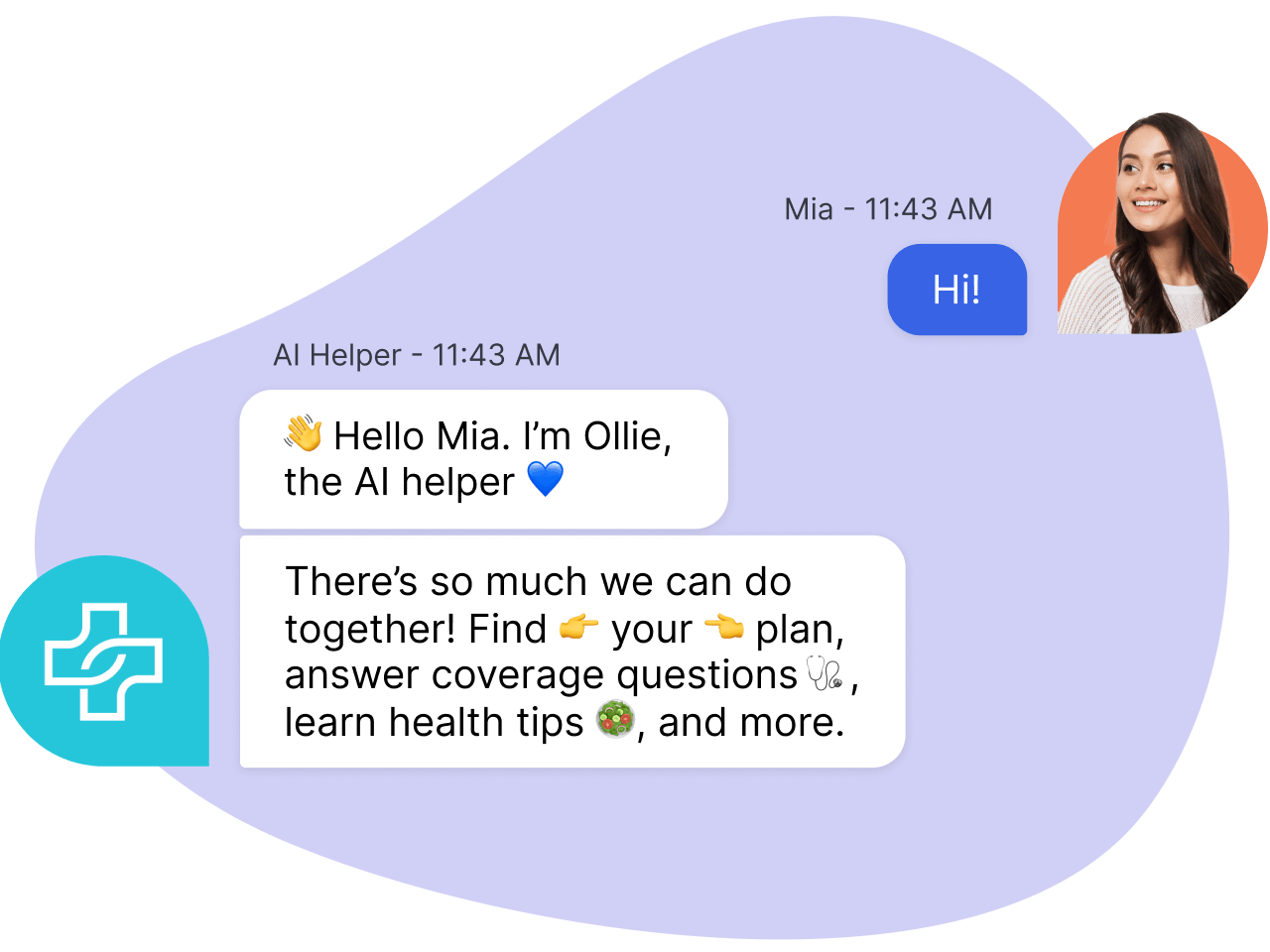
LivePerson's healthcare-focused conversational AI solution is an exceptional tool designed to streamline operations, reduce costs, and enhance patient experiences. It incorporates a chatbot system that can answer patient queries round the clock, reducing the burden on healthcare staff and improving patient satisfaction.
Best for Chatbots for Healthcare and Patient Support
Expert Take
LivePerson Healthcare Chatbots excel in providing specialized support for healthcare settings, offering 24/7 patient interaction capabilities that enhance operational efficiency and patient satisfaction. The product's integration capabilities and industry recognition further solidify its position as a leading solution in the healthcare chatbot space.
Pros
- Healthcare-specific features
- 24/7 patient support
- Cost-effective
- Easy integration
- Optimized operations
Cons
- Requires technical understanding for setup
- May not replace human interaction completely
- Pricing details not transparent
Best for teams that are
- Large health systems and payers requiring enterprise-grade security and scalability
- Organizations needing complex orchestration between AI bots and human agents
- Enterprises wanting to unify voice and messaging support channels
Skip if
- Small private practices with limited budgets or technical resources
- Users seeking a simple, plug-and-play solution without enterprise setup
- Organizations that do not need human-agent handoff capabilities
Best for teams that are
- Large health systems and payers requiring enterprise-grade security and scalability
- Organizations needing complex orchestration between AI bots and human agents
- Enterprises wanting to unify voice and messaging support channels
Skip if
- Small private practices with limited budgets or technical resources
- Users seeking a simple, plug-and-play solution without enterprise setup
- Organizations that do not need human-agent handoff capabilities
Pros
- Healthcare-specific features
- 24/7 patient support
- Cost-effective
- Easy integration
- Optimized operations
Cons
- Requires technical understanding for setup
- May not replace human interaction completely
- Pricing details not transparent
Expert Take
LivePerson Healthcare Chatbots excel in providing specialized support for healthcare settings, offering 24/7 patient interaction capabilities that enhance operational efficiency and patient satisfaction. The product's integration capabilities and industry recognition further solidify its position as a leading solution in the healthcare chatbot space.
Landbot AI Chatbot Generator
Best for Conversational Support Platforms with No Code Bot Builders

Landbot is a powerful conversational tool for professionals in the customer support industry looking to automate responses and streamline interactions. The no-code bot builder allows easy generation of AI-driven chatbots that can automate conversations, assist in lead generation, and schedule appointments, addressing key needs in the industry.
Best for Conversational Support Platforms with No Code Bot Builders
Expert Take
Our analysis shows Landbot stands out for its hybrid approach, seamlessly blending structured rule-based flows with flexible AI agents. Research indicates this 'best of both worlds' model solves a critical pain point: maintaining control over business logic while leveraging AI for natural engagement. Based on documented features, its native integration with n8n and robust multi-channel support make it a powerhouse for revenue teams, despite the higher price point for WhatsApp capabilities.
Pros
- Intuitive no-code visual drag-and-drop builder
- Hybrid AI and rule-based conversation flows
- Native WhatsApp and Facebook Messenger support
- Strong ecosystem with native n8n integration
- SOC 2 Type II and GDPR compliant
Cons
- Expensive WhatsApp pricing compared to competitors
- No mobile app for chat management
- Additional costs for AI chat volume
- Steep learning curve for advanced logic
- Limited design customization without CSS
Best for teams that are
- Marketing teams building 'conversational landing pages' for leads
- Businesses heavily invested in WhatsApp marketing campaigns
- Design-conscious brands wanting visually rich, interactive bots
Skip if
- Internal IT support desks needing simple ticket deflection
- Low-budget projects (WhatsApp and per-chat pricing can scale high)
- Users needing deep AI capabilities on the cheapest plans
Best for teams that are
- Marketing teams building 'conversational landing pages' for leads
- Businesses heavily invested in WhatsApp marketing campaigns
- Design-conscious brands wanting visually rich, interactive bots
Skip if
- Internal IT support desks needing simple ticket deflection
- Low-budget projects (WhatsApp and per-chat pricing can scale high)
- Users needing deep AI capabilities on the cheapest plans
Pros
- Intuitive no-code visual drag-and-drop builder
- Hybrid AI and rule-based conversation flows
- Native WhatsApp and Facebook Messenger support
- Strong ecosystem with native n8n integration
- SOC 2 Type II and GDPR compliant
Cons
- Expensive WhatsApp pricing compared to competitors
- No mobile app for chat management
- Additional costs for AI chat volume
- Steep learning curve for advanced logic
- Limited design customization without CSS
Expert Take
Our analysis shows Landbot stands out for its hybrid approach, seamlessly blending structured rule-based flows with flexible AI agents. Research indicates this 'best of both worlds' model solves a critical pain point: maintaining control over business logic while leveraging AI for natural engagement. Based on documented features, its native integration with n8n and robust multi-channel support make it a powerhouse for revenue teams, despite the higher price point for WhatsApp capabilities.
Typebot Solution
Best for Conversational Support Platforms with No Code Bot Builders
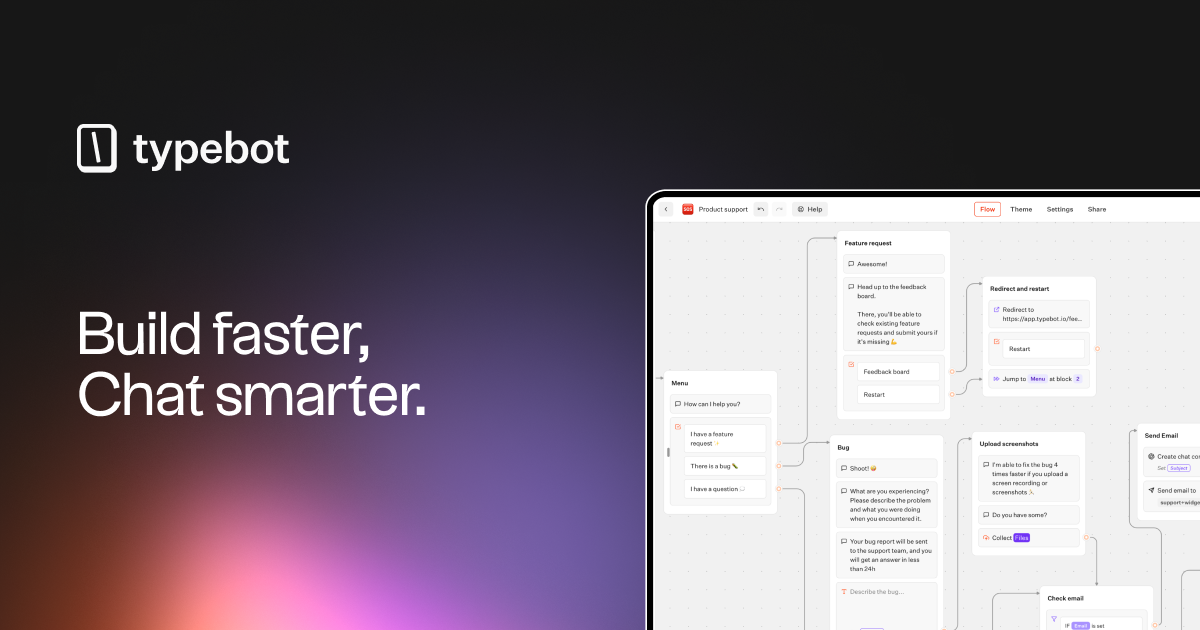
Typebot is a conversational support platform designed to cater to the needs of industry professionals who require efficient customer service tools. This no-code platform allows for the creation and integration of chatbots with over 45 building blocks, offering a streamlined and personalized customer interaction experience across multiple channels.
Best for Conversational Support Platforms with No Code Bot Builders
Expert Take
Our analysis shows Typebot uniquely bridges the gap between rigid SaaS tools and complex developer frameworks. Research indicates its 'Fair Source' self-hosting model offers unparalleled data privacy and cost control, while the visual builder remains accessible to non-technical users. Based on documented features, it is a standout choice for teams requiring deep customization without vendor lock-in.
Pros
- Visual drag-and-drop builder requires no coding
- Self-hosting option ensures 100% data privacy
- Generous free tier with 200 chats/month
- Native integrations with OpenAI and Google Sheets
- High customizability via custom Javascript & CSS
Cons
- Limited native debugging tools for complex flows
- No direct Instagram DM embed support
- Advanced customization requires technical knowledge
- Smaller enterprise review volume than giants
- Documentation for advanced features can be sparse
Best for teams that are
- Marketers wanting to replace static lead forms with conversational flows
- Developers and privacy-focused users preferring open-source tools
- Teams looking for a high-converting, logic-based data collection tool
Skip if
- Support teams needing a full-service helpdesk suite
- Users looking for a traditional 'AI Agent' rather than structured flows
- Complex voice IVR or telephony use cases
Best for teams that are
- Marketers wanting to replace static lead forms with conversational flows
- Developers and privacy-focused users preferring open-source tools
- Teams looking for a high-converting, logic-based data collection tool
Skip if
- Support teams needing a full-service helpdesk suite
- Users looking for a traditional 'AI Agent' rather than structured flows
- Complex voice IVR or telephony use cases
Pros
- Visual drag-and-drop builder requires no coding
- Self-hosting option ensures 100% data privacy
- Generous free tier with 200 chats/month
- Native integrations with OpenAI and Google Sheets
- High customizability via custom Javascript & CSS
Cons
- Limited native debugging tools for complex flows
- No direct Instagram DM embed support
- Advanced customization requires technical knowledge
- Smaller enterprise review volume than giants
- Documentation for advanced features can be sparse
Expert Take
Our analysis shows Typebot uniquely bridges the gap between rigid SaaS tools and complex developer frameworks. Research indicates its 'Fair Source' self-hosting model offers unparalleled data privacy and cost control, while the visual builder remains accessible to non-technical users. Based on documented features, it is a standout choice for teams requiring deep customization without vendor lock-in.