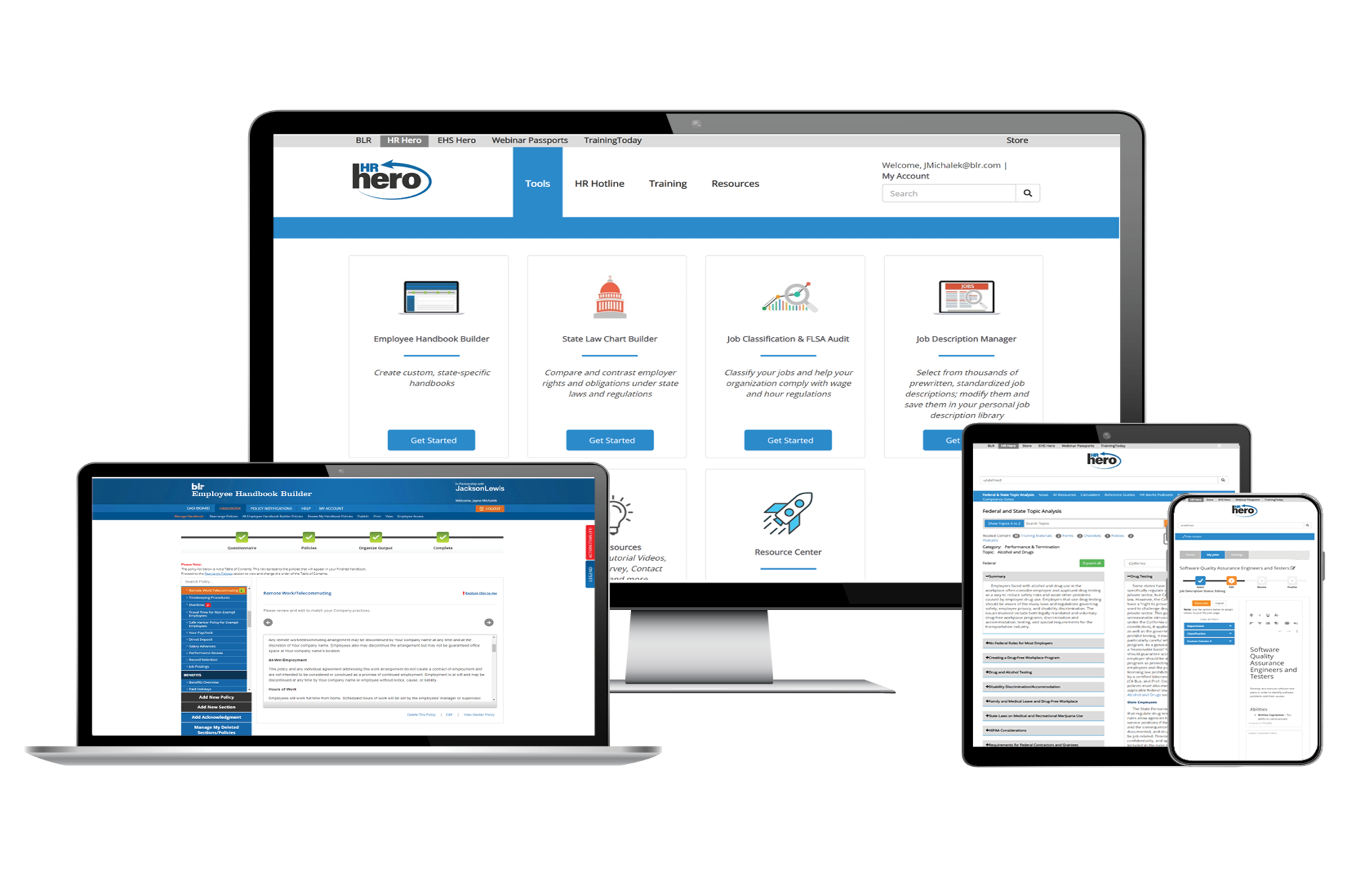
What Is HR Compliance & Policy Management Tools?
HR Compliance & Policy Management Tools cover software designed to mitigate legal, regulatory, and reputational risk across the employee lifecycle by automating the creation, distribution, enforcement, and tracking of workforce policies and statutory requirements. This category sits between the Human Resource Information System (HRIS), which acts as the system of record for employee data, and Governance, Risk, and Compliance (GRC) platforms, which manage broader enterprise risk. While broader than simple document storage, it is narrower than legal practice management software.
This category includes both general-purpose platforms that handle universal needs (like handbook attestation and labor law updates) and vertical-specific tools engineered for highly regulated sectors such as healthcare (credentialing), financial services (trade monitoring), and manufacturing (safety logging). Unlike a standard HRIS, which records what happened (e.g., an employee was hired), compliance tools ensure how it happened meets legal standards (e.g., were the correct state-specific wage theft notices signed, tracked, and audited?).
These tools are used by HR directors, compliance officers, and general counsels who need to prove "good faith effort" in the event of an audit or lawsuit. The core problem they solve is the de-risking of human capital data. In an era of fragmented remote work laws and aggressive regulatory enforcement, these tools transform static policies into active, auditable workflows.
History of the Category
The evolution of HR Compliance & Policy Management Tools reflects a shift from defensive record-keeping to proactive risk intelligence. In the 1990s, compliance was largely a paper-based function or a rigid module within massive on-premise ERP systems like SAP or Oracle [1]. These early systems were "electronic filing cabinets"—databases designed to digitize payroll records and basic personnel files, but they lacked the logic to interpret complex labor rules or alert users to violations.
The early 2000s saw the rise of the "point solution" era. As regulations like Sarbanes-Oxley (2002) and HIPAA grew teeth, businesses realized their monolithic ERPs could not handle niche workflows like incident reporting or whistleblower anonymity. This created a gap that vertical-specific vendors began to fill. However, data remained siloed; a safety incident recorded in an OSHA log rarely triggered a corresponding action in the HR performance system.
The 2010s marked the decisive shift to cloud-based Vertical SaaS. Vendors began delivering "always-current" law libraries, automatically updating handbook policies as state laws changed—a massive value proposition over static on-premise software. This decade also saw significant market consolidation. Large HCM providers began acquiring niche compliance players to bolt on capability, transitioning buyer expectations from "give me a database" to "give me actionable intelligence."
By the 2020s, the market had bifurcated into massive "all-in-one" suites and highly specialized "best-of-breed" tools. The post-pandemic explosion of remote work forced a new evolution: multi-jurisdictional compliance engines capable of tracking tax and labor laws down to the zip code level for distributed teams [2]. Today, the focus has shifted toward AI-driven automation, where the software doesn't just track policies but actively predicts risk exposure based on workforce behavioral data.
What to Look For
Evaluating HR compliance software requires looking beyond feature checklists to the underlying architecture of risk management. The most critical evaluation criterion is audit defensibility. Can the system reconstruct exactly what policy version was active on a specific date, who signed it, and verify that the timestamp is immutable? If a tool allows an admin to retroactively edit a completion date without a flag, it is a liability, not an asset.
Buyers should look for jurisdictional intelligence. A robust tool does not just provide a template; it uses geolocation to serve the correct version of a non-compete or wage notice to an employee based on their residence. Red flags include vendors who rely solely on "user-generated content" for updates rather than maintaining an internal legal team or partnership with labor law firms to push regulatory updates.
Another warning sign is a lack of role-based granularity. In complex organizations, a "manager" in California needs different permissions and views than a "contractor" in New York. If the system treats all users with broad strokes, you will struggle to enforce data privacy laws like GDPR or CCPA. Finally, ask vendors about their API limits. Compliance tools must ingest data from payroll and time-tracking systems continuously; if the vendor charges for API calls or relies on batch uploads, your compliance data will always be stale.
Industry-Specific Use Cases
Retail & E-commerce
In the retail sector, compliance tools primarily focus on Fair Workweek and predictive scheduling laws. Jurisdictions like Oregon, New York City, and Chicago enforce strict rules regarding advance notice of shifts and "clopening" (back-to-back closing and opening shifts). General HR tools often fail here because they lack the logic to calculate "predictability pay" penalties in real-time when a manager changes a schedule [3]. Retail buyers need software that integrates directly with time-clocks to block non-compliant schedule changes before they happen, or prompt managers to secure written consent for premium pay, creating an instant audit trail.
Healthcare
Healthcare organizations prioritize credentialing automation and exclusion monitoring. Unlike standard background checks, healthcare compliance involves continuous monitoring against databases like the OIG (Office of Inspector General) and SAM (System for Award Management) to ensure no staff member is barred from Medicare participation. A key differentiator here is the ability to handle "primary source verification" automatically [4]. General HR tools track license expiration dates but rarely connect directly to state medical boards to verify license status in real-time. Healthcare buyers must evaluate how the tool handles privileges and peer review data, which are protected by specific confidentiality statutes.
Financial Services
Financial firms require tools that manage employee personal trading and code of ethics compliance. These tools monitor employee investments to prevent insider trading and conflicts of interest, complying with SEC Rule 204A-1 and similar global regulations (like SMCR in the UK) [5]. The evaluation priority here is direct brokerage feeds; the software must ingest trade data from employees' personal brokerage accounts to automatically cross-reference against the firm's restricted lists. General HR compliance tools cannot handle this volume of transactional financial data or the complex "pre-clearance" workflows required for trade approvals.
Manufacturing
For manufacturing, the focus is on OSHA recordkeeping and union contract management. Compliance tools here must digitize the OSHA 300 Log, 300A, and 301 forms, ensuring that "recordable incidents" are categorized correctly to avoid regulatory fines [6]. Furthermore, manufacturers dealing with unionized workforces need tools that can interpret Collective Bargaining Agreements (CBAs). These tools must validate that pay rates, overtime rules, and disciplinary actions align with specific union contracts, which often differ significantly from standard labor laws. The critical need is a "grievance management" module that tracks disputes through arbitration.
Professional Services
Professional services firms, particularly accounting and law, use compliance tools to manage independence and conflict of interest. For the "Big 4" and similar firms, software must track every client engagement against every employee's financial holdings and spousal employment relationships to ensure auditor independence [7]. This requires a sophisticated relational database that generic tools lack. Additionally, these firms need robust classification tools to manage the risk of "scope creep" with independent contractors, ensuring that long-term project consultants do not inadvertently trigger employee status under tests like the IRS 20-factor or ABC test.
Subcategory Overview
HR Compliance & Policy Management Tools for Staffing Agencies focus heavily on co-employment risk and multi-state onboarding. Unlike standard HR tools, these platforms must handle high-volume, high-turnover workforces where the "employer of record" distinction is legally precarious. A workflow unique to this niche is the automated deployment of "assignment-specific" onboarding packets that change based on the client's location, not just the agency's. Staffing agencies flock to these tools to solve the pain point of "onboarding drop-off," where complex manual paperwork causes candidates to ghost before their first shift. For a deeper look, see our guide to HR Compliance & Policy Management Tools for Staffing Agencies.
HR Compliance & Policy Management Tools for Recruitment Agencies differ by focusing on candidate data privacy (GDPR, CCPA) rather than post-hire employment law. While staffing tools manage workers, recruitment tools manage applicants. A workflow unique to this niche is the automated "right to be forgotten" request processing across thousands of resume records. Buyers choose these tools to mitigate the risk of holding stale personal data, which generic CRMs often retain indefinitely in violation of privacy statutes. To explore this further, read about HR Compliance & Policy Management Tools for Recruitment Agencies.
HR Compliance & Policy Management Tools for Private Equity Firms are designed for portfolio oversight. These tools sit above the portfolio companies, aggregating risk data to identify liabilities before they impact valuation or exit multiples. Unlike operational HR tools used by the companies themselves, these platforms provide a "General Partner dashboard" to monitor ESG metrics and executive compensation compliance across diverse holdings. PE firms buy these to solve the pain point of "informational asymmetry" during the holding period. Learn more in our analysis of HR Compliance & Policy Management Tools for Private Equity Firms.
HR Compliance & Policy Management Tools for SaaS Companies specialize in automated evidence collection for SOC 2 and ISO 27001. These tools integrate with engineering systems (AWS, GitHub) to prove that offboarding policies were followed (e.g., "was access revoked within 24 hours?"). General HR tools document the request to terminate; these tools verify the technical execution. SaaS buyers are driven here by the need to shorten sales cycles, as enterprise customers demand proof of compliance before purchase. Detailed insights are available in our guide to HR Compliance & Policy Management Tools for SaaS Companies.
HR Compliance & Policy Management Tools for Contractors address the specific legal minefield of worker classification (1099 vs. W-2). These platforms include "determination engines" that assess a worker's scope against laws like California's AB5. A unique workflow is the collection and verification of business licenses and insurance certificates from workers, ensuring they function as independent entities. Buyers move to this niche to avoid the massive penalties associated with misclassification audits. For more, visit HR Compliance & Policy Management Tools for Contractors.
Integration & API Ecosystem
The efficacy of a compliance tool is directly proportional to its connectivity. A standalone compliance platform creates a "data silo" risk where HR believes an employee is active, but payroll has terminated them. According to Gartner, over 40% of HR compliance violations stem from data latency between disparate systems. In a practical scenario, consider a 50-person professional services firm using a specialized time-tracking tool for client billing and a separate payroll system. Without a bidirectional API, if an employee moves from New York to New Jersey, the payroll system might continue taxing them in NY while the compliance tool sends them NJ-specific notices. A robust integration would detect the address change in the HRIS, trigger the correct tax form update in payroll, and deploy the relevant state law addendum in the policy tool simultaneously. When integrations rely on flat-file (CSV) exports, this synchronization breaks, leaving the firm liable for tax penalties and labor law violations.
Security & Compliance
HR compliance tools store the "crown jewels" of PII: SSNs, bank details, and disciplinary records. Security is not just a feature; it is the product. The IBM Ponemon Institute's 2024 Cost of a Data Breach Report found that the average cost of a data breach has reached $4.88 million [8]. For HR buyers, SOC 2 Type II certification is the baseline requirement, not a "nice to have." In practice, this means evaluating how the vendor handles "sub-processor" liability. If your compliance vendor uses a third-party cloud storage provider that gets breached, who is liable? A concrete example: A SaaS company undergoing a merger uses a compliance tool to store I-9 forms. If that tool lacks "field-level encryption," a hacker gaining admin access could export thousands of identity documents in readable text. Buyers must demand penetration testing reports and verify that the vendor uses single-tenant architecture or strict logical separation for sensitive data.
Pricing Models & TCO
Pricing in this category is often opaque, shifting from Per Employee Per Month (PEPM) to platform fees. Mid-market solutions typically range from $8 to $30 PEPM [9], but the Total Cost of Ownership (TCO) often hides in "module bloat." For example, a 25-person team might see a base price of $10 PEPM ($250/month). However, adding the "multi-state tax filing" module ($5 PEPM) and the "LMS for harassment training" ($4 PEPM) nearly doubles the cost. A TCO calculation for this team over three years must also include implementation fees, which can range from 20% to 100% of the annual contract value. Buyers often overlook "inactive user" fees; some vendors charge for storing records of terminated employees, which is legally required for compliance but financially draining. Always negotiate "archived record" pricing upfront.
Implementation & Change Management
The average implementation timeline for a mid-market HR compliance system is 3 to 6 months [10]. The primary cause of failure is not software bugs, but "dirty data." Forrester analysts consistently note that data migration consumes 40-50% of implementation resources. A concrete scenario: A manufacturing firm with 200 employees migrates to a new system. They upload 10 years of safety records without cleaning the data. The new system's validation rules reject 30% of the records because of missing fields (e.g., incident time). The project stalls for weeks as HR manually fixes spreadsheets. Successful change management requires a "phased rollout"—launching the policy attestation module first to get a quick win, followed by complex modules like leave management. Ignoring this often leads to "shelfware," where teams revert to email because the new system feels overwhelming.
Vendor Evaluation Criteria
When evaluating vendors, financial stability is as important as feature set. In a consolidating market, small "point solution" vendors are frequently acquired, leading to "sunsetting" of products or forced migrations. Ask specifically about the vendor's R&D investment ratio. Industry standards suggest healthy SaaS companies reinvest 20-30% of revenue into product. If a vendor is below 15%, they are likely in "maintenance mode" or preparing for a sale. In practice, this plays out when a new regulation (like a federal paid leave mandate) passes. A well-funded vendor updates their platform within weeks; a stagnant vendor requires you to build a manual workaround. Verify their "Customer Success" ratio—how many dedicated support staff exist per 100 customers? If the ratio is 1:500, expect to rely on chatbots for critical compliance emergencies.
Emerging Trends and Contrarian Take
Emerging Trends (2025-2026): The dominant trend is the rise of Agentic AI in compliance [11]. Unlike chatbots that answer questions, AI agents will autonomously execute workflows—scanning legislative databases, identifying a new posting requirement in Colorado, updating the digital handbook, and queuing the notification for HR approval. We are also seeing the convergence of HR and IT compliance, where platforms monitor not just "people policies" (harassment) but "device policies" (security protocols) in a single dashboard.
Contrarian Take: Compliance automation often creates a dangerous "set it and forget it" liability. The industry sells the idea that software "solves" compliance. In reality, the most expensive fines often hit companies that relied entirely on automated tools that failed to catch nuance. For example, an algorithm might correctly classify a worker as a contractor based on payment frequency but miss the behavioral control exercised by a manager on Slack. The insight is this: Software increases risk if it encourages HR to stop auditing the audits. The best ROI comes not from buying the most automated tool, but from using a simpler tool that forces human verification at critical "fail points."
Common Mistakes
One of the most pervasive mistakes is buying for the exception, not the rule. HR buyers often select a platform because it handles a rare, complex scenario (e.g., "expatriate tax equalization for a spin-off unit") while ignoring that the user interface for the daily 99% of tasks (e.g., "requesting PTO") is clunky. This leads to poor adoption rates. Another critical error is underestimating the "integration tax." Buyers assume "we have an API" means "plug and play." In reality, connecting a legacy payroll provider to a modern compliance tool often requires expensive middleware or custom coding that was not budgeted. Finally, many teams fail to define "admin" vs. "user" workflows. They test the software as an admin (where everything looks powerful) but never test the mobile experience of a frontline worker trying to sign a policy on a 5-year-old Android phone.
Questions to Ask in a Demo
- "Show me the audit trail for a policy change." (Do not settle for "we have logs." Ask to see exactly what it looks like when a policy is updated, who sees it, and how the version history is stored.)
- "How does your system handle 'predictive' compliance?" (Does it alert me before a violation happens—e.g., a schedule change triggering a penalty—or only report it after the fact?)
- "Demonstrate a 'hybrid' employee workflow." (Ask them to change an employee's location from "office" to "remote" in real-time. Watch which tax forms and policy addendums automatically trigger. If they have to manually select them, the automation is weak.)
- "What is your 'Time to Regulatory Update'?" (When a new law is passed, what is the guaranteed SLA for it to appear in the system? Is it 24 hours, or next quarter's release?)
- "Can I export my data in a non-proprietary format today?" (Test their data portability. If you leave them, can you get your signed documents out in an organized PDF/CSV structure, or is it a data hostage situation?)
Before Signing the Contract
Before executing the agreement, conduct a "Service Level Agreement (SLA) Audit." Vendors often promise 99.9% uptime but exclude "scheduled maintenance" windows that coincide with your payroll runs. Negotiate strict penalties for downtime during critical periods (e.g., open enrollment). Check the Data Ownership Clause. Ensure that you own the meta-data generated by your employees, not just the raw files. This data is valuable for future analytics. Finally, insist on a "Sandbox Environment" clause. You need a safe space to test new policy rollouts or integrations without risking your production data. Many vendors charge extra for this; try to negotiate it into the base price as a condition of signing.
Closing
Navigating the landscape of HR Compliance & Policy Management Tools is complex, but getting it right protects your organization's most valuable asset—its people. If you have specific questions about your tech stack or need unbiased guidance on vendor selection, feel free to reach out.
Email: albert@whatarethebest.com