
RMM & Endpoint Management Tools
These are the specialized categories within RMM & Endpoint Management Tools. Looking for something broader? See all Cybersecurity, Privacy & Compliance Software categories.

How big is your team?
What's your budget situation?
What's your team's technical comfort level?
What's the ONE thing this tool must do well?
N-able RMM is a top-tier solution specifically tailored for Managed Service Providers (MSPs) and IT service providers. It offers robust remote monitoring and management of networks, endpoints, and computers, catering to the unique needs of staffing agencies that require efficient and reliable IT infrastructure management.
Best for Remote Monitoring & Management (RMM) Tools for Staffing Agencies
Expert Take
N-able RMM is a leading solution for MSPs, offering comprehensive remote monitoring and management capabilities tailored for staffing agencies. Its advanced security features, scalability, and 24/7 support make it a reliable choice for managing IT infrastructure. However, it requires technical expertise and has pricing transparency limitations.
Pros
- Dual platforms (N-sight/N-central) scale from SMB to Enterprise
- ISO 27001 certified and SOC 2 Type II attested
- Massive ecosystem with 25,000+ MSP partners
- Drag-and-drop automation builder reduces scripting complexity
- Integrated EDR and backup for unified security
Cons
- Interface reported as laggy or clunky by some users
- Strict 30-day written notice required for cancellation
- Steep learning curve for the N-central platform
- Pricing is not publicly listed (quote-based)
- Support quality reviews are mixed
Best for teams that are
- Large MSPs needing deep customization and monitoring
- Organizations requiring on-premise deployment options
- Teams needing strong layered security integrations
Skip if
- Small shops wanting a simple, plug-and-play interface
- Teams avoiding complex pricing structures
- Users who find legacy interfaces difficult to navigate
Best for teams that are
- Large MSPs needing deep customization and monitoring
- Organizations requiring on-premise deployment options
- Teams needing strong layered security integrations
Skip if
- Small shops wanting a simple, plug-and-play interface
- Teams avoiding complex pricing structures
- Users who find legacy interfaces difficult to navigate
Pros
- Dual platforms (N-sight/N-central) scale from SMB to Enterprise
- ISO 27001 certified and SOC 2 Type II attested
- Massive ecosystem with 25,000+ MSP partners
- Drag-and-drop automation builder reduces scripting complexity
- Integrated EDR and backup for unified security
Cons
- Interface reported as laggy or clunky by some users
- Strict 30-day written notice required for cancellation
- Steep learning curve for the N-central platform
- Pricing is not publicly listed (quote-based)
- Support quality reviews are mixed
Expert Take
N-able RMM is a leading solution for MSPs, offering comprehensive remote monitoring and management capabilities tailored for staffing agencies. Its advanced security features, scalability, and 24/7 support make it a reliable choice for managing IT infrastructure. However, it requires technical expertise and has pricing transparency limitations.
Parallels Mac Management for Microsoft SCCM
Best for Remote Monitoring & Management (RMM) Tools for SaaS Companies

Parallels Mac Management allows IT teams to manage Mac endpoints using Microsoft SCCM, integrating Apple's Device Enrollment Program and enforcing FileVault 2 encryption for robust security. Ideal for organizations invested in SCCM, it simplifies Mac management without requiring deep macOS expertise.
Best for Remote Monitoring & Management (RMM) Tools for SaaS Companies
Expert Take
Parallels Mac Management provided an elegant bridge for IT teams heavily invested in Microsoft SCCM, allowing them to treat Mac endpoints as first-class citizens without needing a separate management silo [cite: 1]. By tapping into Apple's Device Enrollment Program and enforcing FileVault 2 encryption, it delivered robust security and compliance [cite: 1, 10]. While its lifecycle has ended due to native Microsoft advancements, it was a highly effective unified endpoint management tool in its pri
Pros
- Seamless integration with Microsoft SCCM [cite: 1]
- Enforced FileVault 2 encryption natively [cite: 1]
- No deep macOS expertise required [cite: 4]
- Enabled Mac OS X image deployment [cite: 1]
Cons
- Product is permanently discontinued [cite: 3]
- No support beyond macOS Big Sur [cite: 3]
- Can be sluggish at times [cite: 4]
Best for teams that are
- Windows-centric enterprises using SCCM that need to support Mac users.
- IT admins wanting to manage Mac devices using their existing SCCM skills.
- Organizations seeking to enforce SCCM compliance baselines on macOS.
Skip if
- Organizations that do not currently use Microsoft SCCM infrastructure.
- Mac-only or Apple-heavy environments seeking native MDM solutions.
- Small businesses looking for a lightweight, standalone Mac management tool.
Best for teams that are
- Windows-centric enterprises using SCCM that need to support Mac users.
- IT admins wanting to manage Mac devices using their existing SCCM skills.
- Organizations seeking to enforce SCCM compliance baselines on macOS.
Skip if
- Organizations that do not currently use Microsoft SCCM infrastructure.
- Mac-only or Apple-heavy environments seeking native MDM solutions.
- Small businesses looking for a lightweight, standalone Mac management tool.
Pros
- Seamless integration with Microsoft SCCM [cite: 1]
- Enforced FileVault 2 encryption natively [cite: 1]
- No deep macOS expertise required [cite: 4]
- Enabled Mac OS X image deployment [cite: 1]
Cons
- Product is permanently discontinued [cite: 3]
- No support beyond macOS Big Sur [cite: 3]
- Can be sluggish at times [cite: 4]
Expert Take
Parallels Mac Management provided an elegant bridge for IT teams heavily invested in Microsoft SCCM, allowing them to treat Mac endpoints as first-class citizens without needing a separate management silo [cite: 1]. By tapping into Apple's Device Enrollment Program and enforcing FileVault 2 encryption, it delivered robust security and compliance [cite: 1, 10]. While its lifecycle has ended due to native Microsoft advancements, it was a highly effective unified endpoint management tool in its pri
Wallarm's Remote Monitoring and Management (RMM) is specifically designed to meet the stringent security, compliance, and operations needs of Private Equity firms. It provides non-stop monitoring, automated documentation, and instant alerts to ensure the security and smooth functioning of IT systems.
Best for Remote Monitoring & Management (RMM) Tools for Private Equity Firms
Expert Take
Wallarm RMM is tailored for Private Equity firms, offering robust security and continuous monitoring. Its automated documentation and instant alerts enhance operational efficiency and threat response. While premium pricing and technical expertise requirements are noted, the product excels in its niche.
Pros
- Advanced API threat detection (OWASP Top 10)
- Low false positives via AI/ML
- Seamless Kubernetes & CI/CD integration
- Responsive, expert-level customer support
- Real-time blocking of active attacks
Cons
- Not a traditional IT RMM tool
- High entry price (~$50k/yr)
- Configuration can be complex
- Opaque pricing on main website
- Rule sync delay (3-5 mins)
Best for teams that are
- DevOps teams needing API and application security (WAAP).
- Organizations protecting cloud-native APIs and microservices.
- Security teams focused on blocking attacks like SQLi and XSS.
Skip if
- MSPs looking for endpoint remote monitoring and management tools.
- IT teams needing device patching or remote desktop control.
- General IT help desks seeking asset management software.
Best for teams that are
- DevOps teams needing API and application security (WAAP).
- Organizations protecting cloud-native APIs and microservices.
- Security teams focused on blocking attacks like SQLi and XSS.
Skip if
- MSPs looking for endpoint remote monitoring and management tools.
- IT teams needing device patching or remote desktop control.
- General IT help desks seeking asset management software.
Pros
- Advanced API threat detection (OWASP Top 10)
- Low false positives via AI/ML
- Seamless Kubernetes & CI/CD integration
- Responsive, expert-level customer support
- Real-time blocking of active attacks
Cons
- Not a traditional IT RMM tool
- High entry price (~$50k/yr)
- Configuration can be complex
- Opaque pricing on main website
- Rule sync delay (3-5 mins)
Expert Take
Wallarm RMM is tailored for Private Equity firms, offering robust security and continuous monitoring. Its automated documentation and instant alerts enhance operational efficiency and threat response. While premium pricing and technical expertise requirements are noted, the product excels in its niche.

ConnectWise RMM Software is an intelligent automation tool designed specifically for the contractor industry. Its centralized IT operations and remote monitoring capabilities allow contractors to manage every endpoint efficiently and effectively, addressing the unique needs of remote project management and control.
Best for Remote Monitoring & Management (RMM) Tools for Contractors
Expert Take
ConnectWise RMM Software excels in providing centralized IT operations and remote monitoring capabilities tailored for contractors. Its intelligent automation and 24/7 support enhance usability and customer experience. Despite the complexity of setup and lack of upfront pricing, its specialized features and industry recognition affirm its position as a top-tier RMM tool.
Pros
- Unified Asio platform for RMM and PSA
- Automated patching for 7,000+ 3rd-party apps
- Built-in ScreenConnect remote control
- Massive third-party integration ecosystem
- AI-assisted scripting with Sidekick
Cons
- Opaque pricing requiring custom quotes
- Strict contract auto-renewal terms
- Mixed user sentiment on support quality
- Steep learning curve for new users
- History of critical security vulnerabilities
Best for teams that are
- MSPs wanting a cloud-first solution with built-in NOC services.
- Teams needing intelligent alerting and AI-assisted scripting.
- Current partners looking for a modern, lighter alternative to Automate.
Skip if
- Power users requiring deep database access or complex custom scripting.
- Small IT shops with very limited budgets.
- Organizations preferring non-contract, month-to-month billing models.
Best for teams that are
- MSPs wanting a cloud-first solution with built-in NOC services.
- Teams needing intelligent alerting and AI-assisted scripting.
- Current partners looking for a modern, lighter alternative to Automate.
Skip if
- Power users requiring deep database access or complex custom scripting.
- Small IT shops with very limited budgets.
- Organizations preferring non-contract, month-to-month billing models.
Pros
- Unified Asio platform for RMM and PSA
- Automated patching for 7,000+ 3rd-party apps
- Built-in ScreenConnect remote control
- Massive third-party integration ecosystem
- AI-assisted scripting with Sidekick
Cons
- Opaque pricing requiring custom quotes
- Strict contract auto-renewal terms
- Mixed user sentiment on support quality
- Steep learning curve for new users
- History of critical security vulnerabilities
Expert Take
ConnectWise RMM Software excels in providing centralized IT operations and remote monitoring capabilities tailored for contractors. Its intelligent automation and 24/7 support enhance usability and customer experience. Despite the complexity of setup and lack of upfront pricing, its specialized features and industry recognition affirm its position as a top-tier RMM tool.

Atera's RMM Solution is an ideal choice for staffing agencies given its ability to remotely monitor and manage clients' IT assets. It offers a comprehensive toolset that allows seamless IT service provision, reducing downtime and improving efficiency in a staffing industry where time and productivity are of the essence.
Best for Remote Monitoring & Management (RMM) Tools for Staffing Agencies
Expert Take
Atera RMM Solution excels in providing a comprehensive IT management toolset tailored for staffing agencies. Its flexible pricing model and robust remote access capabilities make it a standout choice. While it lacks some third-party integrations and a mobile app, its strengths in usability and scalability position it as a top-tier product in its category.
Pros
- Unlimited devices per technician pricing
- All-in-one RMM and PSA platform
- AI-powered automation and scripting tools
- Fast onboarding and intuitive interface
- Comprehensive security certifications (SOC 2, HIPAA)
Cons
- Mobile app lacks functionality and stability
- AI Copilot and Network Discovery cost extra
- Reporting features limited in lower tiers
- Agent reliability issues reported by users
- Support for legacy OS may be limited
Best for teams that are
- Startups or MSPs with many devices but few technicians
- Teams wanting an integrated RMM and PSA solution
- Cost-conscious MSPs preferring per-technician pricing
Skip if
- Large teams where per-tech pricing becomes costly
- Advanced MSPs needing granular patch management
- Enterprises requiring complex network monitoring
Best for teams that are
- Startups or MSPs with many devices but few technicians
- Teams wanting an integrated RMM and PSA solution
- Cost-conscious MSPs preferring per-technician pricing
Skip if
- Large teams where per-tech pricing becomes costly
- Advanced MSPs needing granular patch management
- Enterprises requiring complex network monitoring
Pros
- Unlimited devices per technician pricing
- All-in-one RMM and PSA platform
- AI-powered automation and scripting tools
- Fast onboarding and intuitive interface
- Comprehensive security certifications (SOC 2, HIPAA)
Cons
- Mobile app lacks functionality and stability
- AI Copilot and Network Discovery cost extra
- Reporting features limited in lower tiers
- Agent reliability issues reported by users
- Support for legacy OS may be limited
Expert Take
Atera RMM Solution excels in providing a comprehensive IT management toolset tailored for staffing agencies. Its flexible pricing model and robust remote access capabilities make it a standout choice. While it lacks some third-party integrations and a mobile app, its strengths in usability and scalability position it as a top-tier product in its category.

Atera's RMM solution is designed for contractors in need of efficient remote monitoring and management. The software provides robust IT solutions, with a proactive approach to solve challenges anytime, anywhere, making it a perfect fit for the on-the-go nature of contractors' work.
Best for Remote Monitoring & Management (RMM) Tools for Contractors
Expert Take
Atera RMM Software is recognized for its proactive IT management capabilities tailored for contractors, offering 24/7 monitoring and a user-friendly interface. While it provides scalable pricing and a free trial, the software's limited third-party integrations and potential need for technical proficiency are noted tradeoffs.
Pros
- Per-technician pricing with unlimited endpoints
- Unified RMM and PSA platform
- SOC 2 Type 2 and ISO certified
- AI-driven automation for Tier-1 tasks
- Fast onboarding and intuitive UI
Cons
- AI features require paid add-ons
- Occasional script execution failures
- Reporting less deep than competitors
- Remote access connection lags reported
- Support response times vary
Best for teams that are
- Startups and small MSPs benefiting from per-technician pricing.
- IT departments needing an all-in-one RMM and PSA solution.
- Teams wanting a cost-effective, easy-to-use platform with AI integration.
Skip if
- Large MSPs where per-technician pricing becomes cost-prohibitive.
- Power users requiring complex, granular automation features.
- Organizations needing deep integrations with third-party enterprise tools.
Best for teams that are
- Startups and small MSPs benefiting from per-technician pricing.
- IT departments needing an all-in-one RMM and PSA solution.
- Teams wanting a cost-effective, easy-to-use platform with AI integration.
Skip if
- Large MSPs where per-technician pricing becomes cost-prohibitive.
- Power users requiring complex, granular automation features.
- Organizations needing deep integrations with third-party enterprise tools.
Pros
- Per-technician pricing with unlimited endpoints
- Unified RMM and PSA platform
- SOC 2 Type 2 and ISO certified
- AI-driven automation for Tier-1 tasks
- Fast onboarding and intuitive UI
Cons
- AI features require paid add-ons
- Occasional script execution failures
- Reporting less deep than competitors
- Remote access connection lags reported
- Support response times vary
Expert Take
Atera RMM Software is recognized for its proactive IT management capabilities tailored for contractors, offering 24/7 monitoring and a user-friendly interface. While it provides scalable pricing and a free trial, the software's limited third-party integrations and potential need for technical proficiency are noted tradeoffs.
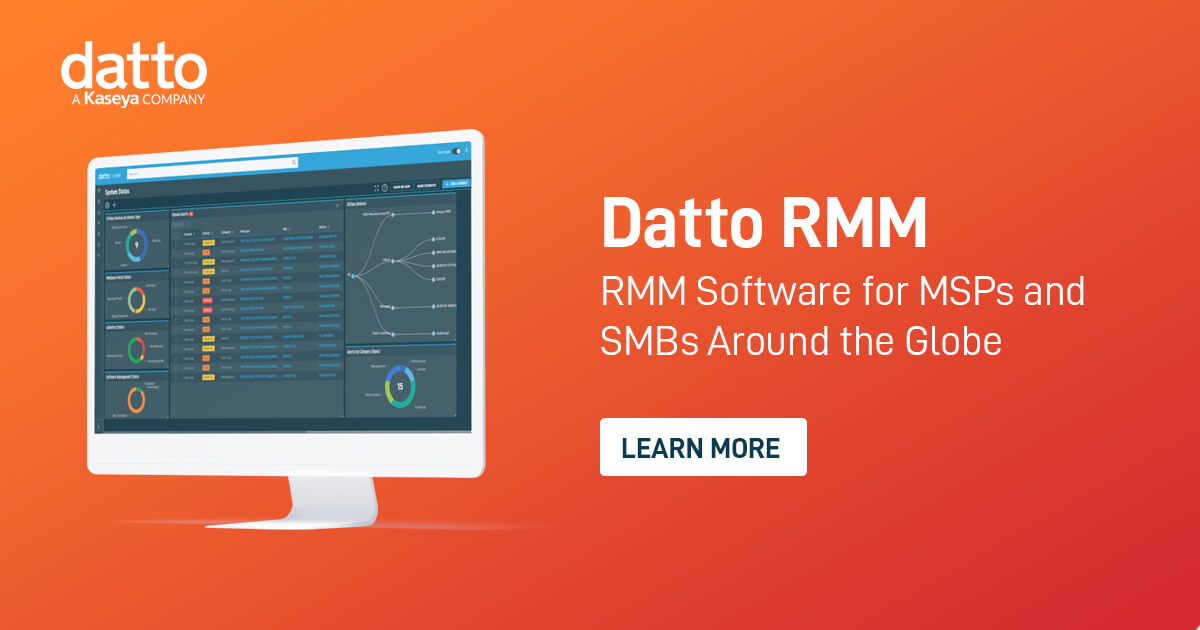
Datto RMM is specifically designed for IT professionals and contractors who need a secure and reliable remote monitoring and management solution. Its cloud-based platform allows users to monitor, secure, and manage endpoints remotely, providing a robust toolset that addresses the unique needs of the IT industry.
Best for Remote Monitoring & Management (RMM) Tools for Contractors
Expert Take
Datto RMM is a premium remote monitoring and management solution tailored for IT professionals and contractors. It excels in providing comprehensive monitoring capabilities, strong market credibility, and a user-friendly experience. The platform's scalability and integration options further enhance its value, making it a top choice in its category.
Pros
- Native Ransomware Detection with auto-isolation
- Deep integration with Autotask PSA and IT Glue
- ComStore offers hundreds of pre-built scripts
- Microsoft 365 management directly in RMM
- Cloud-native architecture scales easily
Cons
- 3-year contract lock-in with auto-renewal
- Frequent billing disputes and errors reported
- Support responsiveness has declined
- Pricing is not publicly transparent
- Job processing can occasionally be slow
Best for teams that are
- MSPs seeking a secure, cloud-first platform with ransomware detection.
- Shops using Autotask PSA requiring tight integration.
- IT providers needing scalable automation and scripting capabilities.
Skip if
- IT teams avoiding the Kaseya ecosystem or long-term contracts.
- Users finding the mix of legacy and new UI interfaces frustrating.
- Small shops wanting a simple setup without complex configuration.
Best for teams that are
- MSPs seeking a secure, cloud-first platform with ransomware detection.
- Shops using Autotask PSA requiring tight integration.
- IT providers needing scalable automation and scripting capabilities.
Skip if
- IT teams avoiding the Kaseya ecosystem or long-term contracts.
- Users finding the mix of legacy and new UI interfaces frustrating.
- Small shops wanting a simple setup without complex configuration.
Pros
- Native Ransomware Detection with auto-isolation
- Deep integration with Autotask PSA and IT Glue
- ComStore offers hundreds of pre-built scripts
- Microsoft 365 management directly in RMM
- Cloud-native architecture scales easily
Cons
- 3-year contract lock-in with auto-renewal
- Frequent billing disputes and errors reported
- Support responsiveness has declined
- Pricing is not publicly transparent
- Job processing can occasionally be slow
Expert Take
Datto RMM is a premium remote monitoring and management solution tailored for IT professionals and contractors. It excels in providing comprehensive monitoring capabilities, strong market credibility, and a user-friendly experience. The platform's scalability and integration options further enhance its value, making it a top choice in its category.
Kaseya VSA is a robust RMM solution that's designed to meet the unique needs of staffing agencies. It enables IT professionals to monitor, manage, and secure endpoints remotely, helping to streamline IT operations, enhance security, and facilitate rapid issue resolution. Its cloud-based nature ensures accessibility from anywhere, critical for agencies with remote staff or multiple locations.
Best for Remote Monitoring & Management (RMM) Tools for Staffing Agencies
Expert Take
Kaseya VSA is a leading RMM solution tailored for staffing agencies, offering comprehensive remote management capabilities and strong security features. Its cloud-based architecture ensures accessibility and scalability, making it a versatile choice for agencies with remote or multi-location setups.
Pros
- Deep integration with Autotask PSA and IT Glue
- Native ransomware detection and automated isolation
- Modern, intuitive interface in VSA 10
- Powerful automation with Cooper AI engine
- Strong mobile app for remote management
Cons
- Standard 3-year contract lock-ins
- History of major 2021 security breach
- Aggressive auto-renewal and billing practices
- Feature parity gaps between VSA 9 and 10
- Inconsistent technical support quality
Best for teams that are
- Large MSPs needing advanced automation and scripting
- Teams invested in the Kaseya IT Complete ecosystem
- Organizations requiring powerful policy-based management
Skip if
- Businesses avoiding long-term (3-year) contracts
- Teams with limited staff due to steep learning curve
- Users prioritizing modern, simple user interfaces
Best for teams that are
- Large MSPs needing advanced automation and scripting
- Teams invested in the Kaseya IT Complete ecosystem
- Organizations requiring powerful policy-based management
Skip if
- Businesses avoiding long-term (3-year) contracts
- Teams with limited staff due to steep learning curve
- Users prioritizing modern, simple user interfaces
Pros
- Deep integration with Autotask PSA and IT Glue
- Native ransomware detection and automated isolation
- Modern, intuitive interface in VSA 10
- Powerful automation with Cooper AI engine
- Strong mobile app for remote management
Cons
- Standard 3-year contract lock-ins
- History of major 2021 security breach
- Aggressive auto-renewal and billing practices
- Feature parity gaps between VSA 9 and 10
- Inconsistent technical support quality
Expert Take
Kaseya VSA is a leading RMM solution tailored for staffing agencies, offering comprehensive remote management capabilities and strong security features. Its cloud-based architecture ensures accessibility and scalability, making it a versatile choice for agencies with remote or multi-location setups.

NinjaOne (formerly NinjaRMM) is a comprehensive remote monitoring and management solution designed specifically for IT professionals and contractors. With features like device monitoring, patch management, and security, NinjaOne provides a holistic approach to managing and securing clients' devices, addressing key industry needs of reliability, efficiency, and security.
Best for Remote Monitoring & Management (RMM) Tools for Contractors
Expert Take
NinjaOne RMM Software is recognized for its comprehensive feature set tailored to IT professionals, offering robust device management and security capabilities. Its intuitive interface and strong customer support enhance usability, while its scalability supports a range of business sizes. Despite some limitations in reporting features and pricing transparency, it remains a top choice in the RMM category.
Pros
- Unified endpoint management and patching
- Intuitive and user-friendly interface
- High customer satisfaction (98% CSAT)
- Strong security (SOC 2, ISO 27001)
- Broad integration with major PSAs
Cons
- Pricing is not publicly transparent
- Mobile app reported as buggy
- Ticketing lacks advanced PSA features
- Support tiers can be restrictive
- Reporting customization has limitations
Best for teams that are
- MSPs and IT departments prioritizing a modern, intuitive user interface.
- Teams managing diverse environments (Windows, Mac, Linux).
- Organizations valuing top-tier customer support and community feedback.
Skip if
- Small shops needing a built-in, free PSA tool.
- Budget-sensitive buyers looking for the absolute lowest cost per endpoint.
- Users requiring on-premise hosting solutions.
Best for teams that are
- MSPs and IT departments prioritizing a modern, intuitive user interface.
- Teams managing diverse environments (Windows, Mac, Linux).
- Organizations valuing top-tier customer support and community feedback.
Skip if
- Small shops needing a built-in, free PSA tool.
- Budget-sensitive buyers looking for the absolute lowest cost per endpoint.
- Users requiring on-premise hosting solutions.
Pros
- Unified endpoint management and patching
- Intuitive and user-friendly interface
- High customer satisfaction (98% CSAT)
- Strong security (SOC 2, ISO 27001)
- Broad integration with major PSAs
Cons
- Pricing is not publicly transparent
- Mobile app reported as buggy
- Ticketing lacks advanced PSA features
- Support tiers can be restrictive
- Reporting customization has limitations
Expert Take
NinjaOne RMM Software is recognized for its comprehensive feature set tailored to IT professionals, offering robust device management and security capabilities. Its intuitive interface and strong customer support enhance usability, while its scalability supports a range of business sizes. Despite some limitations in reporting features and pricing transparency, it remains a top choice in the RMM category.

CrowdStrike's RMM solution is tailored specifically for contractors, offering robust endpoint monitoring capabilities. It continuously collects and transmits valuable data related to system performance, hardware status, and security, enabling contractors to manage and secure their IT infrastructure effectively.
Best for Remote Monitoring & Management (RMM) Tools for Contractors
Expert Take
CrowdStrike RMM is a leading solution in the contractor-specific RMM tools category, offering advanced endpoint monitoring and security features. Its real-time data collection and transmission capabilities are well-documented, making it a preferred choice for contractors needing robust IT infrastructure management.
Pros
- Single lightweight agent for Security & IT
- Real-time fleet querying with AI
- Risk-based patch prioritization
- Cross-platform support (Windows, Mac, Linux)
- Seamless EDR and RMM integration
Cons
- High cost per endpoint
- Steep learning curve for CLI tools
- Lacks traditional GUI remote control
- Reputational damage from 2024 outage
- Complex modular licensing structure
Best for teams that are
- Security teams needing real-time threat remediation and response.
- Organizations prioritizing endpoint protection over general IT management.
- Admins requiring visibility into security posture and vulnerability assessment.
Skip if
- IT operations needing software deployment or general patching.
- Teams looking for a general-purpose tool to manage IT assets and tickets.
- Small businesses needing an all-in-one IT management solution.
Best for teams that are
- Security teams needing real-time threat remediation and response.
- Organizations prioritizing endpoint protection over general IT management.
- Admins requiring visibility into security posture and vulnerability assessment.
Skip if
- IT operations needing software deployment or general patching.
- Teams looking for a general-purpose tool to manage IT assets and tickets.
- Small businesses needing an all-in-one IT management solution.
Pros
- Single lightweight agent for Security & IT
- Real-time fleet querying with AI
- Risk-based patch prioritization
- Cross-platform support (Windows, Mac, Linux)
- Seamless EDR and RMM integration
Cons
- High cost per endpoint
- Steep learning curve for CLI tools
- Lacks traditional GUI remote control
- Reputational damage from 2024 outage
- Complex modular licensing structure
Expert Take
CrowdStrike RMM is a leading solution in the contractor-specific RMM tools category, offering advanced endpoint monitoring and security features. Its real-time data collection and transmission capabilities are well-documented, making it a preferred choice for contractors needing robust IT infrastructure management.




Loading comparison data…