No-Code & Low-Code App Builders

These are the specialized categories within No-Code & Low-Code App Builders. Looking for something broader? See all AI, Automation & Machine Learning Tools categories.

Not sure which one is right for you?

Answer 4 quick questions and we'll match you with your best options

Find Your Best Match

How big is your team?

Just me
2 - 10
11 - 50
51 - 200
201 - 1,000
1,000+

What's your budget situation?

Free or open-source only
Free to start, pay later
Best value for money
Price isn't the main factor

What's your team's technical comfort level?

We want it to just work
We can handle some setup
We have developers who'll customize it

What's the ONE thing this tool must do well?

Step 1 of 4
1
9.9 / 10
Relevance AI

Relevance AI is a no-code platform specifically designed for digital marketing agencies, allowing users to build an AI workforce to automate processes and gain insights. Its unlimited use cases and high customization abilities make it a powerful tool for agencies to drive campaigns, analyze data, and optimize results.

Best for No-Code & Low-Code AI Builders for Digital Marketing Agencies

Expert Take

Relevance AI stands out as a top-tier no-code AI platform tailored for digital marketing agencies. Its capability to automate complex processes without coding expertise, coupled with its extensive customization options, positions it as a versatile tool in the marketing domain. Despite the lack of transparent pricing, its feature set and industry relevance justify its premium status.

Pros

  • Visual 'Workforce' builder for multi-agent teams
  • Built-in vector database for agent memory
  • SOC 2 Type II and GDPR compliant
  • LLM agnostic (GPT-4, Claude, etc.)
  • Text-to-agent 'Invent' creation feature

Cons

  • Strict no-refund policy on subscriptions
  • Complex credit vs. action pricing model
  • Support response delays reported by users
  • Steep learning curve for complex workflows
  • Limited features on lower-tier plans

Best for teams that are

  • Sales and Ops teams automating outbound outreach and lead qualification
  • Companies building multi-agent workforces for repetitive tasks
  • B2B marketers needing autonomous research and content agents

Skip if

  • Users looking for a simple, single-purpose chatbot
  • Designers needing AI for image generation or visual decks
  • Small teams with no budget for mid-range monthly subscriptions

Best for teams that are

  • Sales and Ops teams automating outbound outreach and lead qualification
  • Companies building multi-agent workforces for repetitive tasks
  • B2B marketers needing autonomous research and content agents

Skip if

  • Users looking for a simple, single-purpose chatbot
  • Designers needing AI for image generation or visual decks
  • Small teams with no budget for mid-range monthly subscriptions

Pros

  • Visual 'Workforce' builder for multi-agent teams
  • Built-in vector database for agent memory
  • SOC 2 Type II and GDPR compliant
  • LLM agnostic (GPT-4, Claude, etc.)
  • Text-to-agent 'Invent' creation feature

Cons

  • Strict no-refund policy on subscriptions
  • Complex credit vs. action pricing model
  • Support response delays reported by users
  • Steep learning curve for complex workflows
  • Limited features on lower-tier plans

Expert Take

Relevance AI stands out as a top-tier no-code AI platform tailored for digital marketing agencies. Its capability to automate complex processes without coding expertise, coupled with its extensive customization options, positions it as a versatile tool in the marketing domain. Despite the lack of transparent pricing, its feature set and industry relevance justify its premium status.

2
9.8 / 10
Listing Builder

Listing Builder transforms raw keyword data into engaging sales copy for ecommerce businesses. Ideal for Amazon sellers, it uses ChatGPT-4 to optimize listings efficiently, integrating seamlessly with tools like Cerebro and Magnet.

Best for No-Code & Low-Code AI Builders for Ecommerce Businesses

Expert Take

Helium 10's Listing Builder masterfully bridges the gap between raw keyword data and compelling sales copy. By integrating ChatGPT-4 directly into an Amazon-specific framework, it automates the tedious optimization process while ensuring platform compliance. We love how seamlessly it connects with powerhouses like Cerebro and Magnet, allowing sellers to push optimized, competitive listings directly to Seller Central in minutes rather than hours.

Pros

  • Integrates directly with Amazon Seller Central
  • Powered by ChatGPT-4 for automated copywriting
  • Seamless flow from keyword research (Cerebro)
  • Includes $997 Freedom Ticket course for free

Cons

  • Full AI features require $279/mo Diamond tier
  • Steep learning curve for beginners
  • Customer support policies can be overly rigid

Best for teams that are

  • Amazon and Walmart sellers needing AI-enhanced listing copy.
  • Brands scaling multi-language listings for international markets.
  • Agencies managing e-commerce product listings for multiple clients.

Skip if

  • E-commerce sellers exclusively using Shopify or own websites.
  • Users looking to build standalone web or mobile applications.
  • Copywriters needing a general AI tool for non-ecommerce content.

Best for teams that are

  • Amazon and Walmart sellers needing AI-enhanced listing copy.
  • Brands scaling multi-language listings for international markets.
  • Agencies managing e-commerce product listings for multiple clients.

Skip if

  • E-commerce sellers exclusively using Shopify or own websites.
  • Users looking to build standalone web or mobile applications.
  • Copywriters needing a general AI tool for non-ecommerce content.

Pros

  • Integrates directly with Amazon Seller Central
  • Powered by ChatGPT-4 for automated copywriting
  • Seamless flow from keyword research (Cerebro)
  • Includes $997 Freedom Ticket course for free

Cons

  • Full AI features require $279/mo Diamond tier
  • Steep learning curve for beginners
  • Customer support policies can be overly rigid

Expert Take

Helium 10's Listing Builder masterfully bridges the gap between raw keyword data and compelling sales copy. By integrating ChatGPT-4 directly into an Amazon-specific framework, it automates the tedious optimization process while ensuring platform compliance. We love how seamlessly it connects with powerhouses like Cerebro and Magnet, allowing sellers to push optimized, competitive listings directly to Seller Central in minutes rather than hours.

WeWeb: AI-Powered No-Code Platform

WeWeb is a no-code platform specifically designed for marketing agencies who need to rapidly create and deploy web apps. The AI-driven technology allows for fast, flexible, and vendor-independent production, addressing the industry need for efficient and independent web app creation.

Best for No-Code & Low-Code AI Builders for Marketing Agencies

Expert Take

WeWeb stands out as a leading no-code platform for marketing agencies, offering rapid app development with AI assistance. Its flexibility and lack of vendor lock-in are significant advantages. While it relies on third-party integrations, its overall capabilities and market positioning make it a top choice in its category.

Pros

  • Exports standard Vue.js code
  • Backend agnostic (Supabase, Xano, SQL)
  • SOC 2 Type II & ISO 27001
  • No vendor lock-in via self-hosting
  • Pixel-perfect visual editor

Cons

  • Steep learning curve for beginners
  • Requires separate backend subscription
  • Dual pricing (Seat + Hosting)
  • AI UI generation needs cleanup
  • No native mobile app export

Best for teams that are

  • Building pixel-perfect, responsive frontends for web applications
  • Users connecting to external backends like Xano or Supabase
  • Teams that value code export and the ability to self-host

Skip if

  • Users wanting an all-in-one platform with a built-in database
  • Beginners intimidated by developer-centric concepts (APIs/States)
  • Simple internal tools where design aesthetics are secondary

Best for teams that are

  • Building pixel-perfect, responsive frontends for web applications
  • Users connecting to external backends like Xano or Supabase
  • Teams that value code export and the ability to self-host

Skip if

  • Users wanting an all-in-one platform with a built-in database
  • Beginners intimidated by developer-centric concepts (APIs/States)
  • Simple internal tools where design aesthetics are secondary

Pros

  • Exports standard Vue.js code
  • Backend agnostic (Supabase, Xano, SQL)
  • SOC 2 Type II & ISO 27001
  • No vendor lock-in via self-hosting
  • Pixel-perfect visual editor

Cons

  • Steep learning curve for beginners
  • Requires separate backend subscription
  • Dual pricing (Seat + Hosting)
  • AI UI generation needs cleanup
  • No native mobile app export

Expert Take

WeWeb stands out as a leading no-code platform for marketing agencies, offering rapid app development with AI assistance. Its flexibility and lack of vendor lock-in are significant advantages. While it relies on third-party integrations, its overall capabilities and market positioning make it a top choice in its category.

Bubble: AI No-Code App Builder

Bubble is designed to empower digital marketing agencies by enabling them to launch full-featured apps without writing any code. It offers a blend of AI prompting and visual editing that provides a seamless development process. It's ideal for agencies that want to rapidly prototype or roll out apps for marketing campaigns without the need for dedicated developers.

Best for No-Code & Low-Code AI Builders for Digital Marketing Agencies

Expert Take

Bubble stands out as a leading no-code platform for digital marketing agencies, offering a robust blend of AI and visual editing tools. It excels in usability and market credibility, supported by external validations and a strong ecosystem. While pricing transparency is limited, its capabilities justify its premium positioning.

Pros

  • Full-stack visual development including database and backend
  • SOC 2 Type II and GDPR enterprise compliance
  • API Connector integrates with any REST/JSON service
  • Native mobile app builder now in public beta
  • Massive ecosystem of plugins, templates, and experts

Cons

  • Steep learning curve compared to simpler builders
  • Workload Unit pricing can be unpredictable and expensive
  • High vendor lock-in with no runnable code export
  • Performance can degrade with complex, heavy data loads
  • Fragility in large apps where small changes break workflows

Best for teams that are

  • Non-technical founders building complex SaaS MVPs
  • Startups creating two-sided marketplaces or social networks
  • Users needing full-stack logic and database capabilities

Skip if

  • Teams building simple internal tools (overkill and complex)
  • Users who refuse platform lock-in (cannot export code)
  • Projects requiring high-performance native mobile gaming

Best for teams that are

  • Non-technical founders building complex SaaS MVPs
  • Startups creating two-sided marketplaces or social networks
  • Users needing full-stack logic and database capabilities

Skip if

  • Teams building simple internal tools (overkill and complex)
  • Users who refuse platform lock-in (cannot export code)
  • Projects requiring high-performance native mobile gaming

Pros

  • Full-stack visual development including database and backend
  • SOC 2 Type II and GDPR enterprise compliance
  • API Connector integrates with any REST/JSON service
  • Native mobile app builder now in public beta
  • Massive ecosystem of plugins, templates, and experts

Cons

  • Steep learning curve compared to simpler builders
  • Workload Unit pricing can be unpredictable and expensive
  • High vendor lock-in with no runnable code export
  • Performance can degrade with complex, heavy data loads
  • Fragility in large apps where small changes break workflows

Expert Take

Bubble stands out as a leading no-code platform for digital marketing agencies, offering a robust blend of AI and visual editing tools. It excels in usability and market credibility, supported by external validations and a strong ecosystem. While pricing transparency is limited, its capabilities justify its premium positioning.

Mocha: AI No?Code App Builder

Mocha is a revolutionary no-code app builder specifically designed for ecommerce entrepreneurs with no coding skills. The AI-powered tool transforms ideas into fully functional websites in minutes, making it a perfect solution for entrepreneurs who want to quickly establish their online presence and start selling.

Best for No-Code & Low-Code AI Builders for Ecommerce Businesses

Expert Take

Mocha excels as a no-code app builder for ecommerce, offering AI-driven capabilities that simplify website creation for non-technical users. Its affordability and ease of use make it a standout choice, though customization limitations may affect users with complex needs.

Pros

  • Fully integrated backend, database, and auth
  • Exports standard React/TypeScript code
  • Discuss Mode prevents wasted credits
  • Backed by Y Combinator
  • One-click deployment to live URL

Cons

  • Cannot connect external databases (e.g. Supabase)
  • Variable credit costs for bug fixes
  • App size limits on lower tiers
  • Smaller community than established tools

Best for teams that are

  • Non-technical founders wanting to build real apps without coding.
  • Makers prioritizing speed for rapid prototyping and MVPs.
  • Entrepreneurs looking to launch products without hiring developers.

Skip if

  • Developers wanting to manually write and control all source code.
  • Large enterprises needing highly complex, custom legacy systems.
  • Users looking for a traditional IDE without AI assistance.

Best for teams that are

  • Non-technical founders wanting to build real apps without coding.
  • Makers prioritizing speed for rapid prototyping and MVPs.
  • Entrepreneurs looking to launch products without hiring developers.

Skip if

  • Developers wanting to manually write and control all source code.
  • Large enterprises needing highly complex, custom legacy systems.
  • Users looking for a traditional IDE without AI assistance.

Pros

  • Fully integrated backend, database, and auth
  • Exports standard React/TypeScript code
  • Discuss Mode prevents wasted credits
  • Backed by Y Combinator
  • One-click deployment to live URL

Cons

  • Cannot connect external databases (e.g. Supabase)
  • Variable credit costs for bug fixes
  • App size limits on lower tiers
  • Smaller community than established tools

Expert Take

Mocha excels as a no-code app builder for ecommerce, offering AI-driven capabilities that simplify website creation for non-technical users. Its affordability and ease of use make it a standout choice, though customization limitations may affect users with complex needs.

6
9.7 / 10
Retool

Retool is a powerful no-code and low-code AI builder, specifically designed for contractors looking to develop and manage internal tools effectively. It offers seamless connection to any database, API, or LLM, and the ability to leverage AI across business operations, addressing the industry's needs for efficiency, scalability, and automation.

Best for No-Code & Low-Code AI Builders for Contractors

Expert Take

Retool excels as a no-code and low-code AI builder tailored for contractors, offering robust capabilities for connecting to databases, APIs, and LLMs. Its market credibility is supported by industry recognition, and it provides a strong user experience with customizable modules. While it may require some technical knowledge, its value proposition remains strong for its target audience.

Pros

  • Native integrations for any API/DB
  • Builds mobile iOS/Android apps
  • Extensive SQL and JavaScript support
  • Self-hosting option available
  • Granular permission controls

Cons

  • SSO locked to Enterprise plan
  • Performance lags with large data
  • No HIPAA BAA for cloud
  • Steep learning curve for non-devs
  • Expensive for large external user bases

Best for teams that are

  • Developers building complex internal tools with SQL/JS integration
  • Large enterprises needing robust security and governance
  • Teams wanting to quickly build dashboards with pre-built components

Skip if

  • Non-technical users; it has a steep learning curve
  • Small teams or startups with limited budgets (per-user pricing)
  • Building consumer-facing public apps; optimized for internal tools

Best for teams that are

  • Developers building complex internal tools with SQL/JS integration
  • Large enterprises needing robust security and governance
  • Teams wanting to quickly build dashboards with pre-built components

Skip if

  • Non-technical users; it has a steep learning curve
  • Small teams or startups with limited budgets (per-user pricing)
  • Building consumer-facing public apps; optimized for internal tools

Pros

  • Native integrations for any API/DB
  • Builds mobile iOS/Android apps
  • Extensive SQL and JavaScript support
  • Self-hosting option available
  • Granular permission controls

Cons

  • SSO locked to Enterprise plan
  • Performance lags with large data
  • No HIPAA BAA for cloud
  • Steep learning curve for non-devs
  • Expensive for large external user bases

Expert Take

Retool excels as a no-code and low-code AI builder tailored for contractors, offering robust capabilities for connecting to databases, APIs, and LLMs. Its market credibility is supported by industry recognition, and it provides a strong user experience with customizable modules. While it may require some technical knowledge, its value proposition remains strong for its target audience.

Knack: No-Code App Development

Knack is a no-code application development platform designed for marketing agencies. It allows agencies to build sophisticated, AI-powered apps to solve complex business problems without writing a single line of code. Its simplicity and agility meet the fast-paced demands of the industry and helps in effective campaign management.

Best for No-Code & Low-Code AI Builders for Marketing Agencies

Expert Take

Knack excels as a no-code platform for marketing agencies, offering robust AI-powered app development without requiring coding skills. It is recognized for its extensive customization and integration capabilities, though it requires some learning time. Its market credibility is supported by its innovative approach to campaign management.

Pros

  • Unlimited users on all pricing plans
  • SOC 2 Type 2 and HIPAA compliant
  • Strong relational database capabilities
  • Developer-friendly (JS/CSS customization)
  • Native e-commerce and payment features

Cons

  • No native staging/sandbox environment
  • Pricing scales with record count/storage
  • Limited front-end design flexibility
  • Reporting features lack deep BI tools
  • Steeper learning curve for complex logic

Best for teams that are

  • Operations teams building internal database apps like portals and CRMs
  • Managing complex data relationships with enterprise security (HIPAA)
  • Non-technical users needing a simple interface for database management

Skip if

  • Building highly custom, pixel-perfect consumer-facing interfaces
  • Users wanting to export code or self-host their application
  • Creating gaming apps or tools requiring high interactivity

Best for teams that are

  • Operations teams building internal database apps like portals and CRMs
  • Managing complex data relationships with enterprise security (HIPAA)
  • Non-technical users needing a simple interface for database management

Skip if

  • Building highly custom, pixel-perfect consumer-facing interfaces
  • Users wanting to export code or self-host their application
  • Creating gaming apps or tools requiring high interactivity

Pros

  • Unlimited users on all pricing plans
  • SOC 2 Type 2 and HIPAA compliant
  • Strong relational database capabilities
  • Developer-friendly (JS/CSS customization)
  • Native e-commerce and payment features

Cons

  • No native staging/sandbox environment
  • Pricing scales with record count/storage
  • Limited front-end design flexibility
  • Reporting features lack deep BI tools
  • Steeper learning curve for complex logic

Expert Take

Knack excels as a no-code platform for marketing agencies, offering robust AI-powered app development without requiring coding skills. It is recognized for its extensive customization and integration capabilities, though it requires some learning time. Its market credibility is supported by its innovative approach to campaign management.

8
9.7 / 10
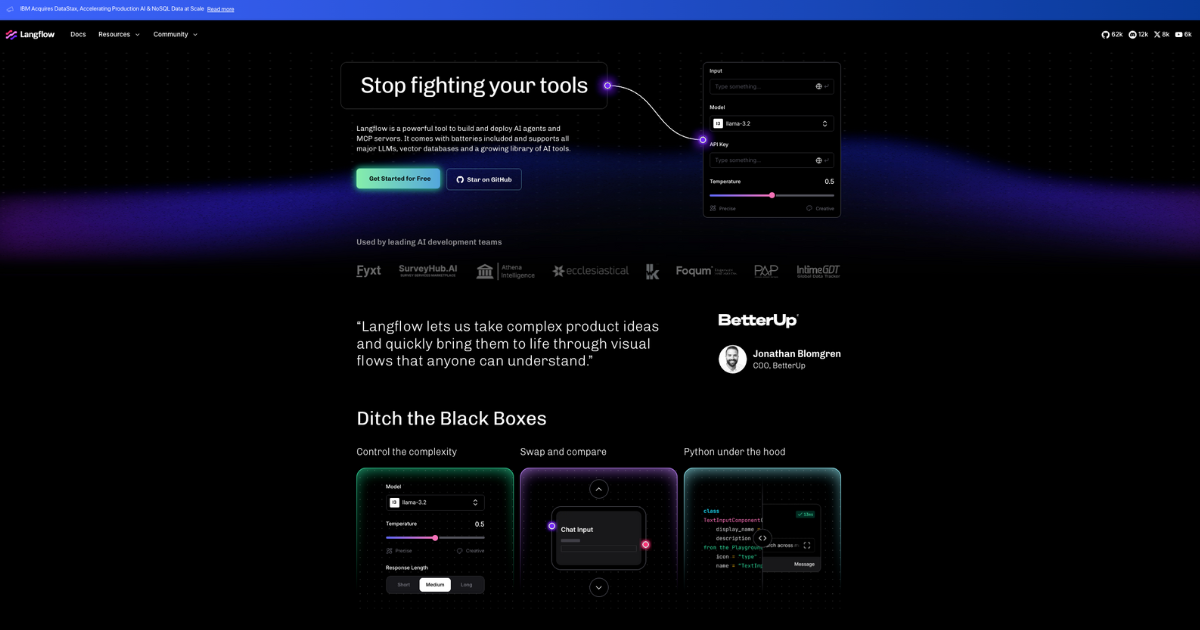
Langflow AI Builder

Langflow is an exceptional low-code AI builder specifically designed for contractors. It empowers users to construct and deploy AI agents and MCP servers swiftly and efficiently. Its visual state flows and reusable components make it an ideal choice for industry professionals seeking an adaptable and easy-to-use AI tool for their projects.

Best for No-Code & Low-Code AI Builders for Contractors

Expert Take

Langflow AI Builder stands out as a premium no-code AI tool designed for contractors, offering visual state flows and reusable components for efficient AI deployment. Its market credibility is supported by its innovative approach within the contractor industry, and it provides a user-friendly experience despite requiring some AI knowledge.

Pros

  • Visual drag-and-drop interface with full Python code control
  • Open-source (MIT License) and free to use
  • Backed by IBM/DataStax for enterprise credibility
  • Agnostic integration with major LLMs and vector DBs
  • Rapid prototyping for RAG and multi-agent systems

Cons

  • Frequent breaking changes in updates disrupt workflows
  • No built-in tenant isolation in open-source version
  • Steep learning curve for complex custom components
  • Performance issues reported with large datasets
  • Documentation can lag behind rapid release cycle

Best for teams that are

  • Developers prototyping RAG pipelines and AI agents visually
  • Teams wanting an open-source, Python-based framework
  • Technical users who want to export flows as code for production

Skip if

  • Complete non-technical beginners; it requires understanding logic
  • Users needing a full-stack app builder with frontend UI
  • Those wanting a "magic" AI generator without configuring flows

Best for teams that are

  • Developers prototyping RAG pipelines and AI agents visually
  • Teams wanting an open-source, Python-based framework
  • Technical users who want to export flows as code for production

Skip if

  • Complete non-technical beginners; it requires understanding logic
  • Users needing a full-stack app builder with frontend UI
  • Those wanting a "magic" AI generator without configuring flows

Pros

  • Visual drag-and-drop interface with full Python code control
  • Open-source (MIT License) and free to use
  • Backed by IBM/DataStax for enterprise credibility
  • Agnostic integration with major LLMs and vector DBs
  • Rapid prototyping for RAG and multi-agent systems

Cons

  • Frequent breaking changes in updates disrupt workflows
  • No built-in tenant isolation in open-source version
  • Steep learning curve for complex custom components
  • Performance issues reported with large datasets
  • Documentation can lag behind rapid release cycle

Expert Take

Langflow AI Builder stands out as a premium no-code AI tool designed for contractors, offering visual state flows and reusable components for efficient AI deployment. Its market credibility is supported by its innovative approach within the contractor industry, and it provides a user-friendly experience despite requiring some AI knowledge.

MindStudio AI Builder

MindStudio is a powerful no-code AI builder designed specifically for ecommerce businesses. It offers over 100 customizable templates that allow businesses to design, deploy, and manage AI agents without any coding. The platform is flexible, allowing for code extensions if needed, making it perfect for ecommerce businesses seeking to automate routine tasks and enhance customer experience.

Best for No-Code & Low-Code AI Builders for Ecommerce Businesses

Expert Take

MindStudio AI Builder stands out as a leading no-code AI platform tailored for ecommerce businesses. Its extensive template library and flexibility for code extensions make it highly adaptable. The platform's market credibility is bolstered by its specific focus on ecommerce automation, though the requirement for technical knowledge in complex scenarios is a noted tradeoff.

Pros

  • Access to 200+ AI models
  • Usage passed through at cost
  • SOC 2 Type II certified
  • Supports custom JS/Python code
  • Visual no-code workflow builder

Cons

  • Steep learning curve for advanced logic
  • Starter plan limits agent count
  • High usage costs for premium models
  • Relies on Zapier for many integrations
  • Mobile deployment is browser-based

Best for teams that are

  • Non-technical pros wanting to automate workflows without coding.
  • Enterprises needing secure, multi-model AI agent deployment.
  • Agencies helping organizations with digital transformation.

Skip if

  • Developers seeking highly granular code control like in n8n.
  • Users who prefer manually wiring complex logic or traditional code.
  • Teams executing traditional automations without needing AI.

Best for teams that are

  • Non-technical pros wanting to automate workflows without coding.
  • Enterprises needing secure, multi-model AI agent deployment.
  • Agencies helping organizations with digital transformation.

Skip if

  • Developers seeking highly granular code control like in n8n.
  • Users who prefer manually wiring complex logic or traditional code.
  • Teams executing traditional automations without needing AI.

Pros

  • Access to 200+ AI models
  • Usage passed through at cost
  • SOC 2 Type II certified
  • Supports custom JS/Python code
  • Visual no-code workflow builder

Cons

  • Steep learning curve for advanced logic
  • Starter plan limits agent count
  • High usage costs for premium models
  • Relies on Zapier for many integrations
  • Mobile deployment is browser-based

Expert Take

MindStudio AI Builder stands out as a leading no-code AI platform tailored for ecommerce businesses. Its extensive template library and flexibility for code extensions make it highly adaptable. The platform's market credibility is bolstered by its specific focus on ecommerce automation, though the requirement for technical knowledge in complex scenarios is a noted tradeoff.

Glide No-Code AI App Builder

Glide is specifically designed for digital marketing agencies, offering a no-code platform for creating AI-powered apps. Its user-friendly interface enables professionals to build custom apps that automate processes, streamline tasks, and enhance customer engagement, without needing coding expertise.

Best for No-Code & Low-Code AI Builders for Digital Marketing Agencies

Expert Take

Glide No-Code AI App Builder stands out as a top-tier solution for digital marketing agencies due to its user-friendly interface and AI capabilities. It allows non-technical users to create custom apps, enhancing operational efficiency and client engagement. While the platform excels in usability and integration with Google Sheets, its limited native integrations and feature restrictions on the free plan are notable trade-offs.

Pros

  • SOC 2 Type 2 certified security
  • Intuitive visual builder for non-coders
  • Supports up to 10 million rows
  • Built-in AI for content generation
  • Seamless Google Sheets & Excel sync

Cons

  • No native App Store publishing
  • Expensive per-user pricing at scale
  • US-only data hosting (no EU)
  • Complex logic can be limited
  • PWA limitations on mobile features

Best for teams that are

  • Operations teams building internal tools from Google Sheets/Excel
  • Field workers needing simple mobile interfaces for data entry
  • Non-technical users creating employee portals or directories

Skip if

  • Startups building consumer-facing native apps for App Stores
  • Projects requiring complex backend logic or high scalability
  • Developers needing full design control over UI pixels

Best for teams that are

  • Operations teams building internal tools from Google Sheets/Excel
  • Field workers needing simple mobile interfaces for data entry
  • Non-technical users creating employee portals or directories

Skip if

  • Startups building consumer-facing native apps for App Stores
  • Projects requiring complex backend logic or high scalability
  • Developers needing full design control over UI pixels

Pros

  • SOC 2 Type 2 certified security
  • Intuitive visual builder for non-coders
  • Supports up to 10 million rows
  • Built-in AI for content generation
  • Seamless Google Sheets & Excel sync

Cons

  • No native App Store publishing
  • Expensive per-user pricing at scale
  • US-only data hosting (no EU)
  • Complex logic can be limited
  • PWA limitations on mobile features

Expert Take

Glide No-Code AI App Builder stands out as a top-tier solution for digital marketing agencies due to its user-friendly interface and AI capabilities. It allows non-technical users to create custom apps, enhancing operational efficiency and client engagement. While the platform excels in usability and integration with Google Sheets, its limited native integrations and feature restrictions on the free plan are notable trade-offs.

Loading comparison data…

How We Rank Products

Our Evaluation Process

Evaluation of No-Code & Low-Code AI Builders considers documented features like ease of integration with existing systems and scalability. Pricing transparency is assessed, ensuring buyers understand cost implications. Compatibility with other software solutions is crucial, affecting decision-making. Customer feedback from third-party sources provides additional insights into user satisfaction and practical performance.

Verification

  • Products evaluated through comprehensive research and analysis of user feedback and expert insights.
  • Rankings based on an analysis of features, specifications, and customer ratings within the no-code and low-code AI builder landscape.
  • Selection criteria focus on usability, integration capabilities, and scalability to ensure reliable recommendations.

Score Breakdown

0.0 / 10

About No-Code & Low-Code App Builders

WHAT ARE NO-CODE & LOW-CODE APP BUILDERS?

No-Code and Low-Code App Builders are software development environments that allow users to create application software through graphical user interfaces and configuration instead of traditional hand-coded computer programming. This category covers platforms used to design, build, deploy, and manage custom business applications across their full lifecycle—from initial prototyping and logic definition to deployment, hosting, and maintenance. These tools abstract away the underlying infrastructure and code, providing visual modeling tools for data architecture, user interface design, and workflow logic.

This category sits distinctly between Business Process Management (BPM) software, which is strictly focused on process orchestration, and Integrated Development Environments (IDEs), which are tools for pure code authorship. While broader than simple form builders or database tools, No-Code and Low-Code App Builders are narrower than full-stack development platforms; they typically enforce specific architectural patterns to ensure speed and stability. The category includes both general-purpose platforms capable of building any CRUD (Create, Read, Update, Delete) application and vertical-specific tools tailored for industries like manufacturing, finance, or retail.

The core problem these platforms solve is the "delivery gap"—the disparity between the overwhelming demand for custom software in the enterprise and the limited supply of skilled engineering talent to build it. By reducing the technical barrier to entry, these tools allow organizations to rapidly digitize unique operational processes that are too specific for off-the-shelf SaaS but too small to justify a million-dollar custom engineering project. They matter because they shift the ownership of digital problem-solving closer to the subject matter experts who actually understand the business problems.

HISTORY

The lineage of modern No-Code and Low-Code platforms does not begin with the cloud, but rather with the Rapid Application Development (RAD) movement of the 1990s. During this era, tools like Microsoft Visual Basic, Borland Delphi, and Oracle Forms dominated the landscape. These "Fourth Generation Languages" (4GLs) promised to abstract away the complexities of C++ and memory management, offering visual drag-and-drop interfaces for building desktop applications [1]. They successfully democratized development for a generation, but they were largely bound to on-premise infrastructure and struggled with the transition to the web in the early 2000s.

As the internet matured, a gap emerged. The shift from client-server architectures to the web created a high technical barrier; suddenly, building a simple business app required knowledge of HTML, CSS, JavaScript, databases, and server-side languages. For nearly a decade, the "citizen developer" was locked out, forced to rely on Excel spreadsheets or shadow IT solutions to manage data. The market saw a divergence: heavily codified ERPs (Enterprise Resource Planning) systems handled core records, while simple departmental needs were ignored by IT.

The category began to re-coalesce in the early 2010s as "Platform as a Service" (PaaS) offerings matured. The term "low-code" was officially coined by Forrester analysts Clay Richardson and John Rymer in 2014 to describe platforms that focused on rapid delivery of business applications with a minimum of hand-coding [2]. This marked a pivotal moment where the market recognized that visual development was not just a "toy" for amateurs, but a valid strategy for enterprise agility. The rise of vertical SaaS in the late 2010s further fragmented the market, as buyers realized that generic "build anything" platforms often required too much setup for specific use cases like compliance or field services.

Today, the market is defined by a massive consolidation wave and the "AI infusion." We have moved past the era of simply providing a visual database (the "give me a database" phase) to platforms that offer intelligent automation, predictive logic, and generative interfaces (the "give me actionable intelligence" phase). Acquisitions of independent players by major cloud giants have standardized the technology stack, making these builders a default part of the enterprise IT portfolio rather than an experimental fringe tool.

WHAT TO LOOK FOR

When evaluating No-Code and Low-Code App Builders, the priority must be on scalability and governance rather than just the ease of the drag-and-drop editor. Many tools demo well but fail in production under load. A critical evaluation criterion is the platform's "escape hatch"—can you export the code or data in a usable format if you leave the vendor? Look for platforms that generate standard code (like React or .NET) versus those that run proprietary interpretive runtime engines, as the latter creates significantly higher vendor lock-in risks.

Red flags include opaque pricing models that punish success (e.g., steep price hikes once you exceed a low record count) and a lack of granular role-based access control (RBAC). If a platform allows anyone to edit the data schema without an approval workflow, it is a prototype tool, not an enterprise solution. Another warning sign is the absence of environment management; if you cannot separate "Development," "Staging," and "Production" environments, you risk breaking live business processes with every update.

Key questions to ask vendors include: "What happens to my application if I stop paying the subscription—does it stop working immediately, or do I own the runtime?" "How does the platform handle conflict resolution when two users edit the same record or logic flow simultaneously?" and "Can we host this instance in our own virtual private cloud (VPC) for compliance purposes, or are we forced into your multi-tenant environment?"

INDUSTRY-SPECIFIC USE CASES

Retail & E-commerce

In the retail sector, the primary driver for Low-Code adoption is inventory visibility and merchandising compliance. Unlike generic businesses, retailers deal with high-velocity physical goods and a distributed workforce that is often offline. Generic app builders often fail here because they lack robust offline caching and barcode scanning optimization. Retailers utilize specialized builders to create "planogram compliance" apps where store associates snap photos of shelves, and the app uses computer vision (integrated via API) to verify if products are placed correctly according to corporate strategy [3].

Evaluation priorities for retail include mobile-first performance (employees are standing, not sitting) and the ability to handle high-frequency data syncing without conflict. A unique consideration is the "seasonal scaling" problem; retail apps may see 10x usage during holidays. Buyers must verify that the low-code platform's infrastructure auto-scales during these peaks without requiring manual intervention or crashing due to API rate limits.

Healthcare

The non-negotiable requirement in healthcare is HIPAA compliance and data sovereignty. Healthcare providers use these platforms to build patient intake portals, care coordination apps, and custom electronic medical record (EMR) extensions. A specific workflow unique to this sector is the "longitudinal care log," where data must be aggregated from various specialists over years. Generic tools often lack the specific audit trails required by law—logging not just what changed, but who viewed the record and when [4].

When evaluating, healthcare buyers must prioritize "Business Associate Agreements" (BAA). If a vendor refuses to sign a BAA, they are effectively unusable for any patient data. Furthermore, the ability to integrate with HL7 and FHIR standards is critical; a low-code tool that cannot talk to the existing Epic or Cerner system is just another data silo that creates clinical risk.

Financial Services

Financial institutions utilize Low-Code builders primarily for Know Your Customer (KYC) and Anti-Money Laundering (AML) automation. The workflow here involves complex decision trees: "If a transaction is over $10,000 and originates from Country X, trigger a manual review task for Officer Y." This requires a platform with a sophisticated rules engine, not just a simple form builder [5].

The evaluation priority is auditability. Every automated decision made by the app must be traceable for regulatory auditors. Financial buyers typically look for platforms that offer "snapshotting"—preserving the exact state of a record and the logic that applied to it at a specific moment in time. Security requirements often dictate on-premise or dedicated private cloud deployments, pushing buyers away from purely public SaaS low-code options.

Manufacturing

Manufacturers use these tools to digitize the "shop floor traveler"—the packet of paper that follows a part through the assembly line. Low-code apps replace this with tablets that track time, quality checks, and material usage in real-time. A unique consideration is IoT connectivity; the app often needs to read data directly from a machine (e.g., temperature or torque values) rather than relying solely on human input [6].

The critical evaluation metric is uptime and latency. In a factory, if the app goes down, the production line stops, costing thousands of dollars per minute. Manufacturers prioritize platforms with "edge computing" capabilities, allowing the app to run logic locally on the device even if the factory's Wi-Fi is spotty, syncing back to the cloud only when connectivity is robust.

Professional Services

For law firms, consultancies, and agencies, the killer use case is the client portal. These firms sell transparency; they need secure apps where clients can view project status, approve deliverables, and upload sensitive documents without traversing email. The workflow unique to this sector is "external collaboration with granular permissions"—giving a client view-only access to specific rows in a database while hiding internal billing comments [7].

Evaluation priorities center on branding and client experience. Can the portal be white-labeled completely, or will it look like a generic vendor tool? Security is also paramount, as these portals often host intellectual property. Firms look for granular field-level security to ensure that a junior associate cannot accidentally expose a partner-only field to a client.

SUBCATEGORY OVERVIEW

No-Code & Low-Code AI Builders for Contractors This niche specifically targets the pre-construction and bidding phase of the contractor lifecycle. Unlike generic app builders which require manual data entry, these tools specialize in computer vision and document parsing. A workflow unique to this category is "visual estimation": a contractor can upload a PDF blueprint or snap a photo of a job site, and the AI automatically identifies room dimensions, counts outlets or fixtures, and populates a line-item estimate. The pain point driving buyers here is the time-consuming nature of manual "takeoffs" (measuring from plans). Generic tools cannot interpret visual data, forcing contractors to manually type measurements into fields. For a deeper look at these specialized tools, read our guide to No-Code & Low-Code AI Builders for Contractors.

No-Code & Low-Code AI Builders for Digital Marketing Agencies While general marketing tools focus on creative assets, this subcategory focuses on data synthesis and reporting narratives. Digital agencies are drowning in data from disparate sources (Google Ads, Meta, LinkedIn, GA4). These builders distinguish themselves by offering pre-built connectors to ad networks combined with Natural Language Generation (NLG). A specific workflow these tools handle is "automated insight generation"—ingesting raw performance CSVs and outputting a written executive summary explaining why CPC went up, rather than just showing a chart. Buyers flock to this niche because generic BI tools display data but don't explain it, leaving account managers to spend hours writing monthly reports. Learn more about these reporting engines in our guide to No-Code & Low-Code AI Builders for Digital Marketing Agencies.

No-Code & Low-Code AI Builders for Ecommerce Businesses This category is purpose-built for catalog management and enrichment at scale. Generic tools treat products as simple database rows, but these specialized builders integrate Large Language Models (LLMs) specifically tuned for sales copy. The workflow that only these tools handle well is "bulk attribute extraction and description generation." An ecommerce manager can upload a spreadsheet of raw manufacturer specs (e.g., "Cotton, Red, Size M"), and the tool generates SEO-optimized, unique product descriptions for 5,000 SKUs in minutes, while also tagging images automatically. The pain point driving this market is the "blank page problem" when launching large catalogs—generic app builders offer no assistance in content creation. Explore the tools transforming catalog management in our guide to No-Code & Low-Code AI Builders for Ecommerce Businesses.

No-Code & Low-Code AI Builders for Marketing Agencies Distinct from the "Digital Marketing" niche which focuses on data, this subcategory focuses on creative operations and asset adaptation. These platforms serve the "studio" side of the agency. A workflow unique to this niche is "intelligent asset versioning"—taking a core campaign image and automatically resizing, cropping, and rewriting overlay text for 20 different social media formats using generative AI. Generic app builders lack the image processing and design-aware capabilities required for this. Agencies choose these tools to solve the bottleneck of production design, where expensive creatives waste hours manually resizing banners. Discover more about these creative automation tools in our guide to No-Code & Low-Code AI Builders for Marketing Agencies.

No-Code & Low-Code AI Builders for Retail Stores This niche focuses on in-store execution and physical compliance. Unlike general inventory apps, these tools leverage AI for "visual auditing." A specific workflow involves a store manager taking a picture of a shelf, and the app instantly analyzing it against the corporate planogram to flag missing items or incorrect pricing labels. The pain point here is the unreliability of manual checks—human auditors often miss details or falsify reports. Generic app builders can store the photo, but they cannot analyze it, requiring a human to review the image later. These tools perform the analysis on the edge, providing instant feedback. For details on these auditing solutions, see our guide to No-Code & Low-Code AI Builders for Retail Stores.

DEEP DIVE: INTEGRATION & API ECOSYSTEM

In the enterprise software stack, a No-Code builder is rarely an island; its value is determined by how well it "talks" to existing systems. While marketing materials often tout "one-click integrations," the reality is significantly more complex. Research from integration specialists indicates that up to 84% of digital transformation failures are linked to integration challenges, where data silos persist despite new tooling [8]. The promise of "citizen development" often breaks down here, as connecting APIs requires an understanding of authentication methods (OAuth vs. API Keys), rate limiting, and data serialization (JSON structures).

Gartner's VP of Research has noted that "integration is the 'long pole' in the tent of digital transformation," implying that while building the UI takes days, integrating the data can take months without the right framework. This is often where hidden costs accumulate.

Example Scenario: Consider a 50-person professional services firm that purchases a low-code platform to build a custom Account Management app. They intend to sync this app with their existing invoicing system (e.g., QuickBooks) and project management tool (e.g., Jira). A poor integration design might use a simple "trigger-based" connection (e.g., "When a new client is added, send to QuickBooks"). In practice, this breaks immediately when a record is updated rather than created, or when the internet connection flutters. Without robust error handling and "idempotency" (ensuring the same record isn't created twice), the firm ends up with duplicate invoices and data conflicts. The firm is forced to hire a developer to write a middleware script to handle the syncing logic, negating the "no-code" value proposition. A robust platform would offer pre-built, bi-directional sync with built-in conflict resolution strategies.

DEEP DIVE: SECURITY & COMPLIANCE

Security in low-code platforms operates on a "shared responsibility" model, which is often misunderstood by buyers. The vendor secures the cloud infrastructure, but the customer is responsible for the application logic and access controls. The OWASP Top 10 for Low-Code/No-Code specifically highlights "account impersonation" and "data leakage" as top risks [9]. Because these platforms make it so easy to publish data, it is equally easy to accidentally publish sensitive data to a public URL.

According to security research by Zenity, a low-code security firm, "low-code applications can be embedded with user identities which are used implicitly," meaning an attacker can potentially escalate privileges by exploiting a poorly configured workflow [10].

Example Scenario: A regional healthcare provider uses a no-code builder to create a patient intake form. The builder allows them to create a "public link" for patients to fill out forms before their visit. However, the "citizen developer" who built the app accidentally leaves the "List View" permission enabled for the "Guest" role. Consequently, a tech-savvy user could manipulate the URL parameters to view a list of all patient submissions, not just their own. This results in a massive HIPAA breach. A secure platform would have "safe-by-default" settings that block public read access to database tables unless explicitly and deliberately overridden by an admin with specific security privileges.

DEEP DIVE: PRICING MODELS & TCO

Pricing in this category is notoriously volatile and complex. The two dominant models are Per-User (Seat-Based) and Usage-Based (Consumption). While seat-based pricing offers predictability, it often becomes prohibitively expensive for external-facing apps (e.g., client portals). Conversely, usage-based pricing can lead to "bill shock" if an app goes viral or a workflow enters an infinite loop. Recent trends show a shift: 59% of software vendors expect usage-based models to increase as a portion of revenue [11].

Industry analysts at IDC report that Usage-Based Pricing (UBP) now accounts for 42% of preferred pricing methods among SaaS buyers [11]. However, buyers must be wary of "metric definitions"—what counts as a "task" or "operation" varies wildly between vendors.

Example Scenario: A logistics company with a 25-person back-office team and 200 freelance drivers wants to build a delivery tracking app. Option A (Per-User): At $20/user/month, the cost is $4,500/month ($500 for staff + $4,000 for drivers). This breaks the budget because drivers only use the app for 5 minutes a day. Option B (Usage-Based): The vendor charges $0.01 per "workflow execution." If each delivery triggers 5 workflows (Pick up, En route, Arrived, Photo, Complete) and they do 10,000 deliveries a month, the cost is 50,000 operations * $0.01 = $500/month. In this case, the TCO difference is 9x. However, if the company builds a buggy workflow that loops continuously, Option B could bankrupt them overnight without "spend caps" in place.

DEEP DIVE: IMPLEMENTATION & CHANGE MANAGEMENT

The technical deployment of a low-code tool is often the easiest part; the cultural shift is the hurdle. McKinsey research consistently identifies organizational culture as the dominant obstacle to digital transformation success, with 70% of initiatives failing to reach their goals [8]. The "Citizen Developer" model fails when IT perceives it as a threat ("Shadow IT") rather than a partnership. Successful implementation requires a "Center of Excellence" (CoE) approach where IT sets the guardrails (security, governance) and business units build the logic.

Forrester analysts note that "organizations that invest heavily in culture change see 5.3x higher success rates than technology-only approaches" [8]. Change management is not just training; it is redefining roles.

Example Scenario: A manufacturing firm implements a new low-code Quality Assurance app to replace paper clipboards. The app works perfectly. However, the shop floor workers, who are paid based on throughput volume, refuse to use it because the app requires 3 extra clicks per item, slowing them down. They revert to paper, and the data remains siloed. A proper change management strategy would have involved these workers in the design phase ("User Acceptance Testing") to ensure the UI was faster than paper, perhaps using large buttons or voice input, and adjusting the incentive structure to reward data accuracy alongside volume.

DEEP DIVE: VENDOR EVALUATION CRITERIA

Vendor lock-in is the silent killer in the low-code space. When you build on a proprietary platform, you are often building "rented" software. If the vendor raises prices or deprecates a feature, you are stuck. Gartner predicts that by 2025, 70% of new applications will be developed using low-code technologies [12], which means the exposure to vendor risk is becoming a systemic enterprise issue.

Experts warn that "technology stagnation" is a major risk of lock-in; if your vendor stops innovating, your business innovation stalls too [13]. The evaluation must focus on the "Exit Strategy."

Example Scenario: A mid-sized insurance company builds its entire claims processing engine on a popular no-code platform. Two years later, the vendor is acquired by a larger conglomerate and announces a "strategic pivot" that discontinues support for the specific API connectors the insurance firm relies on. Because the platform uses a proprietary, closed-source runtime, the firm cannot simply "take the code" and host it elsewhere. They are forced to rebuild the entire application from scratch on a new platform in a panic, costing hundreds of thousands of dollars in downtime and development. A better evaluation would have prioritized vendors that output standard, compile-able code (like Java or React) or utilized open-source low-code frameworks.

EMERGING TRENDS AND CONTRARIAN TAKE

Emerging Trends (2025-2026): The market is rapidly moving toward "Agentic Workflows." Instead of users manually clicking through a defined process, AI agents within the low-code environment will autonomously execute tasks—routing approvals, fetching data, and generating reports—based on natural language goals. We are also seeing a convergence of "Low-Code" and "Pro-Code," where platforms are integrating full IDE capabilities (Git integration, CI/CD pipelines) to appeal to professional developers who need speed without losing control.

Contrarian Take: The "Citizen Developer" revolution is largely a myth that creates more debt than value. While it is marketing gold to claim that "anyone can build an app," the reality is that most business users lack the data modeling discipline to build scalable software. The true ROI of low-code is not enabling amateurs to build apps, but enabling professional developers to build boring internal tools 10x faster so they can focus on high-value engineering. Most businesses would get more ROI from hiring one dedicated low-code specialist to serve the organization than by trying to train 50 accountants to be part-time coders.

COMMON MISTAKES

1. Over-Engineering the MVP: Buyers often try to replicate their legacy system feature-for-feature in the new tool. This leads to bloated, slow applications. The goal should be to reimagine the process, not just digitize the old form.

2. Ignoring Data Architecture: Beginners often build "flat" data structures (like a spreadsheet) instead of relational models. This works for 100 records but breaks at 10,000. Failing to normalize data leads to duplication and sync errors.

3. Neglecting "Shadow IT" Governance: Allowing departments to buy and build their own tools without IT oversight results in a fragmented data landscape where "Client A" exists in three different databases with three different spellings.

QUESTIONS TO ASK IN A DEMO

  • "Show me the 'eject' button. If we leave, how do we get our data AND our business logic out? Can we export to SQL or a standard code format?"
  • "How does your licensing model handle external users? If I invite 500 clients to view a portal, does that cost $10,000/month?"
  • "Demonstrate your 'Staging' to 'Production' deployment pipeline. How do we test changes without breaking the live app?"
  • "What are the hard limits on API calls per minute, and what happens when we hit them? Do you throttle us or charge overages?"
  • "Show me the audit log for a specific record. Can I see exactly who changed a field from 'Pending' to 'Approved' and when?"

BEFORE SIGNING THE CONTRACT

Final Decision Checklist:

  • Scalability Test: Have you loaded the system with 5x your expected data volume to check for latency?
  • Security Audit: Has your CISO or security lead reviewed the vendor's SOC 2 Type II report and penetration testing results?
  • Support SLA: Does the contract guarantee response times for "System Down" events? Standard support often means a 24-48 hour wait.
  • Data Residency: If you are in the EU or a regulated industry, does the contract specify where your data physically resides?

Deal-Breakers: Avoid vendors that claim ownership of the IP (intellectual property) created on their platform. You must own your application logic. Also, be wary of vendors who cannot provide a clear roadmap for AI integration, as they will likely be obsolete within 3 years.

CLOSING

Navigating the No-Code and Low-Code landscape requires balancing the need for speed with the discipline of engineering. If you need help evaluating the right stack for your specific use case, feel free to reach out.

Email: albert@whatarethebest.com

Quick one question survey

Thanks for your input!
Your response has been recorded.