
Workforce Scheduling & Shift Management Tools
These are the specialized categories within Workforce Scheduling & Shift Management Tools. Looking for something broader? See all HR & People Management Software categories.
Shifton Hotel Staff Scheduling
Best for Workforce Scheduling Tools for Hospitality & Hotels
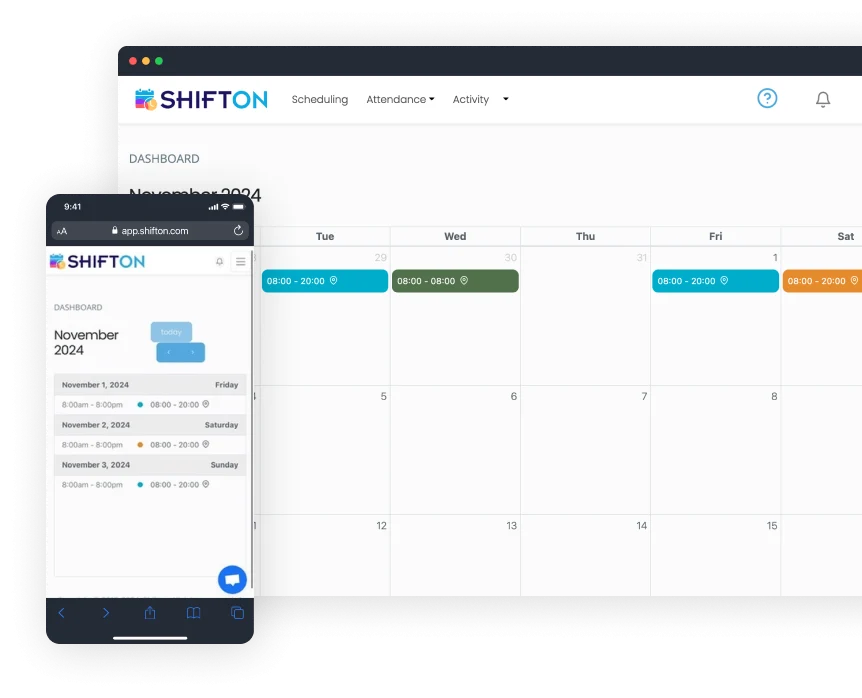
Shifton's software provides a specifically tailored solution for the hospitality industry, aiming to streamline hotel staff scheduling. It helps in creating balanced schedules, minimizing errors, and maximizing efficiency. Its features such as payroll integration and attendance tracking are designed to cater to the complex workforce management needs in a hotel setting.
Best for Workforce Scheduling Tools for Hospitality & Hotels
Expert Take
Shifton Hotel Staff Scheduling excels in providing industry-specific solutions for the hospitality sector, with robust features like payroll integration and attendance tracking. Its focus on optimizing scheduling for hotels makes it a valuable tool, though some limitations in customization and payroll system support exist.
Pros
- Free plan for up to 100 employees
- Modular pricing (pay-per-feature)
- Automated AI-driven shift scheduling
- Task management for housekeeping/maintenance
- Real-time GPS location tracking
Cons
- Mobile app limited to employee views
- Admins must use web interface
- Potential battery drain from location services
- Low volume of third-party reviews
- Location control add-on is expensive
Best for teams that are
- Service businesses seeking automated shift generation and easy swapping
- Teams needing a flexible tool that handles various shift patterns
- Managers looking for AI-driven scheduling suggestions
Skip if
- Large food service operations needing specialized menu management features
- Enterprises requiring a widely adopted, industry-standard legacy system
- Users needing extensive third-party integrations out of the box
Best for teams that are
- Service businesses seeking automated shift generation and easy swapping
- Teams needing a flexible tool that handles various shift patterns
- Managers looking for AI-driven scheduling suggestions
Skip if
- Large food service operations needing specialized menu management features
- Enterprises requiring a widely adopted, industry-standard legacy system
- Users needing extensive third-party integrations out of the box
Pros
- Free plan for up to 100 employees
- Modular pricing (pay-per-feature)
- Automated AI-driven shift scheduling
- Task management for housekeeping/maintenance
- Real-time GPS location tracking
Cons
- Mobile app limited to employee views
- Admins must use web interface
- Potential battery drain from location services
- Low volume of third-party reviews
- Location control add-on is expensive
Expert Take
Shifton Hotel Staff Scheduling excels in providing industry-specific solutions for the hospitality sector, with robust features like payroll integration and attendance tracking. Its focus on optimizing scheduling for hotels makes it a valuable tool, though some limitations in customization and payroll system support exist.
Workstaff Staff Management
Best for Shift Scheduling & Workforce Management for Staffing Agencies

Workstaff is a SaaS solution designed specifically for staffing agencies to manage shift scheduling and workforce management. It simplifies staff scheduling, time tracking, and overall workforce management with its intuitive software and mobile app, addressing the industry's need for an efficient, time-saving solution.
Best for Shift Scheduling & Workforce Management for Staffing Agencies
Expert Take
Workstaff excels in providing a tailored solution for staffing agencies, focusing on shift scheduling and workforce management. Its mobile app enhances usability, while its industry-specific design ensures relevance. However, the lack of upfront pricing details and potential limitations for larger agencies are notable tradeoffs.
Pros
- Pricing based on managers, not staff count
- Dedicated mobile apps for staff and managers
- Automated contractor invoicing and payroll prep
- White-labeled client portal for agencies
- Real-time geolocation and presence tracking
Cons
- Key features (Payroll, Portal) are paid add-ons
- Low volume of third-party reviews
- Limited native integrations (relies on exports)
- Chat functionality lacks granular group options
- Base plans exclude advanced compensation rules
Best for teams that are
- Staffing and experiential agencies managing on-demand/contingent rosters
- Businesses needing built-in contractor invoicing and client portals
- Event caterers requiring real-time staff booking and confirmation
Skip if
- Traditional businesses with fixed, full-time employee schedules
- Companies needing deep integration with traditional payroll for permanent staff
- Organizations that do not manage a gig or temporary workforce
Best for teams that are
- Staffing and experiential agencies managing on-demand/contingent rosters
- Businesses needing built-in contractor invoicing and client portals
- Event caterers requiring real-time staff booking and confirmation
Skip if
- Traditional businesses with fixed, full-time employee schedules
- Companies needing deep integration with traditional payroll for permanent staff
- Organizations that do not manage a gig or temporary workforce
Pros
- Pricing based on managers, not staff count
- Dedicated mobile apps for staff and managers
- Automated contractor invoicing and payroll prep
- White-labeled client portal for agencies
- Real-time geolocation and presence tracking
Cons
- Key features (Payroll, Portal) are paid add-ons
- Low volume of third-party reviews
- Limited native integrations (relies on exports)
- Chat functionality lacks granular group options
- Base plans exclude advanced compensation rules
Expert Take
Workstaff excels in providing a tailored solution for staffing agencies, focusing on shift scheduling and workforce management. Its mobile app enhances usability, while its industry-specific design ensures relevance. However, the lack of upfront pricing details and potential limitations for larger agencies are notable tradeoffs.
Shiftboard Union Compliance
Best for Shift Management Platforms for Unionized Workforces

Shiftboard Union Compliance is a comprehensive scheduling solution designed specifically for unionized workplaces. Its robust features ensure compliance throughout the scheduling lifecycle, addressing the unique needs and regulations of unionized industries.
Best for Shift Management Platforms for Unionized Workforces
Expert Take
Shiftboard Union Compliance excels in providing specialized scheduling solutions for unionized workplaces, ensuring compliance with union rules and regulations. Its robust features, such as automated scheduling and real-time updates, make it a standout product in its niche. The product is well-regarded for its advanced reporting capabilities, which enhance transparency and trust.
Pros
- Money-back compliance guarantee for rule enforcement
- Advanced union rule configuration (seniority, equalization)
- Specialized fatigue management (API RP 755)
- Real-time grievance tracking and alerts
- Deep integration with UKG Pro Workforce
Cons
- User interface described as outdated and clunky
- Mobile app stability issues (freezing, logouts)
- No drag-and-drop scheduling functionality
- Complex implementation for enterprise features
- Enterprise pricing requires custom quote
Best for teams that are
- Manufacturing and energy companies with complex union contracts
- Organizations requiring strict seniority-based scheduling and audit trails
- Enterprises needing to mitigate grievance risks through automated compliance
Skip if
- Small businesses with simple, static scheduling needs
- Teams prioritizing a modern, consumer-grade user interface over functionality
- Organizations without complex labor regulations or union constraints
Best for teams that are
- Manufacturing and energy companies with complex union contracts
- Organizations requiring strict seniority-based scheduling and audit trails
- Enterprises needing to mitigate grievance risks through automated compliance
Skip if
- Small businesses with simple, static scheduling needs
- Teams prioritizing a modern, consumer-grade user interface over functionality
- Organizations without complex labor regulations or union constraints
Pros
- Money-back compliance guarantee for rule enforcement
- Advanced union rule configuration (seniority, equalization)
- Specialized fatigue management (API RP 755)
- Real-time grievance tracking and alerts
- Deep integration with UKG Pro Workforce
Cons
- User interface described as outdated and clunky
- Mobile app stability issues (freezing, logouts)
- No drag-and-drop scheduling functionality
- Complex implementation for enterprise features
- Enterprise pricing requires custom quote
Expert Take
Shiftboard Union Compliance excels in providing specialized scheduling solutions for unionized workplaces, ensuring compliance with union rules and regulations. Its robust features, such as automated scheduling and real-time updates, make it a standout product in its niche. The product is well-regarded for its advanced reporting capabilities, which enhance transparency and trust.
Sling: Employee Scheduling Solution
Best for Workforce Scheduling Tools for Call Centers & Support Teams

Sling is an ideal scheduling software for call centers and support teams, providing robust features for employee scheduling, communication, and time tracking. It simplifies task management and aids in labor cost optimization, catering to the unique needs of workforce management in these industries.
Best for Workforce Scheduling Tools for Call Centers & Support Teams
Expert Take
Sling excels in providing comprehensive scheduling and communication tools tailored for call centers and support teams. Its cost-effective pricing and labor optimization features make it a standout choice in its category. While the free plan has limitations, the premium offerings provide significant value.
Pros
- Free plan for up to 30 users
- Seamless Toast POS integration
- Built-in labor cost & overtime alerts
- Intuitive drag-and-drop scheduling
- Mobile time clock with geofencing
Cons
- Reports limited to desktop version
- No offline mode for mobile app
- No phone support available
- Advanced reporting requires Business plan
- Free plan capped at 30 users
Best for teams that are
- Small businesses in retail and hospitality
- Teams needing a free or low-cost scheduling solution
- Managers wanting drag-and-drop simplicity
Skip if
- Large enterprises with complex reporting needs
- Call centers needing advanced real-time adherence tools
- Users needing time clock features on the free plan
Best for teams that are
- Small businesses in retail and hospitality
- Teams needing a free or low-cost scheduling solution
- Managers wanting drag-and-drop simplicity
Skip if
- Large enterprises with complex reporting needs
- Call centers needing advanced real-time adherence tools
- Users needing time clock features on the free plan
Pros
- Free plan for up to 30 users
- Seamless Toast POS integration
- Built-in labor cost & overtime alerts
- Intuitive drag-and-drop scheduling
- Mobile time clock with geofencing
Cons
- Reports limited to desktop version
- No offline mode for mobile app
- No phone support available
- Advanced reporting requires Business plan
- Free plan capped at 30 users
Expert Take
Sling excels in providing comprehensive scheduling and communication tools tailored for call centers and support teams. Its cost-effective pricing and labor optimization features make it a standout choice in its category. While the free plan has limitations, the premium offerings provide significant value.
TeamUltim Multi-Location Scheduling
Best for Workforce Scheduling Tools for Retail & Multi-Location Stores
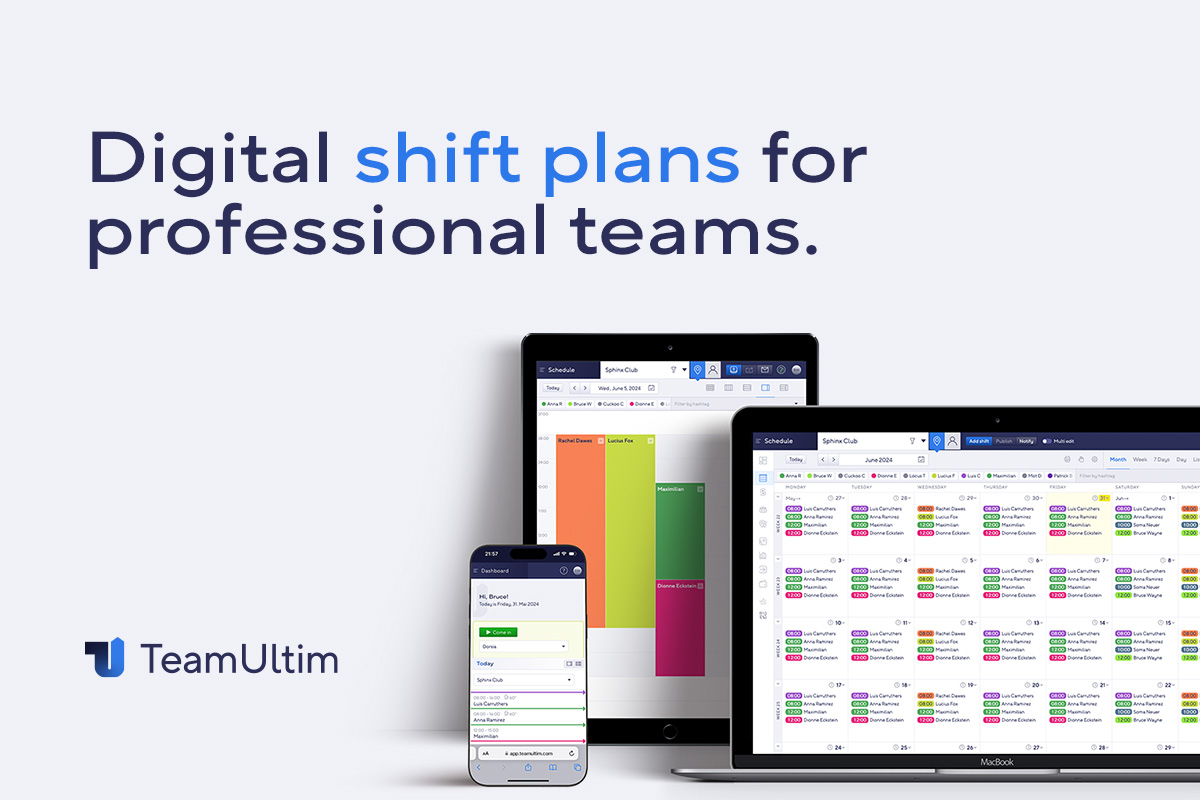
TeamUltim's employee scheduling software is explicitly designed for retail chains managing multi-location staff scheduling. It provides a transparent, efficient solution for coordinating retail personnel across various locations, ensuring optimal staffing levels and efficient shift management.
Best for Workforce Scheduling Tools for Retail & Multi-Location Stores
Expert Take
TeamUltim Multi-Location Scheduling excels in providing a specialized solution for retail chains with multi-location needs. Its user-friendly interface and efficient shift management are well-documented, making it a top choice in its category. However, limited third-party integrations and the absence of a mobile app are notable tradeoffs.
Pros
- Seamless cross-location scheduling
- No app download required (PWA)
- Free tier for small teams
- GDPR compliant & hosted in Germany
- Intuitive drag-and-drop interface
Cons
- No native iOS/Android app
- Limited advanced analytics depth
- Fewer pre-built integrations
- Manual setup for complex roles
- Support primarily via email
Best for teams that are
- SMB retail chains needing clear multi-location oversight.
- Managers who need to switch between store views easily.
- Teams requiring role-based scheduling for specific skills.
Skip if
- Large enterprises requiring heavy ERP (SAP/Oracle) integration.
- Solopreneurs or freelancers without a team.
- Businesses needing complex AI-driven demand forecasting.
Best for teams that are
- SMB retail chains needing clear multi-location oversight.
- Managers who need to switch between store views easily.
- Teams requiring role-based scheduling for specific skills.
Skip if
- Large enterprises requiring heavy ERP (SAP/Oracle) integration.
- Solopreneurs or freelancers without a team.
- Businesses needing complex AI-driven demand forecasting.
Pros
- Seamless cross-location scheduling
- No app download required (PWA)
- Free tier for small teams
- GDPR compliant & hosted in Germany
- Intuitive drag-and-drop interface
Cons
- No native iOS/Android app
- Limited advanced analytics depth
- Fewer pre-built integrations
- Manual setup for complex roles
- Support primarily via email
Expert Take
TeamUltim Multi-Location Scheduling excels in providing a specialized solution for retail chains with multi-location needs. Its user-friendly interface and efficient shift management are well-documented, making it a top choice in its category. However, limited third-party integrations and the absence of a mobile app are notable tradeoffs.
Assembled Call Center Scheduling
Best for Workforce Scheduling Tools for Call Centers & Support Teams

Assembled's Call Center Scheduling software is designed to offer modern workforce management specifically for customer support teams. It's tailored to help teams manage call center scheduling effectively and provide data on important support metrics, addressing the unique needs of call center operations.
Best for Workforce Scheduling Tools for Call Centers & Support Teams
Expert Take
Assembled Call Center Scheduling excels in providing tailored workforce management solutions for customer support teams. Its integration capabilities and focus on support metrics make it a valuable tool for call centers. However, the lack of transparent pricing and limited customization options slightly impact its overall score.
Pros
- 90% forecast accuracy claims
- Fast implementation (weeks vs months)
- SOC 2 Type II & HIPAA compliant
- Unified BPO and internal staffing
- Intuitive, modern user interface
Cons
- Limited custom reporting options
- Occasional platform performance lag
- Enterprise pricing requires quote
- Granular permission limitations
- Support hours may lag for APAC
Best for teams that are
- Modern support teams using Zendesk, Salesforce, or Intercom
- Omnichannel support teams managing chat, email, and voice
- Fast-growing tech companies needing quick implementation
Skip if
- Legacy call centers needing on-premise hardware integration
- Teams requiring highly complex, custom legacy WFM configurations
- Organizations looking for a generic, non-support specific tool
Best for teams that are
- Modern support teams using Zendesk, Salesforce, or Intercom
- Omnichannel support teams managing chat, email, and voice
- Fast-growing tech companies needing quick implementation
Skip if
- Legacy call centers needing on-premise hardware integration
- Teams requiring highly complex, custom legacy WFM configurations
- Organizations looking for a generic, non-support specific tool
Pros
- 90% forecast accuracy claims
- Fast implementation (weeks vs months)
- SOC 2 Type II & HIPAA compliant
- Unified BPO and internal staffing
- Intuitive, modern user interface
Cons
- Limited custom reporting options
- Occasional platform performance lag
- Enterprise pricing requires quote
- Granular permission limitations
- Support hours may lag for APAC
Expert Take
Assembled Call Center Scheduling excels in providing tailored workforce management solutions for customer support teams. Its integration capabilities and focus on support metrics make it a valuable tool for call centers. However, the lack of transparent pricing and limited customization options slightly impact its overall score.
Crunchtime Restaurant Operations Software
Best for Workforce Scheduling Tools for Restaurants & Food Service

Crunchtime is a powerful SaaS solution designed specifically for multi-unit restaurants to streamline operations and boost profitability. It offers robust scheduling tools, helps to optimize food and labor costs, and provides actionable insights to grow confidently.
Best for Workforce Scheduling Tools for Restaurants & Food Service
Expert Take
Crunchtime excels in providing restaurant-specific operational management tools, with strong capabilities in scheduling and cost optimization. Its market credibility is supported by industry recognition and partnerships. While it offers comprehensive features, initial setup complexity and pricing may be considerations for smaller businesses.
Pros
- Enterprise-grade perpetual inventory tracking
- Precise actual vs. theoretical food cost analysis
- Integrated operations execution via Zenput
- Used by top global restaurant chains
- Automated sales forecasting and ordering
Cons
- Mobile app (Teamworx) performance issues
- Steep learning curve for reporting
- No transparent public pricing
- Implementation can be complex
- Overkill for small single-unit operators
Best for teams that are
- Large multi-unit restaurant brands and enterprise chains
- Operations requiring deep inventory and labor cost control
- Brands needing centralized management across many locations
Skip if
- Small independent restaurants or single locations
- Franchisees without corporate mandates to use specific tech
- Businesses only needing simple scheduling without inventory tools
Best for teams that are
- Large multi-unit restaurant brands and enterprise chains
- Operations requiring deep inventory and labor cost control
- Brands needing centralized management across many locations
Skip if
- Small independent restaurants or single locations
- Franchisees without corporate mandates to use specific tech
- Businesses only needing simple scheduling without inventory tools
Pros
- Enterprise-grade perpetual inventory tracking
- Precise actual vs. theoretical food cost analysis
- Integrated operations execution via Zenput
- Used by top global restaurant chains
- Automated sales forecasting and ordering
Cons
- Mobile app (Teamworx) performance issues
- Steep learning curve for reporting
- No transparent public pricing
- Implementation can be complex
- Overkill for small single-unit operators
Expert Take
Crunchtime excels in providing restaurant-specific operational management tools, with strong capabilities in scheduling and cost optimization. Its market credibility is supported by industry recognition and partnerships. While it offers comprehensive features, initial setup complexity and pricing may be considerations for smaller businesses.
Fountain Shift
Best for Shift Scheduling & Workforce Management for Private Equity Firms
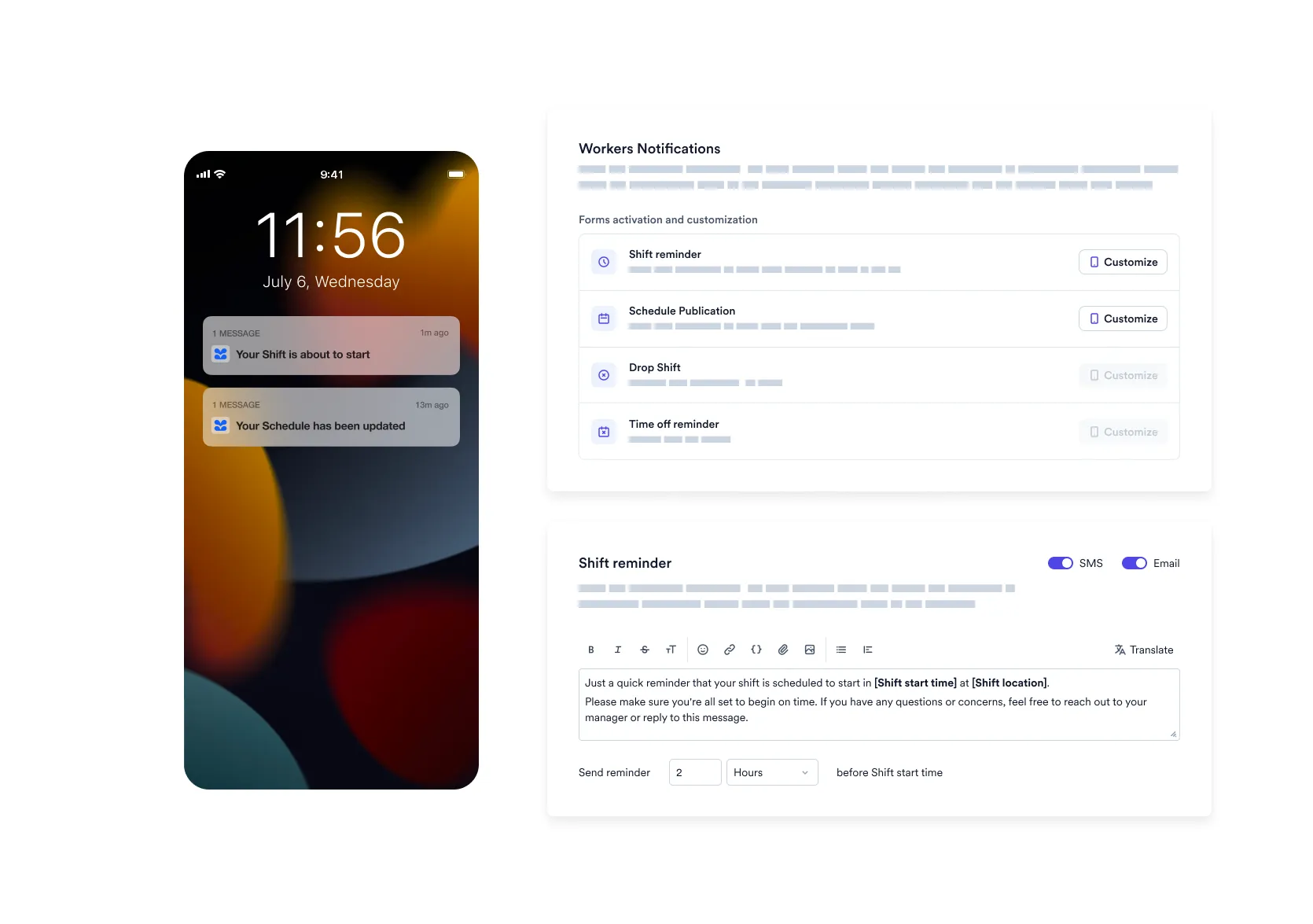
Fountain Shift is a robust, industry-specific scheduling program designed to streamline and automate shift creation for professionals in private equity firms. It focuses on eliminating scheduling errors, saving time, and ensuring smooth operations, which are essential for the heavy workload and fast-paced environment of private equity firms.
Best for Shift Scheduling & Workforce Management for Private Equity Firms
Expert Take
Our analysis shows that Fountain Shift distinguishes itself through its 'Agentic AI,' which moves beyond passive scheduling to actively negotiating shifts with workers. Research indicates this autonomous approach is particularly effective for high-volume, high-turnover environments where manual scheduling is a bottleneck. Based on documented features, its ability to integrate real-time POS data with labor availability makes it a powerful tool for optimizing frontline operations.
Pros
- Agentic AI autonomously fills shifts
- Mobile-first design for frontline workers
- Integrates with POS for demand planning
- Trusted by Amazon DSP and UPS
- Reduces manual scheduling time significantly
Cons
- Opaque pricing requires custom quotes
- Compliance tools are US-centric
- Steep learning curve for admins
- Potential overlap with existing ATS
- May be expensive for small businesses
Best for teams that are
- High-volume hourly employers like logistics, delivery, and retail chains
- Organizations already using Fountain for high-volume hiring
- Operations needing AI to automatically fill shift gaps with available workers
Skip if
- Corporate or white-collar environments with fixed 9-to-5 schedules
- Low-turnover businesses that do not engage in high-volume hiring
- Companies needing a comprehensive payroll and benefits administration system
Best for teams that are
- High-volume hourly employers like logistics, delivery, and retail chains
- Organizations already using Fountain for high-volume hiring
- Operations needing AI to automatically fill shift gaps with available workers
Skip if
- Corporate or white-collar environments with fixed 9-to-5 schedules
- Low-turnover businesses that do not engage in high-volume hiring
- Companies needing a comprehensive payroll and benefits administration system
Pros
- Agentic AI autonomously fills shifts
- Mobile-first design for frontline workers
- Integrates with POS for demand planning
- Trusted by Amazon DSP and UPS
- Reduces manual scheduling time significantly
Cons
- Opaque pricing requires custom quotes
- Compliance tools are US-centric
- Steep learning curve for admins
- Potential overlap with existing ATS
- May be expensive for small businesses
Expert Take
Our analysis shows that Fountain Shift distinguishes itself through its 'Agentic AI,' which moves beyond passive scheduling to actively negotiating shifts with workers. Research indicates this autonomous approach is particularly effective for high-volume, high-turnover environments where manual scheduling is a bottleneck. Based on documented features, its ability to integrate real-time POS data with labor availability makes it a powerful tool for optimizing frontline operations.
Jobber Service Management
Best for Workforce Scheduling Tools for Field Service & Home Services
Jobber is an all-in-one service management software specially designed for home and commercial service businesses. It adeptly addresses all the industry-specific needs including quoting, scheduling, invoicing, and payment collection, thus streamlining workflows and improving efficiency.
Best for Workforce Scheduling Tools for Field Service & Home Services
Expert Take
Jobber Service Management excels as a comprehensive solution for field service and home service businesses, offering robust scheduling, invoicing, and communication features. Its market credibility is supported by industry recognition, and it provides a strong user experience despite some customization limitations.
Pros
- Intuitive interface requires minimal training
- Seamless QuickBooks Online & Thumbtack integrations
- Robust client hub for self-service payments
- Real-time route optimization reduces drive time
- Strong market credibility with $100M+ funding
Cons
- Limited offline functionality in mobile app
- Expensive for larger teams due to per-user fees
- Marketing automation requires extra paid add-on
- No native HIPAA compliance for medical cleaning
- Advanced reporting limited to desktop version
Best for teams that are
- Small home service businesses like lawn care
- Teams wanting easy-to-use client facing tools
- Businesses needing a simple 'pick up and go' app
Skip if
- Large enterprises with complex inventory needs
- Businesses needing advanced marketing automation
- Companies requiring detailed custom reporting
Best for teams that are
- Small home service businesses like lawn care
- Teams wanting easy-to-use client facing tools
- Businesses needing a simple 'pick up and go' app
Skip if
- Large enterprises with complex inventory needs
- Businesses needing advanced marketing automation
- Companies requiring detailed custom reporting
Pros
- Intuitive interface requires minimal training
- Seamless QuickBooks Online & Thumbtack integrations
- Robust client hub for self-service payments
- Real-time route optimization reduces drive time
- Strong market credibility with $100M+ funding
Cons
- Limited offline functionality in mobile app
- Expensive for larger teams due to per-user fees
- Marketing automation requires extra paid add-on
- No native HIPAA compliance for medical cleaning
- Advanced reporting limited to desktop version
Expert Take
Jobber Service Management excels as a comprehensive solution for field service and home service businesses, offering robust scheduling, invoicing, and communication features. Its market credibility is supported by industry recognition, and it provides a strong user experience despite some customization limitations.
MakeShift Employee Scheduling
Best for Shift Management Platforms for Unionized Workforces

MakeShift is a SaaS solution specifically designed for unionized workforces. It offers advanced staff scheduling and workforce management features that directly address the complex scheduling needs in unionized environments, such as strict compliance with union rules and providing equitable distribution of shifts.
Best for Shift Management Platforms for Unionized Workforces
Expert Take
MakeShift excels in providing specialized scheduling solutions for unionized workforces, ensuring compliance with union rules and equitable shift distribution. Its integration capabilities and 24/7 support enhance usability, although the lack of a free plan and potential training requirements are noted trade-offs.
Pros
- Highly affordable starting at $3.75/user
- SOC 2 Type II & HIPAA compliant
- AI-powered demand forecasting & scheduling
- Seamless ADP & SAP integrations
- Intuitive drag-and-drop web interface
Cons
- Low-rated iOS mobile app (2.7 stars)
- Cannot copy-paste individual shifts
- Time & Attendance costs extra
- Limited reporting customization
- Strict session timeouts frustrate users
Best for teams that are
- Healthcare and retail organizations using ADP Workforce Now or BambooHR
- Mid-sized companies needing to fill open shifts quickly via mobile app
- Managers wanting a 'people-first' tool to reduce scheduling time
Skip if
- Small teams with very basic needs or tight budgets
- Enterprises requiring advanced custom reporting and deep analytics
- Organizations needing a free or freemium scheduling solution
Best for teams that are
- Healthcare and retail organizations using ADP Workforce Now or BambooHR
- Mid-sized companies needing to fill open shifts quickly via mobile app
- Managers wanting a 'people-first' tool to reduce scheduling time
Skip if
- Small teams with very basic needs or tight budgets
- Enterprises requiring advanced custom reporting and deep analytics
- Organizations needing a free or freemium scheduling solution
Pros
- Highly affordable starting at $3.75/user
- SOC 2 Type II & HIPAA compliant
- AI-powered demand forecasting & scheduling
- Seamless ADP & SAP integrations
- Intuitive drag-and-drop web interface
Cons
- Low-rated iOS mobile app (2.7 stars)
- Cannot copy-paste individual shifts
- Time & Attendance costs extra
- Limited reporting customization
- Strict session timeouts frustrate users
Expert Take
MakeShift excels in providing specialized scheduling solutions for unionized workforces, ensuring compliance with union rules and equitable shift distribution. Its integration capabilities and 24/7 support enhance usability, although the lack of a free plan and potential training requirements are noted trade-offs.
Explore Categories
- Shift Management Platforms for Unionized Workforces
- Shift Scheduling & Workforce Management for Contractors
- Shift Scheduling & Workforce Management for Private Equity Firms
- Shift Scheduling & Workforce Management for Recruitment Agencies
- Shift Scheduling & Workforce Management for SaaS Companies
- Shift Scheduling & Workforce Management for Staffing Agencies
- Workforce Scheduling Tools for Call Centers & Support Teams
- Workforce Scheduling Tools for Field Service & Home Services
- Workforce Scheduling Tools for Healthcare & Clinics
- Workforce Scheduling Tools for Hospitality & Hotels
- Workforce Scheduling Tools for Restaurants & Food Service
- Workforce Scheduling Tools for Retail & Multi-Location Stores