
Sales Automation & CRM Software
These are the specialized categories within Sales Automation & CRM Software. Looking for something broader? See all CRM & Sales Software categories.

How big is your team?
What's your budget situation?
What's your team's technical comfort level?
What's the ONE thing this tool must do well?

BuilderSuccess is a specialized CRM and sales automation software designed explicitly for the construction industry. It streamlines sales management, quotes, and RFPs, allowing construction companies to efficiently manage their client relationships and sales pipeline. The software is tailored to meet the unique needs of contractors, addressing the industry-specific challenges they face.
Best for Sales Automation Software for Contractors
Expert Take
BuilderSuccess CRM & Sales Automation is a specialized tool tailored for the construction industry, offering unique features that cater to contractors' specific needs. Its industry-specific capabilities and focus on sales and RFP management make it a standout in its category. Despite some potential complexity and limited pricing transparency, it remains a top choice for construction companies.
Pros
- Native NetSuite integration
- Single data source for CRM/ERP
- Automated tender response management
- Real-time profit by lead source
- Integrated bluChat collaboration tool
Cons
- 3-4 month implementation timeline
- No public pricing available
- Complex enterprise-grade setup
- Initial scheduling features needed refinement
Best for teams that are
- Commercial contractors managing complex sales cycles and bidding processes
- General and trade contractors seeking a NetSuite-powered ERP and CRM solution
- Teams needing deep integration with estimating templates and DocuSign
Skip if
- Small residential contractors needing a simple, low-cost tool
- Businesses not already invested in or willing to adopt the NetSuite ecosystem
- Teams wanting a modern UI without enterprise-level complexity
Best for teams that are
- Commercial contractors managing complex sales cycles and bidding processes
- General and trade contractors seeking a NetSuite-powered ERP and CRM solution
- Teams needing deep integration with estimating templates and DocuSign
Skip if
- Small residential contractors needing a simple, low-cost tool
- Businesses not already invested in or willing to adopt the NetSuite ecosystem
- Teams wanting a modern UI without enterprise-level complexity
Pros
- Native NetSuite integration
- Single data source for CRM/ERP
- Automated tender response management
- Real-time profit by lead source
- Integrated bluChat collaboration tool
Cons
- 3-4 month implementation timeline
- No public pricing available
- Complex enterprise-grade setup
- Initial scheduling features needed refinement
Expert Take
BuilderSuccess CRM & Sales Automation is a specialized tool tailored for the construction industry, offering unique features that cater to contractors' specific needs. Its industry-specific capabilities and focus on sales and RFP management make it a standout in its category. Despite some potential complexity and limited pricing transparency, it remains a top choice for construction companies.

AdvisorStream is a robust digital marketing software targeted at financial advisors. It offers an all-in-one marketing solution, allowing advisors to focus on client relations while the software takes care of marketing. The software is equipped with industry-specific tools designed to drive growth in the financial sector.
Best for Sales Automation Software for Financial Advisors
Expert Take
AdvisorStream excels in providing industry-specific marketing automation for financial advisors, offering compliance-approved content and analytics to enhance client engagement. Its focus on the financial sector and integration capabilities make it a top choice for advisors seeking specialized tools.
Pros
- Licensed content from WSJ & Forbes
- Paywall-free reading for clients
- Automated multi-channel distribution
- Built-in FINRA/SEC compliance tools
- Backed by Broadridge Financial Solutions
Cons
- Strict cancellation & auto-renewal policy
- Support responsiveness issues reported
- Content can be generic/US-centric
- Limited customization on some templates
- Higher price point ($175+/mo)
Best for teams that are
- Advisors wanting to share licensed content from publishers like NYT and WSJ
- Firms focused on lead generation through high-quality, automated content marketing
- Advisors needing compliance-friendly newsletters without writing them manually
Skip if
- Advisors looking for a comprehensive website builder or hosting solution
- Firms that prefer creating 100% unique, self-written content over curated news
- Users seeking a full CRM replacement rather than a marketing add-on
Best for teams that are
- Advisors wanting to share licensed content from publishers like NYT and WSJ
- Firms focused on lead generation through high-quality, automated content marketing
- Advisors needing compliance-friendly newsletters without writing them manually
Skip if
- Advisors looking for a comprehensive website builder or hosting solution
- Firms that prefer creating 100% unique, self-written content over curated news
- Users seeking a full CRM replacement rather than a marketing add-on
Pros
- Licensed content from WSJ & Forbes
- Paywall-free reading for clients
- Automated multi-channel distribution
- Built-in FINRA/SEC compliance tools
- Backed by Broadridge Financial Solutions
Cons
- Strict cancellation & auto-renewal policy
- Support responsiveness issues reported
- Content can be generic/US-centric
- Limited customization on some templates
- Higher price point ($175+/mo)
Expert Take
AdvisorStream excels in providing industry-specific marketing automation for financial advisors, offering compliance-approved content and analytics to enhance client engagement. Its focus on the financial sector and integration capabilities make it a top choice for advisors seeking specialized tools.

EZLynx is a robust, industry-specific sales automation software ideal for insurance agents. It leverages artificial intelligence to automate policy quotes, renewals, and service requests, making your agents twice as productive, meeting the high-paced environment of the insurance industry.
Best for Sales Automation Software for Insurance Agents
Expert Take
Research indicates EZLynx stands out for its patented Retention Center, which automates the remarketing process to improve client retention rates by a documented 8 points. Our analysis shows the platform's Rating Engine connects to over 330 carriers, offering one of the most extensive networks in the industry. By unifying comparative rating and agency management into a single ecosystem, it eliminates the data silos often found in fragmented tech stacks.
Pros
- Real-time rating for 330+ carriers
- Patented Retention Center automates renewals
- Unified AMS and Comparative Rater platform
- Modern cloud-based user interface
- Backed by Applied Systems resources
Cons
- Customer support often reported as unresponsive
- Limited complex commercial lines functionality
- Implementation can take 6-8 weeks
- Complex pricing with expensive add-ons
- Reporting customization can be difficult
Best for teams that are
- Independent P&C agencies wanting an all-in-one Rater and AMS
- Agencies focused on personal lines (Auto/Home) bundling
- Startups to mid-sized agencies needing a single platform
Skip if
- Life and Health agencies (lacks specific L&H workflows)
- Large enterprises requiring complex, custom API integrations
- Agencies needing best-in-class customer support
Best for teams that are
- Independent P&C agencies wanting an all-in-one Rater and AMS
- Agencies focused on personal lines (Auto/Home) bundling
- Startups to mid-sized agencies needing a single platform
Skip if
- Life and Health agencies (lacks specific L&H workflows)
- Large enterprises requiring complex, custom API integrations
- Agencies needing best-in-class customer support
Pros
- Real-time rating for 330+ carriers
- Patented Retention Center automates renewals
- Unified AMS and Comparative Rater platform
- Modern cloud-based user interface
- Backed by Applied Systems resources
Cons
- Customer support often reported as unresponsive
- Limited complex commercial lines functionality
- Implementation can take 6-8 weeks
- Complex pricing with expensive add-ons
- Reporting customization can be difficult
Expert Take
Research indicates EZLynx stands out for its patented Retention Center, which automates the remarketing process to improve client retention rates by a documented 8 points. Our analysis shows the platform's Rating Engine connects to over 330 carriers, offering one of the most extensive networks in the industry. By unifying comparative rating and agency management into a single ecosystem, it eliminates the data silos often found in fragmented tech stacks.

Pipedrive CRM for Photographers is a powerful tool designed to streamline the administrative tasks of photographers, helping them manage contacts, track deals, and automate workflows. Its customizability and industry-specific features make it an excellent choice for photographers seeking to enhance their client relationship management and sales automation.
Best for Sales Automation Software for Photographers
Expert Take
Pipedrive CRM for Photographers excels in providing industry-specific solutions tailored for photographers. Its customizability and automation capabilities enhance client relationship management, making it a top choice in its niche. While it offers significant value, the complexity for beginners and additional costs for premium features are notable considerations.
Pros
- Best-in-class visual Kanban sales pipeline
- Massive marketplace with 400+ integrations
- Intuitive drag-and-drop user interface
- Robust mobile app for field management
- Strong activity-based sales methodology
Cons
- Contracts require paid Smart Docs add-on
- No native photo gallery hosting
- Essential plan lacks human support
- Requires Zapier for many photo apps
- Total cost scales quickly with add-ons
Best for teams that are
- Photography agencies managing a high volume of sales leads
- Teams that prioritize visual sales pipelines over creative management
Skip if
- Creatives needing an all-in-one tool with contracts and galleries
- Solo users looking for industry-specific features out of the box
Best for teams that are
- Photography agencies managing a high volume of sales leads
- Teams that prioritize visual sales pipelines over creative management
Skip if
- Creatives needing an all-in-one tool with contracts and galleries
- Solo users looking for industry-specific features out of the box
Pros
- Best-in-class visual Kanban sales pipeline
- Massive marketplace with 400+ integrations
- Intuitive drag-and-drop user interface
- Robust mobile app for field management
- Strong activity-based sales methodology
Cons
- Contracts require paid Smart Docs add-on
- No native photo gallery hosting
- Essential plan lacks human support
- Requires Zapier for many photo apps
- Total cost scales quickly with add-ons
Expert Take
Pipedrive CRM for Photographers excels in providing industry-specific solutions tailored for photographers. Its customizability and automation capabilities enhance client relationship management, making it a top choice in its niche. While it offers significant value, the complexity for beginners and additional costs for premium features are notable considerations.

Total Expert is a comprehensive SaaS solution designed to meet the unique needs of loan officers. It leverages intelligent automation to guide borrowers through the loan process, delivering timely reminders and valuable information. This enhances customer experience, boosts the efficiency of loan officers, and ultimately drives revenue growth.
Best for Sales Automation Software for Loan Officers
Expert Take
Total Expert Mortgage Tools stands out as a specialized solution for loan officers, offering industry-specific automation and compliance features. Its integration capabilities and focus on customer journey optimization make it a top choice for mortgage professionals. While pricing transparency is limited, the product's depth and market credibility are well-supported by third-party recognition.
Pros
- Purpose-built 'Customer Intelligence' for mortgage
- SOC 2 Type 2 and ISO 27001 certified
- Free co-marketing accounts for Realtor partners
- Modern 'Fusion' integration for Encompass LOS
- Bi-directional Salesforce contact sync
Cons
- Reporting tools lack depth and customization
- Email editor considered inferior to MailChimp
- Enterprise pricing is not publicly transparent
- Steep learning curve for advanced features
- API challenges with proprietary LOS
Best for teams that are
- Banks and enterprise lenders requiring strict compliance
- Marketing teams managing brand consistency across many LOs
- Institutions needing a unified customer engagement platform
Skip if
- Solo loan officers seeking a low-cost, simple solution
- Teams needing aggressive, high-volume sales dialers
- Small brokerages wanting a quick, plug-and-play setup
Best for teams that are
- Banks and enterprise lenders requiring strict compliance
- Marketing teams managing brand consistency across many LOs
- Institutions needing a unified customer engagement platform
Skip if
- Solo loan officers seeking a low-cost, simple solution
- Teams needing aggressive, high-volume sales dialers
- Small brokerages wanting a quick, plug-and-play setup
Pros
- Purpose-built 'Customer Intelligence' for mortgage
- SOC 2 Type 2 and ISO 27001 certified
- Free co-marketing accounts for Realtor partners
- Modern 'Fusion' integration for Encompass LOS
- Bi-directional Salesforce contact sync
Cons
- Reporting tools lack depth and customization
- Email editor considered inferior to MailChimp
- Enterprise pricing is not publicly transparent
- Steep learning curve for advanced features
- API challenges with proprietary LOS
Expert Take
Total Expert Mortgage Tools stands out as a specialized solution for loan officers, offering industry-specific automation and compliance features. Its integration capabilities and focus on customer journey optimization make it a top choice for mortgage professionals. While pricing transparency is limited, the product's depth and market credibility are well-supported by third-party recognition.
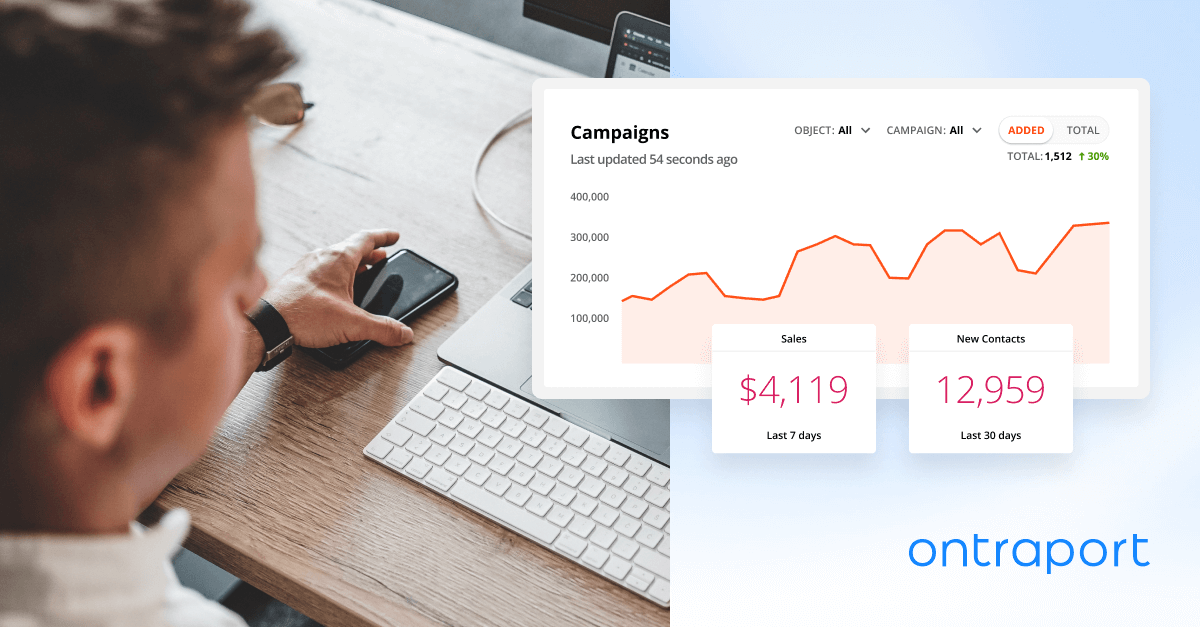
Ontraport is a comprehensive CRM software designed specifically for mortgage brokers. It streamlines the processes of marketing, client management, and scheduling, all while being tailored to the unique needs and challenges faced by mortgage brokers. Its industry-specific features allow brokers to automate sales processes, drive client engagement, and manage their business holistically.
Best for Sales Automation Software for Mortgage Brokers
Expert Take
Ontraport Mortgage Broker CRM excels as a specialized CRM solution tailored for the mortgage brokerage industry. It offers robust automation and client management features, enhancing efficiency and engagement. While its pricing and complexity may pose challenges, its industry-specific capabilities and integrations make it a top choice for mortgage brokers.
Pros
- All-in-one CRM and marketing automation
- PCI DSS Level 1 compliant security
- Visual campaign builder with automation maps
- Highly rated customer support options
- Flexible open API and Zapier connectivity
Cons
- Steep learning curve for new users
- No native Encompass/Calyx LOS integration
- Additional costs for extra users
- Interface described as dated by some
- Generalist tool, not mortgage-exclusive
Best for teams that are
- Small to mid-sized brokerages wanting all-in-one marketing and CRM automation
- Tech-savvy brokers who want high customizability without enterprise-level costs
Skip if
- Large banks requiring strict, out-of-the-box financial compliance features
- Users seeking a simple tool with zero learning curve or setup time
Best for teams that are
- Small to mid-sized brokerages wanting all-in-one marketing and CRM automation
- Tech-savvy brokers who want high customizability without enterprise-level costs
Skip if
- Large banks requiring strict, out-of-the-box financial compliance features
- Users seeking a simple tool with zero learning curve or setup time
Pros
- All-in-one CRM and marketing automation
- PCI DSS Level 1 compliant security
- Visual campaign builder with automation maps
- Highly rated customer support options
- Flexible open API and Zapier connectivity
Cons
- Steep learning curve for new users
- No native Encompass/Calyx LOS integration
- Additional costs for extra users
- Interface described as dated by some
- Generalist tool, not mortgage-exclusive
Expert Take
Ontraport Mortgage Broker CRM excels as a specialized CRM solution tailored for the mortgage brokerage industry. It offers robust automation and client management features, enhancing efficiency and engagement. While its pricing and complexity may pose challenges, its industry-specific capabilities and integrations make it a top choice for mortgage brokers.

Ontraport's all-in-one plumbing business management software is ideal for empowering your marketing, client communication, and billing procedures. It is specifically designed to cater to the unique needs of the plumbing industry, providing tools that streamline operations and improve efficiency.
Best for Sales Automation Software for Plumbers
Expert Take
Ontraport Plumbing Business Software excels in providing industry-specific solutions for plumbing businesses, offering a comprehensive suite of tools that streamline operations and enhance efficiency. Its market credibility is supported by its tailored features and integration capabilities, making it a top choice for plumbing professionals.
Pros
- Pre-built plumbing marketing funnels
- Advanced CRM & automation capabilities
- Unified payments & invoicing system
- Extensive training via Ontraport University
- Highly customizable data objects
Cons
- No native route optimization
- Lacks built-in inventory management
- Steep learning curve for beginners
- Per-user pricing adds up quickly
- Not a dedicated FSM tool
Best for teams that are
- Plumbing businesses focused heavily on marketing automation and lead nurturing
- Companies wanting to build custom sales funnels and landing pages
- Users who need a CRM to manage complex customer lifecycles
Skip if
- Plumbers needing dedicated field service dispatch and scheduling tools
- Small teams wanting a simple, out-of-the-box field service solution
- Businesses looking for technician mobile apps for job tracking
Best for teams that are
- Plumbing businesses focused heavily on marketing automation and lead nurturing
- Companies wanting to build custom sales funnels and landing pages
- Users who need a CRM to manage complex customer lifecycles
Skip if
- Plumbers needing dedicated field service dispatch and scheduling tools
- Small teams wanting a simple, out-of-the-box field service solution
- Businesses looking for technician mobile apps for job tracking
Pros
- Pre-built plumbing marketing funnels
- Advanced CRM & automation capabilities
- Unified payments & invoicing system
- Extensive training via Ontraport University
- Highly customizable data objects
Cons
- No native route optimization
- Lacks built-in inventory management
- Steep learning curve for beginners
- Per-user pricing adds up quickly
- Not a dedicated FSM tool
Expert Take
Ontraport Plumbing Business Software excels in providing industry-specific solutions for plumbing businesses, offering a comprehensive suite of tools that streamline operations and enhance efficiency. Its market credibility is supported by its tailored features and integration capabilities, making it a top choice for plumbing professionals.
Bullhorn Recruitment Automation is specifically tailored for staffing agencies, providing a streamlined approach to recruitment processes. The automation reduces repetitive tasks, enabling recruiters to focus on candidate engagement and relationship building, thereby addressing key industry needs for efficiency and productivity.
Best for Sales Automation Software for Recruitment Agencies
Expert Take
Bullhorn Recruitment Automation excels in providing industry-specific automation for staffing agencies, significantly enhancing productivity by reducing manual tasks. Its market credibility is supported by industry recognition, while its usability and integration capabilities make it a strong contender in the recruitment automation space.
Pros
- Visual workflow builder for complex automations
- Closed-loop VMS integration automates submittals
- Massive ecosystem with 300+ integrations
- Automated data hygiene cleans records automatically
- Enterprise-grade security (SOC 2 Type 2)
Cons
- System performance often reported as slow
- No public pricing transparency
- Implementation can be costly and complex
- Support resolution times can be slow
- Steep learning curve for advanced features
Best for teams that are
- Large staffing agencies with high-volume hiring needs
- Firms requiring robust VMS integration and compliance
- Enterprises needing end-to-end recruitment management
Skip if
- Small agencies or startups operating on a tight budget
- Teams wanting a modern, fast, and lightweight interface
- Users needing quick, simple setup without IT support
Best for teams that are
- Large staffing agencies with high-volume hiring needs
- Firms requiring robust VMS integration and compliance
- Enterprises needing end-to-end recruitment management
Skip if
- Small agencies or startups operating on a tight budget
- Teams wanting a modern, fast, and lightweight interface
- Users needing quick, simple setup without IT support
Pros
- Visual workflow builder for complex automations
- Closed-loop VMS integration automates submittals
- Massive ecosystem with 300+ integrations
- Automated data hygiene cleans records automatically
- Enterprise-grade security (SOC 2 Type 2)
Cons
- System performance often reported as slow
- No public pricing transparency
- Implementation can be costly and complex
- Support resolution times can be slow
- Steep learning curve for advanced features
Expert Take
Bullhorn Recruitment Automation excels in providing industry-specific automation for staffing agencies, significantly enhancing productivity by reducing manual tasks. Its market credibility is supported by industry recognition, while its usability and integration capabilities make it a strong contender in the recruitment automation space.
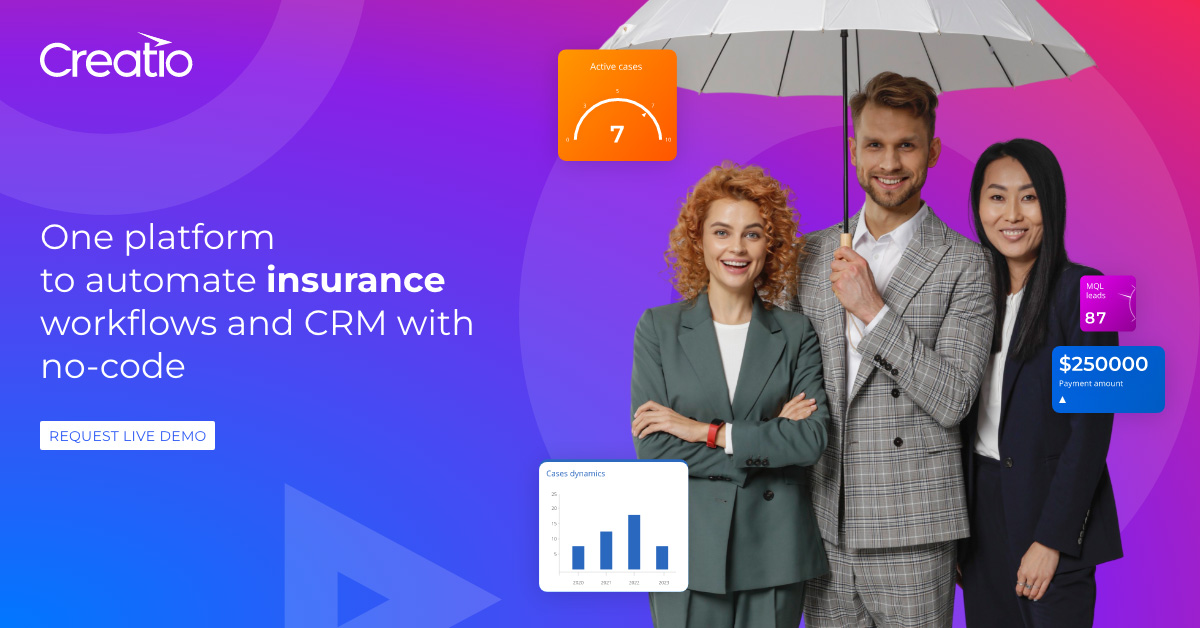
Creatio Insurance CRM is a robust SaaS solution designed specifically for insurance brokers. It automates insurance claim lifecycles of various types and enforces efficient digital workflows for reviewing, investigating, and resolving claims, addressing the industry's need for streamlined operations and improved customer service.
Best for Sales Automation Software for Insurance Brokers
Expert Take
Creatio Insurance CRM stands out as a specialized solution tailored for insurance brokers, offering automation of claim lifecycles and efficient digital workflows. Its industry-specific capabilities and integration options make it a strong contender in its category, though pricing transparency is limited due to its enterprise model.
Pros
- Comprehensive no-code customization capabilities
- Unified platform for Sales, Marketing, and Service
- Strong analyst recognition (Forrester, Nucleus)
- Robust security (SOC 2, HIPAA, ISO 27001)
- AI-native automation for claims and underwriting
Cons
- High minimum annual purchase ($10,000)
- Steep learning curve for initial setup
- Complex modular pricing structure
- Support response times can vary
- Financial Services pricing requires custom quote
Best for teams that are
- Mid-to-large insurance enterprises needing a highly customizable, no-code platform
- Organizations prioritizing complex business process management (BPM) alongside CRM
Skip if
- Small agencies with limited budgets or no technical resources for configuration
- Users seeking a simple, off-the-shelf tool for basic contact management
Best for teams that are
- Mid-to-large insurance enterprises needing a highly customizable, no-code platform
- Organizations prioritizing complex business process management (BPM) alongside CRM
Skip if
- Small agencies with limited budgets or no technical resources for configuration
- Users seeking a simple, off-the-shelf tool for basic contact management
Pros
- Comprehensive no-code customization capabilities
- Unified platform for Sales, Marketing, and Service
- Strong analyst recognition (Forrester, Nucleus)
- Robust security (SOC 2, HIPAA, ISO 27001)
- AI-native automation for claims and underwriting
Cons
- High minimum annual purchase ($10,000)
- Steep learning curve for initial setup
- Complex modular pricing structure
- Support response times can vary
- Financial Services pricing requires custom quote
Expert Take
Creatio Insurance CRM stands out as a specialized solution tailored for insurance brokers, offering automation of claim lifecycles and efficient digital workflows. Its industry-specific capabilities and integration options make it a strong contender in its category, though pricing transparency is limited due to its enterprise model.

Nimble CRM is a social media-centric CRM software, specifically tailored for home care agencies. It pulls client's public profiles into the dashboard, allowing agencies to monitor social mentions and comments, which is critical for reputation and relationship management in the home care industry.
Best for Sales Automation Software for Home Care Agencies
Expert Take
Our analysis shows Nimble CRM excels as a relationship management tool specifically for the *sales and marketing* side of a home care agency. While it cannot replace specialized clinical software due to the lack of HIPAA compliance and EVV, research indicates it is a powerful, affordable add-on for managing referral networks (doctors, hospitals) and converting leads. Its ability to automatically enrich contact data from social profiles makes it uniquely effective for building business relationships in a competitive market.
Pros
- Excellent relationship management for referrals
- Affordable single-tier pricing model
- Seamless Microsoft 365 & Google integration
- User-friendly interface with smart enrichment
- Strong social media integration
Cons
- Not HIPAA compliant (No BAA)
- No offline mode for mobile app
- Lacks Electronic Visit Verification (EVV)
- No specialized clinical charting tools
- Limited reporting customization
Best for teams that are
- Small agencies or solo caregivers needing basic contact management
- Teams heavily utilizing social media for networking and prospecting
- Users familiar with Microsoft 365/Google Workspace wanting tight integration
Skip if
- Agencies requiring HIPAA compliance (Nimble does not sign BAAs)
- Providers needing built-in EVV, scheduling, or clinical documentation
- Large agencies requiring complex, industry-specific operational features
Best for teams that are
- Small agencies or solo caregivers needing basic contact management
- Teams heavily utilizing social media for networking and prospecting
- Users familiar with Microsoft 365/Google Workspace wanting tight integration
Skip if
- Agencies requiring HIPAA compliance (Nimble does not sign BAAs)
- Providers needing built-in EVV, scheduling, or clinical documentation
- Large agencies requiring complex, industry-specific operational features
Pros
- Excellent relationship management for referrals
- Affordable single-tier pricing model
- Seamless Microsoft 365 & Google integration
- User-friendly interface with smart enrichment
- Strong social media integration
Cons
- Not HIPAA compliant (No BAA)
- No offline mode for mobile app
- Lacks Electronic Visit Verification (EVV)
- No specialized clinical charting tools
- Limited reporting customization
Expert Take
Our analysis shows Nimble CRM excels as a relationship management tool specifically for the *sales and marketing* side of a home care agency. While it cannot replace specialized clinical software due to the lack of HIPAA compliance and EVV, research indicates it is a powerful, affordable add-on for managing referral networks (doctors, hospitals) and converting leads. Its ability to automatically enrich contact data from social profiles makes it uniquely effective for building business relationships in a competitive market.
Explore Categories
-
 Sales Automation Software for Contractors
-
 Sales Automation Software for Financial Advisors
-
 Sales Automation Software for Home Care Agencies
-
 Sales Automation Software for Insurance Agents
-
 Sales Automation Software for Insurance Brokers
-
 Sales Automation Software for Loan Officers
-
 Sales Automation Software for Mortgage Brokers
-
 Sales Automation Software for Photographers
-
 Sales Automation Software for Plumbers
-
 Sales Automation Software for Recruitment Agencies
-
 Sales Automation Software for Roofing Companies
Loading comparison data…
Sales Automation Software for Contractors
Sales Automation Software for Financial Advisors
Sales Automation Software for Home Care Agencies
Sales Automation Software for Insurance Agents
Sales Automation Software for Insurance Brokers
Sales Automation Software for Loan Officers
Sales Automation Software for Mortgage Brokers
Sales Automation Software for Photographers
Sales Automation Software for Plumbers
Sales Automation Software for Recruitment Agencies
Sales Automation Software for Roofing Companies