1. Home
  2. Design, Creative & Media Production
  3. Screen Recording & Tutorial Creation Tools
  4. Screen Recording Tools with AI Narration

Ranking · Screen Recording & Tutorial Creation Tools

Best Screen Recording Tools with AI Narration

8 products scored on six criteria. Colossyan leads at 9.0 and the field is tight, with 0.4 points between first and last, so read the catches before you pick. Every product opens to the evidence behind its number.

8 products scored6 criteria71 sources citedUpdated Jul 5, 2026
1 Colossyancolossyan.com

Colossyan syncs AI narration to screen recordings automatically

Read the reviewVisit ↗
2 Loomloom.com

Atlassian paid $975 million to acquire Loom

Read the reviewVisit ↗
3 ScreenPalscreenpal.com

Free screen recorder trusted by 98 of 100 US colleges

Read the reviewVisit ↗
8Products
8.6 to 9.0Score spread
5Free plan or tier
01

The ranking

Order follows the score. Six little boxes show each product's criterion scores: green or red is above or below the category average, grey means too few products share that criterion to compare. The full review sits right under each one.

Nothing matches that filter here. Tap All to see every product.

1

Colossyan

colossyan.com · Colossyan AI Screen Recorder · scored Jan 2026

Colossyan syncs AI narration to screen recordings automatically

Best forL&D teams wanting AI avatars and instant multilingual training video translation

From $15 per month AI narrationscreen recordingfree trial
Top score

A screen recorder that pairs captured footage with AI-generated narration instead of manual voiceover work.

Standout factPlans start at $15 per month, according to the official pricing page.colossyan.com
Biggest catchAI narration currently supports a limited number of languages.colossyan.com
$15/moStarting pricecolossyan.com
7 daysFree trial lengthcolossyan.com

Starting price

$15/mo7-day free trial available

Company size fit

SoloSmallMidEnterprise

Sweet spot: L&D teams and solo creators making AI-narrated tutorials

Upside

  • AI narration syncs with screen activity
  • Customizable recording settings
  • Affordable pricing from $15/month

Catch

  • AI narration limited language support
  • Needs a strong internet connection
  • Video rendering is not instant
Pick it ifL&D teams wanting AI avatars and instant multilingual training video translation
Skip it ifCreators wanting a simple recorder or instant, no-wait video rendering
PricingFree trial (7 days), plans from $15/mo

Editor's takeColossyan pairs screen recording with AI-generated narration, aiming to remove manual voiceover work from tutorial and demo videos. The interface is built for non-technical users, and pricing starts at $15 a month with a 7-day free trial, an accessible entry point for this category. The tradeoffs are technical, since AI narration currently covers a limited set of languages, the tool needs a solid internet connection to perform well, and rendering a finished video takes time rather than appearing instantly.

How much does Colossyan's screen recorder cost?

Plans start at $15 per month according to the official pricing page, with a 7-day free trial available to test the tool. There is no permanent free plan, so ongoing use requires a paid subscription.

Does Colossyan's screen recorder work in multiple languages?

AI narration is available, but language support is currently limited compared to some competitors. Teams needing training videos translated into many languages should confirm specific language coverage directly with Colossyan before committing to a paid plan.

The evidence: 6 criteria
9.3
Product Capability & Depthcolossyan.comcolossyan.com
8.9
Market Credibility & Trust Signalstechradar.com
9.1
Usability & Customer Experiencecolossyan.com
9.0
Value, Pricing & Transparencycolossyan.com
8.8
Integrations & Ecosystem Strengthcolossyan.com
9.0
Security, Compliance & Data Protectioncolossyan.com
2

Loom

loom.com · Loom AI Screen Recorder · scored Jan 2026

Atlassian paid $975 million to acquire Loom

Best forRemote teams needing quick, asynchronous video updates and feedback

Free tier From $8 per month free planSOC 2Jira integration
−0.2 vs #1

AI screen recorder that auto-generates titles, summaries, and removes filler words from videos.

Standout factAtlassian acquired Loom for approximately $975 million in 2023.atlassian.com
Biggest catchThe free plan limits recordings to 5 minutes and 25 videos total.loom.com
$975MAcquisition priceatlassian.com
25M+Users worldwideuctoday.com
$8/moPro planloom.com

Standout number

$975MAtlassian acquisition price

Source: atlassian.com

Plans

Starter$0

5 min/video, 25 videos

Business + AI$20/user/mo

full AI suite

Source: loom.com

Upside

  • AI-generated titles and summaries
  • One-click filler word removal
  • Deep Jira and Confluence integration

Catch

  • Free plan limited to 5 minutes
  • AI features cost extra
  • Desktop app crashes reported
Pick it ifRemote teams needing quick, asynchronous video updates and feedback
Skip it ifCreators needing advanced video editing or complex post-production
PricingFree plan (5 min/video), Pro from $8/mo, AI features +$5-12/mo

Editor's takeLoom's AI now auto-generates titles, summaries, and chapters, and can trim filler words and silences from a recording with one click, all backed by Atlassian's $975 million acquisition and a 25 million-user base. Its integration lets video content turn directly into Jira issues or Confluence pages. The tradeoffs are a tightly capped free plan and an AI feature set that requires the pricier Business + AI tier.

Do I need to pay extra for Loom's AI features?

Yes. The full AI suite, including auto-summaries and filler word removal, requires the Business + AI plan at $20/user/mo versus $15 for standard Business.

How long can free Loom recordings be?

Up to 5 minutes per video, with a lifetime cap of 25 videos on the free Starter plan.

The evidence: 6 criteria, 2 penalties (−0.09 points)
9.1
Product Capability & DepthLooked for: We evaluate the richness of recording features, the sophistication of AI-driven editing tools, and the ability to automate post-production workflows.Loom offers a robust suite combining screen/camera recording with advanced AI that automatically removes filler words, silences, and generates titles, summaries, and chapters.loom.comloom.comsupport.atlassian.com
9.5
Market Credibility & Trust SignalsLooked for: We assess the product's industry standing, user base size, corporate backing, and history of reliability in the SaaS market.Loom is a dominant market leader acquired by Atlassian for $975 million, trusted by over 25 million users and 200,000 customers.atlassian.comuctoday.com
8.6
Usability & Customer ExperienceLooked for: We examine the ease of recording, interface intuitiveness, and the stability of the application across different devices and networks.While the interface is widely praised for simplicity, significant user reports cite technical instability, including crashes and upload failures on the desktop app.trustpilot.compcmag.com
8.5
Value, Pricing & TransparencyLooked for: We analyze the pricing structure, the value provided at each tier, and the generosity or restrictiveness of the free plan.Loom offers a functional free tier that is heavily restricted (5 mins/25 videos), while the full AI suite requires a premium 'Business + AI' subscription.loom.comloom.comloom.com
9.2
Integrations & Ecosystem StrengthLooked for: We look for the depth of integration with productivity tools, particularly how well the product fits into existing corporate workflows.Loom features deep, AI-powered integrations with Jira and Confluence, allowing video content to automatically populate issues and documentation.loom.comatlassian.comloom.com
9.0
Security, Compliance & Data ProtectionLooked for: We evaluate the product's adherence to enterprise security standards like SOC 2, SSO availability, and data privacy controls.Loom maintains strong security governance with SOC 2 compliance and enterprise-grade features like SSO and SCIM, reinforced by Atlassian's infrastructure.atlassian.comsupport.atlassian.com

Score adjustments−0.09 points in total

−0.06Users frequently report technical instability, including desktop app crashes and failed uploads, particularly with longer videos.trustpilot.com · severity 60/100
−0.03The free plan is significantly restricted, capping recordings at 5 minutes and total storage at 25 videos, forcing active users to upgrade.loom.com · severity 45/100
3

ScreenPal

screenpal.com · ScreenPal Screen Recorder · scored Jan 2026

Free screen recorder trusted by 98 of 100 US colleges

Best forEducators and course creators needing affordable, compliant recording

Free tier From $4 per month FERPA certifiedCOPPA certifiedfree plan
−0.2 vs #1

A screen recording and editing tool with FERPA and COPPA certification and paid plans starting near $4 a month.

Standout factTrusted by 98 of the top 100 US universitiesscreenpal.com
Biggest catchThe free plan caps each recording at 15 minutes.screenpal.com
200M+Videos captured since 2006screenpal.com
98 of 100Top US universities using ScreenPalscreenpal.com

Adoption

98 of 100top US universities trust ScreenPal

Source: screenpal.com

Compliance

✓ FERPA✓ COPPA✓ California Student Data Privacy? SOC 2

Source: ikeepsafe.org

Upside

  • Free plan with no watermarks
  • Trusted by top 100 US universities
  • Certified COPPA and FERPA compliant

Catch

  • Free recording capped at 15 min
  • System audio needs paid plan
  • Occasional lags on older hardware
Pick it ifEducators and course creators needing affordable, compliant recording
Skip it ifProfessionals needing high-end motion graphics or cinematic effects
PricingFree plan (15-min cap, no watermark), paid from ~$4/mo

Editor's takeScreenPal earned iKeepSafe certification for FERPA, COPPA, and California student privacy, credentials aimed squarely at schools rather than general consumers. Nearly two decades in business, it now counts 98 of the top 100 US universities as users, plus Fortune 100 names like Amazon. The free plan skips watermarks entirely but caps each recording at 15 minutes, and system audio capture requires a paid plan.

Is ScreenPal's free plan watermark-free?

Yes, but with a time limit. Recordings are capped at 15 minutes on the free plan, with no watermark added, according to ScreenPal's own plans page.

Is ScreenPal certified for education use?

Yes. ScreenPal has earned iKeepSafe certifications for COPPA Safe Harbor, FERPA, and California Student Data Privacy, according to iKeepSafe's own certification announcement.

The evidence: 6 criteria, 3 penalties (−0.14 points)
8.7
Product Capability & DepthLooked for: We evaluate recording versatility, editing suite completeness, and cross-platform compatibility for SaaS video tools.ScreenPal offers screen, webcam, and picture-in-picture recording with drawing tools, AI captions, and background removal. It supports Windows, Mac, iOS, Android, and Chromebooks, though system audio recording is locked behind paid plans.screenpal.comscreenpal.comscreenpal.com
9.2
Market Credibility & Trust SignalsLooked for: We assess market tenure, enterprise adoption, and verified user base size in the EdTech and SaaS sectors.Founded in 2006 as Screencast-O-Matic, ScreenPal serves over 9 million users and is trusted by 98 of the top 100 US universities and Fortune 100 companies like Amazon and Netflix.screenpal.comscreenpal.com
8.9
Usability & Customer ExperienceLooked for: We analyze user interface intuitiveness, ease of onboarding, and reported technical stability across devices.Users consistently praise the intuitive interface and ease of use for beginners, though some reviews note navigation issues on the website and performance lags on lower-end hardware.screenpal.comgetapp.comwidsmob.com
9.0
Value, Pricing & TransparencyLooked for: We evaluate the generosity of free tiers, affordability of paid plans, and transparency of billing terms.ScreenPal offers a highly competitive pricing model starting at ~$3/month with a generous free plan that includes no watermarks, though it has a 15-minute recording limit.screenpal.comscreenpal.comg2.com
8.8
Integrations & Ecosystem StrengthLooked for: We look for seamless connections with Learning Management Systems (LMS) and productivity platforms.The platform integrates deeply with major LMS providers (Canvas, Schoology, Blackboard) via LTI 1.3 and connects with Zoom, Microsoft Teams, and Google Drive.screenpal.comscreenpal.comscreenpal.com
9.4
Security, Compliance & Data ProtectionLooked for: We examine adherence to strict education privacy standards like FERPA and COPPA, as well as general data security.ScreenPal holds iKeepSafe certifications for FERPA, COPPA, and California Student Privacy (CSPC), ensuring high-level compliance for educational institutions.ikeepsafe.orgscreenpal.com

Score adjustments−0.14 points in total

−0.04The free plan imposes a strict 15-minute time limit per recording, which may force users with longer content needs to upgrade immediately.screenpal.com · severity 50/100
−0.06Recording computer system audio (internal sound) is disabled on the free plan and requires a paid subscription.screenpal.com · severity 45/100
−0.04Users have reported performance lags and crashes when using the software on older or lower-end computer systems.widsmob.com · severity 40/100
4

Trupeer

trupeer.ai · Trupeer AI-Powered Product Videos · scored Jan 2026

Cuts production time 90%, but credits don't roll over

Best forProduct teams generating video demos and SOPs simultaneously.

Free tier From $40 per month SOC 2ISO 2700165+ languages
−0.2 vs #1

AI tool that turns screen recordings into polished product videos and written guides.

Standout factCan cut video production time by 90% or more for standard tutorialsskywork.ai
Biggest catchUnused AI video minute credits do not roll over to the next month.trupeer.ai
90%+Production time reductionskywork.ai
65+Languages supportedtrupeer.ai
$40/moPro plan priceaffinco.com

Standout number

90%+reduction in video production time

Source: skywork.ai

Free vs paid

Free plan

$0
  • 10 AI video minutes
  • 3 video exports

Pro from

$40/mo
  • More AI credits
  • No rollover

Source: trupeer.ai

Upside

  • Cuts production time by 90%
  • ISO 27001 and SOC 2 certified
  • Translates into 65+ languages instantly

Catch

  • Recording limited to Chrome extension
  • Unused credits do not roll over
  • Steep price jump Pro to Scale
Pick it ifProduct teams generating video demos and SOPs simultaneously.
Skip it ifCreators wanting cinematic editing or complex narrative storytelling.
PricingFree (10 min), Pro $40/mo, Scale $199/mo

Editor's takeTrupeer turns a raw screen recording into a polished video and a written how-to guide at the same time, with testers reporting a 90 percent cut in production time for standard tutorials. It holds both ISO 27001 and SOC 2 certification, unusual rigor for an early-stage tool, and translates finished content into more than 65 languages with 100-plus voice accents. The free plan caps out at 10 AI video minutes and 3 exports, unused credits do not roll over, and the price jumps sharply from $40 monthly on Pro to $199 on Scale.

Does Trupeer have a free plan?

Yes, limited to 10 AI video minutes, 5 AI guides, and 3 video exports. Paid plans start at $40 monthly for the Pro tier.

Can Trupeer translate videos into other languages?

Yes. It can instantly localize videos and guides into more than 65 languages with over 100 voice accents, without re-recording.

The evidence: 6 criteria, 3 penalties (−0.15 points)
9.2
Product Capability & Depthtrupeer.aitrupeer.ai
8.8
Market Credibility & Trust Signalstechcrunch.com
8.9
Usability & Customer ExperienceLooked for: We examine the ease of onboarding, workflow automation speed, and the quality of customer support resources.Users consistently report that the tool requires no editing skills and drastically reduces production time, supported by responsive customer service.trupeer.aiskywork.aiproducthunt.com
8.5
Value, Pricing & TransparencyLooked for: We analyze pricing tiers, feature gating, credit system transparency, and the cost-to-value ratio compared to traditional production.Pricing is transparent with a free tier and clear paid options, though the jump between Pro and Scale plans is significant and credits do not rollover.trupeer.aiaffinco.comtrupeer.ai
9.0
Security, Compliance & Data ProtectionLooked for: We verify certifications like SOC 2 and ISO 27001, as well as data residency and enterprise access controls.Trupeer maintains high security standards with ISO 27001 and SOC 2 certifications, along with SSO and SCIM support for enterprise management.trupeer.aitrupeer.aitrupeer.ai
8.8
Localization & Global ReachLooked for: We look for automated translation features, multi-language voiceovers, and the ability to localize content for diverse markets.The platform offers instant translation into over 65 languages and includes diverse accents and avatars to tailor content for global audiences.trupeer.aitrupeer.aitrupeer.ai

Score adjustments−0.15 points in total

−0.07Recording capability is currently restricted exclusively to the Chrome browser extension, limiting use for desktop applications or other browsers.skywork.ai · severity 50/100
−0.06Users cannot manually control keyframes or fine-tune cursor movements, which limits the tool's utility for highly creative or cinematic edits.skywork.ai · severity 45/100
−0.02Unused AI video minute credits do not roll over to the next month, which may reduce value for users with fluctuating content creation schedules.trupeer.ai · severity 30/100
5

Camtasia

techsmith.com · Camtasia Screen Recorder · scored Jan 2026

Camtasia exports SCORM, but 2025 update brings more crashes

Best forInstructional designers needing SCORM export and cursor effects

From $180 per year SCORM exportscreen recordingAI editing
−0.3 vs #1

The industry-standard screen recorder for training videos, with SCORM export and cursor editing.

Standout factCamtasia now includes AI text-based video editing at no added cost in the Essentials planreddit.com
Biggest catchUsers report significant performance issues, including crashes and unopenable project files in the 2024/2025 versions.reddit.com
$179.88/yrEssentials plan pricetechsmith.com
$249.00/yrCreate plan pricetechsmith.com

Starting price

$179.88/yearEssentials plan, subscription-only starting with 2025 version

In their words

“I've noticed a severe performance lag when it comes to having multiple files in Media... More often than not, it will lock up, hang for a few seconds... or it will crash.”

reddit.com

Upside

  • Direct SCORM export for LMS
  • Advanced cursor smoothing and editing
  • AI text-based video editing included

Catch

  • Crashes reported in 2024/2025 versions
  • Forced move from perpetual to subscription
  • No advanced color grading tools
Pick it ifInstructional designers needing SCORM export and cursor effects
Skip it ifBeginners wanting instant, free casual screen captures
PricingFrom $179.88/year (Essentials), moved to subscription-only in 2025

Editor's takeCamtasia remains the reference tool for instructional design, exporting directly to SCORM for LMS platforms and offering cursor-path editing that competitors lack. Its 2025 release folded AI text-based editing, including um/ah removal, into the base Essentials plan at no extra cost. TechSmith also forced a shift from perpetual licenses to subscription-only pricing starting with the 2025 version, and users report crashes and unopenable project files on recent releases.

Is Camtasia still a one-time purchase?

No, not for new versions. TechSmith moved to an annual subscription-only model starting with Camtasia 2025, ending perpetual licenses for new purchases.

Does Camtasia export to SCORM for LMS platforms?

Yes. Camtasia supports exporting videos as SCORM packages with interactive quizzes for direct integration into Learning Management Systems.

The evidence: 6 criteria, 3 penalties (−0.17 points)
8.9
Product Capability & DepthLooked for: We evaluate the software's ability to capture high-quality screen footage and provide comprehensive editing tools tailored for instructional content.Camtasia combines top-tier screen recording with a robust editor featuring new AI-driven workflows like 'Rev' for instant layouts, dynamic captions, and text-based editing via Audiate integration.techsmith.comreddit.comtechsmith.com
9.2
Market Credibility & Trust SignalsLooked for: We assess the vendor's industry standing, history of reliability, and adoption by major enterprises and educational institutions.TechSmith is a veteran industry leader (founded 1987) with widespread adoption in corporate training and higher education, backed by verified security compliances.techsmith.comb2saas.com
8.7
Usability & Customer ExperienceLooked for: We examine the learning curve for beginners and the stability of the software during complex editing tasks.Users consistently praise the intuitive drag-and-drop interface for beginners, though significant stability issues and crashes have been reported with the 2024/2025 updates.techsmith.comgartner.comreddit.com
8.2
Value, Pricing & TransparencyLooked for: We analyze the pricing structure, subscription models, and feature access relative to the cost.Camtasia has transitioned to a subscription-only model with three tiers (Essentials, Create, Pro), which is pricier than many competitors and has frustrated long-time perpetual license holders.techsmith.comsupport.techsmith.com
9.0
Integrations & Ecosystem StrengthLooked for: We look for seamless connections with presentation tools, learning management systems (LMS), and asset libraries.Camtasia excels with a dedicated PowerPoint add-in, SCORM export for LMS integration, and deep syncing with Audiate for audio editing.techsmith.comtechsmith.com
9.3
Security, Compliance & Data ProtectionLooked for: We evaluate the product's adherence to enterprise security standards and data privacy regulations.TechSmith demonstrates a strong security posture with SOC 2 compliance, GDPR adherence, and options for local file storage to minimize cloud risk.support.techsmith.comtechsmith.comtechsmith.com

Score adjustments−0.17 points in total

−0.08Users report significant performance issues, including crashes and 'unopenable' project files in the 2024/2025 versions.reddit.com · severity 75/100
−0.04The forced transition from perpetual licenses to a subscription-only model has caused friction with long-term users.arcade.software · severity 60/100
−0.05Lacks advanced video editing features found in professional NLEs, such as 3D effects or advanced color grading.youtube.com · severity 40/100
6

Canvid

canvid.com · CANVID AI Screen Recorder · scored Jan 2026

$129 lifetime license, but internet is required to run it.

Best forWindows and Mac users wanting auto-zoomed tutorials without editing skills or subscriptions.

From $7 per month lifetime license4K recordingAI smart zoom
−0.3 vs #1

AI screen recorder with automatic smart zooms, 4K recording, and a rare one-time lifetime price.

Standout factA one-time $129 lifetime license includes 1 year of updates and cloud storage.canvid.com
Biggest catchThe app needs an internet connection to sign in, there is no full offline mode.canvid.com
$129Lifetime licensecanvid.com
$7/moMonthly plancanvid.com
2022Foundedtracxn.com

Starting price

$129one-timeLifetime license with 1 year of updates and cloud storage

Before you buy

  • OK requiring internet to sign in
  • On Windows or Apple Silicon Mac
  • Want local AI on Intel Core Ultra hardware

Upside

  • Automated AI smart zooms
  • $129 lifetime license option
  • 4K 60fps recording support

Catch

  • Requires internet connection to run
  • Local AI needs specific Intel hardware
  • High disk space usage for 4K
Pick it ifWindows and Mac users wanting auto-zoomed tutorials without editing skills or subscriptions.
Skip it ifTeams needing cloud async collaboration or use on Intel Macs and Linux.
Pricing$129 one-time lifetime license, or $7/mo billed yearly.

Editor's takeCanvid automates the editing grind of screen recording, turning mouse clicks into zoom keyframes as you record. A $129 lifetime license is rare in a subscription-heavy category, and 4K 60fps recording adds a professional finish. The catch is that the app needs an internet connection to sign in, so there is no offline mode.

Does Canvid offer a one-time purchase option?

Yes. A $129 lifetime license includes 1 year of updates and cloud storage. A $7 per month subscription, billed yearly, is also available.

Does Canvid work offline?

Not fully. It currently needs an internet connection to sign in and load the interface, since the app and cloud services load from Canvid's servers.

The evidence: 6 criteria, 3 penalties (−0.17 points)
8.9
Product Capability & DepthLooked for: We look for advanced recording features, editing capabilities, and output quality suitable for professional use.Canvid offers 4K 60fps recording with unique 'edit-while-you-record' capabilities, automatically generating smart zooms and motion blur based on cursor movement.canvid.comcanvid.comcanvid.com
8.8
Market Credibility & Trust SignalsLooked for: We assess the company's history, leadership pedigree, and user sentiment in the market.Founded in 2022 by the visionaries behind XSplit, the product leverages significant industry experience despite being a newer, unfunded entity.techradar.comxsplit.comtracxn.com
9.1
Usability & Customer ExperienceLooked for: We evaluate the ease of use, interface design, and how quickly users can achieve their goals.The interface is described as 'minimalistic' and 'intuitive', designed to produce professional results without requiring video editing skills.canvid.comxsplit.comcanvid.com
9.4
Value, Pricing & TransparencyLooked for: We analyze pricing models, hidden costs, and the overall value proposition compared to competitors.Canvid offers a rare lifetime license option ($129) alongside a low monthly subscription, providing significant long-term value over competitors.canvid.comcanvid.comcanvid.com
9.2
AI Automation & Editing FeaturesLooked for: We examine specific AI-driven capabilities that automate manual workflows for this niche.The product features 'Smart Zooming' that tracks clicks, AI voice clarity for noise removal, and synthetic webcam background replacement.canvid.comcanvid.com
8.5
System Performance & RequirementsLooked for: We investigate hardware compatibility, platform support, and system resource usage.Supports Windows and Mac (Apple Silicon), but Local AI processing requires specific Intel hardware; others must rely on Cloud AI.canvid.comcanvid.com

Score adjustments−0.17 points in total

−0.07The application currently requires an active internet connection to sign in and load the interface, with no full offline mode available yet.canvid.com · severity 65/100
−0.05Local AI processing for features like audio retakes is restricted to specific Intel hardware (Core Ultra/Arc); other systems must use Cloud AI.canvid.com · severity 50/100
−0.05High-quality 4K recordings can consume significant disk storage space, which is a noted trade-off for the quality provided.msbdigital.com · severity 40/100
7

ScreenApp

screenapp.io · ScreenApp - AI Notetaker & Transcriber · scored Jan 2026

ScreenApp transcribes in 120+ languages, SOC 2 certified.

Best forProfessionals needing searchable, transcribed recordings of long meetings.

Free tier From $19 per month SOC 2free planbrowser-based
−0.3 vs #1

A browser-based screen recorder that transcribes, summarizes, and analyzes video with no installation.

Standout factScreenApp has achieved SOC 2 Type II certification, verified by third-party auditors.screenapp.io
Biggest catchThe Business plan caps recordings at 3 hours per session.screenapp.io
120+Languages supportedscreenapp.net
3,000,000+Active usersscreenapp.io

Compliance

✓ SOC 2 Type II✓ GDPR? ISO 27001

Source: screenapp.io

Adoption

3,000,000+active users

Source: screenapp.io

Upside

  • SOC 2 Type II certified
  • No installation, browser-based
  • Transcribes 120+ languages

Catch

  • 3-hour recording cap on Business
  • Recent glitches reported by users
  • Refund complaints from users
Pick it ifProfessionals needing searchable, transcribed recordings of long meetings.
Skip it ifCreators wanting polished marketing videos with visual effects.
PricingFree plan (45 min/recording), Growth plan $19/mo billed annually for unlimited recordings

Editor's takeScreenApp pairs meeting transcription with AI video analysis that can query visual content. SOC 2 Type II certification is rare at this price point. Recent Trustpilot reviews cite glitches and refund friction worth checking before committing.

Is ScreenApp SOC 2 certified?

Yes. ScreenApp has achieved SOC 2 Type II certification, independently verified by third-party auditors, per its security page.

How long can the free plan record?

45 minutes per recording session. The Growth plan at $19 per month billed annually removes the recording limit.

The evidence: 6 criteria, 3 penalties (−0.18 points)
8.7
Product Capability & DepthLooked for: We evaluate the breadth of recording features, transcription accuracy, and AI analysis tools available for professional workflows.ScreenApp combines screen recording with AI transcription, summarization, and video analysis across 120+ languages, though it enforces duration limits.screenapp.ioscreenapp.ioscreenapp.net
9.2
Market Credibility & Trust SignalsLooked for: We assess third-party security certifications, user base size, and verified compliance standards.ScreenApp demonstrates high credibility through SOC 2 Type II certification and GDPR compliance, serving a claimed user base of over 3 million.screenapp.ioscreenapp.io
8.9
Usability & Customer ExperienceLooked for: We examine ease of access, interface design, and user feedback regarding stability and support.The browser-based design allows for instant use without installation, though some recent reviews cite stability issues.screenapp.ioscreenapp.iotrustpilot.com
8.5
Value, Pricing & TransparencyLooked for: We analyze pricing tiers, feature inclusion, and the clarity of terms regarding limits and refunds.Pricing is competitive with a functional free tier, but strict recording limits and refund complaints impact the value proposition.screenapp.ioscreenapp.ioscreenapp.io
8.8
Integrations & Ecosystem StrengthLooked for: We look for native connections to productivity tools, meeting platforms, and automation services.Offers solid integrations with major platforms like Slack, Notion, and Zapier, plus meeting bots for Zoom, Teams, and Google Meet.screenapp.ioscreenapp.io
9.6
Security, Compliance & Data ProtectionLooked for: We evaluate data encryption, compliance frameworks, and security protocols for enterprise use.ScreenApp adheres to rigorous security standards including SOC 2 Type II, GDPR, and encryption for data at rest and in transit.screenapp.ioscreenapp.io

Score adjustments−0.18 points in total

−0.07Recent user reviews report technical glitches and transcription inaccuracies.trustpilot.com · severity 65/100
−0.04Users have reported difficulties obtaining refunds despite claims of a satisfaction guarantee.trustpilot.com · severity 60/100
−0.07Strict recording duration limits exist even on paid plans (max 3 hours per session on Business plan).screenapp.io · severity 50/100
8

Visla

visla.us · Visla Screen Step Recorder · scored Jan 2026

Visla enforces a strict no-refund policy on every plan

Best forSupport teams wanting AI-generated step-by-step video guides and PDF SOPs.

Free tier SOC 2 Type IIno-refund policydesktop app required
−0.4 vs #1

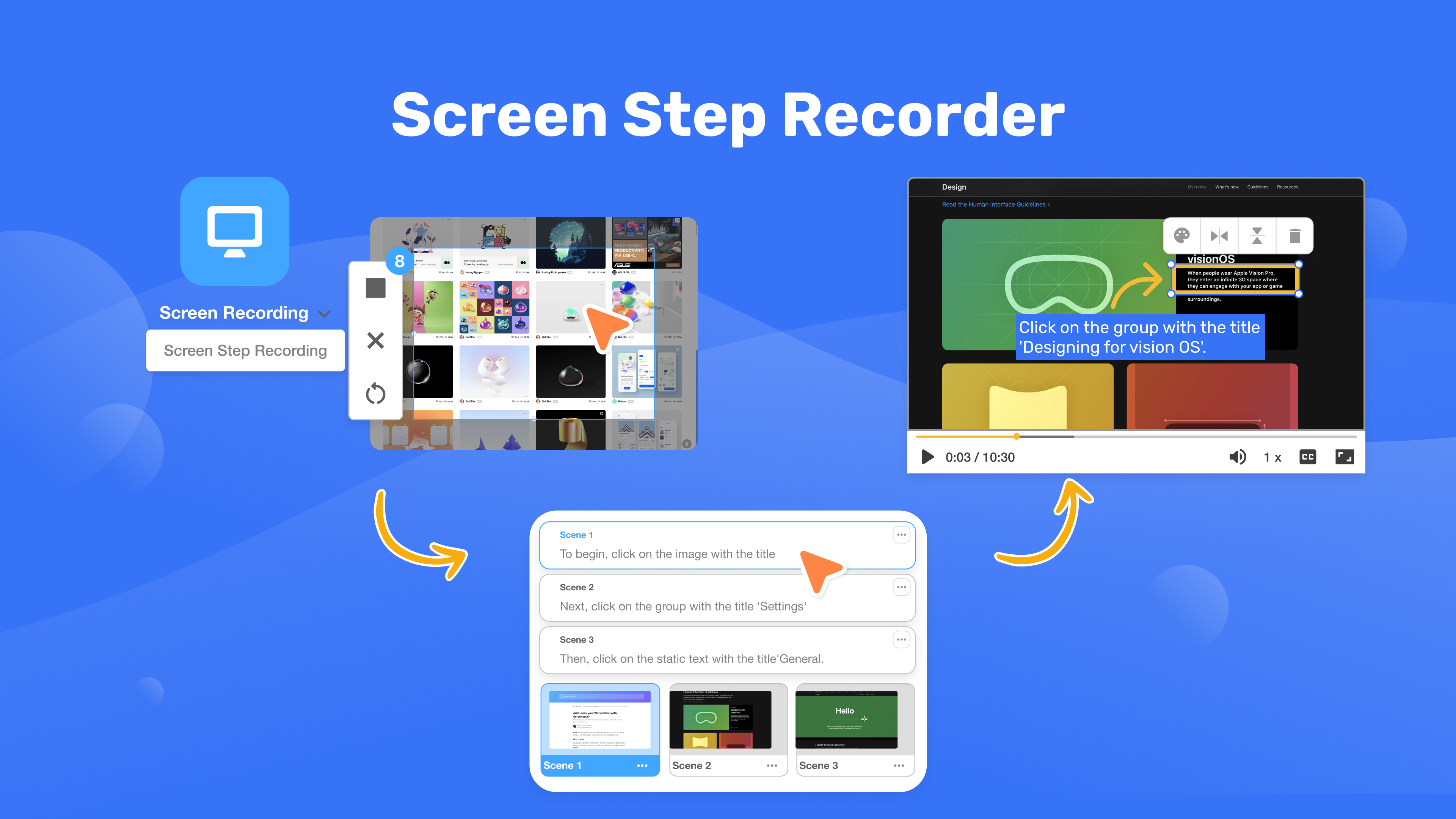
AI screen recorder that auto-splits captures into step-by-step video guides, GIFs and PDFs.

Standout factVisla was founded by Zoom's former Chief Scientist, Dr. Huipin Zhang.visla.us
Biggest catchVisla enforces a no-refund policy under all circumstances, even accidental renewals.visla.us
$18/moPro plan pricesupport.visla.us
5,000/moPro plan creditssupport.visla.us
SOC 2 Type IISecurity certificationvisla.us

Compliance

✓ SOC 2 Type II? ISO 27001

Source: visla.us

The thing people get wrong

Screen recording SaaS plans are usually refundable like most software

Visla enforces a no-refund policy under all circumstances, including accidental renewals

Source: visla.us

Upside

  • Exports to video, GIF and PDF
  • SOC 2 Type II certified
  • AI auto-generates voiceovers and subtitles

Catch

  • Strict no-refund policy
  • Complex credit-based pricing
  • Step recording needs desktop app
Pick it ifSupport teams wanting AI-generated step-by-step video guides and PDF SOPs.
Skip it ifCasual users wanting simple continuous recording or flat subscription pricing.
PricingFree plan with watermark; Pro plan $18/month with 5,000 monthly credits.

Editor's takeVisla, founded by Zoom's former Chief Scientist, uses AI to split screen recordings into scenes with auto-generated voiceovers, subtitles and callouts. It holds SOC 2 Type II certification and encrypts data with AES-256. The Pro plan runs $18 a month for 5,000 credits, but Visla enforces a no-refund policy in all circumstances, including accidental renewals, and step recording only works through the desktop app.

Can I get a refund from Visla?

No. Visla enforces a strict no-refund policy under all circumstances, including accidental renewals, according to its own refund policy page.

Does Visla's step recorder work in a browser?

No. Step recording is exclusive to the desktop app for Mac and Windows and is not available through a web browser.

The evidence: 6 criteria, 3 penalties (−0.17 points)
8.9
Product Capability & DepthLooked for: We evaluate the tool's ability to capture granular screen actions and automatically convert them into editable, multi-format guides.Visla captures clicks and keystrokes, using AI to split actions into scenes with automatic text overlays, arrows, and voiceovers. It exports to Video, GIF, and PDF.visla.usvisla.usvisla.us
9.1
Market Credibility & Trust SignalsLooked for: We assess the company's leadership pedigree, user reviews, and security certifications relevant to enterprise software.Founded by the former Chief Scientist of Zoom, Visla holds SOC 2 Type II certification and maintains a 4.6/5 rating on major review platforms.visla.usvisla.us
8.8
Usability & Customer ExperienceLooked for: We look for evidence of ease of use, particularly how well the tool automates manual editing tasks.Users report the AI annotations and scene splitting significantly reduce editing time, though the desktop-only requirement for step recording adds friction.visla.usvisla.usvisla.us
8.0
Value, Pricing & TransparencyLooked for: We evaluate the pricing model's clarity, the value of free tiers, and the fairness of refund policies.Visla offers a free tier but uses a complex credit system for paid plans and enforces a strict no-refund policy.visla.ussupport.visla.usvisla.us
9.0
AI & Automation CapabilitiesLooked for: We analyze the depth of AI features specifically for generating instructional content without manual intervention.The AI Video Agent automatically adds voiceovers, subtitles, and visual highlights (arrows/boxes) aligned with user clicks.visla.usvisla.us
9.4
Security, Compliance & Data ProtectionLooked for: We examine data encryption, access controls, and compliance standards critical for tools recording internal screens.Visla employs AES-256 encryption, TLS 1.2+, role-based access controls, and is SOC 2 Type II certified.visla.usvisla.usvisla.us

Score adjustments−0.17 points in total

−0.05Visla enforces a strict no-refund policy for all situations, including accidental renewals or incompatibility issues.visla.us · severity 75/100
−0.08The Step Recorder feature is exclusively available on the desktop app (Mac/Windows) and cannot be used via the web browser.youtube.com · severity 60/100
−0.04The credit-based pricing system is complex, with different costs for storage, video generation, and voiceover, making monthly costs hard to predict.support.visla.us · severity 50/100
02

Side by side

10 features across 8 products. Green is yes, red is no, grey is not published.

FeatureColossyanLoomScreenPalTrupeerCamtasiaCanvidScreenAppVisla
Has Mobile App
Has Free Plan
Has Free Trial Contact for trial
Integrates With Zapier
Has Public API
Live Chat Support Email/Ticket only
SOC 2 or ISO Certified
Popular Integrations Slack, Google Workspace, Microsoft 365 Microsoft 365, Google Workspace
Supports SSO
Starting Price $15 per month $8 per month $4 per month $40 per month $180 per year $7 per month $19 per month Free tier
03

How we chose

Four fixed criteria for every product, plus two chosen for Screen Recording Tools with AI Narration, weighted and reduced by documented penalties.

Full methodology
Criteria set for this categoryProduct Capability & Depth, Market Credibility & Trust Signals, Usability & Customer Experience, Value, Pricing & Transparency, Security, Compliance & Data Protection, Integrations & Ecosystem Strength
Evidence, then a scoreDocumentation, pricing pages, security pages and third-party reviews. Each criterion records what was found and links its sources.
Penalties, then a rankDocumented problems pull the score down with their evidence attached. Rank follows the score. Sponsored rows, where present, are labelled.
iThe selection and ranking of screen recording tools with AI narration were based on a comprehensive analysis of key factors such as specifications, features, customer reviews, and ratings across ten evaluated products.
Albert Richer
Albert RicherFounder · Memphis, TN

Sets the criteria and reviews the evidence before a ranking publishes. Email him if something here looks wrong.

04

Questions people ask

How much does Colossyan's screen recorder cost?

Plans start at $15 per month according to the official pricing page, with a 7-day free trial available to test the tool. There is no permanent free plan, so ongoing use requires a paid subscription.

Does Colossyan's screen recorder work in multiple languages?

AI narration is available, but language support is currently limited compared to some competitors. Teams needing training videos translated into many languages should confirm specific language coverage directly with Colossyan before committing to a paid plan.

Do I need to pay extra for Loom's AI features?

Yes. The full AI suite, including auto-summaries and filler word removal, requires the Business + AI plan at $20/user/mo versus $15 for standard Business.

How long can free Loom recordings be?

Up to 5 minutes per video, with a lifetime cap of 25 videos on the free Starter plan.

Is ScreenPal's free plan watermark-free?

Yes, but with a time limit. Recordings are capped at 15 minutes on the free plan, with no watermark added, according to ScreenPal's own plans page.

Is ScreenPal certified for education use?

Yes. ScreenPal has earned iKeepSafe certifications for COPPA Safe Harbor, FERPA, and California Student Data Privacy, according to iKeepSafe's own certification announcement.

Does Trupeer have a free plan?

Yes, limited to 10 AI video minutes, 5 AI guides, and 3 video exports. Paid plans start at $40 monthly for the Pro tier.

Can Trupeer translate videos into other languages?

Yes. It can instantly localize videos and guides into more than 65 languages with over 100 voice accents, without re-recording.

How is the best Screen Recording Tools with AI Narration decided?

Every product is scored on six criteria for this category, with cited evidence and documented penalties. Rank follows the overall score. Vendors cannot pay for a position.

How often is this ranking updated?

Products are re-scored when pricing, features or evidence change. This ranking was last updated July 5, 2026.

05

More in Screen Recording & Tutorial Creation Tools

4 related rankings.

All of Screen Recording & Tutorial Creation
Research

Vimeo grew from 1,000 enterprise accounts to 3,800 while losing self-serve subscribers

Mar 22, 2026

Desktop publishing jobs face a 12% decline by 2034, with only 400 annual openings expected

May 15, 2026

Infogain migrated 1.8 million files totaling 50 terabytes to cloud-native platforms

May 12, 2026