1. Home
  2. Design, Creative & Media Production
  3. Screen Recording & Tutorial Creation Tools
  4. Screen Recording Tools for Customer Support

Ranking · Screen Recording & Tutorial Creation Tools

Best Screen Recording Tools for Customer Support

11 products scored on six criteria. DemoCreator leads at 8.9 and the field is tight, with 0.4 points between first and last, so read the catches before you pick. Every product opens to the evidence behind its number.

11 products scored6 criteria103 sources citedUpdated Jul 29, 2026
1 DemoCreatordemocreator.wondershare.com

DemoCreator records up to 8K video at 120 FPS.

Read the reviewVisit ↗
2 Level AIthelevel.ai

Level AI redacts PII with over 90% accuracy.

Read the reviewVisit ↗
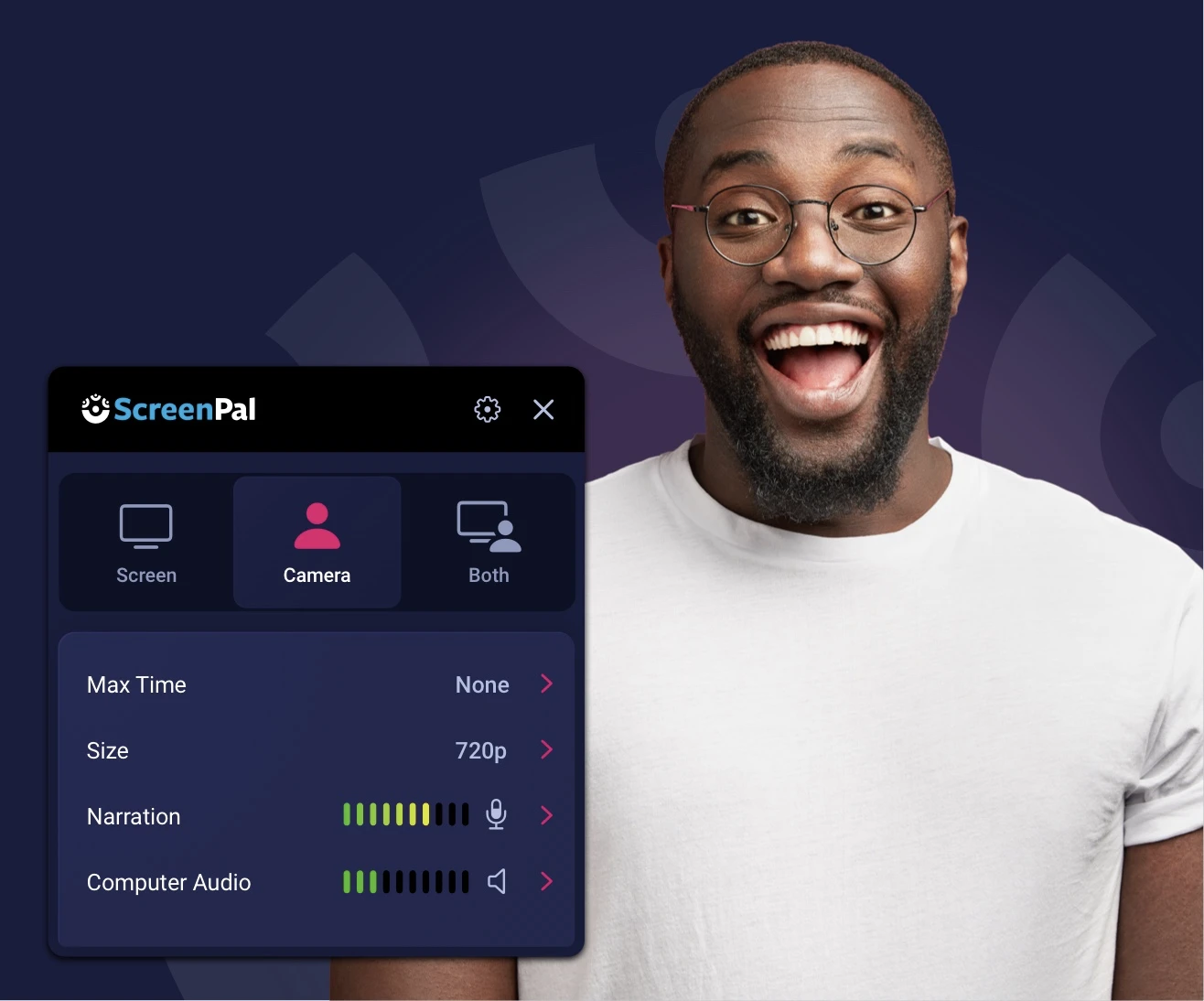
3 ScreenPalscreenpal.com

ScreenPal certifies FERPA, free recordings cap at 15 min

Read the reviewVisit ↗
11Products
8.5 to 8.9Score spread
4Free plan or tier
01

The ranking

Order follows the score. Six little boxes show each product's criterion scores: green or red is above or below the category average, grey means too few products share that criterion to compare. The full review sits right under each one.

Nothing matches that filter here. Tap All to see every product.

1

DemoCreator

democreator.wondershare.com · scored Apr 2026

DemoCreator records up to 8K video at 120 FPS.

Best forEducators and gamers wanting affordable high frame rate recording.

From $45 per year 8K recordingAI captionsbudget Camtasia alternative
Top score

A screen recorder and AI video editor with multi-track capture up to 8K.

Standout factAI auto-captions claim 99% accuracy across 90+ languages.democreator.wondershare.com
Biggest catchPremium effects can prompt a surprise $15.99/mo charge at export.kevinsguides.com
8K/120FPSmax recordingdemocreator.wondershare.com
90+caption languagesdemocreator.wondershare.com
$45/yrannual starting pricekevinsguides.com

Standout number

90+AI caption languages

Source: democreator.wondershare.com

The thing people get wrong

Applied effects are free once added to the timeline

Some premium effects prompt a $15.99/mo charge only at export

Source: kevinsguides.com

Upside

  • Records up to 8K at 120 FPS
  • Auto-captions in 90+ languages
  • Cheaper than Camtasia

Catch

  • Mac version has performance glitches
  • Premium effects paywalled at export
  • Support relies heavily on chatbots
Pick it ifEducators and gamers wanting affordable high frame rate recording.
Skip it ifMac users worried about reported performance glitches.
PricingFrom $45/year, or $75 for a perpetual license

Editor's takeDemoCreator records screen, webcam, and audio on separate tracks at up to 8K and 120 FPS. Its AI auto-caption tool claims 99% accuracy across more than 90 languages. Mac users report more glitches than the Windows version, and some premium effects require a surprise subscription at export.

How does DemoCreator compare to Camtasia on price?

DemoCreator costs about $45 per year, or $75 for a perpetual license. That is considerably cheaper than Camtasia, based on third-party pricing comparisons.

Does DemoCreator support multiple languages for captions?

Yes. Its AI subtitle generator converts speech to text in more than 90 languages. It claims 99% accuracy for auto-transcription.

The evidence: 6 criteria, 3 penalties (−0.17 points)
9.4
Product Capability & DepthLooked for: We evaluate the breadth of recording modes, editing tools, and technical specifications tailored for content creators and educators.DemoCreator offers robust capabilities, including screen, webcam, and audio multi-track recording at up to 8K resolution and 120 FPS. It effectively caters to gamers, educators, and professionals with features like real-time screen drawing, virtual avatars, and a comprehensive built-in video editor.democreator.wondershare.com
9.3
Market Credibility & Trust SignalsLooked for: We look for verified user reviews, industry reputation, and trust signals across major software review platforms.The product maintains strong ratings across major review platforms like G2, Capterra, and Trustpilot, generally scoring above 4.5 out of 5. Users consistently praise its all-in-one functionality and ease of use, establishing it as a highly credible tool in the creator software niche.democreator.wondershare.com
9.1
Usability & Customer ExperienceLooked for: We assess the software's learning curve, interface intuitiveness, and the quality of customer support and onboarding.Users frequently highlight the clean, beginner-friendly interface that simplifies the recording and editing workflow. However, the customer experience is slightly marred by complaints regarding slow or inaccessible customer support that relies heavily on chatbots.democreator.wondershare.com
8.7
Value, Pricing & TransparencyLooked for: We analyze the cost-effectiveness, plan variety, and transparency of pricing, including hidden fees or subscription traps.DemoCreator is highly affordable compared to competitors like Camtasia, offering diverse subscription and perpetual plans starting around $45/year. However, transparency is impacted by the deceptive paywalling of certain premium visual effects at the export stage.kevinsguides.com
9.2
Advanced AI & Video Editing FeaturesLooked for: We examine the effectiveness and availability of AI-powered tools, transcription, and built-in video editing capabilities.It boasts an impressive suite of AI tools, including auto-transcription in over 90 languages with claimed 99% accuracy, AI background removal, noise reduction, and virtual avatars, which significantly streamline the editing process.democreator.wondershare.com
8.1
Performance & Hardware CompatibilityLooked for: We evaluate the software's resource consumption, cross-platform stability (Windows/Mac), and overall recording reliability.While Windows performance is generally smooth even at high frame rates, Mac users frequently report software glitches. Additionally, users editing high-bitrate files occasionally experience timeline lagging, and virtual avatar synchronization can be poor.techradar.com

Score adjustments−0.17 points in total

−0.05Deceptive integration of premium effects. Users can apply them for free during editing but are unexpectedly prompted for a $15.99/month subscription upon export.kevinsguides.com · severity 75/100
−0.07Documented glitches and bugs specifically affecting macOS users, alongside poor virtual avatar synchronization.techradar.com · severity 65/100
−0.05Customer support heavily relies on chatbots, making it difficult for users to reach actual human personnel when troubleshooting issues.wondershare-democreator.tenereteam.com · severity 50/100
2

Level AI

thelevel.ai · Level AI Screen Recording · scored Dec 2025

Level AI redacts PII with over 90% accuracy.

Best forEnterprise contact centers needing automated QA and compliance monitoring.

Quote only SOC 2HIPAAPCI

AI screen recording for contact centers that auto-redacts PII across the full ticket lifecycle.

Standout factLevel AI's auto-redaction removes PII and card numbers with over 90% accuracy.thelevel.ai
Biggest catchUsers report slow loading times and an interface that can feel overcrowded.g2.com
>90%PII redaction accuracythelevel.ai
$73.1MTotal funding raisedsiliconangle.com
9.6/10Security score

In every 100

90 of 100 sensitive data fields redacted correctly

Source: thelevel.ai

Standout number

$73.1Mtotal funding raised

Source: siliconangle.com

Upside

  • Auto-redacts PII with 90%+ accuracy
  • Records full ticket lifecycle automatically
  • SOC 2, HIPAA and PCI compliant

Catch

  • Interface can feel overcrowded
  • Reports of slow performance
  • Pricing not publicly listed
Pick it ifEnterprise contact centers needing automated QA and compliance monitoring.
Skip it ifIndividual creators or small teams without compliance requirements.
PricingContact for pricing, demo required

Editor's takeLevel AI triggers screen recording the moment an agent picks up a support ticket and stops when it closes, automatically redacting PII and card numbers with better than 90% accuracy along the way. It is backed by over $73 million in funding and used by enterprise names like Affirm, Toast and Carta, with SOC 2 Type 2, HIPAA and PCI compliance covering the whole stack. Reviewers do flag a crowded interface and occasional slow loading, and pricing stays behind a demo request rather than a public rate.

How accurate is Level AI's data redaction?

The platform reports over 90% accuracy redacting sensitive data like credit card numbers and personally identifiable information from screen recordings automatically.

Is Level AI's pricing public?

No. Pricing requires scheduling a demo. The company points to case studies showing financial institutions saving millions through its Voice of Customer insights as justification for the cost.

The evidence: 6 criteria, 3 penalties (−0.16 points)
9.0
Product Capability & DepthLooked for: We evaluate the comprehensiveness of screen recording features, including trigger automation, multi-monitor support, and OS compatibility.Level AI offers comprehensive recording that captures the entire ticket lifecycle across dual monitors and supports both Mac and Windows operating systems.thelevel.aicxtoday.comthelevel.ai
9.3
Market Credibility & Trust SignalsLooked for: We look for established customer bases, significant funding, and adoption by reputable enterprise brands.The company is backed by over $73 million in funding and is trusted by major enterprises like Affirm, Toast, and Carta.siliconangle.combusinesswire.com
8.5
Usability & Customer ExperienceLooked for: We assess user interface design, ease of implementation, and system performance based on user feedback.While implementation is described as straightforward, users have reported interface crowding and occasional performance lag.thelevel.aig2.comg2.com
8.7
Value, Pricing & TransparencyLooked for: We look for clear pricing structures and demonstrated return on investment for enterprise clients.Pricing is not publicly transparent, but the product delivers significant ROI by automating QA and saving millions for financial institutions.thelevel.aithelevel.aithelevel.ai
9.1
Integrations & Ecosystem StrengthLooked for: We examine the breadth of native integrations with CRM, CCaaS, and other support tools.The platform integrates seamlessly with major systems including Salesforce, Zendesk, Amazon Connect, and Five9.thelevel.aithelevel.aicxtoday.com
9.6
Security, Compliance & Data ProtectionLooked for: We verify adherence to major compliance standards and features like automated data redaction.Level AI maintains top-tier compliance (SOC 2, HIPAA, PCI) and features 90%+ accurate auto-redaction for sensitive data.thelevel.aithelevel.ai

Score adjustments−0.16 points in total

−0.05Users have reported slow performance and loading times, which can hinder effective monitoring.g2.com · severity 50/100
−0.06Sentiment analysis sometimes struggles with sarcasm or tricky conversations, leading to inaccurate scoring.g2.com · severity 45/100
−0.05The interface layout has been described as overcrowded, potentially causing user confusion.g2.com · severity 45/100
3

ScreenPal

screenpal.com · ScreenPal Screen Recorder · scored Dec 2025

ScreenPal certifies FERPA, free recordings cap at 15 min

Best forEducators and support teams wanting affordable, FERPA-compliant screen recording.

Free tier From $3 per month FERPACOPPA Safe Harborfreemium

Screen recording and editing platform trusted by 98 of the top 100 US universities and Fortune 100 firms.

Standout factScreenPal is used by 98 of the top 100 US universities and has captured over 100 million videos.screenpal.com
Biggest catchFree recordings cap at 15 minutes and exclude system audio.screenpal.com
100M+Videos capturedscreenpal.com
98 of 100Top US universities using itscreenpal.com
$3-4/monthStarting pricetechradar.com

Adoption

100,000,000+videos captured, used in 190 countries

Source: screenpal.com

Compliance

✓ FERPA✓ COPPA Safe Harbor✓ California Student Data Privacy? SOC 2

Source: ikeepsafe.org

Upside

  • Highly affordable paid plans
  • FERPA and COPPA certified
  • No account required for free recorder

Catch

  • 15-minute limit on free recordings
  • No system audio on free plan
  • Slow export for large files
Pick it ifEducators and support teams wanting affordable, FERPA-compliant screen recording.
Skip it ifSales teams needing deep CRM integrations and advanced analytics.
PricingFree plan available, paid plans from about $3-4/month.

Editor's takeScreenPal is used by 98 of the top 100 US universities and has captured over 100 million videos. Paid plans start around $3 to $4 a month, well below competitors like Camtasia. Free recordings cap at 15 minutes and exclude system audio.

How much does ScreenPal cost?

Paid plans start around $3 to $4 per month, undercutting competitors like Camtasia. A free plan is also available with a 15-minute recording limit.

Is ScreenPal compliant for schools?

Yes. ScreenPal holds iKeepSafe COPPA Safe Harbor, FERPA, and California Student Data Privacy certifications, making it suitable for education environments.

The evidence: 6 criteria, 3 penalties (−0.20 points)
8.7
Product Capability & DepthLooked for: We evaluate the breadth of recording features, editing tools, and AI capabilities available across platforms.ScreenPal offers robust screen and webcam recording with integrated video editing, AI-powered captions, and interactive quizzes, though advanced features like system audio recording are locked behind paid plans.screenpal.comscreenpal.comscreenpal.com
9.3
Market Credibility & Trust SignalsLooked for: We assess the product's adoption rate, client base, and industry certifications to gauge reliability.ScreenPal demonstrates exceptional market trust, being used by 98 of the top 100 US universities and Fortune 100 companies, backed by rigorous third-party privacy certifications.screenpal.comscreenpal.com
8.9
Usability & Customer ExperienceLooked for: We analyze user feedback regarding ease of use, interface design, and performance stability.Users consistently praise the intuitive interface and lightweight performance, though some report slower export times for larger files.screenpal.comscreen-recorder.comg2.com
9.0
Value, Pricing & TransparencyLooked for: We evaluate the cost-to-feature ratio, transparency of pricing models, and free plan generosity.ScreenPal offers a highly competitive pricing model starting at ~$3-4/month, significantly undercutting competitors like Camtasia, though the free plan has notable restrictions.screenpal.comtechradar.comscreenpal.com
9.6
Security, Compliance & Data ProtectionLooked for: We examine the product's adherence to data privacy standards, particularly for the education sector.ScreenPal holds top-tier privacy certifications including FERPA and COPPA Safe Harbor, making it exceptionally secure for educational environments.screenpal.comikeepsafe.orgg2.com
8.8
Integrations & Ecosystem StrengthLooked for: We look for seamless connections with Learning Management Systems (LMS) and productivity tools.The platform integrates deeply with major LMS platforms like Canvas and Blackboard, as well as productivity tools like Zoom and Microsoft Teams.screenpal.comscreenpal.com

Score adjustments−0.20 points in total

−0.08Recording computer system audio is disabled in the free version; it requires a paid upgrade.screenpal.com · severity 60/100
−0.07The free version restricts recording time to a maximum of 15 minutes per video.screenpal.com · severity 50/100
−0.05Users report that the upload or export process can be slow for large or high-quality video files.g2.com · severity 45/100
4

Loom

loom.com · Loom Free Screen Recorder · scored Dec 2025

Loom's free plan caps out at 25 saved videos, ever

Best forTeams collaborating via quick asynchronous video updates

Free tier From $13 per user/mo free planSOC 2Atlassian
−0.1 vs #1

Asynchronous screen recording tool with instant link sharing and deep Slack and Jira integration, now owned by Atlassian.

Standout factAtlassian acquired Loom for approximately $975 million in 2023businesswire.com
Biggest catchThe free plan caps the video library at 25 videos total, forcing deletion or upgrade once reached.support.atlassian.com
$975M (Atlassian)Acquisition pricebusinesswire.com
25M+Users worldwideaccountancycloud.com

Adoption

25M+users worldwide

Source: accountancycloud.com

The thing people get wrong

Loom's free plan has unlimited video storage

The free Starter plan caps the video library at 25 videos total

Source: support.atlassian.com

Upside

  • Instant link generation, no upload wait
  • Deep Slack and Jira integration
  • SOC 2 Type II compliant

Catch

  • Free library capped at 25 videos
  • 720p max resolution on free tier
  • Desktop app crashes reported
Pick it ifTeams collaborating via quick asynchronous video updates
Skip it ifCreators needing complex editing or polished long-form video
PricingFree (25 videos, 720p, 5 min). Business ~$12.50/mo

Editor's takeLoom's record-to-link workflow skips upload waiting entirely, a core reason it reached 25 million users before Atlassian's $975 million acquisition. Free accounts are capped at 25 saved videos total, 720p resolution, and 5-minute clips, a harder limit than most free screen recorders impose. Trustpilot reviewers report the desktop app crashing mid-recording on longer sessions.

How many videos can I keep on Loom's free plan?

25 videos total. Once you hit that cap, you must delete old videos or upgrade to record new ones.

Who owns Loom now?

Atlassian, which acquired it for about $975 million in October 2023.

The evidence: 6 criteria, 3 penalties (−0.18 points)
8.7
Product Capability & DepthLooked for: We evaluate the richness of recording features, editing tools, and AI capabilities available specifically within the free tier.Loom's free plan offers essential screen and camera recording with AI transcriptions in 50+ languages, but restricts output to 720p resolution and clips to 5 minutes.loom.comloom.comsupport.atlassian.com
9.5
Market Credibility & Trust SignalsLooked for: We assess the product's adoption rate, corporate backing, and reputation among enterprise users in the SaaS landscape.Loom was acquired by software giant Atlassian for $975 million and boasts over 25 million users across 200,000 companies, establishing it as the dominant player in asynchronous video.businesswire.comaccountancycloud.com
8.8
Usability & Customer ExperienceLooked for: We look for ease of adoption, interface intuitiveness, and the reliability of the recording and sharing workflow.Users consistently praise the 'instant sharing' workflow that eliminates upload wait times, though some report stability issues with the desktop app and upload failures on slower connections.loom.comelearningsupporter.comtrustpilot.com
8.5
Value, Pricing & TransparencyLooked for: We analyze the generosity of the free tier and the transparency of upgrade triggers compared to market alternatives.The free plan is useful for quick updates but enforces a strict 25-video library limit, forcing active users to delete content or upgrade to the Business plan ($12.50/mo).loom.comsupport.atlassian.comtella.com
9.2
Integrations & Ecosystem StrengthLooked for: We evaluate how well the product connects with essential productivity tools like Slack, Jira, and Notion.Loom offers deep, native integrations with the Atlassian suite (Jira, Confluence) and other major tools like Slack and Notion, allowing videos to unfurl and play directly within these platforms.support.loom.comsupport.atlassian.comloom.com
9.0
Security, Compliance & Data ProtectionLooked for: We verify the product's adherence to enterprise security standards like SOC 2 and GDPR.Loom maintains SOC 2 Type II compliance and offers enterprise-grade security features, though default link settings on lower plans have historically leaned towards public visibility.support.loom.comatlassian.comcdn.loom.com

Score adjustments−0.18 points in total

−0.05The free plan enforces a strict limit of 25 videos per user library; once reached, users must delete old videos to record new ones.support.atlassian.com · severity 75/100
−0.06Users have reported stability issues with the desktop application, including crashes during recording and upload failures.trustpilot.com · severity 60/100
−0.07Free plan recordings are capped at a maximum resolution of 720p, significantly lower than the 4K available on paid plans.support.atlassian.com · severity 50/100
5

MaestroQA

maestroqa.com · MaestroQA Screen Capture · scored Dec 2025

MaestroQA auto-tags QA moments, but skips ChromeOS

Best forSupport QA teams needing deep Zendesk or Salesforce integration and full visibility.

From $15 per agent per month screen recordingQA softwarecustomer support
−0.1 vs #1

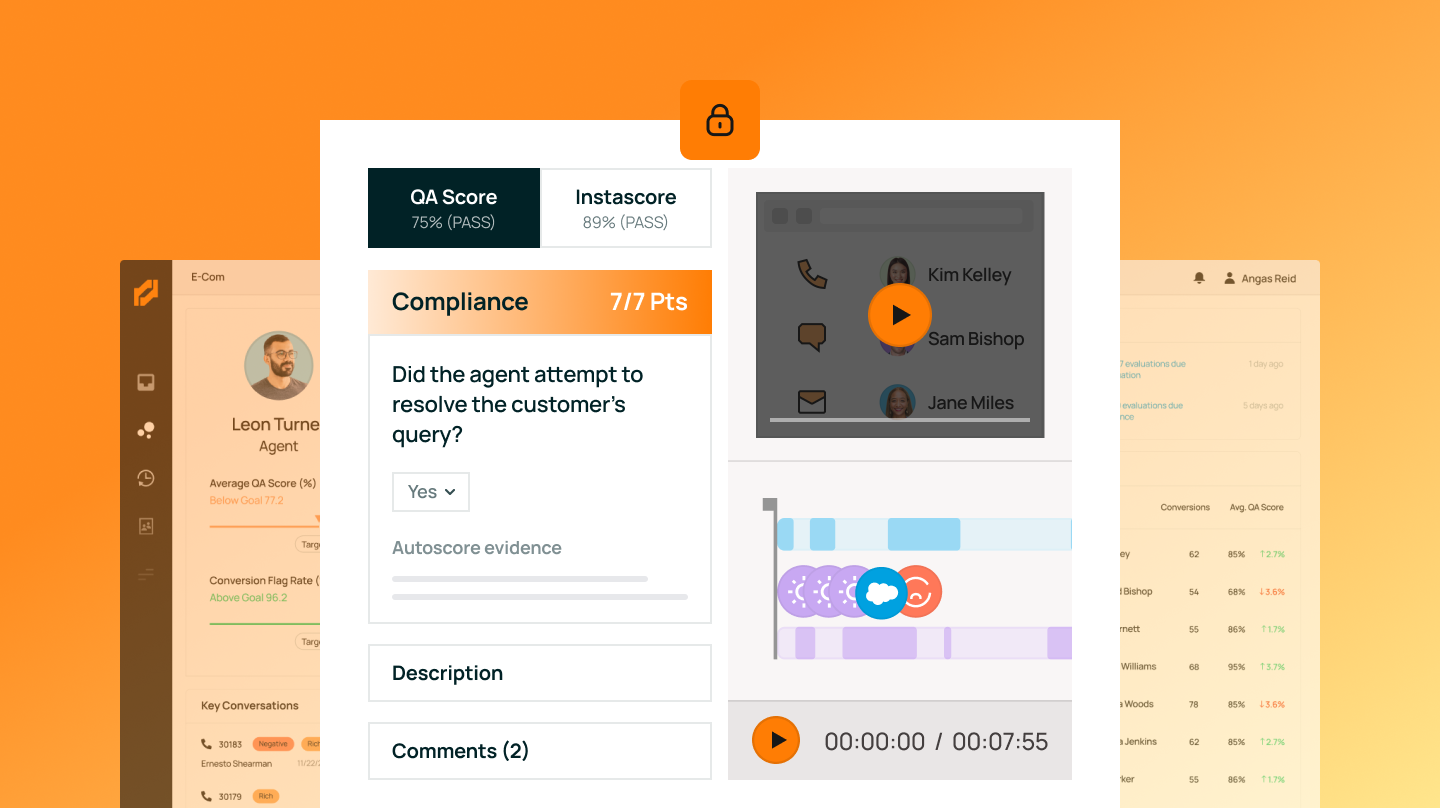
MaestroQA's 'Moments' timeline auto-tags key events in support calls to speed up QA review.

Standout factClassPass saw a 14.5% increase in QA scores after coaching an agent with Screen Capture.zendesk.com
Biggest catchThe Companion App required for reliable recording does not work on ChromeOS or Linux.help.maestroqa.com
$15/agent/monthStarting pricesoftwaresuggest.com
14.5%ClassPass QA score gainzendesk.com
Up to 10 secondsTimestamp discrepancyhelp.maestroqa.com

Starting price

$15per agent per monthProfessional tier reported near $588/agent annually

Source: softwaresuggest.com

Where it lands

#5 of 11
0.1 points behind #1

Upside

  • Multi-monitor, multi-ticket recording
  • Automated 'Moments' timeline for review
  • SOC 2, HIPAA, and PCI compliant

Catch

  • Companion App skips ChromeOS support
  • Standalone extension less reliable
  • Up to 10-second timestamp gap
Pick it ifSupport QA teams needing deep Zendesk or Salesforce integration and full visibility.
Skip it ifEducators or creators making public-facing video tutorials, and ChromeOS-only teams.
PricingStarts around $15 per agent per month; Professional tier reported near $588 per agent annually.

Editor's takeMaestroQA's 'Moments' timeline automatically flags events like holds and tool usage, cutting review time for QA teams. It backs that with a strong compliance stack, including SOC 2 Type 2, ISO 27001, and PCI DSS 4.0 Level 1 certifications, and case studies showing measurable score gains at companies like ClassPass. The vendor's own guidance to avoid the standalone Chrome extension long-term, in favor of a Companion App unavailable on ChromeOS, is a real deployment constraint.

What is the 'Moments' feature in MaestroQA?

It automatically highlights critical segments like holds, tool usage, and flagged tickets on a timeline, so reviewers can jump straight to key moments.

Does MaestroQA Screen Capture work on ChromeOS?

The Companion App, recommended for reliable recording, is not compatible with ChromeOS or Linux, per vendor help documentation.

The evidence: 6 criteria, 3 penalties (−0.20 points)
8.9
Product Capability & DepthLooked for: We evaluate the breadth of recording features, such as multi-screen support, timeline navigation, and automated event tagging.MaestroQA offers robust screen capture with multi-monitor support, a 'Moments' timeline that auto-tags events like holds or tool usage, and multi-ticket recording capabilities.maestroqa.commaestroqa.commaestroqa.com
9.2
Market Credibility & Trust SignalsLooked for: We look for enterprise-grade security certifications, reputable customer case studies, and established market presence.MaestroQA holds top-tier certifications including SOC 2 Type 2, ISO 27001, and HIPAA, and is trusted by major brands like Stitch Fix and ClassPass.trust.maestroqa.comzendesk.com
8.8
Usability & Customer ExperienceLooked for: We assess ease of setup, reliability of recording tools, and the intuitiveness of the review interface.The 'Moments' timeline simplifies review, but the vendor admits the standalone Chrome extension is less reliable than the Companion App, which requires separate installation.maestroqa.comhelp.maestroqa.comhelp.maestroqa.com
8.5
Value, Pricing & TransparencyLooked for: We look for clear public pricing, flexible terms, and value relative to features provided.Base pricing starts at $15/agent/month, but advanced features often require higher tiers or add-ons, and specific screen capture add-on costs are not fully transparent.maestroqa.comsoftwaresuggest.comvendr.com
9.0
Integrations & Ecosystem StrengthLooked for: We look for deep integration with helpdesk platforms to ensure recordings are automatically linked to support tickets.The tool integrates seamlessly with major platforms like Zendesk and Salesforce, automatically associating screen captures with relevant tickets.maestroqa.commaestroqa.comsoftwaresuggest.com
9.4
Security, Compliance & Data ProtectionLooked for: We evaluate specific features for protecting sensitive data during screen capture, such as redaction and compliance adherence.MaestroQA offers configurable black screen redaction for sensitive moments and adheres to strict PCI DSS and HIPAA standards.maestroqa.commaestroqa.comtrust.maestroqa.com

Score adjustments−0.20 points in total

−0.07The 'Companion App' required for reliable screen capture is not compatible with ChromeOS or Linux, limiting use for teams on these operating systems.help.maestroqa.com · severity 65/100
−0.07The vendor explicitly states the standalone Chrome extension is 'less reliable' than the Companion App, potentially leading to missed recordings if the app isn't used.help.maestroqa.com · severity 50/100
−0.06There can be a discrepancy of up to 10 seconds between the timestamp of a logged event and when it actually appears in the video playback.help.maestroqa.com · severity 45/100
6

Parallels Toolbox

parallels.com · scored Mar 2026

Parallels Toolbox bundles 50+ tools, requires a yearly fee

Best forMac and Windows users wanting one comprehensive utility suite.

From $20 per year 50+ utilitiesvideo/audio downloaderannual subscription only
−0.1 vs #1

System utility suite bundling 50+ tools for file, media, and system tasks.

Standout factThe suite bundles more than 50 tools across files, media, and system categories.macworld.com
Biggest catchCritics call it a shame that basic utility software now requires an annual subscription.macworld.com
50+Tools includedmacworld.com
$19.99/yearStarting pricemacworld.com

Standout number

50+utilities in one suite

Source: macworld.com

In their words

“It's a shame that a relatively modest piece of software such as Toolbox now requires an annual subscription, as that will probably deter quite a few potential users.”

macworld.com

Upside

  • Over 50 utilities in one app
  • Praised video and audio downloader
  • Backed by established developer Parallels

Catch

  • Requires an ongoing annual subscription
  • Tools lack advanced configuration options
  • Cleaning tools less deep than dedicated optimizers
Pick it ifMac and Windows users wanting one comprehensive utility suite.
Skip it ifUsers who only need a standalone, free screen recorder.
PricingFrom $19.99/year, 7-day free trial

Editor's takeParallels Toolbox packs over 50 single-purpose utilities, video downloading, disk cleaning, screen capture, into one menu bar app, backed by Parallels' reputation as an established virtualization developer. Reviewers single out the video and audio downloader as the standout feature worth the price alone. The sticking point is the business model. Critics call it a shame that basic utility software, the kind often available free elsewhere, now requires an ongoing annual subscription rather than a one-time purchase.

How much does Parallels Toolbox cost?

Pricing starts around $19.99 per year on an annual subscription, with a 7-day free trial to test the suite first.

What is Parallels Toolbox's most useful feature?

Reviewers consistently highlight the video and audio downloader, which lets users paste a link and download media at a chosen quality setting.

The evidence: 6 criteria, 1 penalty (−0.05 points)
9.0
Product Capability & DepthLooked for: A comprehensive suite of utilities that effectively consolidate and replace multiple single-purpose applications.Parallels Toolbox offers an expansive library of over 50 individual tools covering file management, system maintenance, media downloading, screen capturing, and productivity within a single interface.macworld.com
9.2
Market Credibility & Trust SignalsLooked for: Established brand reputation, positive expert reviews, and a history of reliable software development.The software is developed by Parallels, a highly reputable industry leader known for its virtualization software, and it receives consistently positive reviews from major tech publications like Macworld and Windows Central.bestbackupreviews.com
9.1
Usability & Customer ExperienceLooked for: An intuitive interface that allows users to easily find, organize, and execute tools without a steep learning curve.The software provides a clean, user-friendly interface accessible directly from the macOS menu bar or Windows system tray, featuring one-click execution for most tasks.imymac.com
8.7
Value, Pricing & TransparencyLooked for: Fair, transparent pricing with clear subscription terms and adequate trial periods reflecting the product's utility.While it offers a 7-day free trial, Parallels Toolbox relies on an annual subscription model (typically $19.99-$24.99/year), which many find overly expensive for simple utility software.macworld.com
8.2
System Optimization & MaintenanceLooked for: Effective, safe tools for cleaning drives, managing memory, and removing duplicate files to improve overall system health.Includes basic but effective optimization tools like Clean Drive, Free Memory, and app uninstallers that easily free up space and RAM without harming the computer.imymac.com
8.9
Media Processing & Content ManagementLooked for: Reliable and fast capabilities for downloading, converting, and capturing video and audio files from various sources.Features highly praised multimedia utilities, including a dedicated video and audio downloader, an image resizer, a GIF maker, and robust screen recording capabilities.xda-developers.com

Score adjustments−0.05 points in total

−0.05The product forces an annual recurring subscription for basic system utilities, which reviewers and users heavily criticize as many alternative tools are free or available as a one-time purchase.macworld.com · severity 65/100
7

Screendesk

screendesk.io · Screendesk - Video Support Platform · scored Dec 2025

Screendesk records with no install, gates console logs to Enterprise

Best forIT support teams needing no-download video recording for customers

Free tier From $10 per month free planGDPRZendesk integration
−0.1 vs #1

A video support platform that captures no-install screen recordings, console logs, and metadata directly inside Zendesk and Intercom.

Standout factVista Social reported a 72% decrease in average handle time using Screendesk.screendesk.io
Biggest catchConsole Logs, a core technical support feature, is excluded from the Plus and Pro plans and restricted to Enterprise.screendesk.io
-72%Handle time reduction (Vista Social)screendesk.io
$10/moStarting pricescreendesk.io

What changed

72%average handle time reduction reported by Vista Social

Source: screendesk.io

The thing people get wrong

Console log capture is included once you're on a paid plan

Console Logs are excluded from Plus and Pro and only available on the custom Enterprise tier

Source: screendesk.io

Upside

  • No-install recording for customers
  • Deep Zendesk and Intercom integration
  • Captures console logs and metadata

Catch

  • Console logs need Enterprise plan
  • Limited video editing tools
  • Lower support rating than Loom
Pick it ifIT support teams needing no-download video recording for customers
Skip it ifMarketing teams focused on polished promotional video content
PricingFree plan, Plus $10/mo, Pro $18/mo

Editor's takeScreendesk's no-install recording and automatic console-log capture solve a specific technical support pain point that general screen recorders don't address. Teams that need those console logs for debugging should budget for the Enterprise tier, since it's not in the standard plans.

Do customers need to install anything to use Screendesk?

No. Customers click a link to record their screen or join a video call directly in the browser, with no download required.

Are console logs included in every plan?

No. Console Logs, a key technical debugging feature, is excluded from the Plus and Pro plans and only included in the custom-priced Enterprise tier.

The evidence: 6 criteria, 3 penalties (−0.15 points)
8.9
Product Capability & DepthLooked for: We evaluate the breadth of video support features, including recording quality, metadata capture, and AI capabilities tailored for support teams.Screendesk offers specialized features for support, including no-install screen recording for customers, live video calls, and automatic capture of browser metadata and console logs.screendesk.iointercom.comfreshworks.com
8.6
Market Credibility & Trust SignalsLooked for: We assess the product's reputation, user base size, review volume, and adoption by established companies in the support industry.While trusted by over 1,000 teams and integrated into major marketplaces like Zendesk and Intercom, it has a smaller review footprint compared to market leaders like Loom.intercom.comscreendesk.iog2.com
9.1
Usability & Customer ExperienceLooked for: We look for ease of use, particularly regarding the 'no-install' experience for end-users and the interface quality for agents.The platform excels in usability by eliminating friction for end-users (no installs) and providing a clean, integrated interface for agents within their helpdesk.zendesk.comfreshworks.comg2.com
8.5
Value, Pricing & TransparencyLooked for: We evaluate the pricing structure, tier differentiation, and whether key features are accessible at reasonable price points.Pricing is competitive starting at $10/month, but high-value technical features like Console Logs are restricted to the custom-priced Enterprise plan.screendesk.ioscreendesk.ioscreendesk.io
9.4
Integrations & Ecosystem StrengthLooked for: We analyze the depth of integration with major helpdesk platforms and whether the tool fits seamlessly into existing support workflows.Screendesk offers deep, native integrations with Zendesk, Intercom, and Freshchat, allowing recording requests and viewing directly within ticket interfaces.screendesk.iointercom.comdocs.screendesk.io
8.8
Security, Compliance & Data ProtectionLooked for: We examine data protection measures, compliance certifications (GDPR, SOC 2), and features like data redaction relevant to sensitive support tickets.The platform is designed for GDPR compliance, uses enterprise-grade encryption, and offers SOC 2 standards for Enterprise customers.screendesk.ioscreendesk.ioscreendesk.io

Score adjustments−0.15 points in total

−0.04The 'Console Logs' feature, a primary differentiator for technical support, is excluded from standard paid plans (Plus/Pro) and restricted to the custom Enterprise tier.screendesk.io · severity 60/100
−0.05G2 comparative data indicates a significantly lower quality of support score (6.9) for Screendesk compared to its main competitor Loom (9.0).g2.com · severity 50/100
−0.06Users report that video editing options are limited compared to dedicated screen recording tools, restricting post-production capabilities.g2.com · severity 45/100
8

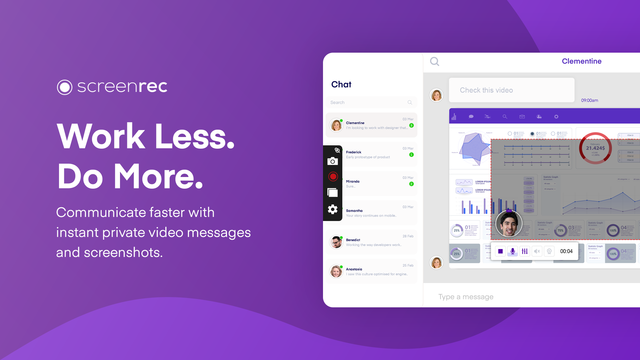
ScreenRec

screenrec.com · scored Dec 2025

ScreenRec records unlimited video with no watermark

Best forIT support teams needing quick bug reports and instant cloud sharing.

Free tier free planno watermarkscreen recording
−0.1 vs #1

Free screen recorder for support teams offering instant video messaging and annotated screenshots.

Standout factRecording time is unlimited and videos carry no watermark.screenrec.com
Biggest catchThere is no mobile app and editing tools are limited.screenrec.com
UnlimitedRecording time limitscreenrec.com
FreeStarting pricescreenrec.com

Starting price

$0Unlimited recording time, no watermark

Included on the free plan

  • Unlimited recording time
  • No watermark
  • Mobile app

Upside

  • Unlimited recording time, free
  • No watermarks on videos
  • Instant video messaging

Catch

  • No mobile app
  • Limited editing tools
  • Needs internet to share files
Pick it ifIT support teams needing quick bug reports and instant cloud sharing.
Skip it ifUsers needing advanced video editing, multi-clip timelines, or a mobile app.
PricingFree plan with unlimited recording; enterprise pricing available.

Editor's takeScreenRec's core pitch is simplicity: record and share instantly with no watermark and no cap on recording length, on a free plan. Annotated screenshot sharing lets support teams point out exact issues rather than describing them in text. The lack of a mobile app and limited editing tools mean it fits quick support and bug-report workflows better than polished tutorial production.

Does ScreenRec put a watermark on videos?

No. ScreenRec videos carry no watermark, even on the free plan, per the vendor's site. Recording time is also unlimited.

Is there a ScreenRec mobile app?

No. ScreenRec does not currently offer a mobile app, per its feature list. It is designed for desktop screen recording and instant cloud sharing.

The evidence: 6 criteria
9.0
Product Capability & Depthscreenrec.com
8.6
Market Credibility & Trust Signalstechradar.com
9.2
Usability & Customer Experiencescreenrec.com
8.8
Value, Pricing & Transparencyscreenrec.com
8.4
Integrations & Ecosystem Strengthscreenrec.com
8.5
Security, Compliance & Data Protectionscreenrec.com
9

Tella

tella.com · Tella Screen Recorder · scored Dec 2025

Tella edits video with AI, lags after 45 minutes

Best forCreators wanting branded, AI-edited 4K tutorial videos

From $15 per month AI editing4K exportfree trial
−0.1 vs #1

Screen recorder and video editor with AI silence removal, Studio Voice audio, and 4K export for creators.

Standout factTella holds a 4.8 out of 5 rating from over 150 reviews on Product Hunt.tella.myprosandcons.com
Biggest catchUsers report significant lag and buffering when editing recordings longer than 45 minutes.efficient.app
4.8/5Product Hunt ratingtella.myprosandcons.com
$15/mo (annual)Pro planalbertodirisio.com

What reviewers say

Product Hunt
4.8/5 · 151
Trustpilot
3.5/5 · 7

Source: tella.myprosandcons.com

Starting price

$15/moBilled annually; $19/mo month-to-month, 7-day free trial

Upside

  • AI removes silences and filler words
  • Studio Voice audio enhancement
  • 4K/60FPS video export

Catch

  • Lags on recordings over 45 minutes
  • No text overlay or annotation tools
  • No mobile screen recording
Pick it ifCreators wanting branded, AI-edited 4K tutorial videos
Skip it ifProfessional editors needing multi-track timeline control
PricingPro plan from $15/month billed annually, 7-day free trial

Editor's takeTella's AI tools, Auto Cut and Studio Voice, strip out filler words and background noise with one click, cutting post-production time. Custom backgrounds and zoom effects push its output closer to professional video than a typical screen recorder. The editor struggles with long recordings, lagging on videos past 45 minutes, and it still lacks a basic text overlay tool.

How much does Tella cost?

The Pro plan costs $15 per month billed annually, or $19 billed monthly. A 7-day free trial is available and does not require a credit card.

Can Tella record on mobile?

No. The mobile app is limited to camera recording and cannot capture the mobile screen, according to comparisons with competitors like Loom.

The evidence: 6 criteria, 3 penalties (−0.19 points)
8.9
Product Capability & DepthLooked for: We evaluate the breadth of recording features, editing tools, and platform support available for professional screen capture.Tella offers unique multi-clip recording, 4K export, and layout customization, though it lacks native text annotation tools and mobile screen recording.tella.comtella.comtella.tv
9.0
Market Credibility & Trust SignalsLooked for: We assess user reviews, industry adoption, and public sentiment to gauge the product's reliability and reputation.The product holds a high 4.8/5 rating on Product Hunt and is widely endorsed by creators, though Trustpilot reviews are mixed with fewer data points.tella.myprosandcons.comtrustpilot.com
8.8
Usability & Customer ExperienceLooked for: We analyze the ease of onboarding, interface intuitiveness, and performance stability during recording and editing.Users praise the intuitive 'clip-based' workflow but report significant buffering and lag when editing longer videos (45+ minutes).tella.comefficient.appefficient.app
8.7
Value, Pricing & TransparencyLooked for: We examine pricing structures, free trial availability, and the feature-to-cost ratio compared to market alternatives.Pricing is transparent with a $19/mo Pro plan and a 7-day free trial, offering good value for creators needing advanced branding features.tella.comalbertodirisio.comyoutube.com
9.2
AI & Automation FeaturesLooked for: We investigate the presence and quality of AI-driven tools that automate editing tasks like audio enhancement and trimming.Tella includes robust AI features like 'Studio Voice' for audio enhancement and 'Auto Cut' to remove silences and filler words instantly.tella.comtella.com
9.5
Content Creation & BrandingLooked for: We evaluate features specifically designed for creating polished, branded content, such as layouts, backgrounds, and export quality.Tella excels here with customizable backgrounds, dynamic layouts, and zoom effects that mimic professional post-production.tella.comshannahalbert.com

Score adjustments−0.19 points in total

−0.06Users report significant buffering and lag when editing videos longer than 45 minutes.efficient.app · severity 60/100
−0.07The editor lacks a native text overlay or text box feature, limiting annotation capabilities.youtube.com · severity 50/100
−0.06The mobile app is limited to camera recording and cannot record the mobile screen.albertodirisio.com · severity 45/100
10

SnapCall

snapcall.io · SnapCall AI Video Recording · scored Dec 2025

SnapCall's AI features cost $999/month, base plan skips them

Best forCustomer support teams using Zendesk, ServiceNow, or Salesforce wanting visual evidence.

From $499 per month no-install videoZendesk embeddedAI gated to $999/mo
−0.2 vs #1

A visual support platform embedding live video and async clips into Zendesk and Salesforce, no customer app download needed.

Standout factThe entry-level Light plan costs $499/month for only 25 clips, with no AI features included.snapcall.io
Biggest catchAI features like transcripts and summaries are locked behind the $999/month Core plan.snapcall.io
4.8/5, 22 reviewsG2 ratingg2.com
$999/moCore plan pricesnapcall.io

Plans

Light$499/mo

25 clips, no AI

Source: snapcall.io

What reviewers say

G2
4.8/5 · 22

Source: g2.com

Upside

  • No app install required for customers
  • Embedded directly in Zendesk/Salesforce
  • Seamless QR code mobile handoff

Catch

  • High starting price, $499/mo
  • AI features locked behind $999/mo
  • Strict monthly limits on video clips
Pick it ifCustomer support teams using Zendesk, ServiceNow, or Salesforce wanting visual evidence.
Skip it ifEducators recording long e-learning courses or tutorials.
PricingLight $499/month (25 clips, no AI), Core $999/month with AI

Editor's takeSnapCall removes the biggest friction point in visual support. Customers click a link or scan a QR code, no app download required. That link drops straight into a Zendesk or Salesforce ticket, so agents never leave their workflow. Pricing gates the AI layer hard though. Transcripts, summaries, and data extraction only unlock on the $999-a-month Core plan, well above the $499 entry tier's 25-clip limit.

Do SnapCall's AI features cost extra?

Yes. AI features like transcripts and data extraction require the Core plan at $999/month. The $499 Light plan has no AI.

Do customers need to install an app to use SnapCall?

No. Customers open a link or scan a QR code to stream video directly in the browser, with no download required.

The evidence: 6 criteria, 2 penalties (−0.09 points)
8.7
Product Capability & DepthLooked for: We evaluate the breadth of video capture modes (live vs. async), AI analysis features, and ease of media handling within support workflows.SnapCall offers a dual-mode platform combining live video calls with asynchronous 'Clips' for visual evidence, enhanced by AI that generates transcripts, summaries, and extracts data (OCR) directly from visual content.zendesk.comsnapcall.io
9.2
Market Credibility & Trust SignalsLooked for: We assess customer reviews, enterprise client adoption, and third-party marketplace ratings to gauge market trust.SnapCall holds strong ratings on major platforms like G2 (4.8/5) and the Zendesk Marketplace, with validated enterprise clients including Devialet and Bob's Discount Furniture.snapcall.iog2.com
8.9
Usability & Customer ExperienceLooked for: We look for friction-free user experiences, specifically 'no-install' solutions and seamless device switching for end customers.The solution requires no app installation for end-users, utilizing browser-based WebRTC and QR codes to seamlessly switch sessions from desktop to mobile devices.snapcall.iosnapcall.io
8.0
Value, Pricing & TransparencyLooked for: We evaluate pricing transparency, entry-level costs, and the ratio of features (like AI) to price.While pricing is transparent, the entry point is high ($499/mo) with strict limits on 'Clips' (25/mo), and essential AI features are locked behind the $999/mo tier.snapcall.iosnapcall.io
9.0
Integrations & Ecosystem StrengthLooked for: We examine the depth of native integrations with major CRM and helpdesk platforms essential for support workflows.SnapCall provides deep, native embedding within Zendesk, Salesforce, Intercom, and ServiceNow, allowing agents to trigger video actions directly from tickets.zendesk.comsnapcall.io
8.8
Security, Compliance & Data ProtectionLooked for: We check for critical compliance certifications like SOC 2 and GDPR, and data storage policies.The platform is SOC 2 compliant and GDPR ready, with a privacy-first architecture that ensures media is not stored directly inside the helpdesk database.zendesk.comsnapcall.io

Score adjustments−0.09 points in total

−0.05Significant feature gating: AI capabilities (transcripts, summaries, OCR) are excluded from the entry-level $499/mo plan.snapcall.io · severity 75/100
−0.04Low volume limits on base plans: The $499/mo plan includes only 25 clips/month, with additional media costing extra.snapcall.io · severity 60/100
11

Berrycast

berrycast.com · Berrycast Screen Recording Tool · scored Dec 2025

Berrycast capped 'unlimited' lifetime deals at 20 hours

Best forSupport teams wanting white-label, unlimited screen recordings

From $16 per user/mo AI featureswhite-labeldeveloper SDK
−0.4 vs #1

AI-powered screen recorder with white-label domains and a developer SDK, priced from $16 per user.

Standout factBerrycast holds a 4.7 out of 5 rating on GetApp from 69 reviews.getapp.com
Biggest catchUsers who bought 'unlimited' lifetime deals report Berrycast retroactively capped their storage at 20 hours.appsumo.com
4.7/5 (69 reviews)GetApp ratinggetapp.com
$16/user/moStarter plan priceberrycast.com

What reviewers say

GetApp
4.7/5 · 69

Source: getapp.com

In their words

“Berrycast has renegged on it's Lifetime deal. Now my account says it is limited to 20 hours of recorded videos.”

appsumo.com

Upside

  • Unlimited recording on paid plans
  • White-label custom domains
  • Developer SDK for embedding

Catch

  • Retroactive lifetime deal limits
  • Mac app stability issues
  • Slow support response times
Pick it ifSupport teams wanting white-label, unlimited screen recordings
Skip it ifEnterprise teams needing glitch-free, high-end streaming
PricingFrom $16/user/mo, Starter plan

Editor's takeBerrycast offers a screen-recording SDK developers can embed with their own branding, a feature most competitors skip, plus native Microsoft Teams integration and unlimited recording on paid plans starting at $16 per user a month. It holds a 4.7 rating on GetApp from 69 reviews. AppSumo reviewers who bought lifetime deals report Berrycast retroactively capped their storage at 20 hours, and some describe buffering during playback and Mac app instability.

Does Berrycast honor its old lifetime deals?

Not fully, according to AppSumo reviews. Some lifetime deal buyers report their originally 'unlimited' storage was retroactively capped at 20 hours of recorded video.

Can developers embed Berrycast into their own app?

Yes. Berrycast offers a Screen Recorder SDK that lets developers add recording and video messaging capabilities under their own brand identity.

The evidence: 6 criteria, 3 penalties (−0.20 points)
8.9
Product Capability & DepthLooked for: Core screen recording features, AI capabilities, editing tools, and customization options tailored for SaaS users.Offers simultaneous screen/webcam recording, AI-powered transcripts and summaries, and extensive white-labeling (custom domains/branding), though editing is limited to basic trimming.berrycast.comberrycast.comberrycast.com
8.1
Market Credibility & Trust SignalsLooked for: User reviews, company reputation, and adherence to long-term customer commitments.While generally well-rated (4.5/5 on G2), the brand suffers from significant trust issues due to retroactively imposing storage limits on previously 'unlimited' lifetime deals.berrycast.comappsumo.comgetapp.com
8.8
Usability & Customer ExperienceLooked for: Ease of adoption, interface intuitiveness, and technical stability across devices.Users praise the '3-click' recording simplicity and intuitive UI, though some report technical friction like playback buffering and Mac app instability.berrycast.comg2.comg2.com
8.7
Value, Pricing & TransparencyLooked for: Competitive pricing structures, plan limits, and clarity of terms.Pricing is competitive ($16-$29/user/mo) with unlimited recording/storage on active plans, offering high value compared to competitors with stricter caps.berrycast.comberrycast.comberrycast.com
9.0
Integrations & Ecosystem StrengthLooked for: Native integrations with productivity tools and developer extensibility.Features native integrations with MS Teams, Asana, and Outlook, plus a unique SDK that allows developers to embed Berrycast's recording engine into their own apps.berrycast.comberrycast.comberrycast.com
8.6
Security, Compliance & Data ProtectionLooked for: Adherence to data privacy standards like GDPR, encryption, and access controls.Documented GDPR compliance, password protection for shared videos, and SSO availability on Enterprise plans, meeting standard business security needs.berrycast.comberrycast.comberrycast.com

Score adjustments−0.20 points in total

−0.09The company retroactively imposed a 20-hour storage limit on 'Lifetime Deal' users who originally purchased 'unlimited' plans, causing significant negative sentiment.appsumo.com · severity 80/100
−0.06Users have reported technical performance issues, including video buffering during playback and instability with the Mac desktop application.g2.com · severity 55/100
−0.05Customer support has been criticized for slow response times and dismissive handling of account limit inquiries.appsumo.com · severity 45/100
02

Side by side

10 features across 11 products. Green is yes, red is no, grey is not published.

FeatureDemoCreatorLevel AIScreenPalLoomMaestroQAParallels ToolboxScreendeskScreenRecTellaSnapCallBerrycast
Has Mobile App Web-only
Has Free Plan
Has Free Trial Contact for trial Contact for trial Contact for trial Contact for trial
Integrates With Zapier
Has Public API Enterprise API only Enterprise API only Enterprise API only Enterprise API only
Live Chat Support Email/Ticket only Email/Ticket only Email/Ticket only Email/Ticket only Email/Ticket only Email/Ticket only Email/Ticket only
SOC 2 or ISO Certified
Popular Integrations Salesforce, Zendesk, Slack Google Drive, Dropbox, YouTube Slack, Google Workspace, Trello Zendesk, Salesforce, Intercom Zendesk, Freshdesk, Intercom Slack, Google Drive, Notion Zendesk, Salesforce, HubSpot Slack, Google Drive, Trello
Supports SSO Enterprise plans only Enterprise plans only
Starting Price $45 per year Contact for pricing $3 per month $13 per user/mo $15 per agent per month $20 per year $10 per month Free tier $15 per month $499 per month $16 per user/mo
03

How we chose

Four fixed criteria for every product, plus two chosen for Screen Recording Tools for Customer Support, weighted and reduced by documented penalties.

Full methodology
Criteria set for this categoryProduct Capability & Depth, Market Credibility & Trust Signals, Usability & Customer Experience, Value, Pricing & Transparency, Integrations & Ecosystem Strength, Security, Compliance & Data Protection
Evidence, then a scoreDocumentation, pricing pages, security pages and third-party reviews. Each criterion records what was found and links its sources.
Penalties, then a rankDocumented problems pull the score down with their evidence attached. Rank follows the score. Sponsored rows, where present, are labelled.
iVendors cannot buy a position. Every score rests on published evidence, documented problems pull it down, and a 9.1 here is not a 9.1 in another category.
Albert Richer
Albert RicherFounder · Memphis, TN

Sets the criteria and reviews the evidence before a ranking publishes. Email him if something here looks wrong.

04

Questions people ask

How does DemoCreator compare to Camtasia on price?

DemoCreator costs about $45 per year, or $75 for a perpetual license. That is considerably cheaper than Camtasia, based on third-party pricing comparisons.

Does DemoCreator support multiple languages for captions?

Yes. Its AI subtitle generator converts speech to text in more than 90 languages. It claims 99% accuracy for auto-transcription.

How accurate is Level AI's data redaction?

The platform reports over 90% accuracy redacting sensitive data like credit card numbers and personally identifiable information from screen recordings automatically.

Is Level AI's pricing public?

No. Pricing requires scheduling a demo. The company points to case studies showing financial institutions saving millions through its Voice of Customer insights as justification for the cost.

How much does ScreenPal cost?

Paid plans start around $3 to $4 per month, undercutting competitors like Camtasia. A free plan is also available with a 15-minute recording limit.

Is ScreenPal compliant for schools?

Yes. ScreenPal holds iKeepSafe COPPA Safe Harbor, FERPA, and California Student Data Privacy certifications, making it suitable for education environments.

How many videos can I keep on Loom's free plan?

25 videos total. Once you hit that cap, you must delete old videos or upgrade to record new ones.

Who owns Loom now?

Atlassian, which acquired it for about $975 million in October 2023.

How is the best Screen Recording Tools for Customer Support decided?

Every product is scored on six criteria for this category, with cited evidence and documented penalties. Rank follows the overall score. Vendors cannot pay for a position.

How often is this ranking updated?

Products are re-scored when pricing, features or evidence change. This ranking was last updated July 29, 2026.

05

More in Screen Recording & Tutorial Creation Tools

4 related rankings.

All of Screen Recording & Tutorial Creation
Research

Vimeo grew from 1,000 enterprise accounts to 3,800 while losing self-serve subscribers

Mar 22, 2026

Desktop publishing jobs face a 12% decline by 2034, with only 400 annual openings expected

May 15, 2026

Infogain migrated 1.8 million files totaling 50 terabytes to cloud-native platforms

May 12, 2026