1. Home
  2. Design, Creative & Media Production
  3. Screen Recording & Tutorial Creation Tools
  4. Screen Recording Tools for Training & Education

Ranking · Screen Recording & Tutorial Creation Tools

Best Screen Recording Tools for Training & Education

12 products scored on six criteria. DemoCreator leads at 9.2 and the field is tight, with 0.5 points between first and last, so read the catches before you pick. Every product opens to the evidence behind its number.

12 products scored6 criteria130 sources citedUpdated Aug 18, 2026
1 DemoCreatordemocreator.wondershare.com

DemoCreator records in 8K, free trial hides a big watermark.

Read the reviewVisit ↗
2 Parallels Toolboxparallels.com

Parallels Toolbox offers no perpetual license, only a subscription

Read the reviewVisit ↗
3 Canvacanva.com

Free screen recordings carry no watermark, but need desktop app

Read the reviewVisit ↗
12Products
8.7 to 9.2Score spread
7Free plan or tier
01

The ranking

Order follows the score. Six little boxes show each product's criterion scores: green or red is above or below the category average, grey means too few products share that criterion to compare. The full review sits right under each one.

Nothing matches that filter here. Tap All to see every product.

1

DemoCreator

democreator.wondershare.com · scored Apr 2026

DemoCreator records in 8K, free trial hides a big watermark.

Best forEducators and creators wanting 8K recording plus built-in VTuber avatars.

From $40 per year 8K recordingvirtual avatarsAI auto-captions
Top score

Screen recorder and video editor with 8K capture, 30 virtual avatars, and AI auto-captions.

Standout factRecords at up to 8K resolution at 120 frames per second.democreator.wondershare.com
Biggest catchThe free trial applies a large watermark to every exported video without upfront warning.softwaresuggest.com
8K at 120fpsMax recording resolutiondemocreator.wondershare.com
30Virtual avatars includeddemocreator.wondershare.com
4.6/5Trustpilot ratingdemocreator.wondershare.com

Standout number

30built-in virtual avatars for VTubing

Source: democreator.wondershare.com

What reviewers say

Trustpilot
4.6/5 · 42
G2
4.7/5 · 6

Source: democreator.wondershare.com

Upside

  • 4K/8K recording at 120 FPS
  • 30 virtual avatars for VTubing
  • Auto-captions in 90+ languages

Catch

  • Watermark on free trial exports
  • Resource-heavy on older computers
  • AI speech-to-text glitches reported
Pick it ifEducators and creators wanting 8K recording plus built-in VTuber avatars.
Skip it ifProfessionals needing Hollywood-grade editing or bug-free Mac performance.
PricingFrom $39.99/year, 30-day free trial, no free plan.

Editor's takeDemoCreator ranks first among 12 tools in this category at 9.2 overall. Its combination of 8K recording and built-in VTuber avatars is unusual among corporate screen recorders. The free trial's undisclosed watermark is the main friction point for new users.

Does DemoCreator support virtual avatars?

Yes. It includes 30 built-in virtual characters with facial expression and motion capture tracking, aimed at VTubing and presentation use cases.

How much does DemoCreator cost?

The yearly plan runs $59.99 for full access to recording and editing features, with listed starting prices as low as $39.99 a year depending on the plan.

The evidence: 6 criteria, 1 penalty (−0.05 points)
9.3
Product Capability & DepthLooked for: Comprehensive recording capabilities combined with a robust suite of editing and post-production tools.DemoCreator provides advanced 4K/8K recording at 120 FPS, multi-track audio and video capturing, and an integrated video editor featuring AI background removal, auto-captions, and virtual avatars.democreator.wondershare.comdemocreator.wondershare.com
9.5
Market Credibility & Trust SignalsLooked for: Strong presence on major review platforms, high user ratings, and proven adoption by content creators.The software maintains high aggregate scores across leading software review sites, including high 4-star averages on Capterra, Trustpilot, and G2, indicating widespread user satisfaction.democreator.wondershare.com
9.0
Usability & Customer ExperienceLooked for: An intuitive interface that allows beginners to start recording quickly without sacrificing access to advanced tools.Users praise the clean, modern interface and straightforward setup that requires no technical expertise. However, some users report minor glitches with AI speech-to-text tools and high resource consumption on older PCs.guardian.ngnz.trustpilot.com
9.4
Value, Pricing & TransparencyLooked for: Clear pricing tiers, accessible entry points, and transparent communication about trial limitations.Paid plans are affordable starting around $59.99 per year, but the free trial applies a massive, restrictive watermark on exported videos which frustrates users who are not warned upfront.democreator.wondershare.comsoftwaresuggest.com
9.2
AI & Automation InnovationsLooked for: Integration of modern AI tools that automate tedious editing tasks like subtitling, noise reduction, and background removal.The platform includes impressive AI-driven features like auto-captions in 90+ languages, smart object and background removal, AI voice changers, and text-based video editing.democreator.wondershare.comhashdork.com
9.4
Advanced Recording FlexibilityLooked for: Versatile recording options including targeted window capture, multi-monitor support, and specialized modes for gamers and VTubers.It boasts 6 distinct recording modes, including a unique Virtual Avatar mode with 30 motion-tracked characters, and allows recording specific windows or custom screen areas seamlessly.democreator.wondershare.comroot-nation.com

Score adjustments−0.05 points in total

−0.05The free trial version applies a large, highly intrusive watermark on exported videos without adequate upfront warning, leading to significant user frustration.softwaresuggest.com · severity 65/100
2

Parallels Toolbox

parallels.com · scored Mar 2026

Parallels Toolbox offers no perpetual license, only a subscription

Best forCasual Mac and Windows users wanting simple, all-in-one utility tools.

From $20 per year menu bar utilityfree trialMac and Windows
−0.1 vs #1

A menu bar suite of 40-50 one-click utilities for cleaning, recording, and managing a Mac or PC.

Standout factParallels Toolbox offers more than 50 tools for Mac and 40 tools for Windows.macworld.com
Biggest catchThere is no one-time purchase option; the toolbox requires an ongoing annual subscription.macworld.com
50+Mac utilities includedmacworld.com
$24.99/yrAnnual subscription pricemacworld.com

Standout number

50+one-click utilities included for Mac

Source: macworld.com

Starting price

$24.99/yrno perpetual license option, 7-day free trial

Upside

  • 40-50 standalone utilities included
  • One-click menu bar and taskbar access
  • Free when bundled with Parallels Desktop

Catch

  • Mandatory annual subscription, no one-time buy
  • Lacks advanced configuration options
  • Tool volume can feel overwhelming
Pick it ifCasual Mac and Windows users wanting simple, all-in-one utility tools.
Skip it ifAdvanced users needing deep configuration and system optimization options.
PricingFrom $19.99-24.99/yr, 7-day free trial

Editor's takeParallels Toolbox packs 40 to 50 single-purpose utilities into one menu bar app instead of dozens of downloads. Every tool works with one click and no setup, a deliberate tradeoff that sacrifices deep configuration for pure simplicity. The catch is billing, since there is no one-time purchase option, only a $19.99 to $24.99 annual subscription.

Can I buy Parallels Toolbox once instead of subscribing?

No. It is subscription-only, priced at $19.99 to $24.99 a year, with no perpetual license option, unless bundled free with Parallels Desktop.

How many tools does Parallels Toolbox include?

More than 50 for Mac and 40 for Windows, covering tasks like screen recording, video downloading, disk cleaning, and system monitoring.

The evidence: 6 criteria, 2 penalties (−0.09 points)
8.8
Product Capability & DepthLooked for: A comprehensive suite of reliable, single-purpose utilities that effectively replace the need for multiple standalone applications.Parallels Toolbox provides a robust collection of over 40 tools for Windows and 50+ for macOS, including utilities for screen recording, video downloading, disk cleaning, barcode generation, and system monitoring.macworld.comapps.microsoft.com
9.6
Market Credibility & Trust SignalsLooked for: Strong backing from a reputable developer, positive industry reviews, and verified safe software practices.The software is developed by Parallels, an industry-leading virtualization company. It is widely reviewed by major tech publications like Macworld and AppleInsider, and is considered a trustworthy alternative to downloading unknown freeware.bestbackupreviews.com
9.0
Usability & Customer ExperienceLooked for: An intuitive, accessible interface that allows users to deploy tools quickly without a steep learning curve.The suite operates primarily from the macOS menu bar or Windows taskbar, utilizing a 'one-click' philosophy that makes it incredibly easy for casual users. However, this simplified approach limits configuration settings.bestbackupreviews.comparallels.com
9.5
Value, Pricing & TransparencyLooked for: Fair, transparent pricing that justifies the feature set, alongside accessible trial periods.Parallels Toolbox costs $24.99 annually and offers a 7-day free trial. While it is a great value compared to buying dozens of apps separately, reviewers consistently criticize the lack of a one-time purchase option.macworld.commacworld.com
9.3
Utility Breadth & System IntegrationLooked for: A wide scope of tools that natively integrate into the host operating system's UI and architecture.The software deeply integrates into both Windows and macOS, offering OS-specific enhancements like a Safari extension for full-page screenshots on Mac and a modern UI optimized for Windows 11.macrumors.comkb.parallels.com
8.7
Update Frequency & Feature EvolutionLooked for: A consistent track record of releasing updates, adding new tools, and patching software bugs.Parallels maintains an active development cycle, frequently releasing updates that add new utilities (like System Monitor and Convert Audio), ensuring compatibility with the latest macOS and Windows versions.macrumors.comkb.parallels.com

Score adjustments−0.09 points in total

−0.04Requires an ongoing annual subscription with no option for a perpetual license, which is a common complaint for single-purpose utility bundles.bestbackupreviews.com · severity 55/100
−0.05Prioritizes simplicity to the point that advanced users may find the lack of deep configuration options limiting.bestbackupreviews.com · severity 40/100
3

Canva

canva.com · Canva Free Online Screen Recorder · scored Dec 2025

Free screen recordings carry no watermark, but need desktop app

Best forMarketers and creators already using Canva who want free, watermark-free recordings.

Free plan free planno watermarkdesktop app required
−0.2 vs #1

Free screen and webcam recorder built into Canva's design app, with a 25-minute limit per recording.

Standout factFree plan recordings carry no watermark, a rarity among free screen recorders.canva.com
Biggest catchScreen Recorder only works in the Canva desktop app, not in a web browser or on mobile.canva.com
25 minRecording time limitcanva.com
1GBMax file sizecanva.com
75M+Canva customerscanva.com

Before you use Canva's screen recorder

  • Install the Canva desktop app
  • Keep recordings under 25 minutes
  • Need browser-only recording

The thing people get wrong

Canva's screen recorder works right in your browser

It only works through the Canva desktop app, not the web or mobile

Source: canva.com

Upside

  • No watermark on free recordings
  • Records screen and webcam together
  • Recordings drop straight into Canva designs

Catch

  • Requires desktop app, no browser
  • 25-minute limit per recording
  • No webcam bubble preview while recording
Pick it ifMarketers and creators already using Canva who want free, watermark-free recordings.
Skip it ifLive streamers or anyone needing browser-only recording without installing software.
PricingFree, no paid plan needed for the recorder

Editor's takeCanva's screen recorder skips the watermark most free tools add, based on its own help documentation. Recordings cap at 25 minutes and 1GB, then upload straight into Canva for editing. The catch is it only runs through the desktop app, not a browser, despite being marketed as an online tool.

Is Canva's screen recorder really free?

Yes. Recordings on the free plan carry no watermark, according to Canva's own site. Each recording is capped at 25 minutes and 1GB. Canva does not require a paid plan to use the screen recorder.

Does Canva's screen recorder work in a browser?

No. Canva's help center confirms the Screen Recorder only works through the Canva desktop app. It is not supported in web browsers or on mobile devices, despite being called an online recorder.

The evidence: 6 criteria, 3 penalties (−0.20 points)
8.8
Product Capability & DepthLooked for: We evaluate the feature set, recording limits, and editing capabilities available to users.Canva offers simultaneous screen and webcam recording with immediate access to a full video editor, though it imposes a 25-minute limit per session and a 1GB file size cap.canva.comcanva.comcanva.com
9.8
Market Credibility & Trust SignalsLooked for: We assess the brand's reputation, user base size, and adoption by major organizations.Canva is a dominant market leader with over 75 million customers and adoption by major global brands like PayPal, Danone, and Sony Music.canva.comcanva.com
8.9
Usability & Customer ExperienceLooked for: We examine the ease of use, interface design, and user feedback regarding the recording workflow.The tool is praised for its ease of use and drag-and-drop interface, though users report friction regarding the inability to see their webcam bubble while recording.canva.comyoutube.comyoutube.com
9.6
Value, Pricing & TransparencyLooked for: We analyze the cost-to-value ratio, specifically looking for hidden fees or watermarks on free plans.Canva provides exceptional value by offering watermark-free recording on its free plan, a rarity in the SaaS screen recorder market.canva.comcanva.comcanva.com
9.7
Integrations & Ecosystem StrengthLooked for: We evaluate how well the recorder connects with other tools and the broader software ecosystem.The recorder is natively integrated into Canva's design suite, allowing recordings to be instantly dropped into presentations, social media posts, and video templates.support.canva.comcanva.comcanva.com
8.3
Platform Compatibility & AccessibilityLooked for: We check which devices, operating systems, and browsers are supported for the recording feature.A significant limitation is that the screen recorder requires the desktop application and does not function in web browsers or on mobile devices.support.canva.comcanva.comcanva.com

Score adjustments−0.20 points in total

−0.08The screen recording feature requires the installation of the Canva Desktop App and does not work in a web browser.canva.com · severity 75/100
−0.07Recordings on the free plan are strictly limited to a maximum duration of 25 minutes per session.canva.com · severity 50/100
−0.05Users cannot see their own webcam 'talking head' bubble overlay while the screen recording is in progress.youtube.com · severity 45/100
4

Snagit

techsmith.com · TechSmith Snagit · scored Jan 2026

Snagit turns process steps into guides automatically

Best forTechnical writers and IT professionals creating detailed SOPs and tutorials.

From $39 per year SOC 2OCRsubscription
−0.2 vs #1

Screen capture and recording software with OCR, panoramic capture, and automated Step Capture documentation.

Standout factTrusted by 39 million users across more than 190 countries.renovabt.com
Biggest catchShifting to a mandatory subscription-only model in 2025 alienated perpetual license users.support.techsmith.com
39M+Users worldwiderenovabt.com
$39/yrIndividual annual pricepcmag.com
$48/yrBusiness annual pricepcmag.com

Adoption

39M+users across 190+ countries

Source: renovabt.com

Starting price

$39/yrindividual plan, businesses pay $48/yr

Upside

  • Step Capture automates SOP creation
  • Built-in OCR (Grab Text)
  • SOC 2 and GDPR compliant

Catch

  • Now subscription-only, no perpetual license
  • Video capped near 1 hour
  • Lag on multiple 4K monitors
Pick it ifTechnical writers and IT professionals creating detailed SOPs and tutorials.
Skip it ifBudget-conscious users who only need basic, free screen capture.
PricingFrom $39/year for individuals, $48/year for businesses

Editor's takeSnagit's Step Capture automatically screenshots each click and turns them into a numbered visual guide, a rare shortcut for SOP writers. It has built a base of 39 million users and holds a PCMag Editors' Choice award for paid screen-capture tools. TechSmith moved to a subscription-only model starting with the 2025 version, a change that drew pushback from long-time perpetual license holders.

Can I still buy Snagit with a one-time payment?

No. TechSmith moved to an annual subscription-only model starting with Snagit 2025, ending perpetual licensing for new purchases.

Does Snagit have OCR built in?

Yes. Its Grab Text OCR feature extracts text directly from captured images, a feature PCMag cited in naming it Editors' Choice.

The evidence: 6 criteria, 3 penalties (−0.17 points)
9.4
Product Capability & DepthLooked for: We evaluate the versatility of capture modes, the sophistication of built-in editing tools, and the presence of advanced features like OCR and automation.Snagit offers industry-leading capture capabilities including scrolling, panoramic, and the new Step Capture for automated guides, paired with a robust editor featuring OCR (Grab Text) and AI-enhanced tools.techsmith.comtechsmith.comtechsmith.com
9.6
Market Credibility & Trust SignalsLooked for: We assess the product's longevity, user base size, industry awards, and reputation among professional users.As a market leader with over 39 million users and consistent PCMag Editors' Choice awards, TechSmith demonstrates exceptional longevity and trust in the visual communication space.renovabt.compcmag.com
9.1
Usability & Customer ExperienceLooked for: We examine the intuitiveness of the interface, ease of workflow, and user feedback regarding performance and stability.The interface is widely praised for its intuitive 'All-in-One' capture workflow and polished design, though some users report library sluggishness when managing large volumes of captures or using multiple 4K monitors.pcmag.comg2.com
8.5
Value, Pricing & TransparencyLooked for: We analyze the pricing model, cost relative to competitors, and transparency regarding license changes.While offering premium features, the transition to a mandatory annual subscription model in 2025 ($39/year) has generated friction among long-time perpetual license holders compared to free alternatives.techsmith.comsupport.techsmith.compcmag.com
9.0
Integrations & Ecosystem StrengthLooked for: We look for seamless connectivity with productivity platforms, cloud storage, and the broader software ecosystem.The ecosystem includes seamless connectors to Microsoft Teams, Slack, Google Drive, and TechSmith's own Camtasia and Screencast, facilitating smooth workflow handoffs.techsmith.comrenovabt.comtechsmith.com
9.2
Security, Compliance & Data ProtectionLooked for: We verify adherence to industry security standards, compliance certifications, and data privacy policies.TechSmith maintains a dedicated Trust Center, verifying SOC 2 compliance and adherence to GDPR regulations, ensuring enterprise-grade data protection for captured content.support.techsmith.comtechsmith.comtechsmith.com

Score adjustments−0.17 points in total

−0.05Transition to a mandatory subscription-only model starting in 2025 has alienated some long-term perpetual license users.support.techsmith.com · severity 65/100
−0.07Video recording is recommended to be kept under 1 hour to avoid failure or performance issues.support.techsmith.com · severity 50/100
−0.05Users report performance sluggishness and library lag when using multiple 4K monitors or managing large capture libraries.reddit.com · severity 45/100
5

Clipchamp

support.microsoft.com · Microsoft Clipchamp Screen Recorder · scored Dec 2025

Free 1080p exports, but recordings cap at 30 minutes

Best forWindows users wanting a free, built-in recorder for quick tutorials or clips.

Free tier free planWindows 11AI captions
−0.3 vs #1

Built-in Windows 11 screen recorder and video editor with AI captions and free 1080p exports.

Standout factThe free plan exports unlimited 1080p video with no watermark.clipchamp.com
Biggest catchEach recording session is capped at 30 minutes.clipchamp.com
30 minMax recording lengthclipchamp.com
1080pFree export resolutionclipchamp.com

Free vs paid

Free plan

$0
  • Unlimited 1080p exports
  • No watermark
  • 30-min recording sessions

Premium

  • 4K exports
  • More stock media

Source: clipchamp.com

Runs on

🌐Web
iOS
🤖Android
💻Windows
💻Mac
API

Source: clipchamp.com

Upside

  • Free unlimited 1080p exports
  • Pre-installed on Windows 11
  • AI text-to-speech and captions

Catch

  • 30-minute limit per session
  • 4K needs paid plan
  • Slow exports reported by users
Pick it ifWindows users wanting a free, built-in recorder for quick tutorials or clips.
Skip it ifProfessional editors needing offline tools or recordings longer than 30 minutes.
PricingFree for unlimited 1080p exports, 4K needs Clipchamp Premium

Editor's takeClipchamp comes free with Windows 11, and its free tier exports 1080p video with no watermark, a rare offer among built-in tools. Recording sessions cap at 30 minutes, so longer tutorials need several clips stitched together. Reddit users have also reported slow uploads and exports on larger projects.

Is Clipchamp free to use?

Yes. The free plan includes unlimited 1080p exports without a watermark. A Microsoft 365 subscription is not required for basic recording and editing, though 4K export needs the paid Premium plan.

How long can a Clipchamp screen recording be?

Each recording session is limited to 30 minutes, though you can record as many sessions as you like and combine the clips in the editor afterward.

The evidence: 6 criteria, 3 penalties (−0.18 points)
8.7
Product Capability & DepthLooked for: We evaluate the breadth of recording features, editing tools, and AI capabilities available to users without requiring third-party software.Clipchamp offers screen and camera recording with integrated editing, AI voiceovers, and auto-captions, though individual recordings are capped at 30 minutes.support.microsoft.comsupport.microsoft.comclipchamp.com
9.5
Market Credibility & Trust SignalsLooked for: We assess the product's reputation, parent company stability, and adoption within the industry.As a Microsoft-owned product pre-installed on Windows 11, Clipchamp possesses immense market stability and widespread availability.microsoft.comclipchamp.combleepingcomputer.com
8.8
Usability & Customer ExperienceLooked for: We look for ease of use, interface design, and performance reliability across different devices.The interface is highly intuitive with drag-and-drop functionality, though some users report performance lag and slow export times for complex projects.support.microsoft.comcapcut.comreddit.com
9.0
Value, Pricing & TransparencyLooked for: We analyze the free tier limits, pricing structure, and value provided relative to competitors.The free plan is generous, offering unlimited 1080p exports without watermarks, while 4K export requires a premium subscription.microsoft.comclipchamp.comclipchamp.com
9.1
Integrations & Ecosystem StrengthLooked for: We examine how well the product connects with operating systems, cloud storage, and social platforms.Clipchamp integrates deeply with the Microsoft ecosystem (OneDrive, Windows) and offers direct publishing to major social platforms like TikTok and LinkedIn.support.microsoft.comclipchamp.comclipchamp.com
9.3
Security, Compliance & Data ProtectionLooked for: We review data handling policies, compliance certifications, and security infrastructure.Data protection is governed by the Microsoft Services Agreement, ensuring enterprise-grade security standards and compliance.microsoft.comclipchamp.comyoutube.com

Score adjustments−0.18 points in total

−0.09Screen and webcam recordings are strictly limited to 30 minutes per session, requiring users to stitch multiple clips for longer content.clipchamp.com · severity 65/100
−0.06Users frequently report slow processing speeds and long export times, particularly for larger or more complex video projects.reddit.com · severity 55/100
−0.03Exporting video in 4K resolution is restricted to the paid Premium plan, limiting the free version to 1080p.clipchamp.com · severity 45/100
6

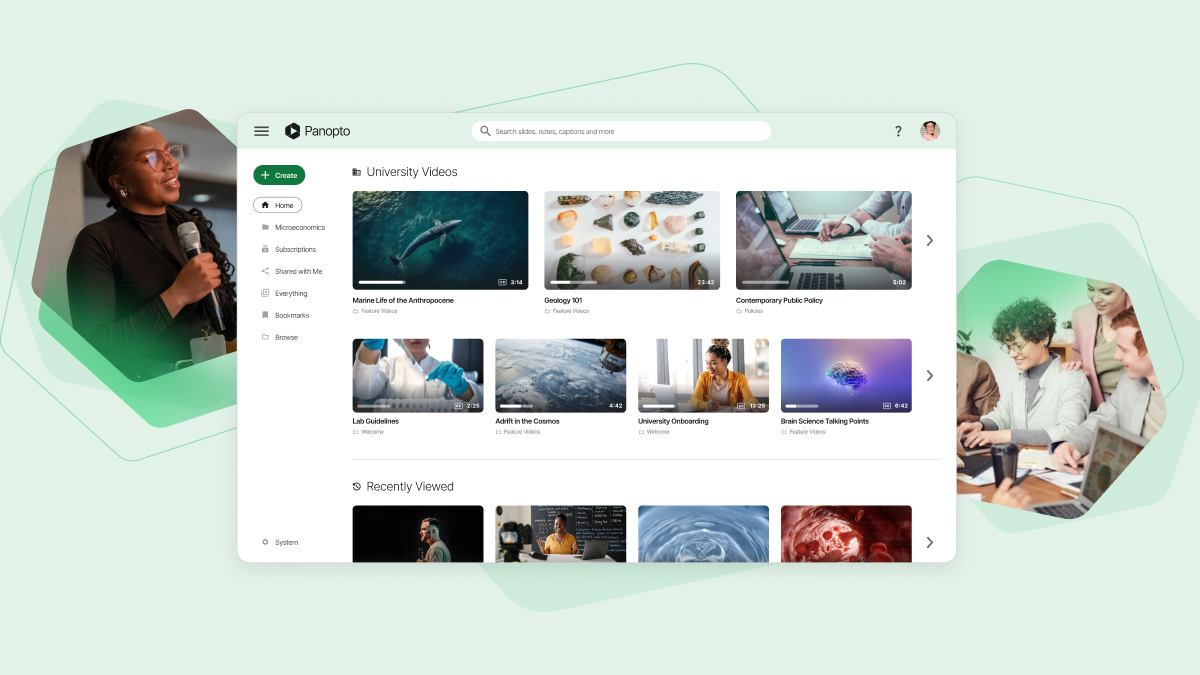
Panopto Express

panopto.com · scored Dec 2025

Panopto Express records 4K video free, no watermark

Best forEducators and presenters needing fast, no-install screen recording in a browser.

Free plan free plan4K recordingno signup
−0.3 vs #1

Free browser-based screen recorder with unlimited 4K recording and AI camera tracking.

Standout factRecords Ultra HD 4K video at 60 frames per second, free, no signup.support.panopto.com
Biggest catchBrowser crashes can cause total loss of an unsaved recording.panoptoexpress.helpjuice.com
4K/60fpsMax recording resolutionsupport.panopto.com
$0Starting pricepanopto.com
Leader, multiple yearsGartner Magic Quadrant recognition (parent platform)panopto.com

Before you use Panopto Express

  • No sign-up needed
  • 4K recording at 60fps
  • Built-in video editor

Standout number

$0cost for unlimited 4K recording

Source: panopto.com

Upside

  • Unlimited recording time, completely free
  • No watermarks on exported video
  • Supports Ultra HD 4K recording

Catch

  • No built-in video editor
  • Browser crash risks losing recording
  • Limited system audio capture support
Pick it ifEducators and presenters needing fast, no-install screen recording in a browser.
Skip it ifMarketers needing lead capture tools or built-in video editing.
PricingFree, unlimited recording, no account or time limit required.

Editor's takePanopto Express offers 4K recording at 60 frames per second without the watermarks or time caps common in free screen recorders. AI-driven Smart Camera tracking, usually an enterprise feature, comes free here too. Editing still requires exporting elsewhere, and browser instability can risk losing an unsaved take.

Is Panopto Express really free with no limits?

Yes. There are no time limits, watermarks, trial periods, or feature restrictions, and no account or software installation is required. Users can download recordings directly as MP4 files without signing up.

Does Panopto Express include video editing tools?

No. Panopto Express focuses on capture only. Editing requires downloading the file or uploading it to Panopto's main platform, since the Express interface has no built-in editor.

The evidence: 6 criteria, 3 penalties (−0.19 points)
8.7
Product Capability & DepthLooked for: We evaluate the recorder's ability to capture high-fidelity video, manage multiple inputs, and offer essential post-production tools without software installation.Panopto Express is a robust browser-based recorder that supports Ultra HD (4K) capture, multiple video streams, and AI-powered smart camera tracking, though it lacks native editing tools within the Express interface itself.panopto.comsupport.panopto.companopto.com
9.4
Market Credibility & Trust SignalsLooked for: We assess the vendor's standing in the enterprise video market, historical performance in analyst reports, and adoption by major institutions.Panopto is a recognized leader in the enterprise video content management space, historically cited as a 'Leader' in Gartner's Magic Quadrant, and is widely adopted by universities and Fortune 500 companies.edtechmagazine.companopto.comgartner.com
8.9
Usability & Customer ExperienceLooked for: We look for a frictionless user interface that allows immediate recording without technical hurdles, account creation, or complex configuration.The tool offers an exceptional 'click-and-record' experience requiring no installation or sign-up, though reliance on browser performance can lead to stability issues on lower-end devices.panopto.comyoutube.companopto.com
9.8
Value, Pricing & TransparencyLooked for: We evaluate the generosity of the free offering, checking for hidden limits like watermarks, recording caps, or forced upgrades.Panopto Express is completely free with no recording time limits, no watermarks, and no forced account creation, distinguishing it from competitors with restrictive free tiers.panopto.companopto.comsupport.panopto.com
8.8
Performance & Recording QualityLooked for: We test the technical limits of the recorder, looking for resolution support, frame rate capabilities, and the ability to handle high-motion content.The recorder supports up to Ultra HD (4K) at 60fps, a rarity for browser-based tools, though performance is heavily dependent on the user's hardware and browser stability.support.panopto.companoptoexpress.helpjuice.com
9.0
Security, Compliance & Data ProtectionLooked for: We examine how the tool handles user data, specifically whether recordings are processed locally or require cloud uploads that might compromise privacy.Panopto Express operates primarily within the browser with local processing options; users retain full ownership of content, and enterprise-grade security applies if content is uploaded to Panopto.panopto.comuni-kassel.de

Score adjustments−0.19 points in total

−0.06As a browser-based tool, it is susceptible to browser crashes which can result in the total loss of the recording data if the tab is closed unexpectedly.panoptoexpress.helpjuice.com · severity 60/100
−0.07Panopto Express lacks built-in video editing capabilities; users must download the file or upload it to Panopto's main platform to perform edits.blog.screendesk.io · severity 50/100
−0.06The tool cannot capture system audio (computer sound) on some operating systems or browsers without specific configurations, often limiting audio capture to microphone only.blog.screendesk.io · severity 45/100
7

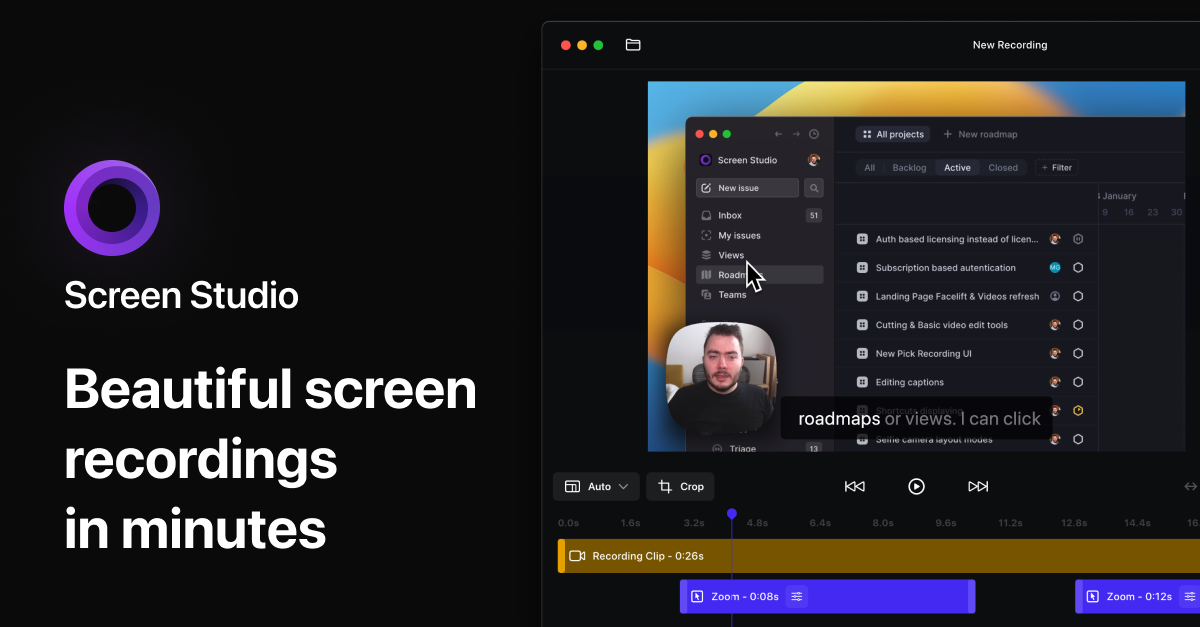
Screen Studio

screen.studio · Screen Studio macOS Recorder · scored Dec 2025

Screen Studio users report crashes on recordings over 30 minutes

Best forMac-based creators wanting polished tutorials without manual video editing skills.

From $29 per month macOS onlyauto zoom and blurone-time payment option
−0.3 vs #1

macOS-only screen recorder that auto-adds cinematic zoom, cursor smoothing and motion blur to demos.

Standout factScreen Studio is used by teams at Stripe, Google, Vercel and Adobe.screen.studio
Biggest catchUsers report random crashes and possible data loss during recordings over 30 minutes.borumi.com
4.9/5 (161 reviews)Product Hunt ratingproducthunt.com
$89-$229One-time pricescreenstudio.coupons
$29/moSubscription pricescreenstudio.coupons

Standout number

4.9/5rating from 161 Product Hunt reviews

Source: producthunt.com

Runs on

🌐Web
iOS
🤖Android
💻Windows
💻Mac
API

Source: screen.studio

Upside

  • Automatic cursor smoothing and zoom
  • Cinematic motion blur effects
  • One-time payment option available

Catch

  • macOS exclusive, no Windows
  • Crashes on long recordings
  • Requires an audio driver plugin
Pick it ifMac-based creators wanting polished tutorials without manual video editing skills.
Skip it ifWindows or Linux users, since the app is macOS-exclusive.
PricingOne-time payment from $89-$229, or $29/month subscription.

Editor's takeScreen Studio automates the editing work that normally takes hours, smoothing cursor movement and adding cinematic zoom and motion blur to raw macOS screen captures. Teams at Stripe, Google and Vercel use it, and it holds a 4.9 out of 5 rating from more than 160 Product Hunt reviews. Recordings over 30 minutes can trigger random crashes, and system audio capture needs a third-party driver plugin, points reviewers flag as real gaps.

Does Screen Studio work on Windows?

No. It is exclusive to macOS, so Windows and Linux users need a different screen recorder.

Are there stability issues with long recordings?

Yes. Users report random crashes and possible data loss during extended recording sessions of 30 minutes or more, per third-party support documentation.

The evidence: 6 criteria, 3 penalties (−0.17 points)
8.9
Product Capability & DepthLooked for: We evaluate the feature set's ability to deliver professional-grade screen recordings with minimal manual intervention.Screen Studio offers automatic cursor smoothing, smart zoom, motion blur, and 4K 60fps recording, though it lacks multi-clip recording and native system audio capture without plugins.screen.studioscreen.studiotoolquestor.com
9.4
Market Credibility & Trust SignalsLooked for: We look for adoption by reputable companies, awards, and verified user sentiment in the tech community.The product is used by teams at Stripe, Google, and Vercel, and was voted a top product on Product Hunt with a 4.9/5 rating.macworld.comscreen.studioproducthunt.com
9.0
Usability & Customer ExperienceLooked for: We assess how easily a user can go from recording to a finished, polished video without technical skills.The 'opinionated' design automates complex editing tasks, allowing users to create professional demos with zero editing skills, though some users report editor lag.screen.studiopineapplebuilder.comproducthunt.com
8.5
Value, Pricing & TransparencyLooked for: We analyze the pricing model, transparency, and value proposition relative to competitors.Pricing includes a one-time payment option ($89/$189) and subscriptions, though recent price hikes and model changes sparked community backlash.screenstudio.couponsreddit.com
9.7
Visual Polish & AutomationLooked for: We evaluate the quality of automated visual effects like zoom, motion blur, and cursor behavior.Screen Studio defines this category with industry-leading automatic zoom, cursor smoothing, and motion blur that mimics high-end manual editing.screen.studioscreen.studiotoolquestor.com
8.2
Performance & StabilityLooked for: We examine the software's reliability during long recording sessions and editor performance.While excellent for short clips, documented reports exist of crashes during long recordings and lag within the editor on some systems.edtechmagazine.comborumi.comborumi.com

Score adjustments−0.17 points in total

−0.08Documented reports of application crashes and potential data loss during extended recording sessions (30+ minutes).borumi.com · severity 75/100
−0.04Significant price increases and the introduction of a subscription model caused friction with the user base.reddit.com · severity 50/100
−0.05System audio recording is not native and requires the installation of a third-party audio driver/plugin.anymp4.com · severity 40/100
8

Screencastify

screencastify.com · scored Dec 2025

Screencastify caps free plan at 10 stored videos

Best forK-12 teachers and students using Google Workspace for recording and assignments.

Free tier From $7 per user/mo FERPA compliantSOC 2 Type IIno install
−0.3 vs #1

Browser-based screen recorder for K-12 education, SOC 2 and FERPA compliant, no install needed.

Standout factScreencastify supports over 12 million users worldwide.screencastify.com
Biggest catchThe free plan stores only 10 videos at a time, forcing deletions to record more.screencastify.com
12M+Global usersscreencastify.com
10 videosFree plan video limitscreencastify.com
$7/user/moStarter plan pricescreencastify.com

Free vs paid

Free plan

$0
  • Record unlimited videos
  • Store only 10 at a time
  • No MP4 export

Starter plan

$7/user/mo
  • MP4 export unlocked

Source: screencastify.com

Compliance

✓ SOC 2 Type II✓ FERPA✓ COPPA✓ CSPC

Source: screencastify.com

Upside

  • No install, runs in browser
  • SOC 2 and FERPA/COPPA compliant
  • Deep Google Classroom integration

Catch

  • Free plan caps at 10 videos
  • MP4 export blocked on free plan
  • Basic editing tools only
Pick it ifK-12 teachers and students using Google Workspace for recording and assignments.
Skip it ifVideo editors needing complex, advanced post-production editing tools.
PricingFree plan (10-video limit), paid from $7/user/mo

Editor's takeScreencastify built its reputation on district-grade compliance, with SOC 2, FERPA, and COPPA certifications rare at this price point. The no-install browser model removes setup friction for teachers and students alike. Free users hit a real wall fast, since only 10 videos can be stored before older ones must go.

What is the catch with Screencastify's free plan?

The free plan limits storage to 10 videos at a time, and blocks MP4 or MP3 export. Users must delete old videos to record new ones or share only via Google Drive or YouTube.

Is Screencastify safe for student data?

Yes. It holds SOC 2 Type II certification and is compliant with FERPA, COPPA, and California Student Privacy requirements, verified by iKeepSafe.

The evidence: 6 criteria, 3 penalties (−0.17 points)
8.8
Product Capability & DepthLooked for: We evaluate the breadth of recording, editing, and interactive features available directly within the browser without requiring external software.Screencastify offers browser-based screen/webcam recording, basic editing (trim, crop, blur), interactive questions, and a 'Submit' feature for student assignments.screencastify.comscreencastify.comresearch.com
9.4
Market Credibility & Trust SignalsLooked for: We assess user adoption numbers, third-party certifications, and industry recognition specifically within the EdTech sector.The platform boasts over 12 million users and holds top-tier certifications including SOC 2 Type II and Common Sense Selection recognition.screencastify.comatlantify.net
9.1
Usability & Customer ExperienceLooked for: We look for ease of deployment (no-install), interface intuitiveness, and accessibility for non-technical users like students and teachers.The tool operates as a browser extension (Chrome/Edge) requiring no downloads, with a highly intuitive interface praised for simplicity.screencastify.comg2.com
8.5
Value, Pricing & TransparencyLooked for: We analyze the generosity of the free plan, affordability of paid tiers, and clarity of pricing structures.Pricing is transparent ($7-$10/mo), but the free plan has a strict 10-video library limit, forcing users to delete content to record more.screencastify.comscreencastify.comscreencastify.com
9.0
Integrations & Ecosystem StrengthLooked for: We evaluate how well the product connects with Learning Management Systems (LMS) and the Google Workspace ecosystem.It offers deep integrations with Google Classroom, Canvas, and Schoology, allowing seamless video embedding and assignment submission.screencastify.comscreencastify.com
9.7
Security, Compliance & Data ProtectionLooked for: We examine adherence to strict student privacy laws (FERPA, COPPA) and data security standards (SOC 2) essential for K-12 software.Screencastify holds SOC 2 Type II certification and is fully compliant with FERPA, COPPA, and CSPC, verified by iKeepSafe.screencastify.comscreencastify.comscreencastify.com

Score adjustments−0.17 points in total

−0.05The free plan imposes a strict '10-video library limit', requiring users to delete old videos to create new ones once the cap is reached.screencastify.com · severity 65/100
−0.07Free plan users are blocked from exporting videos as MP4 or MP3 files; they can only share via Google Drive or YouTube.screencastify.com · severity 50/100
−0.05Some users report occasional issues with being logged out unexpectedly, which can disrupt workflow.research.com · severity 45/100
9

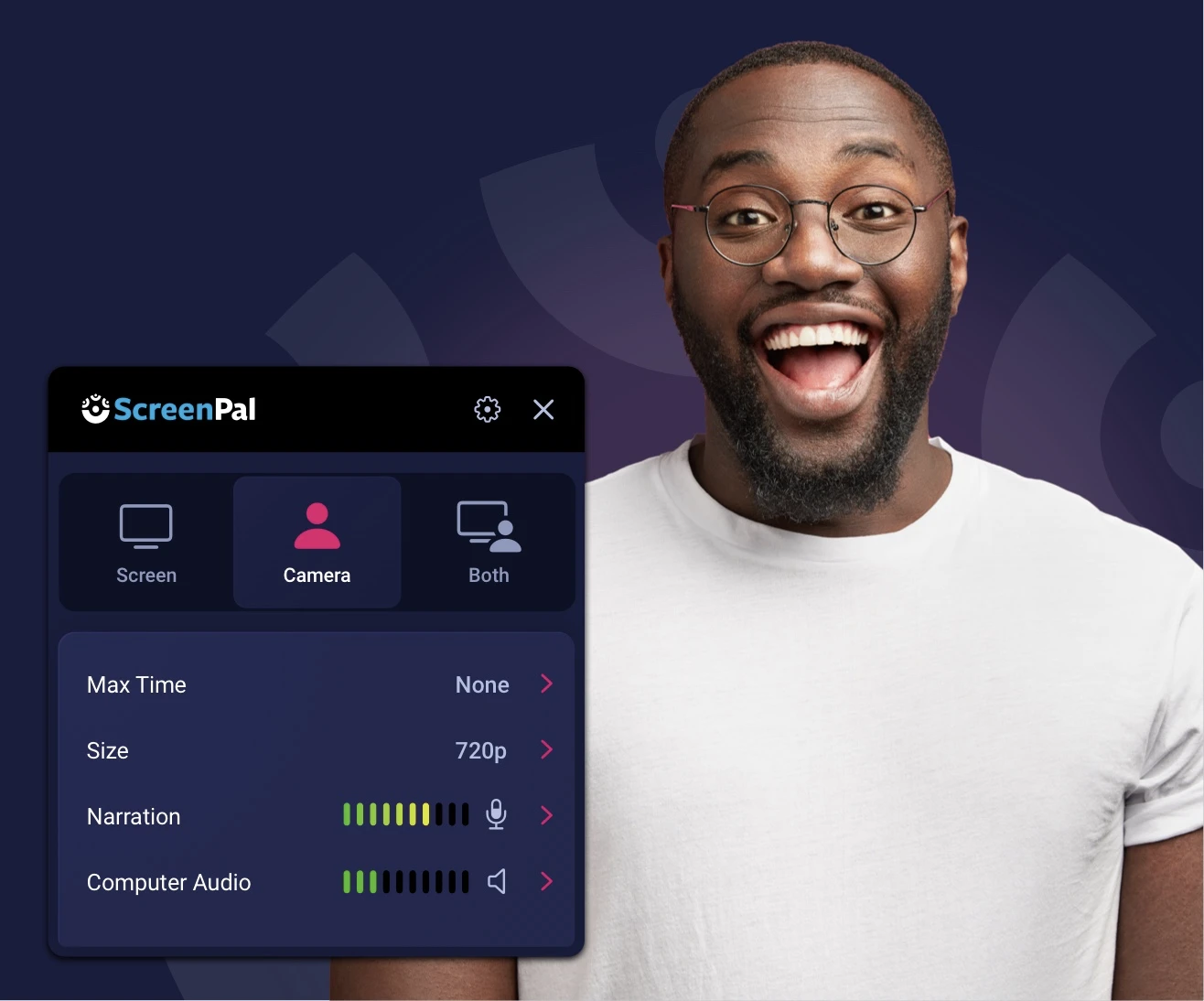
ScreenPal

screenpal.com · ScreenPal Screen Recorder · scored Dec 2025

ScreenPal's free plan caps recordings at 15 minutes

Best forEducators and students wanting affordable recording with LMS integration

Free tier From $4 per month free planFERPACOPPA
−0.3 vs #1

Screen recording and editing platform for education, trusted by 98 of the top 100 US universities.

Standout factScreenPal is trusted by 98 of the top 100 universities in the United States.kjura.com
Biggest catchThe free plan caps recordings at 15 minutes and blocks system audio.atomisystems.com
98/100Top universities using ScreenPalkjura.com
100M+Videos createdprweb.com

In every 100

98 of the top 100 US universities use ScreenPal

Source: kjura.com

Free vs paid

Free forever

$0
  • Unlimited cloud storage
  • 15-minute recording cap
  • No system audio

Solo Deluxe

$4/mo
  • Unlimited recording time

Source: pcmag.com

Upside

  • Trusted by 98 of top 100 US universities
  • FERPA, COPPA, and CSPC certified
  • Paid plans start around $4/month

Catch

  • Free plan capped at 15 minutes
  • No system audio in free version
  • Web editor can lag on large projects
Pick it ifEducators and students wanting affordable recording with LMS integration
Skip it ifProfessional editors needing advanced, studio-grade editing tools
PricingFree forever plan; paid plans from about $4/month

Editor's takeScreenPal, formerly Screencast-O-Matic, has become a fixture in higher education, used by 98 of the top 100 US universities and holding iKeepSafe certification for FERPA, COPPA, and California student data privacy. The free plan includes unlimited cloud storage but caps recordings at 15 minutes and blocks system audio. Paid tiers start around $4 a month, cheap next to enterprise competitors, though the web editor can lag on larger projects.

How long can free ScreenPal recordings be?

Up to 15 minutes per video, with unlimited clips. Unlocking unlimited recording time requires the Solo Deluxe paid tier.

Is ScreenPal certified for student data privacy?

Yes. It holds iKeepSafe certifications for FERPA, COPPA Safe Harbor, and California Student Data Privacy.

The evidence: 6 criteria, 3 penalties (−0.16 points)
8.8
Product Capability & DepthLooked for: We evaluate the breadth of recording features, editing tools, and AI capabilities available across platform versions.ScreenPal offers robust screen and webcam recording with drawing tools, green screen effects, and AI-powered captions, though the free version restricts recording time and audio sources.screenpal.comscreenapp.iopcmag.com
9.3
Market Credibility & Trust SignalsLooked for: We assess brand history, user adoption rates, and institutional trust, particularly in the education sector.Formerly Screencast-O-Matic, the platform is a dominant force in education, trusted by 98 of the top 100 US universities and hosting over 100 million videos.educationworld.comkjura.comprweb.com
8.9
Usability & Customer ExperienceLooked for: We examine user interface intuitiveness, ease of onboarding, and performance stability across devices.Users consistently praise the intuitive interface and ease of use, though some report performance lags with the web editor and crashes during long recordings.screenpal.comgetapp.comatomisystems.com
9.4
Value, Pricing & TransparencyLooked for: We analyze pricing tiers, feature inclusion at lower price points, and transparency of limitations.ScreenPal offers highly competitive pricing starting at ~$3-4/month, providing significant value compared to competitors, though the free plan has notable restrictions.screenpal.compcmag.compcmag.com
9.1
Integrations & Ecosystem StrengthLooked for: We evaluate the depth of integration with Learning Management Systems (LMS) and productivity suites.The platform features LTI 1.3 integrations with all major LMS providers (Canvas, Blackboard, Schoology) and deep connections with Microsoft Teams and Google.screenpal.comscreenpal.comscreenpal.com
9.5
Security, Compliance & Data ProtectionLooked for: We verify adherence to student data privacy laws and security certifications relevant to the EdTech sector.ScreenPal holds iKeepSafe certifications for FERPA, COPPA, and CSPC, demonstrating a rigorous commitment to student data privacy.ikeepsafe.orgscreenpal.com

Score adjustments−0.16 points in total

−0.08The free version strictly limits recordings to 15 minutes and blocks system audio recording (computer sound), forcing upgrades for basic functionality.atomisystems.com · severity 60/100
−0.05Users report performance issues such as lags and crashes when recording long videos or using the web-based editor.atomisystems.com · severity 50/100
−0.03While the company claims 'no watermark,' the free version appends a branded 3-second outro to videos, which functions similarly to a watermark.techradar.com · severity 45/100
10

Scribe

scribe.com · Scribe Browser Screen Recorder · scored Dec 2025

Scribe is used by 94% of the Fortune 500.

Best forOps and support teams building SOPs and onboarding guides fast.

Free tier From $23 per month SOC 2HIPAAfree plan
−0.3 vs #1

Tool that auto-generates step-by-step guides with screenshots from your browser activity.

Standout factUsed by 94% of the Fortune 500 and over 5 million users.scribe.com
Biggest catchPro Team plans require a 5-seat minimum, forcing small teams to pay for unused seats.supademo.com
94%Fortune 500 adoptionscribe.com
5M+Usersscribe.com
4.8/5G2 ratingscribe.com

Adoption

94%of Fortune 500 companies use Scribe

Source: scribe.com

Before you sign up

  • Need desktop capture, not just browser
  • Team of 5+ to avoid per-seat premium
  • Need HIPAA or SOC 2 compliance

Upside

  • Auto-generates guides from browser use
  • SOC 2 Type II and HIPAA-ready
  • 94% of Fortune 500 use it

Catch

  • 5-seat minimum on Team plan
  • Desktop capture needs paid plan
  • No native Zapier integration
Pick it ifOps and support teams building SOPs and onboarding guides fast.
Skip it ifTeams wanting standard video tutorials, or small teams avoiding seat minimums.
PricingFrom $23/mo (Personal); Team plans need 5 seats at $60/mo

Editor's takeScribe automates a task teams normally do by hand: turning a workflow into a written guide with screenshots. Reviewers consistently point to its near-zero learning curve as the reason it spread through 94% of the Fortune 500. The catch is team pricing, which locks smaller groups into a 5-seat minimum even if they only need two or three.

Does Scribe have a free plan?

Yes, a free plan exists but restricts features like desktop capture to paid tiers. Personal plans start around $23 a month, while Team plans require a 5-seat minimum at $60 a month.

Is Scribe HIPAA compliant?

Scribe supports HIPAA compliance features and is SOC 2 Type II certified, hosted in ISO 27001 compliant data centers, with automatic redaction for sensitive data on Enterprise plans.

The evidence: 6 criteria, 3 penalties (−0.14 points)
8.9
Product Capability & DepthLooked for: We evaluate the tool's ability to automatically capture workflows, generate accurate step-by-step guides, and support various formats.Scribe automatically captures browser clicks and keystrokes to generate visual guides with text and screenshots, though desktop capture is reserved for paid plans.scribe.comscribe.comscribe.com
9.5
Market Credibility & Trust SignalsLooked for: We assess market adoption, user base size, and validation from reputable third-party review platforms.Scribe demonstrates exceptional market presence with adoption by 94% of the Fortune 500 and over 5 million users, backed by high ratings on G2 and the Chrome Web Store.scribe.comscribe.comscribe.com
9.4
Usability & Customer ExperienceLooked for: We analyze user feedback regarding ease of use, learning curve, and the intuitiveness of the interface.User reviews consistently highlight the tool's intuitive design and 'zero learning curve,' enabling immediate productivity without extensive training.scribe.comscribe.comg2.com
8.2
Value, Pricing & TransparencyLooked for: We evaluate pricing structures, free tier utility, and transparency regarding costs for teams of various sizes.While the tool offers high value, the 'Pro Team' plan enforces a 5-seat minimum ($60/mo), which penalizes smaller teams who must otherwise pay higher per-user rates.scribe.comsupademo.comscribe.com
8.8
Integrations & Ecosystem StrengthLooked for: We look for the ability to embed guides in other tools, API availability, and third-party integrations.Scribe's 'Smart Embed' feature allows guides to live in tools like Notion and Confluence, though native automation (e.g., Zapier) is limited compared to competitors.scribe.comscribe.comzapier.com
9.3
Security, Compliance & Data ProtectionLooked for: We examine security certifications, data handling practices, and compliance with standards like SOC 2 and GDPR.Scribe maintains a robust security posture with SOC 2 Type II compliance, GDPR adherence, and advanced features like auto-redaction for sensitive data.scribe.comscribe.comscribe.com

Score adjustments−0.14 points in total

−0.04The 'Pro Team' plan enforces a strict 5-seat minimum, forcing small teams (e.g., 2-3 users) to pay for unused seats or opt for the significantly more expensive Personal plan.supademo.com · severity 60/100
−0.04Enterprise pricing is reported to be significantly higher than standard tiers, with some users citing quotes of ~$18,000/year for small teams.knowby.co · severity 50/100
−0.06Desktop capture functionality is completely restricted to paid plans, limiting free users to browser-only workflows.scribe.com · severity 45/100
11

Loom

loom.com · Loom Training Videos Recorder · scored Dec 2025

Atlassian paid $1 billion for Loom in 2023

Best forRemote teams needing fast, asynchronous video updates

Free tier free planSOC 2Jira integration
−0.4 vs #1

Screen and camera recorder with AI filler-word removal, used by nearly 200,000 companies for async video.

Standout factLoom customers recorded 88 million videos in 2024.atlassian.com
Biggest catchReviewers say customer service is mostly AI bots, with difficulty reaching a human.ca.trustpilot.com
88MVideos recorded in 2024atlassian.com
~200,000Companies using Loomjoinsecret.com

By the numbers

88Mvideos recorded in 2024
~200Kcompanies using Loom
$1BAtlassian acquisition price

Source: atlassian.com

Free vs paid

Starter plan

$0
  • 25 videos total
  • 5 min per video

Business + AI

$20/user/mo
  • Filler word removal
  • Auto summaries
  • 4K recording

Source: supademo.com

Upside

  • Instant screen and camera recording
  • Deep Jira and Confluence integration
  • SOC 2 Type II compliant

Catch

  • Free plan capped at 5 min/video
  • AI features need a higher tier
  • Support relies heavily on AI bots
Pick it ifRemote teams needing fast, asynchronous video updates
Skip it ifCreators needing high-end editing or long free recordings
PricingFree Starter plan, Business from $15/user/mo, AI add-on $20/user/mo

Editor's takeAtlassian bought Loom for close to $1 billion in 2023, and the product now integrates deeply with Jira and Confluence. Customers recorded 88 million videos in 2024 alone. The free Starter plan caps recordings at 5 minutes and 25 videos total, and AI features like filler-word removal require the $20-per-user Business + AI plan.

Does Loom's free plan have limits?

Yes. The Starter plan caps recordings at 5 minutes each and 25 videos total, which pushes active users toward a paid plan quickly.

Is Loom part of Atlassian now?

Yes. Atlassian acquired Loom for about $1 billion in October 2023, deepening its integration with Jira and Confluence.

The evidence: 6 criteria, 3 penalties (−0.13 points)
8.9
Product Capability & DepthLooked for: We evaluate the richness of recording features, editing tools, and AI enhancements available for creating professional training content.Loom offers simultaneous screen and camera recording with robust AI features like filler word removal, silence removal, and auto-generated titles and summaries. While excellent for quick capture, advanced editing is reserved for paid plans.loom.comloom.comloom.com
9.4
Market Credibility & Trust SignalsLooked for: We assess the product's industry standing, user base size, and backing by reputable parent companies.Acquired by Atlassian for nearly $1 billion, Loom is a dominant player used by over 200,000 companies. It holds significant market trust, reinforced by its integration into the Atlassian ecosystem.tango.aijoinsecret.comatlassian.com
8.6
Usability & Customer ExperienceLooked for: We examine ease of use, interface design, and the quality of customer support based on user feedback.Users consistently praise the intuitive interface and instant 'time to value,' but recent reviews highlight frustration with AI-driven support bots and occasional desktop app bugs.pcmag.comjoinsecret.comca.trustpilot.com
8.5
Value, Pricing & TransparencyLooked for: We analyze pricing tiers, free plan utility, and transparency regarding costs and limitations.Loom offers a free Starter plan with strict limits (5 mins/video, 25 videos total). Paid plans are standard for the industry, but the AI features require a higher tier ($20/user/mo), which some users find pricey.loom.comloom.comsupademo.com
9.2
Security, Compliance & Data ProtectionLooked for: We evaluate the depth and breadth of integrations with other productivity and workflow tools.Loom integrates deeply with the Atlassian suite (Jira, Confluence) and other major tools like Slack and Salesforce. The ecosystem is robust, though some integrations are gated to higher tiers.loom.comwac-cdn.atlassian.comidloom.com
9.0
Support, Training & Onboarding Resourcessupport.loom.com

Score adjustments−0.13 points in total

−0.06Numerous user reviews cite poor customer support experiences, specifically the reliance on AI bots and difficulty reaching human agents for resolution.ca.trustpilot.com · severity 55/100
−0.03The free Starter plan has a strict limit of 25 videos total and a 5-minute recording cap per video, which forces active users to upgrade quickly.loom.com · severity 45/100
−0.04The Salesforce integration, a key feature for sales training and tracking, is restricted exclusively to the custom-priced Enterprise plan.support.atlassian.com · severity 35/100
12

ScreenFlow

telestream.net · ScreenFlow Video Editing · scored Dec 2025

ScreenFlow exports 66% faster on Apple Silicon, skips Windows

Best forMac-based educators and vloggers wanting an all-in-one editor.

From $169 one-time Mac onlyApple Silicon optimizedstock media library
−0.5 vs #1

Mac-only screen recorder and editor with multi-channel capture and a 500,000-asset library.

Standout factScreenFlow exports up to 66% faster on Apple Silicon hardware.apps.apple.com
Biggest catchThe software runs on macOS only, with no Windows version.selecthub.com
66% fasterExport speed gain, Apple Siliconapps.apple.com
500,000+ assetsStock library sizetelestream.net

Standout number

66%faster export on Apple Silicon

Source: apps.apple.com

True monthly cost

True cost, base license plus extras

Base license$169
Stock Media Library, 1st year$60
Total$229 first year

Vendor store pricing

Upside

  • Native Apple Silicon support
  • Simultaneous multi-channel recording
  • Integrated 500,000+ asset library

Catch

  • Mac only, no Windows version
  • Paid major version upgrades
  • Stock library costs extra
Pick it ifMac-based educators and vloggers wanting an all-in-one editor.
Skip it ifWindows users, since the software is macOS-exclusive.
PricingFrom $169 one-time, Stock Media Library costs $79/yr extra

Editor's takeScreenFlow leans hard into the Apple partner network, exporting up to 66% faster on Apple Silicon. It has stayed a Mac staple since 2008, backed by a 4.5 out of 5 G2 rating. It skips modern auto-zoom automation, and major upgrades plus the stock library both cost extra.

Does ScreenFlow run on Windows?

No. It is built exclusively for macOS, making it unusable for Windows-based or mixed-OS teams, according to a SelectHub review.

How much does ScreenFlow cost?

The base license is a one-time $169 purchase. Major version upgrades cost about $49 extra, and the Stock Media Library is a separate $79 yearly add-on.

The evidence: 6 criteria, 3 penalties (−0.21 points)
8.7
Product Capability & DepthLooked for: We evaluate the software's ability to capture high-fidelity screen recordings and provide professional-grade editing tools suitable for educators and content creators.ScreenFlow offers robust multi-channel recording (screen, camera, mic, system audio) and a non-linear editor with transitions, animations, and annotations, though it lacks some modern AI-driven automation features found in newer competitors.telestream.nettelestream.nettelestream.net
9.2
Market Credibility & Trust SignalsLooked for: We assess the vendor's longevity, reputation in the industry, and user trust ratings across major review platforms.Telestream is a well-established industry player, and ScreenFlow has maintained a strong reputation since 2008 with high user satisfaction ratings across major review sites.g2.comdemocreator.wondershare.comtelestream.net
8.9
Usability & Customer ExperienceLooked for: We examine the learning curve, interface design, and quality of support resources available to users.Users consistently praise the intuitive interface for balancing power with ease of use, though some find the UI slightly outdated compared to modern SaaS tools.trustradius.comg2.comtelestream.net
8.5
Value, Pricing & TransparencyLooked for: We analyze the pricing model, hidden costs, and overall value proposition relative to features and competitors.ScreenFlow offers a competitive one-time purchase price but hides the full cost of ownership behind paid major upgrades and a separate subscription for the stock media library.telestream.nettelestream.nettelestream.net
9.4
Performance & macOS OptimizationLooked for: We evaluate how well the software leverages specific hardware capabilities and operating system features for performance.ScreenFlow is highly optimized for the Apple ecosystem, offering native support for Apple Silicon (M1/M2) and deep integration with macOS audio and video frameworks.telestream.netapps.apple.comtelestream.net
8.8
Stock Media & Creative AssetsLooked for: We assess the availability, quality, and integration of stock media assets to enhance content creation.The integrated Stock Media Library provides access to over 500,000 assets directly within the app, significantly speeding up workflow, though it is gated behind a subscription.telestream.nettelestream.nettelestream.net

Score adjustments−0.21 points in total

−0.11The software is strictly limited to macOS, making it unusable for teams or individuals working in Windows or mixed-OS environments.selecthub.com · severity 80/100
−0.07Lacks modern automated editing features such as auto-zoom or cursor smoothing that are becoming standard in competitor products like Screen Studio.youtube.com · severity 50/100
−0.03Users must pay for major version upgrades, which can feel like a hidden cost compared to the continuous update model of many SaaS subscriptions.telestream.net · severity 45/100
02

Side by side

10 features across 12 products. Green is yes, red is no, grey is not published.

FeatureDemoCreatorParallels ToolboxCanvaSnagitClipchampPanopto ExpressScreen StudioScreencastifyScreenPalScribeLoomScreenFlow
Has Mobile App Web-only Web-only Web-only Web-only Web-only
Has Free Plan
Has Free Trial Contact for trial
Integrates With Zapier
Has Public API Enterprise API only Enterprise API only
Live Chat Support Email/Ticket only Email/Ticket only Email/Ticket only Email/Ticket only Email/Ticket only Email/Ticket only Email/Ticket only Email/Ticket only Email/Ticket only Email/Ticket only
SOC 2 or ISO Certified
Popular Integrations None specified None specified Google Drive, Dropbox, HubSpot Microsoft Office, Google Drive, Dropbox Microsoft 365, OneDrive, Dropbox None specified None specified Google Drive, Google Classroom, Edpuzzle Google Classroom, Canvas, Moodle Confluence, Jira, Slack Slack, Notion, Google Workspace None specified
Supports SSO Enterprise plans only Enterprise plans only Enterprise plans only
Starting Price $40 per year $20 per year Free $39 per year Free tier Free $29 per month $7 per user/mo $4 per month $23 per month Free tier $169 one-time
03

How we chose

Four fixed criteria for every product, plus two chosen for Screen Recording Tools for Training & Education, weighted and reduced by documented penalties.

Full methodology
Criteria set for this categoryProduct Capability & Depth, Market Credibility & Trust Signals, Usability & Customer Experience, Value, Pricing & Transparency, Security, Compliance & Data Protection, Integrations & Ecosystem Strength
Evidence, then a scoreDocumentation, pricing pages, security pages and third-party reviews. Each criterion records what was found and links its sources.
Penalties, then a rankDocumented problems pull the score down with their evidence attached. Rank follows the score. Sponsored rows, where present, are labelled.
iThe evaluation of screen recording tools for training and education was based on a comprehensive analysis of key factors, including product specifications, features, customer reviews, and overall ratings.
Albert Richer
Albert RicherFounder · Memphis, TN

Sets the criteria and reviews the evidence before a ranking publishes. Email him if something here looks wrong.

04

Questions people ask

Does DemoCreator support virtual avatars?

Yes. It includes 30 built-in virtual characters with facial expression and motion capture tracking, aimed at VTubing and presentation use cases.

How much does DemoCreator cost?

The yearly plan runs $59.99 for full access to recording and editing features, with listed starting prices as low as $39.99 a year depending on the plan.

Can I buy Parallels Toolbox once instead of subscribing?

No. It is subscription-only, priced at $19.99 to $24.99 a year, with no perpetual license option, unless bundled free with Parallels Desktop.

How many tools does Parallels Toolbox include?

More than 50 for Mac and 40 for Windows, covering tasks like screen recording, video downloading, disk cleaning, and system monitoring.

Is Canva's screen recorder really free?

Yes. Recordings on the free plan carry no watermark, according to Canva's own site. Each recording is capped at 25 minutes and 1GB. Canva does not require a paid plan to use the screen recorder.

Does Canva's screen recorder work in a browser?

No. Canva's help center confirms the Screen Recorder only works through the Canva desktop app. It is not supported in web browsers or on mobile devices, despite being called an online recorder.

Can I still buy Snagit with a one-time payment?

No. TechSmith moved to an annual subscription-only model starting with Snagit 2025, ending perpetual licensing for new purchases.

Does Snagit have OCR built in?

Yes. Its Grab Text OCR feature extracts text directly from captured images, a feature PCMag cited in naming it Editors' Choice.

How is the best Screen Recording Tools for Training & Education decided?

Every product is scored on six criteria for this category, with cited evidence and documented penalties. Rank follows the overall score. Vendors cannot pay for a position.

How often is this ranking updated?

Products are re-scored when pricing, features or evidence change. This ranking was last updated August 18, 2026.

05

More in Screen Recording & Tutorial Creation Tools

4 related rankings.

All of Screen Recording & Tutorial Creation
Research

Vimeo grew from 1,000 enterprise accounts to 3,800 while losing self-serve subscribers

Mar 22, 2026

Desktop publishing jobs face a 12% decline by 2034, with only 400 annual openings expected

May 15, 2026

Infogain migrated 1.8 million files totaling 50 terabytes to cloud-native platforms

May 12, 2026