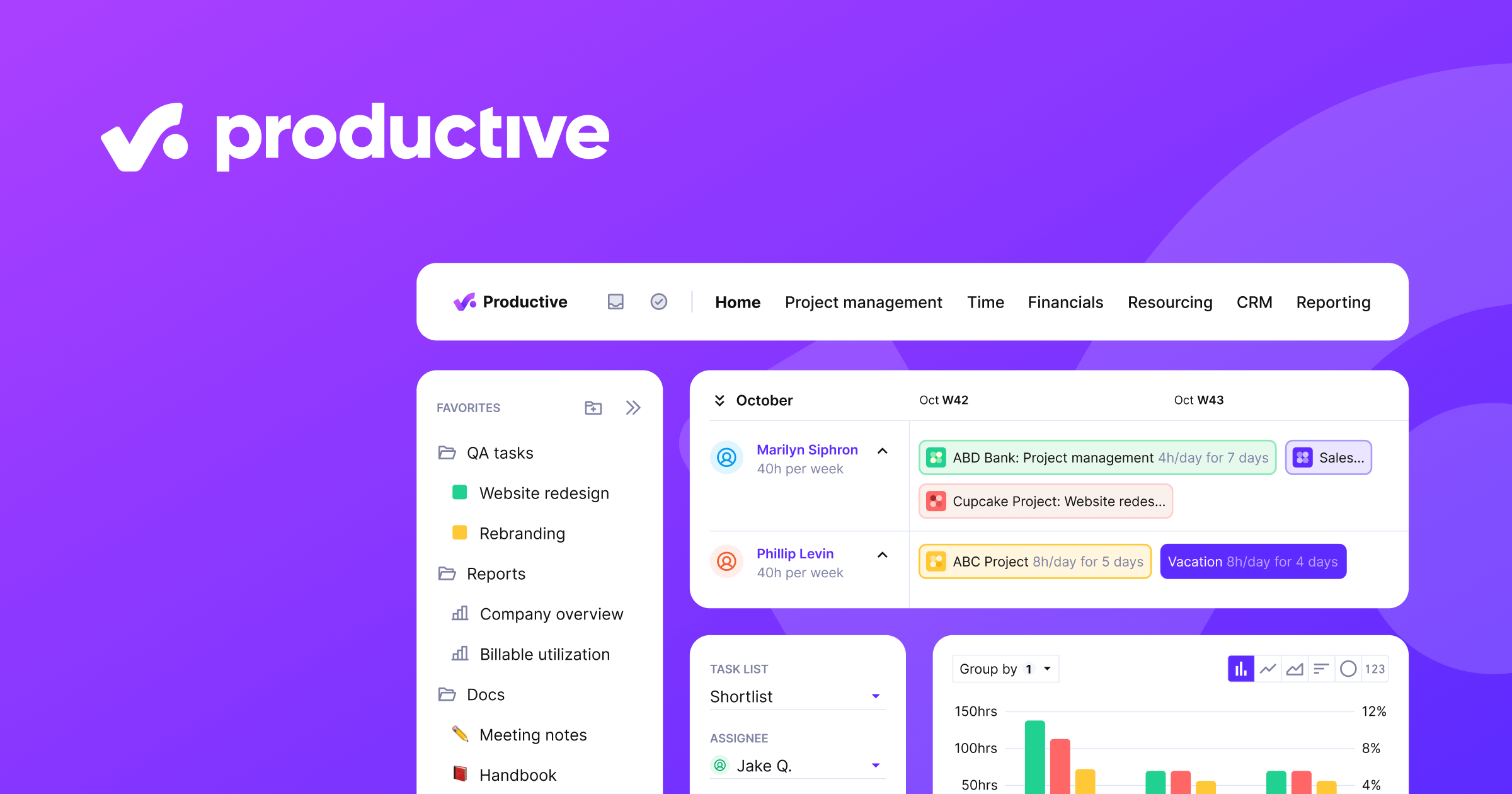
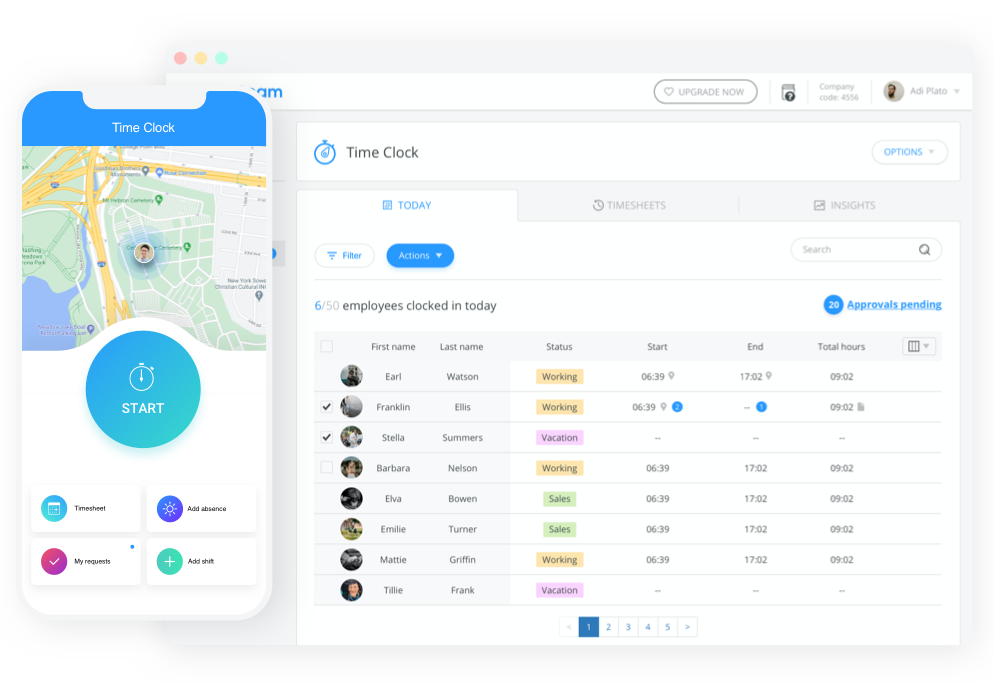
What Is Time Tracking & Productivity Software?
The core problem this software solves is the "blind spot" between payroll and operations. Without it, organizations pay for labor without visibility into how that labor translates into output, revenue, or compliance risk. For a law firm, it is the cash register; for a manufacturer, it is the instrument of efficiency; and for a healthcare provider, it is the shield against federal audits. Usage spans from freelancers logging minutes for invoices to enterprise COOs monitoring global utilization rates across thousands of employees.
History of the Category
While the mechanical time clock dates back to 1888, the modern software category emerged in the 1990s as businesses sought to move away from error-prone physical punch cards and mainframe dependencies. In the early 90s, on-premise solutions appeared, designed primarily to digitize the "punch" and feed data into payroll systems. These early tools were essentially digital databases—electronic versions of paper timesheets that reduced calculation errors but offered little insight. [1]
The rise of the cloud in the mid-2000s marked the second major wave. The shift from on-premise servers to SaaS (Software as a Service) democratized access, allowing small businesses to track time without heavy IT infrastructure. This era saw the birth of mobile time tracking, driven by the ubiquity of smartphones, which allowed field workers to clock in from job sites rather than returning to a central depot. The "anywhere access" model solved the logistical gap for decentralized workforces but created a new challenge: data volume.
By the 2010s, the market began to consolidate and specialize. Generalist tools could no longer satisfy the complex needs of vertical industries. This led to the rise of vertical SaaS—platforms built specifically for construction (integrating with blueprints), IT (integrating with tickets), or healthcare (integrating with patient records). Simultaneously, buyer expectations shifted from "give me a database" to "give me actionable intelligence." It was no longer enough to know when someone worked; businesses needed to know what they worked on and how efficient they were. Today, the category is defined by this demand for intelligence, utilizing AI to categorize work automatically and predict burnout before it happens. [2] [3]
What to Look For
When evaluating Time Tracking & Productivity Tools, the primary differentiator is the mechanism of capture. Does the tool require active manual entry (start/stop timers), or does it use passive monitoring (background activity logging)? High-trust environments like creative agencies typically favor manual entry to preserve culture, while high-security or high-volume transaction environments often require passive logging to ensure audit trails. A critical evaluation criterion is granularity vs. friction. The more detailed the data requirement (e.g., tracking down to the 6-minute increment per task), the higher the friction for the end-user. The best tools automate this categorization to provide granularity without the administrative burden.
Red flags in this category often appear in the data export capabilities. Many vendors make it easy to ingest data but difficult to extract it in a format compatible with ERPs or payroll engines. Watch out for "proprietary data formats" that lock you into their ecosystem. Another warning sign is a lack of "offline mode" for mobile apps. For field services, internet connectivity is never guaranteed; a tool that cannot queue data offline and sync later is functionally useless in remote areas.
Key questions to ask vendors include: "How does your system handle time zone crossings for overnight shifts?" (critical for global teams), "Can we configure different overtime rules for employees in different states/countries within the same tenant?" (essential for compliance), and "What is the exact latency between a user logging time and that data appearing in the reporting dashboard?" Real-time visibility is often a marketing claim that falls short in practice.
Industry-Specific Use Cases
Retail & E-commerce
In retail, time tracking is less about billable hours and more about labor law compliance and optimizing coverage. A massive pain point here is "clopening"—scheduling an employee to close the store late at night and open it early the next morning. Several jurisdictions have enacted predictive scheduling laws that penalize this practice without adequate rest periods or premium pay. [4] Retail-specific tools must include automated "clopening" alerts that block managers from accidentally scheduling these shifts or flag them for penalty pay. Additionally, they often integrate with Point of Sale (POS) data to overlay sales peaks with staffing levels, ensuring the floor is staffed not just by headcount, but by revenue potential. [5]
Healthcare
Healthcare providers, particularly in long-term care, face a unique federal mandate: Payroll-Based Journal (PBJ) reporting. The Centers for Medicare & Medicaid Services (CMS) requires facilities to submit staffing data that proves they are meeting care standards. This is not just a timesheet; it requires mapping hours to specific job codes (e.g., RN vs. LPN) and ensuring data consistency between payroll and the clinical record. [6] General-purpose tools rarely handle these codes correctly, leading to rejected submissions and potential fines. Healthcare time tracking must also handle complex shift differentials (e.g., weekend night pay) and cross-department floating, where a nurse might work two hours in the ER and six in the ICU, billed to different cost centers.
Financial Services
For broker-dealers and investment firms, time tracking is a regulatory safeguard. Under FINRA rules, firms must maintain rigorous supervision of their associated persons, a challenge compounded by remote work. [7] The priority here is the audit trail. Regulators may demand proof that supervisors are actively reviewing the activities of traders and advisors. Tools in this sector often focus on "digital exhaust"—tracking login times, active windows, and communication logs to prove that oversight is happening. The evaluation priority is immutability; can a record be altered after the fact without a trace? If yes, the tool is a compliance liability.
Manufacturing
Manufacturing time tracking happens on the shop floor, often integrated with Machine Execution Systems (MES). The critical metric here is Overall Equipment Effectiveness (OEE), which combines availability, performance, and quality. [8] Time tracking tools must capture "downtime reason codes" (e.g., machine jam vs. operator break) to distinguish between human and mechanical inefficiency. [9] Unlike office environments, data collection often occurs via ruggedized kiosks or tablets where workers punch in against specific work orders. A unique consideration is the "gang punch," allowing a supervisor to clock in an entire crew at once to a specific production line.
Professional Services
Firms selling time (lawyers, consultants, architects) live and die by the Realization Rate—the percentage of recorded billable time that actually gets paid by the client. [10] If an employee logs 10 hours but the partner writes off 2 hours before invoicing, the realization drops. Tools for this industry must support complex billing workflows: "Work In Progress" (WIP) aging, retainer management, and split billing (dividing one invoice among multiple clients). The evaluation priority is the "leakage" prevention—features that prompt users to log time for emails and calls that often go unbilled in generic systems.
Deep Dive: Integration & API Ecosystem
In the modern stack, a time tracking tool that stands alone is a data silo. The strength of an integration ecosystem is often the deciding factor for enterprise buyers. The most critical integration point is usually the ERP or General Ledger, followed closely by Project Management and CRM systems. However, buyers often overlook the quality of the API. A common limitation is API rate limiting. For example, Salesforce APIs can impose strict limits (e.g., 100,000 calls per day), which sounds high until a bulk sync of 5,000 timesheets triggers a cascade of individual updates that hits the ceiling, causing the sync to fail silently. [14]
Scenario: Consider a 50-person professional services firm using a generic time tool connected to Jira (for project management) and QuickBooks (for invoicing). The firm relies on a "bi-directional" sync. An employee updates a task status in Jira, which should theoretically update the time log. However, if the integration is poorly designed, it might overwrite the "billable" flag in the time tool with a default value from Jira, accidentally changing $5,000 worth of billable senior consultant time to "non-billable." The finance team only catches this month-end, requiring days of manual reconciliation. This "data overwriting" risk is a classic failure mode of shallow integrations.
Expert insight reinforces the need for robust connectivity. As noted by analysts at Gartner, organizations that fail to integrate time and attendance with broader workforce management ecosystems often face "margin leakage" due to data transfer errors. [15] When evaluating vendors, ask for their API documentation and specifically look for "webhooks" support. Webhooks allow the system to push updates in real-time, rather than relying on periodic polling that can miss data or hit rate limits.
Deep Dive: Security & Compliance
Security in time tracking has moved beyond basic password protection to become a central issue of employee privacy and regulatory adherence. The rise of biometric clocks (fingerprint, facial recognition) has triggered a wave of legal challenges under laws like Illinois' BIPA (Biometric Information Privacy Act). Furthermore, GDPR in Europe has set a high bar for "employee monitoring." It is no longer legal in many jurisdictions to indefinitely store screenshots or keystroke logs without a specific, documented business purpose.
Scenario: A logistics company operates a warehouse in France. To boost efficiency, they implement a time tracking system that uses handheld scanners to log every minute of worker inactivity. The data is stored on a US-based server. This setup is a compliance time bomb. In fact, in 2024, the French Data Protection Authority (CNIL) fined Amazon France Logistique €32 million for an "excessively intrusive" monitoring system that measured interruptions as short as one minute. [16] The regulator ruled that such granular tracking was disproportionate to the business need. Buyers must ensure their tools allow for "data minimization"—configuring the system to not collect data that isn't strictly necessary.
According to Forrester, privacy regulations are increasingly targeting employee data, treating it with the same sensitivity as consumer data. [17] When evaluating security, look for SOC 2 Type II certification, which validates that the vendor's security controls have been tested over time, not just at a single point. Also, verify "data residency" options—can the vendor guarantee that your EU employee data never leaves EU servers? For multinational companies, this is often a non-negotiable requirement.
Deep Dive: Pricing Models & TCO
Pricing in this category is deceptively complex. The headline price is usually a "per user/per month" fee, typically ranging from $5 to $20. However, the Total Cost of Ownership (TCO) often includes hidden layers: "base fees" for the platform, extra costs for advanced features like "scheduling" or "GPS tracking," and implementation fees. A significant hidden cost is the "archived user" fee. Many vendors charge to keep the data of former employees accessible, which is legally required for audit purposes.
Scenario: Let's calculate the TCO for a hypothetical 25-person consulting team.
Vendor A offers $8/user/month.
Vendor B offers $12/user/month.
On the surface, Vendor A is cheaper ($200 vs. $300/month). However, Vendor A charges an additional $50/month base fee and requires a $5/user add-on for "client invoicing" and "expense tracking," which are included in Vendor B. Vendor A also charges full price for "archived" users. If the firm turns over 5 employees a year, after 3 years, they are paying for 15 ghost users just to keep their records.
Real Calculation Year 3 Monthly Cost:
Vendor A: $200 (active) + $50 (base) + $125 (add-ons) + $120 (15 archived users @ $8) = $495/month.
Vendor B: $300 (active) + $0 (base) + $0 (add-ons) + $30 (nominal storage fee) = $330/month.
The "cheaper" option is actually 50% more expensive in the long run.
Research from G2 indicates that hidden costs are a primary driver of dissatisfaction in software purchases, with buyers often exceeding their initial budget by over 25% due to unforeseen add-ons. [18] Always ask for the "fully loaded" price sheet and negotiate the "archived user" rate upfront. A fair vendor will charge a nominal storage fee for inactive users, not a full license.
Deep Dive: Implementation & Change Management
The technical implementation of time tracking software is rarely the failure point; the failure point is almost always human adoption. Employees naturally view time tracking with suspicion, fearing micromanagement or "big brother" surveillance. Without a structured change management strategy, resistance will manifest as "malicious compliance"—logging hours inaccurately or delaying entry until the last possible moment, rendering the data useless.
Scenario: A mid-sized marketing agency rolls out a new time tracking tool with passive screenshot monitoring to "boost productivity." They announce it via email on a Monday morning. The result? Mutiny. Senior creatives feel distrusted and morale plummets. Within two months, three top performers resign. The agency is forced to roll back the screenshot feature, but the cultural damage is done. A better approach would have been a pilot program with a "champions group" of employees who help configure the tool, focusing the messaging on "fairness in workload distribution" and "preventing burnout" rather than "monitoring."
According to Prosci, a leader in change management research, projects with excellent change management effectiveness are six times more likely to meet objectives than those with poor change management. [19] Furthermore, Gartner estimates that 55% to 75% of ERP and major software projects fail to meet their original objectives, often due to poor user adoption. [20] Implementation plans must include a "Why" narrative for the staff, not just a "How" manual.
Deep Dive: Vendor Evaluation Criteria
Evaluating vendors requires looking past the glossy demo. A critical criterion is Support & SLA (Service Level Agreement). Time tracking is mission-critical for payroll; if the system goes down on payroll Tuesday, can you afford to wait 24 hours for an email response? Enterprise buyers should demand a guaranteed uptime SLA (e.g., 99.9%) with financial penalties for breaches.
Scenario: A construction firm evaluates two vendors. Vendor X has a sleek mobile app but only offers email support during business hours (EST). Vendor Y has a slightly dated interface but offers 24/7 phone support and a dedicated account manager. The firm chooses Vendor X. Six months later, a server update by Vendor X glitches on a Monday morning, locking out 200 crew members on the West Coast who cannot clock in. The support team is offline. The firm loses thousands of dollars in disputed hours and administrative chaos. Vendor Y's "dated" reliable service would have been the superior choice.
McKinsey research highlights that the "customer experience" and post-sales support are increasingly becoming the primary differentiators in B2B software satisfaction, outpacing feature sets. [21] Buyers should test the support channel before buying—submit a technical ticket during the trial and measure the response time and quality.
Emerging Trends and Contrarian Take
Looking toward 2025-2026, the dominant trend is the shift from "tracking" to "AI-driven Agency." We are seeing the emergence of AI Agents that don't just record time but actively manage it—blocking out focus time on calendars, auto-drafting timesheets based on email activity, and flagging "meeting fatigue" risks to HR. [22] Another trend is Consolidation. Large holding companies (like Bending Spoons or private equity firms) are aggressively acquiring standalone productivity tools, suggesting a future where time tracking is just a feature within a larger "Work OS" rather than a standalone category. [23]
Contrarian Take: The obsession with "utilization rates" is backfiring. While most firms aim for 80%+ utilization, data suggests that maximizing billable hours is actually compressing margins in the long run. By squeezing out non-billable time (training, innovation, rest), firms are eroding their "intellectual capital," leading to higher churn and lower quality work. The smartest firms in 2025 will likely optimize for lower utilization (e.g., 70%) to preserve the capacity for high-value strategic thinking that AI cannot replicate. As SPI Research notes, billable utilization has actually dropped to 68.9% in recent benchmarks, hinting that the market is already correcting itself away from the burnout-inducing 80% standard. [24]
Common Mistakes
The most frequent buying mistake is overbuying complexity. Small agencies often purchase enterprise-grade tools with complex resource planning features they don't need, creating friction that kills adoption. They pay for a Ferrari to drive to the grocery store. Conversely, growing firms often underestimate data migration. They stay on a "free" or basic tool too long, and when they finally switch, they realize they cannot export their historical project data, losing years of benchmarking insights.
Another critical mistake is ignoring the "approver" workflow. Buyers focus on how easy it is for employees to enter time, but forget to test how easy it is for managers to approve it. If a manager has to open 50 individual tabs to approve 50 timesheets, they will rubber-stamp them without review, defeating the purpose of tracking. "Rubber-stamping" is a leading cause of billing errors and revenue leakage. [25]
Questions to Ask in a Demo
- "Show me the exact steps a manager takes to reject a timesheet and the notification the employee receives. Is it seamless or clunky?"
- "Can I backdate a pay rate change? If an employee gets a raise mid-month, will the system recalculate project costs retroactively or only forward?" (Critical for accurate job costing).
- "How do you handle 'unaccounted time'? Does the system highlight gaps in the workday, or only track what is entered?"
- "Show me your API documentation for 'Rate Limits' and 'Webhooks'. Do not just tell me you have an API; show me the constraints."
- "What happens to my data if I cancel? Can I export the raw SQL/CSV file with all historical metadata, or just a PDF summary?"
Before Signing the Contract
Before committing, run a "Pilot with Skeptics." Do not pilot the software with your most tech-savvy enthusiasts. Pilot it with the grumpy senior partner or the resistant field foreman. If they can use it, the rollout will succeed. Check the contract for "Data Retention" clauses—ensure you own your data in perpetuity. Negotiate the "Implementation Support" package; ask for a dedicated onboarding specialist rather than a generic webinar. Finally, verify the "Exit Clause." Ensure you are not locked into a multi-year auto-renewal without a performance-out clause. The software landscape changes fast; you need the agility to switch if the vendor is acquired or sunsets the product.
Closing
This guide aims to arm you with the nuance required to navigate a crowded and critical software market. If you have specific questions about your unique use case or need a sounding board for your vendor shortlist, I invite you to reach out.
Email: albert@whatarethebest.com

 8
8