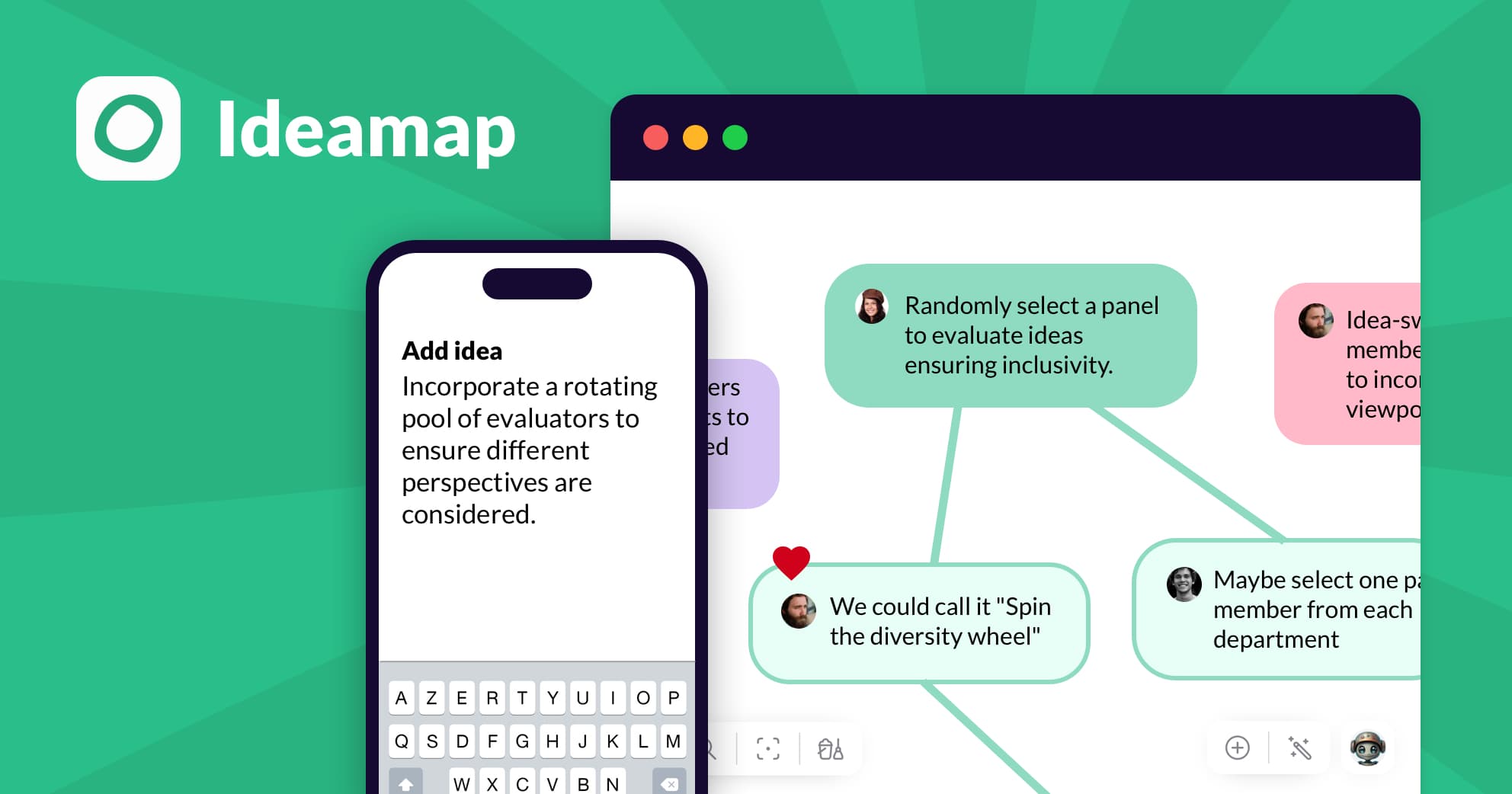
What Are Digital Whiteboard & Visual Collaboration Tools?
At its core, this software solves the "translation gap" that occurs when complex, non-linear ideas are forced into linear formats like documents or spreadsheets. By providing a spatial interface where objects—text, images, diagrams, and data—can be manipulated relative to one another, these tools allow teams to externalize their thinking processes. This matters because modern work is increasingly cross-functional and distributed; the ability to visualize dependencies, cluster abstract concepts, and co-create in real-time without physical proximity has shifted from a luxury to an operational necessity for knowledge workers.
History of the Category
While the concept of the whiteboard is decades old, the digital iteration that dominates today’s SaaS landscape has its roots in the early 1990s hardware market. In 1990, researchers at Xerox PARC developed some of the earliest prototypes for interactive computing surfaces, but the commercial breakthrough came in 1991 when SMART Technologies introduced the first interactive whiteboard [1]. These early iterations were fundamentally hardware-dependent peripherals—LCD screens connected to computers—designed primarily for presenting information to a passive audience in physical boardrooms or classrooms.
Throughout the late 1990s and early 2000s, the software powering these boards was largely "driver" software, intended merely to translate touch inputs into cursor movements. The category remained tethered to physical locations until the mid-2010s, when a shift in buyer expectations coincided with the maturation of cloud technologies. Organizations began demanding "persistent" workspaces—canvases that existed independently of any specific hardware or meeting session. This era saw the emergence of browser-based solutions that decoupled the whiteboard from the wall, allowing for the rise of "visual collaboration" as a distinct software category separate from hardware drivers.
The COVID-19 pandemic acted as a massive accelerant, compressing five years of adoption into eighteen months. However, the true historical pivot point was not just the volume of adoption, but the shift in utility. The category evolved from "digital scratchpads" to "visual operating systems." Market consolidation waves in the early 2020s saw major productivity suites acquiring standalone whiteboarding tools, signaling that visual collaboration had graduated from a niche creative tool to a core stack requirement. Today, the market is defined by a transition from passive diagramming to "actionable intelligence," where objects on a whiteboard are not just digital sticky notes but live data entities synced bi-directionally with third-party systems like Jira or Salesforce.
What to Look For
When evaluating Digital Whiteboard & Visual Collaboration Tools, buyers must look beyond the basic ability to draw and place sticky notes. The differentiation now lies in enterprise-grade governance and workflow depth. A critical evaluation criterion is object intelligence. High-quality platforms treat items on the board as data objects with metadata, not just raster images. This allows for advanced searchability, tagging, and export capabilities that turn a brainstorming session into a structured database.
Red flags include proprietary file formats that make data egress difficult. If a vendor cannot export a complex board into a standard, editable format (like SVG or CSV data maps) or migrate it to another platform without significant fidelity loss, you risk vendor lock-in. Another warning sign is the lack of granular permission controls. Tools that only offer "View" or "Edit" access without intermediate "Commenter" or "Facilitator" roles often fail in large-scale deployment where governance is required to prevent accidental data deletion during massive workshops.
Key questions to ask vendors should focus on scalability and latency. Ask: "How does the canvas perform when 50 concurrent users are manipulating 1,000+ objects simultaneously?" Many tools crumble under the load of enterprise-scale planning sessions (e.g., PI Planning in Agile). Additionally, ask about "content persistence policies"—specifically, how long inactive boards are retained and whether the vendor claims any rights to the IP generated within their AI-assisted features.
Industry-Specific Use Cases
Retail & E-commerce
In the retail sector, visual collaboration tools have moved out of the marketing department and into merchandising and store operations. The primary use case here is virtual planogramming and visual merchandising. Retailers use these infinite canvases to map out store layouts and shelf configurations visually before physical implementation. Unlike standard planogram software which can be rigid, digital whiteboards allow for free-form experimentation with customer flow and seasonal displays [2]. Teams can import product imagery and arrange them on a 2D canvas that mimics the physical shelf, facilitating real-time collaboration between headquarters buyers and floor managers.
A critical evaluation priority for retail buyers is mobile accessibility. Store associates often need to view these visual plans on tablets while on the sales floor. Tools that offer a "read-only" mode optimized for mobile devices allow staff to execute merchandising directives without the risk of altering the master plan. Furthermore, the ability to annotate photos of physical displays and upload them back to the canvas helps headquarters verify compliance with visual standards [3].
Healthcare
Healthcare adoption of digital whiteboards centers on patient journey mapping and complex care coordination. Administrative and clinical leadership use these tools to visualize the end-to-end patient experience, identifying bottlenecks in admission, treatment, and discharge workflows [4]. This requires a tool that supports complex flowcharting and swimlane diagrams to represent different departments (e.g., triage, radiology, pharmacy) interacting with a single patient.
The unique consideration for healthcare is strict adherence to HIPAA compliance and data residency requirements. While patient journey mapping often uses anonymized data, clinical teams increasingly use digital whiteboards for "tumor boards" or multi-disciplinary team meetings where specific cases are discussed. In these scenarios, the platform must support on-premise hosting or HIPAA-compliant cloud instances to ensure Protected Health Information (PHI) is never exposed [5]. Integration with Electronic Health Records (EHR) is also a rising priority, allowing clinicians to pull non-identifiable data points into a visual collaboration space for process improvement analysis.
Financial Services
Financial institutions utilize visual collaboration tools for risk modeling and compliance workflow mapping. The complexity of financial regulations requires teams to visualize the lineage of data—tracing how a piece of financial data moves through various systems before it appears on a regulatory report [6]. Digital whiteboards allow risk officers to draw these connections explicitly, creating a "visual audit trail" that is often easier for regulators to understand than static documentation.
Security is the paramount evaluation metric here. Financial services buyers must look for Customer Managed Keys (CMK) and granular data loss prevention (DLP) controls. There is a high demand for "audit logs" that track every single edit, movement, or deletion of an object on the canvas. Because these tools are often used to map proprietary trading algorithms or sensitive M&A strategies, the ability to disable public link sharing and restrict access to specific IP ranges or managed devices is non-negotiable [7].
Manufacturing
In manufacturing, the dominant use case is the virtualization of Gemba boards and Value Stream Mapping (VSM). Traditionally physical boards located on the factory floor, Gemba boards track production metrics, safety incidents, and continuous improvement initiatives. Digital versions allow plant managers to maintain these visuals in real-time across multiple facility locations without physical travel [8]. Teams use these tools to conduct "virtual Gemba walks," identifying waste (Muda) in production processes by mapping the flow of materials and information on an infinite canvas.
Evaluation priorities for manufacturing include offline capabilities and hardware compatibility. Manufacturing environments often have spotty connectivity or rely on ruggedized touchscreens. A tool that can cache changes locally and sync when connection is restored is highly valuable. Additionally, the ability to lock specific regions of the board is crucial; plant managers need to ensure that the "standard work" templates remain unedited while allowing shift workers to add sticky notes regarding daily issues [9].
Professional Services
Consultancies and agencies rely on digital whiteboards for client collaboration and workshop facilitation. The billable nature of their work means these tools are used to deliver value directly to clients through strategy sessions, design sprints, and roadmap workshops. The critical workflow here is the ability to invite "guest" users—clients—into a secure board without forcing them to create an account or pay for a license [10].
A unique consideration for professional services is templating and branding. Agencies need the ability to create proprietary frameworks (e.g., a branded SWOT analysis or a specific "Design Thinking" matrix) and save them as reusable templates. This allows them to deploy their intellectual property consistently across different client engagements. Furthermore, "facilitator controls"—features that allow the host to force everyone's view to a specific area of the canvas or hide cursors to reduce distraction—are essential for maintaining control during high-stakes client presentations [11].
Integration & API Ecosystem
The true value of a digital whiteboard in an enterprise setting is directly proportional to its ability to act as a connective tissue between other systems of record. Standalone whiteboards often become "data graveyards" where great ideas are captured but never executed. A robust integration ecosystem solves this by connecting the visual layer (the whiteboard) with the execution layer (CRM, ERP, Project Management). According to a 2022 Harvard Business Review study, employees toggle between apps and windows roughly 1,200 times per day, a "toggle tax" that consumes nearly 9% of their annual work time [12]. Effective integration drastically reduces this context switching.
Expert Insight: Wayne Kurtzman, Research Vice President at IDC, notes that "Collaboration is more than words... automation and integration are the new drivers of value in collaborative applications" [13]. This implies that the whiteboard must cease to be a passive screen and become an active interface for other tools.
Example Scenario: Consider a 50-person professional services firm. They use a CRM for client records, a project management tool for tasks, and a digital whiteboard for brainstorming. Without deep integration, when the team identifies a new risk during a SWOT analysis on the whiteboard, someone must manually open the project management tool, create a ticket, and copy the context. In a well-integrated ecosystem, the whiteboard allows the user to convert that "Risk" sticky note directly into a Jira ticket or Asana task with a single click. The bi-directional sync ensures that if the status changes in Jira, the color of the sticky note on the whiteboard changes to green, keeping the visual strategy map alive and accurate without manual updates. When this integration is poorly designed, the whiteboard becomes outdated within hours of the meeting, leading to decision-making based on stale information.
Security & Compliance
As visual collaboration tools move from creative teams to the C-suite, they become repositories for an organization's most sensitive strategic data—product roadmaps, M&A targets, and network architecture diagrams. The security perimeter of these tools is often porous, particularly regarding external sharing. The Verizon 2024 Data Breach Investigations Report (DBIR) highlights that 15% of breaches involved a third party, such as software supply chains or hosting partner infrastructures [14]. This statistic underscores the risk inherent in tools designed for easy external sharing.
Expert Insight: Marc Gilman, General Counsel & VP of Compliance at Theta Lake, warns that "Digital whiteboards are key productivity tools for firms and a corresponding concern for global financial services regulators... Whiteboard content like diagrams, illustrations, text, and comments all constitute communications triggering relevant compliance mandates" [7].
Example Scenario: A financial services firm uses a digital whiteboard to map out a new trading algorithm. The engineering lead generates a "public link" to share the board with a freelance consultant. However, the link settings are permissive, allowing "anyone with the link" to view. Six months later, the consultant is gone, but the link remains active and is indexed by a third-party scraper or accessed by a former employee. Without automated expiration policies (e.g., links expire after 30 days) and domain whitelisting (only emails from @partnerfirm.com can access), the firm has effectively published its IP to the open web. Secure platforms mitigate this by enforcing Single Sign-On (SSO) and offering "guest" audits that show exactly who accessed what board and when.
Pricing Models & TCO
Pricing for digital whiteboards typically follows a per-seat subscription model, but the Total Cost of Ownership (TCO) is often obscured by "true-up" mechanics and shadow IT. Buyers frequently underestimate the cost of occasional users. A major issue is the proliferation of paid seats for users who only need viewing access. Flexera's 2024 State of the Cloud Report indicates that organizations estimate 27% of their cloud spend is wasted, often due to over-provisioning and unused licenses [15].
Expert Insight: Gartner predicts that worldwide end-user SaaS spending will grow 20% to total $247.2 billion in 2024, yet organizations struggle to align this spend with actual utility [16]. This highlights the urgency of scrutinizing the "active user" definition in whiteboard contracts.
Example Scenario: A mid-sized tech company with 25 employees purchases a "Team" plan at $10/user/ month. The annual cost is nominally $3,000. However, the platform uses a "day pass" model for occasional collaborators. Throughout the year, the team invites 10 freelancers and 5 clients to collaborate on specific workshops. Each of these guests triggers a billable "day pass" charge or, worse, automatically converts to a full license if they access the board more than once. At the end of the year, the finance team discovers the actual cost has ballooned to $5,500—an 83% increase over budget—because the admin settings allowed any employee to invite external editors without approval. A proper TCO calculation must account for the ratio of editors to viewers and the vendor’s policy on "guest" billing.
Implementation & Change Management
The deployment of visual collaboration software is rarely a technical challenge; it is almost exclusively a cultural one. The software is intuitive, but shifting a team's behavior from static slides to dynamic, non-linear collaboration requires significant change management. Failure to address this leads to "ghost town" boards—workspaces created with enthusiasm that sit abandoned. Research from McKinsey consistently shows that 70% of large-scale transformations fail to meet their goals, largely due to a lack of employee engagement and management support [17].
Expert Insight: Jon Garcia, Senior Partner at McKinsey, notes that one of the primary reasons for this failure rate is that "organizations often fail to attach a compelling 'why?' to their effort... simply protecting the bottom line isn't sufficient motivation" [17]. Users need to understand how the whiteboard makes their specific job easier, not just how it helps the company.
Example Scenario: An operations director at a logistics firm decides to replace weekly status spreadsheets with a digital whiteboard. They create a complex, visually impressive board and email the link to the team on Monday. By Friday, no one has updated it. The team found the infinite canvas intimidating and reverted to their spreadsheets because the implementation lacked a "catalyst" event. A successful implementation would have involved a facilitated workshop where the team co-created the board structure, ensuring they felt ownership. Furthermore, designating "Board Champions" within each department to answer questions and model best practices creates the peer-to-peer validation necessary for adoption.
Vendor Evaluation Criteria
When selecting a vendor, buyers must weigh the trade-off between specialized depth and platform breadth. The evaluation must go beyond feature checklists to assess the vendor's ecosystem viability. A critical, often overlooked criterion is the partner ecosystem. Does the vendor have a library of templates created by reputable third parties (e.g., Agile coaches, design agencies)? This content ecosystem acts as a force multiplier for your team's capability.
Expert Insight: According to IDC's 2024 MarketScape for Team Collaboration, "visual collaboration is the fastest-growing segment" of the $78 billion collaboration market, and vendors are differentiating based on their ability to integrate with "office suites" and provide "AI-enhanced multimodality" [18]. This suggests buyers should prioritize vendors that align with their existing Microsoft or Google stacks.
Example Scenario: A creative agency evaluates Vendor A and Vendor B. Vendor A has superior drawing tools and a lower price. Vendor B has slightly clunkier drawing tools but offers deep, native integration with the agency’s existing Microsoft Teams environment and a verified template library from industry leaders. While the designers prefer Vendor A, the agency chooses Vendor B. Why? Because the friction of using a tool outside their daily communications stack (Teams) would kill adoption for the account managers and clients. The criteria for success was not "best drawing features" but "lowest barrier to collaboration."
Emerging Trends and Contrarian Take
Emerging Trends 2025-2026: The most significant shift is the move from "passive canvas" to "active participant." We are seeing the rise of AI Agents within whiteboards—entities that do not just generate text but perform tasks. Imagine an agent that monitors a brainstorming session, automatically clusters similar sticky notes, identifies gaps in the logic, and generates follow-up tasks in your project management software without human intervention. Additionally, Platform Convergence is accelerating; standalone whiteboard features are increasingly being absorbed into broader productivity suites (like project management tools adding native whiteboarding), challenging the existence of pure-play vendors.
Contrarian Take: The "infinite canvas" is actually a productivity trap for most organizations. While the marketing sells limitless freedom, the reality is that 90% of teams flounder without boundaries. The most effective use of these tools is not as open creative spaces, but as rigidly structured visual databases. Businesses would see a higher ROI by restricting the "infinite" aspect and forcing teams to work within tight, unchangeable templates that enforce process discipline. The freedom to "go anywhere" on the board often results in sprawling, unnavigable messes that destroy information retrieval.
Common Mistakes
One of the most frequent errors buyers make is overbuying features for a simple use case. Organizations often purchase complex, enterprise-grade visual collaboration platforms for teams that simply need a shared scratchpad. This leads to "feature bloat" where users are overwhelmed by menus and options they never use, resulting in abandonment. Conversely, treating the digital whiteboard as just a projector replacement is a waste of capital. If the team uses the tool only to display static slides during a meeting, without utilizing the co-creation features (voting, commenting, manipulating objects), the organization is paying for a Ferrari to drive in a school zone.
Another critical mistake is ignoring hardware compatibility. A digital whiteboard software experience is heavily dependent on the input device. Expecting detailed sketching or complex diagramming to happen via a trackpad is unrealistic. Deploying these tools without ensuring users have decent mice, or ideally, touch-enabled devices/tablets, significantly handicaps the potential for fluid collaboration.
Questions to Ask in a Demo
- "Can you demonstrate the process of exporting this board’s data into a structured CSV file, and what metadata is preserved during that export?"
- "Show me the specific workflow for a guest (client) to access the board. How many clicks is it, and do they have to verify their email?"
- "How does your platform handle version history? Can I restore a specific cluster of objects that was deleted three weeks ago without reverting the entire board?"
- "What is your 'active user' definition for billing purposes? Does a user who only logs in to view a board once a month count toward my license cap?"
- "Demonstrate the search functionality. If I search for a specific keyword, does it find text inside images, PDF attachments, and sticky notes?"
Before Signing the Contract
Before finalizing the agreement, execute a Data Exit Drill. Verify that you can extract your organization's intellectual property in a usable format. If the vendor goes out of business or you decide to switch, you need to know that your thousands of hours of brainstorming are not locked in a proprietary "black box" format. Negotiate admin capabilities specifically around external sharing. Ensure you have the right to enforce a "domain whitelist" so employees cannot accidentally share boards with personal Gmail accounts or competitors. Finally, check the SLA (Service Level Agreement) regarding uptime and latency. For a tool that is critical to real-time meetings, "99.9% uptime" allows for nearly 9 hours of downtime a year—if those hours fall during your quarterly planning session, the cost to the business is massive.
Closing
Navigating the visual collaboration landscape requires balancing the creative freedom your teams want with the governance your enterprise needs. If you have specific questions about how these tools fit into your unique tech stack or need help deciphering a vendor’s licensing model, I’m here to help. Reach out to me at albert@whatarethebest.com.

 B
B