Appointment Scheduling & Booking Tools

Updated July 15, 2026

These are the specialized categories within Appointment Scheduling & Booking Tools. Looking for something broader? See all Project Management & Productivity Tools categories.

Not sure which one is right for you?

Answer 4 quick questions and we'll match you with your best options

Find Your Best Match

How big is your team?

Just me
2 - 10
11 - 50
51 - 200
201 - 1,000
1,000+

What's your budget situation?

Free or open-source only
Free to start, pay later
Best value for money
Price isn't the main factor

What's your team's technical comfort level?

We want it to just work
We can handle some setup
We have developers who'll customize it

What's the ONE thing this tool must do well?

Step 1 of 4
1
9.1 / 10
Wix Bookings

Wix Bookings is ideal for service businesses using Wix, offering seamless scheduling with Google Calendar sync, CRM, and payment processing. It simplifies appointment management with native memberships and marketing tools.

Best for Appointment Scheduling & Booking Tools for SaaS Companies

Expert Take

Wix Bookings transforms a standard Wix website into a fully functional scheduling powerhouse without the need for third-party embeds. We love its robust native integration with the broader Wix ecosystem, allowing service businesses to manage CRM, email marketing, and payment processing in one centralized hub. The seamless synchronization with Google Calendar and built-in support for memberships make it a formidable, all-in-one operational tool.

Pros

  • Fully integrated with Wix website builder
  • No extra per-booking platform fees
  • Syncs seamlessly with Google Calendar

Cons

  • Renewal prices frequently double without warning
  • Cannot book multiple services in one transaction
  • Complex staff availability setup causes errors

Best for teams that are

  • Service businesses operating primarily through an existing Wix website.
  • Users wanting integrated website building, scheduling, and memberships.

Skip if

  • Professionals needing a standalone scheduling link for external platforms.
  • Sales teams requiring complex round-robin or advanced B2B routing.

Best for teams that are

  • Service businesses operating primarily through an existing Wix website.
  • Users wanting integrated website building, scheduling, and memberships.

Skip if

  • Professionals needing a standalone scheduling link for external platforms.
  • Sales teams requiring complex round-robin or advanced B2B routing.

Pros

  • Fully integrated with Wix website builder
  • No extra per-booking platform fees
  • Native support for memberships and packages
  • Syncs seamlessly with Google Calendar

Cons

  • Renewal prices frequently double without warning
  • Cannot book multiple services in one transaction
  • Complex staff availability setup causes errors
  • Fixed session durations limit service flexibility

Expert Take

Wix Bookings transforms a standard Wix website into a fully functional scheduling powerhouse without the need for third-party embeds. We love its robust native integration with the broader Wix ecosystem, allowing service businesses to manage CRM, email marketing, and payment processing in one centralized hub. The seamless synchronization with Google Calendar and built-in support for memberships make it a formidable, all-in-one operational tool.

Zenbooker - Home Service Booking

Zenbooker is a SaaS solution tailored for home service businesses, enabling them to manage scheduling and bookings seamlessly. Its features address the industry-specific needs for instant booking, job dispatching, payment processing, and quote sending, making operations more organized and efficient.

Best for Appointment Scheduling & Booking Tools for Contractors

Expert Take

Zenbooker excels as a tailored solution for home service contractors, offering features like instant booking and integrated payment processing. Its industry-specific capabilities and comprehensive functionality position it as a leader in appointment scheduling for contractors.

Pros

  • Unlimited users and bookings for flat monthly fee
  • Advanced geofencing for precise service territory management
  • Modern, high-converting embeddable booking widget
  • Automated 'On My Way' SMS notifications

Cons

  • Mobile app is PWA (web-based), not native
  • No direct native QuickBooks/Xero integration
  • Calendar sync can have 12-hour delays
  • Limited offline functionality for field technicians

Best for teams that are

  • Small home service teams wanting a simple booking widget.
  • Businesses looking for flat-rate, territory-based pricing.

Skip if

  • Businesses demanding fast widget loading times.
  • Users requiring two-way calendar syncing capabilities.

Best for teams that are

  • Small home service teams wanting a simple booking widget.
  • Businesses looking for flat-rate, territory-based pricing.

Skip if

  • Businesses demanding fast widget loading times.
  • Users requiring two-way calendar syncing capabilities.

Pros

  • Unlimited users and bookings for flat monthly fee
  • Advanced geofencing for precise service territory management
  • Real-time dynamic pricing based on job details
  • Modern, high-converting embeddable booking widget
  • Automated 'On My Way' SMS notifications

Cons

  • Mobile app is PWA (web-based), not native
  • No direct native QuickBooks/Xero integration
  • Calendar sync can have 12-hour delays
  • Smaller integration ecosystem than market leaders
  • Limited offline functionality for field technicians

Expert Take

Zenbooker excels as a tailored solution for home service contractors, offering features like instant booking and integrated payment processing. Its industry-specific capabilities and comprehensive functionality position it as a leader in appointment scheduling for contractors.

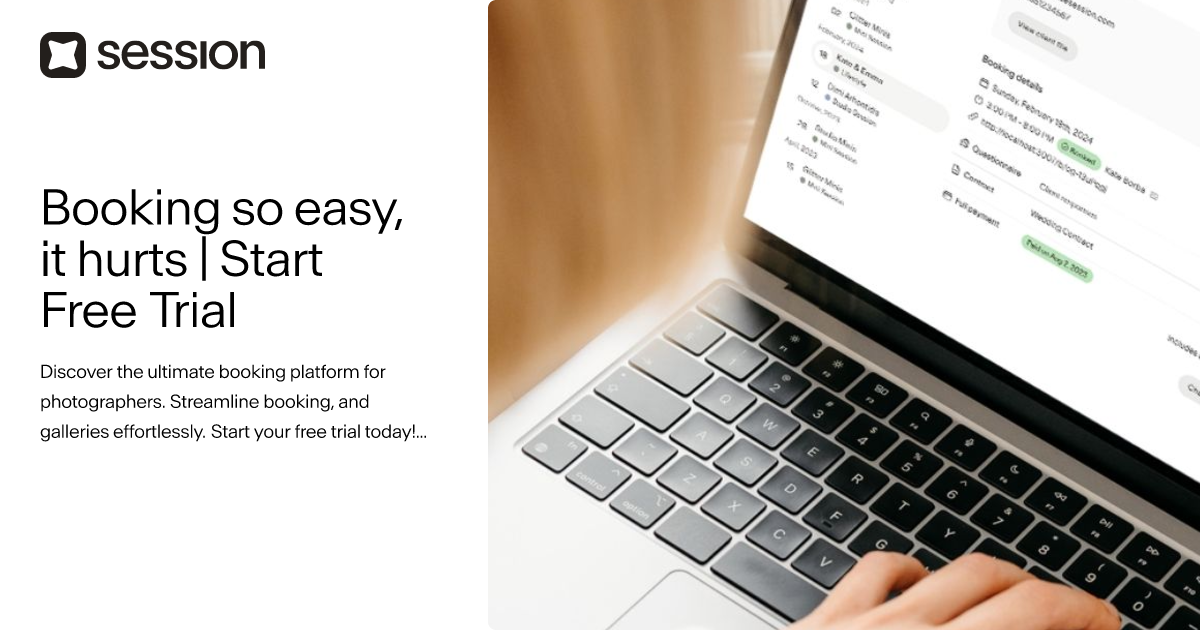
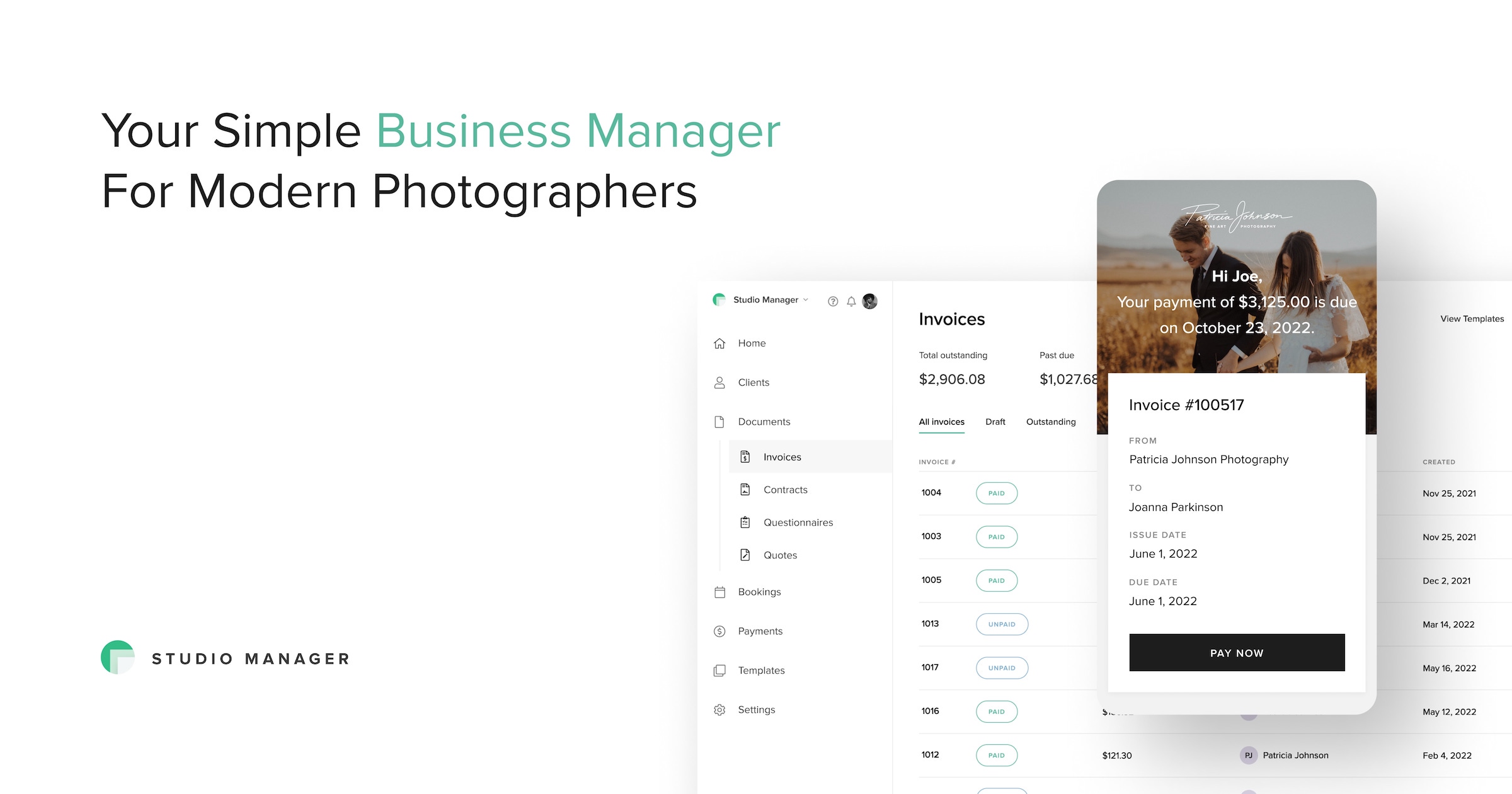
UseSession Booking Platform

UseSession is specifically tailored for photographers, providing an ultimate booking platform to streamline appointment scheduling and gallery management. Its features cater to the unique needs of this industry, enabling photographers to focus on their craft rather than administrative tasks.

Best for Appointment Scheduling & Booking Tools for Photography Studios

Expert Take

UseSession excels in providing a tailored booking solution for photographers, with features that streamline scheduling and gallery management. Its affordable pricing and industry-specific capabilities make it a strong contender in its niche, though it may have limitations for larger studios.

Pros

  • Specialized for high-volume mini sessions
  • Seamless booking-to-gallery workflow
  • User-friendly interface for clients
  • Built-in gallery upselling features

Cons

  • Not a full CRM (no lead pipeline)
  • 3GB storage limit on base plan
  • No in-platform refund processing
  • Limited customization compared to Dubsado

Best for teams that are

  • Photographers specializing in high-volume Mini Sessions
  • Users wanting a beautiful, simple booking interface specifically for photography

Skip if

  • Users who need extensive workflow automation beyond the initial booking
  • Non-photographers or general service businesses

Best for teams that are

  • Photographers specializing in high-volume Mini Sessions
  • Users wanting a beautiful, simple booking interface specifically for photography

Skip if

  • Users who need extensive workflow automation beyond the initial booking
  • Non-photographers or general service businesses

Pros

  • Specialized for high-volume mini sessions
  • Seamless booking-to-gallery workflow
  • Affordable $19/mo flat pricing
  • User-friendly interface for clients
  • Built-in gallery upselling features

Cons

  • Not a full CRM (no lead pipeline)
  • 3GB storage limit on base plan
  • No in-platform refund processing
  • Lacks unified email inbox integration
  • Limited customization compared to Dubsado

Expert Take

UseSession excels in providing a tailored booking solution for photographers, with features that streamline scheduling and gallery management. Its affordable pricing and industry-specific capabilities make it a strong contender in its niche, though it may have limitations for larger studios.

Koalendar for Plumbers

Koalendar offers a straightforward solution specifically tailored for the plumbing industry. It enables businesses to manage jobs, schedule appointments and track technicians, providing an all-in-one solution to streamline operations and improve efficiency.

Best for Appointment Scheduling & Booking Tools for Plumbers

Expert Take

Koalendar for Plumbers offers a specialized scheduling solution tailored to the plumbing industry, featuring automated scheduling and technician tracking. Its user-friendly interface and 24/7 support enhance usability. While it lacks some customization and offline capabilities, its industry-specific focus and competitive pricing make it a top choice for plumbing businesses.

Pros

  • Free plan includes unlimited bookings
  • Accepts payments via Stripe
  • Syncs with Google, Outlook, iCloud
  • Simple setup in minutes

Cons

  • No native mobile app (PWA only)
  • No automatic route optimization
  • Lacks inventory management features
  • Not a full FSM solution

Best for teams that are

  • Solo plumbers wanting a simple, free booking link
  • Businesses needing a lightweight Google Calendar sync

Skip if

  • Businesses requiring complex invoicing tools
  • Users needing advanced customization on a free plan

Best for teams that are

  • Solo plumbers wanting a simple, free booking link
  • Businesses needing a lightweight Google Calendar sync

Skip if

  • Businesses requiring complex invoicing tools
  • Users needing advanced customization on a free plan

Pros

  • Free plan includes unlimited bookings
  • Accepts payments via Stripe
  • Intake forms support photo uploads
  • Syncs with Google, Outlook, iCloud
  • Simple setup in minutes

Cons

  • No native mobile app (PWA only)
  • No automatic route optimization
  • Lacks inventory management features
  • Manual travel buffers required
  • Not a full FSM solution

Expert Take

Koalendar for Plumbers offers a specialized scheduling solution tailored to the plumbing industry, featuring automated scheduling and technician tracking. Its user-friendly interface and 24/7 support enhance usability. While it lacks some customization and offline capabilities, its industry-specific focus and competitive pricing make it a top choice for plumbing businesses.

5
8.8 / 10
SimplyBook.me

SimplyBook.me is an online appointment booking system specifically designed for recruitment agencies. It allows recruiters to schedule interviews, send reminders and accept payments online 24/7, freeing up valuable time to focus on candidate sourcing and client management.

Best for Appointment Scheduling & Booking Tools for Recruitment Agencies

Expert Take

SimplyBook.me excels in providing a comprehensive appointment scheduling solution tailored for recruitment agencies. Its capabilities in automating reminders and integrating payments enhance productivity and client management. While the free plan has limited features, the premium offerings are robust and competitively priced, making it a top choice in its category.

Pros

  • Modular system with 60+ custom features
  • HIPAA compliant and ISO 27001 certified
  • Supports memberships, tickets, and POS
  • 24/5 live chat support available

Cons

  • Strict monthly booking volume limits
  • Limited number of active custom features on lower plans
  • API rate limited to 5,000 requests/day
  • Setup can be complex due to modularity

Best for teams that are

  • Service-based businesses like salons, clinics, and studios.
  • Companies needing memberships, POS, and custom intake forms.

Skip if

  • Internal corporate teams scheduling standard business meetings.
  • Fast-growing businesses restricted by booking volume limits.

Best for teams that are

  • Service-based businesses like salons, clinics, and studios.
  • Companies needing memberships, POS, and custom intake forms.

Skip if

  • Internal corporate teams scheduling standard business meetings.
  • Fast-growing businesses restricted by booking volume limits.

Pros

  • Modular system with 60+ custom features
  • HIPAA compliant and ISO 27001 certified
  • Native Facebook and Instagram booking integration
  • Supports memberships, tickets, and POS
  • 24/5 live chat support available

Cons

  • Strict monthly booking volume limits
  • Limited number of active custom features on lower plans
  • API rate limited to 5,000 requests/day
  • No customer support on Saturdays
  • Setup can be complex due to modularity

Expert Take

SimplyBook.me excels in providing a comprehensive appointment scheduling solution tailored for recruitment agencies. Its capabilities in automating reminders and integrating payments enhance productivity and client management. While the free plan has limited features, the premium offerings are robust and competitively priced, making it a top choice in its category.

Acuity Scheduling Software

Acuity Scheduling is a powerful tool for private equity firms, simplifying the process of scheduling meetings with clients, partners, and team members. The software offers automation and customization that meet the specific needs of the industry, allowing firms to focus more on their core business.

Best for Appointment Scheduling & Booking Tools for Private Equity Firms

Expert Take

Acuity Scheduling Software excels in providing tailored scheduling solutions for private equity firms with its automation and customization capabilities. It integrates seamlessly with calendars and offers robust reporting features, making it a top choice for managing complex scheduling needs.

Pros

  • HIPAA compliant on Powerhouse plans
  • Advanced custom intake forms
  • Built-in payment processing (Stripe/Square)
  • Supports classes and group events

Cons

  • No free-forever plan available
  • No phone support offered
  • No native video conferencing tool
  • Advanced design requires CSS knowledge

Best for teams that are

  • Service-based SMBs like consultants and salons needing detailed intake forms
  • Businesses requiring paid appointment capabilities with payment processor integration

Skip if

  • Large enterprises requiring complex custom security or permissions
  • Sales teams needing advanced CRM routing (better suited for Calendly)

Best for teams that are

  • Service-based SMBs like consultants and salons needing detailed intake forms
  • Businesses requiring paid appointment capabilities with payment processor integration

Skip if

  • Large enterprises requiring complex custom security or permissions
  • Sales teams needing advanced CRM routing (better suited for Calendly)

Pros

  • HIPAA compliant on Powerhouse plans
  • Seamless Squarespace ecosystem integration
  • Advanced custom intake forms
  • Built-in payment processing (Stripe/Square)
  • Supports classes and group events

Cons

  • No free-forever plan available
  • No phone support offered
  • Mobile app lacks full desktop features
  • No native video conferencing tool
  • Advanced design requires CSS knowledge

Expert Take

Acuity Scheduling Software excels in providing tailored scheduling solutions for private equity firms with its automation and customization capabilities. It integrates seamlessly with calendars and offers robust reporting features, making it a top choice for managing complex scheduling needs.

Calendly: Appointment Scheduling Tool

Calendly is an optimal choice for SaaS companies as it simplifies and automates scheduling, a crucial process for businesses that operate on a subscription basis. Its robust features, such as time zone detection, calendar integration, and custom scheduling links, are designed to handle the intricate scheduling needs of SaaS businesses.

Best for Appointment Scheduling & Booking Tools for SaaS Companies

Expert Take

Calendly excels as a scheduling tool for SaaS companies with its comprehensive integration capabilities and user-friendly interface. Its automation features streamline scheduling processes, making it a top choice in its category. While some advanced features are limited to higher-tier plans, its overall value and market credibility remain strong.

Pros

  • Market leader with 20M+ users
  • Intuitive, widely recognized interface
  • SOC 2 Type 2 & ISO 27001
  • Automated meeting reminders & workflows

Cons

  • No HIPAA BAA on standard plans
  • Free plan limited to 1 event type
  • Advanced routing requires Enterprise
  • Pricing scales up per user

Best for teams that are

  • Sales teams, recruiters, and consultants booking 1-on-1 meetings.
  • Professionals seeking quick setup and extensive productivity tool integrations.

Skip if

  • Service businesses needing to book multiple services simultaneously.
  • Organizations requiring deep, built-in client management functionality.

Best for teams that are

  • Sales teams, recruiters, and consultants booking 1-on-1 meetings.
  • Professionals seeking quick setup and extensive productivity tool integrations.

Skip if

  • Service businesses needing to book multiple services simultaneously.
  • Organizations requiring deep, built-in client management functionality.

Pros

  • Market leader with 20M+ users
  • Intuitive, widely recognized interface
  • 100+ native integrations available
  • SOC 2 Type 2 & ISO 27001
  • Automated meeting reminders & workflows

Cons

  • No HIPAA BAA on standard plans
  • Free plan limited to 1 event type
  • Advanced routing requires Enterprise
  • Support limited to chat/email mostly
  • Pricing scales up per user

Expert Take

Calendly excels as a scheduling tool for SaaS companies with its comprehensive integration capabilities and user-friendly interface. Its automation features streamline scheduling processes, making it a top choice in its category. While some advanced features are limited to higher-tier plans, its overall value and market credibility remain strong.

Setmore Photography Booking

Setmore is the perfect booking software for the photography industry, simplifying the booking process and freeing up more time for the creative process. With automated reminders, photographers can reduce no-shows and ensure a smooth workflow. The 24/7 online booking feature empowers clients to schedule shoots at their own convenience, providing flexibility that's critical in the industry.

Best for Appointment Scheduling & Booking Tools for Photography Studios

Expert Take

Setmore Photography Booking excels in providing a streamlined booking process tailored for photography studios. It offers critical features like 24/7 online booking and automated reminders, enhancing usability and customer experience. While it lacks some customization and CRM integration, its pricing transparency and integration capabilities make it a strong choice for photographers.

Pros

  • Free plan supports up to 4 users
  • Instagram & Facebook 'Book Now' buttons
  • Accepts Square payments on Free plan
  • Affordable Pro plan ($5/mo annual)

Cons

  • Free plan capped at 200 appointments/mo
  • No SMS reminders on Free plan
  • No 2-way calendar sync on Free plan
  • Occasional Google Calendar sync glitches

Best for teams that are

  • Budget-conscious photographers needing a robust free plan for simple scheduling
  • Users who already use Square for payments but want a different scheduling interface

Skip if

  • Users requiring complex resource management or provider-specific resource linking
  • Those needing a dedicated photography CRM with contracts

Best for teams that are

  • Budget-conscious photographers needing a robust free plan for simple scheduling
  • Users who already use Square for payments but want a different scheduling interface

Skip if

  • Users requiring complex resource management or provider-specific resource linking
  • Those needing a dedicated photography CRM with contracts

Pros

  • Free plan supports up to 4 users
  • Instagram & Facebook 'Book Now' buttons
  • Streams Instagram portfolio to booking page
  • Accepts Square payments on Free plan
  • Affordable Pro plan ($5/mo annual)

Cons

  • Free plan capped at 200 appointments/mo
  • No SMS reminders on Free plan
  • No 2-way calendar sync on Free plan
  • Stripe & PayPal locked to Pro plan
  • Occasional Google Calendar sync glitches

Expert Take

Setmore Photography Booking excels in providing a streamlined booking process tailored for photography studios. It offers critical features like 24/7 online booking and automated reminders, enhancing usability and customer experience. While it lacks some customization and CRM integration, its pricing transparency and integration capabilities make it a strong choice for photographers.

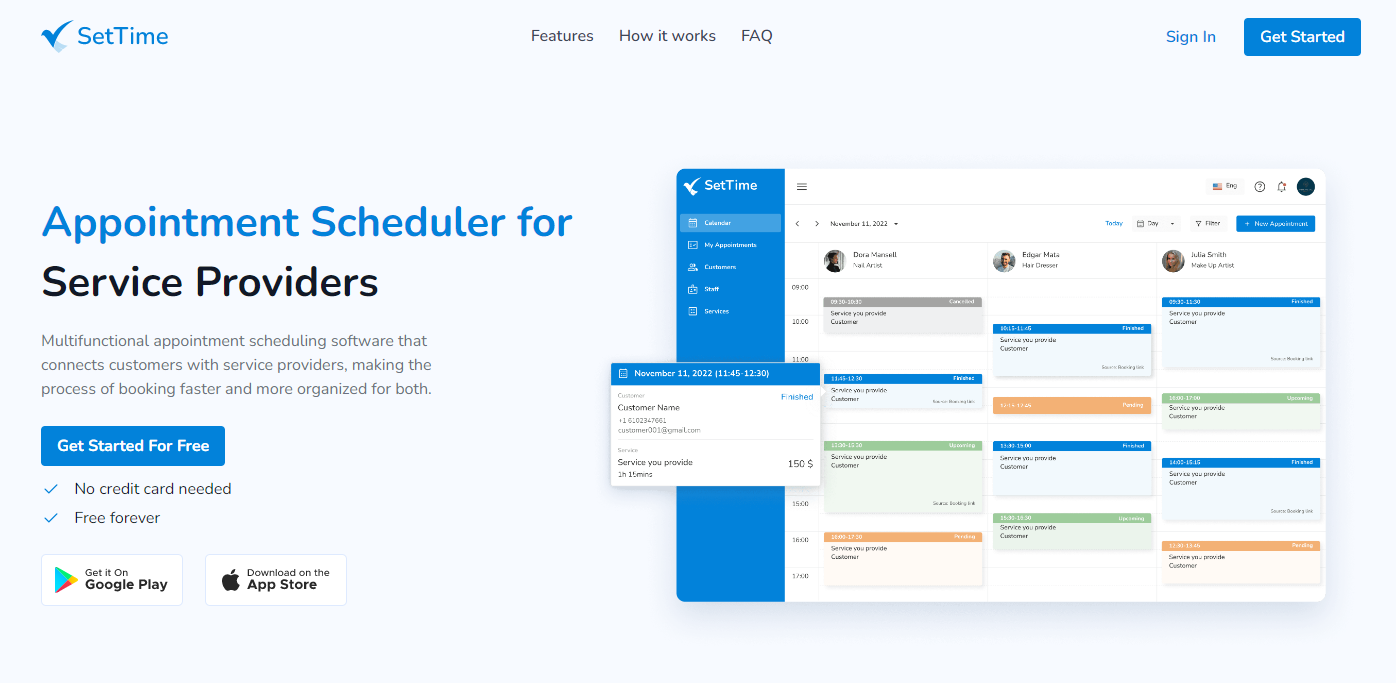
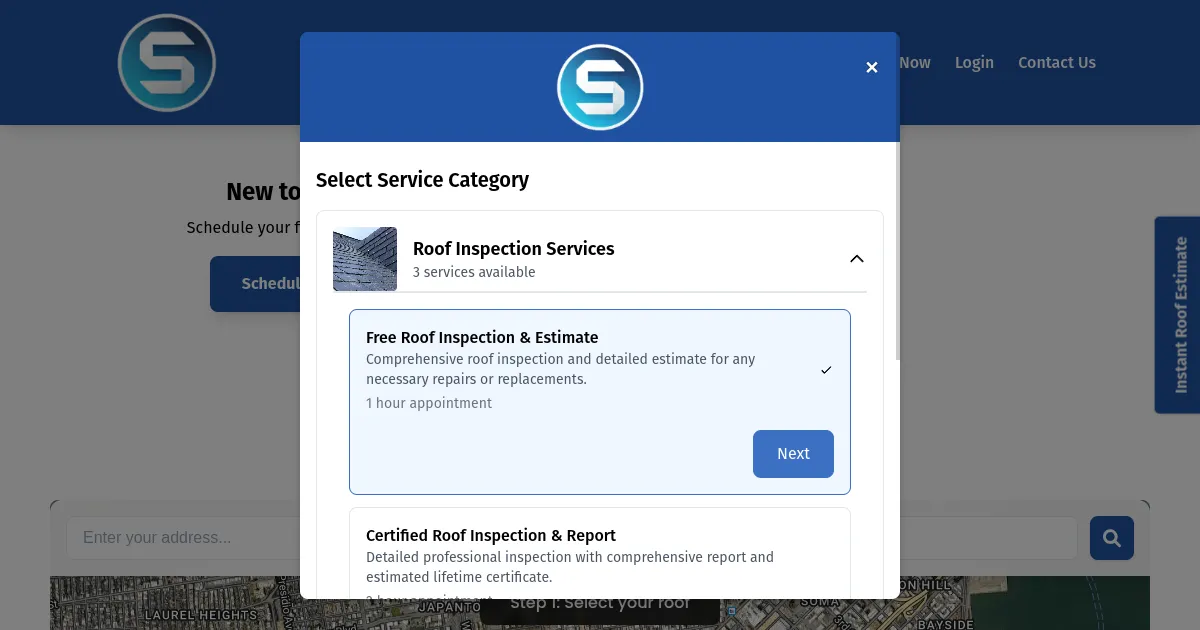
SetTime Roofing Scheduling Software

SetTime's roofing scheduling software is designed specifically for the roofing industry to streamline operations and improve client relations. It allows clients to easily book appointments, reducing no-shows and increasing efficiency. The software also provides robust management tools for roofing services, making it a comprehensive solution for roofing companies.

Best for Appointment Scheduling & Booking Tools for Roofing Companies

Expert Take

SetTime Roofing Scheduling Software excels in providing industry-specific scheduling solutions tailored for roofing companies. It offers a comprehensive suite of tools that enhance operational efficiency and client interaction, making it a valuable asset for roofing professionals. Despite being relatively new, it has established a strong foundation with its targeted features.

Pros

  • Forever free plan with unlimited staff
  • Simple, intuitive user interface
  • Automated SMS and WhatsApp reminders
  • Instant sync across unlimited devices

Cons

  • Lacks roofing estimation tools
  • No public API available
  • Recurring booking limitations reported
  • Not a full construction CRM

Best for teams that are

  • Small roofing businesses or solo contractors on a tight budget
  • Users needing a simple, free appointment scheduling tool

Skip if

  • Large companies needing complex project management features
  • Businesses requiring industry-specific tools like aerial measurements

Best for teams that are

  • Small roofing businesses or solo contractors on a tight budget
  • Users needing a simple, free appointment scheduling tool

Skip if

  • Large companies needing complex project management features
  • Businesses requiring industry-specific tools like aerial measurements

Pros

  • Forever free plan with unlimited staff
  • Highly rated iOS and Android apps
  • Simple, intuitive user interface
  • Automated SMS and WhatsApp reminders
  • Instant sync across unlimited devices

Cons

  • Lacks roofing estimation tools
  • No public API available
  • Limited third-party integrations
  • Recurring booking limitations reported
  • Not a full construction CRM

Expert Take

SetTime Roofing Scheduling Software excels in providing industry-specific scheduling solutions tailored for roofing companies. It offers a comprehensive suite of tools that enhance operational efficiency and client interaction, making it a valuable asset for roofing professionals. Despite being relatively new, it has established a strong foundation with its targeted features.

10
8.9 / 10
Square Appointments

Square Appointments is a perfect fit for photography studios looking for an all-in-one booking solution. It eases the scheduling process, manages staff availability, and organizes services in real-time, allowing photographers to focus more on their art and less on administrative tasks.

Best for Appointment Scheduling & Booking Tools for Photography Studios

Expert Take

Square Appointments excels as a comprehensive scheduling tool for photography studios, offering real-time booking and staff management features. Its integration with Square's payment system enhances its utility. While customization options are limited, its user-friendly interface and free individual plan make it a top choice for photographers.

Pros

  • Free plan available for solo users
  • Seamless POS hardware integration
  • Automated SMS and email reminders
  • Built-in inventory management

Cons

  • Google Calendar sync requires paid plan
  • Limited booking site customization
  • Price jumps significantly for teams
  • No native video consultation feature

Best for teams that are

  • Photographers already using Square for payments and point-of-sale
  • Solo photographers who want a free, integrated booking and payment system

Skip if

  • Studios needing advanced branding customization on the booking page
  • Users needing free SMS reminders which are often a paid feature

Best for teams that are

  • Photographers already using Square for payments and point-of-sale
  • Solo photographers who want a free, integrated booking and payment system

Skip if

  • Studios needing advanced branding customization on the booking page
  • Users needing free SMS reminders which are often a paid feature

Pros

  • Free plan available for solo users
  • Seamless POS hardware integration
  • HIPAA compliant with BAA available
  • Automated SMS and email reminders
  • Built-in inventory management

Cons

  • Google Calendar sync requires paid plan
  • Limited booking site customization
  • Price jumps significantly for teams
  • Customer support can be inconsistent
  • No native video consultation feature

Expert Take

Square Appointments excels as a comprehensive scheduling tool for photography studios, offering real-time booking and staff management features. Its integration with Square's payment system enhances its utility. While customization options are limited, its user-friendly interface and free individual plan make it a top choice for photographers.

Loading comparison data…

How We Rank Products

Our Evaluation Process

Products in the Appointment Scheduling & Booking Tools category are evaluated based on documented features such as integration capabilities, automation functionalities, and user interface design. Pricing transparency is a key factor, helping buyers understand ongoing costs. Compatibility with existing calendars and other software solutions is assessed to ensure seamless integration into current workflows. Third-party customer feedback provides insights into user satisfaction and real-world application, highlighting strengths and potential limitations of each tool.

Verification

  • Products evaluated through comprehensive research and analysis of scheduling features and user satisfaction.
  • Rankings based on analysis of customer feedback and expert reviews in the appointment scheduling software category.
  • Selection criteria focus on integration capabilities, user interface design, and customer support options.

Score Breakdown

0.0 / 10

About Appointment Scheduling & Booking Tools

What Is Appointment Scheduling & Booking Tools?

Appointment Scheduling & Booking Tools act as the operational bridge between a business's available resources—whether human capital, physical assets, or time slots—and the external demand for those resources. At its core, this software category digitizes the negotiation of time. It replaces the friction of asynchronous communication (email tag, phone tag) with a deterministic, real-time booking engine that enforces business logic regarding availability, qualification, and routing.

This category covers software used to manage the allocation of time-based inventory across the customer lifecycle: facilitating initial prospect meetings, coordinating service delivery appointments, managing recurring client check-ins, and optimizing internal resource utilization. It sits between CRM (which manages the relationship data) and ERP (which manages the financial and operational backend), specifically governing the "when" and "who" of service execution. It includes both general-purpose scheduling platforms suitable for horizontal use (e.g., sales demos, consulting calls) and vertical-specific tools built for complex operational environments like healthcare patient intake, field service dispatching, and logistics dock management.

Who uses these tools? While early adopters were primarily in personal services (salons, solo practitioners), usage has scaled to the enterprise enterprise. Sales development teams use them to increase speed-to-lead; healthcare networks use them to reduce patient leakage and no-show rates; logistics coordinators use them to prevent detention fees at warehouses. It matters because the "booking" is often the first point of commitment in a commercial relationship. Friction here results in revenue loss, while efficiency here drives asset utilization and customer lifetime value.

History of Appointment Scheduling

The evolution of appointment scheduling software is a case study in the shift from static record-keeping to dynamic, autonomous logic. In the 1990s, "scheduling" was largely a digitized version of the paper ledger. Early solutions were on-premise desktop applications, often isolated within a local area network. They served as a database of record—a place to type in a name after a phone call was completed. The primary value proposition was legibility and storage, not efficiency or automation. Integration with other systems was virtually non-existent, creating data silos where the "schedule" had no visibility into the "customer record" stored in early Contact Management systems.

The late 1990s and early 2000s saw the emergence of the first web-based scheduling tools, coinciding with the broader dot-com boom. Companies like TimeTrade (now Engageware) pioneered the concept of self-service scheduling [1]. This was a paradigm shift: moving the administrative burden from the staff to the customer. However, adoption was initially slow due to consumer hesitation regarding internet security and the nascent state of real-time calendar synchronization. During this period, the gap between CRM and scheduling became painfully obvious. Sales teams using early versions of Salesforce (launched in 1999) still had to manually reconcile their booked meetings with their pipeline data.

The rise of the API economy and the explosion of SaaS in the 2010s fueled the next major wave. General-purpose tools like Calendly and Acuity Scheduling commoditized the "booking link," making individual productivity tools accessible to the masses. Simultaneously, vertical SaaS began to dominate complex industries. Field service management, healthcare, and beauty industries demanded tools that didn't just book a time but also handled the specific metadata of that industry—HIPAA compliance for doctors or route optimization for plumbers. By the mid-2010s, the market had bifurcated into these simple productivity tools and heavy, vertical-specific platforms.

Today, we are in the era of "Intelligent Scheduling." The expectation has shifted from "give me a database" to "give me actionable intelligence." Modern platforms are expected to use AI to predict no-shows, optimize route density dynamically, and automate complex round-robin assignments based on real-time revenue data. Market consolidation has accelerated, with major CRM and ERP players acquiring standalone scheduling engines to close the loop between "intent" and "action." As detailed in G2's 2025 Buyer Behavior Report, buyers now prioritize AI-driven efficiency and operational integration over simple feature lists, marking a maturity in the category where software is judged by its ability to autonomously manage time rather than just record it [2].

What to Look For

Evaluating appointment scheduling software requires looking past the glossy "booking page" to the backend logic that governs your operations. The most critical evaluation criterion is calendar logic flexibility. A robust tool must handle complex availability scenarios—such as buffer times, travel time calculations (for field services), and resource pooling (where multiple staff members share one room or piece of equipment). Ask vendors specifically about "concurrency rules": Can the system prevent a user from being double-booked across different service types, or does it merely look at free/busy status?

A major red flag is a system that relies solely on one-way calendar syncs. Enterprise-grade scheduling requires two-way synchronization with practically instant latency. If a sales rep blocks off time for a dentist appointment in their Outlook calendar, the scheduling tool must reflect that unavailability within seconds to prevent a prospect from booking that slot. Delays of even a few minutes can lead to double bookings, which damage brand reputation. Furthermore, look for "orphan record" management. When an employee leaves, does their booked calendar data vanish, or can it be easily reassigned to a new owner? Inadequate data governance during offboarding is a frequent point of failure.

Key questions to ask vendors include:

  • "How does your system handle time zone conversions for recurring appointments across daylight savings time shifts?" (This breaks many basic tools).
  • "Can we implement round-robin routing that prioritizes high-performing reps or specific territories before falling back to general availability?"
  • "What is the API rate limit for checking availability, and does your webhooks system support 'event rescheduled' triggers distinct from 'event cancelled' and 'event created'?"

Industry-Specific Use Cases

Retail & E-commerce

In retail, appointment scheduling has evolved from a VIP perk to a core operational necessity. The primary use case here is omnichannel continuity. Retailers use these tools to bridge the digital-physical divide, allowing customers to book in-store consultations, personal shopper sessions, or "buy online, pick up in-store" (BOPIS) slots. The critical evaluation priority is the mobile experience; the booking interface must be embedded seamlessly into the retailer’s consumer app or loyalty portal without requiring a separate login. Retailers also require robust queue management features that can handle walk-ins alongside pre-booked appointments, dynamically adjusting wait times.

Unique considerations for retail include "resource-dependent" bookings. For example, a bridal shop cannot simply book a stylist; they must simultaneously reserve a fitting room. Software that cannot link these two resources (human and spatial) will lead to logistical failures on the sales floor. Furthermore, integration with Point of Sale (POS) systems is non-negotiable. The scheduling tool should pass customer preference data (collected during booking) to the associate's tablet, enabling a personalized greeting and higher conversion rates.

Healthcare

Healthcare scheduling is governed by triage logic and regulatory compliance. Unlike a business meeting, a medical appointment often requires a pre-qualification sequence to determine urgency and appropriate provider level. Tools in this space must support complex decision trees—"If symptoms X and Y are present, block 30 minutes with a specialist; otherwise, block 15 minutes with a nurse practitioner." Security is paramount; any tool selected must be HIPAA-compliant (in the US) or GDPR-compliant (in Europe), with Business Associate Agreements (BAAs) readily available. The cost of failure is high; 2024 saw a record number of healthcare data breaches, exposing over 276 million patient records, often due to third-party vendor vulnerabilities [3].

Reducing no-show rates is the primary ROI driver. Healthcare providers should look for tools with multi-channel automated reminders (SMS, Email, Voice) that require active confirmation. Advanced systems now use predictive analytics to identify patients at high risk of no-showing and automatically overbook those specific slots or send additional reminders. The ability to integrate with Electronic Health Records (EHR) via standards like HL7 or FHIR is essential to ensure that the appointment data flows directly into the patient's medical history.

Financial Services

For wealth management and banking, the focus is on trust and relationship continuity. High-net-worth clients expect a frictionless, white-glove experience. Scheduling tools here must look and feel like a proprietary part of the firm's brand, not a third-party add-on. The ability to route a client specifically to their assigned advisor—rather than a generic pool—is critical. "Sticky routing" ensures that if a client clicks a generic "Book a Meeting" link, the system recognizes their email and offers slots only from their dedicated relationship manager.

Compliance features regarding record retention are unique to this sector. FINRA and SEC regulations often require that all communications regarding trade instructions or financial advice be archived. Therefore, the scheduling tool's notification emails and SMS logs must be ingestible by the firm's archiving solution. Additionally, integration with wealth management CRMs (like Salesforce Financial Services Cloud) allows advisors to see a client's total assets under management (AUM) alongside their booking history, enabling more prepared and productive meetings [4].

Manufacturing

Manufacturing and logistics utilize "Dock Scheduling" software, which is functionally distinct from human appointment booking. The "client" here is a truck, and the "service provider" is a loading bay. The critical pain point is detention time—the fees manufacturers pay when carriers wait too long to load or unload. These tools must integrate with Warehouse Management Systems (WMS) and Transportation Management Systems (TMS) to validate purchase orders (POs) before a slot is even offered. If a carrier tries to book a delivery for a PO that isn't in the system, the software must block the attempt.

Evaluation priorities focus on constraint management. Can the system handle constraints like "Freezer Dock" vs. "Dry Dock," or "Palletized" vs. "Floor Loaded" cargo? A standard calendar cannot distinguish these variables. The software must also support "standing appointments" for regular carriers while dynamically opening up spot-market slots. Real-time visibility is crucial; according to industry reports, inefficient dock scheduling is a primary driver of supply chain bottlenecks, leading to ballooning operational costs [5].

Professional Services

Consultancies, law firms, and agencies require billable utilization tracking. Scheduling in this context is often tied to project codes and billable hours. The software needs to differentiate between a "non-billable business development call" and a "billable client consultation." Integration with time-tracking and invoicing software is the key differentiator. If a client books a one-hour consultation, the system should be able to automatically generate a draft invoice or deduct credits from a retainer.

Unique considerations include "complex panel scheduling." Professional services often involve panel interviews or multi-stakeholder meetings (e.g., a client review with a Partner, a Manager, and an Associate). The tool must be able to find the intersection of availability across three internal calendars and the external client, a computational problem that simple booking links often fail to solve effectively. Resource allocation reports are also vital, helping firm leaders understand which consultants are overbooked and which have capacity [6].

Subcategory Overview

Appointment Scheduling & Booking Tools for Plumbers

This niche is fundamentally about route density and dispatch efficiency. Generic scheduling tools optimize for calendar availability, but plumbing software optimizes for geography. If a technician has a job in North London at 9:00 AM, a generic tool might allow a 10:00 AM booking in South London, creating an impossible travel itinerary. Specialized plumbing tools integrate map data to present availability based on travel time buffers between jobs. They handle "emergency override" logic, where a burst pipe call can dynamically reshuffle lower-priority maintenance jobs.

One workflow that ONLY this specialized tool handles well is the "on-my-way" notification sequence. These platforms automate a specific chain of communication: a booking confirmation, a reminder 24 hours prior, and crucially, a GPS-triggered SMS when the technician is en route, often including a photo of the technician for homeowner safety. This specific pain point—homeowners not knowing when to expect the tradesperson—drives buyers away from generic calendars toward tools like Housecall Pro or ServiceTitan. For a deeper look into these features, see our guide to Appointment Scheduling & Booking Tools for Plumbers.

Appointment Scheduling & Booking Tools for Contractors

Contractor scheduling differs because it deals with project dependencies rather than isolated time slots. A general contractor cannot schedule the drywall installation until the electrical and plumbing inspections are marked complete. Generic tools treat appointments as independent events; contractor-specific software treats them as sequential dependencies in a Gantt chart. If the framing is delayed by two days, the software must automatically shift the tentative bookings for the electricians and painters forward, notifying all subcontractors instantly.

The specific pain point driving buyers here is subcontractor coordination. Managing a shifting timeline across five different external companies using Google Calendar is impossible. Specialized tools allow "tentative" booking requests that are confirmed only when the preceding task is finished. They also often include file uploads for permits and blueprints directly within the appointment record, ensuring the crew has the necessary documentation upon arrival. Learn more about managing these complex timelines in our guide to Appointment Scheduling & Booking Tools for Contractors.

Appointment Scheduling & Booking Tools for Photography Studios

For photographers, the booking process is inextricably linked to workflow automation and asset delivery. A generic tool books the time, but photography-specific software manages the lifecycle: booking, contract signing, retainer payment, shoot execution, and gallery delivery. The unique workflow here is the "Mini-Session" booking event—a high-volume, back-to-back scheduling frenzy where a photographer might book 20 clients in one day. These tools offer specialized "session slot" interfaces that allow clients to grab 15-minute increments from a pre-defined block, handling the rapid-fire payments and automated confirmation emails that would crash a manual system.

The driving pain point is client image selection and upselling. Buyers choose niche tools (like HoneyBook or specialized gallery plugins) because they integrate the booking with the proofing gallery. After the shoot, the system automatically triggers an email to book the "viewing session," linking directly to the revenue-generating phase of the service. Generic tools create a disconnect between the service delivery and the product delivery. Explore these visual-centric features in our guide to Appointment Scheduling & Booking Tools for Photography Studios.

Appointment Scheduling & Booking Tools for SaaS Companies

SaaS companies use scheduling tools as a revenue acceleration engine. The primary differentiator here is Lead-to-Account matching and advanced Round-Robin logic. Unlike a salon where the client chooses the provider, in SaaS, the business chooses the rep. Specialized tools analyze the prospect's email domain or form data (e.g., company size: Enterprise), match it against the Salesforce territory map, and display availability only for the appropriate Account Executives. If the assigned AE is busy, it might route to a secondary pool, but the logic is strictly governed by revenue rules.

The workflow that only these tools handle is the handoff from SDR to AE. An SDR (Sales Development Rep) cold calls a prospect and needs to book a demo for an AE immediately. SaaS-specific scheduling tools provide a "book on behalf of" interface that credits the meeting to the SDR (for commission) while placing it on the AE's calendar. The pain point driving this choice is "speed to lead"—generic tools introduce friction or misrouting that lowers conversion rates on high-value inbound traffic. Read about optimizing these funnels in our guide to Appointment Scheduling & Booking Tools for SaaS Companies.

Appointment Scheduling & Booking Tools for Private Equity Firms

In Private Equity (PE), scheduling is a function of deal flow management and relationship intelligence. The stakes are incredibly high; a missed meeting with a founder or intermediary can mean losing a deal. Unlike high-volume SaaS scheduling, PE tools focus on "white-glove" coordination and long-term nurturing. These platforms often integrate with relationship intelligence data (like Affinity or specialized CRMs) to surface context before the meeting: "Who in our firm last spoke to this founder?" "What is the status of their latest funding round?"

The unique workflow is the multi-party deal coordination involving internal investment committees, external legal counsel, and the target company's management. Specialized tools offer "suggested times" functionality that polls internal availability for high-priority partners without exposing their full calendars to external parties. The pain point driving buyers to this niche is data privacy and the need to track "interaction velocity"—using meeting frequency as a proxy for deal heat. Discover how top firms manage their pipeline in our guide to Appointment Scheduling & Booking Tools for Private Equity Firms.

Integration & API Ecosystem

In the modern tech stack, a scheduling tool that stands alone is a liability. The value of these tools is realized when they act as the trigger for broader business processes. A named statistic from Gartner highlights that poor data integration costs organizations an average of $12.9 million annually, a figure that underscores the financial risk of disconnected systems [7]. Integration must go beyond simple calendar syncing. It requires robust APIs that can handle webhooks, custom objects, and bi-directional data flow.

Forrester analysts have noted that "API-first" architecture is becoming a primary selection criterion, as legacy systems often hit rate limits that throttle high-volume booking environments. A concrete example of this plays out in mid-sized professional services firms. Imagine a 50-person consultancy that connects its scheduling tool to Salesforce (CRM) and QuickBooks (Invoicing). In a poorly designed integration, when a client reschedules a consultation from January to February, the scheduling tool updates the calendar but fails to update the "Service Delivery Date" in the CRM. Consequently, the invoicing system triggers a bill for January, confusing the client and creating an accounting reconciliation nightmare. A robust integration would use webhooks to listen for the "Reschedule" event and automatically cascade that date change across the CRM and billing platforms, ensuring data integrity.

Security & Compliance

Security in appointment scheduling is no longer just about password protection; it is about data sovereignty and regulatory adherence. With the rise of cyber threats, the scheduling interface is a vulnerable entry point that collects Personally Identifiable Information (PII) before a user is even authenticated. According to a 2024 report by Sprinto and HIPAA Journal, the healthcare sector alone saw data breaches exposing over 276 million records, driven largely by third-party vendor vulnerabilities [3]. Buyers must demand SOC 2 Type II compliance, and for specific industries, HIPAA or GDPR compliance is non-negotiable.

Gartner's VP of Research emphasizes that "security assessments must extend to the vendor's sub-processors," meaning you must know who hosts your scheduling provider's data. Consider a scenario in a Private Equity firm dealing with sensitive M&A targets. If their scheduling tool creates "public" booking links that are indexed by search engines, a savvy competitor could potentially scrape these links to identify who the firm is meeting with, effectively leaking the deal pipeline. Secure tools allow for "expiring links," password-protected booking pages, and domain-restricted access (e.g., only allowing bookings from email addresses matching specific domains), preventing this type of corporate espionage.

Pricing Models & TCO

Pricing in this category is deceptive. The "per-user" license fee is often just the tip of the iceberg. Total Cost of Ownership (TCO) calculations must include add-ons for SMS credits, payment processing fees (often 2.9% + 30¢ per transaction), and premium integration connectors (e.g., connecting to Salesforce often bumps you to an "Enterprise" tier). Recent data suggests that companies are wasting significant budget on unused software; Zylo’s 2024 SaaS Management Index reveals that organizations use only 47% of their provisioned SaaS licenses, essentially throwing away nearly half of their spend [8].

Let's walk through a TCO calculation for a 25-person sales team. A "Pro" plan might be advertised at $15/user/month ($4,500/year). However, if the team sends 50 automated SMS reminders per day, and the vendor charges $0.04 per SMS, that adds another $500/month ($6,000/year)—more than the software license itself. Add in a mandatory $2,000 "onboarding fee" for the Salesforce integration and a 20% premium for "SSO (Single Sign-On)" security features. The perceived cost of $4,500 quickly balloons to over $15,000 annually. Buyers must model these usage-based variables (SMS, payments, API calls) to avoid budget shock.

Implementation & Change Management

The software is easy to buy but hard to enforce. The failure rate for digital transformation projects remains high; McKinsey reports that nearly 70% of digital transformations fail to meet their original goals, largely due to employee resistance and lack of management support [9]. In the context of scheduling, "shadow IT" is the enemy. If half the team uses the new enterprise tool and the other half clings to their personal Calendly links or manual emails, the data reporting becomes useless.

A real-world failure scenario involves a manufacturing firm implementing a new Dock Scheduling System. The headquarters purchases a sophisticated platform to optimize loading bay times. However, the gate guards and warehouse foremen—who actually manage the trucks—find the mobile interface too small for their rugged tablets. They revert to using a physical whiteboard to track arrivals. The result? The software shows the docks are empty, while in reality, trucks are backed up down the street. Successful implementation requires "user acceptance testing" (UAT) with the actual end-users in their physical environment, not just the IT team in the office.

Vendor Evaluation Criteria

When selecting a vendor, buyers must look beyond feature matrices to the vendor's market durability and support ecosystem. Forrester's research into B2B buying behavior indicates that buyers are increasingly dissatisfied with post-sale support and the "expertise" demonstrated by vendors, leading to stalled implementations [10]. A critical criterion is the vendor's "ecosystem density"—how many pre-built integrations do they have? A vendor with 500+ native integrations is a safer long-term bet than one requiring custom API work for every connection.

Consider a rapidly scaling SaaS company evaluating vendors. They choose a startup scheduling tool because it has a "modern UI." Six months later, the company acquires a competitor and needs to merge two Salesforce instances. The scheduling vendor lacks the enterprise support to handle multi-tenant CRM connections. The SaaS company is forced to rip and replace the tool during a critical merger integration, costing hundreds of hours in lost productivity. Buyers should ask for "Reference Architectures" during the evaluation phase—proof that the vendor has successfully supported clients with similar tech stack complexities.

Emerging Trends and Contrarian Take

Emerging Trends (2025-2026): The most significant shift is the move toward Agentic AI. We are moving past "automated scheduling" to "autonomous negotiation." By 2026, AI agents will not just offer slots but will actively negotiate times, reschedule conflicts, and prioritize meetings based on strategic value without human intervention. Gartner predicts that by 2026, 40% of enterprise applications will include embedded AI agents to automate these complex workflows [11]. Additionally, we will see a convergence of "Scheduling" and "Project Management," where the booking of a meeting automatically generates the associated task dependencies in tools like Asana or Monday.com.

Contrarian Take: The standalone calendar interface is dying. The industry is obsessed with building better "booking pages," but the smartest buyers realize that the best booking experience is no booking page. The future isn't a better link you send via email; it is "invisible scheduling" embedded directly into the workflow—where a voice assistant listens to a call and books the follow-up automatically, or a chatbot on a website books the demo without ever opening a calendar view. Businesses investing heavily in "destination" scheduling portals are fighting the last war; the mid-market is overpaying for UI when they should be investing in API-led headless scheduling infrastructure.

Common Mistakes

The most pervasive mistake buyers make is overbuying for "theoretical" complexity. Organizations often purchase "Enterprise" tiers for features like "resource pooling" or "territory management" that they think they need, only to realize their actual workflow is linear. This leads to "bloatware" where the user interface is so cluttered with unused features that adoption drops. Conversely, underestimating change management is fatal. Leaders assume that because the tool is "easy to use," no training is required. They fail to mandate the retirement of old methods (e.g., "stop using email for internal meetings"), creating a fractured ecosystem where availability data is never accurate because half the meetings aren't in the system.

Another critical error is ignoring the "reschedule" workflow. Buyers test the "happy path" (booking a meeting) but rarely test the "unhappy path" (canceling and rescheduling). If the rescheduling process is high-friction, customers will simply no-show. A robust system must make rescheduling as one-click simple as the initial booking.

Questions to Ask in a Demo

  • Concurrency: "If I have three different booking types (15min, 30min, 60min), how does your system optimize the calendar to prevent 'swiss-cheese' gaps where 15 minutes are stranded between hour-long calls?"
  • Data Retention: "What happens to the data of a user who is deleted? Does their historical appointment data persist for reporting, or is it wiped?"
  • Latency: "What is the specific sync latency between your platform and Outlook/Google? Is it real-time push, or a polling interval (e.g., every 5 minutes)? 5 minutes is too long for our high-volume sales team."
  • Localization: "Does the frontend interface automatically detect and translate to the user's browser language, or is it a manual toggle?"
  • API Governance: "Do you offer a sandbox environment for us to test integrations before pushing to production?"

Quick one question survey

Thanks for your input!
Your response has been recorded.