1. Home
  2. Cybersecurity, Privacy & Compliance
  3. Email Security & Anti-Phishing Tools

Category · Cybersecurity, Privacy & Compliance Software

Email Security & Anti-Phishing Tools

Email Security & Anti-Phishing Tools are essential for businesses and professionals aiming to safeguard their communication channels from cyber threats. These tools are typically utilized to detect and block phishing attempts, malware, and other malicious activities targeting email systems.

5 rankings52 products scored6 criteria eachUpdated Aug 27, 2026
01

Top picks across Email Security & Anti-Phishing Tools

The highest scorer from each vendor across all 5 rankings. Six little boxes show each one against its ranking average, and the full review sits under each card.

1

ZeroBounce

zerobounce.net · Blacklist Monitoring #1 of 14 in Email Security & Anti-Phishing Tools for Digital Marketing Agencies

ZeroBounce watches 200+ blacklists, costs more for basic checks.

Best forHigh-volume senders protecting domain reputation and inbox placement.

From $10 per month SOC 2 Type 2HIPAA200+ blacklists
Top of its ranking

An email deliverability suite monitoring domains and IPs against 200+ blacklists in real time.

Standout factZeroBounce scans domains and IPs against more than 200 blacklists. zerobounce.net
Biggest catchPure email verification costs 2 to 5 times more than budget competitors. trulyinbox.com
200+Blacklists monitoredzerobounce.net
30 billion+Emails validatedemailexpert.com

Standout number

200+blacklists monitored in real time

Source: zerobounce.net

Compliance

✓ GDPR✓ CCPA✓ HIPAA✓ SOC 2 Type 2✓ ISO 27001✓ PCI-DSS

Source: zerobounce.net

Upside

  • Monitors 200+ blacklists in real time
  • SOC 2 Type 2 and HIPAA compliant
  • 20-second average live chat response

Catch

  • Pricier than rivals for pure verification
  • Dashboard overwhelms some new users
  • Catch-all checks use paid credits
Pick it ifHigh-volume senders protecting domain reputation and inbox placement.
Skip it ifIndividuals sending standard one-to-one personal emails.
PricingFrom $10/month. ZeroBounce ONE bundle costs $99/month

Editor's takeZeroBounce checks domains, IPv4, and IPv6 addresses against more than 200 blacklists, scanning every 8 to 24 hours depending on plan. It holds GDPR, CCPA, HIPAA, SOC 2 Type 2, ISO 27001, and PCI-DSS certifications together. Reviewers note that standalone verification costs 2 to 5 times more than cheaper competitors.

How many blacklists does ZeroBounce monitor?

ZeroBounce checks domains and IPv4 or IPv6 addresses against more than 200 email blacklists. Scans run every 24 hours, or every 8 hours for ZeroBounce ONE subscribers.

Is ZeroBounce good value for basic email verification?

Not always. Dedicated verification-only tools can cost 2 to 5 times less per email at scale, according to TrulyInbox. ZeroBounce ONE at $99 per month suits teams wanting the full deliverability suite.

The evidence: 6 criteria, 2 penalties
9.5
Product Capability & DepthLooked for: Comprehensive monitoring capabilities across multiple IP protocols and extensive coverage of global blacklist databases.ZeroBounce delivers robust real-time monitoring of domains, IPv4, and IPv6 addresses against over 200 major blacklists. The system performs automated scans every 24 hours for standard users and every 8 hours for ZeroBounce ONE subscribers, seamlessly integrating with DMARC monitoring and inbox placement tests.zerobounce.netsalesdorado.com
9.6
Market Credibility & Trust SignalsLooked for: Significant market adoption, verifiable enterprise client usage, and highly positive consensus across major software review platforms.ZeroBounce exhibits exceptional market credibility, trusted by over 400,000 customers including Amazon, Disney, and Netflix. The platform has validated over 30 billion emails and maintains elite ratings (4.7 to 4.9 out of 5) across G2, Capterra, and Trustpilot.emailexpert.comtrulyinbox.com
9.4
Usability & Customer ExperienceLooked for: Intuitive platform interfaces, accessible reporting, and highly responsive technical support for both marketers and developers.The platform boasts phenomenal customer support with an average 20-second live chat response time available 24/7. However, the sheer volume of tools in the central dashboard can create a learning curve and feel overwhelming for beginners.zerobounce.netmailfloss.com
9.1
Value, Pricing & TransparencyLooked for: Clear pricing models, scalability, and competitive market value for the delivered feature set.ZeroBounce operates on a transparent credit system and offers the ZeroBounce ONE subscription ($99/month) which bundles verification, blacklist monitoring, and deliverability tools. While the bundle is highly valuable, users needing only basic verification pay a premium compared to cheaper standalone competitors.trulyinbox.comtrulyinbox.com
9.7
Security, Compliance & Data ProtectionLooked for: Enterprise-grade security certifications, data encryption, and strict adherence to global privacy regulations.ZeroBounce sets an industry benchmark for security, utilizing proprietary non-shared hardware. It holds a comprehensive suite of certifications including SOC 2 Type 2, ISO 27001, HIPAA, GDPR, CCPA, and PCI-DSS, protected by Cloudflare Enterprise WAF.zerobounce.netzerobounce.net
8.9
Integrations & API EcosystemLooked for: Extensive native integrations with major marketing platforms and a robust, reliable API for developer implementation.ZeroBounce offers between 45 and 70+ native integrations (including HubSpot, Salesforce, and Mailchimp) and a highly reliable API. The API guarantees 99.99% uptime with an average response time of 1.09 seconds, supported by SDKs in 16 programming languages.trulyinbox.comzerobounce.net

Score adjustments−0.06 points in total

−0.03Premium pricing model makes the platform significantly more expensive (2-5x) for users who only need simple email verification rather than the full suite.trulyinbox.com · severity 45/100
−0.03The feature-rich centralized dashboard can be overwhelming and confusing for new users trying to navigate basic functions.mailfloss.com · severity 25/100
2

KnowBe4

knowbe4.com · KnowBe4 Anti-Phishing Suite #1 of 8 in Email Security & Anti-Phishing Tools for Insurance Agents

KnowBe4 holds rare FedRAMP status, PhishER costs extra

Best forOrganizations building a human firewall with phishing simulations.

From $2 per user/mo FedRAMP ModerateSOC 2ISO 27001
Top of its ranking

Security awareness platform with phishing simulations, a 1,300+ item training library, and AI targeting.

Standout factMaintains FedRAMP Moderate Authorization to Operate since November 2023. knowbe4.com
Biggest catchPhishER, its incident response tool, is a separate paid add-on. knowbe4.com
~70,000Organizations servedknowbe4.com
1,300+Training library itemssecuritytrainingworks.com.au
34+Languages supportedsecuritytrainingworks.com.au

Standout number

1,300+training library items

Source: securitytrainingworks.com.au

Compliance

✓ FedRAMP Moderate✓ SOC 2 Type 2✓ ISO 27001✓ GDPR

Source: knowbe4.com

Upside

  • FedRAMP Moderate authorized
  • 1,300+ item training library
  • Nearly 70,000 organizations use it

Catch

  • PhishER sold as separate add-on
  • Training content can feel repetitive
  • Full library needs Diamond tier
Pick it ifOrganizations building a human firewall with phishing simulations.
Skip it ifTeams wanting a standalone inline secure email gateway.
PricingFrom ~$1.80/seat/mo (Silver), quote required

Editor's takeKnowBe4 trains employees against phishing with a library of more than 1,300 items in 34+ languages. It holds FedRAMP Moderate authorization, a standard few competitors match. PhishER, its incident response add-on, costs extra on top of the base plan.

Does KnowBe4 have FedRAMP authorization?

Yes. It has maintained FedRAMP Moderate Authorization to Operate since November 14, 2023, alongside SOC 2 Type 2 and ISO 27001 certification.

Is PhishER included with KnowBe4?

No. PhishER Plus is a separate add-on with its own per-seat pricing, starting around $1.50 a seat for 101 to 500 seats, per vendor pricing data.

The evidence: 6 criteria, 3 penalties
9.5
Product Capability & DepthLooked for: We evaluate the breadth of phishing simulations, training modules, and automation features available to administrators.KnowBe4 offers a massive library of over 1,300 content items, AI-driven phishing simulations, and automated 'Smart Groups' for targeted training.knowbe4.comsecuritytrainingworks.com.auknowbe4.com
9.8
Market Credibility & Trust SignalsLooked for: We assess third-party validations, security certifications, and market adoption rates.KnowBe4 holds FedRAMP Moderate Authorization, is a Gartner Magic Quadrant Leader, and serves over 70,000 organizations globally.cyberdefenseawards.comknowbe4.comknowbe4.com
8.9
Usability & Customer ExperienceLooked for: We analyze user feedback regarding ease of setup, interface design, and support responsiveness.Users consistently praise the ease of use and customer support, though some report that training content can become repetitive over time.knowbe4.comknowbe4.comg2.com
8.7
Value, Pricing & TransparencyLooked for: We examine public pricing availability, tier structures, and hidden costs.KnowBe4 publishes transparent pricing tiers (Silver to Diamond) with clear volume discounts, though key features like PhishER require additional add-on purchases.knowbe4.comassets.applytosupply.digitalmarketplace.service.gov.ukknowbe4.com
9.9
Security, Compliance & Data ProtectionLooked for: We evaluate the platform's adherence to rigorous security standards and compliance certifications.The platform meets the highest industry standards with FedRAMP Moderate, SOC 2 Type 2, and ISO 27001 certifications.knowbe4.comknowbe4.comknowbe4.com
9.6
Content Library & LocalizationLooked for: We look for the volume of training assets and the depth of multi-language support.The 'ModStore' contains over 1,300 items with support for 34+ languages, ensuring global relevance and variety.knowbe4.comsecuritytrainingworks.com.aublog.knowbe4.com

Score adjustments−0.14 points in total

−0.05Users report that training content can become repetitive over time, potentially reducing engagement.g2.com · severity 50/100
−0.06Advanced customization features and full content access are locked behind the most expensive 'Diamond' tier.assets.applytosupply.digitalmarketplace.service.gov.uk · severity 45/100
−0.03Critical incident response tools like PhishER are sold as separate add-ons, increasing the total cost of ownership.knowbe4.com · severity 40/100
3

Cloudflare

cloudflare.com · Cloudflare Email Security #1 of 11 in Email Security & Anti-Phishing Tools for Contractors

Cloudflare Email Security requires custom quotes, no free trial

Best forOrganizations already using or moving to Cloudflare Zero Trust.

Quote only ISO 27001Zero Trustquote-based pricing
Top of its ranking

Cloud-based phishing and malware protection built into Cloudflare's Zero Trust platform.

Standout factHolds ISO 27001 certification for its security program. cloudflare.com
Biggest catchPricing requires a custom quote, with no public rates or free trial. cloudflare.com
ISO 27001Certificationcloudflare.com
NoneFree trial
YesSSO support

Compliance

✓ ISO 27001? SOC 2

Source: cloudflare.com

Runs on

🌐Web
iOS
🤖Android
💻Windows
💻Mac
API

Source: cloudflare.com

Upside

  • ISO 27001 certified security
  • Integrates with Microsoft 365, Google Workspace
  • 24/7 support included

Catch

  • No public pricing, quote only
  • No free trial available
  • Best value inside Zero Trust suite
Pick it ifOrganizations already using or moving to Cloudflare Zero Trust.
Skip it ifSmall businesses needing transparent, upfront pricing without sales calls.
PricingQuote-based, no free trial

Editor's takeCloudflare Email Security defends against phishing and malware as part of the company's Zero Trust platform. It integrates with Microsoft 365, Google Workspace, and AWS, and holds ISO 27001 certification. Pricing is quote-only, and Cloudflare does not offer a free trial for this product.

Does Cloudflare Email Security offer a free trial?

No. Based on Cloudflare's published product page, there is no free trial, and pricing requires contacting sales for a custom quote.

What does Cloudflare Email Security integrate with?

It connects with major email platforms including Microsoft 365, Google Workspace, and AWS, according to Cloudflare's own product and partner documentation.

4

Microsoft

microsoft.com · Microsoft Phishing Protection #2 of 11 in Email Security & Anti-Phishing Tools for Contractors

Microsoft Phishing Protection starts at $5 per user

Best forBusinesses already invested in Microsoft 365, Teams, and SharePoint.

From $5 per user/mo Microsoft 365MFA24/7 support
#2 in its ranking

An enterprise anti-phishing suite with multifactor authentication built into the Microsoft 365 stack.

Standout factStarting price is listed at $5.00 per user per month. microsoft.com
Biggest catchSetup requires technical knowledge and may be more than small contractors need.
$5/user/moStarting pricemicrosoft.com

Starting price

$5/user/mo30-day free trial available

Connects to

Microsoft 365AzureDynamics 365TeamsSharePointOneDriveNative Microsoft stack integration total

Source: microsoft.com

Upside

  • Multifactor authentication built in
  • Deep Microsoft 365 integration
  • 24/7 support included

Catch

  • Requires technical setup knowledge
  • Can be overkill for small teams
  • Pricing high for small contractors
Pick it ifBusinesses already invested in Microsoft 365, Teams, and SharePoint.
Skip it ifOrganizations running on Google Workspace or non-Microsoft platforms.
PricingFrom $5/user/mo, 30-day free trial

Editor's takeMicrosoft's phishing protection makes the most sense for organizations already running on Microsoft 365. Multifactor authentication and internal email protection come built in, backed by 24/7 support and industry compliance credentials. Pricing starts at $5 per user a month, though setup takes technical knowledge.

Does Microsoft Phishing Protection work outside Microsoft 365?

It is built for the Microsoft stack, with native protection across Teams, SharePoint, and OneDrive. Organizations on Google Workspace should look elsewhere.

How much does it cost?

Pricing starts at $5 per user per month, with a 30-day free trial. Enterprise pricing requires a custom quote for larger deployments.

5

Proofpoint

proofpoint.com · Proofpoint Cybersecurity for Financial Services #2 of 8 in Email Security & Anti-Phishing Tools for Insurance Agents

Proofpoint stops 95 million BEC attacks a year

Best forFinancial institutions requiring strict regulatory compliance

Quote only SOC 2ISO 27001FINRA
#2 in its ranking

Financial-sector cybersecurity platform combining email security, FINRA and SEC supervision tools, and fraud-targeted threat intelligence.

Standout factProofpoint is trusted by 83% of the Fortune 100 and more than 2.7 million organizations worldwide. proofpoint.com
Biggest catchReviewers describe the interface as disjointed, requiring navigation across separate dashboards for email, training, and other modules. topadvisor.com
83%Fortune 100 adoptionproofpoint.com
95MBEC attacks stopped yearlyproofpoint.com
66%Compliance noise reductionproofpoint.com

Standout number

83%of the Fortune 100 trust Proofpoint

Source: proofpoint.com

What changed

66%reduction in compliance review false positives

Source: proofpoint.com

Upside

  • Trusted by 83% of the Fortune 100
  • Reduces compliance false positives by 66%
  • Stops 95M BEC attacks annually

Catch

  • Steep learning curve for DLP features
  • Disjointed interface across dashboards
  • Enterprise pricing is not transparent
Pick it ifFinancial institutions requiring strict regulatory compliance
Skip it ifSmall businesses with limited IT staff or budget
PricingEnterprise pricing, contact sales

Editor's takeProofpoint's Intelligent Supervision product uses AI to cut compliance review noise by 66%, directly targeting the FINRA and SEC audit burden that generic email security tools ignore. It stops an estimated 95 million business email compromise attacks annually and identifies Very Attacked People to prioritize protection for high-risk staff. The friction is operational: users report a real learning curve for the DLP module and a fragmented experience jumping between separate dashboards.

How much does Proofpoint's compliance supervision reduce false positives?

Proofpoint's Intelligent Supervision with NexusAI for Compliance reduces review noise and false positives by up to 66%, according to the company's own case data.

Does Proofpoint publish its pricing?

No. Enterprise pricing requires a custom quote based on user licenses, modules, and contract term, separate from the Essentials line built for smaller businesses.

The evidence: 6 criteria, 3 penalties
9.4
Product Capability & DepthLooked for: We evaluate the breadth of security features specifically designed to protect financial institutions from complex attack vectors like BEC and ransomware.Proofpoint delivers a comprehensive suite covering email security, archiving, DLP, and CASB, with specialized features for stopping 95 million BEC attacks annually and managing insider threats.proofpoint.comproofpoint.comproofpoint.com
9.7
Market Credibility & Trust SignalsLooked for: We assess industry adoption rates, analyst recognition, and trust among major financial institutions.Proofpoint dominates the high-end market, trusted by 83% of the Fortune 100 and consistently recognized as a Leader in the Gartner Magic Quadrant for Email Security.cybersecurity-excellence-awards.comproofpoint.comproofpoint.com
8.6
Usability & Customer ExperienceLooked for: We examine the ease of deployment, interface intuitiveness, and quality of support for administrative teams.While support is rated highly, users report a steep learning curve for advanced features like DLP and note a disjointed experience across different dashboards.proofpoint.comen.softonic.comtopadvisor.com
8.5
Value, Pricing & TransparencyLooked for: We analyze pricing structures, transparency of costs, and perceived ROI for enterprise financial clients.Proofpoint operates on a quote-based enterprise model that is described as 'not the cheapest choice,' though customers cite high value in risk reduction.proofpoint.comtopadvisor.comproofpoint.com
9.5
Regulatory Compliance & SupervisionLooked for: We evaluate tools specifically built to meet strict financial regulations like FINRA, SEC, and NY DFS.The Intelligent Supervision product is a standout, using AI to reduce false positives by 66% and streamlining audits for FINRA/SEC compliance.proofpoint.comproofpoint.comproofpoint.com
9.3
Threat Intelligence & Fraud PreventionLooked for: We look for advanced capabilities in detecting fraud, insider threats, and targeted attacks specific to the finance sector.Proofpoint provides unique visibility into 'Very Attacked People' (VAPs) and robust protection against sophisticated financial fraud and insider risks.proofpoint.comproofpoint.comproofpoint.com

Score adjustments−0.14 points in total

−0.06Users report a steep learning curve for the DLP module, requiring dedicated resources and training to manage effectively.en.softonic.com · severity 55/100
−0.05The user interface is described as disjointed, with administrators having to navigate between different dashboards for email, training, and other modules.topadvisor.com · severity 45/100
−0.03The solution is noted as having a high cost barrier, making it less accessible for smaller firms and often requiring significant budget justification.topadvisor.com · severity 35/100
6

Abnormal AI

abnormal.ai · Abnormal AI Email Security #1 of 6 in Email Security & Anti-Phishing Tools for Real Estate Agents

$5.1B valuation, $20k minimum contract shuts out small firms

Best forLarge real estate brokerages facing sophisticated social engineering and BEC attacks

From $3 per user/mo SOC 2AI featuresemail security
Top of its ranking

API-based email security using behavioral AI to stop phishing, BEC, and account takeovers across email and chat apps.

Standout factReached a $5.1 billion valuation in its Series D round abnormal.ai
Biggest catchReports point to a roughly $20,000 minimum contract value. reddit.com
$5.1BCompany valuationabnormal.ai
45,000+Behavioral signals ingesteductoday.com
~$20,000Est. minimum contractreddit.com

Standout number

$5.1Bcompany valuation after Series D

Source: abnormal.ai

In their words

“Onboarding was quick and easy - literally integrated and up and running in less than five minutes!”

abnormal.ai

Upside

  • Deploys via API in minutes
  • Strong against BEC and social engineering
  • Covers Email, Slack, Teams, Zoom

Catch

  • Seconds-to-minutes remediation delay
  • Slow support response reported
  • High minimum contract value
Pick it ifLarge real estate brokerages facing sophisticated social engineering and BEC attacks
Skip it ifSmall agencies or individual agents due to high minimum contract values
PricingContact for pricing, est. $3-$5/user/mo, ~$20k contract minimum

Editor's takeAbnormal AI ranks first among 6 email security tools for real estate agents with a 9.1 overall score. It reached a $5.1 billion valuation and Gartner named it a Leader in email security. Deployment takes minutes via API, but a reported $20,000 minimum contract limits access for small agencies.

How much does Abnormal AI cost?

Pricing requires a quote. Reddit-sourced estimates put it around $3 to $5 per user monthly, with a reported $20,000 minimum contract.

How fast does Abnormal AI remove a malicious email?

Because it works via API rather than sitting inline, remediation can take seconds to minutes after delivery, unlike gateway-based tools.

The evidence: 6 criteria, 3 penalties
9.4
Product Capability & DepthLooked for: We evaluate the platform's ability to detect advanced threats like BEC and social engineering using AI, its deployment architecture (API vs. Gateway), and remediation speed.Abnormal utilizes an API-based architecture to integrate directly with Microsoft 365 and Google Workspace, using behavioral AI to baseline user activity and detect anomalies. It extends protection beyond email to platforms like Slack, Teams, and Zoom, and includes features for account takeover protection and security posture management.abnormal.aiabnormal.aiaws.amazon.com
9.8
Market Credibility & Trust SignalsLooked for: We assess the company's financial stability, market valuation, industry recognition (analyst reports), and adoption by major enterprises.Abnormal Security is a 'Unicorn' with a $5.1 billion valuation as of late 2024 and is recognized as a Leader in the Gartner Magic Quadrant. It serves a significant portion of the Fortune 500 and has achieved high customer satisfaction ratings on peer review platforms.abnormal.aisecuritybrief.co.uk
8.9
Usability & Customer ExperienceLooked for: We examine the ease of deployment, dashboard intuitiveness, false positive management, and the quality of customer support.Users consistently praise the 'click, click, boom' API deployment and intuitive dashboard. However, some customers have reported frustrations with support response times and the manual effort required to manage occasional false positives.abnormal.aiabnormal.aireddit.com
8.5
Value, Pricing & TransparencyLooked for: We analyze pricing models, contract flexibility, minimum spend requirements, and overall return on investment.Pricing is typically per-user with reports of ~$3-$5 per user/month, but there are mentions of a $20k minimum contract value which may exclude smaller businesses. The solution is viewed as expensive but high-value due to time saved on manual remediation.abnormal.aireddit.comreddit.com
9.5
Security, Compliance & Data ProtectionLooked for: We verify compliance certifications (SOC 2, ISO) and specific security features like Account Takeover (ATO) protection.Abnormal maintains SOC 2 Type 2 and ISO 27001 certifications and offers robust Account Takeover protection. It also includes Security Posture Management to detect misconfigurations in the cloud environment.abnormal.aiabnormal.ai
9.2
Integrations & Ecosystem StrengthLooked for: We look for integrations beyond email, such as collaboration tools (Slack, Teams) and security ecosystem partners (EDR, IAM).The platform integrates deeply with Microsoft 365 and Google Workspace and has expanded to protect Slack, Zoom, and Teams. It also ingests signals from CrowdStrike and Okta to enhance identity context.abnormal.aiabnormal.ai

Score adjustments−0.17 points in total

−0.09Post-delivery remediation latency: Because Abnormal uses an API architecture rather than sitting inline, malicious emails can land in an inbox for seconds or minutes before being removed, creating a window where users might click.reddit.com · severity 65/100
−0.05Support responsiveness issues: Multiple customer reviews indicate that technical support can be slow to respond or resolve issues, with some users describing it as 'disappointing'.reddit.com · severity 50/100
−0.03Minimum contract thresholds: Reports suggest a minimum contract value (e.g., $20k), which may make the solution inaccessible for smaller organizations or MSPs with smaller clients.reddit.com · severity 45/100
7

Eye Security

eye.security · Eye Security Anti-Phishing Tool #3 of 8 in Email Security & Anti-Phishing Tools for Insurance Agents

Eye Security's phishing tool is free but Microsoft-only

Best forMicrosoft 365 shops wanting a free layer of phishing defense

Free plan free planMicrosoft 365anti-phishing
#3 in its ranking

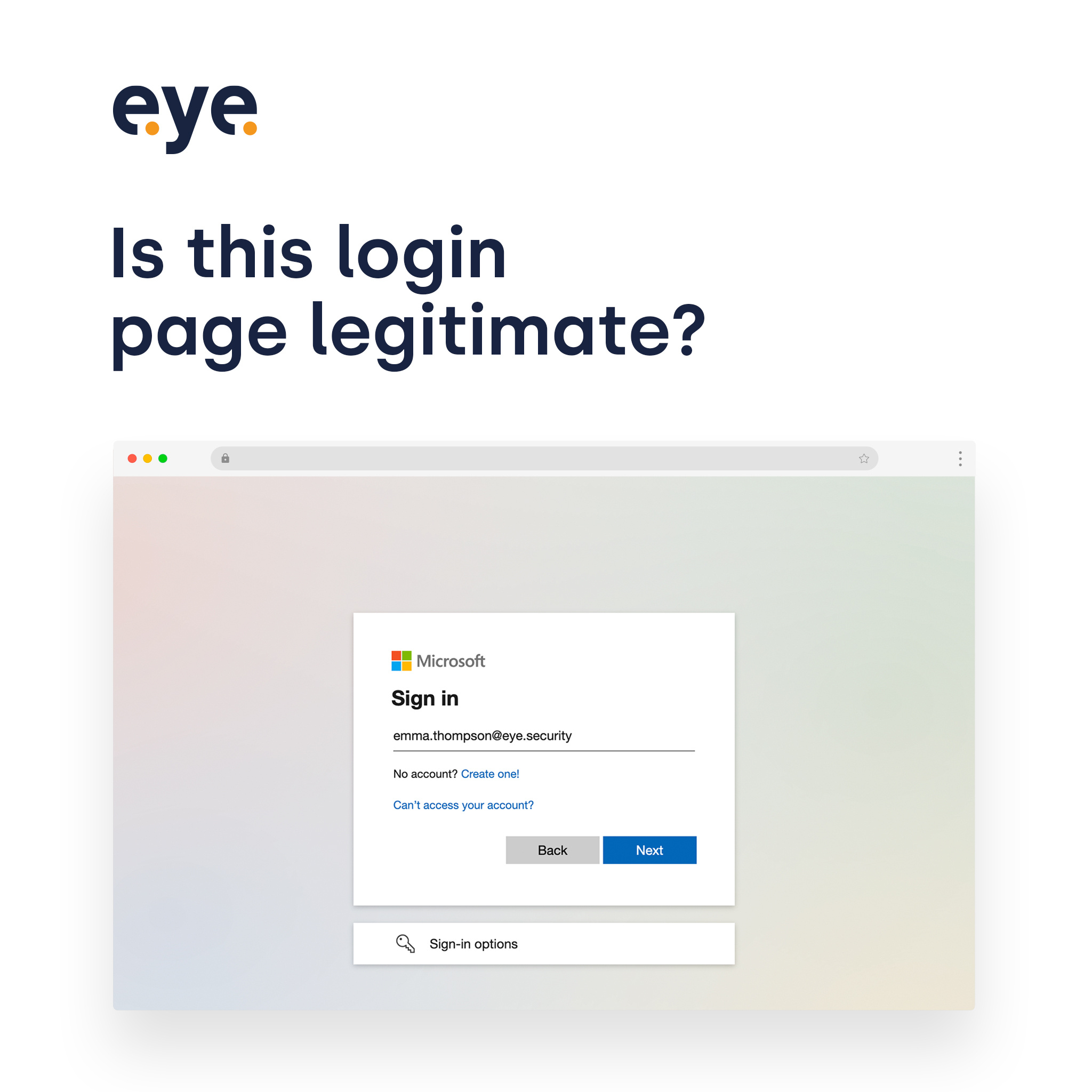
A free Microsoft 365 tool that flags fake login pages with visual warnings and CSS injection.

Standout factThe tool is marketed as 100% free for Microsoft 365 users, with no subscription fee. eye.security
Biggest catchIt does not scan or block emails, and protection depends on users noticing a visual warning. eye.security
4.8/5 (500 ratings)Vendor ratingfeaturedcustomers.com

Starting price

$0Free for Microsoft 365 users

Before you install it

  • Using Microsoft 365 for email
  • Want built-in email content filtering
  • OK relying on visual warnings, not blocking

Upside

  • 100% free for Microsoft 365 users
  • Targets EvilProxy-style credential attacks
  • Setup takes minutes via Entra ID

Catch

  • Microsoft 365 only, no other logins
  • Does not scan or block email
  • Relies on users noticing warnings
Pick it ifMicrosoft 365 shops wanting a free layer of phishing defense
Skip it ifLarge enterprises needing a full email security gateway or non-Microsoft coverage
PricingFree

Editor's takeEye Security's tool takes an unusual approach: instead of filtering email, it injects a warning banner into fake Microsoft 365 login pages using CSS and HTTP Referer checks. That makes it useful against EvilProxy-style attacks that intercept multi-factor authentication. It stays a narrow, free add-on rather than a full email security suite, so it works best alongside other defenses.

Does Eye Security's Anti-Phishing Tool cost money?

No. It is offered free to Microsoft 365 users as a standalone security add-on, with no subscription or licensing fee mentioned in vendor documentation.

What does the tool actually protect against?

It detects fake Microsoft 365 login pages using HTTP Referer analysis and injects a visual warning through custom CSS. It does not filter or block emails.

The evidence: 6 criteria, 3 penalties
8.8
Product Capability & DepthLooked for: We evaluate the tool's ability to detect and prevent phishing attacks using advanced technical mechanisms beyond standard email filtering.The tool uses a unique HTTP Referer analysis method to detect fake Microsoft 365 login pages and injects custom CSS to visually warn users in real-time.eye.securityeye.securityeye.security
9.1
Market Credibility & Trust SignalsLooked for: We assess the vendor's reputation, customer reviews, and standing in the cybersecurity industry.Eye Security is a recognized European cybersecurity provider offering MDR and insurance, with strong customer ratings (4.8/5) and a reputation for reliability.featuredcustomers.comsoftwarefinder.com
9.5
Usability & Customer ExperienceLooked for: We examine the ease of deployment, configuration complexity, and the end-user experience during operation.Deployment is exceptionally simple, requiring only a file upload to the Microsoft Entra Portal, with no complex IT infrastructure changes needed.eye.securityeye.securityeye.security
9.9
Value, Pricing & TransparencyLooked for: We analyze the cost-to-benefit ratio, pricing transparency, and any hidden costs associated with the tool.The tool is completely free of charge, offering enterprise-grade credential protection without any subscription fees.eye.securityeye.securityeye.security
9.2
Innovation & Threat Detection LogicLooked for: We evaluate the uniqueness and technical sophistication of the security mechanisms used to identify threats.The tool innovates by leveraging browser-side CSS injection and HTTP Referer validation to visually flag spoofed pages, a distinct approach from traditional email filtering.eye.securityeye.securityeye.security
8.9
Integration & Ecosystem StrengthLooked for: We look for how well the product integrates with existing platforms and workflows relevant to its target audience.The tool is purpose-built for the Microsoft 365 ecosystem, integrating seamlessly with Entra ID (formerly Azure AD) without requiring external agents.eye.securityeye.securityeye.security

Score adjustments−0.21 points in total

−0.09The tool is strictly limited to Microsoft 365 login protection and does not offer email filtering, link scanning, or broader anti-phishing features found in full suites.eye.security · severity 65/100
−0.07Reporting options for Eye Security's solutions are noted as 'somewhat limited' by industry reviewers, which implies limited visibility into thwarted attacks for this specific tool.softwarefinder.com · severity 50/100
−0.05The protection relies on 'visual cues' and 'active intervention,' meaning it depends on the user noticing the warning rather than automatically blocking the connection entirely.eye.security · severity 45/100
8

Agari

emailsecurity.fortra.com · Agari DMARC Protection #2 of 6 in Email Security & Anti-Phishing Tools for Real Estate Agents

Agari co-founded DMARC, but pricing stays hidden behind quotes

Best forLarge enterprises needing automated DMARC enforcement and brand protection.

Quote only quote-based pricingenterpriseDMARC co-founder
#2 in its ranking

Agari is an enterprise DMARC enforcement tool built by the standard's original co-founders.

Standout factAgari is used by 6 of the top 10 banks worldwide. marketplace.microsoft.com
Biggest catchPricing is not published and typically runs among the highest in the category. dmarcreport.com
6 of 10Top 10 banks using Agarimarketplace.microsoft.com
$50k/yrEstimated entry costvendr.com
9.0/10Overall score

Adoption

6 of 10top banks using Agari

Source: marketplace.microsoft.com

Starting price

Quote-basedestimated $50k/yr entry threshold

Upside

  • Co-founded the DMARC standard
  • Automated third-party sender mapping
  • Integrates with Splunk and Azure Sentinel

Catch

  • Pricing hidden behind custom quotes
  • Steep learning curve for admins
  • Support response times can be slow
Pick it ifLarge enterprises needing automated DMARC enforcement and brand protection.
Skip it ifSmall agencies or individual agents on tight, transparent budgets.
PricingQuote-based only, with an estimated $50k/yr entry threshold

Editor's takeAgari carries rare pedigree in email security, having co-founded the DMARC standard itself. Its Email Cloud Intelligence automatically maps third-party senders, a task that is manual in most other tools. Cost is the main tradeoff, since pricing stays hidden and market data puts entry near $50,000.

How much does Agari DMARC Protection cost?

Agari does not publish pricing. Costs depend on user count and require a custom quote. Marketplace data estimates a spend threshold around $50,000 a year.

Who uses Agari DMARC Protection?

Agari protects major brands like Microsoft, Google, and JPMorgan Chase. It is used by 6 of the top 10 banks. The platform suits large enterprises with complex, multi-domain email systems.

The evidence: 6 criteria, 3 penalties
9.4
Product Capability & DepthLooked for: We evaluate the completeness of DMARC/SPF/DKIM management features, automation levels for enforcement, and visibility into sender identity.Agari provides comprehensive hosted DMARC, SPF, and DKIM services with automated enforcement capabilities. Its standout 'Email Cloud Intelligence' feature automatically identifies and maps third-party senders (like Salesforce or Marketo) to simplify authorization. The platform also supports BIMI (Brand Indicators for Message Identification) hosting to display verified logos in inboxes.static.fortra.comhstechdocs.helpsystems.comemailsecurity.fortra.com
9.8
Market Credibility & Trust SignalsLooked for: We assess the vendor's industry standing, historical contribution to standards, and adoption by high-profile enterprise clients.Agari holds exceptional credibility as a co-founder of the DMARC standard itself. It is trusted by some of the world's largest and most security-conscious organizations, including Microsoft, Google, and JPMorgan Chase. The product was named a Top Leader in the 2024 Frost Radar for Email Security.marketplace.microsoft.comemailsecurity.fortra.comfortra.com
8.7
Usability & Customer ExperienceLooked for: We examine the user interface design, ease of navigation for complex tasks, and the quality of customer support resources.The platform offers a robust, enterprise-grade interface with powerful dashboards for monitoring large infrastructures. However, users note a steeper learning curve compared to simpler tools, and some reviews indicate that support response times can occasionally be slow.suped.comsuped.comsuped.com
8.1
Value, Pricing & TransparencyLooked for: We analyze pricing transparency, cost-to-value ratio, and contract flexibility relative to market competitors.Agari utilizes an opaque, quote-based pricing model typical of enterprise software, with no public pricing tiers. Market data suggests it is one of the more expensive options, with some sources estimating a 'redline threshold' around $50k, making it less accessible for SMBs.emailsecurity.fortra.comvendr.comdmarcreport.com
9.3
Threat Intelligence & ScalabilityLooked for: We evaluate the product's ability to handle high-volume email environments and provide actionable threat data beyond basic DMARC reporting.Designed for Fortune 500 scale, Agari processes trillions of emails to fuel its threat intelligence. Its 'Email Cloud Intelligence' maps the internet's email infrastructure to identify legitimate vs. malicious senders, providing a level of detail suited for complex, multi-domain enterprise environments.static.fortra.commarketplace.microsoft.comemailsecurity.fortra.com
9.0
Integrations & Ecosystem StrengthLooked for: We look for native integrations with SIEM/SOAR platforms, threat intelligence feeds, and major email providers.Agari offers strong native integrations with major security operations tools including Splunk, Azure Sentinel, and Palo Alto Networks. It also leverages the Microsoft Graph API for inbound visibility, allowing SOC teams to correlate DMARC data with broader threat intelligence.emailsecurity.fortra.commarketplace.microsoft.commarketplace.microsoft.com

Score adjustments−0.15 points in total

−0.05Pricing is not transparent and is significantly higher than market average, creating a barrier for non-enterprise organizations.dmarcreport.com · severity 65/100
−0.05Users report a steep learning curve due to the depth of features, making it challenging for non-technical staff.suped.com · severity 50/100
−0.05Some customer reviews indicate that support response times can be slow.suped.com · severity 45/100
02

Every ranking in Email Security & Anti-Phishing Tools

Each card shows the top three. The eye opens a quick look. Open a ranking for every product, the evidence and the comparison table.

1 CloudflareCloudflare Email Security requires custom quotes, no free trial 9.2/10
Visit ↗
2 MicrosoftMicrosoft Phishing Protection starts at $5 per user 9.1/10
Visit ↗
3 Abnormal AIAbnormal AI cuts SOC workload by up to 95% 9.0/10
Visit ↗
See all 11 ranked
1 ZeroBounceZeroBounce watches 200+ blacklists, costs more for basic checks. 9.4/10
Visit ↗
2 ZeroBounceZeroBounce tests inbox placement across 20+ mail providers 9.2/10
Visit ↗
3 ZeroBounceZeroBounce now forces subscription bundles, reviewers say 9.2/10
Visit ↗
See all 14 ranked
1 KnowBe4KnowBe4 holds rare FedRAMP status, PhishER costs extra 9.3/10
Visit ↗
2 ProofpointProofpoint stops 95 million BEC attacks a year 9.1/10
Visit ↗
3 Eye SecurityEye Security's phishing tool is free but Microsoft-only 9.0/10
Visit ↗
See all 8 ranked
1 ZeroBounceWatches 200+ blacklists, costs more than Bouncer 9.4/10
Visit ↗
2 ZeroBounceZeroBounce guarantees 99.6% email validation accuracy 9.2/10
Visit ↗
3 ZeroBounceZeroBounce guarantees 99.6% validation accuracy 9.2/10
Visit ↗
See all 13 ranked
1 Abnormal AI$5.1B valuation, $20k minimum contract shuts out small firms 9.1/10
Visit ↗
2 AgariAgari co-founded DMARC, but pricing stays hidden behind quotes 9.0/10
Visit ↗
3 ProofpointProofpoint stops 99.99% of threats, interface feels outdated 9.0/10
Visit ↗
See all 6 ranked
03

About Email Security & Anti-Phishing Tools

What the category is, how it developed, and what to look for. Two minutes, or the long read.

This category covers software designed to secure corporate email environments against external threats (such as phishing, malware, ransomware, and business email compromise) and internal risks (data loss, account compromise) across the full message lifecycle: pre-delivery filtering, post-delivery remediation, and user awareness. It sits beyond standard ISP filters (which provide baseline spam hygiene) but is more specialized than general XDR platforms (which monitor broadly across endpoints and networks). It includes both Secure Email Gateways (SEGs) that sit inline to filter traffic and Integrated Cloud Email Security (ICES) tools that connect via API to analyze internal threats and lateral movement.

Read the full category guide

What Is Email Security & Anti-Phishing Tools?

The core problem this software solves is the exploitation of human trust and technical vulnerabilities in the world's most ubiquitous business communication channel. While firewalls protect networks, email security tools protect the inbox—the primary entry point for over 90% of cyberattacks. These tools matter because they are the only barrier standing between a well-crafted social engineering attack and a catastrophic financial loss or data breach. Users range from small business owners needing set-and-forget protection to enterprise Security Operations Centers (SOCs) requiring granular policy control and automated threat hunting.

History of the Category

The evolution of email security is a history of the "cat and mouse" dynamic between defenders and attackers, defined by three distinct eras since the 1990s. Understanding this progression is essential to grasping why modern tools operate the way they do and why legacy architectures still persist in many enterprises.

The Perimeter Era (1990s – Mid-2000s): In the late 1990s, as email became the lifeblood of corporate communication, it simultaneously became the primary vector for mass-market spam and viruses. The initial response was the "Anti-Spam" appliance. Organizations deployed physical hardware boxes in their server rooms. These appliances sat at the network edge, acting as a digital bouncer. They used signature-based detection—comparing incoming file hashes against a known database of bad files. If a virus had been seen before, it was blocked. If it was new (a zero-day), it passed through. This era was defined by simple volume filtering; the goal was to keep the sheer quantity of junk from clogging on-premise Exchange servers.

The Secure Email Gateway (SEG) Consolidation (Mid-2000s – 2015): As threats mutated from annoying spam to malicious links and credential harvesting, the market consolidated. Large networking and infrastructure giants acquired specialized email security vendors to create the Secure Email Gateway (SEG). This period marked the shift from simple filtering to complex policy enforcement. Buyers stopped asking for just a database of spam signatures and started demanding data loss prevention (DLP) and encryption. The deployment model shifted from physical appliances to virtual appliances and eventually to cloud-hosted gateways. However, the architecture remained fundamentally "inline"—the software sat in front of the mail server, filtering traffic before it arrived. The critical gap in this era was the inability to see internal traffic; once an email landed, the SEG was blind to it.

The Integrated Cloud & API Era (2016 – Present): The migration to cloud office suites (like Microsoft 365 and Google Workspace) fundamentally broke the SEG model. Threat actors began launching attacks from within trusted infrastructure or using legitimate compromised accounts to send "clean" emails (Business Email Compromise or BEC) that lacked malicious payloads. SEGs, looking for bad links or attachments, were powerless against text-based social engineering. This gap created the Integrated Cloud Email Security (ICES) category. These tools bypass the perimeter model entirely, connecting directly into the cloud email provider via API. This allows them to scan internal email traffic, identify lateral movement, and retract malicious emails after they have reached the inbox but before the user clicks. Today, the market is characterized by a tension between these legacy gateways trying to modernize and agile API-native startups offering "post-delivery" protection.

What to Look For

Evaluating email security tools requires looking beyond the marketing promise of "99.9% detection rates." Every vendor claims high efficacy; the differentiator lies in how they handle the 0.1% that gets through and how much friction they add to your daily operations.

Critical Evaluation Criteria:

  • Detection Engine Transparency: Does the tool rely solely on threat intelligence feeds (signatures), or does it use behavioral AI to baseline user communication patterns? In an era of AI-generated phishing, signature-based detection is obsolete. You need a system that understands that "John in Finance" never emails "Alice in HR" at 3 AM asking for wire transfers.
  • Deployment Architecture (MX vs. API): This is the most significant structural decision. An MX-record deployment (Gateway) requires changing your DNS records to route all mail through the vendor first. This offers robust pre-delivery blocking but is complex to deploy and can break during outages. An API deployment connects to your existing environment in minutes and allows for internal scanning, but often relies on the native security of the email provider to do the initial heavy lifting.
  • Incident Response & Remediation: When a threat is detected post-delivery, can the tool automatically "claw back" or delete the message from the user's inbox? Manual remediation is too slow for modern ransomware; automated retraction is a non-negotiable feature for enterprise security.

Red Flags and Warning Signs:

  • "Set and Forget" Promises: While automation is key, no security tool is truly zero-touch. Vendors promising zero false positives are over-tuning their filters, likely letting sophisticated threats through to avoid blocking legitimate mail.
  • Lack of Internal Scanning: If a vendor only scans inbound and outbound mail but cannot see email sent between two internal employees, they leave you vulnerable to Account Takeover (ATO) attacks, where a compromised internal account is used to phish colleagues.
  • Opaque Pricing Structures: Be wary of base prices that exclude essential modules like URL rewriting, attachment sandboxing, or encryption. The Total Cost of Ownership (TCO) often doubles when necessary "add-ons" are included.

Key Questions to Ask Vendors:

  • "How does your system handle a legitimate email that contains a link which becomes malicious after delivery (weaponized post-delivery)?"
  • "Can you demonstrate how your tool detects a text-only Business Email Compromise attack that has no links or attachments?"
  • "What is the latency impact on mail delivery? How many seconds does your scanning process add to message arrival?"

Industry-Specific Use Cases

Retail & E-commerce

For the retail sector, email security is as much about brand protection as it is about internal defense. Retailers face massive spikes in phishing attempts during peak seasons like Black Friday, where attackers impersonate their brand to defraud customers. A generic email security tool protects employees, but retailers specifically need DMARC (Domain-based Message Authentication, Reporting, and Conformance) enforcement capabilities. This protocol prevents unauthorized senders from using the retailer's domain, protecting the brand's reputation.

Evaluation priorities for retailers must focus on impersonation protection and high-volume handling. Unlike a law firm that might prioritize confidentiality, a retailer needs a system that ensures transactional emails (receipts, shipping notifications) are not flagged as spam, while simultaneously blocking look-alike domains (e.g., "amaz0n.com") targeting their staff. The unique consideration here is the "seasonality of risk"—can the vendor's infrastructure handle a 500% increase in email volume during Q4 without introducing latency that delays critical order confirmations?

Healthcare

Healthcare organizations operate under the strict mandate of HIPAA, making data loss prevention (DLP) the primary lens for email security. A breach here isn't just a financial loss; it's a regulatory violation. Healthcare buyers prioritize content filtering that can intelligently identify Protected Health Information (PHI) within the body of emails and attachments. The system must automatically encrypt messages containing PHI without requiring the sender to perform complex manual steps, which often leads to user error.

A specific need in healthcare is protection against urgent-lure phishing. Attackers know that hospital staff are conditioned to respond immediately to emergencies. Phishing simulations and active defenses must be tuned to detect "patient safety" lures that bypass standard financial filters. Furthermore, integration with electronic health record (EHR) notifications is critical; the security tool must distinguish between automated system emails and spoofed notifications designed to steal credentials.

Financial Services

Financial institutions are the "whales" of the cybercrime world, facing the most sophisticated Business Email Compromise (BEC) and wire fraud attacks. Compliance with regulations like GLBA and NYDFS requires rigorous audit trails and immutable archiving. For this sector, an email security tool acts as a financial control mechanism. It must integrate with identity and access management (IAM) systems to detect if a login location matches the user's typical email patterns.

The unique consideration for finance is supply chain risk management. Attackers often compromise a smaller vendor (like a law firm or HVAC contractor) to send fraudulent invoices to the bank. Financial firms need tools that build a "trust graph" of vendor relationships, flagging not just unknown senders, but known senders whose banking details have suddenly changed within an invoice attachment.

Manufacturing

Manufacturing firms often rely on legacy ERP systems and have complex, global supply chains. They are prime targets for invoice fraud and intellectual property theft. Unlike digital-native industries, manufacturers often have distinct "carpetwalker" (office) and "shop floor" user segments. The shop floor users may have shared email accounts or limited security training, creating a soft target for attackers.

Evaluation priorities include attachment sandboxing for CAD files and proprietary formats that standard filters might skip. Manufacturers also need robust operational technology (OT) awareness—ensuring that a compromised email account cannot be used to pivot into the production network. The "Urgent Wire Transfer" fraud is rampant here, where attackers impersonate a CEO demanding payment to a foreign supplier to keep a production line running.

Professional Services

Legal, real estate, and accounting firms transact entirely on trust and confidentiality. For them, client confidentiality is the product. A breach that exposes client strategies or settlements is an existential threat. These industries require frictionless encryption—the ability to send secure messages to clients who do not have the same security software installed, without forcing the client to create new accounts or jump through hurdles.

Real estate, in particular, is the epicenter of wire fraud during closing transactions. Security tools for this sector must have specific heuristics to detect "changed wiring instructions" in email threads. The unique consideration is the decentralized nature of the workforce; partners often use mobile devices for high-value approvals, requiring mobile-native protection that doesn't rely solely on desktop plugins.

Subcategory Overview

Email Security & Anti-Phishing Tools for Marketing Agencies Marketing agencies face a unique paradox: they must send high volumes of unsolicited email (outreach) while simultaneously protecting their own infrastructure from inbound threats. Generic tools often flag the agency's own legitimate campaigns as false positives, disrupting operations. This niche requires tools that offer sophisticated outbound reputation monitoring alongside inbound protection. A specific workflow only these tools handle well is the segregation of client domains; preventing a compromise in one client's account from tarnishing the reputation of the agency's primary domain. The pain point driving buyers here is "deliverability anxiety"—agencies fear that aggressive security settings will block their creative proofs or large file transfers. For a deeper look at protecting creative assets and campaign integrity, read our guide to Email Security & Anti-Phishing Tools for Marketing Agencies.

Email Security & Anti-Phishing Tools for Insurance Agents Independent insurance agents handle Non-Public Personal Information (NPI) daily but often lack dedicated IT teams. Generic enterprise tools are too complex and expensive, while consumer-grade antivirus is insufficient for GLBA compliance. This niche focuses on automated compliance scanning that detects social security numbers and policy details, automatically triggering encryption. A workflow unique to this group is the "frictionless secure reply," allowing a policyholder to reply to an encrypted email with sensitive documents without needing to register for a portal. The driving pain point is the fear of regulatory fines combined with the need for simplicity. Learn more about compliant communication in our guide to Email Security & Anti-Phishing Tools for Insurance Agents.

Email Security & Anti-Phishing Tools for Contractors Contractors and field service providers operate in a mobile-first, high-velocity environment where "office" work happens in a truck cab on a tablet. Standard tools often rely on desktop plugins (like Outlook add-ins) that don't function on mobile apps. This niche requires device-agnostic cloud protection that secures the mailbox at the API level, ensuring protection follows the user regardless of the device. The specific workflow handled well here is "invoice intercept protection"—detecting when a legitimate vendor invoice email has been intercepted and modified by an attacker. The pain point is financial loss from invoice fraud, which can bankrupt smaller contracting firms. Explore solutions for mobile-first workforces in our guide to Email Security & Anti-Phishing Tools for Contractors.

Email Security & Anti-Phishing Tools for Digital Marketing Agencies While similar to general marketing agencies, digital marketing agencies deal specifically with high-frequency transactional data and often manage access to dozens of client CRM and ad platforms via email. A compromise here doesn't just lose data; it allows attackers to drain client ad budgets. This niche prioritizes Account Takeover (ATO) remediation, rapidly locking down accounts that show impossible travel or suspicious forwarding rules. A unique workflow is the "multi-tenant management" view, allowing an agency to monitor the security posture of multiple client domains from a single dashboard. The driving pain point is the risk of "cross-contamination" between client accounts. See how to secure high-stakes digital assets in our guide to Email Security & Anti-Phishing Tools for Digital Marketing Agencies.

Email Security & Anti-Phishing Tools for Real Estate Agents Real estate professionals are the number one target for wire fraud, with losses exceeding hundreds of millions annually. Generic spam filters do not catch the subtle "change of bank details" emails that characterize real estate fraud. This niche utilizes context-aware natural language processing (NLP) to flag emails discussing "closing," "wire," or "deposit" that originate from look-alike domains. The critical workflow is the "verified sender" indicator for title companies, giving agents a visual green light that an email is legitimate. The overwhelming pain point is the catastrophic reputational and financial damage of a client losing their down payment. Protect your transactions with insights from our guide to Email Security & Anti-Phishing Tools for Real Estate Agents.

Deep Dive: Integration & API Ecosystem

The debate between API-based and Gateway-based integration is the defining technical choice in this market. While Gateways (SEGs) require changing MX records to reroute mail, API solutions connect directly to the cloud provider (like Microsoft 365 or Google Workspace). According to [1] Gartner's Market Guide for Email Security, "Solutions that integrate directly into cloud email via an API... ease evaluation and deployment and improve detection accuracy," marking a decisive shift away from legacy gateways. However, the trade-off is often speed versus depth. Gateways block threats before they reach the server (keeping the environment clean), while APIs often remediate after arrival (milliseconds later), which technically allows a threat to exist in the inbox for a fraction of a second.

Scenario: Consider a 50-person professional services firm that integrates its email security with a CRM and an invoicing system. They choose an API-based tool for quick deployment. One day, a sophisticated attacker uses a compromised partner account to send a "clean" email asking for an invoice update. Because the email comes from a trusted domain and contains no malware, a traditional Gateway might pass it. The API tool, however, analyzes the user's historical graph in Microsoft 365, realizes this partner has never communicated with the Finance team before, and flags the anomaly. Conversely, if the API integration is poorly designed, it might suffer from "throttling"—where Microsoft or Google limits the number of API calls the security tool can make. In a high-volume attack, this throttling can cause delays, leaving the firm exposed while the security tool waits for permission to scan the next batch of messages.

Deep Dive: Security & Compliance

Security is no longer just about blocking viruses; it is about proving to regulators that you are protecting data. In highly regulated industries, the intersection of email security and compliance is critical. The FBI's Internet Crime Complaint Center (IC3) reported in its 2024 report that Business Email Compromise (BEC) adjusted losses totaled over $2.9 billion [2]. This staggering figure drives regulators to demand more than just passive filters.

Expert Insight: As noted by [3] Forrester analysts, effective security now requires a "holistic approach" that includes authentication protocols like DMARC, SPF, and DKIM not just as "nice-to-haves," but as mandatory compliance controls. For example, the PCI-DSS v4.0 standards now explicitly mention protections against phishing attacks as a requirement for securing cardholder data environments.

Scenario: A regional healthcare provider must comply with HIPAA. They implement an email security tool that encrypts outbound mail. However, the tool's policy engine is misconfigured. It encrypts emails containing the word "patient" but fails to recognize a spreadsheet of "Medical Record Numbers" (MRNs) because the pattern wasn't defined. An employee emails this spreadsheet to a research partner without encryption. The email security tool's logs show the email left the organization "clean." During a HIPAA audit, this discrepancy is discovered. A robust tool would have included pre-built, constantly updated compliance dictionaries (Lexicons) that automatically recognize MRN formats and enforce encryption regardless of user action, saving the organization from a potential multi-million dollar fine.

Deep Dive: Pricing Models & TCO

Pricing in the email security market is notoriously opaque, shifting from simple per-user fees to complex tiered structures. Broadly, the market serves two masters: SMBs and Enterprises. SMB solutions often bundle features into a flat per-user/per-month rate (ranging typically from $3 to $8), while enterprise solutions decouple features into modules (Gateway, Archiving, Encryption, Continuity), often leading to "feature bloat" and spiraling costs.

Statistic: According to research on managed IT services and security costs, advanced endpoint and email security add-ons can increase per-user costs significantly, with premium packages running $35-60 per user when fully loaded with SOC services [4]. While this covers more than just email, the email component is often the largest variable.

Scenario: Let's calculate the Total Cost of Ownership (TCO) for a hypothetical 25-person team. They select a vendor offering a "$4/user/month" base price. * Base Cost: $4 x 25 x 12 = $1,200/year. * Hidden Cost 1 (Archiving): The team realizes they need 7-year retention for legal reasons. The vendor charges an extra $3/user for storage. New subtotal: $2,100. * Hidden Cost 2 (Encryption): They need a secure portal for client comms. That's an "Advanced" feature, triggering an upgrade to the $8/user tier. New subtotal: $2,400 (base replaced by premium). * Hidden Cost 3 (Admin Overhead): The tool generates 50 "suspected phishing" alerts a week. The office manager spends 2 hours a week reviewing these. At an effective hourly rate of $40, that's $4,160/year in lost productivity. * True TCO: $6,560/year—more than 5x the initial sticker price. This scenario illustrates why "automated remediation" (reducing admin time) is often worth a higher premium upfront.

Deep Dive: Implementation & Change Management

Implementation is where the theoretical benefits of a tool collide with the reality of a live network. The "MX Record Swing"—the moment you tell the internet to send your mail to the security vendor instead of your server—is a high-stress event. Risks include lost emails during propagation, broken scanner/printer configurations, and deliverability issues.

Expert Insight: Industry experts warn that the hidden costs of downtime during implementation can be severe. As noted in uptime analysis reports, even for SMBs, downtime costs can quickly accrue to thousands of dollars per hour due to lost productivity and remediation efforts [5]. This emphasizes the value of API-based deployments, which avoid the "MX swing" entirely.

Scenario: A manufacturing company with 200 employees decides to switch SEGs. They plan the MX record change for Friday night. They update the DNS records. However, they forgot to configure the new gateway to accept mail for their "sub-domain" used by the factory floor IoT sensors. On Monday morning, the corporate email works, but the factory monitoring system has triggered a shutdown because its alert emails bounced. The IT director spends 6 hours troubleshooting with the vendor support, only to find the new vendor requires a manual "whitelist" for machine-generated traffic. A proper change management plan would have involved a "validation phase" where the new system ran in "monitoring only" mode alongside the old one to catch such edge cases before the cutover.

Deep Dive: Vendor Evaluation Criteria

When selecting a vendor, buyers must look past the sales demo. A sanitized demo environment will never show false positives or latency. The critical differentiator is often Support Quality and SLA (Service Level Agreement) definitions. Does "24/7 Support" mean a chatbot, or a human engineer? Does the detection SLA cover "known viruses" (easy) or "zero-day phishing variants" (hard)?

Statistic: In the 2025 Forrester Wave for Email Security, customer references heavily weighted "efficacy of malicious message detection" and "explainability" of AI models as top criteria for leadership status [6]. It is not enough to block a message; the tool must explain why it was blocked to help the SOC team learn.

Scenario: A financial services firm evaluates two vendors. Vendor A claims "100% Virus Protection." Vendor B claims "99.5% Protection with 0.01% False Positive Rate." The firm chooses Vendor A. A week later, the CEO complains that an important merger document from a new law firm was blocked. Vendor A's aggressive filters flagged the encrypted attachment as "suspicious" because it couldn't scan it. The "100%" claim was achieved by blocking anything uncertain. Vendor B would have quarantined the mail and alerted the user, or used a "safe preview" mode. The lesson: High efficacy with high false positives is indistinguishable from a broken system to the end-user.

Emerging Trends and Contrarian Take

Emerging Trends (2025-2026):

  • The Rise of AI Agents in Defense: We are moving beyond "machine learning" models that simply score emails. The next wave is autonomous AI agents that can investigate incidents, correlate them with endpoint data, and even "interview" users via ChatOps (e.g., asking via Slack: "Did you mean to log in from Nigeria?") to verify identity before remediation.
  • Platform Convergence: The standalone "Email Security" market is dissolving. Vendors are merging email security with Browser Isolation, Data Loss Prevention, and Cloud Access Security Brokers (CASB) into unified SASE (Secure Access Service Edge) platforms. Buyers will increasingly purchase "Workspace Security" rather than just email filters.

Contrarian Take: The "Human Firewall" is a Failed Strategy. For a decade, the industry mantra has been "train your users to be the last line of defense." This is a losing battle. With the advent of Generative AI, phishing emails are now grammatically perfect, contextually accurate, and indistinguishable from legitimate correspondence. Expecting a stressed employee to spot a deepfake voice memo or a perfect AI-written invoice is setting them up for failure. The contrarian truth is that user awareness training, while necessary for compliance, offers diminishing returns for actual security. Organizations should stop blaming users for clicking and start investing in technology that renders the click harmless (like remote browser isolation or credential containment). If your security depends on an accountant spotting a spoofed header, you have already lost.

Common Mistakes

Over-tuning Sensitivity: Turning all dials to "High" creates a flood of false positives. Users will quickly learn to ignore the "This email is suspicious" banner if it appears on every external email, leading to "banner blindness."

Ignoring Outbound Traffic: Many organizations focus solely on inbound threats. However, a compromised internal computer sending spam can get your company's domain blacklisted, bringing all business operations to a halt. Ignoring outbound filtering is a critical error.

Poor "Break Glass" Planning: If your email security vendor goes down (as even major cloud providers do), do you have a plan? Many teams fail to configure a "bypass" mode, meaning if the security vendor has an outage, the company cannot receive any email at all.

Questions to Ask in a Demo

  • "Can you show me the exact workflow an admin goes through to release a legitimate email that was incorrectly blocked?" (Watch for click-heavy, complex interfaces).
  • "Does your internal scanning rely on journaling (slow, archive-based) or API events (near real-time)?"
  • "Show me the reporting dashboard. Can I easily export a list of 'Top Attacked Users' to focus my training efforts?"
  • "How does your product handle password-protected attachments? Does it block them, or allow the user to input the password for scanning?"
  • "If we leave you, can we export our policy configurations and whitelists, or is that data locked in your proprietary format?"

Before Signing the Contract

Final Decision Checklist:

  • API Health Check: Verify that the vendor's API integration supports your specific version of Exchange/Microsoft 365/Google Workspace.
  • SLA Review: Ensure the Service Level Agreement includes financial penalties for uptime breaches, not just "service credits."
  • Support Tiers: Confirm that the support tier you are buying matches your time zone and language requirements.
  • Hidden Modules: Double-check that "Sandboxing," "Account Takeover Protection," and "Retraction" are included in the SKU you are signing for, not listed as optional add-ons.

Deal-Breakers:

  • No support for Multi-Factor Authentication (MFA) on the admin console.

04

Research

Original reporting on this corner of the market.

All research

Support centers face 40% annual turnover—more than double the 16% industry average

May 21, 2026

Organizations only recover 57% of data after ransomware attacks hit 41% of systems

May 4, 2026

Only 3% of all published vulnerabilities frequently result in impactful exposure

Apr 22, 2026
05

Questions people ask

Which Email Security & Anti-Phishing Tools is best?

ZeroBounce holds the highest score in the category at 9.4, in Email Security & Anti-Phishing Tools for Digital Marketing Agencies. The right pick depends on the ranking that matches your use case, so start with the ranking list above.

Why are there 5 separate rankings?

Buyers in Email Security & Anti-Phishing Tools have different jobs, so each ranking is scoped to one of them and weights the six criteria for that job. The same product can hold different ranks in different rankings.

How are the scores produced?

Documentation, pricing pages, security pages and third-party reviews are reviewed against six criteria. Each criterion records what was found and links its sources. Penalties pull the score down and are shown with their evidence. Rank follows the score. Full methodology.

06

More in Cybersecurity, Privacy & Compliance

The whole group