
Customer Support & Success Software
These are the specialized categories within Customer Support & Success Software. Looking for something broader? Return to Home.
Capacity Knowledge Base App
Best for Customer Service Knowledge Base Software for Contractors

Capacity's Knowledge Base App is an essential tool for contractors looking to streamline customer service and support. It efficiently organizes resources, provides clear answers to common queries, and reduces support costs by automating support channels. In an industry where time is money, this software is a game changer.
Best for Customer Service Knowledge Base Software for Contractors
Expert Take
Capacity Knowledge Base App excels in providing efficient resource organization and automation for contractors, enhancing customer service and reducing costs. Its market credibility is supported by industry recognition, and its usability is tailored for contractor-specific needs, making it a top choice in its category.
Pros
- Mines documents/apps for instant answers
- SOC 2, HIPAA & GDPR compliant
- 250+ pre-built enterprise integrations
- Detects duplicate knowledge entries
- Easy setup and user-friendly interface
Cons
- High starting price ($25k/year reported)
- Lacks asset management features
- Minimum user count requirements
- Limited customization options
- UI described as basic/boring
Best for teams that are
- Large enterprises seeking to automate support and deflect tickets using AI
- Firms wanting to centralize knowledge from apps, docs, and employees in one platform
- Organizations looking to automate internal workflows like HR or safety inquiries
Skip if
- Small businesses or contractors with limited budgets due to high entry costs
- Users seeking a simple, static FAQ page without complex AI automation features
- Teams that do not need an AI-driven chatbot or deflection engine
Best for teams that are
- Large enterprises seeking to automate support and deflect tickets using AI
- Firms wanting to centralize knowledge from apps, docs, and employees in one platform
- Organizations looking to automate internal workflows like HR or safety inquiries
Skip if
- Small businesses or contractors with limited budgets due to high entry costs
- Users seeking a simple, static FAQ page without complex AI automation features
- Teams that do not need an AI-driven chatbot or deflection engine
Pros
- Mines documents/apps for instant answers
- SOC 2, HIPAA & GDPR compliant
- 250+ pre-built enterprise integrations
- Detects duplicate knowledge entries
- Easy setup and user-friendly interface
Cons
- High starting price ($25k/year reported)
- Lacks asset management features
- Minimum user count requirements
- Limited customization options
- UI described as basic/boring
Expert Take
Capacity Knowledge Base App excels in providing efficient resource organization and automation for contractors, enhancing customer service and reducing costs. Its market credibility is supported by industry recognition, and its usability is tailored for contractor-specific needs, making it a top choice in its category.
Crisp Multilingual Live Chat

Crisp Multilingual Live Chat is a multichannel customer support platform that specifically caters to the multilingual needs of businesses. This solution automatically recognizes the customer's language and adapts, ensuring efficient, personalized and culturally sensitive communication with customers from around the globe.
Best for Live Chat Platforms for Multilingual Support Teams
Expert Take
Crisp Multilingual Live Chat excels in providing multilingual support with automatic language recognition and real-time translation, making it ideal for global businesses. Its integration capabilities and customizable chatbox enhance usability, though the free plan is limited and lacks telephony support.
Pros
- Flat pricing per workspace (not per agent)
- Real-time translation for 50+ languages
- Unified inbox for WhatsApp and Email
- SOC 2 and ISO 27001 certified
- Generous free plan for startups
Cons
- Basic analytics compared to enterprise tools
- AI features expensive to unlock
- Widget customization is limited
- Steep learning curve for bot builder
- Machine translation lacks human nuance
Best for teams that are
- Startups and SMBs wanting flat pricing with unlimited seats
- SaaS companies needing a developer-friendly API
- Teams looking for an all-in-one shared inbox for email and chat
Skip if
- Large enterprises requiring complex routing or SLA reporting
- Teams needing native telephone support without integrations
- Organizations that require extensive custom reporting features
Best for teams that are
- Startups and SMBs wanting flat pricing with unlimited seats
- SaaS companies needing a developer-friendly API
- Teams looking for an all-in-one shared inbox for email and chat
Skip if
- Large enterprises requiring complex routing or SLA reporting
- Teams needing native telephone support without integrations
- Organizations that require extensive custom reporting features
Pros
- Flat pricing per workspace (not per agent)
- Real-time translation for 50+ languages
- Unified inbox for WhatsApp and Email
- SOC 2 and ISO 27001 certified
- Generous free plan for startups
Cons
- Basic analytics compared to enterprise tools
- AI features expensive to unlock
- Widget customization is limited
- Steep learning curve for bot builder
- Machine translation lacks human nuance
Expert Take
Crisp Multilingual Live Chat excels in providing multilingual support with automatic language recognition and real-time translation, making it ideal for global businesses. Its integration capabilities and customizable chatbox enhance usability, though the free plan is limited and lacks telephony support.

ManyChat is a powerful automation tool designed specifically for the high ticket sales industry. It provides robust features for Instagram, WhatsApp, TikTok, and Messenger, enabling businesses to sell more, engage better, and grow their audience with ease.
Best for Live Chat and Messaging for High Ticket Sales
Expert Take
ManyChat excels in providing automation and integration capabilities across multiple social media platforms, making it a top choice for high ticket sales. Its robust features and ease of use contribute to its strong market position, although it may require some initial learning.
Pros
- Official Meta Business Partner status
- Intuitive visual flow builder interface
- SOC 2 Type 2 & ISO 27001 certified
- Omnichannel support (IG, FB, WhatsApp, SMS)
- Deep integration with HubSpot & Zapier
Cons
- Customer support reported as slow
- AI features require paid add-on
- WhatsApp fees billed per conversation
- Separate flows often needed per channel
- Free plan limited to 1,000 contacts
Best for teams that are
- Businesses automating marketing on Instagram, Facebook, and WhatsApp
- E-commerce brands building social media sales funnels
- Marketers focusing on chat-based lead generation
Skip if
- Teams needing a primary website live chat solution
- Complex customer support requiring deep ticketing workflows
- Businesses not primarily focused on Meta social channels
Best for teams that are
- Businesses automating marketing on Instagram, Facebook, and WhatsApp
- E-commerce brands building social media sales funnels
- Marketers focusing on chat-based lead generation
Skip if
- Teams needing a primary website live chat solution
- Complex customer support requiring deep ticketing workflows
- Businesses not primarily focused on Meta social channels
Pros
- Official Meta Business Partner status
- Intuitive visual flow builder interface
- SOC 2 Type 2 & ISO 27001 certified
- Omnichannel support (IG, FB, WhatsApp, SMS)
- Deep integration with HubSpot & Zapier
Cons
- Customer support reported as slow
- AI features require paid add-on
- WhatsApp fees billed per conversation
- Separate flows often needed per channel
- Free plan limited to 1,000 contacts
Expert Take
ManyChat excels in providing automation and integration capabilities across multiple social media platforms, making it a top choice for high ticket sales. Its robust features and ease of use contribute to its strong market position, although it may require some initial learning.
Userpilot Customer Advocacy
Userpilot is a powerful tool designed to drive customer advocacy for SaaS and B2B businesses. It offers a comprehensive set of features to engage customers, transform them into loyal advocates, and ultimately increase product adoption and retention.
Best for Customer Advocacy Platforms for B2B SaaS Companies
Expert Take
Userpilot Customer Advocacy excels in providing specialized tools for B2B SaaS companies, focusing on transforming customers into advocates. Its market credibility is supported by third-party recognitions, and it offers a user-friendly experience with a free trial. However, it may require technical knowledge, which slightly impacts usability.
Pros
- Advanced NPS segmentation & tagging
- SOC 2 Type II & HIPAA compliant
- No-code survey builder with logic
- Real-time behavioral triggering
- Excellent customer support reputation
Cons
- High starting price ($299/mo)
- Mobile support is a paid add-on
- Steep learning curve for analytics
- UI can be complex or laggy
Best for teams that are
- Product teams using in-app experiences to identify promoters (e.g., NPS)
- SaaS companies wanting to drive advocacy directly inside their application
- Teams focused on product adoption and user sentiment analysis
Skip if
- Marketers needing a dedicated external portal for advocate rewards
- Companies looking for complex referral commission management
- Non-SaaS businesses without a digital product interface
Best for teams that are
- Product teams using in-app experiences to identify promoters (e.g., NPS)
- SaaS companies wanting to drive advocacy directly inside their application
- Teams focused on product adoption and user sentiment analysis
Skip if
- Marketers needing a dedicated external portal for advocate rewards
- Companies looking for complex referral commission management
- Non-SaaS businesses without a digital product interface
Pros
- Advanced NPS segmentation & tagging
- SOC 2 Type II & HIPAA compliant
- No-code survey builder with logic
- Real-time behavioral triggering
- Excellent customer support reputation
Cons
- High starting price ($299/mo)
- Mobile support is a paid add-on
- Steep learning curve for analytics
- UI can be complex or laggy
Expert Take
Userpilot Customer Advocacy excels in providing specialized tools for B2B SaaS companies, focusing on transforming customers into advocates. Its market credibility is supported by third-party recognitions, and it offers a user-friendly experience with a free trial. However, it may require technical knowledge, which slightly impacts usability.
Calilio Call Center for Recruiters
Best for Call Center & Contact Center Software for Recruitment Agencies
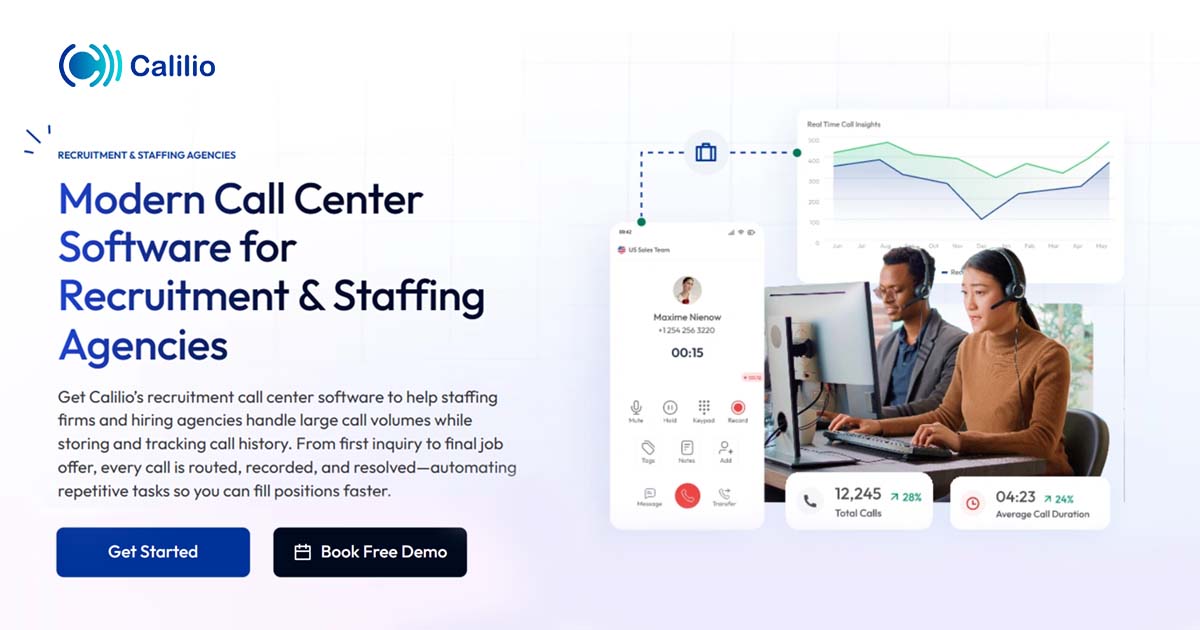
Calilio Call Center Software is specifically designed for recruitment and staffing agencies, providing seamless call handling, interview scheduling and automated follow-ups. This cloud-based solution accelerates processes, enhances communication and increases productivity in the recruitment industry.
Best for Call Center & Contact Center Software for Recruitment Agencies
Expert Take
Calilio Call Center for Recruiters excels in providing industry-specific features that streamline recruitment processes. Its cloud-based nature enhances real-time collaboration, making it a valuable tool for recruitment agencies. While the pricing model lacks transparency, the product's capabilities and usability justify its premium positioning.
Pros
- AI sentiment analysis tracks candidate emotions
- Highly affordable starting at $12/user/month
- Unified callbox centralizes calls and SMS
- HIPAA and SOC 2 compliant security
- Intuitive interface requires minimal training
Cons
- Major CRM integrations are 'Coming Soon'
- No built-in video conferencing feature
- Number porting can be slow
- Pay-per-minute rates for some calls
- Limited advanced reporting in basic plan
Best for teams that are
- Cost-conscious startups and small recruitment agencies
- Recruiters needing international virtual numbers for global reach
- Teams requiring quick setup with no hardware contracts
Skip if
- Large enterprises requiring advanced workforce management
- Agencies needing deep, native integrations with niche CRMs
- Teams needing complex routing logic or on-premise hardware
Best for teams that are
- Cost-conscious startups and small recruitment agencies
- Recruiters needing international virtual numbers for global reach
- Teams requiring quick setup with no hardware contracts
Skip if
- Large enterprises requiring advanced workforce management
- Agencies needing deep, native integrations with niche CRMs
- Teams needing complex routing logic or on-premise hardware
Pros
- AI sentiment analysis tracks candidate emotions
- Highly affordable starting at $12/user/month
- Unified callbox centralizes calls and SMS
- HIPAA and SOC 2 compliant security
- Intuitive interface requires minimal training
Cons
- Major CRM integrations are 'Coming Soon'
- No built-in video conferencing feature
- Number porting can be slow
- Pay-per-minute rates for some calls
- Limited advanced reporting in basic plan
Expert Take
Calilio Call Center for Recruiters excels in providing industry-specific features that streamline recruitment processes. Its cloud-based nature enhances real-time collaboration, making it a valuable tool for recruitment agencies. While the pricing model lacks transparency, the product's capabilities and usability justify its premium positioning.
Databricks Financial Services
Best for Experience Measurement Platforms for Financial Services
Databricks Financial Services is a powerful data intelligence platform providing financial institutions with the ability to make data-driven decisions and spark AI innovation. Its specialized capabilities in managing large volumes of data and advanced analytics are crucial for banks, insurers, payment companies, and capital markets to gain a competitive edge.
Best for Experience Measurement Platforms for Financial Services
Expert Take
Databricks Financial Services excels as a data intelligence platform tailored for the financial sector, offering advanced analytics and AI capabilities. Its industry-specific features and high security standards make it a top choice for financial institutions aiming for data-driven decision-making and innovation.
Pros
- Unified Lakehouse architecture for Data & AI
- 14+ Financial Services Solution Accelerators
- FedRAMP High and HITRUST certified
- Native Bloomberg and FactSet data integration
- Used by HSBC, Goldman Sachs, AXA
Cons
- Complex consumption-based pricing model
- Steep learning curve for beginners
- Cluster startup latency (non-serverless)
- Requires active cost optimization
- High cost for small workloads
Best for teams that are
- Data teams building custom AI/ML models for fraud and risk
- Large institutions unifying massive structured and unstructured datasets
Skip if
- Non-technical business users expecting a plug-and-play CRM
- Small firms without a dedicated data science or engineering team
Best for teams that are
- Data teams building custom AI/ML models for fraud and risk
- Large institutions unifying massive structured and unstructured datasets
Skip if
- Non-technical business users expecting a plug-and-play CRM
- Small firms without a dedicated data science or engineering team
Pros
- Unified Lakehouse architecture for Data & AI
- 14+ Financial Services Solution Accelerators
- FedRAMP High and HITRUST certified
- Native Bloomberg and FactSet data integration
- Used by HSBC, Goldman Sachs, AXA
Cons
- Complex consumption-based pricing model
- Steep learning curve for beginners
- Cluster startup latency (non-serverless)
- Requires active cost optimization
- High cost for small workloads
Expert Take
Databricks Financial Services excels as a data intelligence platform tailored for the financial sector, offering advanced analytics and AI capabilities. Its industry-specific features and high security standards make it a top choice for financial institutions aiming for data-driven decision-making and innovation.

Group.app is a SaaS platform specifically designed for creators teaching online courses, coaching programs, or managing memberships. This solution meets the unique needs of the education industry by providing a structured learning community, facilitating course launching, growth, and monetization all in one place.
Best for Customer Community Platforms for Education and Student Groups
Expert Take
Group.app excels as a comprehensive platform for educators and student groups, integrating course creation, management, and monetization. Its structured learning community and monetization features position it as a leader in its category, despite some limitations in customization for non-tech users.
Pros
- 0% transaction fees on all plans
- Built-in course builder with quizzes
- Native iOS and Android mobile apps
- Supports team and group subscriptions
- Clean and intuitive user interface
Cons
- No native live streaming capability
- Lacks gamification features like badges
- Video storage limits on all plans
- White-labeling requires expensive Pro plan
- Fewer native integrations than competitors
Best for teams that are
- Creators and coaches building learning-focused communities with courses
- Professional associations needing structured learning paths and certifications
- Membership businesses wanting an affordable all-in-one alternative to Facebook Groups
Skip if
- Users requiring native live streaming features directly within the platform
- Large enterprises needing complex custom integrations beyond basic tools
- Creators looking for a marketplace to drive organic traffic to their community
Best for teams that are
- Creators and coaches building learning-focused communities with courses
- Professional associations needing structured learning paths and certifications
- Membership businesses wanting an affordable all-in-one alternative to Facebook Groups
Skip if
- Users requiring native live streaming features directly within the platform
- Large enterprises needing complex custom integrations beyond basic tools
- Creators looking for a marketplace to drive organic traffic to their community
Pros
- 0% transaction fees on all plans
- Built-in course builder with quizzes
- Native iOS and Android mobile apps
- Supports team and group subscriptions
- Clean and intuitive user interface
Cons
- No native live streaming capability
- Lacks gamification features like badges
- Video storage limits on all plans
- White-labeling requires expensive Pro plan
- Fewer native integrations than competitors
Expert Take
Group.app excels as a comprehensive platform for educators and student groups, integrating course creation, management, and monetization. Its structured learning community and monetization features position it as a leader in its category, despite some limitations in customization for non-tech users.
Higher Logic Community Software
Best for Customer Community Platforms with Event and Webinar Management

Higher Logic is an AI-powered online community platform designed specifically for associations and B2B/B2C companies. It offers powerful engagement tools, such as event and webinar management, that cater to the unique needs of this industry by fostering interaction and connection among members.
Best for Customer Community Platforms with Event and Webinar Management
Expert Take
Higher Logic Community Software excels in providing AI-driven engagement tools and event management capabilities tailored for associations and B2B/B2C companies. Its strong market credibility and usability make it a top choice for fostering online communities, despite the need for technical expertise and custom pricing.
Pros
- Deep AMS and CRM integrations
- Robust automation rules for engagement
- ISO 27001 and SOC 2 certified
- Integrated event management features
- Comprehensive resource library capabilities
Cons
- Steep learning curve for admins
- Interface described as clunky
- Pricing not publicly transparent
- Mixed customer support reviews
- Search functionality limitations
Best for teams that are
- Associations and non-profits needing member management and retention tools
- Large organizations requiring complex engagement scoring and automation
- Groups needing deep integration with AMS (Association Management Systems)
Skip if
- Small businesses or creators wanting a simple, modern community feel
- Teams needing a quick launch; implementation can be complex and lengthy
- Users with limited technical resources for setup and maintenance
Best for teams that are
- Associations and non-profits needing member management and retention tools
- Large organizations requiring complex engagement scoring and automation
- Groups needing deep integration with AMS (Association Management Systems)
Skip if
- Small businesses or creators wanting a simple, modern community feel
- Teams needing a quick launch; implementation can be complex and lengthy
- Users with limited technical resources for setup and maintenance
Pros
- Deep AMS and CRM integrations
- Robust automation rules for engagement
- ISO 27001 and SOC 2 certified
- Integrated event management features
- Comprehensive resource library capabilities
Cons
- Steep learning curve for admins
- Interface described as clunky
- Pricing not publicly transparent
- Mixed customer support reviews
- Search functionality limitations
Expert Take
Higher Logic Community Software excels in providing AI-driven engagement tools and event management capabilities tailored for associations and B2B/B2C companies. Its strong market credibility and usability make it a top choice for fostering online communities, despite the need for technical expertise and custom pricing.
Planhat: Unified Customer Platform

Planhat is specifically designed for startups, addressing their need for a centralized, customer-centric control centre. It streamlines sales and service operations by consolidating all customer data into a single platform. Its tools for customer success management, including churn prediction, health scores, and revenue management, are invaluable to startups focused on growth and customer retention.
Best for Customer Success Management Platforms for Startups
Expert Take
Planhat excels as a customer success management platform tailored for startups, offering centralized data management and predictive tools. Its integration capabilities and focus on customer retention make it a standout choice, though pricing transparency and complexity for small teams are noted tradeoffs.
Pros
- Unlimited users pricing model
- Client-facing Customer Portals
- Advanced time-series data analytics
- SOC 2 Type II & ISO 27001 certified
- Deep integration with Snowflake/BigQuery
Cons
- Steep learning curve for new users
- No public pricing transparency
- Limited mobile app functionality
- High starting cost for small teams
- Complex initial implementation
Best for teams that are
- Mid-to-large B2B SaaS companies wanting cross-departmental access
- Teams focusing on revenue management and flexible data architecture
- Organizations that benefit from an unlimited user pricing model
Skip if
- Very small businesses looking for a cheap, simple entry-level tool
- Teams intimidated by a steep learning curve or complex data setup
- Companies needing a mobile-first experience (mobile app is limited)
Best for teams that are
- Mid-to-large B2B SaaS companies wanting cross-departmental access
- Teams focusing on revenue management and flexible data architecture
- Organizations that benefit from an unlimited user pricing model
Skip if
- Very small businesses looking for a cheap, simple entry-level tool
- Teams intimidated by a steep learning curve or complex data setup
- Companies needing a mobile-first experience (mobile app is limited)
Pros
- Unlimited users pricing model
- Client-facing Customer Portals
- Advanced time-series data analytics
- SOC 2 Type II & ISO 27001 certified
- Deep integration with Snowflake/BigQuery
Cons
- Steep learning curve for new users
- No public pricing transparency
- Limited mobile app functionality
- High starting cost for small teams
- Complex initial implementation
Expert Take
Planhat excels as a customer success management platform tailored for startups, offering centralized data management and predictive tools. Its integration capabilities and focus on customer retention make it a standout choice, though pricing transparency and complexity for small teams are noted tradeoffs.
ReferenceEdge is a customer advocacy platform integrated with Salesforce CRM, providing automated reference management to streamline the buyer's journey and track ROI. It's designed specifically for professionals seeking a robust, CRM-integrated advocacy platform, making it a powerful asset for businesses that aim to improve customer engagement and strengthen relationships.
Best for Customer Advocacy Platforms Integrated with CRM Systems
Expert Take
ReferenceEdge excels as a customer advocacy platform with its native Salesforce integration and automated reference management capabilities. It is recognized for enhancing customer engagement and streamlining the buyer's journey, making it a valuable tool for businesses seeking to improve customer relationships.
Pros
- 100% Salesforce native architecture
- Transparent pricing ($4-$16/user/mo)
- No external data hosting required
- Automated reference recruitment workflows
- High AppExchange user ratings (4.96/5)
Cons
- Implementation can be time-consuming
- Manual data entry for some tasks
- Reporting logic has minor limitations
- Requires Salesforce licenses for users
- Learning curve for complex features
Best for teams that are
- B2B enterprises using Salesforce needing native reference management
- Teams wanting to track reference usage and prevent advocate burnout
- Sales organizations needing reference data directly in opportunities
Skip if
- Companies that do not use Salesforce as their primary CRM
- B2C brands looking for consumer loyalty or influencer tools
- Small teams without a dedicated customer reference function
Best for teams that are
- B2B enterprises using Salesforce needing native reference management
- Teams wanting to track reference usage and prevent advocate burnout
- Sales organizations needing reference data directly in opportunities
Skip if
- Companies that do not use Salesforce as their primary CRM
- B2C brands looking for consumer loyalty or influencer tools
- Small teams without a dedicated customer reference function
Pros
- 100% Salesforce native architecture
- Transparent pricing ($4-$16/user/mo)
- No external data hosting required
- Automated reference recruitment workflows
- High AppExchange user ratings (4.96/5)
Cons
- Implementation can be time-consuming
- Manual data entry for some tasks
- Reporting logic has minor limitations
- Requires Salesforce licenses for users
- Learning curve for complex features
Expert Take
ReferenceEdge excels as a customer advocacy platform with its native Salesforce integration and automated reference management capabilities. It is recognized for enhancing customer engagement and streamlining the buyer's journey, making it a valuable tool for businesses seeking to improve customer relationships.
Explore Categories
- Contact Center & CCaaS Platforms
- Customer Advocacy & Reference Management Platforms
- Customer Community & Forum Platforms
- Customer Onboarding & Implementation Platforms
- Customer Satisfaction & Experience Measurement Tools
- Customer Success & Retention Platforms
- Help Desk & Ticketing Software
- Knowledge Base & Self-Service Portals
- Live Chat & Messaging Support Tools
- NPS & Customer Feedback Platforms
- Self-Service Knowledge Base Software