1. Home
  2. Design, Creative & Media Production
  3. Creative Project Management & Proofing Tools
  4. Creative Review & Proofing Tools for Designers

Ranking · Creative Project Management & Proofing Tools

Best Creative Review & Proofing Tools for Designers

8 products scored on six criteria. PageProof leads at 9.0 and the field is tight, with 0.3 points between first and last, so read the catches before you pick. Every product opens to the evidence behind its number.

8 products scored6 criteria79 sources citedUpdated Jul 12, 2026
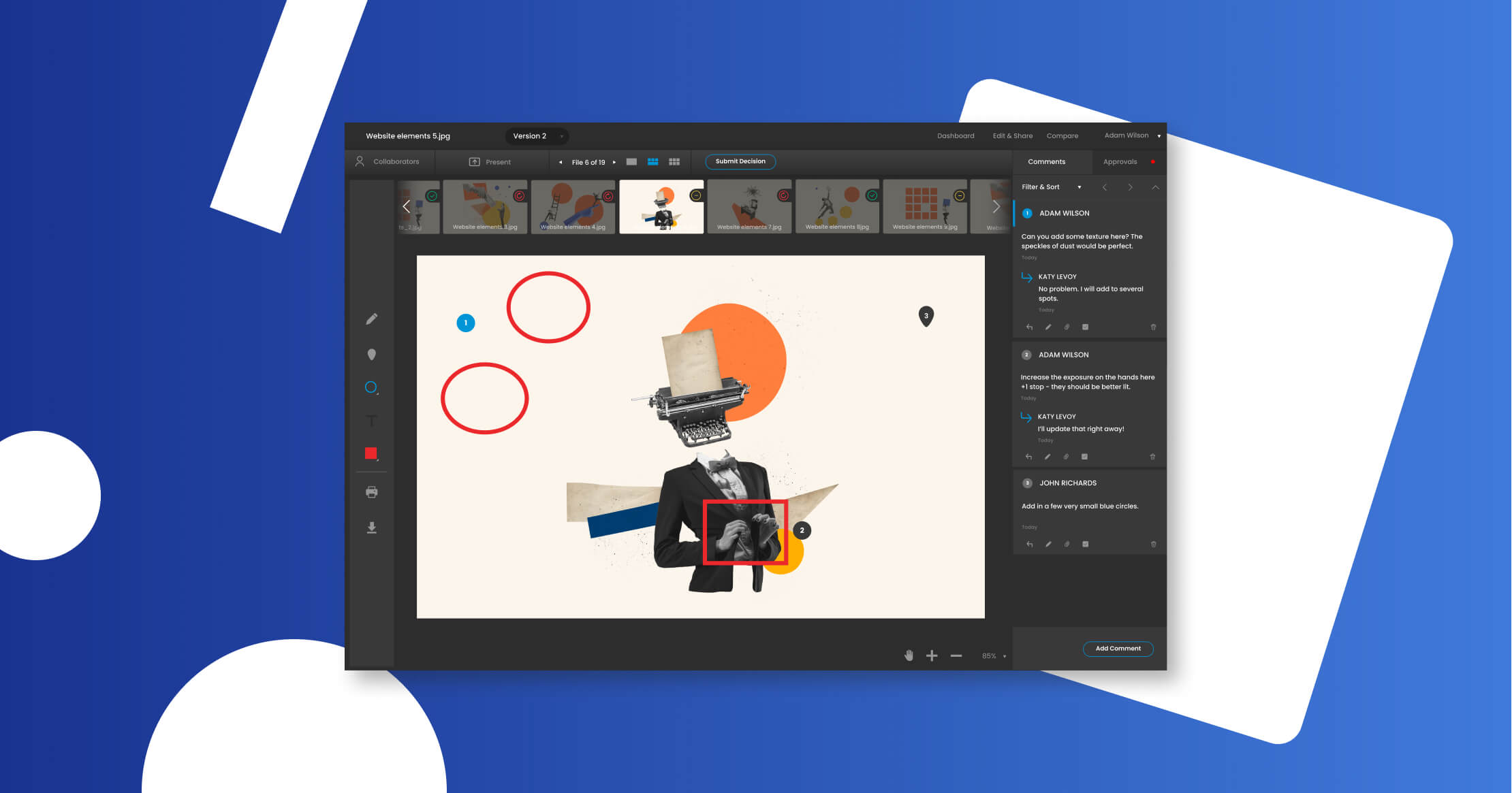
1 PageProofpageproof.com

Flat $249/month covers unlimited users, but no direct SOC 2.

Read the reviewVisit ↗
2 Ziflowziflow.com

Ziflow's mobile viewer skips version comparison tools

Read the reviewVisit ↗
3 GoVisuallygovisually.com

Unlimited free reviewers, but 512MB file cap

Read the reviewVisit ↗
8Products
8.7 to 9.0Score spread
3Free plan or tier
01

The ranking

Order follows the score. Six little boxes show each product's criterion scores: green or red is above or below the category average, grey means too few products share that criterion to compare. The full review sits right under each one.

Nothing matches that filter here. Tap All to see every product.

1

PageProof

pageproof.com · PageProof: Online Proofing Software · scored Dec 2025

Flat $249/month covers unlimited users, but no direct SOC 2.

Best forAgencies and enterprises wanting unlimited reviewers and ISO 27001 security.

From $15 per month flat-rate pricingISO 27001unlimited users
Top score

Online proofing platform with patented triple-layer encryption, unlimited users, and support for 1,200+ file types.

Standout factPageProof supports over 1,200 file types, including Adobe Creative Cloud, HTML, video, and audio.pageproof.com
Biggest catchPageProof does not hold a direct SOC 2 report, relying on ISO 27001 certification instead.blog.pageproof.com
$249/moFlat team ratepageproof.com
1,200+File types supportedpageproof.com
4.8/5G2 ratingg2.com

Starting price

$249/moTeam plan, unlimited users and storage

Standout number

1,200+supported file types

Source: pageproof.com

Upside

  • Flat $249/month, unlimited users
  • Patented triple-layer encryption
  • Supports 1,200+ file types

Catch

  • No direct SOC 2 report
  • Interface can feel clunky
  • Markup icons hard to distinguish
Pick it ifAgencies and enterprises wanting unlimited reviewers and ISO 27001 security.
Skip it ifSmall teams with low review volume who want per-seat pricing.
PricingFrom $15/month, flat Team rate $249/month for unlimited users

Editor's takePageProof's flat $249 monthly rate for unlimited users breaks from standard per-seat proofing pricing, backed by patented triple-layer encryption and ISO 27001:2022 certification. Smart Compare and support for over 1,200 file types cover most creative workflows. The tradeoff is a clunkier interface, with users citing hard-to-distinguish markup icons and occasional slow uploads on large files.

How much does PageProof cost?

Plans start at $15 per month, with a flat-rate Team plan at $249 per month that includes unlimited users and storage and no add-on storage charges, according to PageProof's pricing page.

Is PageProof SOC 2 certified?

Not directly. PageProof holds ISO 27001:2022 certification instead of a direct SOC 2 report, relying partly on its cloud provider's SOC 2 status, according to PageProof's own security blog.

The evidence: 6 criteria, 3 penalties (−0.15 points)
9.2
Product Capability & DepthLooked for: We evaluate file support breadth, markup precision, version comparison tools, and workflow automation capabilities.PageProof supports over 1,200 file types including Adobe CC, HTML, video, and audio, featuring 'Smart Compare' for pixel-level difference detection and automated workflows.pageproof.compageproof.com
9.1
Market Credibility & Trust SignalsLooked for: We assess industry certifications, user ratings on major review platforms, and adoption by reputable enterprise brands.The platform holds ISO 27001:2022 certification and maintains a 4.8/5 rating on G2, used by major brands like Dollar Shave Club and British Heart Foundation.blog.pageproof.comg2.com
8.7
Usability & Customer ExperienceLooked for: We analyze user interface intuitiveness, ease of onboarding for external reviewers, and customer support responsiveness.Reviewers praise the 'no login required' feature for guests, though some users report the interface can feel 'clunky' with difficult-to-distinguish markup icons.g2.comg2.com
9.5
Value, Pricing & TransparencyLooked for: We examine pricing models, hidden costs, and the scalability of plans for growing teams.PageProof offers a flat-rate pricing model ($249/mo) that includes unlimited users and storage, distinguishing it from per-seat competitors.pageproof.compageproof.compageproof.com
9.0
Integrations & Ecosystem StrengthLooked for: We assess the depth of native integrations with project management tools and creative software suites.Native integrations exist for Asana, Monday.com, Trello, Slack, and Microsoft Teams, plus deep integration with Adobe Creative Cloud apps.pageproof.compageproof.compageproof.com
9.6
Security, Compliance & Data ProtectionLooked for: We evaluate encryption standards, data residency options, and compliance frameworks specific to creative intellectual property.PageProof utilizes patented triple-layer encryption and offers data sovereignty options, backed by ISO 27001:2022 certification.pageproof.compageproof.comblog.pageproof.com

Score adjustments−0.15 points in total

−0.05Users consistently report the interface can be 'clunky' and markup tools are difficult to distinguish, with some finding animations intrusive.g2.com · severity 50/100
−0.06Documented user reports indicate upload issues and slowness when processing large files, which can disrupt workflows.g2.com · severity 45/100
−0.04The platform does not hold a direct SOC 2 Type II report, relying instead on ISO 27001 certification and their cloud provider's SOC 2 status.blog.pageproof.com · severity 40/100
2

Ziflow

ziflow.com · Ziflow Online Proofing · scored Dec 2025

Ziflow's mobile viewer skips version comparison tools

Best forEnterprises with complex, multi-stage creative approval workflows.

Free tier From $199 per month SOC 2 Type IIISO 270011

An online proofing platform supporting 1,200+ file types with enterprise-grade workflow automation.

Standout fact90% of Fortune 100 companies trust Ziflow for creative review.ziflow.com
Biggest catchThe mobile proof viewer lacks version comparison, text search, and measurement tools found on desktop.help.ziflow.com
1,200+File types supportedziflow.com
90%Fortune 100 adoptionziflow.com

Adoption

90%of Fortune 100 companies trust Ziflow

Source: ziflow.com

The thing people get wrong

Ziflow's mobile app matches the desktop viewer's full feature set

The mobile viewer lacks version comparison, text search, and measurement tools found on desktop

Source: help.ziflow.com

Upside

  • 1,200+ supported file types
  • 90% of Fortune 100 use it
  • SOC 2 Type II and ISO 27001

Catch

  • Mobile viewer lacks comparison tools
  • Standard plan starts at $199/mo
  • Initial workflow setup can be complex
Pick it ifEnterprises with complex, multi-stage creative approval workflows.
Skip it ifSmall teams or freelancers with simple, lightweight proofing needs.
PricingFree plan, Standard from $199/mo

Editor's takeZiflow supports more than 1,200 file types, including video and live websites, with desktop comparison tools. That depth has earned trust from 90% of Fortune 100 companies, backed by SOC 2 and ISO 27001 certification. The mobile experience lags behind, though, missing version comparison and text search tools that exist on the desktop viewer.

How many file types does Ziflow support?

Over 1,200, including video, audio, HTML5, and live websites, with side-by-side or overlay comparison between proof versions.

Does Ziflow have a free plan?

Yes, a free-forever plan includes unlimited proofs and reviewers with 2GB storage. Paid Standard plans start at $199 a month, billed yearly.

The evidence: 6 criteria, 3 penalties (−0.16 points)
9.3
Product Capability & DepthLooked for: We evaluate the breadth of supported file types, the sophistication of proofing tools (markup, comparison), and workflow automation capabilities.Ziflow supports over 1,200 file types including video, live websites, and static designs, with advanced features like pixel-level comparison and automated workflow routing.ziflow.comziflow.comziflow.com
9.5
Market Credibility & Trust SignalsLooked for: We look for adoption by major enterprises, company longevity, and leadership pedigree in the creative operations space.Ziflow is trusted by 90% of Fortune 100 companies and was founded by the original creators of ProofHQ, establishing it as a definitive leader in the space.ziflow.comziflow.comziflow.com
8.8
Usability & Customer ExperienceLooked for: We assess ease of use, onboarding difficulty, and the quality of the user interface for both administrators and external reviewers.Users consistently rate the interface as intuitive for reviewers, though administrators often report that setting up complex automation workflows can be time-consuming.ziflow.comthedigitalprojectmanager.com
8.9
Value, Pricing & TransparencyLooked for: We evaluate pricing transparency, the existence of free tiers, and the feature-to-cost ratio compared to enterprise alternatives.Ziflow offers a robust 'Free Forever' plan and transparent pricing for its Standard and Pro tiers, though the entry price for paid plans is higher than some basic plugins.ziflow.comziflow.comziflow.com
9.1
Integrations & Ecosystem StrengthLooked for: We look for native integrations with creative tools (Adobe), project management systems, and API availability for custom workflows.The platform offers deep native integrations with Adobe Creative Cloud, Monday.com, Asana, and Jira, supported by a comprehensive RESTful API.ziflow.comziflow.comziflow.com
9.6
Security, Compliance & Data ProtectionLooked for: We examine certifications (SOC 2, ISO), encryption standards, and enterprise-grade security features like SSO and audit logs.Ziflow maintains an industry-leading security profile with SOC 2 Type II, ISO 27001 certifications, and AES-256 encryption, exceeding typical SaaS standards.ziflow.comziflow.comziflow.com

Score adjustments−0.16 points in total

−0.07The mobile proof viewer has significant functional limitations, lacking capabilities for version comparison, text search, and measurement tools found in the desktop version.help.ziflow.com · severity 55/100
−0.05Users report that the initial setup and customization of workflows can be time-consuming and complex.thedigitalprojectmanager.com · severity 45/100
−0.04Some users have reported persistent issues with session timeouts and auto-logouts disrupting their workflow.ziflow.com · severity 40/100
3

GoVisually

govisually.com · scored Dec 2025

Unlimited free reviewers, but 512MB file cap

Best forAgencies wanting simple client review with no login

From $12 per user/mo no-login reviewersSOC 2Adobe plugin
−0.1 vs #1

Creative proofing tool letting unlimited outside reviewers annotate without creating an account.

Standout factTrusted by over 10,000 teams including Coca-Cola, Mazda, and WeWorkwp.govisually.com
Biggest catchUploads are capped at 512MB, restricting high-resolution video proofing.help.govisually.com
10,000+Teams using GoVisuallywp.govisually.com
4.5/5G2 ratingwp.govisually.com

What reviewers say

G2
4.5/5

Source: wp.govisually.com

Before you sign up

  • Files under 512MB
  • Need unlimited outside client reviewers
  • Need over 150GB storage

Upside

  • Unlimited reviewers, no login needed
  • Frame-accurate video annotation
  • SOC 2 Type II infrastructure

Catch

  • 512MB file upload limit
  • Storage capped at 150GB on Pro
  • Support response can be slow
Pick it ifAgencies wanting simple client review with no login
Skip it ifTeams proofing large 4K video files over 512MB
PricingFrom $12/user/mo for teams, Solo plan around $9-12/mo

Editor's takeGoVisually lets outside clients comment and approve creative files without creating an account, which removes a common review bottleneck. It backs this with SOC 2 Type II infrastructure and 256-bit SSL encryption. The 512MB upload cap and G2 complaints about support response times are worth checking against your file sizes.

Do external reviewers need a GoVisually account?

No. External reviewers can view, comment, and approve proofs without creating an account, which reduces friction for client feedback.

What is the maximum file size GoVisually accepts?

512MB. This limit can restrict workflows involving high-resolution or long-form video files.

The evidence: 6 criteria, 3 penalties (−0.16 points)
8.9
Product Capability & DepthLooked for: We evaluate the breadth of proofing tools, file support (video/static), version control, and workflow automation features.GoVisually supports annotation on PNG, JPG, PSD, PDF, and Video (MP4, GIF) with frame-accurate comments and side-by-side version comparison. It includes approval checklists, smart compare tools, and mobile app access, though it currently enforces a 512MB file upload limit.govisually.comwp.govisually.comhelp.govisually.com
9.1
Market Credibility & Trust SignalsLooked for: We look for user adoption numbers, reputable client logos, and third-party review ratings to gauge market trust.The platform is trusted by over 10,000 teams including major brands like Coca-Cola, Mazda, and WeWork. It maintains strong ratings across review platforms, with a 4.5-star rating on G2 and Capterra.wp.govisually.comwp.govisually.com
9.2
Usability & Customer ExperienceLooked for: We assess ease of use, particularly for external reviewers, and the quality of the user interface and support.GoVisually allows unlimited external reviewers to comment and approve without creating an account, significantly reducing friction. The interface is described as intuitive, though some users have reported difficulties reaching support via chat.govisually.comwp.govisually.comgetapp.com
8.8
Value, Pricing & TransparencyLooked for: We evaluate pricing structures, hidden costs, and feature inclusion relative to plan tiers.Pricing is transparent, starting at $12/user/month for teams, which includes unlimited external reviewers. However, plans have storage caps (50GB for Lite, 150GB for Pro) and the Lite plan lacks archiving capabilities.wp.govisually.comgovisually.com
8.9
Integrations & Ecosystem StrengthLooked for: We examine the availability of native plugins for creative tools and connections to project management software.The platform offers a native Adobe Creative Cloud plugin allowing designers to work within their tools. It also integrates directly with Asana, Slack, and Trello, and connects to over 3,000 apps via Zapier.govisually.comwp.govisually.com
9.3
Security, Compliance & Data ProtectionLooked for: We check for industry-standard certifications like SOC 2, encryption standards, and data handling practices.GoVisually is built on SOC 2 Type II compliant infrastructure and uses 256-bit SSL encryption for data transmission. Data is stored securely on AWS data centers, meeting high enterprise security standards.govisually.comgovisually.com

Score adjustments−0.16 points in total

−0.06Multiple user reviews cite poor responsiveness from customer support, with some users reporting difficulty contacting the team via the chat function.g2.com · severity 60/100
−0.07The platform enforces a strict 512MB file upload limit, which restricts workflows for high-resolution video proofing.help.govisually.com · severity 50/100
−0.03Storage is capped at 50GB for Lite and 150GB for Pro plans, which may be insufficient for video-heavy creative teams.govisually.com · severity 45/100
4

ReviewStudio

reviewstudio.com · ReviewStudio Design Proofing Software · scored Dec 2025

Unlimited guest reviewers, but no free plan available

Best forCreative agencies needing a simple client interface across many file formats.

From $20 per month ISO 27001SOC 2HIPAA
−0.1 vs #1

Online proofing tool supporting 100+ file formats with unlimited guest reviewers included on every plan.

Standout factEvery ReviewStudio plan includes unlimited guest reviewers, avoiding per-client fees common at rivals.justbeepit.com
Biggest catchSome users describe the interface as unintuitive, with menus that need more clicks than necessary.g2.com
100+File formats supportedreviewstudio.com
4.7/5 (98 reviews)GetApp ratinggetapp.com
$20/moStarting pricetrustradius.com

Starting price

$20/moPro plan, unlimited guest reviewers included

Compliance

✓ ISO 27001✓ SOC 2✓ HIPAA✓ GDPR✓ PCI

Source: reviewstudio.com

Upside

  • Unlimited guest reviewers on every plan
  • Supports 100+ formats including web and 3D
  • ISO 27001, SOC 2, and HIPAA compliant

Catch

  • User interface can feel unintuitive
  • Mobile app limited to viewing only
  • No free plan available
Pick it ifCreative agencies needing a simple client interface across many file formats.
Skip it ifEnterprises needing complex automated workflow logic or advanced governance.
PricingFrom about $20/mo (Pro), up to $280/mo

Editor's takeReviewStudio includes unlimited guest reviewers on every plan, a rarity in proofing software that often charges per external client, according to a roundup by JustBeepit. It supports more than 100 file formats and holds ISO 27001, SOC 2, and HIPAA validation. G2 reviewers describe the menu system as needing more clicks than expected for simple tasks, and the mobile app only supports viewing, not editing.

Does ReviewStudio charge for guest reviewers?

No. Every ReviewStudio pricing plan includes unlimited guest reviewers, according to a 2025 roundup of proofing tools by JustBeepit. That differs from many competitors that charge per external reviewer or client seat.

How much does ReviewStudio cost?

Pricing starts around $20 a month for the Pro plan and runs up to $280 a month for higher tiers, according to TrustRadius pricing data. A 15-day free trial is available without a credit card, per GetApp.

The evidence: 6 criteria, 3 penalties (−0.16 points)
9.1
Product Capability & DepthLooked for: We evaluate the breadth of supported file types, markup tools, version control features, and workflow automation capabilities tailored for creative teams.ReviewStudio supports over 100 file formats including video, images, PDF, and HTML/web content. It features advanced markup tools, side-by-side comparison modes, and a unique 'laser pointer' presentation mode for live reviews.reviewstudio.comreviewstudio.comreviewstudio.com
9.0
Market Credibility & Trust SignalsLooked for: We assess the vendor's industry tenure, client base, public user ratings, and enterprise-grade certifications.Operating for over a decade, ReviewStudio serves thousands of teams including major agencies like Publicis Groupe. It holds a strong 4.7/5 rating on major review platforms and maintains rigorous ISO 27001 certification.reviewstudio.comgetapp.comreviewstudio.com
8.8
Usability & Customer ExperienceLooked for: We analyze user feedback regarding interface intuitiveness, learning curve, and the quality of customer support.Users generally find the platform intuitive and praise the 'white glove' support. However, some reviews cite a clunky UI with menu systems that require excessive navigation for simple tasks.reviewstudio.comg2.comreviewstudio.com
9.4
Value, Pricing & TransparencyLooked for: We examine pricing structures, hidden costs, free trial availability, and feature inclusion relative to cost.ReviewStudio offers a highly competitive model starting at $20/month that includes unlimited guest reviewers on all plans, a significant value advantage over per-seat competitor models.reviewstudio.comjustbeepit.comtrustradius.com
8.7
Integrations & Ecosystem StrengthLooked for: We look for API documentation, native connectors to project management tools, and support for creative software ecosystems.ReviewStudio provides a robust API and native integrations for tools like Asana, Monday.com, and Wrike. It connects with over 2,000 apps via Zapier, though deep native Adobe plugins are less emphasized than some competitors.reviewstudio.comsupport.reviewstudio.comreviewstudio.com
9.5
Security, Compliance & Data ProtectionLooked for: We verify the presence of critical security certifications like SOC 2, ISO 27001, HIPAA, and data encryption standards.The platform boasts an impressive compliance stack including ISO 27001 certification, SOC 2 compliance, HIPAA support, and GDPR compliance, backed by AWS hosting and 256-bit encryption.reviewstudio.comreviewstudio.comreviewstudio.com

Score adjustments−0.16 points in total

−0.06Users report the interface can be unintuitive, with menu systems requiring excessive clicks and navigation for simple tasks.g2.com · severity 55/100
−0.06The mobile experience is limited, primarily suited for viewing content rather than providing in-depth feedback or editing.g2.com · severity 45/100
−0.04Some users have reported reliability issues with workflow notifications not always being delivered.g2.com · severity 40/100
5

GoProof

goproof.net · GoProof | Online Proofing Software · scored Dec 2025

Edits inside Adobe apps directly, but starts at $129/mo

Best forDesigners who want to stay inside Adobe InDesign and Creative Cloud

From $129 per month Adobe Creative Cloud integrationISO 27001:2022unlimited reviewers
−0.2 vs #1

Online proofing platform with two-way Adobe Creative Cloud integration and unlimited reviewers.

Standout factLaunches proofs directly from InDesign, Photoshop, Illustrator and Premiere Pro via a two-way extension panelgoproof.net
Biggest catchSome users report features that show as active but don't work, plus an inability to see billing details in the dashboard.exchange.adobe.com
$129/moStarting pricegoproof.net

In their words

“Launch proofs directly from your Adobe apps via a two-way extension panel... without ever having to hop between multiple platforms.”

goproof.net

Starting price

$129/moConnect plan, billed yearly, unlimited reviewers included

Upside

  • Two-way Adobe Creative Cloud extension panel
  • Unlimited reviewers and guests, every plan
  • ISO/IEC 27001:2022 certified

Catch

  • Connect plan starts at $129/mo
  • Some features reported buggy or inactive
  • Billing dashboard visibility issues reported
Pick it ifDesigners who want to stay inside Adobe InDesign and Creative Cloud
Skip it ifTeams not using the Adobe Creative Cloud ecosystem
PricingConnect plan from $129/mo (yearly), unlimited reviewers on all plans

Editor's takeGoProof's standout feature is a two-way Adobe Creative Cloud extension panel that lets designers send proofs and receive feedback directly inside InDesign, Photoshop and Premiere Pro without exporting files. ISO/IEC 27001:2022 certification and unlimited reviewers on every plan support its enterprise positioning. The entry price runs higher than most proofing tools at $129/month, and some users report bugs where features show as active but don't function, plus trouble viewing billing details.

Does GoProof require exporting files from Adobe apps?

No. Its two-way extension panel lets designers send proofs and apply feedback directly inside InDesign, Photoshop, Illustrator and Premiere Pro.

How much does GoProof cost?

The Connect plan starts at $129/month when paid yearly, with unlimited reviewers and guests included on every plan.

The evidence: 6 criteria, 3 penalties (−0.14 points)
8.9
Product Capability & DepthLooked for: We evaluate the software's ability to handle diverse file types, version control, and workflow automation specifically for creative teams.GoProof offers a unique deep integration with Adobe Creative Cloud (InDesign, Photoshop, Illustrator, Premiere Pro, InCopy) that allows users to send proofs and receive feedback directly within the apps without exporting files. It supports video, website, and static image proofing with version control and side-by-side comparison tools.goproof.netgoproof.netgoproof.net
9.2
Market Credibility & Trust SignalsLooked for: We assess the vendor's industry standing, certifications, and adoption by reputable organizations.The parent company, Oppolis Software, is ISO / IEC 27001:2022 certified, a significant trust signal for data security. They are an Adobe Exchange Partner and have documented case studies with major organizations like the Brewers Association.goproof.netblog.adobe.com
8.6
Usability & Customer ExperienceLooked for: We analyze user feedback regarding ease of use, interface design, and the quality of customer support.Users consistently praise the Adobe integration for saving time and reducing copy-paste errors. However, there are documented reports of bugs, such as issues with text selection in comments and billing dashboard visibility, which detract from the experience.goproof.netexchange.adobe.comexchange.adobe.com
8.4
Value, Pricing & TransparencyLooked for: We examine pricing structures, hidden costs, and the balance of features versus cost.Pricing is transparently listed, starting at $129/month for the 'Connect' plan. A key value driver is the inclusion of unlimited collaborators/reviewers on all plans, though the entry price is higher than some competitors.goproof.netgoproof.netgoproof.net
9.1
Integrations & Ecosystem StrengthLooked for: We evaluate how well the software connects with other essential tools in the creative and project management stack.GoProof excels with its deep Adobe Creative Cloud extension panel. It also integrates with major project management tools like Asana, Monday.com, Slack, Microsoft Teams, and Trello, covering the most critical workflow connections.goproof.netasana.comgetapp.com
9.4
Security, Compliance & Data ProtectionLooked for: We assess the security protocols, compliance certifications, and data handling practices.GoProof holds ISO / IEC 27001:2022 certification, is GDPR compliant with a dedicated 'My Data Dashboard', and utilizes Google Cloud Platform for hosting. It also supports 2-factor authentication.goproof.netgoproof.netgoproof.net

Score adjustments−0.14 points in total

−0.06Users have reported bugs where features appear active but do not function, and billing information is inaccessible in the dashboard.exchange.adobe.com · severity 60/100
−0.05Some users experienced issues selecting and copying text from comments, which impeded their workflow.exchange.adobe.com · severity 50/100
−0.03The starting price of $129/month is relatively high for freelancers or small teams compared to competitors.saashub.com · severity 45/100
6

QuickReviewer

quickreviewer.com · QuickReviewer Online Proofing · scored Dec 2025

QuickReviewer reviews 150 file types, free tier caps at 100MB

Best forWeb designers and teams needing 3D model or live-site review

Free tier From $8 per month SOC 2 Type IIfree planAdobe CC integration
−0.2 vs #1

Online proofing platform supporting 150-plus file types including live websites and 3D models.

Standout factRated 4.9 out of 5 stars on G2g2.com
Biggest catchThe free plan is capped at 100MB storage, restrictive for video or high-res files.g2.com
150+File formats supportedquickreviewer.com
4.9/5G2 ratingg2.com
100MBFree plan storageg2.com

Standout number

150+file formats supported for review

Source: quickreviewer.com

Free vs paid

Forever Free

$0
  • 100MB storage
  • 1 team member

Paid from

$8/mo
  • More storage
  • Team collaboration features

Source: g2.com

Upside

  • Supports 150+ file formats, including 3D/web
  • Guest commenting needs no login
  • SOC 2 Type II and GDPR compliant

Catch

  • Free plan capped at 100MB storage
  • Annotation pins can be glitchy
  • Historical comments hard to view on new versions
Pick it ifWeb designers and teams needing 3D model or live-site review
Skip it ifLarge enterprises needing complex ecosystem integrations
PricingForever Free plan (100MB), paid from $8/mo

Editor's takeQuickReviewer reviews over 150 file types in one interface, including live websites, 3D models, and native Adobe files with layer toggling, a range most proofing tools at this price don't match. Guests can comment and approve without creating an account, removing a common friction point in client feedback loops. SOC 2 Type II certification and AES-256 encryption back a 4.9-star G2 rating, though the free plan's 100MB storage cap is tight for video or high-resolution files.

Does QuickReviewer support live website review?

Yes. QuickReviewer reviews over 150 file types in one interface, including live websites, 3D models, HTML5, and native Adobe CC files, according to the company's own feature page.

What's included in QuickReviewer's free plan?

The Forever Free plan includes 100MB of storage and 1 team member, according to G2's pricing listing, which can feel restrictive for video or high-resolution files.

The evidence: 6 criteria, 3 penalties (−0.16 points)
8.9
Product Capability & DepthLooked for: Versatility in supported file formats, proofing tools, and workflow automation capabilities tailored for creative teams.QuickReviewer supports over 150 file formats including live websites and 3D models, offering deep Adobe CC integration and automated workflows.quickreviewer.comquickreviewer.comg2.com
9.0
Market Credibility & Trust SignalsLooked for: Evidence of security compliance, user adoption, and verified third-party reviews.The platform is SOC 2 Type II and GDPR compliant, with high ratings on major review platforms like G2 and Capterra.quickreviewer.comg2.com
8.8
Usability & Customer ExperienceLooked for: Ease of use, onboarding friction, and quality of the user interface for both internal teams and external clients.Reviewers praise the 'no login' guest access and drag-and-drop interface, though some UI glitches with annotations have been noted.g2.comcrozdesk.com
9.1
Value, Pricing & TransparencyLooked for: Clear pricing structures, free tier availability, and value for money compared to competitors.Offers a 'Forever Free' plan and transparent tiered pricing, with users citing it as a cost-effective alternative to major competitors.quickreviewer.comg2.comquickreviewer.com
8.7
Integrations & Ecosystem StrengthLooked for: Breadth and depth of integrations with project management, design, and communication tools.Integrates with key industry tools including Adobe Creative Cloud, Slack, Trello, Jira, and Asana to streamline workflows.quickreviewer.comquickreviewer.comquickreviewer.com
9.3
Security, Compliance & Data ProtectionLooked for: Certifications and features that ensure data security, such as SOC 2, GDPR, and encryption.QuickReviewer demonstrates enterprise-grade security with SOC 2 Type II certification, GDPR compliance, and AES-256 encryption.quickreviewer.comquickreviewer.com

Score adjustments−0.16 points in total

−0.08Users have reported an inability to easily view all historical comments once a new document version is uploaded.getapp.com · severity 60/100
−0.05Some users reported interface glitches where annotation pin drops are 'jumpy' and move around, making precise feedback difficult.getapp.com · severity 50/100
−0.03The free plan is limited to 100MB of storage, which users noted is restrictive for video or high-res files.g2.com · severity 45/100
7

Adobe Workfront

business.adobe.com · Adobe Workfront Proofing Tool · scored Dec 2025

Adobe Workfront implementation can run past $50,000.

Best forLarge enterprises already inside the Adobe Creative Cloud ecosystem.

Quote only Adobe Creative CloudSOC 2ISO 27001
−0.3 vs #1

Enterprise creative proofing tool built into Adobe Creative Cloud, with automated multi-stage approval workflows.

Standout factWorkfront supports over 150 file types, including video and interactive web captures up to 4GB.experienceleague.adobe.com
Biggest catchImplementation fees typically range from $5,000 to over $50,000 depending on complexity.desking.app
$5,000-$50,000+Implementation cost rangedesking.app
$49-$99/user/moEstimated subscriptionselecthub.com
150+Supported file typesexperienceleague.adobe.com

Connects to

PhotoshopPremiere ProFrame.ioMicrosoft 365SlackCreative Cloud ecosystem total

Source: experienceleague.adobe.com

True monthly cost

Reported implementation cost range

Low end$5,000
High end (large deployment)$50,000+
TotalVaries by scope

Third-party review estimate

Upside

  • Deep Adobe Creative Cloud integration
  • Supports 150+ file types
  • SOC 2 and HIPAA-ready security

Catch

  • Steep learning curve reported
  • High implementation costs
  • Opaque quote-based pricing
Pick it ifLarge enterprises already inside the Adobe Creative Cloud ecosystem.
Skip it ifSmall businesses or freelancers wanting a quick, low-cost setup.
PricingQuote-based, subscriptions estimated $49-$99/user/month

Editor's takeAdobe Workfront's proofing tool plugs directly into Creative Cloud apps like Photoshop and Premiere, letting designers manage approvals without leaving their native tools. It carries SOC 2 Type 2 and ISO 27001 certification and has been named a Leader in both Gartner and Forrester reports. The cost of entry is steep, with implementation fees reported from $5,000 to over $50,000 for large deployments.

How much does Adobe Workfront cost?

Pricing is quote-based and not published. Third-party estimates put subscription costs between $49 and $99 per user per month, with implementation fees ranging from $5,000 to over $50,000.

Does Adobe Workfront integrate with Creative Cloud?

Yes. Native plugins let designers log time, start review workflows, and upload files directly from Creative Cloud apps like Photoshop, without switching tools.

The evidence: 6 criteria, 3 penalties (−0.19 points)
8.9
Product Capability & DepthLooked for: We evaluate the breadth of supported file types, markup tools, version control features, and automation capabilities for creative review workflows.The tool supports over 150 file types including static, audio, video, and interactive web captures up to 4GB, with advanced features like automated workflow stages and side-by-side version comparison.business.adobe.combusiness.adobe.comexperienceleague.adobe.com
9.3
Market Credibility & Trust SignalsLooked for: We assess analyst rankings, market share, enterprise adoption, and the vendor's reputation in the project management space.Adobe Workfront is consistently named a Leader in major analyst reports like the Gartner Magic Quadrant and Forrester Wave, trusted by large global enterprises for scalable work management.asana.combusiness.adobe.com
8.2
Usability & Customer ExperienceLooked for: We analyze user feedback regarding ease of use, learning curve, interface design, and system performance.While powerful, the platform is frequently cited for its steep learning curve, complex interface, and occasional performance sluggishness, often requiring dedicated administration.getapp.comtrustradius.com
8.1
Value, Pricing & TransparencyLooked for: We examine pricing structures, transparency of costs, implementation fees, and overall total cost of ownership.Pricing is opaque and quote-based with significant implementation costs ($5k-$50k+), making it a high-investment solution suitable primarily for large enterprises.business.adobe.comdesking.appselecthub.com
9.5
Integrations & Ecosystem StrengthLooked for: We evaluate the depth of connections with creative tools, DAM systems, and third-party enterprise applications.Workfront offers best-in-class integration with Adobe Creative Cloud, allowing designers to view comments and upload proofs directly from apps like Photoshop and Premiere.business.adobe.comexperienceleague.adobe.comexperienceleague.adobe.com
9.4
Security, Compliance & Data ProtectionLooked for: We review security certifications, encryption standards, and compliance with regulations like HIPAA and GDPR.The platform maintains enterprise-grade security standards including SOC 2 Type 2, ISO 27001, and HIPAA readiness, with encryption at rest and in transit.adobe.comadobe.com

Score adjustments−0.19 points in total

−0.05High implementation costs (often $5,000-$50,000+) and opaque subscription pricing create barriers for non-enterprise organizations.desking.app · severity 70/100
−0.07Users consistently report a steep learning curve and complex interface that requires significant training and administration overhead.getapp.com · severity 65/100
−0.07The discontinuation of the standalone Workfront Proof product has caused confusion and migration challenges for some legacy users.ziflow.com · severity 50/100
8

Ashore

ashoreapp.com · Ashore App Graphic Design Proofing · scored Dec 2025

Ashore lets approvers review proofs with no account needed

Best forPrint shops and agencies prioritizing white-labeled branded client reviews.

Free tier free planwhite-labelno-login approvals
−0.3 vs #1

Online proofing tool with full white-labeling and no-login approvals for creative agencies.

Standout factAshore has been adopted by nearly 10,000 creatives, including teams at Disney and Uber.medium.com
Biggest catchUsers report video uploads process slowly or sometimes fail.appsumo.com
~10,000Creatives using Ashoremedium.com
$46/mo, 3 usersStandard planashoreapp.com

The thing people get wrong

Online proofing tools always require approvers to sign up

Ashore review links work for anyone with the link, no account required

Source: ashoreapp.com

Free vs paid

Free plan

$0
  • 1 user
  • 30 files/mo
  • Unlimited approvers

Standard $46/mo

  • 3 users
  • Full automation
  • Adobe plugins

Source: ashoreapp.com

Upside

  • Approvers need no account to review
  • Full white-labeling: domain, email, logo
  • Supports video, audio, and HTML proofing

Catch

  • Video upload processing can be slow
  • Adobe integration lacks two-way sync
  • No native mobile app for management
Pick it ifPrint shops and agencies prioritizing white-labeled branded client reviews.
Skip it ifTeams needing deep, two-way Adobe integration or heavy project management.
PricingFree plan (1 user, 30 files/mo); Standard $46/month for 3 users.

Editor's takeAshore removes the biggest friction point in client review, the login wall, letting approvers open a link and respond without creating an account. White-labeling goes deep enough to hide Ashore's own brand behind a custom domain. The rough edge is video: reviewers report slow or failed uploads, a real issue for teams proofing motion content.

Do clients need to create an account to review a proof on Ashore?

No. Review links work for anyone who has the link, so approvers can give feedback without signing up for an account, which speeds up the approval process.

Is Ashore free to use?

There's a free forever plan for 1 user covering 30 files a month with unlimited approvers. The Standard plan, with full automation and Adobe plugins, costs $46 a month for 3 users.

The evidence: 6 criteria, 2 penalties (−0.13 points)
8.8
Product Capability & DepthLooked for: We evaluate the breadth of supported file types, workflow automation capabilities, and the depth of proofing tools available for creative teams.Ashore supports a wide range of file types including video, audio, HTML, and PDF, with automated workflows that handle reminders and status updates without manual intervention.ashoreapp.comashoreapp.comashoreapp.com
8.9
Market Credibility & Trust SignalsLooked for: We look for established market presence, reputable client rosters, and longevity in the creative operations space.Founded in 2016, Ashore has established credibility with high-profile users like Uber and Disney, positioning itself as a reliable tool for high-velocity creatives.medium.comashoreapp.com
9.2
Usability & Customer ExperienceLooked for: We assess ease of use for both senders and approvers, specifically looking for friction-free review processes and interface intuitiveness.The platform excels in usability by allowing approvers to review files without creating an account and offering extensive white-labeling to maintain brand consistency.ashoreapp.comashoreapp.com
8.7
Value, Pricing & TransparencyLooked for: We evaluate the clarity of pricing tiers, the value provided at each level, and the accessibility of a free entry point.Ashore offers a transparent tiered pricing model starting with a generous free plan, scaling up to per-user pricing for teams requiring advanced automation and branding.ashoreapp.comashoreapp.comashoreapp.com
8.6
Integrations & Ecosystem StrengthLooked for: We examine the availability and quality of native plugins, API access, and connections to standard creative workflows.The platform integrates with major creative tools via Adobe plugins and connects to broader business systems through Zapier and a REST API.ashoreapp.comashoreapp.com
8.5
Security, Compliance & Data ProtectionLooked for: We check for robust audit trails, encryption standards, and compliance certifications relevant to handling creative assets.Ashore provides comprehensive audit trails for all proof activities and secure review links, though explicit mentions of SOC 2 certification are absent from public documentation.ashoreapp.comashoreapp.com

Score adjustments−0.13 points in total

−0.08Users have reported reliability issues with video uploads, citing slow processing times or failures to process video files for review.appsumo.com · severity 60/100
−0.05Some users find the Adobe integration lacks depth, specifically requesting features like two-way sync for corrections or better project management capabilities within the plugin.g2.com · severity 45/100
02

Side by side

10 features across 8 products. Green is yes, red is no, grey is not published.

FeaturePageProofZiflowGoVisuallyReviewStudioGoProofQuickReviewerAdobe WorkfrontAshore
Has Mobile App
Has Free Plan
Has Free Trial Contact for trial
Integrates With Zapier
Has Public API Enterprise API only
Live Chat Support Email/Ticket only Email/Ticket only Email/Ticket only
SOC 2 or ISO Certified
Popular Integrations Slack, Trello, Asana Slack, Adobe Creative Cloud, Microsoft Teams Adobe Creative Cloud, Dropbox, Google Drive Slack, Trello, Google Drive Adobe Creative Cloud Dropbox, Google Drive, OneDrive Adobe Creative Cloud, Microsoft 365, Slack Slack, Adobe Creative Cloud, Google Drive
Supports SSO
Starting Price $15 per month $199 per month $12 per user/mo $20 per month $129 per month $8 per month Contact for pricing Free tier
03

How we chose

Four fixed criteria for every product, plus two chosen for Creative Review & Proofing Tools for Designers, weighted and reduced by documented penalties.

Full methodology
Criteria set for this categoryProduct Capability & Depth, Market Credibility & Trust Signals, Usability & Customer Experience, Value, Pricing & Transparency, Integrations & Ecosystem Strength, Security, Compliance & Data Protection
Evidence, then a scoreDocumentation, pricing pages, security pages and third-party reviews. Each criterion records what was found and links its sources.
Penalties, then a rankDocumented problems pull the score down with their evidence attached. Rank follows the score. Sponsored rows, where present, are labelled.
iIn evaluating creative review and proofing tools for designers, the selection process focused on key factors such as specifications, essential features, customer reviews, and overall ratings.
Albert Richer
Albert RicherFounder · Memphis, TN

Sets the criteria and reviews the evidence before a ranking publishes. Email him if something here looks wrong.

04

Questions people ask

How much does PageProof cost?

Plans start at $15 per month, with a flat-rate Team plan at $249 per month that includes unlimited users and storage and no add-on storage charges, according to PageProof's pricing page.

Is PageProof SOC 2 certified?

Not directly. PageProof holds ISO 27001:2022 certification instead of a direct SOC 2 report, relying partly on its cloud provider's SOC 2 status, according to PageProof's own security blog.

How many file types does Ziflow support?

Over 1,200, including video, audio, HTML5, and live websites, with side-by-side or overlay comparison between proof versions.

Does Ziflow have a free plan?

Yes, a free-forever plan includes unlimited proofs and reviewers with 2GB storage. Paid Standard plans start at $199 a month, billed yearly.

Do external reviewers need a GoVisually account?

No. External reviewers can view, comment, and approve proofs without creating an account, which reduces friction for client feedback.

What is the maximum file size GoVisually accepts?

512MB. This limit can restrict workflows involving high-resolution or long-form video files.

Does ReviewStudio charge for guest reviewers?

No. Every ReviewStudio pricing plan includes unlimited guest reviewers, according to a 2025 roundup of proofing tools by JustBeepit. That differs from many competitors that charge per external reviewer or client seat.

How much does ReviewStudio cost?

Pricing starts around $20 a month for the Pro plan and runs up to $280 a month for higher tiers, according to TrustRadius pricing data. A 15-day free trial is available without a credit card, per GetApp.

How is the best Creative Review & Proofing Tools for Designers decided?

Every product is scored on six criteria for this category, with cited evidence and documented penalties. Rank follows the overall score. Vendors cannot pay for a position.

How often is this ranking updated?

Products are re-scored when pricing, features or evidence change. This ranking was last updated July 12, 2026.

05

More in Creative Project Management & Proofing Tools

3 related rankings.

All of Creative Project Management & Proofing
Research

Hybrid teams using artificial intelligence achieve cycle-time reductions of 40% to 60%

Mar 15, 2026

Desktop publishing jobs face a 12% decline by 2034, with only 400 annual openings expected

May 15, 2026

Infogain migrated 1.8 million files totaling 50 terabytes to cloud-native platforms

May 12, 2026