AI Image & Video Creation Tools

Updated July 5, 2026

These are the specialized categories within AI Image & Video Creation Tools. Looking for something broader? See all AI, Automation & Machine Learning Tools categories.

Not sure which one is right for you?

Answer 4 quick questions and we'll match you with your best options

Find Your Best Match

How big is your team?

Just me
2 - 10
11 - 50
51 - 200
201 - 1,000
1,000+

What's your budget situation?

Free or open-source only
Free to start, pay later
Best value for money
Price isn't the main factor

What's your team's technical comfort level?

We want it to just work
We can handle some setup
We have developers who'll customize it

What's the ONE thing this tool must do well?

Step 1 of 4
1
9.6 / 10
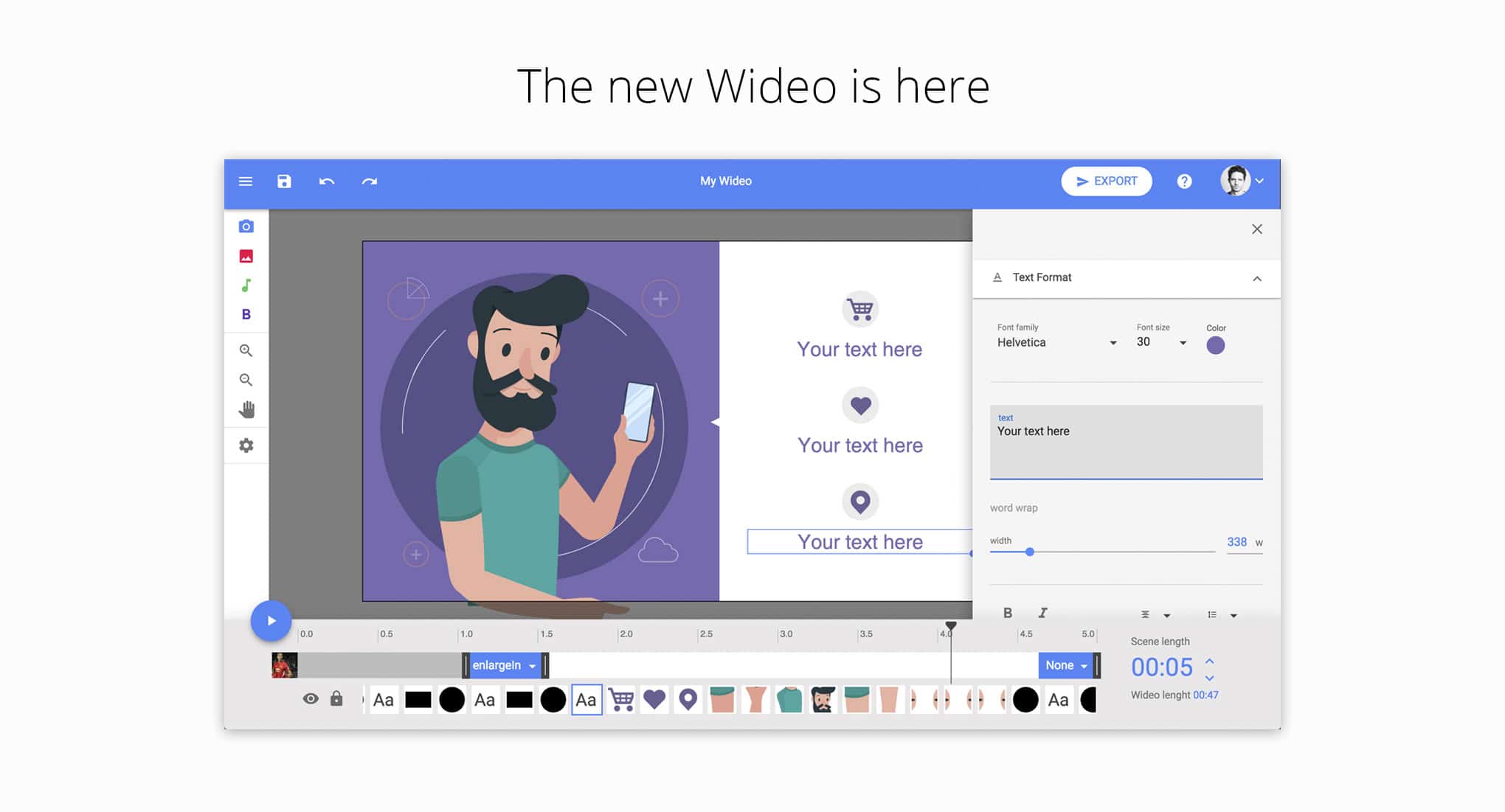
Virbo

Virbo empowers ecommerce businesses to create professional AI spokesperson videos without the need for costly equipment or editing skills. With over 300 diverse avatars and support for 120+ languages, it enables seamless global communication and interactive marketing.

Best for AI Image & Video Generation Tools for Ecommerce Businesses

Expert Take

Wondershare Virbo stands out by making professional AI spokesperson videos highly accessible without requiring expensive camera equipment or editing expertise. Its massive library of diverse avatars and seamless video translation with voice cloning allows businesses to effortlessly reach a global audience. The addition of interactive features like 'Talking Photo' and rapid custom avatar creation sets a high standard for AI-driven marketing tools.

Pros

  • 120+ languages and accents
  • Intuitive drag-and-drop interface
  • Advanced AI video translator
  • Quick video rendering speed

Cons

  • High subscription costs
  • Occasional stiff avatar movements
  • Template-based creative restrictions
  • Reported poor customer support

Best for teams that are

  • Marketers seeking a fast, text-to-video generator for social media.
  • Users wanting a diverse library of professional AI presenters.

Skip if

  • Professional editors needing granular control over transitions.
  • Creators wanting to generate high-end, complex motion graphics.

Best for teams that are

  • Marketers seeking a fast, text-to-video generator for social media.
  • Users wanting a diverse library of professional AI presenters.

Skip if

  • Professional editors needing granular control over transitions.
  • Creators wanting to generate high-end, complex motion graphics.

Pros

  • 300+ diverse AI avatars
  • 120+ languages and accents
  • Intuitive drag-and-drop interface
  • Advanced AI video translator
  • Quick video rendering speed

Cons

  • High subscription costs
  • Fast-depleting video credits
  • Occasional stiff avatar movements
  • Template-based creative restrictions
  • Reported poor customer support

Expert Take

Wondershare Virbo stands out by making professional AI spokesperson videos highly accessible without requiring expensive camera equipment or editing expertise. Its massive library of diverse avatars and seamless video translation with voice cloning allows businesses to effortlessly reach a global audience. The addition of interactive features like 'Talking Photo' and rapid custom avatar creation sets a high standard for AI-driven marketing tools.

2
9.6 / 10
Vozo AI

Vozo AI empowers ecommerce businesses with advanced AI-driven image and video generation tools, offering realistic voice cloning and lip-syncing. It's ideal for global content creators seeking efficient, secure, and multi-language video localization.

Best for AI Image & Video Generation Tools for Ecommerce Businesses

Expert Take

Vozo AI stands out for its comprehensive approach to video localization, moving beyond simple subtitle translation to offer highly realistic voice cloning, lip-syncing, and native on-screen text translation. Its robust multi-language support drastically reduces the time and cost associated with traditional dubbing workflows. With strong compliance markers like SOC 2 Type II and GDPR, it provides a secure, efficient, and highly effective suite for global content creators and professional producti

Pros

  • Supports up to 111 source languages
  • Translates on-screen text within videos natively
  • Intuitive interface that saves creators time

Cons

  • Subscription credit system feels restrictive
  • Occasional export stalls and processing delays

Best for teams that are

  • Teams needing AI video translation, voice cloning, and lip-sync.
  • Businesses seeking fast, cost-effective multilingual video creation.

Skip if

  • Editors needing advanced, traditional video editing features.
  • Creators working with obscure languages not supported by the AI.

Best for teams that are

  • Teams needing AI video translation, voice cloning, and lip-sync.
  • Businesses seeking fast, cost-effective multilingual video creation.

Skip if

  • Editors needing advanced, traditional video editing features.
  • Creators working with obscure languages not supported by the AI.

Pros

  • Highly accurate voice cloning and lip-syncing
  • Supports up to 111 source languages
  • Translates on-screen text within videos natively
  • Intuitive interface that saves creators time

Cons

  • Subscription credit system feels restrictive
  • Mandatory signups can cause progress loss
  • Occasional export stalls and processing delays

Expert Take

Vozo AI stands out for its comprehensive approach to video localization, moving beyond simple subtitle translation to offer highly realistic voice cloning, lip-syncing, and native on-screen text translation. Its robust multi-language support drastically reduces the time and cost associated with traditional dubbing workflows. With strong compliance markers like SOC 2 Type II and GDPR, it provides a secure, efficient, and highly effective suite for global content creators and professional producti

3
9.5 / 10
Cutout.pro

Cutout.pro is ideal for e-commerce businesses seeking advanced AI tools for visual content creation. Its robust API and seamless video background removal enhance efficiency and creativity.

Best for AI Image & Video Generation Tools for Ecommerce Businesses

Expert Take

Cutout.pro offers a remarkably comprehensive suite of AI visual tools that legitimately streamline e-commerce and creative workflows [cite: 5]. Its developer API is robust and scalable, making bulk processing highly efficient for enterprise users [cite: 1]. We particularly appreciate its ability to handle video background removal without green screens and its superior handling of semi-transparent objects compared to competitors [cite: 2, 12].

Pros

  • Highly capable REST API
  • Excellent video background removal
  • Cross-platform with Shopify integration

Cons

  • Massive 2024 user data breach
  • Unresponsive customer support team
  • Reports of ongoing billing issues

Best for teams that are

  • Amazon and eBay merchants seeking consistent product image standards.
  • Social media marketers needing quick batch image processing.

Skip if

  • Luxury brands requiring highly precise texture rendering or complex edges.
  • Enterprise teams needing sophisticated workflow orchestration features.

Best for teams that are

  • Amazon and eBay merchants seeking consistent product image standards.
  • Social media marketers needing quick batch image processing.

Skip if

  • Luxury brands requiring highly precise texture rendering or complex edges.
  • Enterprise teams needing sophisticated workflow orchestration features.

Pros

  • Over 20 versatile AI editing tools
  • Highly capable REST API
  • Excellent video background removal
  • Cross-platform with Shopify integration

Cons

  • Massive 2024 user data breach
  • Abysmal 1.8/5 Trustpilot rating
  • Unresponsive customer support team
  • Reports of ongoing billing issues

Expert Take

Cutout.pro offers a remarkably comprehensive suite of AI visual tools that legitimately streamline e-commerce and creative workflows [cite: 5]. Its developer API is robust and scalable, making bulk processing highly efficient for enterprise users [cite: 1]. We particularly appreciate its ability to handle video background removal without green screens and its superior handling of semi-transparent objects compared to competitors [cite: 2, 12].

4
9.5 / 10
Listing Builder

Helium 10's Listing Builder is designed for ecommerce businesses looking to optimize Amazon listings with AI-driven precision. It combines ChatGPT AI with Amazon search data to create content that ranks well, offering direct syncing with Seller Central to save time.

Best for AI Image & Video Generation Tools for Ecommerce Businesses

Expert Take

Helium 10's Listing Builder transforms the tedious process of Amazon listing optimization into a streamlined, data-driven workflow. By marrying advanced ChatGPT AI with real Amazon search data, it ensures your copy isn't just well-written, but mathematically optimized to rank. The ability to sync updates directly to Seller Central with a single click saves hours of manual entry and bypasses common Amazon processing delays.

Pros

  • ChatGPT-4 powered copywriting and image generation
  • Real-time listing quality and keyword scoring
  • Imports competitor ASIN keyword strategies

Cons

  • Steep learning curve for beginners
  • Mixed customer service and billing reviews

Best for teams that are

  • Sellers needing AI-driven, SEO-optimized product listings.
  • Brands wanting to integrate competitor keyword data easily.

Skip if

  • Beginners with no prior knowledge of Amazon selling practices.
  • Sellers exclusively using platforms outside Amazon or Walmart.

Best for teams that are

  • Sellers needing AI-driven, SEO-optimized product listings.
  • Brands wanting to integrate competitor keyword data easily.

Skip if

  • Beginners with no prior knowledge of Amazon selling practices.
  • Sellers exclusively using platforms outside Amazon or Walmart.

Pros

  • Direct one-click Amazon Seller Central syncing
  • ChatGPT-4 powered copywriting and image generation
  • Real-time listing quality and keyword scoring
  • Imports competitor ASIN keyword strategies

Cons

  • Steep learning curve for beginners
  • Full features require $279/mo Diamond plan
  • Mixed customer service and billing reviews

Expert Take

Helium 10's Listing Builder transforms the tedious process of Amazon listing optimization into a streamlined, data-driven workflow. By marrying advanced ChatGPT AI with real Amazon search data, it ensures your copy isn't just well-written, but mathematically optimized to rank. The ability to sync updates directly to Seller Central with a single click saves hours of manual entry and bypasses common Amazon processing delays.

5
9.5 / 10
Mockup Generator

Ideal for ecommerce businesses, Renderforest combines mockups, video animation, and web design into a single platform. Its user-friendly interface and AI capabilities help beginners create professional, high-resolution branding assets effortlessly.

Best for AI Image & Video Generation Tools for Ecommerce Businesses

Expert Take

Renderforest stands out by unifying multiple creative disciplines—mockups, video animation, and web design—into a single, cohesive cloud ecosystem. Its intuitive interface allows beginners to generate professional, high-resolution branding assets with zero prior experience, while the recent addition of AI-driven generation further cements its value as a powerful rapid prototyping tool.

Pros

  • Beginner-friendly drag-and-drop UI
  • No software installation required
  • Extensive 3D mockup template library
  • Integration with AI-powered tools

Cons

  • Requires active internet connection
  • Limited advanced design customization
  • Pricing confusing for occasional users

Best for teams that are

  • E-commerce brands wanting quick apparel and device templates.
  • Users seeking an intuitive, drag-and-drop mockup generator.

Skip if

  • Professional designers needing highly original, custom designs.
  • Businesses seeking advanced, highly detailed 3D modeling tools.

Best for teams that are

  • E-commerce brands wanting quick apparel and device templates.
  • Users seeking an intuitive, drag-and-drop mockup generator.

Skip if

  • Professional designers needing highly original, custom designs.
  • Businesses seeking advanced, highly detailed 3D modeling tools.

Pros

  • All-in-one branding ecosystem
  • Beginner-friendly drag-and-drop UI
  • No software installation required
  • Extensive 3D mockup template library
  • Integration with AI-powered tools

Cons

  • Requires active internet connection
  • Watermarked and restricted free plan
  • Limited advanced design customization
  • Pricing confusing for occasional users

Expert Take

Renderforest stands out by unifying multiple creative disciplines—mockups, video animation, and web design—into a single, cohesive cloud ecosystem. Its intuitive interface allows beginners to generate professional, high-resolution branding assets with zero prior experience, while the recent addition of AI-driven generation further cements its value as a powerful rapid prototyping tool.

6
9.5 / 10
Wix Logo Maker

Wix Logo Maker is perfect for ecommerce businesses seeking an intuitive logo design tool. It offers a drag-and-drop editor for easy customization and seamless integration with the Wix ecosystem, enabling users to apply their logos across websites effortlessly.

Best for AI Image & Video Generation Tools for Ecommerce Businesses

Expert Take

Wix Logo Maker bridges the gap between basic automated generators and complex design software. We love its intuitive drag-and-drop editor that allows for layer management and custom asset uploads, giving users far more control than standard AI tools. Furthermore, its direct integration into the massive Wix ecosystem means you can instantly apply your new logo to a fully functional website and matching brand collateral.

Pros

  • High-resolution SVG vector file exports
  • Direct integration with Wix website builder
  • Allows custom image and font uploads

Cons

  • Free tier only provides low-resolution files
  • Upfront pricing is not clearly advertised

Best for teams that are

  • Users with no graphic design skills wanting an easy-to-use tool.
  • Businesses integrating a basic logo directly into a Wix website.

Skip if

  • Professional designers needing advanced vector or CMYK controls.
  • Users looking to easily export complex files for large prints.

Best for teams that are

  • Users with no graphic design skills wanting an easy-to-use tool.
  • Businesses integrating a basic logo directly into a Wix website.

Skip if

  • Professional designers needing advanced vector or CMYK controls.
  • Users looking to easily export complex files for large prints.

Pros

  • Intuitive AI-driven setup process
  • High-resolution SVG vector file exports
  • Direct integration with Wix website builder
  • Allows custom image and font uploads

Cons

  • Free tier only provides low-resolution files
  • AI icons are non-exclusive to your brand
  • Upfront pricing is not clearly advertised

Expert Take

Wix Logo Maker bridges the gap between basic automated generators and complex design software. We love its intuitive drag-and-drop editor that allows for layer management and custom asset uploads, giving users far more control than standard AI tools. Furthermore, its direct integration into the massive Wix ecosystem means you can instantly apply your new logo to a fully functional website and matching brand collateral.

7
9.4 / 10
Accio

Accio transforms B2B product sourcing for solo founders and SMEs by using AI-driven 'Deep Search' to connect with verified suppliers, compare MOQs, and analyze trends, all in 10 seconds. Ideal for those seeking efficient, natural language-based procurement solutions.

Best for AI Image & Video Generation Tools for Ecommerce Businesses

Expert Take

Accio revolutionizes the tedious process of B2B product sourcing by acting as a virtual procurement specialist. Backed by Alibaba's immense database, its AI-driven 'Deep Search' allows solo founders and SMEs to use natural language to instantly find verified suppliers, compare MOQs, and analyze market trends. It turns weeks of manual spreadsheet work into a 10-second automated workflow, empowering businesses to scale faster.

Pros

  • Deep integration with Alibaba and 1688
  • Extremely affordable starting at $9.90/month
  • Natural language intent-based search capabilities

Cons

  • Search results heavily biased toward Alibaba
  • AI can occasionally hallucinate mismatched products
  • Lacks deep ASIN-level tracking

Best for teams that are

  • Buyers needing AI-driven supplier verification and market data.
  • Entrepreneurs looking to quickly compare B2B products.

Skip if

  • Amazon-first sellers needing deep, ASIN-level niche analytics.
  • Businesses wanting complex, enterprise-level procurement tools.

Best for teams that are

  • Buyers needing AI-driven supplier verification and market data.
  • Entrepreneurs looking to quickly compare B2B products.

Skip if

  • Amazon-first sellers needing deep, ASIN-level niche analytics.
  • Businesses wanting complex, enterprise-level procurement tools.

Pros

  • Massive time savings for B2B procurement
  • Deep integration with Alibaba and 1688
  • Extremely affordable starting at $9.90/month
  • Natural language intent-based search capabilities

Cons

  • Search results heavily biased toward Alibaba
  • Poor Trustpilot and mobile app ratings
  • AI can occasionally hallucinate mismatched products
  • Lacks deep ASIN-level tracking

Expert Take

Accio revolutionizes the tedious process of B2B product sourcing by acting as a virtual procurement specialist. Backed by Alibaba's immense database, its AI-driven 'Deep Search' allows solo founders and SMEs to use natural language to instantly find verified suppliers, compare MOQs, and analyze market trends. It turns weeks of manual spreadsheet work into a 10-second automated workflow, empowering businesses to scale faster.

8
9.4 / 10
Cross Clip

Cross Clip is designed for ecommerce businesses seeking to convert landscape streaming videos into vertical formats effortlessly. It integrates seamlessly with the Streamlabs Ultra ecosystem, offering a simple drag-and-drop layout editor for precise control over video content. Ideal for creators who prioritize manual editing features over AI automation.

Best for AI Image & Video Generation Tools for Ecommerce Businesses

Expert Take

Streamlabs Cross Clip provides an incredibly straightforward, manual solution for transforming landscape streaming VODs into vertical short-form content. We love how seamlessly it integrates into the broader Streamlabs Ultra ecosystem, allowing existing creators to access premium clipping features without buying another standalone subscription. While it lacks some of the flashy AI automation of newer tools, its simple drag-and-drop layout editor gives you complete, granular control over exactly

Pros

  • Imports directly via Twitch or Kick URLs
  • 1080p 60fps exports on Pro plan
  • Intuitive desktop layout and framing tools

Cons

  • No AI highlight detection or auto-captions
  • Mobile app suffers from frequent crashes

Best for teams that are

  • Content creators needing mobile-first editing for TikTok/Reels.
  • Streamers looking for a quick, easy-to-use highlight editor.

Skip if

  • Professional video editors needing advanced multi-track timelines.
  • Users looking for comprehensive, long-form video editing tools.

Best for teams that are

  • Content creators needing mobile-first editing for TikTok/Reels.
  • Streamers looking for a quick, easy-to-use highlight editor.

Skip if

  • Professional video editors needing advanced multi-track timelines.
  • Users looking for comprehensive, long-form video editing tools.

Pros

  • Seamless integration with Streamlabs Ultra
  • Imports directly via Twitch or Kick URLs
  • 1080p 60fps exports on Pro plan
  • Intuitive desktop layout and framing tools

Cons

  • No AI highlight detection or auto-captions
  • Free tier adds watermarks and branded outros
  • Mobile app suffers from frequent crashes

Expert Take

Streamlabs Cross Clip provides an incredibly straightforward, manual solution for transforming landscape streaming VODs into vertical short-form content. We love how seamlessly it integrates into the broader Streamlabs Ultra ecosystem, allowing existing creators to access premium clipping features without buying another standalone subscription. While it lacks some of the flashy AI automation of newer tools, its simple drag-and-drop layout editor gives you complete, granular control over exactly

9
9.3 / 10
PicWish

PicWish is perfect for e-commerce businesses seeking studio-quality image editing. Its AI-driven platform easily handles batch operations, allowing users to remove backgrounds and upscale product photos efficiently. The tool also offers a well-documented API for seamless integration into custom workflows.

Best for AI Image & Video Generation Tools for Ecommerce Businesses

Expert Take

PicWish democratizes studio-quality image editing by wrapping advanced AI models into a highly intuitive, multi-platform interface. We are particularly impressed by its capability to seamlessly handle batch operations, allowing e-commerce sellers to strip backgrounds and upscale dozens of product photos simultaneously. Furthermore, the inclusion of a robust, well-documented API with webhook support makes it incredibly easy for developers to integrate professional-grade image processing into cust

Pros

  • Massive desktop batch processing up to 10,000 images
  • Highly accessible API with Python SDK and webhooks
  • Intuitive interface requiring no technical skills

Cons

  • No sync between mobile and desktop accounts
  • File size strictly capped at 10MB

Best for teams that are

  • Marketers looking for an easy, bulk photo enhancement tool.
  • Non-professionals needing simple, one-click product cutouts.

Skip if

  • Professional photographers needing precise, manual masking tools.
  • Print designers requiring high-resolution downloads for free.

Best for teams that are

  • Marketers looking for an easy, bulk photo enhancement tool.
  • Non-professionals needing simple, one-click product cutouts.

Skip if

  • Professional photographers needing precise, manual masking tools.
  • Print designers requiring high-resolution downloads for free.

Pros

  • Exceptional AI-powered background removal and unblurring
  • Massive desktop batch processing up to 10,000 images
  • Highly accessible API with Python SDK and webhooks
  • Intuitive interface requiring no technical skills

Cons

  • No sync between mobile and desktop accounts
  • Free tier outputs are low-resolution and watermarked
  • File size strictly capped at 10MB

Expert Take

PicWish democratizes studio-quality image editing by wrapping advanced AI models into a highly intuitive, multi-platform interface. We are particularly impressed by its capability to seamlessly handle batch operations, allowing e-commerce sellers to strip backgrounds and upscale dozens of product photos simultaneously. Furthermore, the inclusion of a robust, well-documented API with webhook support makes it incredibly easy for developers to integrate professional-grade image processing into cust

10
9.3 / 10
VanceAI

VanceAI offers powerful AI image and video generation tools ideal for ecommerce businesses, ensuring user privacy with a strict 24-hour data deletion policy. Its range of tools, including a 40x upscaler and advanced noise reduction, caters to both casual and professional users seeking to enhance digital media efficiently.

Best for AI Image & Video Generation Tools for Ecommerce Businesses

Expert Take

VanceAI perfectly balances powerful AI capabilities with extreme ease of use. We love its strict 24-hour data deletion policy, which shows a rare commitment to user privacy in the AI space. The sheer breadth of tools—from a 40x upscaler to sophisticated noise reduction and photo restoration—makes it a powerhouse for both casual users and professionals looking to salvage or enhance digital media quickly.

Pros

  • Guarantees 24-hour image deletion
  • Intuitive one-click AI processing
  • Supports massive 34 Megapixel files
  • Robust API for developers

Cons

  • No desktop app for Mac or Linux
  • Face enhancement can alter identities
  • Occasional slow processing speeds

Best for teams that are

  • Designers requiring quick batch processing for low-res images.
  • Users wanting AI-driven sharpness without complex software.

Skip if

  • Professional photographers needing layered, non-destructive edits.
  • Businesses handling sensitive data restricted from cloud processing.

Best for teams that are

  • Designers requiring quick batch processing for low-res images.
  • Users wanting AI-driven sharpness without complex software.

Skip if

  • Professional photographers needing layered, non-destructive edits.
  • Businesses handling sensitive data restricted from cloud processing.

Pros

  • Upscales images up to 40x on PC
  • Guarantees 24-hour image deletion
  • Intuitive one-click AI processing
  • Supports massive 34 Megapixel files
  • Robust API for developers

Cons

  • No desktop app for Mac or Linux
  • Credit system pricing is confusing
  • Face enhancement can alter identities
  • Occasional slow processing speeds

Expert Take

VanceAI perfectly balances powerful AI capabilities with extreme ease of use. We love its strict 24-hour data deletion policy, which shows a rare commitment to user privacy in the AI space. The sheer breadth of tools—from a 40x upscaler to sophisticated noise reduction and photo restoration—makes it a powerhouse for both casual users and professionals looking to salvage or enhance digital media quickly.

Loading comparison data…

How We Rank Products

Our Evaluation Process

Our Evaluation Process

For AI image and video generation tools, we examine the quality, consistency, and controllability of generated outputs across different prompts and use cases. We assess support for brand guidelines, style preservation, aspect ratios, and workflows for iterating on concepts. We also consider licensing terms, content filters, and safeguards designed to reduce misuse and protect intellectual property. At the Level 3 view, we highlight tools that perform best across Level 4 scenarios—such as marketing creatives, product mockups, and short-form video generation—so this page reflects the most capable and responsible platforms in the category.

Verification

Categories are organized according to real-world creative and marketing workflows. Our structure reflects how teams adopt AI alongside traditional design and production tools. This Level 3 list surfaces best-of-breed options distilled from more detailed Level 4 evaluations.

Verification

  • Products evaluated through comprehensive research and analysis of user feedback and expert insights.
  • Rankings based on a thorough examination of specifications, customer reviews, and industry ratings.
  • Selection criteria focus on key features such as image quality, ease of use, and versatility in AI image and video generation tools.

Score Breakdown

0.0 / 10

About AI Image & Video Creation Tools

AI Image & Video Creation Tools

This category covers software designed to generate, edit, and manipulate visual assets—static imagery and motion video—using generative artificial intelligence models. These tools manage the content creation lifecycle from ideation and prompting to rendering, upscaling, and post-production editing. Unlike traditional computer-aided design (CAD) or non-linear editing (NLE) software which relies on manual pixel or vector manipulation, this category functions through probabilistic generation based on learned patterns from vast datasets. It sits distinct from Digital Asset Management (DAM), which focuses on storage and organization, and broader Content Management Systems (CMS). The category encompasses both general-purpose foundation model interfaces (like Midjourney or Runway) and vertical-specific applications tailored for industries such as e-commerce, insurance, and architecture.

What Are AI Image & Video Creation Tools?

AI Image & Video Creation Tools are platforms that leverage machine learning algorithms—specifically diffusion models, Generative Adversarial Networks (GANs), and transformers—to synthesize visual content from textual descriptions, reference images, or existing video footage. The core problem they solve is the "production bottleneck": the traditional trade-off between the speed, cost, and quality of visual content production. Where a traditional photoshoot or video production cycle might take weeks and cost thousands of dollars, these tools can produce commercially viable assets in minutes for a fraction of the cost.

These tools are used by a spectrum of professionals ranging from enterprise marketing teams automating personalization at scale, to product designers iterating on concepts, to small business owners generating social media collateral. Why this matters now is driven by the shift from "retrieval" to "generation." Organizations are no longer limited to finding a stock image that mostly fits their needs; they can now generate an image that exactly matches their brand guidelines, lighting requirements, and subject matter context. In 2024, the market for generative AI in video creation alone was valued at roughly $590 million, with projections to nearly quadruple by 2031, signaling a massive shift in how enterprises budget for creative production [1].

History of the Category

While the theoretical underpinnings of AI date back further, the commercial lineage of modern visual generation tools begins in the 1990s with the digitization of creative workflows. The release of tools like Adobe Photoshop democratized digital manipulation, but these were fundamentally manual instruments—the user provided the intelligence, the software provided the canvas. Throughout the 2000s and 2010s, "computational photography" began to emerge in mobile devices, automating tasks like lighting correction and background blurring, yet true generation remained elusive.

The turning point occurred in 2014 with the introduction of Generative Adversarial Networks (GANs) by Ian Goodfellow. GANs pitted two neural networks against each other—a generator creating images and a discriminator judging them—leading to the first waves of "deepfake" technology and realistic face generation [2]. However, GANs were notoriously difficult to train and control. The market saw a seismic shift around 2020-2021 with the advent of diffusion models. These models, which work by adding and then reversing noise in data, offered unprecedented stability and fidelity. This era birthed the "text-to-image" explosion, moving from research labs to consumer SaaS products almost overnight.

By 2023-2024, the frontier expanded to video. Early efforts were plagued by temporal flickering—where objects morphed uncontrollably between frames—but recent advancements in temporal consistency have made AI video commercially viable. The market has since consolidated rapidly, with major tech incumbents acquiring or heavily investing in vertical-specific startups to integrate these capabilities directly into creative suites, shifting buyer expectations from "give me a tool to draw" to "give me a tool that imagines."

What to Look For

When evaluating AI image and video tools, buyers must look beyond the "wow factor" of a demo reel. The most critical criterion is controllability. Early models were slot machines; you pulled the lever (prompt) and hoped for a good result. Enterprise-grade tools today must offer features like seed control, negative prompting, and specific architectural controls (like ControlNet) that allow you to dictate composition, pose, and brand colors rigidly. If a tool cannot reliably reproduce your brand's specific hex code color or maintain character consistency across multiple video frames, it is a toy, not a business asset.

Legal indemnification is another non-negotiable for corporate buyers. With copyright lawsuits active against major model providers, you must ask vendors if they indemnify users against IP claims. Major providers like Google and Adobe have introduced specific policies to cover legal risks for enterprise users, a safety net that smaller, fly-by-night wrappers cannot offer [3]. Beware of "red flags" such as vague training data disclosures. If a vendor cannot confirm their model was trained on licensed or public domain data, your legal department should likely block the purchase.

Finally, scrutinize workflow integration. A standalone tool that requires you to download assets and re-upload them to your CMS is a productivity killer. Look for API robustness and pre-built connectors to your existing DAM or PIM (Product Information Management) systems. Ask vendors: "Does your video generation support alpha channel (transparency) export?" and "Can we fine-tune a private model on our proprietary product catalog?" The answer to the latter is often the differentiator between a generic tool and a strategic competitive advantage.

Industry-Specific Use Cases

Retail & E-commerce

In retail, the primary use case is synthetic product photography and virtual try-on. Traditional photoshoots are logistically heavy; shipping physical samples to studios is slow and expensive. AI tools allow merchants to take a single photo of a sneaker or sofa and generate hundreds of lifestyle backgrounds—placing the sneaker on a city street or the sofa in a modern living room—without a physical shoot. The "virtual try-on" market alone is projected to grow to over $108 billion by 2034, driven by the need to reduce return rates by allowing customers to visualize products on themselves or in their spaces [4]. Buyers in this sector should prioritize tools that support "bulk generation" based on SKUs and those that integrate directly with platforms like Shopify to automate catalog updates.

Healthcare

For healthcare, the focus shifts to patient education and complex visualization. AI video tools are being used to generate personalized explainer videos that break down surgical procedures or medication adherence plans into accessible visual narratives. This is particularly vital for overcoming health literacy barriers; studies have shown that AI-generated educational content can significantly improve patient understanding and engagement compared to static text [5]. Evaluation priorities here must focus strictly on accuracy and privacy. The ability to lock down a model so it does not "hallucinate" incorrect anatomical details is a life-critical requirement. Additionally, any tool used must be HIPAA-compliant if it handles patient data for personalization.

Financial Services

Financial institutions utilize these tools for hyper-personalized customer communication. Instead of generic text statements, banks are using AI video to generate personalized year-in-review videos or mortgage explainers that address the customer by name and reference their specific financial data points. This level of personalization has been shown to increase engagement significantly, with some implementations seeing over 200% increases in response rates compared to standard outreach [6]. Security is the paramount evaluation metric here; on-premise deployment or private cloud options are often mandatory to ensure financial data never mingles with public model training sets.

Manufacturing

Manufacturing buyers utilize AI video generation for synthetic training data and safety simulations. To train computer vision systems to detect defects or safety hazards, manufacturers need thousands of images of "rare" events (like a specific machine failure or a worker not wearing PPE). Waiting for these dangerous events to happen naturally is impossible; AI tools generate photorealistic "digital twins" of these scenarios to train safety algorithms. This approach also extends to worker training, where AI video can rapidly produce multilingual safety briefings. Evaluation should prioritize the "physics engine" capabilities of the model—does the generated forklift move like a real forklift? If the physics are off, the training value is null [7].

Professional Services

Law firms, consultancies, and agencies use AI visual tools to scale client acquisition and visualize abstract concepts. For a consultancy pitching a digital transformation strategy, AI video can visualize the "future state" of a client's operation in a way that slide decks cannot. Marketing agencies use these tools to rapidly iterate on storyboard concepts before committing to full production, saving thousands in billable hours. The key differentiator for this sector is speed and polish; tools must be able to produce client-ready assets with minimal post-production. The ability to maintain strict brand voice and visual identity across generated assets is the critical success factor.

Subcategory Overview

AI Image & Video Generation Tools for Insurance Agents Insurance agents face a unique challenge: explaining complex, intangible products like liability coverage or claim procedures. This niche focuses on generating personalized explainer videos that can visualize specific accident scenarios or coverage benefits. Unlike general tools, software here must prioritize narrative clarity and compliance over artistic flair. A specific workflow involves inputting a policy PDF and generating a 60-second video summary for the client. The pain point driving buyers here is the need to reduce claim disputes caused by misunderstandings of coverage. For a detailed breakdown of tools that specialize in this compliance-heavy niche, see our guide to AI Image & Video Generation Tools for Insurance Agents.

AI Image & Video Generation Tools for HVAC Companies HVAC professionals use visual AI to bridge the technical gap with homeowners. These tools excel at "pre-visualization," allowing a technician to take a photo of a basement and overlay a photorealistic render of a new heat pump system installation. This visual proof assists drastically in closing sales. A workflow unique to this category is the generation of diagnostic videos where AI visualizes airflow or potential system failures based on technical data, helping customers see the "invisible" problems in their ducts. The specific pain point is the "sticker shock" of high-ticket repairs; visual justification is the antidote. To explore tools built for these field-service workflows, visit AI Image & Video Generation Tools for HVAC Companies.

AI Image & Video Generation Tools for Contractors General contractors require tools that focus on architectural integrity and material accuracy. Unlike generic art generators, these tools need to understand structural logic—beams, load-bearing walls, and real-world material textures. A critical workflow is "renovation previewing," where a contractor snaps a photo of a dated kitchen and generates multiple finished variations (modern, rustic, industrial) instantly on an iPad during a client consultation. The driving pain point is the "imagination gap"—clients often cannot visualize spatial changes, leading to stalled projects or mid-construction change orders. For tools that handle these structural visualizations, read our guide on AI Image & Video Generation Tools for Contractors.

AI Image & Video Generation Tools for Ecommerce Businesses This subcategory is defined by scale and consistency. E-commerce businesses don't need one artistic image; they need thousands of consistent product shots across different viewing angles. These tools specialize in preserving the exact pixel identity of a SKU while hallucinating new environments around it. A workflow exclusive to this niche is "feed-based generation," where the software pulls product data from a PIM and auto-generates promotional videos for social media ads at scale. The pain point is the exorbitant cost of traditional product photography for large catalogs. To see which platforms handle high-volume catalog generation best, check out AI Image & Video Generation Tools for Ecommerce Businesses.

AI Image & Video Generation Tools for Shopify Sellers While similar to general e-commerce, this niche is specifically characterized by tight ecosystem integration. Tools here live inside the Shopify admin panel, allowing for one-click background replacement or video generation directly from the product page media library. A specific workflow is the auto-creation of "shoppable videos" (like TikToks or Reels) derived immediately from new product inventory uploads without leaving the dashboard. The driver here is workflow friction; Shopify sellers often lack dedicated creative teams and need "set it and forget it" automation. For plugins and apps that fit this specific ecosystem, refer to AI Image & Video Generation Tools for Shopify Sellers.

Deep Dive: Integration & API Ecosystem

For enterprise buyers, the standalone AI tool is a dead end; value is realized only when the tool talks to the rest of the stack. Integration is not just about convenience; it is about data gravity. Gartner analysts have noted that by 2027, over 50% of generative AI models used by enterprises will be specific to their industry or business function, necessitating deep integration with proprietary data sources [8].

In a real-world scenario, consider a 50-person professional services firm. They produce hundreds of client reports weekly. If their AI image generator sits on a separate browser tab, marketing staff must manually download images, rename them, and upload them to their CMS or document builder. This "swivel-chair" workflow breaks metadata continuity—copyright info and prompt history are lost. A well-designed integration connects the AI tool directly to the firm's Digital Asset Management (DAM) system via API. When an image is generated, it flows automatically into the DAM, tagged with the prompt used, the user ID, and the compliance approval status. When the API connection is poorly designed or absent, the firm creates a "shadow library" of unvetted assets on employee hard drives, creating a massive liability risk.

Deep Dive: Security & Compliance

Security in generative AI extends beyond data breaches to include provenance and brand safety. The emerging standard here is C2PA (Coalition for Content Provenance and Authenticity), which acts as a digital "nutrition label" for content, verifying its origin and edit history. As the market for provenance solutions grows—forecasted to reach over $4 billion by 2029—enterprise buyers are increasingly mandating C2PA support to protect against deepfake accusations [9].

Consider a multinational bank deploying AI video for customer onboarding. If the AI model was trained on scraped internet data that includes protected likenesses of celebrities or copyrighted audio, the bank faces lawsuit risks. This is not theoretical; major vendors like Google and Adobe now offer explicit IP indemnification clauses, promising to defend enterprise customers in court against copyright claims stemming from the use of their tools [3]. A buyer who overlooks the indemnity clause in a contract could leave their company exposed to millions in damages. Security reviews must now ask: "Does your model output include C2PA metadata?" and "What is your specific policy on training data indemnification?"

Deep Dive: Pricing Models & TCO

The pricing landscape for AI visual tools is bifurcating into seat-based (SaaS) and usage-based (token/credit) models. Calculating Total Cost of Ownership (TCO) requires understanding that inference costs—the computing power needed to generate an asset—can be 10 to 20 times higher than training costs over the life of a model [10].

Let's calculate TCO for a hypothetical 25-person creative team.

  • Seat-Based Model: $50/user/month × 25 users = $15,000/year. This offers predictability but often caps "fast" generations, throttling speed during crunch times.
  • Usage-Based Model: If the team generates 1,000 high-res images and 200 minutes of video monthly. High-end video generation can cost upwards of $0.50 to $2.00 per minute of video depending on the provider [11]. If video volume spikes for a campaign, costs could balloon unexpectedly to $5,000+ in a single month.
A hidden TCO factor is re-rolling. If a tool has poor prompt adherence, an employee might generate 20 variations to get one usable asset. In a credit-based model, you pay for those 19 failures. Smart buyers negotiate "success-based" metrics or unlimited generation tiers for lower-resolution drafting to mitigate this waste.

Deep Dive: Implementation & Change Management

Implementing these tools is less about software installation and more about rewiring creative operations. Resistance often comes from creative teams fearing obsolescence or rejecting the "uncanny valley" quality of early outputs. However, the operational risk of not adopting is significant. Gartner predicts that through 2027, generative AI will require 80% of the engineering and technical workforce to upskill, fundamentally altering roles [12].

Consider a mid-sized e-commerce retailer implementing AI for product photography. The "mistake" scenario is simply handing login credentials to the photography team. The photographers, threatened, may cherry-pick the worst AI outputs to "prove" the tool fails. A successful implementation involves redefining the photographer's role to "Visual Director"—they no longer just click the shutter; they curate and direct the AI, using their eye for lighting and composition to guide the model. This reframing turns the tool from a replacement into a force multiplier. Training must focus on "prompt logic" and "iterative refinement" rather than just tool mechanics.

Deep Dive: Vendor Evaluation Criteria

When selecting a vendor, transparency is the new gold standard. You are not just buying software; you are buying the risk profile of the vendor's training data. Vendors should be evaluated on their Model Transparency Scorecards. Do they disclose the data sources? Do they offer an "opt-out" for your data improving their public models?

Additionally, evaluate Model Steering capabilities. Can the vendor lock a "seed" to ensure character consistency across a video? "Identity drift"—where a character's face changes shape slightly between frames—is a dealbreaker for narrative video. Expert evaluation involves a stress test: give the tool a specific character reference and ask it to generate that character in five radically different lighting conditions. If the face morphs into a different person, the tool is not ready for enterprise narrative work. Only 7% of insurance companies have successfully scaled AI to production, largely because pilots fail when tools cannot handle specific, complex real-world artifacts [13].

Emerging Trends and Contrarian Take

Trends 2025-2026: The immediate future lies in Multimodal Native Models. Instead of stitching together a text model and an image model, we are seeing models like Gemini and GPT-4o that "see" and "draw" natively within the same neural architecture [14]. This reduces latency and improves context understanding. We also see the rise of Agentic Workflows, where the AI doesn't just generate an image but autonomously plans a campaign, generates the assets, and places them into the layout without human hand-holding.

Contrarian Take: Prompt Engineering is a dead-end skill. The industry is currently obsessed with "prompt whispering"—learning arcane syntax to get good results. This is a temporary patch for immature model interfaces. As models gain better reasoning capabilities, they will infer intent from context, not syntax. Gartner analysts have already predicted that the current focus on prompt engineering will fade as AI agents begin to handle the context and constraints autonomously [12]. Organizations hiring "Prompt Engineers" today are hiring for a role that may not exist in three years; they should instead hire for "AI Orchestration"—the ability to manage the workflow of multiple AI agents.

Common Mistakes

A frequent error is over-relying on raw output. Treating AI generation as the "final step" rather than a raw material usually leads to mediocre results. The best teams use AI to generate "plates" or components that are then composited by human editors. This "hybrid workflow" yields professional results, whereas raw AI video often suffers from tell-tale shimmering or physics glitches.

Another critical mistake is ignoring data leakage. Employees often paste confidential product specs or internal strategy documents into public web-based generators to create visuals. Unless the enterprise version is used, this data can technically be ingested into the model's training set. Businesses must implement "walled garden" environments where internal data is processed on private instances.

Questions to Ask in a Demo

  • Data Privacy: "Does your platform train its public models on the data (prompts and images) we generate? Can we contractually opt out?"
  • Indemnification: "Do you offer IP indemnification for the outputs generated? What are the caps and exclusions on this coverage?"
  • Consistency: "Show me how your tool maintains character identity across 10 different video scenes. What specific mechanism (seeds, LoRA, etc.) controls this?"
  • Integration: "Can we trigger video generation via API directly from our CRM, and does the API return C2PA provenance metadata?"
  • Cost Assurance: "If a generation fails or is unusable due to artifacts, am I still charged for that credit? What is your policy on 'bad' generations?"

Before Signing the Contract

Before executing an agreement, perform a Rights Reversion Check. Ensure that you, the customer, own the rights to the generated outputs, not the vendor. Some early terms of service were ambiguous on this. Verify the Exit Strategy: if you leave the vendor, can you export your fine-tuned models, or are they proprietary to the platform? If you have spent months training a model on your brand's specific style, losing that model is a massive vendor lock-in risk. Finally, negotiate Volume Bands. AI costs are dropping; ensure your contract allows for price renegotiation if the underlying cost of compute (inference) drops significantly in the next 12 months.

Closing

The landscape of AI visual creation is moving from novelty to infrastructure. The winners will not be those who make the prettiest pictures, but those who integrate these engines into a seamless, legally safe, and scalable production line. If you have specific questions about how these tools fit your tech stack, feel free to reach out.

Email: albert@whatarethebest.com

Quick one question survey

Thanks for your input!
Your response has been recorded.