1. Home
  2. Design, Creative & Media Production
  3. Video Editing & Production Software
  4. Video Editing & Production Software for Staffing Agencies

Ranking · Video Editing & Production Software

Best Video Editing & Production Software for Staffing Agencies

12 products scored on six criteria. Filmora leads at 9.2 and the field is tight, with 0.5 points between first and last, so read the catches before you pick. Every product opens to the evidence behind its number.

12 products scored6 criteria134 sources citedUpdated Aug 10, 2026
1 Filmorafilmora.wondershare.com

Filmora renders fastest, premium AI needs a second subscription

Read the reviewVisit ↗
2 Streamlabsstreamlabs.com

Streamlabs offers free streaming, but uses more CPU than OBS.

Read the reviewVisit ↗
3 DaVinci Resolveblackmagicdesign.com

DaVinci Resolve Studio costs $295 once, no subscription

Read the reviewVisit ↗
12Products
8.7 to 9.2Score spread
6Free plan or tier
01

The ranking

Order follows the score. Six little boxes show each product's criterion scores: green or red is above or below the category average, grey means too few products share that criterion to compare. The full review sits right under each one.

Nothing matches that filter here. Tap All to see every product.

1

Filmora

filmora.wondershare.com · scored Apr 2026

Filmora renders fastest, premium AI needs a second subscription

Best forBeginner content creators and marketers wanting quick, polished social videos.

From $50 per year fast renderingAI editing toolsbeginner-friendly
Top score

Beginner-friendly video editor with fast rendering and a large library of AI editing tools.

Standout factPCMag's Rendering Speed Test found Filmora exports faster than every other video editor tested.dozro.com
Biggest catchThe most exciting effects and AI tools require a separate add-on subscription that costs more than the app itself.softwarehow.com
$49.99/yrStarting pricefilmora.wondershare.com

Standout number

#1fastest video editor in PCMag's rendering speed test

Source: dozro.com

Starting price

$49.99/yearPremium AI effects require a separate subscription

Upside

  • Beginner-friendly drag-and-drop interface
  • Fastest rendering in PCMag's speed test
  • Smart masking and auto-captioning AI

Catch

  • Premium AI effects cost extra
  • No 360-degree VR editing
  • Refund policy heavily criticized
Pick it ifBeginner content creators and marketers wanting quick, polished social videos.
Skip it ifHollywood professionals or anyone needing 360-degree VR editing.
PricingFrom $49.99/year, premium AI effects need a separate subscription

Editor's takeFilmora ranks second among video editing tools for staffing agencies with a 9.2 score. Its 9.5 usability mark, the category high, comes from a drag-and-drop workflow reviewers call easy to use even for first-time users. PCMag clocked it as the fastest renderer tested, though the best AI effects sit behind a separate subscription.

Are Filmora's AI tools included in the base price?

Not all of them. The core editor starts at $49.99 a year, but the most advanced effects and AI tools require a separate add-on subscription.

Is Filmora good for beginners?

Yes. Reviewers consistently cite its drag-and-drop interface as one of the easiest on the market, letting first-time users start editing without a steep learning curve.

The evidence: 6 criteria, 2 penalties (−0.08 points)
9.4
Product Capability & DepthLooked for: A comprehensive suite of video editing tools that satisfies both entry-level and intermediate creator demands.Filmora provides a rich array of effects, motion tracking, and standard editing tools, though it lacks specialized features like 360-degree VR editing and deep multicam control.pcmag.com
9.6
Market Credibility & Trust SignalsLooked for: Strong market presence, positive critical reception from major tech outlets, and favorable user sentiment.The software is widely reviewed and highly rated by major editorial publications, though user review scores on consumer platforms like Trustpilot are dragged down by customer service complaints.filmora.wondershare.com
9.5
Usability & Customer ExperienceLooked for: An intuitive, beginner-friendly interface that minimizes the learning curve without sacrificing essential power.Reviewers universally praise Filmora's easy-to-use, drag-and-drop interface, making it one of the most accessible editors on the market for new creators.cybernews.com
9.1
Value, Pricing & TransparencyLooked for: Clear, competitive pricing structures without hidden fees or highly restrictive trial limitations.While the base software is affordable, many users note that accessing the best effects and AI tools requires a separate, expensive add-on subscription.softwarehow.com
9.3
Performance & Rendering SpeedLooked for: Fast processing, stable software architecture, and blazing-fast export speeds on standard hardware.Filmora is frequently cited as one of the fastest video editors available for rendering, often outpacing professional-grade software on standard system setups.dozro.com
9.1
AI & Innovation FeaturesLooked for: Implementation of cutting-edge AI tools that genuinely assist and speed up the manual video editing workflow.The software includes a massive suite of modern AI capabilities, such as smart masking, auto-captioning, and text-based editing, which drastically reduce tedious labor.diyvideoeditor.com

Score adjustments−0.08 points in total

−0.05Wondershare faces numerous documented user complaints regarding difficult cancellation processes and a refusal to honor refund policies for accidental renewals.trustpilot.com · severity 75/100
−0.03Critical creative assets and premium AI features require a secondary add-on subscription which reviewers and users find misleading given the base price.softwarehow.com · severity 45/100
2

Streamlabs

streamlabs.com · Streamlabs Desktop · scored Apr 2026

Streamlabs offers free streaming, but uses more CPU than OBS.

Best forBeginner streamers wanting an all-in-one, free setup.

Free tier free planzero-fee tipsdual output

Free live streaming software bundling overlays, alerts and zero-fee tipping into one dashboard.

Standout factThe core desktop software is free, with zero fee on tips collected.streamlabs.com
Biggest catchThe app uses more CPU and RAM than standard OBS Studio.talks.co
$27/moUltra plan pricestreamlabs.com
$189/yrUltra annual pricestreamlabs.com

Free vs paid

Free plan

$0
  • Full broadcasting suite
  • Zero-fee tip page

Ultra from

$27/mo
  • Multistreaming
  • Premium overlays
  • Video Editor and Cross Clip

Source: streamlabs.com

The thing people get wrong

Streamlabs is basically the same as OBS Studio for performance

It runs extra background browser processes, so it uses more CPU and RAM than OBS Studio

Source: talks.co

Upside

  • Free core software
  • Zero-fee tipping page
  • Dual Output for two platforms

Catch

  • Uses more CPU than OBS
  • Multistreaming needs $27/mo plan
  • Past trademark controversy
Pick it ifBeginner streamers wanting an all-in-one, free setup.
Skip it ifAdvanced users preferring lightweight, open-source OBS.
PricingFree core software. Ultra plan is $27/mo or $189/year.

Editor's takeStreamlabs bundles tipping, overlays and dual-platform streaming into a free desktop app built on the OBS engine. It draws more CPU and RAM than plain OBS Studio, and a 2021 trademark dispute with the OBS Project still shadows its reputation.

Is Streamlabs Desktop free?

Yes, the core software is fully free with no cut taken from tips. The Ultra add-on for multistreaming and premium overlays costs $27 a month or $189 a year.

Does Streamlabs use more resources than OBS?

Yes. It runs background browser processes for its dashboard and widgets, so it uses more CPU and RAM than standard OBS Studio.

The evidence: 6 criteria, 2 penalties (−0.16 points)
9.7
Product Capability & DepthLooked for: Comprehensive broadcasting tools, scene management, and advanced capture capabilities out of the box.Streamlabs Desktop provides a feature-rich broadcasting suite built on the open-source OBS engine. It uniquely offers native features like 'Dual Output' for simultaneous vertical and horizontal streaming, thousands of integrated overlay themes, and built-in chat management without requiring third-party plugins.streamlabs.comstreamlabs.com
9.6
Market Credibility & Trust SignalsLooked for: Strong user adoption, reliable corporate backing, and a positive reputation within the creator community.While it is one of the most popular streaming applications globally and is backed by Logitech, the software's reputation was significantly damaged in 2021 following accusations of plagiarizing marketing copy and ignoring trademark requests from the OBS Project, forcing a rebrand.kotaku.com
8.8
Usability & Customer ExperienceLooked for: Intuitive onboarding, automated configurations, and a user interface that simplifies complex streaming tasks.Streamlabs excels in user experience, particularly for beginners. It features automated system configuration, drag-and-drop widget placement, and an all-in-one dashboard that eliminates the need to route multiple web sources manually.nearstream.us
9.4
Value, Pricing & TransparencyLooked for: A generous free tier, clear premium pricing, and high return on investment for creator tools.The core desktop software is entirely free and fully functional. The optional 'Ultra' subscription is priced at $27/month or $189/year, which bundles multistreaming, premium overlays, and side-apps like Video Editor and Cross Clip.streamlabs.com
9.5
Performance & Resource UtilizationLooked for: Efficient software operation that does not aggressively drain CPU, RAM, or disrupt gaming performance.Streamlabs Desktop is a resource-heavy application. Because it runs background web browser processes to power its integrated dashboard and widgets, it demands significantly more CPU and RAM than lightweight alternatives like standard OBS Studio.talks.co
9.3
Monetization & Creator ToolsLooked for: Integrated avenues for creators to earn revenue, manage donations, and engage their audience.Streamlabs is an industry leader in creator monetization. It natively integrates a custom tipping page, merchandise store creation, and integrated alerts. Crucially, Streamlabs does not take a percentage cut of the tips processed through its platform.streamlabs.comnearstream.us

Score adjustments−0.16 points in total

−0.09Faced severe public backlash in late 2021 for copying competitor Lightstream's website design and disregarding OBS Project's request to not use their trademark.kotaku.com · severity 85/100
−0.07Noticeably higher CPU and RAM overhead which can cause dropped frames and system slowdowns on older or less powerful computers.talks.co · severity 65/100
3

DaVinci Resolve

blackmagicdesign.com · DaVinci Resolve 20 · scored Dec 2025

DaVinci Resolve Studio costs $295 once, no subscription

Best forProfessional colorists, audio engineers, and filmmakers

Free tier From $295 one-time one-time purchasecolor gradingfree plan
−0.1 vs #1

Professional editing, color grading, VFX, and audio suite with a free version and a $295 one-time Studio upgrade.

Standout factDaVinci Resolve is the standard for post-production on more Hollywood films than any other software.apps.apple.com
Biggest catchNew Magic Mask V2 is reported to be noticeably slower at clicking, picking, and tracking than the previous version.youtube.com
$295 one-timeStudio version pricemiracamp.com
100+New features in v20blackmagicdesign.com

Starting price

$295one-timeStudio version; free version also available

In their words

“DaVinci Resolve is the standard for high end post production and finishing on more Hollywood feature films, television shows and commercials than any other software”

apps.apple.com

Upside

  • One-time $295 purchase, no subscription
  • Edit, Color, VFX, and Audio in one app
  • New AI IntelliScript text-based editing

Catch

  • Steep learning curve for beginners
  • Magic Mask V2 runs slower
  • Occasional Media Offline bugs
Pick it ifProfessional colorists, audio engineers, and filmmakers
Skip it ifCasual editors on underpowered PCs wanting simple tools
PricingFree version available. Studio version is a one-time $295 purchase, no subscription.

Editor's takeDaVinci Resolve combines editing, color grading, VFX, and audio post in one app, and the Studio version costs a one-time $295 with no subscription, a rarity for professional-grade software. Blackmagic calls it the post-production standard on more Hollywood films than any other tool, and version 20 adds AI IntelliScript for text-based editing. The tradeoff is complexity. Beginners face a real learning curve, and the redesigned Magic Mask V2 tracks noticeably slower than before.

Does DaVinci Resolve require a subscription?

No. The Studio version is a one-time purchase of $295 with free lifetime updates, and a capable free version is also available, according to Blackmagic Design.

Is DaVinci Resolve beginner-friendly?

Not especially. Reviewers note it can take three times longer than simpler apps like CapCut for basic tasks, reflecting its professional-grade learning curve.

The evidence: 6 criteria, 3 penalties (−0.17 points)
9.8
Product Capability & DepthLooked for: We evaluate the breadth of post-production tools, including editing, color grading, VFX, and audio mixing capabilities within a single application.DaVinci Resolve 20 integrates professional 8K editing, color correction, Fusion visual effects, and Fairlight audio post-production, adding over 100 new features like Deep Image Compositing and Chroma Warp.blackmagicdesign.comblackmagicdesign.comcgchannel.com
9.6
Market Credibility & Trust SignalsLooked for: We assess the product's industry standing, adoption by professionals, and the reliability of its release cycle.The software is a Hollywood standard for color grading, with a rapid and transparent development cycle that moved from public beta to full release in under two months in 2025.pcmag.comapps.apple.comyoutube.com
8.4
Usability & Customer ExperienceLooked for: We examine the learning curve, user interface intuitiveness, and reported bugs or friction points for new users.While powerful, the software has a steep learning curve that can overwhelm beginners, and users have reported specific bugs like 'Media Offline' errors and audio glitches.techradar.comapps.apple.comapps.apple.com
9.9
Value, Pricing & TransparencyLooked for: We analyze the pricing model, hidden costs, and the value provided relative to the cost.DaVinci Resolve offers an exceptionally generous free version and a Studio version for a one-time fee of $295, avoiding the industry-standard subscription model.blackmagicdesign.commiracamp.competapixel.com
9.3
AI & Automation InnovationLooked for: We evaluate the integration of artificial intelligence to automate complex editing and effects tasks.Version 20 introduces cutting-edge AI features like IntelliScript for text-based editing, AI Animated Subtitles, and an improved Magic Mask V2 for object tracking.blackmagicdesign.comengadget.comyoutube.com
8.5
Performance & StabilityLooked for: We assess the software's speed, resource efficiency, and stability across different hardware configurations.While optimized for modern hardware like Apple Silicon, users report that new features like Magic Mask V2 can be slower to process, and some experience playback sluggishness.blackmagicdesign.comyoutube.comreddit.com

Score adjustments−0.17 points in total

−0.08The Mac App Store version has significant limitations, including lack of support for some external control panels and incompatibility with certain 3rd party OpenFX/VST plugins.apps.apple.com · severity 60/100
−0.05The updated Magic Mask V2 tool, while more accurate, is documented to be noticeably slower in operation (clicking, picking, and tracking) compared to the previous version.youtube.com · severity 45/100
−0.04Users report a specific bug with the Voiceover Record tool where opening it randomly lowers the system microphone volume, disrupting the recording workflow.reddit.com · severity 40/100
4

Wondershare UniConverter

videoconverter.wondershare.com · UniConverter · scored Apr 2026

UniConverter's free trial caps videos at 1/3 length

Best forMarketers and creators compressing and converting video in bulk

From $50 per year format conversionGPU accelerationrestrictive free trial
−0.1 vs #1

All-in-one video converter, compressor, and downloader with 1,000+ format support and AI upscaling.

Standout factTechRadar calls UniConverter a Swiss-army knife of software, well designed and easy to use.techradar.com
Biggest catchThe free trial converts only 1/3 of a video's length and adds a watermark.mac.filehorse.com
1,000+Formats supportedapps.microsoft.com
2003Foundedtechradar.com
$49.99/yrAnnual pricemac.filehorse.com

In their words

“Wondershare UniConverter is a veritable Swiss-army knife of software... very well designed and easy to use.”

techradar.com

The thing people get wrong

The free trial lets you fully test video conversion

Trial conversions are capped at 1/3 of video length with a watermark

Source: mac.filehorse.com

Upside

  • 1,000+ media formats supported
  • GPU acceleration up to 130x
  • Clean, beginner-friendly interface

Catch

  • Trial converts only 1/3 length
  • AI features cost extra credits
  • Basic video editing tools only
Pick it ifMarketers and creators compressing and converting video in bulk
Skip it ifEditors needing advanced color grading or branching video
PricingFrom $49.99/yr, or $79.99 one-time perpetual license

Editor's takeUniConverter fits marketers and creators who need one tool for converting, compressing, and downloading media in bulk. GPU acceleration handles large 4K and 8K files in seconds rather than minutes. The free trial is limited enough that most buyers will need to purchase before fully testing it.

Can I fully test UniConverter for free?

Not really. The trial version converts only 1/3 of a video's length, adds a watermark, and caps output resolution at 480p.

What formats does UniConverter support?

Over 1,000 video, audio, and image formats, including 4K, 8K, HDR, AV1, and HEVC, with GPU-accelerated conversion up to 130 times faster.

The evidence: 6 criteria, 2 penalties (−0.10 points)
9.4
Product Capability & DepthLooked for: Comprehensive media processing tools handling multiple formats, high resolutions, and batch operations effectively.UniConverter is a highly versatile multimedia suite supporting over 1,000 formats and 4K/8K/HDR lossless conversions. It successfully combines format conversion, video compression, screen recording, DVD burning, and web downloading into a single platform. While its video editing tools are somewhat basic compared to dedicated NLEs, its batch processing and broad format compatibility are exceptionally strong.apps.microsoft.comtechradar.com
9.6
Market Credibility & Trust SignalsLooked for: Strong user reviews, established industry presence, and endorsements from reputable tech media.Wondershare is a well-established company (founded in 2003) with millions of global users. UniConverter receives consistently high ratings on software review platforms like G2 and Trustpilot. Media outlets like TechRadar and PCMag praise it as a 'Swiss-army knife' of software. However, some users report frustration with aggressive upselling tactics and subscription pushes.techradar.comreddit.com
9.0
Usability & Customer ExperienceLooked for: Intuitive interfaces, ease of setup, and efficient workflows tailored for both beginners and professionals.The software is widely praised for its clean, dark-themed user interface that simplifies complex video conversion tasks. Users appreciate the drag-and-drop functionality, the logical division of tools into categories like 'Converter' and 'Compressor', and the ease of queuing up batch processes. It is consistently rated as highly accessible for novice users.techradar.comg2.com
9.1
Value, Pricing & TransparencyLooked for: Clear pricing structures, fair trial policies, and good return on investment without hidden fees.While the base software is reasonably priced ($49.99/yr or $79.99 perpetual), the value is severely hampered by a restrictive 'free trial' that acts merely as a demo (watermarks, 1/3 length limits). Additionally, advertised AI features are paywalled behind a recurring 'AI Credits' system, creating hidden continuous costs even for perpetual license holders.mac.filehorse.comsoftwareadvice.com
9.4
Performance & Hardware AccelerationLooked for: Efficient use of system resources, rapid processing speeds, and support for hardware-level optimizations.UniConverter excels in processing speed, leveraging full GPU acceleration to deliver up to 130x faster conversions. It is highly optimized for modern codecs, functioning as a leading provider of AV1 full-process GPU acceleration. Tests demonstrate it can convert large 4K HEVC videos in a matter of seconds, outperforming many competitors in raw rendering speed.videoconverter.wondershare.comvideoproc.com
8.7
AI Toolkit & Advanced FeaturesLooked for: Integration of modern artificial intelligence for video enhancement, audio cleanup, and automated processing.The 'AI Lab' features powerful tools including 4K/8K AI video upscaling, smart frame interpolation (up to 240fps), background noise removal, and automated multi-language subtitle generation. While the technology performs impressively—restoring blurry footage and enhancing anime—the heavy reliance on a paywalled credit system restricts the overall experience.apps.microsoft.combeebom.com

Score adjustments−0.10 points in total

−0.05Advanced AI features require the ongoing purchase of 'AI Credits' ($9.99 to $29.99/month), acting as a hidden recurring cost even for users who bought a perpetual license.videoconverter.wondershare.com · severity 75/100
−0.05The free trial is highly restrictive (limits conversion to 1/3 of the video length, adds watermarks, restricts downloads), acting as a strict paywall rather than a functional trial.cisdem.com · severity 65/100
5

Descript

descript.com · Descript – AI Video & Podcast Editor · scored Dec 2025

Backed by OpenAI, but AI credits do not roll over.

Best forPodcasters and video creators wanting fast, text-based editing over live timelines.

Free tier From $12 per month text-based editingOpenAI-backedSOC 2
−0.2 vs #1

AI video and podcast editor that lets you cut media by editing a text transcript.

Standout factDescript raised $50 million in Series C funding led by the OpenAI Startup Fund.descript.com
Biggest catchUsers report frequent lag, freezing, and crashes on larger video projects.reddit.com
$50MSeries C fundingdescript.com
$101MTotal fundingtracxn.com
1 hr/moFree plan limittekpon.com

Standout number

$50MSeries C led by the OpenAI Startup Fund

Source: descript.com

The thing people get wrong

Unused Descript AI credits carry into next month

Media minutes and AI credits do not roll over month to month

Source: trebble.fm

Upside

  • Edit video and audio via text
  • SOC 2 Type II compliant security
  • OpenAI-backed Underlord AI assistant

Catch

  • Frequent performance lag and crashes
  • AI credits do not roll over
  • No mobile editing app
Pick it ifPodcasters and video creators wanting fast, text-based editing over live timelines.
Skip it ifAudio engineers needing complex DAW mixing or predictable, non-AI editing tools.
PricingFrom $12/mo, Creator plan $24/user/mo with 30 media hours.

Editor's takeDescript treats video and audio like a text document, so cutting a transcript cuts the media itself. A $50 million round led by the OpenAI Startup Fund backs features like Underlord and Overdub, the latter gated behind verified voice consent. Users report frequent lag and crashes on larger projects, and AI credits no longer roll over monthly.

Does Descript have a free plan?

Yes, limited to 1 hour of transcription per month with watermarked exports. Paid plans start around $12 a month, with the Creator plan at $24 per user monthly.

Is Descript stable for large projects?

Not always. Users report lag, freezing, and crashes on bigger video files, and some encounter export buttons that grey out and require workarounds.

The evidence: 6 criteria, 3 penalties (−0.17 points)
9.4
Product Capability & DepthLooked for: We assess the breadth of editing tools, AI automation features, and the uniqueness of the text-based editing workflow.Descript revolutionizes media editing by allowing users to edit video and audio by modifying the transcript, supported by a suite of AI tools like 'Underlord' for automated workflows, 'Studio Sound' for audio enhancement, and 'Overdub' for voice cloning.descript.comdescript.commax-productive.ai
9.5
Market Credibility & Trust SignalsLooked for: We evaluate funding history, investor backing, adoption by major industry players, and market longevity.Descript has raised over $100M, including a $50M Series C led by the OpenAI Startup Fund, and is used by major media organizations like NPR, The New York Times, and HubSpot.descript.comdescript.comtracxn.com
8.3
Usability & Customer ExperienceLooked for: We examine the learning curve, interface intuitiveness, software stability, and the quality of customer support.While the 'edit like a doc' interface is highly praised for intuitiveness, users frequently report performance issues, crashes, and lag on larger projects, along with a steep learning curve for advanced features.reddit.comelegantthemes.comnotta.ai
8.6
Value, Pricing & TransparencyLooked for: We analyze pricing tiers, hidden costs, credit limits for AI features, and overall value for money.Descript offers a tiered pricing model (Free, Hobbyist, Creator, Business) but recently shifted to a 'Media Minutes' and 'AI Credits' system where unused credits do not roll over, which has caused some user friction.descript.comdescript.comtrebble.fm
9.5
AI Innovation & EthicsLooked for: We assess the advancement of AI features and the ethical guardrails implemented, particularly regarding voice cloning.Backed by OpenAI, Descript leads with features like 'Underlord' and 'Overdub', while enforcing strict ethical guidelines that require voice verification before cloning a voice.descript.comdescript.comdescript.com
9.3
Security, Compliance & Data ProtectionLooked for: We verify SOC 2 compliance, encryption standards, and data handling policies relevant to enterprise media assets.Descript maintains SOC 2 Type II compliance, encrypts data at rest and in transit, and employs a dedicated Data Protection Officer, meeting high enterprise security standards.descript.comdescript.comdescript.com

Score adjustments−0.17 points in total

−0.08Users frequently report performance instability, including lag, freezing, and crashes, particularly when working with larger projects or video files.reddit.com · severity 75/100
−0.04The pricing model update in late 2025 introduced 'Media Minutes' and 'AI Credits' that do not roll over month-to-month, creating friction for users with variable production schedules.trebble.fm · severity 60/100
−0.05Some users experience issues with the export function, including stalled uploads or greyed-out export buttons, requiring workarounds to resolve.cotovan.com · severity 50/100
6

Riverside

riverside.com · Riverside: HD Podcast & Video Software · scored Aug 2026

Riverside records locally in 4K, free tier caps at 720p

Best forPodcasters and video teams needing reliable, high-quality remote recording.

Free tier From $15 per month 4K recordingAI editingbrowser-based
−0.2 vs #1

A browser-based studio recording local 4K video and lossless audio for up to 10 remote guests.

Standout factRated 4.8 stars across 1,737 verified reviews on G2.g2.com
Biggest catchThe free plan caps exports at 720p with a watermark, limited to 2 hours of recording.tekpon.com
4.8/5 (1,737 reviews)G2 ratingg2.com

What reviewers say

G2
4.8/5 · 1,737

Source: g2.com

Free vs paid

Free plan

$0
  • 2 hours recording
  • 720p, watermarked

Standard from

$15/mo
  • 5 hours recording
  • 4K video, 48kHz audio

Source: tekpon.com

Upside

  • Records local 4K video, unaffected by internet
  • Guests join instantly via link, no downloads
  • AI Magic Clips generate shareable highlights

Catch

  • Advanced editing needs external software
  • Free tier capped at 720p, watermarked
  • Chrome-focused with some unclear UI
Pick it ifPodcasters and video teams needing reliable, high-quality remote recording.
Skip it ifEditors wanting heavy visual effects or a traditional track-based DAW.
PricingFree plan (2 hrs, 720p), Standard from $15/month

Editor's takeRiverside solves a real remote-recording problem by capturing 4K video and uncompressed audio locally on each participant's device, so a shaky connection doesn't ruin the take. AI tools like Magic Clips and speaker-switching Magic Editor turn raw recordings into shareable content quickly, and the 4.8-star rating across more than 1,700 verified reviews backs up the reputation. Anyone testing the free plan should know it caps out at 720p with a watermark, so evaluating true output quality requires a paid tier.

Does Riverside recording quality depend on internet speed?

No. It records up to 4K video and uncompressed audio locally on each device, so poor internet doesn't degrade the final recording quality.

What does the free Riverside plan include?

Two hours of recording with 720p resolution and watermarked exports. The Standard plan, from $15 a month, adds 4K video and 48 kHz audio.

The evidence: 6 criteria, 3 penalties (−0.13 points)
9.4
Product Capability & DepthLooked for: Whether the platform records, edits, and publishes studio-grade audio and video with enough depth for serious podcasters and video teams.Riverside captures up to 4K video and uncompressed WAV audio locally on each participant's device in separate tracks, unaffected by internet quality, for up to 10 participants. It bundles text-based editing, live streaming, webinars, mobile apps, and integrated podcast hosting, though advanced post-production still needs external editors.riverside.comriverside-fm-ios.soft112.comthepodcasthost.com
9.6
Market Credibility & Trust SignalsLooked for: Independent proof that real customers rate the product highly and that it is trusted at scale across the creator and media industry.Riverside holds a 4.8-star average from 1,737 verified G2 reviews and is positioned as an all-in-one studio-quality platform. It reports adoption by thousands of podcasters, media companies and influencers, and its employer rating on Glassdoor sits at 4.5 stars across 86 reviews.g2.comriverside-fm-ios.soft112.comglassdoor.com
8.9
Usability & Customer ExperienceLooked for: How easily hosts and guests can start recording and produce polished content without technical friction or downloads.The browser-based studio lets guests join via a simple link with no account or download, and reviewers call setup straightforward and beginner-friendly. Local recording adds a safety net against crashes, while some UI areas are noted as unclear and Chrome-focused browser use is a recurring limitation.filmora.wondershare.comcapterra.comcotovan.com
9.1
Value, Pricing & TransparencyLooked for: Whether pricing is public, tiered fairly, and offers a credible free path to test before paying.Pricing is published with a free plan (2 hours, watermarked, 720p) and a Standard plan at $15/month billed annually or $19/month monthly, including 5 hours of recording, 4K video and 48 kHz audio, scaling up through Pro and Business tiers. The free tier's watermark and 720p cap plus paid teammate access are noted limits.castmagic.iotekpon.comfilmora.wondershare.com
8.9
Integrations & Ecosystem StrengthLooked for: How well the tool connects to editing, publishing, and marketing systems creators already rely on.Recordings export into Adobe Premiere Pro, Adobe Audition and Final Cut Pro, and the platform links to Spotify for Podcasters, Transistor and Castos for publishing plus HubSpot for webinar registration and Q&A. This lets creators record, edit and distribute across major podcast directories from one hub.castmagic.iocastmagic.iodadyminds.org
9.0
AI Innovation & Content AutomationLooked for: Whether built-in AI meaningfully speeds up turning raw recordings into polished, publishable and repurposed content.Riverside includes AI-driven transcription, automatic captions, a teleprompter, text-based editing, and Magic Clips that auto-generate short shareable highlights, plus Magic Editor that switches to the active speaker automatically. AI audio cleaning removes noise and enhances mic quality across export sizes for multiple social formats.riverside-fm-ios.soft112.comfilmora.wondershare.comthepodcasthaven.com

Score adjustments−0.13 points in total

−0.06Detailed post-production editing such as cutting mid-recording mistakes or adding music and transitions requires separate editing software, as the built-in Magic Editor mainly trims and reformats.thepodcasthost.com · severity 45/100
−0.03The free tier caps exports at 720p with watermarks, and reviewers cite paid teammate access and scheduling limits as added costs beyond the headline price.capterra.com · severity 40/100
−0.04Reviewers note Chrome-focused browser use and some unclear UI areas that can create friction for certain workflows.cotovan.com · severity 35/100
7

Synthesia

synthesia.io · Synthesia AI Video Platform · scored Dec 2025

Synthesia hits $4B, charges $1,000 for custom avatars

Best forEnterprise HR and L&D teams scaling training videos

From $30 per month ISO 42001enterprise AI videoLMS integration
−0.2 vs #1

Enterprise AI video platform with 230+ avatars, 140+ languages, and ISO 42001 AI safety certification.

Standout factSynthesia is used by 70% of the Fortune 100a-lign.com
Biggest catchCustom Studio Avatars cost an additional $1,000 a year on annual plans.synthesia.io
$4BValuationsacra.com
70%Fortune 100 using Synthesiaa-lign.com
$1,000/yrCustom avatar add-onsynthesia.io

Standout number

70%of the Fortune 100 use Synthesia

Source: a-lign.com

Compliance

✓ SOC 2 Type II✓ ISO 27001✓ ISO 42001

Source: security.synthesia.io

Upside

  • 230+ avatars in 140+ languages
  • First AI video platform with ISO 42001
  • 4.7/5 rating on G2

Catch

  • Custom avatars cost $1,000/yr extra
  • Credits do not roll over
  • SCORM export needs Enterprise plan
Pick it ifEnterprise HR and L&D teams scaling training videos
Skip it ifEntertainment studios producing narrative films
PricingFrom $30/mo, custom avatars +$1,000/yr, SCORM export needs Enterprise

Editor's takeSynthesia ranks 7th of 12 in this category at 9.0. Its Express-2 engine and ISO 42001 certification set the bar for corporate-safe AI video. Add-on fees for custom avatars and locked SCORM export are the costs of that scale.

Is Synthesia ISO 42001 certified?

Yes. Synthesia was the first AI video generation company to achieve ISO 42001 certification, alongside SOC 2 Type II and ISO 27001.

Do unused Synthesia credits roll over?

No. Credits reset at the start of each billing period on self-serve plans, with no accumulation of unused credit.

The evidence: 6 criteria, 3 penalties (−0.13 points)
9.4
Product Capability & DepthLooked for: We evaluate the realism of AI avatars, language support, and advanced features like interactivity and voice cloning.Synthesia 3.0 introduces 'Express-2' avatars with full-body gestures and emotive capabilities, supporting 140+ languages and new interactive 'Video Agents' that respond to viewer input.synthesia.iosynthesia.iosacra.com
9.5
Market Credibility & Trust SignalsLooked for: We assess market adoption, funding status, and usage by major enterprise clients.Synthesia is the dominant player in the enterprise AI video space, valued at $4B and used by 70% of the Fortune 100.sacra.coma-lign.com
8.9
Usability & Customer ExperienceLooked for: We look for ease of use, interface intuitiveness, and customer satisfaction ratings from verified reviews.Users consistently praise the platform's ease of use, rating it 4.7/5 on G2, though some note that strict content moderation can occasionally hinder workflow.g2.comtrustpilot.com
8.2
Value, Pricing & TransparencyLooked for: We analyze pricing structures, hidden costs, and the flexibility of credit usage.While entry plans are accessible, significant hidden costs for custom avatars and a 'use it or lose it' credit policy reduce overall value flexibility.synthesia.iosynthesia.iohelp.synthesia.io
8.8
Integrations & Ecosystem StrengthLooked for: We evaluate the breadth of native integrations with LMS, marketing tools, and API availability.The platform offers extensive integrations with major Learning Management Systems (LMS) and tools like Zapier, making it highly embeddable in corporate workflows.synthesia.iodocs.synthesia.iozapier.com
9.8
Security, Compliance & Data ProtectionLooked for: We examine certifications, data handling policies, and commitment to ethical AI standards.Synthesia is an industry leader in security, being the first AI video company to achieve ISO 42001 certification alongside SOC 2 Type II and ISO 27001.synthesia.ioa-lign.comsecurity.synthesia.io

Score adjustments−0.13 points in total

−0.05Custom 'Studio Avatars' require a significant paid add-on of $1,000/year, which is a hidden cost not included in standard subscription fees.synthesia.io · severity 65/100
−0.04Essential enterprise features such as SCORM export and 1-click translation are locked behind the custom-priced Enterprise plan.eesel.ai · severity 55/100
−0.04Unused video generation credits do not roll over to the next month on self-serve plans, meaning users lose value if they have fluctuating production needs.help.synthesia.io · severity 50/100
8

Avid Media Composer

avid.com · Avid Video Post Production · scored Dec 2025

Avid edits most Oscar films, Titler+ stays buggy

Best forPro film and broadcast editors on large collaborative teams

From $260 per year Bin LockingPro Tools syncIndustry standard
−0.3 vs #1

Industry-standard collaborative video editor with Bin Locking, Pro Tools sync and cloud editing.

Standout factA majority of Academy Award nominees and winners from 2017 onward were edited on Avid Media Composer.5thingsseries.com
Biggest catchThe Titler+ tool remains buggy and unstable, with issues persisting through 2024 and 2025 updates.community.avid.com
~$260/yearStandard subscriptionreddit.com
$539.99/yearUltimate subscriptionavid.com
150,000+Cloud subscriptions reported5thingsseries.com

Standout number

150,000+reported cloud subscriptions for Media Composer

Source: 5thingsseries.com

In their words

“Titler+ seems to have brought back some of the problems of past versions... it became impossible to save titles”

community.avid.com

Upside

  • Industry-standard Bin Locking collaboration
  • Deep Pro Tools interoperability
  • Used by majority of Oscar nominees

Catch

  • Titler+ tool remains unstable
  • Steep learning curve
  • Legacy code causes bugs
Pick it ifPro film and broadcast editors on large collaborative teams
Skip it ifSocial media creators wanting quick, simple turnarounds
PricingStandard subscription ~$260/year; Ultimate ~$539.99/year

Editor's takeAvid Media Composer keeps its grip on high-end post-production through Bin Locking, a shared-project architecture reviewers call the gold standard for letting multiple editors work the same timeline without overwriting each other. A majority of Academy Award nominees since 2017 were cut on Avid, and the Edit On Demand cloud suite now spins up in hours rather than days. The software's reputation for a steep learning curve is well earned, and its Titler+ tool has stayed buggy across multiple 2024 and 2025 updates.

What is Avid's Bin Locking feature?

It lets multiple editors work in the same project bin simultaneously without overwriting each other's changes, a capability reviewers describe as the industry gold standard for collaborative editing.

Is Avid's Titler+ tool reliable?

Users report it remains unstable, with bugs like inability to save titles persisting through the 2024 and 2025 versions, according to Avid's own community forums.

The evidence: 6 criteria, 3 penalties (−0.18 points)
9.4
Product Capability & DepthLooked for: We evaluate the breadth of professional editing tools, media management features, and specialized workflows required for high-end post-production.Avid Media Composer remains the industry standard for long-form narrative due to its robust media management and new AI-driven features like ScriptSync AI and PhraseFind AI.avid.comavid.compostperspective.com
9.8
Market Credibility & Trust SignalsLooked for: We assess market dominance, adoption by top-tier professionals, and longevity in the industry.Avid holds a near-monopoly on high-end feature film and television editing, evidenced by its usage in the vast majority of Academy Award-nominated films.avid.com5thingsseries.com5thingsseries.com
8.1
Usability & Customer ExperienceLooked for: We examine the learning curve, user interface intuitiveness, and stability of key features like titling and effects.While powerful, the software is notorious for a steep learning curve and significant, persistent instability in its Titler+ tool.avid.comcommunity.avid.comyoutube.com
8.6
Value, Pricing & TransparencyLooked for: We analyze subscription costs, hidden fees, and the flexibility of licensing models for freelancers vs. enterprises.Pricing is competitive for professional tools, and the 'Edit On Demand' SaaS offering is praised for its transparent, all-inclusive pricing model.avid.comavid.comavid.com
9.5
Collaboration & Remote WorkflowsLooked for: We evaluate features specifically designed for multi-user environments, cloud editing, and remote team synchronization.Avid's Bin Locking and Edit On Demand SaaS solution set the global standard for collaborative post-production.avid.comworkflow.frame.ioavid.com
9.0
Ecosystem & InteroperabilityLooked for: We assess how well the product integrates with other industry-standard tools, hardware, and interchange formats.Strong integration with Pro Tools and new support for open standards like OTIO make it a robust hub for complex post-production pipelines.avid.compostperspective.comresources.avid.com

Score adjustments−0.18 points in total

−0.08The Titler+ tool is consistently reported as unstable, buggy, and difficult to use, with issues persisting across multiple 2024 and 2025 updates.community.avid.com · severity 75/100
−0.06The software has a notoriously steep learning curve and antiquated UI conventions that frustrate new users and those switching from other NLEs.youtube.com · severity 55/100
−0.04The new Transcript Tool is limited to a single instance and is ganged to the Source monitor, limiting flexibility for some workflows.resources.avid.com · severity 30/100
9

Vimeo

vimeo.com · Vimeo AI-Powered Video Platform · scored Dec 2025

Vimeo won't train AI on your videos, but caps bandwidth at 2TB

Best forEnterprise HR and internal communication teams needing secure, ad-free hosting

Free tier From $7 per month no AI training on contentSOC 2 Type 2script generator
−0.3 vs #1

AI-powered video platform combining a script generator, teleprompter, and text-based editor with enterprise hosting and SOC 2 compliance.

Standout factVimeo explicitly will not allow AI models to be trained on hosted videos without explicit consent.vimeo.com
Biggest catchA 2TB monthly bandwidth threshold can trigger forced upgrade requests.help.vimeo.com
$7/moStarting pricevimeo.com
2TB/moBandwidth thresholdhelp.vimeo.com

Compliance

✓ SOC 2 Type 2? HIPAA (enterprise only)

Source: vimeo.com

The thing people get wrong

Video platforms train AI models on whatever you upload

Vimeo will not train generative AI on hosted videos without your explicit consent

Source: vimeo.com

Upside

  • No AI training on your content
  • SOC 2 Type 2 compliant
  • AI script generator and text-based editing

Catch

  • 2TB bandwidth threshold
  • Seat-based pricing scales fast
  • Slow support on lower tiers
Pick it ifEnterprise HR and internal communication teams needing secure, ad-free hosting
Skip it ifCreators wanting massive ad-supported algorithmic reach
PricingFree plan available, paid from $7/mo, seat-based scaling

Editor's takeVimeo has moved from simple hosting to an AI-assisted production workspace, with a script generator, built-in teleprompter, and a text-based editor that deletes filler words from a transcript. It has taken an explicit stand against training AI models on hosted user content without consent, a real differentiator on data privacy. The seat-based pricing and a 2TB monthly bandwidth cap are the tradeoffs for high-volume teams.

Will Vimeo use my videos to train AI models?

No. Vimeo states it will not allow generative AI models to be trained on hosted videos without explicit consent, even on free plans.

Is there a bandwidth limit on Vimeo?

Yes, a 2TB monthly threshold. Accounts that exceed it are contacted to explore alternative options, which can mean an upgrade.

The evidence: 6 criteria, 2 penalties (−0.11 points)
9.0
Product Capability & DepthLooked for: We evaluate the breadth of video hosting, creation, and editing tools, specifically looking for AI integration that simplifies professional workflows.Vimeo combines enterprise-grade hosting with a suite of AI tools including a script generator, teleprompter, and text-based video editor that removes filler words automatically.vimeo.comvimeo.comzdnet.com
9.4
Market Credibility & Trust SignalsLooked for: We assess the platform's industry standing, compliance certifications, and longevity in the video hosting market.Vimeo is a veteran platform (founded before YouTube) with robust enterprise compliance including SOC 2 Type 2 and HIPAA support for enterprise clients.vimeo.comhelp.vimeo.com
8.8
Usability & Customer ExperienceLooked for: We look for intuitive interfaces that streamline complex video tasks and the quality of customer support available to users.While the AI 'one-take' workflow is praised for simplicity, some users report frustration with frequent UI changes and slow, ticket-based support on lower tiers.vimeo.comvidau.aitrustpilot.com
8.2
Value, Pricing & TransparencyLooked for: We analyze the pricing model, hidden costs, and transparency regarding limits like bandwidth and storage.Vimeo's shift to a seat-based model and a 2TB monthly bandwidth threshold has created friction, with some users facing forced upgrades for exceeding 'soft' limits.vimeo.comhelp.vimeo.comgracker.ai
9.1
AI Innovation & Workflow AutomationLooked for: We evaluate the specific AI capabilities and how effectively they automate manual video production tasks.Vimeo's AI tools effectively automate the most tedious parts of video creation, offering script generation via OpenAI and text-based editing that syncs with the timeline.siliconangle.comengadget.com
9.6
Security, Compliance & Data ProtectionLooked for: We examine the platform's data privacy policies, specifically regarding AI training on user content.Vimeo has taken a definitive, industry-leading stance by explicitly prohibiting the training of generative AI models on user content without consent.vimeo.comvimeo.comvideomaker.com

Score adjustments−0.11 points in total

−0.05Vimeo enforces a 2TB monthly bandwidth threshold that can lead to forced plan upgrades or account suspension risks if exceeded, a policy that has caused friction for high-volume users.help.vimeo.com · severity 65/100
−0.06Users on lower-tier plans report slow, ticket-based customer support, with priority support reserved for Advanced and Enterprise plans.gumlet.com · severity 55/100
10

Blackbird

blackbird.video · Cloud Video Editing - Blackbird · scored Aug 2026

Blackbird edits video in-browser, but hides its pricing

Best forSports and news broadcasters needing rapid, remote video clipping and editing.

Quote only browser-based editingISO 27001no public pricing
−0.4 vs #1

A cloud-native, browser-based video editor for broadcasters, offering multi-track editing with low bandwidth needs.

Standout factThe editor runs 18 video tracks and 36 audio tracks inside a standard browser.blackbird.video
Biggest catchPricing is not published. Buyers must contact the vendor directly for quotes.50wheel.com
18Video tracksblackbird.video
up to 35%Claimed TCO savingsprovideocoalition.com

Standout number

18video tracks edited in a browser

Source: blackbird.video

In their words

“Blackbird delivers up to 35% lower Total Cost of Ownership”

provideocoalition.com

Upside

  • Runs entirely in a browser
  • Trusted by major broadcasters, sports leagues
  • Frame-accurate live editing within seconds

Catch

  • Pricing not published, requires vendor contact
  • Speed and TCO claims are vendor-stated
  • SSO limited to enterprise plans
Pick it ifSports and news broadcasters needing rapid, remote video clipping and editing.
Skip it ifEditors making heavy VFX feature films or needing offline software.
PricingContact for pricing, no public price list

Editor's takeBlackbird's pitch is speed without hardware. The editor runs entirely in a browser with 18 video tracks and near-live clipping within seconds of the action. Client logos like NHL and the U.S. Department of State back up the credibility claims, but pricing stays behind a sales conversation.

Does Blackbird require special hardware?

No. It runs as a JavaScript editing suite in any standard browser and needs only limited bandwidth.

How much does Blackbird cost?

Pricing is not published. Buyers must contact the vendor directly for packaging and quotes.

The evidence: 6 criteria, 2 penalties (−0.09 points)
9.1
Product Capability & DepthLooked for: How rich, professional, and complete the browser-based editing toolset is for producing broadcast-grade video.Blackbird Forte runs as a JavaScript editing suite inside a standard browser offering 18 video tracks, 36 audio tracks, complex transitions, blur effects, color correction and voice over. It uses patented codec technology and can frame-accurately view and edit live content roughly five seconds after the action.blackbird.videoblackbird.videoprnewswire.com
9.4
Market Credibility & Trust SignalsLooked for: Whether recognized broadcasters, sports leagues and institutions actually deploy the platform and whether the vendor is publicly accountable.Blackbird plc is publicly listed (AIM: BIRD, OTCQX: BBRDF) and names customers including Univision, IMG, Deltatre, Sky News Arabia, A+E Networks, BT, NHL, Eleven Sports, Riot Games, EVS, Eurovision Sport, the U.S. Department of State and 80 local US news stations via TownNews. A global broadcaster signed a 5-year OEM licensing deal for its core technology.prnewswire.comprnewswire.comprnewswire.com
8.9
Usability & Customer ExperienceLooked for: How easily a professional can access and operate the editor remotely without heavy hardware or bandwidth.The editor is reached through any web browser, described as easy to learn and requiring only limited bandwidth, enabling remote editing and production from anywhere. It targets rapid creation of clips, highlights and long-form content across multiple devices and platforms.blackbird.videoblackbird.videoblackbird.video
8.0
Value, Pricing & TransparencyLooked for: Whether pricing is publicly visible and whether the vendor substantiates cost-of-ownership claims.Pricing is not published; prospective buyers must contact the vendor for packaging and quotes. Blackbird counters cost opacity with a 14-page total-cost-of-ownership report claiming up to 35% lower TCO, using data a third-party reviewer noted could be confirmed from other sources.50wheel.comprovideocoalition.comprovideocoalition.com
8.8
Integrations & Ecosystem StrengthLooked for: How well the platform connects with media asset management, partner tools and licensable technology modules.Blackbird partners with Moments Lab (formerly Newsbridge) for end-to-end cloud video management and production, and it deploys alongside media partners like Deltatre, EVS and TownNews. Its core video technology and patented codec are offered as licensable modules for enterprises building cloud video capability.momentslab.comblackbird.video50wheel.com
9.0
Sustainability & Environmental ResponsibilityLooked for: Whether the platform holds recognized environmental credentials for reducing the carbon footprint of video production.Blackbird was approved by albert, the leading UK environmental sustainability initiative for the screen industry, as a green supplier for sustainable video editing and publishing. Its cloud-native, low-bandwidth architecture reduces reliance on power-hungry local hardware.prnewswire.comprnewswire.com

Score adjustments−0.09 points in total

−0.04No public price list or self-service tiers are available; buyers must request quotes directly from the vendor, reducing upfront cost clarity.50wheel.com · severity 55/100
−0.05Marketing leans on superlative 'world's fastest' claims that are largely vendor-stated rather than independently benchmarked in public sources.blackbird.video · severity 35/100
11

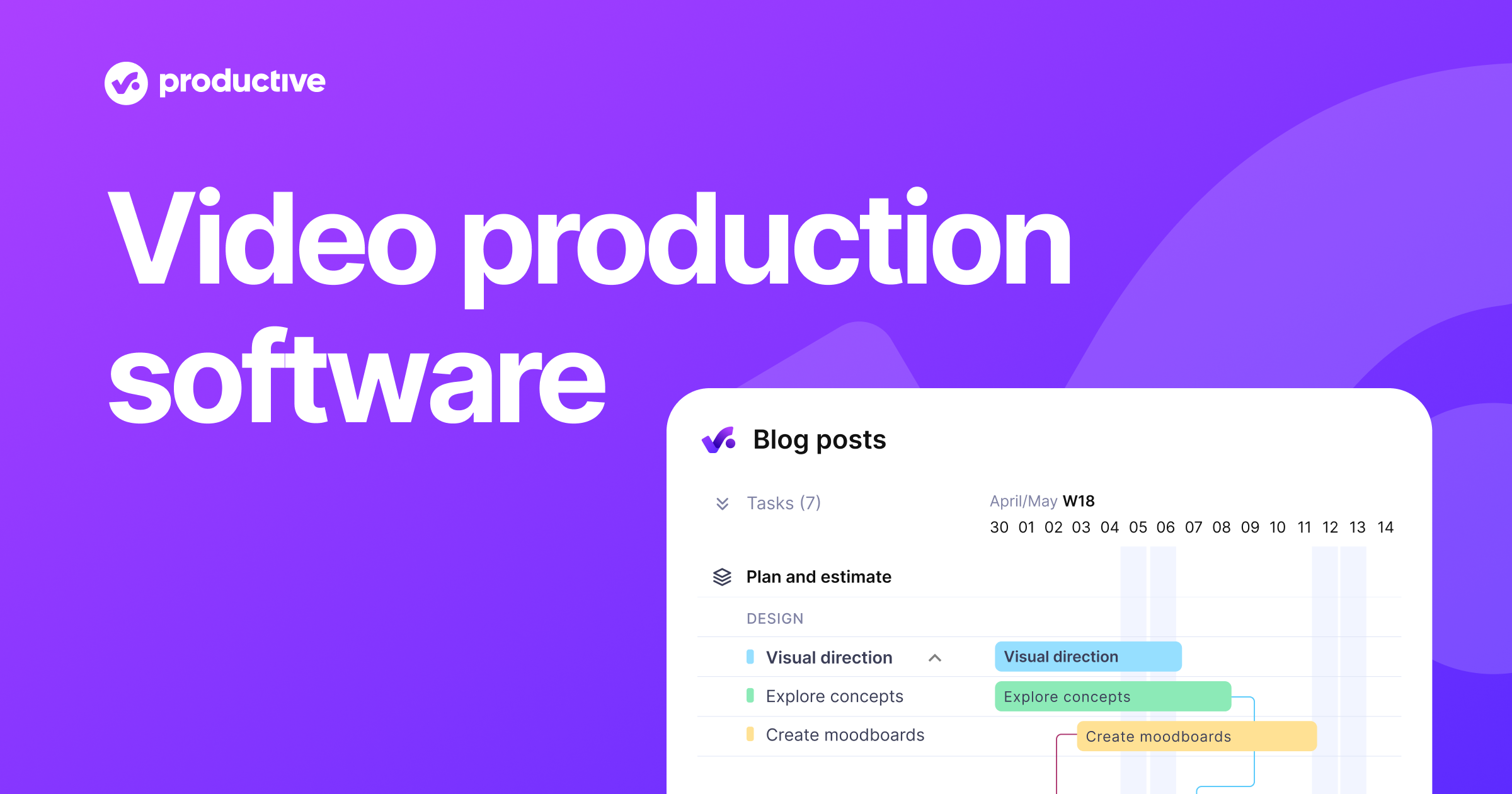
Productive

productive.io · Productive Video Production Software · scored Dec 2025

Real-time profitability tracking, but the mobile app lags

Best forVideo production agencies wanting one tool for scheduling, budgets, and profit.

From $9 per user/mo profitability trackingresource planningagency management
−0.4 vs #1

Agency management platform unifying scheduling, resource planning, and profitability tracking for video teams.

Standout factProlex Media replaced six separate tools with Productive to run its operations.productive.io
Biggest catchNew users describe the interface as overwhelming at first, due to extensive features and multi-step processes.thedigitalprojectmanager.com
$9/user/moEssential planproductive.io
$24/user/moProfessional planproductive.io
6Tools replaced (Prolex Media)productive.io

Plans

Professional$24/user/mo

billed yearly

Source: productive.io

In their words

“We were using six different tools at the time, and Productive really delivered on that note.”

productive.io

Upside

  • Real-time profitability tracking per client
  • Resource planning with hiring placeholders
  • Highly rated, responsive customer support

Catch

  • Interface overwhelming for new users
  • Limited reporting customization options
  • No built-in client intake forms
Pick it ifVideo production agencies wanting one tool for scheduling, budgets, and profit.
Skip it ifSolo editors wanting a traditional timeline editor or a basic to-do list.
PricingEssential plan starts at $9/month per user, billed yearly.

Editor's takeProductive's edge is tying project management directly to the money. Agencies can forecast profit per client and get automated warnings before budgets overrun. Prolex Media says it replaced six separate tools with this one platform. The tradeoff shows up early. New users call the interface overwhelming at first, given how many features and multi-step processes it packs in.

How much does Productive cost?

The Essential plan starts at $9 per user monthly when billed yearly. The Professional plan runs $24 per user monthly. Both undercut competitors like Scoro, which starts near $26 per user.

Is Productive hard to learn?

Reviews say new users often find the interface overwhelming at first because of the extensive feature set and multi-step processes. Customer support is frequently praised as fast and helpful during onboarding.

The evidence: 6 criteria, 3 penalties (−0.16 points)
8.8
Product Capability & DepthLooked for: We evaluate the software's ability to handle complex video production workflows, including task management, asset tracking, and end-to-end project lifecycle oversight.Productive centralizes agency operations by combining project management, resource planning, and financial oversight into a single platform, replacing the need for multiple disparate tools.productive.ioproductive.ioyoutube.com
9.2
Market Credibility & Trust SignalsLooked for: We look for adoption by reputable video production agencies, verified user reviews, and a proven track record in the creative industry.The platform is trusted by established video production agencies like Prolex Media and Tandem X Visuals, with users consistently praising its impact on operational efficiency.productive.ioproductive.io
8.7
Usability & Customer ExperienceLooked for: We assess the ease of onboarding, interface intuitiveness for creative teams, and the quality of customer support services.While the interface is modern and comprehensive, new users often face a steep learning curve; however, customer support is frequently cited as exceptional and responsive.thedigitalprojectmanager.comproductive.io
9.0
Value, Pricing & TransparencyLooked for: We analyze pricing structures, hidden costs, and the return on investment specifically for agency-model businesses.Productive offers transparent, tiered pricing that is competitive against similar agency management tools like Scoro, with a clear entry point for smaller teams.productive.ioproductive.iomaqtoob.com
9.1
Resource Planning & Production SchedulingLooked for: We evaluate tools for scheduling crew, managing equipment availability, and handling complex production timelines.The platform excels in resource management with features like placeholders for hiring, workload balancing, and Gantt charts that are essential for production scheduling.productive.ioproductive.ioproductive.io
9.3
Financial Management & ProfitabilityLooked for: We look for features that track production budgets, billable hours, and real-time profit margins per project or client.Productive provides real-time insights into budget burn, overhead management, and profitability forecasting, distinguishing it from generic project management tools.productive.ioproductive.io

Score adjustments−0.16 points in total

−0.05New users frequently report a steep learning curve and find the interface overwhelming due to the extensive feature set.thedigitalprojectmanager.com · severity 50/100
−0.06Some users find the reporting tools limited in customization options compared to other specialized software.g2.com · severity 45/100
−0.05The platform lacks a built-in service catalog and customized intake forms, which can be a limitation for agencies needing to onboard clients smoothly.agencyhandy.com · severity 40/100
12

StudioBinder

studiobinder.com · StudioBinder: Production Management Software · scored Aug 2026

StudioBinder's customer service rates just 2.5 of 5 on Capterra

Best forFilm and TV production teams needing one shared hub

Free tier free planbrowser-basedGoogle Drive integration
−0.5 vs #1

Browser-based production management tool covering scripts, breakdowns, call sheets, and schedules in one hub.

Standout factAn additional seat costs $33 a month on the Indie plan, on top of the $29 base.support.studiobinder.com
Biggest catchCapterra's customer-service sub-rating for StudioBinder sits at 2.5 out of 5, well below its other scores.capterra.com
$29/mo (10 projects)Entry paid planpeerspace.com
$33-$50/moExtra seat costsupport.studiobinder.com

Free vs paid

Free plan

$0
  • Core features

Indie plan from

$29/mo
  • 10 projects
  • 50GB storage
  • 3 free seats

Source: peerspace.com

What reviewers say

Capterra (customer service)
2.5/5 · 3

Source: capterra.com

Upside

  • Scripts, breakdowns, and call sheets in one place
  • Browser-based, no install needed
  • Free entry plan available

Catch

  • Weak customer-service rating on Capterra
  • Per-seat fees add up fast
  • Very few published reviews
Pick it ifFilm and TV production teams needing one shared hub
Skip it ifPost-production editors needing to cut video clips
PricingFree plan available, paid plans from $29/mo

Editor's takeStudioBinder bundles screenwriting, script breakdowns, shot lists, storyboards, and call sheets into one browser-based hub, with a Gantt-style production calendar for scheduling. It carries a 4.7 average on Capterra and GetApp, though those ratings rest on only three or four published reviews. The customer-service sub-score is a documented weak point at 2.5 out of 5, and adding seats costs $33 to $50 a month extra beyond the included three.

Is StudioBinder free to use?

There is a freemium entry plan. Paid tiers start around $29 a month for 10 projects and 50GB of storage, with extra seats costing $33 to $50 a month more.

Is StudioBinder's customer support good?

Not according to Capterra data. Its customer-service sub-rating sits at 2.5 out of 5, notably lower than its ease-of-use score of 4.0.

The evidence: 6 criteria, 3 penalties (−0.14 points)
9.1
Product Capability & DepthLooked for: Whether the tool covers the full range of film and video pre-production and production tasks in one place.The platform bundles screenwriting, script breakdowns, shot lists, storyboards, mood boards, shooting schedules, call sheets, contact management and a Gantt-style timeline calendar, plus a dedicated enterprise tier for larger productions.studiobinder.comproductionbeast.comstudiobinder.com
8.7
Market Credibility & Trust SignalsLooked for: Independent ratings, review volume and recognition that show the product is trusted in the film industry.Listed across Capterra, G2, GetApp and TrustRadius with an aggregate rating near 4.7/5, though the published review counts are small (three to four ratings), limiting the statistical weight of the signal.capterra.comgetapp.comcapterra.in
8.8
Usability & Customer ExperienceLooked for: How easy the software is to learn and use day to day, and how smooth the experience feels for production teams.It runs entirely in the browser and reviewers rate ease of use around 4.0/5, describing the experience as frictionless and efficient, though the customer-service sub-score on Capterra sits notably lower at 2.5/5.capterra.comcapterra.instudiobinder.com
8.5
Value, Pricing & TransparencyLooked for: Whether pricing is published, understandable, and offers fair value for the features provided.Pricing is public and tiered, with a free freemium plan and paid tiers commonly cited from around $19-$29/month; seat add-ons are clearly documented ($33/month extra on Indie, $50 on Professional), though some comparisons note it costs more than average video software.spotsaas.compeerspace.comsupport.studiobinder.com
9.0
Collaboration & Team Workflow DepthLooked for: How well the platform lets cast, crew and departments communicate and coordinate on a shared production.Collaboration is positioned as central: shared cross-department visibility, team comments, task assignments, timeline calendars and activity feeds replace siloed workflows, with call sheets sent directly to talent and crew.studiobinder.comproductionbeast.com
9.0
Support, Training & Educational ResourcesLooked for: Whether users can get help and learn the craft through documentation, guides and educational content.A dedicated support center hosts help articles (e.g., detailed seat-pricing guidance), and the company publishes an extensive library of filmmaking and production-software guides that double as onboarding and education resources.support.studiobinder.comstudiobinder.com

Score adjustments−0.14 points in total

−0.06Capterra's customer-service sub-rating for the product sits at 2.5 out of 5, notably below its other scores, signaling documented dissatisfaction with direct support responsiveness.capterra.com · severity 55/100
−0.05Published review counts on major platforms are very small (roughly three to four ratings), so high average scores rest on a thin evidence base.capterra.in · severity 45/100
−0.03A third-party pricing comparison reports StudioBinder costs meaningfully more than average video software, and per-seat fees add up quickly for larger teams.saasworthy.com · severity 40/100
02

Side by side

10 features across 12 products. Green is yes, red is no, grey is not published.

FeatureFilmoraStreamlabsDaVinci ResolveWondershare UniConverterDescriptRiversideSynthesiaAvid Media ComposerVimeoBlackbirdProductiveStudioBinder
Has Mobile App Web-only
Has Free Plan
Has Free Trial Contact for trial Contact for trial Contact for trial
Integrates With Zapier
Has Public API Enterprise API only Enterprise API only Enterprise API only
Live Chat Support Email/Ticket only Email/Ticket only Email/Ticket only Email/Ticket only Email/Ticket only Email/Ticket only Email/Ticket only Email/Ticket only
SOC 2 or ISO Certified Both
Popular Integrations YouTube, Vimeo, Facebook Twitch, YouTube, Facebook Live Adobe After Effects, Final Cut Pro, Avid Media Composer YouTube, Dropbox, Google Drive Zoom, Slack, Google Drive Zoom, Dropbox, Google Drive LMS systems, Slack, Microsoft Teams Adobe Premiere Pro, Pro Tools, Media Composer YouTube, Facebook, Google Analytics Adobe Premiere Pro, Avid Media Composer, Final Cut Pro QuickBooks, Slack, Trello Google Drive, Dropbox, Slack
Supports SSO Enterprise plans only Enterprise plans only Enterprise plans only Enterprise plans only Enterprise plans only
Starting Price $50 per year Free tier $295 one-time $50 per year $12 per month $15 per month $30 per month $260 per year $7 per month Contact for pricing $9 per user/mo Free tier
03

How we chose

Four fixed criteria for every product, plus two chosen for Video Editing & Production Software for Staffing Agencies, weighted and reduced by documented penalties.

Full methodology
Criteria set for this categoryProduct Capability & Depth, Market Credibility & Trust Signals, Usability & Customer Experience, Value, Pricing & Transparency, Security, Compliance & Data Protection, Integrations & Ecosystem Strength
Evidence, then a scoreDocumentation, pricing pages, security pages and third-party reviews. Each criterion records what was found and links its sources.
Penalties, then a rankDocumented problems pull the score down with their evidence attached. Rank follows the score. Sponsored rows, where present, are labelled.
iVendors cannot buy a position. Every score rests on published evidence, documented problems pull it down, and a 9.1 here is not a 9.1 in another category.
Albert Richer
Albert RicherFounder · Memphis, TN

Sets the criteria and reviews the evidence before a ranking publishes. Email him if something here looks wrong.

04

Questions people ask

Are Filmora's AI tools included in the base price?

Not all of them. The core editor starts at $49.99 a year, but the most advanced effects and AI tools require a separate add-on subscription.

Is Filmora good for beginners?

Yes. Reviewers consistently cite its drag-and-drop interface as one of the easiest on the market, letting first-time users start editing without a steep learning curve.

Is Streamlabs Desktop free?

Yes, the core software is fully free with no cut taken from tips. The Ultra add-on for multistreaming and premium overlays costs $27 a month or $189 a year.

Does Streamlabs use more resources than OBS?

Yes. It runs background browser processes for its dashboard and widgets, so it uses more CPU and RAM than standard OBS Studio.

Does DaVinci Resolve require a subscription?

No. The Studio version is a one-time purchase of $295 with free lifetime updates, and a capable free version is also available, according to Blackmagic Design.

Is DaVinci Resolve beginner-friendly?

Not especially. Reviewers note it can take three times longer than simpler apps like CapCut for basic tasks, reflecting its professional-grade learning curve.

Can I fully test UniConverter for free?

Not really. The trial version converts only 1/3 of a video's length, adds a watermark, and caps output resolution at 480p.

What formats does UniConverter support?

Over 1,000 video, audio, and image formats, including 4K, 8K, HDR, AV1, and HEVC, with GPU-accelerated conversion up to 130 times faster.

How is the best Video Editing & Production Software for Staffing Agencies decided?

Every product is scored on six criteria for this category, with cited evidence and documented penalties. Rank follows the overall score. Vendors cannot pay for a position.

How often is this ranking updated?

Products are re-scored when pricing, features or evidence change. This ranking was last updated August 10, 2026.

05

More in Video Editing & Production Software

2 related rankings.

All of Video Editing & Production
Research

Blackmagic Design's user base exploded from 900 to 5.47 million after going freemium in 2009

May 9, 2026

Desktop publishing jobs face a 12% decline by 2034, with only 400 annual openings expected

May 15, 2026

Infogain migrated 1.8 million files totaling 50 terabytes to cloud-native platforms

May 12, 2026