What Is Video Conferencing Software?
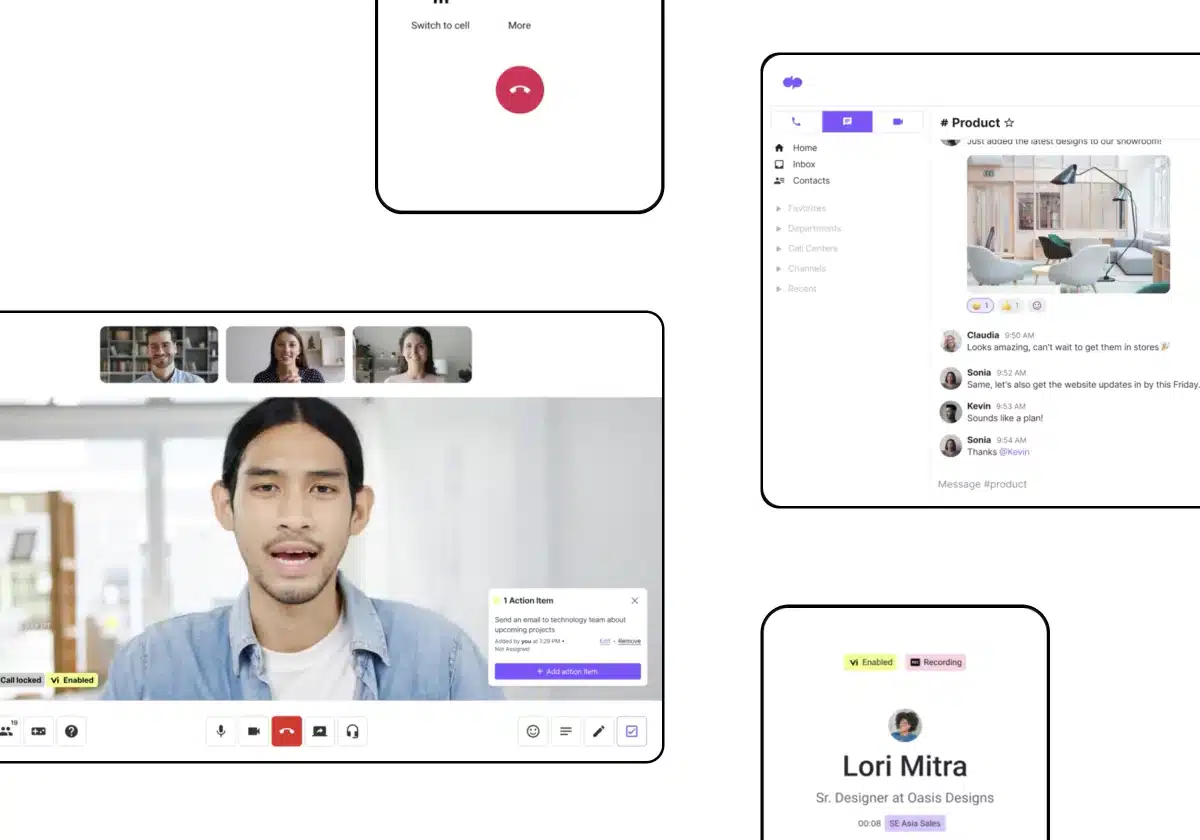
At its core, Video Conferencing Software solves the problem of distance and friction in high-stakes communication. While email and instant messaging handle transactional data transfer, video conferencing creates the "presence" required for negotiation, complex diagnostics, and relationship building. For the modern enterprise, it is no longer just a communication utility; it has evolved into a system of record for spoken data, capturing insights that were previously lost the moment a meeting ended.
History of the Category
The trajectory of video conferencing from the 1990s to the present is a study in the shift from hardware-centric scarcity to software-defined ubiquity. In the early 1990s, video conferencing was an asset-heavy luxury reserved for the boardroom. It relied on expensive, on-premise hardware bridges (Multipoint Control Units or MCUs) and dedicated ISDN lines that cost thousands of dollars per hour to operate. The gap that created this category was the inability of traditional telephony to convey non-verbal cues and visual data, a critical missing link for globalizing enterprises. Early market entrants focused on room-based systems that required specialized IT teams to manage.
The widespread adoption of IP networks in the late 1990s and early 2000s began the decoupling of video from proprietary telecommunications infrastructure. However, the true inflection point arrived with the shift from on-premise infrastructure to the cloud. The rise of vertical SaaS in the late 2000s and early 2010s demonstrated that complex processing, video encoding, decoding, and mixing, could be handled in the cloud rather than on local hardware. This era saw a massive wave of market consolidation, where legacy telecommunications giants acquired agile software startups to bolt video capabilities onto their voice and data pipes. These acquisitions shaped the current landscape, merging the reliability of carrier-grade networks with the usability of consumer software.
By 2020, the buyer expectation shifted dramatically. The "database" era, where the primary value was connecting Point A to Point B, ended. We have now entered the "intelligence" era. Buyers no longer ask, "Can we connect?" but rather, "What can the software tell us about the conversation?" The market has moved toward actionable intelligence: sentiment analysis, automated transcription, and workflow automation that triggers actions in CRM or project management tools based on spoken words. Today, the category is defined not by the quality of the pixel, but by the utility of the data generated during the call.
What to Look For
Evaluating video conferencing software requires moving beyond basic audio/video quality checks, which are now table stakes. Expert buyers focus on the architecture of resilience and the governance of data.
Critical Evaluation Criteria
First, examine the architecture of packet loss resilience. High-performing platforms utilize scalable video coding (SVC) or similar adaptive bitrate technologies that can sustain usability even with 20-30% packet loss. Ask vendors specifically how their architecture handles jitter and latency variability in non-ideal network conditions, such as 4G/5G mobile connections or saturated home Wi-Fi.
Second, assess compliance and sovereignty granularity. For enterprise deployment, it is insufficient to simply be "GDPR compliant." You must look for the ability to pin data residency to specific geographic regions (e.g., ensuring EU data never touches US servers) and granular retention policies that allow you to automate the deletion of recordings and transcripts after a set period to minimize liability.
Red Flags and Warning Signs
A significant red flag is a vendor that relies heavily on proprietary client downloads without a robust WebRTC (browser-based) alternative. In friction-sensitive use cases like sales or telehealth, forcing an external participant to download software results in drop-off rates. If the "join via browser" experience is hidden or severely feature-limited compared to the desktop app, it signals a legacy architecture that may struggle with external collaboration.
Another warning sign is vague encryption terminology. Be wary of vendors who conflate "encryption in transit" with "end-to-end encryption" (E2EE). True E2EE means the provider cannot access the keys to decrypt the content, even if subpoenaed. If the vendor cannot provide a technical whitepaper detailing their key management infrastructure, assume they have access to your data.
Key Questions to Ask Vendors
- "Does your AI processing for transcription and summarization happen on your own private cloud, or is data sent to a third-party LLM provider? If third-party, do you have a zero-day retention policy?"
- "Can we enforce a 'waiting room' policy strictly for external guests while allowing internal employees to bypass it via SSO?"
- "What is your Service Level Agreement (SLA) for uptime, and does it cover video quality degradation, or only total service unavailability?"
Industry-Specific Use Cases
Retail & E-commerce
In retail, video conferencing has evolved from a back-office tool to a revenue-generating channel known as "virtual clienteling." The specific need here is integration with product catalogs and inventory systems. Unlike a standard corporate meeting, a retail video interface must allow the associate to overlay product details, check stock levels in real-time, and process transactions without leaving the video window. Evaluation priorities focus on the "shoppable video" workflow, can the customer add items to a cart directly from the video feed?
Unique considerations include mobile-first optimization for the associate. Store employees are often on the floor using tablets or smartphones, not sitting at desks. The software must support high-quality video transmission over store Wi-Fi while stabilizing the image as the associate moves around. Furthermore, brand customization is critical; the interface must look like the retailer's environment, not a generic third-party tool, to maintain consumer trust.
Healthcare
For healthcare, the non-negotiable evaluation priority is HIPAA/GDPR compliance and the Business Associate Agreement (BAA). General-purpose tools often fail here because they lack the specific workflow of a clinical encounter. Healthcare video software must support a "virtual waiting room" that mimics a physical clinic, allowing triage nurses to screen patients before admitting them to the doctor's private video room. This prevents accidental privacy breaches where one patient might interrupt another's consult.
Integration with Electronic Health Records (EHR) is the primary efficiency driver. The ideal workflow allows a clinician to launch a visit directly from the patient's chart in the EHR, with the software automatically documenting the call duration and participants for insurance reimbursement purposes. Unique considerations include support for multi-party calls for interpreters or family members, which must be ad-hoc and seamless to ensure equitable care access.
Financial Services
The financial sector uses video conferencing heavily for Know Your Customer (KYC) and identity verification processes. Specific needs revolve around high-definition video clarity sufficient to read the micro-text on a passport or ID card held up to a webcam. The software must often support geo-location tagging to verify the participant is physically located where they claim to be, a regulatory requirement in many jurisdictions for opening accounts.
Evaluation priorities include immutable audit trails. Every interaction must be logged with metadata (IP address, device ID, timestamp) that cannot be altered, ensuring the institution can prove due diligence during an audit. Security architecture is paramount; financial buyers often require on-premise or hybrid deployment options where video traffic does not traverse the public internet, or where encryption keys are held exclusively by the bank (Bring Your Own Key - BYOK).
Manufacturing
Manufacturing utilizes specialized video conferencing for "remote expert" guidance and AR integration. The use case involves a frontline worker on a factory floor connecting with a subject matter expert (SME) located elsewhere to troubleshoot machinery. Standard video tools fail here because they lack annotation capabilities. Manufacturing-specific video tools allow the remote expert to draw on the screen, with the markings "sticking" to the physical object in the video feed via computer vision.
Evaluators prioritize device agnostic support, particularly for Assisted Reality (AR) smart glasses (e.g., RealWear, Vuzix) or ruggedized tablets. The software must be operable via voice commands to allow hands-free operation by the technician repairing equipment. Bandwidth optimization is also critical, as factory floors often have notoriously poor connectivity, requiring codecs that can deliver clear still images even if the video framerate drops.
Professional Services
For law firms, consultancies, and agencies, Video Conferencing Software is the delivery mechanism for their billable product. The specific need is automated time tracking and client matter association. Professional services firms lose significant revenue when hours spent on ad-hoc video calls are not logged. Specialized tools or integrations will automatically prompt the user to assign a "client matter code" when a meeting ends, pushing that data directly into billing software.
Evaluation priorities include professional branding and lobby experience. A high-end consultancy requires a waiting room experience that reinforces their brand, perhaps showing white papers or firm news, rather than a black screen. Security focuses on ethical walls and information barriers, ensuring that recordings of a meeting regarding Client A cannot be searched or accessed by partners working on a conflict-of-interest case for Client B.
Integration & API Ecosystem
In the modern software stack, Video Conferencing Software cannot exist as an island. Its value is derived from how tightly it weaves into the fabric of daily work. Gartner's research indicates that by 2026, 75% of enterprise software buyers will prioritize API composability over standalone features when selecting collaboration tools. This shift highlights that the "video" part of the software is becoming a commodity; the differentiation lies in the API.
Consider a concrete example of a mid-sized professional services firm with 50 consultants. They utilize a Project Management tool (like Asana), a CRM (like Salesforce), and a billing system. Without deep API integration, a consultant finishes a client video call and then must manually log the time in the billing system and update the CRM notes. If the video tool has a poorly designed API, this "toggle tax" costs the firm money.
In a well-integrated ecosystem, the video meeting is an object within the CRM. When the call ends, the API automatically pushes the recording link, transcript, and attendance duration into the client's CRM record. It simultaneously triggers a webhook to the billing system to log 0.75 billable hours. "The future of collaboration is not in the app, but in the workflow," notes a Principal Analyst at Forrester. Buyers must validate that the vendor’s API supports bi-directional sync (read/write) capabilities, not just simple one-way calendar pushing.
Security & Compliance
Security in video conferencing has moved from a checklist item to a board-level concern. The 2024 Verizon Data Breach Investigations Report (DBIR) highlights that 15% of breaches involved a third party or supplier, and 68% involved a non-malicious human element (like error). Video conferencing platforms sit at the intersection of both risks: they are third-party suppliers handling sensitive real-time data, and they are prone to human errors like sharing the wrong screen or leaving a meeting open.
A real-world scenario involves a healthcare network conducting remote therapy sessions. If they use a general-purpose video tool that lacks a signed Business Associate Agreement (BAA) and proper HIPAA configurations, they are non-compliant. A breach doesn't require a hacker; it only requires a provider to accidentally paste a "public" meeting link into a patient portal. If a malicious actor joins that room (Zoom-bombing), the resulting privacy violation can cost millions in fines.
Expert evaluation requires verifying SSO (Single Sign-On) enforcement. This ensures that when an employee leaves the company and is removed from the Active Directory, their access to the video platform is instantly revoked. Furthermore, buyers should demand transparency on data sovereignty. If you are a European entity, your video traffic and stored artifacts (chats, files) should ideally never route through US servers to comply with strict interpretations of GDPR.
Pricing Models & TCO
The sticker price of video conferencing software is rarely the Total Cost of Ownership (TCO). Forrester's Total Economic Impact studies consistently show that while license costs are visible, operational overhead accounts for up to 40% of the TCO over three years. The market has largely shifted from "per-minute" charges to "per-host" subscription models, but hidden costs persist.
Consider a 25-person sales team evaluating a premium video solution priced at $20/user/month. The annual license cost is $6,000. However, the TCO calculation must include:
- Hardware upgrades: Do employees need 4K webcams or noise-canceling headsets to utilize the software's HD features? ($2,500 one-time)
- Network bandwidth: Does the office network need an upgrade to support 25 simultaneous HD streams? ($1,200/year)
- Add-on features: Are "toll-free dial-in numbers" or "cloud storage for recordings" billed as overages? (Estimated $1,000/year)
In this scenario, the actual TCO for year one is nearly double the license cost. Buyers should look for "bundled" pricing that includes generous cloud storage and PSTN (telephone) dial-in allowances to avoid monthly overage shocks. Be wary of "freemium" traps where essential security features like SSO are gated behind the most expensive Enterprise tier.
Implementation & Change Management
The failure of video conferencing software is rarely technical; it is cultural. Gartner estimates that through 2025, 50% of enterprise collaboration initiatives will fail to meet their goals due to lack of focus on user behavior and change management.
Take the example of a 50-person professional services firm migrating from a legacy system to a modern cloud video platform. The IT team deploys the software on Monday. By Tuesday, partners are complaining that "the button moved" or "I can't find my recording." Productivity stalls. A successful implementation requires a phased rollout:
- Phase 1: Pilot. A tech-savvy "champion" group tests the software in real client meetings to identify workflow gaps (e.g., "The calendar plugin doesn't sync color codes").
- Phase 2: Training. Mandatory concise workshops focusing on the specific "WIIFM" (What's In It For Me) for each role, teaching sales reps how to use recording intelligence to close deals, rather than generic feature walkthroughs.
- Phase 3: Sunset. A hard date where the old system is turned off to prevent fragmentation.
Implementation also requires network readiness assessments. Pushing 4K video to 500 remote endpoints without testing VPN concentrator loads is a recipe for disaster.
Vendor Evaluation Criteria
When selecting a vendor, stability and roadmap transparency outweigh flashy features. IDC's MarketScape reports emphasize that "platform reliability and customer support" are the top two drivers for satisfaction in the collaboration market. Buyers should score vendors on their support tier structure: does "24/7 support" mean a chatbot, or a human engineer?
A critical evaluation exercise is the "Roadmap alignment check." Ask the vendor: "What features are you deprecating in the next 12 months?" A vendor that cannot answer this is likely accumulating technical debt. Furthermore, look for certification ecosystems. For hardware-heavy industries, does the software vendor certify third-party cameras and microphones (e.g., Logitech, Poly)? Vendor lock-in happens when software only works well with the vendor's own proprietary hardware.
Emerging Trends and Contrarian Take
Emerging Trends 2025-2026
The dominant trend is the rise of Agentic AI participants. We are moving beyond AI that simply summarizes a meeting after it ends. By 2026, AI agents will join meetings as active participants, retrieving documents upon voice command, scheduling follow-ups in real-time, and even answering factual questions by querying the company knowledge base during the call. Additionally, Platform Convergence is accelerating. Standalone video tools are being absorbed into broader "Work Hubs" where video, chat, whiteboard, and project management exist in a single pane of glass.
Contrarian Take
The mid-market is overserved and overpaying. Most businesses are buying "Enterprise" grade video suites with 500 features (avatars, immersive spaces, complex webinars) when their actual usage data shows employees only use three functions: Audio, Video, and Screen Share. Most businesses would achieve higher ROI by downgrading to "good enough" integrated video tools within their existing productivity suites (like Google Workspace or Microsoft 365) rather than paying a premium for a best-of-breed standalone video platform. The delta in quality has narrowed so significantly that for 90% of internal meetings, the "free" included tool is indistinguishable from the premium standalone product.
Common Mistakes
Overbuying Capacity: Many organizations purchase "Large Meeting" licenses for every manager, anticipating town halls. In reality, large meetings happen quarterly. Use a pooled licensing model or buy ad-hoc event licenses instead of equipping every user with webinar capacity.
Ignoring "Shadow IT" Configurations: A common mistake is allowing users to configure their own personal settings without a baseline policy. This leads to embarrassing scenarios where sales reps enter client calls with unprofessional virtual avatars or backgrounds enabled by default. Centralized policy management is crucial.
Neglecting Audio Hardware: Companies spend thousands on software and zero on microphones. The best video software cannot fix bad audio input. Neglecting to budget for decent headsets ($50-$100 range) undermines the entire software investment, as listeners fatigue quickly from poor audio.
Questions to Ask in a Demo
- "Can you show me the exact workflow for an external guest joining from a mobile device on a 4G connection? I want to see the load time."
- "Show me the admin dashboard's 'Quality of Service' (QoS) reporting. Can I drill down to see why a specific user had a bad call yesterday?"
- "How does your platform handle 'split-tunneling' for VPN users to optimize bandwidth?"
- "Demonstrate the integration with our specific calendar/email client. Does it require a browser extension, or is it native?"
- "What is the data retention policy for chat logs within a meeting, and can we automate their deletion separate from the video recording?"
Before Signing the Contract
Final Decision Checklist
- Bandwidth Stress Test: Have you tested the software with 20+ users on your office network?
- Security Audit: Has your CISO or IT security lead reviewed the vendor's SOC 2 Type II report?
- Support SLA: Is the guaranteed response time for a "System Down" event acceptable (e.g., < 1 hour)?
Common Negotiation Points
Do not accept the list price on multi-year deals. Vendors are often willing to waive "Cloud Recording Storage" fees or provide free "Room Connector" licenses (to connect legacy hardware) to close a deal. Also, negotiate the "True-up" period, ensure you aren't penalized immediately if you temporarily exceed your license count during a busy month.
Deal-Breakers
Walk away if the vendor refuses to sign a Data Processing Addendum (DPA) that aligns with your local regulations (GDPR/CCPA) or if they cannot provide a clear roadmap for discontinuing legacy features you rely on. Lack of transparency on data sub-processors is a non-starter for any regulated industry.
Closing
Navigating the video conferencing landscape requires balancing user experience with rigid security and infrastructure demands. If you have specific questions about how these frameworks apply to your organization's unique stack, I am available to discuss further.
Email: albert@whatarethebest.com

 G
G