Product Feedback & Feature Voting Tools

These are the specialized categories within Product Feedback & Feature Voting Tools. Looking for something broader? See all Project Management & Productivity Tools categories.

Not sure which one is right for you?

Answer 4 quick questions and we'll match you with your best options

Find Your Best Match

How big is your team?

Just me
2 - 10
11 - 50
51 - 200
201 - 1,000
1,000+

What's your budget situation?

Free or open-source only
Free to start, pay later
Best value for money
Price isn't the main factor

What's your team's technical comfort level?

We want it to just work
We can handle some setup
We have developers who'll customize it

What's the ONE thing this tool must do well?

Step 1 of 4
Canny Feature Request Management

Canny is a powerful tool designed particularly for SaaS companies to effectively manage feature requests. It allows users to collect, organize, and analyze customer feedback, thereby enhancing product development and customer satisfaction. This is crucial in the SaaS industry where customer engagement and product improvement are key to success.

Best for Feature Request Tools for SaaS Products

Expert Take

Canny excels in providing a streamlined platform for managing feature requests, crucial for SaaS companies aiming to enhance customer satisfaction and product development. Its integration capabilities and user-friendly interface make it a top choice in its category, despite some limitations in the free plan.

Pros

  • SOC 2 Type II compliant
  • Deep two-way Jira/Linear sync
  • AI 'Autopilot' deduplicates feedback
  • Intuitive, modern user interface
  • Free plan for small teams

Cons

  • Expensive 'tracked user' pricing
  • No anonymous guest posting
  • SSO locked to Business plan
  • CRM integrations gated
  • Limited customization on low tiers

Best for teams that are

  • Mid-to-large B2B SaaS teams needing deep CRM integrations like Salesforce
  • Companies valuing SOC2 compliance and advanced moderation tools
  • Enterprises with the budget to scale as user engagement grows

Skip if

  • Early-stage startups due to expensive 'tracked user' pricing limits
  • Teams requiring a multi-language interface (currently English only)
  • Companies wanting a simple changelog without complex feature sets

Best for teams that are

  • Mid-to-large B2B SaaS teams needing deep CRM integrations like Salesforce
  • Companies valuing SOC2 compliance and advanced moderation tools
  • Enterprises with the budget to scale as user engagement grows

Skip if

  • Early-stage startups due to expensive 'tracked user' pricing limits
  • Teams requiring a multi-language interface (currently English only)
  • Companies wanting a simple changelog without complex feature sets

Pros

  • SOC 2 Type II compliant
  • Deep two-way Jira/Linear sync
  • AI 'Autopilot' deduplicates feedback
  • Intuitive, modern user interface
  • Free plan for small teams

Cons

  • Expensive 'tracked user' pricing
  • No anonymous guest posting
  • SSO locked to Business plan
  • CRM integrations gated
  • Limited customization on low tiers

Expert Take

Canny excels in providing a streamlined platform for managing feature requests, crucial for SaaS companies aiming to enhance customer satisfaction and product development. Its integration capabilities and user-friendly interface make it a top choice in its category, despite some limitations in the free plan.

Canny: Feedback Management Tools

Canny is a dedicated tool designed for teams to collect, analyze, and organize customer feedback and feature requests. Particularly designed for product management and development teams, Canny ensures that no feedback slips through the cracks, enabling industry professionals to make data-driven decisions and prioritize development tasks based on real customer needs.

Best for Internal Feature Feedback Tools for Teams

Expert Take

Canny excels as a feedback management tool, offering robust analytics and seamless integration capabilities. It is recognized for its intuitive interface and ability to prioritize customer feedback effectively. While pricing may be a consideration for smaller teams, its comprehensive feature set justifies its premium positioning.

Pros

  • Autopilot AI automates feedback discovery
  • SOC 2 Type II compliant security
  • Deep two-way Jira integration
  • Intuitive and modern user interface
  • Seamless Intercom and Zendesk syncing

Cons

  • Pricing penalizes high user engagement
  • Salesforce integration locked to high tiers
  • Free plan limited to 25 users
  • Costs can spike unpredictably
  • Limited native localization features

Best for teams that are

  • Large enterprises needing deep integrations (Jira, Salesforce) and advanced security features
  • Product teams with budget who need to manage high volumes of feedback with AI automation
  • Companies requiring a mature platform with extensive API capabilities and moderation tools

Skip if

  • Early-stage startups or small teams with limited budgets due to high monthly costs
  • Teams looking for a simple, lightweight tool without a steep learning curve
  • Companies wanting unlimited tracked users without paying significant overage fees

Best for teams that are

  • Large enterprises needing deep integrations (Jira, Salesforce) and advanced security features
  • Product teams with budget who need to manage high volumes of feedback with AI automation
  • Companies requiring a mature platform with extensive API capabilities and moderation tools

Skip if

  • Early-stage startups or small teams with limited budgets due to high monthly costs
  • Teams looking for a simple, lightweight tool without a steep learning curve
  • Companies wanting unlimited tracked users without paying significant overage fees

Pros

  • Autopilot AI automates feedback discovery
  • SOC 2 Type II compliant security
  • Deep two-way Jira integration
  • Intuitive and modern user interface
  • Seamless Intercom and Zendesk syncing

Cons

  • Pricing penalizes high user engagement
  • Salesforce integration locked to high tiers
  • Free plan limited to 25 users
  • Costs can spike unpredictably
  • Limited native localization features

Expert Take

Canny excels as a feedback management tool, offering robust analytics and seamless integration capabilities. It is recognized for its intuitive interface and ability to prioritize customer feedback effectively. While pricing may be a consideration for smaller teams, its comprehensive feature set justifies its premium positioning.

Featurebase Feedback Platform

Featurebase is a comprehensive SaaS solution tailored for product managers seeking an organized, user-friendly platform for handling product feedback. It facilitates a vibrant product feedback community where users can request, vote, and discuss features or ideas, thus enabling product managers to prioritize features, understand user needs, and ultimately, develop better products.

Best for Feature Feedback Dashboards for Product Managers

Expert Take

Featurebase excels as a feedback tool for product managers, offering comprehensive features for managing user feedback and prioritizing product development. Its strong market credibility and usability are supported by third-party validations and robust analytics, making it a top choice in its category.
Pros

  • Significantly more affordable than Canny
  • SOC 2 Type II Certified
  • Unified feedback, roadmap, and support
  • Seamless Linear and Jira sync
  • AI-powered duplicate detection

Cons

  • No native mobile app for admins
  • Limited branding customization options
  • Lacks deep project management features
  • Fewer enterprise-grade governance controls
  • Reporting less advanced than Productboard

Best for teams that are

  • Startups and SMBs seeking an affordable, all-in-one feedback suite
  • Teams wanting unlimited users without per-seat pricing penalties
  • Product teams using modern stacks like Linear who value clean UI

Skip if

  • Enterprises requiring extensive legacy integrations (50+ tools)
  • Teams specifically needing a native mobile application
  • Organizations requiring complex on-premise hosting solutions

Best for teams that are

  • Startups and SMBs seeking an affordable, all-in-one feedback suite
  • Teams wanting unlimited users without per-seat pricing penalties
  • Product teams using modern stacks like Linear who value clean UI

Skip if

  • Enterprises requiring extensive legacy integrations (50+ tools)
  • Teams specifically needing a native mobile application
  • Organizations requiring complex on-premise hosting solutions

Pros

  • Significantly more affordable than Canny
  • SOC 2 Type II Certified
  • Unified feedback, roadmap, and support
  • Seamless Linear and Jira sync
  • AI-powered duplicate detection

Cons

  • No native mobile app for admins
  • Limited branding customization options
  • Lacks deep project management features
  • Fewer enterprise-grade governance controls
  • Reporting less advanced than Productboard

Expert Take

Featurebase excels as a feedback tool for product managers, offering comprehensive features for managing user feedback and prioritizing product development. Its strong market credibility and usability are supported by third-party validations and robust analytics, making it a top choice in its category.

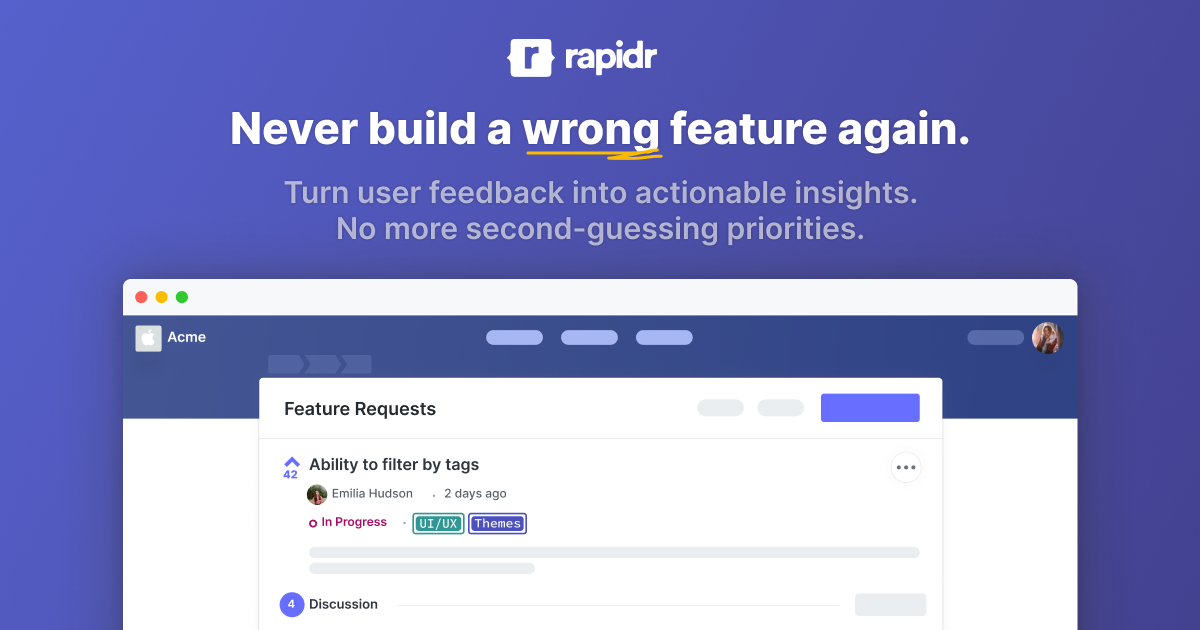
Rapidr Feature Request Tracker

Rapidr is a feature request tracking software designed specifically for product teams and SaaS companies. It provides a centralized platform to track, manage, and prioritize feature requests from customers and teammates, helping businesses to streamline their product development process and align it with user needs and expectations.

Best for Feature Request Tools for SaaS Products

Expert Take

Rapidr stands out as a specialized tool for SaaS companies, offering robust feature request tracking and integration capabilities. Its focus on product teams ensures alignment with user needs, while integration with popular tools enhances its usability. Despite some limitations in the basic plan, it remains a top choice for its category.

Pros

  • Highly affordable starting at $49/mo
  • Modern, lightweight user interface
  • Free concierge migration service
  • Unlimited feedback boards included
  • Integrated roadmap and changelog

Cons

  • No public API access
  • Lacks SOC 2 certification
  • No bulk editing capabilities
  • Missing prioritization matrix feature
  • GDPR compliance listed as 'Coming Soon'

Best for teams that are

  • Growing SaaS teams seeking a feature-rich, affordable Canny alternative
  • Companies needing a complete feedback loop with predictable flat pricing
  • Teams requiring white-labeling options on mid-tier plans

Skip if

  • Small teams or hobbyists looking for a permanently free plan
  • Developers requiring API access for custom integrations
  • Users who need a mobile app for managing feedback on the go

Best for teams that are

  • Growing SaaS teams seeking a feature-rich, affordable Canny alternative
  • Companies needing a complete feedback loop with predictable flat pricing
  • Teams requiring white-labeling options on mid-tier plans

Skip if

  • Small teams or hobbyists looking for a permanently free plan
  • Developers requiring API access for custom integrations
  • Users who need a mobile app for managing feedback on the go

Pros

  • Highly affordable starting at $49/mo
  • Modern, lightweight user interface
  • Free concierge migration service
  • Unlimited feedback boards included
  • Integrated roadmap and changelog

Cons

  • No public API access
  • Lacks SOC 2 certification
  • No bulk editing capabilities
  • Missing prioritization matrix feature
  • GDPR compliance listed as 'Coming Soon'

Expert Take

Rapidr stands out as a specialized tool for SaaS companies, offering robust feature request tracking and integration capabilities. Its focus on product teams ensures alignment with user needs, while integration with popular tools enhances its usability. Despite some limitations in the basic plan, it remains a top choice for its category.

Public Roadmap by Canny

Public Roadmap by Canny helps businesses in diverse industries to create and share their product roadmaps, enabling them to collect valuable customer feedback. It addresses the need for transparency and customer engagement in product development, making it a crucial tool for product managers and developers.

Best for Public Roadmap and Feedback Tools

Expert Take

Public Roadmap by Canny excels in enabling businesses to engage with customers through transparent product development. It offers a user-friendly interface and customizable roadmaps, making it a top choice for product managers. Its strengths in market credibility and usability are backed by third-party validations.

Pros

  • Automated roadmap syncing with Jira/GitHub
  • SOC 2 Type II and GDPR compliant
  • Visual roadmap with drag-and-drop status
  • Strong customer base (Ahrefs, ClickUp)
  • Two-way integration with engineering tools

Cons

  • Pricing scales unpredictably with user activity
  • Custom statuses locked behind expensive plans
  • Salesforce integration requires Business plan
  • Support can be difficult to contact

Best for teams that are

  • B2B SaaS companies needing deep customer segmentation (e.g., by revenue).
  • Established teams requiring advanced integrations (Jira, Salesforce).

Skip if

  • Early-stage startups or solopreneurs with limited budgets ($400/mo jump).
  • Teams wanting a simple tool without complex configuration or analytics.

Best for teams that are

  • B2B SaaS companies needing deep customer segmentation (e.g., by revenue).
  • Established teams requiring advanced integrations (Jira, Salesforce).

Skip if

  • Early-stage startups or solopreneurs with limited budgets ($400/mo jump).
  • Teams wanting a simple tool without complex configuration or analytics.

Pros

  • Automated roadmap syncing with Jira/GitHub
  • SOC 2 Type II and GDPR compliant
  • Visual roadmap with drag-and-drop status
  • Strong customer base (Ahrefs, ClickUp)
  • Two-way integration with engineering tools

Cons

  • Pricing scales unpredictably with user activity
  • Custom statuses locked behind expensive plans
  • Salesforce integration requires Business plan
  • Support can be difficult to contact

Expert Take

Public Roadmap by Canny excels in enabling businesses to engage with customers through transparent product development. It offers a user-friendly interface and customizable roadmaps, making it a top choice for product managers. Its strengths in market credibility and usability are backed by third-party validations.

Beamer's Product Roadmap Tool

Beamer's Product Roadmap & Feature Request Tool is a powerful solution for product managers and development teams. It elegantly displays upcoming features, and allows prioritizing based on real user feedback. This tool is perfect for SaaS businesses that need to keep their customers updated and involved in the product development process.

Best for Public Roadmap and Feedback Tools

Expert Take

Beamer's Product Roadmap Tool excels in providing a customer-centric approach to product management, with strong capabilities in user feedback integration and roadmap transparency. It is well-regarded for its usability and analytics, although it has some limitations in customization. The tool is positioned as a premium solution in the public roadmap and feedback tools category.

Pros

  • SOC 2 Type II certified security
  • Seamless Jira and Intercom integrations
  • No-code setup for roadmaps
  • Integrated changelog and feedback loop
  • Public and private roadmap options

Cons

  • No internal prioritization matrix
  • Feedback features require $99/mo plan
  • Lacks internal comments on feedback
  • Limited dependency management tools
  • No free tier for feedback features

Best for teams that are

  • PLG teams focused on in-app announcements and user engagement widgets.
  • Companies primarily wanting a changelog with roadmap as a secondary feature.

Skip if

  • Teams primarily looking for deep feedback management capabilities.
  • Budget-conscious users (feedback features add significant cost).

Best for teams that are

  • PLG teams focused on in-app announcements and user engagement widgets.
  • Companies primarily wanting a changelog with roadmap as a secondary feature.

Skip if

  • Teams primarily looking for deep feedback management capabilities.
  • Budget-conscious users (feedback features add significant cost).

Pros

  • SOC 2 Type II certified security
  • Seamless Jira and Intercom integrations
  • No-code setup for roadmaps
  • Integrated changelog and feedback loop
  • Public and private roadmap options

Cons

  • No internal prioritization matrix
  • Feedback features require $99/mo plan
  • Lacks internal comments on feedback
  • Limited dependency management tools
  • No free tier for feedback features

Expert Take

Beamer's Product Roadmap Tool excels in providing a customer-centric approach to product management, with strong capabilities in user feedback integration and roadmap transparency. It is well-regarded for its usability and analytics, although it has some limitations in customization. The tool is positioned as a premium solution in the public roadmap and feedback tools category.

Softr PM Dashboard Creator

Softr offers a unique solution for product managers to build tailor-made dashboards without coding. It addresses the need for real-time data synchronization, adaptive workflow management, and permission control in the fast-paced product management environment. The intuitive UI and no-code feature make it a breeze even for those with no technical background.

Best for Feature Feedback Dashboards for Product Managers

Expert Take

Softr PM Dashboard Creator excels in providing a no-code solution for creating custom dashboards, which is highly beneficial for product managers. Its real-time data synchronization and adaptive workflow management are key strengths. The product's market credibility is supported by its user-friendly interface and customizable features, although some advanced functionalities are gated behind higher pricing tiers.

Pros

  • Builds apps from Airtable/Sheets in minutes
  • SOC 2 Type II and GDPR compliant
  • Granular permissions and user groups
  • Responsive design out of the box
  • Native integration with BigQuery and SQL

Cons

  • Limited design customization vs Bubble
  • Complex logic requires external workarounds
  • Performance dips with large datasets
  • Pricing scales steeply for large teams
  • Dependent on external data sources

Best for teams that are

  • PMs building custom internal dashboards on top of Airtable data
  • Non-technical teams needing tailored client portals without coding
  • Organizations deeply integrated into the Airtable or Google Sheets ecosystem

Skip if

  • Teams wanting a ready-to-use, dedicated feature voting platform
  • Projects with massive datasets that exceed Airtable record limits
  • Users requiring complex custom logic or native mobile apps

Best for teams that are

  • PMs building custom internal dashboards on top of Airtable data
  • Non-technical teams needing tailored client portals without coding
  • Organizations deeply integrated into the Airtable or Google Sheets ecosystem

Skip if

  • Teams wanting a ready-to-use, dedicated feature voting platform
  • Projects with massive datasets that exceed Airtable record limits
  • Users requiring complex custom logic or native mobile apps

Pros

  • Builds apps from Airtable/Sheets in minutes
  • SOC 2 Type II and GDPR compliant
  • Granular permissions and user groups
  • Responsive design out of the box
  • Native integration with BigQuery and SQL

Cons

  • Limited design customization vs Bubble
  • Complex logic requires external workarounds
  • Performance dips with large datasets
  • Pricing scales steeply for large teams
  • Dependent on external data sources

Expert Take

Softr PM Dashboard Creator excels in providing a no-code solution for creating custom dashboards, which is highly beneficial for product managers. Its real-time data synchronization and adaptive workflow management are key strengths. The product's market credibility is supported by its user-friendly interface and customizable features, although some advanced functionalities are gated behind higher pricing tiers.

Gleap Public Roadmap

Gleap offers a solution that allows businesses to build better products with public roadmaps, effectively tracking and managing incoming feature requests. This is particularly beneficial to SaaS industry professionals, as it facilitates the collection of customer feedback and the prioritization of feature development, directly addressing the needs of customer-responsive software development.

Best for Public Roadmap and Feedback Tools

Expert Take

Gleap Public Roadmap excels in providing a user-friendly interface for managing feature requests and public roadmaps, crucial for SaaS businesses aiming to align product development with customer needs. While it offers strong capabilities and transparency, customization limitations and higher pricing for advanced features present minor tradeoffs.

Pros

  • Public roadmap included in free plan
  • Visual bug reporting integrated with roadmap
  • SOC 2 Type 2 certified security
  • 2-way sync with Jira/Linear/GitHub
  • Significantly cheaper than Canny/Intercom

Cons

  • 100k MAU limit on all standard plans
  • 1-month data retention on Starter plan
  • No unified cross-project task view
  • Limited widget button customization (max 4)
  • Enterprise upgrade required for high traffic

Best for teams that are

  • Dev teams needing visual bug reporting combined with feature requests.
  • Mobile app developers requiring strong SDKs and crash logs.

Skip if

  • Non-technical teams who don't need bug tracking or technical logs.
  • Users wanting a standalone roadmap without help desk/widget overhead.

Best for teams that are

  • Dev teams needing visual bug reporting combined with feature requests.
  • Mobile app developers requiring strong SDKs and crash logs.

Skip if

  • Non-technical teams who don't need bug tracking or technical logs.
  • Users wanting a standalone roadmap without help desk/widget overhead.

Pros

  • Public roadmap included in free plan
  • Visual bug reporting integrated with roadmap
  • SOC 2 Type 2 certified security
  • 2-way sync with Jira/Linear/GitHub
  • Significantly cheaper than Canny/Intercom

Cons

  • 100k MAU limit on all standard plans
  • 1-month data retention on Starter plan
  • No unified cross-project task view
  • Limited widget button customization (max 4)
  • Enterprise upgrade required for high traffic

Expert Take

Gleap Public Roadmap excels in providing a user-friendly interface for managing feature requests and public roadmaps, crucial for SaaS businesses aiming to align product development with customer needs. While it offers strong capabilities and transparency, customization limitations and higher pricing for advanced features present minor tradeoffs.

FeedBear Internal Feedback Tool

FeedBear offers a specialized solution for teams seeking comprehensive feedback tools. Its platform bridges the communication gap between departments, enabling employees to provide valuable insights about the products. Specific to this industry, it allows seamless feedback collection and management, thereby streamlining the internal communication and product development process.

Best for Internal Feature Feedback Tools for Teams

Expert Take

FeedBear excels in providing a user-friendly platform for internal feedback collection, with strong integration capabilities and centralized management. While it may require some training for non-tech users, its ability to streamline communication and product development makes it a top choice in its category.
Pros

  • Flat monthly pricing for unlimited users
  • Simple, intuitive user interface
  • Fast setup in under 2 minutes
  • Native Jira and Slack integrations
  • Private boards for internal use

Cons

  • Recent reports of poor support
  • No internal comments on public boards
  • No native mobile application
  • Limited customization options
  • Bugs reported in recent reviews

Best for teams that are

  • Lean startups and small businesses needing a simple, no-frills feedback tool
  • Teams wanting a quick setup with flat, predictable pricing ($29-$99/mo)
  • Organizations valuing simplicity and ease of use over complex enterprise features

Skip if

  • Large enterprises needing complex workflows, deep integrations, or SSO
  • Teams requiring advanced analytics, user segmentation, or AI-driven insights
  • Power users who need API access or extensive customization options on lower tiers

Best for teams that are

  • Lean startups and small businesses needing a simple, no-frills feedback tool
  • Teams wanting a quick setup with flat, predictable pricing ($29-$99/mo)
  • Organizations valuing simplicity and ease of use over complex enterprise features

Skip if

  • Large enterprises needing complex workflows, deep integrations, or SSO
  • Teams requiring advanced analytics, user segmentation, or AI-driven insights
  • Power users who need API access or extensive customization options on lower tiers

Pros

  • Flat monthly pricing for unlimited users
  • Simple, intuitive user interface
  • Fast setup in under 2 minutes
  • Native Jira and Slack integrations
  • Private boards for internal use

Cons

  • Recent reports of poor support
  • No internal comments on public boards
  • No native mobile application
  • Limited customization options
  • Bugs reported in recent reviews

Expert Take

FeedBear excels in providing a user-friendly platform for internal feedback collection, with strong integration capabilities and centralized management. While it may require some training for non-tech users, its ability to streamline communication and product development makes it a top choice in its category.

UserJot Feedback Platform

UserJot is a comprehensive feedback and product management tool specifically designed for SaaS teams. It enables teams to collect customer feedback, prioritize feature requests, and manage product roadmaps effectively, streamlining the product development process and ensuring customer needs are met.

Best for Feature Request Tools for SaaS Products

Expert Take

UserJot excels in providing a tailored feedback management solution for SaaS teams, with strong capabilities in feature prioritization and roadmap management. While the lack of a free plan and custom pricing may limit accessibility for smaller businesses, its targeted design and functionality make it a top choice for its intended audience.

Pros

  • Unlimited users on free plan
  • No per-seat pricing model
  • AI-powered duplicate detection
  • Beautiful, modern user interface
  • Integrated roadmap and changelog

Cons

  • Fewer integrations than enterprise tools
  • Low volume of third-party reviews
  • Lacks session replay features
  • Limited advanced analytics
  • API is still maturing

Best for teams that are

  • Startups wanting unlimited users and feedback without price hikes
  • Teams valuing modern UI, dark mode, and AI duplicate detection
  • Companies needing a fast, lightweight setup with guest voting

Skip if

  • Large enterprises requiring SOC2 compliance or complex legacy integrations
  • Teams needing extensive project management integrations on a free plan
  • Users looking for complex weighted voting formulas

Best for teams that are

  • Startups wanting unlimited users and feedback without price hikes
  • Teams valuing modern UI, dark mode, and AI duplicate detection
  • Companies needing a fast, lightweight setup with guest voting

Skip if

  • Large enterprises requiring SOC2 compliance or complex legacy integrations
  • Teams needing extensive project management integrations on a free plan
  • Users looking for complex weighted voting formulas

Pros

  • Unlimited users on free plan
  • No per-seat pricing model
  • AI-powered duplicate detection
  • Beautiful, modern user interface
  • Integrated roadmap and changelog

Cons

  • Fewer integrations than enterprise tools
  • Low volume of third-party reviews
  • Lacks session replay features
  • Limited advanced analytics
  • API is still maturing

Expert Take

UserJot excels in providing a tailored feedback management solution for SaaS teams, with strong capabilities in feature prioritization and roadmap management. While the lack of a free plan and custom pricing may limit accessibility for smaller businesses, its targeted design and functionality make it a top choice for its intended audience.

Loading comparison data…

How We Rank Products

Our Evaluation Process

Products in the Feature Request & Feedback Tools category are evaluated based on documented features such as customization options and integration capabilities. Pricing transparency is also considered, ensuring potential buyers understand cost implications upfront. Compatibility with other business software is assessed to determine how well these tools can integrate into existing systems. Additionally, third-party customer feedback is analyzed to provide insights into user satisfaction and tool effectiveness in real-world scenarios.

Verification

  • Products evaluated through comprehensive research and analysis of user feedback and expert insights.
  • Rankings based on an in-depth review of feature specifications, customer ratings, and industry standards.
  • Selection criteria focus on user satisfaction, reliability metrics, and expert recommendations in feedback tools.

Score Breakdown

0.0 / 10

About Product Feedback & Feature Voting Tools

What Are Product Feedback & Feature Voting Tools?

This category covers software used to capture, organize, and prioritize user input regarding a product's functionality and future development across its lifecycle: collecting feature requests, managing bug reports, facilitating user voting, and communicating roadmap progress. It sits between Customer Support (which focuses on immediate issue resolution) and Product Management/Engineering (which focuses on execution and delivery). It includes both general-purpose feedback portals and vertical-specific tools built for industries like SaaS, e-commerce, and enterprise manufacturing.

Product Feedback & Feature Voting Tools bridge the critical gap between raw user sentiment and actionable product strategy. Unlike simple survey tools or static suggestion boxes, these platforms provide a structured environment where qualitative data—user comments, upvotes, and feature requests—can be quantified and linked directly to business value. They serve two primary stakeholders: the product team, which needs to validate development priorities with real market data, and the customer base, which seeks transparency and reassurance that their voice influences the product roadmap. For modern enterprises, these tools are not merely listening posts; they are the strategic filter that prevents costly development missteps by ensuring engineering resources are allocated to features that drive retention and revenue.

History of Product Feedback & Feature Voting Tools

The evolution of Product Feedback & Feature Voting Tools traces a clear trajectory from passive data collection to active, strategic intelligence. In the 1990s and early 2000s, customer feedback was largely the domain of Customer Relationship Management (CRM) systems or isolated within early helpdesk ticketing software. During this era, feedback was treated as a transactional artifact—a record of a complaint or a suggestion stored in static database fields, often accessible only to sales or support staff. Product managers operated with significant opacity, relying on anecdotal evidence from sales teams or expensive, infrequent focus groups to guide development. The primary gap was the lack of a direct line between the end-user and the product architect.

The late 2000s and early 2010s marked a pivotal shift with the rise of the "Voice of the Customer" (VoC) movement and the explosion of vertical SaaS. As software delivery moved from on-premise releases to continuous cloud deployment, the feedback loop tightened. Users expected faster iterations, and product teams needed real-time validation. This era saw the emergence of dedicated feedback portals—distinct from CRMs—that introduced the concept of "socializing" feedback. Early innovators in this space commoditized the "feature voting" mechanism, allowing users to see and support each other's ideas. This consolidation wave moved the market from "give me a database" to "give me a community," democratizing the roadmap process. However, these early tools often became "graveyards of good ideas," where suggestions piled up without clear resolution, leading to user frustration.

From 2015 to the present, the market has matured into an "intelligence" phase. Consolidation has been rampant, with large Customer Experience (CX) platforms acquiring niche feedback tools to offer end-to-end experience management. Buyer expectations have fundamentally shifted: providing a voting board is no longer sufficient. Today's tools are expected to integrate seamlessly with engineering workflows (like Jira or Azure DevOps), offer sophisticated segmentation (differentiating a feature request from a high-value enterprise client versus a free user), and utilize machine learning to analyze sentiment at scale. The focus is now on "closing the loop"—proving to customers that their feedback resulted in tangible product changes.

What to Look For

When evaluating Product Feedback & Feature Voting Tools, buyers must prioritize mechanisms that reduce friction for the user while increasing clarity for the product manager. The most critical evaluation criterion is the feedback capture experience. A tool must offer authentication flexibility—allowing users to submit feedback via Single Sign-On (SSO) or directly within the application without requiring a separate login. Friction at this stage decimates response rates. Furthermore, look for duplication management capabilities. Advanced tools use semantic search to suggest existing ideas to users before they type, preventing the "100 versions of the same request" problem that plagues manual systems.

A significant red flag is a lack of segmentation depth. If a tool treats every upvote equally, it is dangerous for B2B contexts. You must be able to weight feedback based on customer attributes—such as Monthly Recurring Revenue (MRR), plan type, or contract renewal date. A feature requested by ten free users should not necessarily outweigh one requested by a strategic enterprise account. Warning signs also include vendor lock-in regarding data export. Ensure the platform allows you to export raw feedback data, not just aggregated reports, as this data is vital for training future AI models or migrating systems.

Key questions to ask vendors include: "How does your system handle 'stale' feedback that hasn't been addressed in 6 months?" (The answer should involve automated archiving or re-engagement workflows, not manual cleanup). Ask, "Can we communicate roadmap updates only to the specific users who voted for a feature?" (This targets the closing-the-loop requirement). Finally, inquire about integration depth: "Does the integration with our issue tracker sync status updates bi-directionally?" If a developer marks a ticket as "Done" in Jira, the feedback tool should automatically notify the relevant customers without PM intervention.

Industry-Specific Use Cases

Retail & E-commerce

In the retail and e-commerce sector, the definition of "product feedback" extends beyond software features to include inventory selection, merchandising, and the digital shopping experience itself. High-volume retailers use these tools to capture sentiment regarding website usability (e.g., checkout friction) and to crowd-source demand for new physical products. A critical evaluation priority here is mobile responsiveness and visual feedback capabilities. Shoppers encountering a broken filter on a mobile app need to be able to submit a screenshot or quick comment instantly.

Unlike B2B software, where feedback is often technical, retail feedback is emotional and immediate. Therefore, tools must support high-volume sentiment analysis to flag trending issues (like a coupon code failure) in real-time. According to McKinsey’s 2025 State of the Consumer report, 32% of consumers use social platforms specifically for product research [1]. Retailers must look for tools that can ingest social listening data alongside direct feedback to form a complete picture. A unique consideration is the integration with inventory management systems—can a "vote" for a sold-out item automatically trigger a "back in stock" notification request?

Healthcare

Healthcare organizations face a unique constraint: the absolute necessity of HIPAA (in the US) and GDPR (in Europe) compliance. Product Feedback tools in this sector are used to improve patient portals, telemedicine apps, and internal clinician software. The primary evaluation priority is data sanitization and privacy governance. Feedback forms must have rigid controls to prevent the accidental submission of Protected Health Information (PHI). If a patient describes a symptom in a "feature request" box, the system must detect and redact it.

For healthcare buyers, a critical distinction is the ability to segment feedback by role—separating patient input from provider input. Clinicians often have highly technical workflow requests that impact patient safety and efficiency, whereas patients focus on accessibility and ease of use. A generic voting board that mixes these audiences is often inappropriate. Furthermore, integration with Electronic Health Records (EHR) systems for context (without storing sensitive data) is a "holy grail" feature for enterprise healthcare buyers. Wing Security reports that 96.7% of organizations experienced a SaaS security incident in the past year [2], underscoring the critical need for rigorous vendor security assessments in this sensitive vertical.

Financial Services

Financial institutions operate under intense regulatory scrutiny, making audit trails and complaint management the dominant evaluation criteria. In this sector, "feedback" often overlaps with "complaint," which triggers specific regulatory reporting requirements (such as those from the CFPB or FCA). Tools must distinguish between a suggestion ("I want dark mode") and a compliance issue ("I can't access my tax documents"). The ability to route specific keywords immediately to compliance teams is a mandatory feature.

Financial services buyers also prioritize on-premise or private cloud options due to security policies that restrict multi-tenant SaaS usage. When evaluating vendors, they must ask about "Bring Your Own Key" (BYOK) encryption and granular access controls. Transparency is a double-edged sword here; while public roadmaps are popular in tech, a bank may expose competitive strategy by publishing a detailed feature timeline. Thus, robust access control lists (ACLs) for internal-only vs. public-facing boards are essential. Forrester notes that firms failing to close the feedback loop risk creating "zombie" data that invites regulatory risk without adding value [3].

Manufacturing

For manufacturing, product feedback often relates to the physical attributes of goods or the efficiency of B2B ordering portals. The feedback loop here is longer and involves distinct supply chain partners: distributors, wholesalers, and end-users. A unique consideration is offline capability and field service integration. Sales representatives or field technicians visiting a factory floor may need to capture feedback on a tablet without a stable internet connection. The tool must sync this data once connectivity is restored.

Manufacturers prioritize attachments and CAD file support in feedback tools. A verbal description of a defect is often insufficient; users need to upload photos or schematics. Furthermore, the "voting" aspect is often internal—used by engineering teams to prioritize production shifts rather than by consumers. The integration ecosystem focuses on ERP (Enterprise Resource Planning) and PLM (Product Lifecycle Management) systems. Quality management statistics from ASQ suggest that effective feedback loops can reduce cost of poor quality by significant margins, making the ROI of these tools tied directly to production efficiency [4].

Professional Services

In legal, consulting, and accounting firms, "product" is synonymous with "service delivery" and "client experience." Feedback tools here are used to monitor the health of high-value relationships. The priority is discretion and relationship mapping. Unlike a B2C volume play, professional services firms deal with fewer, higher-value clients. A public voting board is rarely appropriate. Instead, they require private client portals where key stakeholders can request new service modules or report friction.

Integration with Professional Services Automation (PSA) tools is key. If a key client gives negative feedback on a project management tool, the account partner needs to be alerted immediately to prevent churn. The evaluation criteria center on Net Promoter Score (NPS) automation and the ability to link feedback to specific billable projects. Bain & Company research highlights that linking feedback to incentives is common in this sector, requiring tools that offer unimpeachable data integrity to support compensation decisions [5].

Subcategory Overview

Public Roadmap and Feedback Tools This subcategory is defined by its focus on transparency and community engagement. Unlike internal-facing tools, these platforms are designed to be a public "town square" where users can view the company's long-term vision and interact with one another. What makes this niche genuinely different is the emphasis on deflection and community moderation. A workflow that ONLY this tool handles well is the "crowd-sourced validation" loop: a user intends to submit a request, sees it already exists on the public board with 50 upvotes, and simply adds their vote instead of creating a duplicate ticket. This significantly reduces the triage burden on product managers. The specific pain point driving buyers here is the overwhelming volume of duplicate support tickets asking "when will this be ready?" By publishing a live roadmap, companies proactively answer this question. For a deeper look at the specific tools that excel in this transparent approach, refer to our guide to Public Roadmap and Feedback Tools.

Feature Feedback Dashboards for Product Managers These tools are the "command center" for the product professional, distinct from the collection widgets used by end-users. The differentiator here is synthesis and strategy alignment. While other tools collect data, these dashboards excel at aggregating inputs from disparate sources (Salesforce, Zendesk, Slack, Email) into a single prioritized list. A workflow that ONLY this specialized tool handles well is "strategic weighting"—assigning value scores to features based on business goals (e.g., "features that drive Enterprise retention") rather than just raw vote counts. The pain point driving buyers to this niche is "analysis paralysis"—having thousands of feedback items but no framework to decide what to build next. These platforms turn noise into a ranked execution plan. To explore platforms that specialize in this high-level synthesis, see our analysis of Feature Feedback Dashboards for Product Managers.

Internal Feature Feedback Tools for Teams This niche serves organizations where the product roadmap is highly sensitive or where the "users" are actually internal stakeholders (Sales, CS, Engineering). What makes this genuinely different is the proxy-voting workflow. Sales representatives often need to submit feedback on behalf of a prospect without exposing that prospect to a public portal. Only these specialized tools handle the "on-behalf-of" workflow effectively, linking the request to the CRM opportunity while keeping the actual feedback loop internal. The specific pain point driving buyers here is the "black hole" phenomenon experienced by customer-facing teams who feel their insights are ignored by Product. These tools provide visibility into internal request status, fostering alignment between revenue and product teams. For solutions focused on internal alignment, check out our guide to Internal Feature Feedback Tools for Teams.

Feature Request Tools for SaaS Products Specifically engineered for software-as-a-service companies, these tools are distinct because of their deep in-app contextualization. Unlike generic survey forms, these tools utilize SDKs to embed feedback widgets directly into the SaaS application's UI. One workflow ONLY this tool handles well is capturing technical metadata (browser version, screen resolution, user path) automatically alongside the feedback, which is crucial for debugging and reproducing SaaS issues. The specific pain point driving buyers to this niche is the "context gap"—users submitting vague requests like "it doesn't work" without the product team knowing where they were in the app or what plan they are on. These tools pass user attributes seamlessly to the feedback record. For tools built specifically for the SaaS ecosystem, review our coverage of Feature Request Tools for SaaS Products.

Integration & API Ecosystem

In the modern tech stack, a standalone feedback tool is a silo of dead data. The true value of these platforms is realized only when they integrate bi-directionally with the systems of record for Sales (CRM) and Engineering (Issue Tracking). A report by CTO Magazine highlights that 24% of CMOs have lost customers specifically due to martech stack failures and poor integration, illustrating the high stakes of disconnected data [6]. Expert analysis from research firms consistently points to "integration friction" as a primary cause of shelfware.

Consider a practical scenario: A 50-person professional services firm uses HubSpot for sales and Jira for project management. They purchase a feedback tool that claims "seamless integration." However, the integration is one-way only—pushing feedback into Jira. When the engineering team completes the feature in Jira, the status doesn't sync back to the feedback tool. The result? The account manager sees the request as "Pending" for months, telling the client it's not done, while the feature has actually been live for weeks. This disconnect damages client trust and wastes the development effort. A well-designed integration would map custom fields (like "Client Tier") from HubSpot to the feedback ticket, and sync the Jira "Resolution" status back to the feedback portal, triggering an automated email to the account manager. Buyers must test this "round-trip" capability during the demo phase, ensuring that API limits or rigid field mapping don't break their specific workflow.

Security & Compliance

Security in feedback tools is often underestimated, yet these platforms aggregate highly sensitive data: strategic roadmap plans, customer complaints, and potentially exposed personal data (PII). Wing Security reports that 96.7% of organizations used at least one SaaS application that had a security incident in the past year, a staggering statistic that proves no tool is too small to be a vector for attack [2]. Compliance is not just a checkbox; it is a legal requirement for many industries.

For a healthcare software provider selling to hospitals, the feedback tool is a business associate. If a doctor pastes a patient name into a feedback field, that tool must be HIPAA compliant. In a real-world scenario, a fintech startup might use a feedback tool that stores data in a public cloud without "Data Residency" controls. When expanding to the EU, they discover they cannot use the tool because it violates GDPR requirements to keep European citizen data within EU borders. The "fix" involves a painful migration to a new vendor. Experts like those at Diligent warn that "cyber risk is no longer just a security issue — it's a business and governance imperative," meaning product leaders must vet SOC 2 Type II reports and ISO 27001 certifications before signing [7]. Buyers must demand granular "Attribute-Based Access Control" (ABAC) to ensure that internal comments discussing vulnerabilities or competitive strategy are never exposed to the public board.

Pricing Models & TCO

Pricing in this category has shifted dramatically from flat-rate subscriptions to complex tiered models, often hiding the Total Cost of Ownership (TCO). OpenView Partners found that SaaS companies with usage-based pricing grew revenue 38% faster than their peers, incentivizing vendors to adopt models that scale with your success—or your budget's detriment [8]. The most common models are "Per-Seat" (admin users), "Per-Tracked User" (end-users giving feedback), or flat "Platform Fees."

Let's walk through a TCO calculation for a hypothetical mid-sized B2B SaaS company with 25 internal employees needing access and 10,000 active monthly users (MTUs). Vendor A (Per-Seat Model): Charges $50/seat/month. 25 seats x $50 = $1,250/month. Unlimited end-users. Vendor B (MTU Model): Charges flat $200 for 3 seats, but $0.05 per active tracked user. 10,000 users x $0.05 = $500 + $200 base = $700/month. At first glance, Vendor B looks cheaper. However, if the company runs a viral marketing campaign and MTUs spike to 50,000 the next month, Vendor B's bill jumps to $2,700/month—a massive, unbudgeted variance. Conversely, if the company wants to give "view-only" access to the entire 50-person sales team, Vendor A's model becomes prohibitively expensive ($2,500/month). Buyers must model these "success disaster" scenarios. Hidden costs often include "SSO Taxes" (extra fees for Single Sign-On) and "Custom Domain" fees, which can add 20-30% to the base price.

Implementation & Change Management

The failure of feedback tools is rarely technical; it is cultural. Implementing a tool without a clear process for who reviews the feedback and how decisions are communicated leads to "feedback fatigue." Forrester reports that 61% of companies have no formal process for closing the customer feedback loop, creating a vacuum where customers feel ignored [3].

Consider a manufacturing firm that rolls out a feedback app to its 200 field distributors. They technically set up the tool perfectly. However, they fail to assign a "Moderator" role. Within two weeks, the board is flooded with 500 requests, many duplicates or irrelevant complaints about pricing (not product). The Product Manager, overwhelmed, stops checking the board. Distributors see their posts sitting at "Awaiting Review" for 60 days and stop using the tool entirely. The implementation fails not because the software broke, but because the workflow broke. Successful implementation requires a defined "Triage SLA"—a promise that every piece of feedback will be reviewed and tagged within 48 hours. It also requires "Feedback Gardeners"—designated team members responsible for merging duplicates and responding to comments to keep the community alive.

Vendor Evaluation Criteria

Beyond features, buyers must evaluate the vendor's viability and support structure. The "Feature Factory" trap is real—vendors that pump out features but lack stability. Gartner suggests that customer service and support leaders must prioritize trust, noting that 53% of customers would consider switching competitors if they found a company used AI for service in a way that reduced human connection or quality [9]. This sentiment applies to the feedback vendors themselves: do they use their own tool to listen to you?

In a rigorous evaluation, a buyer should test the vendor's support responsiveness before signing. Open a ticket asking a technical API question. If the response takes 4 days or is a generic bot reply, this is a warning sign of what post-sales support will look like. Furthermore, evaluate the "Exit Strategy." Does the vendor provide a documented JSON/CSV export schema? A real buyer scenario involves a startup that grew into an enterprise and needed to migrate to a custom-built solution. The feedback vendor held their data hostage in a proprietary format, requiring a $10,000 "professional services" fee to extract it. To avoid this, include a "Data Portability" clause in the contract and verify the export function during the trial.

Emerging Trends and Contrarian Take

Emerging Trends (2025-2026): The dominant trend is the shift from "Passive Collection" to "Agentic Discovery." McKinsey identifies Agentic AI—systems that can autonomously plan and execute workflows—as a major frontier [10]. In product feedback, this means AI agents that don't just summarize comments but actively reach out to users. Imagine an AI that notices a user rage-clicking on a feature and instantly initiates a chat: "I see you're struggling with the export function. Can you tell me more?" It then aggregates this qualitative data with session replay logs and drafts a Jira ticket for the PM. Additionally, Platform Convergence is accelerating; standalone feedback tools are increasingly being absorbed into broader "Product Operating Systems" that combine roadmapping, analytics, and feedback into a single pane of glass.

Contrarian Take: Most feedback portals are actually increasing your churn. The industry sells the idea that a public voting board creates community and transparency. In reality, for 80% of businesses, a public board creates a "Theater of Disappointment." It highlights exactly what your product lacks to every prospect who visits it. It allows competitors to mine your customers' pain points and build a sales deck specifically targeting your weaknesses. Furthermore, seeing a feature request from 2021 with 500 votes that is still "Under Consideration" signals to customers that you are stagnant or unresponsive. A private, curated feedback loop—where you control the narrative and only validate ideas you actually intend to consider—is often strategically superior to the "radical transparency" defaulted to by most tools.

Common Mistakes

Overbuying Features: Buyers often purchase Enterprise-tier plans for features like "Sentiment Analysis AI" that they lack the volume to use. If you receive 50 pieces of feedback a month, a human can and should read them. AI summarization only becomes statistically significant and ROI-positive at volumes of thousands of inputs per month. Start small and upgrade only when the manual process breaks.

Ignoring the "No": A common implementation mistake is failing to have a process for saying "No." Product teams are afraid to reject customer ideas, so they leave them in limbo states like "Future Consideration." This bloats the database and frustrates users. It is better to have a "Closed - Will Not Build" status with a clear, respectful explanation. This honesty builds more trust than a silent limbo.

Siloing the Tool: Deploying the tool only to the Product team is a mistake. Customer Success and Sales teams are the frontline intelligence gatherers. If the tool is not accessible to them (or integrated into their CRM), you lose the highest-quality proxy feedback. The mistake lies in treating the tool as a "Product Team Utility" rather than a "Company-Wide Intelligence Asset."

Questions to Ask in a Demo

  • "Can you show me the exact workflow for a user to submit feedback without creating a new account?" (Tests friction).
  • "How does your system handle merging two ideas that are similar but not identical? Does it merge the votes and the comments?" (Tests data integrity).
  • "Show me how I can email only the 50 people who voted for 'Dark Mode' once we ship it." (Tests closing the loop).
  • "What attributes can I pass via the SSO token to segment this feedback? Can I pass 'Plan Value'?" (Tests segmentation depth).
  • "If we leave your platform next year, can we export the raw conversation threads, or just the high-level idea titles?" (Tests data ownership).

Before Signing the Contract

Final Decision Checklist: Does the tool support your requisite authentication method (SAML, JWT, OAuth)? Have you verified the GDPR/SOC2 compliance documents? Have you tested the mobile experience on your actual user's devices? Is the roadmap for the tool itself aligned with your needs?

Common Negotiation Points: Vendor pricing is often negotiable on "Contributor" seats (internal users who can view but not edit). Ask for unlimited "Viewer" licenses to ensure transparency across your org without exploding costs. Also, negotiate the "Data Retention" period—ensure your data isn't auto-deleted after 12 months if you need historical trend analysis.

Deal-Breakers: Lack of SSO in the mid-tier plan is a major friction point. Inability to customize the "Status" workflow (e.g., forcing you to use their default statuses like "Planned" vs. your internal "Q3 Commitment") indicates a rigid tool that won't adapt to your process. Finally, weak API documentation (or no API) is a definitive deal-breaker for any scaling company that intends to automate workflows.

Closing

Selecting the right Product Feedback & Feature Voting Tool is a strategic decision that shapes how your company listens, learns, and evolves. It is the difference between guessing what your market wants and knowing with data-backed certainty. If you have specific questions about your stack or need a sounding board for your evaluation, I invite you to reach out.

Email: albert@whatarethebest.com