
Lead Management Software
These are the specialized categories within Lead Management Software. Looking for something broader? See all CRM & Sales Software categories.

How big is your team?
What's your budget situation?
What's your team's technical comfort level?
What's the ONE thing this tool must do well?

Funnel Leasing is a revolutionary CRM property management software specifically designed for landlords and property managers. It streamlines the leasing process, saving both time and money while offering a more efficient rental experience. This solution addresses the industry's need for an effective lead management system that can optimize rental transactions.
Best for Lead Management Software for Landlords
Expert Take
Funnel Leasing CRM is a specialized lead management software for landlords, offering tailored features that streamline the leasing process. It is recognized for its depth in property management capabilities and integration with industry tools. While it excels in usability and market credibility, its pricing transparency is limited due to enterprise-level custom quotes.
Pros
- Renter-centric single guest card architecture
- Transparent per-unit pricing models
- Real-time bi-directional PMS integrations
- Advanced AI leasing assistant & automation
- Excellent customer support & training
Cons
- Complex and lengthy implementation process
- Not suitable for small portfolios (<2000 units)
- Higher cost than basic CRM alternatives
- Steep learning curve for extensive features
Best for teams that are
- Large multifamily enterprises managing extensive portfolios
- Teams needing centralized leasing across multiple communities
- Operators focusing on a renter-centric management model
Skip if
- Small independent landlords or single-family home managers
- Users requiring transparent pricing without a sales demo
- Those with small portfolios unable to meet minimum unit counts
Best for teams that are
- Large multifamily enterprises managing extensive portfolios
- Teams needing centralized leasing across multiple communities
- Operators focusing on a renter-centric management model
Skip if
- Small independent landlords or single-family home managers
- Users requiring transparent pricing without a sales demo
- Those with small portfolios unable to meet minimum unit counts
Pros
- Renter-centric single guest card architecture
- Transparent per-unit pricing models
- Real-time bi-directional PMS integrations
- Advanced AI leasing assistant & automation
- Excellent customer support & training
Cons
- Complex and lengthy implementation process
- Not suitable for small portfolios (<2000 units)
- Higher cost than basic CRM alternatives
- Steep learning curve for extensive features
Expert Take
Funnel Leasing CRM is a specialized lead management software for landlords, offering tailored features that streamline the leasing process. It is recognized for its depth in property management capabilities and integration with industry tools. While it excels in usability and market credibility, its pricing transparency is limited due to enterprise-level custom quotes.

Wise Agent is a comprehensive CRM software specifically designed for real estate agents. It addresses the industry's need for efficient lead generation, organized contact management, and streamlined automation. The software integrates seamlessly with other tools, making it a user-friendly and affordable choice for real estate professionals.
Best for Lead Management Software for Real Estate Agents
Expert Take
Wise Agent is a specialized CRM designed for real estate agents, offering efficient lead management and automation features. It is recognized for its user-friendly interface and affordability. Despite some limitations in advanced features and mobile app availability, it remains a strong choice for real estate professionals.
Pros
- 24/7 live customer support included
- Free one-on-one onboarding session
- Direct MLS integration for listings
- Affordable flat-rate pricing ($49/mo)
- Built-in AI writing and bot tools
Cons
- No native mobile app (web only)
- Interface feels dated and clunky
- Extra fees for SMS texting
- Transaction management is basic
- No free plan (only trial)
Best for teams that are
- Solo real estate agents and growing teams needing an affordable all-in-one CRM.
- Users who highly value 24/7 live customer support.
Skip if
- Agents needing highly robust transaction management with minimal setup steps.
- Teams wanting advanced website activity tracking like BoomTown.
Best for teams that are
- Solo real estate agents and growing teams needing an affordable all-in-one CRM.
- Users who highly value 24/7 live customer support.
Skip if
- Agents needing highly robust transaction management with minimal setup steps.
- Teams wanting advanced website activity tracking like BoomTown.
Pros
- 24/7 live customer support included
- Free one-on-one onboarding session
- Direct MLS integration for listings
- Affordable flat-rate pricing ($49/mo)
- Built-in AI writing and bot tools
Cons
- No native mobile app (web only)
- Interface feels dated and clunky
- Extra fees for SMS texting
- Transaction management is basic
- No free plan (only trial)
Expert Take
Wise Agent is a specialized CRM designed for real estate agents, offering efficient lead management and automation features. It is recognized for its user-friendly interface and affordability. Despite some limitations in advanced features and mobile app availability, it remains a strong choice for real estate professionals.

Orion Advisor Solutions provides a tech-enabled fiduciary process tailored for financial advisors. Its wealth management and lead nurturing tools streamline client-advisor interactions, making it specifically suitable for the financial advisory industry.
Best for Lead Management Software for Financial Advisors
Expert Take
Orion Advisor Solutions excels in providing tailored lead management and wealth management tools for financial advisors, supported by strong integration capabilities and industry recognition. While pricing transparency is limited, the product's depth and usability make it a top choice for its niche.
Pros
- Used by 17 of top 20 Barron's RIAs
- Comprehensive 'most-in-one' wealthtech platform
- ISO 27001 and SOC 2 Type 2 certified
- Deep integration with Redtail CRM
- Robust client portal and mobile app
Cons
- Advisor interface described as clunky/dated
- High starting cost ($13k+ annually)
- Support quality reported as inconsistent
- Steep learning curve for reporting tools
- Fragmented experience due to acquisitions
Best for teams that are
- Established RIAs managing significant AUM ($10M+)
- Firms wanting integrated portfolio accounting and compliance
- Advisors looking to outsource back-office operations
Skip if
- New or small advisors with low AUM due to high minimums
- Firms wanting a simple tool just for lead tracking
- Advisors who prefer best-of-breed separate apps over all-in-one
Best for teams that are
- Established RIAs managing significant AUM ($10M+)
- Firms wanting integrated portfolio accounting and compliance
- Advisors looking to outsource back-office operations
Skip if
- New or small advisors with low AUM due to high minimums
- Firms wanting a simple tool just for lead tracking
- Advisors who prefer best-of-breed separate apps over all-in-one
Pros
- Used by 17 of top 20 Barron's RIAs
- Comprehensive 'most-in-one' wealthtech platform
- ISO 27001 and SOC 2 Type 2 certified
- Deep integration with Redtail CRM
- Robust client portal and mobile app
Cons
- Advisor interface described as clunky/dated
- High starting cost ($13k+ annually)
- Support quality reported as inconsistent
- Steep learning curve for reporting tools
- Fragmented experience due to acquisitions
Expert Take
Orion Advisor Solutions excels in providing tailored lead management and wealth management tools for financial advisors, supported by strong integration capabilities and industry recognition. While pricing transparency is limited, the product's depth and usability make it a top choice for its niche.

Shape Mortgage CRM is a top-rated software solution designed specifically for modern lenders and loan officers. Its key features like centralized lead management, automated follow-ups, and real-time insights directly address the needs of the mortgage industry, helping professionals close more deals efficiently.
Best for Lead Management Software for Loan Officers
Expert Take
Shape Mortgage CRM excels in providing specialized lead management solutions for the mortgage industry. Its focus on centralized lead management and automated processes is well-documented, making it a valuable tool for loan officers. While it offers significant capabilities, the need for custom pricing and potential training requirements are noted tradeoffs.
Pros
- All-in-one CRM, POS, and Dialer
- Deep bi-directional Encompass integration
- SOC 2 Type II Certified
- AI-powered call transcription & scoring
- Intuitive, user-friendly interface
Cons
- Expensive API access ($500/mo)
- High integration activation fees ($2,500)
- Strict no-refund policy
- Low API rate limits (2,500/day)
- Extra fees for data storage
Best for teams that are
- High-growth teams prioritizing speed-to-lead and automation
- Tech-savvy users wanting built-in dialers and AI lead scoring
- Lenders needing a modern UI with integrated POS features
Skip if
- Users seeking a free or very low-cost basic contact manager
- Lenders preferring legacy systems over modern, fast-paced tools
- Those who do not manage high-volume inbound leads
Best for teams that are
- High-growth teams prioritizing speed-to-lead and automation
- Tech-savvy users wanting built-in dialers and AI lead scoring
- Lenders needing a modern UI with integrated POS features
Skip if
- Users seeking a free or very low-cost basic contact manager
- Lenders preferring legacy systems over modern, fast-paced tools
- Those who do not manage high-volume inbound leads
Pros
- All-in-one CRM, POS, and Dialer
- Deep bi-directional Encompass integration
- SOC 2 Type II Certified
- AI-powered call transcription & scoring
- Intuitive, user-friendly interface
Cons
- Expensive API access ($500/mo)
- High integration activation fees ($2,500)
- Strict no-refund policy
- Low API rate limits (2,500/day)
- Extra fees for data storage
Expert Take
Shape Mortgage CRM excels in providing specialized lead management solutions for the mortgage industry. Its focus on centralized lead management and automated processes is well-documented, making it a valuable tool for loan officers. While it offers significant capabilities, the need for custom pricing and potential training requirements are noted tradeoffs.

ClickPoint is a lead management software purpose-built for investors, offering features like automated outreach and ideal contact strategies. Its automation capabilities and insights are beneficial for marketing and sales teams in the investment sector, helping them to drive higher conversions and returns.
Best for Lead Management Software for Investors
Expert Take
ClickPoint Lead Management is designed specifically for investors, providing tailored features such as automated outreach and contact strategies. Its focus on the investment sector and ability to deliver marketing and sales insights make it a strong contender in its niche, despite some limitations in customization and support.
Pros
- Native TCPA compliance tools
- Advanced ping-post lead distribution
- Integrated power dialer & nurture
- Highly responsive customer support
- Pull-based lead routing logic
Cons
- High minimum monthly cost
- Low public review volume
- Extra fees for calls/texts
- Not ideal for solo users
- Dialer setup complexity
Best for teams that are
- High-velocity sales teams in industries like mortgage, solar, and insurance
- Call centers requiring automated lead distribution and dialing
- Managers needing real-time speed-to-lead reporting
Skip if
- Relationship-based B2B sales with long, complex deal cycles
- Small teams with low lead volumes not needing rapid distribution
- Field sales teams needing extensive territory mapping features
Best for teams that are
- High-velocity sales teams in industries like mortgage, solar, and insurance
- Call centers requiring automated lead distribution and dialing
- Managers needing real-time speed-to-lead reporting
Skip if
- Relationship-based B2B sales with long, complex deal cycles
- Small teams with low lead volumes not needing rapid distribution
- Field sales teams needing extensive territory mapping features
Pros
- Native TCPA compliance tools
- Advanced ping-post lead distribution
- Integrated power dialer & nurture
- Highly responsive customer support
- Pull-based lead routing logic
Cons
- High minimum monthly cost
- Low public review volume
- Extra fees for calls/texts
- Not ideal for solo users
- Dialer setup complexity
Expert Take
ClickPoint Lead Management is designed specifically for investors, providing tailored features such as automated outreach and contact strategies. Its focus on the investment sector and ability to deliver marketing and sales insights make it a strong contender in its niche, despite some limitations in customization and support.

EZLynx is a comprehensive SaaS solution designed specifically for startup and growth-focused insurance agencies. It simplifies lead management with its comparative rating system, allowing agents to compare insurance quotes from different carriers side by side. Its all-in-one agency management system also streamlines the organization and automation of tasks to enhance productivity and efficiency.
Best for Lead Management Software for Insurance Agents
Expert Take
EZLynx excels in providing a specialized solution for insurance agencies, offering a comprehensive suite of tools that enhance productivity and efficiency. Its comparative rating system is a standout feature, and its integration capabilities further solidify its position as a leading product in its category.
Pros
- Unified rating and agency management platform
- Connects to over 330 carriers
- Retention Center with predictive analytics
- Integrated commercial lines via Tarmika
- Client self-service portal included
Cons
- Support response times frequently criticized
- Strict 60-day contract cancellation notice
- Pricing not transparently listed online
- Commercial lines less native than personal
- Steep learning curve for some features
Best for teams that are
- Personal lines P&C agencies needing an all-in-one Rater and AMS
- Startups to mid-sized independent agencies
Skip if
- Pure Life & Health agencies (workflow is P&C centric)
- Large commercial lines agencies needing complex servicing tools
Best for teams that are
- Personal lines P&C agencies needing an all-in-one Rater and AMS
- Startups to mid-sized independent agencies
Skip if
- Pure Life & Health agencies (workflow is P&C centric)
- Large commercial lines agencies needing complex servicing tools
Pros
- Unified rating and agency management platform
- Connects to over 330 carriers
- Retention Center with predictive analytics
- Integrated commercial lines via Tarmika
- Client self-service portal included
Cons
- Support response times frequently criticized
- Strict 60-day contract cancellation notice
- Pricing not transparently listed online
- Commercial lines less native than personal
- Steep learning curve for some features
Expert Take
EZLynx excels in providing a specialized solution for insurance agencies, offering a comprehensive suite of tools that enhance productivity and efficiency. Its comparative rating system is a standout feature, and its integration capabilities further solidify its position as a leading product in its category.

Ignition is a comprehensive SaaS solution designed to streamline the workflow of accountancy firms. It automates the process of creating proposals, contracts, billing and payments, thus significantly boosting revenue and cash flow. Its unique blend of features addresses the unique needs of accountants by eliminating manual tasks, and enhancing customer relationship management.
Best for Lead Management Software for Accountants
Expert Take
Ignition for Accountants excels in automating key processes for accountancy firms, offering tailored features that streamline workflow and enhance client management. Its industry-specific capabilities, combined with a strong CRM component, make it a top choice for lead management in the accounting sector.
Pros
- Automates engagement letters and payment collection
- Deep integration with Xero and QuickBooks
- Eliminates accounts receivable with upfront payments
- SOC 2 Type 2 certified security
- Three-tier pricing options for proposals
Cons
- No multi-currency support in single account
- Limited proposal design customization
- Significant price jump to Pro plan
- Occasional sync errors with practice management apps
- Funds payout can be slower than expected
Best for teams that are
- Accounting firms wanting to combine proposals, engagement letters, and billing in one workflow.
- Service businesses aiming to eliminate accounts receivable by collecting payment details upfront.
- Firms using Xero or QuickBooks Online needing automated invoice reconciliation upon signing.
Skip if
- Small firms or freelancers with limited budgets due to higher pricing compared to basic alternatives.
- Users requiring highly visual, design-heavy custom proposals beyond standard templates.
- Teams needing a full CRM for complex lead nurturing rather than just deal and proposal management.
Best for teams that are
- Accounting firms wanting to combine proposals, engagement letters, and billing in one workflow.
- Service businesses aiming to eliminate accounts receivable by collecting payment details upfront.
- Firms using Xero or QuickBooks Online needing automated invoice reconciliation upon signing.
Skip if
- Small firms or freelancers with limited budgets due to higher pricing compared to basic alternatives.
- Users requiring highly visual, design-heavy custom proposals beyond standard templates.
- Teams needing a full CRM for complex lead nurturing rather than just deal and proposal management.
Pros
- Automates engagement letters and payment collection
- Deep integration with Xero and QuickBooks
- Eliminates accounts receivable with upfront payments
- SOC 2 Type 2 certified security
- Three-tier pricing options for proposals
Cons
- No multi-currency support in single account
- Limited proposal design customization
- Significant price jump to Pro plan
- Occasional sync errors with practice management apps
- Funds payout can be slower than expected
Expert Take
Ignition for Accountants excels in automating key processes for accountancy firms, offering tailored features that streamline workflow and enhance client management. Its industry-specific capabilities, combined with a strong CRM component, make it a top choice for lead management in the accounting sector.

TenantCloud is a cloud-based property management software that is specifically designed to streamline operations for landlords, property managers, tenants, and service professionals. Its robust features include rental history building, online rent collection and payment, and detailed financial reporting, meeting the unique needs of real estate professionals in managing and growing their rental portfolios.
Best for Lead Management Software for Landlords
Expert Take
TenantCloud Property Management excels in providing a comprehensive suite of tools tailored for landlords and property managers. It offers robust features for rental management and financial reporting, with a user-friendly interface and versatile payment options. While the free plan has limited features, the premium plans provide significant value for managing rental portfolios effectively.
Pros
- Comprehensive accounting with Schedule E reports
- Highly rated mobile app for iOS/Android
- Unlimited units on affordable Starter plan
- Built-in maintenance request management
- Syndicates listings to Zillow and Trulia
Cons
- Slow ACH funding times (7-10+ days)
- QuickBooks sync gated to higher tiers
- No refund policy on subscriptions
- Support response can be slow
- Zillow listing fees may apply
Best for teams that are
- DIY landlords and small property managers on a budget
- Users needing built-in accounting and listing syndication
- Landlords wanting an all-in-one solution for under 75 units
Skip if
- Large enterprise companies requiring advanced automation
- Users needing complex CRM workflows or open API integrations
- Teams requiring 24/7 phone support on basic plans
Best for teams that are
- DIY landlords and small property managers on a budget
- Users needing built-in accounting and listing syndication
- Landlords wanting an all-in-one solution for under 75 units
Skip if
- Large enterprise companies requiring advanced automation
- Users needing complex CRM workflows or open API integrations
- Teams requiring 24/7 phone support on basic plans
Pros
- Comprehensive accounting with Schedule E reports
- Highly rated mobile app for iOS/Android
- Unlimited units on affordable Starter plan
- Built-in maintenance request management
- Syndicates listings to Zillow and Trulia
Cons
- Slow ACH funding times (7-10+ days)
- QuickBooks sync gated to higher tiers
- No refund policy on subscriptions
- Support response can be slow
- Zillow listing fees may apply
Expert Take
TenantCloud Property Management excels in providing a comprehensive suite of tools tailored for landlords and property managers. It offers robust features for rental management and financial reporting, with a user-friendly interface and versatile payment options. While the free plan has limited features, the premium plans provide significant value for managing rental portfolios effectively.
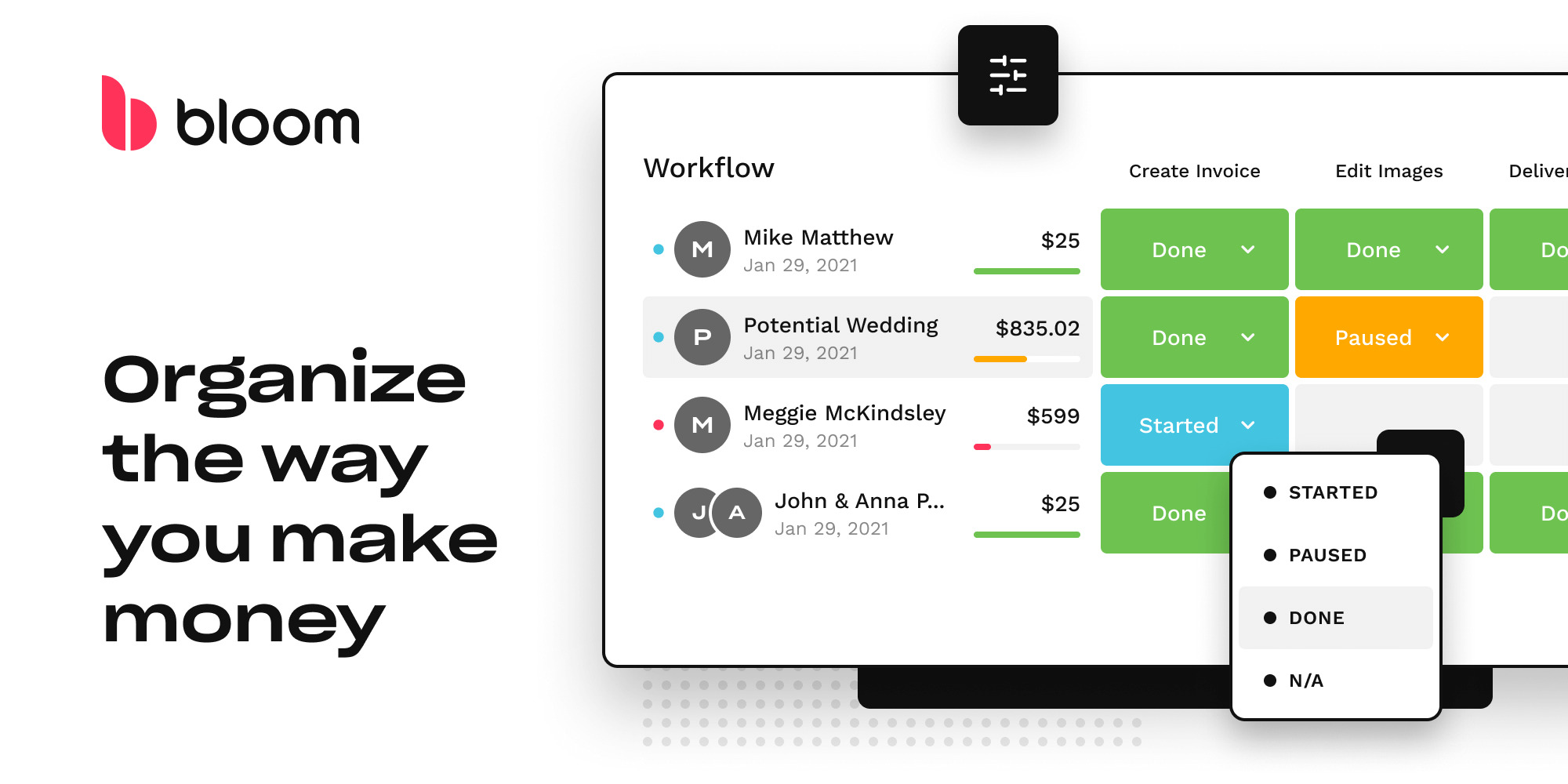
Bloom is a complete business workspace and CRM specifically designed for professional service providers like photographers. It streamlines the client journey with dedicated workflows, invoicing, contracts, and client portals, addressing industry-specific needs such as lead management, scheduling, automation, and website creation.
Best for Lead Management Software for Photographers
Expert Take
Bloom Workspace & CRM excels as a specialized tool for photographers, offering comprehensive lead management and client journey features. Its integration of invoicing, contracts, and website creation tools makes it a standout choice in its niche. While it may require a learning curve, its industry-specific capabilities justify its premium positioning.
Pros
- Visually stunning, intuitive interface
- Includes website builder & image galleries
- Competitive pricing starting at $14/mo
- Unlimited workflows on Standard plan
- Integrated digital contracts & signatures
Cons
- Poor Android app experience (2.3 stars)
- No native Outlook email sending support
- Task management lacks subtask depth
- Support response times can be slow
- Lower review volume than competitors
Best for teams that are
- Creatives wanting a modern, visually appealing, and intuitive interface
- Photographers needing built-in image delivery and website chat features
Skip if
- Large studios requiring complex team permissions or deep reporting
- Users prioritizing established stability over new features
Best for teams that are
- Creatives wanting a modern, visually appealing, and intuitive interface
- Photographers needing built-in image delivery and website chat features
Skip if
- Large studios requiring complex team permissions or deep reporting
- Users prioritizing established stability over new features
Pros
- Visually stunning, intuitive interface
- Includes website builder & image galleries
- Competitive pricing starting at $14/mo
- Unlimited workflows on Standard plan
- Integrated digital contracts & signatures
Cons
- Poor Android app experience (2.3 stars)
- No native Outlook email sending support
- Task management lacks subtask depth
- Support response times can be slow
- Lower review volume than competitors
Expert Take
Bloom Workspace & CRM excels as a specialized tool for photographers, offering comprehensive lead management and client journey features. Its integration of invoicing, contracts, and website creation tools makes it a standout choice in its niche. While it may require a learning curve, its industry-specific capabilities justify its premium positioning.

Keap is a powerful tool for investors needing a comprehensive lead management software solution. Its real-time tracking, lead capture, scoring, and 5-step process are particularly useful for rapidly identifying and engaging potential investment opportunities. It streamlines the process of acquiring and tracking prospects, making it a must-have tool for investor lead management.
Best for Lead Management Software for Investors
Expert Take
Keap stands out as a premium lead management CRM for investors due to its comprehensive features like real-time tracking and advanced lead scoring. The product is well-supported by its integration capabilities and market credibility, making it a top choice for managing investment leads efficiently.
Pros
- Visual 'Campaign Builder' for complex automation
- Native invoicing and payment processing
- Dedicated business phone line included (US/CA)
- All-in-one CRM, email, and sales platform
- Robust lead scoring and tagging system
Cons
- Mandatory one-time onboarding fee ($499+)
- High starting price ($249/mo) for small teams
- Steep price increases as contact list grows
- SMS features limited to North America
- Steep learning curve for advanced features
Best for teams that are
- Small service-based businesses and solopreneurs
- Users needing combined CRM, appointment scheduling, and invoicing
- Teams wanting easy marketing automation for inbound leads
Skip if
- Sales teams relying on cold outreach or purchased lead lists
- Large enterprises requiring complex territory management
- Businesses needing a CRM primarily for outbound dialing
Best for teams that are
- Small service-based businesses and solopreneurs
- Users needing combined CRM, appointment scheduling, and invoicing
- Teams wanting easy marketing automation for inbound leads
Skip if
- Sales teams relying on cold outreach or purchased lead lists
- Large enterprises requiring complex territory management
- Businesses needing a CRM primarily for outbound dialing
Pros
- Visual 'Campaign Builder' for complex automation
- Native invoicing and payment processing
- Dedicated business phone line included (US/CA)
- All-in-one CRM, email, and sales platform
- Robust lead scoring and tagging system
Cons
- Mandatory one-time onboarding fee ($499+)
- High starting price ($249/mo) for small teams
- Steep price increases as contact list grows
- SMS features limited to North America
- Steep learning curve for advanced features
Expert Take
Keap stands out as a premium lead management CRM for investors due to its comprehensive features like real-time tracking and advanced lead scoring. The product is well-supported by its integration capabilities and market credibility, making it a top choice for managing investment leads efficiently.
Explore Categories
-
 Lead Management Software for Accountants
-
 Lead Management Software for Financial Advisors
-
 Lead Management Software for Insurance Agents
-
 Lead Management Software for Investors
-
 Lead Management Software for Landlords
-
 Lead Management Software for Loan Officers
-
 Lead Management Software for Photographers
-
 Lead Management Software for Real Estate Agents
Loading comparison data…
Lead Management Software for Accountants
Lead Management Software for Financial Advisors
Lead Management Software for Insurance Agents
Lead Management Software for Investors
Lead Management Software for Landlords
Lead Management Software for Loan Officers
Lead Management Software for Photographers
Lead Management Software for Real Estate Agents