Social Media Management Tools

Updated July 5, 2026

These are the specialized categories within Social Media Management Tools. Looking for something broader? See all Marketing & Advertising Platforms categories.

Not sure which one is right for you?

Answer 4 quick questions and we'll match you with your best options

Find Your Best Match

How big is your team?

Just me
2 - 10
11 - 50
51 - 200
201 - 1,000
1,000+

What's your budget situation?

Free or open-source only
Free to start, pay later
Best value for money
Price isn't the main factor

What's your team's technical comfort level?

We want it to just work
We can handle some setup
We have developers who'll customize it

What's the ONE thing this tool must do well?

Step 1 of 4
Semrush Social Media Toolkit

Semrush Social Media Toolkit empowers marketing agencies to streamline content scheduling and gain competitive insights. It integrates seamlessly with Semrush SEO tools, offering a comprehensive solution to manage digital marketing strategies efficiently.

Best for Social Media Management Tools for Marketing Agencies

Expert Take

Semrush Social Media Toolkit excels by blending traditional social media scheduling with powerful competitive intelligence. It allows marketers to not only plan and publish content across multiple platforms but also dissect their competitors' strategies in real-time. For agencies or businesses already utilizing Semrush for SEO, it provides an incredibly cohesive, all-in-one digital marketing command center.

Pros

  • Deep competitor analysis and benchmarking
  • Unified dashboard for SEO and social
  • Supports all major social networks

Cons

  • Steep learning curve for beginners
  • Add-on pricing structure causes frustration

Best for teams that are

  • Brands already using the Semrush ecosystem for SEO and content marketing workflows.
  • Marketers wanting to unify search visibility and social media in a single interface.

Skip if

  • Small teams or solo creators who do not need robust SEO or broad digital PR tools.
  • Users simply seeking a lightweight, standalone social media scheduling application.

Best for teams that are

  • Brands already using the Semrush ecosystem for SEO and content marketing workflows.
  • Marketers wanting to unify search visibility and social media in a single interface.

Skip if

  • Small teams or solo creators who do not need robust SEO or broad digital PR tools.
  • Users simply seeking a lightweight, standalone social media scheduling application.

Pros

  • Deep competitor analysis and benchmarking
  • Unified dashboard for SEO and social
  • Built-in AI assistant and image editor
  • Supports all major social networks

Cons

  • Requires expensive base Semrush subscription
  • Steep learning curve for beginners
  • Add-on pricing structure causes frustration

Expert Take

Semrush Social Media Toolkit excels by blending traditional social media scheduling with powerful competitive intelligence. It allows marketers to not only plan and publish content across multiple platforms but also dissect their competitors' strategies in real-time. For agencies or businesses already utilizing Semrush for SEO, it provides an incredibly cohesive, all-in-one digital marketing command center.

2
9.3 / 10
Vista Social

Vista Social is ideal for ecommerce businesses and agencies seeking affordable enterprise-grade social media management. It features AI-driven automations, comprehensive social listening, and robust Reddit/TikTok integrations.

Best for Social Media Management Tools for Ecommerce Businesses

Expert Take

Vista Social completely upends the traditional social media management pricing model by packing enterprise-grade features—like intent-driven AI automations, comprehensive social listening, and deep Reddit/TikTok integration—into highly affordable plans. It collapses the need for multiple disparate tools into one unified inbox and visual calendar. For agencies and small teams tired of the bloated pricing of legacy platforms, it offers a remarkably modern, fully-featured alternative.

Pros

  • Comprehensive unified inbox for DMs, comments, and reviews
  • Exceptional value compared to Sprout Social and Hootsuite
  • Advanced AI intent detection for automated DM responses
  • Built-in social listening without expensive add-on fees

Cons

  • Mobile app lacks the polish and functionality of desktop
  • Steep learning curve for advanced automation features
  • Occasional account disconnection and profile linking issues

Best for teams that are

  • Small and medium businesses seeking an affordable, comprehensive suite.
  • Marketing agencies needing centralized multi-profile and review management.

Skip if

  • Large enterprises requiring advanced, dedicated employee advocacy features [cite: 12].
  • Teams needing complex, enterprise-level user engagement workflows [cite: 12, 13].

Best for teams that are

  • Small and medium businesses seeking an affordable, comprehensive suite.
  • Marketing agencies needing centralized multi-profile and review management.

Skip if

  • Large enterprises requiring advanced, dedicated employee advocacy features [cite: 12].
  • Teams needing complex, enterprise-level user engagement workflows [cite: 12, 13].

Pros

  • Comprehensive unified inbox for DMs, comments, and reviews
  • Exceptional value compared to Sprout Social and Hootsuite
  • Deep support for emerging networks like Bluesky, Threads, and Reddit
  • Advanced AI intent detection for automated DM responses
  • Built-in social listening without expensive add-on fees

Cons

  • Mobile app lacks the polish and functionality of desktop
  • Steep learning curve for advanced automation features
  • Occasional account disconnection and profile linking issues
  • AI generation credits are heavily capped on lower tiers

Expert Take

Vista Social completely upends the traditional social media management pricing model by packing enterprise-grade features—like intent-driven AI automations, comprehensive social listening, and deep Reddit/TikTok integration—into highly affordable plans. It collapses the need for multiple disparate tools into one unified inbox and visual calendar. For agencies and small teams tired of the bloated pricing of legacy platforms, it offers a remarkably modern, fully-featured alternative.

3
9.1 / 10
Tumblr

Perfect for creative marketing agencies, Tumblr offers a unique blend of social networking and microblogging with full HTML and CSS customization and vibrant niche communities.

Best for Social Media Management Tools for Marketing Agencies

Expert Take

Tumblr strikes a rare balance between a social networking feed and a standalone blogging CMS. We love that it allows unparalleled HTML and CSS theme customization entirely for free, setting it apart from rigid platforms like Instagram or Twitter. Now backed by Automattic, it remains a vibrant haven for creative, multimedia-heavy microblogging with a fiercely dedicated audience of artists, writers, and fandoms.

Pros

  • Complete freedom to customize HTML and CSS
  • Strong, vibrant niche communities and fandoms
  • Free unlimited multimedia hosting

Cons

  • Not recommended for B2B or corporate marketing
  • Significant drop in total monthly traffic since 2018

Best for teams that are

  • Brands targeting niche communities with highly visual, micro-blogging content.
  • Creators prioritizing highly organic, community-driven engagement over direct sales.

Skip if

  • Traditional B2B companies seeking professional lead generation and standard networking.
  • Marketers needing robust, enterprise-level scheduling within the platform itself.

Best for teams that are

  • Brands targeting niche communities with highly visual, micro-blogging content.
  • Creators prioritizing highly organic, community-driven engagement over direct sales.

Skip if

  • Traditional B2B companies seeking professional lead generation and standard networking.
  • Marketers needing robust, enterprise-level scheduling within the platform itself.

Pros

  • Intuitive and user-friendly microblogging interface
  • Complete freedom to customize HTML and CSS
  • Strong, vibrant niche communities and fandoms
  • Free unlimited multimedia hosting

Cons

  • Not recommended for B2B or corporate marketing
  • Ad-free experience requires a paid premium subscription
  • Significant drop in total monthly traffic since 2018

Expert Take

Tumblr strikes a rare balance between a social networking feed and a standalone blogging CMS. We love that it allows unparalleled HTML and CSS theme customization entirely for free, setting it apart from rigid platforms like Instagram or Twitter. Now backed by Automattic, it remains a vibrant haven for creative, multimedia-heavy microblogging with a fiercely dedicated audience of artists, writers, and fandoms.

Emplifi Social Media Management

Emplifi is a powerful AI-driven social media management tool, specifically designed to meet the unique needs of Ecommerce businesses. It leverages advanced AI to boost engagement across various social platforms, thus enhancing marketing, commerce, and customer care.

Best for Social Media Management Tools for Ecommerce Businesses

Expert Take

Emplifi Social Media Management excels in providing AI-driven solutions tailored for ecommerce businesses, enhancing social media engagement and customer care. Its strong market credibility and usability make it a top choice in its category, despite pricing considerations for smaller businesses.

Pros

  • Unlimited user seats included
  • Forrester Wave Leader 2024
  • SOC 2 Type II & ISO 27001
  • Advanced AI-powered analytics

Cons

  • No public pricing (custom quotes)
  • High estimated starting cost
  • Minor integration gaps (TikTok/LinkedIn)
  • No free plan available

Best for teams that are

  • Medium to large enterprises with dedicated marketing teams.
  • Brands needing robust UGC, influencer marketing, and customer care.

Skip if

  • Small businesses or startups with limited budgets and basic needs [cite: 1].
  • Teams lacking resources to handle its steep learning curve [cite: 1].

Best for teams that are

  • Medium to large enterprises with dedicated marketing teams.
  • Brands needing robust UGC, influencer marketing, and customer care.

Skip if

  • Small businesses or startups with limited budgets and basic needs [cite: 1].
  • Teams lacking resources to handle its steep learning curve [cite: 1].

Pros

  • Unlimited user seats included
  • Unified marketing, commerce & care
  • Forrester Wave Leader 2024
  • SOC 2 Type II & ISO 27001
  • Advanced AI-powered analytics

Cons

  • No public pricing (custom quotes)
  • High estimated starting cost
  • Steep learning curve for some
  • Minor integration gaps (TikTok/LinkedIn)
  • No free plan available

Expert Take

Emplifi Social Media Management excels in providing AI-driven solutions tailored for ecommerce businesses, enhancing social media engagement and customer care. Its strong market credibility and usability make it a top choice in its category, despite pricing considerations for smaller businesses.

SocialPilot: Social Media Management

SocialPilot is specifically designed for marketing agencies and brands aiming to optimize their social media presence. The platform offers comprehensive scheduling and management tools to streamline social media activities, boost engagement, and drive growth.

Best for Social Media Management Tools for Marketing Agencies

Expert Take

SocialPilot excels in providing comprehensive social media management tools tailored for marketing agencies. Its robust scheduling and analytics features, along with collaboration and white-label reporting capabilities, make it a top choice for agencies. While it has some integration limitations, its overall functionality and pricing transparency support its premium positioning.

Pros

  • SOC 2 Type 2 certified security
  • Bulk scheduling for up to 500 posts
  • Client approval workflows without login requirements
  • User-friendly interface with no learning curve

Cons

  • No direct publishing for Instagram Personal profiles
  • Video file size limited to 1GB
  • Steep price hikes reported for legacy users
  • Instagram Reels limited to Business/Creator accounts

Best for teams that are

  • Mid-sized businesses and agencies needing cost-effective bulk scheduling workflows.
  • Agencies seeking white-label reporting and rebranded client dashboards.

Skip if

  • Enterprise teams requiring advanced social listening or unified CRM integrations.
  • Brands relying heavily on highly visual, multi-step approval workflows.

Best for teams that are

  • Mid-sized businesses and agencies needing cost-effective bulk scheduling workflows.
  • Agencies seeking white-label reporting and rebranded client dashboards.

Skip if

  • Enterprise teams requiring advanced social listening or unified CRM integrations.
  • Brands relying heavily on highly visual, multi-step approval workflows.

Pros

  • SOC 2 Type 2 certified security
  • Cost-effective agency plans with white-labeling
  • Bulk scheduling for up to 500 posts
  • Client approval workflows without login requirements
  • User-friendly interface with no learning curve

Cons

  • No direct publishing for Instagram Personal profiles
  • Video file size limited to 1GB
  • No free plan (only 14-day trial)
  • Steep price hikes reported for legacy users
  • Instagram Reels limited to Business/Creator accounts

Expert Take

SocialPilot excels in providing comprehensive social media management tools tailored for marketing agencies. Its robust scheduling and analytics features, along with collaboration and white-label reporting capabilities, make it a top choice for agencies. While it has some integration limitations, its overall functionality and pricing transparency support its premium positioning.

Sprout Social Management Tool

Sprout Social is an all-in-one social media management tool designed to help contractors streamline their online presence. It provides robust analytics, scheduling capabilities, and influencer marketing all in one platform, addressing the unique needs of the contracting industry to maximize their social ROI.

Best for Social Media Management Tools for Contractors

Expert Take

Sprout Social is positioned as a leading social media management tool for contractors, offering comprehensive analytics, scheduling, and influencer marketing features. It is recognized for its integration capabilities and customer support, though it may present a learning curve for new users. The tool's pricing model is transparent, with options for enterprise users.

Pros

  • Unified Smart Inbox consolidates all messages
  • Deep integrations with Salesforce and HubSpot
  • Intuitive interface with minimal learning curve
  • Advanced ViralPost send-time optimization technology

Cons

  • Expensive per-user pricing model ($199+)
  • Social Listening is a costly add-on
  • Mobile app lacks full desktop functionality
  • Not HIPAA compliant for healthcare data

Best for teams that are

  • Mid-market and enterprise teams with dedicated social staff.
  • Data-heavy brands requiring deep analytics and listening.

Skip if

  • Solopreneurs and small businesses with limited budgets.
  • Users seeking simple, basic scheduling without analytics.

Best for teams that are

  • Mid-market and enterprise teams with dedicated social staff.
  • Data-heavy brands requiring deep analytics and listening.

Skip if

  • Solopreneurs and small businesses with limited budgets.
  • Users seeking simple, basic scheduling without analytics.

Pros

  • Unified Smart Inbox consolidates all messages
  • SOC 2 Type 2 and ISO 27001 certified
  • Deep integrations with Salesforce and HubSpot
  • Intuitive interface with minimal learning curve
  • Advanced ViralPost send-time optimization technology

Cons

  • Expensive per-user pricing model ($199+)
  • Social Listening is a costly add-on
  • No free plan available (only trial)
  • Mobile app lacks full desktop functionality
  • Not HIPAA compliant for healthcare data

Expert Take

Sprout Social is positioned as a leading social media management tool for contractors, offering comprehensive analytics, scheduling, and influencer marketing features. It is recognized for its integration capabilities and customer support, though it may present a learning curve for new users. The tool's pricing model is transparent, with options for enterprise users.

Hootsuite: Social Media Marketing Tool

Hootsuite is a comprehensive social media management tool designed specifically for ecommerce businesses. It offers extensive features such as scheduling, content creation, analytics, and social listening, all of which are crucial to driving online business growth.

Best for Social Media Management Tools for Ecommerce Businesses

Expert Take

Hootsuite stands out as a top-tier social media management tool for ecommerce businesses due to its comprehensive feature set, including scheduling, analytics, and social listening. It is recognized for its robust integrations and market credibility, making it a preferred choice for businesses aiming to enhance their social media presence.

Pros

  • FedRAMP and SOC 2 certified
  • 150+ third-party app integrations
  • Advanced social listening capabilities
  • Bulk scheduling and approval workflows

Cons

  • Plans start at $99/month
  • No free plan available
  • Steep price jump between tiers
  • Strict cancellation and refund policy

Best for teams that are

  • Large enterprises and highly regulated industries like gov and healthcare.
  • Teams needing extensive multi-platform integration and social listening.

Skip if

  • Businesses heavily reliant on Facebook Shops or Outlook integrations [cite: 6].
  • Solopreneurs looking for a simple, cheap tool without enterprise features [cite: 3].

Best for teams that are

  • Large enterprises and highly regulated industries like gov and healthcare.
  • Teams needing extensive multi-platform integration and social listening.

Skip if

  • Businesses heavily reliant on Facebook Shops or Outlook integrations [cite: 6].
  • Solopreneurs looking for a simple, cheap tool without enterprise features [cite: 3].

Pros

  • FedRAMP and SOC 2 certified
  • Supports TikTok, Bluesky, and Threads
  • 150+ third-party app integrations
  • Advanced social listening capabilities
  • Bulk scheduling and approval workflows

Cons

  • Plans start at $99/month
  • No free plan available
  • Support slow for non-enterprise
  • Steep price jump between tiers
  • Strict cancellation and refund policy

Expert Take

Hootsuite stands out as a top-tier social media management tool for ecommerce businesses due to its comprehensive feature set, including scheduling, analytics, and social listening. It is recognized for its robust integrations and market credibility, making it a preferred choice for businesses aiming to enhance their social media presence.

Metricool Real Estate Social Media Tool

Specifically designed for real estate businesses, Metricool offers an all-in-one solution to manage, plan, and track your social media activities. This tool is ideal for property managers, simplifying the process of listing properties on various social media platforms and providing insightful analytics to aid growth and improve performance.

Best for Social Media Management Tools for Property Managers

Expert Take

Metricool Real Estate Social Media Tool excels in providing industry-specific social media management features tailored for property managers. It offers comprehensive analytics and multi-platform management, making it a valuable tool for real estate businesses. While it lacks built-in content creation tools, its pricing transparency and user-friendly interface contribute to its high standing.

Pros

  • Generous 'Free Forever' plan for 1 brand
  • Starter plan covers 5 brands for $18/mo
  • Direct Canva and Google Drive integrations
  • Visual planner with 'best times' heatmaps

Cons

  • White-label reports only on Enterprise plan
  • Strict video format specs for auto-publish
  • Free plan excludes LinkedIn and Twitter
  • Instagram API limitations for creator accounts

Best for teams that are

  • Individual real estate agents and small teams wanting a robust free or low-cost tool
  • Users who prioritize visual analytics and 'best time to post' scheduling features

Skip if

  • Large agencies managing hundreds of distinct brands (interface can be clunky)
  • Teams needing advanced social listening capabilities beyond basic metrics

Best for teams that are

  • Individual real estate agents and small teams wanting a robust free or low-cost tool
  • Users who prioritize visual analytics and 'best time to post' scheduling features

Skip if

  • Large agencies managing hundreds of distinct brands (interface can be clunky)
  • Teams needing advanced social listening capabilities beyond basic metrics

Pros

  • Generous 'Free Forever' plan for 1 brand
  • Starter plan covers 5 brands for $18/mo
  • Unified inbox for all social messages
  • Direct Canva and Google Drive integrations
  • Visual planner with 'best times' heatmaps

Cons

  • White-label reports only on Enterprise plan
  • Strict video format specs for auto-publish
  • Free plan excludes LinkedIn and Twitter
  • No AI content generation features
  • Instagram API limitations for creator accounts

Expert Take

Metricool Real Estate Social Media Tool excels in providing industry-specific social media management features tailored for property managers. It offers comprehensive analytics and multi-platform management, making it a valuable tool for real estate businesses. While it lacks built-in content creation tools, its pricing transparency and user-friendly interface contribute to its high standing.

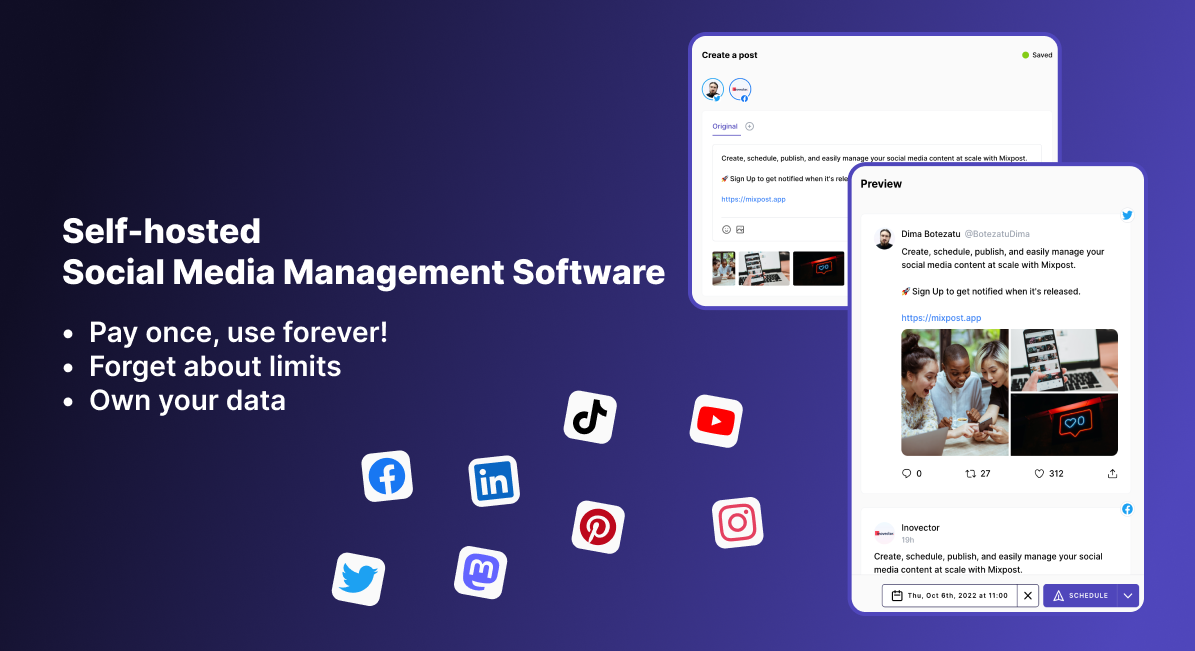
Mixpost: Self-hosted, Open Source Social Media Management

A SaaS solution for Social Media Management Tools for Contractors

Best for Social Media Management Tools for Contractors

Expert Take

Mixpost stands out as a comprehensive social media management tool tailored for contractors. Its open-source nature offers flexibility and control, while its self-hosted model ensures data privacy. Despite a learning curve, its robust feature set and scalability make it a top choice in its niche.

Pros

  • One-time payment (no monthly fees)
  • Unlimited social accounts and users
  • AI-powered content creation tools
  • White-label branding available

Cons

  • Lite version limited to 3 platforms
  • Paid updates after 1 year
  • Support response times can be slow
  • No native mobile app available

Best for teams that are

  • Enterprises with strict data privacy and security needs.
  • Agencies wanting complete control without per-user fees.

Skip if

  • Non-technical users seeking a simple, hosted SaaS tool.
  • Brands needing instant customer support and zero IT setup.

Best for teams that are

  • Enterprises with strict data privacy and security needs.
  • Agencies wanting complete control without per-user fees.

Skip if

  • Non-technical users seeking a simple, hosted SaaS tool.
  • Brands needing instant customer support and zero IT setup.

Pros

  • One-time payment (no monthly fees)
  • 100% data ownership (self-hosted)
  • Unlimited social accounts and users
  • AI-powered content creation tools
  • White-label branding available

Cons

  • Lite version limited to 3 platforms
  • Paid updates after 1 year
  • Requires self-hosting technical knowledge
  • Support response times can be slow
  • No native mobile app available

Expert Take

Mixpost stands out as a comprehensive social media management tool tailored for contractors. Its open-source nature offers flexibility and control, while its self-hosted model ensures data privacy. Despite a learning curve, its robust feature set and scalability make it a top choice in its niche.

Social Champ: Social Media Tool

Social Champ is a perfect fit for marketing agencies due to its AI-powered capabilities, allowing for efficient scheduling, comprehensive analysis, social listening, and competitor tracking. It addresses the industry's need for a comprehensive, one-stop solution for managing various social media platforms while gaining insights to improve marketing strategies.

Best for Social Media Management Tools for Marketing Agencies

Expert Take

Social Champ excels in providing a comprehensive suite of features tailored for marketing agencies, including AI-powered analytics and multi-platform management. Its competitive pricing and extensive capabilities make it a top choice in the social media management category.

Pros

  • Affordable pay-per-account pricing model
  • Supports 11+ networks including TikTok & Threads
  • Endorsed by Guy Kawasaki
  • Responsive 24/7 customer support

Cons

  • Mobile app reported as unstable
  • No Twitter/X on free plan
  • Lacks advanced video editing templates
  • No SOC 2 certification listed

Best for teams that are

  • Mid-sized businesses seeking cost-effective tools to manage content calendars.
  • PR agencies and startups needing simple social media automation integrations.

Skip if

  • Large enterprises requiring advanced, in-depth social commerce functionalities.
  • Teams needing highly advanced social listening at an enterprise scale.

Best for teams that are

  • Mid-sized businesses seeking cost-effective tools to manage content calendars.
  • PR agencies and startups needing simple social media automation integrations.

Skip if

  • Large enterprises requiring advanced, in-depth social commerce functionalities.
  • Teams needing highly advanced social listening at an enterprise scale.

Pros

  • Generous free plan includes 3 accounts
  • Affordable pay-per-account pricing model
  • Supports 11+ networks including TikTok & Threads
  • Endorsed by Guy Kawasaki
  • Responsive 24/7 customer support

Cons

  • Mobile app reported as unstable
  • Basic analytics compared to enterprise tools
  • No Twitter/X on free plan
  • Lacks advanced video editing templates
  • No SOC 2 certification listed

Expert Take

Social Champ excels in providing a comprehensive suite of features tailored for marketing agencies, including AI-powered analytics and multi-platform management. Its competitive pricing and extensive capabilities make it a top choice in the social media management category.

Loading comparison data…

How We Rank Products

Our Evaluation Process

Products in the Social Media Management Tools category are evaluated based on documented features such as scheduling capabilities, analytics functionalities, and user interface design. Pricing transparency is considered, assessing whether the cost aligns with the value provided. Compatibility with major social media platforms and integration with other marketing tools are crucial. Third-party customer feedback is also reviewed to gauge user satisfaction and real-world performance.

Verification

  • Products evaluated through comprehensive research and analysis of key social media management features.
  • Rankings based on analysis of user reviews, expert ratings, and industry benchmarks.
  • Selection criteria focus on functionality, ease of use, and integration capabilities within social media platforms.

Score Breakdown

0.0 / 10

About Social Media Management Tools

What Is Social Media Management Tools?

Social Media Management Tools cover software used to orchestrate an organization's presence across multiple social networks throughout the content and engagement lifecycle: planning and scheduling posts, monitoring audience interactions, analyzing performance metrics, and governing brand reputation. It sits between Marketing Automation (which focuses on lead nurturing and email) and Customer Service/Help Desk software (which focuses on ticket resolution), though it increasingly overlaps with both. The category includes comprehensive "Social Suites" for enterprise governance, niche publishing schedulers, and vertical-specific platforms designed for regulated industries like financial services or visual-heavy sectors like construction.

At its core, this software solves the problem of fragmentation and scale. Without these tools, a business must log in to five or six disparate native platforms—LinkedIn, X (formerly Twitter), Instagram, TikTok, Facebook, Pinterest—fragmenting data, risking security through shared passwords, and making a unified brand voice impossible to maintain. For the modern enterprise, these tools are no longer just about "posting"; they are the central nervous system for customer intelligence, crisis management, and social commerce.

History of the Category

The evolution of Social Media Management Tools mirrors the shift of the internet itself from a directory of static pages to a dynamic conversation engine. In the mid-2000s, as platforms like MySpace (2003) and Facebook (2004) gained traction, businesses treated social media as a novelty. Marketing teams manually logged into native interfaces to post updates. The gap that created this software category emerged around 2007-2008, coinciding with the launch of Facebook Business Pages and the explosion of Twitter.

Early tools in the late 2000s were essentially glorified database connectors—simple "publishers" that allowed a user to push the same text string to three different networks simultaneously. This era was defined by the "megaphone" mentality: brands used these tools solely to broadcast messages. However, as consumer behavior shifted, the limitations of this approach became a liability. The "Pizza Hut Moment" or similar viral customer service crises forced brands to realize they needed to listen, not just talk.

The 2010s saw the rise of vertical SaaS and the fragmentation of the market. While general-purpose tools grew into "all-in-one" suites, specialized tools emerged for agencies (focusing on white-labeling) and small businesses (focusing on freemium scheduling). A massive wave of market consolidation followed. Tech giants and private equity firms began acquiring standalone social listening, analytics, and publishing tools to build "Social Suites." [1]. This shifted buyer expectations from "give me a scheduling calendar" to "give me actionable intelligence."

By the early 2020s, the shift from on-premise to cloud was complete, but a new challenge emerged: the "walled garden" era. Platforms like Instagram and TikTok restricted API access, forcing tool vendors to innovate rapidly to maintain functionality. Today, the market is defined by a demand for governance and integration. Buyers do not just want to post; they want to map social engagement data directly to revenue in their CRM, a requirement that has transformed these tools from creative accessories into critical infrastructure.

What to Look For

Evaluating Social Media Management Tools requires moving beyond the feature checklist. Most vendors will claim to "schedule posts" and "track likes." The differentiator lies in how they handle complexity, data fidelity, and workflow governance. When assessing a platform, prioritize the depth of its API integrations over the breadth of networks it claims to support. A tool that supports 20 networks but relies on "screen scraping" or unstable mobile-app workarounds is a liability compared to one that has deep, official API partnerships with the core five platforms.

Critical Evaluation Criteria:

  • Unified Identity Management: Can the tool merge a customer's profile across X, Facebook, and Instagram into a single view, or does it treat them as three strangers?
  • Governance and Approval Workflows: Look for granular permission settings. Can you prevent a junior employee from posting without a manager's approval? Can you lock down specific accounts to "read-only" for certain teams?
  • Native Functionality Support: Does the tool support platform-specific features like Instagram product tagging, LinkedIn document carousels, or TikTok sounds? Generic tools often strip these features out, reducing reach.

Red Flags and Warning Signs:

  • "All-in-One" Claims with Zero Documentation: If a vendor claims to handle "everything" from listening to employee advocacy but cannot provide documentation on how their listening data is sourced (e.g., Firehose vs. sample data), walk away.
  • Vague API Limits: Vendors that do not disclose token limits or API call caps during the sales process often hit enterprise teams with surprise overage fees or throttled performance during high-volume campaigns.
  • Lack of specialized compliance features: For regulated industries, a tool that lacks an audit trail or WORM (Write Once, Read Many) compliant archiving is a non-starter, regardless of its scheduling features.

Key Questions to Ask Vendors:

  • "How does your platform handle API token disconnects? Will we be notified immediately, or will our scheduled content simply fail?"
  • "Do you have a direct partnership with Meta/TikTok, or do you use a third-party aggregator for your data stream?"
  • "Can we create custom approval workflows that trigger based on specific keywords or sentiment analysis?"

Industry-Specific Use Cases

Retail & E-commerce

For retail and e-commerce businesses, Social Media Management Tools are less about "branding" and more about "social commerce infrastructure." The critical evaluation priority here is the depth of integration with product catalogs. Retailers need tools that can synchronize inventory data with social storefronts (like Instagram Shops or TikTok Shop) in real-time. If a product goes out of stock in the warehouse, the social tool must automatically pause any organic or paid posts promoting that item to prevent customer frustration.

Furthermore, retail buyers prioritize "shoppable media" workflows. They need the ability to tag products directly in images and videos during the scheduling phase, rather than retroactively. High-volume customer service is another unique consideration. Retailers experience massive spikes in support queries during peak seasons (Black Friday, Cyber Monday). Therefore, they require tools with advanced automation features, such as chatbots that can hand off complex queries to human agents with full context, including the customer's recent order history.

Finally, attribution is the "make or break" metric. General-purpose tools often fail here. Retailers need platforms that support advanced UTM tracking and pixel integration to prove that a specific social post resulted in a transaction. According to recent market analysis, social commerce strategies are increasingly dependent on tracking "dark social" traffic—shares that happen in private messages—which requires specialized analytics capabilities [2].

Healthcare

Healthcare organizations face a regulatory minefield that fundamentally alters their requirements for Social Media Management Tools. The paramount concern is HIPAA (Health Insurance Portability and Accountability Act) compliance in the US, or GDPR in Europe. Standard tools that allow any user to reply to a comment can be disastrous; a well-meaning social media manager acknowledging a patient's condition publicly constitutes a federal violation. Therefore, healthcare buyers need tools with rigid "compliance guardrails" that can automatically detect and hide comments containing Protected Health Information (PHI).

Unique considerations also include the management of localized pages for individual providers or clinic locations. A hospital network might have 500 individual doctor pages. They need a tool that allows for centralized content dissemination (pushing out flu shot reminders to all 500 pages) while locking down the ability for individual clinics to post unapproved medical advice. This "hierarchical governance" is rarely found in generic SMB tools.

Additionally, healthcare organizations prioritize "listening" for misinformation. They require robust social listening capabilities to detect trending medical rumors or brand impersonation attacks that could harm public health. Case studies have shown that failure to monitor and moderate these channels can lead to significant legal penalties [3].

Financial Services

For financial services, the landscape is defined by the SEC and FINRA in the United States, and similar bodies globally. The non-negotiable feature for this sector is electronic communications archiving. Under FINRA Regulatory Notice 10-06 and subsequent updates, every interaction—posts, comments, likes, and even deleted messages—must be captured and retained in a WORM format for audit purposes. A general social media tool that allows a user to "delete" a post permanently without a trace is illegal for a broker-dealer to use.

Financial firms also require "pre-approval libraries." Advisors and agents often lack the marketing expertise to write compliant posts. Specialized tools for this industry provide a library of pre-screened, compliance-approved content that agents can publish with one click. If an agent wants to write their own post, the tool must route it to a compliance officer for review before it goes live. This workflow is distinct from a standard creative approval process because the approver is checking for regulatory risk (e.g., "promissory language"), not just brand voice.

The evaluation priority is "Supervision." The software must provide automated lexicon monitoring to flag risky keywords (e.g., "guarantee," "safe investment") instantly. Firms that fail to implement these systems face massive fines, as evidenced by recent SEC crackdowns on recordkeeping failures [4].

Manufacturing

Manufacturing companies use social media differently: their audience is primarily B2B, and their goal is often recruiting and distributor relations rather than direct sales. The specific need here is "Employee Advocacy." Manufacturers often struggle to create "sexy" content about their products. However, their engineers and sales teams are subject matter experts. They need tools that make it easy to curate industry news and company updates for employees to share on their personal LinkedIn profiles to build thought leadership.

Another unique consideration is "Global vs. Local" visibility. Large manufacturers often have distributors or subsidiaries in dozens of countries. They need a tool that supports complex "Global" content repositories where headquarters can upload high-quality assets (videos of machinery, safety graphics) that regional teams can localize and publish. Without this, brand consistency fractures across regions.

Evaluation priorities often shift toward LinkedIn and YouTube integrations, as these are the primary channels for B2B procurement research. A tool that excels at TikTok but has weak LinkedIn analytics is of little value to a heavy equipment manufacturer. They also look for integration with B2B CRM systems (like Salesforce or Microsoft Dynamics) to track long-cycle leads generated from social content [5].

Professional Services

Law firms, consultancies, and accounting firms trade on expertise. Their primary use case for Social Media Management Tools is "Thought Leadership amplification." Unlike retail brands that post from a "logo," professional services firms rely on the personal brands of their partners and consultants. The tool must support "Executive Social" workflows—allowing a marketing team to draft content on behalf of a busy partner, who then simply logs in to approve and publish it from their personal account.

Specific needs include robust analytics on "Share of Voice" compared to competitor firms. Professional services buyers want to know if their white paper is dominating the conversation on a specific regulatory change. They need tools that offer competitive benchmarking features that go beyond simple follower counts to analyze content themes and engagement quality.

Additionally, recruitment is a massive driver. These firms use social media tools to manage "Talent Brand" pages, requiring features that separate recruitment content (culture, benefits) from client-facing content (insights, case studies). The ability to segment audiences and target organic posts (e.g., LinkedIn's organic targeting features) is a critical evaluation criterion [6].

Subcategory Overview

Social Media Management Tools for Property Managers

Property management creates a unique demand for social tools: the need to treat every physical property as a distinct "micro-brand" while maintaining central oversight. Unlike a generic brand that might have one or two profiles, a property management company might oversee 50 different apartment complexes, each requiring its own Facebook Page, Instagram Location tag, and Google Business Profile. Generic tools crumble under this volume, making the "Group" and "Tagging" features of specialized software critical. A workflow that ONLY this niche handles well is the automated syndication of listing updates. When a unit becomes available, specialized tools can pull data from property management software (PMS) and auto-generate social posts with the correct pricing, photos, and "Apply Now" links. The specific pain point driving buyers here is the nightmare of manual updates; posting a "For Rent" ad for 50 different buildings manually is impossible. For a deeper look at the solutions solving this, read our guide to Social Media Management Tools for Property Managers.

Social Media Management Tools for Contractors

For general contractors, roofers, and remodelers, the currency of trust is visual proof. Generic tools often lack the specific mobile-first workflows required for job sites. The workflow that ONLY specialized tools in this niche handle well is the "Before and After" capture and publishing sequence. These tools often include mobile apps designed for field crews to snap photos at the start and end of a job, which the software then stitches into a branded template or transition video ready for social sharing. The specific pain point driving buyers away from general tools is the disconnect between the field and the office; office staff can't post if they don't have photos, and field staff are too busy to email JPEGs. Specialized tools bridge this gap by syncing field photos directly to the social content calendar. To explore tools that streamline this process, visit our page on Social Media Management Tools for Contractors.

Social Media Management Tools for Marketing Agencies

Agencies face a problem that single-brand companies do not: the need to prove value to skeptical clients while managing dozens of distinct brand voices. The feature that makes this niche genuinely different is "White Labeling." Agencies need to present reports and approval dashboards that carry their own logo, not the vendor's. A workflow that ONLY specialized agency tools handle well is the external client approval loop. Instead of emailing spreadsheets of post copy (which leads to version control chaos), these tools generate a secure, branded link where clients can view, comment on, and approve scheduled posts without needing a login. The specific pain point driving buyers here is "client friction"—if a client finds the approval process clunky, they fire the agency. Specialized tools smooth this friction. Learn more about these client-facing features in our guide to Social Media Management Tools for Marketing Agencies.

Social Media Management Tools for Ecommerce Businesses

For ecommerce businesses, a social post is useless if it doesn't lead to a transaction. This niche is defined by "Shoppable Media" integration. Unlike generic tools that just schedule images, specialized ecommerce social tools pull live product data—price, stock status, variants—directly from the ecommerce backend (like Shopify or BigCommerce) into the social publisher. A workflow that ONLY this tool handles well is dynamic product tagging. The software can automatically tag products in a post and, crucially, pull the post down if the inventory hits zero, preventing customer anger. The specific pain point driving buyers toward this niche is "attribution blindness." General tools show likes; ecommerce-specific tools show "Revenue per Post," bridging the gap between vanity metrics and the bottom line. For details on tools that drive social sales, see our guide to Social Media Management Tools for Ecommerce Businesses.

Integration & API Ecosystem

The engine of any Social Media Management Tool is its API (Application Programming Interface) connections. In 2025, a tool is only as good as its ability to talk to other systems. Buyers must scrutinize the quality of these integrations. A robust API ecosystem allows for bi-directional data flow: social data flows into your CRM, and customer data flows back into social targeting. Conversely, a "shallow" integration might only be a one-way push.

Expert Insight: According to a report by Forrester, integration capabilities are a primary differentiator, with enterprise buyers ranking "ecosystem connectivity" as a top three purchase criterion [7]. Forrester's Principal Analyst notes that "Brands want a unified social media data standard... Measuring social media ROI has long been challenging due to data silos."

Real-World Scenario: Consider a 50-person professional services firm. They connect their social management tool to their CRM (e.g., Salesforce) and their project management system. In a poorly designed integration, when a prospect comments on a LinkedIn post expressing interest, the social tool might create a "Lead" in Salesforce. However, if that person already exists as a "Client" in the CRM, a bad integration creates a duplicate record, confusing the sales team and annoying the client with introductory emails. A robust integration checks for the existing email, appends the social interaction to the Client record, and alerts the Account Manager via the project management system to reach out. This nuance—deduplication and context-aware routing—is what separates enterprise-grade tools from SMB apps.

Technical Challenge: Buyers must also be aware of API token expiration. Social networks frequently revoke access tokens for security. A reliable tool has automated "refresh token" protocols or proactive alerting. Inadequate tools simply fail silently, leaving your weekend posts unpublished [8].

Security & Compliance

Security in social media management is often an afterthought until a breach occurs. The risks are not just reputational; they are operational. Enterprise tools must support SSO (Single Sign-On) via SAML or OIDC to ensure that when an employee leaves the company, their access to the brand's social accounts is instantly revoked. Without SSO, a disgruntled former employee with a shared password can wreak havoc.

Statistic: A 2024 cybersecurity report indicates that social engineering and phishing attacks targeting social media credentials have increased, with 50% of businesses experiencing a breach in the last 12 months [9].

Real-World Scenario: A multinational retailer uses a social media tool without Two-Factor Authentication (2FA) enforcement. A hacker uses a "pass-the-cookie" attack to hijack a session from a marketing intern's laptop. Because the tool lacks "abnormal behavior detection" (e.g., flagging a login from a new country), the attacker posts a fraudulent "Giveaway" link to 5 million followers. In a secure enterprise tool, this login attempt would trigger a "Step-Up Authentication" challenge or be blocked entirely by an IP allowlist. Furthermore, an audit log would immediately identify which user account was compromised, allowing the security team to contain the threat within minutes rather than days.

Pricing Models & TCO

Pricing in this category is notoriously opaque and complex. The two dominant models are "Per-Seat" (user-based) and "Per-Profile" (account-based), often combined with tiered feature gates. Understanding the Total Cost of Ownership (TCO) requires looking beyond the base monthly fee. Hidden costs often include "social listening" credits (charged by data volume), add-on seats for approval-only users, and premium support fees.

Expert Insight: Industry analysis shows that enterprise social media management costs can range from $2,000 to over $15,000 per month depending on the scale of ad management and listening queries required [10].

Real-World Scenario: A mid-market agency with a 25-person team evaluates a tool listed at "$199/month." However, the fine print reveals this covers only 1 user and 10 profiles. TCO Calculation: - Base Fee: $199 - Extra Users: 24 users x $99/seat = $2,376/month - Extra Profiles: Client roster of 30 brands (Total 150 profiles) - 10 included = 140 extra profiles. At $10/profile = $1,400/month. - Listening Add-on: $500/month. - Real Monthly Cost: $4,475/month. This demonstrates why "Per-Seat" models can punish growing teams. Smart buyers often negotiate "Site Licenses" or look for vendors with "Unlimited User" models to avoid penalizing collaboration.

Implementation & Change Management

The primary cause of failure in deploying Social Media Management Software is not technical bugs, but cultural resistance. Implementation is a change management exercise. Teams are often accustomed to the native interfaces of social platforms; moving them to a third-party tool feels like adding friction. Successful implementation requires a phased rollout and "champion" enablement.

Expert Insight: Research indicates that "lack of specialized resources internally" and unfamiliarity with strategies are major barriers to B2B content success, hindering adoption of new tools [11]. Without a dedicated "owner" of the tool, adoption rates plummet.

Real-World Scenario: A global manufacturing firm rolls out a new Social Suite to 10 regional offices. The HQ team configures the tool with strict "Global" templates and mandatory approval workflows. However, they fail to train the regional teams on why this is necessary. The regional teams, feeling micromanaged and finding the tool slow, revert to posting natively on their local Facebook pages using personal phones. The data in the central tool becomes incomplete, rendering the investment useless. A successful implementation would involve "Pilot" regions, localized training sessions, and a "feedback loop" where regional teams can request template adjustments, ensuring they feel like partners rather than subjects of the new system.

Vendor Evaluation Criteria

Selecting a vendor is a bet on their product roadmap. In a category where platforms (like X or TikTok) change their APIs overnight, you need a vendor with the engineering velocity to keep up. Evaluation should focus on "Time to Value" and "Support Tier Structure." Does the vendor force you to pay 20% of the contract value just for "Premium Support," or is 24/7 support included?

Statistic: According to Gartner's 2025 predictions, CMOs are shifting budget to subscription-based social platforms and agentic AI, meaning vendors must demonstrate a roadmap that includes these capabilities [12].

Real-World Scenario: A buyer compares Vendor A (Publicly traded giant) and Vendor B (Agile challenger). Vendor A checks every feature box but has a 12-month roadmap that looks stagnant. Vendor B misses one minor feature but releases code updates weekly and has a public changelog. Six months post-purchase, TikTok launches a new "Shop" feature. Vendor B integrates it within 3 weeks. Vendor A takes 8 months. The buyer who chose Vendor B gains a massive first-mover advantage in social commerce. Buyers should ask for a "Feature Velocity" report—asking "What features did you ship in the last 90 days?"—to gauge this.

Emerging Trends and Contrarian Take

Emerging Trends 2025-2026: The dominant trend is the shift from "Assistive AI" (writing captions) to "Agentic AI" (autonomous execution). Forrester predicts that Agentic AI will fundamentally reforge business processes, with systems that can plan, decide, and act autonomously [13]. In social media, this looks like an AI agent that doesn't just suggest a time to post, but independently analyzes a viral trend, drafts a relevant post, generates the image, and places it in the approval queue—or even publishes it—based on pre-set safety guardrails. Additionally, "Dark Social" tracking is becoming a priority as 80% of sharing moves to private channels like WhatsApp and Discord, forcing tools to innovate beyond cookie-based attribution.

Contrarian Take: The "Engagement Rate" is a vanity metric that is actively destroying ROI. Most businesses obsess over "Engagement Rate" (Likes + Comments / Followers). However, in a world of algorithmic feeds and zero-click content, high engagement often correlates with low intent. A meme might get 10,000 likes from people who will never buy your product, while a technical product deep-dive gets 10 likes from 10 procurement managers ready to sign a contract. The contrarian truth is that businesses should stop optimizing for "community growth" and start optimizing for "consumption" and "dark social shares"—metrics that indicate your content is being used in buying decisions, even if nobody clicks "Like." Tools that push "viral" metrics are leading brands off a cliff; the future belongs to tools that measure "influence" and "account penetration," not applause.

Common Mistakes

Overbuying Features (The "Shelfware" Syndrome): Buyers often purchase the "Enterprise" tier because they want one specific feature (e.g., Social Listening), only to find that the listening tool is too complex for their team to actually use. Result: They pay $20,000 a year for a tool they use only for scheduling—a task a $50/month tool could handle.

Ignoring "Seat" Taxonomy: Companies often fail to map out who needs access before buying. They buy 5 seats for a marketing team of 5, forgetting they need seats for Legal, HR (for recruiting), and Sales (for social selling). This leads to credential sharing (a security risk) or budget overruns when they have to add 10 more seats post-contract.

Underestimating Change Management: As detailed in the implementation section, failing to get buy-in from the actual users (the social media managers) is fatal. If the tool is clunky, they will revolt. Always include the end-users in the trial phase, not just the CMO.

Questions to Ask in a Demo

  • "Can you show me the exact workflow for resolving a failed post? What error messages do we see?" (Tests usability).
  • "Show me how your tool handles a 'crisis' keyword. Can we set up an automated alert to my cell phone at 2 AM?" (Tests governance).
  • "What is your relationship with the platform APIs? Are you a badged partner? What happens if X (Twitter) changes their API pricing again?" (Tests stability).
  • "Can I see the mobile app? I want to try to approve a post from my phone right now." (Tests mobile parity—often a weak point).
  • "How do you calculate 'Sentiment'? Is it keyword matching, or do you use LLMs to understand sarcasm?" (Tests AI maturity).

Before Signing the Contract

Final Decision Checklist:

  • API Stability Check: Have you verified they are official partners with your key networks?
  • Security Audit: Does the tool support your SSO provider (Okta, Azure AD)? Is data encrypted at rest?
  • Support SLA: Is the response time guaranteed? "Best effort" is not acceptable for enterprise.
  • Exit Clause: Can you export your data (compliance archives, analytics history) if you leave? Some vendors hold data hostage.

Common Negotiation Points:

  • Seat c
Quick one question survey

Thanks for your input!
Your response has been recorded.