
Retail POS & Point of Sale Software

These are the specialized categories within Retail POS & Point of Sale Software. Looking for something broader? See all Ecommerce & Retail Software categories.

1

Booqable Rental POS

Best for Retail POS Software for Rental Agencies

Score
9.9 / 10
1
9.9 / 10
Booqable Rental POS

Booqable is a dedicated POS system built specifically for rental businesses. It streamlines the rental process by managing orders, tracking equipment, and enhancing in-store customer experience, addressing unique industry needs such as inventory tracking, rental scheduling, and customer management.

Best for Retail POS Software for Rental Agencies

Expert Take

Booqable Rental POS is tailored for rental businesses, offering specialized features like inventory tracking and rental scheduling. Its industry-specific capabilities and integration options make it a standout in its category, though it requires an internet connection and some learning curve.
Pros

  • Seamless Shopify & WordPress integration
  • Built-in mobile barcode scanner
  • Intuitive, user-friendly interface
  • Transparent pricing with free trial
  • Robust Zapier automation ecosystem

Cons

  • Mobile app lacks full desktop features
  • API access requires expensive plan
  • Limited built-in accounting tools
  • Support response slower on weekends
  • Multi-location costs extra

Best for teams that are

  • Small to medium rental businesses in events, cameras, or bikes
  • Companies needing an integrated online rental website builder
  • Users wanting a modern, easy-to-use interface for bookings

Skip if

  • Large enterprises with complex construction fleets
  • Businesses requiring advanced maintenance or repair modules
  • Operations needing deep ERP or complex accounting integrations

Best for teams that are

  • Small to medium rental businesses in events, cameras, or bikes
  • Companies needing an integrated online rental website builder
  • Users wanting a modern, easy-to-use interface for bookings

Skip if

  • Large enterprises with complex construction fleets
  • Businesses requiring advanced maintenance or repair modules
  • Operations needing deep ERP or complex accounting integrations

Pros

  • Seamless Shopify & WordPress integration
  • Built-in mobile barcode scanner
  • Intuitive, user-friendly interface
  • Transparent pricing with free trial
  • Robust Zapier automation ecosystem

Cons

  • Mobile app lacks full desktop features
  • API access requires expensive plan
  • Limited built-in accounting tools
  • Support response slower on weekends
  • Multi-location costs extra

Expert Take

Booqable Rental POS is tailored for rental businesses, offering specialized features like inventory tracking and rental scheduling. Its industry-specific capabilities and integration options make it a standout in its category, though it requires an internet connection and some learning curve.

2

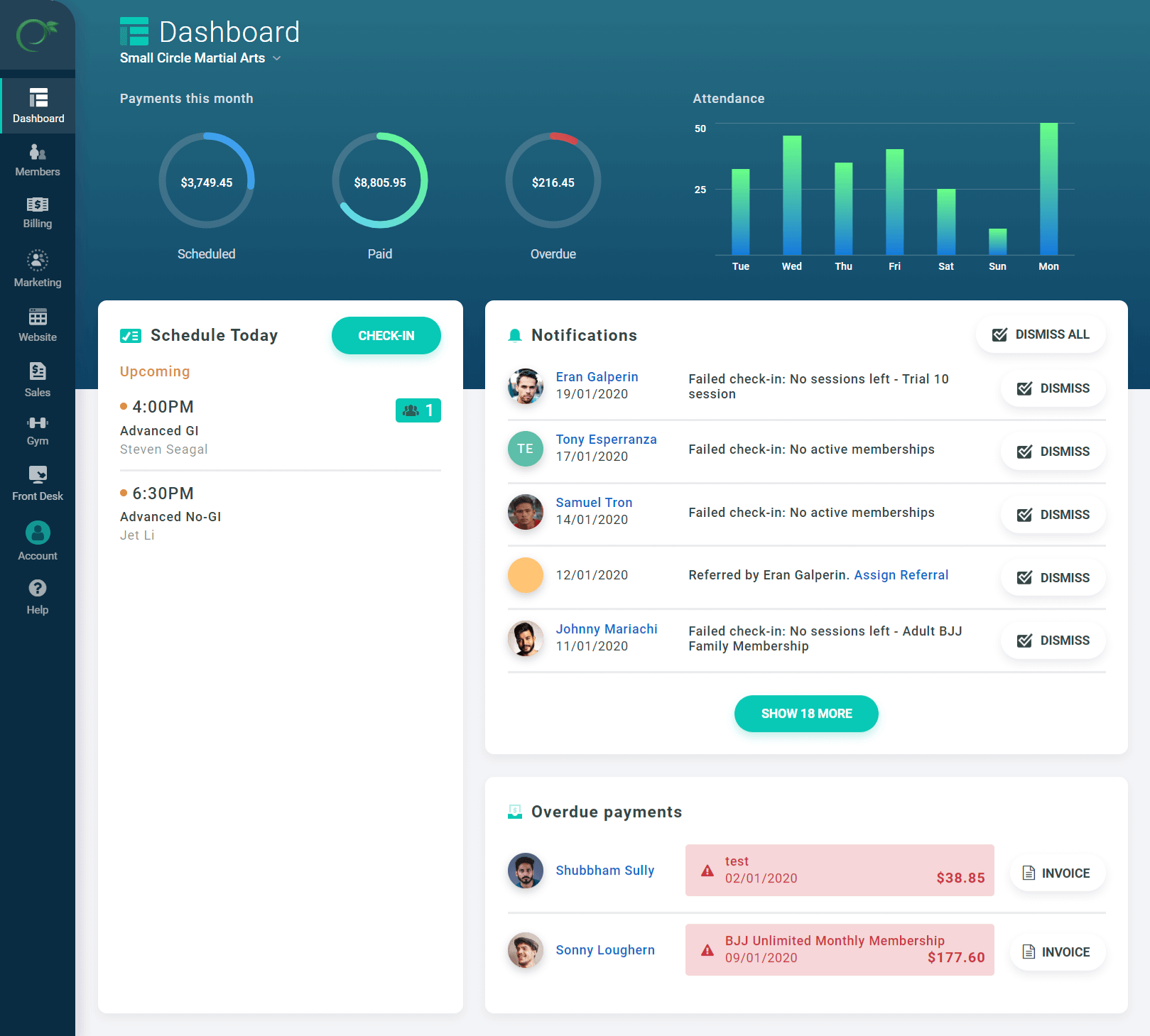
Easy Gym POS Software

Best for Retail POS Software for Gyms

Score
9.9 / 10
Easy Gym POS Software

Easy Gym POS Software is a specialized point-of-sale solution designed to manage and track financial transactions for the gym industry. This SaaS solution offers feature-rich modules that streamline membership management, payment processing, and sales reporting, addressing the unique financial needs and challenges that come with running a fitness center.

Best for Retail POS Software for Gyms

Expert Take

Easy Gym POS Software excels as a specialized solution for the gym industry, offering comprehensive features tailored to fitness centers. Its integration capabilities and 24/7 support enhance usability, while flexible pricing adds value. The product's market credibility is supported by its dedicated focus on gym-specific needs.

Pros

  • Transparent pricing with no contracts
  • Integrates with Stripe, Square & Authorize.net
  • Specialized martial arts belt tracking
  • Intuitive, user-friendly interface
  • No additional platform transaction fees

Cons

  • No dedicated mobile app for staff
  • Basic marketing automation features
  • Family pricing setup can be complex
  • Reporting less robust than enterprise tools
  • Limited integrations vs. market leaders

Best for teams that are

  • Martial arts schools needing belt and skill progression tracking
  • Small to medium gyms wanting a modern, user-friendly interface
  • Studios needing integrated website and marketing tools

Skip if

  • Enterprise gyms requiring highly complex custom reporting
  • Businesses needing extensive third-party integrations

Best for teams that are

  • Martial arts schools needing belt and skill progression tracking
  • Small to medium gyms wanting a modern, user-friendly interface
  • Studios needing integrated website and marketing tools

Skip if

  • Enterprise gyms requiring highly complex custom reporting
  • Businesses needing extensive third-party integrations

Pros

  • Transparent pricing with no contracts
  • Integrates with Stripe, Square & Authorize.net
  • Specialized martial arts belt tracking
  • Intuitive, user-friendly interface
  • No additional platform transaction fees

Cons

  • No dedicated mobile app for staff
  • Basic marketing automation features
  • Family pricing setup can be complex
  • Reporting less robust than enterprise tools
  • Limited integrations vs. market leaders

Expert Take

Easy Gym POS Software excels as a specialized solution for the gym industry, offering comprehensive features tailored to fitness centers. Its integration capabilities and 24/7 support enhance usability, while flexible pricing adds value. The product's market credibility is supported by its dedicated focus on gym-specific needs.

3
Score
9.8 / 10
3
9.8 / 10
Odoo PoS Shop

Odoo PoS Shop is an intuitive, reliable SaaS solution designed to meet the multifaceted needs of ecommerce businesses. It offers a comprehensive range of features that cater to both online and offline operations, making it an ideal choice for businesses seeking seamless and efficient store management.

Best for Retail POS Software for Ecommerce Businesses

Expert Take

Odoo PoS Shop is recognized for its comprehensive feature set catering to both online and offline operations, making it a strong choice for ecommerce businesses. Its integration capabilities and reliable performance contribute to its high standing in the market.
Pros

  • One App Free plan for unlimited users
  • Native integration with Inventory and Accounting
  • Works offline with automatic data syncing
  • Hardware agnostic (runs in any browser)
  • Modular architecture allows scalable growth

Cons

  • Browser crashes with large catalogs (20k+ items)
  • Customer support often cited as slow/unhelpful
  • Implementation requires technical expertise
  • Offline mode limited to core sales functions

Best for teams that are

  • Businesses wanting an all-in-one suite with integrated ERP and accounting
  • Tech-savvy retailers capable of managing modular software
  • Companies needing unified data across sales, inventory, and HR

Skip if

  • Small shops seeking a simple, standalone 'plug-and-play' POS
  • Users who don't need or want a full enterprise resource planning system
  • Businesses with limited technical expertise for configuration

Best for teams that are

  • Businesses wanting an all-in-one suite with integrated ERP and accounting
  • Tech-savvy retailers capable of managing modular software
  • Companies needing unified data across sales, inventory, and HR

Skip if

  • Small shops seeking a simple, standalone 'plug-and-play' POS
  • Users who don't need or want a full enterprise resource planning system
  • Businesses with limited technical expertise for configuration

Pros

  • One App Free plan for unlimited users
  • Native integration with Inventory and Accounting
  • Works offline with automatic data syncing
  • Hardware agnostic (runs in any browser)
  • Modular architecture allows scalable growth

Cons

  • Browser crashes with large catalogs (20k+ items)
  • Customer support often cited as slow/unhelpful
  • Implementation requires technical expertise
  • Offline mode limited to core sales functions

Expert Take

Odoo PoS Shop is recognized for its comprehensive feature set catering to both online and offline operations, making it a strong choice for ecommerce businesses. Its integration capabilities and reliable performance contribute to its high standing in the market.

4

Point of Rental Software

Best for Retail POS Software for Rental Agencies

Score
9.8 / 10
Point of Rental Software

Point of Rental is a comprehensive rental and inventory management software specifically designed for businesses in the equipment, tools, events, and specialty rentals industry. With over 40 years of expertise, it provides robust features to manage inventory, contracts, bookings, and overall operations efficiently, addressing the unique needs of rental agencies.

Best for Retail POS Software for Rental Agencies

Expert Take

Point of Rental Software excels in providing industry-specific solutions for rental agencies, with a strong focus on inventory and contract management. Its long-standing presence and specialized features make it a leader in its niche, though it may require a learning curve and customization effort.
Pros

  • Dual platforms (Essentials/Elite) for scalability
  • Deep industry-specific features (Dispatch, Maintenance)
  • Robust mobile apps for field operations
  • Strong integrations (Salesforce, Samsara, QuickBooks)
  • 40+ years of proven market stability

Cons

  • Steep learning curve for new users
  • No public pricing transparency
  • Extra costs for training and support
  • Complex menu navigation
  • Premium pricing tier

Best for teams that are

  • Large enterprises and multi-location rental corporations
  • Heavy equipment and construction industries needing ERP features
  • Businesses requiring deep accounting and telematics integrations

Skip if

  • Small startups or hobbyists due to high cost and complexity
  • Users seeking a simple, lightweight cloud-only tool
  • Businesses with very simple inventory tracking needs

Best for teams that are

  • Large enterprises and multi-location rental corporations
  • Heavy equipment and construction industries needing ERP features
  • Businesses requiring deep accounting and telematics integrations

Skip if

  • Small startups or hobbyists due to high cost and complexity
  • Users seeking a simple, lightweight cloud-only tool
  • Businesses with very simple inventory tracking needs

Pros

  • Dual platforms (Essentials/Elite) for scalability
  • Deep industry-specific features (Dispatch, Maintenance)
  • Robust mobile apps for field operations
  • Strong integrations (Salesforce, Samsara, QuickBooks)
  • 40+ years of proven market stability

Cons

  • Steep learning curve for new users
  • No public pricing transparency
  • Extra costs for training and support
  • Complex menu navigation
  • Premium pricing tier

Expert Take

Point of Rental Software excels in providing industry-specific solutions for rental agencies, with a strong focus on inventory and contract management. Its long-standing presence and specialized features make it a leader in its niche, though it may require a learning curve and customization effort.

5

RentMy Rental POS

Best for Retail POS Software for Rental Agencies

Score
9.7 / 10
5
9.7 / 10
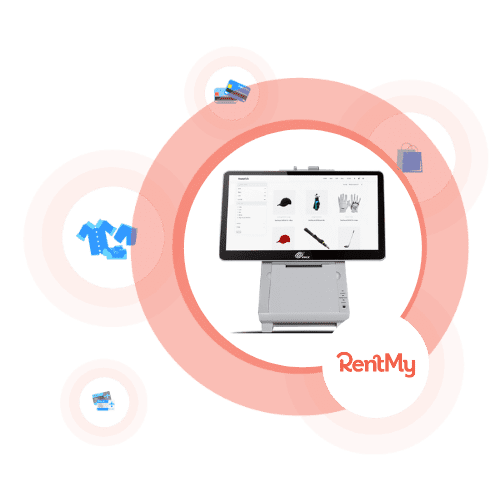
RentMy Rental POS

RentMy is a dynamic point-of-sale solution designed specifically for rental companies. It streamlines tasks such as placing new orders and fulfilling booked ones, allowing for efficiency and accuracy in operations. Its industry-specific features and user-friendly interface makes it a perfect solution for rental agencies looking to automate and simplify their processes.

Best for Retail POS Software for Rental Agencies

Expert Take

RentMy Rental POS is tailored specifically for rental agencies, offering specialized features that streamline operations. It provides a comprehensive solution with efficient order processing and inventory management. The product's market credibility is supported by its integration capabilities and 24/7 support, making it a top choice for rental businesses.

Pros

  • Hybrid POS handles rentals and sales
  • Real-time inventory tracking and availability
  • Built-in digital signatures and waivers
  • Live US-based phone and chat support
  • Free 'Nano' plan for side-hustlers

Cons

  • Mandatory one-time setup fees apply
  • High 9.9% transaction fee on free plan
  • Low volume of third-party verified reviews
  • Delivery features cost extra on Nano plan
  • Limited mobile app reviews available

Best for teams that are

  • General rental shops like bikes, cameras, and party supplies
  • Businesses needing a plugin to add booking to an existing site
  • Users wanting unified online and in-store booking management

Skip if

  • Large construction fleets requiring deep maintenance telematics
  • Users looking for a free or freemium software solution
  • Enterprises needing complex ERP accounting integrations

Best for teams that are

  • General rental shops like bikes, cameras, and party supplies
  • Businesses needing a plugin to add booking to an existing site
  • Users wanting unified online and in-store booking management

Skip if

  • Large construction fleets requiring deep maintenance telematics
  • Users looking for a free or freemium software solution
  • Enterprises needing complex ERP accounting integrations

Pros

  • Hybrid POS handles rentals and sales
  • Real-time inventory tracking and availability
  • Built-in digital signatures and waivers
  • Live US-based phone and chat support
  • Free 'Nano' plan for side-hustlers

Cons

  • Mandatory one-time setup fees apply
  • High 9.9% transaction fee on free plan
  • Low volume of third-party verified reviews
  • Delivery features cost extra on Nano plan
  • Limited mobile app reviews available

Expert Take

RentMy Rental POS is tailored specifically for rental agencies, offering specialized features that streamline operations. It provides a comprehensive solution with efficient order processing and inventory management. The product's market credibility is supported by its integration capabilities and 24/7 support, making it a top choice for rental businesses.

6
Score
9.7 / 10
6
9.7 / 10
Quantic POS

Quantic POS is a specialized point of sale (POS) system designed for restaurants and retailers. It streamlines operations by integrating secure payments, inventory tracking, and business insights into one robust solution, addressing the unique demands of the industry for real-time inventory management, customer data analysis, and secure transactions.

Best for Retail POS Software for Restaurants

Expert Take

Quantic POS excels in providing a comprehensive solution for restaurant and retail businesses with its integrated features for secure payments, inventory management, and data analytics. Its adaptability and robust capabilities make it a top choice in its category, despite potential learning curves and cost considerations for smaller businesses.
Pros

  • Processor agnostic (freedom to choose)
  • Offline mode functionality
  • Comprehensive ISO & SOC security compliance
  • Dual pricing/cash discount built-in
  • Unified retail and restaurant capabilities

Cons

  • Pricing not publicly available (quote-only)
  • Low volume of third-party verified reviews
  • Reports of bugs in older versions
  • Steep learning curve for advanced features

Best for teams that are

  • Retail and restaurant hybrids needing a highly customizable interface
  • Businesses wanting advanced backend control and multi-channel sales support
  • Owners seeking a cloud-based system with offline capabilities and visual menu management

Skip if

  • Large enterprises requiring established, rock-solid stability without technical hiccups
  • Users wanting a strictly 'out of the box' solution with zero configuration time
  • Businesses that need a vast marketplace of third-party integrations

Best for teams that are

  • Retail and restaurant hybrids needing a highly customizable interface
  • Businesses wanting advanced backend control and multi-channel sales support
  • Owners seeking a cloud-based system with offline capabilities and visual menu management

Skip if

  • Large enterprises requiring established, rock-solid stability without technical hiccups
  • Users wanting a strictly 'out of the box' solution with zero configuration time
  • Businesses that need a vast marketplace of third-party integrations

Pros

  • Processor agnostic (freedom to choose)
  • Offline mode functionality
  • Comprehensive ISO & SOC security compliance
  • Dual pricing/cash discount built-in
  • Unified retail and restaurant capabilities

Cons

  • Pricing not publicly available (quote-only)
  • Low volume of third-party verified reviews
  • Reports of bugs in older versions
  • Steep learning curve for advanced features

Expert Take

Quantic POS excels in providing a comprehensive solution for restaurant and retail businesses with its integrated features for secure payments, inventory management, and data analytics. Its adaptability and robust capabilities make it a top choice in its category, despite potential learning curves and cost considerations for smaller businesses.

7

NRS Retail POS System

Best for Retail POS Software for Retail Stores

Score
9.7 / 10
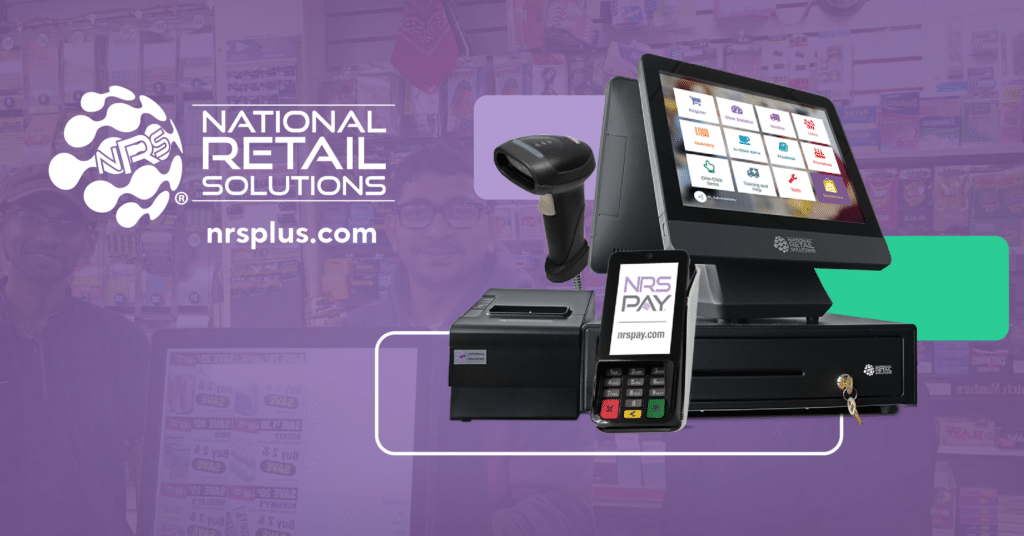
NRS Retail POS System

NRS's Retail POS System is tailored towards small businesses aiming to streamline their checkout process, manage inventory effectively and guarantee secure credit card transactions. It addresses the industry's need for a simplified retail process, offering an integrated solution that reduces time and increases efficiency.

Best for Retail POS Software for Retail Stores

Expert Take

NRS Retail POS System excels in providing a streamlined solution for small retail businesses, with efficient checkout and inventory management. Its focus on secure transactions and 24/7 support enhances its usability, although customization options are limited. The product's credibility is supported by its industry-specific design and reliable support structure.

Pros

  • Automated tobacco scan data rebates
  • Integrated EBT and eWIC processing
  • Patented silent panic alarm button
  • Free credit card terminal included
  • Backed by publicly traded IDT Corp

Cons

  • Monthly fee to remove ads
  • Software price rises without NRS Pay
  • Mixed reviews on support responsiveness
  • Limited liquor inventory depth
  • Proprietary hardware ecosystem

Best for teams that are

  • Independent convenience stores, bodegas, and liquor stores
  • Tobacco shops needing integrated age verification and scan data programs
  • Inner-city merchants needing customer loyalty features

Skip if

  • High-end boutiques or large enterprise retail chains
  • Businesses not in the c-store, liquor, or tobacco niches
  • Retailers needing complex e-commerce integrations

Best for teams that are

  • Independent convenience stores, bodegas, and liquor stores
  • Tobacco shops needing integrated age verification and scan data programs
  • Inner-city merchants needing customer loyalty features

Skip if

  • High-end boutiques or large enterprise retail chains
  • Businesses not in the c-store, liquor, or tobacco niches
  • Retailers needing complex e-commerce integrations

Pros

  • Automated tobacco scan data rebates
  • Integrated EBT and eWIC processing
  • Patented silent panic alarm button
  • Free credit card terminal included
  • Backed by publicly traded IDT Corp

Cons

  • Monthly fee to remove ads
  • Software price rises without NRS Pay
  • Mixed reviews on support responsiveness
  • Limited liquor inventory depth
  • Proprietary hardware ecosystem

Expert Take

NRS Retail POS System excels in providing a streamlined solution for small retail businesses, with efficient checkout and inventory management. Its focus on secure transactions and 24/7 support enhances its usability, although customization options are limited. The product's credibility is supported by its industry-specific design and reliable support structure.

8

POS Nation: Retail POS Solution

Best for Retail POS Software for Retail Stores

Score
9.7 / 10
POS Nation: Retail POS Solution

POS Nation is a comprehensive SaaS solution tailored for small retail businesses. It integrates industry-specific features, hardware, software, and payment processing into one system. It caters to the unique demands of retail stores, providing an efficient, robust, and reliable POS system.

Best for Retail POS Software for Retail Stores

Expert Take

POS Nation is a comprehensive retail POS solution that integrates hardware, software, and payment processing into one system, tailored for small retail businesses. It is recognized for its industry-specific features and flexibility, making it a top choice for retail stores. Despite some setup complexity, its robust capabilities and customer trust justify its premium positioning.

Pros

  • Excellent 'case break' inventory tracking
  • Robust offline mode capabilities
  • Dedicated Customer Success Manager included
  • AI-powered product auto-ranking
  • Lifetime hardware warranty on Flex plan

Cons

  • Steep learning curve for new users
  • Support fees apply after 30 days (Freedom plan)
  • Forced migration from legacy software reported
  • Scan Data integration issues for tobacco
  • No free trial available

Best for teams that are

  • Specialty retailers like liquor, tobacco, and convenience stores
  • Businesses seeking an all-in-one hardware and software bundle
  • Merchants needing 24/7 support and turnkey setup

Skip if

  • Retailers wanting a free trial or a system with a low learning curve
  • Businesses avoiding proprietary hardware bundles or long-term commitments
  • Very small, low-volume hobby sellers

Best for teams that are

  • Specialty retailers like liquor, tobacco, and convenience stores
  • Businesses seeking an all-in-one hardware and software bundle
  • Merchants needing 24/7 support and turnkey setup

Skip if

  • Retailers wanting a free trial or a system with a low learning curve
  • Businesses avoiding proprietary hardware bundles or long-term commitments
  • Very small, low-volume hobby sellers

Pros

  • Excellent 'case break' inventory tracking
  • Robust offline mode capabilities
  • Dedicated Customer Success Manager included
  • AI-powered product auto-ranking
  • Lifetime hardware warranty on Flex plan

Cons

  • Steep learning curve for new users
  • Support fees apply after 30 days (Freedom plan)
  • Forced migration from legacy software reported
  • Scan Data integration issues for tobacco
  • No free trial available

Expert Take

POS Nation is a comprehensive retail POS solution that integrates hardware, software, and payment processing into one system, tailored for small retail businesses. It is recognized for its industry-specific features and flexibility, making it a top choice for retail stores. Despite some setup complexity, its robust capabilities and customer trust justify its premium positioning.

9

Shift4 Food & Beverage POS

Best for Retail POS Software for Restaurants

Score
9.7 / 10
Shift4 Food & Beverage POS

Shift4 Food & Beverage POS is a cloud-based, comprehensive restaurant management platform that caters to the unique needs of the restaurant industry. It combines point-of-sale (POS) functionality, contactless payments, and online ordering, making it a one-stop solution for restaurant owners seeking to modernize their operations and enhance customer experience.

Best for Retail POS Software for Restaurants

Expert Take

Shift4 Food & Beverage POS excels in providing a comprehensive, cloud-based solution tailored for the restaurant industry. Its integration of POS functionality, contactless payments, and online ordering enhances operational efficiency and customer experience. Despite pricing transparency limitations, its robust feature set and industry-specific customization justify its premium positioning.

Pros

  • Lifetime warranty on all POS hardware
  • No upfront hardware costs ($29.99/mo per terminal)
  • Includes online ordering and loyalty in base price
  • Offline mode for payments and ordering
  • 24/7 support and onsite installation included

Cons

  • Mandatory Shift4 payment processing contract
  • High annual fees ($325+ per device)
  • Liquidated damages clause for early termination
  • QuickBooks integration requires third-party middleware
  • Processing rates can be opaque

Best for teams that are

  • Large venues like stadiums, arenas, and theme parks (via VenueNext technology)
  • Operations needing mobile-first, seat-side ordering and high-volume processing
  • Enterprise clients requiring a vertically integrated payment and software stack

Skip if

  • Small local restaurants needing a standard countertop POS without venue features
  • Businesses wanting to avoid Shift4's proprietary payment processing ecosystem
  • Simple retail shops or cafes that do not need mobile concession ordering

Best for teams that are

  • Large venues like stadiums, arenas, and theme parks (via VenueNext technology)
  • Operations needing mobile-first, seat-side ordering and high-volume processing
  • Enterprise clients requiring a vertically integrated payment and software stack

Skip if

  • Small local restaurants needing a standard countertop POS without venue features
  • Businesses wanting to avoid Shift4's proprietary payment processing ecosystem
  • Simple retail shops or cafes that do not need mobile concession ordering

Pros

  • Lifetime warranty on all POS hardware
  • No upfront hardware costs ($29.99/mo per terminal)
  • Includes online ordering and loyalty in base price
  • Offline mode for payments and ordering
  • 24/7 support and onsite installation included

Cons

  • Mandatory Shift4 payment processing contract
  • High annual fees ($325+ per device)
  • Liquidated damages clause for early termination
  • QuickBooks integration requires third-party middleware
  • Processing rates can be opaque

Expert Take

Shift4 Food & Beverage POS excels in providing a comprehensive, cloud-based solution tailored for the restaurant industry. Its integration of POS functionality, contactless payments, and online ordering enhances operational efficiency and customer experience. Despite pricing transparency limitations, its robust feature set and industry-specific customization justify its premium positioning.

10

Zen Planner Fitness Business Software

Best for Retail POS Software for Gyms

Score
9.7 / 10
Zen Planner Fitness Business Software

Zen Planner is a robust SaaS offering specifically designed for fitness businesses. It addresses industry needs by streamlining processes such as membership management, scheduling, and payments, ultimately saving time and increasing efficiency. Its comprehensive functionality supports gyms in retaining members and driving growth.

Best for Retail POS Software for Gyms

Expert Take

Zen Planner excels in providing comprehensive functionality tailored for fitness businesses, with strong capabilities in membership management, scheduling, and payments. Its market credibility is supported by industry recognition and partnerships, while its usability is enhanced by integrated features. The pricing model is transparent, though the learning curve and customization options present minor tradeoffs.

Pros

  • Automated martial arts belt tracking and promotion eligibility alerts
  • Deep integration with SugarWOD for workout performance tracking
  • Comprehensive reporting dashboards for attendance and financial metrics
  • Integrated payment processing and automated billing features
  • Robust marketing automation tools via Zen Planner Engage

Cons

  • Expensive add-on fees for branded apps and websites
  • Reports of slow or unresponsive customer support
  • Mobile app stability issues and bugs reported by users
  • Additional fees for using third-party payment processors
  • User interface described as outdated by some customers

Best for teams that are

  • Martial arts schools and CrossFit boxes needing skill tracking
  • Boutique studios requiring robust scheduling and billing

Skip if

  • Users wanting a simple interface without a steep learning curve
  • Large general fitness clubs needing enterprise facility tools

Best for teams that are

  • Martial arts schools and CrossFit boxes needing skill tracking
  • Boutique studios requiring robust scheduling and billing

Skip if

  • Users wanting a simple interface without a steep learning curve
  • Large general fitness clubs needing enterprise facility tools

Pros

  • Automated martial arts belt tracking and promotion eligibility alerts
  • Deep integration with SugarWOD for workout performance tracking
  • Comprehensive reporting dashboards for attendance and financial metrics
  • Integrated payment processing and automated billing features
  • Robust marketing automation tools via Zen Planner Engage

Cons

  • Expensive add-on fees for branded apps and websites
  • Reports of slow or unresponsive customer support
  • Mobile app stability issues and bugs reported by users
  • Additional fees for using third-party payment processors
  • User interface described as outdated by some customers

Expert Take

Zen Planner excels in providing comprehensive functionality tailored for fitness businesses, with strong capabilities in membership management, scheduling, and payments. Its market credibility is supported by industry recognition and partnerships, while its usability is enhanced by integrated features. The pricing model is transparent, though the learning curve and customization options present minor tradeoffs.

How We Rank Products

Our Evaluation Process

Products in the Retail POS Software category are evaluated based on documented features such as integration capabilities with other systems and compliance with industry standards. Pricing transparency is also a key factor, ensuring businesses can assess total cost of ownership. Additionally, compatibility with existing hardware and the software’s scalability to support business growth are considered. Evaluations may incorporate third-party customer feedback to provide insights into user satisfaction and reliability.

Verification

  • Products evaluated through comprehensive research and analysis of user feedback and expert insights.
  • Rankings based on analysis of software features, customer ratings, and industry benchmarks.
  • Selection criteria focus on usability, integration capabilities, and overall customer satisfaction within retail environments.

Score Breakdown

0.0 / 10

About Retail POS & Point of Sale Software

What Is Retail POS & Point of Sale Software?

Retail POS & Point of Sale Software covers the transactional and inventory management systems used to execute, record, and reconcile sales at the moment of purchase. Unlike broad financial tools, this category manages the specific operational lifecycle of a transaction: scanning or selecting items, calculating taxes and discounts in real-time, processing payments (via integrated hardware), updating inventory levels instantly across locations, and capturing customer data for loyalty and marketing purposes. It sits between E-commerce Platforms (which handle digital-only transactions) and ERP Systems (which manage back-office finance and supply chain). It includes both general-purpose cloud platforms designed for multi-location retail and highly specialized vertical tools built for complex workflows in industries like hospitality, automotive, and personal services.

The core problem this software solves is the synchronization of physical commerce with digital records. Without a competent POS, retailers face "inventory drift," where physical stock levels decouple from digital records, leading to overselling online and stockouts in-store. For modern operators, the POS is no longer just a cash register; it is the data origination point that feeds truth into accounting, CRM, and supply chain forecasting. Whether for a single boutique or a multinational chain, the POS system acts as the operational nerve center, determining how quickly a business can process customers and how accurately it can report on its own performance.

History of Retail POS Software

The evolution of POS software from the 1990s to the present is a case study in the shift from hardware-centric constraints to software-enabled agility. In the early 1990s, the market was dominated by "server-client" architectures running on Windows or DOS. These systems were essentially glorified calculators attached to local databases. They were robust but rigid; data lived on a server in the back office, and "polling" (sending sales data to headquarters) happened once a day, typically overnight via dial-up modems. This era was defined by the "siloed store" model—headquarters would not know a store's inventory position until the next day [1]. The gap that created the modern POS category was the inability of these legacy ERP-lite systems to handle real-time data exchange required by the burgeoning internet age.

The early 2000s introduced the first wave of cloud computing, though adoption in retail was slow due to internet reliability concerns. This period saw the rise of vertical SaaS—software built specifically for the unique workflows of restaurants (table management) versus retail (inventory density). The critical turning point occurred around 2010 with the introduction of tablet-based mobile POS systems. This decoupled the software from proprietary, expensive hardware terminals, allowing retailers to run enterprise-grade software on consumer-grade devices. This shift forced legacy providers to acquire cloud-native startups, leading to a massive wave of consolidation between 2012 and 2018. The market moved from selling "license keys" to selling "subscriptions," fundamentally changing the total cost of ownership for buyers.

Today, the historical trajectory has moved beyond simple cloud connectivity to "Unified Commerce." As noted by industry analysis, the focus has shifted from "give me a database" to "give me actionable intelligence." In the 2020s, the expectation is that a POS system does not just record a sale but actively orchestrates the order, routing it from a digital channel to a physical fulfillment point (like Buy Online, Pickup In-Store). The modern era is defined by API-first architectures that allow the POS to act as a headless engine, powering transactions on social media, mobile apps, and kiosks simultaneously, rather than just sitting on a counter [2].

What to Look For

Evaluating Retail POS software requires moving beyond the feature checklist and scrutinizing the architectural limitations of the platform. The most critical criterion is offline resiliency. Cloud-first does not mean "internet-dependent." A robust system must have a local database that allows full transaction processing—including credit card encryption and cash drawer operation—when the internet connection fails, syncing automatically once connectivity is restored. Buyers should look for "store-and-forward" capabilities that are invisible to the cashier.

Another critical factor is the API rate limit and depth. Many vendors claim to integrate with other tools, but their APIs may only sync data every 15 minutes or limit the number of calls per hour. For a high-volume retailer, this latency is unacceptable. You must look for webhooks that trigger immediate updates in your ERP or ecommerce platform the second a sale occurs. If the vendor relies on batch processing for integrations, it is a red flag for any business with high inventory velocity.

Red flags also include proprietary hardware lock-in. Be wary of vendors that require you to purchase credit card terminals or printers that only work with their software. This creates a "hardware hostage" situation where switching software requires a complete capital expenditure refresh. A healthy POS ecosystem supports standard protocols (like OPOS or JPOS) and generic peripherals. Furthermore, scrutinize the payment processing terms. Many modern POS vendors subsidize their software costs by locking you into their internal payment processing at non-negotiable rates. While convenient, this can cost thousands of dollars a month in hidden fees as your volume grows. Always ask: "Can I bring my own processor, and if so, what is the surcharge?"

Industry-Specific Use Cases

Retail & E-commerce

For the retail and e-commerce sector, the POS is the bridge between the digital and physical worlds. The specific need here is real-time inventory synchronization to prevent the "phantom stock" problem—where a customer buys an item online that was sold in-store five minutes prior. General-purpose POS systems often fail here because they rely on batched updates. Retailers must prioritize systems that support "endless aisle" capabilities, allowing store associates to sell online inventory to walk-in customers and ship it to their homes. Evaluation priorities should focus on the granularity of the matrix inventory (handling size, color, style variants efficiently) and the robustness of the return management system, specifically the ability to accept cross-channel returns (buying online, returning in-store) without breaking the tax or accounting logic [3].

Healthcare

In healthcare environments, such as hospital gift shops, cafeterias, and outpatient pharmacies, the POS plays a distinct role centered on compliance and identity verification. Unlike standard retail, these systems often need to integrate with employee payroll for "payroll deduction" payments (where staff buy lunch with their badge) and must handle HIPAA-compliant data if patient prescriptions are involved. Unique considerations include the ability to manage restricted items (like pseudoephedrine) and integration with hospital ADT (Admission, Discharge, Transfer) systems to deliver "meds-to-beds" services upon patient discharge. Evaluation must prioritize security certifications and the ability to handle complex, non-standard payment tenders unique to medical campuses [4].

Financial Services

For financial services, particularly in branch banking, the POS is transforming into a "service point" that blends transaction processing with relationship management. Banks use specialized POS software to handle the sale of financial products (like cashier's checks or foreign currency) while adhering to strict Anti-Money Laundering (AML) and Know Your Customer (KYC) regulations. The evaluation priority here is auditability and role-based access control. Every keystroke and drawer opening must be logged for compliance. Furthermore, these systems often need to integrate with core banking platforms to validate account balances in real-time before accepting funds, a workflow completely foreign to traditional retail POS tools [5].

Manufacturing

Manufacturing firms increasingly use POS software for Direct-to-Consumer (DTC) spare parts sales and factory outlet operations. The specific need is deep integration with complex ERP Bill of Materials (BOM) systems. When a customer buys a spare part at a factory counter, the POS must not only deduct the finished good but potentially trigger a production signal if safety stock is breached. Unlike retail, where the unit of measure is usually "each," manufacturing POS usage may need to handle fractional quantities or bulk commercial pricing tiers. The unique consideration is the ability to handle both B2B account receivables (selling on credit terms) and B2C immediate payments in the same interface [6].

Professional Services

For professional services (salons, repair shops, consultancies), the POS is secondary to the calendar and resource management function. The workflow here is "Book -> Service -> Pay," rather than "Pick -> Pay." Specific needs include the ability to bundle service labor hours with physical inventory (e.g., shampoo or replacement parts) in a single transaction. Evaluation should focus on "resource blocking," ensuring that the POS prevents booking a service if the required room or equipment is unavailable. The pain point with general retail POS tools in this sector is their inability to handle commissions structures for service providers, which are often complex and tiered based on performance [7].

Subcategory Overview

Retail POS Software for Retail Stores

This subcategory represents the foundational layer of the market, designed for high-velocity environments where speed at the checkout counter is paramount. What makes this niche genuinely different from generic tools is the depth of its matrix inventory management. General tools struggle when a single t-shirt comes in 5 sizes and 10 colors, creating 50 unique SKUs that must be reported on collectively and individually. Specialized tools handle this hierarchy natively. A workflow that only this tool handles well is the "stock transfer" between multi-unit locations—identifying a stockout in Store A, locating the item in Store B, and initiating a transfer request directly from the register. Buyers leave general tools for this niche when they hit the "reporting wall," where they can no longer see sell-through rates by category or brand efficiently. For a deeper analysis of matrix handling, see our guide to Retail POS Software for Retail Stores.

Retail POS Software for Gyms

POS software for gyms is distinct because it must function as an access control system first and a point of sale second. Unlike a retail store where anyone can enter, a gym POS often controls physical turnstiles or door maglocks based on membership status. The specific differentiator is "recurring billing automation." While a retail store processes one-time transactions, a gym POS must manage monthly direct debits and handle dunning (retrying failed payments) automatically. A workflow unique to this niche is the "check-in to upsell" flow: as a member scans their badge, the POS alerts the desk staff that the member’s credit card is expiring or that they have a balance due, prompting an immediate interaction. The pain point driving buyers here is the inability of generic POS to handle membership pauses, prorated cancellations, and family account structures. Explore more in our guide to Retail POS Software for Gyms.

Retail POS Software for Restaurants

The defining characteristic of restaurant POS is temporal order management—the ability to hold an order open over time while modifying it (courses, drinks) before payment. Generic POS systems treat a transaction as "open, scan, close," which breaks in a dining environment. This niche handles "modifier logic" (e.g., "Steak: Rare, No Sauce, Sub Fries") that forces kitchen printers to route specific items to specific stations (Grill vs. Fryer). A workflow only this specialized tool handles is "check splitting," where a single table's bill is divided by seat, by item, or by arbitrary fractions at the end of the meal. Buyers flee general tools toward this niche when the chaos of the kitchen pass leads to errors; they need a Kitchen Display System (KDS) integration that only restaurant-specific POS can provide. Read more about table management in our guide to Retail POS Software for Restaurants.

Retail POS Software for Rental Agencies

Rental POS software fundamentally changes the definition of "inventory" from "quantity on hand" to "availability over time." In a generic POS, selling an item removes it from the database forever. In a rental POS, the transaction is a "loan" with a specific return date. This niche excels at booking calendars and utilization tracking. A workflow unique to this tool is the "check-out / check-in" inspection process, where the condition of an item (cameras, heavy machinery, tuxedos) is verified upon return, and damage fees are automatically calculated against a security deposit. The specific pain point driving buyers to this niche is "double booking"—generic tools cannot prevent renting the same item to two different customers for overlapping dates. For details on availability logic, see Retail POS Software for Rental Agencies.

Retail POS Software for Ecommerce Businesses

This subcategory is built for "digital-native" brands expanding into physical spaces (pop-ups, brick-and-mortar). What makes it different is that the master record of truth is the web store, not the physical store. The POS is essentially a "skin" on top of the e-commerce backend. A workflow that only this tool handles well is the unified customer profile: a customer can walk into a store, and the associate can instantly see their online browsing history, abandoned carts, and lifetime value to tailor the in-person experience. The pain point driving buyers here is "catalog fragmentation"—they are tired of managing product descriptions and prices in two separate systems (POS and Website) and want a single dashboard that pushes updates everywhere instantly. Learn about unified commerce in our guide to Retail POS Software for Ecommerce Businesses.

Deep Dive: Integration & API Ecosystem

In the modern software stack, a POS system that stands alone is a liability. The strength of a Retail POS is measured by its ability to act as a data router—sending sales to the ledger, customer data to the CRM, and inventory decrements to the warehouse management system (WMS). The industry standard for API reliability is high; however, frequent synchronization errors plague poorly designed integrations.

A recent study by industry analysts highlights that system integration failures cost retailers millions annually, with 34% of retailers identifying weak connections between POS and other systems as a primary operational challenge [8]. This isn't just about data not showing up; it's about the operational latency that kills customer experience.

Expert Insight: As noted by Bain & Company in their 2025 Technology Report, the future of software interaction is moving from "human plus app" to "AI agent plus API," meaning the POS API must be robust enough to handle autonomous agents querying inventory without human intervention [9].

Real-World Scenario: Consider a mid-market fashion retailer with 50 locations and a centralized warehouse. They use a legacy POS that syncs with their ERP via a nightly batch file. On Black Friday, the warehouse inventory for a popular coat sells out online by 10:00 AM. However, because the POS integration is not real-time, the physical stores don't receive the "out of stock" signal until the next morning. Throughout the day, store associates continue to sell "ship-from-warehouse" orders for that coat to walk-in customers. By the time the batch processes at midnight, the retailer has oversold the coat by 200 units. The integration failure forces the operations team to manually cancel 200 orders, refund customers, and offer apology gift cards, damaging the brand's reputation and incurring significant support costs. A proper API-first integration would have triggered a webhook the moment the warehouse stock hit zero, instantly graying out the "ship-from-warehouse" button on every POS terminal chain-wide.

Deep Dive: Security & Compliance

Security in Retail POS is no longer just about locking the cash drawer; it is about protecting the encryption keys that guard customer financial data. The shift to cloud POS has moved the threat vector from physical skimming devices to remote network intrusions. Retailers are prime targets because they aggregate high-volume, low-value transactions that can be tested for validity by fraudsters.

The stakes are incredibly high. According to the 2024 IBM Cost of a Data Breach Report, the average cost of a data breach in the retail sector has reached $3.48 million, an 18% increase from the previous year [10]. This figure includes regulatory fines, forensic investigation costs, and the massive loss of customer trust.

Expert Insight: The IBM report further emphasizes that organizations using AI and automation in their security operations detected and contained breaches 98 days faster than those that did not, saving millions in potential costs [11].

Real-World Scenario: A regional grocery chain with 20 locations upgrades to a new tablet-based POS but neglects to segregate its network traffic. The POS tablets are connected to the same Wi-Fi network used by the store's guest Wi-Fi and the smart thermostats. A hacker accesses the network through a vulnerability in an unpatched smart thermostat. Because the network is flat (unsegmented), they are able to "sniff" the traffic moving between the POS tablets and the local server. Although the credit card data is tokenized (a standard compliance requirement), the hacker intercepts the unencrypted loyalty data, including names, phone numbers, and shopping habits of 50,000 local customers. The breach forces the grocer to publicly disclose the leak, pay for credit monitoring for all affected customers, and face a class-action lawsuit, ultimately costing them more than the initial price of the POS software implementation itself.

Deep Dive: Pricing Models & TCO

Pricing in the Retail POS market has shifted aggressively from large upfront license fees to "SaaS plus Processing" models. While the monthly software fee (often $60-$200 per terminal) appears low, the Total Cost of Ownership (TCO) is frequently hidden in the credit card processing rates. Vendors often incentivize—or contractually force—retailers to use their proprietary payment rails, which may charge a "flat rate" that is significantly higher than the interchange-plus market rate for high-volume merchants.

Data indicates that average credit card processing fees for merchants in 2024 range from 1.5% to 3.5%, but the effective rate can balloon if "non-qualified" surcharges are applied by the POS vendor [12].

Expert Insight: Financial analysts at Motley Fool note that in 2024, credit card companies earned a record $148.5 billion from merchant swipe fees, underscoring that for many POS vendors, the software is merely a Trojan horse to capture the lucrative payment stream [13].

Real-World Scenario: Imagine a boutique retailer processing $1,000,000 in annual sales. They choose a "free" POS software that requires using the vendor's payment processing at a flat rate of 2.9% + 30¢ per transaction. Their transaction count is 10,000 (avg ticket $100). Annual Processing Cost: ($1,000,000 * 0.029) + (10,000 * $0.30) = $29,000 + $3,000 = $32,000. Alternatively, they could pay for a premium POS system costing $200/month ($2,400/year) that allows them to choose their own processor. They negotiate an interchange-plus model that averages out to an effective rate of 2.2%. Alternative Cost: ($1,000,000 * 0.022) + $2,400 (software) = $22,000 + $2,400 = $24,400. Result: The "free" software actually costs the retailer $7,600 more per year than the premium software. This TCO trap is the most common financial mistake small retailers make.

Deep Dive: Implementation & Change Management

Implementation is the graveyard of retail technology projects. The technical installation of software is rarely the point of failure; rather, it is the inability to manage the human side of the transition. Retail staff are creatures of habit, and muscle memory at the checkout counter is powerful. Disrupting that workflow without adequate training and "buy-in" leads to slower checkout times, errors, and staff revolt.

According to Gartner, approximately 55% to 75% of ERP and major software projects fail to meet their original objectives, often due to poor change management and scope creep [14]. The failure isn't that the software doesn't work, but that the organization rejects it.

Expert Insight: A study by Panorama Consulting highlights that 95% of companies that fail in implementation dedicate less than 10% of their total budget to education, training, and change management, treating it as an afterthought rather than a core requirement [15].

Real-World Scenario: A franchise coffee chain decides to roll out a new POS system to 20 locations. The HQ IT team configures the system perfectly in a lab environment. They ship the iPads to the stores on a Tuesday with a link to a PDF manual. Wednesday morning, the morning rush hits. The baristas, who were used to the button layout of the old system, cannot find the "Extra Shot" modifier on the new screen. Lines grow out the door. Frustrated customers leave. In a panic, three store managers unplug the new system and hook the old legacy terminals back up to keep the line moving. The data for that day is now fractured between two systems, inventory is desynchronized, and the staff has lost confidence in the new tool. The rollout is paused for three months to "retrain," costing the company tens of thousands in delays. A proper implementation would have involved "pilot stores," on-site trainers during the first rush, and a simplified UI configuration for the first week.

Deep Dive: Vendor Evaluation Criteria

Selecting a vendor is an exercise in risk management. In the volatile SaaS market, a flashy website does not guarantee solvency. Buyers must evaluate the vendor's roadmap, support infrastructure, and financial health. The "support test" is crucial: call their support line at 7 PM on a Friday. If you get a voicemail, that vendor is not suitable for retail operations. Furthermore, scalability must be tested—not just claimed.

Research indicates that 42% of retailers are concerned that their current connectivity and infrastructure is too unreliable to support the modern in-store technology they are purchasing [16]. Vendors must be evaluated on how their system performs under stress—low bandwidth, high transaction volume, and hardware failure.

Expert Insight: Forrester analysts warn that one in five retailers will launch customer-facing generative AI applications in the near future, meaning your POS vendor must have a clear AI strategy or they will be obsolete within 3 years [17].

Real-World Scenario: A fast-growing apparel brand selects a boutique POS vendor that promises "white glove service." The software is beautiful and customizable. However, six months later, the brand opens five new stores in a single month. The vendor's onboarding team consists of only two people, who are fully booked. The retailer cannot get their new stores provisioned in time for the grand openings. Furthermore, as the retailer's transaction volume triples, the vendor's database starts to lag during Saturday peaks because they haven't auto-scaled their cloud servers. The retailer realizes too late that they bought a product that was still in "beta" regarding enterprise scale. They are forced to rip and replace the system after less than a year—a catastrophic waste of capital and momentum.

Emerging Trends and Contrarian Take

Emerging Trends 2025-2026: Agentic Commerce

The next frontier is not just "AI" but Agentic AI. As identified by Bain & Company, we are moving toward systems where AI agents can reason, plan, and execute complex workflows across applications [18]. In a retail context, this means the POS will soon host autonomous agents that monitor sales velocity and proactively negotiate reorders with suppliers without a human manager ever opening a spreadsheet. Additionally, biometric payments (palm scanning, facial recognition) are moving from novelty to necessity as retailers seek to reduce friction and fraud simultaneously. McKinsey predicts that retailers leveraging these advanced analytics and AI agents could see operating margins boost by over 60% [19].

Contrarian Take: The "All-in-One" Platform is a Trap

The industry marketing machine relentlessly pushes the "All-in-One" solution—POS, Ecommerce, Accounting, and HR all in a single suite. This is a strategic error for any business planning to scale. The contrarian reality is that "All-in-One" platforms are rarely best-in-class at anything; they are mediocre at everything. They create a "capability ceiling" where you cannot upgrade your loyalty program because you are stuck with the basic one built into your POS. The most resilient retailers are actually moving away from monolithic suites toward Composable Commerce—building a stack of the best possible POS, the best possible Ecommerce site, and the best possible ERP, connected by robust APIs. If a vendor tells you "you don't need other software, we do it all," they are essentially telling you "we will limit your growth to the speed of our own development team."

Common Mistakes

Buying for Today, Not Tomorrow

Retailers often select a POS based on their current SKU count (e.g., 500 items). When they expand to 5,000 items a year later, they discover the system's search function lags, or the inventory matrix cannot handle the complexity. A system must be stress-tested for 3x current volume.

Underestimating Cabling and Infrastructure

A wireless POS is great until the Wi-Fi drops. Relying solely on Wi-Fi for stationary terminals is a mistake. High-volume checkout lanes should always be hardwired via Ethernet. Wireless interference from customer cell phones and microwaves can cripple a "cloud" POS that lacks a physical connection.

Ignoring the "Click-Count"

Management often buys software based on the reports it generates for them, ignoring the workflow for the cashier. If a transaction takes 7 clicks instead of 3, you are artificially capping your revenue per hour. During evaluation, count the clicks required to add a customer, scan an item, and process a cash payment. Efficiency at the register is the heartbeat of retail profitability.

Questions to Ask in a Demo

  • "Show me exactly what happens on the screen when the internet cable is unplugged. I want to see a transaction processed offline right now."
  • "Does your open API allow me to extract 100% of my customer and transaction data, or are there fields that are restricted?"
  • "If I use my own credit card processor, what is the specific 'gateway fee' or penalty you charge per transaction?"
  • "How does your system handle a 'mixed cart' return where one item was bought online and another bought in-store, with different tax rates?"
  • "Can you show me the backend log of a stock transfer between two stores? I want to see how the inventory decrement is timestamped."

Before Signing the Contract

The Data Ownership Clause

Ensure the contract explicitly states that you own your transaction and customer data. Some vendors aggregate your data to sell industry insights; you should know if your data is the product.

The "Evergreen" Renewal Trap

Watch for automatic renewal clauses that lock you in for another 3 years if you don't cancel 90 days prior. Negotiate for a 1-year term with an option to renew, or a buyout clause that decreases over time.

SLA (Service Level Agreement)

If the cloud server goes down on Black Friday, what does the vendor owe you? Demand an SLA that provides financial credits for downtime exceeding 99.9% uptime. If they won't offer it, they don't trust their own infrastructure.

Closing

Selecting a Retail POS system is one of the few decisions that physically touches every dollar your business earns. It is not a passive utility; it is the active constraints of your operation. By focusing on architecture over features, and resiliency over marketing promises, you can build a stack that empowers your growth rather than inhibiting it.

If you have specific questions about navigating the complexities of POS architecture or need an unbiased second opinion on a contract, feel free to reach out to me directly.

Email: albert@whatarethebest.com