1. Home
  2. Ecommerce & Retail
  3. Retail POS & Point of Sale Software

Category · Ecommerce & Retail Software

Retail POS & Point of Sale Software

Retail POS Software is designed for business and professional buyers seeking efficient management of sales transactions within retail environments. This category caters to small to large-scale retail operations needing seamless point-of-sale solutions that integrate with existing systems.

5 rankings49 products scored6 criteria eachUpdated Aug 24, 2026
01

Top picks across Retail POS & Point of Sale Software

The highest scorer from each vendor across all 5 rankings. Six little boxes show each one against its ranking average, and the full review sits under each card.

1

Shopify POS

shopify.com · Shopify Point of Sale #1 of 10 in Retail POS Software for Ecommerce Businesses

Shopify POS syncs channels live, but can't take cards offline

Best forEcommerce brands wanting one system for online and in store sales

From $29 per month PCI DSSEMV certifiedfree trial
Top of its ranking

Cloud point of sale that unifies online and in store inventory, orders and customers.

Standout factShopify POS powers about a million stores worldwide with a 4.6 rating. demandsage.com
Biggest catchShopify POS cannot process credit card payments without an internet connection. firstpier.com
~1MStores powereddemandsage.com
4.6/5Average ratingdemandsage.com
$89/month/locationPro plan add-onconnectpos.com

Adoption

~1,000,000stores using Shopify POS

Source: demandsage.com

The thing people get wrong

Shopify POS keeps taking card payments if the internet drops

Card transactions stop working offline, only cash or custom methods still work

Source: firstpier.com

Upside

  • Real time inventory sync
  • POS Lite included free
  • EMV certified, PCI DSS compliant

Catch

  • No offline card processing
  • Pro plan costs $89/month extra
  • Third party payment fees apply
Pick it ifEcommerce brands wanting one system for online and in store sales
Skip it ifRetailers needing offline credit card processing during outages
PricingFrom $29/month, Lite included free, Pro adds $89/month/location

Editor's takeShopify POS syncs inventory, orders and customers between online and physical stores in real time. That sync powers about a million stores worldwide, with a 4.6 average rating. The gap is offline reliability, since card payments simply stop working without an internet connection.

Does Shopify POS work without internet?

Only partly. It can accept cash offline, but credit card transactions require an active internet connection, according to Shopify's own help documentation.

How much does Shopify POS cost?

POS Lite comes free with every Shopify plan starting at $29 a month. POS Pro costs an extra $89 a month per location, according to a third party pricing breakdown.

The evidence: 6 criteria, 3 penalties
9.2
Product Capability & DepthLooked for: We evaluate the breadth of retail features, including checkout efficiency, inventory management, and staff controls tailored for modern retail.Shopify POS offers a robust feature set including smart grid customization, local pickup, and unified inventory management, though advanced features like staff roles require the Pro plan.shopify.comshopify.comshopify.com
9.3
Market Credibility & Trust SignalsLooked for: We assess the product's market presence, user adoption, security certifications, and reputation among retailers.Shopify POS powers millions of businesses globally and maintains high trust through PCI DSS compliance and EMV certification, supported by a massive user base.demandsage.comfirstpier.com
8.8
Usability & Customer ExperienceLooked for: We look for intuitive interface design, ease of setup, and the quality of customer support resources available to merchants.Users consistently praise the intuitive, clean interface and ease of use, though some report frustrations with customer support responsiveness and technical glitches.shopify.comb2breviews.comb2breviews.com
9.5
Value, Pricing & TransparencyLooked for: We analyze the pricing structure, including subscription fees, transaction costs, and hardware expenses relative to the value provided.The 'Lite' version is included free with plans, offering immense value, but the 'Pro' upgrade ($89/mo) and extra fees for third-party payment gateways add significant costs.shopify.comshopify.comconnectpos.com
9.4
Omnichannel Integration & SyncLooked for: We examine how well the system unifies online and offline operations, including inventory synchronization and cross-channel customer data.Shopify POS excels here, offering real-time inventory syncing, unified customer profiles, and seamless 'buy online, return in-store' capabilities.apps.shopify.comshopify.comshopify.com
9.0
Hardware Ecosystem & ReliabilityLooked for: We evaluate the quality of first-party hardware, compatibility with third-party devices, and system reliability during offline scenarios.While first-party hardware like POS Go is strong, the system has a critical limitation: it cannot process credit card payments while offline, unlike some competitors.shopify.comfirstpier.comhelp.shopify.com

Score adjustments−0.17 points in total

−0.08Shopify POS cannot process credit card payments when offline; it is strictly limited to cash or custom payment methods during internet outages.help.shopify.com · severity 75/100
−0.04Merchants are charged an additional transaction fee (ranging from 0.6% to 2%) if they use a third-party payment gateway instead of Shopify Payments.flatlineagency.com · severity 60/100
−0.05Users report mixed experiences with customer support, citing difficulties in reaching representatives and resolving technical issues efficiently.b2breviews.com · severity 50/100
2

Quipli

quipli.com · Quipli: Equipment Rental Software #1 of 10 in Retail POS Software for Rental Agencies

Flat $6,000/year rental platform, but no offline mode.

Best forIndependent equipment rental companies wanting an integrated e-commerce storefront.

From $6,000 per year flat-rate pricingequipment rentale-commerce storefront
Top of its ranking

All-in-one rental management platform combining inventory, e-commerce, dispatch, and payments for equipment rental businesses.

Standout factQuipli charges a transparent flat rate around $6,000 per year with unlimited users and inventory. quipli.com
Biggest catchQuipli has no offline mode, which limits usability for field work without connectivity. quipli.com
~$6,000/yrFlat annual pricequipli.com
9.2/10Product capability scorequipli.com
9.1/10Support scorequipli.com

Starting price

$6,000/yrFlat rate, unlimited users and inventory

Before you sign up

  • Independent equipment rental business
  • Need offline field access
  • Want two-way QuickBooks sync

Upside

  • Flat $6,000/year, no per-seat fees
  • Unlimited users and inventory included
  • US-based support with fast response

Catch

  • No offline mode for field work
  • One-way QuickBooks sync only
  • No native mobile app
Pick it ifIndependent equipment rental companies wanting an integrated e-commerce storefront.
Skip it ifEvent or party rental businesses, or firms needing offline field access.
PricingFlat rate around $6,000/year, unlimited users and inventory

Editor's takeQuipli unifies rental inventory, an e-commerce storefront, dispatch, and payments into one platform built specifically for equipment rental agencies. Pricing is a transparent flat rate near $6,000 a year with unlimited users, a contrast to per-seat retail POS systems. The tradeoffs are a one-way QuickBooks sync and no offline mode, which can matter for field crews without reliable connectivity.

How much does Quipli cost?

Quipli uses a flat-rate subscription around $6,000 per year that includes unlimited users and inventory, rather than per-seat or per-location pricing, according to documented product pros for the platform.

Does Quipli work offline?

No. Quipli does not offer an offline mode, so field teams need an internet connection to manage rentals, dispatch, or inventory while away from the office.

3

Oracle Retail Xstore

oracle.com · Oracle Retail POS System #1 of 9 in Retail POS Software for Retail Stores

300+ REST APIs, but users report weekly system freezes.

Best forLarge global retailers needing offline transactions and multi-country tax support.

From $50 per user/mo offline POS modeTier 1 retailPCI DSS tokenization
Top of its ranking

Enterprise unified commerce POS with offline mode, mobile checkout, and deep Oracle integration.

Standout factOracle Retail Xstore provides a library of over 300 REST APIs for integration with external systems. oracle.com
Biggest catchMultiple reviewers report the system freezing or crashing roughly once a week during transactions. g2.com
300+REST APIs availableoracle.com
$100/user/monthSmall business starting priceitqlick.com
$5,000-$50,000+Implementation cost rangeitqlick.com

Runs on

🌐Web
iOS
🤖Android
💻Windows
💻Mac
API

Source: hrsinternational.com

True monthly cost

Total cost to launch

Subscription (enterprise)$50-$80/user/mo
Implementation$5,000-$50,000+
TotalVaries by scale

Small business subscriptions run closer to $100/user/mo

Upside

  • Offline transaction mode with auto-sync
  • 300+ REST APIs for integration
  • Full PCI DSS tokenized encryption

Catch

  • Reports of weekly system freezing
  • Implementation runs $5,000-$50,000+
  • Support can be hard to navigate
Pick it ifLarge global retailers needing offline transactions and multi-country tax support.
Skip it ifSmall businesses or single-store operations needing a quick, cheap setup.
PricingFrom about $100/user/month for small businesses, dropping to $50-80/user for large enterprises. Implementation runs $5,000-$50,000+.

Editor's takeOracle Retail Xstore earns its rank on depth, functioning more as a full point-of-service platform than a simple register, with offline mode and 300-plus REST APIs for a connected retail stack. Reliability is the documented weak spot, with reviewers citing freezes roughly weekly. Budget for real implementation costs, not just the per-user subscription, before rolling this out across stores.

How much does Oracle Retail POS cost?

Monthly subscriptions start around $100 per user for small businesses and drop to $50-$80 per user for large enterprises. Implementation adds $5,000 to more than $50,000 depending on scale.

Does Oracle Retail POS work offline?

Yes. Xstore supports basic sales and returns in offline mode, automatically syncing data once the connection is restored.

The evidence: 6 criteria, 3 penalties
9.4
Product Capability & DepthLooked for: We evaluate the breadth of retail-specific features, including mobile capabilities, inventory visibility, and omnichannel transaction handling.Oracle Retail Xstore Point-of-Service delivers enterprise-grade functionality, merging front-end sales with back-office tasks like inventory management and cross-channel returns. It supports diverse hardware including mobile tablets and handhelds, ensuring real-time inventory visibility and seamless offline transaction processing.oracle.comskillnetinc.comhrsinternational.com
9.5
Market Credibility & Trust SignalsLooked for: We assess the vendor's industry standing, longevity, and adoption by major retailers as verified by third-party analysts.Oracle is a dominant Tier 1 retail technology provider, consistently recognized in Gartner Magic Quadrants for Unified Commerce. The system is widely adopted by global enterprises, leveraging Oracle's massive infrastructure and long-standing reputation in the retail sector.gartner.comhrsinternational.com
8.7
Usability & Customer ExperienceLooked for: We examine user interface design, ease of training, and system reliability based on actual user feedback.Users describe the interface as intuitive and easy to train on, often requiring less than an hour for new staff to learn. However, significant reports of system freezing and crashing during transactions detract from the experience, creating frustration in high-volume environments.oracle.comg2.comg2.com
8.5
Value, Pricing & TransparencyLooked for: We analyze pricing structures, transparency of costs, and total cost of ownership including implementation fees.Pricing is subscription-based starting around $100/user for smaller setups, dropping to $50-$80 for large enterprises. Implementation is costly, ranging from $5,000 to over $50,000. Oracle recently introduced fixed-rate payment processing to improve transparency, but total costs remain high.oracle.comitqlick.comitqlick.com
9.3
Integrations & Ecosystem StrengthLooked for: We evaluate the system's ability to connect with ERPs, ecommerce platforms, and third-party tools via APIs.Xstore offers deep native integration with Oracle's vast ecosystem (NetSuite, Commerce Cloud, RMS) and supports third-party integrations via REST APIs. It serves as a central node connecting front-end sales with complex back-end merchandising and inventory systems.oracle.comhrsinternational.comoracle.com
9.6
Security, Compliance & Data ProtectionLooked for: We investigate data security measures, compliance certifications (PCI, GDPR), and encryption standards.Oracle employs rigorous security standards including Oracle Software Security Assurance (OSSA). The system features end-to-end encryption, tokenization to mask card data, and full PCI DSS compliance. It also supports granular role-based access and audit trails for all transactions.oracle.comus.fitgap.comoracle.com

Score adjustments−0.18 points in total

−0.08Users frequently report system instability, including weekly crashes and freezing during transactions, which disrupts operations.g2.com · severity 75/100
−0.06Customer support is described as difficult to navigate, with users having to 'chase' for service despite paying high contract fees.g2.com · severity 60/100
−0.04Implementation costs are prohibitively high for smaller businesses, with setup fees ranging from $5,000 to over $50,000.itqlick.com · severity 50/100
4

KORONA POS

koronapos.com · KORONA eCommerce POS System #2 of 10 in Retail POS Software for Ecommerce Businesses

No contracts, no fees, but UI feels dated

Best forHigh-risk retailers like liquor and vape shops needing regulated compliance features.

From $59 per month no contractretailinventory management
#2 in its ranking

Processing-agnostic POS with enterprise-grade inventory tools and no long-term contracts, from $59 a month.

Standout factKORONA starts at $59 a month per terminal with no binding contracts or hidden fees. koronapos.com
Biggest catchThe interface feels dated compared to Square, and terminology creates a learning curve for new users. posusa.com
$59/mo per terminalStarting pricekoronapos.com
4.7/5 (60+ reviews)Capterra ratingposusa.com
4.8/5G2 ratingposusa.com

Starting price

$59/mo per terminalNo long-term contracts or hidden fees

Good fit for KORONA POS

  • High-risk retail: liquor, vape, ticketing
  • Want to choose your own payment processor
  • Need a native ecommerce site builder

Upside

  • Payment processor agnostic
  • No long-term contracts, month-to-month
  • Advanced inventory, ABC analysis, auto-ordering

Catch

  • Dated user interface vs competitors
  • Steep learning curve, unusual terminology
  • Additional costs for API tokens
Pick it ifHigh-risk retailers like liquor and vape shops needing regulated compliance features.
Skip it ifFull-service restaurants needing table mapping or a native ecommerce builder.
PricingFrom $59/mo per terminal, no long-term contracts

Editor's takeKORONA lets merchants pick their own payment processor and never locks them into a contract, starting at $59 a month per terminal, per its own pricing page. It holds 4.7 stars on Capterra and 4.8 on G2 from a combined pool of reviewers. The tradeoff is an interface some reviewers call dated next to Square, with terminology that adds a learning curve for new staff.

Does KORONA require a long-term contract?

No. KORONA runs month-to-month with no binding contracts, cancellation penalties, or hidden fees, according to its own pricing page. This differs from many POS vendors that lock merchants into multi-year agreements.

Can I use any payment processor with KORONA?

Yes. KORONA is processing-agnostic, so merchants can choose and negotiate rates with any credit card processor rather than being locked into the vendor's own payment service, according to KORONA's blog on early termination fees.

The evidence: 6 criteria, 3 penalties
8.8
Product Capability & DepthLooked for: We evaluate the system's ability to sync inventory across channels, manage complex product data, and handle high-volume transactions.KORONA offers deep inventory synchronization for WooCommerce and Shopify, supporting real-time updates for multi-location stock, though it relies on middleware for these connections.koronapos.comkoronapos.comkoronapos.com
9.3
Market Credibility & Trust SignalsLooked for: We look for user ratings, company longevity, contract transparency, and industry reputation.The product maintains high ratings (4.7/5) across major review platforms and is unique for its 'no contract' policy and payment processor agnosticism.posusa.comkoronapos.com
8.6
Usability & Customer ExperienceLooked for: We assess the user interface design, ease of onboarding, and quality of customer support.While 24/7 US-based support is widely praised, the user interface is frequently described as 'dated' and the software has a learning curve due to specific terminology.koronapos.comkoronapos.composusa.com
9.1
Value, Pricing & TransparencyLooked for: We analyze subscription costs, hidden fees, hardware lock-ins, and processing rate flexibility.Pricing is transparent ($59-$69/mo) with no hidden fees, and the 'processing agnostic' model allows merchants to shop for the lowest credit card rates.koronapos.comkoronapos.comkoronapos.com
9.5
Inventory Management & ScalabilityLooked for: We examine features for high-volume stock, multi-location management, and automated reordering.KORONA excels here with real-time multi-store syncing, automated reordering, and advanced ABC inventory analysis typically found in enterprise ERPs.koronapos.comkoronapos.comkoronapos.com
9.0
Niche Industry SpecializationLooked for: We check for features tailored to regulated industries like liquor, vape, and ticketing.The system includes built-in age verification, anti-theft tracking, and ticketing gates, making it highly specialized for regulated and high-risk retail.koronapos.comkoronapos.comfitsmallbusiness.com

Score adjustments−0.16 points in total

−0.05Users frequently report a 'dated' user interface and a steep learning curve attributed to 'German terminology' and non-standard workflows compared to modern iOS-style POS systems.posusa.com · severity 50/100
−0.06eCommerce functionality is not native; it relies on integrations or middleware (like Octopus Bridge) which may incur additional costs (e.g., $45/mo integration token) and complexity.softwareconnect.com · severity 45/100
−0.05Users cite limited third-party integrations outside of the major platforms, with specific complaints regarding the reliability of the QuickBooks integration.posusa.com · severity 40/100
5

Odoo

odoo.com · Odoo PoS Shop #3 of 10 in Retail POS Software for Ecommerce Businesses

Odoo's free POS plan allows unlimited users, forever.

Best forTech-savvy retailers wanting POS unified with inventory and accounting.

Free tier free planopen sourceecommerce
#3 in its ranking

Open-source point of sale that syncs instantly with Odoo's inventory and accounting apps.

Standout factOdoo's One App Free plan gives unlimited users access to the POS module at no cost. odoo.com
Biggest catchBrowsers can crash or fail to load with product catalogs over 20,000 items. reddit.com
120,000+Live stores on Odoostoreleads.app
13M+Global usersspreadthoughts.com
~$31/user/moFull suite starting pricecybrosys.com

Free vs paid

One App Free

$0
  • Unlimited users
  • POS module only

Standard from

$31/user/mo
  • All apps
  • Full ERP suite

Source: cybrosys.com

Standout number

120,000+live stores running on Odoo

Source: storeleads.app

Upside

  • Free plan, unlimited users, forever
  • Instant sync with inventory, accounting
  • Works offline, syncs when reconnected

Catch

  • Browser crashes with large catalogs
  • Customer support called slow
  • Setup needs technical expertise
Pick it ifTech-savvy retailers wanting POS unified with inventory and accounting.
Skip it ifSmall shops wanting a simple, standalone plug-and-play POS.
PricingFree (One App, unlimited users); full suite from ~$31/user/month

Editor's takeOdoo's One App Free plan gives unlimited users access to the POS module at no cost, a rare offer among point-of-sale tools that usually charge per seat. Every sale updates inventory and accounting in real time across Odoo's 120,000-plus live stores, and the app runs offline in any browser, syncing once reconnected. The tradeoff shows up at scale: reviewers report browser crashes with catalogs over 20,000 products, and customer support is a recurring complaint, with some users waiting weeks for a response.

Is Odoo's POS actually free?

Yes. The One App Free plan includes unlimited users for the POS module at no cost, forever. Access to the full app suite starts around $31 per user monthly.

Does Odoo POS struggle with large product catalogs?

It can. Users report browser crashes or failed loading when catalogs exceed roughly 20,000 items, due to local browser storage limitations in the POS architecture.

The evidence: 6 criteria, 2 penalties
8.8
Product Capability & DepthLooked for: We evaluate the breadth of point-of-sale features, including offline functionality, inventory synchronization, and multi-store management capabilities.Odoo POS offers robust online/offline capabilities with seamless ERP integration, though it faces documented performance hurdles with very large product catalogs.odoo.commuchconsulting.comreddit.com
9.2
Market Credibility & Trust SignalsLooked for: We assess market share, user adoption rates, and the stability of the vendor's ecosystem.Odoo demonstrates massive market presence with over 120,000 active stores and a rapidly growing user base, solidifying its position as a major global player.storeleads.appspreadthoughts.com
8.7
Usability & Customer ExperienceLooked for: We examine the ease of use for frontline staff and the quality of customer support and onboarding resources.While the POS interface is praised for being user-friendly and device-agnostic, customer support quality is a frequent point of contention among users.odoo.comreddit.com
9.5
Value, Pricing & TransparencyLooked for: We analyze pricing structures, free tier availability, and hidden costs associated with implementation.Odoo offers an industry-leading 'One App Free' plan that includes unlimited users, making it exceptionally accessible for businesses needing only a POS solution.odoo.comcybrosys.com
9.0
Offline Resilience & Hardware FlexibilityLooked for: We evaluate the system's ability to function without internet and its compatibility with diverse hardware peripherals.The system excels in offline environments using browser cache and supports a wide range of hardware via its IoT Box, ensuring operational continuity.cloudpap.comodoo.com
9.4
Ecosystem Integration & ModularityLooked for: We look for seamless data flow between the POS and other business functions like inventory, accounting, and eCommerce.Odoo's modular architecture ensures that POS transactions instantly update inventory and accounting records, eliminating data silos.odoo.ecotech-mena.commuchconsulting.com

Score adjustments−0.16 points in total

−0.10Significant performance degradation and browser crashes are reported when loading large product catalogs (20,000+ SKUs) due to browser local storage limitations.reddit.com · severity 75/100
−0.06Users frequently report dissatisfaction with direct customer support, citing slow response times, unhelpful interactions, and a reliance on paid 'success packs' for assistance.reddit.com · severity 60/100
6

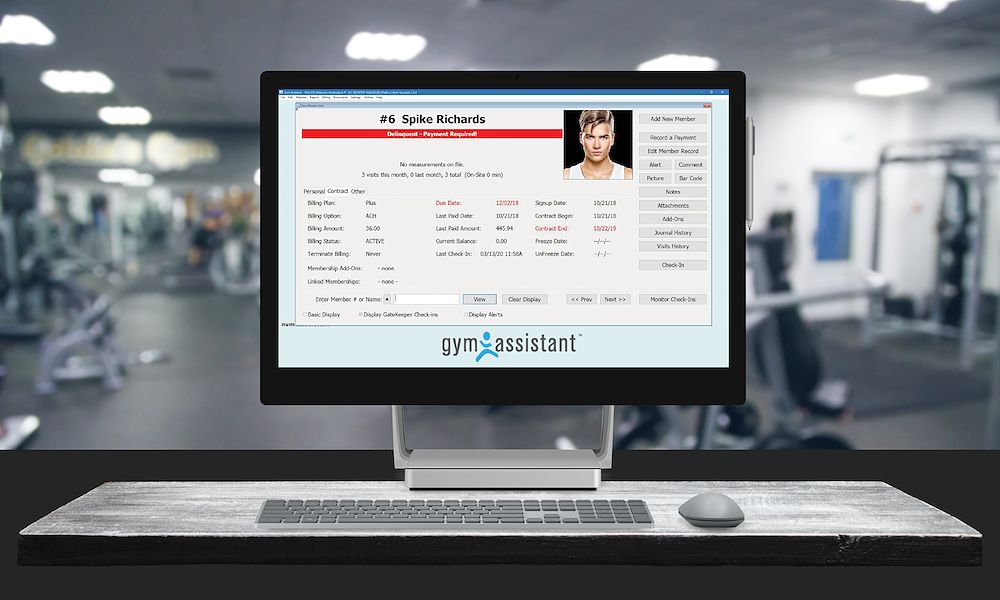
Gym Assistant

gymassistant.com · Gym Assistant POS #1 of 10 in Retail POS Software for Gyms

Gym Assistant sells once, but only runs on Windows.

Best forGyms wanting to own their software outright without monthly fees.

From $329 one-time one-time priceofflineWindows only
Top of its ranking

Locally installed gym management software with one-time pricing and native 24/7 access control.

Standout factThe one-time software license costs around $780, with no standard monthly fees. exercise.com
Biggest catchThe software is Windows-only and needs Parallels or an emulator to run on a Mac. gymassistant.com
~$780One-time license priceexercise.com
1994Foundedsoftwareworld.co
4.6/5User ratinggetapp.com

Starting price

$780one-timeno standard monthly fees, optional paid support after year one

Runs on

🌐Web
iOS
🤖Android
💻Windows
💻Mac
API

Source: gymassistant.com

Upside

  • One-time license fee
  • Full local data ownership
  • Works fully offline

Catch

  • Windows-only software
  • Dated interface design
  • Mobile access costs extra
Pick it ifGyms wanting to own their software outright without monthly fees.
Skip it ifBusinesses needing cloud access from any device or native mobile apps.
PricingOne-time license from $329, no mandatory monthly fees

Editor's takeGym Assistant fits owners who want to buy software once instead of paying a monthly SaaS fee forever. Native 24/7 access control and full offline function make it reliable for unstaffed gyms. Buyers need a Windows machine, since Mac use requires running an emulator like Parallels.

Does Gym Assistant require a monthly subscription?

No. The core software is a one-time purchase starting around $780, though ongoing support and updates need a paid annual plan after year one.

Does Gym Assistant work on a Mac?

Not directly. It is built for Windows 10 and 11, and Mac users need Parallels Desktop or similar emulation software to run it.

The evidence: 6 criteria, 3 penalties
8.7
Product Capability & DepthLooked for: We evaluate the software's ability to handle core gym operations like membership tracking, billing, and check-ins without relying on external tools.Gym Assistant offers a robust desktop-based suite for membership management, billing, and check-ins, though it lacks native cloud features without add-ons.gymassistant.comgymassistant.comgymassistant.com
9.2
Market Credibility & Trust SignalsLooked for: We assess the vendor's longevity, user review sentiment, and reputation for stability in the fitness industry.Established in 1994, the company holds a strong reputation for stability and reliability, with high user ratings across major review platforms.gymassistant.comgetapp.comsoftwareworld.co
8.9
Usability & Customer ExperienceLooked for: We examine the ease of setup, interface intuitiveness, and quality of customer support resources.Users praise the software for being easy to learn and train staff on, despite the interface being described as somewhat dated.gymassistant.comgymassistant.comgetapp.com
9.4
Value, Pricing & TransparencyLooked for: We analyze the pricing model, looking for one-time fees versus subscriptions and hidden costs.The product stands out with a one-time license fee model, avoiding mandatory monthly subscriptions for core features.gymassistant.comexercise.comgymassistant.com
9.3
Hardware & Access Control IntegrationLooked for: We evaluate the software's ability to integrate with physical gym hardware like turnstiles, door strikes, and key fobs.Gym Assistant offers superior native integration for 24/7 access control, supporting barcodes, proximity cards, and door controllers directly.gymassistant.comgymassistant.comgymassistant.com
9.1
Offline Reliability & Data OwnershipLooked for: We check if the software can function without internet and who retains control over the business data.As a locally installed program, it ensures full data ownership and continues to function for check-ins even without an internet connection.gymassistant.comgymassistant.comexercise.com

Score adjustments−0.18 points in total

−0.08The software is Windows-only and requires emulation software (like Parallels) to run on macOS, which adds complexity for Apple users.gymassistant.com · severity 60/100
−0.07Mobile app access, online member portals, and SMS features are not included in the base license and require an additional 'MemberConnect' subscription.gymassistant.com · severity 50/100
−0.03While the license is one-time, ongoing technical support and software updates require a paid annual subscription (Silver/Gold plans) after the first year.gymassistant.com · severity 45/100
7

Booqable

booqable.com · Booqable Rental POS #2 of 10 in Retail POS Software for Rental Agencies

Booqable syncs Shopify rentals, but API needs the top tier

Best forSmall to medium rental businesses in events, cameras, or bikes.

From $29 per month free trialZapierISO 27001
#2 in its ranking

Rental management POS with inventory tracking, barcode scanning, and Shopify or WordPress plugins.

Standout factHolds a 4.8 out of 5 rating from over 1,000 reviews. booqable.com
Biggest catchAPI access and multi-location support require the $149/month Scale plan. booqable.com
4.8/5, 1,000+ reviewsRatingbooqable.com
5,000+Zapier app connectionsbooqable.com

Plans

Grow$69/mo
Scale$149/mo

API access, multi-location

Source: booqable.com

Standout number

4.8/5rating, 1,000+ reviews

Source: booqable.com

Upside

  • Shopify and WordPress plugins
  • Built-in mobile barcode scanner
  • 4.8/5 rating, 1,000+ reviews

Catch

  • API needs the $149/mo plan
  • Mobile app trails desktop features
  • Support slower on weekends
Pick it ifSmall to medium rental businesses in events, cameras, or bikes.
Skip it ifLarge enterprises needing complex construction fleet management.
PricingFrom $29/month, 14-day free trial, no credit card needed.

Editor's takeBooqable plugs directly into Shopify, WordPress, and Squarespace storefronts, and its mobile app scans EAN-13, Code-128, and QR barcodes for inventory tracking. It holds a 4.8 out of 5 rating from over 1,000 reviews and runs on AWS ISO 27001 certified infrastructure. Advanced access costs more. API access and multi-location support are reserved for the $149 a month Scale plan.

Does Booqable have a free trial?

Yes, a 14-day free trial with no credit card required. Paid plans start at $29 per month.

Is API access included in every Booqable plan?

No. API access and multi-location support are limited to the top-tier Scale plan, priced at $149 per month.

The evidence: 6 criteria, 3 penalties
8.9
Product Capability & DepthLooked for: We evaluate the breadth of rental-specific features including inventory tracking, booking management, and barcode scanning capabilities.Booqable offers robust inventory management with individual stock tracking, a built-in barcode scanner via mobile app, and an online store builder. It handles complex rental periods, shortages, and bundles effectively.booqable.comrentalconfidential.combooqable.com
9.2
Market Credibility & Trust SignalsLooked for: We look for user ratings, years in operation, and adoption rates to gauge market trust.Booqable maintains a high 4.8/5 rating across major review platforms like Capterra and G2, serving thousands of rental businesses globally since 2009.booqable.comrentalconfidential.com
8.8
Usability & Customer ExperienceLooked for: We assess interface design, ease of setup, mobile app quality, and customer support responsiveness.Users widely praise the intuitive interface and ease of use, though the mobile app is noted to have fewer features than the desktop version.booqable.comrentalconfidential.comsoftwarefinder.com
8.6
Value, Pricing & TransparencyLooked for: We check for clear pricing tiers, free trials, and the accessibility of features across different plans.Pricing is transparent starting at $29/mo with a 14-day free trial. However, key features like API access and multi-location support require the highest tier.booqable.combooqable.combooqable.com
9.1
Integrations & Ecosystem StrengthLooked for: We evaluate the ability to connect with third-party tools like website builders, payment gateways, and accounting software.Booqable excels here with seamless plugins for Shopify, WordPress, and Squarespace, plus a Zapier integration connecting to 5,000+ apps.booqable.combooqable.combooqable.com
9.3
Security, Compliance & Data ProtectionLooked for: We examine data hosting standards, encryption, and compliance with regulations like GDPR and PCI.Booqable uses AWS ISO 27001 certified data centers, is PCI Level 1 compliant via Stripe, and offers a Data Processing Agreement for GDPR compliance.booqable.combooqable.combooqable.com

Score adjustments−0.12 points in total

−0.05The mobile app has documented functional limitations compared to the desktop version, such as the inability to send emails or edit certain order details, forcing users to switch devices.softwarefinder.com · severity 50/100
−0.03Advanced features like API access and multi-location support are locked behind the highest pricing tier ($149/mo), which some small businesses find to be a steep upgrade cost.booqable.com · severity 45/100
−0.04Some users report that customer support can be delayed during weekends and relies heavily on AI chatbots before reaching a human agent.rentalconfidential.com · severity 40/100
8

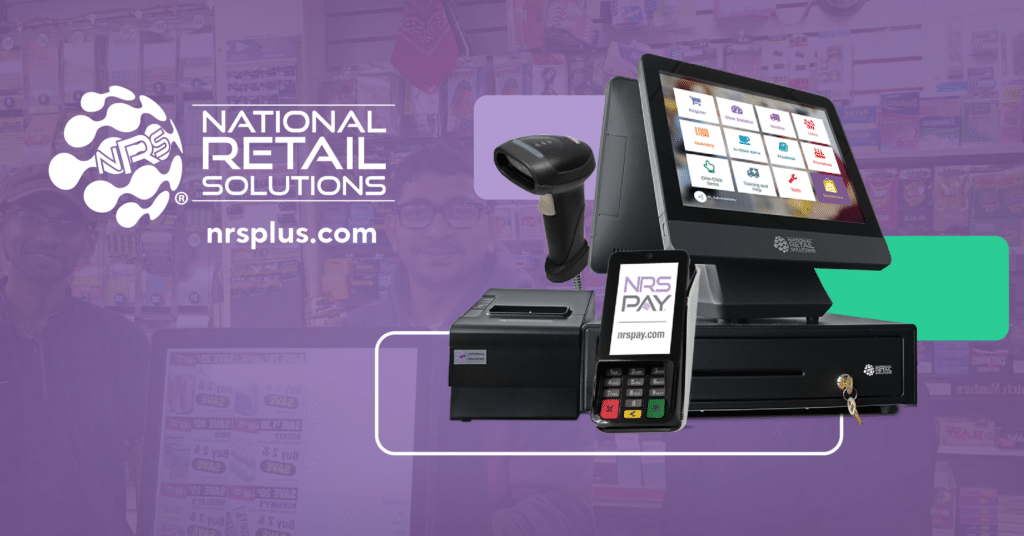
NRS

nrsplus.com · NRS Retail POS System #3 of 9 in Retail POS Software for Retail Stores

NRS automates tobacco rebates, but charges $44.95 to kill ads

Best forIndependent convenience stores, bodegas and tobacco shops.

From $20 per month tobacco rebatesEBT and eWICpanic alarm
#3 in its ranking

A POS system for convenience and tobacco retailers with automated rebates and EBT processing.

Standout factBacked by IDT Corp (NYSE: IDT), serving over 32,000 independent retailers. nrsinsights.com
Biggest catchMerchants pay $44.95 a month to remove ads from the customer-facing screen. slashdot.org
32,000+Independent retailers servednrsinsights.com
$19.95/moStarting pricenrsplus.com

Standout number

32,000+independent retailers on NRS

Source: nrsinsights.com

True monthly cost

Monthly software cost example

Base software (with NRS Pay)$19.95
Ad removal fee$44.95
Total$64.90

Optional ad removal add-on

Upside

  • Automated tobacco scan data rebates
  • Free credit card terminal included
  • Patented silent panic alarm button

Catch

  • $44.95/mo fee to remove ads
  • Software price rises without NRS Pay
  • Limited liquor inventory depth
Pick it ifIndependent convenience stores, bodegas and tobacco shops.
Skip it ifHigh-end boutiques or large enterprise retail chains.
PricingFrom $19.95/mo with NRS Pay, $29.95 without

Editor's takeNRS builds around convenience and tobacco retail, automating scan data submissions for manufacturer rebates. That focus extends to hardware, including a patented panic alarm button built into the touchscreen. The software stays cheap only with NRS Pay, and removing on-screen ads costs $44.95 a month extra.

Does NRS charge extra to remove ads?

Yes. Merchants pay $44.95 a month to turn off customer-facing display ads.

Is NRS good for liquor stores?

It works, but lacks specific liquor inventory features like case-breaking found in specialized competitors.

The evidence: 6 criteria, 3 penalties
8.9
Product Capability & DepthLooked for: Comprehensive retail management features including inventory control, vendor management, and specialized tools for high-volume convenience retail.NRS offers a robust POS system tailored for independent retailers with integrated inventory tracking, pricebook management, and vendor portals, plus specialized modules for tobacco scan data and government payments.nrsplus.comnrsplus.comnrsplus.com
9.2
Market Credibility & Trust SignalsLooked for: Established market presence, financial stability, transparent corporate backing, and verified user trust.NRS is a subsidiary of the publicly traded IDT Corporation (NYSE: IDT) and powers a massive network of over 32,000 independent retailers, providing significant stability and market validation.nrsinsights.combbb.orgposnation.com
8.8
Usability & Customer ExperienceLooked for: Intuitive interface design, ease of setup, and responsive, effective customer support channels.Users consistently praise the system's ease of use and simple interface, though there are documented complaints regarding support responsiveness and phone wait times.nrsplus.comnrsplus.comslashdot.org
8.5
Value, Pricing & TransparencyLooked for: Competitive pricing structures, clear fee disclosure, and value-added features without hidden costs.Hardware bundles are aggressively priced, but the low monthly software fee is contingent on using NRS Pay; opting out significantly increases costs, and ad removal fees are a point of contention.nrsplus.comnrsplus.composnation.com
9.6
Tobacco & Regulatory ComplianceLooked for: Specialized features for regulated industries, including age verification, tax reporting, and rebate program integrations.NRS is a market leader for tobacco retailers, offering automated scan data reporting for Altria and RJ Reynolds rebates, integrated ID scanning, and built-in EBT/eWIC processing.nrsplus.comnrsplus.comnrspros.com
9.1
Integrated Hardware & PaymentsLooked for: Robust proprietary hardware, seamless payment terminal integration, and unique hardware safety features.The system features durable all-in-one hardware with a unique integrated panic alarm button for safety, and offers free payment terminals with its integrated processing service.nrsplus.comnrsplus.comnrspay.com

Score adjustments−0.15 points in total

−0.05Merchants are charged a significant monthly fee to remove third-party advertisements from the customer-facing screen, or must accept ads running on their device.slashdot.org · severity 65/100
−0.04Canceling the integrated NRS Pay service triggers a price increase for the POS software subscription and may require repayment of equipment discounts.nrsplus.com · severity 60/100
−0.06Multiple customer reviews cite difficulties in reaching technical support and delays in resolving hardware issues.bbb.org · severity 55/100
9

Clover

clover.com · Clover Gym & Fitness POS #2 of 10 in Retail POS Software for Gyms

Clover locks gyms into 36-month, non-cancelable contracts

Best forGyms with high retail volume needing durable hardware

Quote only Fiserv-backedrecurring billingapp marketplace
#2 in its ranking

Fiserv-backed POS hardware for gyms with recurring membership billing and a massive third-party app market.

Standout factIn-person transaction rates start around 2.3% plus 10 cents, among the lowest in the category. nerdwallet.com
Biggest catchHardware bundles like the Station Duo can cost over $1,800 upfront or $180/month for 36 months. clover.com
2.3% + 10 centsIn-person transaction ratenerdwallet.com
$1,899 upfront or $180/moStation Duo hardware costclover.com
36-48 monthsTypical contract lengthtech.co

Starting price

$1,899upfrontStation Duo hardware bundle; or $180/mo for 36 months

Before you sign up

  • Comfortable with a 36+ month contract
  • Want proprietary, durable hardware
  • Need to reuse existing tablets

Upside

  • Backed by Fiserv financial stability
  • Secure recurring membership billing
  • Massive App Market for gym add-ons

Catch

  • 36-48 month non-cancelable contracts
  • High upfront hardware costs
  • Requires proprietary Clover hardware
Pick it ifGyms with high retail volume needing durable hardware
Skip it ifGyms wanting to use their own existing tablets
PricingCustom quote. Station Duo: $1,899 upfront or $180/mo for 36 months.

Editor's takeClover pairs proprietary hardware with recurring billing built for gym memberships, backed by Fiserv, one of the world's largest payment processors. In-person transaction rates start around 2.3% plus 10 cents, competitive against rivals, and the App Market fills gaps like digital waivers through apps like Waiver Master. The catch is commitment. Contracts commonly run 36 to 48 months with early termination fees, and gyms cannot swap in their own tablets or hardware.

Can I use my own tablet with Clover?

No. Clover requires its own proprietary hardware to function, so merchants cannot substitute existing tablets or third-party equipment.

Does Clover lock gyms into long contracts?

Often, yes. Many merchants sign 36 to 48 month agreements that include early termination fees if canceled before the term ends, according to independent pricing reviews.

The evidence: 6 criteria, 3 penalties
8.7
Product Capability & DepthLooked for: We evaluate native gym management features like membership billing, class scheduling, check-ins, and inventory tracking without relying on third-party extensions.Clover provides robust native tools for recurring membership billing, inventory management for retail (supplements/gear), and employee tracking, though advanced class booking often requires app integrations.clover.comclover.comclover.com
9.2
Market Credibility & Trust SignalsLooked for: We assess the brand's reputation, financial stability, and adoption rate within the fitness and broader retail industries.Backed by Fiserv, a global payments giant, Clover is ubiquitous in small business POS, offering high reliability and trust for payment processing despite not being a fitness-exclusive brand.clover.comnerdwallet.com
8.9
Usability & Customer ExperienceLooked for: We examine the ease of use for staff and members, hardware quality, and the availability of customer support resources.Clover is renowned for its sleek, intuitive proprietary hardware and user-friendly interface, supported by 24/7 customer service, making it easy for gym staff to learn quickly.youtube.comclover.com
8.5
Value, Pricing & TransparencyLooked for: We analyze the total cost of ownership, including hardware, software fees, transaction rates, and contract terms.While transaction rates are competitive, the total cost is impacted by high upfront hardware fees and potential long-term contracts, which can be less transparent depending on the reseller.clover.comclover.comnerdwallet.com
9.0
Integrations & Ecosystem StrengthLooked for: We evaluate the availability of third-party apps to extend functionality for specific gym needs like waivers, advanced scheduling, and marketing.Clover boasts a massive App Market that allows gyms to add missing features like digital waivers, advanced class booking, and loyalty programs, effectively filling native feature gaps.clover.comgetvms.comblog.clover.com
9.3
Security, Compliance & Data ProtectionLooked for: We assess the security measures for handling member credit card data, recurring billing compliance, and overall system reliability.Clover utilizes end-to-end encryption and tokenization for secure card-on-file storage, essential for gym membership billing, backed by Fiserv's enterprise-grade security infrastructure.clover.comclover.comblog.clover.com

Score adjustments−0.16 points in total

−0.05Users are often required to sign long-term contracts (36-48 months) which include early termination fees if cancelled before the term ends.tech.co · severity 75/100
−0.04Many essential gym features (like advanced waivers or specific scheduling tools) require paid third-party apps, increasing the monthly cost beyond the base software fee.koronapos.com · severity 60/100
−0.07The system requires proprietary Clover hardware to function; merchants cannot use existing tablets or third-party equipment.koronapos.com · severity 50/100
10

Quantic POS

getquantic.com #2 of 10 in Retail POS Software for Restaurants

Processor agnostic, but pricing stays quote-only

Best forRetail and restaurant hybrids wanting processor flexibility and offline mode.

Quote only processor agnosticoffline modeISO and SOC certified
#2 in its ranking

Cloud-based POS for restaurants and retail with offline mode and full ISO/SOC security certification.

Standout factHolds ISO 27001, 27017, 27018 and SOC 1, 2, 3 certifications quanticdynamics.com
Biggest catchUsers have reported technical glitches such as random time zone changes and issues splitting payments or entering tips. reddit.com
ISO 27001/17/18, SOC 1/2/3Security certificationsquanticdynamics.com
A+BBB ratingbbb.org
24/7Support availabilitygetquantic.com

Compliance

✓ ISO 27001✓ ISO 27017✓ ISO 27018✓ SOC 1✓ SOC 2✓ SOC 3? PCI DSS

Source: quanticdynamics.com

Support

Email
💬Chat
Phone
👥Community
unknown

24/7 support via phone and email

Upside

  • Processor-agnostic payment freedom
  • Offline mode with auto-sync
  • Full ISO and SOC certification suite

Catch

  • Pricing not publicly available
  • Low volume of verified reviews
  • Bugs reported in older versions
Pick it ifRetail and restaurant hybrids wanting processor flexibility and offline mode.
Skip it ifLarge enterprises wanting a proven, zero-glitch, out-of-the-box system.
PricingCustom quote, no published pricing

Editor's takeQuantic POS lets merchants pick their own payment processor instead of locking them into one, and it keeps working offline, syncing sales once the connection returns. It holds a rare combination of ISO 27001, 27017, 27018 and SOC 1, 2, 3 certifications for a POS vendor this size. Pricing requires a custom quote, and Reddit threads document glitches like random time zone changes and tip-entry issues.

Does Quantic POS publish its pricing?

No. Pricing is customized based on business needs and requires contacting the vendor for a quote, according to third-party listings.

Can Quantic POS process sales without internet?

Yes. It processes cash transactions offline and syncs data automatically once the connection returns, ensuring no downtime during outages.

The evidence: 6 criteria, 3 penalties
8.9
Product Capability & DepthLooked for: We look for a comprehensive feature set that handles complex inventory, sales, and staff management for specific retail and restaurant needs.Quantic offers a unified platform with deep granularity, including ingredient-level inventory tracking, offline mode functionality, and specialized modules for both retail and restaurants (KDS, CDS, eCommerce).getquantic.comgetquantic.comtechnologycounter.com
8.8
Market Credibility & Trust SignalsLooked for: We look for industry certifications, verified user reviews, and established partnerships that demonstrate reliability and market presence.While user review volume is lower than major competitors, the platform holds exceptional trust signals through ISO 27001/27017/27018 and SOC 1/2/3 certifications.quanticdynamics.combbb.org
8.7
Usability & Customer ExperienceLooked for: We look for intuitive interfaces, ease of onboarding, and responsive support channels that minimize friction for daily users.The interface is designed for speed with 24/7 support available, though some historical user reports cite technical bugs like time zone glitches and tip entry issues.getquantic.comgetquantic.comreddit.com
8.6
Value, Pricing & TransparencyLooked for: We look for transparent pricing structures and competitive total cost of ownership that provide clear value to the merchant.Pricing is opaque and quote-based, but the processor-agnostic model allows merchants to shop for lower transaction fees, enhancing long-term value.getquantic.comselecthub.comgetquantic.com
9.0
Integrations & Ecosystem StrengthLooked for: We look for the ability to connect with third-party tools, hardware flexibility, and freedom from vendor lock-in.The system supports a wide range of hardware (MagTek, PAX) and integrates seamlessly with QuickBooks, DoorDash, and various payment processors without lock-in.getquantic.comgetquantic.comgetquantic.com
9.6
Security, Compliance & Data ProtectionLooked for: We look for adherence to rigorous data protection standards, secure infrastructure, and compliance with industry regulations.Quantic exceeds industry norms with a full suite of security certifications including PCI, ISO 27001, ISO 27017, ISO 27018, and SOC reports, ensuring top-tier data protection.quanticdynamics.comquanticdynamics.com

Score adjustments−0.12 points in total

−0.06Users have reported technical glitches such as random time zone changes and issues with splitting payments or entering tips.reddit.com · severity 60/100
−0.03Pricing is not transparently listed on the website, requiring potential customers to contact sales for a custom quote.selecthub.com · severity 35/100
−0.03The product lacks a significant volume of verified user reviews on major platforms like G2 and Capterra compared to market leaders.g2.com · severity 30/100
02

Every ranking in Retail POS & Point of Sale Software

Each card shows the top three. The eye opens a quick look. Open a ranking for every product, the evidence and the comparison table.

1 Shopify POSShopify POS syncs channels live, but can't take cards offline 9.0/10
Visit ↗
2 KORONA POSNo contracts, no fees, but UI feels dated 8.9/10
Visit ↗
3 OdooOdoo's free POS plan allows unlimited users, forever. 8.9/10
Visit ↗
See all 10 ranked

Best Retail POS Software for Gyms

10 productsUpdated Jul 2026
1 Gym AssistantGym Assistant sells once, but only runs on Windows. 8.9/10
Visit ↗
2 CloverClover locks gyms into 36-month, non-cancelable contracts 8.8/10
Visit ↗
3 ClubOS3,000+ gyms use it, but pricing stays hidden 8.7/10
Visit ↗
See all 10 ranked
1 QuipliFlat $6,000/year rental platform, but no offline mode. 9.0/10
Visit ↗
2 BooqableBooqable syncs Shopify rentals, but API needs the top tier 8.9/10
Visit ↗
3 eSoft PlannereSoft Planner starts at $39 a month a-la-carte. 8.7/10
Visit ↗
See all 10 ranked

Best Retail POS Software for Restaurants

10 productsUpdated Jul 2026
1 Oracle SimphonyOracle Simphony charges $2,000/year just to change a menu 8.8/10
Visit ↗
2 Quantic POSProcessor agnostic, but pricing stays quote-only 8.8/10
Visit ↗
3 ToastToast hardware locks in restaurants, but it's spill-proof 8.8/10
Visit ↗
See all 10 ranked
1 Oracle Retail Xstore300+ REST APIs, but users report weekly system freezes. 9.0/10
Visit ↗
2 Shopify POSShopify POS syncs inventory live, but can't take cards offline. 9.0/10
Visit ↗
3 NRSNRS automates tobacco rebates, but charges $44.95 to kill ads 8.9/10
Visit ↗
See all 9 ranked
03

About Retail POS & Point of Sale Software

What the category is, how it developed, and what to look for. Two minutes, or the long read.

Retail POS & Point of Sale Software covers the transactional and inventory management systems used to execute, record, and reconcile sales at the moment of purchase. Unlike broad financial tools, this category manages the specific operational lifecycle of a transaction: scanning or selecting items, calculating taxes and discounts in real-time, processing payments (via integrated hardware), updating inventory levels instantly across locations, and capturing customer data for loyalty and marketing purposes. It sits between E-commerce Platforms (which handle digital-only transactions) and ERP Systems (which manage back-office finance and supply chain). It includes both general-purpose cloud platforms designed for multi-location retail and highly specialized vertical tools built for complex workflows in industries like hospitality, automotive, and personal services.

Read the full category guide

What Is Retail POS & Point of Sale Software?

The core problem this software solves is the synchronization of physical commerce with digital records. Without a competent POS, retailers face "inventory drift," where physical stock levels decouple from digital records, leading to overselling online and stockouts in-store. For modern operators, the POS is no longer just a cash register; it is the data origination point that feeds truth into accounting, CRM, and supply chain forecasting. Whether for a single boutique or a multinational chain, the POS system acts as the operational nerve center, determining how quickly a business can process customers and how accurately it can report on its own performance.

History of Retail POS Software

The evolution of POS software from the 1990s to the present is a case study in the shift from hardware-centric constraints to software-enabled agility. In the early 1990s, the market was dominated by "server-client" architectures running on Windows or DOS. These systems were essentially glorified calculators attached to local databases. They were robust but rigid; data lived on a server in the back office, and "polling" (sending sales data to headquarters) happened once a day, typically overnight via dial-up modems. This era was defined by the "siloed store" model—headquarters would not know a store's inventory position until the next day [1]. The gap that created the modern POS category was the inability of these legacy ERP-lite systems to handle real-time data exchange required by the burgeoning internet age.

The early 2000s introduced the first wave of cloud computing, though adoption in retail was slow due to internet reliability concerns. This period saw the rise of vertical SaaS—software built specifically for the unique workflows of restaurants (table management) versus retail (inventory density). The critical turning point occurred around 2010 with the introduction of tablet-based mobile POS systems. This decoupled the software from proprietary, expensive hardware terminals, allowing retailers to run enterprise-grade software on consumer-grade devices. This shift forced legacy providers to acquire cloud-native startups, leading to a massive wave of consolidation between 2012 and 2018. The market moved from selling "license keys" to selling "subscriptions," fundamentally changing the total cost of ownership for buyers.

Today, the historical trajectory has moved beyond simple cloud connectivity to "Unified Commerce." As noted by industry analysis, the focus has shifted from "give me a database" to "give me actionable intelligence." In the 2020s, the expectation is that a POS system does not just record a sale but actively orchestrates the order, routing it from a digital channel to a physical fulfillment point (like Buy Online, Pickup In-Store). The modern era is defined by API-first architectures that allow the POS to act as a headless engine, powering transactions on social media, mobile apps, and kiosks simultaneously, rather than just sitting on a counter [2].

What to Look For

Evaluating Retail POS software requires moving beyond the feature checklist and scrutinizing the architectural limitations of the platform. The most critical criterion is offline resiliency. Cloud-first does not mean "internet-dependent." A robust system must have a local database that allows full transaction processing—including credit card encryption and cash drawer operation—when the internet connection fails, syncing automatically once connectivity is restored. Buyers should look for "store-and-forward" capabilities that are invisible to the cashier.

Another critical factor is the API rate limit and depth. Many vendors claim to integrate with other tools, but their APIs may only sync data every 15 minutes or limit the number of calls per hour. For a high-volume retailer, this latency is unacceptable. You must look for webhooks that trigger immediate updates in your ERP or ecommerce platform the second a sale occurs. If the vendor relies on batch processing for integrations, it is a red flag for any business with high inventory velocity.

Red flags also include proprietary hardware lock-in. Be wary of vendors that require you to purchase credit card terminals or printers that only work with their software. This creates a "hardware hostage" situation where switching software requires a complete capital expenditure refresh. A healthy POS ecosystem supports standard protocols (like OPOS or JPOS) and generic peripherals. Furthermore, scrutinize the payment processing terms. Many modern POS vendors subsidize their software costs by locking you into their internal payment processing at non-negotiable rates. While convenient, this can cost thousands of dollars a month in hidden fees as your volume grows. Always ask: "Can I bring my own processor, and if so, what is the surcharge?"

Industry-Specific Use Cases

Retail & E-commerce

For the retail and e-commerce sector, the POS is the bridge between the digital and physical worlds. The specific need here is real-time inventory synchronization to prevent the "phantom stock" problem—where a customer buys an item online that was sold in-store five minutes prior. General-purpose POS systems often fail here because they rely on batched updates. Retailers must prioritize systems that support "endless aisle" capabilities, allowing store associates to sell online inventory to walk-in customers and ship it to their homes. Evaluation priorities should focus on the granularity of the matrix inventory (handling size, color, style variants efficiently) and the robustness of the return management system, specifically the ability to accept cross-channel returns (buying online, returning in-store) without breaking the tax or accounting logic [3].

Healthcare

In healthcare environments, such as hospital gift shops, cafeterias, and outpatient pharmacies, the POS plays a distinct role centered on compliance and identity verification. Unlike standard retail, these systems often need to integrate with employee payroll for "payroll deduction" payments (where staff buy lunch with their badge) and must handle HIPAA-compliant data if patient prescriptions are involved. Unique considerations include the ability to manage restricted items (like pseudoephedrine) and integration with hospital ADT (Admission, Discharge, Transfer) systems to deliver "meds-to-beds" services upon patient discharge. Evaluation must prioritize security certifications and the ability to handle complex, non-standard payment tenders unique to medical campuses [4].

Financial Services

For financial services, particularly in branch banking, the POS is transforming into a "service point" that blends transaction processing with relationship management. Banks use specialized POS software to handle the sale of financial products (like cashier's checks or foreign currency) while adhering to strict Anti-Money Laundering (AML) and Know Your Customer (KYC) regulations. The evaluation priority here is auditability and role-based access control. Every keystroke and drawer opening must be logged for compliance. Furthermore, these systems often need to integrate with core banking platforms to validate account balances in real-time before accepting funds, a workflow completely foreign to traditional retail POS tools [5].

Manufacturing

Manufacturing firms increasingly use POS software for Direct-to-Consumer (DTC) spare parts sales and factory outlet operations. The specific need is deep integration with complex ERP Bill of Materials (BOM) systems. When a customer buys a spare part at a factory counter, the POS must not only deduct the finished good but potentially trigger a production signal if safety stock is breached. Unlike retail, where the unit of measure is usually "each," manufacturing POS usage may need to handle fractional quantities or bulk commercial pricing tiers. The unique consideration is the ability to handle both B2B account receivables (selling on credit terms) and B2C immediate payments in the same interface [6].

Professional Services

For professional services (salons, repair shops, consultancies), the POS is secondary to the calendar and resource management function. The workflow here is "Book -> Service -> Pay," rather than "Pick -> Pay." Specific needs include the ability to bundle service labor hours with physical inventory (e.g., shampoo or replacement parts) in a single transaction. Evaluation should focus on "resource blocking," ensuring that the POS prevents booking a service if the required room or equipment is unavailable. The pain point with general retail POS tools in this sector is their inability to handle commissions structures for service providers, which are often complex and tiered based on performance [7].

Subcategory Overview

Retail POS Software for Retail Stores

This subcategory represents the foundational layer of the market, designed for high-velocity environments where speed at the checkout counter is paramount. What makes this niche genuinely different from generic tools is the depth of its matrix inventory management. General tools struggle when a single t-shirt comes in 5 sizes and 10 colors, creating 50 unique SKUs that must be reported on collectively and individually. Specialized tools handle this hierarchy natively. A workflow that only this tool handles well is the "stock transfer" between multi-unit locations—identifying a stockout in Store A, locating the item in Store B, and initiating a transfer request directly from the register. Buyers leave general tools for this niche when they hit the "reporting wall," where they can no longer see sell-through rates by category or brand efficiently. For a deeper analysis of matrix handling, see our guide to Retail POS Software for Retail Stores.

Retail POS Software for Gyms

POS software for gyms is distinct because it must function as an access control system first and a point of sale second. Unlike a retail store where anyone can enter, a gym POS often controls physical turnstiles or door maglocks based on membership status. The specific differentiator is "recurring billing automation." While a retail store processes one-time transactions, a gym POS must manage monthly direct debits and handle dunning (retrying failed payments) automatically. A workflow unique to this niche is the "check-in to upsell" flow: as a member scans their badge, the POS alerts the desk staff that the member’s credit card is expiring or that they have a balance due, prompting an immediate interaction. The pain point driving buyers here is the inability of generic POS to handle membership pauses, prorated cancellations, and family account structures. Explore more in our guide to Retail POS Software for Gyms.

Retail POS Software for Restaurants

The defining characteristic of restaurant POS is temporal order management—the ability to hold an order open over time while modifying it (courses, drinks) before payment. Generic POS systems treat a transaction as "open, scan, close," which breaks in a dining environment. This niche handles "modifier logic" (e.g., "Steak: Rare, No Sauce, Sub Fries") that forces kitchen printers to route specific items to specific stations (Grill vs. Fryer). A workflow only this specialized tool handles is "check splitting," where a single table's bill is divided by seat, by item, or by arbitrary fractions at the end of the meal. Buyers flee general tools toward this niche when the chaos of the kitchen pass leads to errors; they need a Kitchen Display System (KDS) integration that only restaurant-specific POS can provide. Read more about table management in our guide to Retail POS Software for Restaurants.

Retail POS Software for Rental Agencies

Rental POS software fundamentally changes the definition of "inventory" from "quantity on hand" to "availability over time." In a generic POS, selling an item removes it from the database forever. In a rental POS, the transaction is a "loan" with a specific return date. This niche excels at booking calendars and utilization tracking. A workflow unique to this tool is the "check-out / check-in" inspection process, where the condition of an item (cameras, heavy machinery, tuxedos) is verified upon return, and damage fees are automatically calculated against a security deposit. The specific pain point driving buyers to this niche is "double booking"—generic tools cannot prevent renting the same item to two different customers for overlapping dates. For details on availability logic, see Retail POS Software for Rental Agencies.

Retail POS Software for Ecommerce Businesses

This subcategory is built for "digital-native" brands expanding into physical spaces (pop-ups, brick-and-mortar). What makes it different is that the master record of truth is the web store, not the physical store. The POS is essentially a "skin" on top of the e-commerce backend. A workflow that only this tool handles well is the unified customer profile: a customer can walk into a store, and the associate can instantly see their online browsing history, abandoned carts, and lifetime value to tailor the in-person experience. The pain point driving buyers here is "catalog fragmentation"—they are tired of managing product descriptions and prices in two separate systems (POS and Website) and want a single dashboard that pushes updates everywhere instantly. Learn about unified commerce in our guide to Retail POS Software for Ecommerce Businesses.

Deep Dive: Integration & API Ecosystem

In the modern software stack, a POS system that stands alone is a liability. The strength of a Retail POS is measured by its ability to act as a data router—sending sales to the ledger, customer data to the CRM, and inventory decrements to the warehouse management system (WMS). The industry standard for API reliability is high; however, frequent synchronization errors plague poorly designed integrations.

A recent study by industry analysts highlights that system integration failures cost retailers millions annually, with 34% of retailers identifying weak connections between POS and other systems as a primary operational challenge [8]. This isn't just about data not showing up; it's about the operational latency that kills customer experience.

Expert Insight: As noted by Bain & Company in their 2025 Technology Report, the future of software interaction is moving from "human plus app" to "AI agent plus API," meaning the POS API must be robust enough to handle autonomous agents querying inventory without human intervention [9].

Real-World Scenario: Consider a mid-market fashion retailer with 50 locations and a centralized warehouse. They use a legacy POS that syncs with their ERP via a nightly batch file. On Black Friday, the warehouse inventory for a popular coat sells out online by 10:00 AM. However, because the POS integration is not real-time, the physical stores don't receive the "out of stock" signal until the next morning. Throughout the day, store associates continue to sell "ship-from-warehouse" orders for that coat to walk-in customers. By the time the batch processes at midnight, the retailer has oversold the coat by 200 units. The integration failure forces the operations team to manually cancel 200 orders, refund customers, and offer apology gift cards, damaging the brand's reputation and incurring significant support costs. A proper API-first integration would have triggered a webhook the moment the warehouse stock hit zero, instantly graying out the "ship-from-warehouse" button on every POS terminal chain-wide.

Deep Dive: Security & Compliance

Security in Retail POS is no longer just about locking the cash drawer; it is about protecting the encryption keys that guard customer financial data. The shift to cloud POS has moved the threat vector from physical skimming devices to remote network intrusions. Retailers are prime targets because they aggregate high-volume, low-value transactions that can be tested for validity by fraudsters.

The stakes are incredibly high. According to the 2024 IBM Cost of a Data Breach Report, the average cost of a data breach in the retail sector has reached $3.48 million, an 18% increase from the previous year [10]. This figure includes regulatory fines, forensic investigation costs, and the massive loss of customer trust.

Expert Insight: The IBM report further emphasizes that organizations using AI and automation in their security operations detected and contained breaches 98 days faster than those that did not, saving millions in potential costs [11].

Real-World Scenario: A regional grocery chain with 20 locations upgrades to a new tablet-based POS but neglects to segregate its network traffic. The POS tablets are connected to the same Wi-Fi network used by the store's guest Wi-Fi and the smart thermostats. A hacker accesses the network through a vulnerability in an unpatched smart thermostat. Because the network is flat (unsegmented), they are able to "sniff" the traffic moving between the POS tablets and the local server. Although the credit card data is tokenized (a standard compliance requirement), the hacker intercepts the unencrypted loyalty data, including names, phone numbers, and shopping habits of 50,000 local customers. The breach forces the grocer to publicly disclose the leak, pay for credit monitoring for all affected customers, and face a class-action lawsuit, ultimately costing them more than the initial price of the POS software implementation itself.

Deep Dive: Pricing Models & TCO

Pricing in the Retail POS market has shifted aggressively from large upfront license fees to "SaaS plus Processing" models. While the monthly software fee (often $60-$200 per terminal) appears low, the Total Cost of Ownership (TCO) is frequently hidden in the credit card processing rates. Vendors often incentivize—or contractually force—retailers to use their proprietary payment rails, which may charge a "flat rate" that is significantly higher than the interchange-plus market rate for high-volume merchants.

Data indicates that average credit card processing fees for merchants in 2024 range from 1.5% to 3.5%, but the effective rate can balloon if "non-qualified" surcharges are applied by the POS vendor [12].

Expert Insight: Financial analysts at Motley Fool note that in 2024, credit card companies earned a record $148.5 billion from merchant swipe fees, underscoring that for many POS vendors, the software is merely a Trojan horse to capture the lucrative payment stream [13].

Real-World Scenario: Imagine a boutique retailer processing $1,000,000 in annual sales. They choose a "free" POS software that requires using the vendor's payment processing at a flat rate of 2.9% + 30¢ per transaction. Their transaction count is 10,000 (avg ticket $100). Annual Processing Cost: ($1,000,000 * 0.029) + (10,000 * $0.30) = $29,000 + $3,000 = $32,000. Alternatively, they could pay for a premium POS system costing $200/month ($2,400/year) that allows them to choose their own processor. They negotiate an interchange-plus model that averages out to an effective rate of 2.2%. Alternative Cost: ($1,000,000 * 0.022) + $2,400 (software) = $22,000 + $2,400 = $24,400. Result: The "free" software actually costs the retailer $7,600 more per year than the premium software. This TCO trap is the most common financial mistake small retailers make.

Deep Dive: Implementation & Change Management

Implementation is the graveyard of retail technology projects. The technical installation of software is rarely the point of failure; rather, it is the inability to manage the human side of the transition. Retail staff are creatures of habit, and muscle memory at the checkout counter is powerful. Disrupting that workflow without adequate training and "buy-in" leads to slower checkout times, errors, and staff revolt.

According to Gartner, approximately 55% to 75% of ERP and major software projects fail to meet their original objectives, often due to poor change management and scope creep [14]. The failure isn't that the software doesn't work, but that the organization rejects it.

Expert Insight: A study by Panorama Consulting highlights that 95% of companies that fail in implementation dedicate less than 10% of their total budget to education, training, and change management, treating it as an afterthought rather than a core requirement [15].

Real-World Scenario: A franchise coffee chain decides to roll out a new POS system to 20 locations. The HQ IT team configures the system perfectly in a lab environment. They ship the iPads to the stores on a Tuesday with a link to a PDF manual. Wednesday morning, the morning rush hits. The baristas, who were used to the button layout of the old system, cannot find the "Extra Shot" modifier on the new screen. Lines grow out the door. Frustrated customers leave. In a panic, three store managers unplug the new system and hook the old legacy terminals back up to keep the line moving. The data for that day is now fractured between two systems, inventory is desynchronized, and the staff has lost confidence in the new tool. The rollout is paused for three months to "retrain," costing the company tens of thousands in delays. A proper implementation would have involved "pilot stores," on-site trainers during the first rush, and a simplified UI configuration for the first week.

Deep Dive: Vendor Evaluation Criteria

Selecting a vendor is an exercise in risk management. In the volatile SaaS market, a flashy website does not guarantee solvency. Buyers must evaluate the vendor's roadmap, support infrastructure, and financial health. The "support test" is crucial: call their support line at 7 PM on a Friday. If you get a voicemail, that vendor is not suitable for retail operations. Furthermore, scalability must be tested—not just claimed.

Research indicates that 42% of retailers are concerned that their current connectivity and infrastructure is too unreliable to support the modern in-store technology they are purchasing [16]. Vendors must be evaluated on how their system performs under stress—low bandwidth, high transaction volume, and hardware failure.

Expert Insight: Forrester analysts warn that one in five retailers will launch customer-facing generative AI applications in the near future, meaning your POS vendor must have a clear AI strategy or they will be obsolete within 3 years [17].

Real-World Scenario: A fast-growing apparel brand selects a boutique POS vendor that promises "white glove service." The software is beautiful and customizable. However, six months later, the brand opens five new stores in a single month. The vendor's onboarding team consists of only two people, who are fully booked. The retailer cannot get their new stores provisioned in time for the grand openings. Furthermore, as the retailer's transaction volume triples, the vendor's database starts to lag during Saturday peaks because they haven't auto-scaled their cloud servers. The retailer realizes too late that they bought a product that was still in "beta" regarding enterprise scale. They are forced to rip and replace the system after less than a year—a catastrophic waste of capital and momentum.

Emerging Trends and Contrarian Take

Emerging Trends 2025-2026: Agentic Commerce

The next frontier is not just "AI" but Agentic AI. As identified by Bain & Company, we are moving toward systems where AI agents can reason, plan, and execute complex workflows across applications [18]. In a retail context, this means the POS will soon host autonomous agents that monitor sales velocity and proactively negotiate reorders with suppliers without a human manager ever opening a spreadsheet. Additionally, biometric payments (palm scanning, facial recognition) are moving from novelty to necessity as retailers seek to reduce friction and fraud simultaneously. McKinsey predicts that retailers leveraging these advanced analytics and AI agents could see operating margins boost by over 60% [19].

Contrarian Take: The "All-in-One" Platform is a Trap

The industry marketing machine relentlessly pushes the "All-in-One" solution—POS, Ecommerce, Accounting, and HR all in a single suite. This is a strategic error for any business planning to scale. The contrarian reality is that "All-in-One" platforms are rarely best-in-class at anything; they are mediocre at everything. They create a "capability ceiling" where you cannot upgrade your loyalty program because you are stuck with the basic one built into your POS. The most resilient retailers are actually moving away from monolithic suites toward Composable Commerce—building a stack of the best possible POS, the best possible Ecommerce site, and the best possible ERP, connected by robust APIs. If a vendor tells you "you don't need other software, we do it all," they are essentially telling you "we will limit your growth to the speed of our own development team."

Common Mistakes

Buying for Today, Not Tomorrow

Retailers often select a POS based on their current SKU count (e.g., 500 items). When they expand to 5,000 items a year later, they discover the system's search function lags, or the inventory matrix cannot handle the complexity. A system must be stress-tested for 3x current volume.

Underestimating Cabling and Infrastructure

A wireless POS is great until the Wi-Fi drops. Relying solely on Wi-Fi for stationary terminals is a mistake. High-volume checkout lanes should always be hardwired via Ethernet. Wireless interference from customer cell phones and microwaves can cripple a "cloud" POS that lacks a physical connection.

Ignoring the "Click-Count"

Management often buys software based on the reports it generates for them, ignoring the workflow for the cashier. If a transaction takes 7 clicks instead of 3, you are artificially capping your revenue per hour. During evaluation, count the clicks required to add a customer, scan an item, and process a cash payment. Efficiency at the register is the heartbeat of retail profitability.

Questions to Ask in a Demo

  • "Show me exactly what happens on the screen when the internet cable is unplugged. I want to see a transaction processed offline right now."
  • "Does your open API allow me to extract 100% of my customer and transaction data, or are there fields that are restricted?"
  • "If I use my own credit card processor, what is the specific 'gateway fee' or penalty you charge per transaction?"
  • "How does your system handle a 'mixed cart' return where one item was bought online and another bought in-store, with different tax rates?"
  • "Can you show me the backend log of a stock transfer between two stores? I want to see how the inventory decrement is timestamped."

Before Signing the Contract

The Data Ownership Clause

Ensure the contract explicitly states that you own your transaction and customer data. Some vendors aggregate your data to sell industry insights; you should know if your data is the product.


04

Research

Original reporting on this corner of the market.

All research

Hospitality faces a global shortfall of 9 million workers by 2035

Mar 9, 2026

Organizations employing modular architectures outpace competitors by 80% on feature speed

May 26, 2026

C.H. Robinson expects to save $336 million from artificial intelligence implementation

May 8, 2026
05

Questions people ask

Which Retail POS & Point of Sale Software is best?

Shopify POS holds the highest score in the category at 9.0, in Retail POS Software for Ecommerce Businesses. The right pick depends on the ranking that matches your use case, so start with the ranking list above.

Why are there 5 separate rankings?

Buyers in Retail POS & Point of Sale Software have different jobs, so each ranking is scoped to one of them and weights the six criteria for that job. The same product can hold different ranks in different rankings.

How are the scores produced?

Documentation, pricing pages, security pages and third-party reviews are reviewed against six criteria. Each criterion records what was found and links its sources. Penalties pull the score down and are shown with their evidence. Rank follows the score. Full methodology.

06

More in Ecommerce & Retail

The whole group