
IT Helpdesk & Ticketing Systems
These are the specialized categories within IT Helpdesk & Ticketing Systems. Looking for something broader? See all Cybersecurity, Privacy & Compliance Software categories.
Jitbit SaaS Help Desk
Best for Service Desk & Ticketing for IT Teams for SaaS Companies
Jitbit's SaaS Help Desk is a comprehensive support ticket system tailored for SaaS companies. It aids in asset tracking, file attachments, knowledge base creation, and email integration. It addresses the industry's needs by providing a streamlined process to handle customer queries, track IT assets, and manage information flow.
Best for Service Desk & Ticketing for IT Teams for SaaS Companies
Expert Take
Jitbit SaaS Help Desk is a robust solution for SaaS companies, offering comprehensive features like email integration, asset tracking, and a knowledge base. It is recognized for its usability and market credibility, making it a top choice in its category.
Pros
- HIPAA compliant with BAA available
- Affordable tiered pricing structure
- Unlimited storage on all plans
- Clean, sysadmin-friendly interface
- Strong two-way email integration
Cons
- Mobile app has significant bugs
- Basic rule-based automation only
- Reporting lacks deep customization
- Extra agent costs on Enterprise
- UI considered 'old school' by some
Best for teams that are
- SMB IT teams wanting a reliable, no-nonsense email ticketing system
- Teams needing powerful automation rules without enterprise complexity
- Organizations looking for a simple setup that supports both SaaS and on-premise
Skip if
- Large enterprises requiring strict ITIL compliance and change management
- Teams needing extensive social media support channels (e.g., Instagram, WhatsApp)
- Users looking for a free-forever plan (only offers a trial)
Best for teams that are
- SMB IT teams wanting a reliable, no-nonsense email ticketing system
- Teams needing powerful automation rules without enterprise complexity
- Organizations looking for a simple setup that supports both SaaS and on-premise
Skip if
- Large enterprises requiring strict ITIL compliance and change management
- Teams needing extensive social media support channels (e.g., Instagram, WhatsApp)
- Users looking for a free-forever plan (only offers a trial)
Pros
- HIPAA compliant with BAA available
- Affordable tiered pricing structure
- Unlimited storage on all plans
- Clean, sysadmin-friendly interface
- Strong two-way email integration
Cons
- Mobile app has significant bugs
- Basic rule-based automation only
- Reporting lacks deep customization
- Extra agent costs on Enterprise
- UI considered 'old school' by some
Expert Take
Jitbit SaaS Help Desk is a robust solution for SaaS companies, offering comprehensive features like email integration, asset tracking, and a knowledge base. It is recognized for its usability and market credibility, making it a top choice in its category.
Help Desk by Connecteam
Best for Service Desk & Ticketing for IT Teams for Recruitment Agencies
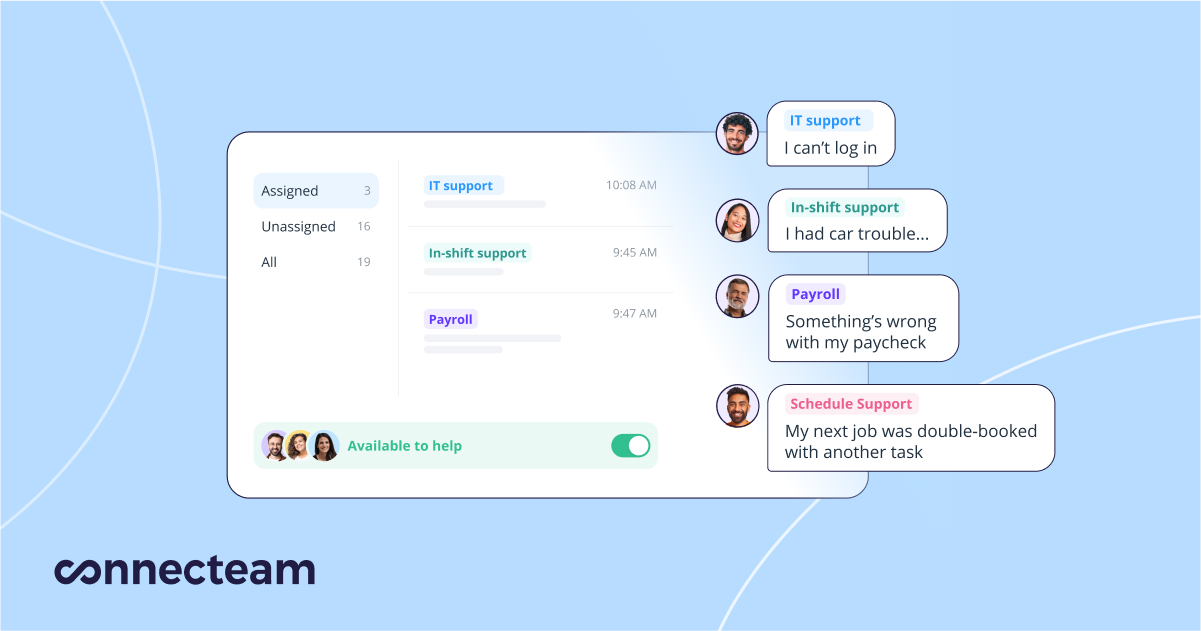
Help Desk by Connecteam is a comprehensive internal ticketing system, tailored specifically for IT teams in recruitment agencies. This SaaS solution streamlines request management and issue resolution, making it invaluable for recruitment agencies that require efficient troubleshooting and team support.
Best for Service Desk & Ticketing for IT Teams for Recruitment Agencies
Expert Take
Help Desk by Connecteam excels in providing a tailored ticketing solution for IT teams in recruitment agencies, offering strong integration capabilities and 24/7 support. Its industry-specific features and real-time communication tools enhance usability, while its pricing model provides transparency and value.
Pros
- Mobile-first design ideal for deskless workforce
- Free plan for businesses with under 10 users
- Fixed pricing for first 30 users offers great value
- SOC 2 and ISO 27001 certified security
- Centralized ticketing for HR, IT, and Operations
Cons
- No offline mode for mobile app
- API access locked to highest pricing tiers
- Interface can feel cluttered with many features
- Reporting features can be limited or rigid
- Not a full ITIL service desk replacement
Best for teams that are
- Businesses with deskless or mobile workforces (retail, construction).
- Managers needing an all-in-one app for ops, HR, and basic ticketing.
- Teams requiring mobile-first access for field employees.
Skip if
- Dedicated IT teams needing ITIL frameworks or asset management.
- Office-based firms requiring deep technical integrations.
- Organizations needing complex ticket routing and automation.
Best for teams that are
- Businesses with deskless or mobile workforces (retail, construction).
- Managers needing an all-in-one app for ops, HR, and basic ticketing.
- Teams requiring mobile-first access for field employees.
Skip if
- Dedicated IT teams needing ITIL frameworks or asset management.
- Office-based firms requiring deep technical integrations.
- Organizations needing complex ticket routing and automation.
Pros
- Mobile-first design ideal for deskless workforce
- Free plan for businesses with under 10 users
- Fixed pricing for first 30 users offers great value
- SOC 2 and ISO 27001 certified security
- Centralized ticketing for HR, IT, and Operations
Cons
- No offline mode for mobile app
- API access locked to highest pricing tiers
- Interface can feel cluttered with many features
- Reporting features can be limited or rigid
- Not a full ITIL service desk replacement
Expert Take
Help Desk by Connecteam excels in providing a tailored ticketing solution for IT teams in recruitment agencies, offering strong integration capabilities and 24/7 support. Its industry-specific features and real-time communication tools enhance usability, while its pricing model provides transparency and value.
BOSSDesk ITSM: Cloud-Based Ticketing
Best for Service Desk & Ticketing for IT Teams for Contractors
Specifically designed for IT teams for contractors, BOSSDesk ITSM provides a robust ticketing system that delivers beyond traditional IT support services. Its cloud-based nature ensures easy accessibility while maintaining high-level security, addressing the unique needs of IT professionals in the contracting industry.
Best for Service Desk & Ticketing for IT Teams for Contractors
Expert Take
BOSSDesk ITSM is a specialized service desk solution tailored for IT teams in the contracting industry. It offers a robust cloud-based ticketing system with advanced support services and high-level security, making it a strong contender in its niche. The product's market credibility is supported by its industry-specific design and security features.
Pros
- Transparent pricing starting at $29/user
- SOC 2 Type II & TX-RAMP certified
- Integrated Asset Management with low cost
- User-friendly interface with mobile apps
- US-based responsive customer support
Cons
- No dedicated Project Management module
- Reporting export options can be limited
- Lacks MSSP multi-tenant mode
- Fewer native integrations than enterprise giants
- Advanced features require higher tier plans
Best for teams that are
- Government, Education, and Healthcare organizations needing on-premise options
- IT teams requiring an all-in-one ITSM and Asset Management solution
- Organizations needing a single platform for both IT and Facilities/Maintenance requests
Skip if
- Micro-businesses needing a free or very low-cost basic ticketing tool
- Teams exclusively looking for a SaaS-only, lightweight solution without asset management
- Creative agencies needing project management features over IT service management
Best for teams that are
- Government, Education, and Healthcare organizations needing on-premise options
- IT teams requiring an all-in-one ITSM and Asset Management solution
- Organizations needing a single platform for both IT and Facilities/Maintenance requests
Skip if
- Micro-businesses needing a free or very low-cost basic ticketing tool
- Teams exclusively looking for a SaaS-only, lightweight solution without asset management
- Creative agencies needing project management features over IT service management
Pros
- Transparent pricing starting at $29/user
- SOC 2 Type II & TX-RAMP certified
- Integrated Asset Management with low cost
- User-friendly interface with mobile apps
- US-based responsive customer support
Cons
- No dedicated Project Management module
- Reporting export options can be limited
- Lacks MSSP multi-tenant mode
- Fewer native integrations than enterprise giants
- Advanced features require higher tier plans
Expert Take
BOSSDesk ITSM is a specialized service desk solution tailored for IT teams in the contracting industry. It offers a robust cloud-based ticketing system with advanced support services and high-level security, making it a strong contender in its niche. The product's market credibility is supported by its industry-specific design and security features.
TeamSupport B2B Customer Service
Best for Service Desk & Ticketing for IT Teams for Staffing Agencies
TeamSupport is a B2B customer support software designed specifically for IT and staffing agencies. It provides robust help desk ticketing and live chat solutions, making it easier to manage and resolve IT issues and customer inquiries effectively and efficiently.
Best for Service Desk & Ticketing for IT Teams for Staffing Agencies
Expert Take
TeamSupport excels in providing specialized customer service solutions for IT and staffing agencies, with strong capabilities in ticketing and live chat. Its market credibility is supported by industry-specific features and integrations. While pricing transparency is limited, the product's comprehensive functionality and usability justify its premium positioning.
Pros
- Customer Distress Index (CDI) predicts churn
- Company-level B2B tracking
- SOC 2 Type II & HIPAA compliant
- Visual support tools (screen recording)
- Collaborative 'Water Cooler' for agents
Cons
- Mobile app performance issues
- Dated user interface
- No free plan available
- Steep learning curve for some
- Occasional slow loading times
Best for teams that are
- B2B technology companies managing complex external client relationships
- Support teams needing to track customer health and distress indices
Skip if
- B2C companies dealing with high-volume, transactional individual support
- Internal IT helpdesks focused solely on employee ticket resolution
Best for teams that are
- B2B technology companies managing complex external client relationships
- Support teams needing to track customer health and distress indices
Skip if
- B2C companies dealing with high-volume, transactional individual support
- Internal IT helpdesks focused solely on employee ticket resolution
Pros
- Customer Distress Index (CDI) predicts churn
- Company-level B2B tracking
- SOC 2 Type II & HIPAA compliant
- Visual support tools (screen recording)
- Collaborative 'Water Cooler' for agents
Cons
- Mobile app performance issues
- Dated user interface
- No free plan available
- Steep learning curve for some
- Occasional slow loading times
Expert Take
TeamSupport excels in providing specialized customer service solutions for IT and staffing agencies, with strong capabilities in ticketing and live chat. Its market credibility is supported by industry-specific features and integrations. While pricing transparency is limited, the product's comprehensive functionality and usability justify its premium positioning.
Desk365: AI Helpdesk Software
Best for Service Desk & Ticketing for IT Teams for Staffing Agencies

Desk365 is an AI-powered helpdesk solution designed specifically for IT teams and staffing agencies of all sizes. It is built to simplify and automate customer support tasks with integrated ticketing, knowledge base, and advanced AI capabilities, catering to the industry's need for efficient and streamlined operations.
Best for Service Desk & Ticketing for IT Teams for Staffing Agencies
Expert Take
Desk365 excels as a specialized AI helpdesk solution for IT teams and staffing agencies, offering robust automation and integration capabilities. Its market credibility is supported by industry-specific features and a competitive pricing model. While initial setup is required, its comprehensive functionality justifies its premium positioning.
Pros
- Native Microsoft Teams integration
- SOC 2 Type 2 & HIPAA compliant
- Affordable pricing with free tier
- AI-powered ticket summarization
- Easy setup and administration
Cons
- Limited UI customization options
- Basic reporting capabilities
- Fewer native 3rd-party integrations
- Mobile app functionality limited
- No native Monday.com integration
Best for teams that are
- Organizations heavily invested in the Microsoft Teams ecosystem
- Teams wanting a conversational ticketing interface within Teams
Skip if
- Businesses that do not use Microsoft Teams as their primary communication hub
- Large enterprises needing complex, non-Microsoft ecosystem integrations
Best for teams that are
- Organizations heavily invested in the Microsoft Teams ecosystem
- Teams wanting a conversational ticketing interface within Teams
Skip if
- Businesses that do not use Microsoft Teams as their primary communication hub
- Large enterprises needing complex, non-Microsoft ecosystem integrations
Pros
- Native Microsoft Teams integration
- SOC 2 Type 2 & HIPAA compliant
- Affordable pricing with free tier
- AI-powered ticket summarization
- Easy setup and administration
Cons
- Limited UI customization options
- Basic reporting capabilities
- Fewer native 3rd-party integrations
- Mobile app functionality limited
- No native Monday.com integration
Expert Take
Desk365 excels as a specialized AI helpdesk solution for IT teams and staffing agencies, offering robust automation and integration capabilities. Its market credibility is supported by industry-specific features and a competitive pricing model. While initial setup is required, its comprehensive functionality justifies its premium positioning.
ConnectWise Service Desk
Best for Service Desk & Ticketing for IT Teams for Contractors

ConnectWise Service Desk is a SaaS solution designed specifically for IT teams and contractors, enhancing technician performance and client satisfaction. It provides automated ticket creation, routing, and triage, reducing technician workload while ensuring efficient issue resolution.
Best for Service Desk & Ticketing for IT Teams for Contractors
Expert Take
ConnectWise Service Desk excels in providing a comprehensive solution for IT teams and contractors, with strong automation capabilities and industry-specific features. Its market credibility is supported by third-party recognition, and it offers a robust ecosystem of integrations. While pricing transparency is limited, the product's overall value and usability remain high.
Pros
- Industry-standard automation and workflows
- Massive third-party integration ecosystem
- Granular SLA and dispatch management
- Scalable for large enterprise MSPs
- Strong security and compliance features
Cons
- Steep learning curve for new users
- Outdated and complex user interface
- High implementation and training costs
- Opaque and premium pricing model
- Slow support response times
Best for teams that are
- Managed Service Providers (MSPs) managing multiple client environments
- IT firms needing integrated Professional Services Automation (PSA) and billing
- Teams requiring deep integration with Remote Monitoring and Management (RMM) tools
Skip if
- Internal corporate IT teams (non-MSPs) who do not bill for services
- Small businesses needing a simple, single-tenant helpdesk
- B2C customer support teams handling retail or consumer queries
Best for teams that are
- Managed Service Providers (MSPs) managing multiple client environments
- IT firms needing integrated Professional Services Automation (PSA) and billing
- Teams requiring deep integration with Remote Monitoring and Management (RMM) tools
Skip if
- Internal corporate IT teams (non-MSPs) who do not bill for services
- Small businesses needing a simple, single-tenant helpdesk
- B2C customer support teams handling retail or consumer queries
Pros
- Industry-standard automation and workflows
- Massive third-party integration ecosystem
- Granular SLA and dispatch management
- Scalable for large enterprise MSPs
- Strong security and compliance features
Cons
- Steep learning curve for new users
- Outdated and complex user interface
- High implementation and training costs
- Opaque and premium pricing model
- Slow support response times
Expert Take
ConnectWise Service Desk excels in providing a comprehensive solution for IT teams and contractors, with strong automation capabilities and industry-specific features. Its market credibility is supported by third-party recognition, and it offers a robust ecosystem of integrations. While pricing transparency is limited, the product's overall value and usability remain high.
Atera's Help Desk & Ticketing System
Best for Service Desk & Ticketing for IT Teams for Recruitment Agencies
Atera's Help Desk and Ticketing System offers a unified platform designed to streamline the IT support process for recruitment agencies. Its robust features allow for efficient request management, automated workflows, and productivity boost. It directly addresses the industry's need for swift, seamless, and organized communication between IT teams and recruitment personnel.
Best for Service Desk & Ticketing for IT Teams for Recruitment Agencies
Expert Take
Atera's Help Desk & Ticketing System excels in providing a unified platform tailored for recruitment agencies, offering robust automation and efficient request management. Its market credibility is supported by industry-specific design and documented capabilities. While customization is limited, its overall value and usability make it a top choice for IT teams in recruitment.
Pros
- Pay-per-technician pricing with unlimited devices
- Unified RMM and PSA platform
- AI Copilot for summaries and scripting
- SOC 2 Type 2 and HIPAA compliant
- Built-in Splashtop remote access
Cons
- Mobile app is buggy and limited
- Advanced reporting requires higher tiers
- Occasional script execution timeouts
- Support chat responsiveness issues
Best for teams that are
- MSPs and IT departments managing many endpoints (per-technician pricing).
- Teams wanting unified Remote Monitoring (RMM) and ticketing.
- IT professionals seeking AI-powered ticket summaries and scripting.
Skip if
- Non-technical departments like HR or Sales (too IT-focused).
- Large enterprises preferring specialized, best-of-breed ITSM tools.
- Teams needing a standalone ticketing tool without RMM features.
Best for teams that are
- MSPs and IT departments managing many endpoints (per-technician pricing).
- Teams wanting unified Remote Monitoring (RMM) and ticketing.
- IT professionals seeking AI-powered ticket summaries and scripting.
Skip if
- Non-technical departments like HR or Sales (too IT-focused).
- Large enterprises preferring specialized, best-of-breed ITSM tools.
- Teams needing a standalone ticketing tool without RMM features.
Pros
- Pay-per-technician pricing with unlimited devices
- Unified RMM and PSA platform
- AI Copilot for summaries and scripting
- SOC 2 Type 2 and HIPAA compliant
- Built-in Splashtop remote access
Cons
- Mobile app is buggy and limited
- Advanced reporting requires higher tiers
- Occasional script execution timeouts
- Support chat responsiveness issues
Expert Take
Atera's Help Desk & Ticketing System excels in providing a unified platform tailored for recruitment agencies, offering robust automation and efficient request management. Its market credibility is supported by industry-specific design and documented capabilities. While customization is limited, its overall value and usability make it a top choice for IT teams in recruitment.
BoldDesk SaaS Help Desk
Best for Service Desk & Ticketing for IT Teams for SaaS Companies
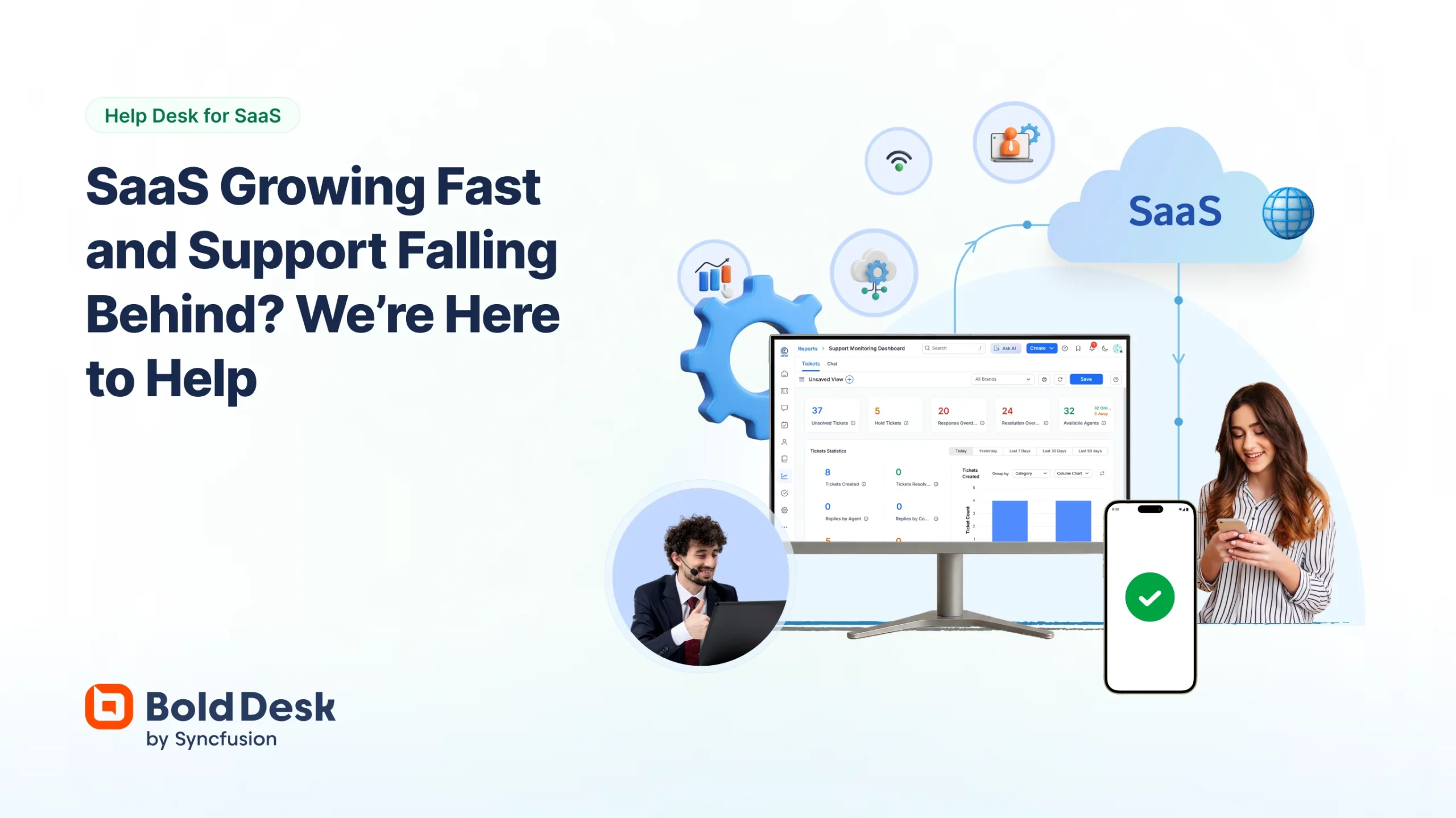
BoldDesk is a cloud-based SaaS help desk software designed specifically for SaaS companies. It offers scalable ticketing, automation, and AI-powered support tools to streamline customer support services. Its seamless integration with popular SaaS platforms addresses the unique needs for continuous support and maintenance in the SaaS industry.
Best for Service Desk & Ticketing for IT Teams for SaaS Companies
Expert Take
BoldDesk SaaS Help Desk is a premium product tailored for SaaS companies, offering robust ticketing and AI-powered support tools. Its integration capabilities and scalability make it a strong contender in its category. While pricing may be a consideration for smaller businesses, its features justify its positioning as a best-of-the-best product.
Pros
- Backed by Syncfusion (20+ years exp)
- Generous free plan for Startups
- HIPAA & SOC 2 Type 2 Compliant
- Omnichannel support (WhatsApp, FB, etc.)
- Competitive pricing starting at $12/agent
Cons
- Mobile app lacks full desktop parity
- AI features require paid add-ons
- Reporting customization can be limited
- Steep learning curve for advanced setup
- Fewer native integrations than Zendesk
Best for teams that are
- Scaling businesses seeking a modern, affordable alternative to Zendesk
- Teams needing a robust, customizable customer portal and knowledge base
- B2B companies requiring unlimited agents on specific pricing tiers
Skip if
- Micro-teams wanting a permanently free plan for very low volume
- Organizations requiring on-premise hosting (strictly SaaS)
- Teams with highly complex legacy ITIL workflow requirements
Best for teams that are
- Scaling businesses seeking a modern, affordable alternative to Zendesk
- Teams needing a robust, customizable customer portal and knowledge base
- B2B companies requiring unlimited agents on specific pricing tiers
Skip if
- Micro-teams wanting a permanently free plan for very low volume
- Organizations requiring on-premise hosting (strictly SaaS)
- Teams with highly complex legacy ITIL workflow requirements
Pros
- Backed by Syncfusion (20+ years exp)
- Generous free plan for Startups
- HIPAA & SOC 2 Type 2 Compliant
- Omnichannel support (WhatsApp, FB, etc.)
- Competitive pricing starting at $12/agent
Cons
- Mobile app lacks full desktop parity
- AI features require paid add-ons
- Reporting customization can be limited
- Steep learning curve for advanced setup
- Fewer native integrations than Zendesk
Expert Take
BoldDesk SaaS Help Desk is a premium product tailored for SaaS companies, offering robust ticketing and AI-powered support tools. Its integration capabilities and scalability make it a strong contender in its category. While pricing may be a consideration for smaller businesses, its features justify its positioning as a best-of-the-best product.
HelpDesk® Ticketing Software
Best for Service Desk & Ticketing for IT Teams for SaaS Companies
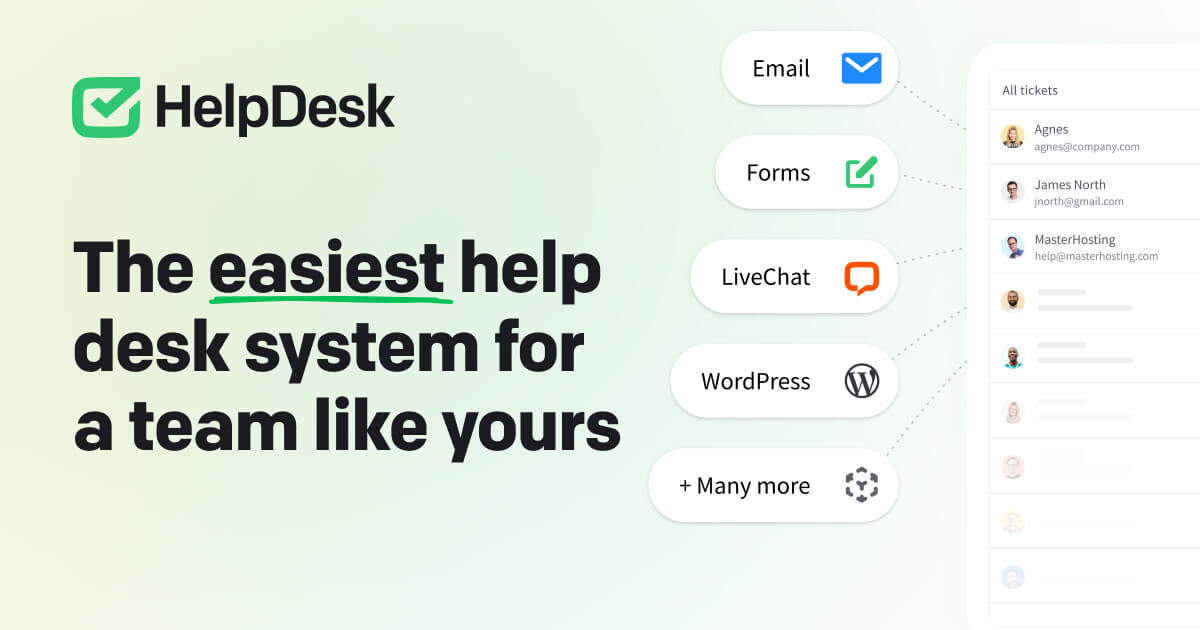
HelpDesk® is a SaaS solution specifically designed for IT teams in SaaS companies. It streamlines customer communication with its integrated ticketing system, allowing for efficient tracking and management of customer issues. Its intuitive design and features are tailored to meet the unique needs of IT teams, simplifying workflow and improving customer response time.
Best for Service Desk & Ticketing for IT Teams for SaaS Companies
Expert Take
HelpDesk® Ticketing Software excels in providing a streamlined, user-friendly ticketing solution specifically for IT teams in SaaS companies. Its integration capabilities, market credibility, and customer support are well-documented, making it a top choice in its category.
Pros
- Intuitive, clean interface
- Seamless LiveChat integration
- Transparent, competitive pricing
- Fast setup and onboarding
- Built-in collision detection
Cons
- Limited advanced automation
- Fewer native integrations
- Reporting depth limitations
- Lacks multi-language support
- Not for complex enterprises
Best for teams that are
- Customer support teams already using LiveChat for seamless integration
- Ecommerce and SaaS companies needing a collaborative shared inbox solution
- Non-technical teams requiring an easy-to-use, email-centric interface
Skip if
- Internal IT teams needing asset management or remote desktop control tools
- Enterprises with complex routing or custom development requirements
- Businesses looking for a free-forever tier (paid plans only)
Best for teams that are
- Customer support teams already using LiveChat for seamless integration
- Ecommerce and SaaS companies needing a collaborative shared inbox solution
- Non-technical teams requiring an easy-to-use, email-centric interface
Skip if
- Internal IT teams needing asset management or remote desktop control tools
- Enterprises with complex routing or custom development requirements
- Businesses looking for a free-forever tier (paid plans only)
Pros
- Intuitive, clean interface
- Seamless LiveChat integration
- Transparent, competitive pricing
- Fast setup and onboarding
- Built-in collision detection
Cons
- Limited advanced automation
- Fewer native integrations
- Reporting depth limitations
- Lacks multi-language support
- Not for complex enterprises
Expert Take
HelpDesk® Ticketing Software excels in providing a streamlined, user-friendly ticketing solution specifically for IT teams in SaaS companies. Its integration capabilities, market credibility, and customer support are well-documented, making it a top choice in its category.
HR365 Helpdesk Ticketing System
Best for Service Desk & Ticketing for IT Teams for Recruitment Agencies
HR365's Helpdesk Ticketing System is a tailor-made solution for recruitment agencies, optimizing their IT support processes. It streamlines request management, accelerates issue resolution, and enhances productivity through its centralized platform.
Best for Service Desk & Ticketing for IT Teams for Recruitment Agencies
Expert Take
HR365's Helpdesk Ticketing System is tailored for recruitment agencies, offering a centralized platform that enhances IT support processes. Its cloud-based nature and 24/7 support are key strengths, although customization options are limited. The product's focus on a niche market segment contributes to its premium positioning.
Pros
- Data stays in your Microsoft 365 tenant
- Native integration with Microsoft Teams and Outlook
- SOC 2 Type II and GCC High compliant
- AI-powered sentiment analysis and ticket routing
- Cost-effective flat-rate pricing for small teams
Cons
- User interface can be slow and buggy
- Steep learning curve for advanced customization
- Documentation for complex features is lacking
- No permanent free plan available
- Limited utility outside Microsoft ecosystem
Best for teams that are
- Organizations wanting a SharePoint-native system within M365.
- Internal teams (HR/IT) prioritizing data residency within their tenant.
- Companies leveraging Power Automate for custom workflows.
Skip if
- Non-Microsoft 365 users or those avoiding SharePoint apps.
- Teams wanting a standalone SaaS tool with instant, simple setup.
- Users who find SharePoint-based interfaces clunky or slow.
Best for teams that are
- Organizations wanting a SharePoint-native system within M365.
- Internal teams (HR/IT) prioritizing data residency within their tenant.
- Companies leveraging Power Automate for custom workflows.
Skip if
- Non-Microsoft 365 users or those avoiding SharePoint apps.
- Teams wanting a standalone SaaS tool with instant, simple setup.
- Users who find SharePoint-based interfaces clunky or slow.
Pros
- Data stays in your Microsoft 365 tenant
- Native integration with Microsoft Teams and Outlook
- SOC 2 Type II and GCC High compliant
- AI-powered sentiment analysis and ticket routing
- Cost-effective flat-rate pricing for small teams
Cons
- User interface can be slow and buggy
- Steep learning curve for advanced customization
- Documentation for complex features is lacking
- No permanent free plan available
- Limited utility outside Microsoft ecosystem
Expert Take
HR365's Helpdesk Ticketing System is tailored for recruitment agencies, offering a centralized platform that enhances IT support processes. Its cloud-based nature and 24/7 support are key strengths, although customization options are limited. The product's focus on a niche market segment contributes to its premium positioning.