Enterprise File Sharing & Storage Platforms

These are the specialized categories within Enterprise File Sharing & Storage Platforms. Looking for something broader? See all Project Management & Productivity Tools categories.

1

ownCloud Enterprise File Sharing

Best for File Sharing Tools for Enterprise Data Teams

Score
9.8 / 10
ownCloud Enterprise File Sharing

ownCloud is a robust SaaS solution for enterprise data teams, offering high-grade file sync and share capabilities. It's built to address the unique needs of large-scale collaboration, ensuring optimal security and control over proprietary data.

Best for File Sharing Tools for Enterprise Data Teams

Expert Take

ownCloud Enterprise File Sharing is a premium solution for enterprise data teams, offering robust security, flexible deployment, and extensive file synchronization capabilities. Its focus on security and control, combined with a user-friendly interface, positions it as a leader in the file sharing tools category.

Pros

  • Revolutionary Go-based 'Infinite Scale' architecture
  • Trusted by CERN and European Commission
  • Strict GDPR and data sovereignty compliance
  • Advanced File Firewall and Ransomware Protection
  • No central database bottleneck in OCIS

Cons

  • Enterprise plan requires minimum 25 users
  • Advanced security features locked behind paywall
  • Android app 'scoped storage' usability issues
  • Smaller app ecosystem than Nextcloud
  • Complex migration between PHP and Go versions

Best for teams that are

  • Enterprises prioritizing stability and strict SLAs over rapid feature releases.
  • Organizations requiring a self-hosted solution with deep IT stack integration.
  • Regulated industries needing granular control over data residency and compliance.

Skip if

  • Teams wanting the latest cutting-edge collaboration features found in Nextcloud.
  • Small teams preferring a fully free, feature-rich open-source community edition.

Best for teams that are

  • Enterprises prioritizing stability and strict SLAs over rapid feature releases.
  • Organizations requiring a self-hosted solution with deep IT stack integration.
  • Regulated industries needing granular control over data residency and compliance.

Skip if

  • Teams wanting the latest cutting-edge collaboration features found in Nextcloud.
  • Small teams preferring a fully free, feature-rich open-source community edition.

Pros

  • Revolutionary Go-based 'Infinite Scale' architecture
  • Trusted by CERN and European Commission
  • Strict GDPR and data sovereignty compliance
  • Advanced File Firewall and Ransomware Protection
  • No central database bottleneck in OCIS

Cons

  • Enterprise plan requires minimum 25 users
  • Advanced security features locked behind paywall
  • Android app 'scoped storage' usability issues
  • Smaller app ecosystem than Nextcloud
  • Complex migration between PHP and Go versions

Expert Take

ownCloud Enterprise File Sharing is a premium solution for enterprise data teams, offering robust security, flexible deployment, and extensive file synchronization capabilities. Its focus on security and control, combined with a user-friendly interface, positions it as a leader in the file sharing tools category.

2

Egnyte Enterprise File Sharing

Best for File Sharing Tools for Enterprise Data Teams

Score
9.8 / 10
Egnyte Enterprise File Sharing

Egnyte's file sharing solution is tailored to meet the needs of enterprise data teams, providing a secure platform for seamless collaboration. With robust security and compliance features, it addresses the industry's need for secure data transfer and regulatory adherence, making it a top choice for data-sensitive sectors.

Best for File Sharing Tools for Enterprise Data Teams

Expert Take

Egnyte Enterprise File Sharing excels in providing secure and compliant file sharing solutions tailored for enterprise data teams. Its robust security features, seamless integration capabilities, and strong market credibility make it a top choice in its category.

Pros

  • Hybrid Smart Cache technology
  • CMMC & FedRAMP compliance support
  • Granular NTFS-like permissions
  • Global file locking capability
  • Behavioral ransomware detection

Cons

  • Expensive add-on features
  • Sync speed issues with large files
  • Complex admin interface
  • Annual contracts only (Business)
  • Steep learning curve for setup

Best for teams that are

  • Mid-to-large enterprises needing hybrid cloud and on-premise data governance.
  • Highly regulated industries like finance and construction requiring strict compliance.
  • Teams needing to replace legacy file servers with a cloud-native solution.

Skip if

  • Small teams or individuals seeking a low-cost, simple cloud storage solution.
  • Users wanting a purely free plan or a fully self-hosted open-source tool.

Best for teams that are

  • Mid-to-large enterprises needing hybrid cloud and on-premise data governance.
  • Highly regulated industries like finance and construction requiring strict compliance.
  • Teams needing to replace legacy file servers with a cloud-native solution.

Skip if

  • Small teams or individuals seeking a low-cost, simple cloud storage solution.
  • Users wanting a purely free plan or a fully self-hosted open-source tool.

Pros

  • Hybrid Smart Cache technology
  • CMMC & FedRAMP compliance support
  • Granular NTFS-like permissions
  • Global file locking capability
  • Behavioral ransomware detection

Cons

  • Expensive add-on features
  • Sync speed issues with large files
  • Complex admin interface
  • Annual contracts only (Business)
  • Steep learning curve for setup

Expert Take

Egnyte Enterprise File Sharing excels in providing secure and compliant file sharing solutions tailored for enterprise data teams. Its robust security features, seamless integration capabilities, and strong market credibility make it a top choice in its category.

3

ShareTru Secure File Sharing

Best for Secure File Sharing Tools for Legal & Finance

Score
9.8 / 10
ShareTru Secure File Sharing

ShareTru provides a secure medium for defense, healthcare, and finance industries to share sensitive data such as intellectual property, contracts, and financial information. The tool is designed to ensure that there's no dependence on email attachments or unapproved tools, and it adheres to the strict compliance guidelines in these sectors.

Best for Secure File Sharing Tools for Legal & Finance

Expert Take

ShareTru Secure File Sharing excels in providing robust security features and compliance with industry regulations, making it a top choice for sectors handling sensitive data. While it offers high-level data protection and user-friendly interfaces, its limited integrations and learning curve for advanced features are notable tradeoffs.
Pros

  • FedRAMP Moderate JAB-ATO Authorized
  • Unlimited users on Complete plan
  • No bandwidth or file size limits
  • Native SFTP/FTPS/HTTPS support
  • US-based support and infrastructure

Cons

  • No native mobile app (web only)
  • Hard storage limits block uploads
  • API access gated to higher tiers
  • Storage costs can accrue
  • Security warnings can confuse users

Best for teams that are

  • Government contractors and aerospace firms needing ITAR/CMMC compliance
  • Organizations needing a secure, managed Cloud FTP/SFTP solution

Skip if

  • Standard law firms not dealing with federal or defense contracts
  • Teams seeking a collaborative workspace rather than file transfer

Best for teams that are

  • Government contractors and aerospace firms needing ITAR/CMMC compliance
  • Organizations needing a secure, managed Cloud FTP/SFTP solution

Skip if

  • Standard law firms not dealing with federal or defense contracts
  • Teams seeking a collaborative workspace rather than file transfer

Pros

  • FedRAMP Moderate JAB-ATO Authorized
  • Unlimited users on Complete plan
  • No bandwidth or file size limits
  • Native SFTP/FTPS/HTTPS support
  • US-based support and infrastructure

Cons

  • No native mobile app (web only)
  • Hard storage limits block uploads
  • API access gated to higher tiers
  • Storage costs can accrue
  • Security warnings can confuse users

Expert Take

ShareTru Secure File Sharing excels in providing robust security features and compliance with industry regulations, making it a top choice for sectors handling sensitive data. While it offers high-level data protection and user-friendly interfaces, its limited integrations and learning curve for advanced features are notable tradeoffs.

4
Score
9.7 / 10
4
9.7 / 10
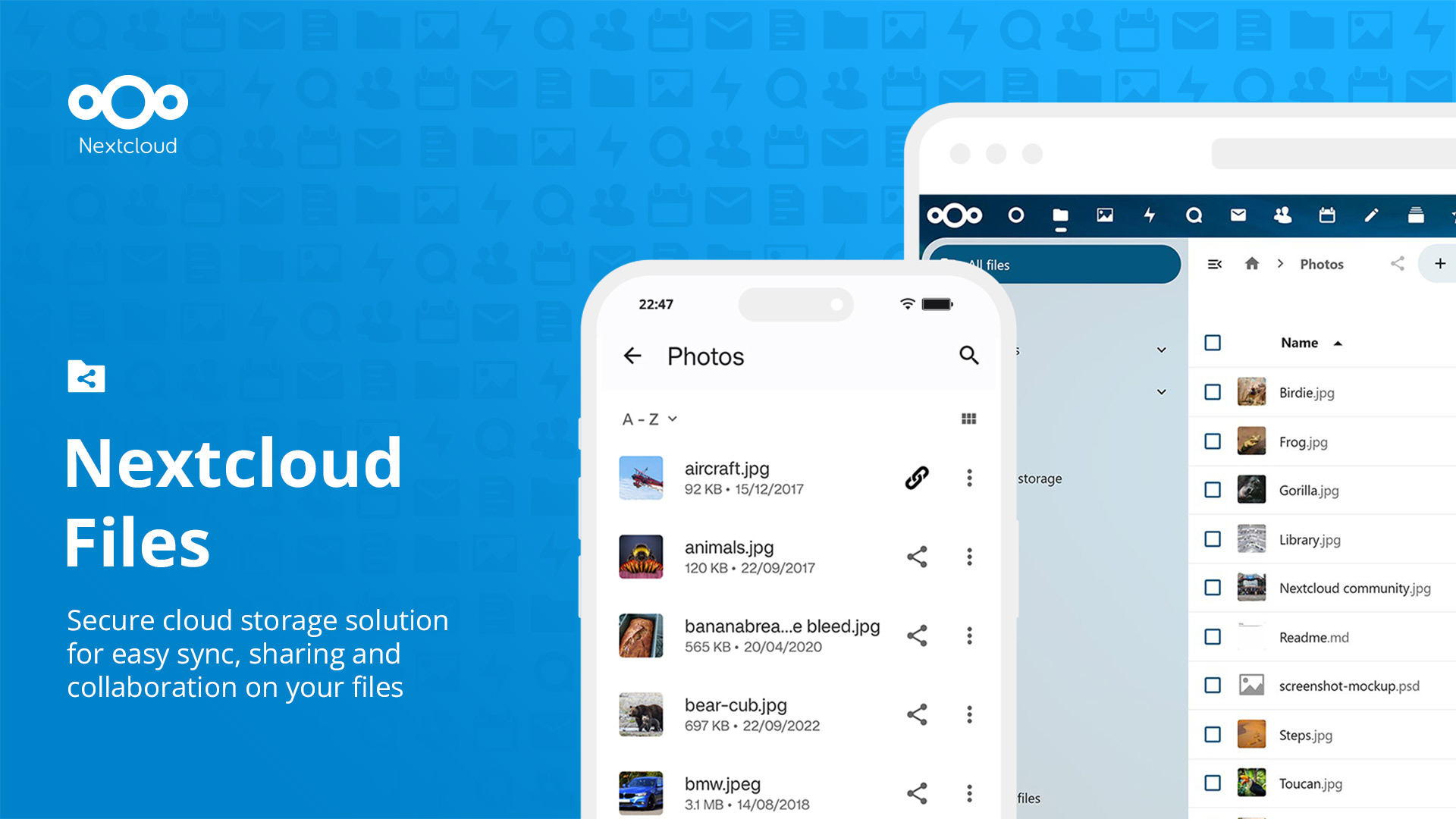
Nextcloud Files

Nextcloud Files is a prime choice for remote teams in need of cloud file sharing solutions. It offers open-source, easy-to-use file synchronization and sharing capabilities, enabling teams to work collaboratively from any location and at any time. Its robust feature set caters specifically to the dynamic needs of remote teams, ensuring secure, efficient, and seamless file management.

Best for Cloud File Sharing Tools for Remote Teams

Expert Take

Nextcloud Files stands out as a top-tier cloud file sharing tool for remote teams due to its open-source flexibility, strong security features, and real-time collaboration capabilities. Its adaptability and comprehensive feature set make it a preferred choice for businesses seeking a customizable and secure file management solution.

Pros

  • Complete data sovereignty and control
  • Massive ecosystem with 200+ apps
  • Free open-source Community Edition
  • HIPAA and GDPR compliance ready
  • Deep integration with Office suites

Cons

  • High technical barrier for self-hosting
  • Performance issues with large files
  • Enterprise support requires 100+ users
  • Sync client occasionally buggy

Best for teams that are

  • Organizations wanting a self-hosted, all-in-one digital office suite
  • Privacy-focused teams requiring complete control over data and code
  • Governments and universities needing strict data compliance

Skip if

  • Teams prioritizing raw file transfer speed over collaboration features
  • Users unwilling to manage server maintenance or updates
  • Small teams wanting a set-and-forget consumer cloud experience

Best for teams that are

  • Organizations wanting a self-hosted, all-in-one digital office suite
  • Privacy-focused teams requiring complete control over data and code
  • Governments and universities needing strict data compliance

Skip if

  • Teams prioritizing raw file transfer speed over collaboration features
  • Users unwilling to manage server maintenance or updates
  • Small teams wanting a set-and-forget consumer cloud experience

Pros

  • Complete data sovereignty and control
  • Massive ecosystem with 200+ apps
  • Free open-source Community Edition
  • HIPAA and GDPR compliance ready
  • Deep integration with Office suites

Cons

  • High technical barrier for self-hosting
  • Performance issues with large files
  • Enterprise support requires 100+ users
  • Sync client occasionally buggy

Expert Take

Nextcloud Files stands out as a top-tier cloud file sharing tool for remote teams due to its open-source flexibility, strong security features, and real-time collaboration capabilities. Its adaptability and comprehensive feature set make it a preferred choice for businesses seeking a customizable and secure file management solution.

5

Backblaze Media Cloud Storage

Best for Cloud Storage for Media and Creative Agencies

Score
9.7 / 10
Backblaze Media Cloud Storage

Backblaze is a powerful SaaS solution perfect for media and creative agencies. With features like simple upload, always-active access, and seamless workflow integration, it effectively addresses the industry's need for cost-effectiveness, quick access, and efficient file management.

Best for Cloud Storage for Media and Creative Agencies

Expert Take

Backblaze Media Cloud Storage excels in providing cost-effective and efficient cloud storage solutions tailored for media and creative agencies. Its strong product capabilities, market credibility, and customer experience are supported by robust documentation and third-party validations. While it has some limitations in integrations, its overall offering remains highly competitive.

Pros

  • "Live Read" allows editing during upload
  • Free egress up to 3x storage
  • TPN Blue Shield security status
  • No minimum retention or file size
  • Seamless iconik and LucidLink integration

Cons

  • Phone support costs $400/mo extra
  • Single-thread uploads can be slow
  • No native AI media tagging
  • Egress fees apply after 3x limit
  • Limited native region selection

Best for teams that are

  • Agencies needing affordable, always-hot cloud storage for active archives [cite: 13, 14]
  • Teams using MAMs or NAS devices that need an S3-compatible tier [cite: 14, 15]
  • Developers or IT teams comfortable configuring S3-compatible clients [cite: 14]

Skip if

  • Non-technical creative teams wanting a plug-and-play 'Dropbox' style app [cite: 13, 16]
  • Users needing built-in video playback, transcoding, or commenting tools [cite: 13]
  • Teams requiring instant, low-latency access for high-performance editing [cite: 13]

Best for teams that are

  • Agencies needing affordable, always-hot cloud storage for active archives [cite: 13, 14]
  • Teams using MAMs or NAS devices that need an S3-compatible tier [cite: 14, 15]
  • Developers or IT teams comfortable configuring S3-compatible clients [cite: 14]

Skip if

  • Non-technical creative teams wanting a plug-and-play 'Dropbox' style app [cite: 13, 16]
  • Users needing built-in video playback, transcoding, or commenting tools [cite: 13]
  • Teams requiring instant, low-latency access for high-performance editing [cite: 13]

Pros

  • "Live Read" allows editing during upload
  • Free egress up to 3x storage
  • TPN Blue Shield security status
  • No minimum retention or file size
  • Seamless iconik and LucidLink integration

Cons

  • Phone support costs $400/mo extra
  • Single-thread uploads can be slow
  • No native AI media tagging
  • Egress fees apply after 3x limit
  • Limited native region selection

Expert Take

Backblaze Media Cloud Storage excels in providing cost-effective and efficient cloud storage solutions tailored for media and creative agencies. Its strong product capabilities, market credibility, and customer experience are supported by robust documentation and third-party validations. While it has some limitations in integrations, its overall offering remains highly competitive.

6

FileCloud Enterprise File Sharing

Best for File Sharing Tools for Enterprise Data Teams

Score
9.7 / 10
FileCloud Enterprise File Sharing

FileCloud is specifically designed for large businesses needing a reliable, secure, and compliant file sharing solution. It boasts advanced security measures, industry-leading compliance, and features that enhance productivity, thus addressing the critical needs of large enterprises dealing with sensitive data.

Best for File Sharing Tools for Enterprise Data Teams

Expert Take

FileCloud stands out as a top-tier solution for enterprise file sharing due to its strong security features, compliance with industry regulations, and productivity-enhancing capabilities. It is particularly suited for large businesses handling sensitive data, offering a reliable and secure platform.

Pros

  • Unlimited free external users reduces costs
  • FIPS 140-2 and ITAR compliance support
  • Flexible deployment: On-prem, Cloud, or Hybrid
  • Zero Trust File Sharing with encrypted zips
  • Granular DRM and access controls

Cons

  • Occasional sync latency with large files
  • Complex setup for self-hosted versions
  • Windows file path character limits (256 chars)
  • Support response times can vary
  • UI performance issues reported after some updates

Best for teams that are

  • Enterprises requiring full data sovereignty with self-hosted or hybrid options.
  • Organizations needing unlimited external user accounts for client collaboration.
  • Government and regulated industries needing strict compliance (ITAR, HIPAA).

Skip if

  • Small teams wanting a simple, zero-configuration SaaS tool.
  • Users preferring a purely open-source community model without enterprise licensing.

Best for teams that are

  • Enterprises requiring full data sovereignty with self-hosted or hybrid options.
  • Organizations needing unlimited external user accounts for client collaboration.
  • Government and regulated industries needing strict compliance (ITAR, HIPAA).

Skip if

  • Small teams wanting a simple, zero-configuration SaaS tool.
  • Users preferring a purely open-source community model without enterprise licensing.

Pros

  • Unlimited free external users reduces costs
  • FIPS 140-2 and ITAR compliance support
  • Flexible deployment: On-prem, Cloud, or Hybrid
  • Zero Trust File Sharing with encrypted zips
  • Granular DRM and access controls

Cons

  • Occasional sync latency with large files
  • Complex setup for self-hosted versions
  • Windows file path character limits (256 chars)
  • Support response times can vary
  • UI performance issues reported after some updates

Expert Take

FileCloud stands out as a top-tier solution for enterprise file sharing due to its strong security features, compliance with industry regulations, and productivity-enhancing capabilities. It is particularly suited for large businesses handling sensitive data, offering a reliable and secure platform.

7

FileCloud for Marketing & AD

Best for Cloud Storage for Media and Creative Agencies

Score
9.7 / 10
FileCloud for Marketing & AD

FileCloud offers an ultra-secure file sharing platform tailored for digital marketing, advertising, and design agencies. It enables seamless collaboration, secure file exchange, and ensures that critical data is always accessible and protected, addressing the specific needs of creative agencies.

Best for Cloud Storage for Media and Creative Agencies

Expert Take

FileCloud excels as a secure file sharing platform tailored for creative agencies, offering robust security and collaboration features. It is recognized for its adaptability to the needs of digital marketing and advertising professionals, ensuring data protection and accessibility. Despite a potentially complex interface for beginners, its strengths in security and collaboration make it a leading choice in its category.
Pros

  • Unlimited free external client accounts
  • No file size limits for sharing
  • Full white-label custom branding
  • Built-in ransomware protection
  • Granular sub-folder access permissions

Cons

  • Steep setup learning curve
  • Minimum 10-20 user requirement
  • Mobile app lacks desktop features
  • Self-hosted requires IT expertise
  • Complex configuration for non-techs

Best for teams that are

  • Agencies requiring a fully branded client portal to maintain professional identity [cite: 27]
  • Organizations with strict data sovereignty or compliance needs [cite: 28]
  • Teams needing unlimited free external accounts for sharing with clients [cite: 27]

Skip if

  • Small teams wanting a zero-configuration, instant-setup public cloud service [cite: 28]
  • Users heavily invested in Google/Microsoft ecosystems avoiding custom branding [cite: 25]
  • Freelancers with minimal budget who don't need advanced compliance features [cite: 28]

Best for teams that are

  • Agencies requiring a fully branded client portal to maintain professional identity [cite: 27]
  • Organizations with strict data sovereignty or compliance needs [cite: 28]
  • Teams needing unlimited free external accounts for sharing with clients [cite: 27]

Skip if

  • Small teams wanting a zero-configuration, instant-setup public cloud service [cite: 28]
  • Users heavily invested in Google/Microsoft ecosystems avoiding custom branding [cite: 25]
  • Freelancers with minimal budget who don't need advanced compliance features [cite: 28]

Pros

  • Unlimited free external client accounts
  • No file size limits for sharing
  • Full white-label custom branding
  • Built-in ransomware protection
  • Granular sub-folder access permissions

Cons

  • Steep setup learning curve
  • Minimum 10-20 user requirement
  • Mobile app lacks desktop features
  • Self-hosted requires IT expertise
  • Complex configuration for non-techs

Expert Take

FileCloud excels as a secure file sharing platform tailored for creative agencies, offering robust security and collaboration features. It is recognized for its adaptability to the needs of digital marketing and advertising professionals, ensuring data protection and accessibility. Despite a potentially complex interface for beginners, its strengths in security and collaboration make it a leading choice in its category.

8

FileCloud for Legal Firms

Best for Secure File Sharing Tools for Legal & Finance

Score
9.7 / 10
FileCloud for Legal Firms

FileCloud is a secure file sharing solution designed specifically for lawyers, attorneys, and law firms. It addresses the unique needs of the legal industry by providing robust encryption, compliance tools, and full control over data, enabling secure sharing and management of sensitive client data.

Best for Secure File Sharing Tools for Legal & Finance

Expert Take

FileCloud for Legal Firms excels in providing secure file sharing tailored for the legal industry, with strong encryption and compliance features. Its market credibility is supported by third-party certifications and industry recognition. While its interface may be complex for non-tech users, it remains a top choice for legal professionals prioritizing data security.

Pros

  • Unlimited free external client accounts
  • Dedicated Compliance Center (HIPAA/GDPR)
  • Legal Hold & e-Discovery support
  • Deep Microsoft Outlook/Office integration
  • Granular permissions & audit trails

Cons

  • Slow sync with large network folders
  • Complex initial setup process
  • Mobile app less feature-rich
  • Minimum user requirement (10-20 users)
  • Steeper learning curve for admins

Best for teams that are

  • Law firms requiring on-premise or hybrid hosting for data sovereignty
  • Organizations needing granular audit trails and zero-trust security

Skip if

  • Small teams wanting a simple, zero-configuration cloud tool
  • Users requiring broad Linux support beyond Ubuntu or Red Hat

Best for teams that are

  • Law firms requiring on-premise or hybrid hosting for data sovereignty
  • Organizations needing granular audit trails and zero-trust security

Skip if

  • Small teams wanting a simple, zero-configuration cloud tool
  • Users requiring broad Linux support beyond Ubuntu or Red Hat

Pros

  • Unlimited free external client accounts
  • Dedicated Compliance Center (HIPAA/GDPR)
  • Legal Hold & e-Discovery support
  • Deep Microsoft Outlook/Office integration
  • Granular permissions & audit trails

Cons

  • Slow sync with large network folders
  • Complex initial setup process
  • Mobile app less feature-rich
  • Minimum user requirement (10-20 users)
  • Steeper learning curve for admins

Expert Take

FileCloud for Legal Firms excels in providing secure file sharing tailored for the legal industry, with strong encryption and compliance features. Its market credibility is supported by third-party certifications and industry recognition. While its interface may be complex for non-tech users, it remains a top choice for legal professionals prioritizing data security.

9

Wasabi Cloud Storage

Best for Cloud Storage for Media and Creative Agencies

Score
9.6 / 10
Wasabi Cloud Storage

Wasabi Cloud Storage is an affordable and highly accessible cloud storage solution, specifically tailored for media and entertainment industries. It securely archives content while ensuring immediate accessibility, thus addressing the industry's need for secure, scalable, and instant access to large media files.

Best for Cloud Storage for Media and Creative Agencies

Expert Take

Wasabi Cloud Storage excels in providing affordable, scalable, and secure cloud storage solutions tailored for media and entertainment industries. Its high-speed data transfer and flat-rate pricing make it a preferred choice for agencies handling large media files, supported by strong data durability and integration capabilities.

Pros

  • No fees for egress or API requests
  • 100% AWS S3 bit-compatible API
  • Flat rate pricing ($6.99/TB/month)
  • Immutable buckets for ransomware protection
  • Compliant with HIPAA, SOC 2, ISO 27001

Cons

  • 90-day minimum retention policy (Pay-Go)
  • 1 TB minimum monthly charge
  • 4 KB minimum billable object size
  • History of rare but impactful outages
  • No cold/archive storage tiers available

Best for teams that are

  • Budget-conscious agencies needing deep archive or backup storage [cite: 1, 2]
  • Teams with large video libraries requiring predictable costs (no egress fees) [cite: 2, 3]
  • Organizations using S3-compatible tools like MAMs or backup software [cite: 2]

Skip if

  • Teams needing built-in collaboration or media review tools [cite: 4]
  • Workflows with short-lived data due to 90-day minimum retention policy [cite: 5, 6]
  • Users wanting a turnkey experience without setting up third-party clients [cite: 1]

Best for teams that are

  • Budget-conscious agencies needing deep archive or backup storage [cite: 1, 2]
  • Teams with large video libraries requiring predictable costs (no egress fees) [cite: 2, 3]
  • Organizations using S3-compatible tools like MAMs or backup software [cite: 2]

Skip if

  • Teams needing built-in collaboration or media review tools [cite: 4]
  • Workflows with short-lived data due to 90-day minimum retention policy [cite: 5, 6]
  • Users wanting a turnkey experience without setting up third-party clients [cite: 1]

Pros

  • No fees for egress or API requests
  • 100% AWS S3 bit-compatible API
  • Flat rate pricing ($6.99/TB/month)
  • Immutable buckets for ransomware protection
  • Compliant with HIPAA, SOC 2, ISO 27001

Cons

  • 90-day minimum retention policy (Pay-Go)
  • 1 TB minimum monthly charge
  • 4 KB minimum billable object size
  • History of rare but impactful outages
  • No cold/archive storage tiers available

Expert Take

Wasabi Cloud Storage excels in providing affordable, scalable, and secure cloud storage solutions tailored for media and entertainment industries. Its high-speed data transfer and flat-rate pricing make it a preferred choice for agencies handling large media files, supported by strong data durability and integration capabilities.

10

FileCloud Collaboration File Sharing

Best for Cloud File Sharing Tools for Remote Teams

Score
9.6 / 10
FileCloud Collaboration File Sharing

FileCloud's collaboration software is perfect for remote teams, offering secure and simple file sharing across different locations and offices. It's designed to streamline project coordination and enhance productivity, addressing the need for seamless communication and data accessibility in the remote working environment.

Best for Cloud File Sharing Tools for Remote Teams

Expert Take

FileCloud Collaboration File Sharing excels in providing secure and efficient file sharing solutions for remote teams. It is recognized for its robust security features, real-time collaboration capabilities, and user-friendly interface, making it a top choice for businesses prioritizing data protection and seamless remote work integration.

Pros

  • FIPS 140-2 & ITAR compliance
  • Flexible hybrid & on-premise deployment
  • Zero Trust File Sharing features
  • Unlimited free external client accounts
  • Granular DRM & access controls

Cons

  • Minimum 10-20 user requirement
  • Mobile app performance issues
  • 24/7 support costs extra
  • Steep entry cost for small teams
  • Complex setup for self-hosted

Best for teams that are

  • Enterprises needing strict compliance (GDPR, HIPAA) and audit logs
  • Organizations requiring hybrid or on-premise deployment options
  • Admins needing granular data governance and device management

Skip if

  • Small teams or individuals with limited IT budgets
  • Users seeking a simple, consumer-grade interface
  • Startups needing a quick, zero-configuration setup

Best for teams that are

  • Enterprises needing strict compliance (GDPR, HIPAA) and audit logs
  • Organizations requiring hybrid or on-premise deployment options
  • Admins needing granular data governance and device management

Skip if

  • Small teams or individuals with limited IT budgets
  • Users seeking a simple, consumer-grade interface
  • Startups needing a quick, zero-configuration setup

Pros

  • FIPS 140-2 & ITAR compliance
  • Flexible hybrid & on-premise deployment
  • Zero Trust File Sharing features
  • Unlimited free external client accounts
  • Granular DRM & access controls

Cons

  • Minimum 10-20 user requirement
  • Mobile app performance issues
  • 24/7 support costs extra
  • Steep entry cost for small teams
  • Complex setup for self-hosted

Expert Take

FileCloud Collaboration File Sharing excels in providing secure and efficient file sharing solutions for remote teams. It is recognized for its robust security features, real-time collaboration capabilities, and user-friendly interface, making it a top choice for businesses prioritizing data protection and seamless remote work integration.

How We Rank Products

Our Evaluation Process

Evaluation of file sharing and cloud storage platforms involves analysis of documented features such as storage limits and collaborative tools. Pricing transparency and the ability to integrate with other software solutions are crucial factors. Third-party customer feedback provides insights into user satisfaction and potential issues. This approach ensures a comprehensive comparison tailored to professional needs.

Verification

  • Products evaluated through comprehensive research and analysis of user feedback and expert opinions.
  • Rankings based on a thorough examination of storage capacity, security features, and user accessibility.
  • Selection criteria focus on industry standards, customer satisfaction ratings, and feature comparisons.

Score Breakdown

0.0 / 10

About Enterprise File Sharing & Storage Platforms

Enterprise File Sharing & Storage Platforms: The Expert Guide

Enterprise File Sharing & Storage Platforms (EFSS) constitute the digital nervous system of modern organizations, governing how proprietary information moves, rests, and evolves across a distributed workforce. Unlike simple consumer cloud storage, which functions primarily as a digital locker, this category covers software used to securely synchronize, share, and govern corporate data across its full operational lifecycle: from content creation and ingestion to collaborative editing, external distribution, and eventual archival or deletion. It sits between Infrastructure-as-a-Service (IaaS) object storage (which provides raw capacity without the user interface or workflow logic) and specialized Content Services Platforms (CSP) or Digital Asset Management (DAM) systems (which focus heavily on metadata and publishing workflows). This category includes both general-purpose collaboration hubs designed for workforce productivity and vertical-specific platforms engineered for high-compliance industries like healthcare, finance, and legal services.

In an era where data sovereignty and cybersecurity are board-level concerns, these platforms effectively serve as the "system of record" for unstructured data. They bridge the gap between rigid on-premises file servers and the fluid, perimeter-less nature of modern cloud computing. A robust Enterprise File Sharing & Storage Platform must solve three competing problems simultaneously: it must provide the seamless usability required by end-users to prevent "shadow IT"; it must offer the granular governance and auditability demanded by CISOs; and it must integrate deeply with existing business applications to ensure data is accessible within the context of work, rather than trapped in a silo.

History of the Category

The trajectory of Enterprise File Sharing & Storage Platforms is a story of tension between user convenience and IT control. In the 1990s and early 2000s, the "file server" was a physical entity sitting in a climate-controlled closet. Accessing files remotely required cumbersome VPNs or the risky practice of emailing attachments to oneself. This friction created a massive efficiency gap. As internet speeds increased, the "gap" that birthed this category was the inability of legacy ERP and CRM systems to handle unstructured data—documents, images, and videos—with the same fluidity as structured database records.

The pivotal shift occurred around the mid-2000s with the rise of the "consumerization of IT." Employees, frustrated by the limitations of corporate networks, began using consumer-grade cloud storage tools to move files. This phenomenon, known as "Shadow IT," terrified enterprise security teams. Suddenly, intellectual property was residing on public servers outside the corporate firewall. This crisis forced the market to evolve. Between 2010 and 2015, a wave of "vertical SaaS" and enterprise-grade solutions emerged, specifically designed to offer the ease of consumer tools with the security controls of a bank vault.

This period saw intense market consolidation. Major virtualization and infrastructure incumbents realized they were losing control of the data layer. They responded by acquiring agile cloud startups to bolster their portfolios. For instance, in 2011, a major virtualization giant acquired a leading secure file-sharing provider to bridge the gap between virtual desktops and cloud data [1]. Simultaneously, pioneering cloud-native firms moved upmarket, adding features like "customer-managed encryption keys" and "data residency controls" to woo the Fortune 500. Today, the buyer expectation has shifted again. It is no longer enough to simply store a file; the platform must provide "actionable intelligence"—using AI to classify content, automate retention policies, and surface relevant data within workflow applications.

What to Look For in a Platform

Evaluating an Enterprise File Sharing & Storage Platform requires a forensic look at how the software handles data at rest, in transit, and in use. The first critical criterion is the architecture of control. Does the platform allow you to maintain "sovereignty" over your data? Best-in-class solutions offer hybrid deployment models, allowing sensitive data to remain on local, on-premises storage while less critical assets move to the public cloud, all managed under a single "pane of glass." Look for features like "remote wipe" for mobile devices and "granular permissions" that go beyond simple Read/Write access to include View-Only (no download) and Watermarked viewing.

A major red flag is a vendor that obscures their egress fees and API limits. Many platforms offer attractive storage pricing but charge exorbitant fees when you attempt to move large volumes of data out of their ecosystem or integrate with third-party tools. Another warning sign is a lack of comprehensive audit trails. In a forensic investigation, you need to know not just who downloaded a file, but who previewed it, who shared it, and what IP address they were using. If a vendor offers logs that only go back 30 days or lack detailed metadata, they are likely unfit for enterprise use.

When interviewing vendors, ask specific, uncomfortable questions. Ask: "Can we hold our own encryption keys (BYOK), and if we revoke them, is the data chemically unreadable immediately?" Ask: "How does your platform handle file locking in a distributed environment to prevent version conflicts?" Finally, query their connectivity strategy. A standalone storage island is a liability. The platform must offer pre-built connectors to your CRM, project management, and communication tools, ensuring that files remain the "single source of truth" regardless of where they are accessed.

Industry-Specific Use Cases

Retail & E-commerce

For the retail and e-commerce sector, Enterprise File Sharing & Storage Platforms function less as archives and more as high-velocity content supply chains. The primary need here is Digital Asset Management (DAM) lite capabilities. These teams manage millions of product images, lifestyle videos, and marketing collateral that must be distributed instantly to web storefronts, social media managers, and third-party marketplaces. A generic file share fails here because it lacks the ability to handle rich media metadata—such as SKU numbers, campaign seasons, or licensing expiration dates.

Evaluation priorities for retailers center on bandwidth and preview speeds. A retail team cannot wait for a 4GB video file to download just to check if it is the correct version; they need instant, high-resolution streaming previews within the browser. Furthermore, "external sharing portals" are critical. Retailers must share seasonal assets with hundreds of franchisees or wholesale partners. A platform that requires every external recipient to create an account will kill adoption. Instead, retailers look for "branded portals" that allow friction-free, professional asset delivery [2].

Healthcare

Healthcare organizations operate under a unique set of constraints where a file sharing error can lead to seven-figure fines. The paramount concern is HIPAA compliance and the protection of Protected Health Information (PHI). Generic platforms often expose PII (Personally Identifiable Information) in shared links, a risk that affects a staggering 25% of publicly shared files in insecure environments [3]. Therefore, healthcare buyers prioritize platforms that sign Business Associate Agreements (BAA) and offer features like "dlp (Data Loss Prevention)" that automatically scan files for social security numbers or patient IDs before allowing a share.

A unique consideration for this sector is the handling of DICOM (Digital Imaging and Communications in Medicine) files. These are massive medical imaging files (X-rays, MRIs) that legacy systems struggle to transmit. Specialized healthcare file sharing platforms allow physicians to preview these specific file types in the cloud without downloading them, facilitating rapid telemedicine consultations. The workflow is not just about storage; it is about "interoperability"—ensuring a radiologist can securely send a 2GB scan to a surgeon in a different hospital system without resorting to burning CD-ROMs [4].

Financial Services

In financial services, file sharing is synonymous with "deal flow." Investment banks, private equity firms, and auditors require Virtual Data Room (VDR) functionality. The stakes are existential; a leak of merger and acquisition (M&A) data can derail billion-dollar transactions or trigger SEC investigations. Consequently, these buyers demand "military-grade" access controls. They need the ability to "expire" access to a document even after it has been downloaded to a third party's device (often achieved through Digital Rights Management or DRM wrappers).

Evaluation priorities focus on auditability and speed. During a live deal, bankers need to know exactly which potential buyer looked at the "Risk Analysis" spreadsheet and for how long—a metric that gauges buyer intent. Speed is equally critical; latency in uploading due diligence documents can slow down a deal closing. Financial firms also require "WORM" (Write Once, Read Many) storage compliance for regulatory archives to meet SEC Rule 17a-4, ensuring that historical records cannot be altered or deleted [5].

Manufacturing

Manufacturers face the challenge of securing intellectual property (IP) while collaborating across a complex, global supply chain. The specific files in question—CAD (Computer-Aided Design) drawings and CAM (Computer-Aided Manufacturing) schematics—are proprietary and extremely valuable. A leak here means a competitor can clone a product before it hits the market. Generic file sharing tools often corrupt the complex file relationships inherent in 3D CAD assemblies (where one file references ten others).

Therefore, manufacturers prioritize platforms that understand CAD file structures and offer "version control" that prevents engineering conflicts. They need "external collaboration" features that allow a supplier in a different time zone to view a schematic without being able to download the source file. Security extends to the "edge"—ensuring that files can be accessed on tablets on the factory floor or at remote construction sites where connectivity is intermittent [6].

Professional Services

For law firms, accounting practices, and consultancies, the product is their expertise, encapsulated in documents. Their reputation hinges on client confidentiality. The specific need here is the Client Portal experience. Sending sensitive tax returns or legal briefs via email is no longer acceptable. Clients expect a branded, secure "digital locker" where they can upload and retrieve documents.

Evaluation priorities include integration with practice management software. A lawyer needs the file sharing tool to automatically save a signed contract into the correct client matter folder in their case management system to ensure billable hours are tracked. "e-Signature integration" is also non-negotiable; the workflow of sharing a document, getting it signed, and archiving the executed copy must be a single, fluid motion, not a disjointed process involving three different apps [7].

Subcategory Overview

The "Enterprise File Sharing" market is monolithic in name only. Beneath the surface, distinct subcategories have evolved to address workflows that generalist tools simply break. Understanding these nuances is the difference between a successful deployment and shelfware.

Cloud Storage for Media and Creative Agencies

Creative agencies deal with file types—4K video, RAW images, multi-layer PSDs—that choke standard enterprise tools. The differentiator here is not just storage capacity, but egress performance and preview rendering. A generalist tool might force a video editor to download a 50GB file just to see if it’s the right take. Specialized tools in this niche generate "frame-accurate" proxies in the cloud, allowing producers to comment on specific timestamped frames without moving the heavy source file. The specific pain point driving buyers here is "workflow latency." If a creative team waits 4 hours a day for uploads and downloads, their profitability vanishes. Tools in this space also handle "link expiration" differently, often allowing for "showreels" or presentation modes that turn a folder of files into a client-facing portfolio. For a deeper analysis of high-performance media workflows, refer to our guide to Cloud Storage for Media and Creative Agencies.

Secure File Sharing Tools for Legal & Finance

This niche is defined by defensibility. Buyers here aren't looking for collaboration; they are looking for a digital chain of custody. What makes this distinct from generic tools is the granularity of the audit log and the rigidity of the permissions. A general tool lets you share a folder; a tool in this niche lets you share a document that self-destructs after 60 minutes, cannot be printed, and alerts you if the recipient takes a screenshot (via watermarking overlays). The workflow that ONLY this tool handles well is "Due Diligence" or "Discovery," where thousands of documents must be indexed, redacted, and reviewed by opposing counsel or auditors in a secure, neutral environment. The pain point is "regulatory risk"—the fear that a standard shared link could be forwarded to the press or a competitor. Learn more about these rigorous compliance environments in our guide to Secure File Sharing Tools for Legal & Finance.

File Sharing Tools for Enterprise Data Teams

Data engineers and DevOps teams don't manually drag-and-drop files; they build automated pipelines. This subcategory focuses on Managed File Transfer (MFT) and high-volume automation. The differentiator is the "programmability" of the platform. Generic tools have API rate limits that cap how many files you can move per hour; tools in this niche are built to move terabytes of log data, transaction records, and database dumps reliably, with automatic retries and checksum validation. The unique workflow here is "system-to-system" transfer—moving data from a legacy mainframe to a cloud data lake without human intervention. The pain point driving buyers here is "pipeline fragility"—when a standard sync tool silently fails to transfer a critical CSV file, causing downstream analytics dashboards to break. Explore the technical specifications of these robust systems in our guide to File Sharing Tools for Enterprise Data Teams.

Cloud File Sharing Tools for Remote Teams

While this sounds like the broadest category, the specialized tools here focus on asynchronous context. General tools store files; these tools store the "work around the file." They differentiate by integrating video messaging, screen recording, and rich-text documentation directly alongside the file storage. The workflow that only these tools handle well is the "async handoff"—where a colleague in London explains a complex spreadsheet via a 2-minute embedded video for a colleague in Sydney, ensuring context isn't lost in time zones. The pain point is "collaboration fatigue"—the endless meetings required to explain documents. By embedding the explanation into the storage layer, these tools reduce the need for synchronous meetings. Read more about enabling distributed workforces in our guide to Cloud File Sharing Tools for Remote Teams.

Deep Dive: Pricing Models & Total Cost of Ownership (TCO)

Pricing in the Enterprise File Sharing market is notoriously opaque, often structured to look affordable at entry but scaling aggressively with usage. The visible price tag is usually a "per user/per month" license fee, but this is rarely the largest line item in a true TCO calculation. The hidden killer is often egress fees—the cost charged by cloud providers when you move data out of their cloud. For example, AWS charges approximately $0.09 per GB for outbound data transfer after the first 10TB [8]. For a media company transferring 50TB of video data a month to clients, this seemingly small fee can balloon into thousands of dollars in monthly overages.

Consider a practical scenario: A 25-person architecture firm compares two vendors. Vendor A offers "unlimited storage" for $20/user. Vendor B charges $35/user but includes "zero egress fees" and "free external guest accounts." On paper, Vendor A looks cheaper ($500/mo vs $875/mo). However, the firm shares massive CAD files with 50 external contractors (guests). Vendor A requires each contractor to have a paid license ($1,000/mo extra) and charges for the high-bandwidth downloads. The TCO for Vendor A effectively triples, making the "expensive" Vendor B the far more economical choice. Buyers must explicitly ask for a "fully loaded" quote that includes guest licensing, API call overages, and bandwidth thresholds.

According to Gartner, worldwide IT spending on software is projected to grow significantly, with software spending showing resilient growth potential despite economic fluctuations [9]. This macro trend suggests vendors will feel confident maintaining complex pricing structures. Buyers should therefore focus on negotiating "price protection" clauses that cap annual increases and lock in storage rates.

Deep Dive: Security & Compliance

Security in file sharing is no longer about strong passwords; it is about Zero Trust architecture. The assumption must be that the network is already compromised. Leading platforms now employ "customer-managed encryption keys" (CMEK), meaning the vendor themselves cannot see your data. If subpoenaed, the vendor physically cannot hand over your files because they lack the decryption key. This level of security is essential for regulated industries.

The financial impact of lax security is devastating. According to the IBM Cost of a Data Breach Report 2024, the global average cost of a data breach has reached an all-time high of $4.88 million [10]. A significant vector for these breaches is "shadow data"—files shared via unapproved, consumer-grade apps that lack audit trails. In a real-world scenario, imagine a healthcare employee taking a photo of a patient record and uploading it to a personal cloud drive to work from home. Without a platform that includes "Mobile Device Management" (MDM) integration, IT cannot detect this exfiltration. A robust enterprise platform would block the upload or wrap the file in a container that prevents it from being opened on an unauthorized device.

Compliance is the twin of security. It is not enough to be secure; you must prove it. Platforms must offer "data residency" options, ensuring that a German company's data never physically leaves servers located in Frankfurt, complying with GDPR. This geographic geofencing is a critical evaluation criterion for any multinational enterprise.

Deep Dive: Integration & API Ecosystem

An isolated file storage platform is a data silo waiting to happen. The true value of these tools is unlocked via integration. The gold standard is a platform with a robust, documented REST API that allows for "headless" operation. However, buyers must be wary of "API call limits." Many vendors cap the number of requests you can make per minute. If you build a workflow that automatically archives every email attachment to your storage platform, you might hit this limit on day one, causing the integration to fail silently.

A concrete example: A mid-sized professional services firm tries to integrate their file sharing platform with Salesforce. They want a folder to be automatically created for every new client, and for signed contracts to sync back to that folder. If the integration is poorly designed (e.g., using a polling method that checks for changes every 5 seconds), it will exhaust the API budget and degrade performance. A well-designed platform uses "webhooks"—sending a signal only when a change actually happens—which is far more efficient.

According to research on the hidden costs of enterprise APIs, a single microservice API can cost between $174,000 and $457,000 over three years when factoring in build, maintenance, and "hidden" operational costs like documentation and versioning updates [11]. This underscores why buying a platform with pre-built, maintained connectors is often far cheaper than building custom integrations in-house.

Deep Dive: Implementation & Change Management

The graveyard of software projects is filled with tools that worked technically but failed culturally. User adoption is the single biggest risk in an EFSS deployment. If the new "secure" tool is harder to use than the consumer tool employees are used to, they will simply revert to the old tool, and you will have paid for shelfware. Successful implementation requires a "Trojan Horse" strategy: offering a user experience that is better than the consumer tools (e.g., faster mobile access, easier e-signatures) so that security becomes a background benefit rather than a foreground hurdle.

A 2025 study on digital transformation failures noted that 70% of initiatives still fail to meet their objectives, largely due to resistance to change and poor adoption strategies rather than technical shortcomings [12]. In practice, this means a rollout should never be a "big bang." A staged rollout—starting with a tech-savvy department like Marketing—allows you to identify friction points. For example, if Marketing finds that the "external sharing" workflow requires too many clicks, you can adjust the policy configuration before rolling it out to the impatient Sales team.

Deep Dive: Vendor Evaluation Criteria

When selecting a vendor, you are evaluating their viability and roadmap as much as their current feature set. The file sharing market is mature, meaning innovation has slowed in core features (sync, share) and shifted to "adjacent" capabilities like AI and workflow automation. You want a vendor that views file storage as a platform for applications, not just a digital warehouse.

Critical questions include: "What is your Service Level Agreement (SLA) for uptime, and does it include financial penalties for breaches?" Many vendors offer 99.9% uptime, but the difference between 99.9% and 99.99% is the difference between 8 hours of downtime a year versus less than one hour. Additionally, inspect their support tiers. "Standard" support often means email-only access with a 24-hour turnaround. For an enterprise relying on files for critical operations, this is unacceptable. You need to negotiate "Premium" support with a dedicated Customer Success Manager (CSM) who can escalate technical issues immediately.

Emerging Trends and Contrarian Take

Emerging Trends (2025-2026): The next frontier is the Agentic AI. We are moving beyond "search"—where a user types a keyword to find a file—to "synthesis," where an AI agent proactively analyzes a new contract, compares it to previous ones, and highlights anomalies without being asked. By 2026, AI agents will likely act as "digital coworkers," autonomously organizing unstructured data and triggering workflows [13]. Another trend is Federated Content Management, where platforms stop trying to ingest all data and instead act as a connective layer that manages files sitting in different repositories (e.g., AWS S3, Azure Blob, on-prem NAS) without moving them.

Contrarian Take: The "Single Source of Truth" is a myth that is costing enterprises millions. Vendors have spent a decade selling the idea of centralizing all data into one repository to eliminate silos. The reality is that silos are often efficient—they are specialized environments for specific teams. The goal shouldn't be to migrate every file into one monolithic platform, but to implement a metadata layer that connects these disparate systems. Businesses would get more ROI from investing in "interoperability" and search layers than in massive, disruptive migration projects that try (and fail) to centralize everything.

Common Mistakes

Over-Indexing on Storage Space: Buyers often fixate on "unlimited storage" while ignoring file size limits, path length restrictions, or character limits in file names. A 10TB quota is useless if the platform rejects your 50GB video files or chokes on deeply nested folder structures from your legacy server [14].

Ignoring the "Guest" Experience: Security teams lock down external sharing so tightly that clients cannot open files without creating accounts and installing apps. This friction causes clients to complain and employees to revert to email attachments.

Neglecting Data Migration Complexity: Moving terabytes of data is not a "copy-paste" operation. Metadata (who created the file, when it was last modified) is often lost in transfer, breaking audit trails and retention policies. Failing to budget for a specialized migration tool or partner is a classic error.

Questions to Ask in a Demo

  • "Show me the exact experience of an external client receiving a secure link. Do they need to create an account? Do they need to install software?"
  • "If I delete a user, what happens to their data? Is it deleted, or can it be automatically transferred to a manager?"
  • "Does your search engine index the contents of scanned PDFs (OCR), or just the file names?"
  • "Can I set a policy that automatically deletes files in the 'Temporary' folder after 90 days?"
  • "Demonstrate how your platform handles a version conflict when two people edit the same file offline and then reconnect."

Before Signing the Contract

Do not sign until you have verified the Exit Strategy. Vendor lock-in is real. Ensure the contract stipulates that, upon termination, the vendor will assist in extracting your data in a standard, usable format (not a proprietary blob) at a reasonable cost. Negotiate the definition of "active user." Many platforms charge for every user created, even if they haven't logged in for six months. Push for a "true-up" model where you only pay for users who actually accessed the system.

Finally, check the Indemnification Clause. If the vendor's negligence leads to a data breach of your customer data, what is their liability cap? Standard contracts often cap liability at 12 months of fees—a pittance compared to the $4.88 million average cost of a breach. Push for higher liability caps regarding data privacy failures.

Closing

Selecting an Enterprise File Sharing & Storage Platform is a decision that shapes your organization's security posture and productivity for years. It requires balancing the rigorous demands of compliance with the fluid needs of collaboration. If you have specific questions about your unique use case or need guidance on navigating vendor negotiations, I invite you to reach out.

Email: albert@whatarethebest.com