1. Home
  2. Cloud Storage, Backup & File Management
  3. Document Scanning & OCR Software

Ranked by evidence · 2026

The Best Document Scanning & OCR Software

18 tools ranked, 26 specialist or adjacent scored on nine criteria updated by How we score →

Ranked by evidence · 2026

Document Scanning & OCR Software

Part of Cloud Storage, Backup & File Management →
  • 18tools ranked
  • 26adjacent picks
  • 9criteria scored
  • Nov 16last updated
  • Ties. Tools with the same shown score are ordered by the category-wide evaluation first, then by how many of this category's use cases they are reviewed for, then by name.

  • Compare any tool. Tick Compare on any ranked tool to see 2 to 4 side by side; the table further down shows the top picks.
  • Reader reviews are checked before they appear and are shown with the product. They do not change scores.
  • Prices and security claims are what the vendor states on its own pages unless a card says otherwise; each card links its sources.

Researched and ranked by . Every score comes from documented evidence; no vendor pays for a place.

The ranking: 18 Document Scanning & OCR Software by score

  1. 1

    ABBYY FineReader PDFTop pick

    ABBYY FineReader PDF is desktop OCR and PDF software that recognizes text in 198 languages (53 with dictionaries; handwriting not stated) and exports to Word, Excel and PDF/A.

    General document scanning & OCR software Contract, about $41.25/mo
    Visit ↗
    Our Document Scanning & OCR Software evaluation

    ABBYY FineReader PDF is desktop OCR and PDF software that recognizes text in 198 languages (53 with dictionaries; handwriting not stated) and exports to Word, Excel and PDF/A. It suits offices converting scans into editable or archival files. Hot Folder automation needs the Windows Corporate edition and is capped at 5,000 pages a month; the Mac edition has a limited PDF feature set.

    Price FineReader PDF Standard (Windows) $99/license/yr or $16/mo; Corporate, needed for Hot Folder and compare, $165/yr or $24/mo; Mac $69/yr, limited PDF tools; auto-renews. Also needed: Hot Folder automation and document comparison need Corporate. Priced per contract, not per seat: the entry contract works out to about $41.25 a month. Checked Nov 15, 2026

    ABBYY states 10 million users across its FineReader products; company-level ISO 27001 applies to ABBYY as a whole. (company context, not part of the score)

    Desktop OCR and PDF software for Windows and Mac that recognizes 198 languages, from $99 a year on Windows.

    Pick it ifWindows offices turning scanned contracts, statements and records into searchable PDFs, Word or Excel.
    Skip it ifTeams that need invoice or form fields extracted straight into business systems.
    PricingFrom $69/year (Mac) or $99/year (Windows Standard); Corporate $165/year; 7-day trial
    Standout factFineReader PDF 16 supports 198 OCR recognition languages. pdf.abbyy.com
    Biggest catchHot Folder automation is Corporate only and capped at 5,000 pages per month. pdf.abbyy.com
    198OCR recognition languagespdf.abbyy.com
    $99/yearStandard edition price (Windows)pdf.abbyy.com
    5,000Hot Folder monthly page cappdf.abbyy.com
    Visit ABBYY FineReader PDF ↗
  2. 2

    Foxit

    Foxit PDF Editor turns scans into searchable, editable PDFs with batch OCR and TWAIN/WIA scanning in its base plan, at a published price below most rivals.

    General document scanning & OCR software 5 users: $54.16/mo
    Visit ↗
    Our Document Scanning & OCR Software evaluation

    Foxit PDF Editor turns scans into searchable, editable PDFs with batch OCR and TWAIN/WIA scanning in its base plan, at a published price below most rivals. It suits offices that scan and edit PDFs every day. It does not extract data fields, and frequent security patches mean every seat must stay updated.

    Price PDF Editor $129.99/user/yr; Editor+ $159.99/user/yr; FAQ: monthly billing from $10.99 (plan not named); up to 30% off at 30+ licenses; perpetual v14 $209.99. Also needed: Mobile apps and Smart Redact need PDF Editor+. Five users: about $54.16 a month. Checked Nov 15, 2026

    Foxit states 700M+ users across all its products (company-wide). (company context, not part of the score)

    PDF editor with OCR and batch scanning for Windows, macOS and web, from a vendor that states 700M+ users across its products (as of 2026).

    Pick it ifAccounting firms that scan client paperwork into searchable PDFs and want a cheaper Acrobat seat.
    Skip it ifFirms that need bank statement or invoice data extracted into their ledger.
    PricingPDF Editor $129.99 per user/year; Editor+ $159.99 per user/year; perpetual $209.99 one-time
    Standout factOCR is included in the base PDF Editor plan at $129.99 per user/year. foxit.com
    Biggest catchA September 23, 2026 Windows bulletin fixed 30 vulnerabilities, including potential arbitrary code execution. foxit.com
    700M+Users worldwide (vendor-stated)foxit.com
    $129.99PDF Editor price per user/yearfoxit.com
    30Issues fixed, Sep 23, 2026 Windows bulletinfoxit.com
    Visit Foxit ↗
  3. 3

    Azure Document Intelligence

    Azure Document Intelligence is a cloud OCR and extraction API with prebuilt models (invoices, receipts, IDs, bank statements, US tax forms) and custom extraction and classification; its Read model (prebuilt-read) can return a searchable PDF.

    General document scanning & OCR software Free tier; paid from $1.50 per 1,000 pages
    Visit ↗
    Our Document Scanning & OCR Software evaluation

    Azure Document Intelligence is a cloud OCR and extraction API with prebuilt models (invoices, receipts, IDs, bank statements, US tax forms) and custom extraction and classification; its Read model (prebuilt-read) can return a searchable PDF. It suits teams with developers on Azure. It has no scanning or mobile app, so non-technical offices need a partner product built on it.

    Price Document Intelligence S0 pay-as-you-go, monthly: Read $1.50/1,000 pages, prebuilt $10, custom $30; F0 free 500 pages/mo. Also needed: Azure subscription; add-on features (high resolution, fonts, formulas) $6 per 1,000 pages; commitment tiers optional. Checked Nov 15, 2026

    Microsoft's overall size and Azure revenue are not evidence for this product. (company context, not part of the score)

    Microsoft's cloud OCR and extraction API with prebuilt tax, invoice and insurance card models and 500 free pages a month.

    Pick it ifAccounting firms with IT support that want to automate W-2, 1099, 1040, invoice and bank statement capture.
    Skip it ifSolo accountants who want a ready-made scanning app with review screens and no coding.
    PricingFree 500 pages/mo; Read $1.50 per 1,000 pages, prebuilt $10, pay-as-you-go billed monthly
    Standout factPrebuilt models extract W-2, 1098, 1099 and 1040 tax forms without custom training. learn.microsoft.com
    Biggest catchIt is a developer API: there is no packaged scanning app, and the free tier reads only two pages per request. learn.microsoft.com
    $1.50 per 1,000 pagesRead OCR, pay-as-you-goprices.azure.com
    500Free pages per monthazure.microsoft.com
    24 hoursInput and result retentionlearn.microsoft.com
    Visit Azure Document Intelligence ↗
  4. 4

    Adobe Acrobat Pro

    Acrobat Pro turns scans into searchable, editable PDFs and adds Word and Excel export, redaction, batch actions, cloud storage links and the free Adobe Scan phone app.

    General document scanning & OCR software 5 users: $119.95/mo Held from top 3
    Visit ↗

    Held out of the top 3: a DOJ billing action (2026). Source

    Our Document Scanning & OCR Software evaluation

    Acrobat Pro turns scans into searchable, editable PDFs and adds Word and Excel export, redaction, batch actions, cloud storage links and the free Adobe Scan phone app. It suits offices that work in PDFs every day. It does not extract fields into business systems, and annual plans carry a cancellation fee.

    Price Acrobat Pro for teams $23.99/license/mo annual billed monthly ($287.88/yr prepaid); fee up to half remaining term if cancelled after 14 days. Also needed: none; Standard lacks scan-to-editable OCR and redaction. Five users: about $119.95 a month. Checked Nov 15, 2026

    Adobe's company-wide '400 billion PDFs opened' and $150 million 2026 DOJ subscription settlement are Adobe-level facts, not OCR evidence for Acrobat Pro. (company context, not part of the score)

    PDF software with scan-to-editable OCR on desktop, web and mobile, from US$19.99 a month on an annual plan.

    Pick it ifTeams that live in PDFs and want OCR, redaction and e-signature in one subscription.
    Skip it ifTeams that need invoice or form data extracted straight into business systems.
    PricingAcrobat Pro for teams US$23.99/license/mo (annual); individual Pro US$19.99/mo annual billed monthly or US$29.99 month to month; cancel fee after 14 days
    Standout factAcrobat Pro's free Adobe Scan companion app turns phone photos into searchable PDFs on iOS and Android, and Pro adds redaction and Word/Excel export. adobe.com
    Biggest catchCancelling an annual plan billed monthly after 14 days costs up to half the remaining commitment. adobe.com
    400B+PDFs opened annuallyadobe.com
    US$19.99/moAcrobat Pro individual, annual billed monthlyadobe.com
    $150MProposed DOJ settlement, pending court (Mar 2026)justice.gov
    Visit Adobe Acrobat Pro ↗
  5. 5

    PDFelement

    PDFelement is a desktop and mobile PDF editor with OCR in about two dozen languages, Office conversion, editing and protection.

    General document scanning & OCR software Quote only
    Visit ↗
    Our Document Scanning & OCR Software evaluation

    PDFelement is a desktop and mobile PDF editor with OCR in about two dozen languages, Office conversion, editing and protection. It suits individuals and small offices who want an affordable Acrobat alternative with a perpetual option. It is not a data-extraction platform, and team pricing for multiple users is not published.

    Price Yearly $79.99 (sale; list $129), 2-year $109.99 (list $149), perpetual $129.99 one-time (sale; list $159); one user per license; Team by quote. Also needed: Individual license is one user only; multiple users need the Team license (price not published). Checked Nov 15, 2026

    Made by Wondershare Technology; the company's other products and size are not evidence for PDFelement. (company context, not part of the score)

    AI-powered PDF editor with OCR, e-signatures, and a perpetual license option at a fraction of Adobe's cost.

    Pick it ifNon-technical users wanting affordable PDF editing with a one-time purchase option
    Skip it ifTeams needing bulk data extraction or published multi-user pricing
    PricingYearly $79.99 (sale; list $129), 2-year $109.99 (list $149), perpetual $129.99 one-time (sale; list $159); one user per license; Team by quote
    Standout factPDFelement shows a 4.5/5 G2 rating and a G2 Leader 2026 badge on its site (Nov 2026). pdf.wondershare.com
    Biggest catchThe 14-day trial adds a watermark on save, excludes OCR PDF, and limits batch processing to 3 files. pdf.wondershare.com
    4.5/5G2 ratingpdf.wondershare.com
    20+OCR languagespdf.wondershare.com
    $129.99 one-time (sale)Perpetual license pricepdf.wondershare.com
    Visit PDFelement ↗
  6. 6

    Hyperscience

    Hyperscience is an enterprise intelligent document processing platform that classifies and extracts data, including handwriting, with human review.

    Enterprise document processing (IDP) Quote only
    Visit ↗
    Our Document Scanning & OCR Software evaluation

    Hyperscience is an enterprise intelligent document processing platform that classifies and extracts data, including handwriting, with human review. Gartner named it a 2026 IDP Leader. It suits large organizations with high volumes and strict security needs. It is not a scanning or PDF tool, and pricing is by quote with an enterprise rollout.

    Price Hyperscience platform (SaaS, private cloud or on-premises): quote only; no published price or trial. Also needed: Not published. Checked Nov 15, 2026

    Enterprise document processing platform; Hyperscience says up to 99.5% accuracy on printed and handwritten text.

    Pick it ifLarge organizations processing heavy volumes of forms, claims and handwriting under strict security rules.
    Skip it ifSmall teams that only need to scan, OCR or search PDFs on a budget.
    PricingNo published pricing; contact sales for a quote
    Standout factHyperscience says Gartner's 2026 Magic Quadrant for IDP (Sept 8, 2026) placed it highest for ability to execute and furthest for completeness of vision among 15 vendors. hyperscience.ai
    Biggest catchNo prices, plans or free trial are published; buyers must go through sales. hyperscience.ai
    Up to 99.5%Claimed accuracy on printed and handwritten texthyperscience.ai
    15Vendors in the 2026 Gartner IDP Magic Quadranthyperscience.ai
    615%Three-year ROI in IDC study cited by vendorhyperscience.ai
    Visit Hyperscience ↗
  7. 7

    Amazon Textract

    Amazon Textract is an AWS extraction API for text, forms, tables, invoices, IDs and lending packages, with simple published per-page prices and no minimums.

    General document scanning & OCR software From $1.50 per 1,000 pages
    Visit ↗
    Our Document Scanning & OCR Software evaluation

    Amazon Textract is an AWS extraction API for text, forms, tables, invoices, IDs and lending packages, with simple published per-page prices and no minimums. It suits teams building document intake on AWS. It reads handwriting in English only, returns JSON rather than searchable PDFs, and has no end-user scanning app.

    Price Textract pay per page, billed monthly (US West Oregon): text $1.50/1,000 pages; Forms $50; Expense $10; no minimum. Also needed: AWS account; Queries, Tables and Signatures priced per page on top of base analysis; three-month free tier for new customers. Checked Nov 15, 2026

    Amazon's and AWS's overall revenue and size are not evidence for this product. (company context, not part of the score)

    AWS document extraction API for text, forms, tables and invoices, reading printed text in 40+ languages.

    Pick it ifAccounting firms with developers that want to automate invoice, receipt and form capture at volume.
    Skip it ifSmall practices wanting a ready-to-use scanning app with no development work.
    PricingPay per page, billed monthly: $1.50 per 1,000 pages for text; Forms $50 per 1,000; 3-month free tier
    Standout factSymbeo, a CorVel company, says it has processed more than 16 million pages with Textract (AWS customer page, undated, as shown Nov 2026). aws.amazon.com
    Biggest catchTextract is an API to build into applications; there is no ready-to-use scanning app for end users. docs.aws.amazon.com
    $1.50Price per 1,000 pages (text detection)aws.amazon.com
    16M+Pages processed by Symbeoaws.amazon.com
    40+Printed-text languagesaws.amazon.com
    Visit Amazon Textract ↗
  8. 8

    Google Document AI

    Google Cloud Document AI is a cloud OCR and extraction service with handwriting support in 48 listed languages, general form parsing, generative custom extraction and prebuilt parsers for invoices, bank statements and W2s.

    General document scanning & OCR software From $1.50 per 1,000 pages
    Visit ↗
    Our Document Scanning & OCR Software evaluation

    Google Cloud Document AI is a cloud OCR and extraction service with handwriting support in 48 listed languages, general form parsing, generative custom extraction and prebuilt parsers for invoices, bank statements and W2s. It suits developers on Google Cloud. Specialized parsing costs far more than plain OCR, and there is no end-user scanning app.

    Price Document AI pay per page, billed monthly on Google Cloud: Enterprise OCR $1.50/1,000 pages; Layout $10; Form Parser $30. Also needed: Google Cloud billing account; OCR add-ons and specialized processors priced separately. Checked Nov 15, 2026

    Alphabet's and Google Cloud's overall revenue and size are not evidence for this product. (company context, not part of the score)

    Google Cloud document extraction service with OCR (200+ languages claimed, 60 listed) and parsers for invoices, bank statements and W-2s.

    Pick it ifAccounting firms with developers automating invoice, bank statement, pay slip and W-2 intake.
    Skip it ifSmall practices wanting a ready-to-use scanning app with no development work.
    PricingPay per page, billed monthly: OCR $1.50 per 1,000 pages; Form Parser $30 per 1,000 pages
    Standout factGoogle says Enterprise Document OCR reads text in more than 200 languages; its published table lists 60, with handwriting in 48 (as of Nov 2026). docs.cloud.google.com
    Biggest catchDocument AI is a cloud API with no end-user scanning app; small firms need a developer or partner to use it. docs.cloud.google.com
    60OCR languages listed (Google claims 200+)docs.cloud.google.com
    $1.50OCR price per 1,000 pagescloud.google.com
    $30Form Parser price per 1,000 pagescloud.google.com
    Visit Google Document AI ↗
  9. 9

    Infrrd

    Infrrd is an enterprise document AI platform that classifies and extracts data from complex packages such as mortgage files, insurance claims and invoices, with optional human review and a Gartner IDP Leader placement.

    Enterprise document processing (IDP) Quote only
    Visit ↗
    Our Document Scanning & OCR Software evaluation

    Infrrd is an enterprise document AI platform that classifies and extracts data from complex packages such as mortgage files, insurance claims and invoices, with optional human review and a Gartner IDP Leader placement. It suits high-volume operations teams. It is not a desktop OCR or PDF tool, and all tiers are quote-only.

    Price IDP, HITL and No-Touch tiers by quote (performance-based); IDP Forge pay-as-you-go starts with 15K free ForgeCoins. Also needed: none named. Checked Nov 15, 2026

    Intelligent document processing platform pre-trained on 500+ mortgage document types, also used for insurance claims.

    Standout factInfrrd was named a Leader in the 2026 Gartner Magic Quadrant for Intelligent Document Processing, its second year running. infrrd.ai
    Biggest catchEvery enterprise tier on the pricing page is Get a Quote, with no published price. infrrd.ai
    Visit Infrrd ↗
  10. 10

    Nitro PDF

    Nitro PDF is a PDF editor for Windows, Mac and iOS that turns scans into searchable, editable PDFs with batch OCR, redaction and signing.

    General document scanning & OCR software Quote only
    Visit ↗
    Our Document Scanning & OCR Software evaluation

    Nitro PDF is a PDF editor for Windows, Mac and iOS that turns scans into searchable, editable PDFs with batch OCR, redaction and signing. It suits offices that want an Acrobat alternative for everyday scanning. It does not extract data fields, and its pricing page shows no dollar amounts today.

    Price Standard per user/mo billed annually, amount not shown on Nitro's page (Nov 15 2026); Classic one-time 3-year license; Plus by quote; 14-day trial. Also needed: Smart Redact is a separate add-on subscription; Plus via sales only. Checked Nov 15, 2026

    Nitro Software says it serves over 67% of the Fortune 500 and millions of customers in 190 countries (company-wide, all Nitro products). (company context, not part of the score)

    PDF editor with OCR, batch OCR and digital signing that Nitro says serves over 67% of the Fortune 500.

    Standout factNitro says it serves over 67% of the Fortune 500 across all its products (company About page, as of Nov 2026). gonitro.com
    Biggest catchNitro's ISO 27001 certificate names Nitro Sign products, not the Nitro PDF editor. gonitro.com
    Visit Nitro PDF ↗
  11. 11

    Readiris

    Readiris PDF is desktop OCR and PDF software for Windows and Mac that converts scans into searchable PDFs and Office files in 138 languages on a one-time license, with barcode separation in Elite.

    General document scanning & OCR software From $79 one-time
    Visit ↗
    Our Document Scanning & OCR Software evaluation

    Readiris PDF is desktop OCR and PDF software for Windows and Mac that converts scans into searchable PDFs and Office files in 138 languages on a one-time license, with barcode separation in Elite. It suits small offices on a fixed budget. It lacks a published security attestation, an API and a named mobile app.

    Price Readiris PDF 27 Essential $79 (sale, list $129), Elite $149 (sale, list $189), perpetual per license; volume licenses unpriced. Also needed: none required. Checked Nov 15, 2026

    IRIS has been a 100% subsidiary of Canon since 2013; Canon's scale is not Readiris evidence. (company context, not part of the score)

    Desktop OCR and PDF software from Canon-owned IRIS that converts scans in 138 languages on a one-time license.

    Standout factReadiris PDF converts paper into searchable PDFs in 138 OCR languages. irislink.com
    Biggest catchNo SOC 2 or ISO 27001 statement for Readiris appears on IRIS's own pages. iriscorporate.com
    Visit Readiris ↗
  12. 12

    ChronoScan

    ChronoScan is a Windows capture suite for batch scanning, zonal OCR and invoice data extraction with hot folders and REST output, sold as one-time licenses.

    General document scanning & OCR software Quote only
    Visit ↗
    Our Document Scanning & OCR Software evaluation

    ChronoScan is a Windows capture suite for batch scanning, zonal OCR and invoice data extraction with hot folders and REST output, sold as one-time licenses. It fits back offices that process steady scanning volume on premises. The interface takes learning, and the vendor states no security certifications.

    Price ChronoScan Professional 245 EUR one-time perpetual; Advanced 595 EUR (hot folders); Enterprise by quote; maintenance extra; free non-commercial. Also needed: Nuance OCR plug-in 499 EUR; 1M AI/API credits 300 EUR; maintenance sold separately (no fee listed). Checked Nov 15, 2026

    Windows-based document capture suite with Zonal OCR and one-time licensing instead of subscriptions.

    Standout factChronoScan Professional costs 245 EUR one-time, Advanced costs 595 EUR. chronoscan.org
    Biggest catchChronoScan states no SOC 2 or ISO 27001, and multi-user roles come only in the quoted Enterprise edition; try the free non-commercial version first. chronoscan.org
    Visit ChronoScan ↗
  13. 13

    Docsumo

    Docsumo is a cloud document data extraction platform that pulls fields from invoices, bank statements, pay stubs and forms into JSON through an API, with strong security credentials.

    Enterprise document processing (IDP) Quote only
    Visit ↗
    Our Document Scanning & OCR Software evaluation

    Docsumo is a cloud document data extraction platform that pulls fields from invoices, bank statements, pay stubs and forms into JSON through an API, with strong security credentials. It suits teams automating document intake at volume. It is AI data extraction (IDP) with no scanning or PDF editing, and every paid plan is a custom quote.

    Price Docsumo Free trial 14 days, 1,000 pages, 10 users; Business and Enterprise custom quote by page volume, plus setup fees. Also needed: Setup fees on top of the subscription, set by document complexity. Checked Nov 15, 2026

    Cloud AI platform extracting fields from invoices, bank statements and ACORD forms.

    Standout factArbor reports about 99% accuracy extracting insurance compliance documents with Docsumo and saves over 3,000 work hours a month. docsumo.com
    Biggest catchCustomization requires technical knowledge beyond what average users typically have. g2.com
    Visit Docsumo ↗
  14. 14

    KlearStack

    KlearStack is a cloud or on-premise document AI that extracts fields from invoices, statements and loan files without templates, with batch intake and cross-document fraud checks.

    Enterprise document processing (IDP) Quote only
    Visit ↗
    Our Document Scanning & OCR Software evaluation

    KlearStack is a cloud or on-premise document AI that extracts fields from invoices, statements and loan files without templates, with batch intake and cross-document fraud checks. It suits finance teams that need data pulled into SAP, Oracle or QuickBooks. It is not a scanning or PDF tool, and every price is by quote.

    Price KlearStack SaaS or On Premise: custom quote by document type, pages per month and fields; annual plan 15% less; no public price. Also needed: none named. Checked Nov 15, 2026

    Template-free document AI for invoices, statements and loan files, with fraud checks and quote-only pricing.

    Standout factKlearStack reports a large Indian bank saw an 80% turnaround-time improvement and 90% straight-through processing (vendor case claim). klearstack.com
    Biggest catchKlearStack cites about 95% accuracy out of the box; higher accuracy needs training on your own documents. klearstack.com
    Visit KlearStack ↗
  15. 15

    Koncile

    Koncile is a credit-priced AI extraction service that classifies documents and pulls fields, including handwriting, through templates or an API.

    Enterprise document processing (IDP)
    Visit ↗
    Our Document Scanning & OCR Software evaluation

    Koncile is a credit-priced AI extraction service that classifies documents and pulls fields, including handwriting, through templates or an API. It suits teams that need structured data from invoices, statements or claims forms and can call an API. It does not scan, edit or produce searchable PDFs, and only a Python SDK is documented.

    Price Advanced EUR 199 ($229)/mo monthly or EUR 179 ($204)/mo billed EUR 2,148 yearly, 1,000 credits; OCR 1 credit/page. Also needed: Usage: 1 credit per OCR page, 2 per fraud-check page; annual credits do not carry over. Checked Nov 15, 2026

    Credit-priced AI extraction and fake-document checks that pull fields, including handwriting, by template or API.

    Standout factIts handwriting OCR reads fields, notes and checkboxes and scores each field's confidence. koncile.ai
    Biggest catchIts docs list only a Python SDK, though the homepage also mentions JavaScript; other stacks may need the raw REST API. docs.koncile.ai
    Visit Koncile ↗
  16. 16

    OmniPage

    OmniPage is a Windows desktop OCR program that converts scans into PDF, Office and ePub files in 100+ languages (over 120 in Ultimate), with scheduled batch jobs in Ultimate.

    General document scanning & OCR software Quote only
    Visit ↗
    Our Document Scanning & OCR Software evaluation

    OmniPage is a Windows desktop OCR program that converts scans into PDF, Office and ePub files in 100+ languages (over 120 in Ultimate), with scheduled batch jobs in Ultimate. It suits Windows offices converting high volumes on a one-time license. It has no Mac version, no named cloud connectors, and few recent independent reviews.

    Price OmniPage Standard $149, Ultimate $499 per individual desktop license, one-time; Server and Capture SDK by quote. Also needed: none required; OmniPage Server/Capture SDK for API use are separate quote products. Checked Nov 15, 2026

    Tungsten Automation (formerly Kofax) holds SOC 2 and ISO 27001 for parts of its portfolio and sells TotalAgility; none of that is OmniPage evidence. (company context, not part of the score)

    OmniPage converts complex documents in 100 plus languages for a one-time license price instead of a subscription.

    Standout factTungsten lists OmniPage Ultimate at 499 dollars per individual desktop license, with a 30-day money-back guarantee. tungstenautomation.com
    Biggest catchOmniPage runs only on Windows, with no Mac version; Standard 18.0 does not support Windows 11, Ultimate does. tungstenautomation.com
    Visit OmniPage ↗
  17. 17

    LightPDF

    LightPDF is a low-cost browser and app PDF suite with batch OCR to Office formats, searchable PDF and an AI document chat.

    General document scanning & OCR software Quote only
    Visit ↗
    Our Document Scanning & OCR Software evaluation

    LightPDF is a low-cost browser and app PDF suite with batch OCR to Office formats, searchable PDF and an AI document chat. It suits individuals who want cheap, quick conversions. It lacks data extraction, an API on its OCR page and stated security certifications, and multi-user pricing is by quote.

    Price Free web plan (10MB files); Premium $5.99/mo, $15.99/yr (limited offer, Nov 15 2026) or $39.99 lifetime; one device at a time; Team by quote. Also needed: AI credits 1,000/month, unused credits expire; teams need a quote. Checked Nov 15, 2026

    AI-powered PDF suite with GPT-4 document chat, OCR, and 25+ editing tools across devices.

    Standout factLightPDF's GPT-4 document chat answers with clickable references to the source in the PDF. lightpdf.com
    Biggest catchUnused AI credits on the Monthly and Yearly plans (1,000 a month) expire each month, and premium features work on only one device at a time. lightpdf.com
    Visit LightPDF ↗
  18. 18

    Parascript

    Parascript sells recognition engines and FormXtra.AI for extracting data from forms, checks and handwriting.

    Enterprise document processing (IDP) Quote only
    Visit ↗
    Our Document Scanning & OCR Software evaluation

    Parascript sells recognition engines and FormXtra.AI for extracting data from forms, checks and handwriting. It suits enterprises or software makers that need strong handwriting and check reading built into their own systems. It is not a scanning app or PDF editor, publishes no price or security certifications, and has almost no public reviews.

    Price FormXtra.AI and SDKs: quote only, demo request; no published list price or tiers. Also needed: Professional services for configuration are typical (not priced). Checked Nov 15, 2026

    Parascript's site says it has been acquired by Stakk; Stakk's size is not evidence for this product. (company context, not part of the score)

    Machine learning OCR platform extracting data from unstructured documents, including unconstrained cursive handwriting.

    Standout factParascript says its software processes over 100 billion documents a year (vendor claim, undated, as shown on its site in Nov 2026). parascript.com
    Biggest catchPricing is not listed and requires a custom quote. parascript.com
    Visit Parascript ↗
  19. Industry specialists and adjacent toolsBuilt for one industry, or a different kind of product that touches this job. Each keeps the score of its industry review, which used that industry's own criteria, so they have no position in the general ranking above and are listed A to Z.
  20. –

    1040Scan

    Best for CPA firms preparing high volumes of 1040 tax returns.

    Industry scanning tools
    Visit ↗

    OCR scan-and-populate software that auto-fills 1040 tax software from scanned client documents.

    Visit 1040Scan ↗
  21. –

    Ademero

    Best for regulated teams wanting all-inclusive, on-PC document capture

    Document management systems
    Visit ↗

    On-PC capture (CapturePoint 6) with template-free AI extraction, all-inclusive pricing and HIPAA BAAs.

    Visit Ademero ↗
  22. –

    BaseCap Analytics

    Best for lenders and servicers testing loan data at full volume through ACES.

    Industry scanning tools
    Visit ↗

    Loan-data validation platform bought by ACES Quality Management in Jan 2026.

    Visit BaseCap Analytics ↗
  23. –

    Beyond Key

    Best for insurance agencies digitizing claims, underwriting records, and handwritten forms.

    Industry scanning tools
    Visit ↗

    AI-powered OCR that extracts data from insurance forms, IDs and handwritten notes, claiming up to 99% accuracy.

    Visit Beyond Key ↗
  24. –

    Bluebeam

    Best for general and trade contractors on Windows who mark up, measure and search scanned plan sets.

    Industry scanning tools
    Visit ↗

    PDF markup, takeoff and OCR software for construction drawings, used by over 4 million people in 160+ countries.

    Visit Bluebeam ↗
  25. –

    Blueprint

    Best for underwriters needing guaranteed income calculation accuracy with reps and warrants.

    Industry scanning tools
    Visit ↗

    Dual-scan mortgage income OCR with rare SOC 2 Processing Integrity certification and Fannie Mae ties.

    Visit Blueprint ↗
  26. –

    Canon

    Best for hospitals with high-volume, production scanning needs.

    Scanner hardware and capture devices
    Visit ↗

    imageFORMULA scanners for medical records, with a TWAIN driver and partner EMR/EHR software.

    Visit Canon ↗
  27. –

    CCH Scan

    Best for CPA firms on CCH Axcess or ProSystem fx Tax that want W-2, 1099 and K-1 data keyed in automatically.

    Industry scanning tools
    Visit ↗

    Wolters Kluwer tax-document scanning and OCR that fills CCH tax returns; the vendor says early users see 30-70% gains.

    Visit CCH Scan ↗
  28. –

    Dext

    Best for bookkeeping and accounting firms collecting client receipts and invoices for Xero, QuickBooks or Sage.

    Industry scanning tools
    Visit ↗

    Receipt, invoice and bank statement capture for bookkeeping, used by 12,000 accounting and bookkeeping firms.

    Visit Dext ↗
  29. –

    DocuClipper

    Best for accountants converting bulk bank statements to Excel, CSV or QuickBooks.

    Industry scanning tools
    Visit ↗

    Financial OCR tool that extracts data from bank statements and invoices into QuickBooks or Xero.

    Visit DocuClipper ↗
  30. –

    Document Logistix

    Best for regulated enterprises needing SAP or Oracle-integrated document scanning and OCR.

    Document management systems
    Visit ↗

    Document management with OCR the vendor rates up to 99% accurate, ISO 27001 security and ERP links.

    Visit Document Logistix ↗
  31. –

    Esker

    Best for finance departments seeking automated Accounts Payable and order processing

    Enterprise document processing (IDP)
    Visit ↗

    AI-powered document automation with certified SAP and Oracle integrations for accounts payable.

    Visit Esker ↗
  32. –

    HelloBooks

    Best for small businesses in India wanting automated GST-compliant bookkeeping

    Industry scanning tools
    Visit ↗

    AI bill-scanning software trained on Indian GST documents, with a free plan and SOC 2 Type II certification.

    Visit HelloBooks ↗
  33. –

    Image One

    Best for school districts and local governments needing high-volume handwriting OCR

    Document management systems
    Visit ↗

    Document scanning, capture and OCR software, including RocketScan handwriting recognition for school meal applications.

    Visit Image One ↗
  34. –

    Kodak Alaris

    Best for high-volume departments needing EMR-certified scanning

    Industry scanning tools
    Visit ↗

    Enterprise scanners and IDP software with hardware-level security for healthcare document capture.

    Visit Kodak Alaris ↗
  35. –

    LoanStacker

    Best for mortgage brokers using Encompass or Calyx Point LOS

    Industry scanning tools
    Visit ↗

    OCR software that recognizes and sorts mortgage documents, integrating directly with Encompass and Calyx.

    Visit LoanStacker ↗
  36. –

    MetaSource

    Best for lenders needing outsourced QC audits from a Fitch-accepted review firm.

    Outsourced scanning services
    Visit ↗

    A mortgage QC and document processing service accepted as a Third-Party Review firm by Fitch and S&P.

    Visit MetaSource ↗
  37. –

    MST eViewer

    Best for fortune 1000 insurers needing API integration for claims processing.

    Visit ↗

    HTML5 document viewer specializing in legacy IBM formats, used by the Social Security Administration.

    Visit MST eViewer ↗
  38. –

    OCR Solutions

    Best for insurance and claims teams scanning IDs and CMS-1500/UB-04 forms

    Industry scanning tools
    Visit ↗

    Healthcare-focused OCR platform with on-device ID scanning and Citrix-compatible remote document capture.

    Visit OCR Solutions ↗
  39. –

    Ocrolus

    Best for lenders and fintechs wanting human-verified extraction and built-in fraud detection.

    Industry scanning tools
    Visit ↗

    AI document platform combining machine extraction with human review for mortgage and lending accuracy.

    Visit Ocrolus ↗
  40. –

    PaperCut

    Best for IT teams managing MFP fleets that need secure, centralized scanning.

    Visit ↗

    Print and scan management platform with built-in OCR, one-touch scanning, and cloud storage integrations.

    Visit PaperCut ↗
  41. –

    pdfFiller

    Best for individuals and small firms e-signing PDFs who want SOC 2 Type II-audited hosting.

    PDF editors and signing tools
    Visit ↗

    Cloud PDF editor and eSignature platform with a library of 25 million-plus fillable documents.

    Visit pdfFiller ↗
  42. –

    RemoteScan

    Best for healthcare IT teams running virtualized EMRs like Citrix or Azure.

    Visit ↗

    Scanning software bridging local scanners to Citrix, VMware or Azure EMRs securely.

    Visit RemoteScan ↗
  43. –

    ScanStore

    Best for SMBs needing affordable, automated batch scanning with a perpetual license

    Industry scanning tools
    Visit ↗

    Document imaging pairing SimpleIndex Windows desktop OCR with Digitech's ImageSilo cloud storage.

    Visit ScanStore ↗
  44. –

    Wafeq

    Best for SMEs in Saudi Arabia and UAE needing ZATCA e-invoicing

    E-invoicing tools
    Visit ↗

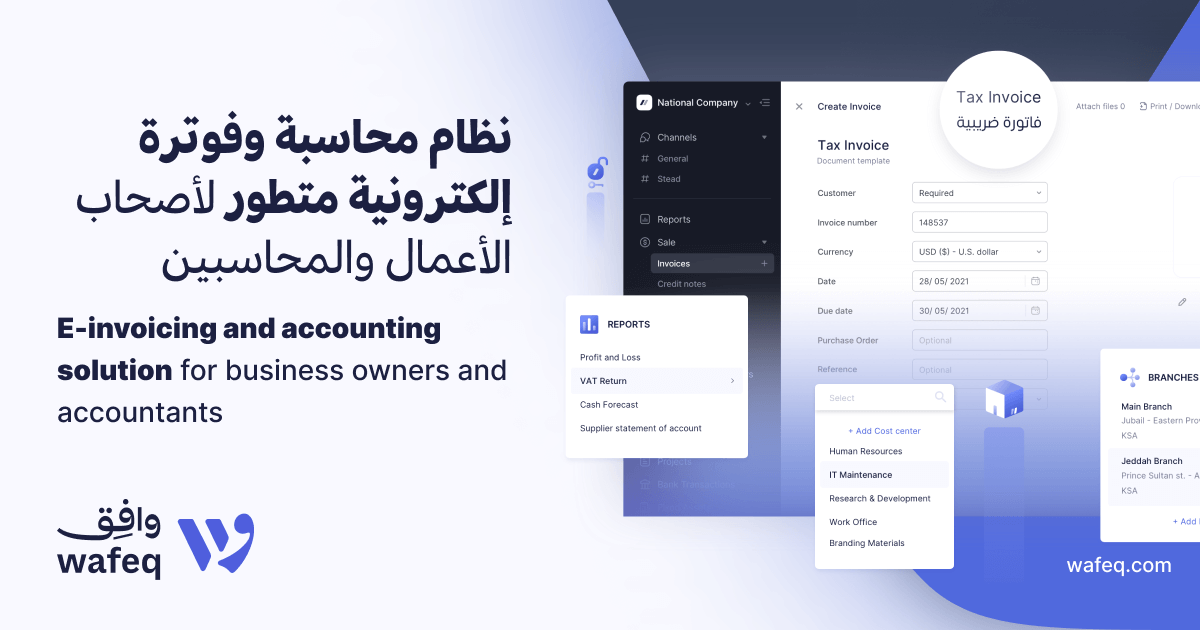
    Region-first accounting platform with Arabic OCR and ZATCA Phase 2 e-invoicing compliance.

    Visit Wafeq ↗
  45. –

    WeBuild

    Best for construction teams managing large sets of drawings and revisions

    Industry scanning tools
    Visit ↗

    Construction document platform that auto-labels plans with OCR and free external access.

    Visit WeBuild ↗

Ranked by score on the same nine criteria. Open Details on any row, then its evidence.

How we score these tools

Every tool in the main ranking is scored on the same criteria; the weights add up to 100. A criterion marked supplemental is shown for reference and is not part of the score.

  • OCR accuracy & languages (16%): Recognition accuracy, handwriting, tables and the languages supported.
  • Scanning & capture (12%): Scanner support, mobile capture, batch scanning, image cleanup.
  • Output & editing (10%): Searchable PDF, Word/Excel export, PDF editing and redaction.
  • Automation & data extraction (10%): Field extraction, classification, watched folders, API.
  • Integrations (6%): Cloud storage, document management and business app connectors.
  • Ease of use & time to value (12%): Setup effort, implementation length and services needed, admin burden, user adoption evidence.
  • Security & access control (10%): SOC 2 Type II / ISO 27001 stated by the vendor, SSO, role-based permissions, audit logs, data residency.
  • Total cost & pricing transparency (12%): Published prices, the billing unit, seats included, required add-ons or prerequisite licenses, contract minimums. Lower, clearer published prices score higher. Quote-only pricing scores lower.
  • Product track record (12%): Evidence about this product only: analyst placement of the product (Gartner/Forrester/IDC), its own customer counts, its own review ratings and implementation outcomes. The parent company's size or revenue does not count.

A check in the comparison means the vendor's own current page (security or trust page, pricing, documentation or app store listing) states it. We have not seen the vendors' audit reports or contracts. A parent company's size or revenue is not counted as evidence about the product. How scoring works

Before you buyPricing is hard to pin down in this group, with 22% of the 18 scanning and OCR tools we scored quoting on request. Test accuracy on your own messiest documents, like handwriting or faded bank statements, before trusting any vendor's published numbers.

Visit ↗

Side by side

Compare

What our research found
01

Best by job

These tools do different jobs, so compare like with like: the top three for each job, in the page's order. Tap a job to filter the lists below.

General document scanning & OCR software12 tools

  1. 1ABBYY FineReader PDF8.7
  2. 2Foxit8.6
  3. 3Azure Document Intelligence8.3

Enterprise document processing (IDP)7 tools

  1. 1Hyperscience8.3
  2. 2Infrrd8.1
  3. 3Docsumo7.9

Document management systems3 tools

  1. ·Ademero8.7 industry
  2. ·Document Logistix8.8 industry
  3. ·Image One8.6 industry

Industry scanning tools15 tools

  1. ·1040Scan9.0 industry
  2. ·BaseCap Analytics8.8 industry
  3. ·Beyond Key8.8 industry

Scanner hardware and capture devices1 tool

  1. ·Canon8.8 industry

Outsourced scanning services1 tool

  1. ·MetaSource8.8 industry

PDF editors and signing tools1 tool

  1. ·pdfFiller9.1 industry

E-invoicing tools1 tool

  1. ·Wafeq8.8 industry
02

Side by side

10 features across 10 products. Green is yes, red is no, grey is not published.

FeatureABBYY FineReader PDFFoxitAzure Document IntelligenceAdobe Acrobat ProPDFelementHyperscienceAmazon TextractGoogle Document AIInfrrdNitro PDF
Searchable PDF Yes, all editionsYes, PDF Editor plan and upYes, Read model (prebuilt-read) onlyYes, Acrobat Pro and Studio (not Standard)—————Yes, Standard plan and up
Handwriting recognition ——Yes, 12 languages (v4.0)——Yes, printed and handwritten (vendor claim)Yes, English onlyYes, 48 listed languages——
Languages supported 198 recognition languagesMultiple, selectable; count not statedAbout 300 printed languages listed—23 listed in OCR FAQ (homepage says 26)—More than 40 (printed)60 listed in table; Google claims 200+22+ languages13 built-in (Windows) plus CJK add-on packs
Batch scanning Yes; Hot Folder in Corporate, 5,000 pages/moYes, batch OCR and batch scanningYes, batch analysis APIYes, Acrobat Pro action sequencesYes, batch process—Yes, async jobs up to 3,000 pagesYes, batch requests up to 1,000 files—Yes, batch OCR in Standard
Mobile capture Yes, separate FineReader iOS appYes, PDF Editor+ and up (iOS, Android)No scanning app; API and SDKs onlyYes, free Adobe Scan app (iOS, Android)Yes, iOS and Android apps—No scanning app; API onlyNo scanning app; API only——
Data extraction or API No field extraction stated; table export to ExcelNo field extraction statedYes, prebuilt and custom extraction API——Yes, extraction plus API and Flows SDKYes, forms, tables, queries, expense, IDYes, Form Parser, Custom Extractor, parsersYes, IDP extraction and APINo field extraction stated; batch OCR only
Free plan or trial 7-day free trial, no payment14-day free trial, no credit cardYes, F0 free 500 pages/moFree trial of Pro; Adobe Scan app free14-day trial, watermark, no OCR PDF—Yes, 3-month free tier, new AWS customers—Free trial on your documents; 15K ForgeCoins14-day free trial, no credit card
Pricing unit Per license; yearly, 3-year or monthlyPer user/year; monthly or perpetual optionsPer 1,000 pages, pay-as-you-go monthlyPer license/mo, annual or monthly termPer user, yearly or one-time perpetualQuote onlyPer page, billed monthly, no minimumPer 1,000 pages, billed monthlyQuote, performance-basedPer user/month, billed annually; Classic once
Five-user monthly cost $41.25/mo (5 x $99/yr Win Standard); Corporate $68.75/mo$54.16/mo (5 x $129.99/yr)Not per user; usage from $1.50/1,000 pages$119.95/mo (5 x $23.99, Pro for teams, annual)Quote only (Team license)—Not per user; usage from $1.50/1,000 pagesNot per user; usage from $1.50/1,000 pagesQuote onlyNot published (Standard per user/mo, billed annually)
SOC 2 or ISO Certified ✓——✓✓✓——✓✓

How to read a check: the vendor's own current page (its security or trust page, pricing, documentation, or its official app store or Zapier listing) states it. We have not seen the vendors' audit reports or contracts.

03

What we found

Figures computed from our evaluation of the 18 general scanning and OCR tools in the ranking, prices checked as of November 15, 2026.

Scores. The 18 general scanning and OCR tools score between 7.0 and 8.7, with Adobe Acrobat Pro on top. The top 5 are within 0.4 points of each other, so the order between them is close and the plan, price and features you need should decide it. Tools score best on ocr accuracy & languages (average 8.5) and weakest on scanning & capture (average 7.6).

Price. 4 of 18 general scanning and OCR tools are quote-only, and 2 offer a free plan or free tier. 3 tools publish a price we could turn into a small-team monthly figure, but they measure different things (per user, per device or data volume, or a flat fee), so there is no single average. Each card names its plan, billing term and what the price leaves out.

Trust. 9 of 13 general scanning and OCR tools state on their own pages that they hold a SOC 2 report or an ISO 27001 certificate; each card says which product or platform it covers. 9 of 12 offer a free trial. We have not seen the vendors' audit reports or contracts, so ask for the report before you sign.

Industry specialists and adjacent tools are listed apart from the ranking and are not in these figures. The rubric and weights are in "How we score these tools" above.

04

Questions people ask

How much do scanning and OCR tools cost?

Among the 18 general scanning and OCR tools in our category-wide ranking, 3 publish a price we could turn into a small-team monthly figure, but they measure different things (per user, per device or data source, data volume, or a flat fee), so there is no single fair average. Examples: ABBYY FineReader PDF about $41.25 a month (FineReader PDF Standard (Windows) $99/license/yr or $16/mo; Corporate, needed for Hot Folder and compare, $165/yr or $24/mo; Mac $69/yr, limited PDF tools; auto-renews); Foxit about $54.16 a month (PDF Editor $129.99/user/yr; Editor+ $159.99/user/yr; FAQ: monthly billing from $10.99 (plan not named); up to 30% off at 30+ licenses; perpetual v14 $209.99); Adobe Acrobat Pro about $119.95 a month (Acrobat Pro for teams $23.99/license/mo annual billed monthly ($287.88/yr prepaid); fee up to half remaining term if cancelled after 14 days). 10 are quote-only. Prices differ in what they include (per-seat plans, flat account fees, yearly minimums, required add-ons and onboarding fees), so each card spells out its own price, what it needs on top, and the date it was checked on the vendor's pricing page. The 26 industry specialists and adjacent tools outside the main ranking are priced for their own industry or job and are not in these figures. Prices checked as of November 15, 2026.

Which scanning and OCR tools have a free plan?

2 of the 18 general scanning and OCR tools in our category-wide ranking offer a free plan or free tier: Azure Document Intelligence, LightPDF. Outside the main ranking, these industry or adjacent tools also have one: HelloBooks. Counted here: a plan you can keep using without paying, including free open-source editions and free tiers limited to some features (each card says what the free tier covers); free trials do not count. Free tiers usually cap users, devices, records or features, so check the limits against your team.

Which scanning and OCR tools say they hold SOC 2 or ISO 27001?

Across all 44 vendors on this page (every industry ranking, not only the side-by-side table), 18 of the 39 with security details on record (46%) state on their own current security or trust page that they hold a SOC 2 report or an ISO 27001 certificate. Among the top picks: ABBYY FineReader PDF, Adobe Acrobat Pro, PDFelement, Hyperscience, Infrrd, Nitro PDF. We have not seen the audit reports themselves, so ask for the report before you sign.

Do scanning and OCR tools offer a public API and single sign-on?

Across the vendors on this page with these details on record, 14 of 38 (37%) offer a public API and 7 of 38 (18%) support single sign-on. None of the top picks document both.

What do buyers complain about most?

The 188 documented weaknesses cluster in Usability & Customer Experience (56), Value, Pricing & Transparency (55), Product Capability & Depth (36). One example from a top pick, ABBYY FineReader PDF: The Mac edition is a reduced product: ABBYY's feature list shows no PDF text editing, redaction, document comparison, Hot Folder automation or Microsoft Office integration for FineReader PDF for Mac.

How are the scores produced?

Documentation, pricing pages, security pages and third-party reviews are reviewed against nine criteria. Each criterion records what was found and links its sources. Penalties pull the score down and are shown with their evidence. Rank follows the score. Full methodology.

05

More in Cloud Storage, Backup & File Management

The whole group
Research

Change history

Every change is dated and links to the page we checked.

Write a review

Your first-hand experience helps other buyers. Every review is checked before it appears.

Your rating *
Tap a star
How long have you used it? *
Add a few details
Loading the security code
No email needed. Text only, no links.