Cloud Storage Services

These are the specialized categories within Cloud Storage Services. Looking for something broader? See all Cloud Storage, Backup & File Management categories.

Not sure which one is right for you?

Answer 4 quick questions and we'll match you with your best options

Find Your Best Match

How big is your team?

Just me
2 - 10
11 - 50
51 - 200
201 - 1,000
1,000+

What's your budget situation?

Free or open-source only
Free to start, pay later
Best value for money
Price isn't the main factor

What's your team's technical comfort level?

We want it to just work
We can handle some setup
We have developers who'll customize it

What's the ONE thing this tool must do well?

Step 1 of 4
AWS Cloud Storage Services

AWS Cloud Storage Services is a highly versatile and robust solution ideal for marketing agencies. It provides extensive storage options coupled with advanced security measures, empowering agencies to store and protect their vast digital assets, from client data to marketing collateral. The deep functionality allows for efficient data access and analysis, vital in driving data-driven marketing strategies.

Best for Cloud Storage Services for Marketing Agencies

Expert Take

AWS Cloud Storage Services excels in providing versatile and secure storage solutions, making it ideal for marketing agencies. Its scalability, advanced security, and efficient data access are well-documented, supporting its position as a top-tier choice in cloud storage services.

Pros

  • Unmatched 99.999999999% (11 9s) data durability
  • Massive global scale with 34 regions
  • Supports 143 security & compliance standards
  • Deepest ecosystem of integrated services
  • Granular storage tiers for cost optimization

Cons

  • Complex pricing leads to unexpected bills
  • High data egress (transfer out) fees
  • Steep learning curve for beginners
  • Paid technical support is expensive
  • No hard spending cap to stop billing

Best for teams that are

  • Enterprises needing highly scalable and customizable storage.
  • Developers building complex, cloud-native applications.
  • Organizations requiring advanced data lake architectures.

Skip if

  • Non-technical users wanting an out-of-the-box storage app.
  • Small teams lacking dedicated IT or cloud management resources.

Best for teams that are

  • Enterprises needing highly scalable and customizable storage.
  • Developers building complex, cloud-native applications.
  • Organizations requiring advanced data lake architectures.

Skip if

  • Non-technical users wanting an out-of-the-box storage app.
  • Small teams lacking dedicated IT or cloud management resources.

Pros

  • Unmatched 99.999999999% (11 9s) data durability
  • Massive global scale with 34 regions
  • Supports 143 security & compliance standards
  • Deepest ecosystem of integrated services
  • Granular storage tiers for cost optimization

Cons

  • Complex pricing leads to unexpected bills
  • High data egress (transfer out) fees
  • Steep learning curve for beginners
  • Paid technical support is expensive
  • No hard spending cap to stop billing

Expert Take

AWS Cloud Storage Services excels in providing versatile and secure storage solutions, making it ideal for marketing agencies. Its scalability, advanced security, and efficient data access are well-documented, supporting its position as a top-tier choice in cloud storage services.

NetApp: Enterprise Storage Solution

NetApp is a unique enterprise-level storage solution embedded directly into major public cloud providers. This makes it an excellent choice for SaaS companies looking for robust, scalable, and secure cloud storage services. Its advanced data management capabilities help address common industry challenges, such as data security, compliance, and scalability.

Best for Cloud Storage Services for SaaS Companies

Expert Take

NetApp's enterprise storage solution is embedded within major cloud providers, offering advanced data management capabilities that address key industry challenges such as security, compliance, and scalability. Its integration with leading cloud platforms and robust security features make it a top choice for SaaS companies seeking reliable cloud storage solutions.

Pros

  • Native first-party AWS/Azure/GCP services
  • 99% accurate AI ransomware detection
  • Unified hybrid cloud control plane
  • Industry-leading storage efficiency (dedupe)
  • Non-disruptive operations and scalability

Cons

  • High cost for non-enterprise users
  • Steep learning curve for beginners
  • Frequent GUI changes cause friction
  • Complex licensing across hybrid environments
  • Requires specialized storage knowledge

Best for teams that are

  • Enterprises needing high-performance, all-flash storage for heavy workloads.
  • Organizations seeking robust disaster recovery and secure data archiving.

Skip if

  • Small businesses with limited budgets, due to high initial setup costs.
  • Teams lacking the technical expertise needed for complex enterprise setups.

Best for teams that are

  • Enterprises needing high-performance, all-flash storage for heavy workloads.
  • Organizations seeking robust disaster recovery and secure data archiving.

Skip if

  • Small businesses with limited budgets, due to high initial setup costs.
  • Teams lacking the technical expertise needed for complex enterprise setups.

Pros

  • Native first-party AWS/Azure/GCP services
  • 99% accurate AI ransomware detection
  • Unified hybrid cloud control plane
  • Industry-leading storage efficiency (dedupe)
  • Non-disruptive operations and scalability

Cons

  • High cost for non-enterprise users
  • Steep learning curve for beginners
  • Frequent GUI changes cause friction
  • Complex licensing across hybrid environments
  • Requires specialized storage knowledge

Expert Take

NetApp's enterprise storage solution is embedded within major cloud providers, offering advanced data management capabilities that address key industry challenges such as security, compliance, and scalability. Its integration with leading cloud platforms and robust security features make it a top choice for SaaS companies seeking reliable cloud storage solutions.

3
9.8 / 10
InClowdz

InClowdz revolutionizes cloud storage for contractors by integrating file editing directly in the cloud. It supports up to 18 platforms and ensures privacy with a zero-data-retention policy.

Best for Cloud Storage Services for Contractors

Expert Take

Wondershare InClowdz stands out by transforming how we manage fragmented cloud storage. Instead of just migrating files, its unique 'InClowdz Ecology' integration lets users edit PDFs, videos, and mind maps directly in the cloud using Wondershare's suite of tools. Paired with a strict zero-data-retention privacy policy, it is a highly secure and uniquely capable hub for digital file management.

Pros

  • Manages up to 18 cloud platforms
  • InClowdz Ecology for direct file editing
  • Zero data retention policy ensures privacy
  • Clean and intuitive desktop user interface

Cons

  • Lacks real-time file synchronization
  • Mobile app suffers from bugs
  • Customer support response times are poor

Best for teams that are

  • Users needing to sync or migrate data seamlessly between different cloud accounts.
  • Individuals or businesses looking to manage multiple cloud drives in one place.

Skip if

  • Teams needing a standalone, dedicated cloud storage service.
  • Users operating in remote field areas with little to no internet access.

Best for teams that are

  • Users needing to sync or migrate data seamlessly between different cloud accounts.
  • Individuals or businesses looking to manage multiple cloud drives in one place.

Skip if

  • Teams needing a standalone, dedicated cloud storage service.
  • Users operating in remote field areas with little to no internet access.

Pros

  • Manages up to 18 cloud platforms
  • InClowdz Ecology for direct file editing
  • Zero data retention policy ensures privacy
  • Clean and intuitive desktop user interface

Cons

  • Lacks real-time file synchronization
  • Mobile app suffers from bugs
  • Customer support response times are poor

Expert Take

Wondershare InClowdz stands out by transforming how we manage fragmented cloud storage. Instead of just migrating files, its unique 'InClowdz Ecology' integration lets users edit PDFs, videos, and mind maps directly in the cloud using Wondershare's suite of tools. Paired with a strict zero-data-retention privacy policy, it is a highly secure and uniquely capable hub for digital file management.

4
9.7 / 10
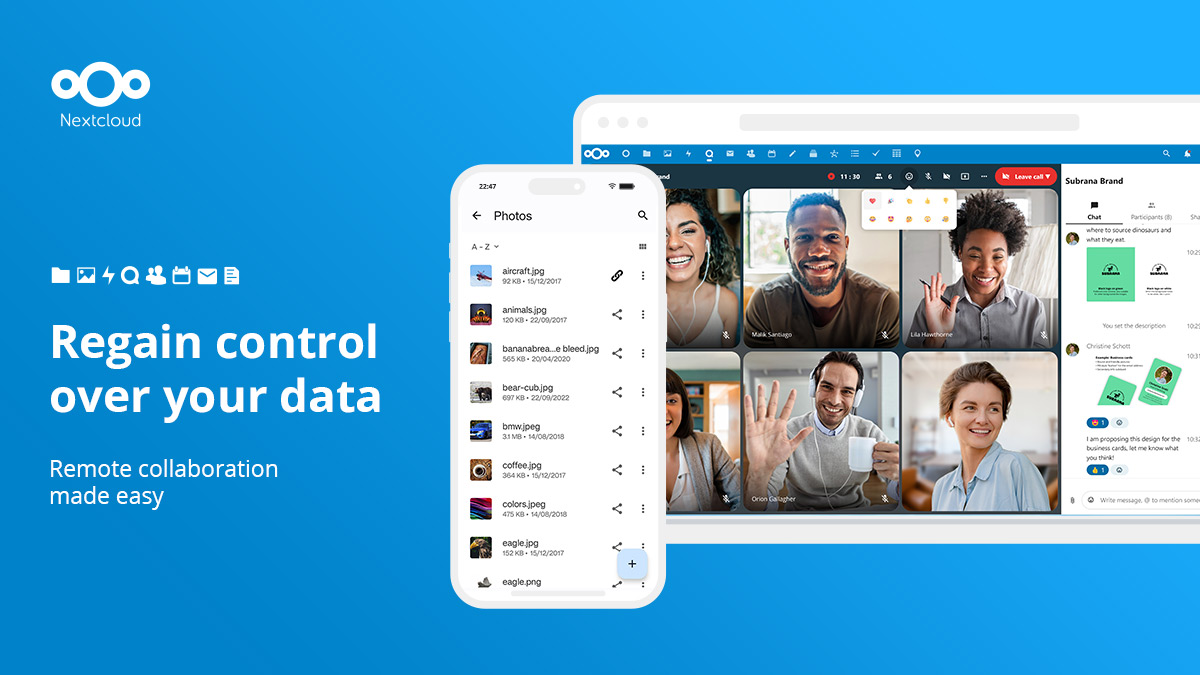
Nextcloud

Nextcloud is a powerful open-source content collaboration platform and cloud storage service designed for SaaS companies. It allows businesses to leverage their infrastructure, maintain customer loyalty, and expand their services while keeping their data secure and private.

Best for Cloud Storage Services for SaaS Companies

Expert Take

Nextcloud stands out as a top-tier cloud storage service for SaaS companies due to its open-source nature, which allows for extensive customization and scalability. Its strong emphasis on security and privacy, combined with robust collaboration tools, makes it a preferred choice for businesses seeking control over their data. While the requirement for technical skills and self-hosting may pose challenges, its flexibility and independence from specific hosting providers are significant advantages

Pros

  • Full digital sovereignty and data control
  • Comprehensive Hub 9 productivity suite
  • GDPR and HIPAA compliant architecture
  • Open source with free self-hosting
  • Extensive ecosystem with 400+ apps

Cons

  • Complex setup for optimal performance
  • Requires technical maintenance for self-hosting
  • Large file sync can be slow
  • Update process can be fragile
  • Mobile apps occasionally have sync lag

Best for teams that are

  • Businesses wanting a self-hosted platform with built-in productivity tools.
  • Teams prioritizing secure file collaboration and full data ownership.

Skip if

  • Non-technical users unable to deploy and maintain self-hosted servers.
  • Users with massive file libraries that may experience slower sync times.

Best for teams that are

  • Businesses wanting a self-hosted platform with built-in productivity tools.
  • Teams prioritizing secure file collaboration and full data ownership.

Skip if

  • Non-technical users unable to deploy and maintain self-hosted servers.
  • Users with massive file libraries that may experience slower sync times.

Pros

  • Full digital sovereignty and data control
  • Comprehensive Hub 9 productivity suite
  • GDPR and HIPAA compliant architecture
  • Open source with free self-hosting
  • Extensive ecosystem with 400+ apps

Cons

  • Complex setup for optimal performance
  • Requires technical maintenance for self-hosting
  • Large file sync can be slow
  • Update process can be fragile
  • Mobile apps occasionally have sync lag

Expert Take

Nextcloud stands out as a top-tier cloud storage service for SaaS companies due to its open-source nature, which allows for extensive customization and scalability. Its strong emphasis on security and privacy, combined with robust collaboration tools, makes it a preferred choice for businesses seeking control over their data. While the requirement for technical skills and self-hosting may pose challenges, its flexibility and independence from specific hosting providers are significant advantages

Autodesk Construction Cloud

Designed specifically for the construction industry, Autodesk Construction Cloud facilitates seamless and secure collaboration between project teams. This solution enables on-time and within-budget project delivery by offering efficient cloud storage, thus addressing the unique needs of contractors.

Best for Cloud Storage Services for Contractors

Expert Take

Autodesk Construction Cloud excels in providing industry-specific solutions for contractors, with strong capabilities in secure collaboration and efficient project management. It is recognized for its integration within the construction ecosystem and offers a robust platform for data management and workflow optimization.

Pros

  • Unified platform from design to operations
  • Massive ecosystem with 400+ integrations
  • Industry-standard BIM coordination tools
  • Top-tier security (SOC 2, ISO 27001)
  • Seamless integration with Revit and AutoCAD

Cons

  • Steep learning curve for new users
  • Complex pricing (sheets vs. users)
  • Mandatory 30-day online check-in
  • Performance lags with massive datasets
  • Syncing delays between mobile and desktop

Best for teams that are

  • Large general contractors managing complex, multi-stakeholder projects.
  • Design and engineering teams heavily using the Autodesk software ecosystem.

Skip if

  • Small subcontractors needing fast, lightweight, and mobile-first field apps.
  • Smaller teams seeking low-cost tools without enterprise-level complexity.

Best for teams that are

  • Large general contractors managing complex, multi-stakeholder projects.
  • Design and engineering teams heavily using the Autodesk software ecosystem.

Skip if

  • Small subcontractors needing fast, lightweight, and mobile-first field apps.
  • Smaller teams seeking low-cost tools without enterprise-level complexity.

Pros

  • Unified platform from design to operations
  • Massive ecosystem with 400+ integrations
  • Industry-standard BIM coordination tools
  • Top-tier security (SOC 2, ISO 27001)
  • Seamless integration with Revit and AutoCAD

Cons

  • Steep learning curve for new users
  • Complex pricing (sheets vs. users)
  • Mandatory 30-day online check-in
  • Performance lags with massive datasets
  • Syncing delays between mobile and desktop

Expert Take

Autodesk Construction Cloud excels in providing industry-specific solutions for contractors, with strong capabilities in secure collaboration and efficient project management. It is recognized for its integration within the construction ecosystem and offers a robust platform for data management and workflow optimization.

Box for Construction

Box for Construction is a cloud-based storage and project management solution designed specifically for the construction industry. It provides secure workspaces for firms to collaborate, manage projects, negotiate bids, and share files, addressing the need for efficient and secure data management and collaboration in large-scale construction projects.

Best for Cloud Storage Services for Contractors

Expert Take

Box for Construction excels as a cloud storage and project management solution tailored for the construction industry. Its secure collaboration features and industry-specific tools position it as a leader in its niche, despite the learning curve for beginners.

Pros

  • Unlimited storage on Business plans
  • Native mobile preview for CAD/BIM
  • Deep integrations with Autodesk & Procore
  • FedRAMP & government-grade security
  • Intuitive interface for non-technical users

Cons

  • No block-level syncing for large files
  • Upload file size limits on lower tiers
  • Lacks native RFI/financial management tools
  • Offline access less robust than niche apps
  • Per-user pricing scales poorly for large teams

Best for teams that are

  • Construction and AEC firms wanting secure digital project collaboration.
  • Enterprise teams needing robust security and strict data privacy compliance.

Skip if

  • Individuals or freelancers seeking maximum free or ultra-low-cost storage.
  • Companies wanting traditional offline server access over cloud solutions.

Best for teams that are

  • Construction and AEC firms wanting secure digital project collaboration.
  • Enterprise teams needing robust security and strict data privacy compliance.

Skip if

  • Individuals or freelancers seeking maximum free or ultra-low-cost storage.
  • Companies wanting traditional offline server access over cloud solutions.

Pros

  • Unlimited storage on Business plans
  • Native mobile preview for CAD/BIM
  • Deep integrations with Autodesk & Procore
  • FedRAMP & government-grade security
  • Intuitive interface for non-technical users

Cons

  • No block-level syncing for large files
  • Upload file size limits on lower tiers
  • Lacks native RFI/financial management tools
  • Offline access less robust than niche apps
  • Per-user pricing scales poorly for large teams

Expert Take

Box for Construction excels as a cloud storage and project management solution tailored for the construction industry. Its secure collaboration features and industry-specific tools position it as a leader in its niche, despite the learning curve for beginners.

Backblaze Cloud Storage

Backblaze is a cloud storage solution specifically designed for SaaS companies who require robust, scalable, and low-cost backup and storage services. It provides enterprise-level hot storage, cost-effective backup and archive capabilities, meeting the unique needs of the SaaS industry.

Best for Cloud Storage Services for SaaS Companies

Expert Take

Backblaze Cloud Storage excels in providing scalable and cost-effective storage solutions tailored for SaaS companies. Its robust security measures and ease of use make it a reliable choice. While it lacks some advanced features, its core offerings are well-documented and highly regarded.

Pros

  • Approx. 80% cheaper than AWS S3 ($6/TB/mo)
  • Free egress up to 3x monthly storage
  • S3 Compatible API for easy migration
  • SOC 2 Type 2 and HIPAA compliant
  • 11 nines annual data durability

Cons

  • Web interface can be slow/dated
  • Fewer data center regions than AWS
  • Transaction fees for high API usage
  • No native AI/ML compute services
  • Occasional DNS/domain reliability hiccups

Best for teams that are

  • Small businesses and individuals wanting simple, unlimited data backup.
  • Users looking to back up a single computer with very large data volumes.

Skip if

  • Teams requiring real-time file syncing and collaborative sharing tools.
  • Users seeking full-system drive or OS partition restoration.

Best for teams that are

  • Small businesses and individuals wanting simple, unlimited data backup.
  • Users looking to back up a single computer with very large data volumes.

Skip if

  • Teams requiring real-time file syncing and collaborative sharing tools.
  • Users seeking full-system drive or OS partition restoration.

Pros

  • Approx. 80% cheaper than AWS S3 ($6/TB/mo)
  • Free egress up to 3x monthly storage
  • S3 Compatible API for easy migration
  • SOC 2 Type 2 and HIPAA compliant
  • 11 nines annual data durability

Cons

  • Web interface can be slow/dated
  • Fewer data center regions than AWS
  • Transaction fees for high API usage
  • No native AI/ML compute services
  • Occasional DNS/domain reliability hiccups

Expert Take

Backblaze Cloud Storage excels in providing scalable and cost-effective storage solutions tailored for SaaS companies. Its robust security measures and ease of use make it a reliable choice. While it lacks some advanced features, its core offerings are well-documented and highly regarded.

8
9.6 / 10
Ci Media Cloud

Ci Media Cloud is an advanced cloud-based asset management software specifically designed for marketing agencies. It offers seamless media management and collaboration features, enabling users to store, access, and share their media assets efficiently and securely. It particularly addresses the industry's need for a centralized, easily accessible repository for media assets and the ability to collaborate on these assets in real time.

Best for Cloud Storage Services for Marketing Agencies

Expert Take

Ci Media Cloud excels as a cloud-based asset management solution tailored for marketing agencies. It offers robust media management and collaboration features, supported by a free plan that enhances accessibility. Its design specifically addresses the needs of marketing agencies, providing a centralized and secure platform for media assets.

Pros

  • Unlimited users on Team ($49/mo) plan
  • ISO 27001 & MPAA security compliance
  • Direct Sony camera-to-cloud integration
  • Native Adobe Premiere & DaVinci panels
  • Built-in high-speed Aspera transfers

Cons

  • Archive restore takes 24-48 hours
  • Navigation confusing for some new users
  • Less metadata customization than pure DAMs
  • Aspera transfer costs can be high
  • Limited advanced DAM features

Best for teams that are

  • Media production teams needing automated VFX pulls.
  • Video editors integrating with Adobe Premiere Pro or Avid.
  • Broadcasters needing secure, high-speed large video transfers.

Skip if

  • General businesses not working with heavy video or media files.
  • Individuals seeking basic document or photo backup solutions.

Best for teams that are

  • Media production teams needing automated VFX pulls.
  • Video editors integrating with Adobe Premiere Pro or Avid.
  • Broadcasters needing secure, high-speed large video transfers.

Skip if

  • General businesses not working with heavy video or media files.
  • Individuals seeking basic document or photo backup solutions.

Pros

  • Unlimited users on Team ($49/mo) plan
  • ISO 27001 & MPAA security compliance
  • Direct Sony camera-to-cloud integration
  • Native Adobe Premiere & DaVinci panels
  • Built-in high-speed Aspera transfers

Cons

  • Archive restore takes 24-48 hours
  • Navigation confusing for some new users
  • Less metadata customization than pure DAMs
  • Aspera transfer costs can be high
  • Limited advanced DAM features

Expert Take

Ci Media Cloud excels as a cloud-based asset management solution tailored for marketing agencies. It offers robust media management and collaboration features, supported by a free plan that enhances accessibility. Its design specifically addresses the needs of marketing agencies, providing a centralized and secure platform for media assets.

ownCloud Secure File Sharing

ownCloud is specifically tailored for SaaS companies looking for a secure, real-time content collaboration platform. It provides extensive file sharing capabilities, allowing for secure sharing of files and folders, and gives excellent data control, critical for businesses handling sensitive information.

Best for Cloud Storage Services for SaaS Companies

Expert Take

ownCloud Secure File Sharing excels in providing secure and scalable file sharing solutions tailored for SaaS companies. Its strong security features and real-time collaboration capabilities make it a top choice for businesses handling sensitive data. While it has some limitations in integrations and built-in editing tools, its overall offering remains robust and well-suited for its target market.

Pros

  • Revolutionary 'Infinite Scale' Go-based architecture
  • Proven scalability (used by CERN)
  • Strong data sovereignty and GDPR compliance
  • Database-less backend eliminates bottlenecks
  • Enterprise-grade support with SLAs

Cons

  • Mobile apps cost money for Community users
  • Advanced security features locked behind Enterprise
  • Self-hosting requires technical IT skills
  • Smaller plugin ecosystem than Nextcloud
  • Legacy PHP version still in circulation

Best for teams that are

  • Enterprises requiring strict data compliance, audit logs, and security.
  • Businesses wanting stable, self-hosted file syncing and full data control.

Skip if

  • Non-technical users looking for simple, maintenance-free cloud storage.
  • Teams requiring a massive library of third-party plugins and integrations.

Best for teams that are

  • Enterprises requiring strict data compliance, audit logs, and security.
  • Businesses wanting stable, self-hosted file syncing and full data control.

Skip if

  • Non-technical users looking for simple, maintenance-free cloud storage.
  • Teams requiring a massive library of third-party plugins and integrations.

Pros

  • Revolutionary 'Infinite Scale' Go-based architecture
  • Proven scalability (used by CERN)
  • Strong data sovereignty and GDPR compliance
  • Database-less backend eliminates bottlenecks
  • Enterprise-grade support with SLAs

Cons

  • Mobile apps cost money for Community users
  • Advanced security features locked behind Enterprise
  • Self-hosting requires technical IT skills
  • Smaller plugin ecosystem than Nextcloud
  • Legacy PHP version still in circulation

Expert Take

ownCloud Secure File Sharing excels in providing secure and scalable file sharing solutions tailored for SaaS companies. Its strong security features and real-time collaboration capabilities make it a top choice for businesses handling sensitive data. While it has some limitations in integrations and built-in editing tools, its overall offering remains robust and well-suited for its target market.

10
9.5 / 10
Wasabi Cloud Storage

Wasabi is a disruptive cloud storage solution that allows marketing agencies to store more data at a much lower cost, enabling them to maximize their data-driven insights without breaking the bank. The software's cost-effectiveness, coupled with its robust security features, allows agencies to manage large volumes of data securely, a critical need in an era of data privacy regulations.

Best for Cloud Storage Services for Marketing Agencies

Expert Take

Wasabi Cloud Storage excels in providing cost-effective and secure cloud storage solutions for marketing agencies. Its competitive pricing model and unlimited data egress are significant advantages. While it lacks built-in file sharing, its strong security features and easy integration make it a top choice for data-driven marketing environments.

Pros

  • No egress fees or API request charges
  • Flat-rate pricing (~$6.99/TB/mo)
  • 11 nines (99.999999999%) data durability
  • S3 Object Lock for ransomware protection
  • 100% S3 bit-compatible API

Cons

  • 90-day minimum retention policy (Pay-Go)
  • Minimum monthly charge of 1 TB
  • No native compute or AI services
  • Support response times can vary
  • 4 KB minimum billable object size

Best for teams that are

  • Businesses needing cost-effective S3-compatible object storage.
  • Enterprises avoiding unpredictable egress and API fees.
  • Companies backing up massive datasets or media archives.

Skip if

  • Everyday consumers wanting a simple file sync and share app.
  • Teams requiring a full suite of integrated cloud services.

Best for teams that are

  • Businesses needing cost-effective S3-compatible object storage.
  • Enterprises avoiding unpredictable egress and API fees.
  • Companies backing up massive datasets or media archives.

Skip if

  • Everyday consumers wanting a simple file sync and share app.
  • Teams requiring a full suite of integrated cloud services.

Pros

  • No egress fees or API request charges
  • Flat-rate pricing (~$6.99/TB/mo)
  • 11 nines (99.999999999%) data durability
  • S3 Object Lock for ransomware protection
  • 100% S3 bit-compatible API

Cons

  • 90-day minimum retention policy (Pay-Go)
  • Minimum monthly charge of 1 TB
  • No native compute or AI services
  • Support response times can vary
  • 4 KB minimum billable object size

Expert Take

Wasabi Cloud Storage excels in providing cost-effective and secure cloud storage solutions for marketing agencies. Its competitive pricing model and unlimited data egress are significant advantages. While it lacks built-in file sharing, its strong security features and easy integration make it a top choice for data-driven marketing environments.

Loading comparison data…

How We Rank Products

Our Evaluation Process

Cloud Storage Services are evaluated based on documented features such as storage capacity, data security measures, and integration capabilities with third-party applications. Pricing transparency is assessed to help buyers understand cost structures. Compatibility with existing IT infrastructure and compliance with regulatory standards are crucial evaluation criteria. Third-party customer feedback is considered to gauge user satisfaction and service reliability.

Verification

  • Products evaluated through comprehensive research and analysis of customer reviews and expert insights.
  • Rankings based on a thorough examination of features, security measures, and pricing structures.
  • Selection criteria focus on cloud storage capacity, user accessibility, and data protection standards.

Score Breakdown

0.0 / 10

About Cloud Storage Services

The Operational Backbone of the Digital Enterprise: A Definitive Guide to Cloud Storage Services

Cloud Storage Services represent the foundational layer of modern enterprise infrastructure, yet they remain one of the most misunderstood and mismanaged categories in the software stack. At its core, this category covers the virtualization of data persistence: the mechanisms through which organizations store, retrieve, manage, and archive digital assets over a network, decoupled from physical hardware dependencies. It encompasses the full lifecycle of data residency—from hot storage for high-frequency transactional applications to cold archival tiers for regulatory compliance. This software sits distinctly between Infrastructure as a Service (IaaS) components (which provide the raw compute) and Data Management Platforms (which provide the governance and analytics layer). While adjacent to Database Management Systems (DBMS), Cloud Storage Services are broader, handling unstructured data (objects, files, blobs) alongside the structured backups that feed databases. The category includes both general-purpose hyperscale object stores and specialized, vertical-specific solutions designed for industries with rigorous compliance needs, such as healthcare imaging or legal discovery.

For the modern enterprise, Cloud Storage is no longer merely a digital locker; it is an active logistical environment. It creates the "data gravity" that determines where applications run, how AI models are trained, and how fast a business can pivot. A robust Cloud Storage strategy decouples data from the underlying hardware, allowing businesses to treat storage as a programmable utility rather than a capital asset. Whether for a boutique creative agency managing terabytes of raw video or a multinational financial firm adhering to SEC retention schedules, the selection of a storage service dictates the organization's agility, risk profile, and long-term operational efficiency.

History: From Magnetic Tape to Intelligent Objects

The trajectory of Cloud Storage Services is not a story of better hard drives, but of a fundamental shift in the economic model of computing. In the 1990s and early 2000s, storage was synonymous with Network Attached Storage (NAS) and Storage Area Networks (SAN)—capital-intensive hardware silos that required specialized teams to manage. The defining constraint was capacity planning; CIOs had to predict data growth years in advance, leading to massive over-provisioning and wasted capital. Data lived in "block" and "file" formats, tethered to specific data centers.

The paradigm shattered in 2006 with the launch of the first widely accessible public cloud storage service (Simple Storage Service, or S3, launched by a major hyperscaler). This introduced Object Storage, a flat structure that allowed developers to access data via API rather than file hierarchy, enabling infinite scalability without complex hardware reconfiguration [1]. This moment marked the transition from storage as hardware to storage as software.

The decade from 2010 to 2020 was defined by market consolidation and the "Consumerization of IT." Services like Dropbox and Box emerged, initially targeting consumers but rapidly infiltrating the enterprise via "shadow IT," forcing IT departments to adopt user-friendly cloud file sharing to regain control [2]. Concurrently, the enterprise hardware market saw massive consolidation, exemplified by the $67 billion merger of Dell and EMC in 2016, the largest tech deal in history at the time, which signaled that legacy hardware giants had to aggressively pivot to hybrid cloud architectures to survive [3]. By 2020, the buyer's expectation had shifted from "give me a cheap place to dump backups" to "give me a data lake that can feed real-time analytics and AI models," driving the rise of intelligent tiering and immutable storage for ransomware protection.

What to Look For: Critical Evaluation Criteria

Evaluating Cloud Storage Services requires moving beyond price-per-gigabyte comparisons, which often mask the true Total Cost of Ownership (TCO). Expert buyers focus on the architectural behaviors of the service under stress and scale.

Consistency Models: One of the most critical technical differentiators is the consistency model. Many distributed cloud storage systems historically relied on "eventual consistency," meaning a read request immediately following a write might return old data. For high-performance applications, look for strong consistency guarantees, where data is immediately available across all zones after a write acknowledgment. This prevents race conditions in complex workflows [4].

Durability and Availability SLAs: Do not confuse durability (not losing data) with availability (accessing data). Top-tier vendors offer "11 nines" (99.999999999%) of durability, achieved by erasure coding data across multiple geographic regions. Warning signs include vendors who remain vague about their redundancy methods or who charge exorbitant premiums for multi-region replication.

Egress and API Transaction Fees: The "hidden tax" of cloud storage is not the storage itself, but the cost to move or use it. Scrutinize the pricing for egress (downloading data) and API requests (PUT, GET, LIST operations). A low monthly storage fee can balloon if your application performs millions of small file interactions daily. Red flags include complex tiering structures that penalize you for accessing "cold" data sooner than contractually agreed.

Key Questions to Ask Vendors:

  • "Does your service offer object locking and immutability that specifically complies with SEC Rule 17a-4 or equivalent ransomware protection standards?"
  • "What is the mathematical probability of data loss in a single-region vs. multi-region configuration?"
  • "Can you provide a deterministic calculation of API costs for a workload of 10 million small files versus 1,000 large files?"

Industry-Specific Use Cases

Retail & E-commerce

In the retail sector, cloud storage is the engine behind omnichannel visibility and digital asset management. Retailers do not just store files; they manage millions of product images, videos, and inventory logs that must be served instantly to users globally. The critical need here is low-latency content delivery and integration with supply chain systems. A study by McKinsey noted that companies leveraging cloud solutions for supply chain management reported a 20% reduction in inventory costs and a 25% increase in operational efficiency [5]. Evaluation priorities include integration with Content Delivery Networks (CDNs) and the ability to handle massive spikes in traffic during events like Black Friday without throttling API requests.

Healthcare

Healthcare organizations use cloud storage for Vendor Neutral Archives (VNA) and Picture Archiving and Communication Systems (PACS). The absolute priority is HIPAA compliance and data immutability to prevent tampering. Unlike retail, where speed is paramount, healthcare focuses on long-term retention and security. Cloud-based solutions can reduce infrastructure costs significantly; for instance, transitioning medical imaging infrastructure to the cloud can reduce costs by up to 30% compared to on-premise maintenance [6]. Unique considerations include support for DICOM file formats and "break-glass" procedures for emergency data access.

Financial Services

For financial institutions, cloud storage is a regulatory vault. The driving force is compliance with strict record-keeping rules, such as the SEC Rule 17a-4, which mandates that broker-dealer records be stored in a non-rewriteable, non-erasable (WORM) format. In 2023, the SEC amended these rules to allow for "audit-trail" alternatives, making cloud storage more viable but increasing the burden of proof on the software's logging capabilities [7]. Buyers in this sector must look for "Legal Hold" features and granular audit logs that track every single access attempt.

Manufacturing

Manufacturers utilize cloud storage to handle the massive influx of unstructured IoT data and large CAD engineering files. A specific pain point is the synchronization of massive CAD assemblies across global teams; latency can corrupt files or result in version conflicts. Research indicates that engineering teams lose an average of 7.1 hours per week due to technical issues with CAD file management and system delays [8]. Consequently, manufacturers prioritize "global file locking" capabilities and block-level transfer technologies that only sync the changed parts of a massive file rather than the whole asset.

Professional Services

Law firms, consultancies, and agencies rely on cloud storage for secure client portals and document collaboration. The focus is on permission granularity—ensuring a client can see only their specific sub-folder—and watermarking features. Unlike manufacturing's focus on file size, professional services focus on file security and the audit trail of who viewed a document and when. The evaluation priority is the user experience for external stakeholders (clients) who should not need to install complex software to access their deliverables.

Subcategory Overview

While general-purpose storage buckets (like S3 or Azure Blob) serve as the raw utility, specialized subcategories have emerged to solve workflow-specific problems that generic tools simply cannot address without massive custom development. These niche tools wrap the raw storage in a layer of application logic tailored to specific business functions.

Cloud Storage for SaaS Companies

SaaS companies face a unique challenge: their storage needs are often programmatic, driven by their own applications rather than human users. They require high-performance object storage with robust API consistency and low latency to serve their own customers. Generic storage often lacks the specialized developer toolkits or predictable flat-rate egress pricing that high-volume SaaS applications need to maintain margins. This niche focuses on developer-centric storage that integrates directly into CI/CD pipelines and application backends. For a detailed breakdown of tools optimized for high-availability application hosting, refer to our guide to Cloud Storage Services for SaaS Companies.

Cloud Storage for Marketing Agencies

Marketing agencies deal with "heavy" media assets—4K video, RAW images, and InDesign files—that crush standard cloud synchronization tools. The defining workflow here is the "preview and approval" cycle. Generic tools often require a user to download a 5GB video file just to check a timestamp, creating massive bandwidth bottlenecks. Specialized tools for agencies include server-side rendering that allows instant previews of massive files without downloading, and granular "client view" modes. This eliminates the specific pain point of version control chaos when ten different creatives are editing assets simultaneously. To explore solutions built for digital asset management workflows, see our guide on Cloud Storage Services for Marketing Agencies.

Cloud Storage for Contractors

For contractors and construction firms, the office is a muddy job site with spotty cellular data. Generic cloud storage often fails here because it assumes a stable broadband connection. Specialized tools for contractors prioritize robust "offline modes" and mobile-first interfaces that can render complex blueprints (BIM/CAD) on a tablet screen. The workflow that only these tools handle well is the field-to-office sync: a site manager marks up a PDF blueprint offline, and the system intelligently syncs the changes once connectivity is restored, without creating file conflicts. This solves the pain point of working with outdated plans, which can lead to costly construction errors. Learn more about field-ready options in our guide to Cloud Storage Services for Contractors.

Deep Dive: Integration & API Ecosystem

In the enterprise, cloud storage is rarely a standalone destination; it is a transit hub. The effectiveness of a service is defined by its API robustness. A critical metric here is API rate limiting. Poorly designed integrations often hit "429 Too Many Requests" errors when batch-processing thousands of files, causing data pipelines to fail silently. For example, Dropbox's API enforces strict rate limits per user/app pair, which can halt operations if a developer naively polls the server for changes instead of using webhooks [9].

According to 2024 data on system integration failures, 84% of digital transformation integration projects fail or partially fail due to data quality and complexity issues [10]. This statistic underscores the risk of treating storage integration as an afterthought. Consider a scenario where a 50-person professional services firm connects their storage to a Project Management (PM) tool and a billing system. If the integration relies on a basic "folder watch" script, a simple renaming of a parent folder by a junior associate can break the path links in the PM tool and sever the connection to the billing evidence, delaying invoicing by weeks. Expert buyers prioritize storage services that offer persistent IDs for files (so links survive renaming) and robust event-driven webhooks.

Deep Dive: Security & Compliance

Security in cloud storage is a shared responsibility model, but the human element remains the weakest link. The 2024 Verizon Data Breach Investigations Report (DBIR) highlights that the "human element" was a component in 68% of all breaches, including errors and social engineering [11]. This creates a specific imperative for storage buyers: you cannot rely solely on the vendor's encryption; you must evaluate their Identity and Access Management (IAM) controls.

Consider a healthcare provider storing patient records. If they utilize a cloud storage bucket that defaults to "public" or allows broad "Any Authenticated User" permissions (a common misconfiguration), they risk a catastrophic breach even if the data is encrypted at rest. A robust solution must offer Attribute-Based Access Control (ABAC), allowing policies like "Access is only granted to users in the HR group and logging in from a corporate device and located in the UK." Experts confirm that misconfiguration is a leading cause of cloud data loss; Thales reported that user error is the leading cause of cloud data breaches at 31% [12].

Deep Dive: Pricing Models & TCO

Cloud storage pricing is notoriously opaque, often described as a "roach motel"—easy to get data in, expensive to get it out. The Total Cost of Ownership (TCO) comprises storage capacity, egress (download) fees, API transaction costs, and potentially "retrieval" fees for cold storage tiers. In 2024, major providers like AWS, Google Cloud, and Azure announced the removal of egress fees for customers permanently leaving their platforms to comply with the European Data Act, but standard operational egress fees remain [13].

Scenario: A media company stores 100 TB of video archives. Provider A charges $0.023/GB for storage but $0.09/GB for egress. Provider B charges $0.06/GB for storage but offers free egress. If the company is purely archiving (write once, read never), Provider A costs $2,300/month. Provider B costs $6,000/month. However, if the company actively edits this footage and downloads 50 TB/month, Provider A's bill jumps by $4,500 (egress fees), totaling $6,800/month. Provider B remains at $6,000. Gartner predicts that through 2024, 60% of infrastructure leaders will encounter public cloud cost overruns [14]. A granular TCO analysis based on access patterns, not just volume, is mandatory.

Deep Dive: Implementation & Change Management

The "Lift and Shift" strategy—taking on-premise file structures and dumping them directly into cloud buckets—is the primary cause of implementation failure. Without re-architecting data workflows, organizations replicate their "digital debris" in the cloud at a higher cost. McKinsey research indicates that 75% of cloud migrations run over budget, and 38% run behind schedule, often due to a lack of understanding of the new operating model [15].

Expert Quote: "Under pressure to move quickly, I&O leaders often prioritize the 'lift and shift' approach of moving workloads into the cloud without modifying them," warns Gartner, identifying this as a primary driver of cost overruns [14]. Scenario: A manufacturing firm moves 20 years of CAD files to the cloud. They maintain the same deeply nested folder structure (20 layers deep) used on their Windows file server. However, the cloud storage service has a character limit on file paths or URL lengths. Immediately upon go-live, thousands of files become inaccessible or corrupted during sync, halting production. A proper implementation would have involved "flattening" the architecture and using metadata tags instead of deep folders before migration.

Deep Dive: Vendor Evaluation Criteria

When selecting a vendor, the "soft" criteria of the contract often outweigh the technical specs. You must evaluate the vendor's ecosystem gravity. Does the storage integrate natively with your existing tech stack (e.g., Microsoft 365, Salesforce)? A critical red flag is a vendor that cannot provide a clear Exit Strategy. Proprietary metadata formats can lock you in just as effectively as egress fees. If you tag millions of files with metadata using a vendor's proprietary tool, and that metadata cannot be exported in a standard format (like JSON or XML) alongside the objects, you are functionally locked in.

Expert Insight: Flexera’s 2024 State of the Cloud Report notes that managing cloud spending has overtaken security as the top challenge for enterprises [16]. Consequently, evaluation must heavily weight the vendor's financial operations (FinOps) tooling. Does the vendor provide granular cost allocation tags? Can you see exactly which department is driving up storage costs?

Emerging Trends and Contrarian Take

Emerging Trend: Geopatriation and Sovereign AI The era of the "borderless cloud" is ending. We are entering the age of Geopatriation. Gartner identifies this as a top trend for 2026, driven by geopolitical instability and diverging regulatory regimes. It refers to the repatriation of data from global hyperscalers back to local, sovereign clouds or regional data centers to ensure jurisdictional control. Gartner predicts that by 2030, over 75% of enterprises outside the US will pursue a formal sovereignty strategy, up from less than 5% in 2025 [17].

Emerging Trend: Agentic AI Architecture Traditional storage was built for humans to read files. The next wave is storage built for AI Agents. These autonomous software agents require access to vast amounts of unstructured data (PDFs, emails, logs) to reason and act. Storage architectures are evolving to include native vector embedding and semantic search capabilities, allowing AI agents to "understand" the content of a bucket without needing to move the data to a separate vector database [18].

Contrarian Take: The "Cloud-First" Strategy is Dead For a decade, "Cloud-First" was the axiom of IT. The contrarian reality today is that Hybrid is the destination, not the transition. The mid-market is increasingly discovering that the public cloud is economically ruinous for stable, high-volume workloads. The "Cloud Repatriation" movement isn't just valid; it's financially responsible. Most organizations would achieve better ROI by treating the public cloud as an elastic overflow buffer rather than their primary "always-on" storage, specifically for predictable, large-scale data sets. The future isn't "all-in" on the cloud; it's about strategic, selective resistance to the hyperscale tax.

Common Mistakes

1. Treating Cloud Storage like a Hard Drive: Users often treat cloud buckets like local disks, performing thousands of tiny read/write operations. This ignores the network latency and transaction costs inherent in cloud architecture, leading to sluggish applications and high bills.

2. Ignoring Lifecycle Policies: Companies migrate data and forget it. They fail to configure "Lifecycle Rules" that automatically move data to cheaper, colder tiers after 30 or 90 days. The result is paying premium prices for data that hasn't been touched in years—often referred to as ROT (Redundant, Obsolete, Trivial) data. Veritas reports have historically estimated ROT data to be 33% of stored information [19].

3. Overlooking "Deleted" Data: In many versioned buckets, deleting a file just places a "delete marker" on it, while the previous versions remain stored and billable. Organizations often believe they have cleaned up storage, only to find their bill unchanged because they are paying for petabytes of invisible "deleted" versions.

Questions to Ask in a Demo

  • "Can you demonstrate the process of restoring a single file from a specific point in time (snapshot) without restoring the entire volume?"
  • "Show me the exact latency metrics for listing 100,000 files in a single directory. Does performance degrade as density increases?"
  • "How does your system handle a 'write' conflict if two users in different regions save a file simultaneously? Which version wins?"
  • "Does your platform support 'Immutability' or 'Object Locking' at the bucket level, and can I set a retention period that even an administrator cannot override?" (Crucial for ransomware protection).
  • "Show me the cost analysis dashboard. Can I set a hard budget cap that cuts off write access if exceeded, or will I just get an email alert?"

Before Signing the Contract

Final Decision Checklist:

  • Data Sovereignty Map: Have you verified exactly which physical data centers your data will reside in? Does this align with your legal team's requirements for GDPR/CCPA?
  • Exit Clause: Negotiate the terms of data exit. Ensure the contract explicitly states that the vendor will assist (or at least not throttle) bulk data extraction upon contract termination.
  • SLA Penalties: Standard SLAs offer "service credits" for downtime. Negotiate for terms that cover actual business losses if critical storage tiers fail, although this is difficult with hyperscalers.
  • Support Tiers: Do not rely on basic support for mission-critical storage. Ensure your contract includes a <1 hour response time for "Severity 1" issues.

Closing

The selection of a Cloud Storage Service is a decision that echoes through the lifespan of your company. It dictates your resilience against ransomware, your ability to leverage AI, and your monthly burn rate. If you have specific questions about architecting your storage strategy or need a second opinion on a vendor proposal, feel free to reach out.

Email: albert@whatarethebest.com

Quick one question survey

Thanks for your input!
Your response has been recorded.