1. Home
  2. Cloud Storage, Backup & File Management
  3. Document Scanning & OCR Software

Category · Cloud Storage, Backup & File Management

Document Scanning & OCR Software

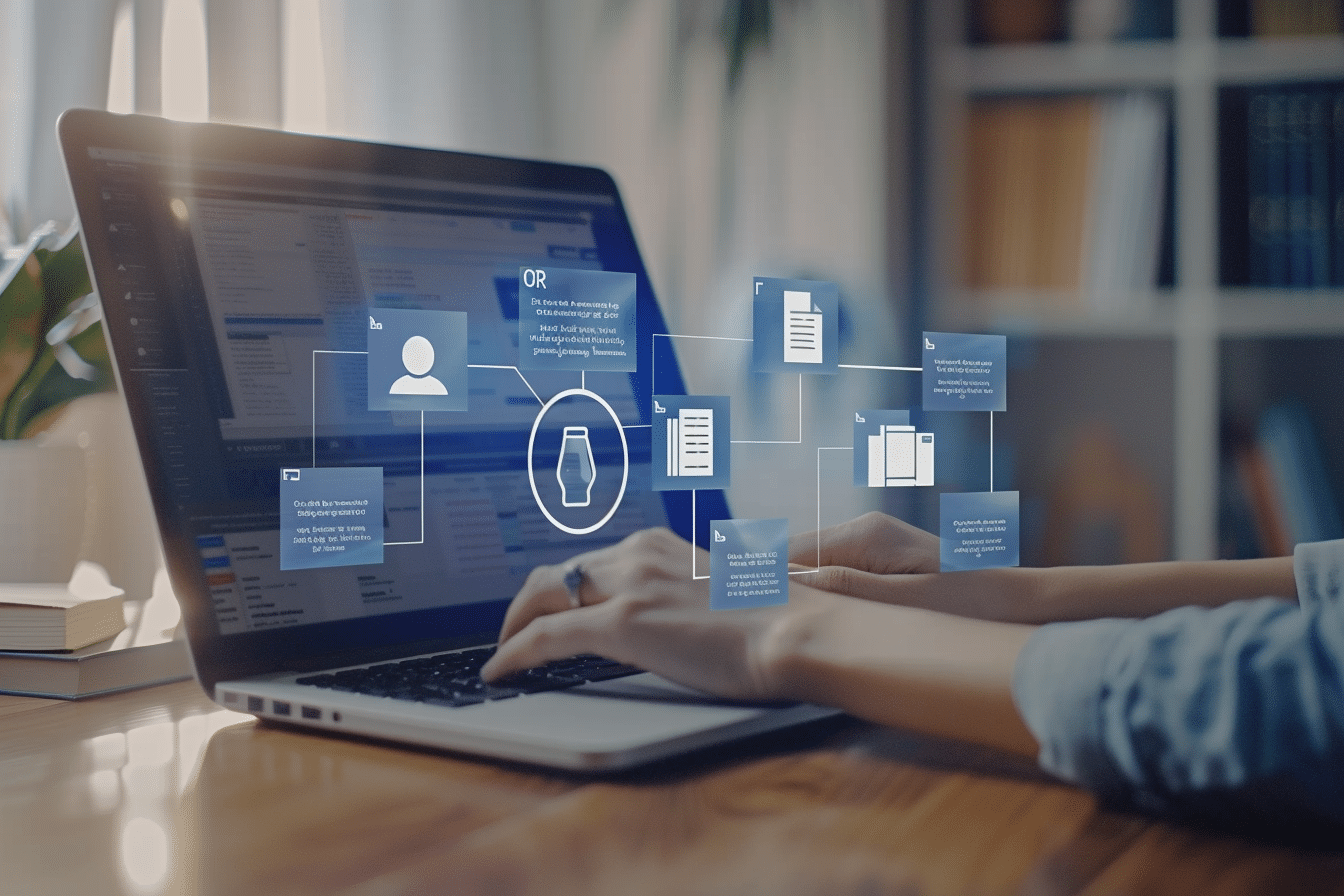
Document scanning and optical character recognition (OCR) software is used to convert physical documents or image-based files into searchable, editable digital formats. These tools are commonly adopted by organizations that handle large volumes of paper records, invoices, contracts, or forms and need to reduce manual data entry while improving document accessibility.

5 rankings49 products scored6 criteria eachUpdated Sep 9, 2026
01

Top picks across Document Scanning & OCR Software

The highest scorer from each vendor across all 5 rankings. Six little boxes show each one against its ranking average, and the full review sits under each card.

1

PDFelement

pdf.wondershare.com #1 of 10 in Document Scanning & OCR Software for Accountants

PDFelement's lifetime license doesn't cover major updates

Best forProfessionals wanting an affordable Adobe Acrobat alternative

From $80 per year Adobe alternativeOCRlifetime license risk
Top of its ranking

AI-powered PDF editor with accurate OCR and an Office-style interface, priced below Adobe Acrobat.

Standout factPDFelement holds a 4.4/5 rating on Capterra and 4.5/5 on G2. androidheadlines.com
Biggest catchA lifetime license does not guarantee access to major version updates, according to user complaints. capterra.com
4.4/5Capterra ratingandroidheadlines.com
4.5/5G2 ratingandroidheadlines.com
$79.99/yearStarting price

What reviewers say

Capterra
4.4/5
G2
4.5/5

Source: androidheadlines.com

In their words

“Purchasing a lifetime subscription only to find out several months later that I am not eligible for updates”

capterra.com

Upside

  • Cost-effective alternative to Adobe Acrobat
  • Office-style, intuitive interface
  • Accurate OCR for scanned documents

Catch

  • Lifetime license excludes major updates
  • Lags on very large files
  • Limited enterprise compliance controls
Pick it ifProfessionals wanting an affordable Adobe Acrobat alternative
Skip it ifFirms needing automated batch bank statement processing
PricingFrom $79.99/year. Lifetime licenses reportedly exclude major version updates.

Editor's takePDFelement covers editing, form creation, and OCR at a lower price than Adobe Acrobat, wrapped in a Microsoft Office-style interface that reviewers say cuts the learning curve. Ratings run high, 4.4 on Capterra and 4.5 on G2. The main complaint concerns lifetime licenses. A Capterra reviewer reported buying a lifetime subscription only to find it did not cover eligibility for later major-version updates.

Does a PDFelement lifetime license include future updates?

Not reliably. A Capterra reviewer reported losing update eligibility months after buying a lifetime license, with the older version working poorly afterward.

How much does PDFelement cost?

Subscriptions start at $79.99 a year, according to the vendor's pricing page, positioned as a cheaper alternative to Adobe Acrobat.

The evidence: 6 criteria, 2 penalties
9.3
Product Capability & DepthLooked for: We evaluate the completeness of the software's core feature set, including editing, form creation, and conversion tools.PDFelement provides a comprehensive suite of tools that allows users to modify text, images, and layouts natively. It supports form creation, batch processing, and reliable document conversion to and from Word, Excel, PowerPoint, and image formats while preserving the original formatting.softwareadvice.com
9.4
Market Credibility & Trust SignalsLooked for: We look for verified user ratings, industry awards, and widespread adoption across independent review platforms.PDFelement maintains strong market credibility with high aggregate scores across major software review platforms, including a 4.4 out of 5 on Capterra and a 4.5 out of 5 on G2. It has also received multiple industry accolades from TrustRadius and the PDF Association.androidheadlines.com
9.0
Usability & Customer ExperienceLooked for: We assess the intuitiveness of the interface, ease of onboarding, and cross-platform accessibility.The platform is highly praised for its clean, modern interface that mimics the familiar Microsoft Office ribbon layout. This design choice significantly reduces the learning curve for new users, allowing for efficient navigation and document control across Windows, Mac, and mobile devices.capterra.com
9.1
Value, Pricing & TransparencyLooked for: We analyze the software's pricing tiers, cost-effectiveness, and clarity of billing terms.While PDFelement is marketed as a highly cost-effective alternative to Adobe Acrobat, it faces significant customer dissatisfaction regarding its perpetual licensing model. Users report that purchasing a 'lifetime' subscription does not entitle them to major version updates, forcing them to pay again to maintain full functionality.capterra.com
9.5
Security, Compliance & Data ProtectionLooked for: We evaluate encryption standards, compliance certifications, and access controls for sensitive data.PDFelement provides standard security features including AES encryption, password protection, and legally binding eSignatures compliant with the E-Sign Act, GDPR, and HIPAA. However, it lacks the granular access management and deep compliance tooling required by highly regulated enterprise environments.lynxpdf.com
9.3
AI, OCR & Advanced Document ProcessingLooked for: We verify the performance of intelligent features like Optical Character Recognition (OCR) and AI integrations.The software excels in advanced document processing, featuring highly accurate OCR technology that converts scanned PDFs into editable text while maintaining original formatting. It also integrates modern AI-powered tools for on-the-fly document summarization, translation, and grammar checking.softwareadvice.com

Score adjustments−0.14 points in total

−0.06Deceptive marketing regarding perpetual/lifetime license updates, requiring users to pay again for major version releases.capterra.com · severity 85/100
−0.08Performance and memory consumption issues when processing exceptionally large or multiple PDF files simultaneously.capterra.com · severity 60/100
2

pdfFiller

pdffiller.com #2 of 10 in Document Scanning & OCR Software for Accountants

pdfFiller signs HIPAA deals, skips a free plan

Best forIndividuals and SMBs editing and e-signing PDFs who need HIPAA compliance.

From $8 per user/mo HIPAA complianteSignatureno free plan
#2 in its ranking

Cloud PDF editor and eSignature platform with 35 million templates and enterprise compliance.

Standout fact35 million-plus form templates in the built-in library play.google.com
Biggest catchNo perpetual free plan, only a 30-day trial. capterra.com
35M+ templatesForm libraryplay.google.com
$8/user/moStarting priceblog.pdffiller.com

Standout number

35M+templates in form library

Source: play.google.com

Compliance

✓ HIPAA✓ SOC 2✓ GDPR? ISO 27001

Source: pdffiller.com

Upside

  • 35 million-plus templates and fillable forms
  • HIPAA, SOC 2 Type II and GDPR
  • Integrates with 8,000 apps via Zapier

Catch

  • No permanent free plan
  • Occasional font matching quirks
  • Advanced automation needs Premium tier
Pick it ifIndividuals and SMBs editing and e-signing PDFs who need HIPAA compliance.
Skip it ifAccounting firms needing automated batch extraction or native QuickBooks integration.
Pricing$8/user/month Basic up to $15/user/month Premium

Editor's takepdfFiller pairs PDF editing with legally binding eSignatures and a library of more than 35 million templates. Compliance runs deep, covering HIPAA, SOC 2 Type II and GDPR alongside 256-bit AES encryption. The main gap is pricing, since there is no permanent free plan, only a 30-day trial.

Does pdfFiller have a free plan?

No permanent free plan exists. pdfFiller offers a 30-day free trial, then paid plans starting at $8 per user per month for the Basic tier.

Is pdfFiller HIPAA compliant?

Yes. pdfFiller maintains HIPAA, GDPR and SOC 2 Type II compliance alongside 256-bit AES encryption for data in transit and at rest, per its security page.

The evidence: 6 criteria, 2 penalties
9.2
Product Capability & DepthLooked for: A comprehensive suite of PDF editing, form creation, and document management tools suitable for small to medium-sized businesses.pdfFiller functions as an all-in-one cloud-based document management platform. It offers advanced PDF editing, automated form building, a library of over 35 million document templates, and built-in eSignature capabilities. Users can convert formats, merge files, and create role-based signature workflows without needing multiple disjointed applications.g2.complay.google.com
9.3
Market Credibility & Trust SignalsLooked for: Strong market presence, established vendor backing, and high aggregate ratings on major software review platforms.pdfFiller, part of the well-established airSlate family of brands, boasts robust market trust. It holds a 4.6/5 rating from over 700 reviews on G2 and is recognized as a Grid Leader for Small-Business. The platform has been in operation since 2008 and serves millions of users globally.pdffiller.comhackernoon.com
9.0
Usability & Customer ExperienceLooked for: An intuitive, accessible interface that allows users to quickly edit, sign, and manage documents across desktop and mobile devices.Users consistently praise pdfFiller for its ease of use, straightforward setup, and cross-platform accessibility via browser or mobile app. However, some users report minor friction points, such as formatting quirks when manually editing text or complexities when setting up recurring document templates.g2.comg2.com
8.9
Value, Pricing & TransparencyLooked for: Clear, competitive pricing tiers that offer measurable value and predictable costs compared to industry alternatives.Pricing spans from $8/user/month for the Basic plan to $15/user/month for Premium, which is competitive and about 11% lower than similar baseline services. The platform offers a 30-day free trial but lacks a perpetual free version. Some users note dissatisfaction with subscription renewal terms.blog.pdffiller.comcapterra.com
9.4
Security, Compliance & Data ProtectionLooked for: Enterprise-grade data protection, secure storage, and rigorous compliance with global regulatory frameworks.pdfFiller provides exceptional security infrastructure, including 256-bit AES encryption and comprehensive compliance certifications. It meets stringent regulatory standards including HIPAA, SOC 2 Type II, GDPR, FERPA, CCPA, and PCI DSS, making it suitable for healthcare and legal professionals.pdffiller.comblog.pdffiller.com
9.1
Integrations & Ecosystem StrengthLooked for: Broad compatibility with existing business software including CRMs, cloud storage, and workflow automation tools.The platform boasts a robust integration ecosystem, connecting directly with major tools like Salesforce, Google Workspace, and HubSpot. Furthermore, its integration with automation platforms like Zapier and Make allows users to connect pdfFiller with over 8,000 different applications for custom workflows.zapier.comworkspace.google.com

Score adjustments−0.08 points in total

−0.04Lack of a perpetual free tier and occasional user complaints regarding unexpected subscription renewal charges or strict terms.capterra.com · severity 55/100
−0.04Users occasionally experience formatting issues, specifically with font matching when manually editing texts, or when setting up recurring complex templates.g2.com · severity 35/100
3

SecureScan

securescan.com · SecureScan Document Scanning #3 of 10 in Document Scanning & OCR Software for Accountants

SecureScan publishes prices, on-site service stays Northeast-only.

Best forFirms needing outsourced, HIPAA and SOC 2 compliant scanning.

From $199 one-time SOC 2 Type 2HIPAA compliantNAID AAA certified
#3 in its ranking

Document digitization service with SOC 2, HIPAA compliance, and a public per-page pricing calculator.

Standout factOffers flat-rate box scanning at $199, covering shipping, processing, and indexing. securescan.com
Biggest catchOn-site scanning service is limited mainly to Northeast US states. securescan.com
$199Scan by the Box pricesecurescan.com
$0.07-$0.12Per-page cost rangesecurescan.com
22+Years in businesssecurescan.com

Starting price

$199/boxFlat rate covers shipping, scanning, and indexing

Compliance

✓ SOC 2 Type 2✓ HIPAA/HITECH✓ NAID AAA

Source: securescan.com

Upside

  • SOC 2 Type 2 and HIPAA compliant
  • Public pricing calculator, rare in the category
  • NAID AAA certified shredding included

Catch

  • On-site service limited to Northeast US
  • Relies on third-party cloud software
  • No proprietary mobile app
Pick it ifFirms needing outsourced, HIPAA and SOC 2 compliant scanning.
Skip it ifSolo bookkeepers wanting a DIY OCR software application.
PricingFrom $199 per box, or $0.07-$0.12 per page.

Editor's takeSecureScan ranks first among 10 tools in this category at 9.1 overall. Its published pricing calculator and flat $199-per-box rate are rare transparency for B2B document scanning. Geography is the main limit, since on-site pickup service covers mainly the Northeast US.

Does SecureScan publish its pricing?

Yes. It offers an online pricing calculator, with the national average listed at $0.07 to $0.12 per page and a flat $199 rate for its Scan by the Box service.

Is SecureScan HIPAA compliant?

Yes. SecureScan is SOC 2 Type 2 audited, HIPAA/HITECH compliant, and NAID AAA certified for secure document destruction.

The evidence: 6 criteria, 2 penalties
9.0
Product Capability & DepthLooked for: Comprehensive scanning features including OCR, indexing, large format handling, and integration with document management systems.SecureScan offers a full suite of digitization services including high-volume paper scanning, large format blueprints, microfiche conversion, and digital mailroom automation. They utilize 300dpi standard resolution with OCR for text-searchable PDFs and provide manual quality control.securescan.comsecurescan.comsecurescan.com
9.5
Market Credibility & Trust SignalsLooked for: Verified certifications, years in business, and reputable client testimonials, particularly in regulated industries.SecureScan has over 22 years of experience and holds top-tier certifications including SOC 2 Type 2, HIPAA/HITECH compliance, and NAID AAA Certification. They serve major government and educational clients like the NYS Department of Health and Stony Brook University.securescan.comsecurescan.comsecurescan.com
9.2
Usability & Customer ExperienceLooked for: Ease of service engagement, transparency of workflow, and quality of customer support interactions.Customer testimonials highlight a 'hands-on approach' and professional service that simplifies complex projects. The company handles all document preparation (staple removal, etc.), reducing client workload, and offers flexible delivery options.securescan.comsecurescan.com
8.9
Value, Pricing & TransparencyLooked for: Publicly available pricing, clear cost structures, and competitive rates for the industry.SecureScan provides a public pricing calculator and clear per-page estimates ($0.07-$0.12), which is rare for B2B scanning services. They offer a flat-rate 'Scan by the Box' service ($199) that includes shipping and processing.securescan.comsecurescan.com
9.6
Security, Compliance & Data ProtectionLooked for: Physical and digital security measures, chain of custody protocols, and compliance with regulations like HIPAA.Security is the product's strongest differentiator, featuring 24/7 video surveillance, biometric access controls, and strict chain of custody. All employees undergo background checks and substance screening. The facility is SOC 2 Type 2 audited.securescan.comsecurescan.com
8.7
Integrations & Ecosystem StrengthLooked for: Ability to integrate with existing workflows, software partnerships, and file export compatibility.SecureScan leverages partnerships with Digitech Systems to offer ImageSilo and PaperVision for cloud storage. They support seamless uploads to existing document management systems (DMS) and provide files in standard formats via FTP or encrypted drives.securescan.comsecurescan.com

Score adjustments−0.10 points in total

−0.06Service availability for on-site scanning is geographically limited primarily to the Northeast US (NY, MA, CT, PA, NJ, GA), potentially limiting options for clients outside these regions requiring on-premise handling.securescan.com · severity 45/100
−0.04The cloud document management component relies on third-party software (ImageSilo/PaperVision) rather than a proprietary platform, creating a dependency on external vendor roadmaps and support.securescan.com · severity 40/100
4

Esker

esker.com · Esker OCR Software #2 of 11 in Document Scanning & OCR Software for Contractors

Esker's AI reads OCR documents in 130+ languages

Best forFinance departments seeking automated Accounts Payable and order processing

Quote only SOC 2HIPAAAI features
#2 in its ranking

AI-powered document automation with certified SAP and Oracle integrations for accounts payable.

Standout factEsker's Synergy AI processes OCR in more than 130 languages. cloud.esker.com
Biggest catchImplementation has a steep learning curve and often needs expert consultants. gcom.pdo.aws.gartner.com
130+Languages supportedcloud.esker.com
35+Years in businesseskersoft.com

Standout number

130+languages supported by Synergy AI OCR

Source: cloud.esker.com

In their words

“Esker Synergy technology allows for automated document data extraction through deep learning neural networks.”

cloud.esker.com

Upside

  • OCR in 130+ languages
  • Certified SAP and Oracle integrations
  • SOC 1/2 and ISO 27001 certified

Catch

  • Steep implementation learning curve
  • Pricing not public
  • Foreign invoice processing has gaps
Pick it ifFinance departments seeking automated Accounts Payable and order processing
Skip it ifSmall businesses with low invoice volumes or no complex ERP
PricingQuote-based, per-document pricing with volume discounts

Editor's takeEsker scores 9.5 out of 10 for security, the top mark among OCR tools rated here. Its Synergy AI uses neural networks to read structured and unstructured documents in more than 130 languages. Setup has a steep learning curve, and reviewers say it often needs expert consultants to implement.

How many languages does Esker's OCR support?

More than 130 languages, using its Synergy AI engine for both fax and image-based documents.

Does Esker integrate with SAP?

Yes. It has a certified integration for SAP S/4HANA Cloud, built on more than 20 years of SAP partnership.

The evidence: 6 criteria, 3 penalties
9.2
Product Capability & DepthLooked for: We evaluate the accuracy of optical character recognition (OCR), support for unstructured data, and the sophistication of AI-driven data extraction.Esker utilizes 'Synergy AI' with deep learning and neural networks to extract data from structured and unstructured documents in over 130 languages, surpassing traditional template-based OCR.cloud.esker.comcloud.esker.complatform.softwareone.com
9.4
Market Credibility & Trust SignalsLooked for: We look for established market presence, public company status, and verified partnerships with major enterprise software vendors.Esker is a long-standing public company with certified partnerships with SAP, Microsoft, and Oracle, validating its status as a trusted enterprise solution.eskersoft.comesker.comesker.com
8.8
Usability & Customer ExperienceLooked for: We assess the user interface design, ease of daily operations, dashboard visibility, and the quality of customer support resources.Users report a user-friendly interface with customizable dashboards, though the initial setup and complex workflows can present a steep learning curve.trustradius.comg2.comtrustradius.com
8.5
Value, Pricing & TransparencyLooked for: We analyze pricing models, transparency of costs, and the return on investment regarding time and error reduction.Esker uses a per-document pricing model with volume discounts, but specific costs are not publicly transparent, which is typical for enterprise software.cloud.esker.comcloud.esker.comgetapp.com
9.3
Integrations & Ecosystem StrengthLooked for: We examine the depth and certification level of integrations with major ERP systems like SAP, Oracle, and Microsoft Dynamics.Esker offers a 'Connectivity Suite' with certified, pre-built integrations for SAP, Oracle, and Microsoft Dynamics, ensuring real-time data synchronization.esker.compymnts.comesker.com
9.5
Security, Compliance & Data ProtectionLooked for: We check for critical compliance certifications such as SOC 2, ISO 27001, HIPAA, and GDPR adherence.Esker maintains a comprehensive security profile with SOC 1 & 2 Type 2 reports, ISO 27001 certification, and HIPAA compliance capabilities.cloud.esker.comcloud.esker.comcloud.esker.com

Score adjustments−0.19 points in total

−0.07Implementation and setup have a steep learning curve and often require expert consultants, making it difficult for teams to self-onboard.gcom.pdo.aws.gartner.com · severity 65/100
−0.07Some users report limitations and inefficiencies when processing foreign and PO-based invoices compared to standard invoices.infotech.com · severity 50/100
−0.05Users have noted a lack of auto-escalation features for invoices stuck in approval, requiring manual intervention.g2.com · severity 45/100
5

LightPDF

lightpdf.com #1 of 9 in Document Scanning & OCR Software for Insurance Agents

GPT-4 chats with PDFs, but the file limit is 20MB.

Best forStudents, educators, and remote teams needing affordable multi-platform PDF tools.

Free tier From $30 per month GPT-4OCRPDF editing
Top of its ranking

AI-powered PDF suite with GPT-4 document chat, OCR, and 25+ editing tools across devices.

Standout factLightPDF's document chat uses GPT-4 to answer questions with automatic page citations. max-productive.ai
Biggest catchSome paying users report hitting a 20MB file upload limit they weren't told about at signup. aidetectplus.com
4.5/5Trustpilot scoretrustpilot.com
152,000+Mobile app usersmwm.ai
20MBFile upload limitaidetectplus.com

What reviewers say

Trustpilot
4.5/5 · 73
G2
4.4/5 · n/a

Source: trustpilot.com

The thing people get wrong

Paid plans have no file size limits

Some users hit a 20MB upload limit right after subscribing, despite being told there were none

Source: aidetectplus.com

Upside

  • GPT-4 document chat with citations
  • 25+ tools across web, desktop, mobile
  • Clean, Adobe-like interface

Catch

  • 20MB file limit surprises paying users
  • AI credits expire monthly if unused
  • OCR struggles with complex layouts
Pick it ifStudents, educators, and remote teams needing affordable multi-platform PDF tools.
Skip it ifEnterprises requiring unlimited AI usage without strict credit caps.
PricingFrom $29.99/month, free tier available

Editor's takeLightPDF's strongest score comes from its AI features, using GPT-4 to let users chat with a PDF and get answers with automatic page citations, on top of a 25-tool suite for editing, converting, and OCR across web, desktop, and mobile. Reviewers compare its interface favorably to Adobe Acrobat. The catch is value: some users report hitting an undisclosed 20MB upload limit right after subscribing, and unused AI credits expire monthly.

How much does LightPDF cost?

Plans start around $29.99 a month, with a limited free tier available. Some users report AI credits expire monthly if unused, and a 20MB file size limit applies even on paid plans, according to a review on aidetectplus.com.

Can LightPDF answer questions about a PDF's content?

Yes. Its GPT-4-powered chat feature lets users ask natural language questions and get answers with automatic page citations, plus AI-generated mind maps and presentations.

The evidence: 6 criteria, 1 penalty
9.4
Product Capability & DepthLooked for: We evaluate the breadth and effectiveness of the software's PDF manipulation, OCR accuracy, and file conversion tools across different platforms.LightPDF provides a robust toolkit of over 25 features, including format conversion, digital signatures, and OCR technology that recognizes handwriting and supports over 20 languages.mwm.ai
9.2
Market Credibility & Trust SignalsLooked for: We analyze verified user reviews, industry ratings, and download metrics to gauge the platform's reliability and market reputation.The product enjoys strong market validation, boasting a 4.4/5 on G2, a 4.5/5 on Trustpilot, and an established user base exceeding 152,000 users on its mobile application alone.trustpilot.com
9.0
Usability & Customer ExperienceLooked for: We assess the intuitiveness of the user interface, ease of onboarding, and the seamlessness of cross-platform synchronization.Reviewers consistently praise LightPDF for its clean, Adobe-like interface that requires no learning curve, enabling users to easily manage, merge, and edit documents directly in the browser or via dedicated apps.softwareadvice.com
8.9
Value, Pricing & TransparencyLooked for: We examine the cost-effectiveness of subscription plans, the value of the free tier, and clarity regarding usage limits and billing practices.While the annual plan is highly competitive, the free tier is severely limited, and paying users report frustration over unadvertised upload limits and AI credits that expire monthly.aidetectplus.com
8.2
AI Features & AutomationLooked for: We evaluate the implementation and accuracy of artificial intelligence tools for document analysis, summarization, and content generation.LightPDF distinguishes itself with GPT-4 integrated ChatPDF capabilities, allowing users to ask natural language questions and receive precise, page-cited answers, alongside AI-driven mind map and presentation generation.max-productive.ai
9.5
Security, Compliance & Data ProtectionLooked for: We verify the presence of enterprise-grade encryption, adherence to privacy regulations, and secure file handling protocols.The platform ensures high data security by utilizing 256-bit SSL encryption, adhering to GDPR standards, and employing an auto-deletion policy for uploaded files after processing.max-productive.ai

Score adjustments−0.05 points in total

−0.05Hidden file size restrictions (such as a 20MB upload limit) that only appear after a user pays for a subscription, alongside AI credits that expire monthly if unused.aidetectplus.com · severity 65/100
6

Flatworld Solutions

flatworldsolutions.com · FWS Medical Document Scanning #1 of 10 in Document Scanning & OCR Software for Medical Offices

Flatworld scans records at $4, but staff reviews are mixed

Best forHealthcare offices wanting outsourced, HIPAA compliant document digitization at scale

From $4 one-time HIPAAISO 27001AI features
Top of its ranking

HIPAA compliant medical document scanning service using AI OCR, priced per reading.

Standout factPricing starts at $4 per reading, with FTE rates from $1,300 monthly. flatworldsolutions.com
Biggest catchEmployee reviews describe poor management and a toxic work environment internally. in.indeed.com
$4/readingStarting priceflatworldsolutions.com
98-99%Reported accuracyflatworldsolutions.com
22+Years in businessflatworldsolutions.com

Starting price

$4/readingFTE staffing option $1,300-$1,800/month

The thing people get wrong

Outsourced medical scanning vendors rarely publish real prices

Flatworld lists exact per reading and FTE rates on its own site

Source: flatworldsolutions.com

Upside

  • Pricing starts at $4 per reading
  • ISO 27001 and HIPAA certified
  • 99% accuracy claimed via AI OCR

Catch

  • Employee reviews cite poor management
  • Time zone coordination delays
  • Limited public tech transparency
Pick it ifHealthcare offices wanting outsourced, HIPAA compliant document digitization at scale
Skip it ifProviders requiring strictly on premise data handling or in-house teams
PricingFrom $4 per reading, FTE rates $1,300 to $1,800/month

Editor's takeFlatworld Solutions publishes exact per reading rates, a rarity in medical BPO pricing. Case studies report accuracy between 98 and 99 percent for entry and billing tasks. Employee reviews on Indeed describe poor management, worth weighing against the strong client side reviews.

How much does FWS medical document scanning cost?

Pricing starts at $4 per reading, according to Flatworld's own service page. Full time equivalent staffing runs $1,300 to $1,800 a month as an alternative.

Is FWS HIPAA compliant?

Yes. The service is HIPAA compliant with physical safeguards like banned capture devices and 24/7 security guards, per Flatworld's own compliance page.

The evidence: 6 criteria, 2 penalties
8.8
Product Capability & DepthLooked for: We look for comprehensive scanning features including OCR, indexing, EHR integration, and support for various document formats.FWS offers end-to-end digitization using high-speed scanners and AI-powered OCR to convert paper records into EMR-ready formats with indexing and segmentation.flatworldsolutions.comflatworldsolutions.com
9.2
Market Credibility & Trust SignalsLooked for: We look for industry certifications, years in business, and verifiable client success stories in the healthcare sector.Flatworld Solutions has over 20 years of experience, holds ISO 9001:2015 and ISO/IEC 27001:2022 certifications, and serves global healthcare clients.flatworldsolutions.comflatworldsolutions.com
8.9
Usability & Customer ExperienceLooked for: We look for accessible support channels, dedicated account management, and positive client feedback regarding service interaction.Clients report high satisfaction with communication and project management, supported by 24/7 availability via phone, email, and webchat.flatworldsolutions.comclutch.co
9.3
Value, Pricing & TransparencyLooked for: We look for clear, publicly available pricing models and competitive rates specific to medical document processing.FWS provides exceptional transparency, explicitly listing rates starting at $4 per reading and FTE rates between $1,300-$1,800/month.flatworldsolutions.comflatworldsolutions.com
9.5
Security, Compliance & Data ProtectionLooked for: We look for HIPAA compliance, physical security measures, and strict data handling protocols essential for PHI.The service is 100% HIPAA compliant with strict physical security including bans on data capture devices and restricted access controls.flatworldsolutions.comflatworldsolutions.com
9.0
Accuracy & Technology InfrastructureLooked for: We look for documented accuracy rates, quality assurance processes, and the use of advanced technology like AI/OCR.FWS utilizes AI-powered data capture and Six Sigma methodologies to achieve documented accuracy rates of up to 99% and error rates below 0.5%.flatworldsolutions.comflatworldsolutions.com

Score adjustments−0.12 points in total

−0.06Multiple employee reviews cite poor management and a toxic work environment, which poses a risk to service continuity and staff retention.in.indeed.com · severity 60/100
−0.06Some client feedback indicates limitations in technical aspects and call recording provisions, suggesting potential gaps in their technology stack.clutch.co · severity 45/100
7

Ocrolus

ocrolus.com · Ocrolus AI Workflow Platform #1 of 9 in Document Scanning & OCR Software for Mortgage Brokers

99%+ accuracy, but the median contract runs $110,000.

Best forLenders and fintechs needing 99%+ document accuracy and built-in fraud detection.

Quote only human-in-the-loop AI99%+ accuracyfraud detection
Top of its ranking

AI document platform combining machine extraction with human review for mortgage and lending accuracy.

Standout factOcrolus combines AI with human verification to reach over 99% accuracy on financial document extraction. g2.com
Biggest catchThe median annual contract value is approximately $110,000, and pricing is not published. vendr.com
4.6 / 5G2 ratingg2.com
$110,000Median annual contract valuevendr.com
Under 20 minutesBank statement turnaroundg2.com

Standout number

99%+document extraction accuracy via human-in-the-loop review

Source: g2.com

Starting price

$110,000/yr (median)quote-based; free, on-demand, and commit options exist

Upside

  • 99%+ accuracy via human-in-the-loop
  • Supports 1,700+ document types
  • Built-in fraud and tampering detection

Catch

  • Median contract runs about $110,000/yr
  • Human review adds processing latency
  • Limited to North American documents
Pick it ifLenders and fintechs needing 99%+ document accuracy and built-in fraud detection.
Skip it ifTeams needing instant, real-time extraction without any human review latency.
PricingNot published. Median contract value is around $110,000/year, though on-demand and commit options exist.

Editor's takeOcrolus wins on accuracy over speed, a deliberate tradeoff for lenders who cannot afford a wrong number on a mortgage application. The human-in-the-loop step adds turnaround time, often under 20 minutes for bank statements, but real for high-volume shops chasing instant approval. Budget for a six-figure annual contract based on median customer spend.

Why does Ocrolus use human review instead of pure AI?

Ocrolus combines machine learning with human verification to reach over 99% accuracy on complex financial documents, an approach it says catches errors pure automation misses, at the cost of added processing time.

How much does Ocrolus cost?

Pricing is not public. Vendr data puts the median annual contract at roughly $110,000, with free, on-demand, and commit pricing options available depending on volume.

8

Parascript

parascript.com · Smart OCR by Parascript #2 of 9 in Document Scanning & OCR Software for Mortgage Brokers

Parascript reads cursive handwriting, hides its pricing

Best forHigh-volume enterprises needing signature verification and unconstrained handwriting recognition.

Quote only OCRhandwriting recognitionoutcome-based pricing
#2 in its ranking

Machine learning OCR platform extracting data from unstructured documents, including unconstrained cursive handwriting.

Standout factProcesses over 100 billion documents a year, saving clients over $1 billion parascript.com
Biggest catchPricing is not listed and requires a custom quote. techjockey.com
100 billion+Documents processed annuallyparascript.com
$1B+/year for clientsDocumented savingsparascript.com

Standout number

100B+documents processed annually

Source: parascript.com

In their words

“This includes machine print, table data, images and all forms of handwriting, constrained and unconstrained hand-print and cursive.”

parascript.com

Upside

  • Reads unconstrained cursive handwriting
  • Outcome-based pricing model
  • Smart Learning cuts setup from months to minutes

Catch

  • Pricing requires a custom quote
  • Few third-party user reviews
  • Initial setup needs specialized knowledge
Pick it ifHigh-volume enterprises needing signature verification and unconstrained handwriting recognition.
Skip it ifSmall teams with low document volume or limited technical resources.
PricingOutcome-based pricing, custom quote, pay only for automated data

Editor's takeParascript's Smart OCR reads unconstrained cursive handwriting and unstructured documents without predefined templates, a capability that trips up standard OCR tools. Smart Learning cuts configuration time from months to minutes by auto-generating classification rules, and the platform processes over 100 billion documents a year. Pricing follows an outcome-based model, charging only for successfully automated data, though exact rates require a custom quote.

Can Parascript read cursive handwriting?

Yes. It recognizes all forms of handwriting, including unconstrained cursive and handprint, a capability the vendor calls Intelligent Character Recognition.

How is Parascript priced?

It uses an outcome-based model, charging only for data that is successfully automated, though exact rates require contacting the vendor directly.

The evidence: 6 criteria, 3 penalties
9.3
Product Capability & DepthLooked for: We evaluate the software's ability to handle diverse document types, complex data formats, and specialized recognition tasks like handwriting.Parascript Smart OCR (FormXtra.AI) excels at processing structured, semi-structured, and unstructured documents, with standout capabilities in recognizing unconstrained cursive handwriting and complex table data.parascript.comparascript.comparascript.com
8.9
Market Credibility & Trust SignalsLooked for: We look for evidence of widespread industry adoption, enterprise partnerships, and recognition from reputable third-party organizations.Parascript processes an immense volume of documents annually for major financial and government institutions, though it lacks a high volume of public user reviews on standard software review sites.parascript.cominsurancebusinessmag.com
8.7
Usability & Customer ExperienceLooked for: We assess how easy it is to configure, deploy, and maintain the software, particularly regarding rule setup and learning capabilities.The 'Smart Learning' feature significantly reduces configuration time by auto-generating rules, though complex implementations may still require specialized knowledge.parascript.comparascript.comparascript.com
8.8
Value, Pricing & TransparencyLooked for: We evaluate the pricing model's alignment with customer value, transparency of costs, and flexibility.Parascript offers a unique outcome-based pricing model where clients pay only for successfully automated data, aligning costs directly with performance.parascript.comparascript.comparascript.com
9.6
Advanced Handwriting & Cursive RecognitionLooked for: We examine the software's ability to interpret difficult handwriting styles, including cursive and unconstrained handprint, which is a common failure point for standard OCR.Parascript is an industry leader in Intelligent Character Recognition (ICR), specifically capable of reading unconstrained cursive handwriting with high accuracy.parascript.comparascript.com
9.1
Scalability & Automation PerformanceLooked for: We assess the system's ability to handle high volumes of documents and maintain performance without manual intervention.The platform is proven to handle massive scale (billions of docs) and supports 'straight-through processing' (STP) to minimize human review.parascript.cominsurancebusinessmag.com

Score adjustments−0.14 points in total

−0.06Initial setup and configuration can be complex and may require specialized knowledge despite the 'Smart Learning' features.saashub.com · severity 60/100
−0.05The product has a very low volume of verified user reviews on major third-party platforms (G2, Capterra, PeerSpot) compared to market leaders.g2.com · severity 45/100
−0.03Pricing is not publicly listed and requires a custom quote, which reduces transparency for potential buyers comparing options.techjockey.com · severity 40/100
9

WeBuild

webuildcs.com · WeBuild Construction OCR #3 of 11 in Document Scanning & OCR Software for Contractors

WeBuild lets unlimited external collaborators join at no cost

Best forConstruction teams managing large sets of drawings and revisions

From $40 per user/mo free external accessOCR plan labelingISO 27001 storage
#3 in its ranking

Construction document platform that auto-labels plans with OCR and free external access.

Standout factExternal users like architects and subcontractors do not need a paid subscription. webuildcs.com
Biggest catchThe platform lacks integration with takeoff tools, limiting detailed estimation workflows. selecthub.com
$40/user/moInternal user pricewebuildcs.com
$0External collaborator costwebuildcs.com

Starting price

$40/internal user/moExternal collaborators like architects and subcontractors join for free

Who WeBuild fits

  • Construction teams managing large drawing sets
  • Projects with many outside architects or subcontractors
  • Teams needing native takeoff tools

Upside

  • External collaborators join at no cost
  • OCR auto-labels plan sheet details
  • Thales hardware encryption for data

Catch

  • No native takeoff tools
  • Mobile app has occasional crashes
  • Cannot create multiple subfolders
Pick it ifConstruction teams managing large sets of drawings and revisions
Skip it ifNon-construction businesses needing general text extraction
PricingFrom $40/user/month for internal users, external collaborators free

Editor's takeWeBuild's OCR reads uploaded construction plans and auto-labels sheet number, title, date, and revision, cutting manual document control work. Its pricing model charges $40 per internal user a month but lets unlimited external collaborators like architects and subcontractors join for free, unusual among competitors. It lacks native takeoff tools, and some users report mobile app crashes and no support for multiple subfolders.

Do external collaborators pay to use WeBuild?

No. Architects, subcontractors, and other external stakeholders can view and mark up plans without a paid subscription, according to WeBuild's own pricing page.

What does WeBuild's OCR feature do?

It automatically scans uploaded construction plans and labels details like sheet number, title, date, and revision, reducing manual document entry for document controllers.

The evidence: 6 criteria, 3 penalties
9.1
Product Capability & DepthLooked for: We evaluate the breadth of document control features and the accuracy of OCR technology for construction workflows.The platform features automated OCR that scans and labels plan details like sheet numbers and revisions, alongside a built-in BIM/CAD viewer and unlimited storage.webuildcs.comwebuildcs.comselecthub.com
9.4
Market Credibility & Trust SignalsLooked for: We assess the vendor's reputation, security certifications, and historical track record in the industry.Formerly known as Tenderfield, WeBuild utilizes AWS ISO 27001 certified storage and maintains PCI DSS compliance with daily audits.webuildcs.comwebuildcs.com
9.0
Usability & Customer ExperienceLooked for: We look for an intuitive interface, reliable mobile performance, and responsive support channels.Users consistently praise the ease of use and 24/7 support, though some reviews note limitations with folder structures and occasional mobile app instability.webuildcs.comsoftwarefinder.comselecthub.com
8.9
Value, Pricing & TransparencyLooked for: We analyze pricing structures, hidden costs, and the value proposition for external collaborators.WeBuild offers a transparent flat rate of $40/user/month and uniquely allows unlimited external collaborators (architects, subcontractors) to access the platform for free.webuildcs.comwebuildcs.comwebuildcs.com
9.5
Security, Compliance & Data ProtectionLooked for: We examine encryption standards, data residency, and physical security measures for user data.The platform employs Advanced Encryption Standard (AES) 256 and utilizes Thales encryption devices, ensuring enterprise-grade data protection.webuildcs.comwebuildcs.com
8.2
Collaboration & Stakeholder AccessLooked for: We evaluate how the software facilitates teamwork across different organizations and project roles.The system is designed to remove barriers for external teams, allowing unlimited subcontractors and consultants to view and mark up plans without costs.selecthub.comwebuildcs.com

Score adjustments−0.18 points in total

−0.06Some users have reported occasional crashes and stability issues with the mobile application.selecthub.com · severity 55/100
−0.07The platform currently lacks integration with takeoff tools, which is a limitation for detailed estimation workflows.selecthub.com · severity 50/100
−0.05Users have reported an inability to create multiple subfolders, which limits the flexibility of document organization.softwarefinder.com · severity 45/100
10

MST eViewer

mstusa.com · MST's eViewer #2 of 9 in Document Scanning & OCR Software for Insurance Agents

eViewer is the sole vendor supporting IBM's MO:DCA format

Best forFortune 1000 insurers needing API integration for claims processing.

Quote only SOC 2HIPAAGDPR
#2 in its ranking

HTML5 document viewer specializing in legacy IBM formats, used by the Social Security Administration.

Standout factThe Social Security Administration migrated 60,000 users to eViewer for IBM Content Manager 8. mstusa.com
Biggest catchPricing is not public and requires contacting sales for a quote. mstusa.com
60,000SSA users migratedmstusa.com
100+File formats supportedmstusa.com
100+Available APIseviewer.net

Standout number

60,000SSA users migrated to eViewer

Source: mstusa.com

Compliance

✓ SOC 2✓ HIPAA✓ GDPR

Source: mstusa.com

Upside

  • Only vendor supporting MO:DCA format
  • SOC 2, HIPAA, GDPR compliant
  • Zero-footprint HTML5, mobile ready

Catch

  • No public pricing
  • Requires developer SDK integration
  • Few public user reviews
Pick it ifFortune 1000 insurers needing API integration for claims processing.
Skip it ifIndividuals seeking a standalone mobile app without API integration.
PricingCustom quotes only, no published pricing.

Editor's takeMST is the sole provider of MO:DCA format support for IBM's ECM systems, and the Social Security Administration migrated 60,000 users onto eViewer for Content Manager 8. It renders over 100 file formats and holds SOC 2, HIPAA, and GDPR compliance. This is a developer tool, not a turnkey app. Pricing requires a sales conversation, and deployment relies on SDK or API integration rather than an out-of-box install.

Who else supports IBM's MO:DCA document format?

According to MST, it is the sole provider of MO:DCA format support for IBM's ECM solutions, including Content Manager 8.

Is MST's eViewer a standalone app?

No. It is a component that requires developer integration through an SDK or API, rather than a ready-to-use application for non-technical teams.

The evidence: 6 criteria, 3 penalties
9.4
Product Capability & DepthLooked for: We evaluate the breadth of supported file formats, rendering fidelity, and advanced features like OCR, redaction, and document manipulation.eViewer supports over 100 file formats including complex legacy types like IBM MO:DCA and AFP, alongside standard PDF and MS Office files, utilizing a unique hybrid client-side rendering engine.mstusa.commstusa.commstusa.com
8.9
Market Credibility & Trust SignalsLooked for: We look for established enterprise adoption, strategic partnerships, and verifiable case studies from recognized organizations.MST has over 25 years of experience with major enterprise clients like the Social Security Administration and Warner Bros, and serves as the sole provider of MO:DCA support for IBM.insurancejournal.commstusa.comeviewer.net
9.0
Usability & Customer ExperienceLooked for: We assess the user interface, mobile responsiveness, accessibility compliance, and ease of deployment for end-users.The viewer offers a zero-footprint HTML5 interface that is fully responsive on mobile devices and meets strict accessibility standards like WCAG 2.1 and ADA.mstusa.commstusa.commstusa.com
8.2
Value, Pricing & TransparencyLooked for: We analyze pricing visibility, licensing models, and documented return on investment compared to competitors.While pricing is not public, the product offers documented ROI through reduced server infrastructure costs and licensing savings compared to IBM Daeja.mstusa.commstusa.commstusa.com
9.1
Integrations & Ecosystem StrengthLooked for: We evaluate the depth of integrations with Enterprise Content Management (ECM) systems and availability of APIs.The product features deep, native integrations with the IBM ECM ecosystem (FileNet, Content Manager) and supports SharePoint, Salesforce, and Alfresco via RESTful APIs.mstusa.comeviewer.neteviewer.net
9.5
Security, Compliance & Data ProtectionLooked for: We examine security certifications, redaction capabilities, and compliance with regulations like HIPAA, GDPR, and SOC 2.eViewer is SOC 2 compliant and offers advanced security features including AI-driven permanent redaction, audit trails, and full HIPAA/GDPR adherence.mstusa.commstusa.commstusa.com

Score adjustments−0.12 points in total

−0.05The product lacks a significant volume of public user reviews on major third-party platforms like G2 or Capterra, making independent user sentiment verification difficult.g2.com · severity 50/100
−0.03Pricing information is not publicly available and requires contacting the sales team for a quote, which reduces transparency for potential buyers.mstusa.com · severity 45/100
−0.04The solution is a component that requires developer integration (SDK/API) rather than a standalone turnkey application, which may delay deployment for non-technical teams.mstusa.com · severity 40/100
02

Every ranking in Document Scanning & OCR Software

Each card shows the top three. The eye opens a quick look. Open a ranking for every product, the evidence and the comparison table.

1 PDFelementPDFelement's lifetime license doesn't cover major updates 9.1/10
Visit ↗
2 pdfFillerpdfFiller signs HIPAA deals, skips a free plan 9.1/10
Visit ↗
3 SecureScanSecureScan publishes prices, on-site service stays Northeast-only. 9.1/10
Visit ↗
See all 10 ranked
1 PDFelementPDFelement undercuts Adobe price, waters down free trial 9.1/10
Visit ↗
2 EskerEsker's AI reads OCR documents in 130+ languages 9.0/10
Visit ↗
3 WeBuildWeBuild lets unlimited external collaborators join at no cost 8.9/10
Visit ↗
See all 11 ranked
1 LightPDFGPT-4 chats with PDFs, but the file limit is 20MB. 9.0/10
Visit ↗
2 MST eViewereViewer is the sole vendor supporting IBM's MO:DCA format 8.9/10
Visit ↗
3 KoncileKoncile reads handwritten accident forms, ships Python-only SDK. 8.8/10
Visit ↗
See all 9 ranked
1 Flatworld SolutionsFlatworld scans records at $4, but staff reviews are mixed 9.0/10
Visit ↗
2 ARCARC charges $279 a box, but takes 20 days 8.9/10
Visit ↗
3 Kodak Alaris210 pages a minute, but licensing is layered 8.9/10
Visit ↗
See all 10 ranked
1 Ocrolus99%+ accuracy, but the median contract runs $110,000. 9.0/10
Visit ↗
2 ParascriptParascript reads cursive handwriting, hides its pricing 9.0/10
Visit ↗
3 DocuClipperDocuClipper hits 99.6% OCR accuracy, but only reads English 8.9/10
Visit ↗
See all 9 ranked
03

About Document Scanning & OCR Software

What the category is, how it developed, and what to look for. Two minutes, or the long read.

Document Scanning and Optical Character Recognition (OCR) Software is a category of technology designed to convert static, analog information—such as paper documents, PDF files, and images—into machine-readable, structured digital data. This software manages the initial stage of the information lifecycle: the "ingestion" phase. Its primary function is to capture visual data, interpret the characters and layout through recognition algorithms, and export usable text or structured data fields (like names, dates, and invoice totals) into downstream business systems.

Read the full category guide

What Is Document Scanning & OCR Software?

The scope of this category is distinct. It is broader than simple "PDF Editors," which focus on manual manipulation of individual files, yet narrower than Enterprise Content Management (ECM) or Enterprise Resource Planning (ERP) systems, which serve as the final repositories for data. Document Scanning & OCR Software sits explicitly at the gateway of the enterprise tech stack. It acts as the bridge between the physical world of unstructured correspondence and the digital world of structured databases. The category includes both general-purpose desktop OCR tools used for ad-hoc conversion and vertical-specific Intelligent Document Processing (IDP) platforms designed for high-volume, automated workflows in industries like healthcare and finance.

This software solves a fundamental business problem: the "unstructured data gap." Without OCR, documents are merely images—black pixels on a white background—that computers cannot search, index, or analyze. By transforming these images into data, organizations unlock the ability to automate accounts payable, streamline patient intake, accelerate mortgage underwriting, and ensure regulatory compliance. It transforms an archive of "dead" pixels into an active intelligence asset.

History of the Category

The trajectory of Document Scanning & OCR Software since the 1990s is a story of moving from simple digitization to intelligent understanding. In the early 1990s, OCR technology was primarily a desktop commodity. The focus was strictly on "text recognition"—converting a scanned page into an editable Word document to avoid retyping. Accuracy was heavily dependent on scan quality, and the software struggled with complex layouts. During this era, the market was fragmented among hardware manufacturers bundling basic software with scanners, treating the software as a secondary utility rather than a strategic asset [1].

By the 2000s, the market saw a shift toward server-based "capture" solutions. This decade defined the category's middle era, where the goal evolved from personal productivity to enterprise workflow automation. Software vendors began introducing "zonal OCR," allowing businesses to define specific templates (like coordinates on a standard form) to extract data fields automatically. This period was marked by significant market consolidation, where large imaging conglomerates acquired specialized software vendors to create end-to-end capture suites. The capability gap that created this category—the inability of ERP systems to ingest paper—became a critical bottleneck as businesses adopted digital back-office systems.

From 2010 to the present, the industry transitioned from on-premise, template-based systems to cloud-native, AI-driven platforms. The rise of Vertical SaaS and machine learning fundamentally changed buyer expectations. Users no longer wanted a tool that required rigid templates; they demanded "Intelligent Document Processing" (IDP) that could understand context. The modern expectation is not just "give me a database of text," but "give me actionable intelligence." Today, the software uses Natural Language Processing (NLP) to interpret unstructured documents like emails and contracts, distinguishing a "shipping address" from a "billing address" without explicit rules. This evolution has transformed the category from a tactical administrative tool into a strategic engine for digital transformation [2].

What to Look For in Evaluation

When evaluating Document Scanning & OCR Software, buyers must prioritize Straight-Through Processing (STP) rates over simple "accuracy" claims. A vendor may claim 99% character accuracy, but if the system fails to understand the document's structure, a human must still intervene. Critical evaluation criteria should include the engine's ability to handle multi-channel capture—ingesting documents from scanners, mobile devices, emails, and web portals seamlessly. Look for "confidence scoring" capabilities, where the software flags uncertain data for human review while automatically processing high-confidence fields. This "human-in-the-loop" interface is often where the real ROI is determined; a clumsy validation interface can destroy the efficiency gains of the OCR engine.

Red flags in this category are often found in the licensing models and support for non-standard documents. Be wary of vendors that rely exclusively on template-based extraction. While effective for standardized forms, these systems break when a vendor changes their invoice layout, requiring expensive professional services to re-configure. Another warning sign is a lack of pre-processing features. High-quality OCR depends on image cleanup—deskewing, despeckling, and binarization. If a solution lacks robust image enhancement tools, real-world performance on crumpled receipts or low-quality faxes will be abysmal [3].

Key questions to ask vendors include: "How does your system handle variable layouts without pre-defined templates?", "What is the mechanism for retraining the model when it encounters errors?", and "Can you demonstrate the validation workflow for a low-confidence document?" These questions reveal whether the tool is a static OCR engine or a modern, learning-based IDP platform.

Industry-Specific Use Cases

Retail & E-commerce

In the retail and e-commerce sectors, Document Scanning & OCR Software is the backbone of supply chain and inventory management. The primary use case here is Accounts Payable (AP) automation, specifically the "3-way match" process. Retailers receive thousands of invoices, purchase orders (POs), and delivery receipts monthly. OCR software automates the reconciliation of these three document types, verifying that what was ordered matches what was delivered and what was billed. This automation is critical for maintaining vendor relationships and securing early payment discounts. Unlike generic tools, retail-focused solutions must handle high volumes of diverse invoice layouts from hundreds of different suppliers without manual template creation [4].

Healthcare

Healthcare providers utilize this software to bridge the gap between paper records and Electronic Health Records (EHR) systems. The specific need here is HIPAA compliance and the ability to process standardized medical forms like the CMS 1500 or UB-04. Evaluation priorities focus heavily on security and the accuracy of extracting Patient Health Information (PHI). A unique consideration for this industry is the ability to scan and parse insurance cards and patient IDs during the intake process. The software must be able to extract group numbers and policy details from an image of a card and populate the patient's file in real-time, reducing data entry errors that lead to claim denials [5].

Financial Services

For banks and fintech companies, OCR software is pivotal for Know Your Customer (KYC) and Anti-Money Laundering (AML) workflows. The software is used to scan government-issued IDs and passports, verifying their authenticity and extracting data to populate onboarding forms. Beyond identity, financial institutions use these tools for processing loan applications, where they must ingest and analyze unstructured documents like tax returns, pay stubs, and bank statements. The critical evaluation metric here is fraud detection—modern OCR tools can detect pixel-level alterations in a scanned bank statement that might indicate forgery [6].

Manufacturing

Manufacturing firms deploy scanning software to manage the technical documentation that accompanies production and logistics. A key workflow involves processing Bills of Lading (BOL) and shipping manifests. These documents are often scanned at loading docks under poor lighting conditions, so the software must have exceptional image enhancement capabilities. Additionally, manufacturers use OCR to digitize engineering drawings and technical specifications. A unique consideration is the ability to recognize technical symbols and preserve large-format layouts (like blueprints) without degrading the visual fidelity required for quality control [7].

Professional Services

Law firms and consultancies rely on OCR software primarily for eDiscovery and expense management. In legal environments, the priority is converting millions of pages of case files into fully text-searchable PDFs (often complying with PDF/A archival standards). The searchability must be absolute; a missed keyword in a scanned contract could affect the outcome of litigation. For consultancies, the focus is often on mobile receipt scanning for expense tracking. The software must be able to categorize line items automatically and distinguish between client-billable and non-billable expenses, integrating directly with time-and-billing platforms [8].

Subcategory Overview

Document Scanning & OCR Software for Mortgage Brokers This niche handles the complexity of the "loan packet"—a massive collection of disparate documents including tax forms, bank statements, ID cards, and gift letters. Unlike generic tools, software in this category is built to perform stack indexing: taking a single 500-page PDF containing multiple document types and automatically splitting, classifying, and naming each section (e.g., "Pages 1-3: Tax Return," "Page 4: Driver’s License"). A generic OCR tool would simply treat this as one long document, forcing the broker to manually separate pages. The specific pain point driving buyers here is the "stare and compare" fatigue of underwriting, where a broker must verify data across multiple documents. Specialized tools cross-validate income figures from W-2s against the application data automatically. For a deeper look at these tools, read our guide to Document Scanning & OCR Software for Mortgage Brokers.

Document Scanning & OCR Software for Insurance Agents The differentiator for this subcategory is the handling of ACORD forms and handwritten claims applications. While generic OCR struggles with the dense, gridded layout of standardized insurance forms, specialized tools map these fields out-of-the-box. A workflow unique to this niche is the automated extraction of policy declarations to generate competitive quotes. An agent can scan a prospect's existing policy from a competitor, and the software extracts coverage limits and deductibles to pre-fill a quote for a better rate. The pain point driving adoption is the high volume of legacy paper processes in claims handling, where speed of data entry directly correlates to customer satisfaction during a loss. Learn more about Document Scanning & OCR Software for Insurance Agents.

Document Scanning & OCR Software for Accountants This software is distinct because it focuses on General Ledger (GL) coding and tax compliance. It doesn't just read the text "Home Depot"; it recognizes that for a specific client, "Home Depot" should be coded to "Cost of Goods Sold" rather than "Office Supplies." The workflow that only this specialized tool handles well is the "shoebox" scenario: processing a disorganized pile of receipts and bank statements at tax time. The software automatically matches scanned receipts to bank feed transactions, highlighting missing items. The driving pain point is the seasonality of tax work; accountants need tools that can handle massive spikes in volume without requiring temporary staff for manual data entry. Explore our analysis of Document Scanning & OCR Software for Accountants.

Document Scanning & OCR Software for Medical Offices The defining feature here is integration with EMR/EHR systems and the ability to parse insurance cards. Generic OCR tools cannot interpret the layout of a Blue Cross Blue Shield card versus an Aetna card, but medical-specific OCR is trained on these templates to extract Group IDs, Member IDs, and Co-pay amounts accurately. A critical workflow is patient intake, where front-desk staff scan IDs and insurance cards, and the data flows directly into the patient's digital chart, verifying eligibility in real-time. The specific pain point is claim denials caused by data entry errors at registration; this software acts as a gatekeeper to ensure clean data enters the billing cycle. Read more about Document Scanning & OCR Software for Medical Offices.

Document Scanning & OCR Software for Contractors This niche serves the construction and field service industries, where the primary document is the crumpled receipt from a supply house or a handwritten job ticket. Unlike office-based tools, this software prioritizes mobile capture and project-based tagging (Job Costing). A unique workflow is the ability for a foreman to snap a photo of a material receipt on a job site and immediately tag it to "Project A - Plumbing," ensuring real-time budget tracking. General tools often lack this "project" dimension, burying costs in a general ledger. The pain point driving contractors to this niche is "leakage"—billable expenses that are never invoiced to the client because the paper receipt was lost in a truck dashboard. See our guide to Document Scanning & OCR Software for Contractors.

Integration & API Ecosystem

In the realm of Document Scanning & OCR, integration is not merely a feature; it is the primary delivery mechanism for value. Standalone OCR is rarely useful; its value is realized only when extracted data lands in a system of record like an ERP, CRM, or EHR. A robust API ecosystem allows for bi-directional data flow: the OCR tool pulls validation data (like a list of valid vendor names) from the ERP to improve recognition accuracy, and pushes clean data back.

Statistic: Research by McKinsey indicates that 70% of digital transformation efforts fail, often due to the inability to integrate new digital tools with legacy systems [9]. Expert Insight: As noted by Gartner analysts, "Integration is the bottleneck of automation. Tools that provide pre-built connectors to major ERPs significantly reduce time-to-value compared to those requiring custom API development." Scenario: Consider a 50-person professional services firm using a specialized OCR tool for expense management. They attempt to connect it to their legacy on-premise accounting system. If the OCR tool relies on a modern REST API but the accounting system only accepts batch CSV uploads via SFTP, the "automation" breaks down. The firm ends up hiring an IT consultant to write a middleware script to translate the data. When the OCR vendor updates their API schema six months later, the script breaks, and invoices pile up for weeks. A well-designed integration would have offered a native connector or a supported "agent" for on-premise systems, handling these translation layers automatically.

Security & Compliance

Security in document processing is paramount because these systems ingest the organization's most sensitive data—financial records, personal identities, and legal contracts. Compliance is not just about encryption at rest and in transit; it involves rigorous adherence to standards like SOC 2 Type II, ISO 27001, and industry-specific regulations like HIPAA or GDPR. The OCR platform effectively becomes a data processor, and any breach here exposes the entire upstream flow of information.

Statistic: In 2023, the Office for Civil Rights (OCR) settled multiple HIPAA violation cases, with penalties ranging from tens of thousands to millions of dollars, highlighting the financial risk of mishandling PHI in digital formats [10]. Expert Insight: Cybersecurity experts emphasize that "The scanner is often the most overlooked endpoint in the network. Organizations secure their servers but leave their document ingestion pipelines wide open." Scenario: A mid-sized healthcare clinic scans patient intake forms using a cloud-based OCR service to reduce paperwork. The service is fast and accurate but is not HIPAA compliant and stores data on servers outside the country. During a routine audit, it is discovered that patient names and social security numbers are being stored in plain text logs on the vendor's cloud for "service improvement." The clinic faces a massive fine not because of a hack, but because they failed to vet the vendor’s data residency and retention policies. A compliant tool would have offered automatic data redaction and zero-retention processing options.

Pricing Models & TCO

Pricing in this category is notoriously complex, often split between "per-page" consumption models and "per-seat" licensing. Hidden costs frequently arise in the form of "validation station" licensing—where you pay extra for the users who verify the data—and fees for setting up new templates. Total Cost of Ownership (TCO) must account for the labor saved versus the hard costs of the software.

Statistic: According to Ardent Partners, the average cost to process a single invoice manually is approximately $12.88, whereas best-in-class automation can drive this down to under $3.00 [11]. Expert Insight: Financial analysts warn, "The most expensive part of an OCR implementation is rarely the software license; it is the cost of the exceptions. If the software is cheap but only 80% accurate, your labor costs for verification will explode." Scenario: A logistics company processes 10,000 bills of lading per month. They choose a "cheap" OCR vendor that charges $0.01 per page ($1,200/year). However, the engine struggles with the faint dot-matrix printing common on these forms, achieving only 70% accuracy. This forces the company to assign two full-time employees ($100,000/year combined) to manually correct the data. A premium vendor might have charged $0.10 per page ($12,000/year) but delivered 98% accuracy, requiring only a fraction of one employee's time. The "cheaper" option actually costs the company $89,000 more per year in TCO.

Implementation & Change Management

Implementing document scanning software is a behavioral change project as much as a technical one. It requires shifting staff from "data entry" roles to "data validation" roles. This shift can cause friction if users feel their jobs are threatened or if the new software is more cumbersome than the old manual process. Success depends on user adoption and the intuitive nature of the validation interface.

Statistic: Gartner reports that 85% of AI and automation projects fail to deliver on their intended promises, often due to poor change management and lack of user adoption rather than technical failure [12]. Expert Insight: A change management consultant notes, "Software doesn't fix a broken process. If your current approval workflow is a mess of emails and sticky notes, automating it just speeds up the chaos. You must map and optimize the workflow before turning on the OCR." Scenario: A manufacturing firm implements a new OCR system for purchase orders. The technical setup is perfect. However, the procurement team, who used to manually key in orders, finds the new "verification screen" confusing and slow. They start bypassing the system, printing emails and typing them into the ERP directly because "it's faster." Six months later, the OCR system is active but processing zero volume. The implementation failed because the vendor and management did not involve the end-users in the interface design or provide adequate training on the new workflow.

Vendor Evaluation Criteria

Selecting a vendor requires looking beyond marketing claims of "AI-powered." Buyers need to evaluate the vendor's specific experience in their vertical, the robustness of their support, and the transparency of their accuracy metrics. "Accuracy" is a malleable term; vendors often quote accuracy on pristine digital PDFs, not the coffee-stained scans real businesses handle.

Statistic: Industry benchmarks suggest that while many vendors claim 99% accuracy, real-world performance on complex, variable documents typically hovers between 80-90% without significant customization [13]. Expert Insight: A procurement expert advises, "Never sign a contract based on a demo with the vendor's sample documents. Always require a proof-of-concept (POC) using your own 'ugliest' files—the ones with handwriting, stamps, and poor contrast." Scenario: An insurance agency evaluates two vendors. Vendor A shows a slick demo extracting data perfectly from standard ACORD forms and quotes a low price. Vendor B asks for a sample of the agency's actual scanned claims, runs a test, and honestly reports that their engine struggled with the handwritten notes in the margins, offering a specific feature to route those for human review. The agency chooses Vendor A, only to find that in production, the system chokes on real-world handwriting, causing a backlog. Vendor B's transparency and realistic approach to "exception handling" would have been the superior choice.

Emerging Trends and Contrarian Take

Emerging Trends 2025-2026: The market is rapidly moving toward "Agentic Automation." Instead of just extracting data, AI agents will autonomously act on it—logging into portals, verifying data against external sources, and initiating transactions. We are also seeing the convergence of IDP with Generative AI (LLMs), enabling the system to "chat" with documents (e.g., "Summarize the liability clause in this contract") rather than just extracting fields [14].

Contrarian Take: The obsession with "99% Accuracy" is a distraction. In reality, accuracy is a commodity; the validation interface is the product. Most top-tier OCR engines (Google, Microsoft, ABBYY) now deliver comparable, high-quality results on standard text. The differentiator is no longer the engine itself, but how efficiently the tool helps a human fix the inevitable 1% of errors. A tool with 95% accuracy and a brilliant, keyboard-driven validation interface will outperform a tool with 98% accuracy and a clunky, mouse-heavy interface every time. Efficiency is determined by the speed of exception handling, not just the rate of straight-through processing.

Common Mistakes

One of the most frequent mistakes is overbuying for peak volume. Buyers often estimate their licensing needs based on their busiest month (e.g., tax season for accountants), locking themselves into expensive tiers that go unused for the rest of the year. A flexible, usage-based model is often more economical.

Another critical error is ignoring the "Long Tail" of document types. Businesses often focus their testing on the top 20% of vendors who send 80% of the invoices. They build templates and rules for these major suppliers and achieve great success. However, they neglect the hundreds of small vendors who send unique, one-off invoice layouts. In production, these "long tail" documents clog the system because no rules exist for them. A robust solution must have "generative" or "learning" capabilities to handle unseen layouts without crashing.

Finally, neglecting image pre-processing is a technical oversight that leads to failure. Implementing OCR software without configuring deskewing (straightening images), binarization (converting to black and white), and noise removal is like trying to read a book in the dark. Simple tweaks to the scanning hardware settings or software pre-processing rules can double accuracy rates overnight [15].

Questions to Ask in a Demo

  • "Can you demonstrate the validation interface?" (Watch closely: Does the user have to use the mouse to click every field, or can they tab through errors? Speed matters here.)
  • "How does the system handle a document layout it has never seen before?" (Does it require IT to build a new template, or does it learn on the fly?)
  • "What are your confidence score thresholds, and can we customize them?" (You want control over what gets auto-approved vs. what gets flagged.)
  • "Do you charge by page, by document, or by character count?" (Clarify this to avoiding billing surprises.)
  • "Can we see a live test with our sample documents right now?" (Refusal is a red flag.)
  • "How do you handle multi-page documents where the page count varies?" (e.g., A 3-page invoice vs. a 10-page invoice in the same batch.)
  • "What are the data retention policies for your cloud servers?" (Critical for compliance.)

Before Signing the Contract

Before committing, ensure you have a clear Service Level Agreement (SLA) regarding uptime and support response times. If your AP process depends on this software, a 48-hour support ticket response is unacceptable. Negotiate for "sandbox" access to test updates before they are pushed to production, preventing a software update from breaking your critical workflows.

Check the Data Exit Clause. If you decide to leave this vendor in three years, in what format will you get your data back? Will you receive the raw images and the extracted metadata in a standard format (like JSON or XML), or will it be a proprietary dump that is impossible to migrate? Finally, ensure that the pricing model includes a "rollover" for unused pages or a buffer for overages, so you aren't penalized for a single busy month.

Closing

Document Scanning & OCR Software is a powerful enabler of efficiency, but only when selected with a clear understanding of your specific workflows and document types. If you have questions about which tool fits your unique requirements, or if you want to discuss a specific use case not covered here, I invite you to reach out.

Email: albert@whatarethebest.com

04

Research

Original reporting on this corner of the market.

All research

Amazon correctly maps 82% of invoice rows while Google processes only 40% accurately

Apr 1, 2026

Arctic Wolf reported an elevenfold increase in data-only extortion attacks in 2025

Feb 22, 2026

90% of organizations cannot recover encrypted SaaS data within an hour

Feb 4, 2026
05

Questions people ask

Which Document Scanning & OCR Software is best?

PDFelement holds the highest score in the category at 9.1, in Document Scanning & OCR Software for Accountants. The right pick depends on the ranking that matches your use case, so start with the ranking list above.

Why are there 5 separate rankings?

Buyers in Document Scanning & OCR Software have different jobs, so each ranking is scoped to one of them and weights the six criteria for that job. The same product can hold different ranks in different rankings.

How are the scores produced?

Documentation, pricing pages, security pages and third-party reviews are reviewed against six criteria. Each criterion records what was found and links its sources. Penalties pull the score down and are shown with their evidence. Rank follows the score. Full methodology.

06

More in Cloud Storage, Backup & File Management

The whole group