
Contact Center & CCaaS Platforms
These are the specialized categories within Contact Center & CCaaS Platforms. Looking for something broader? See all Customer Support & Success Software categories.
Calilio Call Center for Recruiters
Best for Call Center & Contact Center Software for Recruitment Agencies
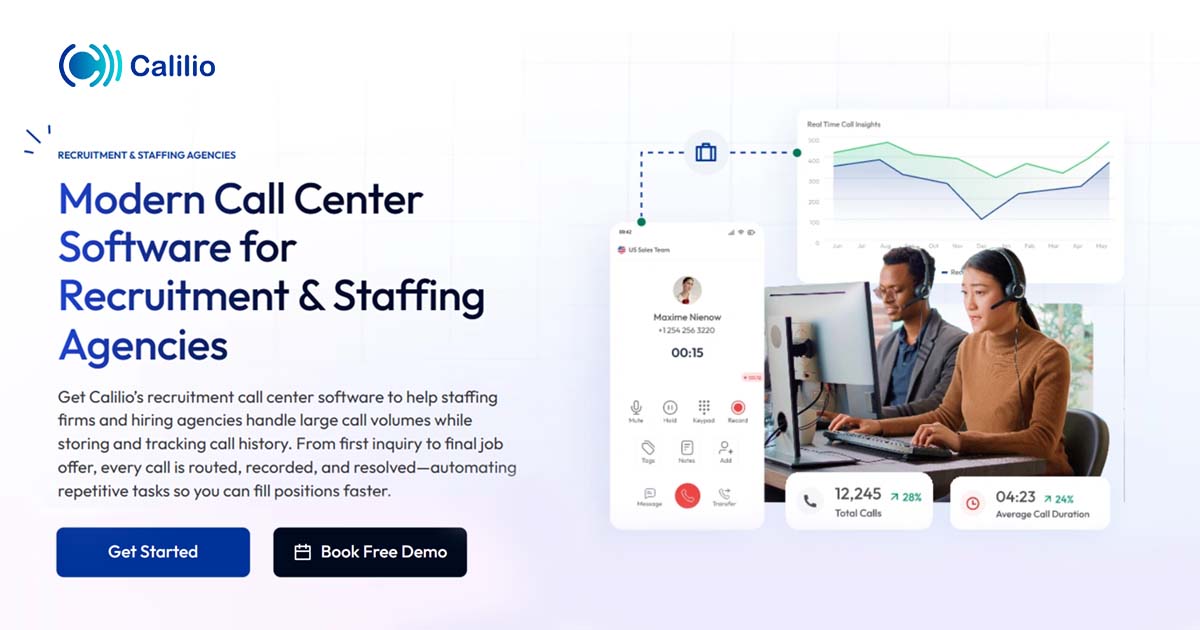
Calilio Call Center Software is specifically designed for recruitment and staffing agencies, providing seamless call handling, interview scheduling and automated follow-ups. This cloud-based solution accelerates processes, enhances communication and increases productivity in the recruitment industry.
Best for Call Center & Contact Center Software for Recruitment Agencies
Expert Take
Calilio Call Center for Recruiters excels in providing industry-specific features that streamline recruitment processes. Its cloud-based nature enhances real-time collaboration, making it a valuable tool for recruitment agencies. While the pricing model lacks transparency, the product's capabilities and usability justify its premium positioning.
Pros
- AI sentiment analysis tracks candidate emotions
- Highly affordable starting at $12/user/month
- Unified callbox centralizes calls and SMS
- HIPAA and SOC 2 compliant security
- Intuitive interface requires minimal training
Cons
- Major CRM integrations are 'Coming Soon'
- No built-in video conferencing feature
- Number porting can be slow
- Pay-per-minute rates for some calls
- Limited advanced reporting in basic plan
Best for teams that are
- Cost-conscious startups and small recruitment agencies
- Recruiters needing international virtual numbers for global reach
- Teams requiring quick setup with no hardware contracts
Skip if
- Large enterprises requiring advanced workforce management
- Agencies needing deep, native integrations with niche CRMs
- Teams needing complex routing logic or on-premise hardware
Best for teams that are
- Cost-conscious startups and small recruitment agencies
- Recruiters needing international virtual numbers for global reach
- Teams requiring quick setup with no hardware contracts
Skip if
- Large enterprises requiring advanced workforce management
- Agencies needing deep, native integrations with niche CRMs
- Teams needing complex routing logic or on-premise hardware
Pros
- AI sentiment analysis tracks candidate emotions
- Highly affordable starting at $12/user/month
- Unified callbox centralizes calls and SMS
- HIPAA and SOC 2 compliant security
- Intuitive interface requires minimal training
Cons
- Major CRM integrations are 'Coming Soon'
- No built-in video conferencing feature
- Number porting can be slow
- Pay-per-minute rates for some calls
- Limited advanced reporting in basic plan
Expert Take
Calilio Call Center for Recruiters excels in providing industry-specific features that streamline recruitment processes. Its cloud-based nature enhances real-time collaboration, making it a valuable tool for recruitment agencies. While the pricing model lacks transparency, the product's capabilities and usability justify its premium positioning.
Aircall for Recruitment
Best for Call Center & Contact Center Software for Recruitment Agencies

Aircall for Recruitment is a dedicated call center solution designed to streamline client communication, candidate screening and relationship building in recruitment agencies. It integrates seamlessly with Applicant Tracking Systems (ATS), allowing recruiters to manage all communications from a single platform, thus increasing efficiency and productivity.
Best for Call Center & Contact Center Software for Recruitment Agencies
Expert Take
Aircall for Recruitment excels in providing a comprehensive communication solution tailored for recruitment agencies. Its integration with Applicant Tracking Systems and real-time analytics capabilities enhances efficiency and decision-making. Despite requiring a high-speed internet connection, its robust feature set and international calling capabilities make it a top choice for recruitment professionals.
Pros
- Deep ATS integrations (Bullhorn, JobAdder)
- Instant candidate "screen pops" on calls
- SOC2 Type 2 & GDPR compliant
- Intuitive, easy-to-use interface
- Power Dialer for high-volume calling
Cons
- Strict 3-license minimum requirement
- Power Dialer only on Professional plan
- Difficult cancellation & auto-renewal policy
- AI & Analytics are paid add-ons
- Support can be slow on billing
Best for teams that are
- SMB staffing firms using CRMs like Bullhorn or HubSpot
- Teams needing a quick, cloud-based setup without hardware
- Agencies requiring strong mobile apps for remote recruiters
Skip if
- Large enterprises requiring complex on-premise infrastructure
- Very small teams unable to meet minimum seat requirements
- Organizations needing advanced native workforce management
Best for teams that are
- SMB staffing firms using CRMs like Bullhorn or HubSpot
- Teams needing a quick, cloud-based setup without hardware
- Agencies requiring strong mobile apps for remote recruiters
Skip if
- Large enterprises requiring complex on-premise infrastructure
- Very small teams unable to meet minimum seat requirements
- Organizations needing advanced native workforce management
Pros
- Deep ATS integrations (Bullhorn, JobAdder)
- Instant candidate "screen pops" on calls
- SOC2 Type 2 & GDPR compliant
- Intuitive, easy-to-use interface
- Power Dialer for high-volume calling
Cons
- Strict 3-license minimum requirement
- Power Dialer only on Professional plan
- Difficult cancellation & auto-renewal policy
- AI & Analytics are paid add-ons
- Support can be slow on billing
Expert Take
Aircall for Recruitment excels in providing a comprehensive communication solution tailored for recruitment agencies. Its integration with Applicant Tracking Systems and real-time analytics capabilities enhances efficiency and decision-making. Despite requiring a high-speed internet connection, its robust feature set and international calling capabilities make it a top choice for recruitment professionals.
Sierra Customer Experience Platform
Best for Call Center & Contact Center Software for SaaS Companies

Sierra is a top-notch SaaS solution specifically designed for SaaS companies to deliver better customer experiences. It excels in the industry by enabling faster, more efficient phone calls and scaling consistent experiences across every channel. Its seamless integration with existing call center ecosystems allows for an improved, unified communication experience.
Best for Call Center & Contact Center Software for SaaS Companies
Expert Take
Sierra excels in providing a comprehensive customer experience platform tailored for SaaS companies. It integrates seamlessly with existing ecosystems, offering scalability and efficiency. While pricing transparency is limited, its capabilities and market recognition position it as a top-tier solution in its category.
Pros
- Outcome-based pricing aligns vendor incentives
- ISO 42001 & 27001 certified security
- Action-oriented agents execute complex tasks
- Founded by Bret Taylor & Clay Bavor
- Constellation architecture reduces hallucination risk
Cons
- High minimum annual contract (~$150k)
- Complex 'rip-and-replace' implementation
- Opaque pricing with no public tiers
- Requires engineering for advanced features
- Long sales and deployment cycles
Best for teams that are
- Large B2C brands looking to automate high volumes of support queries
- Enterprises seeking outcome-based pricing (pay per resolution)
- Companies wanting autonomous AI agents rather than simple chatbots
Skip if
- Small businesses unable to meet high enterprise pricing minimums
- Teams needing a traditional human-first phone system
- Organizations with low support volume where automation ROI is low
Best for teams that are
- Large B2C brands looking to automate high volumes of support queries
- Enterprises seeking outcome-based pricing (pay per resolution)
- Companies wanting autonomous AI agents rather than simple chatbots
Skip if
- Small businesses unable to meet high enterprise pricing minimums
- Teams needing a traditional human-first phone system
- Organizations with low support volume where automation ROI is low
Pros
- Outcome-based pricing aligns vendor incentives
- ISO 42001 & 27001 certified security
- Action-oriented agents execute complex tasks
- Founded by Bret Taylor & Clay Bavor
- Constellation architecture reduces hallucination risk
Cons
- High minimum annual contract (~$150k)
- Complex 'rip-and-replace' implementation
- Opaque pricing with no public tiers
- Requires engineering for advanced features
- Long sales and deployment cycles
Expert Take
Sierra excels in providing a comprehensive customer experience platform tailored for SaaS companies. It integrates seamlessly with existing ecosystems, offering scalability and efficiency. While pricing transparency is limited, its capabilities and market recognition position it as a top-tier solution in its category.
IFS Contact Center Solution
Best for Call Center & Contact Center Software for Contractors

The IFS Contact Center Solution is a game-changer for contractors, offering robust call center functionalities combined with effective customer engagement tools. It addresses industry-specific needs such as efficient customer interaction management, service request tracking, and real-time data access for improved decision-making.
Best for Call Center & Contact Center Software for Contractors
Expert Take
IFS Contact Center Solution excels in providing industry-specific features for contractors, enhancing both call center operations and customer engagement. Its integration capabilities and real-time data access are well-documented, supporting its premium positioning. However, the complexity of setup and limited customization options are noted tradeoffs.
Pros
- Unified omni-channel agent desktop
- Deep integration with Field Service Management
- AI-powered self-service and chatbots
- Gartner recognized market leader
- Configurable workflows and scripts
Cons
- Steep learning curve for new users
- Opaque enterprise pricing model
- Mixed reviews on support responsiveness
- Complex setup and implementation
- Interface can be difficult to navigate
Best for teams that are
- Service-heavy industries like utilities, aerospace, and construction
- Organizations already using IFS Field Service Management
- Companies needing to unify contact center and field operations
Skip if
- Standalone retail or tech support centers without field operations
- Small businesses looking for a generic cloud phone system
- Companies not invested in the wider IFS software ecosystem
Best for teams that are
- Service-heavy industries like utilities, aerospace, and construction
- Organizations already using IFS Field Service Management
- Companies needing to unify contact center and field operations
Skip if
- Standalone retail or tech support centers without field operations
- Small businesses looking for a generic cloud phone system
- Companies not invested in the wider IFS software ecosystem
Pros
- Unified omni-channel agent desktop
- Deep integration with Field Service Management
- AI-powered self-service and chatbots
- Gartner recognized market leader
- Configurable workflows and scripts
Cons
- Steep learning curve for new users
- Opaque enterprise pricing model
- Mixed reviews on support responsiveness
- Complex setup and implementation
- Interface can be difficult to navigate
Expert Take
IFS Contact Center Solution excels in providing industry-specific features for contractors, enhancing both call center operations and customer engagement. Its integration capabilities and real-time data access are well-documented, supporting its premium positioning. However, the complexity of setup and limited customization options are noted tradeoffs.
DialedIn Construction Call Center
Best for Call Center & Contact Center Software for Contractors

DialedIn's Construction Call Center software is tailored to meet the specific needs of the construction sector. It aids in building customer connections and securing more jobs by offering reliable call center services. Its features are specifically designed to facilitate communication in the construction industry, making it easier for contractors to manage customer relations and job scheduling.
Best for Call Center & Contact Center Software for Contractors
Expert Take
DialedIn Construction Call Center excels in providing industry-specific features tailored for the construction sector, enhancing communication and job scheduling. Despite the lack of standard pricing information, its integration capabilities and customer service make it a top choice for contractors.
Pros
- Advanced predictive & progressive dialing
- 100% US-based 24/7 support
- Rapid deployment in hours
- Month-to-month billing flexibility
- Omnichannel voice, SMS, & email
Cons
- Telecom minutes billed separately
- Occasional system lag reported
- No native ServiceTitan integration
- Mobile app functionality limited
- Interface described as outdated
Best for teams that are
- Construction firms and contractors managing high lead volumes
- Sales teams needing powerful outbound predictive dialing
- Contractors requiring integration with industry-specific CRMs
Skip if
- Businesses looking for a general-purpose inbound support desk
- Enterprise-level organizations needing complex workforce management suites
- Teams that do not focus on outbound sales or lead generation
Best for teams that are
- Construction firms and contractors managing high lead volumes
- Sales teams needing powerful outbound predictive dialing
- Contractors requiring integration with industry-specific CRMs
Skip if
- Businesses looking for a general-purpose inbound support desk
- Enterprise-level organizations needing complex workforce management suites
- Teams that do not focus on outbound sales or lead generation
Pros
- Advanced predictive & progressive dialing
- 100% US-based 24/7 support
- Rapid deployment in hours
- Month-to-month billing flexibility
- Omnichannel voice, SMS, & email
Cons
- Telecom minutes billed separately
- Occasional system lag reported
- No native ServiceTitan integration
- Mobile app functionality limited
- Interface described as outdated
Expert Take
DialedIn Construction Call Center excels in providing industry-specific features tailored for the construction sector, enhancing communication and job scheduling. Despite the lack of standard pricing information, its integration capabilities and customer service make it a top choice for contractors.
Genesys Cloud Call Center
Best for Call Center & Contact Center Software for SaaS Companies

Genesys is a comprehensive call center software solution specifically designed to cater to the needs of SaaS businesses. It offers unified CCaaS capabilities that cover voice, AI, journey analytics, customer engagement, and workforce management, enabling SaaS businesses to deliver superior customer service.
Best for Call Center & Contact Center Software for SaaS Companies
Expert Take
Genesys Cloud Call Center is a top-tier solution for SaaS companies, offering comprehensive capabilities in customer engagement, AI, and workforce management. Its robust feature set and industry recognition make it a preferred choice for enhancing customer service in the SaaS sector.
Pros
- 11-time Gartner Magic Quadrant Leader
- Unified voice, digital, and WEM platform
- FedRAMP Authorized (Moderate Impact)
- Deep Salesforce and ServiceNow integrations
- Native AI with predictive routing
Cons
- Premium pricing ($75-$240/user/month)
- Complex AI token consumption model
- Reporting capabilities cited as inadequate
- Steep learning curve for administrators
- Support responsiveness can be inconsistent
Best for teams that are
- Global enterprises requiring massive scalability and reliability
- Organizations with complex omnichannel and workforce management needs
- Teams needing deep customization and advanced AI capabilities
Skip if
- Small businesses with limited technical resources or budget
- Teams seeking a simple, out-of-the-box solution without setup time
- Companies that only need basic voice capabilities
Best for teams that are
- Global enterprises requiring massive scalability and reliability
- Organizations with complex omnichannel and workforce management needs
- Teams needing deep customization and advanced AI capabilities
Skip if
- Small businesses with limited technical resources or budget
- Teams seeking a simple, out-of-the-box solution without setup time
- Companies that only need basic voice capabilities
Pros
- 11-time Gartner Magic Quadrant Leader
- Unified voice, digital, and WEM platform
- FedRAMP Authorized (Moderate Impact)
- Deep Salesforce and ServiceNow integrations
- Native AI with predictive routing
Cons
- Premium pricing ($75-$240/user/month)
- Complex AI token consumption model
- Reporting capabilities cited as inadequate
- Steep learning curve for administrators
- Support responsiveness can be inconsistent
Expert Take
Genesys Cloud Call Center is a top-tier solution for SaaS companies, offering comprehensive capabilities in customer engagement, AI, and workforce management. Its robust feature set and industry recognition make it a preferred choice for enhancing customer service in the SaaS sector.
Invoca Conversation Analytics
Best for Call Center & Contact Center Software for SaaS Companies

Invoca is a call and conversation analytics SaaS solution designed specifically for marketing, sales, and contact centers within SaaS companies. By employing AI, it unlocks powerful analytics from phone conversations, providing actionable insights for professionals to drive and convert customer interactions into sales and revenue growth.
Best for Call Center & Contact Center Software for SaaS Companies
Expert Take
Invoca Conversation Analytics stands out as a leading solution in the call center software space for SaaS companies. Its AI-driven capabilities provide deep insights from phone conversations, which are crucial for optimizing marketing and sales strategies. The product is well-integrated with CRM platforms, enhancing its usability and customer experience. While pricing transparency is limited, the overall value and market credibility are supported by reputable third-party sources.
Pros
- Signal AI Studio allows custom no-code models
- Deep integrations with Google and Salesforce
- Enterprise-grade security (HIPAA, SOC 2, PCI)
- PreSense shows agent caller intent pre-answer
- Real-time attribution for offline conversions
Cons
- Pricing is not publicly available
- Expensive for small to mid-sized businesses
- Steep learning curve for new users
- Key AI features require paid add-ons
- Transcription struggles with heavy accents
Best for teams that are
- Marketing teams needing to attribute inbound calls to digital ad spend
- Multi-location businesses like franchises or dealer networks
- Sales leaders wanting AI insights into call quality and outcomes
Skip if
- Support teams needing a primary phone system for handling tickets
- Small businesses with low call volumes where analytics add little value
- Companies looking for a standalone CCaaS platform for agents
Best for teams that are
- Marketing teams needing to attribute inbound calls to digital ad spend
- Multi-location businesses like franchises or dealer networks
- Sales leaders wanting AI insights into call quality and outcomes
Skip if
- Support teams needing a primary phone system for handling tickets
- Small businesses with low call volumes where analytics add little value
- Companies looking for a standalone CCaaS platform for agents
Pros
- Signal AI Studio allows custom no-code models
- Deep integrations with Google and Salesforce
- Enterprise-grade security (HIPAA, SOC 2, PCI)
- PreSense shows agent caller intent pre-answer
- Real-time attribution for offline conversions
Cons
- Pricing is not publicly available
- Expensive for small to mid-sized businesses
- Steep learning curve for new users
- Key AI features require paid add-ons
- Transcription struggles with heavy accents
Expert Take
Invoca Conversation Analytics stands out as a leading solution in the call center software space for SaaS companies. Its AI-driven capabilities provide deep insights from phone conversations, which are crucial for optimizing marketing and sales strategies. The product is well-integrated with CRM platforms, enhancing its usability and customer experience. While pricing transparency is limited, the overall value and market credibility are supported by reputable third-party sources.
Oracle Call Center Software
Best for Call Center & Contact Center Software for Recruitment Agencies

Oracle's Call Center Software is designed with recruitment agencies in mind, addressing their unique needs for efficient customer service. The software aids in enhancing agent performance while delivering exceptional customer experiences, thereby improving candidate engagement and boosting recruitment outcomes.
Best for Call Center & Contact Center Software for Recruitment Agencies
Expert Take
Oracle Call Center Software stands out in the recruitment agency sector due to its tailored features that enhance agent performance and candidate engagement. Its market credibility is supported by Oracle's strong reputation, and the software's usability is bolstered by comprehensive documentation. However, the need for training and potential complexity for smaller agencies slightly impacts its usability score.
Pros
- Leader in Gartner Magic Quadrant (12+ years)
- FedRAMP High and HIPAA compliant
- New AI Automated Service Agent features
- Deep native integration with Oracle ERP/HCM
- Comprehensive omnichannel support (Voice/SMS/Video)
Cons
- High implementation and customization costs
- Complex and sometimes 'clunky' user interface
- Restricted scripting options (Groovy only)
- Opaque pricing with potential user minimums
- Steep learning curve for administrators
Best for teams that are
- Enterprises already embedded in the Oracle HCM ecosystem
- Large agencies needing highly customizable security protocols
- Global firms requiring deep ERP and database integrations
Skip if
- SMBs without dedicated administrators or IT support
- Agencies looking for a lightweight, modern user interface
- Businesses with limited budgets due to high setup costs
Best for teams that are
- Enterprises already embedded in the Oracle HCM ecosystem
- Large agencies needing highly customizable security protocols
- Global firms requiring deep ERP and database integrations
Skip if
- SMBs without dedicated administrators or IT support
- Agencies looking for a lightweight, modern user interface
- Businesses with limited budgets due to high setup costs
Pros
- Leader in Gartner Magic Quadrant (12+ years)
- FedRAMP High and HIPAA compliant
- New AI Automated Service Agent features
- Deep native integration with Oracle ERP/HCM
- Comprehensive omnichannel support (Voice/SMS/Video)
Cons
- High implementation and customization costs
- Complex and sometimes 'clunky' user interface
- Restricted scripting options (Groovy only)
- Opaque pricing with potential user minimums
- Steep learning curve for administrators
Expert Take
Oracle Call Center Software stands out in the recruitment agency sector due to its tailored features that enhance agent performance and candidate engagement. Its market credibility is supported by Oracle's strong reputation, and the software's usability is bolstered by comprehensive documentation. However, the need for training and potential complexity for smaller agencies slightly impacts its usability score.
Working Solutions Contact Center
Best for Call Center & Contact Center Software for Contractors
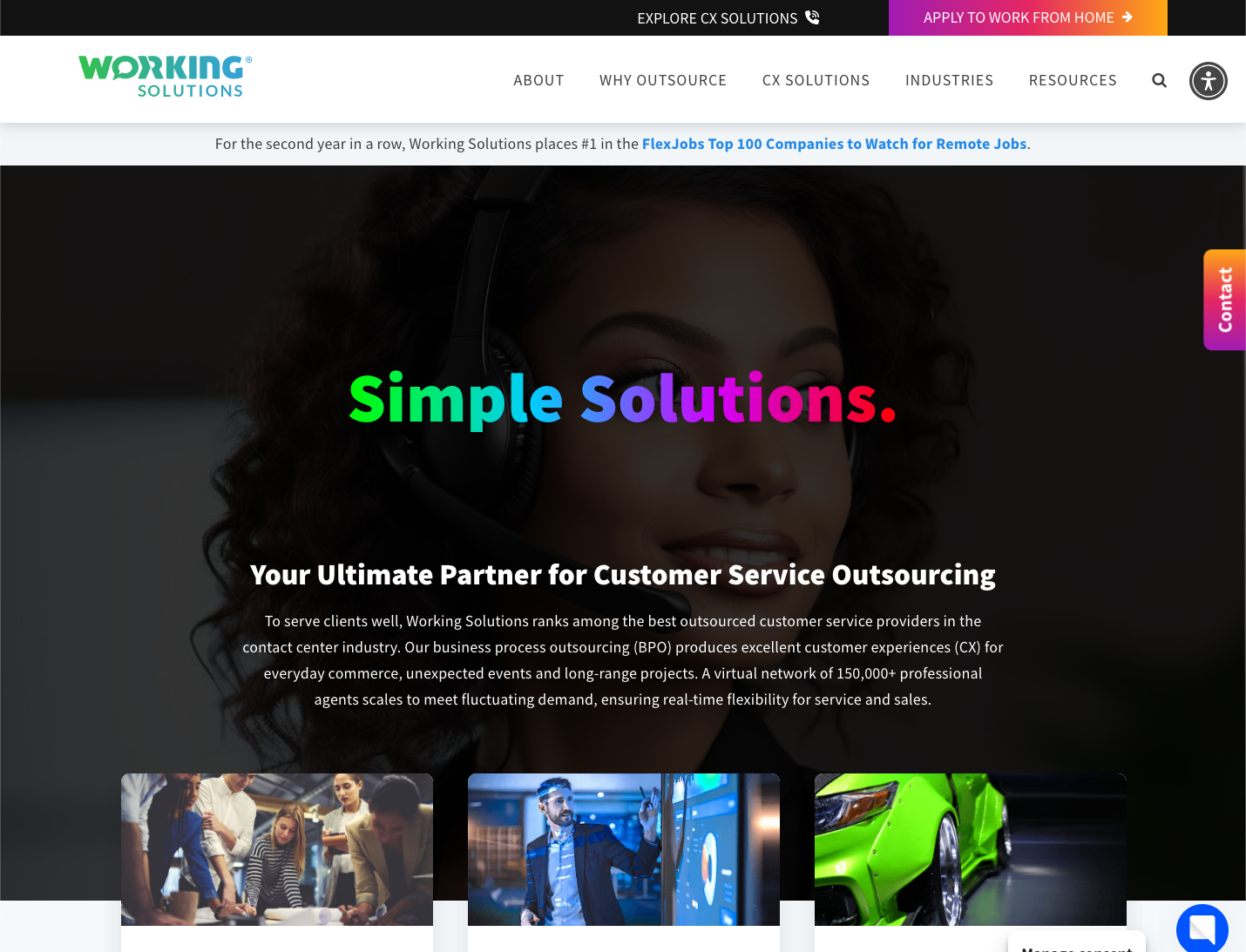
Working Solutions provides contact center outsourcing with enhanced customer experience (CX) specifically designed for contractors. With its unique features, contractors can achieve scalability, reduce costs significantly, and improve customer service quality.
Best for Call Center & Contact Center Software for Contractors
Expert Take
Working Solutions Contact Center stands out as a premium solution in the contractor-focused call center software market. It offers scalable and cost-effective outsourcing solutions with enhanced customer experience capabilities. The product is well-regarded for its ability to manage high customer interaction volumes efficiently, making it a top choice for contractors.
Pros
- Scalable solutions
- Enhanced CX
- Significant cost reductions
- Customized services
- 24/7 support
Cons
- Pricing not transparent
- Dependence on outsourcing
- May require change management
Best for teams that are
- Companies looking to outsource customer service agents completely
- Businesses needing flexible staffing for seasonal spikes
- Organizations requiring on-demand disaster recovery support
Skip if
- Organizations seeking software to manage their own internal agents
- Companies wanting to retain full in-house control of staff
- Businesses looking for a technology platform rather than a service
Best for teams that are
- Companies looking to outsource customer service agents completely
- Businesses needing flexible staffing for seasonal spikes
- Organizations requiring on-demand disaster recovery support
Skip if
- Organizations seeking software to manage their own internal agents
- Companies wanting to retain full in-house control of staff
- Businesses looking for a technology platform rather than a service
Pros
- Scalable solutions
- Enhanced CX
- Significant cost reductions
- Customized services
- 24/7 support
Cons
- Pricing not transparent
- Dependence on outsourcing
- May require change management
Expert Take
Working Solutions Contact Center stands out as a premium solution in the contractor-focused call center software market. It offers scalable and cost-effective outsourcing solutions with enhanced customer experience capabilities. The product is well-regarded for its ability to manage high customer interaction volumes efficiently, making it a top choice for contractors.
Aircall: Intelligent Communications
Best for Call Center & Contact Center Software for SaaS Companies

Aircall is an AI-powered customer communication platform tailored for SaaS companies. It provides an integrated system to unify customer communication channels, automate tasks, and deliver insights. The software seamlessly integrates with CRM and helpdesk systems, making it an optimal solution for SaaS companies that require robust, efficient, and intelligent customer support.
Best for Call Center & Contact Center Software for SaaS Companies
Expert Take
Aircall excels in providing a unified communication platform tailored for SaaS companies, with strong integration capabilities and AI-powered features. Its market credibility is supported by third-party recognitions, and it offers a comprehensive user experience. However, it has some limitations in offline capabilities and requires high-speed internet.
Pros
- 100+ native integrations (HubSpot, Salesforce)
- Instant setup with no hardware
- SOC 2 Type II & HIPAA compliant
- AI transcription & sentiment analysis
- Global reach with international numbers
Cons
- 3-user minimum requirement
- AI features are paid add-ons
- Advanced analytics costs extra
- Reports of difficult cancellation process
- Occasional latency in high traffic
Best for teams that are
- SMB sales and support teams needing quick, user-friendly setup
- Remote or hybrid teams using HubSpot or Salesforce
- Companies prioritizing ease of use over complex enterprise features
Skip if
- Large enterprises with complex workforce management (WFM) needs
- High-volume contact centers requiring deep, granular analytics
- Organizations needing advanced omnichannel routing beyond voice
Best for teams that are
- SMB sales and support teams needing quick, user-friendly setup
- Remote or hybrid teams using HubSpot or Salesforce
- Companies prioritizing ease of use over complex enterprise features
Skip if
- Large enterprises with complex workforce management (WFM) needs
- High-volume contact centers requiring deep, granular analytics
- Organizations needing advanced omnichannel routing beyond voice
Pros
- 100+ native integrations (HubSpot, Salesforce)
- Instant setup with no hardware
- SOC 2 Type II & HIPAA compliant
- AI transcription & sentiment analysis
- Global reach with international numbers
Cons
- 3-user minimum requirement
- AI features are paid add-ons
- Advanced analytics costs extra
- Reports of difficult cancellation process
- Occasional latency in high traffic
Expert Take
Aircall excels in providing a unified communication platform tailored for SaaS companies, with strong integration capabilities and AI-powered features. Its market credibility is supported by third-party recognitions, and it offers a comprehensive user experience. However, it has some limitations in offline capabilities and requires high-speed internet.