We review products independently. We may earn a commission if you buy through our links, at no extra cost to you. Learn more


This guide focuses on one area — the broader Video Editing & Production Software coverage is here. Other Software products for Photography Professionals.

Other Software products for Photography Professionals.

Video Editing & Production Software for Photography Studios
Albert Richer

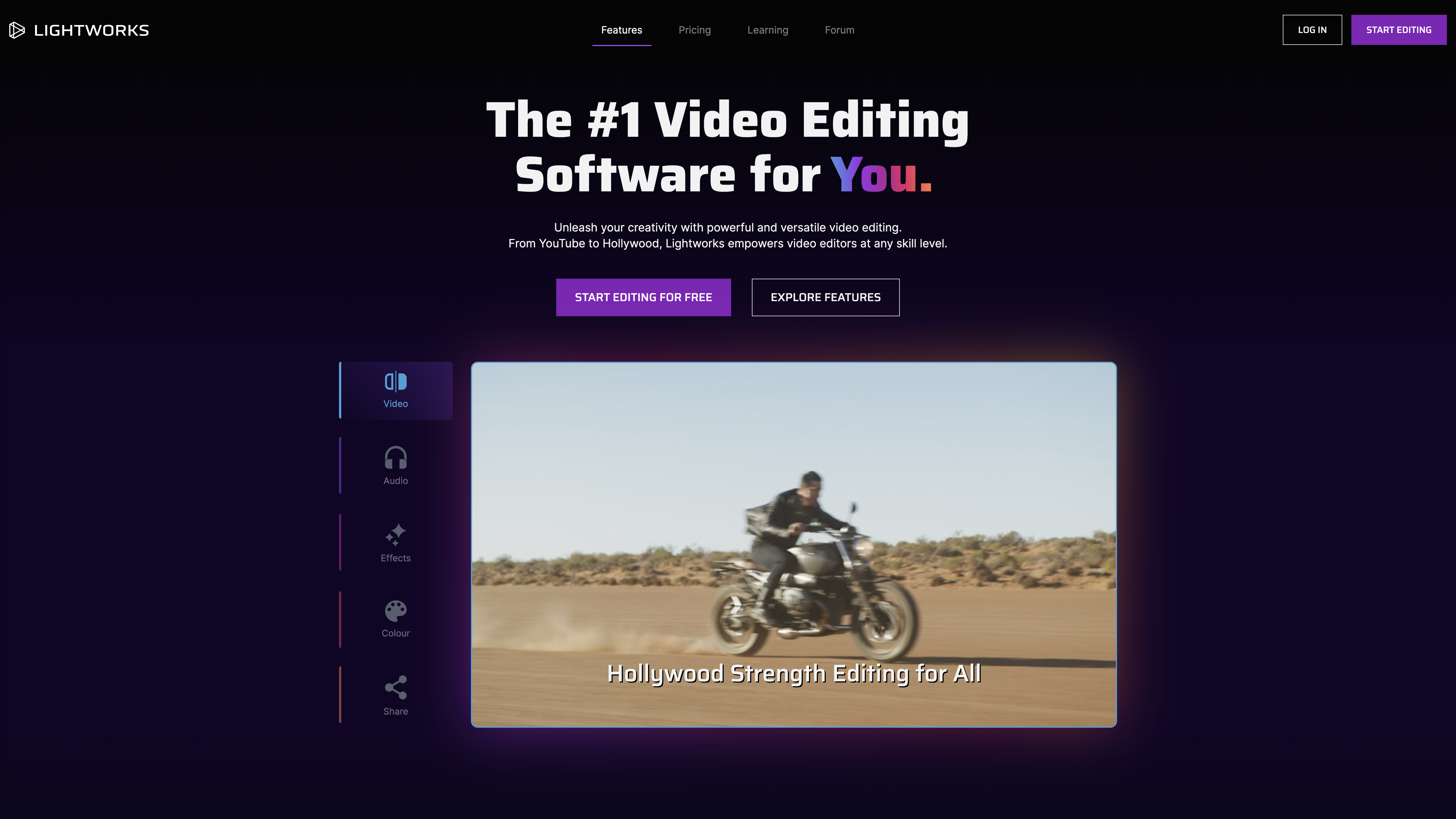
Photography studios handling client video deliverables face distinct operational challenges that separate their needs from general video editing workflows. Raw file processing speed becomes critical when managing wedding highlight reels with 4K ceremony footage, while multicam synchronization matters for studio portrait sessions captured from multiple angles. DaVinci Resolve 20 addresses budget-conscious studios through its generous free version and one-time Studio purchase, though users report frequent crashes with Magic Mask 2 that can disrupt client deadline workflows. If you're managing complex pre-production scheduling alongside editing, StudioBinder Production Management integrates script breakdowns with call sheets, though their cancellation process locks data access immediately upon termination. Adobe Premiere Pro's Dynamic Link eliminates render delays when round-tripping to After Effects for motion graphics overlays, but the 2024 updates have introduced stability issues during peak editing sessions. For studios emphasizing film-quality output, Lightworks Pro leverages its Academy Award pedigree from productions like "The Wolf of Wall Street," though rendering speeds lag behind competitors when delivering rushed client projects. Photography studios handling client video deliverables face distinct operational challenges that separate their needs from general video editing workflows. Raw file processing speed becomes critical when managing wedding highlight reels with 4K ceremony footage, while multicam synchronization matters for studio portrait sessions captured from multiple angles.

Not sure which one is right for you?

Answer 4 quick questions and we'll match you with your best options

Find Your Best Match

How big is your team?

Just me
2 - 10
11 - 50
51 - 200
201 - 1,000
1,000+

What's your budget situation?

Free or open-source only
Free to start, pay later
Best value for money
Price isn't the main factor

What's your team's technical comfort level?

We want it to just work
We can handle some setup
We have developers who'll customize it

What's the ONE thing this tool must do well?

Step 1 of 4
Similar Categories
1
Expert Score
9.2 / 10
737
212
MOST BEGINNER-FRIENDLY
1
9.2

Filmora

Filmora
View Website
Filmora is designed for photography studios seeking powerful yet user-friendly video editing tools. With advanced AI integrations like Sora 2 and Veo 3.1, it simplifies tasks such as subtitle creation and scene cutting, making it ideal for both beginners and seasoned creators looking to enhance their workflow.
MOST BEGINNER-FRIENDLY

Best for teams that are

  • Beginner to intermediate creators making social media content.
  • Marketers needing quick AI tools for fast video generation.

Skip if

  • High-end film editors requiring advanced node-based VFX tools.
  • Professionals needing deep, manual color grading capabilities.

Expert Take

Filmora masterfully bridges the gap between basic consumer software and complex professional NLE suites. By natively integrating frontier AI models like Sora 2 and Veo 3.1 into the timeline, it allows everyday creators to generate cinematic visuals and automate tedious tasks like subtitle creation and scene cutting. Its intuitive, drag-and-drop interface empowers absolute beginners to produce polished, highly engaging content without the massive learning curve associated with traditional video e

Pros

  • Highly intuitive drag-and-drop interface perfect for beginners
  • Massive library of 2.3 million+ royalty-free creative assets
  • Advanced tools like multi-camera editing and planar tracking

Cons

  • Misleading perpetual license excludes future major updates
  • Generative AI features rapidly consume paid credits
  • Premium assets require a separate monthly subscription

2
Expert Score
9.1 / 10
497
111
BEST FOR ADVANCED COLOR GRADING

DaVinci Resolve 20

DaVinci Resolve 20
View Website
DaVinci Resolve 20 is an exceptional video editing software solution designed for photography studios. With its advanced color correction, visual effects, and audio post-production capabilities, it caters to the industry's needs for high-quality video editing and production in one application.
BEST FOR ADVANCED COLOR GRADING

Best for teams that are

  • Professional colorists requiring industry-leading grading tools.
  • Filmmakers looking for advanced VFX and audio mastering in one.

Skip if

  • Absolute beginners seeking a simple, low-learning-curve tool.
  • Casual content creators needing quick social media templates.

Expert Take

The documentation shows daVinci Resolve 20 continues to disrupt the market by offering Hollywood-grade post-production tools without a subscription model. Research indicates the new DaVinci Neural Engine significantly accelerates workflows through features like Magic Mask v2 and IntelliScript, though these require substantial hardware. It remains the undisputed leader for color grading while becoming an increasingly capable all-in-one editor.

Pros

  • Robust free version with few limits
  • Advanced AI tools run locally
  • Industry-standard color grading capabilities
  • Integrated VFX and audio post-production

Cons

  • Steep learning curve for beginners
  • High GPU hardware requirements
  • IntelliScript struggles with unscripted content
  • Complex interface can be overwhelming
3
Expert Score
9.1 / 10
660
251
BEST FOR VIDEO LOCALIZATION
3
9.1

Vozo AI

Vozo AI
View Website
Vozo AI revolutionizes video localization for photography studios by integrating translation, voice cloning, and lip-syncing in one platform. It's perfect for creators aiming for global reach with genuine, emotional content. Key features include support for over 110 languages and advanced lip-syncing capabilities.
BEST FOR VIDEO LOCALIZATION

Best for teams that are

  • Creators and marketers needing multilingual video localization.
  • Social media users wanting to repurpose long videos into shorts.

Skip if

  • Hollywood studios requiring advanced cinematic visual effects.
  • Editors who prefer manual, frame-by-frame color grading tools.

Expert Take

Vozo AI fundamentally transforms the video localization workflow by bridging the gap between translation, voice cloning, and lip-syncing within a single suite. By training its VoiceREAL model on over 200,000 hours of human voices, it avoids the robotic pitfalls of legacy text-to-speech tools. It empowers creators and enterprises alike to reach a truly global audience with authentic, emotionally resonant content.

Pros

  • Supports over 110 languages natively
  • On-screen visual text translation
  • Accessible $29/mo entry pricing
  • Enterprise data privacy guarantees

Cons

  • No subscription refunds available
  • SOC 2 compliance still pending
  • Strict point expiration rules
4
Expert Score
9.1 / 10
529
204
FASTEST PROCESSING

UniConverter

UniConverter
View Website
UniConverter is a powerhouse for photography studios, offering rapid 8K video conversion and AV1 encoding. Its 18+ AI tools make it an invaluable asset for content creators, ensuring high-quality output without sacrificing speed.
FASTEST PROCESSING

Best for teams that are

  • Marketers needing quick bulk video formatting and compression.
  • Educators requiring simple subtitle generation and burning.

Skip if

  • Professional editors needing robust timeline cutting features.
  • Filmmakers wanting advanced cinematic color grading tools.

Expert Take

Wondershare UniConverter is a versatile, Swiss-army-knife multimedia toolkit that shines through its blazing-fast, hardware-accelerated processing. We appreciate its ability to effortlessly handle complex tasks like 8K video conversion, AV1 encoding, and batch compression without quality loss. Its expansive suite of 18+ AI-powered tools transforms it from a simple video converter into a comprehensive, time-saving asset for modern content creators.

Pros

  • Hardware-accelerated 130x faster processing
  • Extensive 18+ AI creative tools
  • Intuitive and beginner-friendly interface

Cons

  • AI tools require continuous credit purchases
  • Severely limited free trial capabilities
5
Expert Score
8.9 / 10
727
23
INDUSTRY STANDARD

Adobe Premiere Pro

View Website
Adobe Premiere Pro is a leading SaaS video editing software specifically designed to cater to the unique demands of photography studios. Its robust features allow professionals to edit, trim, mix audio, add effects, and extend videos, providing seamless post-production capabilities in a single platform.
INDUSTRY STANDARD

Best for teams that are

  • Professional filmmakers and agencies requiring advanced editing.
  • Editors heavily utilizing the Adobe Creative Cloud ecosystem.

Skip if

  • Casual beginners looking for a simple, drag-and-drop editor.
  • Hobbyists seeking a one-time purchase without subscriptions.

Expert Take

Based on documented evidence, adobe Premiere Pro remains the industry standard largely due to its unmatched ecosystem integration, specifically Dynamic Link which allows seamless round-tripping with After Effects. Research indicates that while stability has been a concern in recent updates, the introduction of Firefly-powered AI tools like Generative Extend and Text-Based Editing significantly accelerates professional workflows.

Pros

  • Industry-standard used in 57% of Sundance films
  • Generative Extend AI adds frames to clips
  • Text-Based Editing speeds up rough cuts
  • Built-in Frame.io for remote collaboration

Cons

  • FTC lawsuit regarding hidden cancellation fees
  • Subscription-only model is expensive long-term
  • High system resource requirements
  • Steep learning curve for beginners
6
Expert Score
8.9 / 10
453
236

Cross Clip

Cross Clip
View Website
Cross Clip is a video editing tool ideal for photography studios looking to transform horizontal live streams into captivating vertical content. With seamless Twitch integration and the backing of the Streamlabs ecosystem, it offers an intuitive experience for creators targeting TikTok and Instagram Reels.

Best for teams that are

  • Twitch and Kick streamers converting VODs for TikTok and Shorts.
  • Users wanting quick, AI-assisted mobile clip editing on the go.

Skip if

  • Filmmakers producing long-form cinematic or narrative content.
  • Professional editors needing advanced color grading or VFX.

Expert Take

Cross Clip streamlines the tedious process of converting horizontal live streams into engaging, vertical short-form content. Backed by the trusted Streamlabs ecosystem, its intuitive desktop interface and seamless Twitch integration make it incredibly easy for creators to populate their TikTok and Instagram Reels. For existing Streamlabs Ultra subscribers, it provides exceptional integrated value.

Pros

  • Seamless Twitch and Kick integration
  • Included in Streamlabs Ultra suite
  • Intuitive desktop editor interface

Cons

  • Mobile app crashes frequently
  • Heavy watermarks on free tier
  • Lacks advanced custom text features
7
Expert Score
8.9 / 10
599
40

Topaz Labs Photo/Video Editing

Topaz Labs Photo/Video Editing
View Website
Topaz Labs offers deep learning-powered photo and video enhancement software, specifically designed for professional photographers and photography studios. It excels in noise reduction, sharpening, and upscaling, ensuring top-notch image and video quality.

Best for teams that are

  • Archivists looking to upscale and restore old, low-res media.
  • Professionals requiring precise AI-powered image sharpening.

Skip if

  • Users wanting a full non-linear video editing or color suite.
  • Casual users unwilling to pay a premium for specialized tools.

Expert Take

Topaz Labs is tailor-made for professional photographers in photography studios. It offers software solutions that leverage artificial intelligence to enhance the quality of photos and videos. Its powerful algorithms reduce noise, upscale resolution, and sharpen details, making photos and videos look their absolute best. This specialization makes it a preferred choice for professionals who demand pristine image quality.

Pros

  • High-quality noise reduction and sharpening
  • Specialized for professional photographers

Cons

  • Each product priced separately
  • Limited video editing tools
8
Expert Score
8.8 / 10
567
163
TOP COLLABORATIVE TOOL

StudioBinder Production Management

StudioBinder Production Management
View Website
StudioBinder is a leading production management software solution specifically designed for the video, TV, and film industry. It offers comprehensive tools for planning, visualizing, and executing production projects, enabling industry professionals to streamline their workflow, enhance collaboration, and improve productivity.
TOP COLLABORATIVE TOOL

Best for teams that are

  • Film and TV production companies managing complex daily shoots.
  • Creative agencies organizing collaborative video workflows.

Skip if

  • Solo vloggers or casual YouTubers making simple daily content.
  • Video editors looking for software to cut and render media files.

Expert Take

The documentation shows studioBinder excels at unifying the fragmented pre-production workflow into a single, visually stunning cloud platform. Research indicates it is particularly strong for production teams valuing collaboration and UI over budget, with features like auto-generated call sheets and script breakdowns streamlining complex logistics. While it commands a premium price, the integration of scheduling, shot listing, and contact management offers significant efficiency gains for connected teams.

Pros

  • All-in-one production management suite
  • Industry-leading educational resources
  • Seamless script-to-schedule integration
  • Robust cloud collaboration tools

Cons

  • Higher price point than competitors
  • No offline mode available
  • Customer support responsiveness issues
  • Cancellation process friction
9
Expert Score
8.8 / 10
436
120

ACDSee Photo Studio

ACDSee Photo Studio
View Website
ACDSee Photo Studio is a comprehensive SaaS solution for photography studios, offering robust photo editing and video editing software. It caters to the specific needs of the photography industry, providing advanced digital asset management capabilities and a suite of editing tools to enhance creativity and productivity.

Best for teams that are

  • Windows users seeking advanced digital asset management tools.
  • Enthusiasts looking for fast RAW processing and AI masking.

Skip if

  • Mac users, as the Ultimate edition is strictly Windows-only.
  • Professional video editors, as this is primarily for photography.

Expert Take

Our research finds aCDSee Photo Studio remains a steadfast choice for photographers who demand ownership of their software, offering a rare perpetual license in a subscription-dominated market. Research indicates its 'no-import' Digital Asset Management system provides immediate access to files without the cataloging delays found in competitors. While it lacks the generative AI of market leaders, its combination of RAW processing and layered editing makes it a powerful all-in-one workstation.

Pros

  • Perpetual license option available
  • Fast GPU-accelerated performance
  • Layered editing capabilities (Windows)
  • Cheaper than Adobe subscription

Cons

  • Mac version lacks key features
  • Interface can be cluttered
  • Steeper learning curve
  • Lens profiles can be unreliable
10
Expert Score
8.8 / 10
874
140

Riverside

Riverside
View Website
Riverside is ideal for photography studios seeking top-tier remote video production, capturing 4K video and 48kHz audio locally to ensure quality. Its AI editor and 'Magic Clips' simplify post-production, turning interviews into viral social media content.

Best for teams that are

  • Podcasters recording remote interviews in studio-quality 4K.
  • Creators needing uncompressed, separate audio and video tracks.

Skip if

  • Editors requiring heavy post-production or complex VFX tools.
  • Users who suffer from frequent computer storage limitations.

Expert Take

Riverside.fm effectively bridges the gap between remote convenience and studio-grade quality. By capturing up to 4K video and lossless 48kHz WAV audio locally on each participant's device, it completely eliminates internet-related dropouts. Furthermore, the integration of an AI-powered text-based editor and "Magic Clips" streamlines post-production workflows, empowering creators to effortlessly transform long-form interviews into highly engaging, viral social media assets.

Pros

  • Local 4K video & lossless WAV capture
  • AI text-based transcript video editing
  • Automated 'Magic Clips' for social media

Cons

  • Requires Chrome/Edge; no Firefox support
  • Documented audio/video desynchronization bugs
  • Customer support struggles with glitch resolution
11
Expert Score
8.7 / 10
395
62

Lightworks Pro Video Editor

Lightworks Pro Video Editor
View Website
Lightworks is a comprehensive video editing tool designed specifically to cater to the complex needs of photography studios. Its advanced features such as high-quality video and audio editing, vibrant color grading, impressive visual effects, and intuitive interface make it a suitable choice for industry professionals seeking a robust editing solution.

Best for teams that are

  • Intermediate to professional editors wanting a customizable UI.
  • Creators seeking fast proxy workflows and background rendering.

Skip if

  • Absolute beginners wanting intuitive, template-based designs.
  • Users seeking advanced 3D text generation natively built-in.

Expert Take

Across our scoring categories, lightworks Pro stands out for its verified Hollywood pedigree, offering the exact trimming and narrative workflow tools used on films like *The Wolf of Wall Street*. Unlike many SaaS competitors, it provides a perpetual license option and runs efficiently on Linux, Windows, and Mac. While it lacks some modern AI conveniences, its multicam and trimming capabilities remain industry-leading for pure storytelling.

Pros

  • Used in Academy Award-winning films
  • Advanced multicam editing capabilities
  • Runs on Windows, Mac, and Linux
  • Optimized for lower-spec hardware

Cons

  • Steep learning curve for beginners
  • Lacks modern AI features
  • No built-in motion tracking
  • Free version limited to 720p
12
Expert Score
8.6 / 10
626
65

VSCO Photo & Video Editor

VSCO Photo & Video Editor
View Website
VSCO is a comprehensive photo and video editing software designed specifically for both mobile and desktop users in the photography industry. The software offers a range of advanced editing tools, customizable filters, and a community platform for sharing work and gaining inspiration. It addresses the industry need for high-quality photo and video editing while providing a platform for creative expression.

Best for teams that are

  • Mobile photographers editing content for Instagram and TikTok.
  • Enthusiasts wanting a community without public like counts.

Skip if

  • Desktop-first professional retouchers needing complex masking.
  • Traditional video editors requiring multi-track timeline tools.

Expert Take

Research indicates VSCO remains a powerhouse for serious creators by prioritizing high-fidelity film emulation (Film X) over algorithmic engagement. Our analysis shows the recent pivot to profitability via VSCO Hub and Pro subscriptions successfully connects photographers with major brands like Nike. While performance complaints exist, the integration of desktop workflows and Adobe Lightroom support solidifies its position as a professional-grade tool rather than just a filter app.

Pros

  • Distraction-free community without public likes
  • VSCO Hub connects creators with brands
  • Seamless cloud sync across mobile/desktop
  • Advanced HSL and Split Tone tools

Cons

  • No private profile option available
  • Significant app performance and lag issues
  • Strict no-refund policy on subscriptions
  • No RAW editing support on desktop
13
Expert Score
8.6 / 10
650
70

VEGAS Pro Video Editor

VEGAS Pro Video Editor
View Website
VEGAS Pro is a powerful yet intuitive video editing software, specifically designed for professionals in the photography industry. It offers robust video editing, top-notch audio recording/editing/mixing, video compositing, and file delivery features, making it an all-in-one solution for creative professionals seeking to produce high-quality multimedia content.

Best for teams that are

  • YouTubers and influencers creating fast-paced video content.
  • Editors wanting a one-time license option over a subscription.

Skip if

  • Mac users, as VEGAS Pro is exclusively available for Windows.
  • Hollywood studios requiring advanced multi-user collaboration.

Expert Take

VEGAS Pro stands out for its unique 'SmartScription' model, which bridges the gap between subscription and ownership by granting a perpetual license after two years. Research indicates it functions as a 'Swiss Army Knife' for creators, bundling powerful audio tools like SOUND FORGE and industry-standard VFX like Mocha directly into the suite. While stability remains a documented concern, its integration of AI text-based editing and deep audio capabilities makes it a compelling all-in-one production hub.

Pros

  • Integrated AI Text-Based Editing tools
  • Bundled Mocha VEGAS planar tracking
  • Includes SOUND FORGE audio editing
  • Intuitive timeline for audio-visual workflow

Cons

  • Frequent stability and crash reports
  • Multicam editing bugs reported
  • Interface lacks some modern conveniences
  • Legacy code issues affecting performance
14
Expert Score
8.2 / 10
697
99

MAGIX Video & Photo Suite

MAGIX Video & Photo Suite
View Website
MAGIX is a comprehensive suite tailored for photography studios, offering robust video editing, music production, and photo software. It fills a vital industry need for a one-stop solution for professional production, ranging from basic edits to high-end creative projects.

Best for teams that are

  • Hobbyists needing accessible multi-cam and timeline editing.
  • Content creators utilizing AI tools for quick style transfers.

Skip if

  • Mac users, as the software is strictly built for Windows PCs.
  • Editors who require seamless, real-time cloud collaboration.

Expert Take

The documentation shows mAGIX Movie Studio Suite 2025 offers an impressive array of creative tools, including over 1,500 effects and advanced AI capabilities like text-to-speech, which are rarely found at this price point. Research indicates the INFUSION Engine 3 provides competitive rendering speeds for multicam projects. However, potential buyers must weigh these premium features against documented stability challenges and support limitations.

Pros

  • AI Text-to-Speech in 100+ languages
  • Perpetual license option available
  • Includes Boris FX Chroma Key Studio
  • Fast INFUSION Engine 3 rendering

Cons

  • Frequent crashes and instability reported
  • Poor customer support accessibility
  • AI features have strict usage limits
  • Steep learning curve for beginners

Product Comparison

Product Has Mobile App Has Free Plan Has Free Trial Integrates With Zapier Has Public API Live Chat Support SOC 2 or ISO Certified Popular Integrations Supports SSO Starting Price
1 Filmora
Yes No Yes - 7 days No No Email/Ticket only Not specified YouTube, Vimeo, Facebook No $49.99/year
2 DaVinci Resolve 20
No Yes No No No Email/Ticket only Not specified Fairlight, Fusion, Blackmagic Cloud No $295 one-time
3 Vozo AI
Web-only No Contact for trial No Enterprise API only Email/Ticket only Not specified Adobe Premiere Pro, Final Cut Pro, Avid Media Composer Enterprise plans only Contact for pricing
4 UniConverter
Yes No Yes - 7 days No No Email/Ticket only Not specified YouTube, Vimeo, Facebook No $39.95/year
5 Adobe Premiere Pro
Yes No Yes - 7 days No No Yes ISO 27001 Adobe After Effects, Adobe Photoshop, Adobe Audition Yes $20.99/month
6 Cross Clip
Yes Freemium No No No Email/Ticket only Not specified Twitch, YouTube, TikTok No $4.99/month
7 Topaz Labs Photo/Video Editing
No No Yes - 30 days No No Email/Ticket only Not specified Adobe Photoshop, Lightroom, Capture One No $59 one-time
8 StudioBinder Production Management
Web-only No Yes - 30 days Yes No Email/Ticket only Not specified Google Drive, Dropbox, Slack Enterprise plans only $29/month
9 ACDSee Photo Studio
Yes No Yes - 30 days No No Email/Ticket only Not specified Adobe Photoshop, Lightroom, Google Photos No $89.99 one-time
10 Riverside
Yes No Yes - 7 days Yes No Yes Not specified Zoom, Google Drive, Dropbox Yes $15/month
1

Filmora

Has Mobile App
Yes
Has Free Plan
No
Has Free Trial
Yes - 7 days
Integrates With Zapier
No
Has Public API
No
Live Chat Support
Email/Ticket only
SOC 2 or ISO Certified
Not specified
Popular Integrations
YouTube, Vimeo, Facebook
Supports SSO
No
Starting Price
$49.99/year
2

DaVinci Resolve 20

Has Mobile App
No
Has Free Plan
Yes
Has Free Trial
No
Integrates With Zapier
No
Has Public API
No
Live Chat Support
Email/Ticket only
SOC 2 or ISO Certified
Not specified
Popular Integrations
Fairlight, Fusion, Blackmagic Cloud
Supports SSO
No
Starting Price
$295 one-time
3

Vozo AI

Has Mobile App
Web-only
Has Free Plan
No
Has Free Trial
Contact for trial
Integrates With Zapier
No
Has Public API
Enterprise API only
Live Chat Support
Email/Ticket only
SOC 2 or ISO Certified
Not specified
Popular Integrations
Adobe Premiere Pro, Final Cut Pro, Avid Media Composer
Supports SSO
Enterprise plans only
Starting Price
Contact for pricing
4

UniConverter

Has Mobile App
Yes
Has Free Plan
No
Has Free Trial
Yes - 7 days
Integrates With Zapier
No
Has Public API
No
Live Chat Support
Email/Ticket only
SOC 2 or ISO Certified
Not specified
Popular Integrations
YouTube, Vimeo, Facebook
Supports SSO
No
Starting Price
$39.95/year
5

Adobe Premiere Pro

Has Mobile App
Yes
Has Free Plan
No
Has Free Trial
Yes - 7 days
Integrates With Zapier
No
Has Public API
No
Live Chat Support
Yes
SOC 2 or ISO Certified
ISO 27001
Popular Integrations
Adobe After Effects, Adobe Photoshop, Adobe Audition
Supports SSO
Yes
Starting Price
$20.99/month
6

Cross Clip

Has Mobile App
Yes
Has Free Plan
Freemium
Has Free Trial
No
Integrates With Zapier
No
Has Public API
No
Live Chat Support
Email/Ticket only
SOC 2 or ISO Certified
Not specified
Popular Integrations
Twitch, YouTube, TikTok
Supports SSO
No
Starting Price
$4.99/month
7

Topaz Labs Photo/Video Editing

Has Mobile App
No
Has Free Plan
No
Has Free Trial
Yes - 30 days
Integrates With Zapier
No
Has Public API
No
Live Chat Support
Email/Ticket only
SOC 2 or ISO Certified
Not specified
Popular Integrations
Adobe Photoshop, Lightroom, Capture One
Supports SSO
No
Starting Price
$59 one-time
8

StudioBinder Production Management

Has Mobile App
Web-only
Has Free Plan
No
Has Free Trial
Yes - 30 days
Integrates With Zapier
Yes
Has Public API
No
Live Chat Support
Email/Ticket only
SOC 2 or ISO Certified
Not specified
Popular Integrations
Google Drive, Dropbox, Slack
Supports SSO
Enterprise plans only
Starting Price
$29/month
9

ACDSee Photo Studio

Has Mobile App
Yes
Has Free Plan
No
Has Free Trial
Yes - 30 days
Integrates With Zapier
No
Has Public API
No
Live Chat Support
Email/Ticket only
SOC 2 or ISO Certified
Not specified
Popular Integrations
Adobe Photoshop, Lightroom, Google Photos
Supports SSO
No
Starting Price
$89.99 one-time
10

Riverside

Has Mobile App
Yes
Has Free Plan
No
Has Free Trial
Yes - 7 days
Integrates With Zapier
Yes
Has Public API
No
Live Chat Support
Yes
SOC 2 or ISO Certified
Not specified
Popular Integrations
Zoom, Google Drive, Dropbox
Supports SSO
Yes
Starting Price
$15/month

Similar Categories

How We Rank Products

Our Evaluation Process

The 'How We Choose' section for video editing and production software for photography studios outlines a rigorous evaluation methodology centered on multiple key factors. Products were analyzed based on specifications, features, customer reviews, ratings, and overall value to ensure a comprehensive comparison. Specific considerations in this category included compatibility with photography workflows, ease of use for editors, and the range of tools available for both video and photo editing. The rankings were determined by comparing specifications and features, analyzing customer feedback and ratings from various sources, and evaluating the price-to-value ratio to identify the best options for photography studios.

Overall scores reflect relative ranking within this category, accounting for which limitations materially affect real-world use cases. Small differences in category scores can result in larger ranking separation when those differences affect the most common or highest-impact workflows.

Verification

  • Products evaluated through comprehensive research and analysis of user feedback and expert reviews.
  • Rankings based on analysis of specifications, customer ratings, and industry benchmarks for video editing software.
  • Selection criteria focus on features specifically designed for photography studios, ensuring optimal performance and usability.

Other Software products for Photography Professionals

×

Score Breakdown

0.0 / 10
Quick one question survey

Thanks for your input!
Your response has been recorded.

What This Award Means