
Video Conferencing Software
These are the specialized categories within Video Conferencing Software. Looking for something broader? See all Project Management & Productivity Tools categories.
MegaMeeting Video Conferencing

MegaMeeting is a secure, all-in-one video conferencing solution designed specifically for SaaS companies. It offers high-quality video and audio, webinar services, and advanced collaboration tools that cater to the needs of remote teams and client communication in the SaaS sector.
Best for Video Conferencing Software for SaaS Companies
Expert Take
MegaMeeting Video Conferencing excels in providing a secure and comprehensive solution tailored for SaaS companies. Its strong emphasis on security, combined with robust collaboration features and ease of access, positions it as a leading choice in the video conferencing space. While it has some limitations, such as the need for high bandwidth, its overall capabilities make it a top-tier product.
Pros
- 100% browser-based WebRTC (no downloads required)
- HIPAA compliant with Business Associate Agreements (BAA)
- Complete white-labeling including custom domains and branding
- All-in-one platform for video conferencing and webinars
- US-based 24/7 customer support
Cons
- Video meetings capped at 50 participants
- Webinars capped at 500 attendees
- No native AI virtual background feature
- Smaller integration ecosystem than Zoom or Teams
- Per-host pricing can be higher than basic Zoom plans
Best for teams that are
- Resellers and MSPs wanting white-label solutions
- Healthcare providers needing HIPAA compliance
- Brands requiring fully custom domains and logos
Skip if
- Individuals needing a free personal video tool
- Small teams not needing custom branding
- Users preferring a dedicated desktop application
Best for teams that are
- Resellers and MSPs wanting white-label solutions
- Healthcare providers needing HIPAA compliance
- Brands requiring fully custom domains and logos
Skip if
- Individuals needing a free personal video tool
- Small teams not needing custom branding
- Users preferring a dedicated desktop application
Pros
- 100% browser-based WebRTC (no downloads required)
- HIPAA compliant with Business Associate Agreements (BAA)
- Complete white-labeling including custom domains and branding
- All-in-one platform for video conferencing and webinars
- US-based 24/7 customer support
Cons
- Video meetings capped at 50 participants
- Webinars capped at 500 attendees
- No native AI virtual background feature
- Smaller integration ecosystem than Zoom or Teams
- Per-host pricing can be higher than basic Zoom plans
Expert Take
MegaMeeting Video Conferencing excels in providing a secure and comprehensive solution tailored for SaaS companies. Its strong emphasis on security, combined with robust collaboration features and ease of access, positions it as a leading choice in the video conferencing space. While it has some limitations, such as the need for high bandwidth, its overall capabilities make it a top-tier product.
Livestorm Video Conferencing

Livestorm is an all-in-one video conferencing solution designed specifically for SaaS companies. It's an ideal tool for creating, promoting, and analyzing video communication. Livestorm helps SaaS businesses to scale with ease by providing a reliable platform for team collaboration, customer engagement, and product demonstrations.
Best for Video Conferencing Software for SaaS Companies
Expert Take
Livestorm Video Conferencing excels as a tailored solution for SaaS companies, providing strong integration capabilities and robust analytics. The product's usability and market credibility are supported by its high-quality video and audio features, although its premium pricing may limit accessibility for some users.
Pros
- 100% browser-based with no downloads required
- ISO 27001 certified and GDPR compliant
- Deep native integrations with HubSpot and Salesforce
- Automated email cadences and recurring event support
- Modern, intuitive user interface for hosts
Cons
- 15-second latency on non-Chrome browsers
- Limited design customization for event rooms
- Active Contact pricing can be expensive
- Mobile experience has fewer features than desktop
- Free plan limited to 20 minutes
Best for teams that are
- Marketing teams hosting webinars and product demos
- SaaS companies requiring browser-based access
- Organizations needing strong event analytics
Skip if
- Small teams needing cheap, simple instant meetings
- Users requiring deep non-CRM integrations
- Offline-heavy users with poor internet connections
Best for teams that are
- Marketing teams hosting webinars and product demos
- SaaS companies requiring browser-based access
- Organizations needing strong event analytics
Skip if
- Small teams needing cheap, simple instant meetings
- Users requiring deep non-CRM integrations
- Offline-heavy users with poor internet connections
Pros
- 100% browser-based with no downloads required
- ISO 27001 certified and GDPR compliant
- Deep native integrations with HubSpot and Salesforce
- Automated email cadences and recurring event support
- Modern, intuitive user interface for hosts
Cons
- 15-second latency on non-Chrome browsers
- Limited design customization for event rooms
- Active Contact pricing can be expensive
- Mobile experience has fewer features than desktop
- Free plan limited to 20 minutes
Expert Take
Livestorm Video Conferencing excels as a tailored solution for SaaS companies, providing strong integration capabilities and robust analytics. The product's usability and market credibility are supported by its high-quality video and audio features, although its premium pricing may limit accessibility for some users.
VidCruiter Video Hiring Platform
Best for Video Conferencing Software for Recruitment Agencies

VidCruiter is a specialized recruitment tool that outperforms standard video conferencing software for recruitment agencies. It offers cost-effective solutions specifically designed to streamline the hiring process, addressing industry-specific needs such as candidate screening, virtual interviews, and recruitment analytics.
Best for Video Conferencing Software for Recruitment Agencies
Expert Take
VidCruiter excels as a specialized recruitment tool, offering features tailored to streamline hiring processes. Its focus on recruitment-specific capabilities, combined with strong usability and market credibility, positions it as a leading solution in its category.
Pros
- Recruitment-specific features
- Efficient candidate screening
- Comprehensive recruitment analytics
- 24/7 support
- Easy integration
Cons
- May require initial training
- Less effective for general conferencing needs
- No free tier available
Best for teams that are
- Large enterprises and government agencies with complex, structured hiring workflows
- Organizations requiring high compliance and customizable interview templates
- High-volume recruitment teams needing automated reference checking and scheduling
Skip if
- Small businesses or startups needing a quick, simple 'out-of-the-box' setup
- Teams with low hiring volume where complex configuration isn't justified
- Users wanting a simple, plug-and-play tool without a lengthy implementation process
Best for teams that are
- Large enterprises and government agencies with complex, structured hiring workflows
- Organizations requiring high compliance and customizable interview templates
- High-volume recruitment teams needing automated reference checking and scheduling
Skip if
- Small businesses or startups needing a quick, simple 'out-of-the-box' setup
- Teams with low hiring volume where complex configuration isn't justified
- Users wanting a simple, plug-and-play tool without a lengthy implementation process
Pros
- Recruitment-specific features
- Efficient candidate screening
- Comprehensive recruitment analytics
- 24/7 support
- Easy integration
Cons
- May require initial training
- Less effective for general conferencing needs
- No free tier available
Expert Take
VidCruiter excels as a specialized recruitment tool, offering features tailored to streamline hiring processes. Its focus on recruitment-specific capabilities, combined with strong usability and market credibility, positions it as a leading solution in its category.
Jobma AI Hiring Software
Best for Video Conferencing Software for Recruitment Agencies
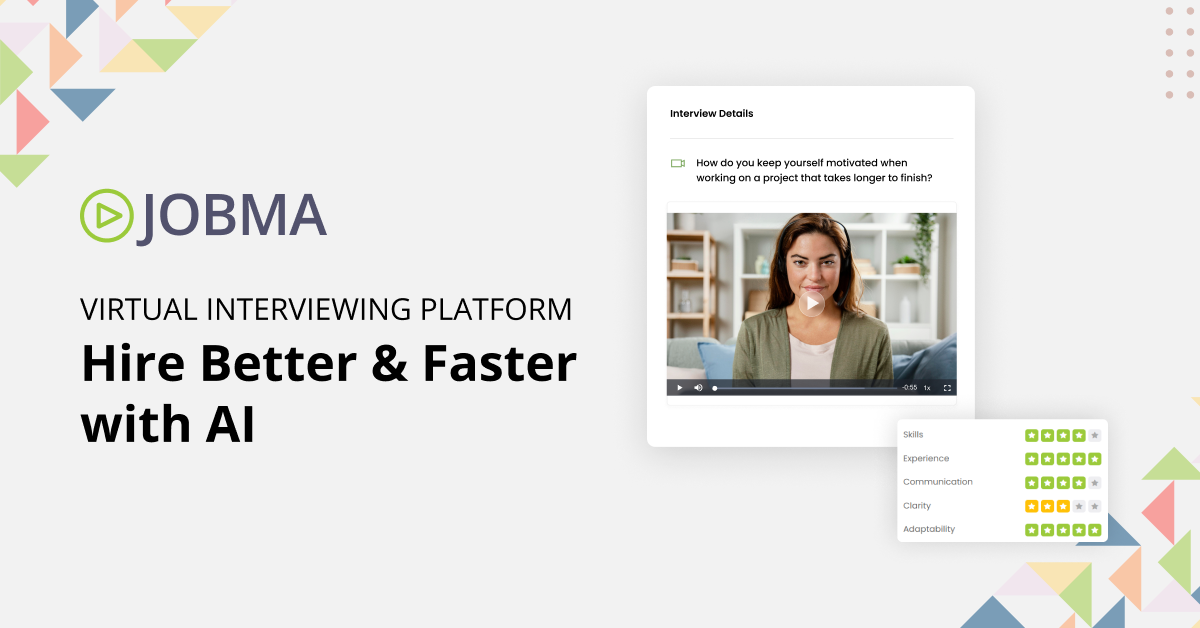
Jobma is an advanced AI video interviewing and skill validation platform designed specifically for recruitment agencies. It streamlines the hiring process by allowing recruiters to conduct virtual interviews, use AI-driven assessments, and enhance candidate experience, thereby addressing the unique needs of the recruitment industry.
Best for Video Conferencing Software for Recruitment Agencies
Expert Take
Jobma AI Hiring Software excels in providing a specialized video interviewing platform tailored for recruitment agencies. Its AI-driven capabilities and focus on candidate experience make it a standout choice. While it offers strong usability and support, some customization limitations exist.
Pros
- SOC 2 Type II & ISO 27001 Certified
- Native coding assessments for technical hiring
- Integrates with Workday, Oracle & iCIMS
- AI proctoring & anti-cheating features
- Multi-lingual transcription & AI scoring
Cons
- No public pricing; requires sales quote
- Mobile app friction for some candidates
- Steeper learning curve than simpler tools
- Setup can be complex for small teams
- Advanced features may require higher tiers
Best for teams that are
- Small to mid-sized businesses seeking an affordable, AI-powered video interviewing solution
- Teams looking to replace phone screens with asynchronous (one-way) video interviews
- Budget-conscious organizations requiring AI scoring and transcription features
Skip if
- Large enterprises requiring complex, custom-built assessment workflows
- Organizations needing deep, complex integrations with legacy enterprise systems
- Users seeking a primary tool for live, collaborative meetings rather than screening
Best for teams that are
- Small to mid-sized businesses seeking an affordable, AI-powered video interviewing solution
- Teams looking to replace phone screens with asynchronous (one-way) video interviews
- Budget-conscious organizations requiring AI scoring and transcription features
Skip if
- Large enterprises requiring complex, custom-built assessment workflows
- Organizations needing deep, complex integrations with legacy enterprise systems
- Users seeking a primary tool for live, collaborative meetings rather than screening
Pros
- SOC 2 Type II & ISO 27001 Certified
- Native coding assessments for technical hiring
- Integrates with Workday, Oracle & iCIMS
- AI proctoring & anti-cheating features
- Multi-lingual transcription & AI scoring
Cons
- No public pricing; requires sales quote
- Mobile app friction for some candidates
- Steeper learning curve than simpler tools
- Setup can be complex for small teams
- Advanced features may require higher tiers
Expert Take
Jobma AI Hiring Software excels in providing a specialized video interviewing platform tailored for recruitment agencies. Its AI-driven capabilities and focus on candidate experience make it a standout choice. While it offers strong usability and support, some customization limitations exist.
EMS Video Conferencing Software

EMS Video Conferencing Software is designed for contractors, offering an integrated solution for scheduling and managing web conferences. The software specifically addresses the need for efficient resource management in the contracting industry, ensuring contractors can schedule, track and manage virtual meetings with ease.
Best for Video Conferencing Software for Contractors
Expert Take
Our analysis shows that Accruent EMS stands out for its ability to act as a 'single pane of glass' for complex facility management, bridging the gap between digital scheduling and physical building operations. Research indicates it is particularly strong for large enterprises requiring granular control, as it uniquely combines video conferencing automation with hardware integrations like HVAC and digital signage. Based on documented features, it offers a level of depth in resource management that simpler scheduling tools cannot match.
Pros
- Integrates with Teams, Zoom, and Webex
- Automates HVAC and lighting controls
- ISO 27001 and SOC 2 compliant
- Supports complex recurring meeting logic
- Centralized room and resource scheduling
Cons
- Steep learning curve for new users
- User interface is not intuitive
- Extra licensing fees for VC integrations
- Support response times can be slow
- Implementation process can be lengthy
Best for teams that are
- Large enterprises managing complex physical meeting room bookings
- Organizations needing to schedule hybrid workspaces and resources alongside calls
- Facilities managers coordinating AV equipment and catering for meetings
Skip if
- Remote-only teams that do not manage physical office space
- Small businesses looking for a simple app to host video calls
- Users seeking a standalone video meeting platform (it is a scheduling tool)
Best for teams that are
- Large enterprises managing complex physical meeting room bookings
- Organizations needing to schedule hybrid workspaces and resources alongside calls
- Facilities managers coordinating AV equipment and catering for meetings
Skip if
- Remote-only teams that do not manage physical office space
- Small businesses looking for a simple app to host video calls
- Users seeking a standalone video meeting platform (it is a scheduling tool)
Pros
- Integrates with Teams, Zoom, and Webex
- Automates HVAC and lighting controls
- ISO 27001 and SOC 2 compliant
- Supports complex recurring meeting logic
- Centralized room and resource scheduling
Cons
- Steep learning curve for new users
- User interface is not intuitive
- Extra licensing fees for VC integrations
- Support response times can be slow
- Implementation process can be lengthy
Expert Take
Our analysis shows that Accruent EMS stands out for its ability to act as a 'single pane of glass' for complex facility management, bridging the gap between digital scheduling and physical building operations. Research indicates it is particularly strong for large enterprises requiring granular control, as it uniquely combines video conferencing automation with hardware integrations like HVAC and digital signage. Based on documented features, it offers a level of depth in resource management that simpler scheduling tools cannot match.
Hireflix One Way Video Interview

Hireflix is a purpose-built solution to facilitate one-way video interviews, specifically designed to meet the needs of staffing agencies. Its user-friendly interface eases the recruitment process by allowing candidates to record responses at their convenience, saving recruiters time and resources.
Best for Video Conferencing Software for Staffing Agencies
Expert Take
Hireflix excels as a specialized tool for staffing agencies, offering a streamlined one-way video interview process that enhances recruitment efficiency. Its user-friendly interface and global reach are significant advantages, though it lacks some customization features. The product's market credibility is supported by its tailored design for recruitment needs.
Pros
- Unlimited interviews and positions on all plans
- No app download or login required for candidates
- SOC 2 Type II and GDPR compliant
- Native integrations with major ATS platforms
- Extremely user-friendly interface
Cons
- No live/synchronous video interview capability
- Lacks AI-driven candidate scoring or analytics
- No file upload options for candidates
- Monthly cost may be high for low-volume hiring
- Limited to one-way video format
Best for teams that are
- Agencies prioritizing a user-friendly, friction-free candidate experience
- Teams needing simple, flat-rate pricing for one-way video screening
- Recruiters wanting seamless ATS integration (e.g., Greenhouse, Lever)
Skip if
- Recruiters needing live, real-time video interviewing capabilities
- Users wanting deep AI behavioral assessments or psychometric analysis
- Agencies looking for a comprehensive all-in-one video conferencing tool
Best for teams that are
- Agencies prioritizing a user-friendly, friction-free candidate experience
- Teams needing simple, flat-rate pricing for one-way video screening
- Recruiters wanting seamless ATS integration (e.g., Greenhouse, Lever)
Skip if
- Recruiters needing live, real-time video interviewing capabilities
- Users wanting deep AI behavioral assessments or psychometric analysis
- Agencies looking for a comprehensive all-in-one video conferencing tool
Pros
- Unlimited interviews and positions on all plans
- No app download or login required for candidates
- SOC 2 Type II and GDPR compliant
- Native integrations with major ATS platforms
- Extremely user-friendly interface
Cons
- No live/synchronous video interview capability
- Lacks AI-driven candidate scoring or analytics
- No file upload options for candidates
- Monthly cost may be high for low-volume hiring
- Limited to one-way video format
Expert Take
Hireflix excels as a specialized tool for staffing agencies, offering a streamlined one-way video interview process that enhances recruitment efficiency. Its user-friendly interface and global reach are significant advantages, though it lacks some customization features. The product's market credibility is supported by its tailored design for recruitment needs.
ACP CreativIT Video Conferencing
ACP CreativIT offers a robust video conferencing solution designed specifically for contractors. It provides seamless communication, enabling efficient collaboration with teams and clients, essential for project management in the contracting industry.
Best for Video Conferencing Software for Contractors
Expert Take
We love this SaaS solution because it addresses the unique communication needs of contractors. It enables effective collaboration with both internal teams and clients, improving project management and productivity. Its features are designed with the contracting industry in mind, making it a perfect fit for industry professionals seeking a hassle-free video conferencing solution. Moreover, ACP CreativIT's video conferencing solution is reliable and efficient, qualities that are crucial in the fast-paced contracting industry.
Pros
- Seamless communication
- Designed for contractors
- Reliable and efficient
Cons
- Lack of pricing transparency
- May require technical knowledge to set up
Best for teams that are
- Companies needing physical conference room AV design and installation
- Organizations looking to deploy certified Zoom or Teams Rooms hardware
- Businesses requiring professional integration of audio and video hardware
Skip if
- Remote-only contractors needing just a downloadable software app
- Small businesses with no budget for hardware installation services
- Users looking for a SaaS subscription without physical components
Best for teams that are
- Companies needing physical conference room AV design and installation
- Organizations looking to deploy certified Zoom or Teams Rooms hardware
- Businesses requiring professional integration of audio and video hardware
Skip if
- Remote-only contractors needing just a downloadable software app
- Small businesses with no budget for hardware installation services
- Users looking for a SaaS subscription without physical components
Pros
- Seamless communication
- Designed for contractors
- Reliable and efficient
Cons
- Lack of pricing transparency
- May require technical knowledge to set up
Expert Take
We love this SaaS solution because it addresses the unique communication needs of contractors. It enables effective collaboration with both internal teams and clients, improving project management and productivity. Its features are designed with the contracting industry in mind, making it a perfect fit for industry professionals seeking a hassle-free video conferencing solution. Moreover, ACP CreativIT's video conferencing solution is reliable and efficient, qualities that are crucial in the fast-paced contracting industry.
TrueConf Video Conferencing

TrueConf offers a secure and scalable video conferencing solution, perfect for staffing agencies. With its ability to host up to 2000 participants and advanced AI algorithms, it fosters realistic, engaging, and effective communication. Particularly beneficial in an industry where remote and real-time communication with a large number of candidates and clients is crucial.
Best for Video Conferencing Software for Staffing Agencies
Expert Take
TrueConf Video Conferencing stands out in the staffing agency sector due to its high participant capacity, secure communication features, and scalability. Its AI-enhanced realism and cross-platform compatibility further enhance its usability. The product's credibility is supported by its official documentation and third-party recognitions.
Pros
- Secure on-premise air-gapped operation
- Lifetime perpetual license option available
- 4K UltraHD video quality support
- Built-in SIP/H.323 gateway
- Works offline in LAN/VPN
Cons
- No HIPAA BAA signed
- Outdated user interface design
- Complex initial server configuration
- Limited native SaaS integrations
- Free tier limits SIP connections
Best for teams that are
- Agencies with strict data security needs requiring on-premise hosting
- Organizations operating in low-bandwidth environments or closed LAN networks
- Government or defense-related staffing firms needing total data sovereignty
Skip if
- Small agencies seeking a quick, cloud-based plug-and-play solution
- Teams primarily hosting external client meetings where ease of access is paramount
- Users who do not have IT resources to manage a self-hosted server
Best for teams that are
- Agencies with strict data security needs requiring on-premise hosting
- Organizations operating in low-bandwidth environments or closed LAN networks
- Government or defense-related staffing firms needing total data sovereignty
Skip if
- Small agencies seeking a quick, cloud-based plug-and-play solution
- Teams primarily hosting external client meetings where ease of access is paramount
- Users who do not have IT resources to manage a self-hosted server
Pros
- Secure on-premise air-gapped operation
- Lifetime perpetual license option available
- 4K UltraHD video quality support
- Built-in SIP/H.323 gateway
- Works offline in LAN/VPN
Cons
- No HIPAA BAA signed
- Outdated user interface design
- Complex initial server configuration
- Limited native SaaS integrations
- Free tier limits SIP connections
Expert Take
TrueConf Video Conferencing stands out in the staffing agency sector due to its high participant capacity, secure communication features, and scalability. Its AI-enhanced realism and cross-platform compatibility further enhance its usability. The product's credibility is supported by its official documentation and third-party recognitions.
MorphCast Emotion AI Video Conferencing
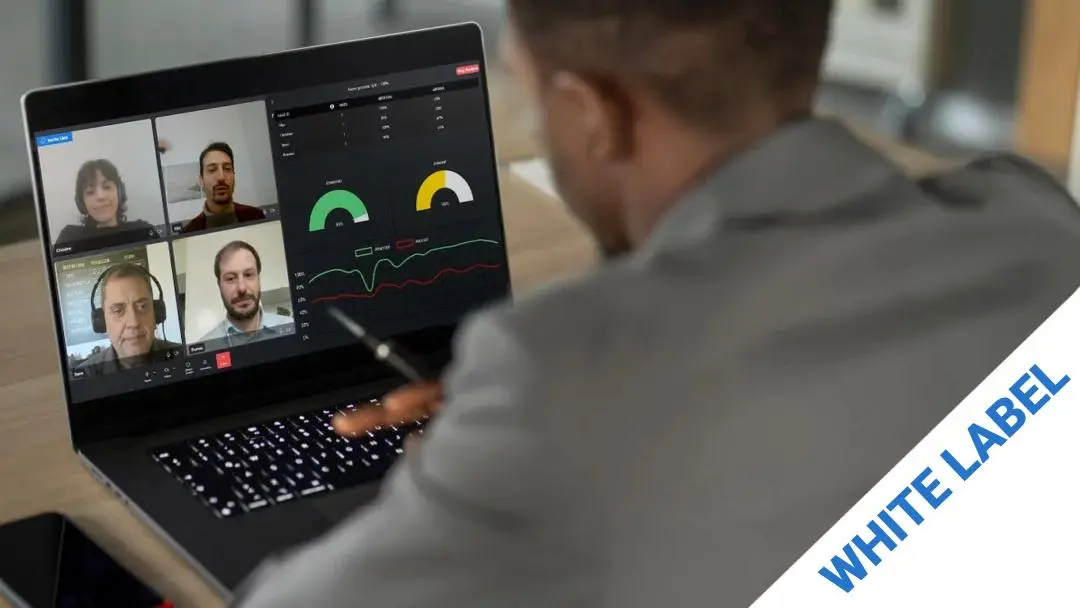
This product is designed to integrate seamlessly into your branded environment/platform, offering a unique edge in B2B SaaS industry. By leveraging AI technology, it not only facilitates high-quality video conferencing, but also provides emotion recognition, enabling businesses to measure user engagement and adapt their strategies in real time.
Best for Video Conferencing Software for SaaS Companies
Expert Take
MorphCast Emotion AI Video Conferencing stands out in the B2B SaaS sector with its unique emotion recognition feature, enhancing user engagement insights. It offers seamless integration and high-quality video conferencing, though it may present privacy concerns and require technical expertise for setup.
Pros
- Client-side processing ensures GDPR privacy
- Lightweight SDK (<1MB) loads instantly
- Transparent pay-as-you-go pricing model
- No end-user installation required (browser-based)
- White-label option for full branding control
Cons
- Accuracy depends on user lighting/camera
- No native Unity plugin available
- Lower accuracy than some server-side rivals
- Limited to basic Ekman emotion model
- Performance varies by user device power
Best for teams that are
- Recruiters analyzing candidate reactions
- Educators tracking student engagement levels
- Sales teams measuring pitch impact and attention
Skip if
- Standard meetings where AI analysis is intrusive
- Privacy-sensitive users uncomfortable with AI
- Casual social calls not needing analytics
Best for teams that are
- Recruiters analyzing candidate reactions
- Educators tracking student engagement levels
- Sales teams measuring pitch impact and attention
Skip if
- Standard meetings where AI analysis is intrusive
- Privacy-sensitive users uncomfortable with AI
- Casual social calls not needing analytics
Pros
- Client-side processing ensures GDPR privacy
- Lightweight SDK (<1MB) loads instantly
- Transparent pay-as-you-go pricing model
- No end-user installation required (browser-based)
- White-label option for full branding control
Cons
- Accuracy depends on user lighting/camera
- No native Unity plugin available
- Lower accuracy than some server-side rivals
- Limited to basic Ekman emotion model
- Performance varies by user device power
Expert Take
MorphCast Emotion AI Video Conferencing stands out in the B2B SaaS sector with its unique emotion recognition feature, enhancing user engagement insights. It offers seamless integration and high-quality video conferencing, though it may present privacy concerns and require technical expertise for setup.
Shine Live Video Interviewing
Best for Video Conferencing Software for Recruitment Agencies
Shine Live Video Interviewing is a powerful tool specifically designed for recruitment agencies, allowing them to streamline their hiring process and reduce the time to fill by up to 70%. This SaaS solution provides the convenience of video conferencing integrated with features such as interview recording, enabling recruiters to conduct in-depth candidate assessments remotely.
Best for Video Conferencing Software for Recruitment Agencies
Expert Take
Shine Live Video Interviewing stands out in the recruitment industry with its specialized features designed to streamline the hiring process. Its capabilities in video interviewing and candidate assessment are well-documented, and it offers significant time-saving benefits. While its pricing model lacks transparency, the product's strengths in usability and market credibility make it a top choice for recruitment agencies.
Pros
- No app download required for candidates
- Transparent monthly pricing (£95-£995/mo)
- Trusted by Royal Navy & MOD
- ISO 27001 certified UK hosting
- Dedicated Customer Success Managers included
Cons
- Mobile version lacks some desktop features
- Setup navigation can be click-heavy
- Fewer native integrations than market leaders
- Limited scalability for massive enterprises
- Brand confusion with unrelated Indian job site
Best for teams that are
- Recruitment agencies wanting to share branded video shortlists with clients
- Companies focusing on values-based recruitment and strong employer branding
- Organizations valuing GDPR compliance and local UK/European support
Skip if
- Teams needing a free or very low-cost tool for simple video calls
- Users looking for a general-purpose meeting tool rather than a dedicated interview platform
- Organizations needing advanced technical coding assessments
Best for teams that are
- Recruitment agencies wanting to share branded video shortlists with clients
- Companies focusing on values-based recruitment and strong employer branding
- Organizations valuing GDPR compliance and local UK/European support
Skip if
- Teams needing a free or very low-cost tool for simple video calls
- Users looking for a general-purpose meeting tool rather than a dedicated interview platform
- Organizations needing advanced technical coding assessments
Pros
- No app download required for candidates
- Transparent monthly pricing (£95-£995/mo)
- Trusted by Royal Navy & MOD
- ISO 27001 certified UK hosting
- Dedicated Customer Success Managers included
Cons
- Mobile version lacks some desktop features
- Setup navigation can be click-heavy
- Fewer native integrations than market leaders
- Limited scalability for massive enterprises
- Brand confusion with unrelated Indian job site
Expert Take
Shine Live Video Interviewing stands out in the recruitment industry with its specialized features designed to streamline the hiring process. Its capabilities in video interviewing and candidate assessment are well-documented, and it offers significant time-saving benefits. While its pricing model lacks transparency, the product's strengths in usability and market credibility make it a top choice for recruitment agencies.