What Is Task Management & Punch List Tools?
At its core, this software solves the problem of "the last mile of execution." While high-level project plans set the strategy, task management and punch list tools ensure the granular details are actually completed to standard. In construction, this means ensuring a cracked tile is replaced before the owner takes possession. In healthcare, it means verifying a terminal cleaning protocol was followed exactly to prevent infection. In professional services, it means ensuring every billable micro-task is captured and invoiced. The users are typically those in the field or on the floor—site superintendents, environmental services managers, store associates, and junior consultants—who need a mobile-first, low-friction way to log issues and close loops without navigating complex Gantt charts.
The distinction matters because using a broad Project Management tool for punch lists often fails due to complexity and lack of specificity. A Gantt chart cannot easily capture a photo of a leaking pipe, annotate it, and assign it to a subcontractor with a deadline of "today." Conversely, a simple to-do list app lacks the audit trails, approval workflows, and integration capabilities required by enterprise operations. This category exists to bridge that gap, providing a structured, accountable environment for the thousands of small actions that make up a successful project delivery.
History of the Category
The evolution of Task Management and Punch List tools mirrors the broader shift from digitized analog processes to intelligent, automated workflows. In the 1990s, "task management" was largely a feature of heavy, on-premise ERP or project management suites. These systems were built for the back office, not the field. A "punch list" remained a literal clipboard with a piece of paper where holes were physically punched next to completed items—a legacy that gives the category its name. The gap was stark: the people planning the work had digital tools, but the people doing the work relied on paper, fax machines, and eventually, disjointed spreadsheets.
The early 2000s saw the first wave of web-based project management, driven by the dot-com boom's need for faster collaboration. However, these tools were often just "spreadsheets in a browser." They allowed for list creation but lacked context. The true catalyst for this specific category was the introduction of the smartphone and tablet in the late 2000s. Suddenly, a site manager could carry a digital device to the point of work. This birthed the first generation of mobile-first punch list apps, which focused on a single utility: snapping a photo of a defect and pinning it to a digital blueprint.
By the 2010s, the market began to bifurcate. Horizontal SaaS players emerged, offering flexible "work management" platforms that could be adapted to any team, from marketing to HR. Simultaneously, vertical SaaS exploded. Construction, healthcare, and retail saw the rise of purpose-built applications that hard-coded industry best practices into the software. A general tool might let you create a task called "Clean Room," but a vertical tool for healthcare Environmental Services (EVS) would require a specific 15-point isolation cleaning checklist compliant with CDC guidelines.
Recent years have been defined by market consolidation and platform convergence. Large ERP and Project Management incumbents have aggressively acquired specialized punch list and task tools to close the loop between planning and execution. We are now entering a phase where buyer expectations have shifted from "give me a database" to "give me actionable intelligence." Modern buyers do not just want to know that 50 tasks are open; they want the software to predict which subcontractor is likely to delay the project based on historical completion rates. The focus has moved from data entry to automated orchestration, where the software itself nudges users, escalates issues, and generates compliance reports without manual intervention.
What to Look For
Evaluating Task Management and Punch List tools requires looking beyond the basic ability to create a checkbox. The market is flooded with generic productivity apps that crumble under enterprise requirements. A robust solution must offer granular permissions that go deeper than just "admin" and "user." In many industries, you need to allow a subcontractor to see only their assigned tasks without viewing the entire project budget or client list. If a vendor cannot demonstrate how to restrict visibility by role, trade, or location, it is a significant security risk.
Another critical criterion is offline capability. This is often a deal-breaker in construction, manufacturing, and field services where Wi-Fi is spotty or non-existent. A tool that creates "sync conflicts" or loses data when the connection drops is useless in the field. Test this rigorously: put a device in airplane mode, complete a complex inspection with photos, close the app, and see what happens when you reconnect. The best tools handle this synchronization seamlessly, queuing background uploads without freezing the user interface.
Beware of the "all-in-one" trap where a vendor claims to replace your CRM, ERP, and HR systems. While integration is vital, a task management tool that tries to be a general ledger often does both jobs poorly. A major red flag is a lack of exportability and data sovereignty. If you cancel your subscription, can you export your entire project history, including photos, timestamps, and audit logs, in a usable format? Some vendors hold data hostage in proprietary formats, making it impossible to maintain the audit trail required for legal or regulatory defense.
Key Questions to Ask Vendors:
- "How does your system handle 'gray work'—the ad-hoc communication that happens outside formal tasks? Does it capture comments and emails within the task record?"
- "Can you show me the exact workflow for a third-party guest (like a subcontractor or client) to close a task without needing a paid license?"
- "What is your API rate limit? If we integrate this with our ERP, will we hit a ceiling during end-of-month reporting?"
- "Describe your mobile sync conflict resolution logic. If two people edit the same item offline, whose changes win?"
Industry-Specific Use Cases
Retail & E-commerce
In retail, task management software is the nervous system connecting corporate headquarters to hundreds of distributed store locations. The primary need here is real-time communication and visual verification. Operations directors use these tools to push out "planograms" (visual merchandising guides) and require store managers to upload photos proving the display was set up correctly. This "visual loop" ensures brand consistency across geographies. Evaluation priorities should focus on mobile usability for store associates who are often standing on the sales floor, not sitting at a desk. The software must handle high turnover by being intuitive enough for a new hire to use on day one with minimal training.
A unique consideration for e-commerce retailers with physical pop-ups or warehouses is inventory incident tracking. When a picker finds a damaged item or a stock discrepancy, they need to log a "punch list" item that immediately triggers a workflow for the inventory control team. Unlike construction punch lists which are project-based, retail tasks are often cyclical (daily opening checklists, weekly safety audits). Therefore, the tool must excel at scheduling recurring tasks and aggregating compliance data into regional dashboards [1], [2].
Healthcare
Healthcare organizations utilize task management tools primarily for Environmental Services (EVS) and regulatory compliance. The stakes are patient safety and infection control, not just productivity. Hospitals use these tools to manage terminal cleaning workflows where a room must be sanitized following strict protocols before a new patient is admitted. The software must support complex checklists that align with CDC and Joint Commission standards. A key evaluation priority is the audit trail. In the event of a hospital-acquired infection outbreak, the facility must be able to prove exactly who cleaned a specific room, when, and what checklist they followed.
Integration with patient flow systems is a unique need. When a patient is discharged in the Electronic Health Record (EHR), it should automatically trigger a "clean bed" task on the EVS team's mobile devices. Speed is critical; inefficient task routing leads to longer wait times in the ER. Red flags in this sector include any tool that is not HIPAA compliant or lacks granular data privacy controls, as tasks may inadvertently contain patient-identifying information [3], [4].
Financial Services
For financial services, task management is synonymous with the financial close process (month-end/year-end). Accounting teams use these tools to orchestrate the hundreds of interdependent steps required to close the books—reconciliations, journal entries, and approvals. The core problem is visibility; a Controller needs to know if the "Accounts Payable Reconciliation" task is stuck so they can intervene before the deadline. Unlike other industries where tasks might be independent, financial tasks often have strict dependencies (Task B cannot start until Task A is approved).
Security and auditability are paramount. The "punch list" here is often a list of exceptions or variances that need investigation. Tools must comply with regulations like Sarbanes-Oxley (SOX), which requires immutable logs of who approved a financial action and when. A general-purpose tool is often insufficient because it lacks the ability to roll forward checklists from one period to the next or integrate directly with the General Ledger to auto-complete tasks based on system data [5], [6].
Manufacturing
Manufacturing relies on task management software for Gemba walks, 5S audits, and safety inspections. Plant managers use these tools to digitize the "clipboard walk," recording safety hazards or equipment malfunctions directly from the shop floor. The workflow differs from construction because the environment is continuous production rather than a finite project. The software needs to support offline data capture as many factory floors have dead zones. It also requires strong image annotation capabilities to circle a specific part of a machine that is leaking or broken.
A unique consideration is the integration with maintenance systems. A safety audit task that identifies a frayed wire should ideally be able to push a work order into a CMMS (Computerized Maintenance Management System). Evaluation should prioritize tools that allow for customizable forms and scoring logic (e.g., a 5S audit score that is automatically calculated based on checklist answers). If the tool cannot handle conditional logic (if answer is "Fail", require a photo), it will likely fail to enforce safety standards [7], [8].
Professional Services
In legal, consulting, and marketing firms, task management is directly tied to billable hours and utilization. The "punch list" is often the outstanding deliverables for a client project. The critical differentiator here is the need to track time against tasks. A task is not just a thing to do; it is a unit of revenue. Professional services firms evaluate tools based on how well they visualize capacity—can I assign this task to Consultant A, or are they already 110% utilized this week?
Client transparency is another unique need. Many firms require a "client portal" feature where external stakeholders can view the status of tasks without seeing internal comments or budget details. Tools that lack this "partitioned" view often force staff to double-enter data into a separate report for clients, wasting billable time. The software must also integrate seamlessly with invoicing platforms to ensure that completed work is promptly billed [9], [10].
Subcategory Overview
Plumbing Task Management
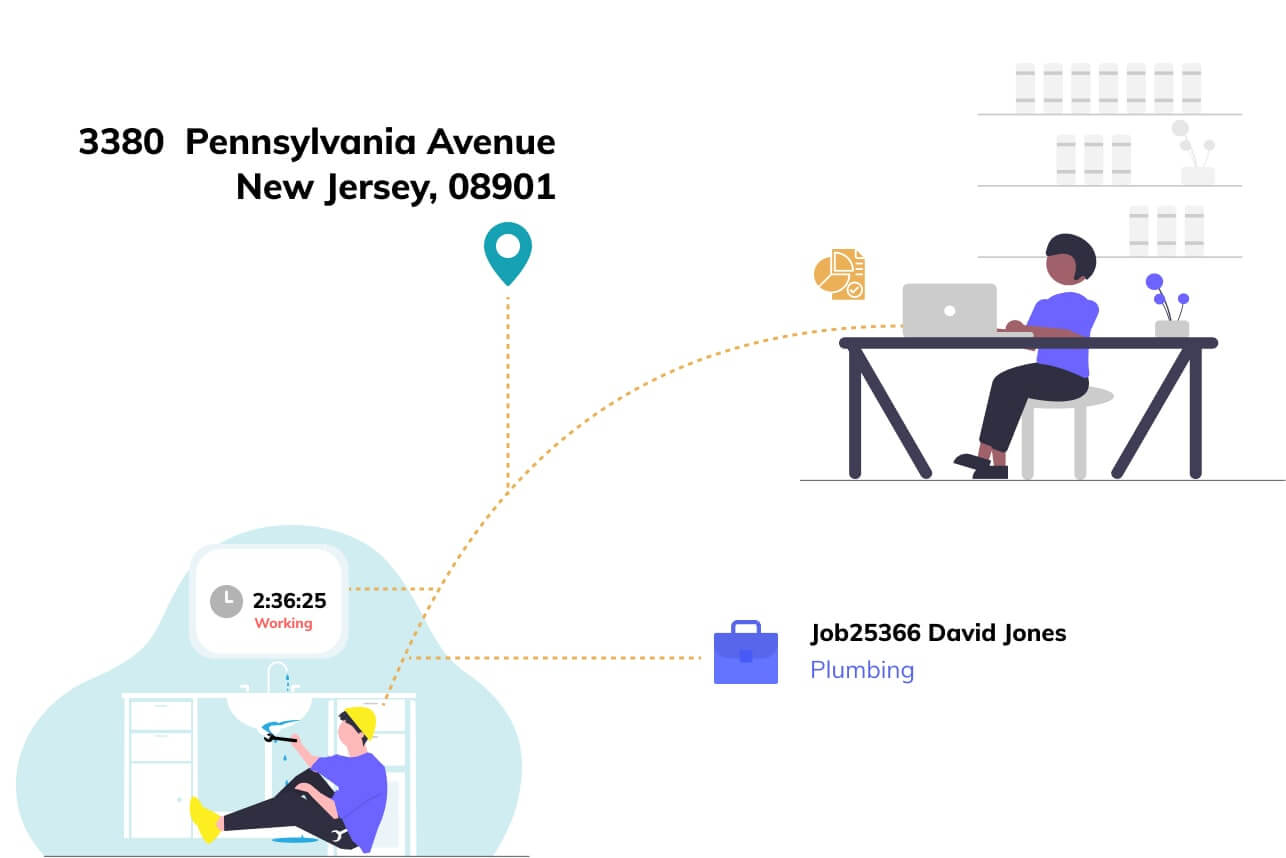
Managing a plumbing business requires software that can handle the unpredictability of emergency dispatching alongside routine installations. Unlike generic tools, our guide to Task & To-Do List Management Tools for Plumbers highlights solutions that specialize in "dispatch board" visualization rather than simple lists. A generic tool might let you list "Fix Leak at 123 Main St," but specialized plumbing tools allow dispatchers to see technician location via GPS, drag-and-drop emergency jobs into gaps in the schedule, and instantly notify the tech via mobile push. The specific pain point driving buyers here is the "emergency insert"—the need to reshuffle a whole day's schedule instantly when a burst pipe call comes in, without manually calling every technician [11], [12].
Roofing Task Management
Roofing companies face a unique challenge: the physical danger and difficulty of on-site estimation. Specialized roofing tools differentiate themselves by integrating aerial measurement and satellite imagery directly into the task workflow. As detailed in our guide to Task & To-Do List Management Tools for Roofing Companies, these platforms allow a user to order a satellite report, generate a precise material takeoff (e.g., number of shingle bundles), and convert that into a task list for the crew—all without climbing a ladder. Generic project tools cannot calculate pitch or waste factors. The driving pain point is estimate accuracy; a generic tool requires manual data entry that often leads to under-ordering materials, whereas specialized roofing tools automate the "measurement-to-material-order" workflow [13], [14].
General Contractor Task Management
For General Contractors (GCs), the primary complexity is managing the liability and compliance of external entities (subcontractors) rather than internal employees. Task & To-Do List Management Tools for Contractors focuses on software that gates task assignment behind compliance checks. A specialized tool can block a GC from assigning a punch list item to an electrician if that electrician’s insurance certificate has expired. Generic tools treat all assignees equally, exposing the GC to massive liability. The specific workflow only these tools handle well is the "subcontractor portal," where trades can view and update their specific punch list items without accessing the main project budget or proprietary data of other trades [15], [16].
Integration & API Ecosystem
In modern enterprise environments, a task management tool that stands alone is a data silo waiting to cause a crisis. The gold standard for evaluation is not just "does it have an API?" but "what is the performance and depth of that API?" For instance, REST APIs are standard, but they can be chatty and slow when retrieving complex, nested task data. A modern trend is the move toward GraphQL APIs, which allow the receiving system to query exactly the data it needs in a single request, significantly reducing load times [17]. Gartner notes that integration capabilities are now a top-three selection criterion for mid-sized enterprises [18].
Scenario: Consider a 50-person professional services firm integrating their task management tool with a separate billing system. A poorly designed integration syncs data only once every 24 hours. When a consultant marks a high-value task as "complete" at 10 AM on the last day of the month, the billing system doesn't see it until the next morning—after the invoice run has occurred. This "sync lag" causes a $15,000 billing error, delaying revenue recognition by a full month and eroding client trust. A robust integration would use real-time webhooks to trigger an immediate update in the billing system the moment the task status changes.
Security & Compliance
Security in task management is often underestimated because the data can look benign—simple "to-do" lists. However, these lists often contain sensitive data: patient names in healthcare, security codes in facility management, or unreleased product features in tech. Buyers must look for SOC 2 Type II certification and ISO 27001 compliance as a baseline. For industries like healthcare, HIPAA compliance is non-negotiable. The 2024 IBM Cost of a Data Breach Report highlights that the average cost of a data breach in healthcare has reached nearly $9.8 million, the highest of any industry for 14 consecutive years [19].
Scenario: A facility management company uses a general task app to manage access codes for a client's server rooms. During a routine audit, they fail to produce a log of who viewed a specific "Change Door Code" task because the software lacked granular audit trails. The client, a financial institution subject to strict regulatory oversight, terminates the contract due to this compliance failure. A proper enterprise-grade tool would have an immutable activity log showing exactly which user viewed the task, when, and from what IP address, satisfying the auditor's requirements.
Pricing Models & TCO
Pricing in this category has shifted from simple per-user licenses to complex tier-based models that can hide significant costs. The two dominant models are per-seat (paying for every user) and usage-based (paying for storage, projects, or API calls). While per-seat provides predictability, it punishes scalability. Usage-based pricing aligns cost with value but can lead to "bill shock." Research from SaaS pricing experts indicates that hidden costs often lie in "guest" access—vendors may charge full price for a subcontractor who only needs to log in once a week [20].
Scenario: A mid-sized construction firm with 25 internal employees and 100 subcontractors evaluates two tools. Tool A is $30/user/month. Tool B is $50/user/month but offers free unlimited "guest" accounts.
Tool A Calculation: (25 employees + 100 subs) * $30 = $3,750/month.
Tool B Calculation: 25 employees * $50 = $1,250/month.
Despite appearing more expensive on paper, Tool B offers a Total Cost of Ownership (TCO) that is 66% lower because it understands the industry dynamic of high subcontractor volume. Buyers failing to run this TCO model risk overspending by tens of thousands of dollars annually.
Implementation & Change Management
The graveyard of software implementations is filled with tools that were technically sound but culturally rejected. Gartner analysts have long cited that nearly 70% of change initiatives fail to achieve their goals, largely due to employee resistance and lack of management support [21]. In task management, the friction is often "double entry"—users refusing to use the new tool because they still have to update a legacy spreadsheet. Successful implementation requires a "burn the ships" strategy where the legacy method is strictly retired.
Scenario: A manufacturing plant rolls out a digital Gemba walk tool to replace paper clipboards. However, they fail to provide tablets to the floor managers, expecting them to use personal phones. Resistance mounts due to privacy concerns and data usage costs. The implementation stalls, and six months later, the "digital" data is just a secretary manually typing paper forms into the web portal—the worst of both worlds. A successful rollout would have included a hardware budget and a "pilot squad" of influencers to champion the mobile workflow before a full rollout.
Vendor Evaluation Criteria
Beyond features, buyers must evaluate the vendor's viability and support ecosystem. In a consolidated market, small vendors are often acquired, leading to "sunset" products. Buyers should ask for the vendor's product roadmap and frequency of release cycles. A stagnant roadmap is a warning sign. Forrester emphasizes examining the "partner ecosystem"—does the vendor have certified consultants who can help you if things go wrong? [22].
Scenario: An enterprise buyer selects a niche task tool because of a unique "whiteboard" feature. One year later, the vendor is acquired by a large ERP conglomerate. The niche tool is put into "maintenance mode," and support response times drop from 2 hours to 4 days. The enterprise is now stuck on a zombie platform with no new features. A rigorous evaluation would have flagged the vendor's small size and lack of enterprise support SLAs (Service Level Agreements) as a critical risk factor, perhaps prompting the buyer to choose a more established player or negotiate a source code escrow clause.
Emerging Trends and Contrarian Take
Emerging Trends 2025-2026: Agentic AI
The next frontier is not just "smart" task lists, but Agentic AI—software agents that autonomously execute tasks rather than just tracking them. Forrester predicts that by 2025, agentic AI will begin to augment and eventually replace the "middle management" layer of task coordination [23]. Instead of a human project manager manually assigning a punch list item to a plumber, an AI agent will analyze the defect, identify the correct trade, check the plumber's schedule and insurance status, and dispatch the task automatically. We are also seeing a convergence where standalone task tools are being swallowed by broader "Work Operating Systems," making the standalone category less relevant for large enterprises.
Contrarian Take: The Death of the "Single Pane of Glass"
The industry is obsessed with the "single pane of glass"—one tool to rule them all. The contrarian truth is that specialization is defeating consolidation. A generalized "all-in-one" suite creates mediocrity across the board. A construction superintendent will never trade the specialized power of a dedicated punch list tool for a generic module inside a massive HR/ERP suite. The future is not one tool, but a federated stack of "best-of-breed" vertical apps connected by invisible, automated data pipes. Businesses chasing the "one app" dream are likely sacrificing operational excellence for administrative convenience.
Common Mistakes
The most frequent mistake buyers make is overbuying complexity. They purchase an enterprise-grade system with Gantt charts, resource leveling, and portfolio analysis for a team that simply needs a shared checklist. This leads to "feature fatigue," where users find the tool so cumbersome they revert to WhatsApp or sticky notes. The friction of the tool must never exceed the friction of the task it is tracking.
Another critical error is ignoring field adoption. Decisions are often made by executives in a boardroom who have never stood on a roof or in a hospital ward. They choose software that looks great on a 27-inch monitor but is unusable on a cracked smartphone screen in direct sunlight. If the buttons are too small for a gloved hand to tap, the software effectively doesn't exist for that user. Always pilot the software with the lowest-level end-user, not just the managers.
Questions to Ask in a Demo
- "Can you demonstrate the exact number of clicks it takes for a field user to log a defect and upload a photo? I want to count them."
- "Show me how the system behaves when the user has zero cellular signal. I want to see the 'offline mode' in action, not just hear about it."
- "What happens to my data if we decide to leave your platform in three years? Show me the bulk export feature right now."
- "How does your licensing model handle seasonal workers or subcontractors who might only be on a project for two weeks?"
- "Can you show me the audit log for a deleted task? I need to see if we can trace who deleted it and when."
Before Signing the Contract
Final Decision Checklist:
Before signing, verify the Service Level Agreement (SLA). Does the vendor guarantee 99.9% uptime? What is the financial penalty if they fail? For critical operations like healthcare or logistics, downtime is expensive. Ensure you have negotiated data ownership clauses clearly—you must own your data, including the metadata (comments, logs). Finally, check the implementation support. Does the contract include hours for a dedicated implementation specialist, or just a link to a knowledge base? For complex rollouts, professional services support is often the difference between success and failure.
Deal-Breakers:
Walk away if the vendor refuses to show you their security certifications (SOC 2, ISO 27001). Do not sign if they cannot provide a clear, documented path for data migration *out* of their system. Avoid multi-year lock-ins without an "opt-out" clause for the first 90 days—you need a safety hatch if the implementation fails.
Closing
Mastering task management and punch list tools is not about finding software that can do everything; it is about finding the tool that creates the least friction for the people doing the actual work. The right choice turns chaotic "gray work" into structured, auditable data that drives business intelligence. If you have specific questions about your industry's needs or want a second opinion on your shortlist, feel free to reach out.
Email: albert@whatarethebest.com

 i
i